
App
Best Automatic Schedule Generators for Students
Best Automatic Schedule Generators for Students

Managing a student schedule is harder than it looks. Between classes, assignments, study sessions, part-time jobs, and sleep, there are more moving parts than any static timetable can handle. The moment a deadline shifts or an exam date changes, the whole plan falls apart.
Automatic schedule generators solve this differently. Instead of asking you to manually slot everything in, they take your tasks, deadlines, and available time and generate a schedule for you, rearranging things when plans change. The best ones go further: they factor in your energy levels, study load, and priorities, not just your calendar gaps.
We tested the top options available in 2026. Here are the five best automatic schedule generators for students, starting with the one that does the most intelligent scheduling.
Key Takeaways
The best automatic schedule generators do more than fill calendar gaps; they adapt when your priorities or deadlines change
Energy-aware scheduling (matching study tasks to your peak focus hours) makes a meaningful difference in how much you actually retain
Free tools exist for every major use case, though paid plans add meaningful automation for students with complex schedules
Quick Guide: Best Automatic Schedule Generators for Students
Lifestack: best overall for energy-aware auto-scheduling
Motion: best AI rescheduling for deadline-driven workflows
FlowSavvy: best purpose-built student auto-scheduler with free tier
Structured: best visual daily planner for iOS users
My Study Life: best free option for class schedule and assignment tracking
How We Evaluated These Tools
Automation depth: does it actually generate a schedule, or just help you build one manually?
Rescheduling: how well does it adapt when plans change?
Calendar integration: does it sync with Google Calendar, iCloud, or Outlook?
Energy and focus awareness: does it consider when you are actually capable of focused study?
Student use case fit: does it handle recurring classes, assignment deadlines, and exam prep?
Pricing: is there a meaningful free tier?
1. Lifestack
Best for: students who want their study schedule built around their actual energy, not just available time slots

Lifestack approaches student scheduling from a fundamentally different angle. Rather than asking "when are you free?", it asks "when are you actually capable of doing focused work?" It reads your sleep data, HRV, and energy patterns from wearables like the Oura Ring and Apple Watch, then builds your daily schedule around your peak cognitive hours.
For students, this matters more than most productivity advice acknowledges. Reading dense material or solving problem sets at the wrong time of day (low energy, poor sleep recovery) produces worse results even if the time is technically available. Lifestack solves when to schedule deep work automatically, based on your actual biology rather than a fixed rule.
Key Features: energy-aware auto-scheduling, wearable integration (Oura, Apple Watch, Garmin), sleep data-driven daily plan, calendar sync, iOS and Android apps, Chrome extension
What Works: genuinely intelligent scheduling that adapts to your recovery state; lighter cognitive tasks automatically placed in low-energy windows
Limitations: does not have a dedicated "class schedule" view like student-specific tools; no assignment deadline countdown feature
Pricing: $7/month or $50/year
Best for: students who track sleep or use wearables and want a planner that uses that data to optimize when they study
2. Motion
Best for: students with heavy project loads who need AI to reschedule automatically when things shift

Motion is an AI scheduling tool that takes your task list and calendar and automatically builds a daily plan. When you add a new assignment or a meeting moves, it reruns the schedule in the background and adjusts everything else to fit. For students managing multiple overlapping projects with varying priorities, this is genuinely useful.
Motion treats every task as a scheduling problem: it knows the deadline, how long the task should take, and what else is on your calendar. It fills available time intelligently and flags when something cannot fit before a deadline. This is as close to a true automatic schedule maker as most students will find.
Key Features: AI auto-scheduling, automatic daily plan generation, deadline-aware task prioritization, calendar integration, team project support
What Works: strong rescheduling capability; genuinely useful for students with complex, overlapping deadlines
Limitations: no energy awareness; expensive at $19/month, which is steep for most students; no dedicated student features
Pricing: $19/month (monthly) or about $12.73/month (annual)
Best for: graduate students or those with research and project-heavy workloads who can justify the price
3. FlowSavvy
Best for: students who want automatic time-blocking with a free tier and built-in rescheduling
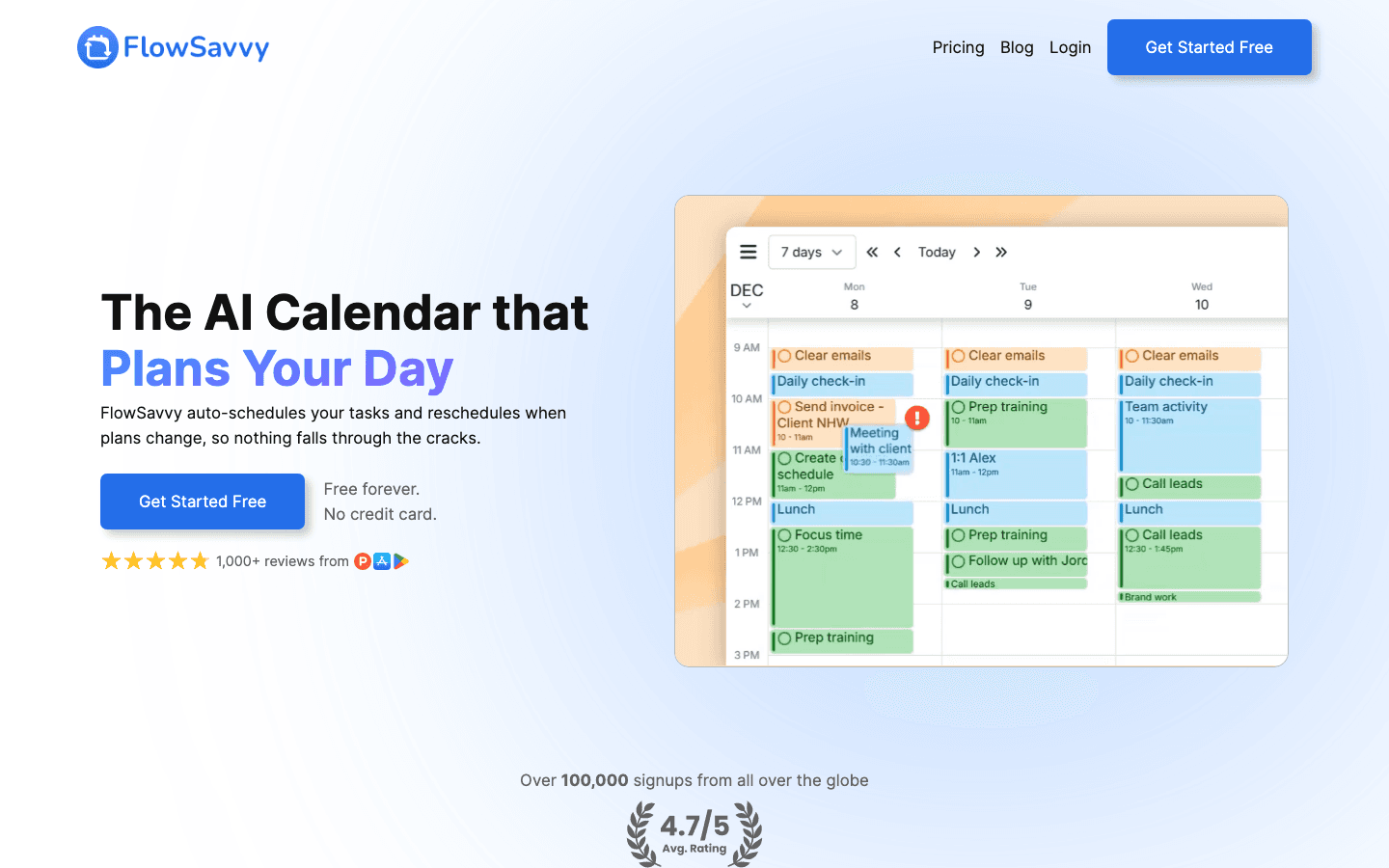
FlowSavvy is a student-focused automatic time-blocking tool. You add your tasks and set a deadline and estimated duration, and FlowSavvy places them in your calendar automatically, fitting around existing events. When something gets rescheduled or runs long, it reflows the rest of your plan without you having to touch it.
The free tier is genuinely useful: it covers the core auto-scheduling loop with a 2-week scheduling window and sync to Google Calendar, Outlook, and iCloud. The Pro tier extends the scheduling window to 8 weeks and adds task dependencies, which matters for larger assignments or thesis work. Students can get 50 percent off the first year of Pro with an institutional email.
Key Features: automatic time-blocking, one-click rescheduling, calendar sync, task priorities, repeating tasks, student discount available
What Works: the most student-aware tool on this list; built specifically for school workloads; solid free tier
Limitations: no energy or sleep awareness; 2-week scheduling window on the free plan may be limiting for semester planning
Pricing: Free (2-week window), $14/month or $10/month annual; 50% student discount on first year of Pro
Best for: students who want automatic scheduling without paying for it immediately
4. Structured
Best for: visual learners who prefer a timeline-style day view over a traditional calendar grid

Structured is a visual daily planner for iOS that presents your day as a vertical timeline rather than a grid. Tasks and blocks stack visually in chronological order, making it easy to see exactly how your day is laid out at a glance. It is less about fully automatic scheduling and more about helping you build and visualize a structured day quickly.
Where Structured works particularly well for students is in combining class schedules with personal tasks in one clean visual space. The time blocking is clear and intuitive. It does not auto-reschedule the way Motion or FlowSavvy do, but the visual structure makes it easier to plan well manually and stick to the plan once made.
Key Features: visual timeline view, task and calendar block integration, recurring schedules, iOS and Mac apps, clean minimal design
What Works: best visual design of any tool on this list; excellent for students who think in time blocks rather than task lists
Limitations: less automatic than the other tools here; primarily iOS/Mac; no AI rescheduling
Pricing: Free to download, Pro subscription available in-app
Best for: iPhone-centric students who want a beautiful, visual daily structure
5. My Study Life
Best for: students who want a free, purpose-built planner for tracking classes, exams, and assignments
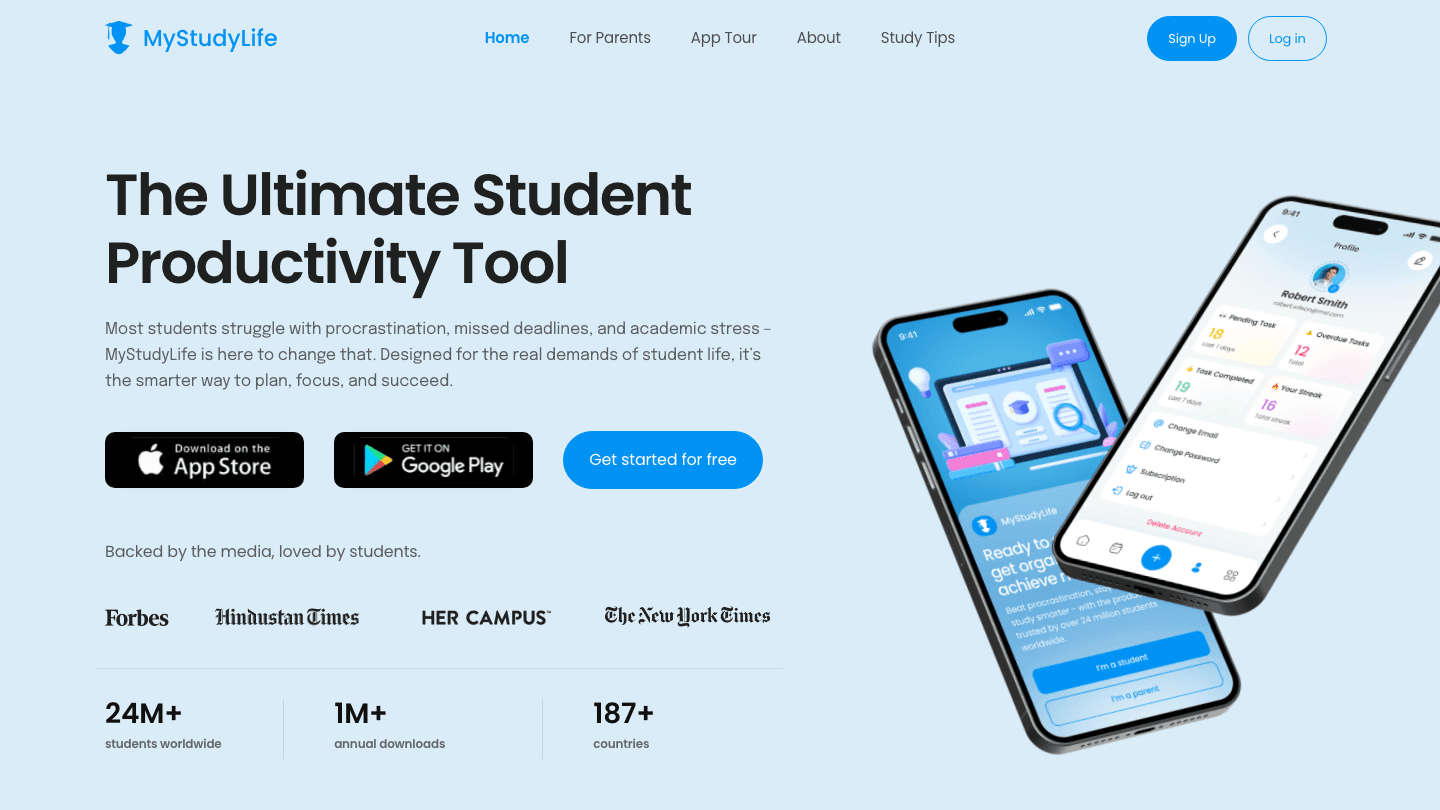
My Study Life is a dedicated student planner with a free tier that covers the essentials: class schedule, assignment due dates, exam countdowns, and task reminders. It does not auto-generate a daily schedule the way Lifestack or FlowSavvy do, but it provides the structured academic framework that generalist tools lack.
For students who find general productivity apps too abstract, My Study Life speaks the language of semester planning: it understands class rotations, holiday weeks, and that assignments due at 11:59pm are different from meetings that start at 9am. It is the best free option if your primary need is tracking academic obligations rather than optimizing daily study time. Students with ADHD or attention challenges may appreciate its structured, deadline-focused view.
Key Features: class schedule builder, assignment and exam tracking, revision task generator, cross-platform sync, 24M+ student downloads
What Works: genuinely built for students; understands academic schedules; completely free; works on every platform
Limitations: no automatic scheduling or AI; more of an academic organizer than a time optimizer
Pricing: Free
Best for: students who primarily need class schedule tracking and assignment reminders at no cost
Which Automatic Schedule Generator Is Right for You?
If you use a smartwatch or Oura Ring and want your study blocks scheduled around your actual energy: Lifestack
If you have heavy project deadlines and need AI to handle rescheduling automatically: Motion
If you want automatic time-blocking with a solid free tier designed for students: FlowSavvy
If you are an iPhone user who learns better with visual timelines: Structured
If you just need a free way to track classes, exams, and assignments: My Study Life
For most students, the choice comes down to how much automation you want and whether you are tracking energy or just time. A personal time management app that understands your energy is more useful than one that simply fills calendar slots. But free tools like FlowSavvy and My Study Life cover the basics well without any financial commitment.
Frequently Asked Questions
What is the best free automatic schedule generator for students?
FlowSavvy and My Study Life are the strongest free options. FlowSavvy auto-schedules tasks within a 2-week window on its free plan and syncs with Google Calendar, iCloud, and Outlook. My Study Life is completely free and specifically built for academic schedules, covering classes, exams, and assignment deadlines. Both are worth trying before committing to a paid tool.
Can an app really build my study schedule automatically?
Yes. Tools like Lifestack and Motion take your task list, deadlines, and calendar and generate a daily plan without you manually placing each block. They also reschedule automatically when things change. The difference between apps is in how intelligent that scheduling is: some fill gaps chronologically, while others factor in priorities, energy levels, or deadline urgency.
How do automatic schedule generators handle exam preparation?
Most tools let you set a task like "study for chemistry exam" with a deadline and estimated total study time, then automatically distribute study blocks across your available days leading up to the exam. My Study Life has a dedicated revision task generator specifically for this. FlowSavvy handles it through its task priority and deadline system.
Is Lifestack good for students?
Yes, particularly for students who care about when they study, not just that they study. Lifestack reads sleep and energy data and schedules demanding study sessions (problem sets, reading-heavy subjects) during your peak cognitive hours, while placing lighter tasks in low-energy windows. Understanding personal energy management makes a real difference in retention and focus quality, and Lifestack automates it.
Are automatic schedule generators better than paper planners?
For students with dynamic schedules (shifting deadlines, cancelled classes, last-minute study sessions), automatic digital tools have a clear edge: they reschedule without friction when things change. Paper planners require you to manually rewrite the plan every time something moves. Where paper wins is in low-distraction, tactile engagement with your schedule. Many students use both: a digital auto-scheduler for planning, and a paper daily list for execution.
Managing a student schedule is harder than it looks. Between classes, assignments, study sessions, part-time jobs, and sleep, there are more moving parts than any static timetable can handle. The moment a deadline shifts or an exam date changes, the whole plan falls apart.
Automatic schedule generators solve this differently. Instead of asking you to manually slot everything in, they take your tasks, deadlines, and available time and generate a schedule for you, rearranging things when plans change. The best ones go further: they factor in your energy levels, study load, and priorities, not just your calendar gaps.
We tested the top options available in 2026. Here are the five best automatic schedule generators for students, starting with the one that does the most intelligent scheduling.
Key Takeaways
The best automatic schedule generators do more than fill calendar gaps; they adapt when your priorities or deadlines change
Energy-aware scheduling (matching study tasks to your peak focus hours) makes a meaningful difference in how much you actually retain
Free tools exist for every major use case, though paid plans add meaningful automation for students with complex schedules
Quick Guide: Best Automatic Schedule Generators for Students
Lifestack: best overall for energy-aware auto-scheduling
Motion: best AI rescheduling for deadline-driven workflows
FlowSavvy: best purpose-built student auto-scheduler with free tier
Structured: best visual daily planner for iOS users
My Study Life: best free option for class schedule and assignment tracking
How We Evaluated These Tools
Automation depth: does it actually generate a schedule, or just help you build one manually?
Rescheduling: how well does it adapt when plans change?
Calendar integration: does it sync with Google Calendar, iCloud, or Outlook?
Energy and focus awareness: does it consider when you are actually capable of focused study?
Student use case fit: does it handle recurring classes, assignment deadlines, and exam prep?
Pricing: is there a meaningful free tier?
1. Lifestack
Best for: students who want their study schedule built around their actual energy, not just available time slots
Lifestack approaches student scheduling from a fundamentally different angle. Rather than asking "when are you free?", it asks "when are you actually capable of doing focused work?" It reads your sleep data, HRV, and energy patterns from wearables like the Oura Ring and Apple Watch, then builds your daily schedule around your peak cognitive hours.
For students, this matters more than most productivity advice acknowledges. Reading dense material or solving problem sets at the wrong time of day (low energy, poor sleep recovery) produces worse results even if the time is technically available. Lifestack solves when to schedule deep work automatically, based on your actual biology rather than a fixed rule.
Key Features: energy-aware auto-scheduling, wearable integration (Oura, Apple Watch, Garmin), sleep data-driven daily plan, calendar sync, iOS and Android apps, Chrome extension
What Works: genuinely intelligent scheduling that adapts to your recovery state; lighter cognitive tasks automatically placed in low-energy windows
Limitations: does not have a dedicated "class schedule" view like student-specific tools; no assignment deadline countdown feature
Pricing: $7/month or $50/year
Best for: students who track sleep or use wearables and want a planner that uses that data to optimize when they study
2. Motion
Best for: students with heavy project loads who need AI to reschedule automatically when things shift
Motion is an AI scheduling tool that takes your task list and calendar and automatically builds a daily plan. When you add a new assignment or a meeting moves, it reruns the schedule in the background and adjusts everything else to fit. For students managing multiple overlapping projects with varying priorities, this is genuinely useful.
Motion treats every task as a scheduling problem: it knows the deadline, how long the task should take, and what else is on your calendar. It fills available time intelligently and flags when something cannot fit before a deadline. This is as close to a true automatic schedule maker as most students will find.
Key Features: AI auto-scheduling, automatic daily plan generation, deadline-aware task prioritization, calendar integration, team project support
What Works: strong rescheduling capability; genuinely useful for students with complex, overlapping deadlines
Limitations: no energy awareness; expensive at $19/month, which is steep for most students; no dedicated student features
Pricing: $19/month (monthly) or about $12.73/month (annual)
Best for: graduate students or those with research and project-heavy workloads who can justify the price
3. FlowSavvy
Best for: students who want automatic time-blocking with a free tier and built-in rescheduling
FlowSavvy is a student-focused automatic time-blocking tool. You add your tasks and set a deadline and estimated duration, and FlowSavvy places them in your calendar automatically, fitting around existing events. When something gets rescheduled or runs long, it reflows the rest of your plan without you having to touch it.
The free tier is genuinely useful: it covers the core auto-scheduling loop with a 2-week scheduling window and sync to Google Calendar, Outlook, and iCloud. The Pro tier extends the scheduling window to 8 weeks and adds task dependencies, which matters for larger assignments or thesis work. Students can get 50 percent off the first year of Pro with an institutional email.
Key Features: automatic time-blocking, one-click rescheduling, calendar sync, task priorities, repeating tasks, student discount available
What Works: the most student-aware tool on this list; built specifically for school workloads; solid free tier
Limitations: no energy or sleep awareness; 2-week scheduling window on the free plan may be limiting for semester planning
Pricing: Free (2-week window), $14/month or $10/month annual; 50% student discount on first year of Pro
Best for: students who want automatic scheduling without paying for it immediately
4. Structured
Best for: visual learners who prefer a timeline-style day view over a traditional calendar grid
Structured is a visual daily planner for iOS that presents your day as a vertical timeline rather than a grid. Tasks and blocks stack visually in chronological order, making it easy to see exactly how your day is laid out at a glance. It is less about fully automatic scheduling and more about helping you build and visualize a structured day quickly.
Where Structured works particularly well for students is in combining class schedules with personal tasks in one clean visual space. The time blocking is clear and intuitive. It does not auto-reschedule the way Motion or FlowSavvy do, but the visual structure makes it easier to plan well manually and stick to the plan once made.
Key Features: visual timeline view, task and calendar block integration, recurring schedules, iOS and Mac apps, clean minimal design
What Works: best visual design of any tool on this list; excellent for students who think in time blocks rather than task lists
Limitations: less automatic than the other tools here; primarily iOS/Mac; no AI rescheduling
Pricing: Free to download, Pro subscription available in-app
Best for: iPhone-centric students who want a beautiful, visual daily structure
5. My Study Life
Best for: students who want a free, purpose-built planner for tracking classes, exams, and assignments
My Study Life is a dedicated student planner with a free tier that covers the essentials: class schedule, assignment due dates, exam countdowns, and task reminders. It does not auto-generate a daily schedule the way Lifestack or FlowSavvy do, but it provides the structured academic framework that generalist tools lack.
For students who find general productivity apps too abstract, My Study Life speaks the language of semester planning: it understands class rotations, holiday weeks, and that assignments due at 11:59pm are different from meetings that start at 9am. It is the best free option if your primary need is tracking academic obligations rather than optimizing daily study time. Students with ADHD or attention challenges may appreciate its structured, deadline-focused view.
Key Features: class schedule builder, assignment and exam tracking, revision task generator, cross-platform sync, 24M+ student downloads
What Works: genuinely built for students; understands academic schedules; completely free; works on every platform
Limitations: no automatic scheduling or AI; more of an academic organizer than a time optimizer
Pricing: Free
Best for: students who primarily need class schedule tracking and assignment reminders at no cost
Which Automatic Schedule Generator Is Right for You?
If you use a smartwatch or Oura Ring and want your study blocks scheduled around your actual energy: Lifestack
If you have heavy project deadlines and need AI to handle rescheduling automatically: Motion
If you want automatic time-blocking with a solid free tier designed for students: FlowSavvy
If you are an iPhone user who learns better with visual timelines: Structured
If you just need a free way to track classes, exams, and assignments: My Study Life
For most students, the choice comes down to how much automation you want and whether you are tracking energy or just time. A personal time management app that understands your energy is more useful than one that simply fills calendar slots. But free tools like FlowSavvy and My Study Life cover the basics well without any financial commitment.
Frequently Asked Questions
What is the best free automatic schedule generator for students?
FlowSavvy and My Study Life are the strongest free options. FlowSavvy auto-schedules tasks within a 2-week window on its free plan and syncs with Google Calendar, iCloud, and Outlook. My Study Life is completely free and specifically built for academic schedules, covering classes, exams, and assignment deadlines. Both are worth trying before committing to a paid tool.
Can an app really build my study schedule automatically?
Yes. Tools like Lifestack and Motion take your task list, deadlines, and calendar and generate a daily plan without you manually placing each block. They also reschedule automatically when things change. The difference between apps is in how intelligent that scheduling is: some fill gaps chronologically, while others factor in priorities, energy levels, or deadline urgency.
How do automatic schedule generators handle exam preparation?
Most tools let you set a task like "study for chemistry exam" with a deadline and estimated total study time, then automatically distribute study blocks across your available days leading up to the exam. My Study Life has a dedicated revision task generator specifically for this. FlowSavvy handles it through its task priority and deadline system.
Is Lifestack good for students?
Yes, particularly for students who care about when they study, not just that they study. Lifestack reads sleep and energy data and schedules demanding study sessions (problem sets, reading-heavy subjects) during your peak cognitive hours, while placing lighter tasks in low-energy windows. Understanding personal energy management makes a real difference in retention and focus quality, and Lifestack automates it.
Are automatic schedule generators better than paper planners?
For students with dynamic schedules (shifting deadlines, cancelled classes, last-minute study sessions), automatic digital tools have a clear edge: they reschedule without friction when things change. Paper planners require you to manually rewrite the plan every time something moves. Where paper wins is in low-distraction, tactile engagement with your schedule. Many students use both: a digital auto-scheduler for planning, and a paper daily list for execution.



FOLLOW ON
FOLLOW ON
FOLLOW ON


Copyright 2026 © Lifestack. All rights reserved
Copyright 2026 © Lifestack. All rights reserved

