
App
Best Personal Time Management Apps in 2026
Best Personal Time Management Apps in 2026

A personal time management app is the difference between a day that feels controlled and one that controls you. But the category is crowded. AI schedulers, task managers, daily planners, calendar tools, and habit trackers all market themselves as time management solutions, and they're genuinely suited to different types of users and problems.
We tested six apps that cover the main approaches to personal time management: energy-aware auto-scheduling, AI-driven task prioritization, structured daily planning, integrated task and calendar, intelligent focus time protection, and pure task management. Here's what works, what doesn't, and who each one is actually built for.
Pricing in this guide reflects publicly available 2026 rates. All apps offer a free trial or free tier unless noted.
Key Takeaways
Lifestack is the best personal time management app for energy-aware auto-scheduling: it builds your daily schedule automatically around your natural energy peaks rather than requiring manual time-blocking
Motion and Reclaim both offer AI scheduling but focus on task fitting rather than energy; they work well for users who need AI to handle scheduling complexity but don't need energy-layer personalization
Sunsama, TickTick, and Todoist suit users who prefer to control their own schedule rather than auto-generate it. Sunsama for daily ritual, TickTick for integrated tasks + calendar, Todoist for pure task management at scale
Quick Guide
Lifestack: best for energy-aware auto-scheduling on iOS and Android
Motion: best AI task scheduler for knowledge workers with complex project loads
Sunsama: best structured daily planning ritual for focused professionals
TickTick: best integrated task manager and calendar combination
Reclaim.ai: best for automatically protecting focus time on Google Calendar
Todoist: best pure task manager for high-volume personal and team organization
How We Evaluated
Scheduling approach: auto-scheduling vs. manual time-blocking vs. task list management
Energy awareness: whether the app accounts for cognitive capacity by time of day
Calendar integration: quality of sync with Google Calendar and Outlook
Mobile experience: quality of iOS and Android apps relative to desktop
Pricing relative to value: whether the cost is justified for an individual user
Adoption curve: how long it takes to start getting value from the app
1. Lifestack: Best for Energy-Aware Auto-Scheduling
The only personal time management app that schedules your work around your energy, not just your calendar.

Lifestack takes a different approach to time management than most apps in this category. Rather than asking you to manually drag tasks into calendar slots, it auto-schedules your task list by matching tasks to the energy state those tasks require. Deep focus work lands in your peak cognitive hours. Low-effort tasks fill the gaps. The schedule builds itself, and updates automatically as priorities change.
The energy-aware scheduling model is the core differentiator. Most personal time management tools treat a 9am slot and a 3pm slot as identical. Lifestack doesn't. It learns your energy pattern and places demanding work where your cognitive resources are actually available, producing a calendar that reflects both your priorities and your biology. If you've tried time blocking manually and found it breaks down because you're always underestimating energy at specific times, Lifestack's automated version is worth testing.
Key Features: Energy-aware task scheduling, auto-calendar population, iOS and Android apps, Chrome extension, unlimited calendar and task sync, 7-day trial on annual plan
What Works: The auto-scheduling genuinely removes the daily planning overhead; energy mapping produces more executable schedules than manual time-blocking; clean, fast mobile interface
Limitations: No energy awareness for other people's calendars (just your own); no built-in project hierarchy or subtask management; energy model takes a few days to calibrate
Pricing: $7/month or $50/year (7-day trial on annual plan)
Best for: Individuals who want their schedule to build itself around their energy, anyone whose manual planning habit keeps breaking down, ADHD users who benefit from auto-structured daily focus
2. Motion: Best AI Task Scheduler for Complex Work
AI-driven scheduling for professionals with dense, multi-project task loads and frequent deadline conflicts.
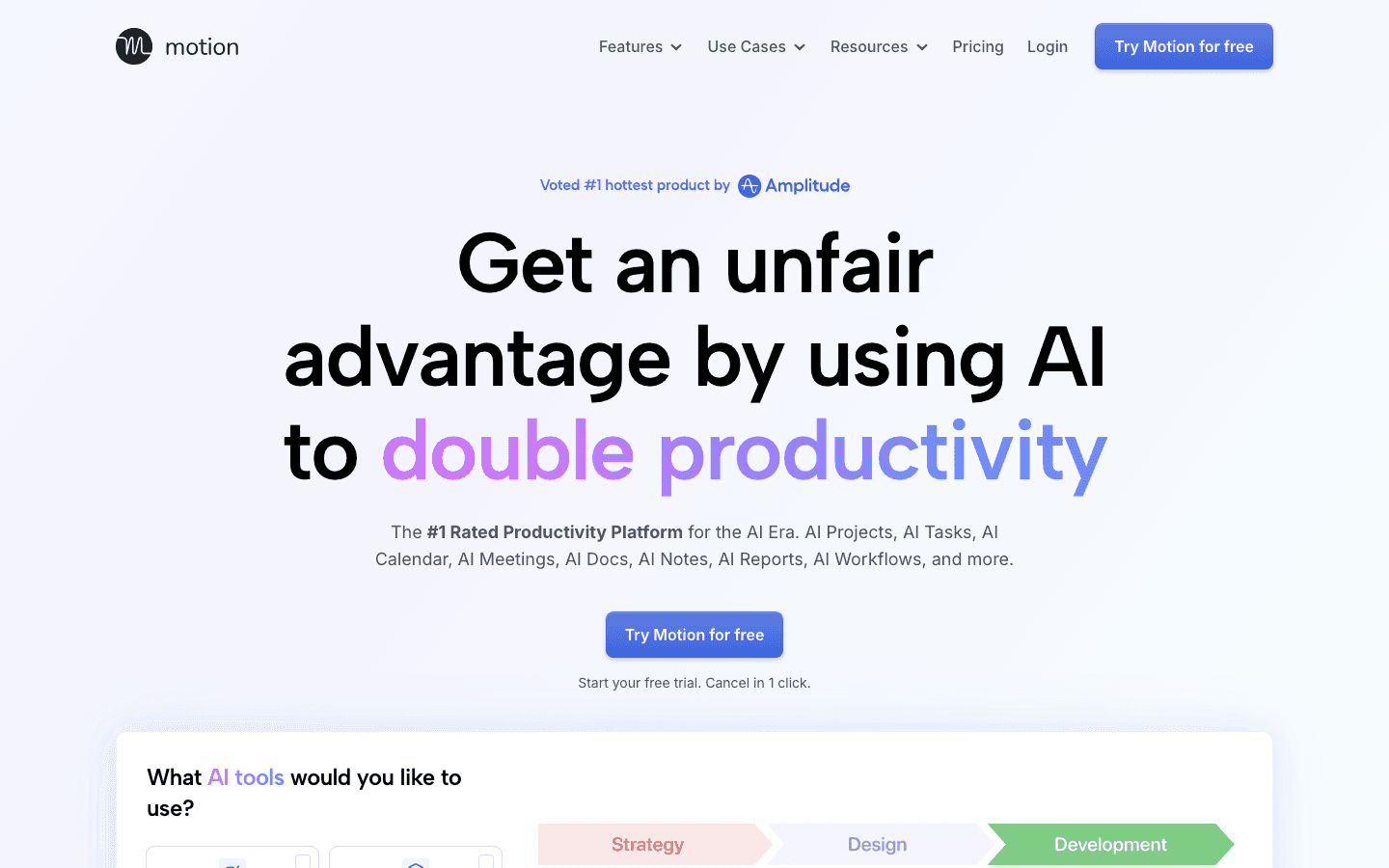
Motion combines task management, project tracking, calendar scheduling, and AI in a single app. The core feature is its AI scheduler, which takes your entire task list, assigns durations, considers deadlines, and builds a schedule automatically. When priorities change or new work comes in, the schedule updates in real time. For users who manage multiple concurrent projects with hard deadlines, this level of automated conflict resolution is genuinely useful.
Motion has expanded significantly beyond scheduling into a full productivity suite (docs, AI notes, team calendar) but the individual task scheduling remains its primary differentiator. It's more complex to set up than Lifestack but handles more project complexity once configured.
Key Features: AI auto-scheduling with deadline awareness, project and task management, team calendar, AI writing and notes, integrations with 20+ tools
What Works: Excellent at managing deadline conflicts across many projects; the AI scheduling reduces the mental overhead of prioritization significantly
Limitations: No energy-layer awareness; interface is complex and takes time to learn; pricing is high for individual users; some users find the constant AI rescheduling disorienting
Pricing: $19/month (Pro AI) or $29/month (Business AI), with 33% off annually. Free trial available.
Best for: Knowledge workers managing multiple concurrent projects with hard deadlines, teams that need shared task scheduling
3. Sunsama: Best Structured Daily Planning Ritual
A daily planning app built for focused professionals who want a deliberate, ritual-based approach to their workday.
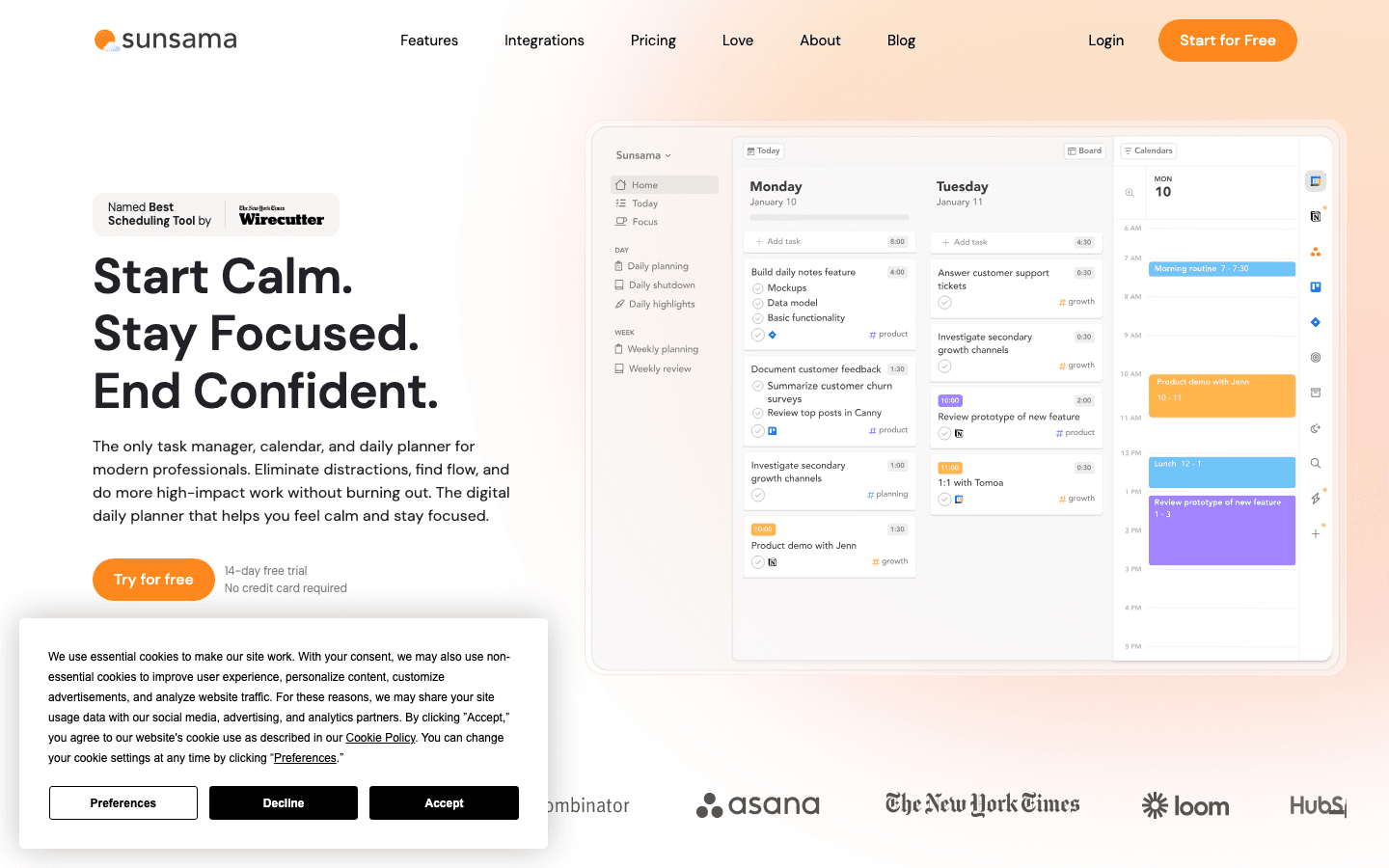
Sunsama is built around a specific philosophy: your workday should start with a planning ritual and end with a shutdown review. The app guides you through importing tasks from integrated tools (Asana, Jira, GitHub, Linear), reviewing your calendar, estimating time for each task, and setting a daily intention before you begin working. It's the most structured daily planning workflow of any tool in this list.
If you respond well to ritualized processes and want a consistent, deliberate start to every workday, Sunsama works remarkably well. It's less suited to users who want autonomous scheduling, and its value diminishes if you skip the daily planning ritual and just use it as a task list.
Key Features: Guided daily planning ritual, task import from Asana, Jira, GitHub, Linear, Todoist, weekly review, time estimation, daily shutdown routine
What Works: The structured daily planning ritual is genuinely better than ad hoc planning; beautiful, distraction-free interface; excellent team integrations
Limitations: No auto-scheduling; requires 15-20 minutes of active planning every morning to get value; higher price point for individuals; no free tier after trial
Pricing: $22/month or $17/month billed annually ($204/year). 14-day free trial.
Best for: Focused professionals with a strong planning ritual; anyone already using Asana, Jira, or Linear who wants better daily structure
4. TickTick: Best Integrated Task and Calendar Combination
A full-featured task manager with a built-in calendar view and Pomodoro timer, at a remarkably low price.
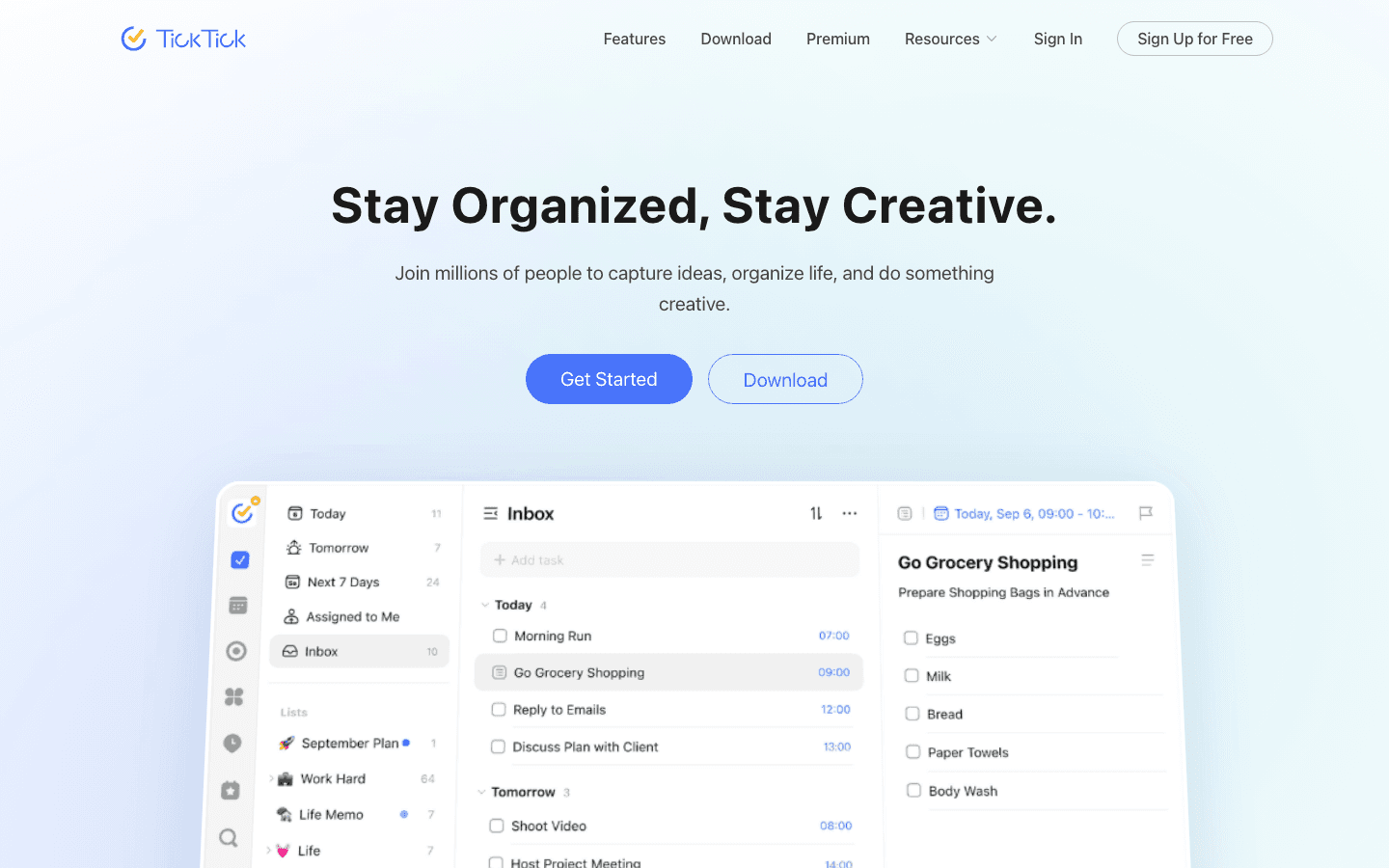
TickTick sits in a different market position than the other apps on this list. Where most personal time management apps focus on either tasks or scheduling, TickTick does both in a single interface at a price point that makes it accessible to users who find the $15-22/month range hard to justify. The app covers task lists, subtasks, recurring tasks, a calendar view, habit tracking, and a built-in Pomodoro timer.
The tradeoff is that TickTick doesn't auto-schedule. You're still placing tasks manually. But if what you need is a reliable, full-featured task and calendar combination that you control, TickTick covers more ground than most tools at a fraction of the price. It pairs naturally with a daily routine planning habit where you manually review and schedule each morning.
Key Features: Task management with subtasks and recurrences, built-in calendar view, habit tracker, Pomodoro timer, smart date parsing, 10 platforms including iOS, Android, and web
What Works: Exceptional breadth of features for the price; reliable cross-platform sync; the calendar view is genuinely useful for seeing tasks alongside events
Limitations: No auto-scheduling; the free tier is fairly limited (only 9 lists); interface can feel dense for users who prefer minimal tools
Pricing: Free tier + Premium at $35.99/year (~$3/month)
Best for: Budget-conscious users who want task management and calendar in one tool; students and individuals who prefer manual control over auto-scheduling
5. Reclaim.ai: Best for Protecting Focus Time Automatically
An AI calendar tool that defends your focus time, personal habits, and meeting buffers automatically on Google Calendar.
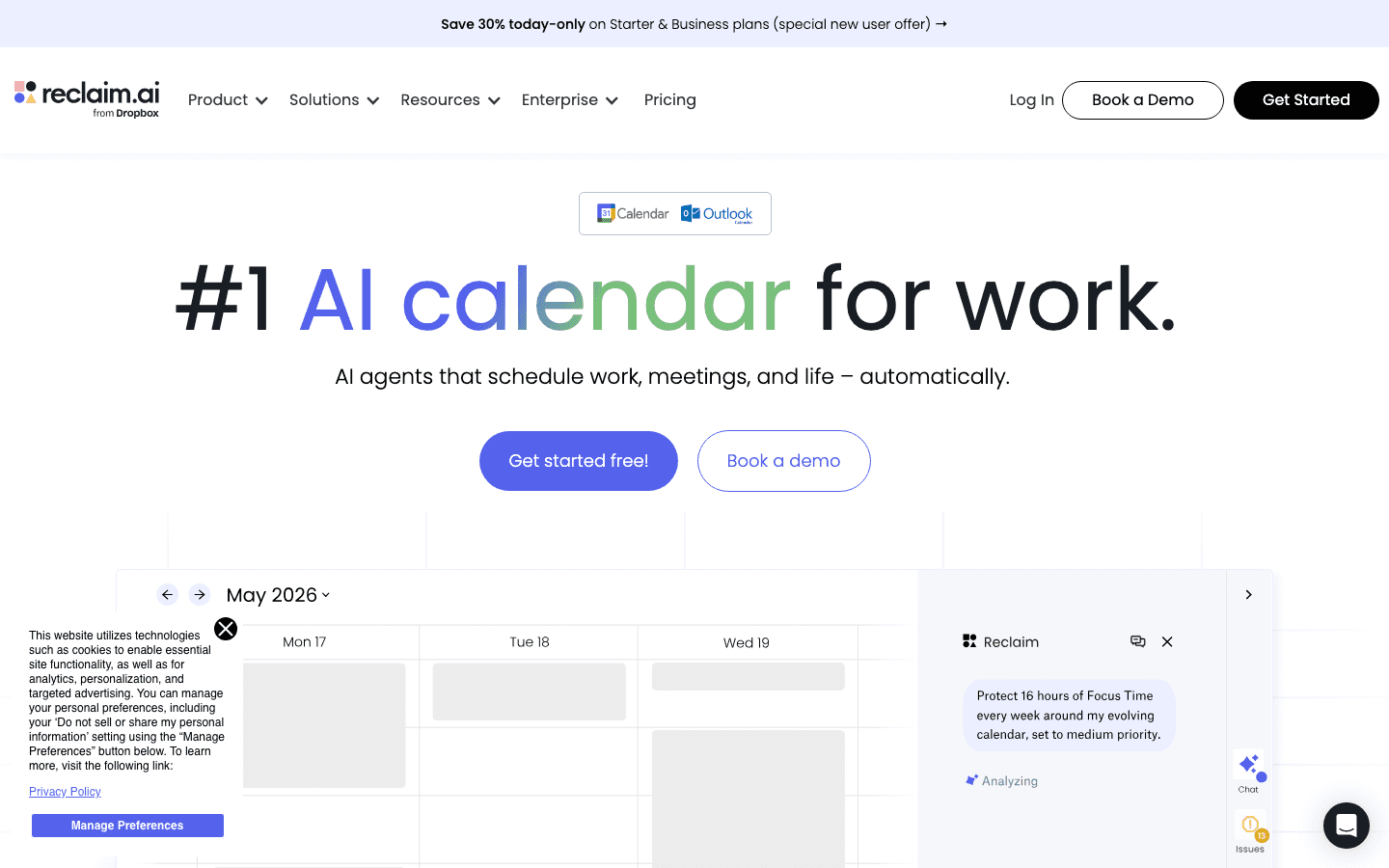
Reclaim.ai takes a specific, narrow approach to personal time management: it automatically protects blocks of time on your Google Calendar for focus work, personal habits, task completion, and meeting buffers. Rather than trying to replace your calendar, it works within it, intelligently scheduling and defending the time you need before meetings fill everything in.
Reclaim is particularly strong for calendar-heavy users in organizations where others can book your time. It creates "smart events" that move automatically when meetings are added, preserving your focus blocks and personal commitments without requiring you to manually protect them. See how it compares to other AI project management tools for team contexts.
Key Features: Automatic focus time blocking, habit scheduling, task auto-scheduling, meeting buffer management, Slack status sync, Google Calendar and Outlook integration
What Works: Excellent at defending calendar time automatically; the Slack status integration is useful for remote teams; generous free tier covers most individual use cases
Limitations: Primarily Google Calendar-focused; no energy layer; mobile apps less polished than desktop; the auto-rescheduling can occasionally produce unexpected results
Pricing: Free (Lite) + Starter at $10/seat/month ($8/seat annual) or Business at $15/seat/month ($12/seat annual)
Best for: Calendar-heavy professionals in organizations where meeting invites frequently displace personal work time; Google Calendar users who want automated focus time defense
6. Todoist: Best Pure Task Manager
The most polished task management app for individuals and teams who want power and simplicity in equal measure.
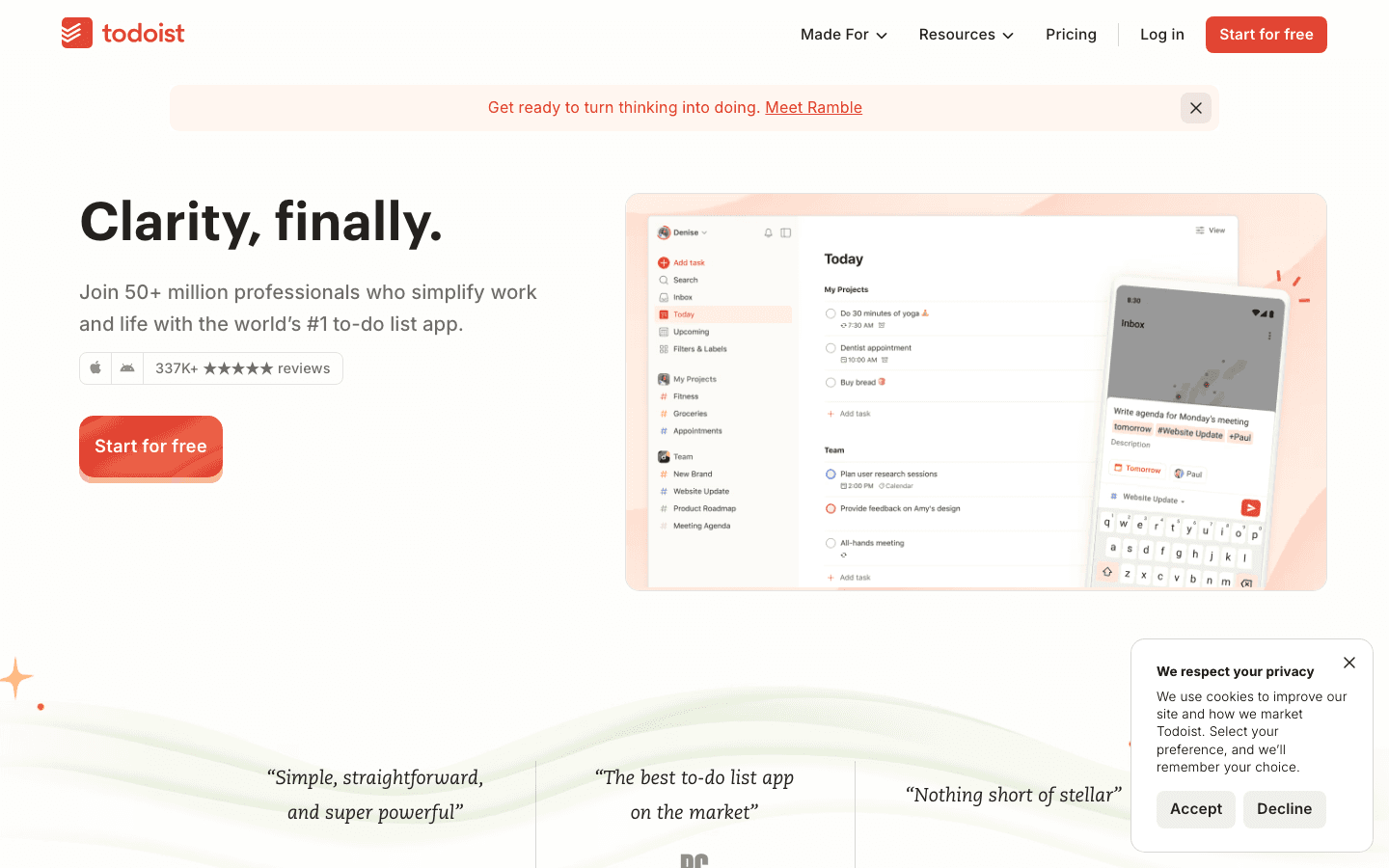
Todoist isn't primarily a calendar or scheduling tool. It's a task manager, and it's the best-executed pure task manager in the personal productivity space. Natural language input ("every Monday at 9am"), a clean priority system, 300 projects on the Pro plan, and polished apps on every platform combine to make it the reference standard for task management without calendar integration.
If your core problem is task organization rather than scheduling, and you already have a calendar tool you like, Todoist is the most reliable option. Use prioritization methods alongside it to decide what goes at the top of each day's list, and pair it with any calendar tool for the scheduling layer.
Key Features: Natural language task entry, priority levels, project hierarchy, recurring tasks, filters, labels, team collaboration, 90+ integrations, iOS/Android/web/desktop
What Works: Best-in-class task capture and organization; excellent keyboard-driven desktop interface; 50+ million users means deep ecosystem support
Limitations: No auto-scheduling or calendar view; no energy awareness; the free tier caps at 5 projects; getting the most from it requires active prioritization habits
Pricing: Free (Beginner) + Pro at $5/month annual ($60/year) or $7/month monthly
Best for: Users who want best-in-class task management and handle scheduling in a separate calendar app; teams needing shared project task tracking
Which Personal Time Management App Is Right for You?
You want your schedule to build itself: Lifestack (energy-aware auto-scheduling) or Motion (deadline-driven auto-scheduling)
Your calendar keeps filling with meetings: Reclaim.ai (automatically protects focus time on Google Calendar)
You want a deliberate daily planning ritual: Sunsama (structured morning planning with integrations)
You want tasks and calendar in one place: TickTick (full-featured, low cost, manual control)
You just need excellent task management: Todoist (best pure task manager, pair with any calendar)
You have ADHD or find manual planning consistently breaks down: Lifestack (energy-aware auto-scheduling reduces daily planning friction)
FAQ
What is the best personal time management app for 2026?
For most individuals who want automated scheduling, Lifestack is the best option because it accounts for energy levels rather than just filling calendar slots. For users with complex project loads and deadline conflicts, Motion handles more scheduling complexity. For budget-conscious users who want manual control, TickTick offers the best breadth of features at the lowest price.
What is the difference between a task manager and a time management app?
A task manager (Todoist, TickTick) captures and organizes what needs to be done. A time management app connects those tasks to specific time slots in your calendar. The best personal time management apps do both, but the emphasis differs. Auto-schedulers (Lifestack, Motion, Reclaim) focus on the scheduling layer. Task managers focus on the organization layer.
Are there free personal time management apps?
Yes. Todoist's free tier covers 5 projects and most core features. TickTick free covers basic task management with some calendar features. Reclaim.ai's Lite tier is free forever with basic focus time protection. Lifestack and Sunsama offer trials but require payment after the trial period.
What personal time management app works best for ADHD?
Lifestack and Reclaim.ai tend to work best for ADHD users because they automate scheduling decisions rather than requiring daily manual planning. Removing the "what should I do now?" decision and having the calendar already filled reduces the executive function overhead that makes ADHD task management hard. Our guide to ADHD apps for focus covers the full range of tools.
How do I choose between Motion and Lifestack?
Choose Motion if you manage multiple concurrent projects with hard deadlines and need AI to handle scheduling conflicts across a complex task landscape. Choose Lifestack if your primary need is a daily schedule that matches your energy patterns and auto-schedules without the complexity overhead. Lifestack is simpler and cheaper; Motion handles more complexity but requires more setup and costs more.
A personal time management app is the difference between a day that feels controlled and one that controls you. But the category is crowded. AI schedulers, task managers, daily planners, calendar tools, and habit trackers all market themselves as time management solutions, and they're genuinely suited to different types of users and problems.
We tested six apps that cover the main approaches to personal time management: energy-aware auto-scheduling, AI-driven task prioritization, structured daily planning, integrated task and calendar, intelligent focus time protection, and pure task management. Here's what works, what doesn't, and who each one is actually built for.
Pricing in this guide reflects publicly available 2026 rates. All apps offer a free trial or free tier unless noted.
Key Takeaways
Lifestack is the best personal time management app for energy-aware auto-scheduling: it builds your daily schedule automatically around your natural energy peaks rather than requiring manual time-blocking
Motion and Reclaim both offer AI scheduling but focus on task fitting rather than energy; they work well for users who need AI to handle scheduling complexity but don't need energy-layer personalization
Sunsama, TickTick, and Todoist suit users who prefer to control their own schedule rather than auto-generate it. Sunsama for daily ritual, TickTick for integrated tasks + calendar, Todoist for pure task management at scale
Quick Guide
Lifestack: best for energy-aware auto-scheduling on iOS and Android
Motion: best AI task scheduler for knowledge workers with complex project loads
Sunsama: best structured daily planning ritual for focused professionals
TickTick: best integrated task manager and calendar combination
Reclaim.ai: best for automatically protecting focus time on Google Calendar
Todoist: best pure task manager for high-volume personal and team organization
How We Evaluated
Scheduling approach: auto-scheduling vs. manual time-blocking vs. task list management
Energy awareness: whether the app accounts for cognitive capacity by time of day
Calendar integration: quality of sync with Google Calendar and Outlook
Mobile experience: quality of iOS and Android apps relative to desktop
Pricing relative to value: whether the cost is justified for an individual user
Adoption curve: how long it takes to start getting value from the app
1. Lifestack: Best for Energy-Aware Auto-Scheduling
The only personal time management app that schedules your work around your energy, not just your calendar.
Lifestack takes a different approach to time management than most apps in this category. Rather than asking you to manually drag tasks into calendar slots, it auto-schedules your task list by matching tasks to the energy state those tasks require. Deep focus work lands in your peak cognitive hours. Low-effort tasks fill the gaps. The schedule builds itself, and updates automatically as priorities change.
The energy-aware scheduling model is the core differentiator. Most personal time management tools treat a 9am slot and a 3pm slot as identical. Lifestack doesn't. It learns your energy pattern and places demanding work where your cognitive resources are actually available, producing a calendar that reflects both your priorities and your biology. If you've tried time blocking manually and found it breaks down because you're always underestimating energy at specific times, Lifestack's automated version is worth testing.
Key Features: Energy-aware task scheduling, auto-calendar population, iOS and Android apps, Chrome extension, unlimited calendar and task sync, 7-day trial on annual plan
What Works: The auto-scheduling genuinely removes the daily planning overhead; energy mapping produces more executable schedules than manual time-blocking; clean, fast mobile interface
Limitations: No energy awareness for other people's calendars (just your own); no built-in project hierarchy or subtask management; energy model takes a few days to calibrate
Pricing: $7/month or $50/year (7-day trial on annual plan)
Best for: Individuals who want their schedule to build itself around their energy, anyone whose manual planning habit keeps breaking down, ADHD users who benefit from auto-structured daily focus
2. Motion: Best AI Task Scheduler for Complex Work
AI-driven scheduling for professionals with dense, multi-project task loads and frequent deadline conflicts.
Motion combines task management, project tracking, calendar scheduling, and AI in a single app. The core feature is its AI scheduler, which takes your entire task list, assigns durations, considers deadlines, and builds a schedule automatically. When priorities change or new work comes in, the schedule updates in real time. For users who manage multiple concurrent projects with hard deadlines, this level of automated conflict resolution is genuinely useful.
Motion has expanded significantly beyond scheduling into a full productivity suite (docs, AI notes, team calendar) but the individual task scheduling remains its primary differentiator. It's more complex to set up than Lifestack but handles more project complexity once configured.
Key Features: AI auto-scheduling with deadline awareness, project and task management, team calendar, AI writing and notes, integrations with 20+ tools
What Works: Excellent at managing deadline conflicts across many projects; the AI scheduling reduces the mental overhead of prioritization significantly
Limitations: No energy-layer awareness; interface is complex and takes time to learn; pricing is high for individual users; some users find the constant AI rescheduling disorienting
Pricing: $19/month (Pro AI) or $29/month (Business AI), with 33% off annually. Free trial available.
Best for: Knowledge workers managing multiple concurrent projects with hard deadlines, teams that need shared task scheduling
3. Sunsama: Best Structured Daily Planning Ritual
A daily planning app built for focused professionals who want a deliberate, ritual-based approach to their workday.
Sunsama is built around a specific philosophy: your workday should start with a planning ritual and end with a shutdown review. The app guides you through importing tasks from integrated tools (Asana, Jira, GitHub, Linear), reviewing your calendar, estimating time for each task, and setting a daily intention before you begin working. It's the most structured daily planning workflow of any tool in this list.
If you respond well to ritualized processes and want a consistent, deliberate start to every workday, Sunsama works remarkably well. It's less suited to users who want autonomous scheduling, and its value diminishes if you skip the daily planning ritual and just use it as a task list.
Key Features: Guided daily planning ritual, task import from Asana, Jira, GitHub, Linear, Todoist, weekly review, time estimation, daily shutdown routine
What Works: The structured daily planning ritual is genuinely better than ad hoc planning; beautiful, distraction-free interface; excellent team integrations
Limitations: No auto-scheduling; requires 15-20 minutes of active planning every morning to get value; higher price point for individuals; no free tier after trial
Pricing: $22/month or $17/month billed annually ($204/year). 14-day free trial.
Best for: Focused professionals with a strong planning ritual; anyone already using Asana, Jira, or Linear who wants better daily structure
4. TickTick: Best Integrated Task and Calendar Combination
A full-featured task manager with a built-in calendar view and Pomodoro timer, at a remarkably low price.
TickTick sits in a different market position than the other apps on this list. Where most personal time management apps focus on either tasks or scheduling, TickTick does both in a single interface at a price point that makes it accessible to users who find the $15-22/month range hard to justify. The app covers task lists, subtasks, recurring tasks, a calendar view, habit tracking, and a built-in Pomodoro timer.
The tradeoff is that TickTick doesn't auto-schedule. You're still placing tasks manually. But if what you need is a reliable, full-featured task and calendar combination that you control, TickTick covers more ground than most tools at a fraction of the price. It pairs naturally with a daily routine planning habit where you manually review and schedule each morning.
Key Features: Task management with subtasks and recurrences, built-in calendar view, habit tracker, Pomodoro timer, smart date parsing, 10 platforms including iOS, Android, and web
What Works: Exceptional breadth of features for the price; reliable cross-platform sync; the calendar view is genuinely useful for seeing tasks alongside events
Limitations: No auto-scheduling; the free tier is fairly limited (only 9 lists); interface can feel dense for users who prefer minimal tools
Pricing: Free tier + Premium at $35.99/year (~$3/month)
Best for: Budget-conscious users who want task management and calendar in one tool; students and individuals who prefer manual control over auto-scheduling
5. Reclaim.ai: Best for Protecting Focus Time Automatically
An AI calendar tool that defends your focus time, personal habits, and meeting buffers automatically on Google Calendar.
Reclaim.ai takes a specific, narrow approach to personal time management: it automatically protects blocks of time on your Google Calendar for focus work, personal habits, task completion, and meeting buffers. Rather than trying to replace your calendar, it works within it, intelligently scheduling and defending the time you need before meetings fill everything in.
Reclaim is particularly strong for calendar-heavy users in organizations where others can book your time. It creates "smart events" that move automatically when meetings are added, preserving your focus blocks and personal commitments without requiring you to manually protect them. See how it compares to other AI project management tools for team contexts.
Key Features: Automatic focus time blocking, habit scheduling, task auto-scheduling, meeting buffer management, Slack status sync, Google Calendar and Outlook integration
What Works: Excellent at defending calendar time automatically; the Slack status integration is useful for remote teams; generous free tier covers most individual use cases
Limitations: Primarily Google Calendar-focused; no energy layer; mobile apps less polished than desktop; the auto-rescheduling can occasionally produce unexpected results
Pricing: Free (Lite) + Starter at $10/seat/month ($8/seat annual) or Business at $15/seat/month ($12/seat annual)
Best for: Calendar-heavy professionals in organizations where meeting invites frequently displace personal work time; Google Calendar users who want automated focus time defense
6. Todoist: Best Pure Task Manager
The most polished task management app for individuals and teams who want power and simplicity in equal measure.
Todoist isn't primarily a calendar or scheduling tool. It's a task manager, and it's the best-executed pure task manager in the personal productivity space. Natural language input ("every Monday at 9am"), a clean priority system, 300 projects on the Pro plan, and polished apps on every platform combine to make it the reference standard for task management without calendar integration.
If your core problem is task organization rather than scheduling, and you already have a calendar tool you like, Todoist is the most reliable option. Use prioritization methods alongside it to decide what goes at the top of each day's list, and pair it with any calendar tool for the scheduling layer.
Key Features: Natural language task entry, priority levels, project hierarchy, recurring tasks, filters, labels, team collaboration, 90+ integrations, iOS/Android/web/desktop
What Works: Best-in-class task capture and organization; excellent keyboard-driven desktop interface; 50+ million users means deep ecosystem support
Limitations: No auto-scheduling or calendar view; no energy awareness; the free tier caps at 5 projects; getting the most from it requires active prioritization habits
Pricing: Free (Beginner) + Pro at $5/month annual ($60/year) or $7/month monthly
Best for: Users who want best-in-class task management and handle scheduling in a separate calendar app; teams needing shared project task tracking
Which Personal Time Management App Is Right for You?
You want your schedule to build itself: Lifestack (energy-aware auto-scheduling) or Motion (deadline-driven auto-scheduling)
Your calendar keeps filling with meetings: Reclaim.ai (automatically protects focus time on Google Calendar)
You want a deliberate daily planning ritual: Sunsama (structured morning planning with integrations)
You want tasks and calendar in one place: TickTick (full-featured, low cost, manual control)
You just need excellent task management: Todoist (best pure task manager, pair with any calendar)
You have ADHD or find manual planning consistently breaks down: Lifestack (energy-aware auto-scheduling reduces daily planning friction)
FAQ
What is the best personal time management app for 2026?
For most individuals who want automated scheduling, Lifestack is the best option because it accounts for energy levels rather than just filling calendar slots. For users with complex project loads and deadline conflicts, Motion handles more scheduling complexity. For budget-conscious users who want manual control, TickTick offers the best breadth of features at the lowest price.
What is the difference between a task manager and a time management app?
A task manager (Todoist, TickTick) captures and organizes what needs to be done. A time management app connects those tasks to specific time slots in your calendar. The best personal time management apps do both, but the emphasis differs. Auto-schedulers (Lifestack, Motion, Reclaim) focus on the scheduling layer. Task managers focus on the organization layer.
Are there free personal time management apps?
Yes. Todoist's free tier covers 5 projects and most core features. TickTick free covers basic task management with some calendar features. Reclaim.ai's Lite tier is free forever with basic focus time protection. Lifestack and Sunsama offer trials but require payment after the trial period.
What personal time management app works best for ADHD?
Lifestack and Reclaim.ai tend to work best for ADHD users because they automate scheduling decisions rather than requiring daily manual planning. Removing the "what should I do now?" decision and having the calendar already filled reduces the executive function overhead that makes ADHD task management hard. Our guide to ADHD apps for focus covers the full range of tools.
How do I choose between Motion and Lifestack?
Choose Motion if you manage multiple concurrent projects with hard deadlines and need AI to handle scheduling conflicts across a complex task landscape. Choose Lifestack if your primary need is a daily schedule that matches your energy patterns and auto-schedules without the complexity overhead. Lifestack is simpler and cheaper; Motion handles more complexity but requires more setup and costs more.



FOLLOW ON
FOLLOW ON
FOLLOW ON


Copyright 2026 © Lifestack. All rights reserved
Copyright 2026 © Lifestack. All rights reserved

