
App
Best Shared Calendar Apps for 2026
Best Shared Calendar Apps for 2026

The Best Shared Calendar Apps Worth Using in 2026
The best shared calendar app for most people is Google Calendar: free, cross-platform, and the most reliable calendar sharing app available. If you want a shareable calendar built specifically for couples or close groups, TimeTree adds event conversations and a collaborative planning interface that general-purpose apps don't offer. For individuals who already share a Google Calendar and want smarter personal scheduling on top, Lifestack is the standout option.
The best shared calendar app depends on who you're sharing with. Couples and families have different needs than small teams or large organizations. Some tools are purpose-built for personal sharing; others handle group calendar use cases across mixed device ecosystems.
We tested these five shared calendar apps across ease of use, sync reliability, platform support, and cross-ecosystem behavior when someone on your team uses Android while you're on iOS. Here's what we found.
Key Takeaways
Lifestack is the best choice when you want AI scheduling layered on top of a shared Google Calendar, especially if you track energy and recovery with a wearable.
Google Calendar is still the most practical free shared calendar for most people, with wide platform support and reliable sync.
TimeTree and Cozi are purpose-built for personal life sharing, with couple and family features that general-purpose calendars don't offer.
Quick Guide
1. Lifestack: Best for shared Google Calendar users who also want AI energy-aware scheduling
2. Google Calendar: Best free shared calendar with universal platform support
3. TimeTree: Best shared calendar for couples and small groups
4. Cozi: Best family calendar with grocery lists and activity tracking
5. Fantastical: Best premium shared calendar for power users across Apple and Google
How We Evaluated
Calendar sharing and permission control
Cross-platform sync (iOS, Android, web, desktop)
Notification and reminder reliability
Family or team-specific features
AI scheduling and automation
Pricing and free tier availability
1. Lifestack
AI scheduling built on top of your shared Google Calendar.

Lifestack sits on top of Google Calendar rather than replacing it. You share your calendar with family or teammates the normal way through Google, and Lifestack reads that shared data to build an intelligent personal schedule around it. It knows when shared events are locked in and schedules your personal tasks and deep work around them.
The real differentiator is wearable integration. Lifestack reads your energy and readiness data from Oura, Garmin, WHOOP, Fitbit, or Apple Health, then schedules demanding tasks during your personal peak performance windows. That means even on a day packed with shared events, the gaps in your calendar get used more intelligently than any other app on this list. See our guide on energy-based planning for why this matters.
Integrates with shared Google Calendars (reads shared events automatically)
Energy-aware task scheduling via Oura, Garmin, WHOOP, Fitbit, Apple Health
Auto-schedules tasks into calendar gaps around shared events
Google Tasks and Todoist integration
iOS, Android, Chrome extension
What Works: Unique wearable-powered scheduling, works alongside any shared Google Calendar setup, great for knowledge workers and ADHD users
Limitations: Not a dedicated shared calendar. It enhances an existing shared Google Calendar rather than replacing it, requires a wearable for full energy scheduling
Pricing: $7/month, $50/year, or $120 lifetime. 7-day free trial on the annual plan. Read more in our Lifestack introduction.
Best for: Individuals who share a Google Calendar with a partner or team and want their personal task scheduling to be smarter about the gaps.
2. Google Calendar
The most widely used shared calendar, free and cross-platform.
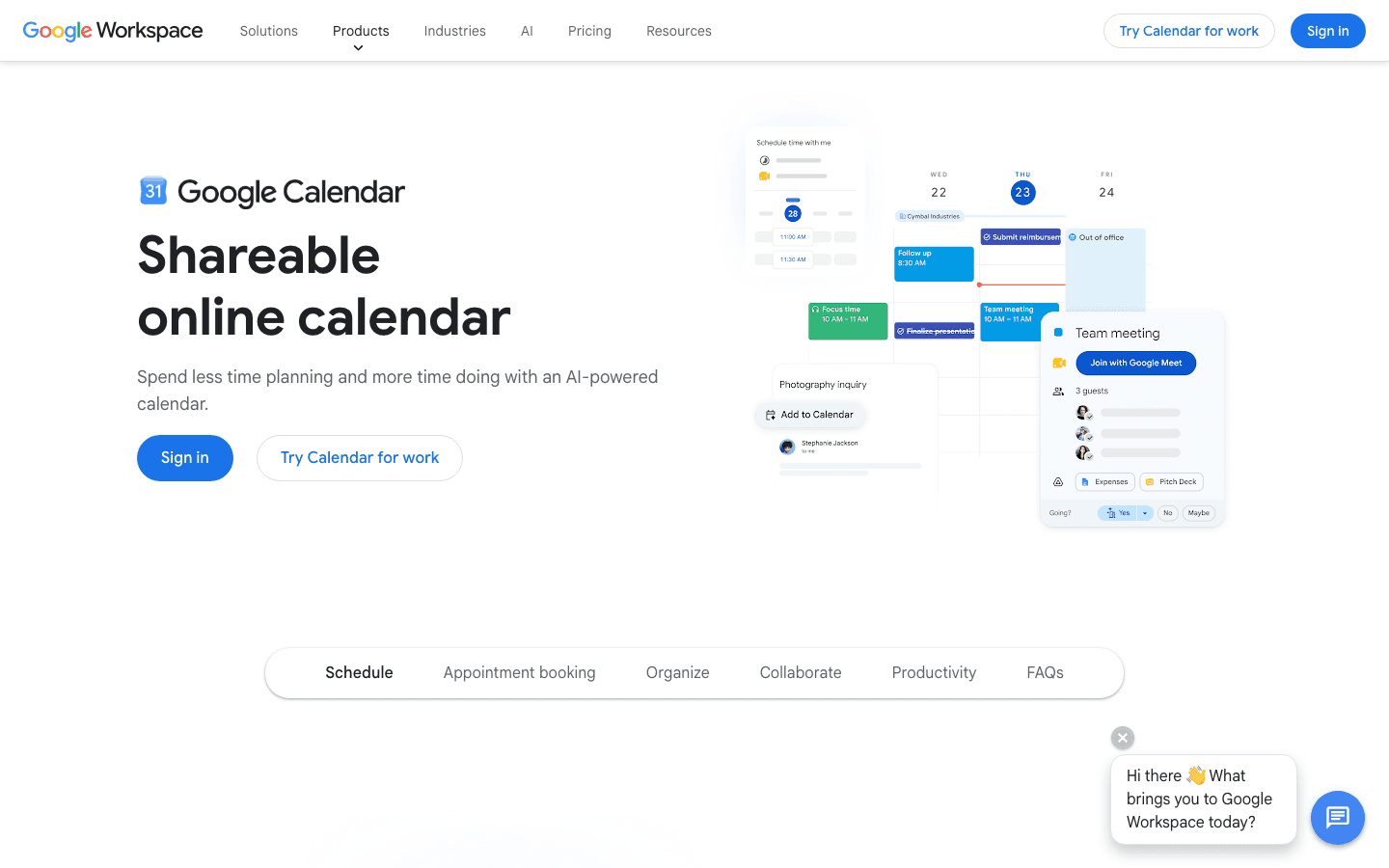
Google Calendar is the default calendar sharing app for most people, and for good reason. Sharing is simple: you share a calendar with someone via email, set their permission level (view only or edit), and it syncs instantly across web, iOS, and Android.
Multiple calendars can be shared independently. A couple might share a "Family" calendar but keep their work calendars separate with just free/busy visibility. Teams can share project calendars while keeping personal schedules private. The free tier covers nearly everything most people need. See which tools pair well with it in our apps to use with Google Calendar guide.
What Works: Completely free, universal platform support, reliable sync, granular permission controls, integrates with Gmail and Meet
Limitations: Basic interface, no dedicated family or couple features, no AI scheduling, cross-ecosystem sync with Outlook or Apple Calendar can be bumpy
Pricing: Free with any Google account. Google Workspace plans start at $7/seat/month for business features.
Best for: Anyone who needs a reliable free shared calendar across a mixed Android and iOS household or team.
3. TimeTree
A shareable calendar designed specifically for couples and small groups.
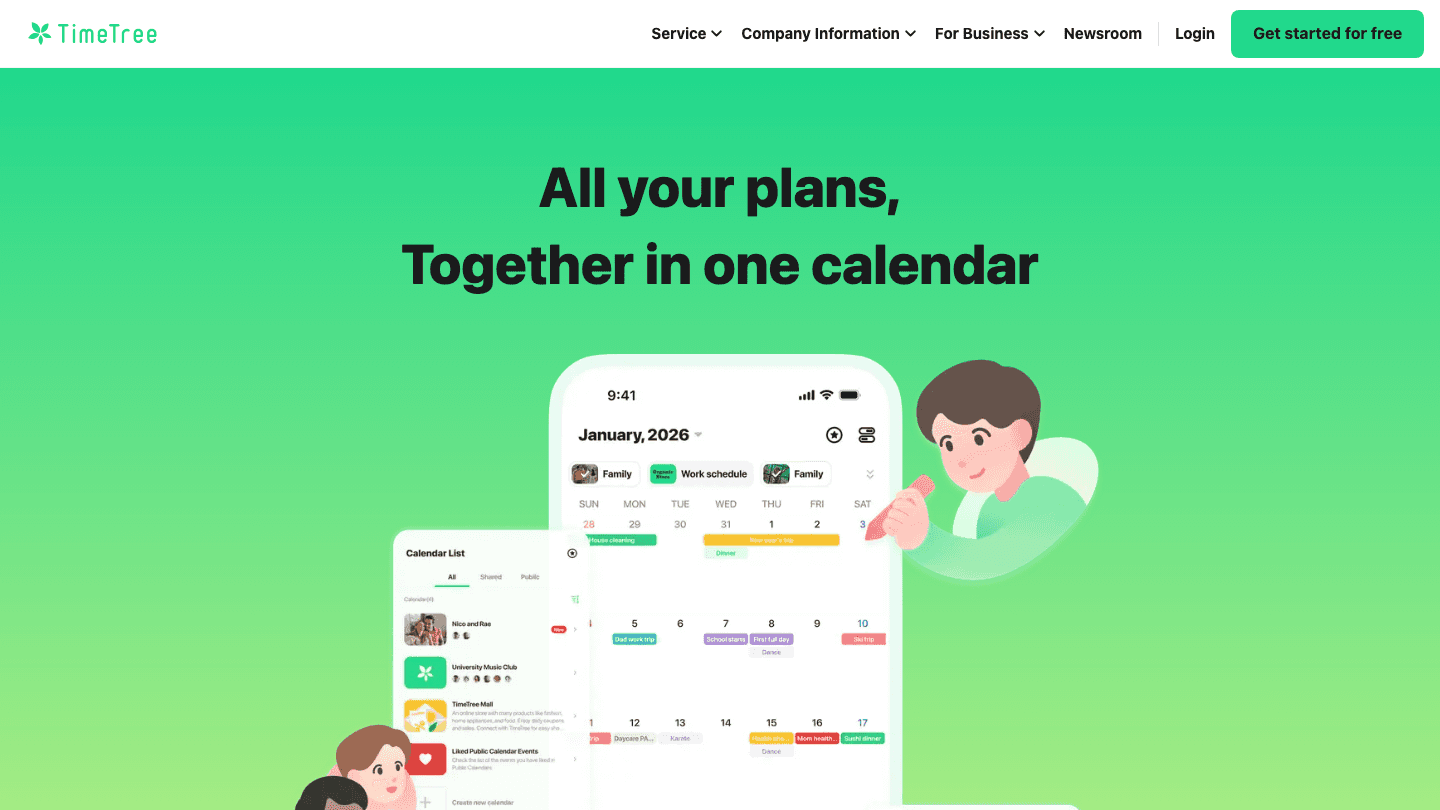
TimeTree is built around the idea of shared plans between specific people. Rather than sharing a calendar buried inside a bigger app, TimeTree creates a shared space where everyone on the calendar can comment on events, attach notes, and see a unified view of what's coming up.
The event commenting feature alone makes TimeTree stand out. When you add "dinner with Mom" on Saturday, your partner can comment "I'll make a reservation" and you'll see it attached to the event. It's closer to a collaborative calendar than a traditional app, which suits couples and close-knit groups well. For more options see our best shared calendar for couples guide.
What Works: Event comments and attachments, intuitive sharing UI, good notifications, group chat within events, available on iOS and Android
Limitations: Less suited for work or large team scheduling, no desktop web app for power users, premium features require a paid plan
Pricing: Free forever (with ads). Premium at $4.49/month or $44.99/year for ad-free, file attachments, and priority support.
Best for: Couples and small groups who want a dedicated shareable calendar with event conversation threads.
4. Cozi
A family organizer with a shared calendar, grocery lists, and activity tracking.
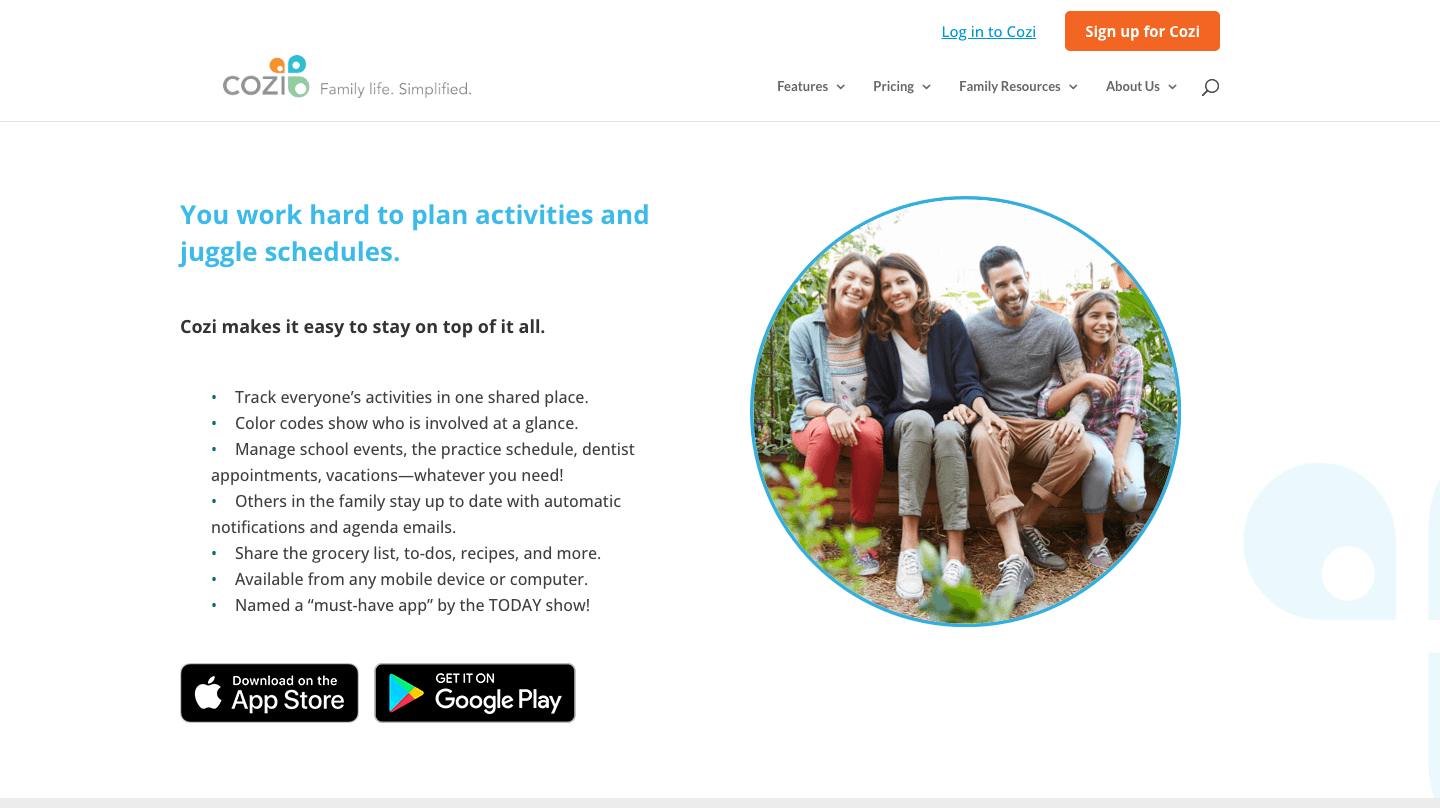
Cozi goes beyond a plain calendar. The shared calendar is the center of it, but it also includes a shared grocery list, to-do lists per family member, a recipe box, and a family journal. Everything is built around keeping the whole household coordinated.
Color-coded family member views make it easy to see who has what going on at a glance. Cozi also sends agenda emails each morning so everyone knows what the day looks like. It's specifically built for family life, not business or couples, which makes it more focused than general-purpose tools. See our dedicated family calendar app guide for more options.
What Works: Family-specific features (grocery lists, chores, recipes), morning agenda emails, color-coded per member, available on iOS and Android
Limitations: Dated interface compared to competitors, limited calendar integration with Google or Apple Calendar, no AI features on the free tier
Pricing: Free. Cozi Gold costs $39/year for ad-free experience, month view on mobile, multiple reminders per event, and calendar search. Cozi Max costs $79/year and adds AI-powered tools including event import from emails and AI meal planning.
Best for: Families who want more than a calendar: grocery lists, chores, and a daily family agenda in one place.
5. Fantastical
A powerful premium calendar that unifies Google, Outlook, and Apple calendars in one view.
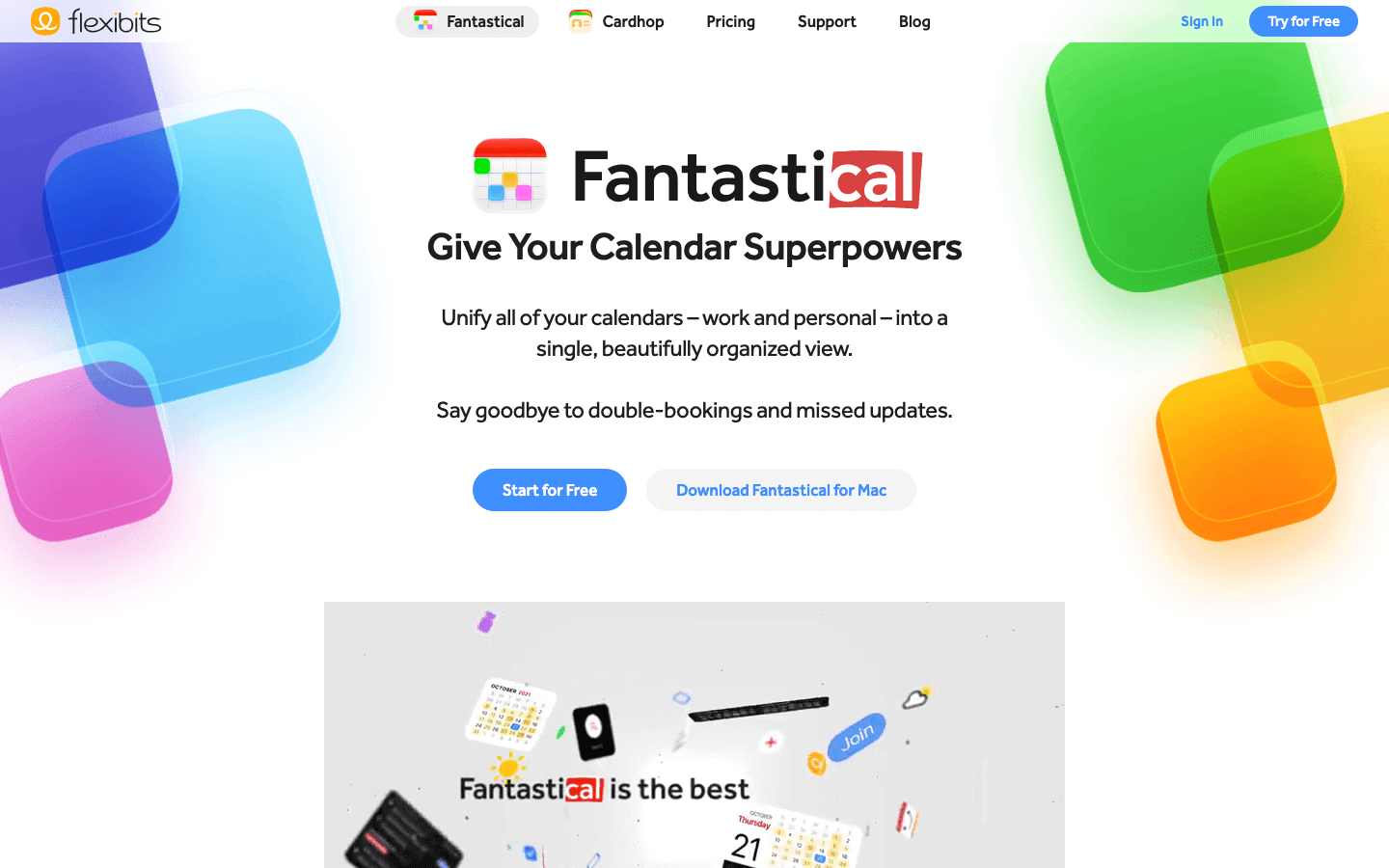
Fantastical excels at multi-calendar coordination. If you have a work Outlook calendar, a personal Google Calendar, and a shared Apple Calendar, Fantastical pulls them all into a single unified view. Natural language input makes adding events fast, and the interface is polished compared to most calendar apps.
For shared calendar users, Fantastical's Family and Team plans let multiple people share a Fantastical subscription with shared calendar access. It's the best premium option if you and your family are already deep in Apple devices. For full pricing details see the Fantastical pricing guide.
What Works: Multi-source calendar unification (Google, Outlook, Apple), natural language event entry, polished Apple Watch and widget integration, meeting proposals
Limitations: Paid subscription required for most sharing features, best on Apple platforms (less compelling on Android), no AI energy scheduling
Pricing: Free tier available. Paid Individual, Family (up to 5 members), and Team plans available. See the full Fantastical pricing breakdown for current rates.
Best for: Apple-first households or small teams who want a premium experience unifying multiple calendar sources.
Which Shared Calendar App Is Right for You?
Best free option: Google Calendar. It's free, reliable, and works on every platform. The best free shared calendar app for couples, families, and teams alike.
Best shareable calendar for couples: TimeTree for event conversations and a dedicated shared planning space. Google Calendar works too if simplicity is the goal.
Best family group calendar app: Cozi if you want grocery lists and chore coordination alongside the calendar. Google Calendar if you just need event sharing.
Best collaborative calendar app for teams: Google Calendar for free group scheduling, or Fantastical if your team needs a premium multi-source view across Google, Outlook, and Apple.
Best for individuals using a shared Google Calendar: Lifestack. It reads your shared events and builds a smarter personal schedule around them using your energy and wearable data.
Best premium option: Fantastical for Apple users who want a polished experience across multiple calendar sources.
Frequently Asked Questions
What is the best shared calendar app for couples?
TimeTree is purpose-built for couples with event comments, shared notes, and a collaborative planning interface. Google Calendar works well too for couples who want something simpler and free. See our full best shared calendar for couples guide for a detailed comparison.
What is the best shareable calendar app?
The best shareable calendar app depends on your use case. Google Calendar is the most widely used free shareable calendar. Share it via email and it works on every device. TimeTree is the best shareable calendar for couples and close groups who want event conversations. Lifestack is the best shareable calendar for people who already use Google Calendar and want AI scheduling on top.
What is the best free shared calendar app?
Google Calendar is the best free shared calendar app for most people. It's completely free, supports granular permission controls, syncs reliably across iOS and Android, and integrates with Gmail and Google Meet out of the box. Cozi is the best free option specifically for families who want a shared grocery list and agenda emails alongside the calendar.
What is a good group calendar app?
Google Calendar is the most practical free group calendar app. It lets you share calendars with any number of people, set view-only or edit permissions, and works across all platforms. For groups focused on a specific project or event, any member of the group can create a shared calendar and invite others by email. TimeTree works well for smaller, more personal groups who want event conversations.
Can multiple people edit a shared calendar?
Yes, in most apps. Google Calendar lets you give another person "make changes" permissions so they can add and edit events. TimeTree and Cozi allow all family or group members to add events by default. Fantastical mirrors the permissions set in the underlying calendar source (Google, Outlook, or Apple).
Is there a shared calendar that works for both iPhone and Android?
Google Calendar is the most reliable cross-platform shared calendar. It has native apps for both iOS and Android, and a full web interface. TimeTree and Cozi also support both platforms. Fantastical is primarily designed for Apple devices.
What shared calendar apps work with Google Calendar?
Most of the apps on this list work with Google Calendar. Lifestack, Fantastical, and TimeTree all support Google Calendar integration. Lifestack specifically reads your shared Google Calendar to build AI-powered schedules around shared events. Check our Google Calendar apps guide for more options.
Is there a shared family calendar app that is free?
Yes. Both Google Calendar and Cozi are free for family use. Cozi's free tier includes the shared calendar, grocery lists, and agenda emails. Google Calendar is better if you need cross-ecosystem support (mixing Android and iPhone users). For a deeper look at family options, see our family calendar app roundup.
The Best Shared Calendar Apps Worth Using in 2026
The best shared calendar app for most people is Google Calendar: free, cross-platform, and the most reliable calendar sharing app available. If you want a shareable calendar built specifically for couples or close groups, TimeTree adds event conversations and a collaborative planning interface that general-purpose apps don't offer. For individuals who already share a Google Calendar and want smarter personal scheduling on top, Lifestack is the standout option.
The best shared calendar app depends on who you're sharing with. Couples and families have different needs than small teams or large organizations. Some tools are purpose-built for personal sharing; others handle group calendar use cases across mixed device ecosystems.
We tested these five shared calendar apps across ease of use, sync reliability, platform support, and cross-ecosystem behavior when someone on your team uses Android while you're on iOS. Here's what we found.
Key Takeaways
Lifestack is the best choice when you want AI scheduling layered on top of a shared Google Calendar, especially if you track energy and recovery with a wearable.
Google Calendar is still the most practical free shared calendar for most people, with wide platform support and reliable sync.
TimeTree and Cozi are purpose-built for personal life sharing, with couple and family features that general-purpose calendars don't offer.
Quick Guide
1. Lifestack: Best for shared Google Calendar users who also want AI energy-aware scheduling
2. Google Calendar: Best free shared calendar with universal platform support
3. TimeTree: Best shared calendar for couples and small groups
4. Cozi: Best family calendar with grocery lists and activity tracking
5. Fantastical: Best premium shared calendar for power users across Apple and Google
How We Evaluated
Calendar sharing and permission control
Cross-platform sync (iOS, Android, web, desktop)
Notification and reminder reliability
Family or team-specific features
AI scheduling and automation
Pricing and free tier availability
1. Lifestack
AI scheduling built on top of your shared Google Calendar.
Lifestack sits on top of Google Calendar rather than replacing it. You share your calendar with family or teammates the normal way through Google, and Lifestack reads that shared data to build an intelligent personal schedule around it. It knows when shared events are locked in and schedules your personal tasks and deep work around them.
The real differentiator is wearable integration. Lifestack reads your energy and readiness data from Oura, Garmin, WHOOP, Fitbit, or Apple Health, then schedules demanding tasks during your personal peak performance windows. That means even on a day packed with shared events, the gaps in your calendar get used more intelligently than any other app on this list. See our guide on energy-based planning for why this matters.
Integrates with shared Google Calendars (reads shared events automatically)
Energy-aware task scheduling via Oura, Garmin, WHOOP, Fitbit, Apple Health
Auto-schedules tasks into calendar gaps around shared events
Google Tasks and Todoist integration
iOS, Android, Chrome extension
What Works: Unique wearable-powered scheduling, works alongside any shared Google Calendar setup, great for knowledge workers and ADHD users
Limitations: Not a dedicated shared calendar. It enhances an existing shared Google Calendar rather than replacing it, requires a wearable for full energy scheduling
Pricing: $7/month, $50/year, or $120 lifetime. 7-day free trial on the annual plan. Read more in our Lifestack introduction.
Best for: Individuals who share a Google Calendar with a partner or team and want their personal task scheduling to be smarter about the gaps.
2. Google Calendar
The most widely used shared calendar, free and cross-platform.
Google Calendar is the default calendar sharing app for most people, and for good reason. Sharing is simple: you share a calendar with someone via email, set their permission level (view only or edit), and it syncs instantly across web, iOS, and Android.
Multiple calendars can be shared independently. A couple might share a "Family" calendar but keep their work calendars separate with just free/busy visibility. Teams can share project calendars while keeping personal schedules private. The free tier covers nearly everything most people need. See which tools pair well with it in our apps to use with Google Calendar guide.
What Works: Completely free, universal platform support, reliable sync, granular permission controls, integrates with Gmail and Meet
Limitations: Basic interface, no dedicated family or couple features, no AI scheduling, cross-ecosystem sync with Outlook or Apple Calendar can be bumpy
Pricing: Free with any Google account. Google Workspace plans start at $7/seat/month for business features.
Best for: Anyone who needs a reliable free shared calendar across a mixed Android and iOS household or team.
3. TimeTree
A shareable calendar designed specifically for couples and small groups.
TimeTree is built around the idea of shared plans between specific people. Rather than sharing a calendar buried inside a bigger app, TimeTree creates a shared space where everyone on the calendar can comment on events, attach notes, and see a unified view of what's coming up.
The event commenting feature alone makes TimeTree stand out. When you add "dinner with Mom" on Saturday, your partner can comment "I'll make a reservation" and you'll see it attached to the event. It's closer to a collaborative calendar than a traditional app, which suits couples and close-knit groups well. For more options see our best shared calendar for couples guide.
What Works: Event comments and attachments, intuitive sharing UI, good notifications, group chat within events, available on iOS and Android
Limitations: Less suited for work or large team scheduling, no desktop web app for power users, premium features require a paid plan
Pricing: Free forever (with ads). Premium at $4.49/month or $44.99/year for ad-free, file attachments, and priority support.
Best for: Couples and small groups who want a dedicated shareable calendar with event conversation threads.
4. Cozi
A family organizer with a shared calendar, grocery lists, and activity tracking.
Cozi goes beyond a plain calendar. The shared calendar is the center of it, but it also includes a shared grocery list, to-do lists per family member, a recipe box, and a family journal. Everything is built around keeping the whole household coordinated.
Color-coded family member views make it easy to see who has what going on at a glance. Cozi also sends agenda emails each morning so everyone knows what the day looks like. It's specifically built for family life, not business or couples, which makes it more focused than general-purpose tools. See our dedicated family calendar app guide for more options.
What Works: Family-specific features (grocery lists, chores, recipes), morning agenda emails, color-coded per member, available on iOS and Android
Limitations: Dated interface compared to competitors, limited calendar integration with Google or Apple Calendar, no AI features on the free tier
Pricing: Free. Cozi Gold costs $39/year for ad-free experience, month view on mobile, multiple reminders per event, and calendar search. Cozi Max costs $79/year and adds AI-powered tools including event import from emails and AI meal planning.
Best for: Families who want more than a calendar: grocery lists, chores, and a daily family agenda in one place.
5. Fantastical
A powerful premium calendar that unifies Google, Outlook, and Apple calendars in one view.
Fantastical excels at multi-calendar coordination. If you have a work Outlook calendar, a personal Google Calendar, and a shared Apple Calendar, Fantastical pulls them all into a single unified view. Natural language input makes adding events fast, and the interface is polished compared to most calendar apps.
For shared calendar users, Fantastical's Family and Team plans let multiple people share a Fantastical subscription with shared calendar access. It's the best premium option if you and your family are already deep in Apple devices. For full pricing details see the Fantastical pricing guide.
What Works: Multi-source calendar unification (Google, Outlook, Apple), natural language event entry, polished Apple Watch and widget integration, meeting proposals
Limitations: Paid subscription required for most sharing features, best on Apple platforms (less compelling on Android), no AI energy scheduling
Pricing: Free tier available. Paid Individual, Family (up to 5 members), and Team plans available. See the full Fantastical pricing breakdown for current rates.
Best for: Apple-first households or small teams who want a premium experience unifying multiple calendar sources.
Which Shared Calendar App Is Right for You?
Best free option: Google Calendar. It's free, reliable, and works on every platform. The best free shared calendar app for couples, families, and teams alike.
Best shareable calendar for couples: TimeTree for event conversations and a dedicated shared planning space. Google Calendar works too if simplicity is the goal.
Best family group calendar app: Cozi if you want grocery lists and chore coordination alongside the calendar. Google Calendar if you just need event sharing.
Best collaborative calendar app for teams: Google Calendar for free group scheduling, or Fantastical if your team needs a premium multi-source view across Google, Outlook, and Apple.
Best for individuals using a shared Google Calendar: Lifestack. It reads your shared events and builds a smarter personal schedule around them using your energy and wearable data.
Best premium option: Fantastical for Apple users who want a polished experience across multiple calendar sources.
Frequently Asked Questions
What is the best shared calendar app for couples?
TimeTree is purpose-built for couples with event comments, shared notes, and a collaborative planning interface. Google Calendar works well too for couples who want something simpler and free. See our full best shared calendar for couples guide for a detailed comparison.
What is the best shareable calendar app?
The best shareable calendar app depends on your use case. Google Calendar is the most widely used free shareable calendar. Share it via email and it works on every device. TimeTree is the best shareable calendar for couples and close groups who want event conversations. Lifestack is the best shareable calendar for people who already use Google Calendar and want AI scheduling on top.
What is the best free shared calendar app?
Google Calendar is the best free shared calendar app for most people. It's completely free, supports granular permission controls, syncs reliably across iOS and Android, and integrates with Gmail and Google Meet out of the box. Cozi is the best free option specifically for families who want a shared grocery list and agenda emails alongside the calendar.
What is a good group calendar app?
Google Calendar is the most practical free group calendar app. It lets you share calendars with any number of people, set view-only or edit permissions, and works across all platforms. For groups focused on a specific project or event, any member of the group can create a shared calendar and invite others by email. TimeTree works well for smaller, more personal groups who want event conversations.
Can multiple people edit a shared calendar?
Yes, in most apps. Google Calendar lets you give another person "make changes" permissions so they can add and edit events. TimeTree and Cozi allow all family or group members to add events by default. Fantastical mirrors the permissions set in the underlying calendar source (Google, Outlook, or Apple).
Is there a shared calendar that works for both iPhone and Android?
Google Calendar is the most reliable cross-platform shared calendar. It has native apps for both iOS and Android, and a full web interface. TimeTree and Cozi also support both platforms. Fantastical is primarily designed for Apple devices.
What shared calendar apps work with Google Calendar?
Most of the apps on this list work with Google Calendar. Lifestack, Fantastical, and TimeTree all support Google Calendar integration. Lifestack specifically reads your shared Google Calendar to build AI-powered schedules around shared events. Check our Google Calendar apps guide for more options.
Is there a shared family calendar app that is free?
Yes. Both Google Calendar and Cozi are free for family use. Cozi's free tier includes the shared calendar, grocery lists, and agenda emails. Google Calendar is better if you need cross-ecosystem support (mixing Android and iPhone users). For a deeper look at family options, see our family calendar app roundup.



FOLLOW ON
FOLLOW ON
FOLLOW ON


Copyright 2026 © Lifestack. All rights reserved
Copyright 2026 © Lifestack. All rights reserved

