
App
6 Best Family Calendar Apps for 2026
6 Best Family Calendar Apps for 2026

Running a household means tracking more moving parts than any one brain can hold. Soccer practice, the dentist, a work trip, who is cooking Thursday, when the rent is due. When that information lives in someone's head or scattered across text threads, things slip. A shared family calendar app puts every appointment, reminder, and to-do in one place that the whole family can see and update.
The trouble is that most calendar apps were built for individuals or offices, not families. A good family calendar app handles color-coded schedules for each member, shared lists, reminders that actually reach the right person, and syncing across phones so a change made by one parent shows up for everyone instantly.
We tested the leading options on the features families care about most: ease of setup, shared scheduling, lists and meal planning, reminders, cross-platform sync, and price. Some are free, some charge a few dollars a month, and one takes a smarter approach by scheduling around your actual energy instead of just slotting events onto a grid. Here are the six best family calendar apps for 2026.
Key Takeaways
Lifestack is our top pick for families who want a calendar that plans the day around real energy levels, not just open time slots.
Cozi remains the most complete dedicated family organizer, with shared lists, meal planning, and a color-coded calendar in one app.
If you want free and simple, Google Calendar and Apple Calendar both handle shared family scheduling well without a subscription.
The Best Family Calendar Apps at a Glance
Lifestack: Best overall, energy-aware planning for busy parents
Cozi: Best all-in-one family organizer
Google Calendar: Best free option for mixed devices
TimeTree: Best for shared event chat and coordination
FamilyWall: Best for location sharing and private family network
Apple Calendar: Best free option for all-Apple households
How We Evaluated Each App
A family calendar lives or dies on whether everyone actually uses it. We weighed each app on the things that decide that:
Shared scheduling with per-person color coding
Lists, meal planning, and chores in the same place as the calendar
Reminders that reach the right family member
Sync across iPhone, Android, and the web
How much it does on the free tier versus paid
Setup that a non-technical partner can finish without help
1. Lifestack: Best Overall
An energy-aware planner that schedules your day around when you actually have the capacity for it.

Most family calendars are good at recording what is happening and bad at helping you survive it. Lifestack takes a different angle. It connects to your wearable, reads your sleep and recovery data, predicts your energy curve for the day, then auto-schedules your tasks into the windows where you can actually handle them. For a parent juggling work, kids, and the household, that means the hard stuff lands when you have fuel and the easy stuff fills the dips.
It still does the shared-calendar basics. You can sync Google and Apple calendars, see your commitments in one timeline, and replan instantly when a kid gets sick or a meeting moves. The difference is that it treats your capacity as a real input, which is exactly what gets ignored when a family schedule piles up. If you want the thinking behind it, our piece on why energy-based planning beats time blocking walks through the idea.
Key features:
Energy forecasting from wearable sleep and recovery data
Automatic scheduling of tasks into your peak and dip windows
Two-way sync with Google Calendar and Apple Calendar
One-tap replanning when the day changes
What works: It is the only app here that plans around how you actually feel, which is the missing piece in a chaotic family week. The energy calendar view makes overload obvious before it wrecks your day.
Limitations: It is built around an individual's energy first, so it is less of a shared whiteboard than Cozi. The best fit is one or two adults who plan a busy life and want help protecting their time. The energy features shine most when paired with a ring or watch.
Pricing: 7 dollars per month, 50 dollars per year (with a 7-day free trial on the annual plan), or 120 dollars once for a lifetime license.
Best for: Busy parents and couples who want a planner that protects their energy, not just records appointments.
2. Cozi: Best All-in-One Family Organizer
The veteran family app that puts calendar, lists, and meals under one roof.
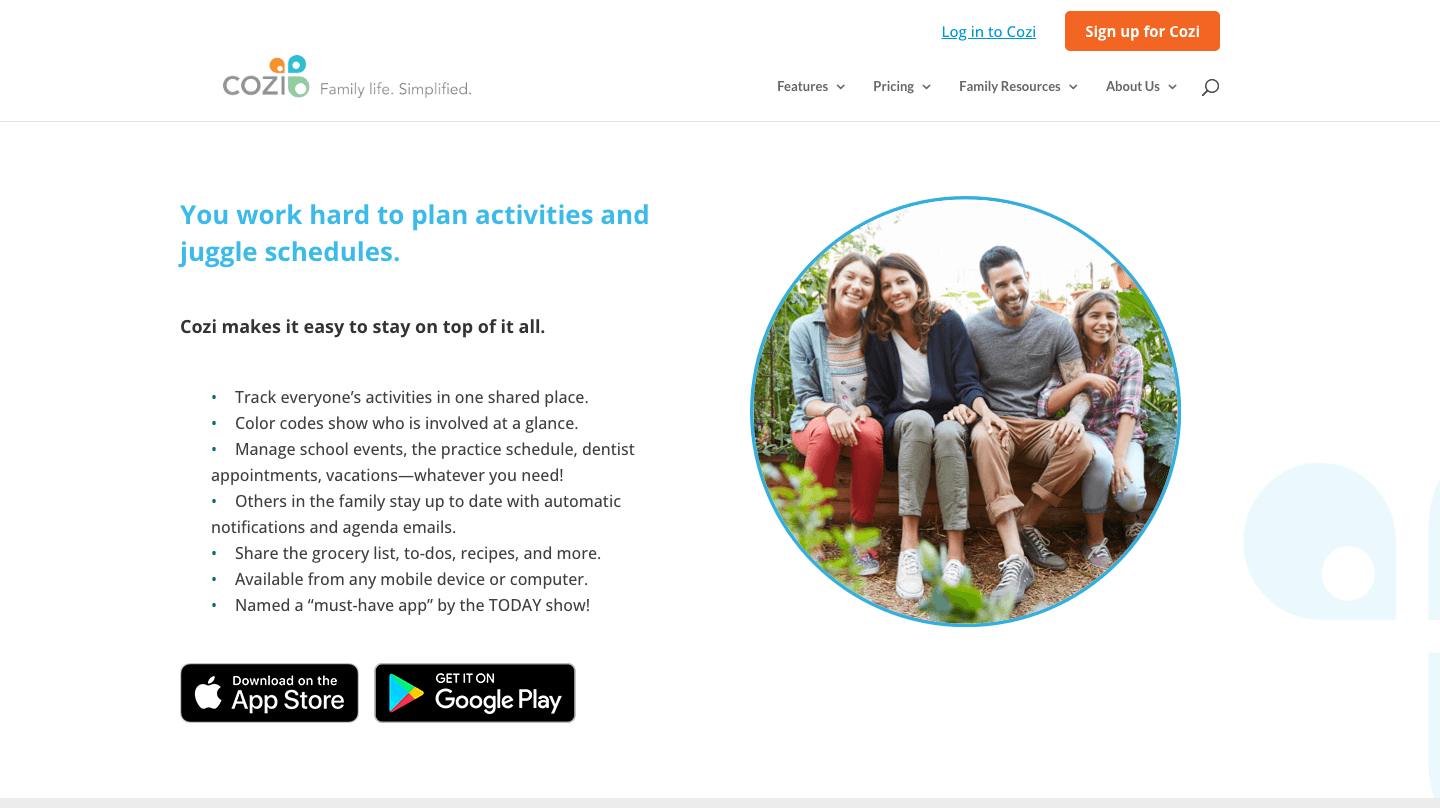
Cozi has been the default family organizer for years, and it earns the spot. Every family member gets a color on a single shared calendar, and the app bundles in shopping lists, to-do lists, meal planning, and a family journal. It is the closest thing to a kitchen command center that lives on your phone.
Setup is genuinely easy, which matters when you need a less technical partner or a teenager to actually open the thing. Everyone sees the same calendar, reminders go out by text or email, and the lists update in real time so nobody buys two gallons of milk. If you are coming from a paper planner, our roundup of daily planner apps worth trying covers a few companions.
What works: One app covers the calendar, the grocery run, and dinner. The free tier is usable on its own.
Limitations: The free version shows ads and limits some views. There is no energy awareness, so it tells you what is scheduled but not whether you have the capacity for it.
Pricing: Free with ads. Cozi Gold removes ads and adds month view, birthday tracking, and reminders for 39 dollars per year.
Best for: Families who want lists, meals, and the calendar in one familiar place.
3. Google Calendar: Best Free Option for Mixed Devices
The free, cross-platform calendar most families already have.
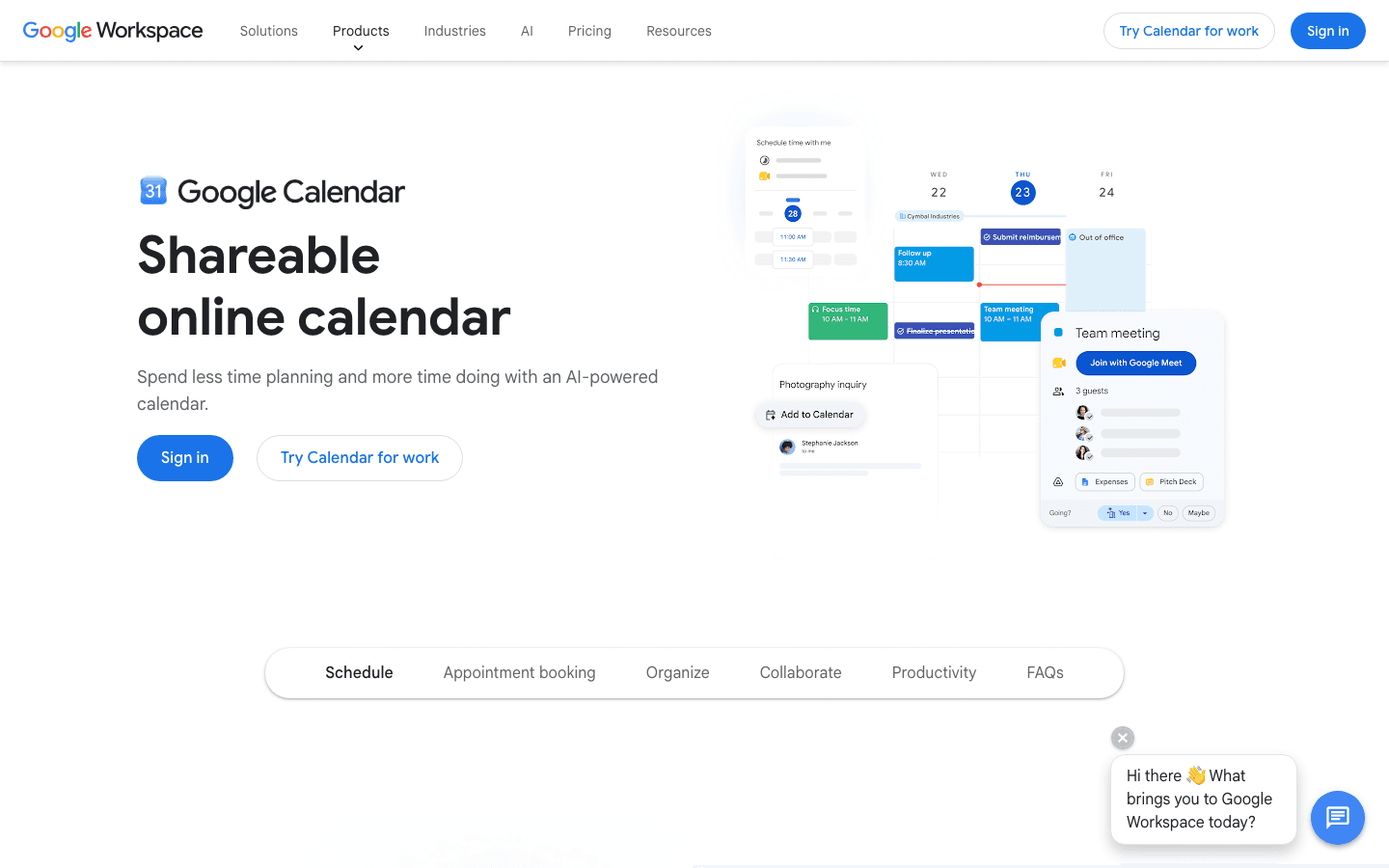
Google Calendar is free, runs on every device, and most people already have an account. You can create a shared family calendar, give each person their own color, and overlay everyone's schedules so conflicts jump out. Reminders, recurring events, and invitations all work without paying a cent.
It is not a dedicated family tool, so there are no built-in grocery lists or meal planners. But for pure scheduling across an iPhone-and-Android household, it is hard to beat. It also plays well with other tools if you want to layer something on top, as we cover in our guide to apps to use with Google Calendar.
What works: Free, universal, and reliable. Sharing calendars between family members takes a couple of minutes.
Limitations: No lists, meals, or family-specific extras. No energy awareness. Managing multiple shared calendars can get cluttered fast.
Pricing: Free with any Google account.
Best for: Mixed-device families who only need shared scheduling without the extras.
4. TimeTree: Best for Shared Event Chat
A shared calendar built around conversation, so coordination happens in context.
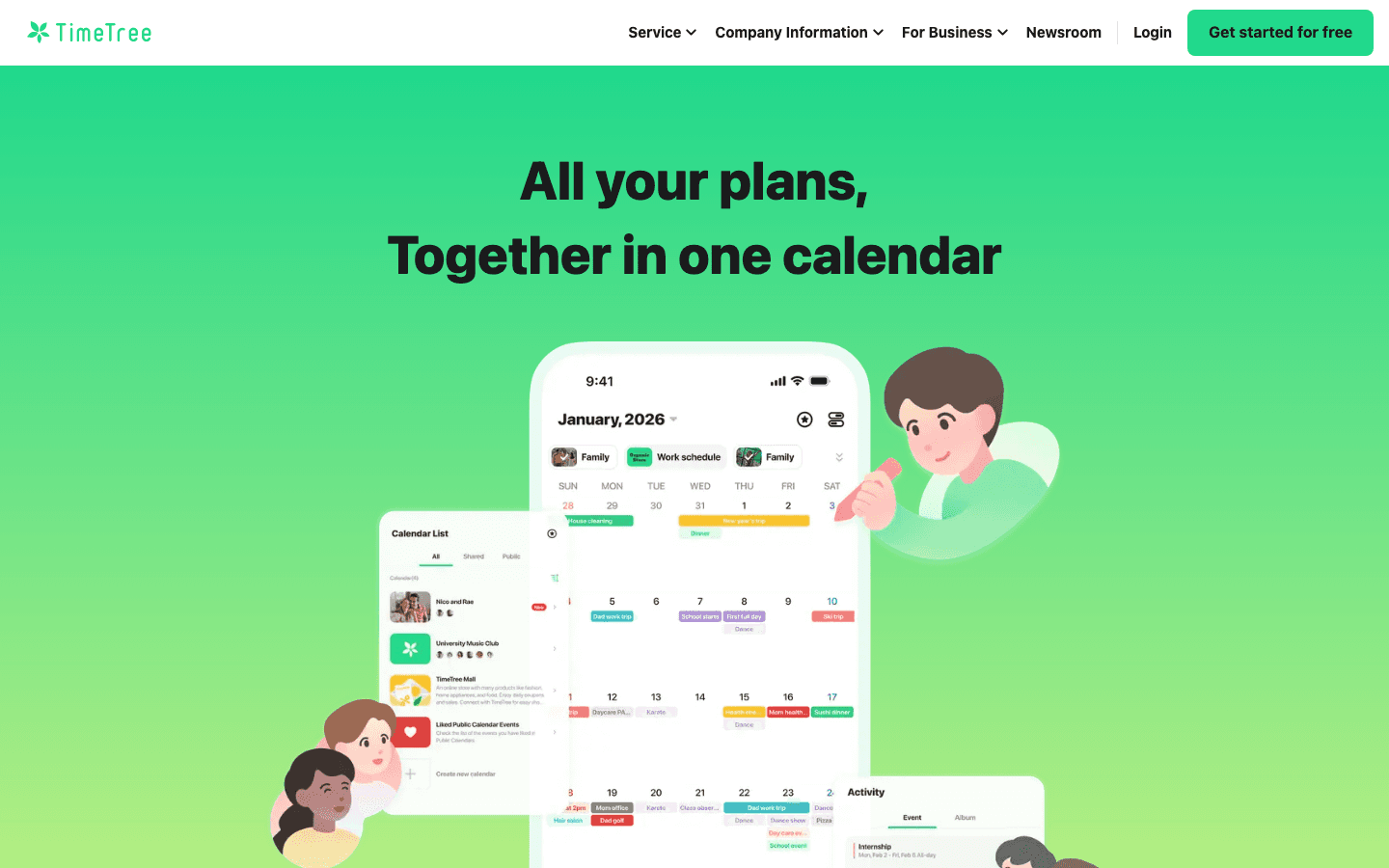
TimeTree treats every event as a small shared space. Family members can comment on an event, attach notes, and keep the back-and-forth about who is driving or what to bring right where it belongs instead of in a separate chat. You can run several shared calendars at once, which helps when one is for the whole family and another is just for the kids' activities.
It works across iPhone and Android and keeps a clean monthly view. The event-level chat is the standout, cutting down on the lost texts that usually surround any family plan.
What works: Per-event comments keep coordination tidy. Multiple shared calendars are easy to manage.
Limitations: The free tier shows ads and lacks file attachments and some views. No lists or meal planning, and no energy awareness.
Pricing: Free with ads. TimeTree Premium removes ads and adds attachments and extra views for 4.49 dollars per month or 44.99 dollars per year.
Best for: Families who coordinate a lot of logistics and want the chat attached to the event.
5. FamilyWall: Best for Location Sharing
A private family network that wraps the calendar in messaging and location features.
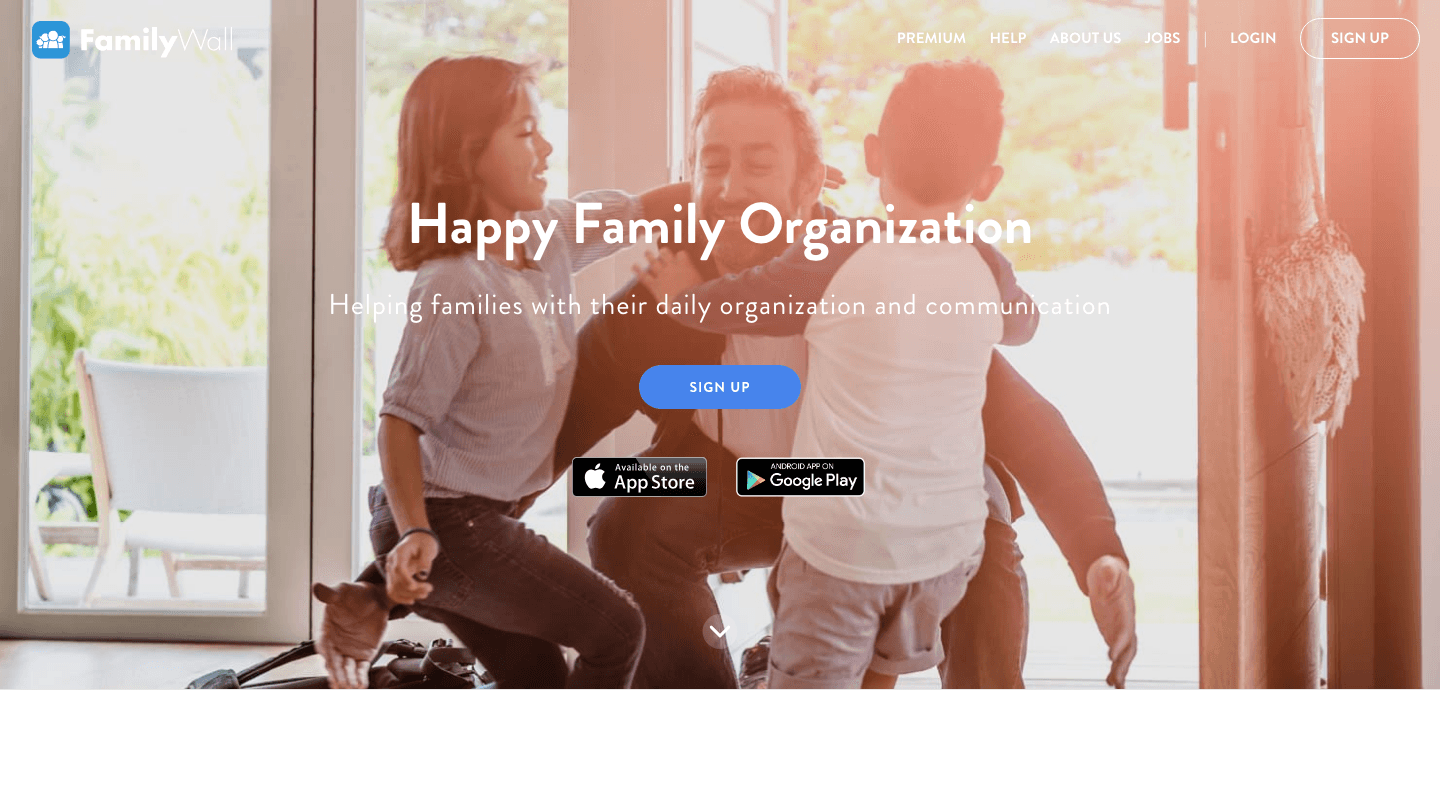
FamilyWall aims to be a private hub for the whole family. Alongside the shared calendar it adds private messaging, shared lists, a photo album, and real-time location sharing so you can see when a teen makes it home. It is closer to a family social network than a plain calendar.
The calendar itself supports color coding and reminders, and the extras make it appealing for families who want safety features bundled in. It runs on both major platforms and keeps everything behind a private family account.
What works: Location sharing and private messaging in the same app as the calendar. Good for families with older kids on the move.
Limitations: The interface tries to do a lot, which can feel busy. Some of the best features sit behind Premium. No energy awareness.
Pricing: Free with core features. FamilyWall Premium adds location history and more for 4.99 dollars per month or 44.99 dollars per year, after a 30-day trial.
Best for: Families who want location sharing and messaging alongside the calendar.
6. Apple Calendar: Best for All-Apple Households
The free, built-in calendar that quietly handles family sharing through iCloud.

Apple Calendar is already on every iPhone, iPad, and Mac, and it pairs with iCloud Family Sharing to give the household a shared calendar at no cost. Each member sees the shared events in their own color, and changes sync across Apple devices almost instantly. If your family is all-in on Apple, it is the path of least resistance.
It is a clean, no-frills scheduler. There are no lists or meal planners, and the experience drops off for any family member on Android. For households that want more from a built-in tool, our look at apps to use with Apple Calendar shows how to extend it.
What works: Free, already installed, and effortless to share within an Apple family.
Limitations: Weak on Android, no lists or meals, and no energy awareness. Family Sharing setup is the only slightly fiddly part.
Pricing: Free on all Apple devices.
Best for: Families fully on iPhone, iPad, and Mac who want zero setup cost.
Which Family Calendar App Is Right for You?
The right pick depends on what your family actually struggles with:
You feel constantly drained, not just disorganized: Lifestack, because it plans around your energy instead of cramming the grid.
You want lists, meals, and the calendar in one app: Cozi.
You want free and your family uses mixed devices: Google Calendar.
You coordinate lots of logistics over chat: TimeTree.
You want location sharing for kids on the move: FamilyWall.
Your whole family is on Apple devices: Apple Calendar.
If you are weighing this against general scheduling tools too, our guide to the best scheduling apps goes broader than family use.
Frequently Asked Questions
What is the best family calendar app in 2026?
Lifestack is our top overall pick because it schedules the day around your real energy levels, which helps busy parents protect their time rather than just record it. For a traditional all-in-one family organizer with lists and meals, Cozi is the strongest dedicated option.
Is there a free family calendar app?
Yes. Google Calendar and Apple Calendar both let families share a calendar for free, and Cozi, TimeTree, and FamilyWall all offer usable free tiers with optional paid upgrades. Free options cover shared scheduling well but usually skip extras like ads-free views or location sharing.
What is the best family calendar app for iPhone and Android together?
Google Calendar, Cozi, TimeTree, and FamilyWall all work on both iPhone and Android, so they are the safest picks for mixed-device families. Apple Calendar is excellent within an all-Apple household but limited for anyone on Android.
Can a family calendar app sync with Google and Apple calendars?
Many can. Lifestack offers two-way sync with both Google Calendar and Apple Calendar, so existing events flow in automatically. Cozi and the other dedicated apps generally keep their own calendar, while Google and Apple are the calendars themselves.
What features should a good family calendar app have?
Look for per-person color coding, shared scheduling that updates in real time, reminders that reach the right person, and reliable sync across phones. Shared lists and meal planning are bonuses, and energy-aware planning, as in Lifestack, helps you avoid overloading a single day.
Is Cozi or Google Calendar better for families?
Cozi is better if you want lists, meal planning, and the calendar bundled into one family app. Google Calendar is better if you only need shared scheduling, want it free, and have family members on different devices.
Running a household means tracking more moving parts than any one brain can hold. Soccer practice, the dentist, a work trip, who is cooking Thursday, when the rent is due. When that information lives in someone's head or scattered across text threads, things slip. A shared family calendar app puts every appointment, reminder, and to-do in one place that the whole family can see and update.
The trouble is that most calendar apps were built for individuals or offices, not families. A good family calendar app handles color-coded schedules for each member, shared lists, reminders that actually reach the right person, and syncing across phones so a change made by one parent shows up for everyone instantly.
We tested the leading options on the features families care about most: ease of setup, shared scheduling, lists and meal planning, reminders, cross-platform sync, and price. Some are free, some charge a few dollars a month, and one takes a smarter approach by scheduling around your actual energy instead of just slotting events onto a grid. Here are the six best family calendar apps for 2026.
Key Takeaways
Lifestack is our top pick for families who want a calendar that plans the day around real energy levels, not just open time slots.
Cozi remains the most complete dedicated family organizer, with shared lists, meal planning, and a color-coded calendar in one app.
If you want free and simple, Google Calendar and Apple Calendar both handle shared family scheduling well without a subscription.
The Best Family Calendar Apps at a Glance
Lifestack: Best overall, energy-aware planning for busy parents
Cozi: Best all-in-one family organizer
Google Calendar: Best free option for mixed devices
TimeTree: Best for shared event chat and coordination
FamilyWall: Best for location sharing and private family network
Apple Calendar: Best free option for all-Apple households
How We Evaluated Each App
A family calendar lives or dies on whether everyone actually uses it. We weighed each app on the things that decide that:
Shared scheduling with per-person color coding
Lists, meal planning, and chores in the same place as the calendar
Reminders that reach the right family member
Sync across iPhone, Android, and the web
How much it does on the free tier versus paid
Setup that a non-technical partner can finish without help
1. Lifestack: Best Overall
An energy-aware planner that schedules your day around when you actually have the capacity for it.
Most family calendars are good at recording what is happening and bad at helping you survive it. Lifestack takes a different angle. It connects to your wearable, reads your sleep and recovery data, predicts your energy curve for the day, then auto-schedules your tasks into the windows where you can actually handle them. For a parent juggling work, kids, and the household, that means the hard stuff lands when you have fuel and the easy stuff fills the dips.
It still does the shared-calendar basics. You can sync Google and Apple calendars, see your commitments in one timeline, and replan instantly when a kid gets sick or a meeting moves. The difference is that it treats your capacity as a real input, which is exactly what gets ignored when a family schedule piles up. If you want the thinking behind it, our piece on why energy-based planning beats time blocking walks through the idea.
Key features:
Energy forecasting from wearable sleep and recovery data
Automatic scheduling of tasks into your peak and dip windows
Two-way sync with Google Calendar and Apple Calendar
One-tap replanning when the day changes
What works: It is the only app here that plans around how you actually feel, which is the missing piece in a chaotic family week. The energy calendar view makes overload obvious before it wrecks your day.
Limitations: It is built around an individual's energy first, so it is less of a shared whiteboard than Cozi. The best fit is one or two adults who plan a busy life and want help protecting their time. The energy features shine most when paired with a ring or watch.
Pricing: 7 dollars per month, 50 dollars per year (with a 7-day free trial on the annual plan), or 120 dollars once for a lifetime license.
Best for: Busy parents and couples who want a planner that protects their energy, not just records appointments.
2. Cozi: Best All-in-One Family Organizer
The veteran family app that puts calendar, lists, and meals under one roof.
Cozi has been the default family organizer for years, and it earns the spot. Every family member gets a color on a single shared calendar, and the app bundles in shopping lists, to-do lists, meal planning, and a family journal. It is the closest thing to a kitchen command center that lives on your phone.
Setup is genuinely easy, which matters when you need a less technical partner or a teenager to actually open the thing. Everyone sees the same calendar, reminders go out by text or email, and the lists update in real time so nobody buys two gallons of milk. If you are coming from a paper planner, our roundup of daily planner apps worth trying covers a few companions.
What works: One app covers the calendar, the grocery run, and dinner. The free tier is usable on its own.
Limitations: The free version shows ads and limits some views. There is no energy awareness, so it tells you what is scheduled but not whether you have the capacity for it.
Pricing: Free with ads. Cozi Gold removes ads and adds month view, birthday tracking, and reminders for 39 dollars per year.
Best for: Families who want lists, meals, and the calendar in one familiar place.
3. Google Calendar: Best Free Option for Mixed Devices
The free, cross-platform calendar most families already have.
Google Calendar is free, runs on every device, and most people already have an account. You can create a shared family calendar, give each person their own color, and overlay everyone's schedules so conflicts jump out. Reminders, recurring events, and invitations all work without paying a cent.
It is not a dedicated family tool, so there are no built-in grocery lists or meal planners. But for pure scheduling across an iPhone-and-Android household, it is hard to beat. It also plays well with other tools if you want to layer something on top, as we cover in our guide to apps to use with Google Calendar.
What works: Free, universal, and reliable. Sharing calendars between family members takes a couple of minutes.
Limitations: No lists, meals, or family-specific extras. No energy awareness. Managing multiple shared calendars can get cluttered fast.
Pricing: Free with any Google account.
Best for: Mixed-device families who only need shared scheduling without the extras.
4. TimeTree: Best for Shared Event Chat
A shared calendar built around conversation, so coordination happens in context.
TimeTree treats every event as a small shared space. Family members can comment on an event, attach notes, and keep the back-and-forth about who is driving or what to bring right where it belongs instead of in a separate chat. You can run several shared calendars at once, which helps when one is for the whole family and another is just for the kids' activities.
It works across iPhone and Android and keeps a clean monthly view. The event-level chat is the standout, cutting down on the lost texts that usually surround any family plan.
What works: Per-event comments keep coordination tidy. Multiple shared calendars are easy to manage.
Limitations: The free tier shows ads and lacks file attachments and some views. No lists or meal planning, and no energy awareness.
Pricing: Free with ads. TimeTree Premium removes ads and adds attachments and extra views for 4.49 dollars per month or 44.99 dollars per year.
Best for: Families who coordinate a lot of logistics and want the chat attached to the event.
5. FamilyWall: Best for Location Sharing
A private family network that wraps the calendar in messaging and location features.
FamilyWall aims to be a private hub for the whole family. Alongside the shared calendar it adds private messaging, shared lists, a photo album, and real-time location sharing so you can see when a teen makes it home. It is closer to a family social network than a plain calendar.
The calendar itself supports color coding and reminders, and the extras make it appealing for families who want safety features bundled in. It runs on both major platforms and keeps everything behind a private family account.
What works: Location sharing and private messaging in the same app as the calendar. Good for families with older kids on the move.
Limitations: The interface tries to do a lot, which can feel busy. Some of the best features sit behind Premium. No energy awareness.
Pricing: Free with core features. FamilyWall Premium adds location history and more for 4.99 dollars per month or 44.99 dollars per year, after a 30-day trial.
Best for: Families who want location sharing and messaging alongside the calendar.
6. Apple Calendar: Best for All-Apple Households
The free, built-in calendar that quietly handles family sharing through iCloud.
Apple Calendar is already on every iPhone, iPad, and Mac, and it pairs with iCloud Family Sharing to give the household a shared calendar at no cost. Each member sees the shared events in their own color, and changes sync across Apple devices almost instantly. If your family is all-in on Apple, it is the path of least resistance.
It is a clean, no-frills scheduler. There are no lists or meal planners, and the experience drops off for any family member on Android. For households that want more from a built-in tool, our look at apps to use with Apple Calendar shows how to extend it.
What works: Free, already installed, and effortless to share within an Apple family.
Limitations: Weak on Android, no lists or meals, and no energy awareness. Family Sharing setup is the only slightly fiddly part.
Pricing: Free on all Apple devices.
Best for: Families fully on iPhone, iPad, and Mac who want zero setup cost.
Which Family Calendar App Is Right for You?
The right pick depends on what your family actually struggles with:
You feel constantly drained, not just disorganized: Lifestack, because it plans around your energy instead of cramming the grid.
You want lists, meals, and the calendar in one app: Cozi.
You want free and your family uses mixed devices: Google Calendar.
You coordinate lots of logistics over chat: TimeTree.
You want location sharing for kids on the move: FamilyWall.
Your whole family is on Apple devices: Apple Calendar.
If you are weighing this against general scheduling tools too, our guide to the best scheduling apps goes broader than family use.
Frequently Asked Questions
What is the best family calendar app in 2026?
Lifestack is our top overall pick because it schedules the day around your real energy levels, which helps busy parents protect their time rather than just record it. For a traditional all-in-one family organizer with lists and meals, Cozi is the strongest dedicated option.
Is there a free family calendar app?
Yes. Google Calendar and Apple Calendar both let families share a calendar for free, and Cozi, TimeTree, and FamilyWall all offer usable free tiers with optional paid upgrades. Free options cover shared scheduling well but usually skip extras like ads-free views or location sharing.
What is the best family calendar app for iPhone and Android together?
Google Calendar, Cozi, TimeTree, and FamilyWall all work on both iPhone and Android, so they are the safest picks for mixed-device families. Apple Calendar is excellent within an all-Apple household but limited for anyone on Android.
Can a family calendar app sync with Google and Apple calendars?
Many can. Lifestack offers two-way sync with both Google Calendar and Apple Calendar, so existing events flow in automatically. Cozi and the other dedicated apps generally keep their own calendar, while Google and Apple are the calendars themselves.
What features should a good family calendar app have?
Look for per-person color coding, shared scheduling that updates in real time, reminders that reach the right person, and reliable sync across phones. Shared lists and meal planning are bonuses, and energy-aware planning, as in Lifestack, helps you avoid overloading a single day.
Is Cozi or Google Calendar better for families?
Cozi is better if you want lists, meal planning, and the calendar bundled into one family app. Google Calendar is better if you only need shared scheduling, want it free, and have family members on different devices.



FOLLOW ON
FOLLOW ON
FOLLOW ON


Copyright 2026 © Lifestack. All rights reserved
Copyright 2026 © Lifestack. All rights reserved

