
App
Best Apps to Use With Apple Calendar in 2026
Best Apps to Use With Apple Calendar in 2026

The Best Apps to Use With Apple Calendar
Apple Calendar is a solid foundation. It syncs across every Apple device, integrates natively with Siri, and keeps your events organized without any fuss. But it stops there. It won't help you plan your day, manage your tasks, track your habits, or figure out when to do focused work. That's where companion apps come in.
The apps below are all designed to work alongside Apple Calendar rather than replace it. They pull in your existing events and add a planning, productivity, or scheduling layer on top. You keep the syncing and device integration you already rely on. They handle everything Apple Calendar doesn't.
If you're also looking for apps that pair well with Apple Reminders, see our apps to use with Apple Reminders guide. For a broader look at tools that replace Apple Calendar rather than complement it, check our Google Calendar alternatives guide.
Key Takeaways
Lifestack is the strongest AI layer on top of Apple Calendar, scheduling your tasks based on your energy patterns rather than just available time slots
Fantastical and Structured give you a significantly better visual interface for the same Apple Calendar data
Todoist, Streaks, and Motion each fill specific gaps: task management, habit tracking, and AI scheduling respectively
Quick Guide: Apps to Use With Apple Calendar
1. Lifestack - AI energy-aware planner that builds your daily schedule around existing Apple Calendar events
2. Fantastical - Premium Apple Calendar interface with natural language input and smart features
3. Structured - Visual timeline planner that overlays tasks onto your Apple Calendar view
4. Todoist - Task manager that pushes tasks to Apple Calendar as time-blocked events
5. Streaks - Habit tracker with native Apple Calendar and Apple Health integration
6. Motion - AI scheduling assistant that books tasks into open calendar slots automatically
How We Evaluated These Apps
Quality of Apple Calendar integration (read, write, or both)
What planning or productivity layer they add
iOS and macOS native experience
Pricing and value
1. Lifestack - Best AI Planner to Use With Apple Calendar
Reads your Apple Calendar events and builds your entire day around them

Lifestack reads your Apple Calendar, pulls in your tasks, and uses your energy data (from Apple Watch, Oura, or Whoop) to build a daily plan that puts the right work in the right time slots. Your existing meetings and events are treated as fixed constraints. Everything else gets scheduled around them based on when you actually do your best work.
The result is a daily schedule that arrives each morning without you having to build it manually. Deep work goes to your peak hours. Admin and email fill the recovery windows. Apple Calendar stays as your source of truth for events. Lifestack adds the task scheduling layer on top. This energy-based planning approach is what separates Lifestack from every other app in this category. Read more about how Lifestack was built if you want to understand the thinking behind it.
Key Features
Reads Apple Calendar events and schedules tasks around them
Energy-aware scheduling using Apple Watch and wearable data
AI daily plan generation each morning
iOS and Android, with Chrome extension
What Works
Best energy-aware scheduling of any app in this category
Respects existing calendar events without moving them
Integrates with Todoist, Notion, and other task managers
Limitations
Not a calendar viewer. It's a daily planner that reads your calendar
Less useful for people who primarily need to share or manage others' schedules
Pricing: $7/month or $50/year (7-day free trial on annual plan)
Best for: Apple users who want AI daily planning built around their existing Apple Calendar events and energy patterns
2. Fantastical - Best Apple Calendar Interface Upgrade
Everything Apple Calendar should look like, with features it's missing
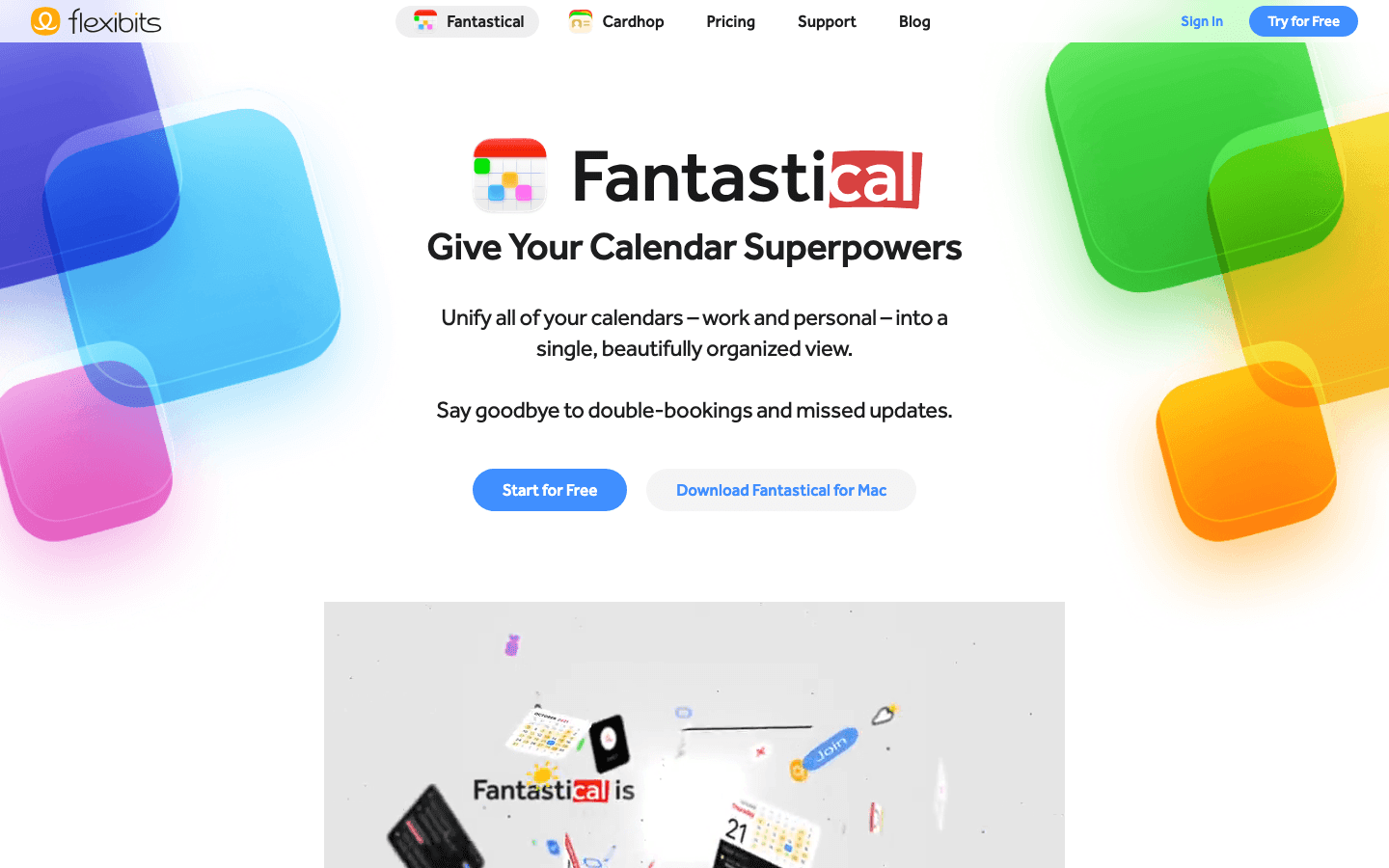
Fantastical reads directly from your Apple Calendar data and presents it in a significantly better interface. Natural language event creation ("coffee with Mia Thursday at 2pm") creates events instantly. The unified view shows your Apple Calendar alongside any other calendars you use. Apple Watch complications, Siri shortcuts, and Focus mode integration make it the most native-feeling calendar upgrade available.
It's the right choice if your primary frustration with Apple Calendar is the interface rather than the planning features. You're not getting AI scheduling or task management. You're getting the same calendar data shown in a much cleaner, more functional way. The meeting scheduling link feature is also useful if you frequently coordinate external meetings.
What Works
Natural language input is far faster than Apple Calendar's event creation
Best Apple Watch calendar integration available
DayTicker view gives a compact daily overview that Apple Calendar doesn't have
Limitations
No energy awareness or AI task scheduling
Flexibits Premium subscription required for most power features
Pricing: Free to download; Flexibits Premium subscription for advanced features
Best for: Apple users who want a better-looking, smarter interface for their existing Apple Calendar data
3. Structured - Best Visual Day Planner for Apple Calendar Users
A timeline view that shows tasks and Apple Calendar events together
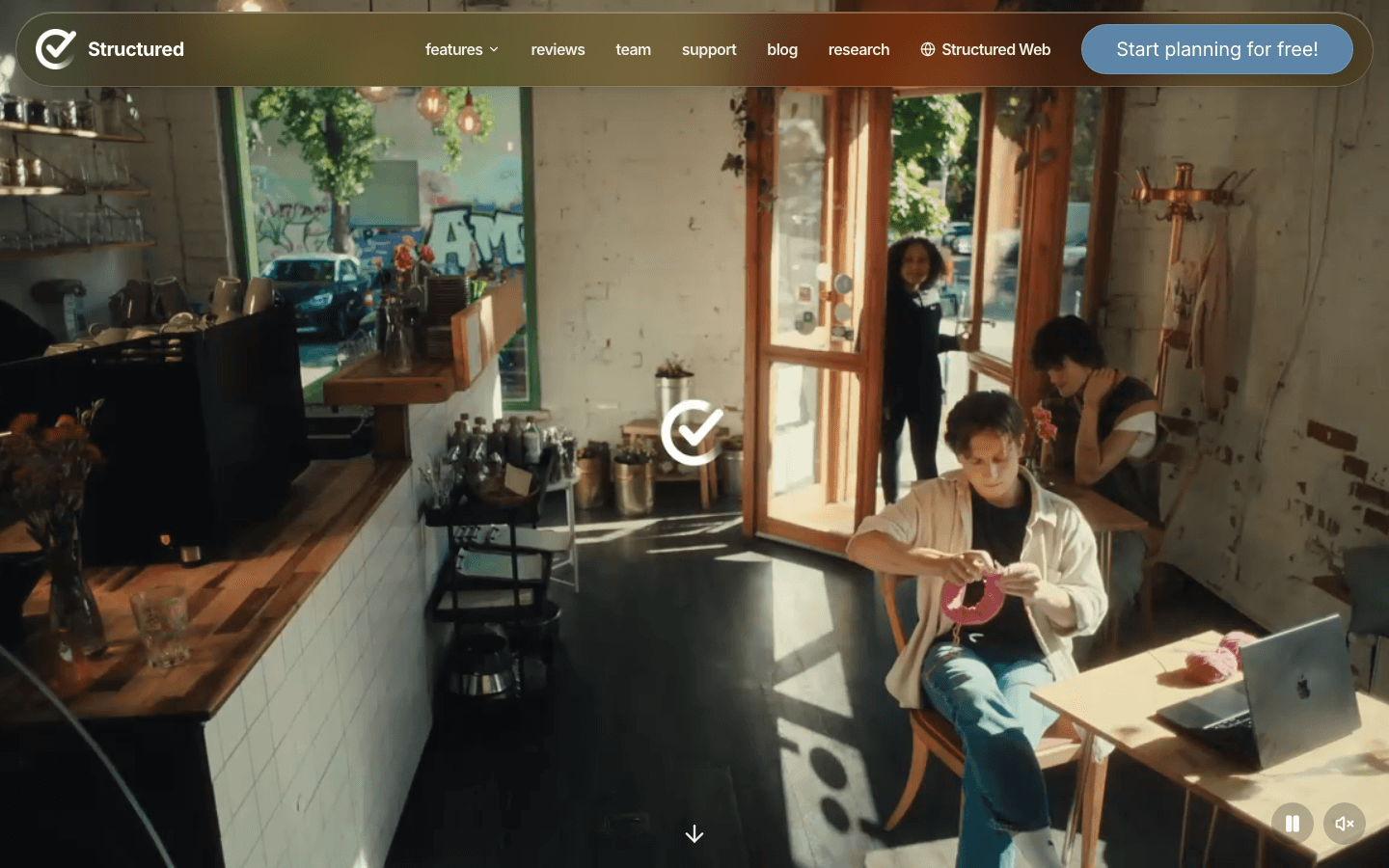
Structured pulls in your Apple Calendar events and displays them alongside your tasks in a visual timeline. You can see the gap between your 10am meeting and your 1pm lunch, add a task into that slot, and instantly visualize how your day is laid out. It's a simple idea that Apple Calendar completely fails to deliver on its own.
The interface is one of the cleanest in the category. Tasks are draggable into the timeline. Repeating tasks and calendar events coexist in the same view. For visual thinkers who need to see their day as a linear sequence rather than a list of events, Structured fills a genuine gap. Its Apple Watch app also shows the current and upcoming tasks from the timeline directly on your wrist.
What Works
Best visual timeline integration with Apple Calendar of any app tested
Clean, low-friction interface for adding tasks to calendar gaps
Strong Apple Watch and widget support
Limitations
No AI scheduling or energy awareness
iOS and macOS only
Pricing: Free to download; Pro subscription for advanced features
Best for: Visual thinkers who want to see tasks and Apple Calendar events in one timeline
4. Todoist - Best Task Manager to Pair With Apple Calendar
Manages your tasks and can push them into Apple Calendar as scheduled events
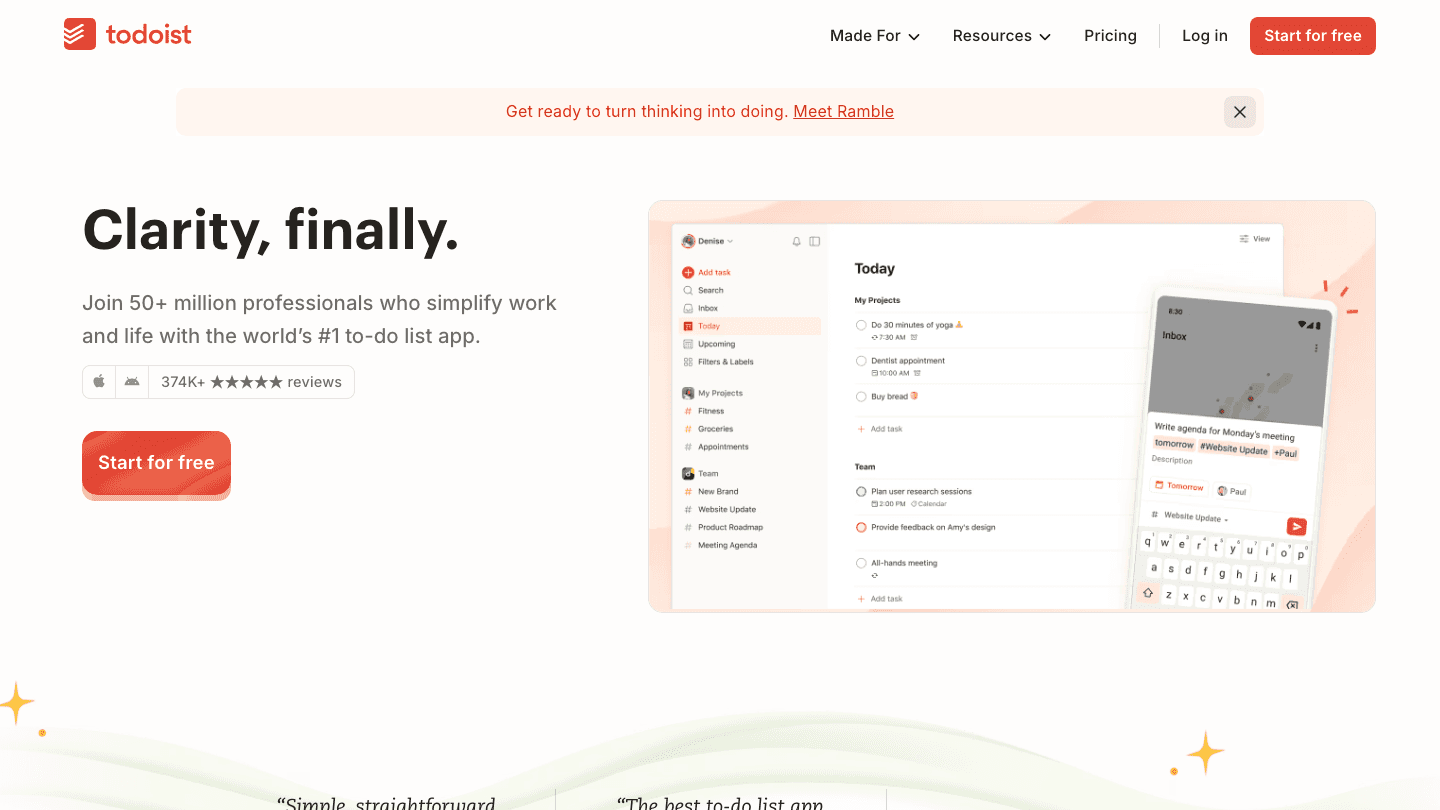
Todoist is one of the most polished task managers available, and its Apple Calendar integration adds a useful layer: scheduled tasks appear as events in your Apple Calendar, which means they show up in Fantastical, Structured, Lifestack, and anywhere else that reads your calendar. Turning a task into a time-blocked event gives it the visibility that a to-do list alone doesn't have.
It also syncs with Siri and Shortcuts natively, which makes capturing tasks on iPhone or Apple Watch fast. The Karma system and project views make it the best option for people who need to manage large volumes of tasks across multiple projects. For a broader look at how to build a task and calendar system, see our time blocking app guide.
What Works
Apple Calendar integration pushes tasks as calendar events, making them visible across your stack
Siri and Shortcuts integration for fast capture
Free tier covers most personal use cases
Limitations
No AI scheduling or energy awareness
Calendar integration is one-directional (Todoist to Calendar, not the reverse)
Pricing: Free tier available; Pro subscription for advanced features
Best for: Anyone who needs a powerful task manager and wants tasks to appear as events in Apple Calendar
5. Streaks - Best Habit Tracker for Apple Calendar Users
Native Apple ecosystem habit tracking with Health and Calendar integration
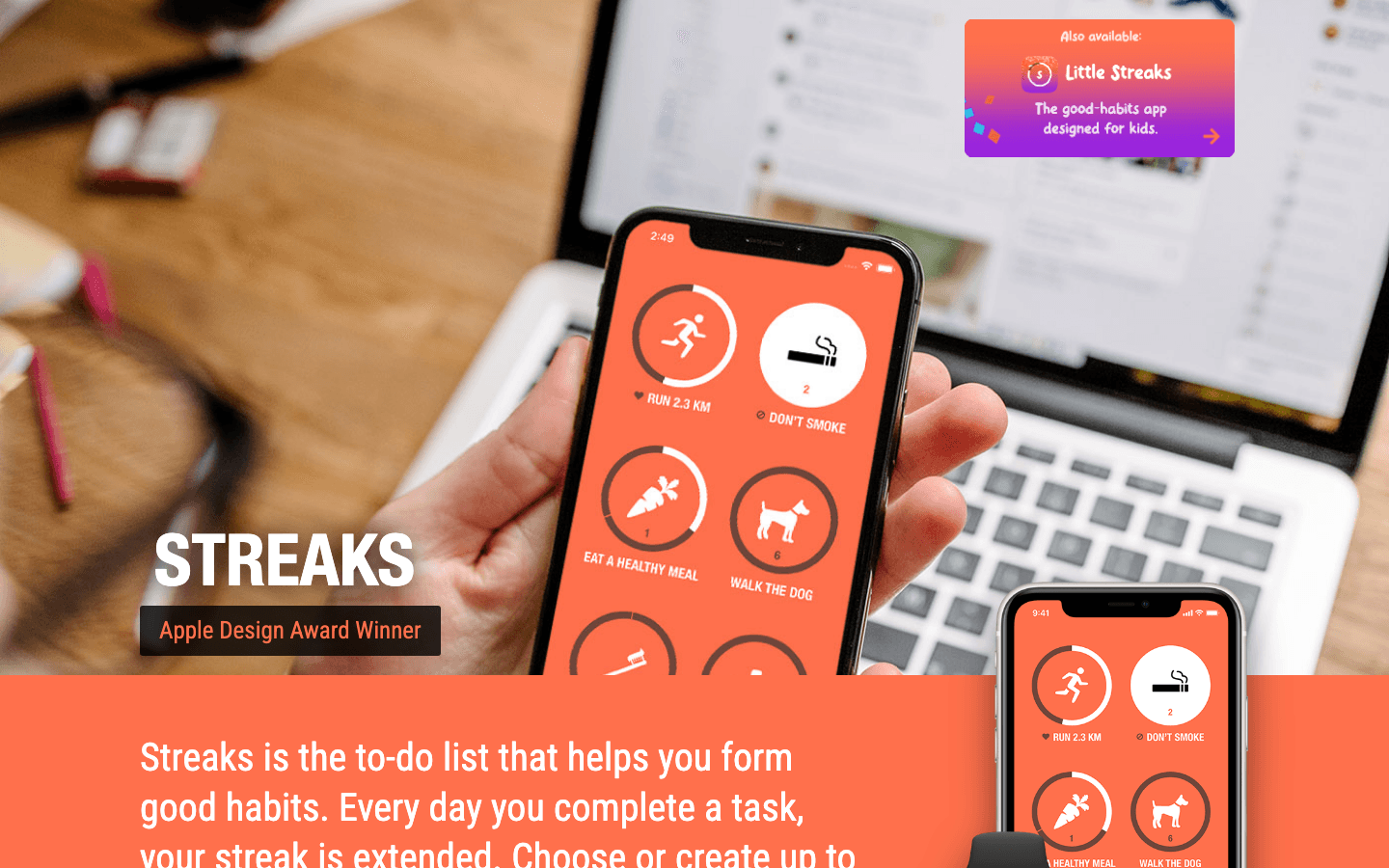
Streaks is built entirely around Apple's ecosystem. It reads Apple Health data to automatically complete health-related habits (workouts, steps, water) and can write completed habits into Apple Calendar as events. This gives you a historical view of your habit compliance directly in your calendar, useful for spotting patterns in what you actually did versus what you planned.
The Apple Watch app is the strongest in the habit tracking category, with complications that show your streak rings on the watch face and the ability to complete habits directly from your wrist. If you're building a broader productivity stack around Apple Health and Apple Watch, Streaks is the right habit layer. For context, see our Apple Watch productivity apps guide.
What Works
Automatic habit completion from Apple Health data
Best Apple Watch habit tracking app in the category
One-time purchase with no subscription
Limitations
iOS and macOS only
No planning or scheduling features
Pricing: $5.99 one-time purchase
Best for: Apple users who want habit tracking that integrates with Apple Health, Apple Watch, and Apple Calendar
6. Motion - Best AI Auto-Scheduling for Apple Calendar Users
Automatically books tasks into open slots in your Apple Calendar
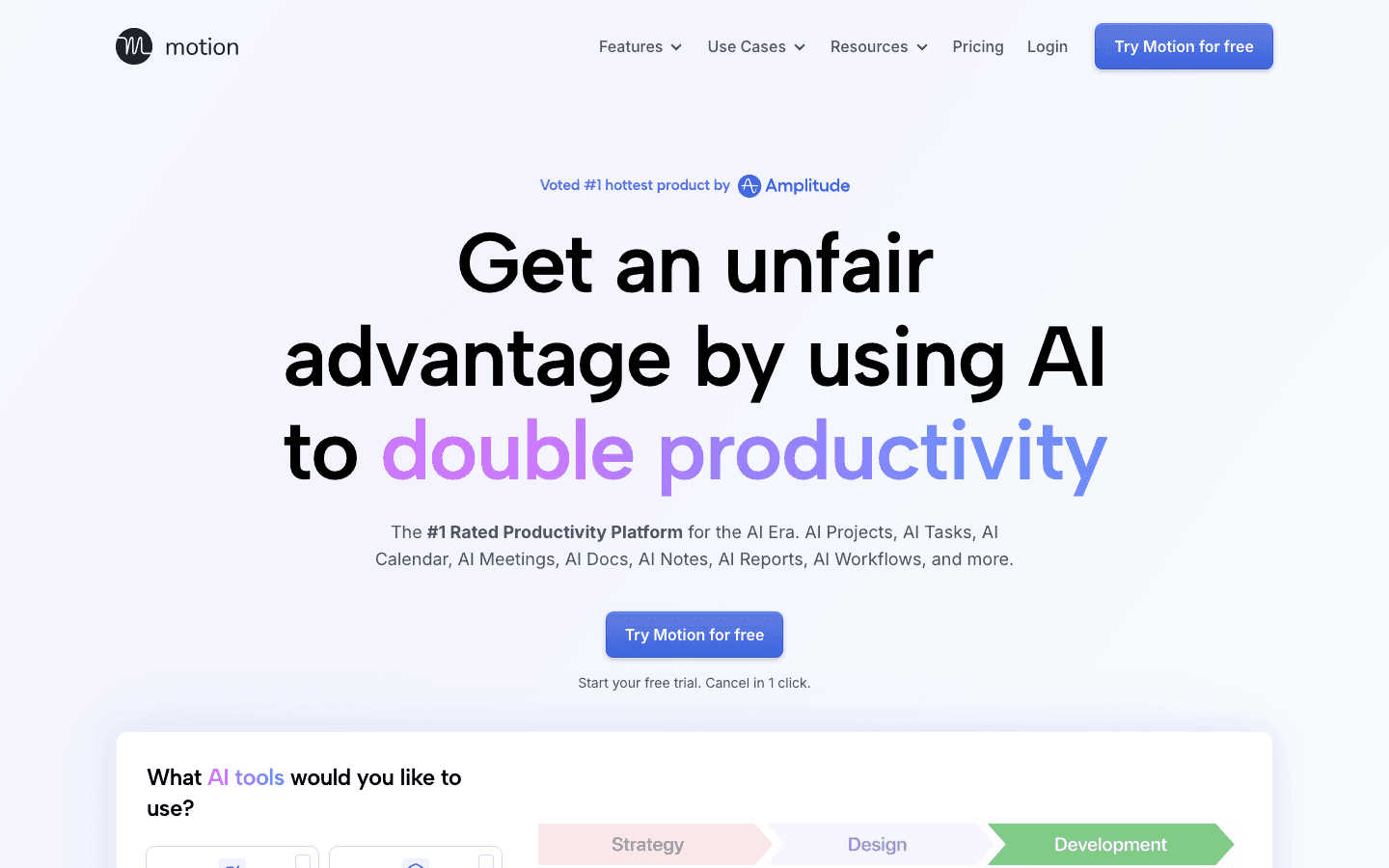
Motion takes a different approach to calendar integration: it reads your Apple Calendar events and then automatically schedules your tasks into the open slots throughout the week. You add a task with a deadline, and Motion figures out when to do it based on your calendar availability and priority. The result is a fully scheduled week without manual time-blocking.
It's a powerful approach, and it works well when you have a high volume of tasks competing for calendar time. The limitation is that Motion schedules based on available time, not energy, which means it might place demanding cognitive work in your worst productivity windows. For a comparison of how it stacks up, see our Motion alternatives guide. For a deeper look at how scheduling apps compare, the best scheduling app guide covers the full landscape.
What Works
Fully automatic task scheduling into calendar slots
Handles task rescheduling when meetings move or new tasks arrive
Good for high-volume task environments
Limitations
Schedules by time availability, not energy (no energy awareness)
At $19/month it's expensive compared to other options
Pricing: $19/month (monthly) or approximately $12.73/month billed annually. Free trial available.
Best for: Professionals with many competing tasks and deadlines who want automatic time-blocking without manual scheduling
Which App to Use With Apple Calendar?
You want AI planning that respects your energy: Lifestack
You want a better Apple Calendar interface: Fantastical
You think visually and want tasks in a timeline: Structured
You need powerful task management linked to your calendar: Todoist
You want habit tracking in the Apple ecosystem: Streaks
You want automatic task scheduling into calendar slots: Motion
Most people benefit from combining two of these. Lifestack plus Todoist is a strong pairing: Todoist captures and organizes your tasks, Lifestack schedules them into your day based on energy. Structured plus Streaks works well if you want a visual daily view alongside habit tracking. Start with one and add a second once you've got the first habit established.
Frequently Asked Questions
What apps work best with Apple Calendar?
The best apps to use with Apple Calendar depend on what you're missing. For daily planning with AI, Lifestack is the strongest option. For a better calendar interface, Fantastical. For task management that shows up in your calendar, Todoist. For visual day planning, Structured. For habit tracking in the Apple ecosystem, Streaks.
Does Lifestack sync with Apple Calendar?
Yes. Lifestack reads your Apple Calendar events and schedules your tasks around them. It uses your calendar as the fixed foundation and builds an energy-aware daily plan in the open slots. Your Apple Calendar data doesn't change. Lifestack adds a planning layer on top of it.
Can Todoist sync with Apple Calendar?
Yes. Todoist has a two-way Apple Calendar integration that can show your tasks as calendar events. Tasks with scheduled dates appear in Apple Calendar as events, making them visible wherever you view your calendar. This is a useful way to see tasks and meetings in the same place without switching apps.
Is there an AI app that works with Apple Calendar?
Yes. Both Lifestack and Motion use AI scheduling that integrates with Apple Calendar. Lifestack builds energy-aware daily plans based on your wearable data and calendar. Motion automatically books tasks into available calendar slots based on deadlines and priority. Lifestack is more opinionated about when you should work based on your energy, while Motion optimizes for availability.
What Apple Watch apps work with Apple Calendar?
Fantastical and Structured both have excellent Apple Watch apps that surface upcoming Apple Calendar events. Streaks shows habit rings alongside calendar data on Apple Watch. For a full rundown of what's worth installing, see our guide to best Apple Watch apps and Apple Watch productivity apps.
Are there free apps to use with Apple Calendar?
Yes. Todoist has a free tier with Apple Calendar integration. Structured is free to download with optional Pro features. Fantastical is free with limited features. Lifestack has a 7-day free trial on its annual plan. Streaks is a paid app but a one-time purchase rather than a subscription, which makes it the best value for long-term use.
The Best Apps to Use With Apple Calendar
Apple Calendar is a solid foundation. It syncs across every Apple device, integrates natively with Siri, and keeps your events organized without any fuss. But it stops there. It won't help you plan your day, manage your tasks, track your habits, or figure out when to do focused work. That's where companion apps come in.
The apps below are all designed to work alongside Apple Calendar rather than replace it. They pull in your existing events and add a planning, productivity, or scheduling layer on top. You keep the syncing and device integration you already rely on. They handle everything Apple Calendar doesn't.
If you're also looking for apps that pair well with Apple Reminders, see our apps to use with Apple Reminders guide. For a broader look at tools that replace Apple Calendar rather than complement it, check our Google Calendar alternatives guide.
Key Takeaways
Lifestack is the strongest AI layer on top of Apple Calendar, scheduling your tasks based on your energy patterns rather than just available time slots
Fantastical and Structured give you a significantly better visual interface for the same Apple Calendar data
Todoist, Streaks, and Motion each fill specific gaps: task management, habit tracking, and AI scheduling respectively
Quick Guide: Apps to Use With Apple Calendar
1. Lifestack - AI energy-aware planner that builds your daily schedule around existing Apple Calendar events
2. Fantastical - Premium Apple Calendar interface with natural language input and smart features
3. Structured - Visual timeline planner that overlays tasks onto your Apple Calendar view
4. Todoist - Task manager that pushes tasks to Apple Calendar as time-blocked events
5. Streaks - Habit tracker with native Apple Calendar and Apple Health integration
6. Motion - AI scheduling assistant that books tasks into open calendar slots automatically
How We Evaluated These Apps
Quality of Apple Calendar integration (read, write, or both)
What planning or productivity layer they add
iOS and macOS native experience
Pricing and value
1. Lifestack - Best AI Planner to Use With Apple Calendar
Reads your Apple Calendar events and builds your entire day around them
Lifestack reads your Apple Calendar, pulls in your tasks, and uses your energy data (from Apple Watch, Oura, or Whoop) to build a daily plan that puts the right work in the right time slots. Your existing meetings and events are treated as fixed constraints. Everything else gets scheduled around them based on when you actually do your best work.
The result is a daily schedule that arrives each morning without you having to build it manually. Deep work goes to your peak hours. Admin and email fill the recovery windows. Apple Calendar stays as your source of truth for events. Lifestack adds the task scheduling layer on top. This energy-based planning approach is what separates Lifestack from every other app in this category. Read more about how Lifestack was built if you want to understand the thinking behind it.
Key Features
Reads Apple Calendar events and schedules tasks around them
Energy-aware scheduling using Apple Watch and wearable data
AI daily plan generation each morning
iOS and Android, with Chrome extension
What Works
Best energy-aware scheduling of any app in this category
Respects existing calendar events without moving them
Integrates with Todoist, Notion, and other task managers
Limitations
Not a calendar viewer. It's a daily planner that reads your calendar
Less useful for people who primarily need to share or manage others' schedules
Pricing: $7/month or $50/year (7-day free trial on annual plan)
Best for: Apple users who want AI daily planning built around their existing Apple Calendar events and energy patterns
2. Fantastical - Best Apple Calendar Interface Upgrade
Everything Apple Calendar should look like, with features it's missing
Fantastical reads directly from your Apple Calendar data and presents it in a significantly better interface. Natural language event creation ("coffee with Mia Thursday at 2pm") creates events instantly. The unified view shows your Apple Calendar alongside any other calendars you use. Apple Watch complications, Siri shortcuts, and Focus mode integration make it the most native-feeling calendar upgrade available.
It's the right choice if your primary frustration with Apple Calendar is the interface rather than the planning features. You're not getting AI scheduling or task management. You're getting the same calendar data shown in a much cleaner, more functional way. The meeting scheduling link feature is also useful if you frequently coordinate external meetings.
What Works
Natural language input is far faster than Apple Calendar's event creation
Best Apple Watch calendar integration available
DayTicker view gives a compact daily overview that Apple Calendar doesn't have
Limitations
No energy awareness or AI task scheduling
Flexibits Premium subscription required for most power features
Pricing: Free to download; Flexibits Premium subscription for advanced features
Best for: Apple users who want a better-looking, smarter interface for their existing Apple Calendar data
3. Structured - Best Visual Day Planner for Apple Calendar Users
A timeline view that shows tasks and Apple Calendar events together
Structured pulls in your Apple Calendar events and displays them alongside your tasks in a visual timeline. You can see the gap between your 10am meeting and your 1pm lunch, add a task into that slot, and instantly visualize how your day is laid out. It's a simple idea that Apple Calendar completely fails to deliver on its own.
The interface is one of the cleanest in the category. Tasks are draggable into the timeline. Repeating tasks and calendar events coexist in the same view. For visual thinkers who need to see their day as a linear sequence rather than a list of events, Structured fills a genuine gap. Its Apple Watch app also shows the current and upcoming tasks from the timeline directly on your wrist.
What Works
Best visual timeline integration with Apple Calendar of any app tested
Clean, low-friction interface for adding tasks to calendar gaps
Strong Apple Watch and widget support
Limitations
No AI scheduling or energy awareness
iOS and macOS only
Pricing: Free to download; Pro subscription for advanced features
Best for: Visual thinkers who want to see tasks and Apple Calendar events in one timeline
4. Todoist - Best Task Manager to Pair With Apple Calendar
Manages your tasks and can push them into Apple Calendar as scheduled events
Todoist is one of the most polished task managers available, and its Apple Calendar integration adds a useful layer: scheduled tasks appear as events in your Apple Calendar, which means they show up in Fantastical, Structured, Lifestack, and anywhere else that reads your calendar. Turning a task into a time-blocked event gives it the visibility that a to-do list alone doesn't have.
It also syncs with Siri and Shortcuts natively, which makes capturing tasks on iPhone or Apple Watch fast. The Karma system and project views make it the best option for people who need to manage large volumes of tasks across multiple projects. For a broader look at how to build a task and calendar system, see our time blocking app guide.
What Works
Apple Calendar integration pushes tasks as calendar events, making them visible across your stack
Siri and Shortcuts integration for fast capture
Free tier covers most personal use cases
Limitations
No AI scheduling or energy awareness
Calendar integration is one-directional (Todoist to Calendar, not the reverse)
Pricing: Free tier available; Pro subscription for advanced features
Best for: Anyone who needs a powerful task manager and wants tasks to appear as events in Apple Calendar
5. Streaks - Best Habit Tracker for Apple Calendar Users
Native Apple ecosystem habit tracking with Health and Calendar integration
Streaks is built entirely around Apple's ecosystem. It reads Apple Health data to automatically complete health-related habits (workouts, steps, water) and can write completed habits into Apple Calendar as events. This gives you a historical view of your habit compliance directly in your calendar, useful for spotting patterns in what you actually did versus what you planned.
The Apple Watch app is the strongest in the habit tracking category, with complications that show your streak rings on the watch face and the ability to complete habits directly from your wrist. If you're building a broader productivity stack around Apple Health and Apple Watch, Streaks is the right habit layer. For context, see our Apple Watch productivity apps guide.
What Works
Automatic habit completion from Apple Health data
Best Apple Watch habit tracking app in the category
One-time purchase with no subscription
Limitations
iOS and macOS only
No planning or scheduling features
Pricing: $5.99 one-time purchase
Best for: Apple users who want habit tracking that integrates with Apple Health, Apple Watch, and Apple Calendar
6. Motion - Best AI Auto-Scheduling for Apple Calendar Users
Automatically books tasks into open slots in your Apple Calendar
Motion takes a different approach to calendar integration: it reads your Apple Calendar events and then automatically schedules your tasks into the open slots throughout the week. You add a task with a deadline, and Motion figures out when to do it based on your calendar availability and priority. The result is a fully scheduled week without manual time-blocking.
It's a powerful approach, and it works well when you have a high volume of tasks competing for calendar time. The limitation is that Motion schedules based on available time, not energy, which means it might place demanding cognitive work in your worst productivity windows. For a comparison of how it stacks up, see our Motion alternatives guide. For a deeper look at how scheduling apps compare, the best scheduling app guide covers the full landscape.
What Works
Fully automatic task scheduling into calendar slots
Handles task rescheduling when meetings move or new tasks arrive
Good for high-volume task environments
Limitations
Schedules by time availability, not energy (no energy awareness)
At $19/month it's expensive compared to other options
Pricing: $19/month (monthly) or approximately $12.73/month billed annually. Free trial available.
Best for: Professionals with many competing tasks and deadlines who want automatic time-blocking without manual scheduling
Which App to Use With Apple Calendar?
You want AI planning that respects your energy: Lifestack
You want a better Apple Calendar interface: Fantastical
You think visually and want tasks in a timeline: Structured
You need powerful task management linked to your calendar: Todoist
You want habit tracking in the Apple ecosystem: Streaks
You want automatic task scheduling into calendar slots: Motion
Most people benefit from combining two of these. Lifestack plus Todoist is a strong pairing: Todoist captures and organizes your tasks, Lifestack schedules them into your day based on energy. Structured plus Streaks works well if you want a visual daily view alongside habit tracking. Start with one and add a second once you've got the first habit established.
Frequently Asked Questions
What apps work best with Apple Calendar?
The best apps to use with Apple Calendar depend on what you're missing. For daily planning with AI, Lifestack is the strongest option. For a better calendar interface, Fantastical. For task management that shows up in your calendar, Todoist. For visual day planning, Structured. For habit tracking in the Apple ecosystem, Streaks.
Does Lifestack sync with Apple Calendar?
Yes. Lifestack reads your Apple Calendar events and schedules your tasks around them. It uses your calendar as the fixed foundation and builds an energy-aware daily plan in the open slots. Your Apple Calendar data doesn't change. Lifestack adds a planning layer on top of it.
Can Todoist sync with Apple Calendar?
Yes. Todoist has a two-way Apple Calendar integration that can show your tasks as calendar events. Tasks with scheduled dates appear in Apple Calendar as events, making them visible wherever you view your calendar. This is a useful way to see tasks and meetings in the same place without switching apps.
Is there an AI app that works with Apple Calendar?
Yes. Both Lifestack and Motion use AI scheduling that integrates with Apple Calendar. Lifestack builds energy-aware daily plans based on your wearable data and calendar. Motion automatically books tasks into available calendar slots based on deadlines and priority. Lifestack is more opinionated about when you should work based on your energy, while Motion optimizes for availability.
What Apple Watch apps work with Apple Calendar?
Fantastical and Structured both have excellent Apple Watch apps that surface upcoming Apple Calendar events. Streaks shows habit rings alongside calendar data on Apple Watch. For a full rundown of what's worth installing, see our guide to best Apple Watch apps and Apple Watch productivity apps.
Are there free apps to use with Apple Calendar?
Yes. Todoist has a free tier with Apple Calendar integration. Structured is free to download with optional Pro features. Fantastical is free with limited features. Lifestack has a 7-day free trial on its annual plan. Streaks is a paid app but a one-time purchase rather than a subscription, which makes it the best value for long-term use.



FOLLOW ON
FOLLOW ON
FOLLOW ON


Copyright 2026 © Lifestack. All rights reserved
Copyright 2026 © Lifestack. All rights reserved

