
App
Best Google Calendar Alternatives in 2026
Best Google Calendar Alternatives in 2026

The Best Google Calendar Alternatives Worth Switching To
Google Calendar is good at one thing: keeping your events in order. But the moment you want your calendar to actually help you plan your day, prioritize what matters, or adapt when things go sideways, it hits a wall. It shows you what's scheduled. It doesn't help you figure out what to do with the gaps.
That gap is where Google Calendar alternatives earn their keep. The best ones don't just display your schedule. They build it with you, integrate your tasks, and bring some intelligence to the question of when to do what.
We tested six apps that make a real case for replacing Google Calendar. Each has a distinct angle, from AI-powered daily planning to a clean calendar UI that Google's hasn't meaningfully updated in years. If you also want apps that work alongside Google Calendar rather than replacing it, see our guide to apps that sync with Google Calendar.
Key Takeaways
Lifestack is the only Google Calendar alternative that schedules your tasks based on your energy levels, not just time availability
Fantastical and Morgen are the best choices if you want a true Google Calendar replacement with a better UI and smarter features
Notion Calendar is the only free alternative that still gives you a complete calendar experience with real task integration
Quick Guide: Google Calendar Alternatives
1. Lifestack - AI energy-aware daily planner that builds your schedule around your peak hours
2. Fantastical - Feature-rich calendar with natural language input and weather integration
3. Morgen - AI-powered daily planner that unifies calendars and tasks in one view
4. Notion Calendar - Free modern calendar with tight Notion database integration
5. Akiflow - Combined tasks and calendar built for high-output professionals
6. Sunsama - Mindful daily planning tool built around time-boxed intention
How We Evaluated These Google Calendar Alternatives
Does it go beyond displaying events to actively helping you plan?
How well does it integrate tasks with the calendar view?
Does it have Google Calendar sync, or does it replace it entirely?
Mobile and desktop experience
Pricing and value for the planning features you actually get
1. Lifestack - Best Overall Google Calendar Alternative
The calendar replacement that actually plans your day for you

Lifestack is less a calendar app and more an AI daily planner that absorbs your calendar. It reads your existing Google Calendar events, your tasks, and your wearable data (if you have one), then builds a daily schedule that puts the right work in the right time window. High-focus tasks land in your high-energy hours. Admin work fills the gaps. You end each morning with a concrete plan rather than a blank calendar and a pile of to-dos.
The key differentiator from every other app on this list is energy-aware scheduling. Most calendar alternatives treat all open time slots as equal. Lifestack treats them as different based on how your brain typically performs at that hour. That shift alone changes how you experience a busy week. If you want to understand the approach in depth, the founding story of Lifestack explains why it was built this way.
Key Features
Energy-aware AI scheduling syncs with wearables and Google Calendar
Unified task and calendar view with AI daily plan generation
iOS, Android, and Chrome extension
Integrates with Todoist, Notion, and other task managers
What Works
Removes the daily planning decision from your plate
Respects existing calendar events while filling in task time around them
Works well as an overlay on Google Calendar rather than a full replacement
Limitations
Not a traditional calendar view - it's a day planner, not a calendar browser
Less useful for people who primarily need to manage others' schedules
Pricing: $7/month or $50/year (7-day free trial on annual plan)
Best for: Individuals who want AI-powered daily planning built around their energy and existing calendar
2. Fantastical - Best Google Calendar UI Replacement
Everything Google Calendar should look like but doesn't
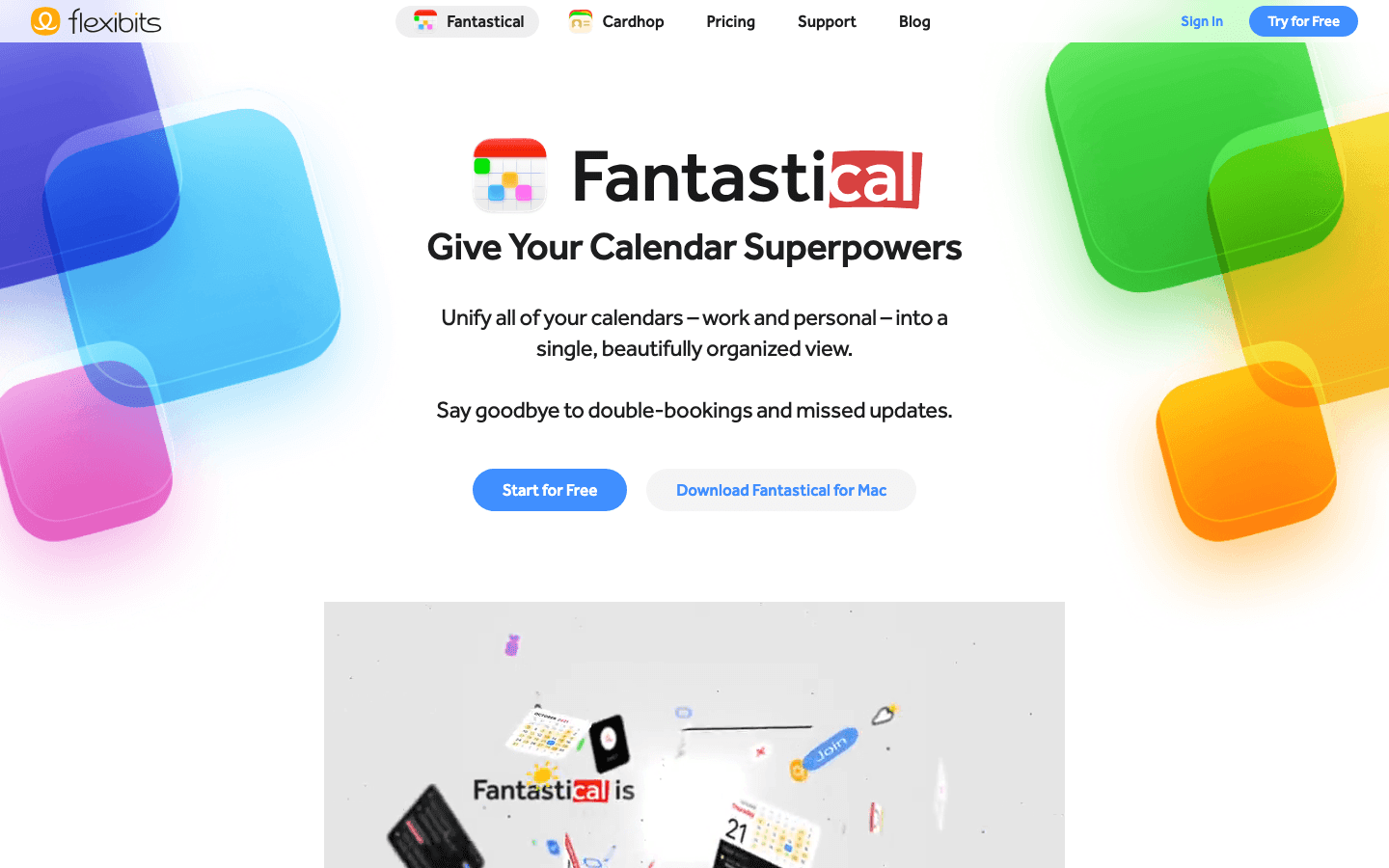
Fantastical is the calendar app that Apple power users reach for when they want Google Calendar's event data combined with a significantly better interface. Natural language input ("Lunch with James Tuesday at noon") creates events instantly. The unified view pulls in all your calendars in one clean layout. The iOS and macOS apps are polished in a way Google Calendar's never been.
For people who live in their calendar and need a true replacement rather than a planning layer on top, Fantastical is the most complete option. It handles recurring events, shared calendars, and meeting scheduling links in a way that feels native rather than bolted on. The main limitation is cost: the premium features require a Flexibits Premium subscription, which runs on the higher end for a calendar app.
What Works
Best natural language event creation of any calendar app
Unified calendar view across multiple accounts and services
Excellent Apple Watch and widget support
Limitations
No AI scheduling or energy awareness
Premium subscription required for most power features
Task integration is basic compared to Akiflow or Lifestack
Pricing: Free tier available; Flexibits Premium subscription required for advanced features
Best for: Mac and iPhone users who want a superior Google Calendar UI replacement with great natural language input
3. Morgen - Best AI Daily Planner Alternative
Pulls your calendars and tasks together and suggests a daily plan
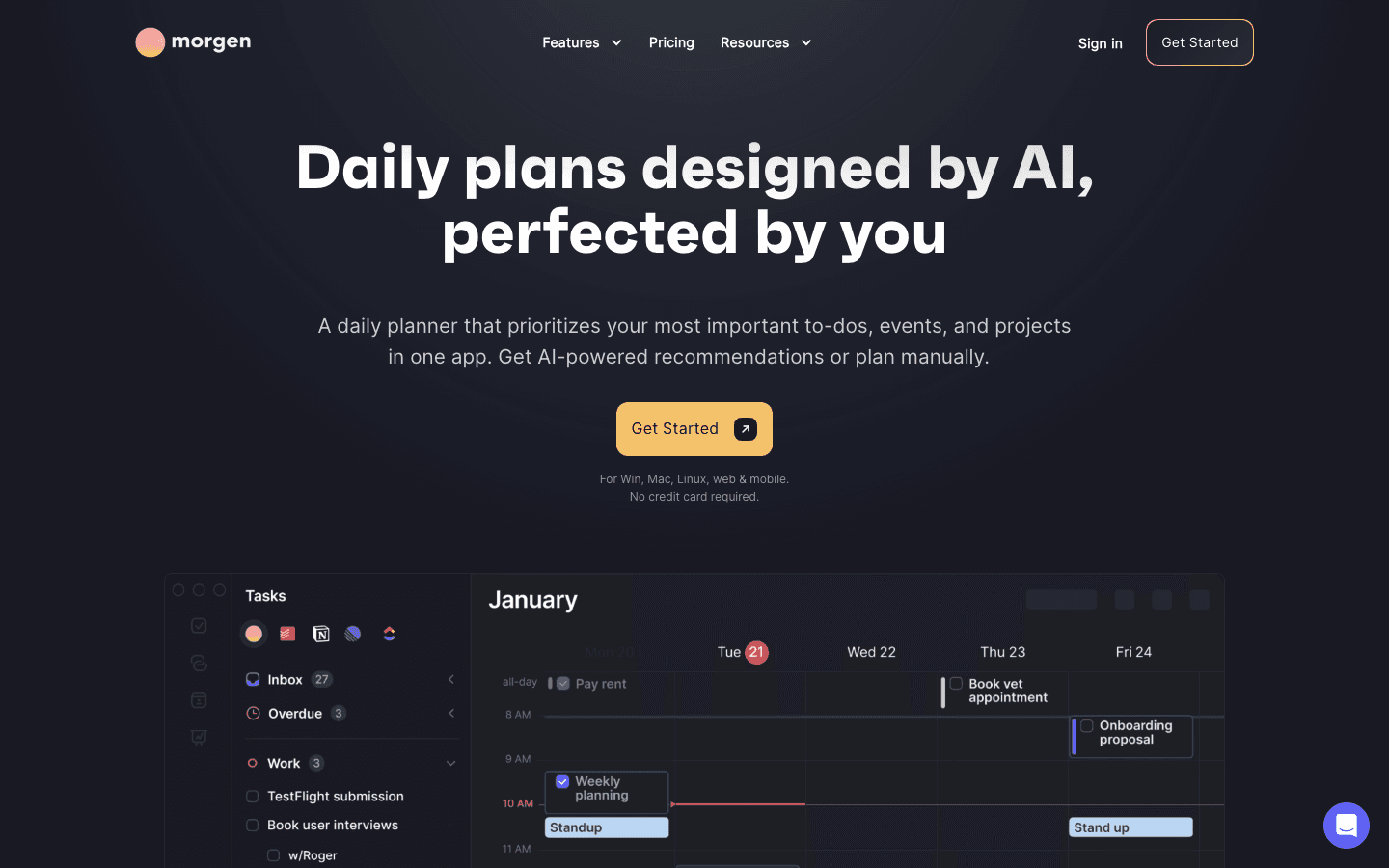
Morgen sits between a calendar app and a task planner. It syncs your Google Calendar, pulls in tasks from tools like Todoist and Linear, and surfaces AI recommendations for what to work on when. The interface puts your calendar and your to-do list side by side so you can drag tasks into available slots, and the AI assistant can propose a plan for the day based on what's open.
It's a strong choice for people who've outgrown Google Calendar's basic view and want something that nudges them toward actual priorities, not just scheduled events. If you need a more focused daily planner than Morgen, compare it against other Morgen alternatives to see where it fits. For a broader look at how to manage your calendar strategically, the calendar management tools guide covers the full approach.
What Works
Cross-platform (Windows, Mac, Linux, mobile) unlike most calendar alternatives
AI suggestions for when to schedule tasks based on calendar availability
Scheduling link tool included
Limitations
No energy awareness - scheduling is time-based, not energy-based
$15/month (annually) is on the pricier side for a calendar app
AI recommendations feel less opinionated than Lifestack's
Pricing: $15/month billed annually, or $30/month billed monthly. 14-day free trial.
Best for: Windows and Linux users who want an AI-assisted planner that works across all platforms
4. Notion Calendar - Best Free Google Calendar Alternative
A clean, modern calendar with strong Notion integration, completely free
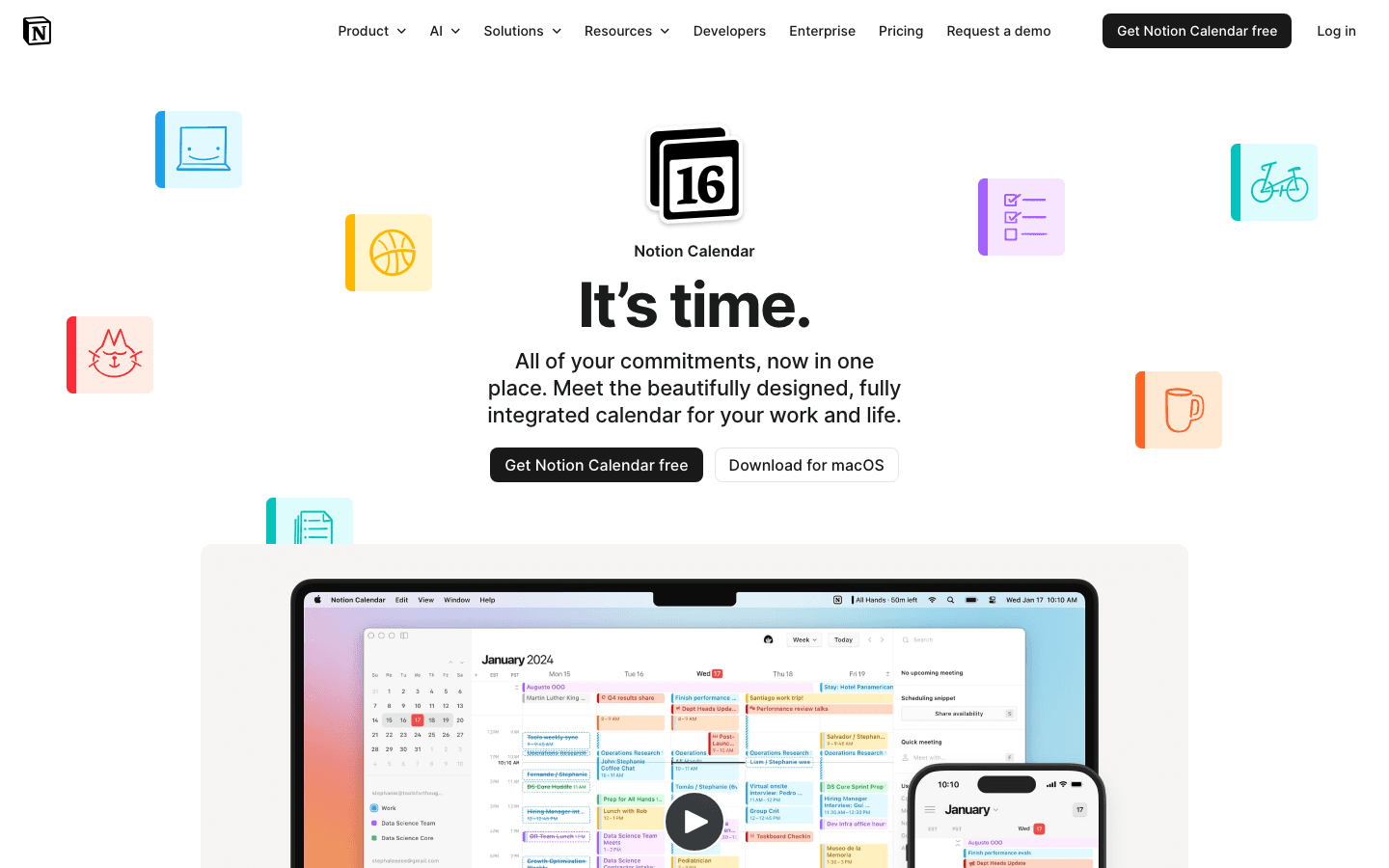
Notion Calendar (formerly Cron) was built by one of the best independent calendar teams out there before Notion acquired it. The result is a genuinely beautiful, fast calendar app that syncs with Google Calendar and connects deeply with your Notion databases. If you track projects or tasks in Notion, Notion Calendar surfaces those database items alongside your events so you can see work and meetings together.
The free price point makes it the easiest switch for anyone fed up with Google Calendar's interface but not ready to pay for a planning tool. It's a true calendar replacement with a much cleaner UI. The downside is it won't help you figure out when to do things. It shows what's scheduled well, but has no AI planning or energy-awareness built in.
What Works
Free with no meaningful feature gating
Notion database integration works natively for existing Notion users
Fast, clean interface that loads and responds better than Google Calendar
Limitations
No AI scheduling or task planning features
No energy awareness
Best if you're already in the Notion ecosystem
Pricing: Free
Best for: Notion users who want a clean calendar that surfaces their Notion database items alongside meetings
5. Akiflow - Best for Task-Calendar Power Users
A combined task inbox and calendar built for people who live in back-to-back meetings
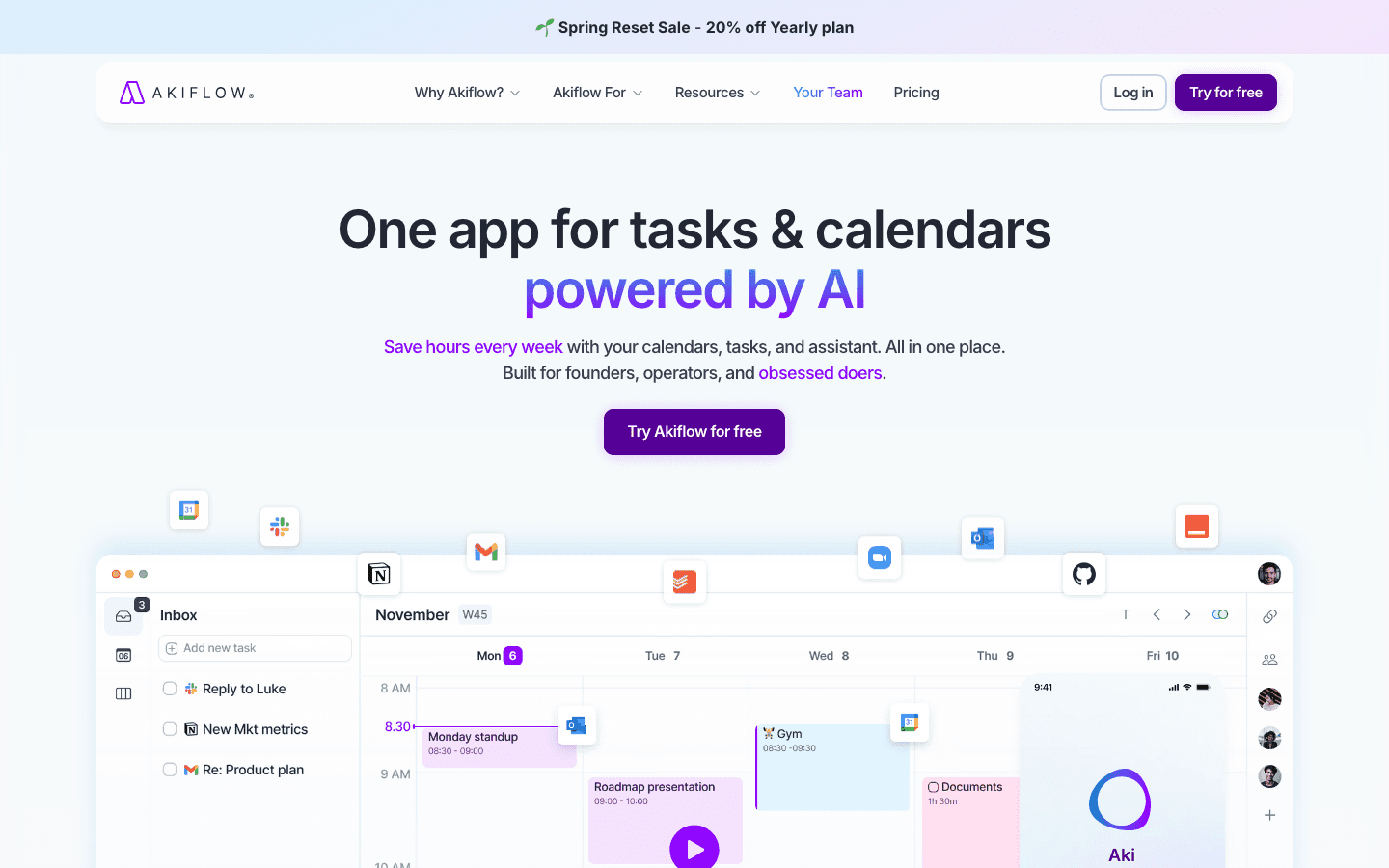
Akiflow is built around a specific workflow: every task and meeting lives in one unified inbox, and you schedule your day by dragging items into time slots on your calendar. It integrates with more tools than almost any other app in this category, pulling tasks from Asana, Notion, Todoist, Slack, GitHub, and dozens more into a single place to plan from.
The audience is people who manage a high volume of tasks and meetings and need to see everything in one view with minimal friction. It's less a Google Calendar replacement and more a command center built on top of your existing calendar. For a comparison of its options, see our Akiflow alternatives guide. A related use case is daily planners that sync with Google Calendar, where Akiflow also features prominently.
What Works
The widest integration library of any app on this list
Fast keyboard shortcuts make scheduling and capturing tasks quick
Good for teams managing complex task and meeting overlap
Limitations
No energy awareness
At $19/month (annually) it's expensive for an individual
Steeper learning curve than simpler calendar alternatives
Pricing: $19/month billed annually, or $34/month billed monthly. 7-day free trial.
Best for: Busy professionals who need to manage tasks from 10+ tools alongside a packed meeting schedule
6. Sunsama - Best for Mindful Daily Planning
A structured daily planning ritual that prevents calendar overwhelm
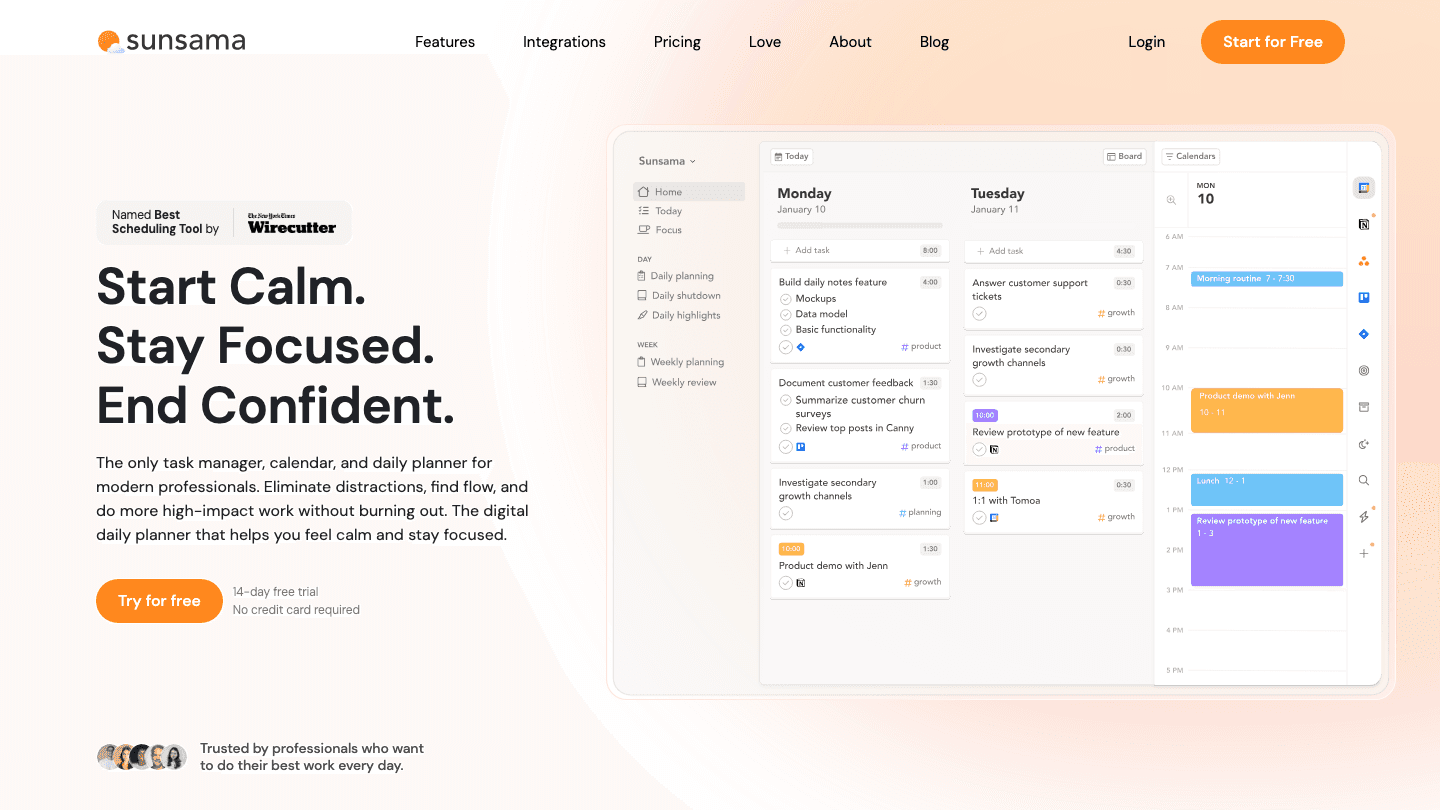
Sunsama takes a different approach to calendaring: it guides you through a daily planning ritual rather than just showing your schedule. Each morning, you review what's coming up, pull tasks from your integrations, estimate how long things will take, and commit to a realistic daily plan. The time-boxing model keeps you from cramming 12 tasks into a 4-hour window.
It pulls from Google Calendar, Asana, Todoist, and others into one view. The best scheduling apps guide puts Sunsama in context if you're comparing it against other planning-focused tools. The downside: it's a ritual-based tool, which means it works best for people willing to spend 10-15 minutes on intentional daily planning each morning. If that's you, it's one of the most thoughtful approaches to calendar planning available.
What Works
Guided daily planning keeps you honest about capacity
Time-boxing with realistic estimates reduces overcommitment
Weekly review feature surfaces patterns in how you spend your time
Limitations
The ritual is a daily time investment - not for people who want passive planning
No energy awareness
$17/month (annually) is steep for a primarily planning-focused tool
Pricing: $17/month billed annually, or $22/month billed monthly. 14-day free trial.
Best for: People who want structured daily planning with time-boxing and a built-in morning ritual
Which Google Calendar Alternative Is Right for You?
You want AI to plan your day around your energy: Lifestack
You want a better-looking, smarter Google Calendar replacement: Fantastical
You need cross-platform AI planning (including Windows and Linux): Morgen
You want free and already use Notion: Notion Calendar
You manage tasks from 10+ tools in a packed schedule: Akiflow
You want a structured morning planning ritual: Sunsama
For most people making the switch from Google Calendar, the choice comes down to what's missing: a better UI (Fantastical), AI scheduling help (Lifestack or Morgen), or a planning framework (Sunsama). Lifestack's energy-aware approach is also worth considering if you notice your most important work keeps getting pushed to low-energy afternoons. For AI productivity tools more broadly, that guide covers the full landscape.
Frequently Asked Questions
What is the best free Google Calendar alternative?
Notion Calendar is the strongest free Google Calendar alternative. It syncs with your existing Google Calendar events, has a significantly cleaner interface, and integrates with Notion databases. For users not in the Notion ecosystem, Fantastical's free tier is worth trying, though most advanced features require a paid subscription.
Can you replace Google Calendar with another app?
Yes. Fantastical, Morgen, and Notion Calendar are all complete Google Calendar replacements that import your existing events and take over as your primary calendar. Lifestack, Akiflow, and Sunsama work as planning layers that sync with Google Calendar rather than replacing it outright, which is a valid approach if you need to share calendars with others in your organization.
What Google Calendar alternative is best for ADHD?
Lifestack, because it removes the hardest part of ADHD time management: deciding when to do things. Its AI builds the schedule based on energy patterns, so you start the day with a concrete plan rather than a blank calendar and a long to-do list. See our guide to ADHD calendar apps for a broader comparison of tools designed for executive function support.
Is there a Google Calendar alternative with AI scheduling?
Yes. Lifestack uses energy-aware AI to build your daily schedule. Morgen uses AI recommendations to suggest when to schedule tasks based on your calendar availability. Both go well beyond Google Calendar's manual event creation. Lifestack is the more opinionated of the two, actually building your day plan rather than just offering suggestions.
What's a good Google Calendar alternative for Mac and iPhone?
Fantastical is the gold standard for Apple users. Native apps across iPhone, iPad, Apple Watch, and Mac, with natural language input and the tightest Apple ecosystem integration of any calendar app. Lifestack also has strong iOS and macOS support if you want the AI planning layer on top of your calendar rather than a pure calendar replacement.
Which Google Calendar alternative works best for teams?
Morgen and Akiflow both have team plans with shared scheduling features. Notion Calendar works well for Notion-based teams since everyone's database items surface in the calendar view. For individual productivity within a team context, Lifestack handles personal planning while staying synced with shared team calendars.
The Best Google Calendar Alternatives Worth Switching To
Google Calendar is good at one thing: keeping your events in order. But the moment you want your calendar to actually help you plan your day, prioritize what matters, or adapt when things go sideways, it hits a wall. It shows you what's scheduled. It doesn't help you figure out what to do with the gaps.
That gap is where Google Calendar alternatives earn their keep. The best ones don't just display your schedule. They build it with you, integrate your tasks, and bring some intelligence to the question of when to do what.
We tested six apps that make a real case for replacing Google Calendar. Each has a distinct angle, from AI-powered daily planning to a clean calendar UI that Google's hasn't meaningfully updated in years. If you also want apps that work alongside Google Calendar rather than replacing it, see our guide to apps that sync with Google Calendar.
Key Takeaways
Lifestack is the only Google Calendar alternative that schedules your tasks based on your energy levels, not just time availability
Fantastical and Morgen are the best choices if you want a true Google Calendar replacement with a better UI and smarter features
Notion Calendar is the only free alternative that still gives you a complete calendar experience with real task integration
Quick Guide: Google Calendar Alternatives
1. Lifestack - AI energy-aware daily planner that builds your schedule around your peak hours
2. Fantastical - Feature-rich calendar with natural language input and weather integration
3. Morgen - AI-powered daily planner that unifies calendars and tasks in one view
4. Notion Calendar - Free modern calendar with tight Notion database integration
5. Akiflow - Combined tasks and calendar built for high-output professionals
6. Sunsama - Mindful daily planning tool built around time-boxed intention
How We Evaluated These Google Calendar Alternatives
Does it go beyond displaying events to actively helping you plan?
How well does it integrate tasks with the calendar view?
Does it have Google Calendar sync, or does it replace it entirely?
Mobile and desktop experience
Pricing and value for the planning features you actually get
1. Lifestack - Best Overall Google Calendar Alternative
The calendar replacement that actually plans your day for you
Lifestack is less a calendar app and more an AI daily planner that absorbs your calendar. It reads your existing Google Calendar events, your tasks, and your wearable data (if you have one), then builds a daily schedule that puts the right work in the right time window. High-focus tasks land in your high-energy hours. Admin work fills the gaps. You end each morning with a concrete plan rather than a blank calendar and a pile of to-dos.
The key differentiator from every other app on this list is energy-aware scheduling. Most calendar alternatives treat all open time slots as equal. Lifestack treats them as different based on how your brain typically performs at that hour. That shift alone changes how you experience a busy week. If you want to understand the approach in depth, the founding story of Lifestack explains why it was built this way.
Key Features
Energy-aware AI scheduling syncs with wearables and Google Calendar
Unified task and calendar view with AI daily plan generation
iOS, Android, and Chrome extension
Integrates with Todoist, Notion, and other task managers
What Works
Removes the daily planning decision from your plate
Respects existing calendar events while filling in task time around them
Works well as an overlay on Google Calendar rather than a full replacement
Limitations
Not a traditional calendar view - it's a day planner, not a calendar browser
Less useful for people who primarily need to manage others' schedules
Pricing: $7/month or $50/year (7-day free trial on annual plan)
Best for: Individuals who want AI-powered daily planning built around their energy and existing calendar
2. Fantastical - Best Google Calendar UI Replacement
Everything Google Calendar should look like but doesn't
Fantastical is the calendar app that Apple power users reach for when they want Google Calendar's event data combined with a significantly better interface. Natural language input ("Lunch with James Tuesday at noon") creates events instantly. The unified view pulls in all your calendars in one clean layout. The iOS and macOS apps are polished in a way Google Calendar's never been.
For people who live in their calendar and need a true replacement rather than a planning layer on top, Fantastical is the most complete option. It handles recurring events, shared calendars, and meeting scheduling links in a way that feels native rather than bolted on. The main limitation is cost: the premium features require a Flexibits Premium subscription, which runs on the higher end for a calendar app.
What Works
Best natural language event creation of any calendar app
Unified calendar view across multiple accounts and services
Excellent Apple Watch and widget support
Limitations
No AI scheduling or energy awareness
Premium subscription required for most power features
Task integration is basic compared to Akiflow or Lifestack
Pricing: Free tier available; Flexibits Premium subscription required for advanced features
Best for: Mac and iPhone users who want a superior Google Calendar UI replacement with great natural language input
3. Morgen - Best AI Daily Planner Alternative
Pulls your calendars and tasks together and suggests a daily plan
Morgen sits between a calendar app and a task planner. It syncs your Google Calendar, pulls in tasks from tools like Todoist and Linear, and surfaces AI recommendations for what to work on when. The interface puts your calendar and your to-do list side by side so you can drag tasks into available slots, and the AI assistant can propose a plan for the day based on what's open.
It's a strong choice for people who've outgrown Google Calendar's basic view and want something that nudges them toward actual priorities, not just scheduled events. If you need a more focused daily planner than Morgen, compare it against other Morgen alternatives to see where it fits. For a broader look at how to manage your calendar strategically, the calendar management tools guide covers the full approach.
What Works
Cross-platform (Windows, Mac, Linux, mobile) unlike most calendar alternatives
AI suggestions for when to schedule tasks based on calendar availability
Scheduling link tool included
Limitations
No energy awareness - scheduling is time-based, not energy-based
$15/month (annually) is on the pricier side for a calendar app
AI recommendations feel less opinionated than Lifestack's
Pricing: $15/month billed annually, or $30/month billed monthly. 14-day free trial.
Best for: Windows and Linux users who want an AI-assisted planner that works across all platforms
4. Notion Calendar - Best Free Google Calendar Alternative
A clean, modern calendar with strong Notion integration, completely free
Notion Calendar (formerly Cron) was built by one of the best independent calendar teams out there before Notion acquired it. The result is a genuinely beautiful, fast calendar app that syncs with Google Calendar and connects deeply with your Notion databases. If you track projects or tasks in Notion, Notion Calendar surfaces those database items alongside your events so you can see work and meetings together.
The free price point makes it the easiest switch for anyone fed up with Google Calendar's interface but not ready to pay for a planning tool. It's a true calendar replacement with a much cleaner UI. The downside is it won't help you figure out when to do things. It shows what's scheduled well, but has no AI planning or energy-awareness built in.
What Works
Free with no meaningful feature gating
Notion database integration works natively for existing Notion users
Fast, clean interface that loads and responds better than Google Calendar
Limitations
No AI scheduling or task planning features
No energy awareness
Best if you're already in the Notion ecosystem
Pricing: Free
Best for: Notion users who want a clean calendar that surfaces their Notion database items alongside meetings
5. Akiflow - Best for Task-Calendar Power Users
A combined task inbox and calendar built for people who live in back-to-back meetings
Akiflow is built around a specific workflow: every task and meeting lives in one unified inbox, and you schedule your day by dragging items into time slots on your calendar. It integrates with more tools than almost any other app in this category, pulling tasks from Asana, Notion, Todoist, Slack, GitHub, and dozens more into a single place to plan from.
The audience is people who manage a high volume of tasks and meetings and need to see everything in one view with minimal friction. It's less a Google Calendar replacement and more a command center built on top of your existing calendar. For a comparison of its options, see our Akiflow alternatives guide. A related use case is daily planners that sync with Google Calendar, where Akiflow also features prominently.
What Works
The widest integration library of any app on this list
Fast keyboard shortcuts make scheduling and capturing tasks quick
Good for teams managing complex task and meeting overlap
Limitations
No energy awareness
At $19/month (annually) it's expensive for an individual
Steeper learning curve than simpler calendar alternatives
Pricing: $19/month billed annually, or $34/month billed monthly. 7-day free trial.
Best for: Busy professionals who need to manage tasks from 10+ tools alongside a packed meeting schedule
6. Sunsama - Best for Mindful Daily Planning
A structured daily planning ritual that prevents calendar overwhelm
Sunsama takes a different approach to calendaring: it guides you through a daily planning ritual rather than just showing your schedule. Each morning, you review what's coming up, pull tasks from your integrations, estimate how long things will take, and commit to a realistic daily plan. The time-boxing model keeps you from cramming 12 tasks into a 4-hour window.
It pulls from Google Calendar, Asana, Todoist, and others into one view. The best scheduling apps guide puts Sunsama in context if you're comparing it against other planning-focused tools. The downside: it's a ritual-based tool, which means it works best for people willing to spend 10-15 minutes on intentional daily planning each morning. If that's you, it's one of the most thoughtful approaches to calendar planning available.
What Works
Guided daily planning keeps you honest about capacity
Time-boxing with realistic estimates reduces overcommitment
Weekly review feature surfaces patterns in how you spend your time
Limitations
The ritual is a daily time investment - not for people who want passive planning
No energy awareness
$17/month (annually) is steep for a primarily planning-focused tool
Pricing: $17/month billed annually, or $22/month billed monthly. 14-day free trial.
Best for: People who want structured daily planning with time-boxing and a built-in morning ritual
Which Google Calendar Alternative Is Right for You?
You want AI to plan your day around your energy: Lifestack
You want a better-looking, smarter Google Calendar replacement: Fantastical
You need cross-platform AI planning (including Windows and Linux): Morgen
You want free and already use Notion: Notion Calendar
You manage tasks from 10+ tools in a packed schedule: Akiflow
You want a structured morning planning ritual: Sunsama
For most people making the switch from Google Calendar, the choice comes down to what's missing: a better UI (Fantastical), AI scheduling help (Lifestack or Morgen), or a planning framework (Sunsama). Lifestack's energy-aware approach is also worth considering if you notice your most important work keeps getting pushed to low-energy afternoons. For AI productivity tools more broadly, that guide covers the full landscape.
Frequently Asked Questions
What is the best free Google Calendar alternative?
Notion Calendar is the strongest free Google Calendar alternative. It syncs with your existing Google Calendar events, has a significantly cleaner interface, and integrates with Notion databases. For users not in the Notion ecosystem, Fantastical's free tier is worth trying, though most advanced features require a paid subscription.
Can you replace Google Calendar with another app?
Yes. Fantastical, Morgen, and Notion Calendar are all complete Google Calendar replacements that import your existing events and take over as your primary calendar. Lifestack, Akiflow, and Sunsama work as planning layers that sync with Google Calendar rather than replacing it outright, which is a valid approach if you need to share calendars with others in your organization.
What Google Calendar alternative is best for ADHD?
Lifestack, because it removes the hardest part of ADHD time management: deciding when to do things. Its AI builds the schedule based on energy patterns, so you start the day with a concrete plan rather than a blank calendar and a long to-do list. See our guide to ADHD calendar apps for a broader comparison of tools designed for executive function support.
Is there a Google Calendar alternative with AI scheduling?
Yes. Lifestack uses energy-aware AI to build your daily schedule. Morgen uses AI recommendations to suggest when to schedule tasks based on your calendar availability. Both go well beyond Google Calendar's manual event creation. Lifestack is the more opinionated of the two, actually building your day plan rather than just offering suggestions.
What's a good Google Calendar alternative for Mac and iPhone?
Fantastical is the gold standard for Apple users. Native apps across iPhone, iPad, Apple Watch, and Mac, with natural language input and the tightest Apple ecosystem integration of any calendar app. Lifestack also has strong iOS and macOS support if you want the AI planning layer on top of your calendar rather than a pure calendar replacement.
Which Google Calendar alternative works best for teams?
Morgen and Akiflow both have team plans with shared scheduling features. Notion Calendar works well for Notion-based teams since everyone's database items surface in the calendar view. For individual productivity within a team context, Lifestack handles personal planning while staying synced with shared team calendars.



FOLLOW ON
FOLLOW ON
FOLLOW ON


Copyright 2026 © Lifestack. All rights reserved
Copyright 2026 © Lifestack. All rights reserved

