
App
Best AI Productivity Tools in 2026: 6 Tested
Best AI Productivity Tools in 2026: 6 Tested
What Are AI Productivity Tools?
AI productivity tools are apps that use machine learning to do the scheduling, organizing, and note-taking work you used to do manually. They reschedule your day when a meeting runs long. They summarize what happened in a call while you were still in it. They suggest when to work on a deep-focus task based on your patterns, not just what's free on your calendar.
The category exploded in 2024 and matured in 2025. The early promise was simple automation. The tools worth using in 2026 go further: they adapt to how you actually work, not how a generic productivity system assumes you do.
We spent several weeks testing the tools below across real work scenarios: busy weeks with back-to-back meetings, slow weeks with long project blocks, and the kind of scattered days where nothing goes to plan. Here is what we found.
Key Takeaways
Lifestack is the only tool that ties scheduling to your energy levels, not just open time slots, making it the strongest pick for people who do cognitively demanding work.
Motion and Any.do offer the fastest setup if you want AI calendar or task management without a learning curve.
Otter.ai stands alone for meeting capture. If you spend more than an hour a day in calls, it pays for itself in the time you stop spending on notes.
Quick Guide: 6 Best AI Productivity Tools
Lifestack: Energy-aware scheduling that adapts to your capacity, not just your calendar
Motion: Autonomous AI that reschedules your day when plans change
Any.do: Lightweight AI task manager with WhatsApp reminders and voice input
Notion AI: AI woven into a workspace, notes, and project management system
Todoist: Trusted task manager with natural language input and AI summaries
Otter.ai: Real-time meeting transcription with searchable summaries
How We Evaluated These Tools
We looked at five criteria: how well the AI adapts to how you actually work (not a fixed template), calendar and task integration depth, mobile experience, pricing relative to what you get, and whether it handles the days that don't go as planned. A tool that works on Monday morning but falls apart by Wednesday afternoon didn't make the list.
AI scheduling quality (does it make smart decisions, or just fill gaps?)
Integration with Google Calendar, Outlook, and major task apps
Energy or context awareness (not just time availability)
Mobile app quality on iOS
Pricing and free tier value
1. Lifestack: Best AI Productivity Tool for Energy-Aware Scheduling
The only AI scheduler that treats your energy as a first-class input.

Lifestack does something none of the other tools on this list do: it factors in when you are at your best before scheduling tasks. Instead of placing your most demanding work in the next free slot, it maps tasks to the time of day when your focus and energy are highest. That sounds like a small tweak. In practice, it changes how your whole week feels.
The scheduling engine connects to your Google or Outlook calendar and automatically arranges tasks around your meetings. But it also tracks patterns over time. If you consistently get your best work done in the late morning, Lifestack learns that and protects that window. You do not have to configure it manually; it adjusts as your schedule shifts.
Lifestack works especially well for people doing knowledge work who want more than a calendar that just shows what's booked. The full picture of what you've built with it is explained in the Lifestack origin story. For a deeper look at the methodology behind it, see the post on why energy-based planning outperforms traditional time blocking.
Key Features
Energy-aware task scheduling that matches work to your peak focus windows
Automatic rescheduling when meetings change or tasks run over
Google Calendar and Outlook integration
iOS and Android apps with Chrome extension
Wearable integrations to refine energy tracking over time
What Works
The energy-first approach means your most important tasks get your best hours
Onboarding is fast. Connected and scheduling in under 10 minutes
Handles real-world schedule disruptions without manual reshuffling
Limitations
No built-in meeting transcription (pairs well with Otter.ai for that)
Advanced wearable data takes a few weeks to meaningfully influence scheduling
Pricing: $7/month or $50/year (7-day free trial on annual plan)
Best for: Knowledge workers who want AI scheduling that adapts to their actual energy and focus patterns, not just open time slots
2. Motion: Best AI Productivity Tool for Autonomous Rescheduling
A calendar that runs itself when your day falls apart.
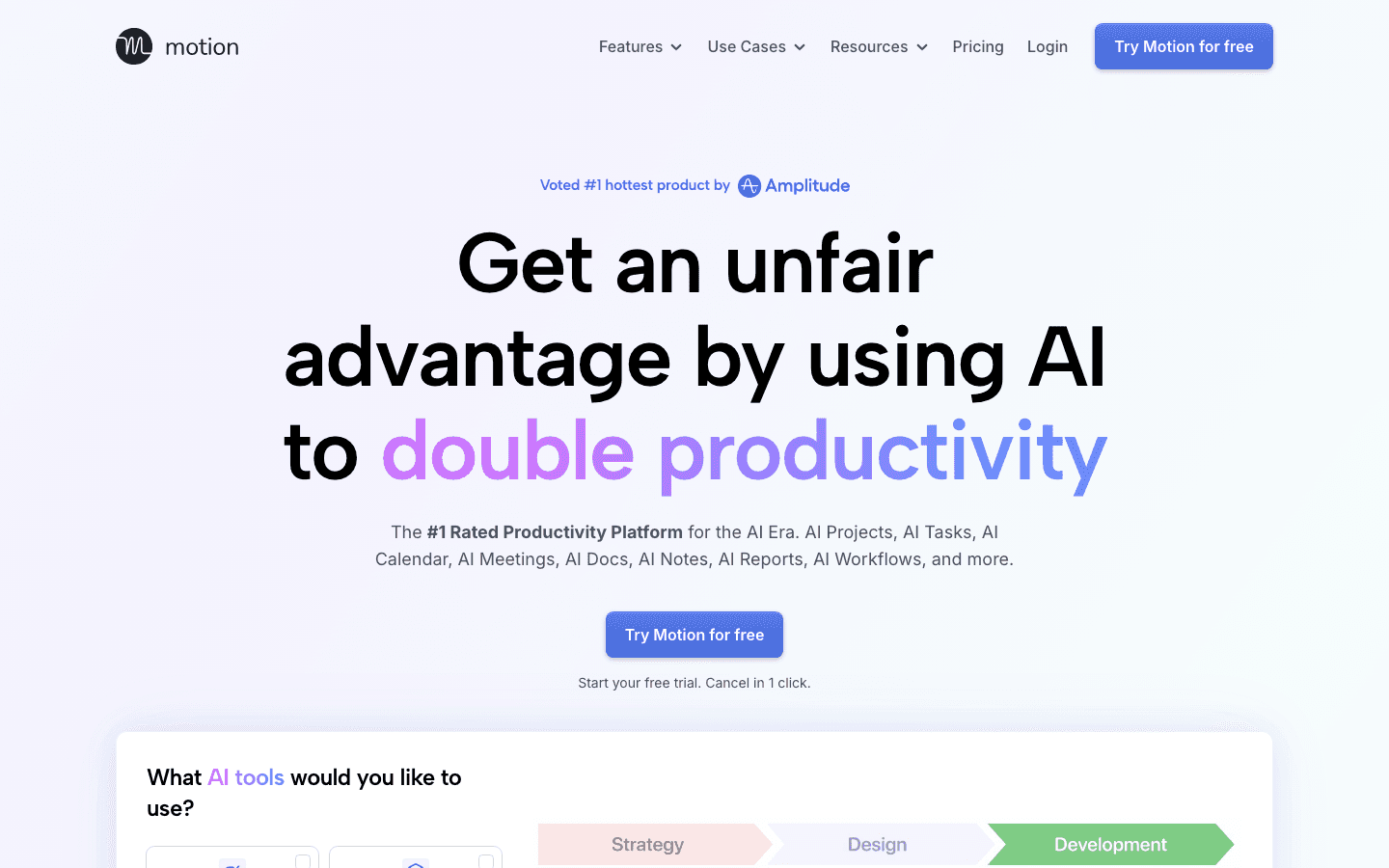
Motion is the tool that introduced a lot of people to what AI scheduling can actually feel like. You tell it what needs to get done and by when, and it builds your day. When something runs over or a new meeting appears, Motion reshuffles everything automatically. You do not have to decide what moves; it just handles it.
The core pitch is that Motion replaces the mental overhead of deciding what to work on next. It works well for people with highly variable schedules or many small tasks that need to fit around meetings. The full breakdown of Motion's pricing is worth reading if you're evaluating the cost, because it changed significantly in 2025.
Key Features
Automated daily schedule building from your task list
Smart rescheduling when meetings shift or tasks are added
AI project management with deadline-aware task sequencing
Meeting scheduler with shareable booking links
What Works
The rescheduling engine is genuinely fast and handles messy days well
AI Agents feature helps plan multi-step projects automatically
Clean interface that does not require much configuration to get started
Limitations
No energy awareness. Tasks are placed by availability, not your focus capacity
Can feel aggressive in pushing tasks to later in the week when the schedule is tight
More expensive than most alternatives at the individual tier
Pricing: Pro AI at $19/seat/month; Business AI at $29/seat/month
Best for: People who manage many small tasks alongside a heavy meeting load and want the scheduling decision mostly automated
3. Any.do: Best AI Productivity Tool for Simple Task Management
Tasks, reminders, and AI suggestions in one lightweight app.
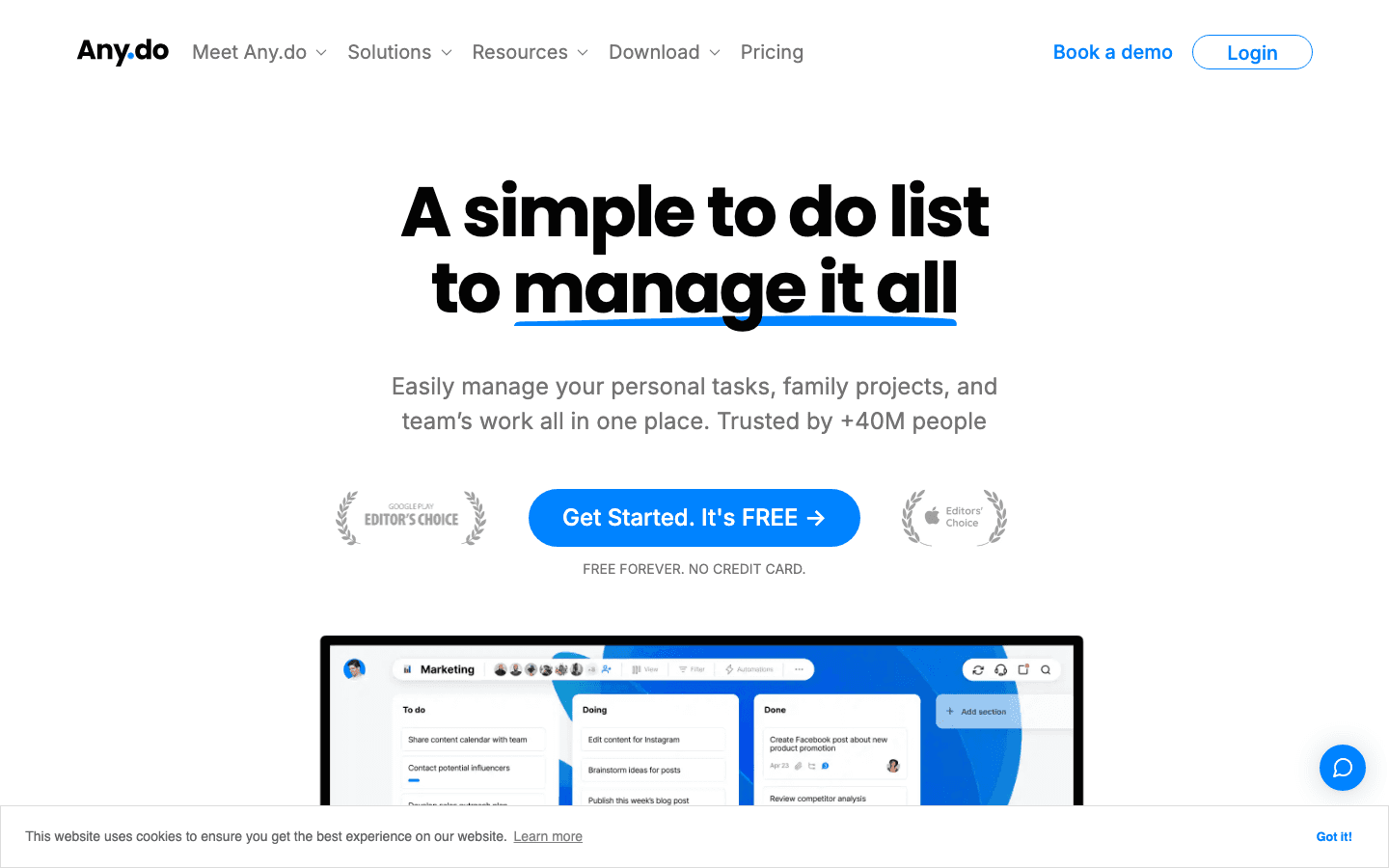
Any.do has been a solid task manager for years, and its AI update in 2025 made it noticeably smarter. The app now suggests tasks based on past behavior, sends WhatsApp reminders without you having to set them up, and uses voice input to add tasks while you're away from your keyboard.
It is the most approachable tool on this list. There is no scheduling engine to configure and no learning curve. If your main pain point is keeping track of what you need to do rather than when to do it, Any.do covers a lot of that ground without adding much complexity.
Key Features
AI-suggested tasks and reminders based on your patterns
WhatsApp integration for reminder delivery
Voice input for quick task capture
Shared task lists for family and teams
Calendar view for seeing tasks and events together
What Works
Very low setup friction. Useful within minutes of download
WhatsApp reminders work better than push notifications for many people
Cross-platform: iOS, Android, web, and desktop
Limitations
No autonomous scheduling. It tracks tasks but does not place them in your calendar
No energy awareness
AI features are mostly limited to the Premium tier
Pricing: Free forever; Premium from $4.99/month (billed annually), $7.99/month (monthly)
Best for: People who want a clean, AI-assisted task manager without learning a new scheduling system
4. Notion AI: Best AI Productivity Tool for Knowledge Management
AI that knows your entire workspace.
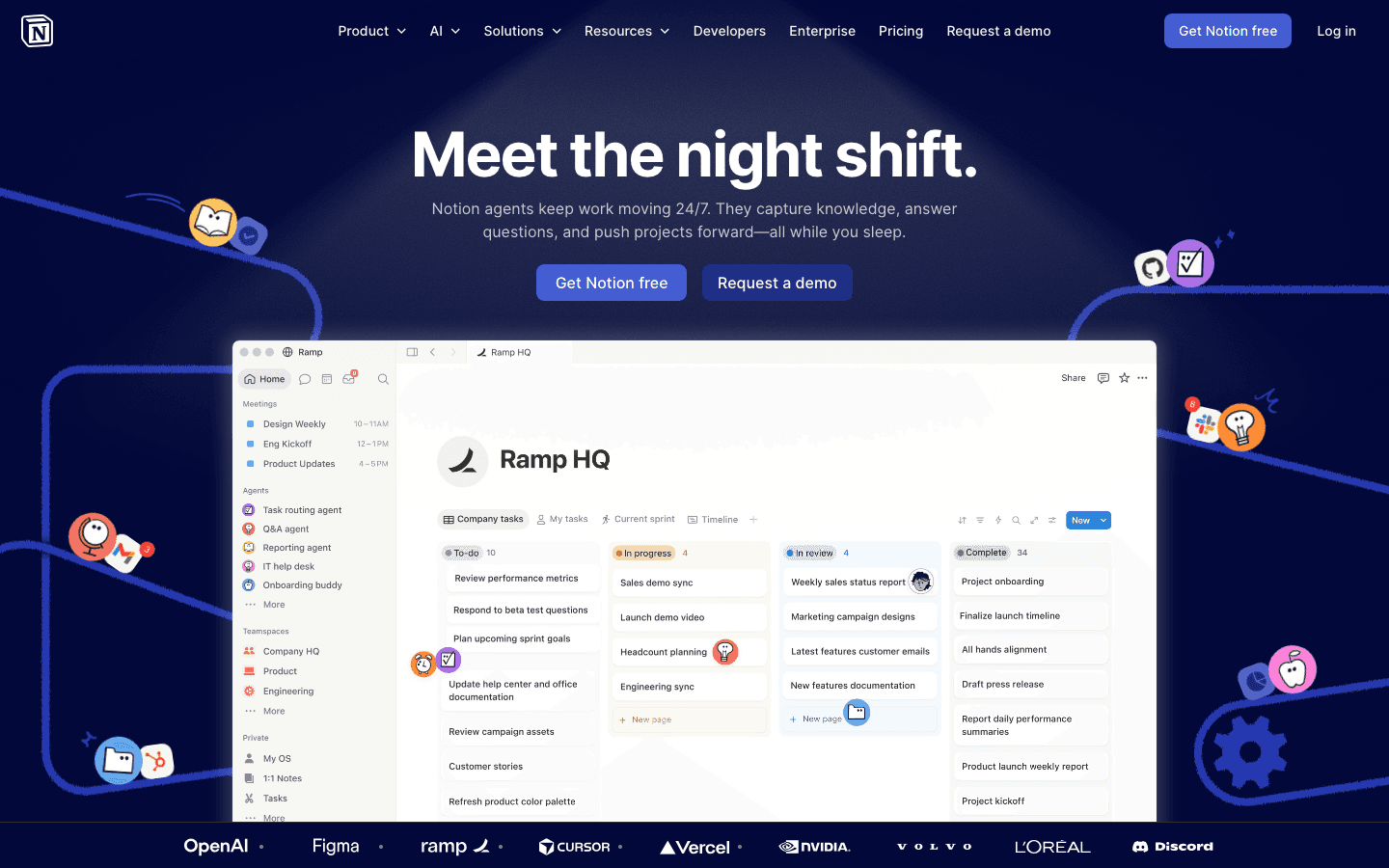
Notion AI solves a specific problem: when all your notes, projects, and meeting docs live in Notion, the AI can search and synthesize across all of it. Ask it to summarize what your team decided last week. Ask it to pull the key action items from a long project page. It does both without you hunting through docs manually.
This is not a scheduling tool. Notion AI excels at the knowledge side of productivity: capturing, organizing, and retrieving information at scale. If your work involves heavy documentation or you manage projects with a lot of written context, Notion AI is useful in ways that a calendar-focused tool is not. It pairs well with a dedicated scheduler like Lifestack for a stronger combined workflow.
Key Features
AI Q&A across your entire Notion workspace
Auto-summarization of long documents and meeting notes
AI writing assistance within any page
Action item extraction from project pages
What Works
Cross-document search makes finding things fast, even in large workspaces
Writing suggestions are contextually relevant
Teams with existing Notion setups get AI without switching tools
Limitations
No calendar scheduling or task management automation
AI quality depends on how well your Notion workspace is organized
Can be overkill if you just need a task list
Pricing: Free plan available; Plus at $10/member/month; Business at $20/member/month
Best for: Teams and individuals who live in Notion and need AI that understands their existing knowledge base
5. Todoist: Best AI Productivity Tool for Task Clarity
50 million users' favorite to-do list, now with smarter AI.
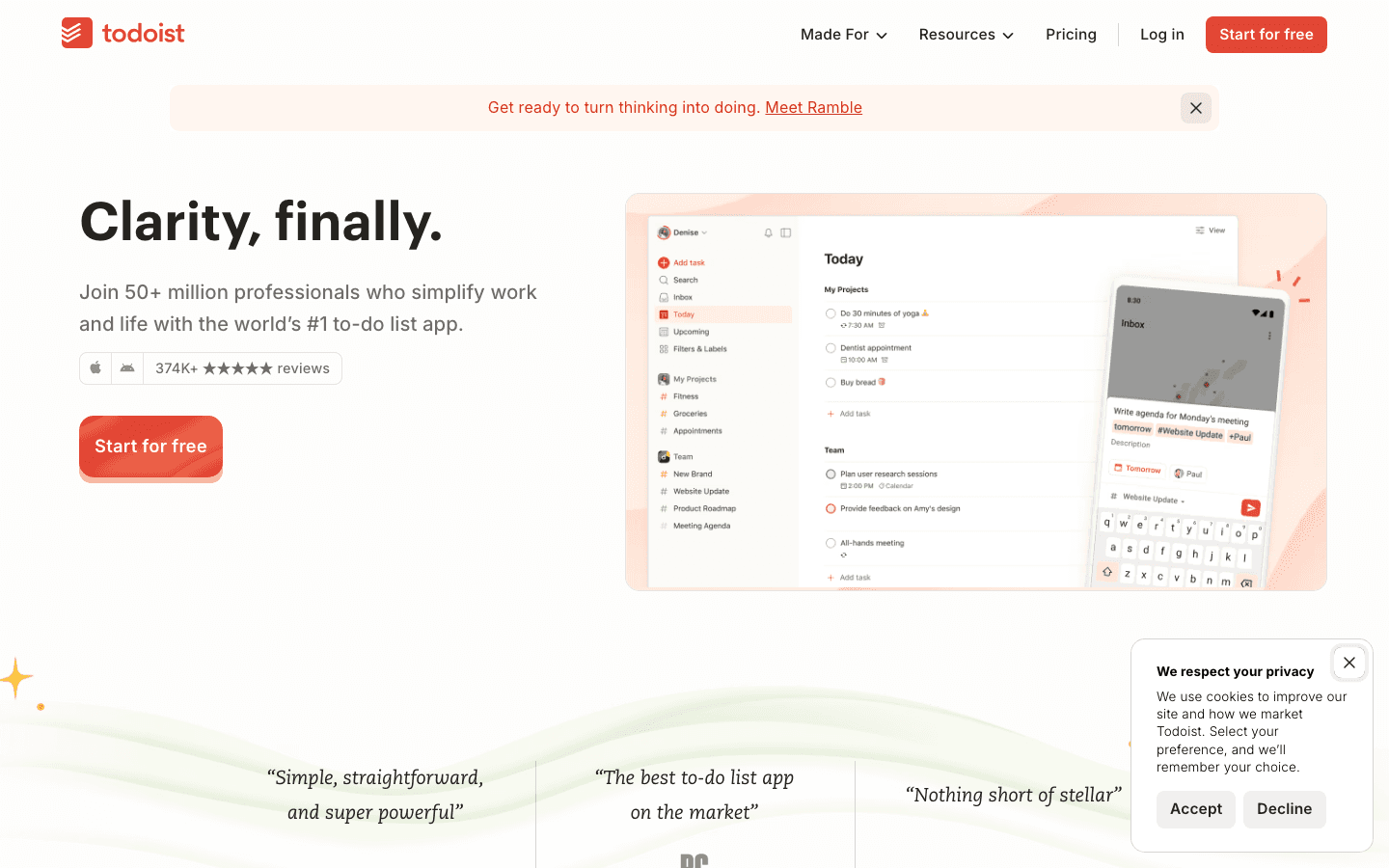
Todoist is the most widely used dedicated task manager in the world, and its AI additions in 2025 improved two things people already used it for: adding tasks quickly and understanding where your time went.
Natural language parsing has been there for years. What's new is the AI summary layer: Todoist can now tell you which projects have been neglected, where your completed tasks cluster, and which recurring tasks you're consistently skipping. It does not manage your calendar, but it gives you a clearer picture of what you're actually doing versus what you planned to do. For getting Todoist to work alongside a scheduler, the guide on using Todoist with Lifestack is a practical starting point.
Key Features
Natural language task input ("review proposal every Monday at 9am")
AI productivity insights and completion trend summaries
Priority levels and project organization
Integrations with Google Calendar, Slack, and most major tools
What Works
Natural language parsing is the best in class for a task manager
Reliable cross-platform sync across iOS, Android, web, and desktop
Integrations cover almost every tool a knowledge worker uses
Limitations
No scheduling automation. Tasks go in a list, not on a calendar
No energy or context awareness
AI features feel more like analytics than active assistance
Pricing: Free plan available; Pro from $6/month (billed annually)
Best for: People who want a reliable, fast task capture system with AI insights into their productivity patterns
6. Otter.ai: Best AI Productivity Tool for Meetings
Every meeting transcribed and summarized in real time.
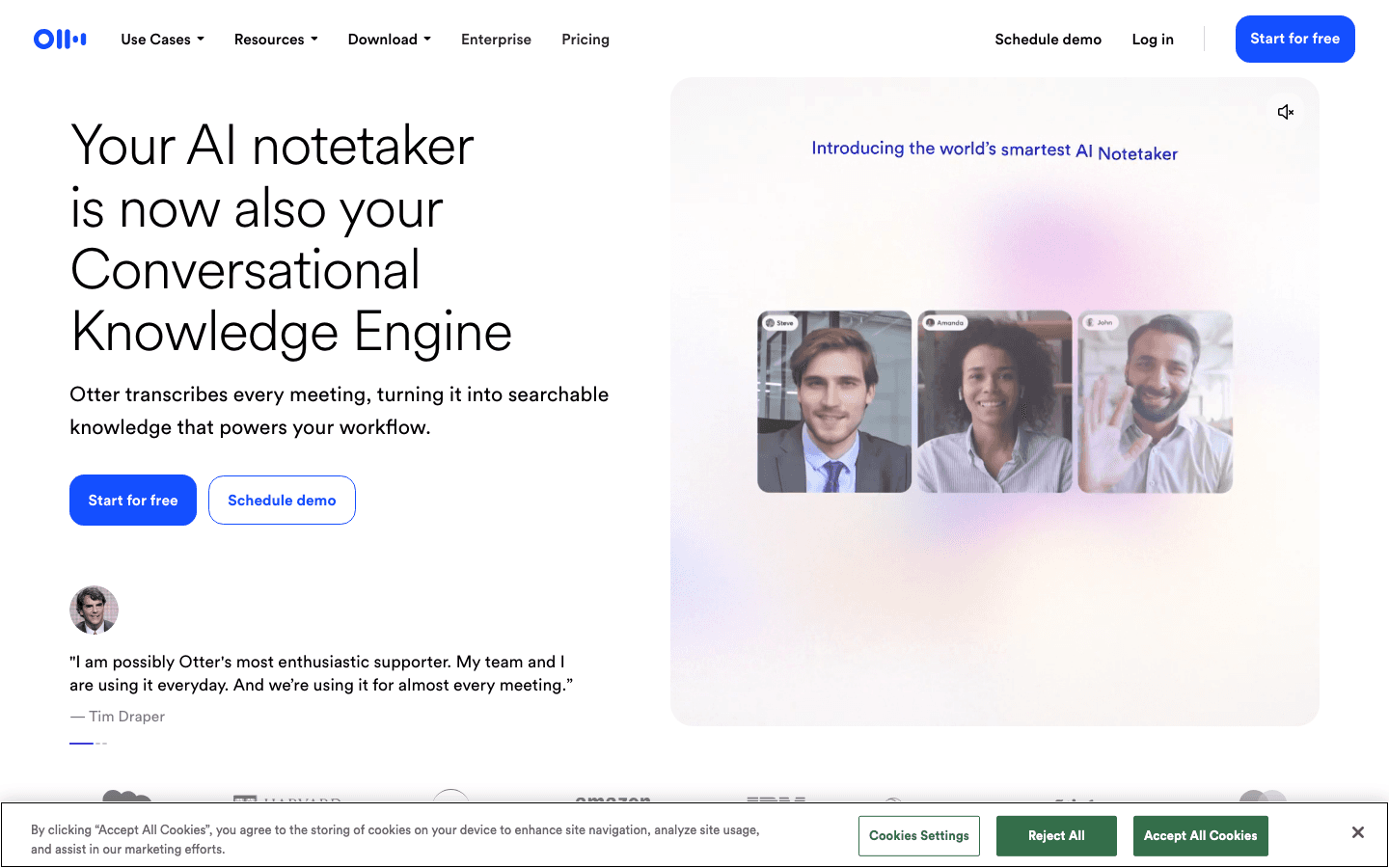
Otter.ai does one thing and does it well: it listens to your meetings and turns them into searchable text. Real-time transcription, speaker identification, summary generation, and action item extraction all happen automatically. By the time the call ends, you have a summary waiting.
For anyone spending more than a few hours a week in video calls, the time savings are immediate. You stop half-listening while taking notes and actually participate in the meeting. The AI summary catches what you need to action on. The search function means you can find what was said in any meeting from the past year in seconds.
Key Features
Real-time transcription with speaker labels
Automatic meeting summaries and action item extraction
Integrations with Zoom, Google Meet, Microsoft Teams
Full-text search across all your meeting transcripts
AI chat: ask questions about what was discussed in any meeting
What Works
Transcription accuracy is high for standard meeting conditions
The AI summary reliably catches action items and decisions
Searchable transcript history is genuinely useful for follow-ups
Limitations
No task or calendar management
Transcription quality drops in noisy environments or heavy accents
Free tier capped at 300 minutes per month
Pricing: Free (300 min/month); Pro at $8.33/month (billed annually), $16.99/month (monthly)
Best for: Anyone in frequent meetings who wants automatic notes, summaries, and searchable records without manual effort
Which AI Productivity Tool Is Right for You?
The right tool depends on which part of your workday costs you the most time and attention. Here is a simple way to decide:
Your calendar is chaotic and tasks keep getting pushed: Start with Lifestack. The energy-aware scheduling gets your important work done before the day falls apart. See the guide on AI planner apps for more context.
You have too many tasks and not enough time to manage them: Motion handles the rescheduling automatically. Useful if you're juggling many projects with overlapping deadlines.
You just need a smarter to-do list: Any.do or Todoist. Both have AI features without requiring you to rebuild your whole workflow. Todoist is better if you're already using it. Any.do is better if you're starting fresh.
Your work is documentation-heavy: Notion AI. If the bottleneck is finding and synthesizing what you wrote three weeks ago, that's where it shines.
You're drowning in meetings: Otter.ai. No scheduling tool fixes time lost to bad meeting notes. Otter.ai handles that problem directly.
You want the full stack: Lifestack + Otter.ai covers scheduling and meeting capture. Add Todoist for task capture if you prefer a dedicated list. That combination handles most of what a knowledge worker needs day to day.
Frequently Asked Questions
What is the best AI productivity tool in 2026?
Lifestack leads for individual scheduling because it accounts for energy, not just time. If you specifically need meeting transcription, Otter.ai is the strongest pick. The best choice depends on where your workday actually breaks down: scheduling, task management, or meeting overload.
Are AI productivity tools worth it?
For most knowledge workers, yes. The tools that handle rescheduling (Motion, Lifestack) save real decision-making time each day. Meeting transcription tools (Otter.ai) save note-taking time that adds up across a week. The free tiers of most tools let you verify this before paying.
What is the difference between AI productivity tools and regular productivity apps?
Regular apps track what you tell them. AI productivity tools make decisions or suggestions based on patterns: they reschedule tasks when your day shifts, flag what you keep postponing, or match work to your best focus windows. The difference shows on a difficult, unplanned day when manual systems fall apart and adaptive ones keep up.
Can AI productivity tools improve focus and deep work?
Yes, particularly tools that protect focus blocks from being eroded by new meetings or low-priority tasks. Lifestack's energy-based scheduling approach is designed specifically to protect your best hours for deep work. Traditional time blocking apps do this manually; AI scheduling does it automatically as your calendar shifts.
How do AI productivity tools handle privacy?
Each tool handles data differently. Otter.ai stores meeting transcripts on their servers. Worth considering for sensitive calls,. Lifestack, Motion, and Todoist process calendar and task data to power their scheduling engines but do not store meeting content. Check each tool's privacy policy before connecting sensitive work accounts.
What AI productivity tool works best for remote teams?
Otter.ai for meeting capture and Notion AI for shared documentation are the two strongest picks for distributed teams. For individual scheduling within a team context, Lifestack works well. For a broader look at AI project management tools built for teams, that list covers the team-first options in detail.
What Are AI Productivity Tools?
AI productivity tools are apps that use machine learning to do the scheduling, organizing, and note-taking work you used to do manually. They reschedule your day when a meeting runs long. They summarize what happened in a call while you were still in it. They suggest when to work on a deep-focus task based on your patterns, not just what's free on your calendar.
The category exploded in 2024 and matured in 2025. The early promise was simple automation. The tools worth using in 2026 go further: they adapt to how you actually work, not how a generic productivity system assumes you do.
We spent several weeks testing the tools below across real work scenarios: busy weeks with back-to-back meetings, slow weeks with long project blocks, and the kind of scattered days where nothing goes to plan. Here is what we found.
Key Takeaways
Lifestack is the only tool that ties scheduling to your energy levels, not just open time slots, making it the strongest pick for people who do cognitively demanding work.
Motion and Any.do offer the fastest setup if you want AI calendar or task management without a learning curve.
Otter.ai stands alone for meeting capture. If you spend more than an hour a day in calls, it pays for itself in the time you stop spending on notes.
Quick Guide: 6 Best AI Productivity Tools
Lifestack: Energy-aware scheduling that adapts to your capacity, not just your calendar
Motion: Autonomous AI that reschedules your day when plans change
Any.do: Lightweight AI task manager with WhatsApp reminders and voice input
Notion AI: AI woven into a workspace, notes, and project management system
Todoist: Trusted task manager with natural language input and AI summaries
Otter.ai: Real-time meeting transcription with searchable summaries
How We Evaluated These Tools
We looked at five criteria: how well the AI adapts to how you actually work (not a fixed template), calendar and task integration depth, mobile experience, pricing relative to what you get, and whether it handles the days that don't go as planned. A tool that works on Monday morning but falls apart by Wednesday afternoon didn't make the list.
AI scheduling quality (does it make smart decisions, or just fill gaps?)
Integration with Google Calendar, Outlook, and major task apps
Energy or context awareness (not just time availability)
Mobile app quality on iOS
Pricing and free tier value
1. Lifestack: Best AI Productivity Tool for Energy-Aware Scheduling
The only AI scheduler that treats your energy as a first-class input.
Lifestack does something none of the other tools on this list do: it factors in when you are at your best before scheduling tasks. Instead of placing your most demanding work in the next free slot, it maps tasks to the time of day when your focus and energy are highest. That sounds like a small tweak. In practice, it changes how your whole week feels.
The scheduling engine connects to your Google or Outlook calendar and automatically arranges tasks around your meetings. But it also tracks patterns over time. If you consistently get your best work done in the late morning, Lifestack learns that and protects that window. You do not have to configure it manually; it adjusts as your schedule shifts.
Lifestack works especially well for people doing knowledge work who want more than a calendar that just shows what's booked. The full picture of what you've built with it is explained in the Lifestack origin story. For a deeper look at the methodology behind it, see the post on why energy-based planning outperforms traditional time blocking.
Key Features
Energy-aware task scheduling that matches work to your peak focus windows
Automatic rescheduling when meetings change or tasks run over
Google Calendar and Outlook integration
iOS and Android apps with Chrome extension
Wearable integrations to refine energy tracking over time
What Works
The energy-first approach means your most important tasks get your best hours
Onboarding is fast. Connected and scheduling in under 10 minutes
Handles real-world schedule disruptions without manual reshuffling
Limitations
No built-in meeting transcription (pairs well with Otter.ai for that)
Advanced wearable data takes a few weeks to meaningfully influence scheduling
Pricing: $7/month or $50/year (7-day free trial on annual plan)
Best for: Knowledge workers who want AI scheduling that adapts to their actual energy and focus patterns, not just open time slots
2. Motion: Best AI Productivity Tool for Autonomous Rescheduling
A calendar that runs itself when your day falls apart.
Motion is the tool that introduced a lot of people to what AI scheduling can actually feel like. You tell it what needs to get done and by when, and it builds your day. When something runs over or a new meeting appears, Motion reshuffles everything automatically. You do not have to decide what moves; it just handles it.
The core pitch is that Motion replaces the mental overhead of deciding what to work on next. It works well for people with highly variable schedules or many small tasks that need to fit around meetings. The full breakdown of Motion's pricing is worth reading if you're evaluating the cost, because it changed significantly in 2025.
Key Features
Automated daily schedule building from your task list
Smart rescheduling when meetings shift or tasks are added
AI project management with deadline-aware task sequencing
Meeting scheduler with shareable booking links
What Works
The rescheduling engine is genuinely fast and handles messy days well
AI Agents feature helps plan multi-step projects automatically
Clean interface that does not require much configuration to get started
Limitations
No energy awareness. Tasks are placed by availability, not your focus capacity
Can feel aggressive in pushing tasks to later in the week when the schedule is tight
More expensive than most alternatives at the individual tier
Pricing: Pro AI at $19/seat/month; Business AI at $29/seat/month
Best for: People who manage many small tasks alongside a heavy meeting load and want the scheduling decision mostly automated
3. Any.do: Best AI Productivity Tool for Simple Task Management
Tasks, reminders, and AI suggestions in one lightweight app.
Any.do has been a solid task manager for years, and its AI update in 2025 made it noticeably smarter. The app now suggests tasks based on past behavior, sends WhatsApp reminders without you having to set them up, and uses voice input to add tasks while you're away from your keyboard.
It is the most approachable tool on this list. There is no scheduling engine to configure and no learning curve. If your main pain point is keeping track of what you need to do rather than when to do it, Any.do covers a lot of that ground without adding much complexity.
Key Features
AI-suggested tasks and reminders based on your patterns
WhatsApp integration for reminder delivery
Voice input for quick task capture
Shared task lists for family and teams
Calendar view for seeing tasks and events together
What Works
Very low setup friction. Useful within minutes of download
WhatsApp reminders work better than push notifications for many people
Cross-platform: iOS, Android, web, and desktop
Limitations
No autonomous scheduling. It tracks tasks but does not place them in your calendar
No energy awareness
AI features are mostly limited to the Premium tier
Pricing: Free forever; Premium from $4.99/month (billed annually), $7.99/month (monthly)
Best for: People who want a clean, AI-assisted task manager without learning a new scheduling system
4. Notion AI: Best AI Productivity Tool for Knowledge Management
AI that knows your entire workspace.
Notion AI solves a specific problem: when all your notes, projects, and meeting docs live in Notion, the AI can search and synthesize across all of it. Ask it to summarize what your team decided last week. Ask it to pull the key action items from a long project page. It does both without you hunting through docs manually.
This is not a scheduling tool. Notion AI excels at the knowledge side of productivity: capturing, organizing, and retrieving information at scale. If your work involves heavy documentation or you manage projects with a lot of written context, Notion AI is useful in ways that a calendar-focused tool is not. It pairs well with a dedicated scheduler like Lifestack for a stronger combined workflow.
Key Features
AI Q&A across your entire Notion workspace
Auto-summarization of long documents and meeting notes
AI writing assistance within any page
Action item extraction from project pages
What Works
Cross-document search makes finding things fast, even in large workspaces
Writing suggestions are contextually relevant
Teams with existing Notion setups get AI without switching tools
Limitations
No calendar scheduling or task management automation
AI quality depends on how well your Notion workspace is organized
Can be overkill if you just need a task list
Pricing: Free plan available; Plus at $10/member/month; Business at $20/member/month
Best for: Teams and individuals who live in Notion and need AI that understands their existing knowledge base
5. Todoist: Best AI Productivity Tool for Task Clarity
50 million users' favorite to-do list, now with smarter AI.
Todoist is the most widely used dedicated task manager in the world, and its AI additions in 2025 improved two things people already used it for: adding tasks quickly and understanding where your time went.
Natural language parsing has been there for years. What's new is the AI summary layer: Todoist can now tell you which projects have been neglected, where your completed tasks cluster, and which recurring tasks you're consistently skipping. It does not manage your calendar, but it gives you a clearer picture of what you're actually doing versus what you planned to do. For getting Todoist to work alongside a scheduler, the guide on using Todoist with Lifestack is a practical starting point.
Key Features
Natural language task input ("review proposal every Monday at 9am")
AI productivity insights and completion trend summaries
Priority levels and project organization
Integrations with Google Calendar, Slack, and most major tools
What Works
Natural language parsing is the best in class for a task manager
Reliable cross-platform sync across iOS, Android, web, and desktop
Integrations cover almost every tool a knowledge worker uses
Limitations
No scheduling automation. Tasks go in a list, not on a calendar
No energy or context awareness
AI features feel more like analytics than active assistance
Pricing: Free plan available; Pro from $6/month (billed annually)
Best for: People who want a reliable, fast task capture system with AI insights into their productivity patterns
6. Otter.ai: Best AI Productivity Tool for Meetings
Every meeting transcribed and summarized in real time.
Otter.ai does one thing and does it well: it listens to your meetings and turns them into searchable text. Real-time transcription, speaker identification, summary generation, and action item extraction all happen automatically. By the time the call ends, you have a summary waiting.
For anyone spending more than a few hours a week in video calls, the time savings are immediate. You stop half-listening while taking notes and actually participate in the meeting. The AI summary catches what you need to action on. The search function means you can find what was said in any meeting from the past year in seconds.
Key Features
Real-time transcription with speaker labels
Automatic meeting summaries and action item extraction
Integrations with Zoom, Google Meet, Microsoft Teams
Full-text search across all your meeting transcripts
AI chat: ask questions about what was discussed in any meeting
What Works
Transcription accuracy is high for standard meeting conditions
The AI summary reliably catches action items and decisions
Searchable transcript history is genuinely useful for follow-ups
Limitations
No task or calendar management
Transcription quality drops in noisy environments or heavy accents
Free tier capped at 300 minutes per month
Pricing: Free (300 min/month); Pro at $8.33/month (billed annually), $16.99/month (monthly)
Best for: Anyone in frequent meetings who wants automatic notes, summaries, and searchable records without manual effort
Which AI Productivity Tool Is Right for You?
The right tool depends on which part of your workday costs you the most time and attention. Here is a simple way to decide:
Your calendar is chaotic and tasks keep getting pushed: Start with Lifestack. The energy-aware scheduling gets your important work done before the day falls apart. See the guide on AI planner apps for more context.
You have too many tasks and not enough time to manage them: Motion handles the rescheduling automatically. Useful if you're juggling many projects with overlapping deadlines.
You just need a smarter to-do list: Any.do or Todoist. Both have AI features without requiring you to rebuild your whole workflow. Todoist is better if you're already using it. Any.do is better if you're starting fresh.
Your work is documentation-heavy: Notion AI. If the bottleneck is finding and synthesizing what you wrote three weeks ago, that's where it shines.
You're drowning in meetings: Otter.ai. No scheduling tool fixes time lost to bad meeting notes. Otter.ai handles that problem directly.
You want the full stack: Lifestack + Otter.ai covers scheduling and meeting capture. Add Todoist for task capture if you prefer a dedicated list. That combination handles most of what a knowledge worker needs day to day.
Frequently Asked Questions
What is the best AI productivity tool in 2026?
Lifestack leads for individual scheduling because it accounts for energy, not just time. If you specifically need meeting transcription, Otter.ai is the strongest pick. The best choice depends on where your workday actually breaks down: scheduling, task management, or meeting overload.
Are AI productivity tools worth it?
For most knowledge workers, yes. The tools that handle rescheduling (Motion, Lifestack) save real decision-making time each day. Meeting transcription tools (Otter.ai) save note-taking time that adds up across a week. The free tiers of most tools let you verify this before paying.
What is the difference between AI productivity tools and regular productivity apps?
Regular apps track what you tell them. AI productivity tools make decisions or suggestions based on patterns: they reschedule tasks when your day shifts, flag what you keep postponing, or match work to your best focus windows. The difference shows on a difficult, unplanned day when manual systems fall apart and adaptive ones keep up.
Can AI productivity tools improve focus and deep work?
Yes, particularly tools that protect focus blocks from being eroded by new meetings or low-priority tasks. Lifestack's energy-based scheduling approach is designed specifically to protect your best hours for deep work. Traditional time blocking apps do this manually; AI scheduling does it automatically as your calendar shifts.
How do AI productivity tools handle privacy?
Each tool handles data differently. Otter.ai stores meeting transcripts on their servers. Worth considering for sensitive calls,. Lifestack, Motion, and Todoist process calendar and task data to power their scheduling engines but do not store meeting content. Check each tool's privacy policy before connecting sensitive work accounts.
What AI productivity tool works best for remote teams?
Otter.ai for meeting capture and Notion AI for shared documentation are the two strongest picks for distributed teams. For individual scheduling within a team context, Lifestack works well. For a broader look at AI project management tools built for teams, that list covers the team-first options in detail.



FOLLOW ON
FOLLOW ON
FOLLOW ON


Copyright 2026 © Lifestack. All rights reserved
Copyright 2026 © Lifestack. All rights reserved

