
Tips
Motion Pricing: Is It Worth It?
Motion Pricing: Is It Worth It?
Motion keeps coming up in "what does it actually cost?" searches because the answer is not obvious. The site shows "$19/month" but then mentions AI credits, overages, and annual billing discounts that shift the real number depending on how you use it. Before you start a trial that converts to a paid plan, it helps to see the full picture laid out plainly.
Motion is an AI scheduling app that automatically places your tasks and meetings on your calendar. Unlike a regular planner, it does not just show you a blank day and leave the planning to you. It reads your deadlines and priorities, then fills in your schedule without you dragging anything around. For people with demanding workloads and tight deadlines, that hands-off automation is the whole appeal.
The price question matters because Motion is one of the more expensive tools in this space. At $19 per seat per month on the Pro AI plan, it costs more than most to-do apps and more than some full project management suites. Whether that is reasonable depends entirely on whether the automation saves you enough time to justify the cost.
This guide breaks down every Motion pricing tier, explains the AI credits system, and gives you an honest read on whether it is worth it for different types of users.
Key Takeaways
Motion's Pro AI plan starts at $19 per seat per month, with annual billing saving roughly 33%.
Both plans run on an AI credits system, and heavy users can hit overage charges on top of the base price.
If the cost feels steep, Motion alternatives like Lifestack offer similar auto-scheduling for significantly less.
How Much Does Motion Cost?
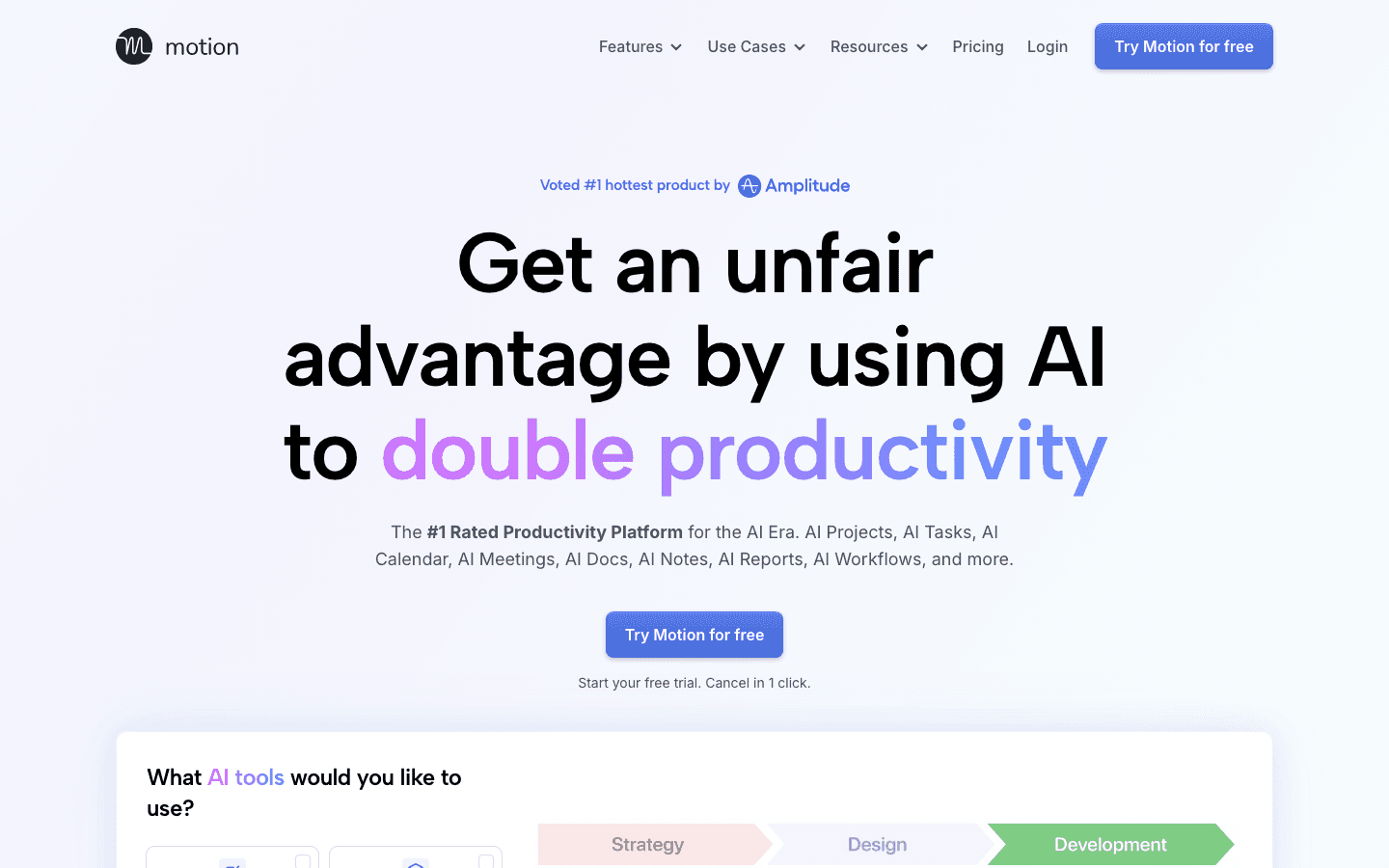
Motion has two paid plans. Both are priced per seat per month, meaning each additional person on your team adds to the total bill:
Pro AI: $19/seat/month billed monthly, or roughly $12.73/seat/month billed annually (33% savings). Includes 7,500 AI credits per seat per month.
Business AI: $29/seat/month billed monthly, or roughly $19.43/seat/month billed annually (33% savings). Includes 15,000 AI credits per seat per month.
Neither plan has a permanent free tier. Motion offers a trial period so you can test it before committing. After that, access requires a paid subscription.
Motion Pro AI: $19 Per Month
The Pro AI plan is where most individuals start. At $19 per seat per month (or about $153 per year on an annual plan), it covers the core automation: AI task scheduling, an integrated calendar, project views, and AI chat. You get 7,500 AI credits per month to power these features.
For a solo knowledge worker who lives in their calendar and wants tasks placed for them automatically, this plan covers everything needed. The scheduling engine handles the heavy lifting, and you get enough AI credits for typical usage without worrying about overages most months.
Motion Business AI: $29 Per Month
Business AI adds team-facing features on top of Pro: capacity planning across your team, advanced dashboards, timeline and Gantt charts, time tracking, and priority support. Credits double to 15,000 per seat per month, and the overage rate drops slightly from 25 cents to 19 cents per 100 extra credits.
The jump from $19 to $29 is mainly about project oversight and reporting. If you are managing a team and need to see who is overloaded or view work on a Gantt, Business AI earns the difference. Solo users rarely need it.
The AI Credits System, Explained
This is where Motion's pricing gets more complicated than the headline number suggests. Every AI-powered action in Motion, such as auto-scheduling a task, running an AI chat request, or generating a project plan, draws from a monthly pool of AI credits. When that pool runs out, you either stop using AI features or pay overage charges.
Overage rates:
Pro AI: 25 cents per 100 additional credits
Business AI: 19 cents per 100 additional credits
For most people, 7,500 credits is enough. But if you work with long task lists, use AI chat heavily, or manage multiple projects, you can burn through the monthly allowance. Overages are billed on top of your subscription, so your actual monthly cost can end up higher than the listed price. It is worth monitoring credit usage in your first month before assuming the base price is your final price.
Does Motion Have a Free Plan?
No. Motion does not offer a free tier. The only way to try it without paying is through the free trial, which gives you access to a paid plan for a limited time. After the trial ends, you are prompted to subscribe.
This is one of the more meaningful differences between Motion and some competitors. Tools like Reclaim.ai or TickTick have permanent free tiers for light users. Motion's trial is a real trial in the sense that you can properly evaluate it, but there is no free version to fall back on if you decide the price is not right for you. If you want a free AI project management option, you will need to look elsewhere.
Is Motion Worth the Price?
For the right user, yes. Motion's automatic scheduling is genuinely different from a planner that just organizes your to-do list. It takes a deadline-driven approach: give it your tasks and due dates, and it figures out where they go on your calendar. When priorities shift or meetings move, it reshuffles everything automatically. That is a real time saver for people who otherwise spend mental energy figuring out what fits where.
The honest limitations:
No energy awareness. Motion schedules based on deadlines and availability, not on whether you are sharp or depleted. It will happily place your hardest cognitive work in the afternoon slump if that is when you have free time.
Credit anxiety. Once you are aware of the AI credits pool, it changes how freely you use the AI features.
The price adds up. At $19/month per seat, a two-person team pays $456 per year. That is real money for a scheduling tool.
If those limitations do not bother you and you genuinely need automated task scheduling, Motion delivers it well. If you want a planner that accounts for how you feel, not just when you are free, that is a gap Motion does not fill. Our guide to why energy-based planning beats time blocking explains why that distinction matters for sustained productivity.
Who Should Use Motion
Motion fits best when you have a high volume of tasks with real deadlines and want an AI to handle the daily scheduling puzzle for you. Project-heavy roles, consultants managing multiple clients, and anyone who regularly over-commits and needs the calendar to push back are the natural fit.
It is less ideal for:
People who want to feel in control of their own schedule and do not like heavy automation.
Anyone whose productivity is closely tied to their energy and focus, since Motion ignores that signal entirely.
Budget-conscious users or small teams where $19 to $29 per seat per month adds up fast.
For a broader look at how Motion compares to similar tools, see our calendar management tools roundup.
A More Affordable Alternative: Lifestack

If the Motion price feels steep, or if you want scheduling that goes beyond deadline-based automation, Lifestack is worth a close look. It is an energy-aware planner that reads signals like your sleep and recovery data, then builds your daily schedule around when you are actually at your best. Demanding cognitive work lands in your peak focus hours. Lighter tasks fill the recovery dips. You are not just fitting tasks into free calendar slots; you are matching work to the state you will be in when you do it.
On price, the difference is significant. Lifestack costs $7 per month or $50 per year, with no per-seat charges and no AI credit pool to monitor. The lifetime plan at $120 makes the math even simpler for long-term users. You can read more about how Lifestack works or see how it holds up in the best AI planner app roundup.
Lifestack pricing: $7/month, $50/year, or $120 lifetime. 7-day free trial on the annual plan.
Best for: Anyone who finds Motion's price hard to justify, or who wants their schedule shaped by energy, not just deadlines. See the full Morgen alternative comparison for how these tools stack up against each other.
Frequently Asked Questions
Is Motion really $19 per month?
The Pro AI plan is $19 per seat per month on monthly billing. Annual billing brings it to roughly $12.73 per seat per month. Your actual cost may be higher if you exceed the monthly AI credits allowance and pay overages.
Does Motion have a free plan?
No. Motion does not have a permanent free tier. It offers a free trial that gives you access to a paid plan for a limited time, after which you need a subscription to continue using it.
What happens when I run out of AI credits on Motion?
When your monthly AI credits are exhausted, you can either stop using AI-powered features until the next billing cycle or pay overage charges. The Pro AI overage rate is 25 cents per 100 additional credits.
Is Motion good for teams?
It depends on the team. Motion's Business AI plan adds capacity planning, team dashboards, and time tracking, which are useful for project managers. At $29 per seat per month, costs scale quickly. A five-person team on Business AI pays $1,740 per year, which is meaningful compared to other AI project management tools.
What is the cheapest alternative to Motion?
Lifestack at $50 per year (or $7 per month) is one of the most affordable AI scheduling tools available. It covers auto-scheduling and adds energy-aware planning that Motion does not offer. There are also free-tier options like Reclaim.ai for lighter use cases.
Does Motion offer an annual discount?
Yes. Switching from monthly to annual billing saves roughly 33% across both plans. Pro AI drops from $19 to about $12.73 per seat per month, and Business AI drops from $29 to about $19.43 per seat per month, both billed as a lump sum at the start of the year.
Motion keeps coming up in "what does it actually cost?" searches because the answer is not obvious. The site shows "$19/month" but then mentions AI credits, overages, and annual billing discounts that shift the real number depending on how you use it. Before you start a trial that converts to a paid plan, it helps to see the full picture laid out plainly.
Motion is an AI scheduling app that automatically places your tasks and meetings on your calendar. Unlike a regular planner, it does not just show you a blank day and leave the planning to you. It reads your deadlines and priorities, then fills in your schedule without you dragging anything around. For people with demanding workloads and tight deadlines, that hands-off automation is the whole appeal.
The price question matters because Motion is one of the more expensive tools in this space. At $19 per seat per month on the Pro AI plan, it costs more than most to-do apps and more than some full project management suites. Whether that is reasonable depends entirely on whether the automation saves you enough time to justify the cost.
This guide breaks down every Motion pricing tier, explains the AI credits system, and gives you an honest read on whether it is worth it for different types of users.
Key Takeaways
Motion's Pro AI plan starts at $19 per seat per month, with annual billing saving roughly 33%.
Both plans run on an AI credits system, and heavy users can hit overage charges on top of the base price.
If the cost feels steep, Motion alternatives like Lifestack offer similar auto-scheduling for significantly less.
How Much Does Motion Cost?
Motion has two paid plans. Both are priced per seat per month, meaning each additional person on your team adds to the total bill:
Pro AI: $19/seat/month billed monthly, or roughly $12.73/seat/month billed annually (33% savings). Includes 7,500 AI credits per seat per month.
Business AI: $29/seat/month billed monthly, or roughly $19.43/seat/month billed annually (33% savings). Includes 15,000 AI credits per seat per month.
Neither plan has a permanent free tier. Motion offers a trial period so you can test it before committing. After that, access requires a paid subscription.
Motion Pro AI: $19 Per Month
The Pro AI plan is where most individuals start. At $19 per seat per month (or about $153 per year on an annual plan), it covers the core automation: AI task scheduling, an integrated calendar, project views, and AI chat. You get 7,500 AI credits per month to power these features.
For a solo knowledge worker who lives in their calendar and wants tasks placed for them automatically, this plan covers everything needed. The scheduling engine handles the heavy lifting, and you get enough AI credits for typical usage without worrying about overages most months.
Motion Business AI: $29 Per Month
Business AI adds team-facing features on top of Pro: capacity planning across your team, advanced dashboards, timeline and Gantt charts, time tracking, and priority support. Credits double to 15,000 per seat per month, and the overage rate drops slightly from 25 cents to 19 cents per 100 extra credits.
The jump from $19 to $29 is mainly about project oversight and reporting. If you are managing a team and need to see who is overloaded or view work on a Gantt, Business AI earns the difference. Solo users rarely need it.
The AI Credits System, Explained
This is where Motion's pricing gets more complicated than the headline number suggests. Every AI-powered action in Motion, such as auto-scheduling a task, running an AI chat request, or generating a project plan, draws from a monthly pool of AI credits. When that pool runs out, you either stop using AI features or pay overage charges.
Overage rates:
Pro AI: 25 cents per 100 additional credits
Business AI: 19 cents per 100 additional credits
For most people, 7,500 credits is enough. But if you work with long task lists, use AI chat heavily, or manage multiple projects, you can burn through the monthly allowance. Overages are billed on top of your subscription, so your actual monthly cost can end up higher than the listed price. It is worth monitoring credit usage in your first month before assuming the base price is your final price.
Does Motion Have a Free Plan?
No. Motion does not offer a free tier. The only way to try it without paying is through the free trial, which gives you access to a paid plan for a limited time. After the trial ends, you are prompted to subscribe.
This is one of the more meaningful differences between Motion and some competitors. Tools like Reclaim.ai or TickTick have permanent free tiers for light users. Motion's trial is a real trial in the sense that you can properly evaluate it, but there is no free version to fall back on if you decide the price is not right for you. If you want a free AI project management option, you will need to look elsewhere.
Is Motion Worth the Price?
For the right user, yes. Motion's automatic scheduling is genuinely different from a planner that just organizes your to-do list. It takes a deadline-driven approach: give it your tasks and due dates, and it figures out where they go on your calendar. When priorities shift or meetings move, it reshuffles everything automatically. That is a real time saver for people who otherwise spend mental energy figuring out what fits where.
The honest limitations:
No energy awareness. Motion schedules based on deadlines and availability, not on whether you are sharp or depleted. It will happily place your hardest cognitive work in the afternoon slump if that is when you have free time.
Credit anxiety. Once you are aware of the AI credits pool, it changes how freely you use the AI features.
The price adds up. At $19/month per seat, a two-person team pays $456 per year. That is real money for a scheduling tool.
If those limitations do not bother you and you genuinely need automated task scheduling, Motion delivers it well. If you want a planner that accounts for how you feel, not just when you are free, that is a gap Motion does not fill. Our guide to why energy-based planning beats time blocking explains why that distinction matters for sustained productivity.
Who Should Use Motion
Motion fits best when you have a high volume of tasks with real deadlines and want an AI to handle the daily scheduling puzzle for you. Project-heavy roles, consultants managing multiple clients, and anyone who regularly over-commits and needs the calendar to push back are the natural fit.
It is less ideal for:
People who want to feel in control of their own schedule and do not like heavy automation.
Anyone whose productivity is closely tied to their energy and focus, since Motion ignores that signal entirely.
Budget-conscious users or small teams where $19 to $29 per seat per month adds up fast.
For a broader look at how Motion compares to similar tools, see our calendar management tools roundup.
A More Affordable Alternative: Lifestack
If the Motion price feels steep, or if you want scheduling that goes beyond deadline-based automation, Lifestack is worth a close look. It is an energy-aware planner that reads signals like your sleep and recovery data, then builds your daily schedule around when you are actually at your best. Demanding cognitive work lands in your peak focus hours. Lighter tasks fill the recovery dips. You are not just fitting tasks into free calendar slots; you are matching work to the state you will be in when you do it.
On price, the difference is significant. Lifestack costs $7 per month or $50 per year, with no per-seat charges and no AI credit pool to monitor. The lifetime plan at $120 makes the math even simpler for long-term users. You can read more about how Lifestack works or see how it holds up in the best AI planner app roundup.
Lifestack pricing: $7/month, $50/year, or $120 lifetime. 7-day free trial on the annual plan.
Best for: Anyone who finds Motion's price hard to justify, or who wants their schedule shaped by energy, not just deadlines. See the full Morgen alternative comparison for how these tools stack up against each other.
Frequently Asked Questions
Is Motion really $19 per month?
The Pro AI plan is $19 per seat per month on monthly billing. Annual billing brings it to roughly $12.73 per seat per month. Your actual cost may be higher if you exceed the monthly AI credits allowance and pay overages.
Does Motion have a free plan?
No. Motion does not have a permanent free tier. It offers a free trial that gives you access to a paid plan for a limited time, after which you need a subscription to continue using it.
What happens when I run out of AI credits on Motion?
When your monthly AI credits are exhausted, you can either stop using AI-powered features until the next billing cycle or pay overage charges. The Pro AI overage rate is 25 cents per 100 additional credits.
Is Motion good for teams?
It depends on the team. Motion's Business AI plan adds capacity planning, team dashboards, and time tracking, which are useful for project managers. At $29 per seat per month, costs scale quickly. A five-person team on Business AI pays $1,740 per year, which is meaningful compared to other AI project management tools.
What is the cheapest alternative to Motion?
Lifestack at $50 per year (or $7 per month) is one of the most affordable AI scheduling tools available. It covers auto-scheduling and adds energy-aware planning that Motion does not offer. There are also free-tier options like Reclaim.ai for lighter use cases.
Does Motion offer an annual discount?
Yes. Switching from monthly to annual billing saves roughly 33% across both plans. Pro AI drops from $19 to about $12.73 per seat per month, and Business AI drops from $29 to about $19.43 per seat per month, both billed as a lump sum at the start of the year.



FOLLOW ON
FOLLOW ON
FOLLOW ON


Copyright 2026 © Lifestack. All rights reserved
Copyright 2026 © Lifestack. All rights reserved

