
App
Best Apple Watch Apps in 2026
Best Apple Watch Apps in 2026
The best Apple Watch apps and complications worth adding to your watch face
The best Apple Watch apps in 2026 are Lifestack, Fantastical, Streaks, AutoSleep, CARROT Weather, and Overcast. These six cover every major category: AI scheduling, calendar, habit tracking, sleep monitoring, weather complications, and podcasts. They are the best new Apple Watch apps across each use case, tested across commutes, workouts, and daily routines for one quality: letting you act from your wrist without reaching for your phone.
After years of testing productivity, health, and utility apps on Apple Watch, the ones that stick share a clear quality: they reduce friction. Great Apple Watch apps and complications surface what you need at a glance rather than serving as thin mirrors of their phone counterparts.
We tested each app across daily use scenarios: commuting, workouts, meetings, and wind-down routines. Pricing, Watch complication support, and how well each app works standalone (without reaching for your phone) were all factors.
Key Takeaways
Lifestack is the only app here that reads your energy levels and adjusts your day's schedule accordingly, visible right from your Watch complication
For habit tracking and sleep monitoring, Streaks and AutoSleep are the Watch-native standouts with near-zero friction
Fantastical remains the gold standard for calendar management with the best Watch complication on the platform
Quick Guide
1. Lifestack: AI planner that schedules around your energy, watchable from your wrist
2. Fantastical: calendar and tasks with the best Watch complication
3. Streaks: habit tracking built for Watch-first interaction
4. AutoSleep: passive sleep tracking with no buttons required
5. CARROT Weather: feature-packed weather with great complications
6. Overcast: podcast playback and control from your wrist
How We Evaluated
Watch-first design: does the Watch app function without the phone nearby?
Complication quality: how much useful information does it show at a glance?
Battery impact: does the app drain Watch battery noticeably?
iPhone integration: how cleanly does data sync back?
Standalone value: does the Watch app justify downloading the iPhone app?
1. Lifestack: Best AI Planner for Apple Watch
Schedule your day around your energy, not just your calendar.

Most calendar apps show you what's scheduled. Lifestack shows you what you should be doing right now, based on your energy. It reads your sleep data, recovery trends, and focus history, then drafts a daily plan that puts hard cognitive work when you're sharp and lighter tasks when you're not.
The Apple Watch integration surfaces that plan from your wrist. Your complication shows your current task and upcoming block, so a quick glance replaces opening your phone. For people who rely on their Watch throughout the day, this is a different kind of calendar experience than anything else on this list.
Lifestack connects to Apple Calendar, Google Calendar, and task managers. The Chrome extension lets you block time from your desktop. The Watch app handles check-ins and quick task completions without needing the phone. If you want to understand how energy-based planning differs from standard time-blocking, the post on why energy-based planning beats time-blocking is a good starting point.
Energy-aware daily scheduling based on sleep and recovery data
Apple Watch complication showing current task and energy status
Connects to Apple Health, Google Calendar, and popular task apps
Chrome extension for desktop time blocking
iOS and Android apps with Watch companion
What Works
The Watch complication is genuinely useful at a glance
Energy-aware scheduling catches you before you burn out
Clean, fast interface on both phone and Watch
Limitations
Requires some onboarding time to calibrate energy patterns
No Android Wear/Wear OS version
Best results come when wearing your Watch to sleep consistently
Pricing: $10/month or $50/year (7-day free trial on annual plan). Lifetime access available for $120.
Best for: People who want their Watch to drive their day, not just display their calendar.
2. Fantastical: Best Calendar App for Apple Watch
The calendar app that makes the Watch complication slot worth filling.
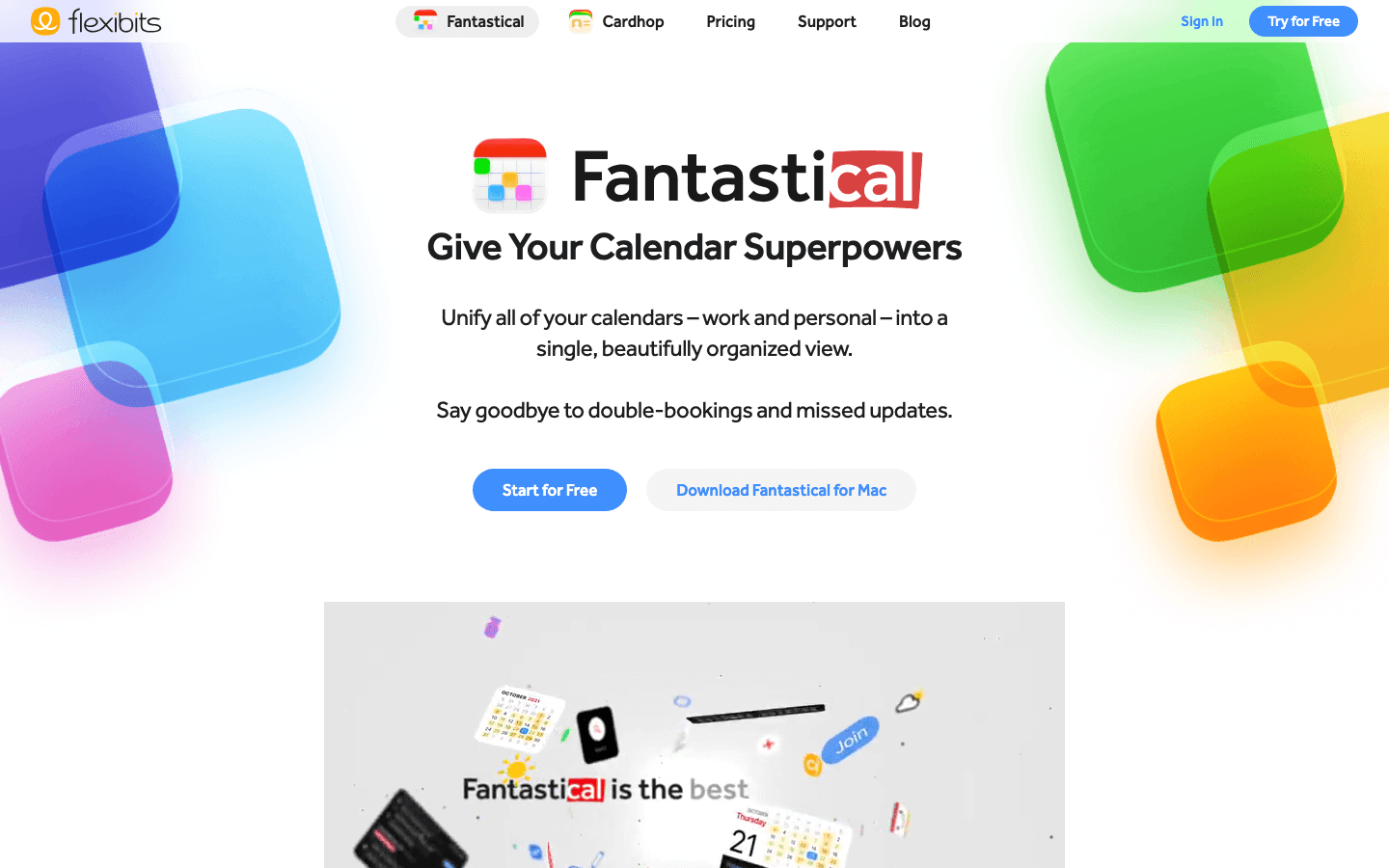
Fantastical has been the power user's calendar of choice for years, and its Watch integration is the best reason to use it over Apple's own Calendar app. The complication is information-dense: it shows your next event, the time until it starts, and a color-coded event bar. At a glance, you know your entire next hour.
The Watch app lets you view your upcoming schedule, add events by voice, and check task status without touching your phone. Natural language input works on Watch too, so "Call with Sarah tomorrow at 2pm" creates the event correctly. It's one of those features that sounds small until you try it while your hands are full.
Best-in-class Watch complication with event bar and countdown
Natural language event creation from the Watch
Multiple calendar and task app integrations
Conference call integration (Zoom, Google Meet, Teams)
What Works
Complication is the most information-rich calendar option on Watch
Voice event entry is surprisingly reliable
Syncs instantly across iPhone, iPad, Mac, and Watch
Limitations
Premium subscription required for most Watch features
No energy awareness or AI scheduling
Higher price than many alternatives
Pricing: Free (basic). Flexibits Premium subscription required for most Watch features; see flexibits.com for current pricing. 14-day free trial available.
Best for: Calendar power users who want maximum information on their Watch face without opening their phone.
3. Streaks: Best Habit Tracker for Apple Watch
The habit app that lives on your Watch, not just your phone.
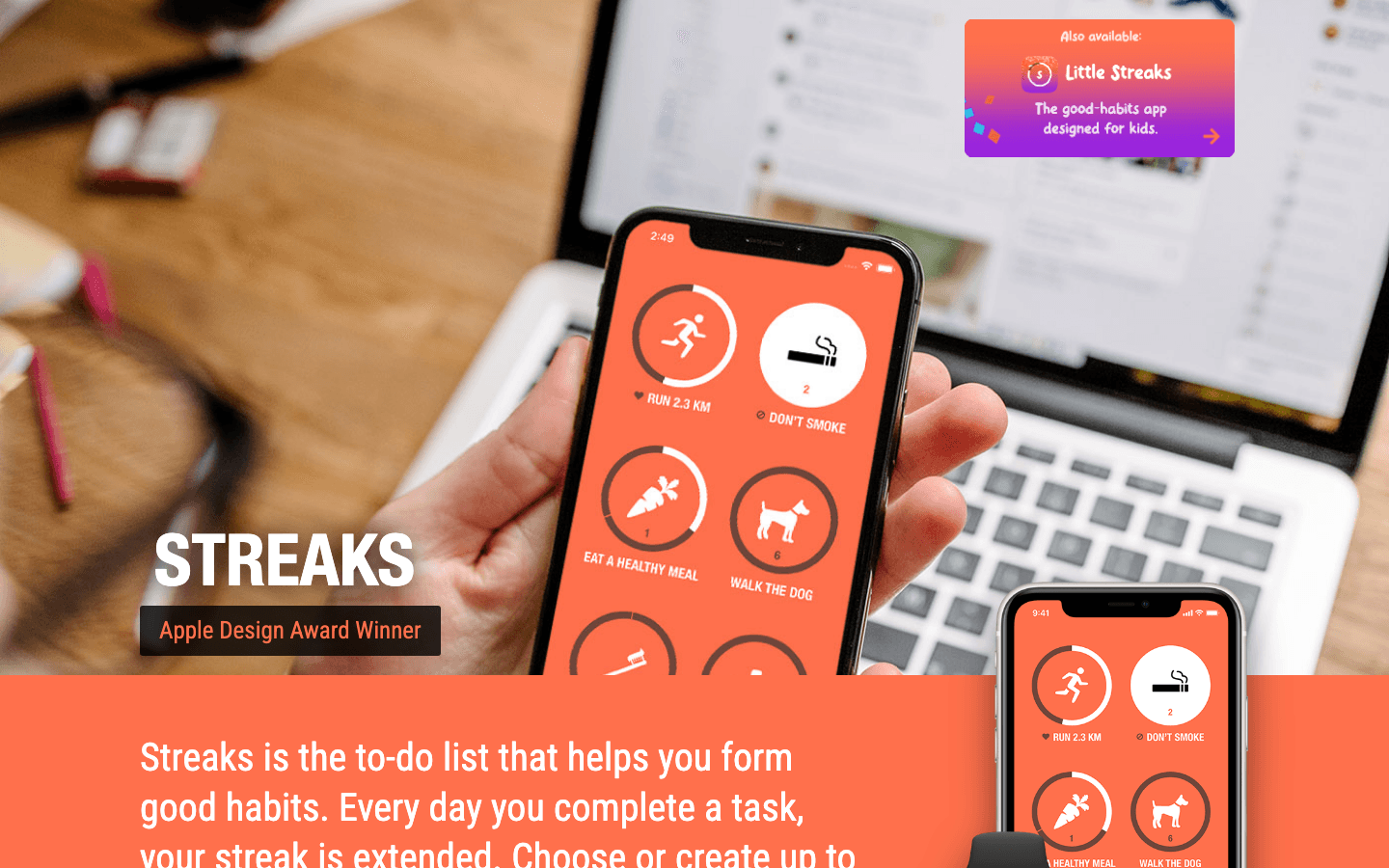
Most habit trackers are phone apps with a Watch complication tacked on. Streaks is the opposite. The Watch is the primary interface. You check off tasks, view your streaks, and set reminders all from your wrist. The phone app exists for setup and review, but you almost never need to open it day-to-day.
The Apple Design Award winner supports up to 24 tasks, integrates with Apple Health to auto-complete exercise and sleep goals, and shows a glanceable complication that updates in real time. The interaction is one tap: see the habit, tap to complete it, done.
Up to 24 daily habits tracked directly from Watch
Auto-complete integration with Apple Health (steps, sleep, exercise)
Apple Design Award winner
Complications in multiple sizes including always-on display
What Works
Genuinely Watch-first: completing habits takes one tap from your wrist
Health app integration means workout habits log themselves
Streak preservation motivates consistency without feeling punitive
Limitations
No Android version
No collaboration or shared habit tracking
24-task limit is plenty for most people but not unlimited
Pricing: One-time purchase on the App Store.
Best for: Anyone building daily habits who wants the Watch, not the phone, to be the check-in point.
4. AutoSleep: Best Sleep Tracker for Apple Watch
Sleep tracking with zero buttons to push.
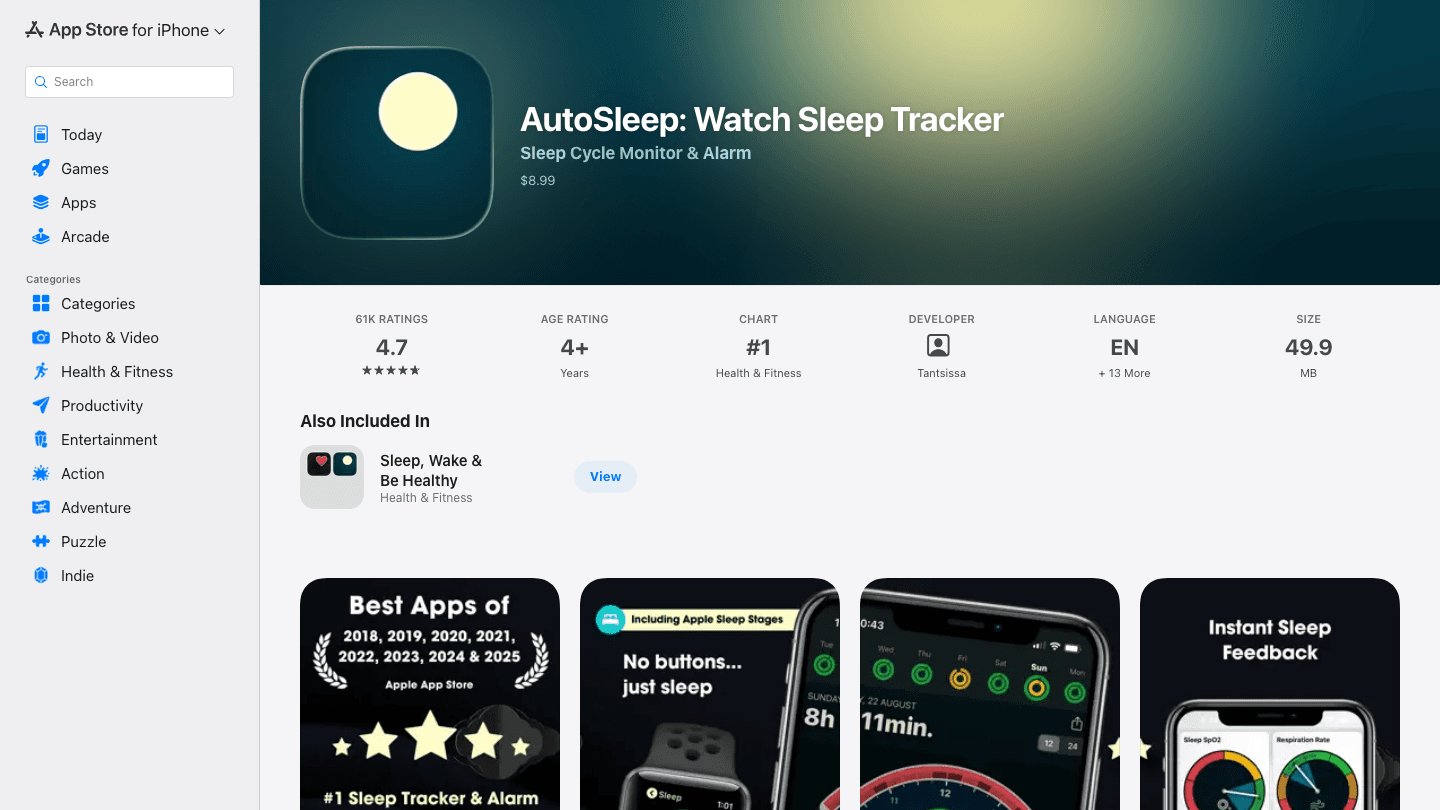
AutoSleep does one thing exceptionally well: it tracks your sleep automatically when you wear your Watch to bed, with no button-pressing required. Put your Watch on, fall asleep, wake up to a detailed sleep report. Heart rate, HRV, sleep stages, and a readiness score are all there by morning.
The Watch complication shows your previous night's readiness score and sleep quality rating. Paired with Lifestack, this readiness data feeds directly into your energy-aware schedule for the day. If you slept poorly, Lifestack shifts demanding tasks to your peak recovery window instead of front-loading your morning. For more on this, see the guide on using an energy calendar to plan around your recovery cycles.
Fully automatic sleep detection, no manual start/stop
Sleep stages, HRV, heart rate, and readiness scoring
Complication showing previous night's readiness at a glance
Apple Health integration
What Works
Zero friction: wear your Watch, get your data
Readiness score is accurate and actionable
Works alongside other health apps without conflict
Limitations
Requires wearing Watch to sleep (battery management needed)
No web dashboard, phone-only review
No subscription option means no ongoing feature updates included
Pricing: $9.99 one-time purchase.
Best for: Anyone who wants Oura-level sleep data without buying a separate device. See also: apps to use with Fitbit if you're comparing wearable ecosystems.
5. CARROT Weather: Best Weather App for Apple Watch
The weather app with genuine personality and serious complications.
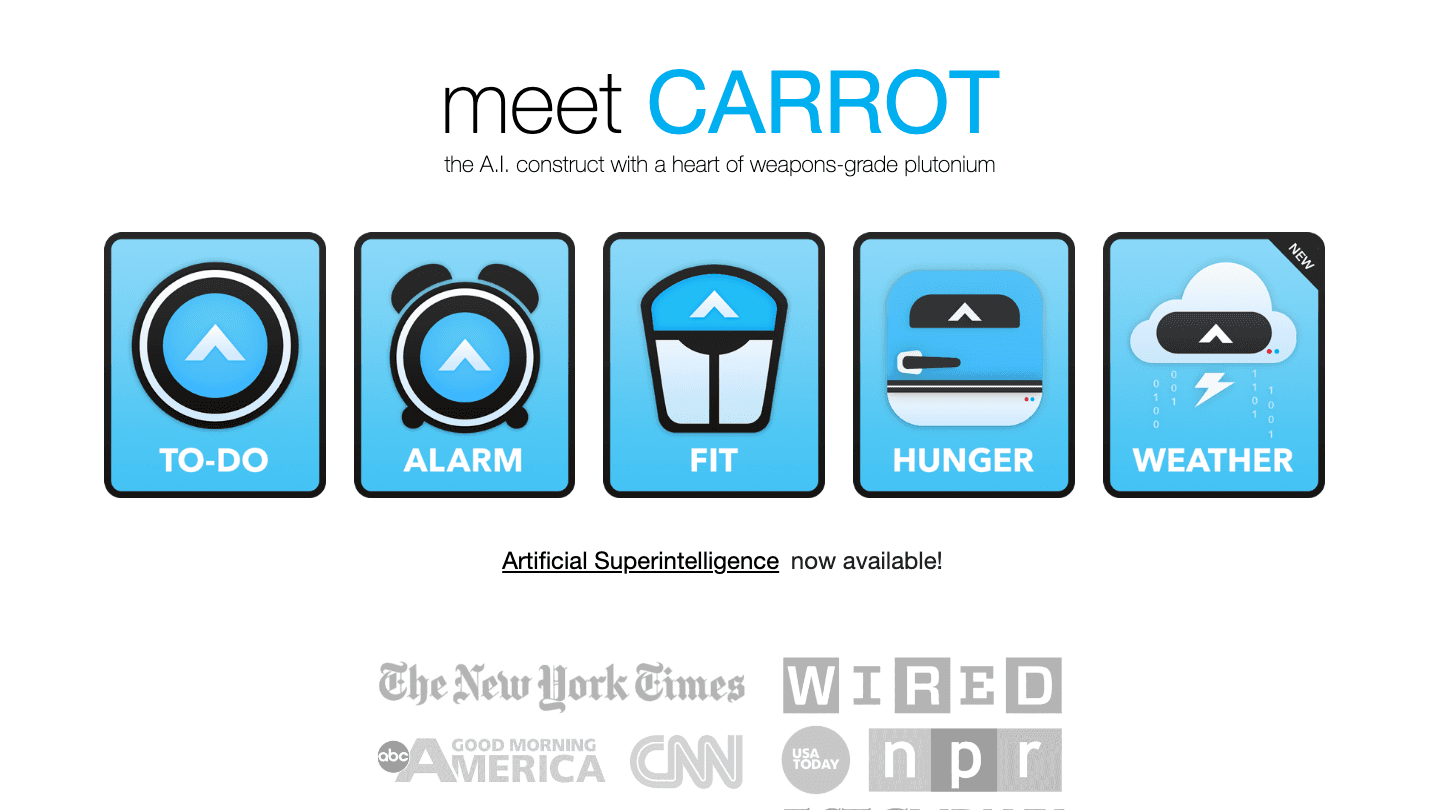
CARROT Weather is polarizing in the best way. Its AI-with-attitude framing is either delightful or annoying depending on your taste, but the Watch implementation is genuinely excellent. You get temperature, precipitation chance, air quality, UV index, and wind speed in a single complication slot, customizable down to which data point appears where.
The Watch app works standalone. Step outside and check the rain forecast without your phone. The Premium tier adds real-time storm cell tracking, lightning alerts, and multi-source weather data that catches hyperlocal conditions Apple Weather misses.
Highly customizable Watch complications (temperature, UV, rain, AQI)
Standalone Watch app with full forecast access
Storm cell tracking and lightning alerts on Premium
Multiple weather data sources for accuracy
What Works
Complication customization is the best of any weather app on Watch
Hyperlocal accuracy beats Apple Weather in side-by-side testing
Standalone Watch app is fast and reliable
Limitations
Free version is limited; the best Watch features need Premium
The personality framing is not for everyone
Premium Ultra is expensive on a monthly plan relative to competitors
Pricing: Free (basic). Premium: $19.99/year or $4.99/month. Premium Ultra: $29.99/year or $39.99/month. A lower-cost Premium Mini tier is also available.
Best for: Weather-conscious users who want a fully customizable Watch complication with real forecast depth.
6. Overcast: Best Podcast App for Apple Watch
Podcast playback that doesn't need your phone nearby.
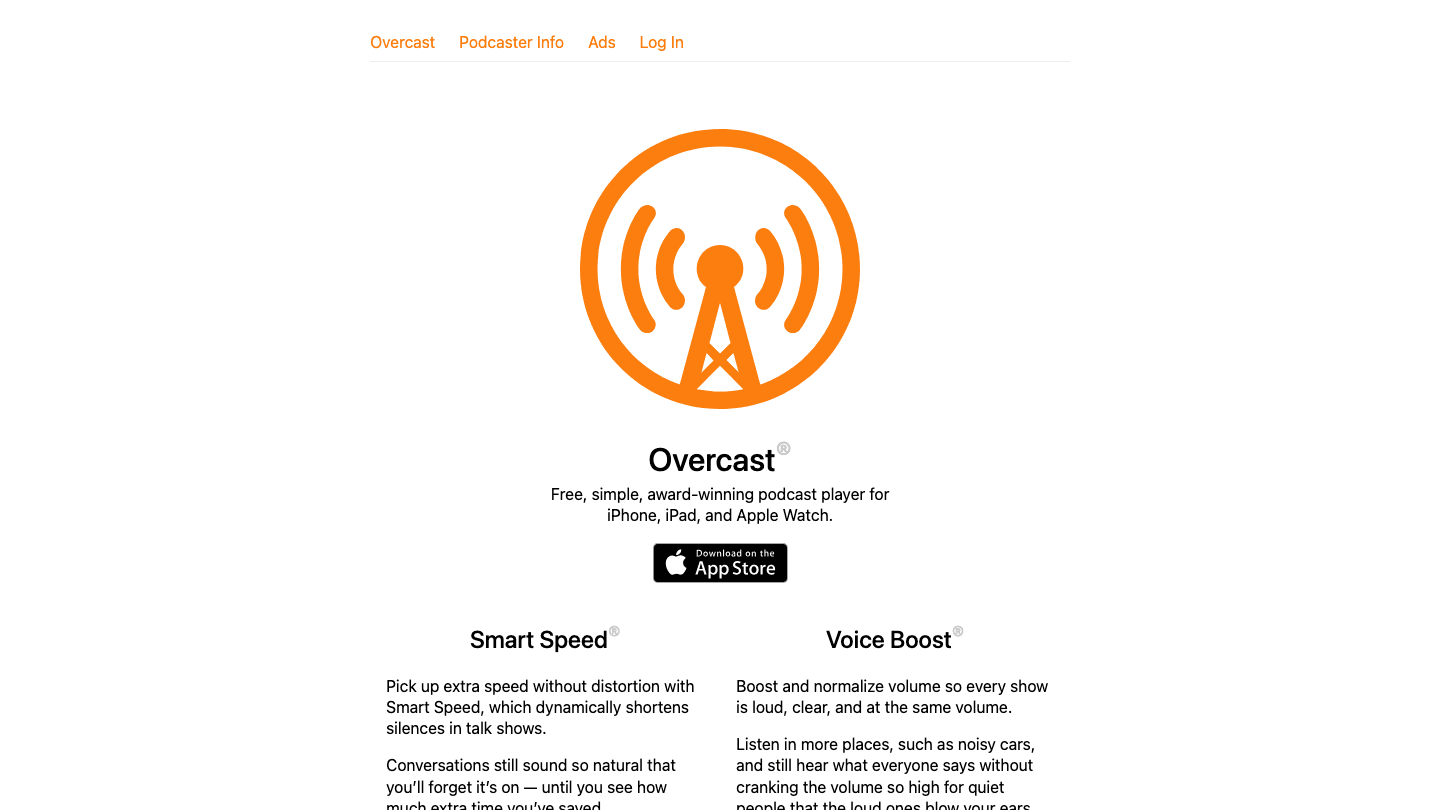
Overcast is the podcast app most serious listeners end up with, and the Watch version justifies the switch if you're still on Apple Podcasts. The Watch app controls playback, adjusts volume, skips chapters, and switches between queued episodes. On a run or a commute where your phone stays in your pocket, it handles everything from your wrist.
Smart Speed (dynamically cuts silences without distortion) and Voice Boost (normalizes volume across episodes) both work in Watch playback. These two features alone save roughly 20 minutes per hour of podcast listening. You set them once on iPhone; they apply everywhere.
Full Watch playback control including skip, volume, and queue
Smart Speed silently removes pauses without sounding choppy
Voice Boost normalizes audio across all episodes
Chapter support for podcasts that use chapters
What Works
Smart Speed is immediately noticeable and worth the app alone
Watch control is responsive and doesn't require phone unlock
Clean, fast interface with no unnecessary features
Limitations
iPhone-only (no Android)
No video podcast support
UI is functional but basic compared to newer podcast apps
Pricing: Free. An optional patron subscription is available in the App Store to support development and unlock bonus features.
Best for: Podcast listeners who want hands-free playback control during workouts, commutes, or walks.
Which Apple Watch App Is Right for You?
You want smarter scheduling around your energy: Lifestack. Nothing else on this list reads your recovery data and adjusts your day around it.
You're a calendar power user: Fantastical. The complication alone is worth the subscription if you live by your schedule.
You want to build consistent habits: Streaks. One-tap completion from your wrist, with Health app auto-logging for physical habits.
You want better sleep data without a new device: AutoSleep. Passive, accurate, zero setup required beyond wearing your Watch.
You want a smarter weather complication: CARROT Weather Premium. Customizable down to individual data points on each complication slot.
You listen to podcasts on the go: Overcast. Smart Speed alone saves hours per month; full Watch control is the bonus.
Many of these work well together. Lifestack reads AutoSleep's data through Apple Health. Fantastical feeds calendar events into Lifestack's scheduling engine. Streaks checks off your daily habits alongside your planned tasks. The Watch becomes more useful when your apps share data rather than silo it.
For more on building a productivity stack around your Apple Watch, see the full guide to productivity apps for Apple Watch and the breakdown of which wearable is right for you.
FAQ
What are the best Apple Watch apps for productivity?
Lifestack leads for productivity: it schedules your day around your energy levels and surfaces your current task and schedule from a Watch complication. Fantastical is the best pure calendar option. Streaks handles habit tracking with Watch-first interaction. Together they cover planning, scheduling, and habit consistency from your wrist.
Can Apple Watch apps work without the iPhone nearby?
Most of the apps on this list have strong standalone functionality. Streaks checks off habits without the phone. AutoSleep tracks sleep without the phone. Overcast plays podcasts and controls queue without the phone. CARROT Weather shows the full forecast without the phone. Lifestack and Fantastical sync best when the phone is nearby, but complications work offline once loaded.
Do Apple Watch apps drain battery faster?
Background refresh apps like AutoSleep do use additional battery. AutoSleep is optimized for overnight use and has minimal daytime impact. Complications that update frequently (weather, calendar) use slightly more battery than static ones. On modern Apple Watch models (Series 9 and later), all six apps on this list run comfortably within a full-day charge.
Is there an AI-powered Apple Watch app?
Lifestack is the most AI-driven option. Its engine reads your sleep and recovery data, then generates a daily plan that schedules your tasks during your high-energy windows. The Watch complication surfaces that plan in real time. No other calendar or planner app on Apple Watch does this. See our full review of AI planner apps for a broader comparison.
What are the best free Apple Watch apps?
Overcast is the strongest free option: full podcast playback control from your wrist at no cost. CARROT Weather has a functional free tier with working complications. Lifestack offers a 7-day free trial on the annual plan, which is enough time to experience the energy-aware scheduling. For the best value paid apps, Streaks and AutoSleep are both one-time purchases under $10 with no subscription, making them the top picks for habit tracking and sleep on a budget.
Which Apple Watch app is best for sleep?
AutoSleep. It tracks automatically, requires no manual start or stop, and produces sleep stage, HRV, and readiness data on par with dedicated sleep trackers. The readiness score pairs well with energy-aware schedulers like Lifestack. If you're comparing wearables for sleep tracking specifically, see apps that pair with Garmin for a wearable-agnostic view.
What are the must-have and cool Apple Watch apps?
The must-have Apple Watch apps for most people are Lifestack for AI scheduling, Streaks for habits, and AutoSleep for sleep. For cool apps for Apple Watch that go beyond productivity, CARROT Weather stands out for its customizable complications and personality, and Overcast makes podcasts a genuinely hands-free experience from your wrist. Fantastical rounds out a complete stack if you need more calendar power than Apple's built-in app provides.
What are the best iWatch apps?
"iWatch" is an informal name for the Apple Watch. The best iWatch apps are Lifestack for AI scheduling, Fantastical for calendar, Streaks for habits, AutoSleep for sleep, CARROT Weather for weather complications, and Overcast for podcasts. All six work on current Apple Watch models and are covered in detail in the sections above.
The best Apple Watch apps and complications worth adding to your watch face
The best Apple Watch apps in 2026 are Lifestack, Fantastical, Streaks, AutoSleep, CARROT Weather, and Overcast. These six cover every major category: AI scheduling, calendar, habit tracking, sleep monitoring, weather complications, and podcasts. They are the best new Apple Watch apps across each use case, tested across commutes, workouts, and daily routines for one quality: letting you act from your wrist without reaching for your phone.
After years of testing productivity, health, and utility apps on Apple Watch, the ones that stick share a clear quality: they reduce friction. Great Apple Watch apps and complications surface what you need at a glance rather than serving as thin mirrors of their phone counterparts.
We tested each app across daily use scenarios: commuting, workouts, meetings, and wind-down routines. Pricing, Watch complication support, and how well each app works standalone (without reaching for your phone) were all factors.
Key Takeaways
Lifestack is the only app here that reads your energy levels and adjusts your day's schedule accordingly, visible right from your Watch complication
For habit tracking and sleep monitoring, Streaks and AutoSleep are the Watch-native standouts with near-zero friction
Fantastical remains the gold standard for calendar management with the best Watch complication on the platform
Quick Guide
1. Lifestack: AI planner that schedules around your energy, watchable from your wrist
2. Fantastical: calendar and tasks with the best Watch complication
3. Streaks: habit tracking built for Watch-first interaction
4. AutoSleep: passive sleep tracking with no buttons required
5. CARROT Weather: feature-packed weather with great complications
6. Overcast: podcast playback and control from your wrist
How We Evaluated
Watch-first design: does the Watch app function without the phone nearby?
Complication quality: how much useful information does it show at a glance?
Battery impact: does the app drain Watch battery noticeably?
iPhone integration: how cleanly does data sync back?
Standalone value: does the Watch app justify downloading the iPhone app?
1. Lifestack: Best AI Planner for Apple Watch
Schedule your day around your energy, not just your calendar.
Most calendar apps show you what's scheduled. Lifestack shows you what you should be doing right now, based on your energy. It reads your sleep data, recovery trends, and focus history, then drafts a daily plan that puts hard cognitive work when you're sharp and lighter tasks when you're not.
The Apple Watch integration surfaces that plan from your wrist. Your complication shows your current task and upcoming block, so a quick glance replaces opening your phone. For people who rely on their Watch throughout the day, this is a different kind of calendar experience than anything else on this list.
Lifestack connects to Apple Calendar, Google Calendar, and task managers. The Chrome extension lets you block time from your desktop. The Watch app handles check-ins and quick task completions without needing the phone. If you want to understand how energy-based planning differs from standard time-blocking, the post on why energy-based planning beats time-blocking is a good starting point.
Energy-aware daily scheduling based on sleep and recovery data
Apple Watch complication showing current task and energy status
Connects to Apple Health, Google Calendar, and popular task apps
Chrome extension for desktop time blocking
iOS and Android apps with Watch companion
What Works
The Watch complication is genuinely useful at a glance
Energy-aware scheduling catches you before you burn out
Clean, fast interface on both phone and Watch
Limitations
Requires some onboarding time to calibrate energy patterns
No Android Wear/Wear OS version
Best results come when wearing your Watch to sleep consistently
Pricing: $10/month or $50/year (7-day free trial on annual plan). Lifetime access available for $120.
Best for: People who want their Watch to drive their day, not just display their calendar.
2. Fantastical: Best Calendar App for Apple Watch
The calendar app that makes the Watch complication slot worth filling.
Fantastical has been the power user's calendar of choice for years, and its Watch integration is the best reason to use it over Apple's own Calendar app. The complication is information-dense: it shows your next event, the time until it starts, and a color-coded event bar. At a glance, you know your entire next hour.
The Watch app lets you view your upcoming schedule, add events by voice, and check task status without touching your phone. Natural language input works on Watch too, so "Call with Sarah tomorrow at 2pm" creates the event correctly. It's one of those features that sounds small until you try it while your hands are full.
Best-in-class Watch complication with event bar and countdown
Natural language event creation from the Watch
Multiple calendar and task app integrations
Conference call integration (Zoom, Google Meet, Teams)
What Works
Complication is the most information-rich calendar option on Watch
Voice event entry is surprisingly reliable
Syncs instantly across iPhone, iPad, Mac, and Watch
Limitations
Premium subscription required for most Watch features
No energy awareness or AI scheduling
Higher price than many alternatives
Pricing: Free (basic). Flexibits Premium subscription required for most Watch features; see flexibits.com for current pricing. 14-day free trial available.
Best for: Calendar power users who want maximum information on their Watch face without opening their phone.
3. Streaks: Best Habit Tracker for Apple Watch
The habit app that lives on your Watch, not just your phone.
Most habit trackers are phone apps with a Watch complication tacked on. Streaks is the opposite. The Watch is the primary interface. You check off tasks, view your streaks, and set reminders all from your wrist. The phone app exists for setup and review, but you almost never need to open it day-to-day.
The Apple Design Award winner supports up to 24 tasks, integrates with Apple Health to auto-complete exercise and sleep goals, and shows a glanceable complication that updates in real time. The interaction is one tap: see the habit, tap to complete it, done.
Up to 24 daily habits tracked directly from Watch
Auto-complete integration with Apple Health (steps, sleep, exercise)
Apple Design Award winner
Complications in multiple sizes including always-on display
What Works
Genuinely Watch-first: completing habits takes one tap from your wrist
Health app integration means workout habits log themselves
Streak preservation motivates consistency without feeling punitive
Limitations
No Android version
No collaboration or shared habit tracking
24-task limit is plenty for most people but not unlimited
Pricing: One-time purchase on the App Store.
Best for: Anyone building daily habits who wants the Watch, not the phone, to be the check-in point.
4. AutoSleep: Best Sleep Tracker for Apple Watch
Sleep tracking with zero buttons to push.
AutoSleep does one thing exceptionally well: it tracks your sleep automatically when you wear your Watch to bed, with no button-pressing required. Put your Watch on, fall asleep, wake up to a detailed sleep report. Heart rate, HRV, sleep stages, and a readiness score are all there by morning.
The Watch complication shows your previous night's readiness score and sleep quality rating. Paired with Lifestack, this readiness data feeds directly into your energy-aware schedule for the day. If you slept poorly, Lifestack shifts demanding tasks to your peak recovery window instead of front-loading your morning. For more on this, see the guide on using an energy calendar to plan around your recovery cycles.
Fully automatic sleep detection, no manual start/stop
Sleep stages, HRV, heart rate, and readiness scoring
Complication showing previous night's readiness at a glance
Apple Health integration
What Works
Zero friction: wear your Watch, get your data
Readiness score is accurate and actionable
Works alongside other health apps without conflict
Limitations
Requires wearing Watch to sleep (battery management needed)
No web dashboard, phone-only review
No subscription option means no ongoing feature updates included
Pricing: $9.99 one-time purchase.
Best for: Anyone who wants Oura-level sleep data without buying a separate device. See also: apps to use with Fitbit if you're comparing wearable ecosystems.
5. CARROT Weather: Best Weather App for Apple Watch
The weather app with genuine personality and serious complications.
CARROT Weather is polarizing in the best way. Its AI-with-attitude framing is either delightful or annoying depending on your taste, but the Watch implementation is genuinely excellent. You get temperature, precipitation chance, air quality, UV index, and wind speed in a single complication slot, customizable down to which data point appears where.
The Watch app works standalone. Step outside and check the rain forecast without your phone. The Premium tier adds real-time storm cell tracking, lightning alerts, and multi-source weather data that catches hyperlocal conditions Apple Weather misses.
Highly customizable Watch complications (temperature, UV, rain, AQI)
Standalone Watch app with full forecast access
Storm cell tracking and lightning alerts on Premium
Multiple weather data sources for accuracy
What Works
Complication customization is the best of any weather app on Watch
Hyperlocal accuracy beats Apple Weather in side-by-side testing
Standalone Watch app is fast and reliable
Limitations
Free version is limited; the best Watch features need Premium
The personality framing is not for everyone
Premium Ultra is expensive on a monthly plan relative to competitors
Pricing: Free (basic). Premium: $19.99/year or $4.99/month. Premium Ultra: $29.99/year or $39.99/month. A lower-cost Premium Mini tier is also available.
Best for: Weather-conscious users who want a fully customizable Watch complication with real forecast depth.
6. Overcast: Best Podcast App for Apple Watch
Podcast playback that doesn't need your phone nearby.
Overcast is the podcast app most serious listeners end up with, and the Watch version justifies the switch if you're still on Apple Podcasts. The Watch app controls playback, adjusts volume, skips chapters, and switches between queued episodes. On a run or a commute where your phone stays in your pocket, it handles everything from your wrist.
Smart Speed (dynamically cuts silences without distortion) and Voice Boost (normalizes volume across episodes) both work in Watch playback. These two features alone save roughly 20 minutes per hour of podcast listening. You set them once on iPhone; they apply everywhere.
Full Watch playback control including skip, volume, and queue
Smart Speed silently removes pauses without sounding choppy
Voice Boost normalizes audio across all episodes
Chapter support for podcasts that use chapters
What Works
Smart Speed is immediately noticeable and worth the app alone
Watch control is responsive and doesn't require phone unlock
Clean, fast interface with no unnecessary features
Limitations
iPhone-only (no Android)
No video podcast support
UI is functional but basic compared to newer podcast apps
Pricing: Free. An optional patron subscription is available in the App Store to support development and unlock bonus features.
Best for: Podcast listeners who want hands-free playback control during workouts, commutes, or walks.
Which Apple Watch App Is Right for You?
You want smarter scheduling around your energy: Lifestack. Nothing else on this list reads your recovery data and adjusts your day around it.
You're a calendar power user: Fantastical. The complication alone is worth the subscription if you live by your schedule.
You want to build consistent habits: Streaks. One-tap completion from your wrist, with Health app auto-logging for physical habits.
You want better sleep data without a new device: AutoSleep. Passive, accurate, zero setup required beyond wearing your Watch.
You want a smarter weather complication: CARROT Weather Premium. Customizable down to individual data points on each complication slot.
You listen to podcasts on the go: Overcast. Smart Speed alone saves hours per month; full Watch control is the bonus.
Many of these work well together. Lifestack reads AutoSleep's data through Apple Health. Fantastical feeds calendar events into Lifestack's scheduling engine. Streaks checks off your daily habits alongside your planned tasks. The Watch becomes more useful when your apps share data rather than silo it.
For more on building a productivity stack around your Apple Watch, see the full guide to productivity apps for Apple Watch and the breakdown of which wearable is right for you.
FAQ
What are the best Apple Watch apps for productivity?
Lifestack leads for productivity: it schedules your day around your energy levels and surfaces your current task and schedule from a Watch complication. Fantastical is the best pure calendar option. Streaks handles habit tracking with Watch-first interaction. Together they cover planning, scheduling, and habit consistency from your wrist.
Can Apple Watch apps work without the iPhone nearby?
Most of the apps on this list have strong standalone functionality. Streaks checks off habits without the phone. AutoSleep tracks sleep without the phone. Overcast plays podcasts and controls queue without the phone. CARROT Weather shows the full forecast without the phone. Lifestack and Fantastical sync best when the phone is nearby, but complications work offline once loaded.
Do Apple Watch apps drain battery faster?
Background refresh apps like AutoSleep do use additional battery. AutoSleep is optimized for overnight use and has minimal daytime impact. Complications that update frequently (weather, calendar) use slightly more battery than static ones. On modern Apple Watch models (Series 9 and later), all six apps on this list run comfortably within a full-day charge.
Is there an AI-powered Apple Watch app?
Lifestack is the most AI-driven option. Its engine reads your sleep and recovery data, then generates a daily plan that schedules your tasks during your high-energy windows. The Watch complication surfaces that plan in real time. No other calendar or planner app on Apple Watch does this. See our full review of AI planner apps for a broader comparison.
What are the best free Apple Watch apps?
Overcast is the strongest free option: full podcast playback control from your wrist at no cost. CARROT Weather has a functional free tier with working complications. Lifestack offers a 7-day free trial on the annual plan, which is enough time to experience the energy-aware scheduling. For the best value paid apps, Streaks and AutoSleep are both one-time purchases under $10 with no subscription, making them the top picks for habit tracking and sleep on a budget.
Which Apple Watch app is best for sleep?
AutoSleep. It tracks automatically, requires no manual start or stop, and produces sleep stage, HRV, and readiness data on par with dedicated sleep trackers. The readiness score pairs well with energy-aware schedulers like Lifestack. If you're comparing wearables for sleep tracking specifically, see apps that pair with Garmin for a wearable-agnostic view.
What are the must-have and cool Apple Watch apps?
The must-have Apple Watch apps for most people are Lifestack for AI scheduling, Streaks for habits, and AutoSleep for sleep. For cool apps for Apple Watch that go beyond productivity, CARROT Weather stands out for its customizable complications and personality, and Overcast makes podcasts a genuinely hands-free experience from your wrist. Fantastical rounds out a complete stack if you need more calendar power than Apple's built-in app provides.
What are the best iWatch apps?
"iWatch" is an informal name for the Apple Watch. The best iWatch apps are Lifestack for AI scheduling, Fantastical for calendar, Streaks for habits, AutoSleep for sleep, CARROT Weather for weather complications, and Overcast for podcasts. All six work on current Apple Watch models and are covered in detail in the sections above.



FOLLOW ON
FOLLOW ON
FOLLOW ON


Copyright 2026 © Lifestack. All rights reserved
Copyright 2026 © Lifestack. All rights reserved

