
App
Best Brain.fm Alternatives for Deep Focus
Best Brain.fm Alternatives for Deep Focus
Brain.fm built its reputation on a simple premise: AI-generated audio tuned to put your brain into a focus state. For a lot of people, it works. But after years of use, the mechanical sound quality starts to grate, the subscription feels hard to justify, or the app just stops fitting into how you actually work.
This list covers five alternatives we tested in 2026. Four are direct audio replacements, each with a different take on what "focus music" should be. The fifth approaches the problem from an entirely different direction: instead of filling your headphones with the right sound, it makes sure you actually have uninterrupted time to put those headphones on.
If you find yourself using focus music but still getting pulled into meetings, notifications, and context-switching, the issue might not be the audio at all. We included an option for that too.
All five apps are active and maintained as of July 2026.
Key Takeaways
Endel and focus.music are the closest direct replacements for Brain.fm, with neuroscience-backed soundscapes and similar pricing.
Noisli and myNoise are the best picks if you want simple, customizable ambient noise without a monthly fee.
Lifestack takes a different approach: AI scheduling that protects your deep work time based on your energy levels, so you actually get to use those focus sessions.
Quick Guide: Best Brain.fm Alternatives
1. Lifestack: Best for scheduling and protecting deep work time
2. Endel: Best AI-generated adaptive soundscapes
3. focus.music: Best neuroscience-based music library
4. Noisli: Best for simple, self-controlled ambient noise
5. myNoise: Best free option with maximum variety
How We Evaluated These Brain.fm Alternatives
Audio variety and customization depth
Scientific backing for the focus claims
Platform availability (mobile, desktop, web)
Free tier quality and pricing transparency
How well each tool fits into a real workday
1. Lifestack: Best for Scheduling Your Deep Work
The AI planner that protects your focus time before you ever hit play.

Lifestack is not a focus music app. It is the piece that usually gets overlooked: the tool that decides when you focus and defends that time from interruption. Brain.fm can help you stay in flow once you are seated with headphones on. But if your deep work blocks keep getting eaten by meetings, or you never make it to them at all, no playlist will fix that.
Lifestack reads your calendar, your energy patterns, and your task list, then builds a daily schedule that puts high-focus work into your peak hours. Low-effort admin fills the valleys. The app flags overloaded days before you commit to them and syncs with Google Calendar, Apple Calendar, and Outlook.
The energy-based scheduling is what sets it apart. Most planners treat all hours as equal. Lifestack does not. If your energy peaks between 9am and 11am, that window is reserved for your hardest work. That is the session you put Endel on for. Protecting the time is the first step; the audio tools handle the rest.
Key Features
AI scheduling based on personal energy levels and peak hours
Calendar sync with Google, Apple, and Outlook
Task prioritization by effort level and deadline
ADHD-friendly interface with focus-mode views
iOS and Android apps plus Chrome extension
What Works
Energy-aware time blocking changes which hours you actually protect for creative work
The daily plan view surfaces overloaded days before they happen
Works alongside existing calendars instead of replacing them
Limitations
Not an audio tool; you still need a focus music app for the sound layer
No native macOS or Windows desktop app yet
Pricing: $7/month, $50/year (7-day free trial), or $120 lifetime.
Best for: Anyone who keeps meaning to do deep work but never quite lands the time for it. Pairs especially well with any audio tool on this list.
2. Endel: Best Adaptive AI Soundscapes
Real-time sound generation that adapts to your body, not just a timer.
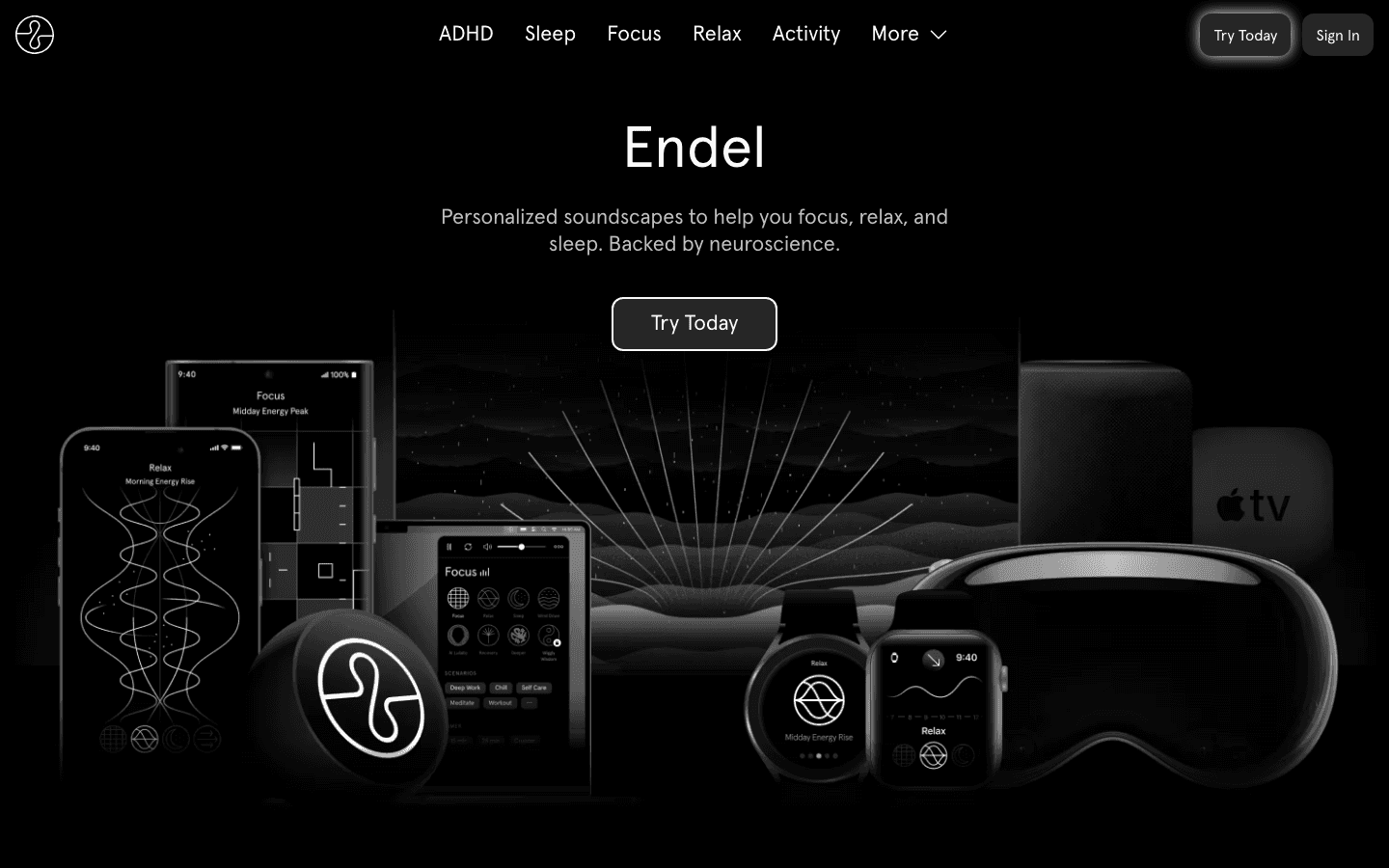
Endel is the closest modern equivalent to Brain.fm in approach and polish. It generates real-time soundscapes using an AI that pulls in your circadian rhythm, the time of day, and (with Apple Watch) your actual heart rate. The soundscape shifts as your session progresses, avoiding the stuck-loop feeling that makes some people abandon Brain.fm after a few months.
The app supports Focus, Relax, Sleep, Move, and On-the-Go modes. The Focus mode in particular holds up for 90-minute deep work sessions without becoming repetitive. That is the meaningful difference from a static playlist: Endel responds to where you are in the session, not just the clock.
The Apple Watch integration is a standout. Endel can read your heart rate and adjust the soundscape's pace accordingly, adding a biometric feedback layer that no other app in this list matches.
Key Features
AI-generated soundscapes that adapt in real time to time of day and biometrics
Apple Watch integration for heart rate-driven adaptation
Multiple modes: Focus, Sleep, Relax, Move, On-the-Go
Cross-platform: iOS, Android, Mac, web, Apple TV
Offline listening with downloadable sessions
What Works
The Focus mode genuinely avoids the repetitive-loop problem that plagues most ambient music apps
Real biometric input (heart rate, time of day) makes the adaptation feel meaningful rather than cosmetic
Limitations
The free tier cuts off after roughly 10 minutes per session
No scheduling or task planning features (pair with Lifestack for that)
Pricing: $6.99/month or $49.99/year. 7-day free trial included.
Best for: Brain.fm users who want more personalized, adaptive soundscapes with wearable integration.
3. focus.music: Best Neuroscience-Based Music Library
Curated real music engineered for concentration (formerly Focus@Will).
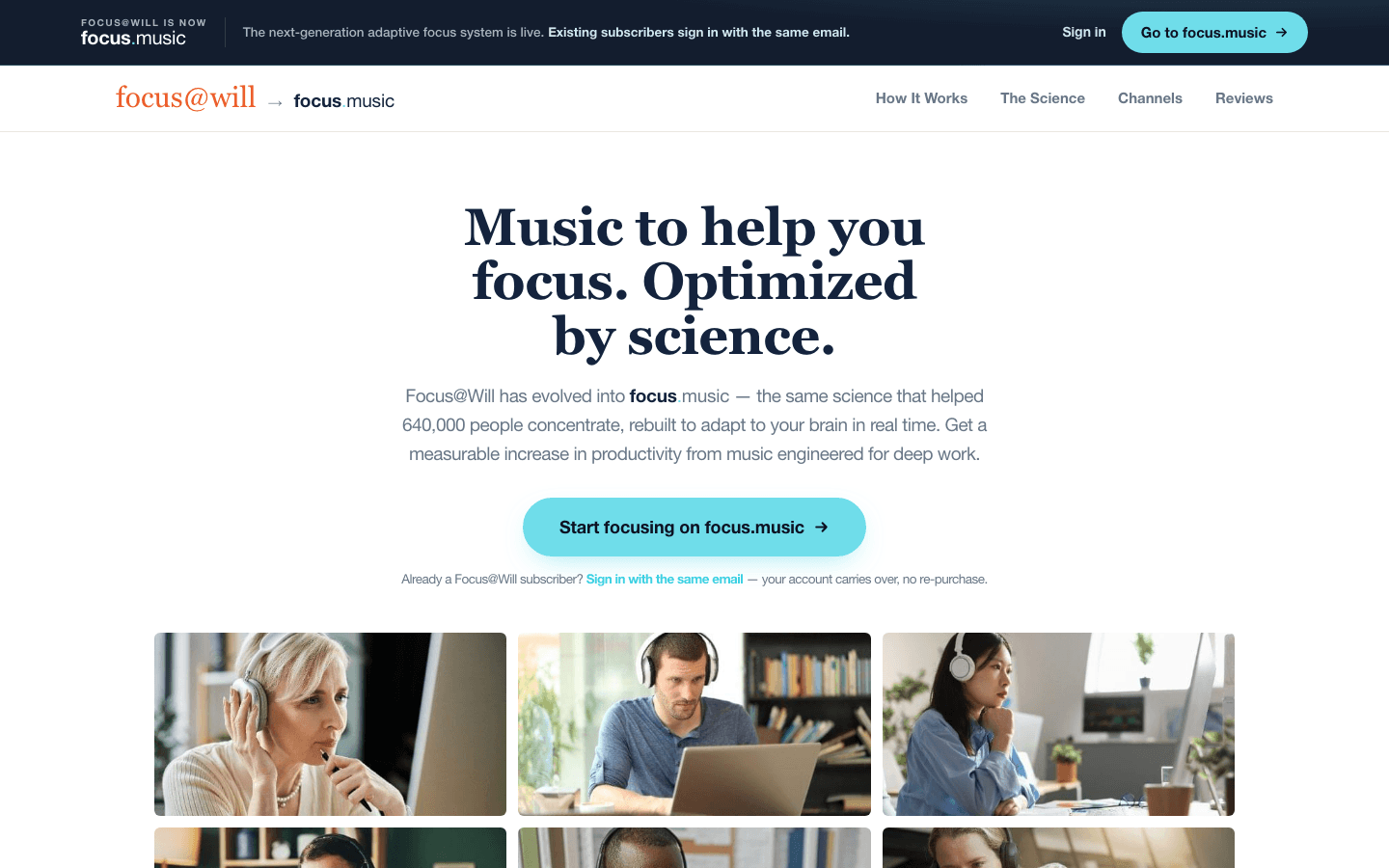
focus.music (formerly Focus@Will) rebranded in 2025, keeping its core model: a curated library of tracks specifically tested for their effect on working memory and attention. Unlike Endel's AI-generated audio, focus.music uses real recorded music, organized by genre (instrumental, ambient, uptempo) and energy level.
The science angle is genuine. The app is built on research into how different musical stimuli affect sustained attention, and it personalizes its recommendations over time using the Adaptive Music Engine. The variety of channels (lo-fi, classical, nature sounds, deep focus, coffee shop) means you can dial in the sound for the task type, not just the hour.
For people who find purely AI-generated audio too artificial, focus.music is a strong middle ground. You get the structure and optimization of Brain.fm, but with recordings that feel more organic.
Key Features
Curated music channels tested for concentration effects
Genre and energy-level filtering across 50+ channel types
Adaptive Music Engine that personalizes over time
Built-in timer and session tracking
Web app, iOS, and Android
What Works
The variety of real recorded music beats AI-generated audio for listeners who find synthetic sounds fatiguing
The timer-based session structure creates natural break checkpoints in longer work blocks
Limitations
The Focus@Will rebrand to focus.music creates some subscription confusion for longtime users
No wearable integration or biometric adaptation
Pricing: $4.99/month or $39.99/year. 7-day free trial included.
Best for: People who want the Brain.fm concept but with a broader, more varied music library using real recordings.
4. Noisli: Best for Simple, Self-Controlled Ambient Noise
Mix your own soundscape in 30 seconds, no AI required.
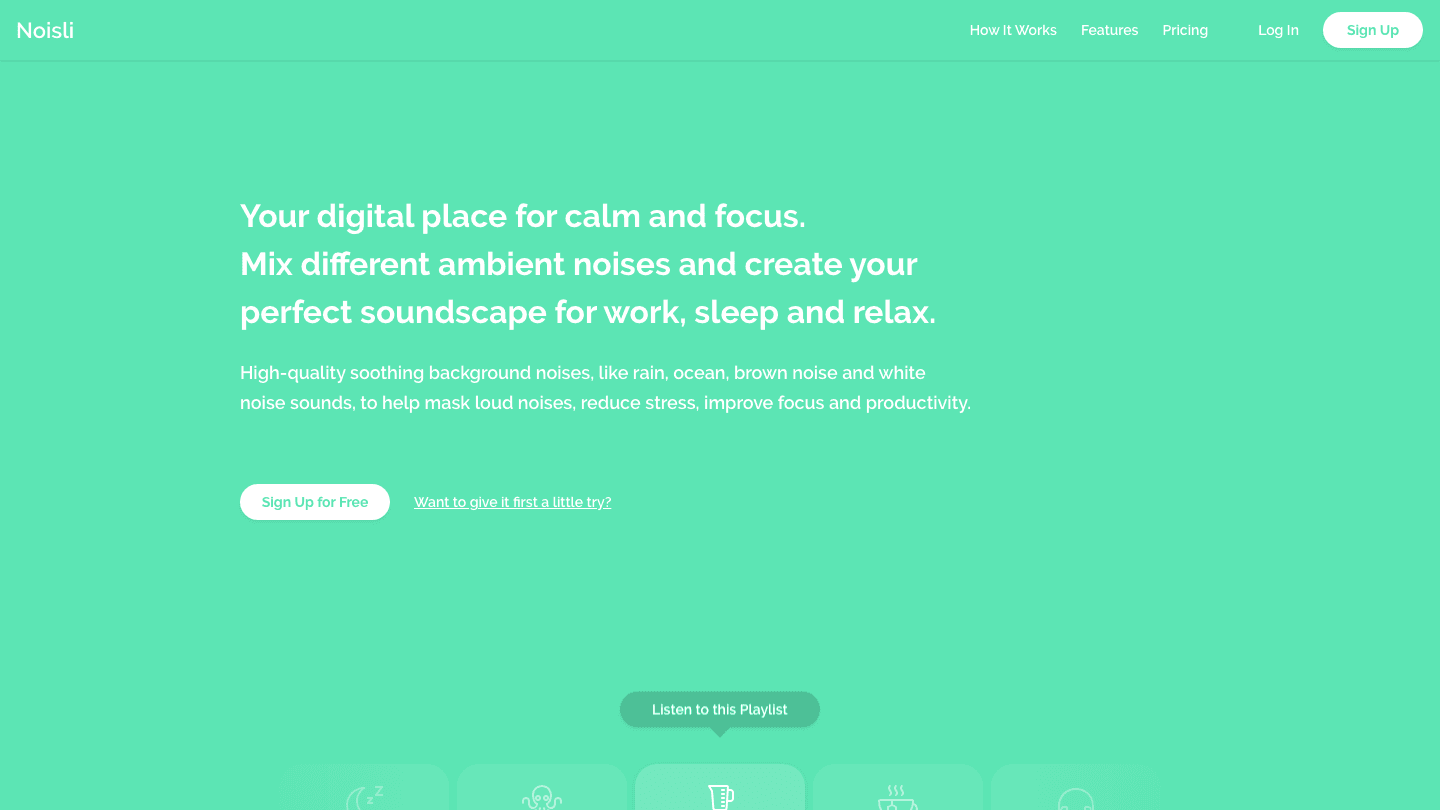
Noisli is the simplest tool on this list. There is no AI engine, no adaptive algorithm. Just a web and mobile mixer of 16 ambient sounds (rain, thunderstorm, coffee shop, white noise, pink noise, wind, fire) that you blend yourself. The result plays on loop.
What makes Noisli work is the control it gives you. You set the mix: 60% rain, 30% white noise, 10% distant thunder. Save that combination as a preset and return to it. The interface stays out of the way. You are adjusting sliders within 30 seconds of opening the app, which is more than can be said for tools that require onboarding flows to get started.
The free tier is genuinely useful, not artificially limited. It is a real starting point for people who are not sure they need to pay for ambient sound at all.
Key Features
16 ambient sounds with individual volume sliders
Unlimited preset saving for saved mixes
Background play on iOS and Android
Built-in productivity timer with a distraction-free text editor
Chrome browser extension
What Works
Zero learning curve: you are mixing sounds within seconds
The coffee shop plus rain combination is a reliable focus default for most people
A genuinely usable free tier, not a stripped demo
Limitations
No personalization or adaptation; the sounds do not respond to anything
No wearable integration or biometric input
Most features (background play, unlimited presets) require the Pro plan
Pricing: Free plan available. Pro at $10/month (billed yearly).
Best for: People who want self-controlled background noise without subscriptions or AI complexity.
5. myNoise: Best Free Option for Soundscape Variety
250+ handcrafted soundscapes, entirely free, no account required.
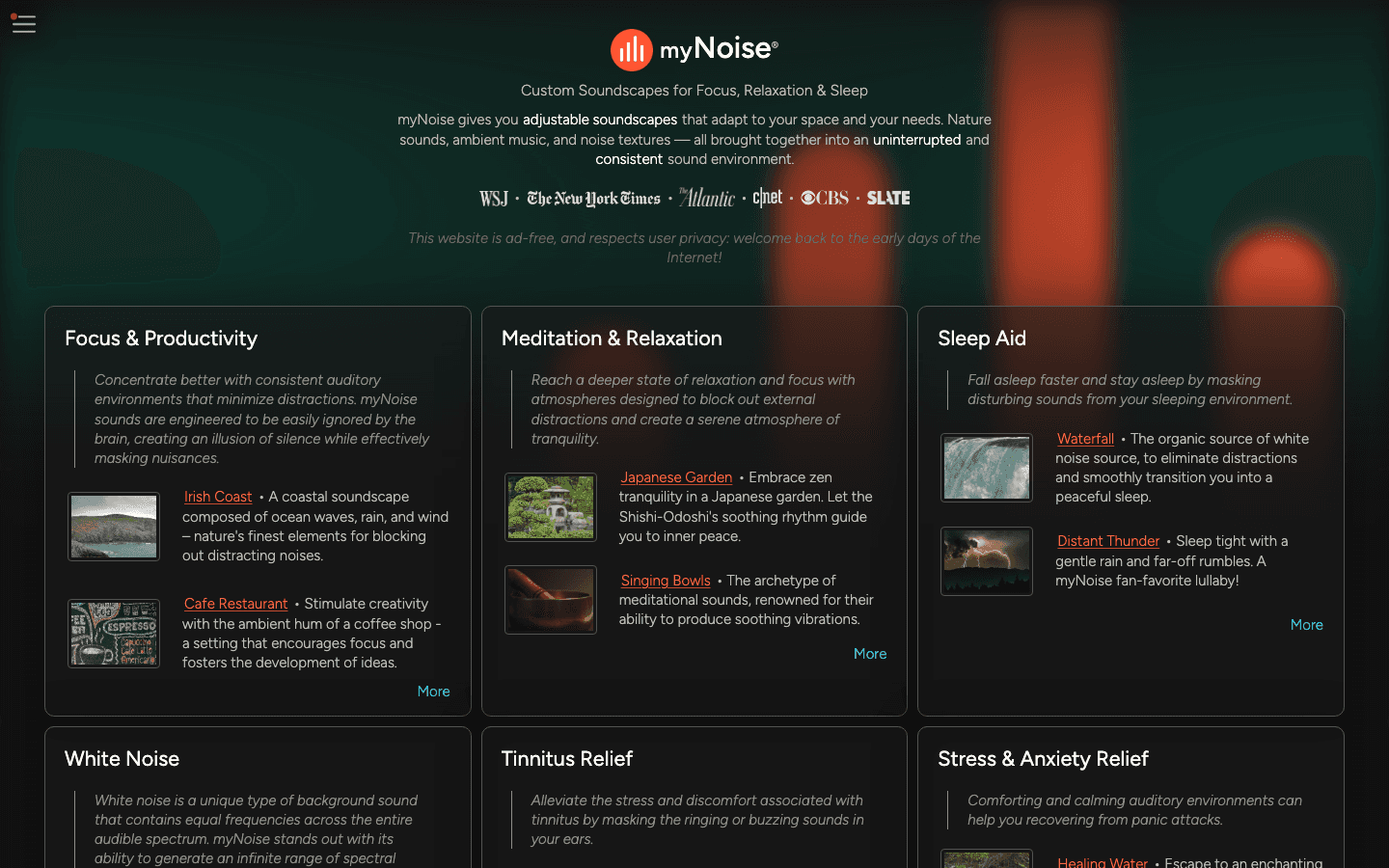
myNoise is something of a cult classic among noise-sensitive workers and productivity writers. The site hosts over 250 handcrafted soundscapes, each built with a custom audio engine and a 10-band EQ you can adjust per soundscape. The range goes from a Japanese garden to a Gregorian chant generator to the ambient interior of a space station.
It is free, ad-free, and donation-supported. Dr. Stéphane Pigeon has been building and maintaining it since 2013. That longevity matters. Unlike apps that get acquired or quietly sunset, myNoise has stayed online and largely unchanged for over a decade. You can animate the EQ sliders to create evolving variations that keep the soundscape from feeling static.
The trade-off is the interface. It looks exactly like it was built by a sound engineer in the mid-2010s, because it was. There is no mobile app polish, no calendar sync, no AI. If you want the most customization and the most variety for free, this is the answer. If you want something that feels like a product, look at Endel or Noisli.
Key Features
250+ handcrafted soundscapes covering nature, urban, tonal, and novelty categories
10-band EQ per soundscape with animation controls for evolving sounds
Entirely free and ad-free with no account required
Web, iOS, and Android (basic mobile versions)
Optional donation ($5/month or $10 one-time) unlocks all-access membership
What Works
The breadth and depth of soundscapes is impossible to match anywhere else
No account, no sign-up, no content limits (unlike Endel's 10-minute free cap)
The EQ animation feature creates genuinely evolving audio, not just a loop
Limitations
Dated interface with a steep discovery curve; finding your preferred soundscape takes time
No session timers, task features, or productivity tools
No AI adaptation or biometric integration
Pricing: Free. Optional all-access membership from $5/month or $10 one-time.
Best for: Power users who want maximum soundscape variety and customization without paying a subscription.
Which Brain.fm Alternative Is Right for You?
You want the closest direct swap, with more adaptive audio: Endel
You prefer real recorded music over AI-generated sounds: focus.music
You want a simple, self-controlled ambient noise mixer: Noisli
You want the most variety for free: myNoise
Your real problem is never actually getting into a focus session in the first place: Lifestack
Most people who use focus music regularly benefit from both layers: a scheduling tool to protect the time, and an audio tool to fill that time with the right kind of sound. Lifestack and Endel work well together for exactly this reason. Block the time with Lifestack, then run Endel for the session itself.
Frequently Asked Questions
Is there a free Brain.fm alternative?
Yes. myNoise is fully free and ad-free with over 250 soundscapes, no sign-up required. Noisli also has a usable free tier for basic sound mixing. Endel and focus.music both offer 7-day free trials before any charge.
What is the closest app to Brain.fm?
Endel is the closest in approach. Both use AI to generate or adapt audio for focus states. Endel goes further by integrating biometric data from Apple Watch to adjust the soundscape in real time based on your heart rate.
Does Brain.fm actually work scientifically?
The published research specifically on Brain.fm is limited and largely funded by the company itself. The broader evidence that certain types of background audio (nature sounds, instrumental music at moderate volume) can aid concentration is better established. Apps like focus.music and myNoise draw on that wider research base rather than proprietary claims.
Can I use focus music alongside Lifestack?
Yes, and pairing them is often the most effective setup. Getting into a focus state requires both having the time and having the right environment. Lifestack schedules and protects the block. Endel or myNoise handles the audio for the session itself. The two tools work at different layers of the same problem.
What is the best Brain.fm alternative for ADHD?
Endel's adaptive soundscapes are frequently recommended for ADHD users because the sounds shift over time, reducing the "I can hear the loop again" effect that becomes its own distraction. Lifestack also addresses ADHD-specific challenges in a different way, with energy-aware scheduling and visual focus-mode views that reduce decision fatigue around when to work.
Is focus.music the same as Focus@Will?
Yes. Focus@Will rebranded to focus.music in 2025. The service, subscription, and core Adaptive Music Engine are the same. Existing Focus@Will subscribers were migrated to the new platform automatically.
Brain.fm built its reputation on a simple premise: AI-generated audio tuned to put your brain into a focus state. For a lot of people, it works. But after years of use, the mechanical sound quality starts to grate, the subscription feels hard to justify, or the app just stops fitting into how you actually work.
This list covers five alternatives we tested in 2026. Four are direct audio replacements, each with a different take on what "focus music" should be. The fifth approaches the problem from an entirely different direction: instead of filling your headphones with the right sound, it makes sure you actually have uninterrupted time to put those headphones on.
If you find yourself using focus music but still getting pulled into meetings, notifications, and context-switching, the issue might not be the audio at all. We included an option for that too.
All five apps are active and maintained as of July 2026.
Key Takeaways
Endel and focus.music are the closest direct replacements for Brain.fm, with neuroscience-backed soundscapes and similar pricing.
Noisli and myNoise are the best picks if you want simple, customizable ambient noise without a monthly fee.
Lifestack takes a different approach: AI scheduling that protects your deep work time based on your energy levels, so you actually get to use those focus sessions.
Quick Guide: Best Brain.fm Alternatives
1. Lifestack: Best for scheduling and protecting deep work time
2. Endel: Best AI-generated adaptive soundscapes
3. focus.music: Best neuroscience-based music library
4. Noisli: Best for simple, self-controlled ambient noise
5. myNoise: Best free option with maximum variety
How We Evaluated These Brain.fm Alternatives
Audio variety and customization depth
Scientific backing for the focus claims
Platform availability (mobile, desktop, web)
Free tier quality and pricing transparency
How well each tool fits into a real workday
1. Lifestack: Best for Scheduling Your Deep Work
The AI planner that protects your focus time before you ever hit play.
Lifestack is not a focus music app. It is the piece that usually gets overlooked: the tool that decides when you focus and defends that time from interruption. Brain.fm can help you stay in flow once you are seated with headphones on. But if your deep work blocks keep getting eaten by meetings, or you never make it to them at all, no playlist will fix that.
Lifestack reads your calendar, your energy patterns, and your task list, then builds a daily schedule that puts high-focus work into your peak hours. Low-effort admin fills the valleys. The app flags overloaded days before you commit to them and syncs with Google Calendar, Apple Calendar, and Outlook.
The energy-based scheduling is what sets it apart. Most planners treat all hours as equal. Lifestack does not. If your energy peaks between 9am and 11am, that window is reserved for your hardest work. That is the session you put Endel on for. Protecting the time is the first step; the audio tools handle the rest.
Key Features
AI scheduling based on personal energy levels and peak hours
Calendar sync with Google, Apple, and Outlook
Task prioritization by effort level and deadline
ADHD-friendly interface with focus-mode views
iOS and Android apps plus Chrome extension
What Works
Energy-aware time blocking changes which hours you actually protect for creative work
The daily plan view surfaces overloaded days before they happen
Works alongside existing calendars instead of replacing them
Limitations
Not an audio tool; you still need a focus music app for the sound layer
No native macOS or Windows desktop app yet
Pricing: $7/month, $50/year (7-day free trial), or $120 lifetime.
Best for: Anyone who keeps meaning to do deep work but never quite lands the time for it. Pairs especially well with any audio tool on this list.
2. Endel: Best Adaptive AI Soundscapes
Real-time sound generation that adapts to your body, not just a timer.
Endel is the closest modern equivalent to Brain.fm in approach and polish. It generates real-time soundscapes using an AI that pulls in your circadian rhythm, the time of day, and (with Apple Watch) your actual heart rate. The soundscape shifts as your session progresses, avoiding the stuck-loop feeling that makes some people abandon Brain.fm after a few months.
The app supports Focus, Relax, Sleep, Move, and On-the-Go modes. The Focus mode in particular holds up for 90-minute deep work sessions without becoming repetitive. That is the meaningful difference from a static playlist: Endel responds to where you are in the session, not just the clock.
The Apple Watch integration is a standout. Endel can read your heart rate and adjust the soundscape's pace accordingly, adding a biometric feedback layer that no other app in this list matches.
Key Features
AI-generated soundscapes that adapt in real time to time of day and biometrics
Apple Watch integration for heart rate-driven adaptation
Multiple modes: Focus, Sleep, Relax, Move, On-the-Go
Cross-platform: iOS, Android, Mac, web, Apple TV
Offline listening with downloadable sessions
What Works
The Focus mode genuinely avoids the repetitive-loop problem that plagues most ambient music apps
Real biometric input (heart rate, time of day) makes the adaptation feel meaningful rather than cosmetic
Limitations
The free tier cuts off after roughly 10 minutes per session
No scheduling or task planning features (pair with Lifestack for that)
Pricing: $6.99/month or $49.99/year. 7-day free trial included.
Best for: Brain.fm users who want more personalized, adaptive soundscapes with wearable integration.
3. focus.music: Best Neuroscience-Based Music Library
Curated real music engineered for concentration (formerly Focus@Will).
focus.music (formerly Focus@Will) rebranded in 2025, keeping its core model: a curated library of tracks specifically tested for their effect on working memory and attention. Unlike Endel's AI-generated audio, focus.music uses real recorded music, organized by genre (instrumental, ambient, uptempo) and energy level.
The science angle is genuine. The app is built on research into how different musical stimuli affect sustained attention, and it personalizes its recommendations over time using the Adaptive Music Engine. The variety of channels (lo-fi, classical, nature sounds, deep focus, coffee shop) means you can dial in the sound for the task type, not just the hour.
For people who find purely AI-generated audio too artificial, focus.music is a strong middle ground. You get the structure and optimization of Brain.fm, but with recordings that feel more organic.
Key Features
Curated music channels tested for concentration effects
Genre and energy-level filtering across 50+ channel types
Adaptive Music Engine that personalizes over time
Built-in timer and session tracking
Web app, iOS, and Android
What Works
The variety of real recorded music beats AI-generated audio for listeners who find synthetic sounds fatiguing
The timer-based session structure creates natural break checkpoints in longer work blocks
Limitations
The Focus@Will rebrand to focus.music creates some subscription confusion for longtime users
No wearable integration or biometric adaptation
Pricing: $4.99/month or $39.99/year. 7-day free trial included.
Best for: People who want the Brain.fm concept but with a broader, more varied music library using real recordings.
4. Noisli: Best for Simple, Self-Controlled Ambient Noise
Mix your own soundscape in 30 seconds, no AI required.
Noisli is the simplest tool on this list. There is no AI engine, no adaptive algorithm. Just a web and mobile mixer of 16 ambient sounds (rain, thunderstorm, coffee shop, white noise, pink noise, wind, fire) that you blend yourself. The result plays on loop.
What makes Noisli work is the control it gives you. You set the mix: 60% rain, 30% white noise, 10% distant thunder. Save that combination as a preset and return to it. The interface stays out of the way. You are adjusting sliders within 30 seconds of opening the app, which is more than can be said for tools that require onboarding flows to get started.
The free tier is genuinely useful, not artificially limited. It is a real starting point for people who are not sure they need to pay for ambient sound at all.
Key Features
16 ambient sounds with individual volume sliders
Unlimited preset saving for saved mixes
Background play on iOS and Android
Built-in productivity timer with a distraction-free text editor
Chrome browser extension
What Works
Zero learning curve: you are mixing sounds within seconds
The coffee shop plus rain combination is a reliable focus default for most people
A genuinely usable free tier, not a stripped demo
Limitations
No personalization or adaptation; the sounds do not respond to anything
No wearable integration or biometric input
Most features (background play, unlimited presets) require the Pro plan
Pricing: Free plan available. Pro at $10/month (billed yearly).
Best for: People who want self-controlled background noise without subscriptions or AI complexity.
5. myNoise: Best Free Option for Soundscape Variety
250+ handcrafted soundscapes, entirely free, no account required.
myNoise is something of a cult classic among noise-sensitive workers and productivity writers. The site hosts over 250 handcrafted soundscapes, each built with a custom audio engine and a 10-band EQ you can adjust per soundscape. The range goes from a Japanese garden to a Gregorian chant generator to the ambient interior of a space station.
It is free, ad-free, and donation-supported. Dr. Stéphane Pigeon has been building and maintaining it since 2013. That longevity matters. Unlike apps that get acquired or quietly sunset, myNoise has stayed online and largely unchanged for over a decade. You can animate the EQ sliders to create evolving variations that keep the soundscape from feeling static.
The trade-off is the interface. It looks exactly like it was built by a sound engineer in the mid-2010s, because it was. There is no mobile app polish, no calendar sync, no AI. If you want the most customization and the most variety for free, this is the answer. If you want something that feels like a product, look at Endel or Noisli.
Key Features
250+ handcrafted soundscapes covering nature, urban, tonal, and novelty categories
10-band EQ per soundscape with animation controls for evolving sounds
Entirely free and ad-free with no account required
Web, iOS, and Android (basic mobile versions)
Optional donation ($5/month or $10 one-time) unlocks all-access membership
What Works
The breadth and depth of soundscapes is impossible to match anywhere else
No account, no sign-up, no content limits (unlike Endel's 10-minute free cap)
The EQ animation feature creates genuinely evolving audio, not just a loop
Limitations
Dated interface with a steep discovery curve; finding your preferred soundscape takes time
No session timers, task features, or productivity tools
No AI adaptation or biometric integration
Pricing: Free. Optional all-access membership from $5/month or $10 one-time.
Best for: Power users who want maximum soundscape variety and customization without paying a subscription.
Which Brain.fm Alternative Is Right for You?
You want the closest direct swap, with more adaptive audio: Endel
You prefer real recorded music over AI-generated sounds: focus.music
You want a simple, self-controlled ambient noise mixer: Noisli
You want the most variety for free: myNoise
Your real problem is never actually getting into a focus session in the first place: Lifestack
Most people who use focus music regularly benefit from both layers: a scheduling tool to protect the time, and an audio tool to fill that time with the right kind of sound. Lifestack and Endel work well together for exactly this reason. Block the time with Lifestack, then run Endel for the session itself.
Frequently Asked Questions
Is there a free Brain.fm alternative?
Yes. myNoise is fully free and ad-free with over 250 soundscapes, no sign-up required. Noisli also has a usable free tier for basic sound mixing. Endel and focus.music both offer 7-day free trials before any charge.
What is the closest app to Brain.fm?
Endel is the closest in approach. Both use AI to generate or adapt audio for focus states. Endel goes further by integrating biometric data from Apple Watch to adjust the soundscape in real time based on your heart rate.
Does Brain.fm actually work scientifically?
The published research specifically on Brain.fm is limited and largely funded by the company itself. The broader evidence that certain types of background audio (nature sounds, instrumental music at moderate volume) can aid concentration is better established. Apps like focus.music and myNoise draw on that wider research base rather than proprietary claims.
Can I use focus music alongside Lifestack?
Yes, and pairing them is often the most effective setup. Getting into a focus state requires both having the time and having the right environment. Lifestack schedules and protects the block. Endel or myNoise handles the audio for the session itself. The two tools work at different layers of the same problem.
What is the best Brain.fm alternative for ADHD?
Endel's adaptive soundscapes are frequently recommended for ADHD users because the sounds shift over time, reducing the "I can hear the loop again" effect that becomes its own distraction. Lifestack also addresses ADHD-specific challenges in a different way, with energy-aware scheduling and visual focus-mode views that reduce decision fatigue around when to work.
Is focus.music the same as Focus@Will?
Yes. Focus@Will rebranded to focus.music in 2025. The service, subscription, and core Adaptive Music Engine are the same. Existing Focus@Will subscribers were migrated to the new platform automatically.



FOLLOW ON
FOLLOW ON
FOLLOW ON


Copyright 2026 © Lifestack. All rights reserved
Copyright 2026 © Lifestack. All rights reserved

