
App
Cronometer vs MyFitnessPal: 2026 Comparison
Cronometer vs MyFitnessPal: 2026 Comparison

Cronometer and MyFitnessPal are the two dominant calorie and nutrition trackers. They serve the same basic purpose but take fundamentally different approaches. MyFitnessPal is built for convenience: massive food database, fast logging, strong community features. Cronometer is built for accuracy: verified data sources, deep micronutrient tracking, tighter integration with health platforms.
Choosing between them depends on what you actually need from a food tracker. If you want to know your calories and macros quickly without friction, MyFitnessPal is probably the right call. If you care about micronutrients, want accurate data, or are tracking for a specific health goal, Cronometer is the stronger tool.
Here is an honest comparison of both, including where each one falls short.
Key Takeaways
Cronometer has significantly more accurate nutrition data. In a 30-item comparison against USDA reference values, Cronometer matched on 30 of 30 entries. MyFitnessPal matched on 11 of 30.
MyFitnessPal has a much larger food database and is faster to use for everyday logging. Its community-contributed entries are the source of both its breadth and its accuracy problems.
Cronometer's free tier is more useful than MyFitnessPal's. MyFitnessPal restricted barcode scanning and other core features to paid users starting in 2024.
Quick Verdict
Cronometer: Best for users who care about data accuracy, micronutrient tracking, and health-condition-aware logging
MyFitnessPal: Best for users who want the fastest logging experience with the most restaurant and brand coverage
Cronometer Overview
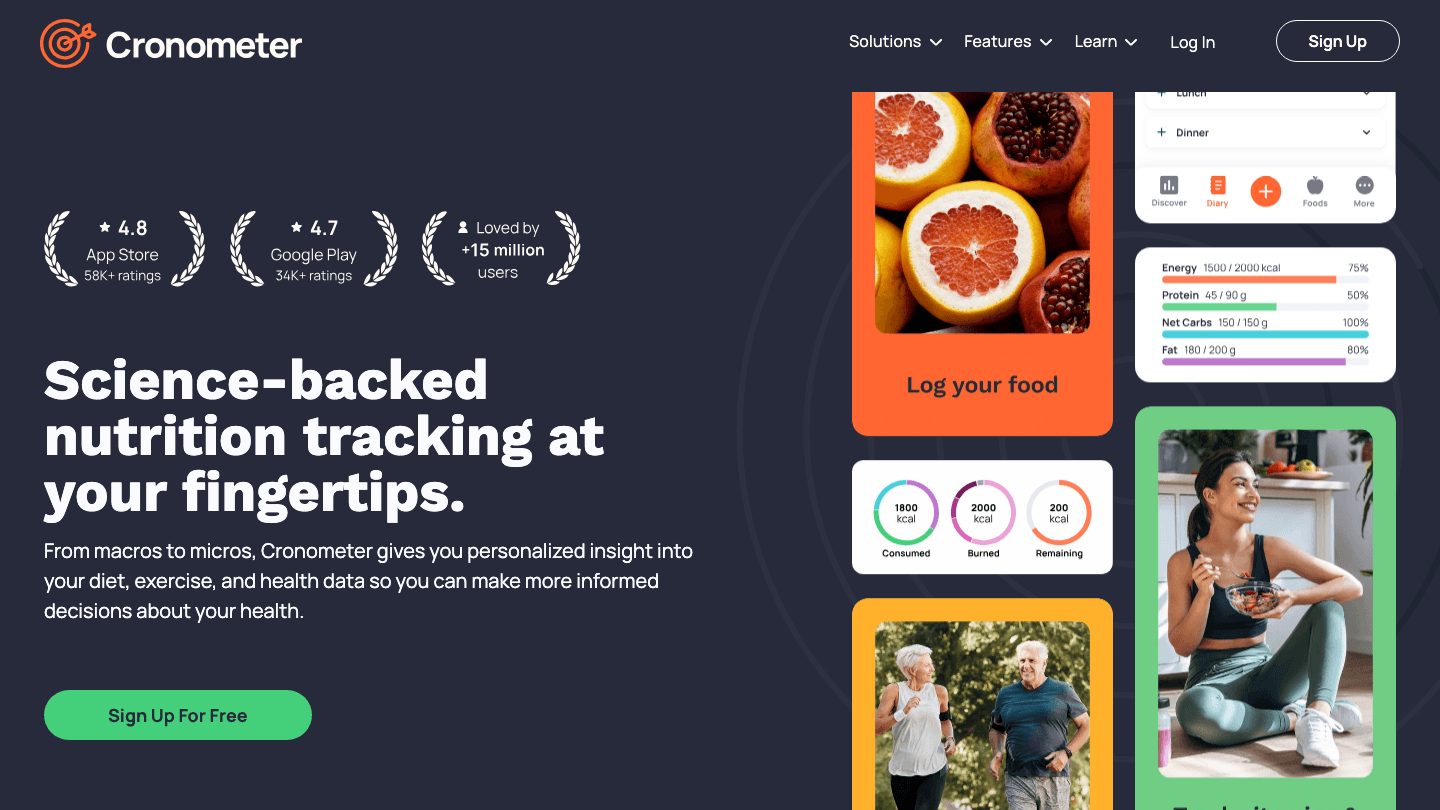
Cronometer was built with data integrity as its core design principle. Rather than allowing community-contributed entries (which is where most calorie trackers accumulate inaccurate data), Cronometer pulls from verified sources including USDA, NCCDB, and CRDB. Every entry in the database is reviewed for accuracy before it is made available.
The result is a tracker that is genuinely reliable for micronutrient tracking. You can track not just calories and macros but also detailed vitamins, minerals, fatty acid profiles, and amino acids. For people managing specific health conditions, athletes tracking nutrient timing, or anyone who has ever found that two entries for the same food in a crowdsourced database disagree by 200 calories, Cronometer's approach is a meaningful improvement. It integrates well with Apple Health and is listed in our guide on apps that work with Apple Health.
Key Features:
84+ tracked nutrients from verified databases
Detailed micronutrient breakdowns (vitamins, minerals, amino acids, fatty acids)
Integration with Apple Health, Garmin, Fitbit, and other health platforms
Biometric tracking (weight, blood pressure, blood glucose)
Full features available on the free tier
Pros:
Most accurate nutrition database of any mainstream tracker
Micronutrient depth that MyFitnessPal cannot match
Free tier is not artificially limited
Limitations:
Smaller food database means more manual entry for regional and restaurant foods
Interface is more functional than intuitive for casual users
No social or community features
Pricing: Free. Gold (premium) from $9.99/month or $54.95/year.
Best for: Athletes, health-conscious users, people with dietary health conditions, anyone who wants accurate micronutrient data.
MyFitnessPal Overview
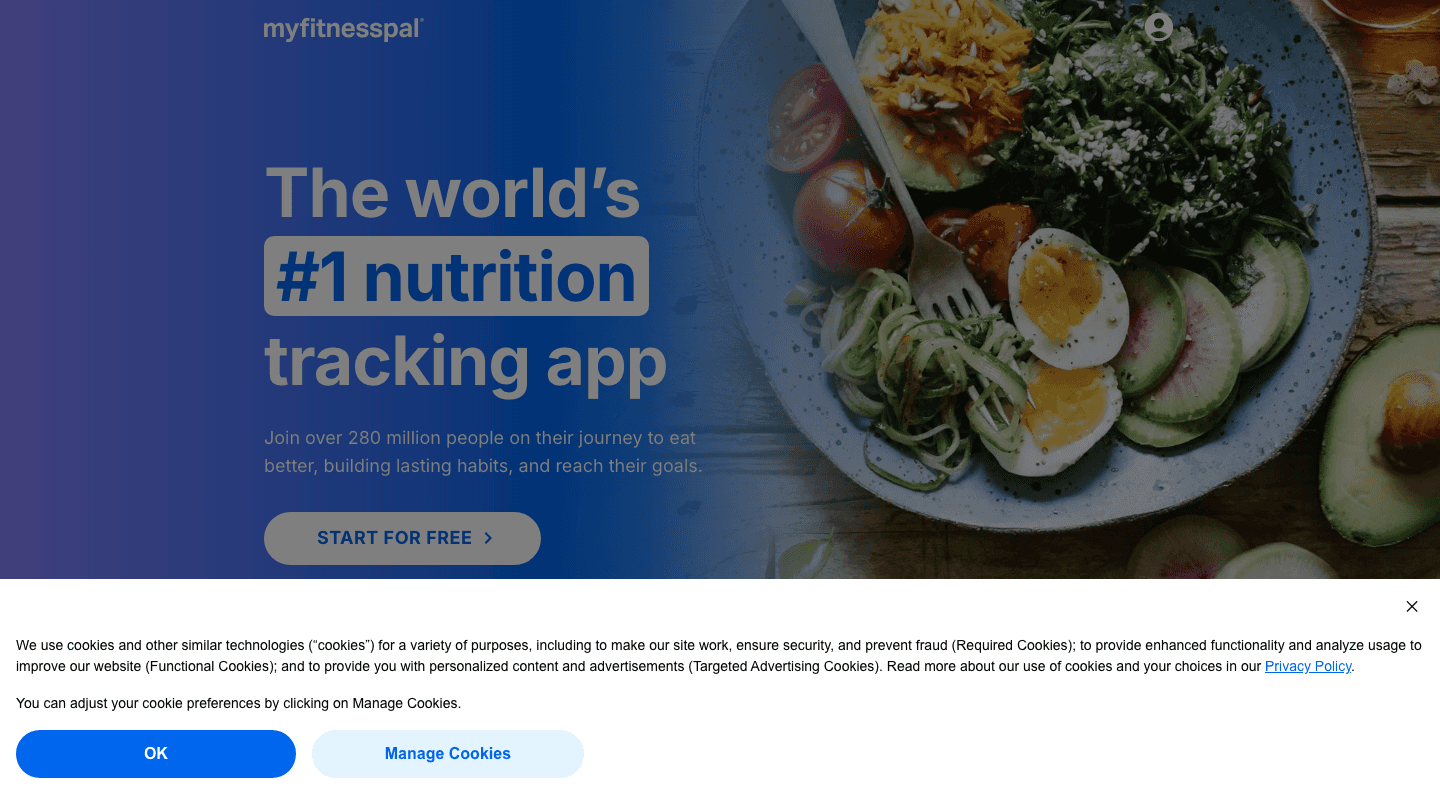
MyFitnessPal became the dominant calorie tracker by making food logging as fast as possible. With over 14 million foods in its database (the majority contributed by users), it covers virtually every restaurant chain, grocery brand, and packaged food you are likely to encounter. Barcode scanning on mobile is fast and usually returns results immediately. Restaurant chains often have their full menu available with updated nutrition information.
The trade-off is data accuracy. Community contributions are inconsistent. Two entries for the same food from the same restaurant can vary significantly, and there is no systematic verification process. For casual calorie tracking where rough accuracy is sufficient, this rarely matters. For detailed nutrition analysis, it matters quite a lot. The app also integrates with other health apps, and if you use MyFitnessPal, the guide on apps to pair with MyFitnessPal covers what works best alongside it.
Key Features:
14+ million foods in the database
Fast barcode scanning and restaurant menu coverage
Macro and calorie goal tracking with progress charts
Community features and social accountability
Integration with fitness trackers and health apps
Pros:
Largest food database of any tracker; best restaurant coverage
Fastest day-to-day logging experience
Strong free tier history; large community
Limitations:
Accuracy issues from community-contributed entries
Barcode scanning moved to paid tier in 2024
Micronutrient tracking is limited compared to Cronometer
Pricing: Free (limited). Premium $6.67/month ($79.99 billed annually) or $24.99/month.
Best for: Casual calorie counters, users who eat frequently at restaurants or chain restaurants, people who prioritize logging speed over data precision.
Head-to-Head: Key Differences
Data accuracy: Cronometer wins clearly. Verified databases vs. community contributions is not a close comparison.
Food database size: MyFitnessPal wins by a wide margin. 14 million entries vs. a much smaller verified set.
Micronutrients: Cronometer wins. 84+ tracked nutrients vs. MyFitnessPal's much more limited micronutrient view.
Logging speed: MyFitnessPal wins for everyday use. Faster barcode scanning and more instant results.
Free tier value: Cronometer wins. MyFitnessPal's free tier is meaningfully restricted; Cronometer's is not.
Health integrations: Both integrate with Apple Health, Garmin, and Fitbit. Cronometer's biometric tracking is broader.
Pricing (paid tier): Cronometer wins. $54.95/year vs. $79.99/year for MyFitnessPal Premium.
Which Should You Choose?
You care about accurate nutrition data: Cronometer. The accuracy gap is significant and makes a real difference for anything beyond casual calorie counting.
You eat at restaurants frequently: MyFitnessPal. Its restaurant database coverage is far superior.
You want to track micronutrients (vitamins, minerals): Cronometer. MyFitnessPal does not provide meaningful depth here.
You want the fastest possible logging: MyFitnessPal. Especially if you are coming from a period of not tracking and just want to get started quickly.
You are managing a health condition or working with a dietitian: Cronometer. The verified data and biometric integration make it more suitable for clinical or therapeutic contexts.
Budget matters: Both have free tiers, but Cronometer's is more useful and its paid tier costs less.
If you struggle with forgetting to eat or eating irregularly, our guide on ADHD and forgetting to eat addresses the behavioral patterns behind inconsistent eating that a food tracker can help identify but cannot fix on its own. Similarly, the ADHD food hacks guide covers practical strategies for building more consistent eating routines alongside tracking. And if you are building a more structured daily routine around nutrition and energy, energy-based scheduling covers how to align meals and work sessions with your cognitive peaks.
If you are looking for a tool that automatically builds daily structure around your health data, including the kind of food and energy patterns that good nutrition tracking surfaces, Lifestack connects to Apple Health and your calendar to schedule tasks and focus sessions around your actual energy levels. Plans start at $7/month or $50/year with a 7-day free trial.
Frequently Asked Questions
Is Cronometer more accurate than MyFitnessPal?
Yes, significantly. Cronometer uses verified nutrition databases (USDA, NCCDB) with review processes for every entry. MyFitnessPal relies heavily on user-contributed data, which varies widely in accuracy. In published accuracy tests against USDA reference values, Cronometer's data is substantially more reliable.
Does MyFitnessPal still have a free tier?
Yes, but it is more limited than it used to be. MyFitnessPal moved barcode scanning and some other features to the paid Premium tier starting in 2024. The free tier still allows manual logging and basic calorie tracking. Cronometer's free tier includes full features without major restrictions.
Can I use both Cronometer and MyFitnessPal at the same time?
Technically yes, but there is little reason to. The most common approach is using Cronometer for detailed nutrition analysis and verification, and MyFitnessPal for restaurant logging when accurate data is less available. Both integrate with Apple Health, so you could in principle keep both installed. For most people, picking one and being consistent produces better data than splitting between two.
Which is better for weight loss: Cronometer or MyFitnessPal?
Both work for weight loss by creating calorie awareness and logging accountability. MyFitnessPal is faster and more forgiving, which makes it easier to maintain daily. Cronometer's accuracy advantage matters more if you are eating a lot of whole foods or tracking specific nutrient ratios. For pure calorie-deficit tracking, either works. For understanding the nutritional quality of your diet alongside the calorie count, Cronometer is the stronger choice.
Does Cronometer or MyFitnessPal have better Apple Watch support?
Both integrate with Apple Health, which connects to Apple Watch. MyFitnessPal has a native Apple Watch app for quick logging. Cronometer's Apple Watch support is more limited but its Apple Health integration is broader for health metrics. If Apple Watch logging speed is a priority, MyFitnessPal is the better fit.
Cronometer and MyFitnessPal are the two dominant calorie and nutrition trackers. They serve the same basic purpose but take fundamentally different approaches. MyFitnessPal is built for convenience: massive food database, fast logging, strong community features. Cronometer is built for accuracy: verified data sources, deep micronutrient tracking, tighter integration with health platforms.
Choosing between them depends on what you actually need from a food tracker. If you want to know your calories and macros quickly without friction, MyFitnessPal is probably the right call. If you care about micronutrients, want accurate data, or are tracking for a specific health goal, Cronometer is the stronger tool.
Here is an honest comparison of both, including where each one falls short.
Key Takeaways
Cronometer has significantly more accurate nutrition data. In a 30-item comparison against USDA reference values, Cronometer matched on 30 of 30 entries. MyFitnessPal matched on 11 of 30.
MyFitnessPal has a much larger food database and is faster to use for everyday logging. Its community-contributed entries are the source of both its breadth and its accuracy problems.
Cronometer's free tier is more useful than MyFitnessPal's. MyFitnessPal restricted barcode scanning and other core features to paid users starting in 2024.
Quick Verdict
Cronometer: Best for users who care about data accuracy, micronutrient tracking, and health-condition-aware logging
MyFitnessPal: Best for users who want the fastest logging experience with the most restaurant and brand coverage
Cronometer Overview
Cronometer was built with data integrity as its core design principle. Rather than allowing community-contributed entries (which is where most calorie trackers accumulate inaccurate data), Cronometer pulls from verified sources including USDA, NCCDB, and CRDB. Every entry in the database is reviewed for accuracy before it is made available.
The result is a tracker that is genuinely reliable for micronutrient tracking. You can track not just calories and macros but also detailed vitamins, minerals, fatty acid profiles, and amino acids. For people managing specific health conditions, athletes tracking nutrient timing, or anyone who has ever found that two entries for the same food in a crowdsourced database disagree by 200 calories, Cronometer's approach is a meaningful improvement. It integrates well with Apple Health and is listed in our guide on apps that work with Apple Health.
Key Features:
84+ tracked nutrients from verified databases
Detailed micronutrient breakdowns (vitamins, minerals, amino acids, fatty acids)
Integration with Apple Health, Garmin, Fitbit, and other health platforms
Biometric tracking (weight, blood pressure, blood glucose)
Full features available on the free tier
Pros:
Most accurate nutrition database of any mainstream tracker
Micronutrient depth that MyFitnessPal cannot match
Free tier is not artificially limited
Limitations:
Smaller food database means more manual entry for regional and restaurant foods
Interface is more functional than intuitive for casual users
No social or community features
Pricing: Free. Gold (premium) from $9.99/month or $54.95/year.
Best for: Athletes, health-conscious users, people with dietary health conditions, anyone who wants accurate micronutrient data.
MyFitnessPal Overview
MyFitnessPal became the dominant calorie tracker by making food logging as fast as possible. With over 14 million foods in its database (the majority contributed by users), it covers virtually every restaurant chain, grocery brand, and packaged food you are likely to encounter. Barcode scanning on mobile is fast and usually returns results immediately. Restaurant chains often have their full menu available with updated nutrition information.
The trade-off is data accuracy. Community contributions are inconsistent. Two entries for the same food from the same restaurant can vary significantly, and there is no systematic verification process. For casual calorie tracking where rough accuracy is sufficient, this rarely matters. For detailed nutrition analysis, it matters quite a lot. The app also integrates with other health apps, and if you use MyFitnessPal, the guide on apps to pair with MyFitnessPal covers what works best alongside it.
Key Features:
14+ million foods in the database
Fast barcode scanning and restaurant menu coverage
Macro and calorie goal tracking with progress charts
Community features and social accountability
Integration with fitness trackers and health apps
Pros:
Largest food database of any tracker; best restaurant coverage
Fastest day-to-day logging experience
Strong free tier history; large community
Limitations:
Accuracy issues from community-contributed entries
Barcode scanning moved to paid tier in 2024
Micronutrient tracking is limited compared to Cronometer
Pricing: Free (limited). Premium $6.67/month ($79.99 billed annually) or $24.99/month.
Best for: Casual calorie counters, users who eat frequently at restaurants or chain restaurants, people who prioritize logging speed over data precision.
Head-to-Head: Key Differences
Data accuracy: Cronometer wins clearly. Verified databases vs. community contributions is not a close comparison.
Food database size: MyFitnessPal wins by a wide margin. 14 million entries vs. a much smaller verified set.
Micronutrients: Cronometer wins. 84+ tracked nutrients vs. MyFitnessPal's much more limited micronutrient view.
Logging speed: MyFitnessPal wins for everyday use. Faster barcode scanning and more instant results.
Free tier value: Cronometer wins. MyFitnessPal's free tier is meaningfully restricted; Cronometer's is not.
Health integrations: Both integrate with Apple Health, Garmin, and Fitbit. Cronometer's biometric tracking is broader.
Pricing (paid tier): Cronometer wins. $54.95/year vs. $79.99/year for MyFitnessPal Premium.
Which Should You Choose?
You care about accurate nutrition data: Cronometer. The accuracy gap is significant and makes a real difference for anything beyond casual calorie counting.
You eat at restaurants frequently: MyFitnessPal. Its restaurant database coverage is far superior.
You want to track micronutrients (vitamins, minerals): Cronometer. MyFitnessPal does not provide meaningful depth here.
You want the fastest possible logging: MyFitnessPal. Especially if you are coming from a period of not tracking and just want to get started quickly.
You are managing a health condition or working with a dietitian: Cronometer. The verified data and biometric integration make it more suitable for clinical or therapeutic contexts.
Budget matters: Both have free tiers, but Cronometer's is more useful and its paid tier costs less.
If you struggle with forgetting to eat or eating irregularly, our guide on ADHD and forgetting to eat addresses the behavioral patterns behind inconsistent eating that a food tracker can help identify but cannot fix on its own. Similarly, the ADHD food hacks guide covers practical strategies for building more consistent eating routines alongside tracking. And if you are building a more structured daily routine around nutrition and energy, energy-based scheduling covers how to align meals and work sessions with your cognitive peaks.
If you are looking for a tool that automatically builds daily structure around your health data, including the kind of food and energy patterns that good nutrition tracking surfaces, Lifestack connects to Apple Health and your calendar to schedule tasks and focus sessions around your actual energy levels. Plans start at $7/month or $50/year with a 7-day free trial.
Frequently Asked Questions
Is Cronometer more accurate than MyFitnessPal?
Yes, significantly. Cronometer uses verified nutrition databases (USDA, NCCDB) with review processes for every entry. MyFitnessPal relies heavily on user-contributed data, which varies widely in accuracy. In published accuracy tests against USDA reference values, Cronometer's data is substantially more reliable.
Does MyFitnessPal still have a free tier?
Yes, but it is more limited than it used to be. MyFitnessPal moved barcode scanning and some other features to the paid Premium tier starting in 2024. The free tier still allows manual logging and basic calorie tracking. Cronometer's free tier includes full features without major restrictions.
Can I use both Cronometer and MyFitnessPal at the same time?
Technically yes, but there is little reason to. The most common approach is using Cronometer for detailed nutrition analysis and verification, and MyFitnessPal for restaurant logging when accurate data is less available. Both integrate with Apple Health, so you could in principle keep both installed. For most people, picking one and being consistent produces better data than splitting between two.
Which is better for weight loss: Cronometer or MyFitnessPal?
Both work for weight loss by creating calorie awareness and logging accountability. MyFitnessPal is faster and more forgiving, which makes it easier to maintain daily. Cronometer's accuracy advantage matters more if you are eating a lot of whole foods or tracking specific nutrient ratios. For pure calorie-deficit tracking, either works. For understanding the nutritional quality of your diet alongside the calorie count, Cronometer is the stronger choice.
Does Cronometer or MyFitnessPal have better Apple Watch support?
Both integrate with Apple Health, which connects to Apple Watch. MyFitnessPal has a native Apple Watch app for quick logging. Cronometer's Apple Watch support is more limited but its Apple Health integration is broader for health metrics. If Apple Watch logging speed is a priority, MyFitnessPal is the better fit.



FOLLOW ON
FOLLOW ON
FOLLOW ON



Copyright 2026 © Lifestack. All rights reserved
Copyright 2026 © Lifestack. All rights reserved

