
App
Best Eisenhower Matrix App: 6 Top Picks for 2026
Best Eisenhower Matrix App: 6 Top Picks for 2026

What Makes a Good Eisenhower Matrix App?
The Eisenhower Matrix sorts every task into four quadrants: Urgent + Important (do now), Important + Not Urgent (schedule), Urgent + Not Important (delegate), and Neither (delete). It's one of the most effective prioritization frameworks ever developed, and it works best when your task manager helps you apply it without friction.
Most task managers don't build the matrix directly into their interface. They offer priority levels, filters, or labels that you can configure into a matrix workflow -- but the setup is on you. A handful go further with dedicated views. Only one, Lifestack, approaches the problem from the angle of energy: automatically surfacing what you should work on based on both urgency and when you're actually capable of doing the work.
We tested six of the best options across price points, platforms, and use cases. Here's what we found.
Key Takeaways
Lifestack is the only app that combines urgency-based prioritization with energy-aware scheduling -- it doesn't just show you what's important, it schedules it when you're equipped to do it
For a pure Eisenhower Matrix experience, TickTick's Priority Matrix widget and Todoist's filter system are the strongest general-purpose options
Microsoft To Do is the best free choice: the Importance flag combined with My Day creates a functional urgent/important sorting workflow at zero cost
Quick Guide: Best Eisenhower Matrix Apps
Lifestack -- Best overall: AI-powered scheduling that acts on urgency and energy
Todoist -- Best for customizable workflows: Priority levels + filters build any matrix view
TickTick -- Best value: Built-in Priority Matrix widget + habit tracker for $3/month
Things 3 -- Best for iOS/Mac users: Beautiful priority sorting, no subscription
Microsoft To Do -- Best free option: Simple importance + My Day = Eisenhower workflow
Asana -- Best for teams: Priority Matrix as a built-in view type
How We Evaluated
Priority visibility: Can you see urgent vs. important tasks in a single glance?
Friction to apply the matrix: Does setup require manual configuration or is it native?
Cross-platform availability: iOS, Android, web, desktop
Scheduling integration: Does the app help you time tasks, not just label them?
Price: Free tier quality, premium value, and total cost of ownership
1. Lifestack -- Best Overall Eisenhower Matrix App
The only app that prioritizes by urgency AND energy automatically.

Lifestack takes the Eisenhower Matrix further than any other app on this list. Most tools let you label tasks as urgent or important -- Lifestack actually schedules them based on both urgency AND your real-time energy level. A task that's urgent but cognitively demanding gets scheduled during your morning peak window, not at 3pm when your focus has dropped.
This addresses the part of the Eisenhower Matrix that no framework resolves on its own: you can identify what's important, but the matrix doesn't tell you when to do it relative to how you're actually feeling. Lifestack closes that gap with energy-based scheduling -- your calendar adapts to your energy, not the other way around.
The app connects to your existing calendar and task list, surfaces Q1 and Q2 work during your high-energy windows, and deprioritizes Q3/Q4 tasks when your cognitive load is high. It's particularly effective for people who deal with decision paralysis around what to work on next -- the app removes that decision entirely.
AI-powered scheduling that places urgent + important tasks in high-energy windows
Calendar integration with Google Calendar, Apple Calendar, and more
Energy-aware daily planning that adapts in real time
Available on iOS and Android with a Chrome extension
What Works
Removes the daily decision of "what should I work on now" -- the system decides based on urgency and energy
Reduces context switching by batching similar-energy tasks together
Particularly powerful for ADHD users who struggle with task initiation and prioritization
Limitations
Requires some initial setup to connect calendar and set energy preferences
Doesn't display a traditional four-quadrant matrix view (it schedules based on the logic, not the visual)
Pricing: $10/month or $50/year (7-day free trial on annual plan)
Best for: People who want their prioritization system to run automatically, not manually.
2. Todoist -- Best for Customizable Workflows
Four priority levels and powerful filters build any matrix configuration you need.

Todoist doesn't have a native Eisenhower Matrix view, but its P1-P4 priority system and filter builder let you approximate it well. Create a filter like "p1 & overdue" for Q1, "p2 & !overdue" for Q2, "p3" for Q3, and you have a working matrix across four separate views.
The real strength is Todoist's polish and reliability. 50 million users, consistent sync across iOS/Android/web/desktop, solid natural language task creation, and a clean interface that doesn't get in the way. If you already use Todoist and want to add Eisenhower logic, you don't need to switch apps -- just set up the filters.
Four priority levels (P1-P4) map directly to Eisenhower quadrants
Custom filters with boolean logic for building any matrix view
Natural language task entry with date and priority parsing
Calendar view (Pro), integrations with Google Calendar, Slack, and more
What Works
Best-in-class filter system for building custom Eisenhower views
Clean UI that works well across all platforms
Excellent for people who manage both personal and professional task lists
Limitations
No native Eisenhower Matrix view -- requires manual filter setup
No energy awareness -- prioritization is time-based, not energy-based
Free plan limited to 5 projects
Pricing: Free (5 projects); Pro: $5/month (annual) or $7/month. For more, see our Todoist alternatives guide if you're comparing options.
Best for: Power users who want full control over their prioritization workflow and don't mind manual filter configuration.
3. TickTick -- Best Value
The only mainstream task manager with a built-in Priority Matrix widget.
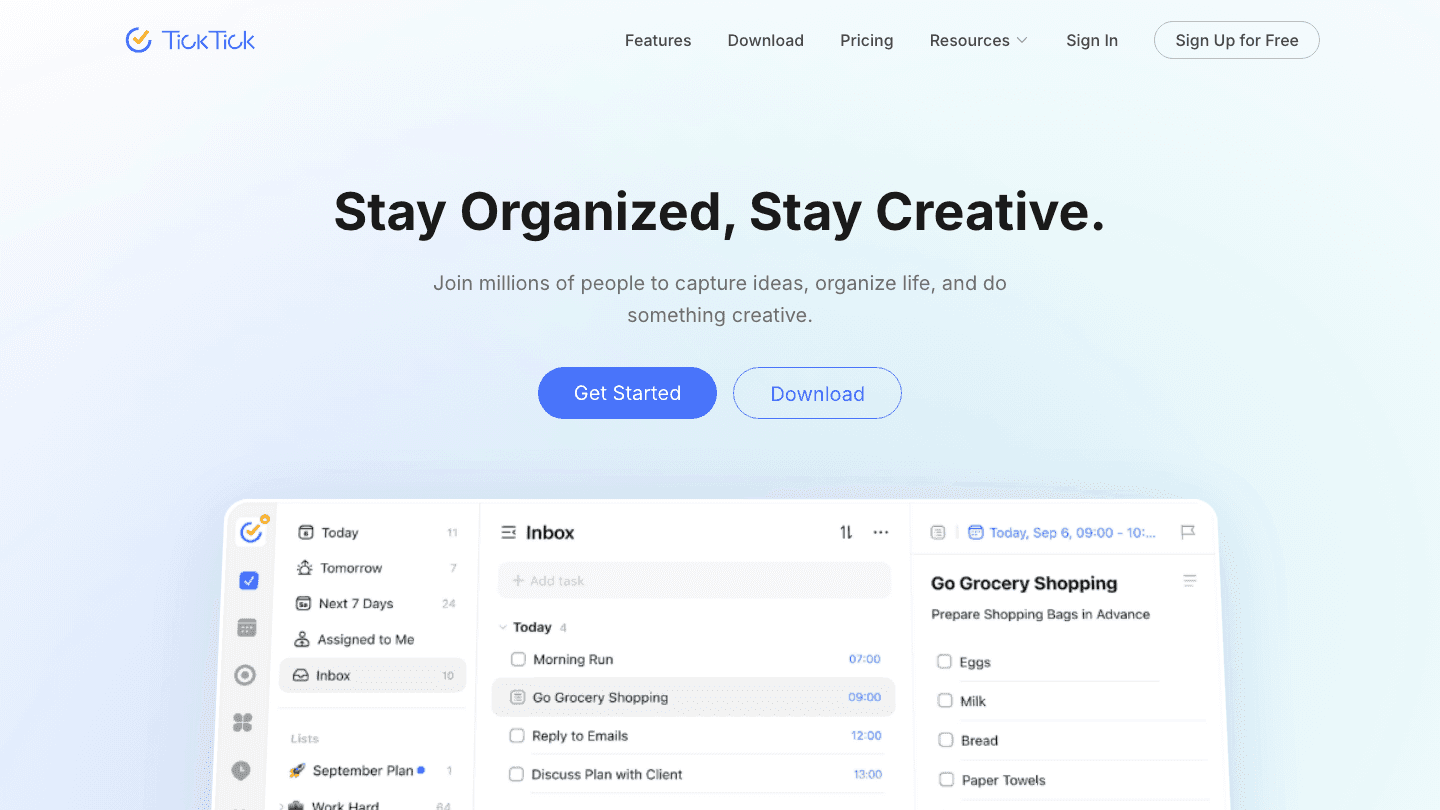
TickTick is the closest thing to a native Eisenhower Matrix implementation at a low price. The mobile app includes a Priority Matrix home widget that displays your tasks in four quadrants by priority and deadline -- no filter setup required. On desktop, you use TickTick's priority system (four levels) and filter views to replicate the matrix.
Beyond the matrix, TickTick bundles a calendar view, habit tracker, and Pomodoro timer into the same $3/month subscription. For the price, no other app on this list offers as many tools in one place. Read our full TickTick review for the complete breakdown.
Priority Matrix widget (iOS/Android): tasks displayed in four quadrants
Four priority levels map to Eisenhower quadrants
Calendar view, habit tracker, and Pomodoro timer included
Available on iOS, Android, macOS, Windows, and web
What Works
Built-in Priority Matrix widget is the most native Eisenhower experience of any general task manager
Best price-to-feature ratio in the category
2026 AI updates added voice task creation
Limitations
No energy awareness -- matrix is time-and-priority-based only
Interface is denser than minimalist competitors
Google Calendar sync can lag
Pricing: Free (basic); Premium: $3/month (billed annually at $35.99/year)
Best for: Users who want a visual Eisenhower Matrix widget plus habit tracking and Pomodoro in one subscription.
4. Things 3 -- Best for iOS and Mac
Clean priority sorting and a one-time purchase price, no subscription required.
Things 3 doesn't have an Eisenhower Matrix mode, but its Today, Upcoming, and Someday areas naturally map to Eisenhower quadrants: Today covers your Q1 and Q2 work for the day, Upcoming handles scheduled Q2 items, and Someday holds Q3/Q4 tasks you're not ready to address.
The design is exceptional. Things 3 is widely regarded as the most beautifully designed task manager available, and using it is a genuinely pleasant experience. The $49.99 one-time purchase for iPhone means zero ongoing cost, which makes it one of the best long-term values if you're an iOS-first user.
Today, Upcoming, Someday structure approximates Q1/Q2/Q3 sorting
Tags for custom Eisenhower labeling
Native iOS/macOS design, excellent widget support
One-time purchase: $49.99 (iPhone), $19.99 (iPad), $49.99 (Mac)
What Works
Beautiful, distraction-free design that makes daily review a pleasure
No subscription -- best long-term value for Apple-ecosystem users
Excellent Apple Watch and Shortcuts integration
Limitations
iOS and macOS only -- no Android or Windows
No energy awareness or AI scheduling
No native Eisenhower view -- requires intentional use of Today/Upcoming/Someday structure
Pricing: One-time purchase. iPhone: $49.99 | iPad: $19.99 | Mac: $49.99
Best for: Apple-ecosystem users who prefer a one-time purchase and a clean, minimal interface.
5. Microsoft To Do -- Best Free Option
The Importance flag plus My Day creates a free Eisenhower workflow that works.
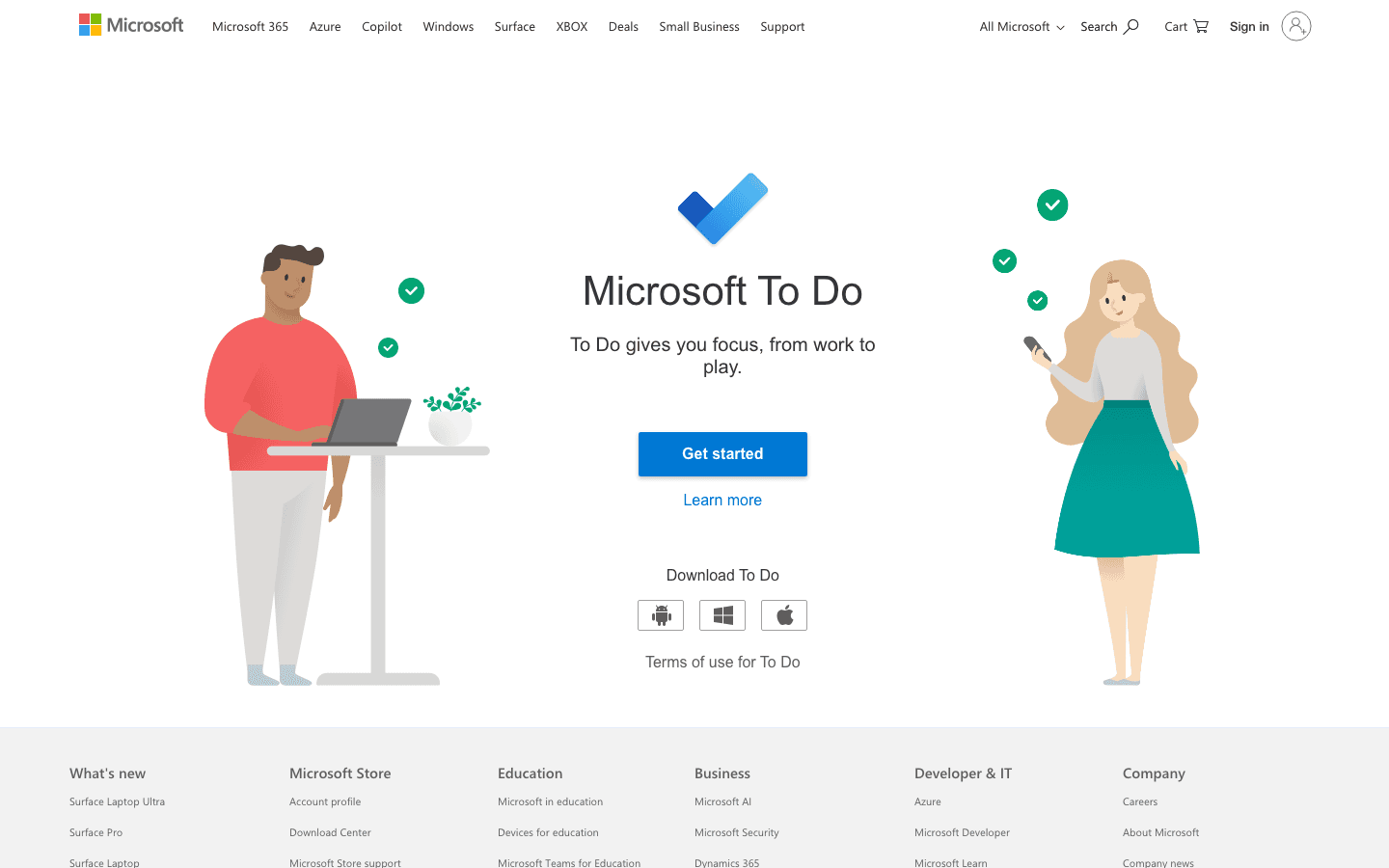
Microsoft To Do is free, and it works well for Eisenhower-style prioritization if you use it correctly. The Importance flag (a star icon) marks tasks as high-priority. My Day is a curated daily list you build each morning. The combination -- Importance flag for "urgent/important" and My Day for "what I'm doing today" -- gives you a functional Q1/Q2 workflow at zero cost.
It integrates with Microsoft 365, so if you live in Outlook and Teams, your tasks and email to-dos sync automatically. For Windows and Office users, it's the lowest-friction starting point for Eisenhower thinking.
Importance flag (star) marks urgent/important tasks
My Day for daily prioritization from your full task list
Microsoft 365 integration: Outlook tasks, Planner, Teams
Available on iOS, Android, Windows, macOS, and web
What Works
Free with no meaningful feature caps for personal use
My Day suggestion feature surfaces overdue and important tasks automatically
Best in category for Microsoft 365 users
Limitations
No native Eisenhower Matrix view -- requires deliberate use of Importance + My Day
No energy awareness or AI scheduling
Interface is functional but basic compared to premium alternatives
Pricing: Free (included with Microsoft account)
Best for: Microsoft 365 users who want free Eisenhower-style task management.
6. Asana -- Best for Teams
A native Priority Matrix view built for collaborative work.

Asana is the only app on this list with a genuinely native Eisenhower Matrix view. The Priority Matrix feature displays your team's tasks in four labeled quadrants -- Do First, Schedule, Delegate, and Don't Do -- with tasks assigned to each quadrant by due date and priority level.
It's a team tool, not a personal one. Asana's strength is coordinating work across multiple people, with task assignments, project timelines, workload views, and status updates. If you're managing a team and want the Eisenhower framework applied at scale, Asana is the most direct path. For personal use, the complexity and price make it overkill versus the other options here.
Native Priority Matrix view with four labeled Eisenhower quadrants
Task assignments, project timelines, and team workload views
Integrations with Slack, Google Workspace, Microsoft 365, and more
AI-powered task suggestions and project automation (2026)
What Works
The most direct Eisenhower Matrix implementation of any team tool
Best for coordinating prioritization across a team, not just for personal use
Free tier is generous for small teams
Limitations
No energy awareness -- priority is set manually, not adaptively
Overkill for personal task management
Paid tier required for advanced features ($10.99/user/month)
Pricing: Free (up to 10 users, basic features); Starter: $10.99/user/month
Best for: Teams who want a native Eisenhower Matrix view built for collaborative prioritization.
Which Eisenhower Matrix App Is Right for You?
You want full automation: Lifestack -- it handles prioritization and scheduling without manual input
You want maximum customization: Todoist -- build any matrix view with filters and priority levels
You want a native matrix widget at low cost: TickTick -- $3/month with a built-in priority matrix
You're an Apple-only user who hates subscriptions: Things 3 -- $49.99 once, beautifully designed
You want free: Microsoft To Do -- Importance flag + My Day is a solid Eisenhower workflow
You need this for a team: Asana -- the only tool with a native team-facing matrix view
For more context on the framework itself, see our prioritization methods guide which covers Eisenhower alongside other frameworks like MoSCoW and the Ivy Lee Method.
Frequently Asked Questions
What is an Eisenhower Matrix app?
An Eisenhower Matrix app helps you sort tasks into four quadrants based on urgency and importance: Do (urgent + important), Schedule (important + not urgent), Delegate (urgent + not important), and Delete (neither). Some apps have native matrix views; others use priority levels and filters to approximate the same sorting.
Is there a free Eisenhower Matrix app?
Yes. Microsoft To Do is free and works well for Eisenhower-style prioritization using the Importance flag and My Day feature. TickTick also has a free tier, and Asana offers a free plan for small teams. For the best free experience, Microsoft To Do is the easiest starting point.
What is the best Eisenhower Matrix app for ADHD?
Lifestack is the strongest option for ADHD users. It removes the decision of what to work on next by automatically scheduling tasks based on urgency and energy -- which reduces the task paralysis that makes manual prioritization so difficult for people with ADHD. TickTick's visual Priority Matrix widget is also helpful for ADHD users who benefit from spatial organization.
Does Todoist have an Eisenhower Matrix?
Not natively, but you can build one with Todoist's filter system. Map P1 to Urgent + Important, P2 to Important + Not Urgent, P3 to Urgent + Not Important, and P4 to Neither. Create filters for each combination and you have a functional four-quadrant matrix.
What is the difference between Eisenhower Matrix and regular to-do lists?
A regular to-do list captures tasks without ranking them. The Eisenhower Matrix forces you to evaluate every task on two axes -- urgency (time-sensitive) and importance (aligned with your goals). This surfaces the distinction between what feels pressing and what actually matters, which is one of the most useful thinking habits in productivity.
What Makes a Good Eisenhower Matrix App?
The Eisenhower Matrix sorts every task into four quadrants: Urgent + Important (do now), Important + Not Urgent (schedule), Urgent + Not Important (delegate), and Neither (delete). It's one of the most effective prioritization frameworks ever developed, and it works best when your task manager helps you apply it without friction.
Most task managers don't build the matrix directly into their interface. They offer priority levels, filters, or labels that you can configure into a matrix workflow -- but the setup is on you. A handful go further with dedicated views. Only one, Lifestack, approaches the problem from the angle of energy: automatically surfacing what you should work on based on both urgency and when you're actually capable of doing the work.
We tested six of the best options across price points, platforms, and use cases. Here's what we found.
Key Takeaways
Lifestack is the only app that combines urgency-based prioritization with energy-aware scheduling -- it doesn't just show you what's important, it schedules it when you're equipped to do it
For a pure Eisenhower Matrix experience, TickTick's Priority Matrix widget and Todoist's filter system are the strongest general-purpose options
Microsoft To Do is the best free choice: the Importance flag combined with My Day creates a functional urgent/important sorting workflow at zero cost
Quick Guide: Best Eisenhower Matrix Apps
Lifestack -- Best overall: AI-powered scheduling that acts on urgency and energy
Todoist -- Best for customizable workflows: Priority levels + filters build any matrix view
TickTick -- Best value: Built-in Priority Matrix widget + habit tracker for $3/month
Things 3 -- Best for iOS/Mac users: Beautiful priority sorting, no subscription
Microsoft To Do -- Best free option: Simple importance + My Day = Eisenhower workflow
Asana -- Best for teams: Priority Matrix as a built-in view type
How We Evaluated
Priority visibility: Can you see urgent vs. important tasks in a single glance?
Friction to apply the matrix: Does setup require manual configuration or is it native?
Cross-platform availability: iOS, Android, web, desktop
Scheduling integration: Does the app help you time tasks, not just label them?
Price: Free tier quality, premium value, and total cost of ownership
1. Lifestack -- Best Overall Eisenhower Matrix App
The only app that prioritizes by urgency AND energy automatically.
Lifestack takes the Eisenhower Matrix further than any other app on this list. Most tools let you label tasks as urgent or important -- Lifestack actually schedules them based on both urgency AND your real-time energy level. A task that's urgent but cognitively demanding gets scheduled during your morning peak window, not at 3pm when your focus has dropped.
This addresses the part of the Eisenhower Matrix that no framework resolves on its own: you can identify what's important, but the matrix doesn't tell you when to do it relative to how you're actually feeling. Lifestack closes that gap with energy-based scheduling -- your calendar adapts to your energy, not the other way around.
The app connects to your existing calendar and task list, surfaces Q1 and Q2 work during your high-energy windows, and deprioritizes Q3/Q4 tasks when your cognitive load is high. It's particularly effective for people who deal with decision paralysis around what to work on next -- the app removes that decision entirely.
AI-powered scheduling that places urgent + important tasks in high-energy windows
Calendar integration with Google Calendar, Apple Calendar, and more
Energy-aware daily planning that adapts in real time
Available on iOS and Android with a Chrome extension
What Works
Removes the daily decision of "what should I work on now" -- the system decides based on urgency and energy
Reduces context switching by batching similar-energy tasks together
Particularly powerful for ADHD users who struggle with task initiation and prioritization
Limitations
Requires some initial setup to connect calendar and set energy preferences
Doesn't display a traditional four-quadrant matrix view (it schedules based on the logic, not the visual)
Pricing: $10/month or $50/year (7-day free trial on annual plan)
Best for: People who want their prioritization system to run automatically, not manually.
2. Todoist -- Best for Customizable Workflows
Four priority levels and powerful filters build any matrix configuration you need.
Todoist doesn't have a native Eisenhower Matrix view, but its P1-P4 priority system and filter builder let you approximate it well. Create a filter like "p1 & overdue" for Q1, "p2 & !overdue" for Q2, "p3" for Q3, and you have a working matrix across four separate views.
The real strength is Todoist's polish and reliability. 50 million users, consistent sync across iOS/Android/web/desktop, solid natural language task creation, and a clean interface that doesn't get in the way. If you already use Todoist and want to add Eisenhower logic, you don't need to switch apps -- just set up the filters.
Four priority levels (P1-P4) map directly to Eisenhower quadrants
Custom filters with boolean logic for building any matrix view
Natural language task entry with date and priority parsing
Calendar view (Pro), integrations with Google Calendar, Slack, and more
What Works
Best-in-class filter system for building custom Eisenhower views
Clean UI that works well across all platforms
Excellent for people who manage both personal and professional task lists
Limitations
No native Eisenhower Matrix view -- requires manual filter setup
No energy awareness -- prioritization is time-based, not energy-based
Free plan limited to 5 projects
Pricing: Free (5 projects); Pro: $5/month (annual) or $7/month. For more, see our Todoist alternatives guide if you're comparing options.
Best for: Power users who want full control over their prioritization workflow and don't mind manual filter configuration.
3. TickTick -- Best Value
The only mainstream task manager with a built-in Priority Matrix widget.
TickTick is the closest thing to a native Eisenhower Matrix implementation at a low price. The mobile app includes a Priority Matrix home widget that displays your tasks in four quadrants by priority and deadline -- no filter setup required. On desktop, you use TickTick's priority system (four levels) and filter views to replicate the matrix.
Beyond the matrix, TickTick bundles a calendar view, habit tracker, and Pomodoro timer into the same $3/month subscription. For the price, no other app on this list offers as many tools in one place. Read our full TickTick review for the complete breakdown.
Priority Matrix widget (iOS/Android): tasks displayed in four quadrants
Four priority levels map to Eisenhower quadrants
Calendar view, habit tracker, and Pomodoro timer included
Available on iOS, Android, macOS, Windows, and web
What Works
Built-in Priority Matrix widget is the most native Eisenhower experience of any general task manager
Best price-to-feature ratio in the category
2026 AI updates added voice task creation
Limitations
No energy awareness -- matrix is time-and-priority-based only
Interface is denser than minimalist competitors
Google Calendar sync can lag
Pricing: Free (basic); Premium: $3/month (billed annually at $35.99/year)
Best for: Users who want a visual Eisenhower Matrix widget plus habit tracking and Pomodoro in one subscription.
4. Things 3 -- Best for iOS and Mac
Clean priority sorting and a one-time purchase price, no subscription required.
Things 3 doesn't have an Eisenhower Matrix mode, but its Today, Upcoming, and Someday areas naturally map to Eisenhower quadrants: Today covers your Q1 and Q2 work for the day, Upcoming handles scheduled Q2 items, and Someday holds Q3/Q4 tasks you're not ready to address.
The design is exceptional. Things 3 is widely regarded as the most beautifully designed task manager available, and using it is a genuinely pleasant experience. The $49.99 one-time purchase for iPhone means zero ongoing cost, which makes it one of the best long-term values if you're an iOS-first user.
Today, Upcoming, Someday structure approximates Q1/Q2/Q3 sorting
Tags for custom Eisenhower labeling
Native iOS/macOS design, excellent widget support
One-time purchase: $49.99 (iPhone), $19.99 (iPad), $49.99 (Mac)
What Works
Beautiful, distraction-free design that makes daily review a pleasure
No subscription -- best long-term value for Apple-ecosystem users
Excellent Apple Watch and Shortcuts integration
Limitations
iOS and macOS only -- no Android or Windows
No energy awareness or AI scheduling
No native Eisenhower view -- requires intentional use of Today/Upcoming/Someday structure
Pricing: One-time purchase. iPhone: $49.99 | iPad: $19.99 | Mac: $49.99
Best for: Apple-ecosystem users who prefer a one-time purchase and a clean, minimal interface.
5. Microsoft To Do -- Best Free Option
The Importance flag plus My Day creates a free Eisenhower workflow that works.
Microsoft To Do is free, and it works well for Eisenhower-style prioritization if you use it correctly. The Importance flag (a star icon) marks tasks as high-priority. My Day is a curated daily list you build each morning. The combination -- Importance flag for "urgent/important" and My Day for "what I'm doing today" -- gives you a functional Q1/Q2 workflow at zero cost.
It integrates with Microsoft 365, so if you live in Outlook and Teams, your tasks and email to-dos sync automatically. For Windows and Office users, it's the lowest-friction starting point for Eisenhower thinking.
Importance flag (star) marks urgent/important tasks
My Day for daily prioritization from your full task list
Microsoft 365 integration: Outlook tasks, Planner, Teams
Available on iOS, Android, Windows, macOS, and web
What Works
Free with no meaningful feature caps for personal use
My Day suggestion feature surfaces overdue and important tasks automatically
Best in category for Microsoft 365 users
Limitations
No native Eisenhower Matrix view -- requires deliberate use of Importance + My Day
No energy awareness or AI scheduling
Interface is functional but basic compared to premium alternatives
Pricing: Free (included with Microsoft account)
Best for: Microsoft 365 users who want free Eisenhower-style task management.
6. Asana -- Best for Teams
A native Priority Matrix view built for collaborative work.
Asana is the only app on this list with a genuinely native Eisenhower Matrix view. The Priority Matrix feature displays your team's tasks in four labeled quadrants -- Do First, Schedule, Delegate, and Don't Do -- with tasks assigned to each quadrant by due date and priority level.
It's a team tool, not a personal one. Asana's strength is coordinating work across multiple people, with task assignments, project timelines, workload views, and status updates. If you're managing a team and want the Eisenhower framework applied at scale, Asana is the most direct path. For personal use, the complexity and price make it overkill versus the other options here.
Native Priority Matrix view with four labeled Eisenhower quadrants
Task assignments, project timelines, and team workload views
Integrations with Slack, Google Workspace, Microsoft 365, and more
AI-powered task suggestions and project automation (2026)
What Works
The most direct Eisenhower Matrix implementation of any team tool
Best for coordinating prioritization across a team, not just for personal use
Free tier is generous for small teams
Limitations
No energy awareness -- priority is set manually, not adaptively
Overkill for personal task management
Paid tier required for advanced features ($10.99/user/month)
Pricing: Free (up to 10 users, basic features); Starter: $10.99/user/month
Best for: Teams who want a native Eisenhower Matrix view built for collaborative prioritization.
Which Eisenhower Matrix App Is Right for You?
You want full automation: Lifestack -- it handles prioritization and scheduling without manual input
You want maximum customization: Todoist -- build any matrix view with filters and priority levels
You want a native matrix widget at low cost: TickTick -- $3/month with a built-in priority matrix
You're an Apple-only user who hates subscriptions: Things 3 -- $49.99 once, beautifully designed
You want free: Microsoft To Do -- Importance flag + My Day is a solid Eisenhower workflow
You need this for a team: Asana -- the only tool with a native team-facing matrix view
For more context on the framework itself, see our prioritization methods guide which covers Eisenhower alongside other frameworks like MoSCoW and the Ivy Lee Method.
Frequently Asked Questions
What is an Eisenhower Matrix app?
An Eisenhower Matrix app helps you sort tasks into four quadrants based on urgency and importance: Do (urgent + important), Schedule (important + not urgent), Delegate (urgent + not important), and Delete (neither). Some apps have native matrix views; others use priority levels and filters to approximate the same sorting.
Is there a free Eisenhower Matrix app?
Yes. Microsoft To Do is free and works well for Eisenhower-style prioritization using the Importance flag and My Day feature. TickTick also has a free tier, and Asana offers a free plan for small teams. For the best free experience, Microsoft To Do is the easiest starting point.
What is the best Eisenhower Matrix app for ADHD?
Lifestack is the strongest option for ADHD users. It removes the decision of what to work on next by automatically scheduling tasks based on urgency and energy -- which reduces the task paralysis that makes manual prioritization so difficult for people with ADHD. TickTick's visual Priority Matrix widget is also helpful for ADHD users who benefit from spatial organization.
Does Todoist have an Eisenhower Matrix?
Not natively, but you can build one with Todoist's filter system. Map P1 to Urgent + Important, P2 to Important + Not Urgent, P3 to Urgent + Not Important, and P4 to Neither. Create filters for each combination and you have a functional four-quadrant matrix.
What is the difference between Eisenhower Matrix and regular to-do lists?
A regular to-do list captures tasks without ranking them. The Eisenhower Matrix forces you to evaluate every task on two axes -- urgency (time-sensitive) and importance (aligned with your goals). This surfaces the distinction between what feels pressing and what actually matters, which is one of the most useful thinking habits in productivity.



FOLLOW ON
FOLLOW ON
FOLLOW ON


Copyright 2026 © Lifestack. All rights reserved
Copyright 2026 © Lifestack. All rights reserved

