
App
TickTick Review 2026: Is It Worth It?
TickTick Review 2026: Is It Worth It?

What Is TickTick?
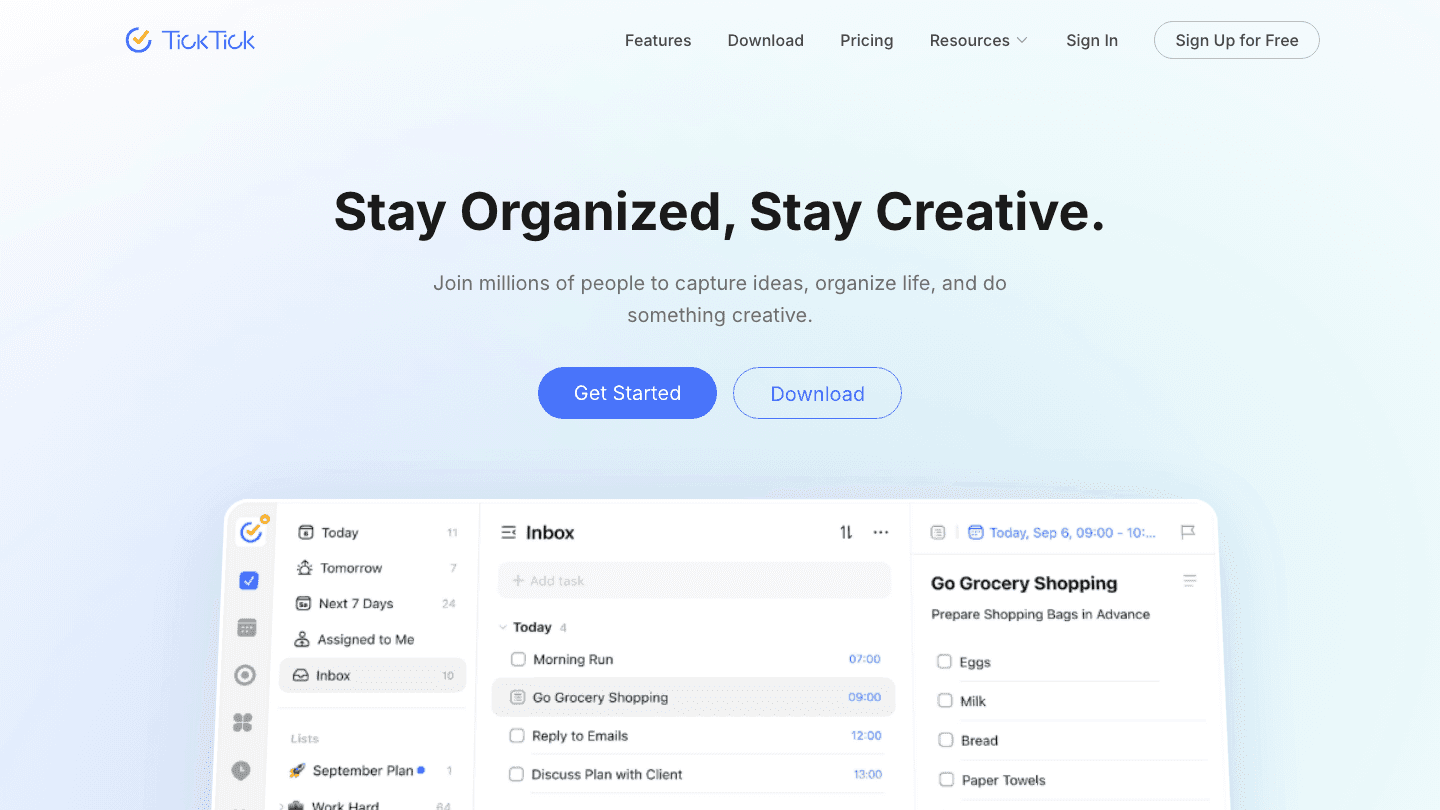
TickTick is a task manager that bundles more tools than most competitors at a lower price. The $3/month premium tier includes a built-in calendar, a habit tracker, a Pomodoro timer, and -- as of 2026 -- AI voice task creation and meeting transcription. Most apps charge two to four times that amount for a subset of those features.
That value proposition is TickTick's core argument, and it holds up well for most users. It works across iOS, Android, macOS, Windows, and web with reliable sync. The free plan is genuinely functional, with caps that don't make it useless. The interface is clean but dense -- approachable for most people, occasionally overwhelming for users coming from minimalist apps like Things 3.
This review covers what TickTick does well, where it falls short, how it prices, and how it compares to the alternatives you're most likely considering.
Key Takeaways
TickTick Premium costs $3/month (billed at $35.99/year) and includes a native calendar, habit tracker, Pomodoro timer, location reminders, and AI voice task creation
Its calendar integration is genuinely good -- tasks and events show in the same view, and you can drag tasks onto time slots to build your day without leaving the app
Main weaknesses: Google Calendar sync can be slow and unreliable, the interface is denser than minimalist competitors, and the kanban board is basic
Task Management: The Core That Works
TickTick handles the fundamentals well. Tasks support subtasks, multiple reminders, recurring schedules, priorities (4 levels), tags, and attachments. You can create tasks via natural language -- type "submit report next Friday at 3pm" and TickTick parses the date and time correctly.
Smart lists filter your tasks automatically: Today, Next 7 Days, and custom filters based on priority, tag, or due date. List organization is flexible; you can have flat lists, lists grouped into folders, and a quick-add inbox for unassigned tasks. The search is fast and includes full-text matching across task names, notes, and subtasks.
What TickTick doesn't do: natural project management with dependencies or sequencing, strong collaboration features, or the kind of rich text formatting you'd find in Notion-style tools. It's a task manager, not a project suite. If you need something more project-heavy, ClickUp is worth comparing -- our ClickUp vs TickTick breakdown covers the difference in depth.
Calendar Integration: The Standout Feature
TickTick's built-in calendar is what separates it from most task managers. Rather than syncing tasks to an external calendar, TickTick shows tasks and events in the same native view. You get a monthly, weekly, or daily layout with your task deadlines and calendar events side by side.
Better still: you can drag tasks directly onto time slots in the calendar view to time-block your day. This creates an actual schedule rather than just a prioritized list, which is a significant usability improvement over Todoist or Things 3 for people who time-block.
The weak point: Google Calendar sync. TickTick reads from and writes to Google Calendar, but the sync can lag by several minutes and occasionally fails silently. If you have a dense Google Calendar that's your source of truth, this is annoying. If you're willing to use TickTick as your primary calendar view (rather than relying on Google Calendar as the main place you look), the experience is much smoother. For more on how to get the most out of both, see our guide to the best apps to use with TickTick.
Habit Tracking: Built In, Not Bolted On
TickTick includes a full habit tracker as a built-in tab, not an add-on. You create habits with daily, weekly, or custom schedules, set target counts (e.g., "exercise 4 times a week"), and see streaks and completion history in a heatmap view.
It's not the most sophisticated habit tracker on the market -- Streaks and Habitica both go deeper on gamification and analysis -- but it's functional and genuinely integrated. You can see your habits and your tasks in the same app session, which removes the friction of switching between tools.
Pomodoro Timer: Surprisingly Good
The Pomodoro timer in TickTick is built directly into tasks. Select a task, start the timer, and TickTick runs the work session with automatic break prompts. Sessions are logged against the specific task, so you build a record of how long things actually take over time.
This matters more than it sounds. Most Pomodoro timers are standalone -- you run a timer in one app and your tasks in another. Having them connected means your focus data and your task list are in the same place, which makes post-session review much simpler.
AI Features Added in 2026
TickTick's 2026 update added two AI features to the premium tier: voice task creation and meeting transcription. Voice task creation lets you speak a task description and TickTick converts it to a task with parsed date, priority, and list assignment. Meeting transcription records and summarizes voice notes you add to tasks.
Both are useful additions rather than headline features. Voice input speeds up task capture during commutes or when your hands are occupied. Transcription is handy for meeting notes tied to project tasks. Neither matches the depth of dedicated AI tools, but at $3/month, the bar is reasonable.
What TickTick Gets Wrong
A few consistent friction points come up in user reviews and in testing.
The interface is dense. TickTick shows a lot of options, filters, and menus by default. For people coming from Things 3 or Bear, the visual complexity feels excessive. TickTick's approach is breadth-first, which works well once you know what you need but creates a learning curve for new users.
Upgrade prompts are frequent. Free users encounter prompts to upgrade at common task interactions, which some users find pushy. Once you're on Premium, this mostly goes away.
The kanban board is basic. Compared to Trello or ClickUp, TickTick's kanban doesn't support card customization, power-ups, or visual WIP limits. It's fine for basic column-based views, but power users will outgrow it.
TickTick Pricing
Free plan: Task lists, up to 9 lists and 99 tasks, basic calendar view, kanban, 2 reminders per task, basic widgets.
Premium: $3/month (billed as $35.99/year) -- unlimited lists, tasks, and reminders; full calendar integration with drag-to-time-block; location reminders; habit tracker; Pomodoro timer; calendar subscription; advanced filters; AI voice creation and transcription. No per-seat pricing; one plan covers all your devices.
For a detailed pricing breakdown and how it compares to similar apps, see our TickTick pricing guide.
TickTick vs Alternatives
vs Todoist ($48/year): Todoist is cleaner and more collaborative with better team features. TickTick has the built-in calendar and habit tracker that Todoist lacks. Our TickTick vs Todoist comparison goes deep on this one.
vs Things 3 ($49.99 one-time): Things is more focused and more beautiful. TickTick is more feature-rich with better calendar integration. Things is iOS/macOS only.
vs Notion: Completely different product categories. Notion is a workspace; TickTick is a task manager. For lightweight daily task management, TickTick is faster.
For more alternatives at different price points, see our TickTick alternatives guide.
Who Should Use TickTick
TickTick is a strong fit for people who want task management and calendar planning in the same app at an affordable price. It's particularly well-suited for freelancers, solopreneurs, and students who time-block their days and want to see their tasks and schedule in a single view.
It's a weaker fit for people who need powerful project management with team collaboration, people who want a minimalist interface with no feature noise, or people whose Google Calendar is their primary tool and who need real-time sync fidelity.
The Missing Layer: Energy-Aware Scheduling

TickTick is excellent at capturing and organizing tasks. Where it stops is telling you when to do them relative to how you're actually feeling. A to-do list doesn't know that your deep work needs to happen before 11am or that Monday afternoons are your low-energy window.
Lifestack picks up where TickTick leaves off. It reads your energy patterns (from sleep data, calendar history, and your own self-report) and builds a daily schedule that places demanding tasks during high-energy windows. If you connect it to your TickTick workflow, your tasks get scheduled rather than just listed. That's the shift from energy-based scheduling -- it's not about having more tasks in a list, it's about doing them when you're actually equipped to. Plans start at $10/month with a 7-day free trial on annual.
Frequently Asked Questions
Is TickTick free?
Yes. TickTick has a free plan that includes up to 9 lists, 99 tasks, basic calendar view, kanban, and 2 reminders per task. It's functional for light personal use. Most power features -- unlimited tasks, full calendar integration, habit tracker, Pomodoro timer -- require the Premium plan at $3/month.
How much does TickTick Premium cost?
TickTick Premium is $3/month billed annually ($35.99/year). There is no monthly billing option. It covers one user across all their devices with no per-seat cost. For a full breakdown see our TickTick pricing guide.
Does TickTick work with Google Calendar?
Yes, but with caveats. TickTick syncs with Google Calendar bi-directionally, so events show in TickTick and TickTick tasks can appear in Google Calendar. The sync can be slow (several minutes) and occasionally fails silently. Users who rely heavily on real-time Google Calendar accuracy may find this frustrating.
Is TickTick better than Todoist?
Depends on what you prioritize. TickTick has a built-in calendar, habit tracker, and Pomodoro timer that Todoist lacks. Todoist has cleaner collaboration features and a slightly more polished interface. At $3/month vs $5/month, TickTick also wins on price. See our full TickTick vs Todoist comparison for the detailed breakdown.
Does TickTick have AI features?
Yes, as of 2026 TickTick Premium includes AI voice task creation (speak a task and it's created with parsed date and priority) and meeting transcription (record voice notes on tasks and get summaries). Both are included in the $3/month Premium subscription.
What are the best TickTick alternatives?
The most common alternatives are Todoist (better collaboration), Things 3 (cleaner design, iOS only), Notion (workspace-style, not task-focused), and Akiflow (calendar-first). Our TickTick alternatives guide covers each one in detail.
What Is TickTick?
TickTick is a task manager that bundles more tools than most competitors at a lower price. The $3/month premium tier includes a built-in calendar, a habit tracker, a Pomodoro timer, and -- as of 2026 -- AI voice task creation and meeting transcription. Most apps charge two to four times that amount for a subset of those features.
That value proposition is TickTick's core argument, and it holds up well for most users. It works across iOS, Android, macOS, Windows, and web with reliable sync. The free plan is genuinely functional, with caps that don't make it useless. The interface is clean but dense -- approachable for most people, occasionally overwhelming for users coming from minimalist apps like Things 3.
This review covers what TickTick does well, where it falls short, how it prices, and how it compares to the alternatives you're most likely considering.
Key Takeaways
TickTick Premium costs $3/month (billed at $35.99/year) and includes a native calendar, habit tracker, Pomodoro timer, location reminders, and AI voice task creation
Its calendar integration is genuinely good -- tasks and events show in the same view, and you can drag tasks onto time slots to build your day without leaving the app
Main weaknesses: Google Calendar sync can be slow and unreliable, the interface is denser than minimalist competitors, and the kanban board is basic
Task Management: The Core That Works
TickTick handles the fundamentals well. Tasks support subtasks, multiple reminders, recurring schedules, priorities (4 levels), tags, and attachments. You can create tasks via natural language -- type "submit report next Friday at 3pm" and TickTick parses the date and time correctly.
Smart lists filter your tasks automatically: Today, Next 7 Days, and custom filters based on priority, tag, or due date. List organization is flexible; you can have flat lists, lists grouped into folders, and a quick-add inbox for unassigned tasks. The search is fast and includes full-text matching across task names, notes, and subtasks.
What TickTick doesn't do: natural project management with dependencies or sequencing, strong collaboration features, or the kind of rich text formatting you'd find in Notion-style tools. It's a task manager, not a project suite. If you need something more project-heavy, ClickUp is worth comparing -- our ClickUp vs TickTick breakdown covers the difference in depth.
Calendar Integration: The Standout Feature
TickTick's built-in calendar is what separates it from most task managers. Rather than syncing tasks to an external calendar, TickTick shows tasks and events in the same native view. You get a monthly, weekly, or daily layout with your task deadlines and calendar events side by side.
Better still: you can drag tasks directly onto time slots in the calendar view to time-block your day. This creates an actual schedule rather than just a prioritized list, which is a significant usability improvement over Todoist or Things 3 for people who time-block.
The weak point: Google Calendar sync. TickTick reads from and writes to Google Calendar, but the sync can lag by several minutes and occasionally fails silently. If you have a dense Google Calendar that's your source of truth, this is annoying. If you're willing to use TickTick as your primary calendar view (rather than relying on Google Calendar as the main place you look), the experience is much smoother. For more on how to get the most out of both, see our guide to the best apps to use with TickTick.
Habit Tracking: Built In, Not Bolted On
TickTick includes a full habit tracker as a built-in tab, not an add-on. You create habits with daily, weekly, or custom schedules, set target counts (e.g., "exercise 4 times a week"), and see streaks and completion history in a heatmap view.
It's not the most sophisticated habit tracker on the market -- Streaks and Habitica both go deeper on gamification and analysis -- but it's functional and genuinely integrated. You can see your habits and your tasks in the same app session, which removes the friction of switching between tools.
Pomodoro Timer: Surprisingly Good
The Pomodoro timer in TickTick is built directly into tasks. Select a task, start the timer, and TickTick runs the work session with automatic break prompts. Sessions are logged against the specific task, so you build a record of how long things actually take over time.
This matters more than it sounds. Most Pomodoro timers are standalone -- you run a timer in one app and your tasks in another. Having them connected means your focus data and your task list are in the same place, which makes post-session review much simpler.
AI Features Added in 2026
TickTick's 2026 update added two AI features to the premium tier: voice task creation and meeting transcription. Voice task creation lets you speak a task description and TickTick converts it to a task with parsed date, priority, and list assignment. Meeting transcription records and summarizes voice notes you add to tasks.
Both are useful additions rather than headline features. Voice input speeds up task capture during commutes or when your hands are occupied. Transcription is handy for meeting notes tied to project tasks. Neither matches the depth of dedicated AI tools, but at $3/month, the bar is reasonable.
What TickTick Gets Wrong
A few consistent friction points come up in user reviews and in testing.
The interface is dense. TickTick shows a lot of options, filters, and menus by default. For people coming from Things 3 or Bear, the visual complexity feels excessive. TickTick's approach is breadth-first, which works well once you know what you need but creates a learning curve for new users.
Upgrade prompts are frequent. Free users encounter prompts to upgrade at common task interactions, which some users find pushy. Once you're on Premium, this mostly goes away.
The kanban board is basic. Compared to Trello or ClickUp, TickTick's kanban doesn't support card customization, power-ups, or visual WIP limits. It's fine for basic column-based views, but power users will outgrow it.
TickTick Pricing
Free plan: Task lists, up to 9 lists and 99 tasks, basic calendar view, kanban, 2 reminders per task, basic widgets.
Premium: $3/month (billed as $35.99/year) -- unlimited lists, tasks, and reminders; full calendar integration with drag-to-time-block; location reminders; habit tracker; Pomodoro timer; calendar subscription; advanced filters; AI voice creation and transcription. No per-seat pricing; one plan covers all your devices.
For a detailed pricing breakdown and how it compares to similar apps, see our TickTick pricing guide.
TickTick vs Alternatives
vs Todoist ($48/year): Todoist is cleaner and more collaborative with better team features. TickTick has the built-in calendar and habit tracker that Todoist lacks. Our TickTick vs Todoist comparison goes deep on this one.
vs Things 3 ($49.99 one-time): Things is more focused and more beautiful. TickTick is more feature-rich with better calendar integration. Things is iOS/macOS only.
vs Notion: Completely different product categories. Notion is a workspace; TickTick is a task manager. For lightweight daily task management, TickTick is faster.
For more alternatives at different price points, see our TickTick alternatives guide.
Who Should Use TickTick
TickTick is a strong fit for people who want task management and calendar planning in the same app at an affordable price. It's particularly well-suited for freelancers, solopreneurs, and students who time-block their days and want to see their tasks and schedule in a single view.
It's a weaker fit for people who need powerful project management with team collaboration, people who want a minimalist interface with no feature noise, or people whose Google Calendar is their primary tool and who need real-time sync fidelity.
The Missing Layer: Energy-Aware Scheduling
TickTick is excellent at capturing and organizing tasks. Where it stops is telling you when to do them relative to how you're actually feeling. A to-do list doesn't know that your deep work needs to happen before 11am or that Monday afternoons are your low-energy window.
Lifestack picks up where TickTick leaves off. It reads your energy patterns (from sleep data, calendar history, and your own self-report) and builds a daily schedule that places demanding tasks during high-energy windows. If you connect it to your TickTick workflow, your tasks get scheduled rather than just listed. That's the shift from energy-based scheduling -- it's not about having more tasks in a list, it's about doing them when you're actually equipped to. Plans start at $10/month with a 7-day free trial on annual.
Frequently Asked Questions
Is TickTick free?
Yes. TickTick has a free plan that includes up to 9 lists, 99 tasks, basic calendar view, kanban, and 2 reminders per task. It's functional for light personal use. Most power features -- unlimited tasks, full calendar integration, habit tracker, Pomodoro timer -- require the Premium plan at $3/month.
How much does TickTick Premium cost?
TickTick Premium is $3/month billed annually ($35.99/year). There is no monthly billing option. It covers one user across all their devices with no per-seat cost. For a full breakdown see our TickTick pricing guide.
Does TickTick work with Google Calendar?
Yes, but with caveats. TickTick syncs with Google Calendar bi-directionally, so events show in TickTick and TickTick tasks can appear in Google Calendar. The sync can be slow (several minutes) and occasionally fails silently. Users who rely heavily on real-time Google Calendar accuracy may find this frustrating.
Is TickTick better than Todoist?
Depends on what you prioritize. TickTick has a built-in calendar, habit tracker, and Pomodoro timer that Todoist lacks. Todoist has cleaner collaboration features and a slightly more polished interface. At $3/month vs $5/month, TickTick also wins on price. See our full TickTick vs Todoist comparison for the detailed breakdown.
Does TickTick have AI features?
Yes, as of 2026 TickTick Premium includes AI voice task creation (speak a task and it's created with parsed date and priority) and meeting transcription (record voice notes on tasks and get summaries). Both are included in the $3/month Premium subscription.
What are the best TickTick alternatives?
The most common alternatives are Todoist (better collaboration), Things 3 (cleaner design, iOS only), Notion (workspace-style, not task-focused), and Akiflow (calendar-first). Our TickTick alternatives guide covers each one in detail.



FOLLOW ON
FOLLOW ON
FOLLOW ON


Copyright 2026 © Lifestack. All rights reserved
Copyright 2026 © Lifestack. All rights reserved

