
App
TickTick vs Todoist: 2026 Head-to-Head
TickTick vs Todoist: 2026 Head-to-Head

TickTick and Todoist are two of the most widely used task managers, and they get recommended for the same keyword ("best task manager") often enough that comparing them is one of the first things people do before committing. The honest answer is that they are both genuinely good, which makes the comparison interesting rather than obvious.
What separates them is not quality but philosophy. Todoist is a focused, opinionated task manager that does one thing well and integrates cleanly into the tools around it. TickTick is a feature-rich platform that bundles task management, habit tracking, a Pomodoro timer, and multiple calendar views into a single subscription. The right pick depends on which approach suits how you actually work.
We compared both apps across features, mobile quality, integrations, calendar support, pricing, and fit for different working styles. No paid sponsorship influenced this comparison.
Key Takeaways
Todoist has a cleaner interface, stronger integrations, and better natural language input. It is the better tool if you want a focused task manager that works well with the rest of your stack
TickTick offers more built-in tools per dollar: habit tracking, Pomodoro timer, and multiple calendar views are all included in one $49.99/year subscription
Neither app does energy-aware scheduling. If you want your tasks placed in your calendar based on when your energy is highest, you need a third tool
Quick Verdict
Todoist: Best for knowledge workers and teams who want a clean, fast task manager with top-tier integrations and strong natural language support
TickTick: Best for individuals who want task management, habit tracking, and focus timing in one app at a competitive price
TickTick Overview
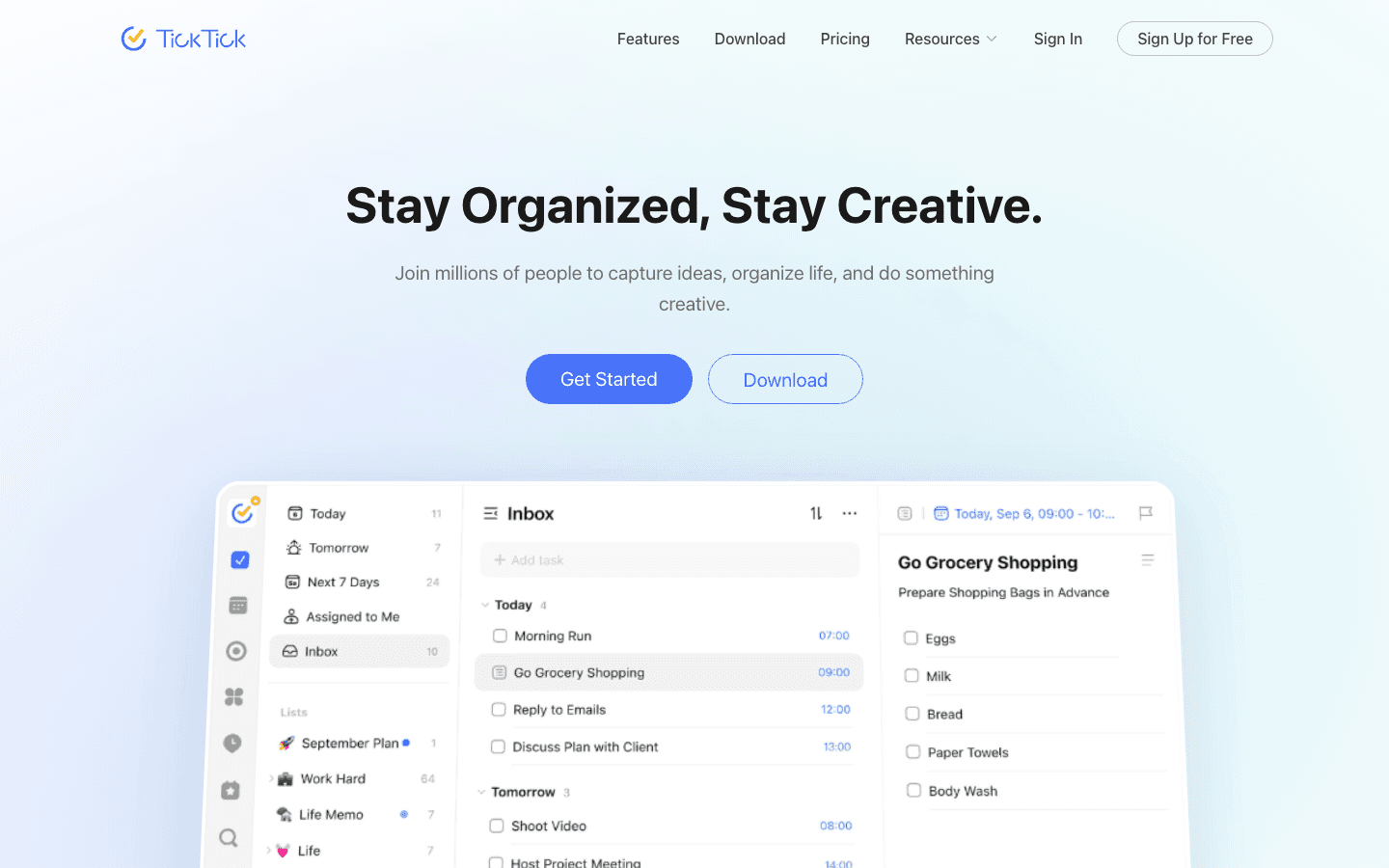
TickTick is a task manager built for users who want breadth within a single app. Beyond standard to-do list functionality, it includes a built-in Pomodoro timer for focus sessions, a habit tracker with streak visualization, and multiple task views: list, Kanban, Eisenhower matrix, and calendar. The result is an app that can partially replace three or four separate tools.
The calendar views are one of TickTick's clearest advantages. You can see your tasks plotted across a daily, weekly, or monthly calendar view alongside Google Calendar events, which gives you a visual sense of your time commitment without switching apps. The Eisenhower matrix view, which sorts tasks by urgency and importance, is a genuinely useful addition not available in most competing task managers.
What Works
More built-in features than almost any other task manager at a comparable price
The integrated Pomodoro timer removes the need for a separate focus app during work sessions
Calendar view with Google Calendar integration gives useful visual time planning
The free tier is functional enough for basic personal task management
Limitations
The interface is denser than Todoist. New users take longer to find a workflow that feels comfortable
Natural language input is less accurate and consistent than Todoist's parser
Integration ecosystem is narrower than Todoist, particularly for business tools
Pricing: Free tier available. TickTick Premium $49.99/year (~$4.17/month).
Todoist Overview
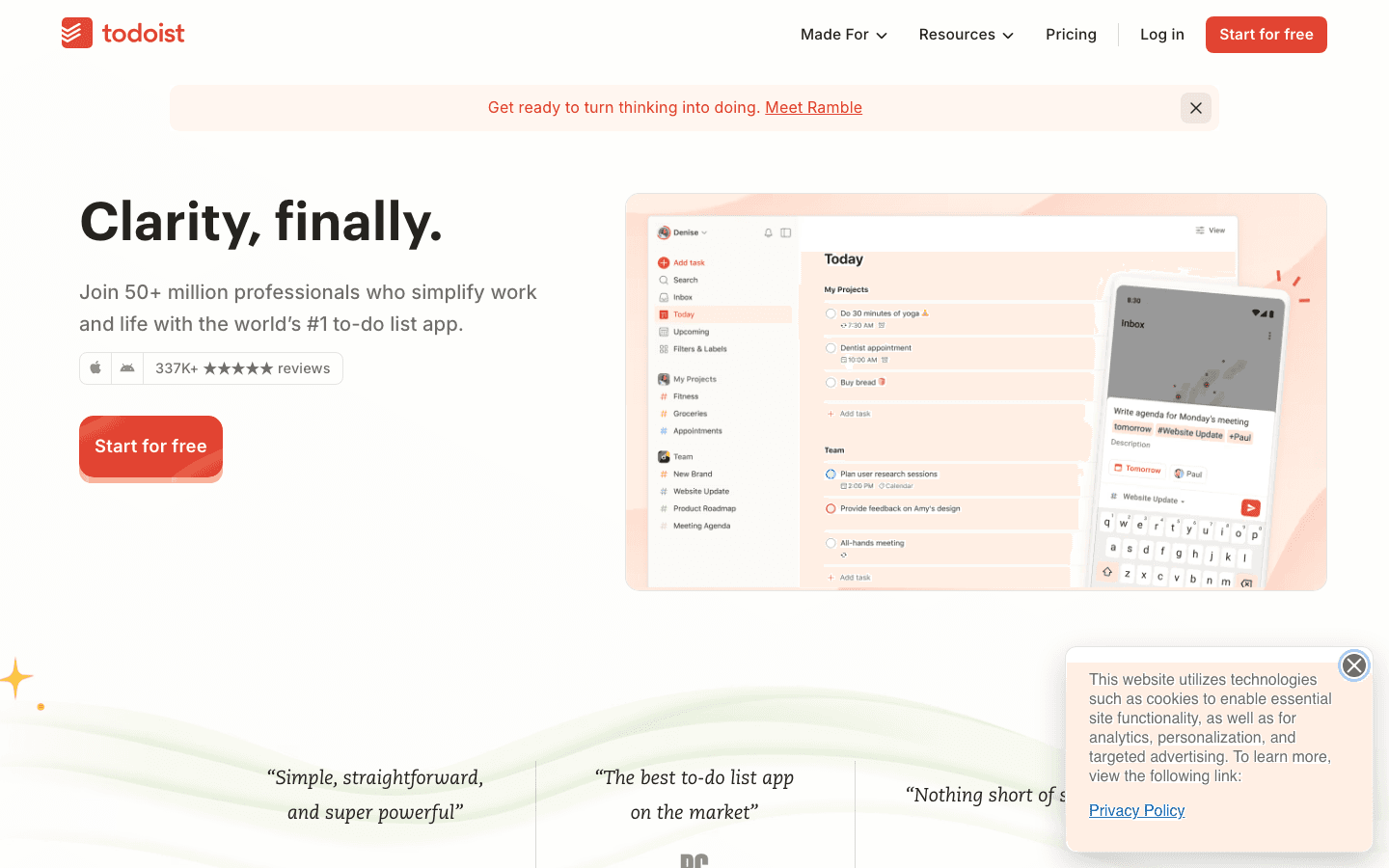
Todoist is a focused task manager that has been refined since 2007. It does not try to replace every productivity tool in your stack. Instead, it does task capture and management extremely well and integrates with everything around it. The natural language input is the strongest in the category: type "Submit report by Friday at 3pm #work p1" and Todoist parses the due date, project, and priority in a single line.
The integration library covers over 60 tools including Google Calendar, Outlook, Slack, GitHub, Notion, and Zapier. For teams using a diverse tool stack, this integration breadth means Todoist can sit at the center of a workflow without requiring people to change how they use anything else. The Karma system gamifies task completion and provides a gentle accountability mechanism for regular use.
What Works
Fastest task capture experience of any app tested, particularly via natural language
The strongest integration ecosystem in the task manager category
Excellent cross-platform consistency. The iOS app feels as complete as the desktop
Clean, uncluttered interface that stays out of the way
Limitations
No built-in Pomodoro timer or habit tracker. These require separate apps
Calendar view is less powerful than TickTick's. You can see tasks on a calendar but cannot plan across time in the same way
Higher price than TickTick at the annual billing tier
Pricing: Free tier available. Todoist Pro $6.99/month or $59.99/year.
Head-to-Head Comparison
Natural language input: Todoist. Its parser is faster and more consistent across edge cases
Built-in features: TickTick. Pomodoro timer, habit tracker, and matrix views are all included
Calendar integration: TickTick. The calendar view with Google sync is more powerful for visual planning
Third-party integrations: Todoist. The integration library is significantly broader
Mobile quality: Todoist. More consistent and polished across iOS and Android
Interface clarity: Todoist. Fewer options per screen makes it easier to get started
Value for price: TickTick. More features included per dollar at the annual tier
Free tier: Both offer functional free tiers. TickTick's is slightly more generous
Which Should You Choose?
Choose Todoist if: you want the fastest task capture, strong integrations with your existing tools, and a clean interface that works consistently across all your devices
Choose TickTick if: you want task management, habit tracking, and focus timing in one app, and the denser interface does not bother you
Choose neither if: your core problem is that tasks never get scheduled into your actual day. Both apps capture and organize tasks; neither puts them in your calendar during the hours you have the cognitive energy to do them
What About Energy-Aware Scheduling?
Both TickTick and Todoist leave the question of when to work on each task entirely up to you. You can prioritize, sort, and organize all day, but neither app reads your wearable data, knows your energy level, or places your tasks in your calendar during the hours when your performance is genuinely high.
If you want that layer, Lifestack fills the gap. It connects to your wearable, reads your sleep and recovery data, and auto-schedules your tasks during your actual cognitive peak windows. It works alongside either task manager as a scheduling complement: Todoist integrates with Lifestack directly, letting you see and schedule Todoist tasks inside Lifestack's daily plan. The combination of Todoist's capture quality and Lifestack's energy scheduling closes the gap between "organized" and "actually done." It costs $7/month or $50/year.
Frequently Asked Questions
Is TickTick or Todoist better?
Neither is objectively better. Todoist is better for users who want a focused, fast task manager with strong integrations and a clean interface. TickTick is better for users who want more built-in tools (Pomodoro, habits, matrix view) at a lower annual price. Most people who have tried both have a clear preference based on their working style rather than a logical argument for one over the other.
What is the price difference between TickTick and Todoist?
TickTick Premium costs $49.99/year. Todoist Pro costs $59.99/year. The $10/year difference is small enough that pricing alone is rarely the deciding factor. TickTick offers more features per dollar at that price, which gives it a clear value advantage for users who will use all those features.
Can TickTick replace Todoist?
For most personal task management use cases, yes. TickTick covers all of Todoist's core functionality and adds features Todoist does not have. The main reasons to stay with Todoist are its integration ecosystem (significantly broader) and its natural language parsing (faster and more accurate). Power users who rely on specific integrations like Slack, GitHub, or Zapier will generally find Todoist the stronger choice for those workflows. See Todoist alternatives for more comparison context.
Does TickTick have a better free plan than Todoist?
TickTick's free tier allows 9 lists with up to 99 tasks each, plus list and Kanban views. Todoist's free tier allows 5 projects with up to 5 collaborators each. For individual personal task management, TickTick's free tier is somewhat more generous. For team use on a free plan, both are quite limited. Paying for either one is the practical path for anyone with a moderately complex task load.
Which task manager is better for ADHD?
TickTick's built-in Pomodoro timer and visual calendar view are often cited as helpful by users with ADHD, since both address the time-blindness and focus challenges common with the condition. Todoist's cleaner interface can be better for users who find too many options cognitively overwhelming. The most effective approach for ADHD task management typically combines a task manager with a scheduler that handles time placement automatically, since deciding when to do each task is often the hardest step. See our guide to ADHD task management for more.
TickTick and Todoist are two of the most widely used task managers, and they get recommended for the same keyword ("best task manager") often enough that comparing them is one of the first things people do before committing. The honest answer is that they are both genuinely good, which makes the comparison interesting rather than obvious.
What separates them is not quality but philosophy. Todoist is a focused, opinionated task manager that does one thing well and integrates cleanly into the tools around it. TickTick is a feature-rich platform that bundles task management, habit tracking, a Pomodoro timer, and multiple calendar views into a single subscription. The right pick depends on which approach suits how you actually work.
We compared both apps across features, mobile quality, integrations, calendar support, pricing, and fit for different working styles. No paid sponsorship influenced this comparison.
Key Takeaways
Todoist has a cleaner interface, stronger integrations, and better natural language input. It is the better tool if you want a focused task manager that works well with the rest of your stack
TickTick offers more built-in tools per dollar: habit tracking, Pomodoro timer, and multiple calendar views are all included in one $49.99/year subscription
Neither app does energy-aware scheduling. If you want your tasks placed in your calendar based on when your energy is highest, you need a third tool
Quick Verdict
Todoist: Best for knowledge workers and teams who want a clean, fast task manager with top-tier integrations and strong natural language support
TickTick: Best for individuals who want task management, habit tracking, and focus timing in one app at a competitive price
TickTick Overview
TickTick is a task manager built for users who want breadth within a single app. Beyond standard to-do list functionality, it includes a built-in Pomodoro timer for focus sessions, a habit tracker with streak visualization, and multiple task views: list, Kanban, Eisenhower matrix, and calendar. The result is an app that can partially replace three or four separate tools.
The calendar views are one of TickTick's clearest advantages. You can see your tasks plotted across a daily, weekly, or monthly calendar view alongside Google Calendar events, which gives you a visual sense of your time commitment without switching apps. The Eisenhower matrix view, which sorts tasks by urgency and importance, is a genuinely useful addition not available in most competing task managers.
What Works
More built-in features than almost any other task manager at a comparable price
The integrated Pomodoro timer removes the need for a separate focus app during work sessions
Calendar view with Google Calendar integration gives useful visual time planning
The free tier is functional enough for basic personal task management
Limitations
The interface is denser than Todoist. New users take longer to find a workflow that feels comfortable
Natural language input is less accurate and consistent than Todoist's parser
Integration ecosystem is narrower than Todoist, particularly for business tools
Pricing: Free tier available. TickTick Premium $49.99/year (~$4.17/month).
Todoist Overview
Todoist is a focused task manager that has been refined since 2007. It does not try to replace every productivity tool in your stack. Instead, it does task capture and management extremely well and integrates with everything around it. The natural language input is the strongest in the category: type "Submit report by Friday at 3pm #work p1" and Todoist parses the due date, project, and priority in a single line.
The integration library covers over 60 tools including Google Calendar, Outlook, Slack, GitHub, Notion, and Zapier. For teams using a diverse tool stack, this integration breadth means Todoist can sit at the center of a workflow without requiring people to change how they use anything else. The Karma system gamifies task completion and provides a gentle accountability mechanism for regular use.
What Works
Fastest task capture experience of any app tested, particularly via natural language
The strongest integration ecosystem in the task manager category
Excellent cross-platform consistency. The iOS app feels as complete as the desktop
Clean, uncluttered interface that stays out of the way
Limitations
No built-in Pomodoro timer or habit tracker. These require separate apps
Calendar view is less powerful than TickTick's. You can see tasks on a calendar but cannot plan across time in the same way
Higher price than TickTick at the annual billing tier
Pricing: Free tier available. Todoist Pro $6.99/month or $59.99/year.
Head-to-Head Comparison
Natural language input: Todoist. Its parser is faster and more consistent across edge cases
Built-in features: TickTick. Pomodoro timer, habit tracker, and matrix views are all included
Calendar integration: TickTick. The calendar view with Google sync is more powerful for visual planning
Third-party integrations: Todoist. The integration library is significantly broader
Mobile quality: Todoist. More consistent and polished across iOS and Android
Interface clarity: Todoist. Fewer options per screen makes it easier to get started
Value for price: TickTick. More features included per dollar at the annual tier
Free tier: Both offer functional free tiers. TickTick's is slightly more generous
Which Should You Choose?
Choose Todoist if: you want the fastest task capture, strong integrations with your existing tools, and a clean interface that works consistently across all your devices
Choose TickTick if: you want task management, habit tracking, and focus timing in one app, and the denser interface does not bother you
Choose neither if: your core problem is that tasks never get scheduled into your actual day. Both apps capture and organize tasks; neither puts them in your calendar during the hours you have the cognitive energy to do them
What About Energy-Aware Scheduling?
Both TickTick and Todoist leave the question of when to work on each task entirely up to you. You can prioritize, sort, and organize all day, but neither app reads your wearable data, knows your energy level, or places your tasks in your calendar during the hours when your performance is genuinely high.
If you want that layer, Lifestack fills the gap. It connects to your wearable, reads your sleep and recovery data, and auto-schedules your tasks during your actual cognitive peak windows. It works alongside either task manager as a scheduling complement: Todoist integrates with Lifestack directly, letting you see and schedule Todoist tasks inside Lifestack's daily plan. The combination of Todoist's capture quality and Lifestack's energy scheduling closes the gap between "organized" and "actually done." It costs $7/month or $50/year.
Frequently Asked Questions
Is TickTick or Todoist better?
Neither is objectively better. Todoist is better for users who want a focused, fast task manager with strong integrations and a clean interface. TickTick is better for users who want more built-in tools (Pomodoro, habits, matrix view) at a lower annual price. Most people who have tried both have a clear preference based on their working style rather than a logical argument for one over the other.
What is the price difference between TickTick and Todoist?
TickTick Premium costs $49.99/year. Todoist Pro costs $59.99/year. The $10/year difference is small enough that pricing alone is rarely the deciding factor. TickTick offers more features per dollar at that price, which gives it a clear value advantage for users who will use all those features.
Can TickTick replace Todoist?
For most personal task management use cases, yes. TickTick covers all of Todoist's core functionality and adds features Todoist does not have. The main reasons to stay with Todoist are its integration ecosystem (significantly broader) and its natural language parsing (faster and more accurate). Power users who rely on specific integrations like Slack, GitHub, or Zapier will generally find Todoist the stronger choice for those workflows. See Todoist alternatives for more comparison context.
Does TickTick have a better free plan than Todoist?
TickTick's free tier allows 9 lists with up to 99 tasks each, plus list and Kanban views. Todoist's free tier allows 5 projects with up to 5 collaborators each. For individual personal task management, TickTick's free tier is somewhat more generous. For team use on a free plan, both are quite limited. Paying for either one is the practical path for anyone with a moderately complex task load.
Which task manager is better for ADHD?
TickTick's built-in Pomodoro timer and visual calendar view are often cited as helpful by users with ADHD, since both address the time-blindness and focus challenges common with the condition. Todoist's cleaner interface can be better for users who find too many options cognitively overwhelming. The most effective approach for ADHD task management typically combines a task manager with a scheduler that handles time placement automatically, since deciding when to do each task is often the hardest step. See our guide to ADHD task management for more.



FOLLOW ON
FOLLOW ON
FOLLOW ON


Copyright 2026 © Lifestack. All rights reserved
Copyright 2026 © Lifestack. All rights reserved

