
App
Best Todoist Alternatives for 2026
Best Todoist Alternatives for 2026
Why People Look for Todoist Alternatives
Todoist is good. The natural language input is fast, the interface is clean, and the cross-platform support is reliable. But it has real gaps: no built-in calendar scheduling, no AI that actually assigns tasks to your day, and a premium price ($5/month or more) for features that should be standard.
People leave Todoist for different reasons. Some want an app that puts tasks on their calendar automatically. Others want a simpler interface. Some are on a budget, and some need something that works specifically within the Apple ecosystem. The five Todoist alternatives below cover each of those scenarios.
Key Takeaways
Lifestack is the best Todoist alternative if you want AI that actually schedules your tasks into your calendar based on your energy and wearable data, not just lists them.
TickTick is the best like-for-like replacement: more features than Todoist, cheaper premium plan, and solid cross-platform support.
Things 3 and Microsoft To Do are the best picks for Apple power users and Microsoft/Office users respectively.
Quick Guide
1. Lifestack: Best for users who want tasks auto-scheduled into their calendar around energy peaks
2. TickTick: Best all-round Todoist alternative with a generous free tier
3. Things 3: Best premium Apple-only task manager with a one-time purchase model
4. Microsoft To Do: Best free Todoist alternative for Microsoft 365 users
5. Any.do: Best simple task manager with voice input and a clean interface
How We Evaluated
Task capture speed and natural language input
Calendar integration and auto-scheduling
AI and energy awareness
Cross-platform support (iOS, Android, web, Mac)
Free tier generosity
Pricing vs. Todoist's plans
1. Lifestack
The Todoist alternative that actually schedules your tasks into your day.

The biggest limitation with Todoist is that it lists your tasks but doesn't tell you when to do them. Lifestack solves this directly. It connects to Google Tasks and works alongside Todoist to pull your tasks into a schedule built around your calendar and energy levels.
The energy part is what makes it genuinely different. Lifestack reads data from Oura, Garmin, WHOOP, Fitbit, or Apple Health and schedules your demanding tasks during your peak performance windows. A Monday with three hours of high readiness looks different from a Wednesday after a poor night of sleep. Lifestack adjusts your schedule to match. See why energy-based planning outperforms time-blocking for the reasoning behind this.
Connects to Todoist, Google Tasks, Google Calendar
Auto-schedules tasks into calendar gaps based on wearable energy data
Integrates with Oura, Garmin, WHOOP, Fitbit, Apple Health
iOS, Android, Chrome extension
Works alongside your existing Todoist setup rather than replacing it
What Works: Energy-aware scheduling is genuinely unique, pairs well with Todoist for users who want to keep their task list but add intelligent scheduling
Limitations: Not a pure task list replacement. It's a scheduling layer on top of your existing task manager
Pricing: $7/month, $50/year, or $120 lifetime. 7-day free trial on the annual plan. Read the full introduction to Lifestack.
Best for: Todoist users who like their task list but want AI to actually put those tasks on their calendar each day.
2. TickTick
The most full-featured Todoist alternative at a lower price.
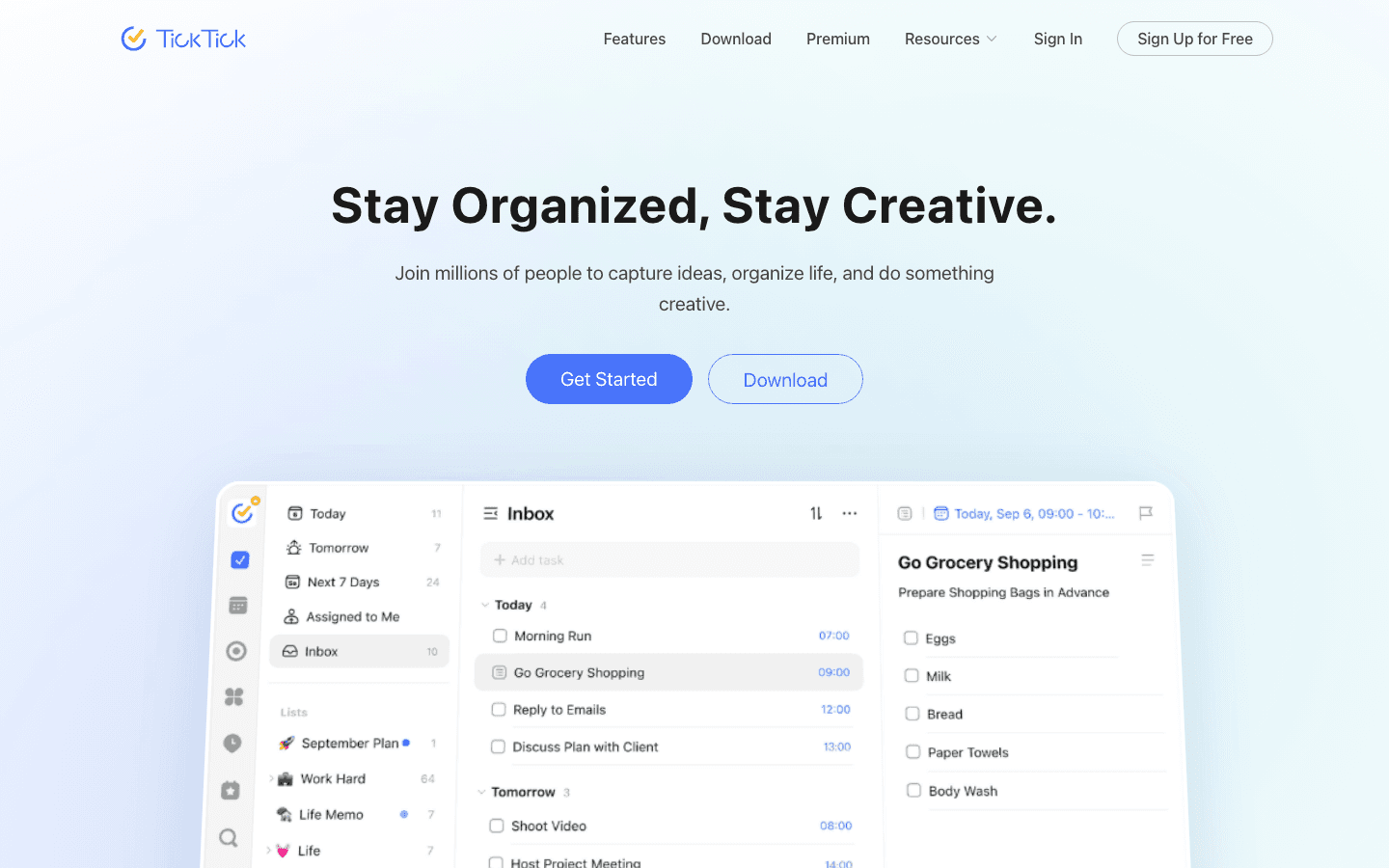
TickTick is the most direct Todoist replacement on this list. It has natural language task entry, recurring tasks, subtasks, labels, filters, calendar view, and a built-in Pomodoro timer. The free tier is more generous than Todoist's, and the premium plan costs $35.99/year ($3/month) compared to Todoist's higher rates.
TickTick's calendar integration is meaningfully better than Todoist's. You can see your tasks overlaid on a calendar view, which helps you spot overloaded days. It also has a habit tracker built in, which gives it an edge for users who want personal productivity features beyond pure task management.
What Works: Generous free tier, built-in calendar view, Pomodoro timer, habit tracker, great cross-platform apps, lower premium price than Todoist
Limitations: No energy or wearable awareness, natural language parsing is slightly less polished than Todoist's
Pricing: Free forever (with limits). Premium at $35.99/year. No monthly billing option.
Best for: Todoist users who want a like-for-like replacement with more features and a lower price. See our best task manager app for iPhone guide for more options.
3. Things 3
The premium Apple-only task manager with a one-time purchase and exceptional design.
Things 3 is the best-designed task manager on Apple devices, full stop. The inbox, areas, projects, and Today view system is intuitive without being simplistic. If you work heavily in the Apple ecosystem (iPhone, iPad, Mac) and have been frustrated by Todoist's recurring subscription, Things 3's one-time purchase model is a compelling alternative.
The tradeoff is platform exclusivity. Things 3 doesn't exist on Windows or Android, and it doesn't have real-time sync outside of Apple devices. If everyone on your team is in the Apple ecosystem, this isn't a problem. If you need cross-platform access, look at TickTick instead.
What Works: Best-in-class Apple design, one-time purchase (no subscription), excellent Today view, Apple Watch app, reliable iCloud sync across Apple devices
Limitations: Apple-only (no Windows or Android), no energy or wearable awareness, no web app, limited collaboration features
Pricing: One-time purchase. iPhone: $9.99, iPad: $19.99, Mac: $49.99. No subscription required.
Best for: Apple users who want a premium, beautifully designed task manager and prefer paying once over subscribing monthly.
4. Microsoft To Do
A free Todoist alternative that's deeply integrated with Microsoft 365.

Microsoft To Do is completely free and comes included with any Microsoft 365 subscription. If your work runs on Outlook, Teams, and Microsoft 365, it's the most natural task manager because it syncs tasks from Outlook and connects with Planner for team projects.
For individuals, it's a solid simple task manager. The "My Day" feature helps you choose what to focus on each morning, which is a light version of what more intelligent schedulers do. It's not as feature-rich as Todoist or TickTick, but for users who already live in the Microsoft ecosystem, it removes the need to pay for anything extra. See how it compares in our Microsoft To Do vs Todoist guide.
What Works: Completely free, excellent Outlook and Microsoft 365 integration, clean interface, cross-platform (Windows, iOS, Android, web), My Day planning feature
Limitations: Less powerful than Todoist or TickTick for complex projects, no AI scheduling, no energy awareness
Pricing: Free. Included with Microsoft 365 ($6/user/month for business).
Best for: Microsoft 365 users who want a free, reliable task manager that connects natively to Outlook and Teams.
5. Any.do
A simple, cross-platform task manager with voice input and a clean daily planner.
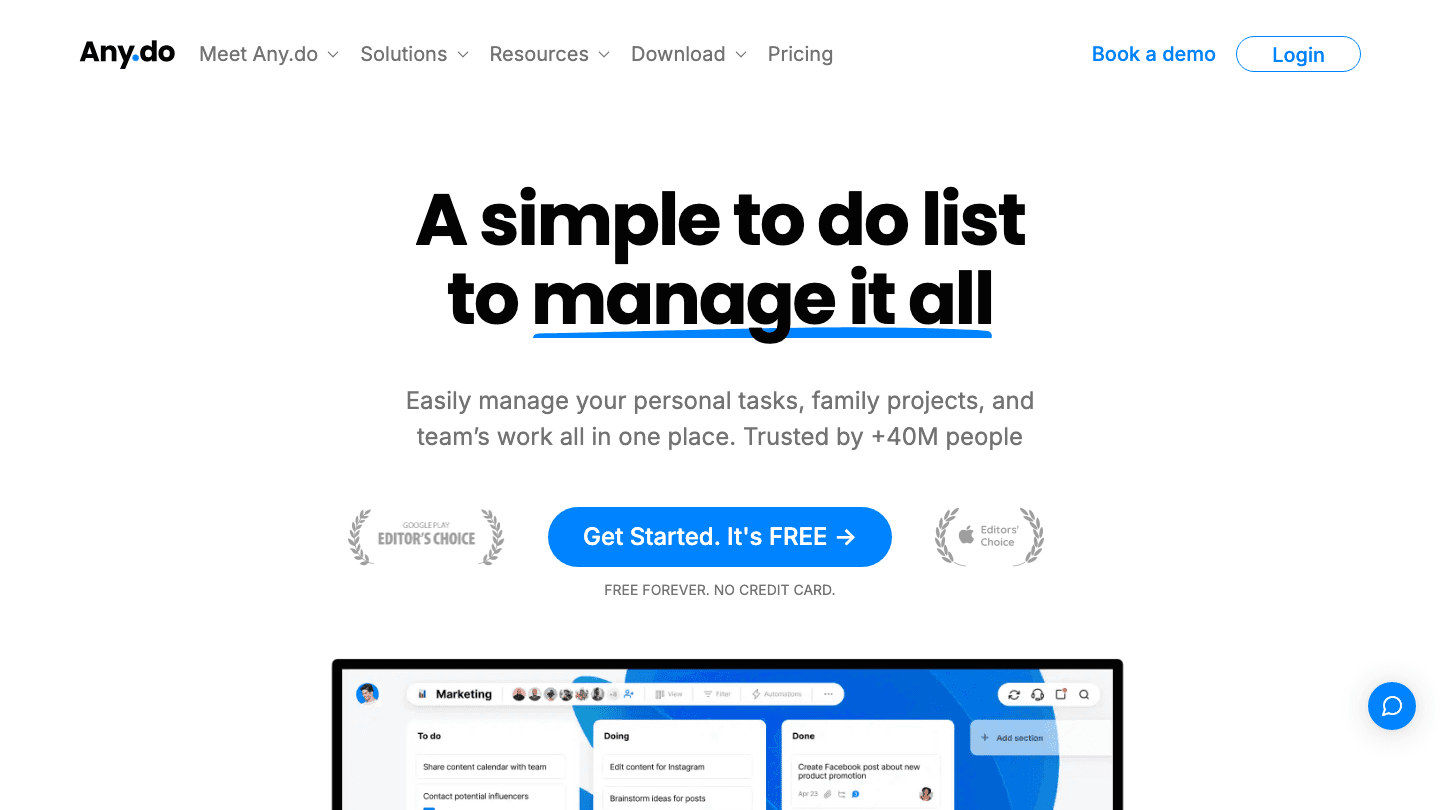
Any.do is a good Todoist alternative for people who want something simpler. The interface is clean, voice task capture works well, and the "Plan My Day" feature guides you through reviewing your tasks each morning and assigning them to Today, Tomorrow, or Later.
Any.do has improved its team features and recently added more AI-powered planning suggestions. It supports iOS, Android, web, and browser extensions, making it genuinely cross-platform. The free tier is functional, and the premium plan at $4.99/month adds recurring tasks, reminders, and the calendar view.
What Works: Clean interface, voice task capture, Plan My Day feature, Google and Outlook calendar integration, cross-platform
Limitations: Free tier is quite limited compared to TickTick's, no energy or wearable awareness, natural language input is less reliable than Todoist
Pricing: Free forever. Premium at $4.99/month (individual) or $7.99/month (family).
Best for: People who want a simple, clean task list with voice capture and a guided daily planning experience.
Which Todoist Alternative Is Right for You?
Stay with Todoist but add smarter scheduling: Use Lifestack alongside Todoist to auto-schedule your tasks into your day.
Best direct replacement: TickTick. More features, lower price, available everywhere.
Best for Apple users: Things 3. Exceptional design, one-time payment, no subscription.
Best free option: Microsoft To Do for Microsoft 365 users, or TickTick's free tier for everyone else.
Best for simplicity: Any.do. Less powerful, but faster to learn and use.
Frequently Asked Questions
What is the best free Todoist alternative?
TickTick has the most generous free tier among Todoist alternatives. Microsoft To Do is also completely free and excellent if you use Microsoft 365. Both cover the basics of task management without any payment required.
Is TickTick better than Todoist?
For most users, yes. TickTick has a built-in calendar view, Pomodoro timer, and habit tracker that Todoist charges extra for or doesn't offer. TickTick's premium plan ($35.99/year) is also cheaper than Todoist's. The main area where Todoist still wins is natural language parsing speed.
Is there a Todoist alternative with AI scheduling?
Lifestack goes furthest here. It reads your Todoist tasks and schedules them into your calendar around your energy data from wearables. See how it works in our guide on using Todoist with Lifestack. For a broader view, see the best AI task managers.
What is the best Todoist alternative for iPhone?
Things 3 if you're all-in on Apple and prefer a one-time purchase. TickTick if you need cross-platform. Lifestack if you want your tasks auto-scheduled around your day. Our best task manager for iPhone guide covers more options.
Is Microsoft To Do a good replacement for Todoist?
It depends on your needs. If you use Outlook and Microsoft 365, yes. To Do integrates natively and is free. If you want more features (filters, labels, natural language entry), Todoist or TickTick are more capable. Read the full Microsoft To Do vs Todoist comparison for detail.
Can I use Todoist and Lifestack together?
Yes, and it's a popular combination. You keep your full Todoist task library, and Lifestack reads those tasks to schedule them into your calendar each day based on your energy and available time. Read how to use Todoist with Lifestack for a step-by-step setup guide.
Why People Look for Todoist Alternatives
Todoist is good. The natural language input is fast, the interface is clean, and the cross-platform support is reliable. But it has real gaps: no built-in calendar scheduling, no AI that actually assigns tasks to your day, and a premium price ($5/month or more) for features that should be standard.
People leave Todoist for different reasons. Some want an app that puts tasks on their calendar automatically. Others want a simpler interface. Some are on a budget, and some need something that works specifically within the Apple ecosystem. The five Todoist alternatives below cover each of those scenarios.
Key Takeaways
Lifestack is the best Todoist alternative if you want AI that actually schedules your tasks into your calendar based on your energy and wearable data, not just lists them.
TickTick is the best like-for-like replacement: more features than Todoist, cheaper premium plan, and solid cross-platform support.
Things 3 and Microsoft To Do are the best picks for Apple power users and Microsoft/Office users respectively.
Quick Guide
1. Lifestack: Best for users who want tasks auto-scheduled into their calendar around energy peaks
2. TickTick: Best all-round Todoist alternative with a generous free tier
3. Things 3: Best premium Apple-only task manager with a one-time purchase model
4. Microsoft To Do: Best free Todoist alternative for Microsoft 365 users
5. Any.do: Best simple task manager with voice input and a clean interface
How We Evaluated
Task capture speed and natural language input
Calendar integration and auto-scheduling
AI and energy awareness
Cross-platform support (iOS, Android, web, Mac)
Free tier generosity
Pricing vs. Todoist's plans
1. Lifestack
The Todoist alternative that actually schedules your tasks into your day.
The biggest limitation with Todoist is that it lists your tasks but doesn't tell you when to do them. Lifestack solves this directly. It connects to Google Tasks and works alongside Todoist to pull your tasks into a schedule built around your calendar and energy levels.
The energy part is what makes it genuinely different. Lifestack reads data from Oura, Garmin, WHOOP, Fitbit, or Apple Health and schedules your demanding tasks during your peak performance windows. A Monday with three hours of high readiness looks different from a Wednesday after a poor night of sleep. Lifestack adjusts your schedule to match. See why energy-based planning outperforms time-blocking for the reasoning behind this.
Connects to Todoist, Google Tasks, Google Calendar
Auto-schedules tasks into calendar gaps based on wearable energy data
Integrates with Oura, Garmin, WHOOP, Fitbit, Apple Health
iOS, Android, Chrome extension
Works alongside your existing Todoist setup rather than replacing it
What Works: Energy-aware scheduling is genuinely unique, pairs well with Todoist for users who want to keep their task list but add intelligent scheduling
Limitations: Not a pure task list replacement. It's a scheduling layer on top of your existing task manager
Pricing: $7/month, $50/year, or $120 lifetime. 7-day free trial on the annual plan. Read the full introduction to Lifestack.
Best for: Todoist users who like their task list but want AI to actually put those tasks on their calendar each day.
2. TickTick
The most full-featured Todoist alternative at a lower price.
TickTick is the most direct Todoist replacement on this list. It has natural language task entry, recurring tasks, subtasks, labels, filters, calendar view, and a built-in Pomodoro timer. The free tier is more generous than Todoist's, and the premium plan costs $35.99/year ($3/month) compared to Todoist's higher rates.
TickTick's calendar integration is meaningfully better than Todoist's. You can see your tasks overlaid on a calendar view, which helps you spot overloaded days. It also has a habit tracker built in, which gives it an edge for users who want personal productivity features beyond pure task management.
What Works: Generous free tier, built-in calendar view, Pomodoro timer, habit tracker, great cross-platform apps, lower premium price than Todoist
Limitations: No energy or wearable awareness, natural language parsing is slightly less polished than Todoist's
Pricing: Free forever (with limits). Premium at $35.99/year. No monthly billing option.
Best for: Todoist users who want a like-for-like replacement with more features and a lower price. See our best task manager app for iPhone guide for more options.
3. Things 3
The premium Apple-only task manager with a one-time purchase and exceptional design.
Things 3 is the best-designed task manager on Apple devices, full stop. The inbox, areas, projects, and Today view system is intuitive without being simplistic. If you work heavily in the Apple ecosystem (iPhone, iPad, Mac) and have been frustrated by Todoist's recurring subscription, Things 3's one-time purchase model is a compelling alternative.
The tradeoff is platform exclusivity. Things 3 doesn't exist on Windows or Android, and it doesn't have real-time sync outside of Apple devices. If everyone on your team is in the Apple ecosystem, this isn't a problem. If you need cross-platform access, look at TickTick instead.
What Works: Best-in-class Apple design, one-time purchase (no subscription), excellent Today view, Apple Watch app, reliable iCloud sync across Apple devices
Limitations: Apple-only (no Windows or Android), no energy or wearable awareness, no web app, limited collaboration features
Pricing: One-time purchase. iPhone: $9.99, iPad: $19.99, Mac: $49.99. No subscription required.
Best for: Apple users who want a premium, beautifully designed task manager and prefer paying once over subscribing monthly.
4. Microsoft To Do
A free Todoist alternative that's deeply integrated with Microsoft 365.
Microsoft To Do is completely free and comes included with any Microsoft 365 subscription. If your work runs on Outlook, Teams, and Microsoft 365, it's the most natural task manager because it syncs tasks from Outlook and connects with Planner for team projects.
For individuals, it's a solid simple task manager. The "My Day" feature helps you choose what to focus on each morning, which is a light version of what more intelligent schedulers do. It's not as feature-rich as Todoist or TickTick, but for users who already live in the Microsoft ecosystem, it removes the need to pay for anything extra. See how it compares in our Microsoft To Do vs Todoist guide.
What Works: Completely free, excellent Outlook and Microsoft 365 integration, clean interface, cross-platform (Windows, iOS, Android, web), My Day planning feature
Limitations: Less powerful than Todoist or TickTick for complex projects, no AI scheduling, no energy awareness
Pricing: Free. Included with Microsoft 365 ($6/user/month for business).
Best for: Microsoft 365 users who want a free, reliable task manager that connects natively to Outlook and Teams.
5. Any.do
A simple, cross-platform task manager with voice input and a clean daily planner.
Any.do is a good Todoist alternative for people who want something simpler. The interface is clean, voice task capture works well, and the "Plan My Day" feature guides you through reviewing your tasks each morning and assigning them to Today, Tomorrow, or Later.
Any.do has improved its team features and recently added more AI-powered planning suggestions. It supports iOS, Android, web, and browser extensions, making it genuinely cross-platform. The free tier is functional, and the premium plan at $4.99/month adds recurring tasks, reminders, and the calendar view.
What Works: Clean interface, voice task capture, Plan My Day feature, Google and Outlook calendar integration, cross-platform
Limitations: Free tier is quite limited compared to TickTick's, no energy or wearable awareness, natural language input is less reliable than Todoist
Pricing: Free forever. Premium at $4.99/month (individual) or $7.99/month (family).
Best for: People who want a simple, clean task list with voice capture and a guided daily planning experience.
Which Todoist Alternative Is Right for You?
Stay with Todoist but add smarter scheduling: Use Lifestack alongside Todoist to auto-schedule your tasks into your day.
Best direct replacement: TickTick. More features, lower price, available everywhere.
Best for Apple users: Things 3. Exceptional design, one-time payment, no subscription.
Best free option: Microsoft To Do for Microsoft 365 users, or TickTick's free tier for everyone else.
Best for simplicity: Any.do. Less powerful, but faster to learn and use.
Frequently Asked Questions
What is the best free Todoist alternative?
TickTick has the most generous free tier among Todoist alternatives. Microsoft To Do is also completely free and excellent if you use Microsoft 365. Both cover the basics of task management without any payment required.
Is TickTick better than Todoist?
For most users, yes. TickTick has a built-in calendar view, Pomodoro timer, and habit tracker that Todoist charges extra for or doesn't offer. TickTick's premium plan ($35.99/year) is also cheaper than Todoist's. The main area where Todoist still wins is natural language parsing speed.
Is there a Todoist alternative with AI scheduling?
Lifestack goes furthest here. It reads your Todoist tasks and schedules them into your calendar around your energy data from wearables. See how it works in our guide on using Todoist with Lifestack. For a broader view, see the best AI task managers.
What is the best Todoist alternative for iPhone?
Things 3 if you're all-in on Apple and prefer a one-time purchase. TickTick if you need cross-platform. Lifestack if you want your tasks auto-scheduled around your day. Our best task manager for iPhone guide covers more options.
Is Microsoft To Do a good replacement for Todoist?
It depends on your needs. If you use Outlook and Microsoft 365, yes. To Do integrates natively and is free. If you want more features (filters, labels, natural language entry), Todoist or TickTick are more capable. Read the full Microsoft To Do vs Todoist comparison for detail.
Can I use Todoist and Lifestack together?
Yes, and it's a popular combination. You keep your full Todoist task library, and Lifestack reads those tasks to schedule them into your calendar each day based on your energy and available time. Read how to use Todoist with Lifestack for a step-by-step setup guide.



FOLLOW ON
FOLLOW ON
FOLLOW ON


Copyright 2026 © Lifestack. All rights reserved
Copyright 2026 © Lifestack. All rights reserved

