
App
Microsoft To Do vs Todoist: Honest Verdict
Microsoft To Do vs Todoist: Honest Verdict
Deciding between Microsoft To Do and Todoist comes down to one question: are you already inside the Microsoft 365 ecosystem or not? Beyond that, both apps do roughly the same thing: capture tasks, organize them into lists, and let you check them off. Which one does it better depends on what you actually need from it.
We used both as our primary task managers for several weeks: real work, real deadlines, cross-device capture, recurring habits, and shared projects. Here's how they actually compare.
Quick Verdict
Microsoft To Do is the better pick if you already use Microsoft 365. It's free, syncs automatically with Outlook, Teams, and Planner, and the "My Day" planning view is genuinely good for keeping focused without over-engineering your system.
Todoist is the better pick for almost everyone outside the Microsoft world. Natural language input, cross-platform integrations, calendar views, labels, and filters give it a significant feature edge. The free tier is solid; Pro at $5/month is worth it if you use it seriously.
At a Glance
Price: Microsoft To Do is free. Todoist has a free tier; Pro is $5/month billed annually or $6.99/month.
Natural language input: Todoist understands "every Tuesday at 9am" or "next week p1." Microsoft To Do does not.
Integrations: Microsoft To Do connects deeply with Microsoft 365. Todoist connects with 80+ apps including Google Calendar, Slack, Zapier, and GitHub.
Views: Todoist has list, board, calendar, and upcoming views. Microsoft To Do has list and My Day.
AI features: Todoist has AI Assist for breaking down tasks. Microsoft To Do has Copilot integration for Microsoft 365 users.
Teams: Both support shared lists and task assignment. Todoist is more capable for project-level collaboration.
How We Evaluated
Task capture speed: how fast can you get something out of your head and into the app?
Organization depth: projects, labels, filters, priorities, subtasks
Calendar and scheduling integration
AI features and automation
Cross-platform availability and third-party integrations
Collaboration for teams
Pricing and free tier quality
1. Microsoft To Do
Free, clean, and genuinely useful if your work already runs through Microsoft 365.
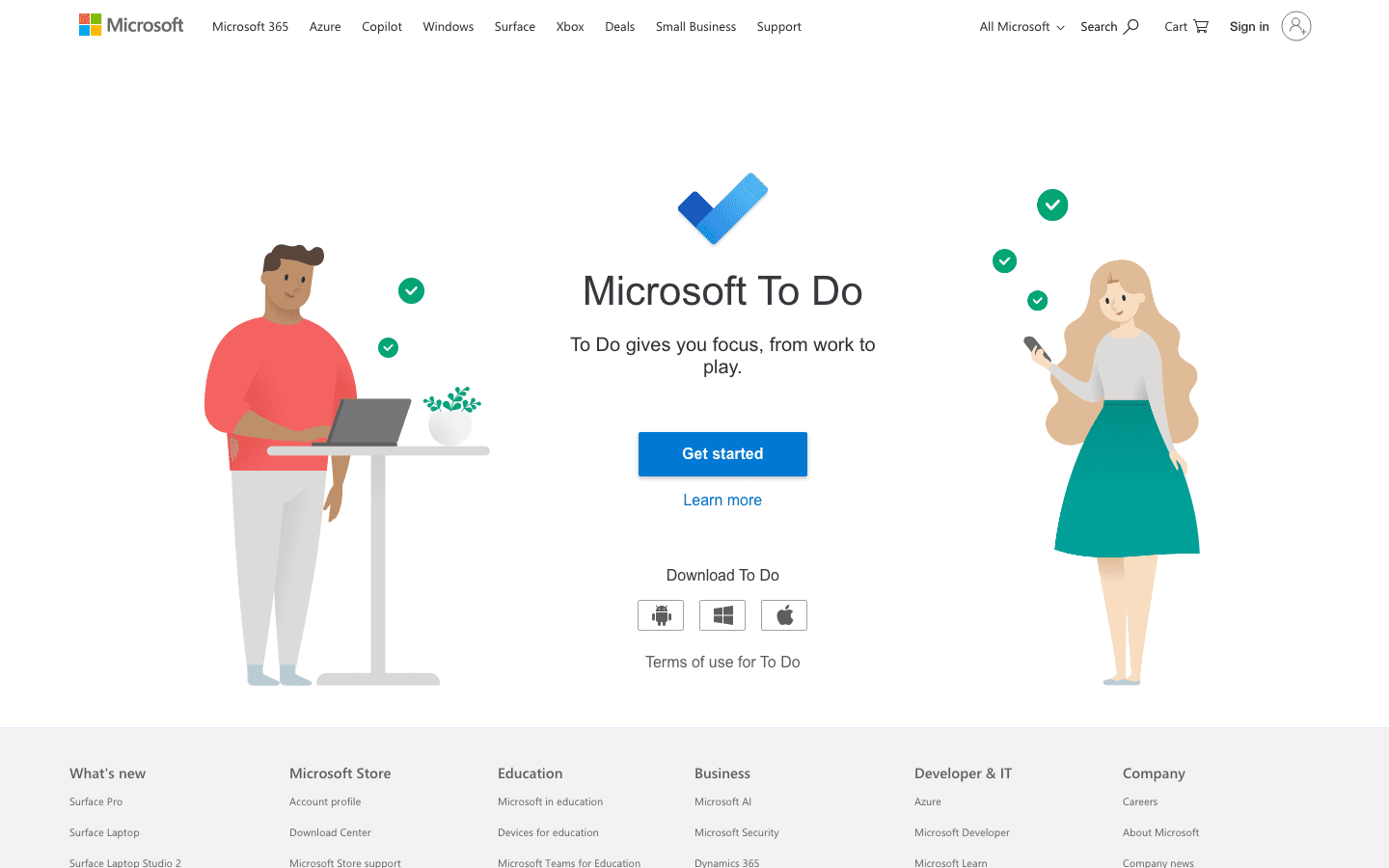
Microsoft To Do started as the replacement for Wunderlist after Microsoft acquired it in 2015, and it's grown into a solid, straightforward task manager. The interface is calm and uncluttered, the apps are fast on every platform, and the free price is hard to argue with. The standout feature is My Day: every morning you choose which tasks you want to work on and build a short, focused list. It's a simple habit that actually works for staying on track without building a complex system.
Where it earns its place is the Microsoft 365 integration. Flag an email in Outlook and it shows up as a task automatically. Teams assignments and Planner cards connect with no setup. For anyone whose work already lives in that ecosystem, To Do handles personal task management with zero friction. Outside of Microsoft's world, the feature gaps become obvious fast. No natural language input, no integrations with Google Calendar or Slack, no labels or cross-list filters. It's a clean tool, but a narrow one.
Key Features
My Day: daily planning view where you pick tasks to focus on each morning
Smart Suggestions: recommends tasks for My Day based on due dates and history
Outlook Tasks sync, flagged email integration, Teams and Planner connection
Subtasks (Steps) for breaking down tasks within a list
List sharing for basic collaboration
iOS, Android, Windows, Mac, and web apps
Completely free with a Microsoft account
What Works
Free with no feature gating on the core functionality
My Day is a simple, effective daily focus habit
Outlook sync is seamless: flagged emails become tasks with no configuration
Clean interface with low cognitive load
Fast, reliable mobile apps
Limitations
No natural language input: due dates are set manually
No labels or filters for cross-list organization
No native integrations outside the Microsoft ecosystem
No calendar view of your tasks
No analytics or productivity tracking
Collaboration limited to basic shared lists, not full project management
Pricing: Free with any Microsoft account. No paid tiers.
Best for: Microsoft 365 users who want a free, clean task manager that connects automatically with Outlook. Students and solo users who want simple list-based organization.
2. Todoist
Natural language input, 80+ integrations, and the most organizational depth of any mainstream task manager.
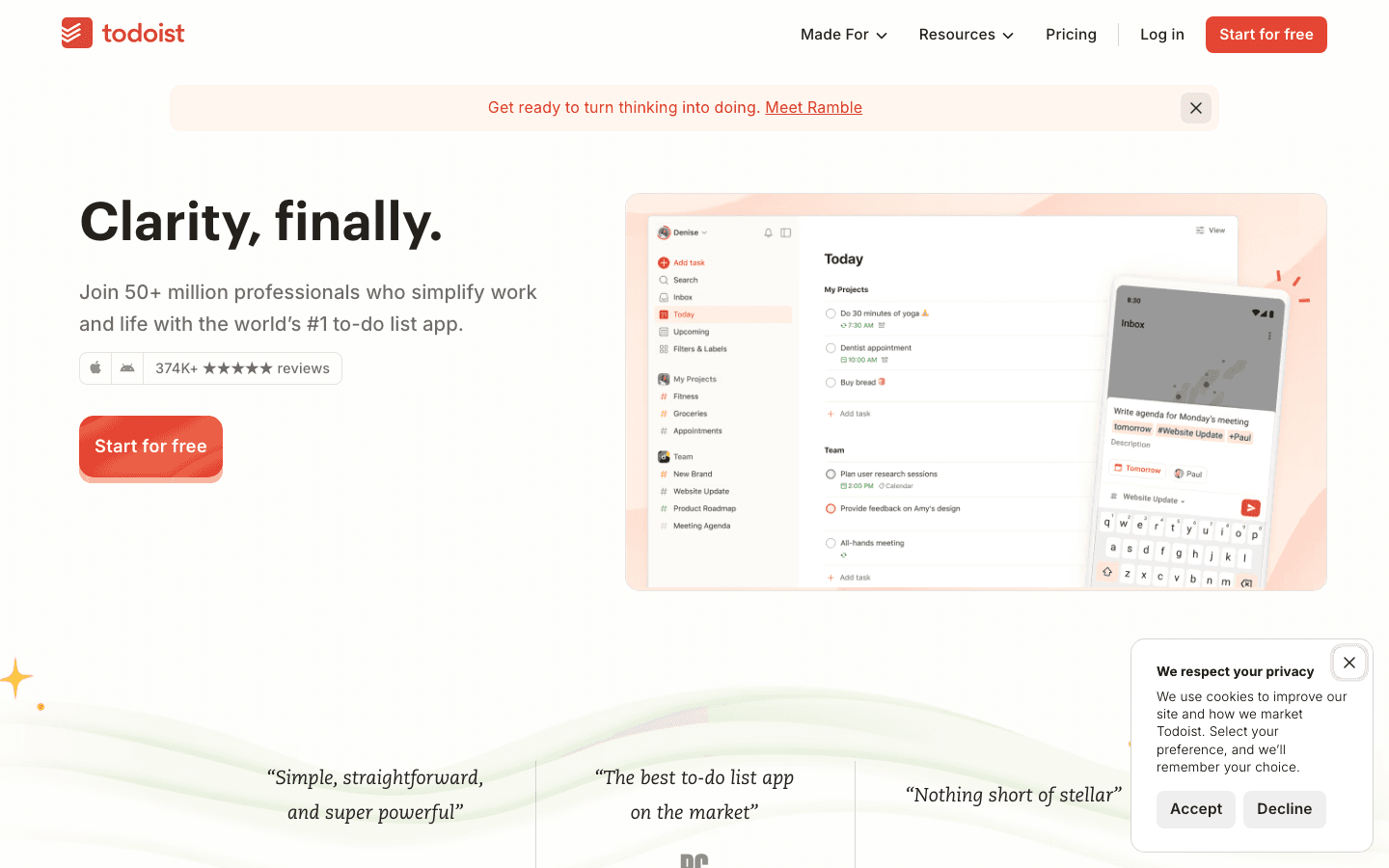
Todoist has been around since 2007, and the polish shows. It's one of the most feature-complete task managers you can find: type "report due Friday p1" and it parses the due date and priority automatically. You get multiple project views (list, board, calendar on Pro, upcoming timeline), labels and filters that work across all your projects at once, a karma system that tracks your streaks and completion rates, and integrations with virtually every tool you might already use.
The AI Assist feature can automatically break a vague task into subtasks or suggest next actions, which is useful when you're staring at something like "prepare for Q3 review" and don't know where to start. For people who think in projects and priorities, Todoist fits naturally. The free Beginner tier is genuinely capable for solo use. Pro unlocks reminders, calendar view, labels, and filters, which is where it gets powerful. For the best task managers on iPhone, Todoist consistently ranks at the top.
Key Features
Natural language input: dates, priorities, recurring tasks all parsed from plain text
Multiple views: list, board, calendar (Pro), and upcoming timeline
Labels, filters, and priorities for cross-project organization
AI Assist: breaks tasks into subtasks or suggests next actions
80+ integrations (Google Calendar, Slack, Zapier, GitHub, Notion, and more)
Karma: productivity streaks and completion tracking
Team projects with comments, task assignment, and file attachments
What Works
Natural language date parsing is the best in its class
Cross-project filters let you see all high-priority tasks or a specific label in one view
Integrations cover almost any tool in a typical work setup
AI Assist actually helps with poorly defined tasks
The free tier is more capable than Microsoft To Do for non-Microsoft users
Limitations
Calendar sync is read-only: tasks appear on your calendar but Todoist doesn't block time automatically
No auto-scheduling: tasks stay on a list until you decide when to do them
Reminders require the Pro plan ($5/month)
The karma system can feel like gamification that doesn't connect to real productivity
No built-in time-blocking or scheduling AI
Pricing: Free (Beginner). Pro at $5/month billed annually, or $6.99/month. Business at $8/user/month annually.
Best for: Anyone who needs advanced organization, natural language input, and integrations with their existing tools. Teams that want project collaboration alongside personal task management.
Which One Should You Use?
You use Microsoft 365: Microsoft To Do is the obvious pick. It's free, the Outlook sync is automatic, and you don't need any setup.
You're outside the Microsoft ecosystem: Todoist is better by a significant margin. Natural language input, proper integrations, and more ways to organize your work make it the stronger tool for most people.
You want free only: Microsoft To Do if you use Microsoft 365; Todoist's free tier otherwise.
You work in teams: Todoist handles project-level collaboration better. Microsoft To Do is fine for basic shared lists.
You want something simple: Microsoft To Do's My Day is about as low-friction as task management gets.
One thing both apps have in common: they're passive. They hold your tasks but they don't schedule them. If your problem is that tasks pile up and never get done because you never have a clear plan for when you'll actually do them, neither tool solves that. Lifestack is worth a look if auto-scheduling around your calendar and energy is what you're after, but for straightforward task capture and organization these two cover most people's needs. Our AI planner app guide covers the scheduling side of things if you want to dig in.

FAQ
Is Microsoft To Do better than Todoist?
It depends on your setup. Microsoft To Do is better if you use Microsoft 365 because the integration with Outlook, Teams, and Planner is seamless and it's completely free. Todoist is better for nearly everyone else: it has natural language input, more views, stronger integrations with non-Microsoft tools, and a more capable free tier. Outside the Microsoft world, Todoist wins on features.
What is the main difference between Microsoft To Do and Todoist?
The biggest differences are ecosystem fit, natural language input, and integration depth. Microsoft To Do is built for the Microsoft 365 world and is free. Todoist works with everything, parses natural language dates and priorities, and integrates with 80+ apps. Both are list-based task managers that don't auto-schedule your work.
Is Todoist worth paying for?
The Pro plan at $5/month is worth it if you need reminders, calendar view, labels, and filters. The free Beginner tier covers basic task capture and projects, which is enough for simple use. If you're comparing it to Microsoft To Do's free tier and you're not in the Microsoft ecosystem, Todoist's free plan is already more capable. Pro unlocks the organizational depth that makes Todoist genuinely powerful.
Does Microsoft To Do have natural language input?
No. Microsoft To Do does not support natural language input for due dates or task details. You set dates manually through a date picker. Todoist supports natural language across the board: "every Monday at 10am" or "tomorrow p1" are parsed correctly without extra steps.
Does Microsoft To Do integrate with Google Calendar?
Not natively. Microsoft To Do integrates with Outlook Calendar but not Google Calendar. If you need Google Calendar integration in your task manager, Todoist handles it natively. You can also connect Microsoft To Do to Google Calendar via Zapier, but it requires a paid Zapier plan.
Can Todoist auto-schedule tasks on my calendar?
No. Todoist can show your tasks on Google Calendar as events, but it doesn't automatically schedule them based on your availability or block time for them. You still decide when to work on each task. For true auto-scheduling, you need a different tool. Our AI planner app guide covers what those look like.
Which is better for ADHD: Microsoft To Do or Todoist?
Todoist is the better of the two for ADHD because it has natural language input (lower friction to capture), more view options, and AI Assist to break down overwhelming tasks. Microsoft To Do's My Day is also useful for keeping a short focused list. That said, both are passive: they don't tell you when to work on things, which is often the hardest part with ADHD. Our guide to AI tools for ADHD covers options that handle that piece.
Deciding between Microsoft To Do and Todoist comes down to one question: are you already inside the Microsoft 365 ecosystem or not? Beyond that, both apps do roughly the same thing: capture tasks, organize them into lists, and let you check them off. Which one does it better depends on what you actually need from it.
We used both as our primary task managers for several weeks: real work, real deadlines, cross-device capture, recurring habits, and shared projects. Here's how they actually compare.
Quick Verdict
Microsoft To Do is the better pick if you already use Microsoft 365. It's free, syncs automatically with Outlook, Teams, and Planner, and the "My Day" planning view is genuinely good for keeping focused without over-engineering your system.
Todoist is the better pick for almost everyone outside the Microsoft world. Natural language input, cross-platform integrations, calendar views, labels, and filters give it a significant feature edge. The free tier is solid; Pro at $5/month is worth it if you use it seriously.
At a Glance
Price: Microsoft To Do is free. Todoist has a free tier; Pro is $5/month billed annually or $6.99/month.
Natural language input: Todoist understands "every Tuesday at 9am" or "next week p1." Microsoft To Do does not.
Integrations: Microsoft To Do connects deeply with Microsoft 365. Todoist connects with 80+ apps including Google Calendar, Slack, Zapier, and GitHub.
Views: Todoist has list, board, calendar, and upcoming views. Microsoft To Do has list and My Day.
AI features: Todoist has AI Assist for breaking down tasks. Microsoft To Do has Copilot integration for Microsoft 365 users.
Teams: Both support shared lists and task assignment. Todoist is more capable for project-level collaboration.
How We Evaluated
Task capture speed: how fast can you get something out of your head and into the app?
Organization depth: projects, labels, filters, priorities, subtasks
Calendar and scheduling integration
AI features and automation
Cross-platform availability and third-party integrations
Collaboration for teams
Pricing and free tier quality
1. Microsoft To Do
Free, clean, and genuinely useful if your work already runs through Microsoft 365.
Microsoft To Do started as the replacement for Wunderlist after Microsoft acquired it in 2015, and it's grown into a solid, straightforward task manager. The interface is calm and uncluttered, the apps are fast on every platform, and the free price is hard to argue with. The standout feature is My Day: every morning you choose which tasks you want to work on and build a short, focused list. It's a simple habit that actually works for staying on track without building a complex system.
Where it earns its place is the Microsoft 365 integration. Flag an email in Outlook and it shows up as a task automatically. Teams assignments and Planner cards connect with no setup. For anyone whose work already lives in that ecosystem, To Do handles personal task management with zero friction. Outside of Microsoft's world, the feature gaps become obvious fast. No natural language input, no integrations with Google Calendar or Slack, no labels or cross-list filters. It's a clean tool, but a narrow one.
Key Features
My Day: daily planning view where you pick tasks to focus on each morning
Smart Suggestions: recommends tasks for My Day based on due dates and history
Outlook Tasks sync, flagged email integration, Teams and Planner connection
Subtasks (Steps) for breaking down tasks within a list
List sharing for basic collaboration
iOS, Android, Windows, Mac, and web apps
Completely free with a Microsoft account
What Works
Free with no feature gating on the core functionality
My Day is a simple, effective daily focus habit
Outlook sync is seamless: flagged emails become tasks with no configuration
Clean interface with low cognitive load
Fast, reliable mobile apps
Limitations
No natural language input: due dates are set manually
No labels or filters for cross-list organization
No native integrations outside the Microsoft ecosystem
No calendar view of your tasks
No analytics or productivity tracking
Collaboration limited to basic shared lists, not full project management
Pricing: Free with any Microsoft account. No paid tiers.
Best for: Microsoft 365 users who want a free, clean task manager that connects automatically with Outlook. Students and solo users who want simple list-based organization.
2. Todoist
Natural language input, 80+ integrations, and the most organizational depth of any mainstream task manager.
Todoist has been around since 2007, and the polish shows. It's one of the most feature-complete task managers you can find: type "report due Friday p1" and it parses the due date and priority automatically. You get multiple project views (list, board, calendar on Pro, upcoming timeline), labels and filters that work across all your projects at once, a karma system that tracks your streaks and completion rates, and integrations with virtually every tool you might already use.
The AI Assist feature can automatically break a vague task into subtasks or suggest next actions, which is useful when you're staring at something like "prepare for Q3 review" and don't know where to start. For people who think in projects and priorities, Todoist fits naturally. The free Beginner tier is genuinely capable for solo use. Pro unlocks reminders, calendar view, labels, and filters, which is where it gets powerful. For the best task managers on iPhone, Todoist consistently ranks at the top.
Key Features
Natural language input: dates, priorities, recurring tasks all parsed from plain text
Multiple views: list, board, calendar (Pro), and upcoming timeline
Labels, filters, and priorities for cross-project organization
AI Assist: breaks tasks into subtasks or suggests next actions
80+ integrations (Google Calendar, Slack, Zapier, GitHub, Notion, and more)
Karma: productivity streaks and completion tracking
Team projects with comments, task assignment, and file attachments
What Works
Natural language date parsing is the best in its class
Cross-project filters let you see all high-priority tasks or a specific label in one view
Integrations cover almost any tool in a typical work setup
AI Assist actually helps with poorly defined tasks
The free tier is more capable than Microsoft To Do for non-Microsoft users
Limitations
Calendar sync is read-only: tasks appear on your calendar but Todoist doesn't block time automatically
No auto-scheduling: tasks stay on a list until you decide when to do them
Reminders require the Pro plan ($5/month)
The karma system can feel like gamification that doesn't connect to real productivity
No built-in time-blocking or scheduling AI
Pricing: Free (Beginner). Pro at $5/month billed annually, or $6.99/month. Business at $8/user/month annually.
Best for: Anyone who needs advanced organization, natural language input, and integrations with their existing tools. Teams that want project collaboration alongside personal task management.
Which One Should You Use?
You use Microsoft 365: Microsoft To Do is the obvious pick. It's free, the Outlook sync is automatic, and you don't need any setup.
You're outside the Microsoft ecosystem: Todoist is better by a significant margin. Natural language input, proper integrations, and more ways to organize your work make it the stronger tool for most people.
You want free only: Microsoft To Do if you use Microsoft 365; Todoist's free tier otherwise.
You work in teams: Todoist handles project-level collaboration better. Microsoft To Do is fine for basic shared lists.
You want something simple: Microsoft To Do's My Day is about as low-friction as task management gets.
One thing both apps have in common: they're passive. They hold your tasks but they don't schedule them. If your problem is that tasks pile up and never get done because you never have a clear plan for when you'll actually do them, neither tool solves that. Lifestack is worth a look if auto-scheduling around your calendar and energy is what you're after, but for straightforward task capture and organization these two cover most people's needs. Our AI planner app guide covers the scheduling side of things if you want to dig in.
FAQ
Is Microsoft To Do better than Todoist?
It depends on your setup. Microsoft To Do is better if you use Microsoft 365 because the integration with Outlook, Teams, and Planner is seamless and it's completely free. Todoist is better for nearly everyone else: it has natural language input, more views, stronger integrations with non-Microsoft tools, and a more capable free tier. Outside the Microsoft world, Todoist wins on features.
What is the main difference between Microsoft To Do and Todoist?
The biggest differences are ecosystem fit, natural language input, and integration depth. Microsoft To Do is built for the Microsoft 365 world and is free. Todoist works with everything, parses natural language dates and priorities, and integrates with 80+ apps. Both are list-based task managers that don't auto-schedule your work.
Is Todoist worth paying for?
The Pro plan at $5/month is worth it if you need reminders, calendar view, labels, and filters. The free Beginner tier covers basic task capture and projects, which is enough for simple use. If you're comparing it to Microsoft To Do's free tier and you're not in the Microsoft ecosystem, Todoist's free plan is already more capable. Pro unlocks the organizational depth that makes Todoist genuinely powerful.
Does Microsoft To Do have natural language input?
No. Microsoft To Do does not support natural language input for due dates or task details. You set dates manually through a date picker. Todoist supports natural language across the board: "every Monday at 10am" or "tomorrow p1" are parsed correctly without extra steps.
Does Microsoft To Do integrate with Google Calendar?
Not natively. Microsoft To Do integrates with Outlook Calendar but not Google Calendar. If you need Google Calendar integration in your task manager, Todoist handles it natively. You can also connect Microsoft To Do to Google Calendar via Zapier, but it requires a paid Zapier plan.
Can Todoist auto-schedule tasks on my calendar?
No. Todoist can show your tasks on Google Calendar as events, but it doesn't automatically schedule them based on your availability or block time for them. You still decide when to work on each task. For true auto-scheduling, you need a different tool. Our AI planner app guide covers what those look like.
Which is better for ADHD: Microsoft To Do or Todoist?
Todoist is the better of the two for ADHD because it has natural language input (lower friction to capture), more view options, and AI Assist to break down overwhelming tasks. Microsoft To Do's My Day is also useful for keeping a short focused list. That said, both are passive: they don't tell you when to work on things, which is often the hardest part with ADHD. Our guide to AI tools for ADHD covers options that handle that piece.



FOLLOW ON
FOLLOW ON
FOLLOW ON


Copyright 2026 © Lifestack. All rights reserved
Copyright 2026 © Lifestack. All rights reserved

