
App
Best TickTick Alternatives in 2026
Best TickTick Alternatives in 2026

TickTick is a solid task manager, but it's not the right fit for everyone. Maybe the interface feels cluttered, the calendar integration isn't clicking, or you want something that actually schedules your day rather than just listing tasks. Whatever the reason, there are genuinely strong TickTick alternatives worth knowing about.
We tested six of them across task management, scheduling intelligence, calendar integration, and mobile experience. This list covers a range of approaches: AI-powered daily planning, simple cross-platform to-do apps, Apple-native task managers, and free Microsoft-integrated options.
Pricing was verified directly from each app's website or App Store listing in August 2026.
Key Takeaways
If you want a task manager that actually schedules your day around your energy levels, Lifestack is the best TickTick alternative in 2026. It reads your wearable data and builds a personalized daily schedule automatically.
Todoist is the closest direct replacement for TickTick: similar feature set, excellent cross-platform support, and a strong free tier that covers most individual users.
Microsoft To Do is completely free and integrates tightly with Microsoft 365. If your work lives in Outlook, it's the obvious pick.
Quick Guide: Best TickTick Alternatives
1. Lifestack: AI planner that schedules your tasks around your energy levels
2. Todoist: closest feature match to TickTick with a strong free tier
3. Things 3: best-designed Apple-only task manager
4. Microsoft To Do: completely free, perfect for Microsoft 365 users
5. Any.do: simple interface with AI features and a daily planner
6. Asana: best for teams that outgrow personal task managers
How We Evaluated
Task management depth: subtasks, recurring tasks, tags, filters
Calendar and scheduling: does it just list tasks or actually place them in your day?
Energy and focus awareness: does it schedule around when you work best?
Cross-platform support: iOS, Android, Mac, Windows, web
Free tier quality: how far does the free plan actually get you?
Pricing value: what do you actually get per dollar?
1. Lifestack: Best Overall TickTick Alternative
The only task manager that schedules around your energy, not just your availability.

Lifestack takes a fundamentally different approach to task management. Rather than giving you a list and leaving the scheduling to you, it reads your sleep, recovery, and focus data from wearables (Apple Watch, Oura Ring, Garmin, Fitbit, and more) and automatically builds your daily plan around when you actually have cognitive energy. Deep work gets slotted into your peak hours. Lighter tasks land when your focus dips.
That's the core difference between Lifestack and TickTick: TickTick manages your task list. Lifestack manages your day. For people who want AI-powered task management that does the scheduling work for them, Lifestack is the strongest option available.
Syncs with Apple Watch, Oura, Garmin, Fitbit, and other wearables
Builds daily schedules automatically based on your energy data
iOS, Android, Chrome extension, and Mac app
Unlimited calendars and tasks across all plans
What works: The energy-aware scheduling is genuinely useful for anyone doing cognitively demanding work. The Chrome extension keeps tasks in view without switching apps. The AI planning approach beats time-blocking for most users.
Limitations: No team/project management features. No Pomodoro timer (unlike TickTick). Better suited to individual professionals than project teams.
Pricing: $7/month, $50/year (~$4.17/month), or $120 lifetime one-time purchase. 7-day free trial on the annual plan.
Best for: Professionals and knowledge workers who want their task manager to handle daily scheduling automatically.
2. Todoist: Best Direct TickTick Replacement
50 million users can't be wrong about the world's most popular to-do app.
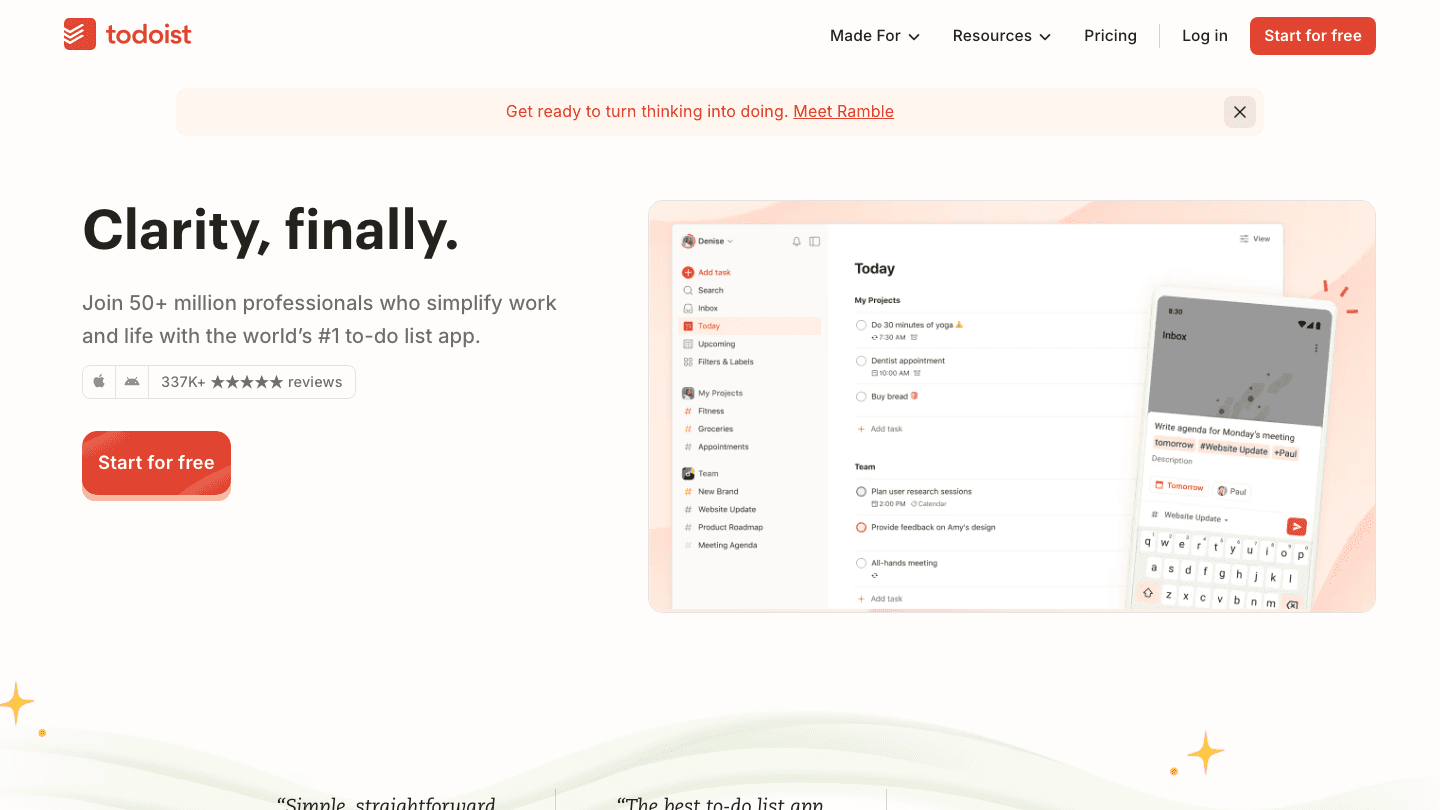
If you want something that works almost exactly like TickTick, Todoist is the answer. It has subtasks, recurring tasks, labels, filters, project organization, and a calendar view. It works on every platform: iOS, Android, Mac, Windows, web, and browser extensions. The free Beginner plan covers 5 projects and core features, which is enough for most personal users.
Todoist's natural language input is its standout feature. Type "submit report every Monday at 9am" and it figures out the task, recurrence, and time automatically. TickTick has similar functionality but Todoist's parser tends to be more reliable. Check Todoist's pricing if you're considering upgrading to Pro for features like calendar layout and custom reminders.
Natural language task input
5 free projects; 300 on Pro
Integrates with Google Calendar, Outlook, Slack, Zapier
Shared projects for team collaboration
What works: The most complete free tier of any TickTick alternative. Natural language parsing is excellent. The interface is cleaner than TickTick's.
Limitations: No energy awareness or AI scheduling. No Pomodoro timer built in. Calendar view requires the Pro plan.
Pricing: Free (Beginner), $5/month billed annually for Pro, $8/month annually for Business.
Best for: TickTick users who want the same feature set in a cleaner package.
3. Things 3: Best for Apple Ecosystem Users
The most thoughtfully designed task manager you can buy.
Things 3 is what happens when a small team obsesses over design for a decade. Every interaction feels considered: the way tasks move between areas, how projects nest, how the Today view surfaces the right work. It has won Apple design awards multiple years running, and the experience shows.
The big caveat: Things 3 is Apple-only. iPhone, iPad, Mac. No Android, no Windows, no web app. If you work across mixed platforms, it's a non-starter. But if you live entirely in the Apple ecosystem, it's a serious upgrade from TickTick's interface.
Areas, Projects, and Tasks hierarchy with headings and checklists
Calendar integration (reads your calendar events alongside tasks)
Tags and filters for complex organization
Apple Watch app for quick task capture
What works: The best-in-class interface in any task manager. One-time purchase model (no subscription). Very fast to use once you learn the system.
Limitations: Apple-only. No team features. No energy awareness or AI scheduling. No recurring task flexibility compared to TickTick.
Pricing: One-time purchase. iPhone: $9.99. iPad: $19.99. Mac: $49.99. No subscription required.
Best for: Apple-only users who want a beautiful, polished task manager without a recurring fee.
4. Microsoft To Do: Best Free TickTick Alternative
Completely free, and deeply integrated with Microsoft 365.

Microsoft To Do is free. No premium tier, no freemium gates on core features. It replaced Wunderlist several years ago and has quietly become one of the best simple task managers available, especially if you use Outlook or Microsoft 365.
The My Day view works similarly to TickTick's Today view: each morning you choose what to tackle that day. Tasks sync automatically with Outlook Tasks and Microsoft Planner for teams. It's cross-platform (iOS, Android, Mac, Windows, web), responsive, and genuinely reliable.
Completely free, no paid tier
Syncs with Outlook Tasks and Microsoft Planner
My Day view for daily planning
Shared lists for simple team collaboration
What works: Truly free with no feature limitations. If you use Microsoft 365, the Outlook sync alone makes it worth switching from TickTick.
Limitations: Less feature-rich than TickTick (no subtask nesting beyond one level, no built-in Pomodoro, no Kanban view). No energy awareness.
Pricing: Free. No paid tier.
Best for: Microsoft 365 users looking for a free TickTick replacement with solid Outlook integration.
5. Any.do: Best Simple Daily Planner
A to-do list that doubles as a daily planning ritual.
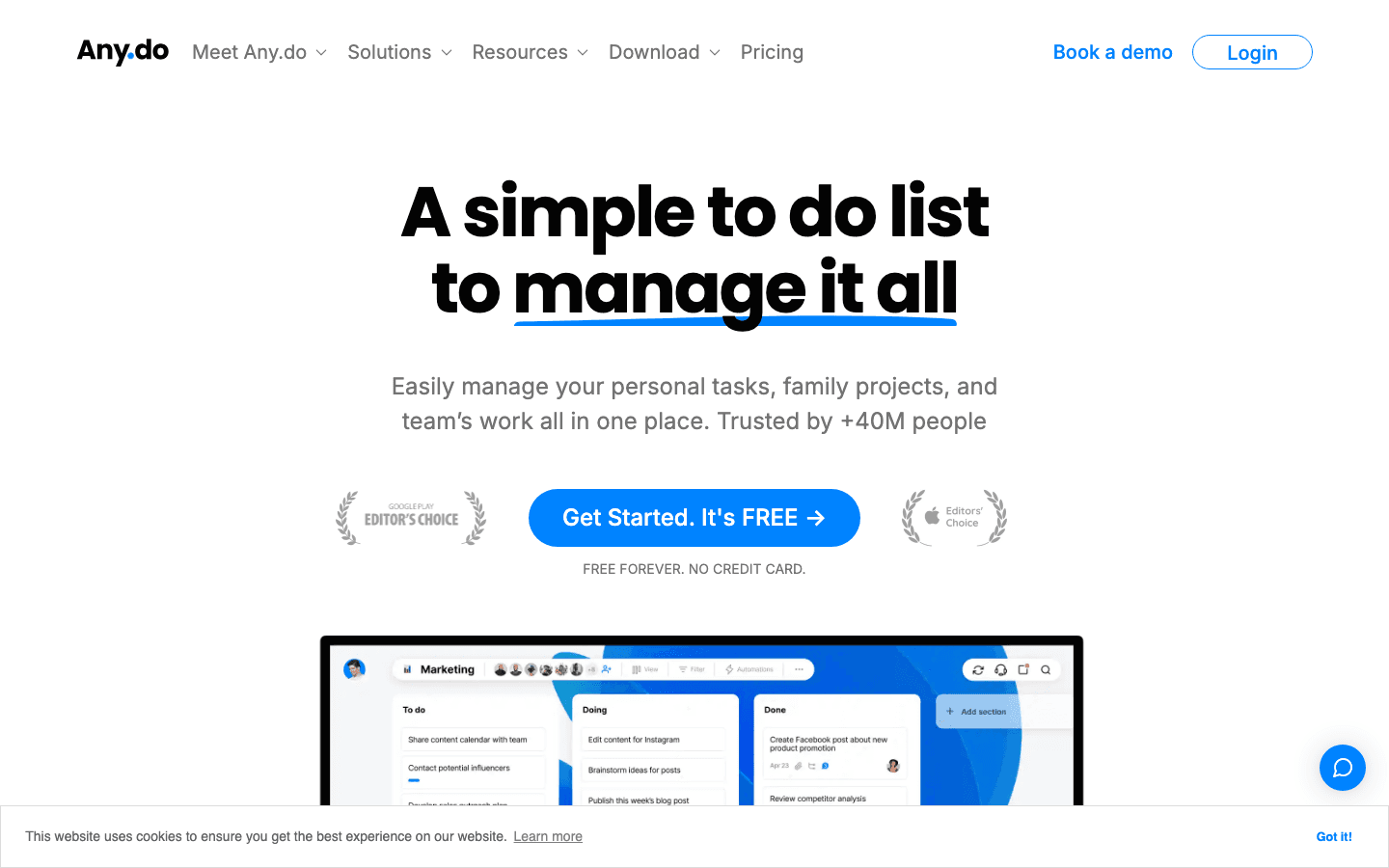
Any.do is built around a daily planning ritual called "Plan My Day," where you review upcoming tasks each morning and commit to what you'll tackle that day. It's a more opinionated approach than TickTick's open structure, and it works well for people who like a gentle daily check-in.
The free personal plan is genuinely useful: tasks, lists, reminders, calendar view, and cross-device sync. Premium adds recurring tasks, WhatsApp reminders, AI features, and color tags. See the Any.do pricing breakdown if you're comparing costs.
Plan My Day feature for daily task triage
Calendar integration with Google Calendar and Outlook
WhatsApp reminders on Premium
Grocery list and family sharing features
What works: The daily planning ritual is genuinely motivating. Clean interface that's less cluttered than TickTick. Strong family plan for shared households.
Limitations: No energy-aware scheduling. Recurring tasks are paywalled. No Kanban or project timeline views.
Pricing: Free (Personal), $4.99/month billed annually for Premium, $8.33/month for Family plan (4 members).
Best for: People who want a simple, structured daily planning flow without complex project management.
6. Asana: Best for Teams
When task management needs to scale beyond just you.
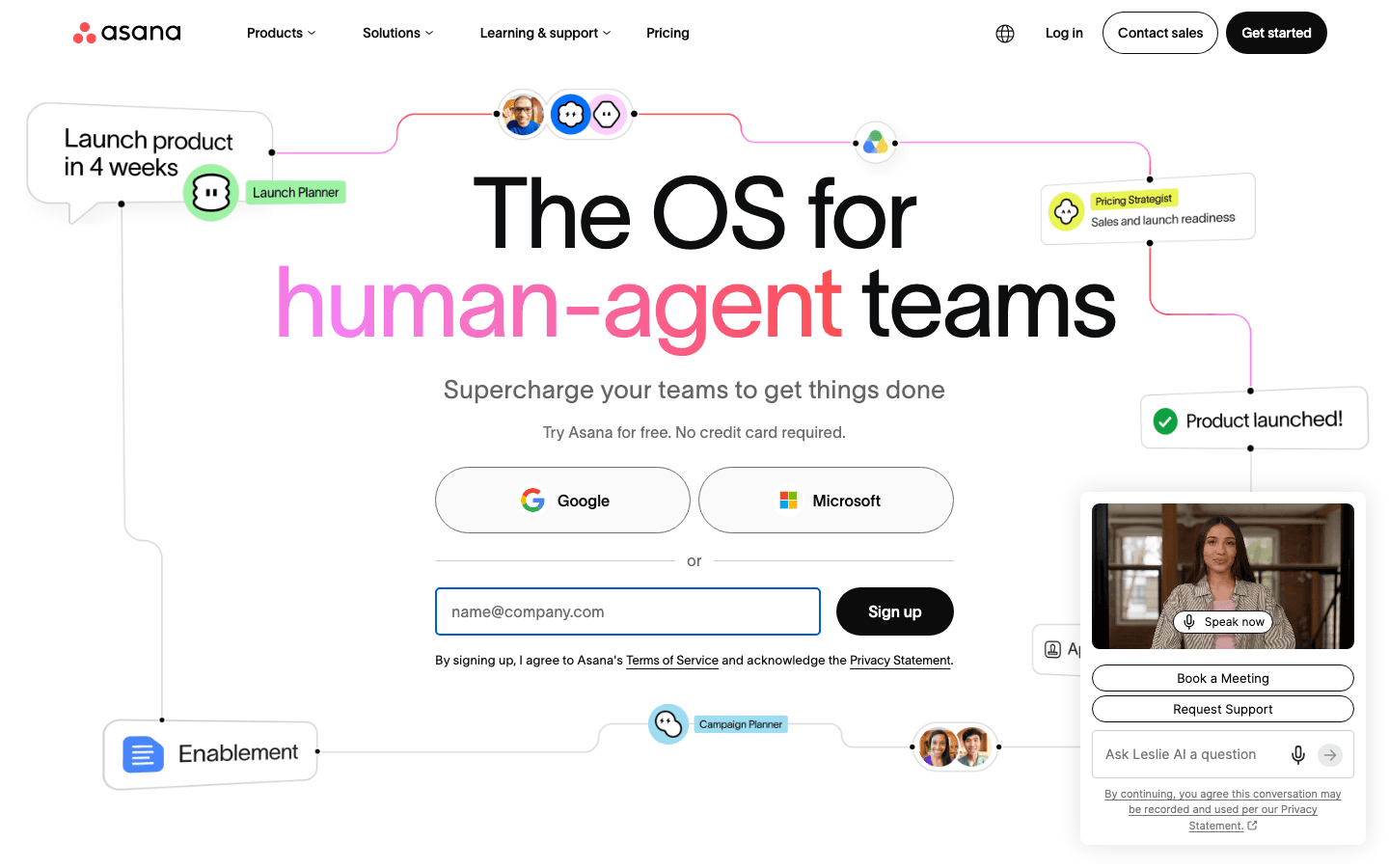
Asana is overkill for personal task management but it's the right tool when TickTick's limitations show up at team scale. Project timelines, workload views, approval workflows, and dependency tracking are all built in. It handles complex multi-person projects that TickTick simply wasn't designed for.
The free Personal plan supports up to 2 users with unlimited tasks and projects. Starter unlocks team features, Timeline view, and reporting dashboards. For teams needing more than what TickTick offers, Asana is the natural upgrade path.
Project timelines, Gantt charts, and workload views
Task dependencies and approval workflows
Integrates with Slack, Google Workspace, Salesforce, and 200+ apps
AI Studio for workflow automation
What works: The most fully featured project management tool in this list. Timeline view is genuinely useful for planning multi-week projects.
Limitations: Free plan is limited to 2 users. Much more complex than TickTick. Not built for individual task management. No energy-aware scheduling.
Pricing: Free (up to 2 users), $10.99/month per user billed annually for Starter. See Asana's full pricing breakdown.
Best for: Small to medium teams that need project management features beyond TickTick's scope.
Which TickTick Alternative Is Right for You?
Want AI scheduling that builds your day automatically: Lifestack
Want the closest TickTick replacement with a strong free tier: Todoist
Only use Apple devices and want beautiful design: Things 3
Use Microsoft 365 and want a free option: Microsoft To Do
Want a simple daily planning routine without complexity: Any.do
Managing a team that needs project timelines and workflows: Asana
The biggest gap most TickTick users notice when switching is how differently these apps handle scheduling. TickTick lists tasks. None of the alternatives above (except Lifestack) actually decide *when* you should do each task. If you find yourself manually sorting and rescheduling every day, that's the signal to try a true AI planning app instead of another to-do list.
Frequently Asked Questions
What is the best free alternative to TickTick?
Microsoft To Do is completely free with no paid tier. Todoist's free Beginner plan is also strong, covering 5 projects and core features. Any.do's free Personal plan includes tasks, lists, reminders, and calendar sync. All three are solid free TickTick alternatives, depending on whether you're in the Microsoft or Google ecosystem.
Is there a TickTick alternative for Apple users?
Things 3 is the best Apple-native TickTick alternative. It's available for iPhone, iPad, and Mac (not Android or web) and is a one-time purchase with no subscription. The interface is considered among the best-designed in the category.
Which TickTick alternative is best for ADHD?
Lifestack. It removes the daily planning burden by building your schedule automatically from your energy and calendar data. For people with ADHD who struggle with task initiation or daily planning, not having to manually decide what to work on and when is a meaningful advantage. See our roundup of ADHD time management apps for more options.
Does Todoist work the same as TickTick?
Very closely. Both have natural language input, recurring tasks, labels, filters, project organization, and mobile apps on iOS and Android. Todoist's interface is generally considered cleaner. TickTick has a built-in Pomodoro timer and a calendar view on the free plan; Todoist's calendar view requires the Pro plan. Pricing is similar at the paid tier.
Is there a TickTick alternative with better AI scheduling?
Yes. Lifestack is the standout option here. It reads wearable data and health signals to build your daily plan around your actual energy levels, not just your available time slots. That's a fundamentally different approach from TickTick's manual scheduling model. Read about how AI planner apps work to understand the difference.
Are there TickTick alternatives with no subscription fee?
Two options: Microsoft To Do is entirely free. Things 3 is a one-time purchase (no subscription) at $9.99 for iPhone, $19.99 for iPad, and $49.99 for Mac. Lifestack also offers a $120 lifetime plan as a one-time purchase option.
TickTick is a solid task manager, but it's not the right fit for everyone. Maybe the interface feels cluttered, the calendar integration isn't clicking, or you want something that actually schedules your day rather than just listing tasks. Whatever the reason, there are genuinely strong TickTick alternatives worth knowing about.
We tested six of them across task management, scheduling intelligence, calendar integration, and mobile experience. This list covers a range of approaches: AI-powered daily planning, simple cross-platform to-do apps, Apple-native task managers, and free Microsoft-integrated options.
Pricing was verified directly from each app's website or App Store listing in August 2026.
Key Takeaways
If you want a task manager that actually schedules your day around your energy levels, Lifestack is the best TickTick alternative in 2026. It reads your wearable data and builds a personalized daily schedule automatically.
Todoist is the closest direct replacement for TickTick: similar feature set, excellent cross-platform support, and a strong free tier that covers most individual users.
Microsoft To Do is completely free and integrates tightly with Microsoft 365. If your work lives in Outlook, it's the obvious pick.
Quick Guide: Best TickTick Alternatives
1. Lifestack: AI planner that schedules your tasks around your energy levels
2. Todoist: closest feature match to TickTick with a strong free tier
3. Things 3: best-designed Apple-only task manager
4. Microsoft To Do: completely free, perfect for Microsoft 365 users
5. Any.do: simple interface with AI features and a daily planner
6. Asana: best for teams that outgrow personal task managers
How We Evaluated
Task management depth: subtasks, recurring tasks, tags, filters
Calendar and scheduling: does it just list tasks or actually place them in your day?
Energy and focus awareness: does it schedule around when you work best?
Cross-platform support: iOS, Android, Mac, Windows, web
Free tier quality: how far does the free plan actually get you?
Pricing value: what do you actually get per dollar?
1. Lifestack: Best Overall TickTick Alternative
The only task manager that schedules around your energy, not just your availability.
Lifestack takes a fundamentally different approach to task management. Rather than giving you a list and leaving the scheduling to you, it reads your sleep, recovery, and focus data from wearables (Apple Watch, Oura Ring, Garmin, Fitbit, and more) and automatically builds your daily plan around when you actually have cognitive energy. Deep work gets slotted into your peak hours. Lighter tasks land when your focus dips.
That's the core difference between Lifestack and TickTick: TickTick manages your task list. Lifestack manages your day. For people who want AI-powered task management that does the scheduling work for them, Lifestack is the strongest option available.
Syncs with Apple Watch, Oura, Garmin, Fitbit, and other wearables
Builds daily schedules automatically based on your energy data
iOS, Android, Chrome extension, and Mac app
Unlimited calendars and tasks across all plans
What works: The energy-aware scheduling is genuinely useful for anyone doing cognitively demanding work. The Chrome extension keeps tasks in view without switching apps. The AI planning approach beats time-blocking for most users.
Limitations: No team/project management features. No Pomodoro timer (unlike TickTick). Better suited to individual professionals than project teams.
Pricing: $7/month, $50/year (~$4.17/month), or $120 lifetime one-time purchase. 7-day free trial on the annual plan.
Best for: Professionals and knowledge workers who want their task manager to handle daily scheduling automatically.
2. Todoist: Best Direct TickTick Replacement
50 million users can't be wrong about the world's most popular to-do app.
If you want something that works almost exactly like TickTick, Todoist is the answer. It has subtasks, recurring tasks, labels, filters, project organization, and a calendar view. It works on every platform: iOS, Android, Mac, Windows, web, and browser extensions. The free Beginner plan covers 5 projects and core features, which is enough for most personal users.
Todoist's natural language input is its standout feature. Type "submit report every Monday at 9am" and it figures out the task, recurrence, and time automatically. TickTick has similar functionality but Todoist's parser tends to be more reliable. Check Todoist's pricing if you're considering upgrading to Pro for features like calendar layout and custom reminders.
Natural language task input
5 free projects; 300 on Pro
Integrates with Google Calendar, Outlook, Slack, Zapier
Shared projects for team collaboration
What works: The most complete free tier of any TickTick alternative. Natural language parsing is excellent. The interface is cleaner than TickTick's.
Limitations: No energy awareness or AI scheduling. No Pomodoro timer built in. Calendar view requires the Pro plan.
Pricing: Free (Beginner), $5/month billed annually for Pro, $8/month annually for Business.
Best for: TickTick users who want the same feature set in a cleaner package.
3. Things 3: Best for Apple Ecosystem Users
The most thoughtfully designed task manager you can buy.
Things 3 is what happens when a small team obsesses over design for a decade. Every interaction feels considered: the way tasks move between areas, how projects nest, how the Today view surfaces the right work. It has won Apple design awards multiple years running, and the experience shows.
The big caveat: Things 3 is Apple-only. iPhone, iPad, Mac. No Android, no Windows, no web app. If you work across mixed platforms, it's a non-starter. But if you live entirely in the Apple ecosystem, it's a serious upgrade from TickTick's interface.
Areas, Projects, and Tasks hierarchy with headings and checklists
Calendar integration (reads your calendar events alongside tasks)
Tags and filters for complex organization
Apple Watch app for quick task capture
What works: The best-in-class interface in any task manager. One-time purchase model (no subscription). Very fast to use once you learn the system.
Limitations: Apple-only. No team features. No energy awareness or AI scheduling. No recurring task flexibility compared to TickTick.
Pricing: One-time purchase. iPhone: $9.99. iPad: $19.99. Mac: $49.99. No subscription required.
Best for: Apple-only users who want a beautiful, polished task manager without a recurring fee.
4. Microsoft To Do: Best Free TickTick Alternative
Completely free, and deeply integrated with Microsoft 365.
Microsoft To Do is free. No premium tier, no freemium gates on core features. It replaced Wunderlist several years ago and has quietly become one of the best simple task managers available, especially if you use Outlook or Microsoft 365.
The My Day view works similarly to TickTick's Today view: each morning you choose what to tackle that day. Tasks sync automatically with Outlook Tasks and Microsoft Planner for teams. It's cross-platform (iOS, Android, Mac, Windows, web), responsive, and genuinely reliable.
Completely free, no paid tier
Syncs with Outlook Tasks and Microsoft Planner
My Day view for daily planning
Shared lists for simple team collaboration
What works: Truly free with no feature limitations. If you use Microsoft 365, the Outlook sync alone makes it worth switching from TickTick.
Limitations: Less feature-rich than TickTick (no subtask nesting beyond one level, no built-in Pomodoro, no Kanban view). No energy awareness.
Pricing: Free. No paid tier.
Best for: Microsoft 365 users looking for a free TickTick replacement with solid Outlook integration.
5. Any.do: Best Simple Daily Planner
A to-do list that doubles as a daily planning ritual.
Any.do is built around a daily planning ritual called "Plan My Day," where you review upcoming tasks each morning and commit to what you'll tackle that day. It's a more opinionated approach than TickTick's open structure, and it works well for people who like a gentle daily check-in.
The free personal plan is genuinely useful: tasks, lists, reminders, calendar view, and cross-device sync. Premium adds recurring tasks, WhatsApp reminders, AI features, and color tags. See the Any.do pricing breakdown if you're comparing costs.
Plan My Day feature for daily task triage
Calendar integration with Google Calendar and Outlook
WhatsApp reminders on Premium
Grocery list and family sharing features
What works: The daily planning ritual is genuinely motivating. Clean interface that's less cluttered than TickTick. Strong family plan for shared households.
Limitations: No energy-aware scheduling. Recurring tasks are paywalled. No Kanban or project timeline views.
Pricing: Free (Personal), $4.99/month billed annually for Premium, $8.33/month for Family plan (4 members).
Best for: People who want a simple, structured daily planning flow without complex project management.
6. Asana: Best for Teams
When task management needs to scale beyond just you.
Asana is overkill for personal task management but it's the right tool when TickTick's limitations show up at team scale. Project timelines, workload views, approval workflows, and dependency tracking are all built in. It handles complex multi-person projects that TickTick simply wasn't designed for.
The free Personal plan supports up to 2 users with unlimited tasks and projects. Starter unlocks team features, Timeline view, and reporting dashboards. For teams needing more than what TickTick offers, Asana is the natural upgrade path.
Project timelines, Gantt charts, and workload views
Task dependencies and approval workflows
Integrates with Slack, Google Workspace, Salesforce, and 200+ apps
AI Studio for workflow automation
What works: The most fully featured project management tool in this list. Timeline view is genuinely useful for planning multi-week projects.
Limitations: Free plan is limited to 2 users. Much more complex than TickTick. Not built for individual task management. No energy-aware scheduling.
Pricing: Free (up to 2 users), $10.99/month per user billed annually for Starter. See Asana's full pricing breakdown.
Best for: Small to medium teams that need project management features beyond TickTick's scope.
Which TickTick Alternative Is Right for You?
Want AI scheduling that builds your day automatically: Lifestack
Want the closest TickTick replacement with a strong free tier: Todoist
Only use Apple devices and want beautiful design: Things 3
Use Microsoft 365 and want a free option: Microsoft To Do
Want a simple daily planning routine without complexity: Any.do
Managing a team that needs project timelines and workflows: Asana
The biggest gap most TickTick users notice when switching is how differently these apps handle scheduling. TickTick lists tasks. None of the alternatives above (except Lifestack) actually decide *when* you should do each task. If you find yourself manually sorting and rescheduling every day, that's the signal to try a true AI planning app instead of another to-do list.
Frequently Asked Questions
What is the best free alternative to TickTick?
Microsoft To Do is completely free with no paid tier. Todoist's free Beginner plan is also strong, covering 5 projects and core features. Any.do's free Personal plan includes tasks, lists, reminders, and calendar sync. All three are solid free TickTick alternatives, depending on whether you're in the Microsoft or Google ecosystem.
Is there a TickTick alternative for Apple users?
Things 3 is the best Apple-native TickTick alternative. It's available for iPhone, iPad, and Mac (not Android or web) and is a one-time purchase with no subscription. The interface is considered among the best-designed in the category.
Which TickTick alternative is best for ADHD?
Lifestack. It removes the daily planning burden by building your schedule automatically from your energy and calendar data. For people with ADHD who struggle with task initiation or daily planning, not having to manually decide what to work on and when is a meaningful advantage. See our roundup of ADHD time management apps for more options.
Does Todoist work the same as TickTick?
Very closely. Both have natural language input, recurring tasks, labels, filters, project organization, and mobile apps on iOS and Android. Todoist's interface is generally considered cleaner. TickTick has a built-in Pomodoro timer and a calendar view on the free plan; Todoist's calendar view requires the Pro plan. Pricing is similar at the paid tier.
Is there a TickTick alternative with better AI scheduling?
Yes. Lifestack is the standout option here. It reads wearable data and health signals to build your daily plan around your actual energy levels, not just your available time slots. That's a fundamentally different approach from TickTick's manual scheduling model. Read about how AI planner apps work to understand the difference.
Are there TickTick alternatives with no subscription fee?
Two options: Microsoft To Do is entirely free. Things 3 is a one-time purchase (no subscription) at $9.99 for iPhone, $19.99 for iPad, and $49.99 for Mac. Lifestack also offers a $120 lifetime plan as a one-time purchase option.



FOLLOW ON
FOLLOW ON
FOLLOW ON


Copyright 2026 © Lifestack. All rights reserved
Copyright 2026 © Lifestack. All rights reserved

