
App
Best FlowSavvy Alternatives in 2026
Best FlowSavvy Alternatives in 2026

FlowSavvy fills a specific niche: it automatically schedules your tasks into your Google, Outlook, or iCloud calendar based on deadlines and priority. For people who hate manually dragging tasks into time slots, it does this well. But it has real limitations worth knowing about before you commit.
The free plan caps you at 5 task lists, 3 repeating tasks, and only schedules two weeks out. Pro ($14/month or $10/month annually) lifts those limits, but FlowSavvy still doesn't account for when you have high or low energy, doesn't integrate deeply with project management tools, and offers limited mobile functionality compared to the web app.
The five alternatives below each solve a different problem. One schedules around your energy curve rather than just open slots. Another gives you a free tier with habit protection built in. Two others handle complex multi-project workloads at a level FlowSavvy isn't built for.
Key Takeaways
Lifestack is the only auto-scheduler that adjusts task placement based on your energy level, not just calendar availability
Reclaim.ai's free Lite tier handles habit scheduling and meeting protection at no cost
Motion and Akiflow serve power users managing complex projects across many tools, which FlowSavvy wasn't designed for
Quick Guide
Lifestack: best for energy-aware auto-scheduling
Motion: best for teams with dense project and meeting calendars
Reclaim.ai: best free option with habit and meeting scheduling
Akiflow: best for consolidating tasks from 10+ apps into one calendar
Sunsama: best for structured daily planning rituals with clear focus sessions
How We Evaluated
Auto-scheduling quality: does it produce a realistic, ordered schedule?
Rescheduling behavior: how well does it adapt when plans shift?
Energy or capacity awareness: does it consider when you're sharp vs. drained?
Integration depth: which task apps, calendars, and tools does it connect to?
Mobile experience: is the app genuinely usable on the go?
Pricing value: what do you actually get for what you pay?
1. Lifestack
The auto-scheduler that knows when you're sharp

FlowSavvy schedules tasks when calendar slots are open. Lifestack schedules tasks when you're actually ready for them. The distinction matters: a 90-minute block at 2pm is not the same as a 90-minute block at 10am, and most scheduling apps treat them identically.
Lifestack uses your past work patterns and health data integrations to model your natural energy curve, then places demanding tasks during peaks and lighter work during dips. It connects to your calendar, task apps, and health trackers, and reschedules dynamically as your day shifts. For anyone who's watched FlowSavvy slot a complex writing task into a post-lunch dead zone, this is a noticeable improvement. See how it fits into a broader approach to circadian-aware planning.
Key Features: energy-aware scheduling, health data integration, calendar sync, dynamic rescheduling, iOS and Android
What Works: task placement that reflects real attention capacity; works well for ADHD focus management where energy irregularity is a factor; clean mobile experience
Limitations: no free tier; doesn't handle team scheduling or project dependencies
Pricing: $7/month or $50/year, with a 7-day free trial on the annual plan. Lifetime access at $120.
Best for: Individuals who want auto-scheduling that adapts to how they actually perform, not just when their calendar is empty.
2. Motion
AI scheduling for teams juggling projects, meetings, and deadlines
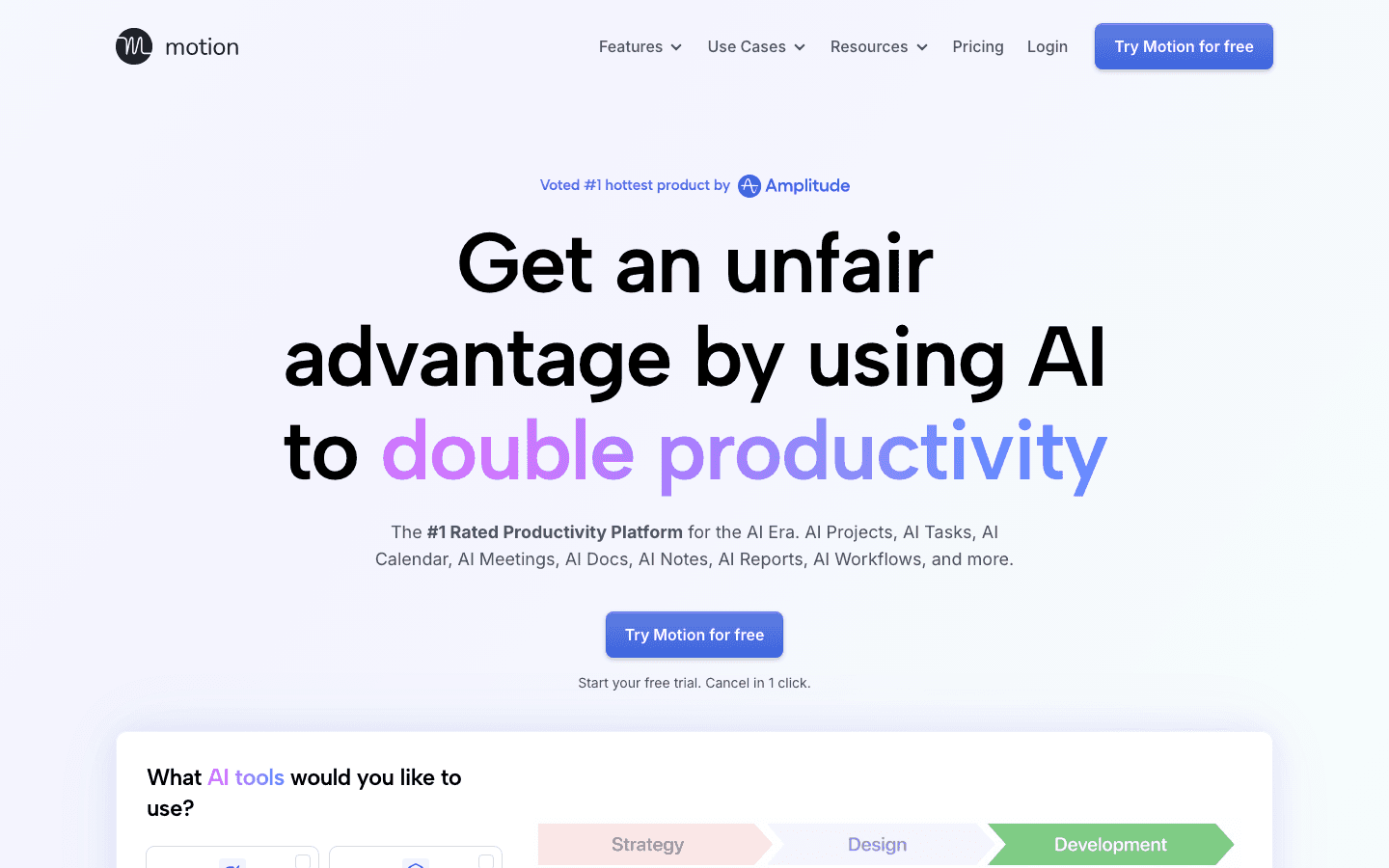
Motion targets a different user than FlowSavvy. Where FlowSavvy is a solo task scheduler, Motion is a full AI productivity platform: it manages tasks, projects, team calendars, and meetings in one place, then uses AI to build and maintain daily schedules across all of it.
The scheduling engine is aggressive. You give Motion your task list and deadlines, it builds a day-by-day plan and rebuilds it whenever something changes. It also books focus time around meetings automatically. For teams, it coordinates availability and assigns work across shared project boards. The focus management features are legitimately strong for high-volume professionals.
Key Features: AI task and project scheduling, team collaboration, AI meeting booking, calendar integration, notes
What Works: handles complex project dependencies that FlowSavvy can't; strong team coordination; reliable automatic rescheduling when meetings shift
Limitations: no free tier; $19/month is expensive for solo users; can feel overwhelming if you only need basic task scheduling
Pricing: Pro AI at $19/month (or $12.73/month billed annually). No free tier; free trial available.
Best for: Teams and solo professionals with dense calendars, multiple active projects, and complex scheduling needs.
3. Reclaim.ai
Free AI calendar assistant with habit protection and smart meeting scheduling
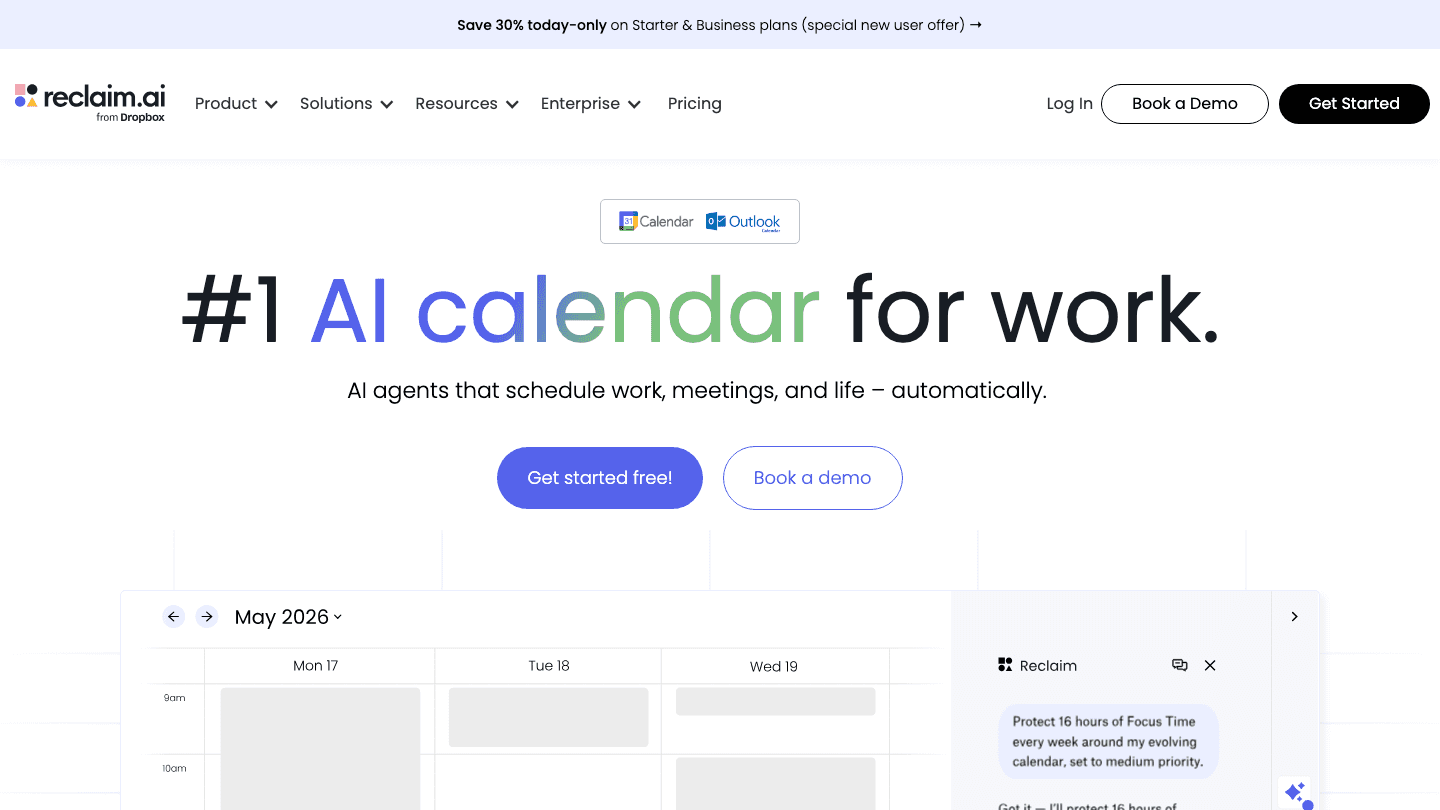
Reclaim is the best free FlowSavvy alternative if your main need is protecting time for recurring tasks and habits. Its Lite tier is genuinely free, and it handles three things FlowSavvy doesn't: habit scheduling (it finds recurring slots for things like exercise or deep work), smart 1:1 meeting scheduling, and Slack status sync to signal when you're in focus time.
The scheduling logic is smart about buffer time and won't double-book focus blocks against important meetings. The paid tiers add team-wide scheduling, priority task queues, and integration with Asana, Linear, and Jira. Now part of Dropbox, Reclaim has strong enterprise backing. It's a solid choice if you're looking for a Google Calendar enhancement that doesn't require a monthly fee to get real value.
Key Features: habit scheduling, smart meeting links, task auto-scheduling, Slack integration, Asana/Linear/Jira sync
What Works: free tier is actually useful; excellent at protecting recurring focus blocks; team scheduling on paid plans works well
Limitations: free tier is limited to 1 user with basic features; no energy awareness; the interface has a learning curve
Pricing: Free (Lite tier). Starter from $10/month. Business from $15/month. Annual billing saves 20%.
Best for: Individuals who want a free auto-scheduler with habit and meeting protection, or teams wanting deep integration with project management tools.
4. Akiflow
Task aggregator that unifies 10+ apps into a single scheduled day
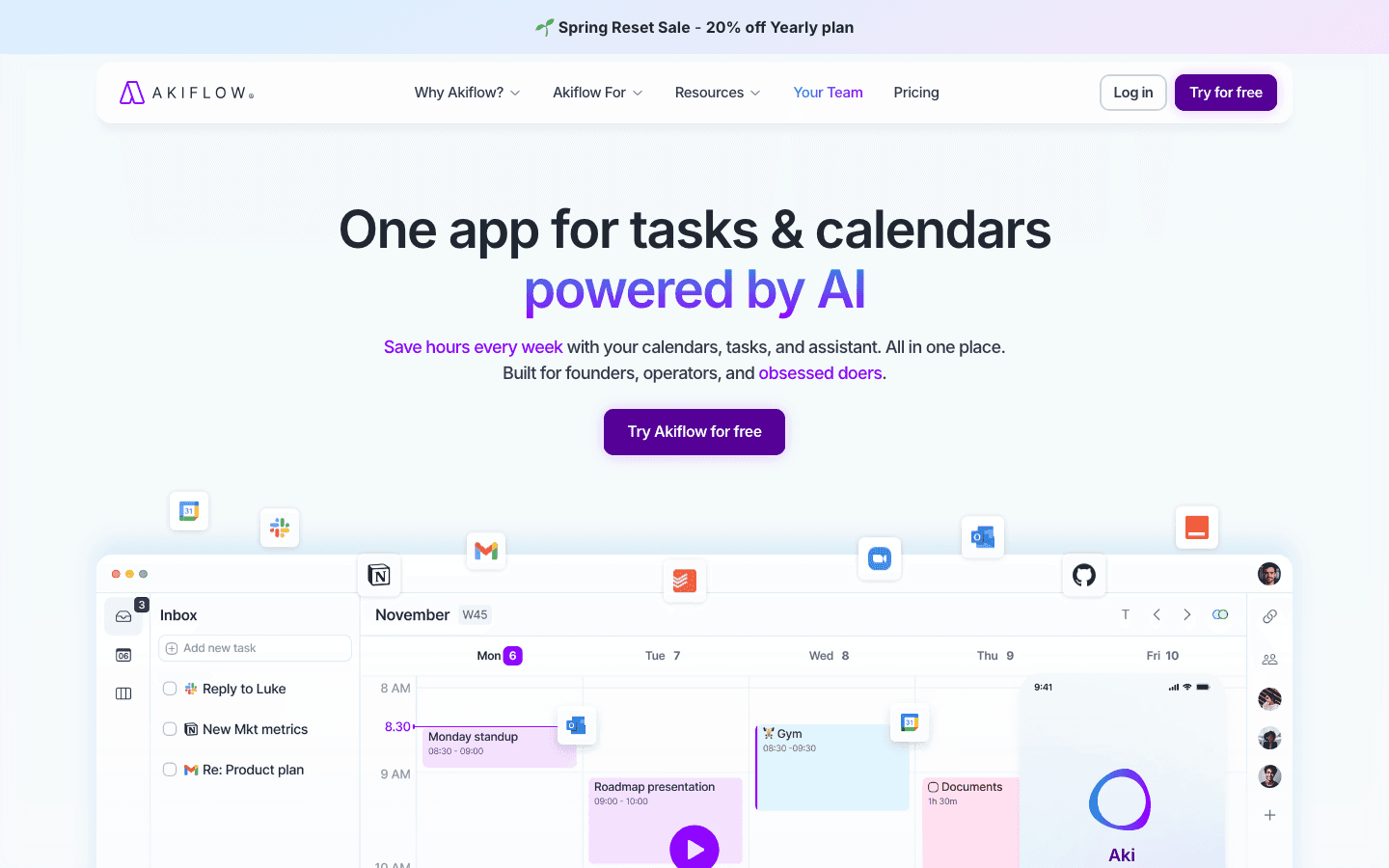
Akiflow's core idea is different from FlowSavvy's. Instead of asking you to enter tasks in one place, it pulls them from everywhere: Gmail, Slack, Notion, Asana, Linear, Todoist, and more. Everything lands in a unified inbox, and you time-block them into your calendar from there.
The time-blocking workflow is fast. Keyboard shortcuts let you capture, schedule, and complete tasks without leaving the keyboard. The AI assistant (Aki) can suggest priorities and build your day plan based on what's in the inbox. It's better suited for power users who already have a complex task ecosystem than for people who want a simpler "just schedule this list" experience. If you're looking to bring structure to a sprawling project management workflow, Akiflow handles it.
Key Features: 10+ app integrations, AI scheduling assistant, keyboard-first workflow, time-blocking calendar, universal inbox
What Works: best-in-class task aggregation from multiple sources; fast keyboard-driven scheduling; strong for professionals managing work across many tools
Limitations: no free tier; $34/month (or $19/month annually) is expensive; mobile app is less capable than desktop; no energy awareness
Pricing: $34/month or $19/month billed annually. 7-day free trial.
Best for: Power users who manage tasks across many apps and want everything time-blocked into one calendar view.
5. Sunsama
Deliberate daily planning with structured focus sessions
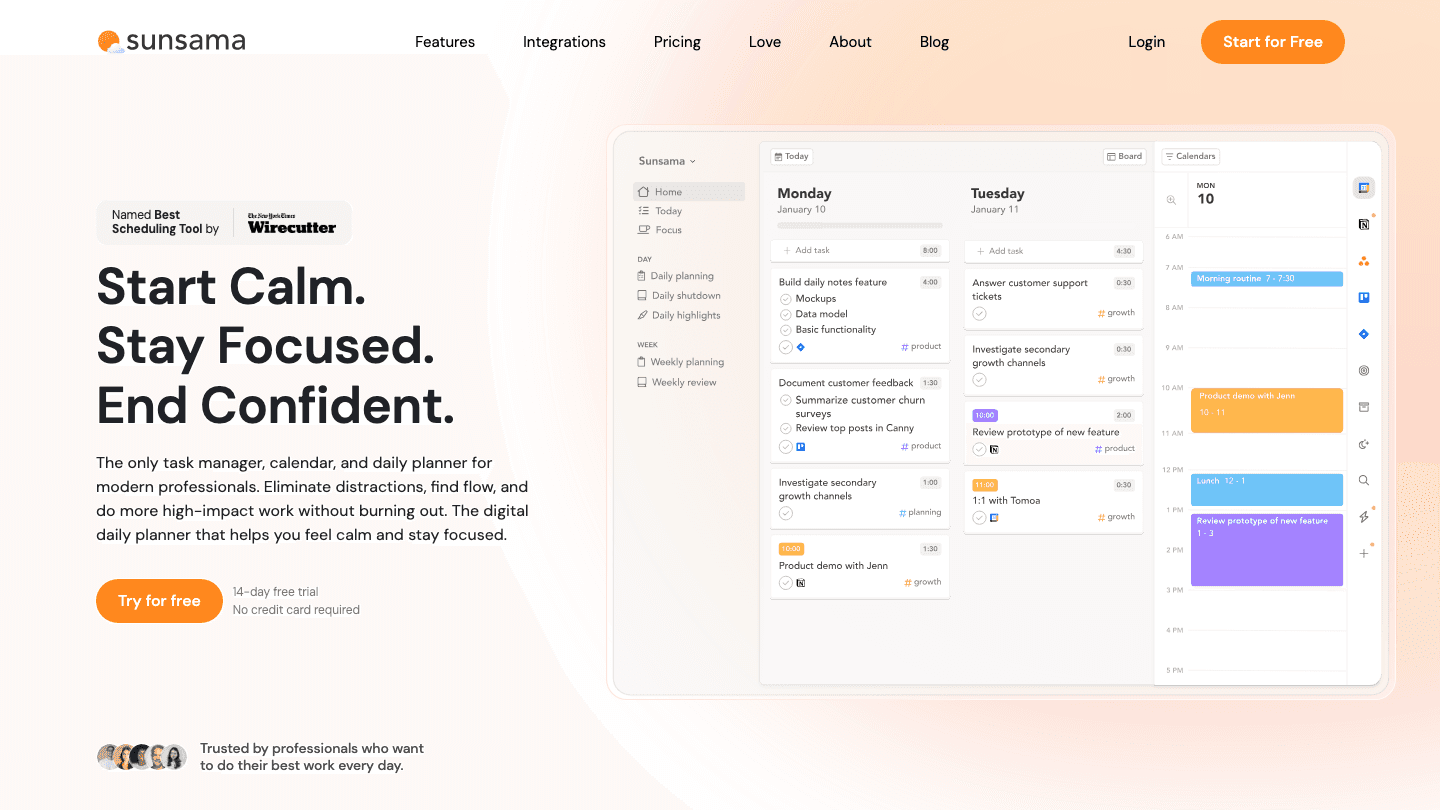
Sunsama takes a slower, more intentional approach to scheduling. Each morning, you run a guided planning ritual: you pull in tasks from connected apps, set a realistic cap on what you'll attempt that day, assign each task to a time slot, and set a shutdown alarm for when you'll stop. It's less about AI deciding your schedule and more about building the habit of deliberate daily planning.
This makes it a distinctly different tool from FlowSavvy. FlowSavvy is hands-off by design; Sunsama is intentionally hands-on. If you find that auto-scheduling creates a schedule you can't actually follow, Sunsama's ritual-based approach tends to produce more realistic days. It connects to Asana, Todoist, Linear, GitHub, and most major task tools.
Key Features: daily planning ritual, task import from 10+ apps, time-boxing, weekly review, shutdown routine
What Works: excellent for building a consistent daily planning habit; realistic daily task caps prevent overloading; strong integration list
Limitations: no free tier; $22/month is on the high end; requires daily engagement to see value; no auto-scheduling
Pricing: $22/month or $17/month billed annually. 14-day free trial, no credit card required.
Best for: People who want a structured daily planning ritual rather than fully automatic scheduling.
Which FlowSavvy Alternative Is Right for You?
You want energy-aware scheduling: Lifestack. No other app on this list matches tasks to your natural attention curve.
You need a free option: Reclaim.ai Lite. Habit protection and smart meeting links at no cost.
You're on a team with complex projects: Motion. Purpose-built for multi-project team scheduling.
Your tasks are spread across many apps: Akiflow. Pulls from Gmail, Slack, Notion, Asana, and more into one view.
You want to build a daily planning habit, not outsource planning: Sunsama. The intentional daily ritual approach.
FlowSavvy's limits are mostly the free tier: FlowSavvy Pro at $10/month annually is reasonable if you just need more lists and longer scheduling horizons.
Frequently Asked Questions
What is FlowSavvy and why do people look for alternatives?
FlowSavvy is an auto-scheduling calendar app that places tasks into open slots based on deadlines and priority. People look for alternatives mainly because the free tier is limited, the app doesn't account for energy levels, and it lacks deep integrations with project management tools.
Is there a free alternative to FlowSavvy?
Yes. Reclaim.ai offers a free Lite tier that handles habit scheduling, smart meeting links, and basic task auto-scheduling. It's the most capable free option in this category.
Does any FlowSavvy alternative schedule based on energy?
Lifestack does. It uses your work patterns and health data to model your natural energy curve and schedules demanding tasks during your high-energy windows. No other major auto-scheduler currently does this.
Which FlowSavvy alternative works best for teams?
Motion is the strongest team option. It handles project boards, team calendars, meeting scheduling, and AI task prioritization across shared workloads. Reclaim.ai also has solid team features at a lower price point.
Is FlowSavvy being discontinued?
As of 2026, FlowSavvy is still active and maintained. If you want a more feature-rich alternative that's well-supported, Lifestack, Motion, and Reclaim.ai all have active development teams and regular updates.
What's the cheapest FlowSavvy alternative with auto-scheduling?
Lifestack at $50/year ($4.17/month effectively) is the lowest-cost paid option with genuine auto-scheduling. Reclaim.ai's Lite tier is free but limited. FlowSavvy's own free tier is also worth reconsidering if your main constraint is the free plan's limits.
FlowSavvy fills a specific niche: it automatically schedules your tasks into your Google, Outlook, or iCloud calendar based on deadlines and priority. For people who hate manually dragging tasks into time slots, it does this well. But it has real limitations worth knowing about before you commit.
The free plan caps you at 5 task lists, 3 repeating tasks, and only schedules two weeks out. Pro ($14/month or $10/month annually) lifts those limits, but FlowSavvy still doesn't account for when you have high or low energy, doesn't integrate deeply with project management tools, and offers limited mobile functionality compared to the web app.
The five alternatives below each solve a different problem. One schedules around your energy curve rather than just open slots. Another gives you a free tier with habit protection built in. Two others handle complex multi-project workloads at a level FlowSavvy isn't built for.
Key Takeaways
Lifestack is the only auto-scheduler that adjusts task placement based on your energy level, not just calendar availability
Reclaim.ai's free Lite tier handles habit scheduling and meeting protection at no cost
Motion and Akiflow serve power users managing complex projects across many tools, which FlowSavvy wasn't designed for
Quick Guide
Lifestack: best for energy-aware auto-scheduling
Motion: best for teams with dense project and meeting calendars
Reclaim.ai: best free option with habit and meeting scheduling
Akiflow: best for consolidating tasks from 10+ apps into one calendar
Sunsama: best for structured daily planning rituals with clear focus sessions
How We Evaluated
Auto-scheduling quality: does it produce a realistic, ordered schedule?
Rescheduling behavior: how well does it adapt when plans shift?
Energy or capacity awareness: does it consider when you're sharp vs. drained?
Integration depth: which task apps, calendars, and tools does it connect to?
Mobile experience: is the app genuinely usable on the go?
Pricing value: what do you actually get for what you pay?
1. Lifestack
The auto-scheduler that knows when you're sharp
FlowSavvy schedules tasks when calendar slots are open. Lifestack schedules tasks when you're actually ready for them. The distinction matters: a 90-minute block at 2pm is not the same as a 90-minute block at 10am, and most scheduling apps treat them identically.
Lifestack uses your past work patterns and health data integrations to model your natural energy curve, then places demanding tasks during peaks and lighter work during dips. It connects to your calendar, task apps, and health trackers, and reschedules dynamically as your day shifts. For anyone who's watched FlowSavvy slot a complex writing task into a post-lunch dead zone, this is a noticeable improvement. See how it fits into a broader approach to circadian-aware planning.
Key Features: energy-aware scheduling, health data integration, calendar sync, dynamic rescheduling, iOS and Android
What Works: task placement that reflects real attention capacity; works well for ADHD focus management where energy irregularity is a factor; clean mobile experience
Limitations: no free tier; doesn't handle team scheduling or project dependencies
Pricing: $7/month or $50/year, with a 7-day free trial on the annual plan. Lifetime access at $120.
Best for: Individuals who want auto-scheduling that adapts to how they actually perform, not just when their calendar is empty.
2. Motion
AI scheduling for teams juggling projects, meetings, and deadlines
Motion targets a different user than FlowSavvy. Where FlowSavvy is a solo task scheduler, Motion is a full AI productivity platform: it manages tasks, projects, team calendars, and meetings in one place, then uses AI to build and maintain daily schedules across all of it.
The scheduling engine is aggressive. You give Motion your task list and deadlines, it builds a day-by-day plan and rebuilds it whenever something changes. It also books focus time around meetings automatically. For teams, it coordinates availability and assigns work across shared project boards. The focus management features are legitimately strong for high-volume professionals.
Key Features: AI task and project scheduling, team collaboration, AI meeting booking, calendar integration, notes
What Works: handles complex project dependencies that FlowSavvy can't; strong team coordination; reliable automatic rescheduling when meetings shift
Limitations: no free tier; $19/month is expensive for solo users; can feel overwhelming if you only need basic task scheduling
Pricing: Pro AI at $19/month (or $12.73/month billed annually). No free tier; free trial available.
Best for: Teams and solo professionals with dense calendars, multiple active projects, and complex scheduling needs.
3. Reclaim.ai
Free AI calendar assistant with habit protection and smart meeting scheduling
Reclaim is the best free FlowSavvy alternative if your main need is protecting time for recurring tasks and habits. Its Lite tier is genuinely free, and it handles three things FlowSavvy doesn't: habit scheduling (it finds recurring slots for things like exercise or deep work), smart 1:1 meeting scheduling, and Slack status sync to signal when you're in focus time.
The scheduling logic is smart about buffer time and won't double-book focus blocks against important meetings. The paid tiers add team-wide scheduling, priority task queues, and integration with Asana, Linear, and Jira. Now part of Dropbox, Reclaim has strong enterprise backing. It's a solid choice if you're looking for a Google Calendar enhancement that doesn't require a monthly fee to get real value.
Key Features: habit scheduling, smart meeting links, task auto-scheduling, Slack integration, Asana/Linear/Jira sync
What Works: free tier is actually useful; excellent at protecting recurring focus blocks; team scheduling on paid plans works well
Limitations: free tier is limited to 1 user with basic features; no energy awareness; the interface has a learning curve
Pricing: Free (Lite tier). Starter from $10/month. Business from $15/month. Annual billing saves 20%.
Best for: Individuals who want a free auto-scheduler with habit and meeting protection, or teams wanting deep integration with project management tools.
4. Akiflow
Task aggregator that unifies 10+ apps into a single scheduled day
Akiflow's core idea is different from FlowSavvy's. Instead of asking you to enter tasks in one place, it pulls them from everywhere: Gmail, Slack, Notion, Asana, Linear, Todoist, and more. Everything lands in a unified inbox, and you time-block them into your calendar from there.
The time-blocking workflow is fast. Keyboard shortcuts let you capture, schedule, and complete tasks without leaving the keyboard. The AI assistant (Aki) can suggest priorities and build your day plan based on what's in the inbox. It's better suited for power users who already have a complex task ecosystem than for people who want a simpler "just schedule this list" experience. If you're looking to bring structure to a sprawling project management workflow, Akiflow handles it.
Key Features: 10+ app integrations, AI scheduling assistant, keyboard-first workflow, time-blocking calendar, universal inbox
What Works: best-in-class task aggregation from multiple sources; fast keyboard-driven scheduling; strong for professionals managing work across many tools
Limitations: no free tier; $34/month (or $19/month annually) is expensive; mobile app is less capable than desktop; no energy awareness
Pricing: $34/month or $19/month billed annually. 7-day free trial.
Best for: Power users who manage tasks across many apps and want everything time-blocked into one calendar view.
5. Sunsama
Deliberate daily planning with structured focus sessions
Sunsama takes a slower, more intentional approach to scheduling. Each morning, you run a guided planning ritual: you pull in tasks from connected apps, set a realistic cap on what you'll attempt that day, assign each task to a time slot, and set a shutdown alarm for when you'll stop. It's less about AI deciding your schedule and more about building the habit of deliberate daily planning.
This makes it a distinctly different tool from FlowSavvy. FlowSavvy is hands-off by design; Sunsama is intentionally hands-on. If you find that auto-scheduling creates a schedule you can't actually follow, Sunsama's ritual-based approach tends to produce more realistic days. It connects to Asana, Todoist, Linear, GitHub, and most major task tools.
Key Features: daily planning ritual, task import from 10+ apps, time-boxing, weekly review, shutdown routine
What Works: excellent for building a consistent daily planning habit; realistic daily task caps prevent overloading; strong integration list
Limitations: no free tier; $22/month is on the high end; requires daily engagement to see value; no auto-scheduling
Pricing: $22/month or $17/month billed annually. 14-day free trial, no credit card required.
Best for: People who want a structured daily planning ritual rather than fully automatic scheduling.
Which FlowSavvy Alternative Is Right for You?
You want energy-aware scheduling: Lifestack. No other app on this list matches tasks to your natural attention curve.
You need a free option: Reclaim.ai Lite. Habit protection and smart meeting links at no cost.
You're on a team with complex projects: Motion. Purpose-built for multi-project team scheduling.
Your tasks are spread across many apps: Akiflow. Pulls from Gmail, Slack, Notion, Asana, and more into one view.
You want to build a daily planning habit, not outsource planning: Sunsama. The intentional daily ritual approach.
FlowSavvy's limits are mostly the free tier: FlowSavvy Pro at $10/month annually is reasonable if you just need more lists and longer scheduling horizons.
Frequently Asked Questions
What is FlowSavvy and why do people look for alternatives?
FlowSavvy is an auto-scheduling calendar app that places tasks into open slots based on deadlines and priority. People look for alternatives mainly because the free tier is limited, the app doesn't account for energy levels, and it lacks deep integrations with project management tools.
Is there a free alternative to FlowSavvy?
Yes. Reclaim.ai offers a free Lite tier that handles habit scheduling, smart meeting links, and basic task auto-scheduling. It's the most capable free option in this category.
Does any FlowSavvy alternative schedule based on energy?
Lifestack does. It uses your work patterns and health data to model your natural energy curve and schedules demanding tasks during your high-energy windows. No other major auto-scheduler currently does this.
Which FlowSavvy alternative works best for teams?
Motion is the strongest team option. It handles project boards, team calendars, meeting scheduling, and AI task prioritization across shared workloads. Reclaim.ai also has solid team features at a lower price point.
Is FlowSavvy being discontinued?
As of 2026, FlowSavvy is still active and maintained. If you want a more feature-rich alternative that's well-supported, Lifestack, Motion, and Reclaim.ai all have active development teams and regular updates.
What's the cheapest FlowSavvy alternative with auto-scheduling?
Lifestack at $50/year ($4.17/month effectively) is the lowest-cost paid option with genuine auto-scheduling. Reclaim.ai's Lite tier is free but limited. FlowSavvy's own free tier is also worth reconsidering if your main constraint is the free plan's limits.



FOLLOW ON
FOLLOW ON
FOLLOW ON



Copyright 2026 © Lifestack. All rights reserved
Copyright 2026 © Lifestack. All rights reserved

