
Tips
How Does Garmin Measure Stress?
How Does Garmin Measure Stress?
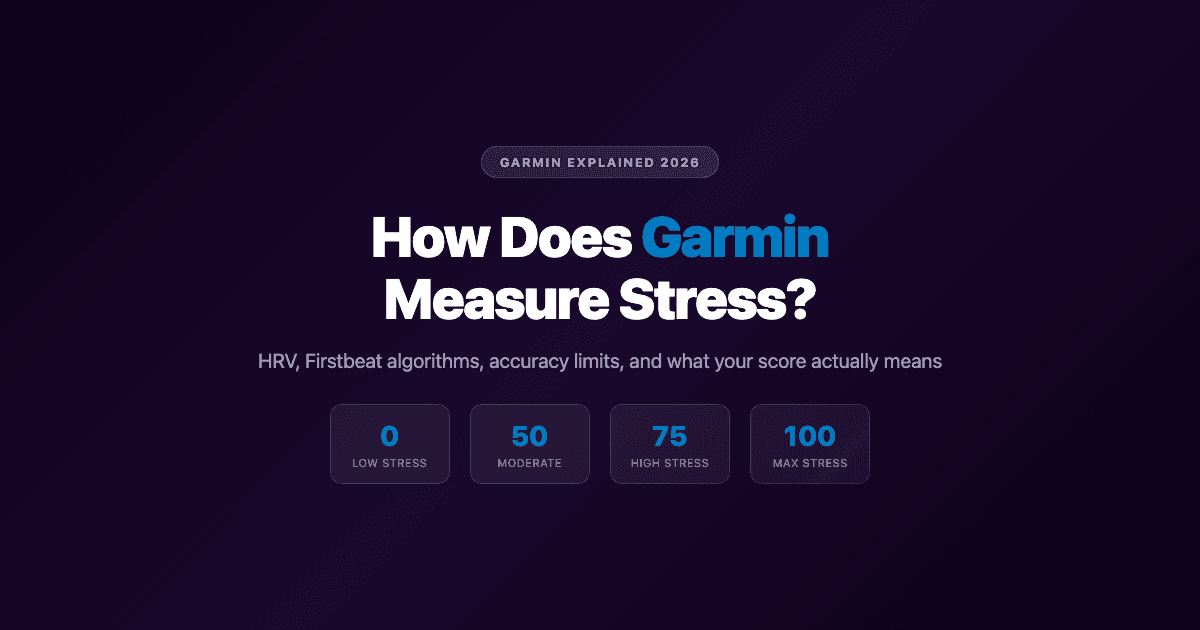
Garmin measures stress by tracking heart rate variability (HRV): the small variations in timing between your heartbeats. The optical PPG sensor on the back of the watch reads those changes continuously, and algorithms developed in partnership with Firstbeat Analytics convert that signal into a 0-100 stress score that updates throughout the day.
Understanding how that score is generated helps you use it more intelligently. A high stress score doesn't always mean you're anxious. A low stress score doesn't mean everything is fine. Like most biometric data from wearables, the value is in the trend, not the single reading.
Key Takeaways
Garmin measures stress using heart rate variability (HRV), captured by the optical PPG sensor on the back of the watch.
The underlying algorithms were developed with Firstbeat Analytics, a Finnish HRV research company now part of Garmin.
The 0-100 stress score is a trend indicator, not a clinical measurement. It's most useful tracked over days and weeks, not read as a single number.
The Science: HRV and Stress
Your heart doesn't beat at a perfectly steady rhythm. Even when you're at rest, there's slight variation in the time between each beat. This variation, called heart rate variability (HRV), is controlled by the autonomic nervous system, specifically the balance between your sympathetic (fight-or-flight) and parasympathetic (rest-and-digest) systems.
When you're relaxed, well-rested, and not under pressure, your parasympathetic system is dominant and HRV tends to be higher. When you're stressed, anxious, fighting illness, or physically fatigued, your sympathetic system takes over and HRV typically drops. Garmin and other wearable companies use this relationship as the foundation for stress tracking.
For a deeper look at HRV ranges and what the numbers mean, see our guide to heart rate variability by age and our explainer on rMSSD and other HRV metrics.
How Garmin Captures the Stress Signal
The green light sensors on the back of your Garmin watch emit light into your skin and measure how much bounces back. This photoplethysmography (PPG) technique detects blood volume changes with each heartbeat, which the watch's processor uses to calculate both heart rate and HRV.
Garmin samples this data continuously during the day and night. The algorithms are developed in partnership with Firstbeat Analytics, a Finnish company that spent over two decades building HRV-based analysis tools for sports science and workplace health monitoring before becoming part of Garmin. Firstbeat's models also underpin Garmin's VO2 Max estimates, training load calculations, and recovery time recommendations.
The stress calculation uses HRV as its primary signal, with respiration rate and movement data added to filter out noise from physical activity. When you're walking, running, or doing anything that raises your heart rate significantly, the watch can detect that the raised heart rate is exercise-related rather than stress-related and excludes those windows from the stress calculation.
What the 0-100 Stress Score Means
Garmin's stress score runs from 0 to 100:
1-25: Low stress. Your body is in a relaxed, recovered state. Parasympathetic activity is dominant.
26-50: Low to medium stress. Normal day-to-day fluctuation. Some engagement without significant physiological pressure.
51-75: Medium to high stress. Your nervous system is in a more activated state. This can come from work pressure, poor sleep, physical exertion, or emotional tension.
76-100: High stress. Significant sympathetic nervous system activation. Sustained readings at this level, especially during rest periods, often indicate overtraining, illness onset, or chronic pressure.
The watch also marks periods of rest and activity differently. When you're sleeping, a high stress score can indicate poor sleep quality or disrupted recovery. During the day, brief spikes are normal. The average stress level shown on your Garmin app over a week or month is where the real signal lives.
Garmin's stress tracking is related to, but distinct from, its Body Battery metric. Body Battery is a cumulative energy reserve indicator that falls when stress is high and rises during recovery. The stress score is the real-time reading; Body Battery is the running balance of how that stress is affecting your reserves.
How Accurate Is Garmin's Stress Measurement?
Honest answer: it's directionally useful, but not precise. Independent research comparing wearable stress scores against clinical HRV measurements (rMSSD) has found a moderate negative correlation: when measured HRV rises (indicating less physiological stress), Garmin's score tends to fall in the right direction. But the relationship isn't strong enough to treat the score as clinically equivalent to a medical-grade reading.
Three factors contribute to the limitations:
Wrist sensor physics: Optical PPG sensors are inherently less accurate than chest-strap ECG measurements. Motion, skin tone, and wrist placement all introduce noise that clinical electrodes don't face.
Individual variation: Garmin's algorithms are trained on population data. Your personal HRV baseline may not align perfectly with the model's expectations.
Proprietary black box: Garmin doesn't publish the exact parameters of its stress algorithm, which makes external validation difficult.
The practical conclusion: treat Garmin's stress score as a useful signal about trends, not as a diagnostic reading. If your stress scores are consistently high for a week, that's worth paying attention to. Don't make decisions based on a single reading.
How to Use Your Garmin Stress Data
The most actionable ways to work with Garmin's stress tracking:
Watch the overnight trend: Stress during sleep is particularly meaningful. High average stress while sleeping often predicts lower Body Battery and reduced readiness the next day.
Look for patterns across weeks: A single bad stress day tells you little. A pattern of high stress every Sunday evening or every Monday tells you something useful about your life structure.
Correlate with training load: If your stress score spikes after hard training blocks, that's your body signaling accumulated fatigue. It's a useful input for adjusting training volume.
Distinguish sources: Physical stress from exercise raises your score the same way psychological stress does. Context matters when interpreting the number.
For a broader look at stress monitoring across devices, see our guide to the best stress monitor apps for Apple Watch and our comparison with other apps that connect with Garmin.
Managing Stress and Energy with Your Wearable Data
Garmin's stress data is most useful when you act on it. A high stress score in the morning suggests keeping your schedule lighter and avoiding back-to-back demanding tasks. A low stress reading after a good night of recovery might be the day to tackle the work that requires your full focus.
Lifestack takes this concept further by automatically scheduling your tasks based on your energy patterns. The same principle Garmin uses to show your Body Battery underpins how Lifestack plans your day: demanding cognitive work gets placed during your naturally high-energy windows, and lighter tasks fill the gaps when your stress and fatigue are higher. Our guide on personal energy management explores how to use this kind of data to structure a more sustainable work schedule.
Frequently Asked Questions
Is Garmin stress tracking accurate?
It's directionally accurate. Research shows Garmin's stress score correlates moderately with clinical HRV measurements, meaning it points in the right direction but isn't precise enough to substitute for medical-grade equipment. Use it to track trends over time rather than treating individual readings as exact measurements.
What causes a high Garmin stress score?
Psychological stress, physical exercise, illness, dehydration, alcohol, poor sleep, and even consuming caffeine can all raise your Garmin stress score. The watch doesn't distinguish between sources; it reads the physiological signal. High daytime stress from exercise is expected and normal. Consistently high overnight stress is more meaningful.
What is the difference between Garmin stress and Body Battery?
Garmin stress is a real-time reading (0-100) of your current autonomic nervous system state. Body Battery is a cumulative energy reserve that fluctuates throughout the day: it drains when stress is high and recovers during rest and sleep. High stress depletes your Body Battery faster. Think of stress as the rate, and Body Battery as the running total.
How does Garmin know if stress is from exercise or anxiety?
Garmin uses movement data from the accelerometer alongside heart rate data to detect physical activity. When the watch detects you're moving or exercising, it marks those time windows as activity and excludes them from the stress calculation. Periods of high heart rate without significant movement are more likely to be flagged as stress.
Can Garmin detect panic attacks?
No. Garmin's stress tracking is not designed to detect or diagnose specific psychological events like panic attacks. It tracks aggregate autonomic nervous system activation over time. Rapid heart rate changes during a panic attack might temporarily raise the stress score, but the watch doesn't identify or label that as a panic attack.
How does a Garmin watch track stress throughout the day?
Your Garmin watch measures HRV continuously using the optical sensor on your wrist, sampling the signal at regular intervals throughout the day and night. Each reading feeds the stress calculation, and the watch updates the stress widget in real time. The Garmin Connect app shows your full stress timeline as a graph so you can see when it peaked and when it settled over any given day.
Garmin measures stress by tracking heart rate variability (HRV): the small variations in timing between your heartbeats. The optical PPG sensor on the back of the watch reads those changes continuously, and algorithms developed in partnership with Firstbeat Analytics convert that signal into a 0-100 stress score that updates throughout the day.
Understanding how that score is generated helps you use it more intelligently. A high stress score doesn't always mean you're anxious. A low stress score doesn't mean everything is fine. Like most biometric data from wearables, the value is in the trend, not the single reading.
Key Takeaways
Garmin measures stress using heart rate variability (HRV), captured by the optical PPG sensor on the back of the watch.
The underlying algorithms were developed with Firstbeat Analytics, a Finnish HRV research company now part of Garmin.
The 0-100 stress score is a trend indicator, not a clinical measurement. It's most useful tracked over days and weeks, not read as a single number.
The Science: HRV and Stress
Your heart doesn't beat at a perfectly steady rhythm. Even when you're at rest, there's slight variation in the time between each beat. This variation, called heart rate variability (HRV), is controlled by the autonomic nervous system, specifically the balance between your sympathetic (fight-or-flight) and parasympathetic (rest-and-digest) systems.
When you're relaxed, well-rested, and not under pressure, your parasympathetic system is dominant and HRV tends to be higher. When you're stressed, anxious, fighting illness, or physically fatigued, your sympathetic system takes over and HRV typically drops. Garmin and other wearable companies use this relationship as the foundation for stress tracking.
For a deeper look at HRV ranges and what the numbers mean, see our guide to heart rate variability by age and our explainer on rMSSD and other HRV metrics.
How Garmin Captures the Stress Signal
The green light sensors on the back of your Garmin watch emit light into your skin and measure how much bounces back. This photoplethysmography (PPG) technique detects blood volume changes with each heartbeat, which the watch's processor uses to calculate both heart rate and HRV.
Garmin samples this data continuously during the day and night. The algorithms are developed in partnership with Firstbeat Analytics, a Finnish company that spent over two decades building HRV-based analysis tools for sports science and workplace health monitoring before becoming part of Garmin. Firstbeat's models also underpin Garmin's VO2 Max estimates, training load calculations, and recovery time recommendations.
The stress calculation uses HRV as its primary signal, with respiration rate and movement data added to filter out noise from physical activity. When you're walking, running, or doing anything that raises your heart rate significantly, the watch can detect that the raised heart rate is exercise-related rather than stress-related and excludes those windows from the stress calculation.
What the 0-100 Stress Score Means
Garmin's stress score runs from 0 to 100:
1-25: Low stress. Your body is in a relaxed, recovered state. Parasympathetic activity is dominant.
26-50: Low to medium stress. Normal day-to-day fluctuation. Some engagement without significant physiological pressure.
51-75: Medium to high stress. Your nervous system is in a more activated state. This can come from work pressure, poor sleep, physical exertion, or emotional tension.
76-100: High stress. Significant sympathetic nervous system activation. Sustained readings at this level, especially during rest periods, often indicate overtraining, illness onset, or chronic pressure.
The watch also marks periods of rest and activity differently. When you're sleeping, a high stress score can indicate poor sleep quality or disrupted recovery. During the day, brief spikes are normal. The average stress level shown on your Garmin app over a week or month is where the real signal lives.
Garmin's stress tracking is related to, but distinct from, its Body Battery metric. Body Battery is a cumulative energy reserve indicator that falls when stress is high and rises during recovery. The stress score is the real-time reading; Body Battery is the running balance of how that stress is affecting your reserves.
How Accurate Is Garmin's Stress Measurement?
Honest answer: it's directionally useful, but not precise. Independent research comparing wearable stress scores against clinical HRV measurements (rMSSD) has found a moderate negative correlation: when measured HRV rises (indicating less physiological stress), Garmin's score tends to fall in the right direction. But the relationship isn't strong enough to treat the score as clinically equivalent to a medical-grade reading.
Three factors contribute to the limitations:
Wrist sensor physics: Optical PPG sensors are inherently less accurate than chest-strap ECG measurements. Motion, skin tone, and wrist placement all introduce noise that clinical electrodes don't face.
Individual variation: Garmin's algorithms are trained on population data. Your personal HRV baseline may not align perfectly with the model's expectations.
Proprietary black box: Garmin doesn't publish the exact parameters of its stress algorithm, which makes external validation difficult.
The practical conclusion: treat Garmin's stress score as a useful signal about trends, not as a diagnostic reading. If your stress scores are consistently high for a week, that's worth paying attention to. Don't make decisions based on a single reading.
How to Use Your Garmin Stress Data
The most actionable ways to work with Garmin's stress tracking:
Watch the overnight trend: Stress during sleep is particularly meaningful. High average stress while sleeping often predicts lower Body Battery and reduced readiness the next day.
Look for patterns across weeks: A single bad stress day tells you little. A pattern of high stress every Sunday evening or every Monday tells you something useful about your life structure.
Correlate with training load: If your stress score spikes after hard training blocks, that's your body signaling accumulated fatigue. It's a useful input for adjusting training volume.
Distinguish sources: Physical stress from exercise raises your score the same way psychological stress does. Context matters when interpreting the number.
For a broader look at stress monitoring across devices, see our guide to the best stress monitor apps for Apple Watch and our comparison with other apps that connect with Garmin.
Managing Stress and Energy with Your Wearable Data
Garmin's stress data is most useful when you act on it. A high stress score in the morning suggests keeping your schedule lighter and avoiding back-to-back demanding tasks. A low stress reading after a good night of recovery might be the day to tackle the work that requires your full focus.
Lifestack takes this concept further by automatically scheduling your tasks based on your energy patterns. The same principle Garmin uses to show your Body Battery underpins how Lifestack plans your day: demanding cognitive work gets placed during your naturally high-energy windows, and lighter tasks fill the gaps when your stress and fatigue are higher. Our guide on personal energy management explores how to use this kind of data to structure a more sustainable work schedule.
Frequently Asked Questions
Is Garmin stress tracking accurate?
It's directionally accurate. Research shows Garmin's stress score correlates moderately with clinical HRV measurements, meaning it points in the right direction but isn't precise enough to substitute for medical-grade equipment. Use it to track trends over time rather than treating individual readings as exact measurements.
What causes a high Garmin stress score?
Psychological stress, physical exercise, illness, dehydration, alcohol, poor sleep, and even consuming caffeine can all raise your Garmin stress score. The watch doesn't distinguish between sources; it reads the physiological signal. High daytime stress from exercise is expected and normal. Consistently high overnight stress is more meaningful.
What is the difference between Garmin stress and Body Battery?
Garmin stress is a real-time reading (0-100) of your current autonomic nervous system state. Body Battery is a cumulative energy reserve that fluctuates throughout the day: it drains when stress is high and recovers during rest and sleep. High stress depletes your Body Battery faster. Think of stress as the rate, and Body Battery as the running total.
How does Garmin know if stress is from exercise or anxiety?
Garmin uses movement data from the accelerometer alongside heart rate data to detect physical activity. When the watch detects you're moving or exercising, it marks those time windows as activity and excludes them from the stress calculation. Periods of high heart rate without significant movement are more likely to be flagged as stress.
Can Garmin detect panic attacks?
No. Garmin's stress tracking is not designed to detect or diagnose specific psychological events like panic attacks. It tracks aggregate autonomic nervous system activation over time. Rapid heart rate changes during a panic attack might temporarily raise the stress score, but the watch doesn't identify or label that as a panic attack.
How does a Garmin watch track stress throughout the day?
Your Garmin watch measures HRV continuously using the optical sensor on your wrist, sampling the signal at regular intervals throughout the day and night. Each reading feeds the stress calculation, and the watch updates the stress widget in real time. The Garmin Connect app shows your full stress timeline as a graph so you can see when it peaked and when it settled over any given day.



FOLLOW ON
FOLLOW ON
FOLLOW ON


Copyright 2026 © Lifestack. All rights reserved
Copyright 2026 © Lifestack. All rights reserved

