
App
Best Mobile Apps for ADHD in 2026
Best Mobile Apps for ADHD in 2026

Why ADHD Brains Need Different Apps
Most productivity apps are designed for neurotypical users. They assume you can look at a to-do list and start working. They assume you remember to open the app. They assume that seeing a task is enough to get you moving on it.
For ADHD brains, none of those assumptions hold. Dopamine-driven focus, time blindness, and task initiation challenges need tools built around them, not against them. The best mobile apps for ADHD handle the scaffolding so your executive function doesn't have to.
We tested dozens of apps across scheduling, focus, task management, and accountability. The six below earned their spots by being actually useful for ADHD, not just for productivity in general.
Key Takeaways
Lifestack leads because it schedules tasks around your energy, not just empty calendar slots
Goblin Tools is the best free option for ADHD task breakdown, no subscription required
Focusmate is uniquely effective for task initiation, using body doubling to overcome ADHD paralysis
Quick Guide: Mobile Apps for ADHD
1. Lifestack: Best energy-aware scheduler for ADHD
2. Goblin Tools: Best free ADHD task breakdown tool
3. Structured: Best visual daily planner
4. Forest: Best gamified focus timer
5. Focusmate: Best for ADHD task initiation and body doubling
6. Todoist: Best full-featured task manager
How We Evaluated
ADHD-specific design: does it account for time blindness, task paralysis, or hyperfocus?
Low friction onboarding: can you use it within the first 60 seconds?
Mobile first: iOS and Android quality, offline access, notifications
Energy and capacity awareness: does it adapt to how you actually feel, not just your schedule?
Pricing: free tiers, one-time purchases, and subscription value
1. Lifestack: Best Energy-Aware Scheduler for ADHD
Schedule tasks around your brain, not just your calendar.

ADHD time blindness is real. You block an hour for a task on Tuesday, but Tuesday arrives and you're running on two hours of sleep after a hyperfocus session the night before. A standard calendar app has no way to account for that. Lifestack does.
Lifestack is an AI-powered daily planner built on the idea that task scheduling should factor in your energy level, not just your availability. It learns your patterns over time, integrates with Google Calendar and Apple Calendar, and suggests when to do high-effort tasks versus low-stakes admin. For ADHD project management, this changes things significantly. You stop forcing complex work into mentally-depleted time slots.
The interface is clean and low-distraction. You see your day as a vertical timeline. Tasks sit in time blocks. Completed items check off visually. For ADHD brains that need to see their day, not just read a list, this layout works well. It also integrates with habit tracking tools, so your morning routine can live in the same system as your work calendar.
AI scheduling matched to your energy patterns throughout the day
Google Calendar, Apple Calendar, and task app integrations
Time-blocked daily planner view with visual progress tracking
iOS, Android, and Chrome extension available
What Works
The only planner in this list that accounts for mental energy, not just open time
Low cognitive overhead once set up: you open the app and see exactly what's next
Works alongside any existing calendar or coaching setup
Limitations
Does not break down tasks automatically (pair with Goblin Tools for that)
No built-in focus timer or body doubling features
Pricing: $7/month or $50/year (7-day free trial on annual plan)
Best for: ADHD users who already have tasks and need a smarter way to schedule them
2. Goblin Tools: Best Free ADHD Task Breakdown
Breaks any task into tiny, manageable steps, free, no signup required.
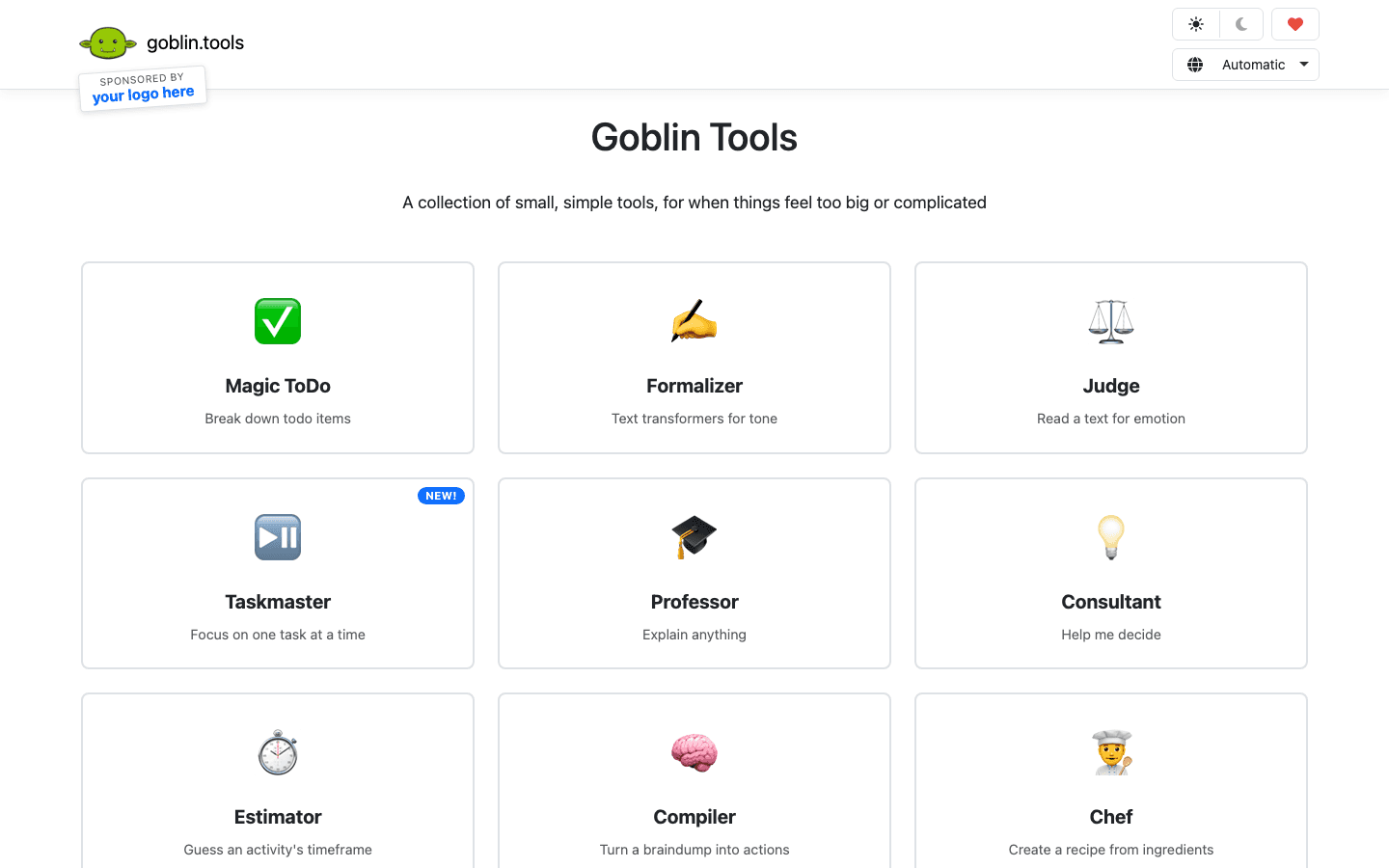
Goblin Tools is a collection of small AI-powered utilities designed for ADHD and autism. The star feature is Magic ToDo: you type a task (or even just a vague feeling like "I need to deal with the kitchen"), and it returns a list of specific, concrete micro-steps. Each step is actionable enough that you can start without having to plan further.
The magic is in the spice level. You can dial up or down how granularly the task gets broken down. For severe task paralysis, crank it to maximum and you'll get sub-steps like "fill a glass with water" and "place glass near sink." This sounds extreme until you've stared at a task for four hours and still haven't started. Goblin Tools meets you where you are.
Magic ToDo: AI-powered task decomposition with adjustable granularity
Estimator: guesses how long a task will actually take (critical for ADHD time blindness)
Formalizer, Judge, and other micro-tools for common ADHD friction points
No account required. Open the browser and use it immediately
Works on mobile browsers, no app install needed
What Works
The best tool for getting unstuck. Nothing else does task decomposition this well for free
Zero friction to start using it
Limitations
Web-only (no native app), though it runs well on mobile browsers
No calendar integration or scheduling features
Pricing: Free
Best for: Anyone stuck on a task who needs help breaking it into startable steps
3. Structured: Best Visual Daily Planner
Time blocking that you can actually see, designed for visual thinkers.
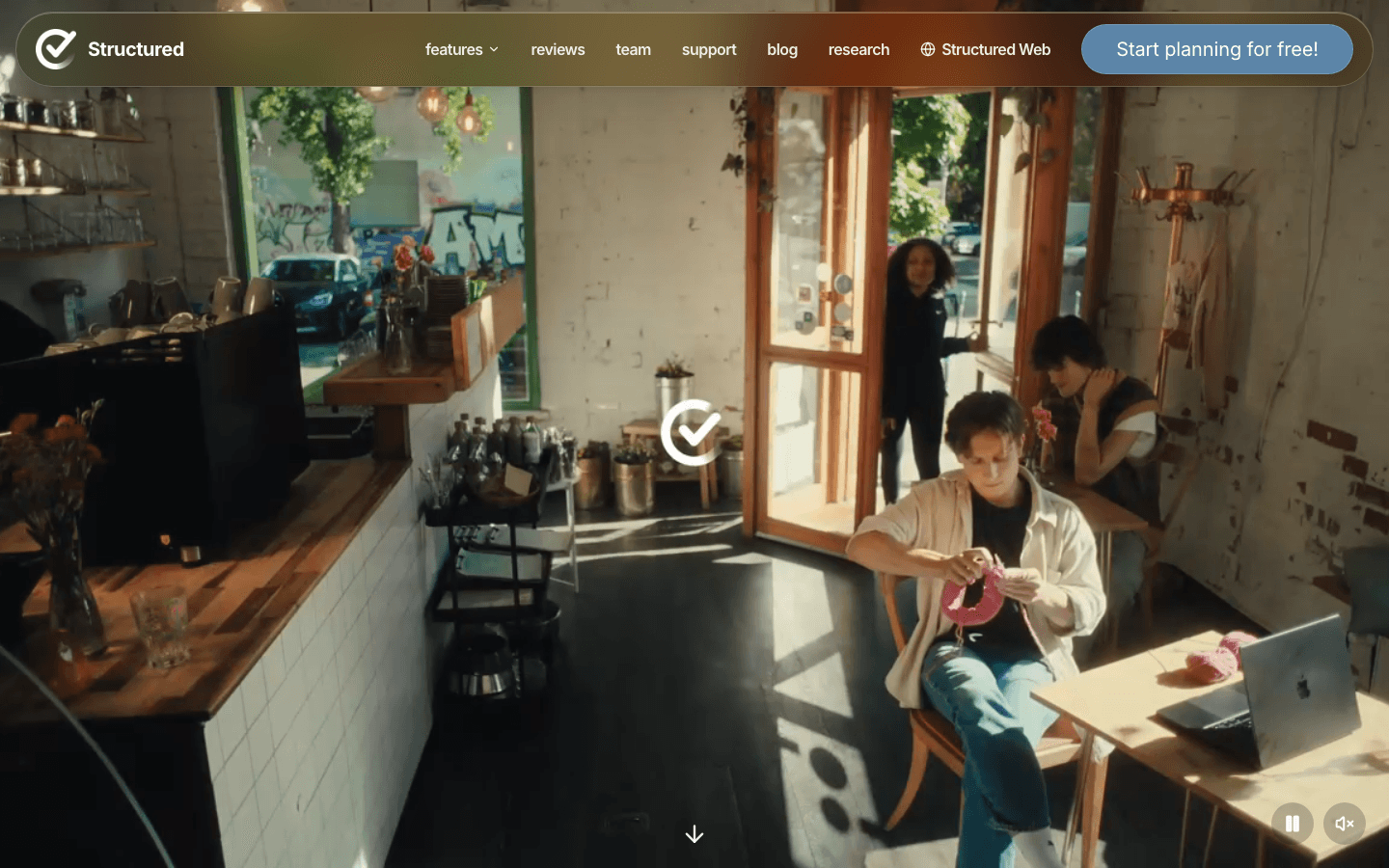
Structured is a daily planner built around visual time blocking. Each task appears as a colored bar on a vertical timeline, sized proportionally to how long it takes. This visual representation is something ADHD brains respond to better than a flat list. You can see at a glance how much of your day is committed versus free.
The app syncs with Apple Calendar and Google Calendar, so your meetings appear alongside your self-assigned tasks. Adding a new task takes about five seconds. There is no overwhelming feature set to learn. This is its main advantage: Structured is simple by design, which means it's actually usable on a hard ADHD day when a more complex system would get ignored entirely. It also supports visual reminders and time-based alerts.
Visual timeline with color-coded, proportionally-sized task bars
Apple Calendar and Google Calendar sync
Time-based alerts and flexible scheduling
iOS and iPadOS native, with web app available
What Works
Visual layout is far better for ADHD time awareness than a list
Ultra-low friction. Adding tasks takes seconds
Limitations
Android support is limited compared to iOS
No energy-aware scheduling or task decomposition
Pricing: Free; Pro $29.99/year (~$2.50/month) or lifetime $32.99
Best for: Visual thinkers who need to see their day laid out in time, not listed
4. Forest: Best Gamified Focus Timer
Grow a virtual forest by staying off your phone. Surprisingly effective.
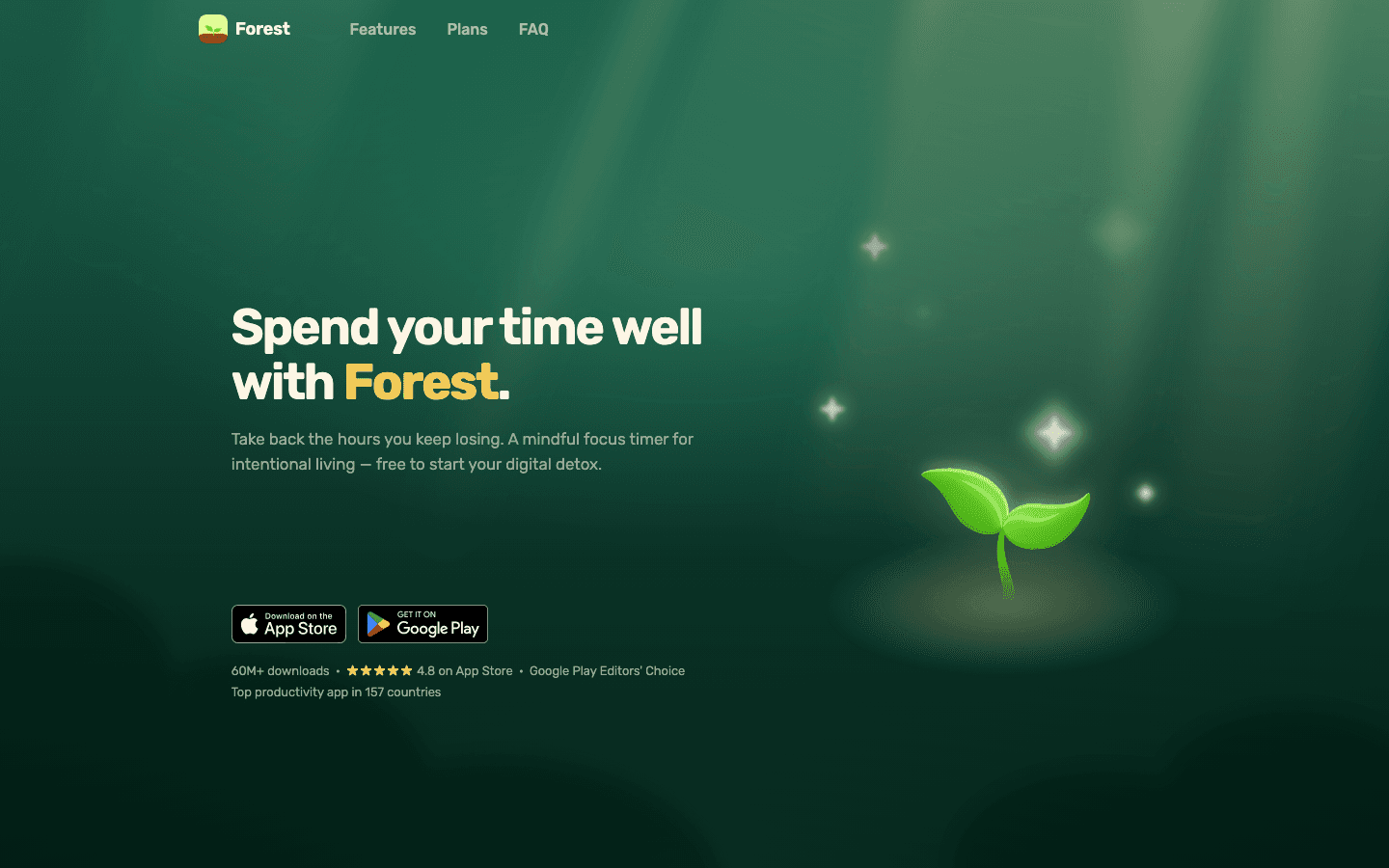
Forest works on a simple premise: you plant a tree, set a timer, and if you leave the app before the timer ends, the tree dies. This sounds gimmicky. It isn't. The visual consequence of a dead tree activates something in ADHD brains that a plain Pomodoro timer doesn't. You're not just avoiding distraction. You're watching something die in real time if you fail.
Over time, you build a forest from completed focus sessions. The visual history is genuinely satisfying and doubles as a record of how much focused work you've done. Forest also plants real trees through its partnership with Trees for the Future, which adds a meaningful layer to the coins you earn. As a one-time purchase on iOS at $3.99, it's the cheapest tool on this list outside of free options.
Gamified Pomodoro-style timer with visual consequence for phone use
Cumulative forest grows with each completed session
Session history for tracking focus patterns over time
Real tree planting partnership for earned coins
iOS and Android, plus Chrome extension
What Works
The visual stakes actually reduce phone checking in a way plain timers don't
One-time purchase, no ongoing cost
Limitations
Focus-only. No task management, scheduling, or habit tracking
Works best with self-directed work; less useful for structured task lists
Pricing: $3.99 one-time purchase on iOS; free on Android
Best for: ADHD users who struggle with phone distraction during work sessions
5. Focusmate: Best for Task Initiation and Body Doubling
Work alongside a real person online. It turns starting a task from hard to easy.
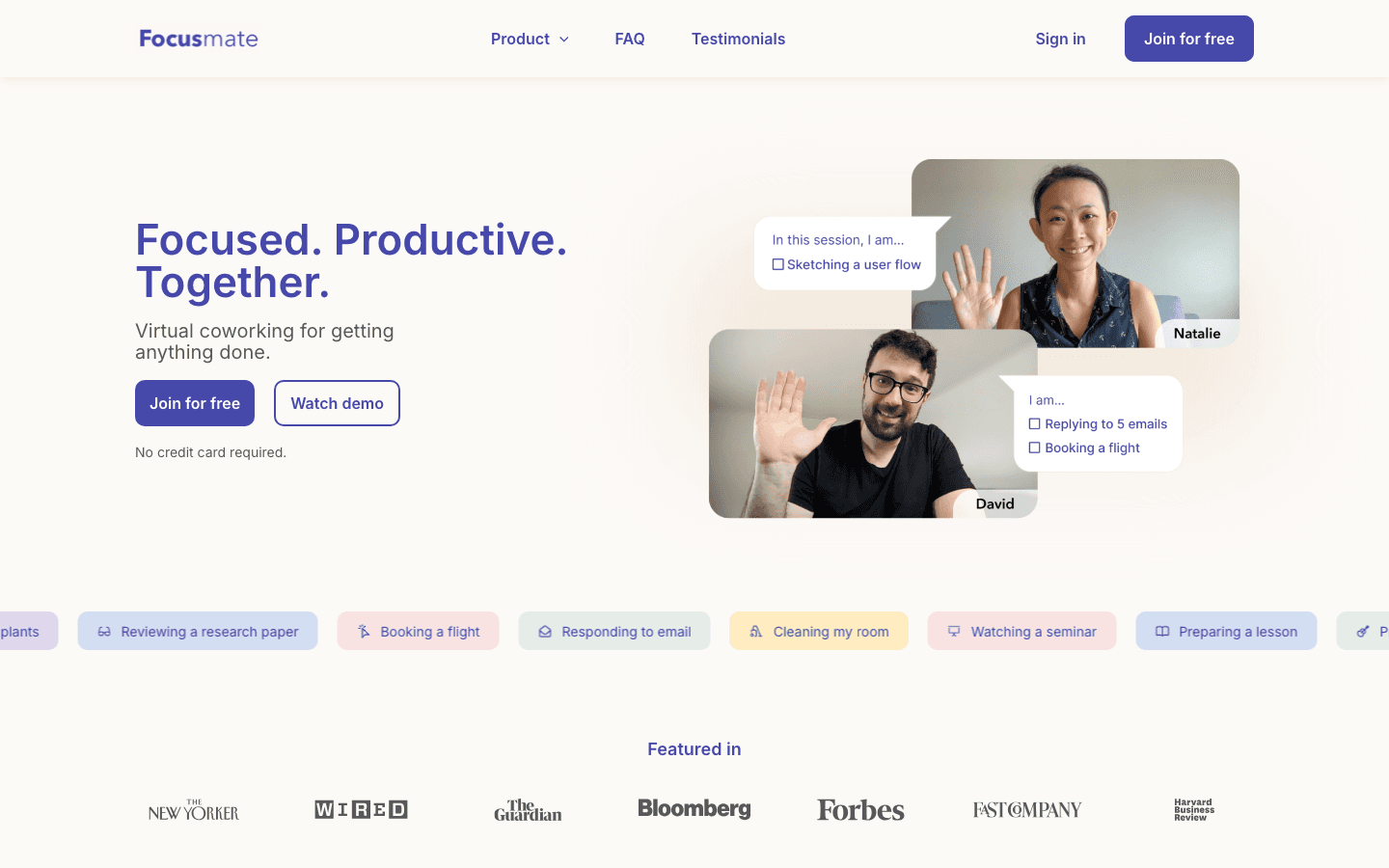
Focusmate is a virtual coworking platform that pairs you with a stranger for a 25, 50, or 75-minute focus session. You each say what you're working on at the start, work quietly together on camera, and check in at the end. That's it. No coaching, no conversation.
The reason this works for ADHD is body doubling. The presence of another person, even a stranger on a screen, activates the social accountability circuits that help many ADHD brains engage with work. It's the same reason some people can only do homework at a coffee shop. Focusmate brings that effect on demand, any time of day. For breaking through task initiation paralysis, nothing on this list works faster. It also helps anchor a habit tracking practice when you pair it with a consistent daily session time.
On-demand virtual coworking sessions (25, 50, or 75 minutes)
Paired with a real accountability partner for each session
Session scheduling built into the app
Session history to track your focus patterns over time
What Works
Body doubling works. ADHD users consistently report this as the thing that finally made them start
Free tier gives you 3 sessions per week, enough to test whether it works for you
Limitations
Requires camera and some social comfort with strangers on screen
Primarily a web app; mobile experience is functional but not native
Pricing: Free (3 sessions/week); Plus $8/month billed annually, $12/month monthly
Best for: ADHD users who struggle to start tasks and respond well to social accountability
6. Todoist: Best Full-Featured Task Manager
The most capable free task manager for ADHD users who want structure.
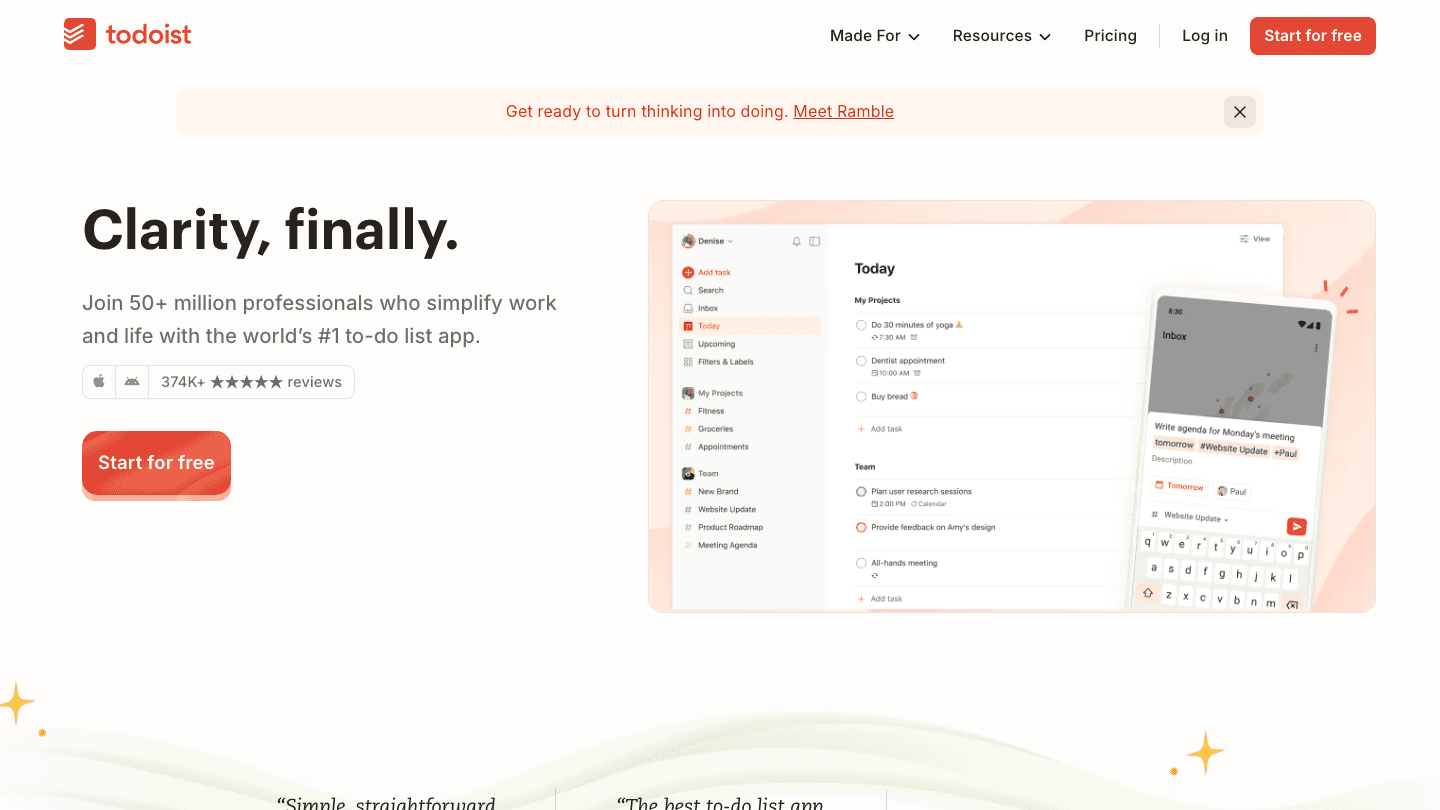
Todoist is one of the most polished task managers available on iOS and Android. The free tier covers the basics well: add tasks, set due dates, assign priorities, organize by project. The natural language input (type "email report Friday" and it sets the task name and due date automatically) reduces the friction of getting things out of your head and into a system.
For ADHD users, Todoist works best when you use the priority flags consistently and keep the project list short. The app can become overwhelming if you add tasks compulsively without reviewing or completing them. Pair it with a weekly planner review habit to keep the list from becoming a graveyard of intentions. For an ADHD home management system, Todoist's shared projects feature makes household task lists easy to split with a partner.
Natural language task input with due dates, priority flags, and labels
Project organization with color coding and task filtering
iOS, Android, Mac, Windows, and web, all synced
Integrations with Google Calendar, Slack, and dozens of other tools
What Works
Natural language input is the fastest way to capture tasks without disrupting your flow
Free tier is genuinely useful for most individual users
Cross-platform sync is reliable and fast
Limitations
No energy awareness or ADHD-specific features
Can become cluttered quickly without a consistent review habit
Pricing: Free; Pro $4/month billed annually ($48/year)
Best for: ADHD users who want a capable task manager with good free options across all platforms
Which ADHD App Should You Use?
You need to schedule tasks around your energy levels: Lifestack
You're stuck on a task and can't start: Goblin Tools (break it down) or Focusmate (body double your way through it)
You're a visual thinker who needs to see your day: Structured
Your phone is the main distraction during work: Forest
You need a capable free task list that works everywhere: Todoist
Most ADHD users end up combining two or three of these. A common setup: Lifestack for scheduling, Goblin Tools for breaking down anything that feels too big to start, and Focusmate for the sessions that really matter.
Frequently Asked Questions
What are the best mobile apps for ADHD?
The best mobile apps for ADHD are Lifestack (energy-aware scheduling), Goblin Tools (task breakdown), Structured (visual planning), Forest (focus sessions), Focusmate (body doubling), and Todoist (task management). The right choice depends on whether your main challenge is scheduling, starting tasks, or staying focused once you've started.
Are ADHD apps actually helpful?
Yes, for most people. Apps built around ADHD challenges, like visual timelines, task decomposition, and body doubling, address specific executive function gaps rather than just adding a new list to ignore. The key is choosing tools that meet you where your actual friction lives.
What is the best free app for ADHD?
Goblin Tools is the best free ADHD app for task initiation and breakdown. Focusmate is free for 3 sessions per week and is the best free option for body doubling. Todoist's free tier is the most capable free task manager for ongoing organization.
What app helps with ADHD time blindness?
Lifestack is the best app for ADHD time blindness because it schedules tasks around your energy patterns rather than just open calendar slots. Structured's visual timeline also helps by making the passage of time visible. Both work well in combination.
Do ADHD apps work without medication?
Yes. Apps that address the structural challenges of ADHD, such as task decomposition, visual scheduling, and accountability, can reduce symptoms of disorganization and task paralysis regardless of medication status. They're not a replacement for clinical treatment, but they provide real-world scaffolding that many ADHD users rely on daily.
What apps help with ADHD focus?
Forest uses gamified timers to reduce phone distraction. Focusmate uses body doubling to help you get started and stay on task. Lifestack helps you schedule focus-heavy work during your highest-energy windows. Using all three at different points in your day creates a layered focus system suited to ADHD patterns.
Why ADHD Brains Need Different Apps
Most productivity apps are designed for neurotypical users. They assume you can look at a to-do list and start working. They assume you remember to open the app. They assume that seeing a task is enough to get you moving on it.
For ADHD brains, none of those assumptions hold. Dopamine-driven focus, time blindness, and task initiation challenges need tools built around them, not against them. The best mobile apps for ADHD handle the scaffolding so your executive function doesn't have to.
We tested dozens of apps across scheduling, focus, task management, and accountability. The six below earned their spots by being actually useful for ADHD, not just for productivity in general.
Key Takeaways
Lifestack leads because it schedules tasks around your energy, not just empty calendar slots
Goblin Tools is the best free option for ADHD task breakdown, no subscription required
Focusmate is uniquely effective for task initiation, using body doubling to overcome ADHD paralysis
Quick Guide: Mobile Apps for ADHD
1. Lifestack: Best energy-aware scheduler for ADHD
2. Goblin Tools: Best free ADHD task breakdown tool
3. Structured: Best visual daily planner
4. Forest: Best gamified focus timer
5. Focusmate: Best for ADHD task initiation and body doubling
6. Todoist: Best full-featured task manager
How We Evaluated
ADHD-specific design: does it account for time blindness, task paralysis, or hyperfocus?
Low friction onboarding: can you use it within the first 60 seconds?
Mobile first: iOS and Android quality, offline access, notifications
Energy and capacity awareness: does it adapt to how you actually feel, not just your schedule?
Pricing: free tiers, one-time purchases, and subscription value
1. Lifestack: Best Energy-Aware Scheduler for ADHD
Schedule tasks around your brain, not just your calendar.
ADHD time blindness is real. You block an hour for a task on Tuesday, but Tuesday arrives and you're running on two hours of sleep after a hyperfocus session the night before. A standard calendar app has no way to account for that. Lifestack does.
Lifestack is an AI-powered daily planner built on the idea that task scheduling should factor in your energy level, not just your availability. It learns your patterns over time, integrates with Google Calendar and Apple Calendar, and suggests when to do high-effort tasks versus low-stakes admin. For ADHD project management, this changes things significantly. You stop forcing complex work into mentally-depleted time slots.
The interface is clean and low-distraction. You see your day as a vertical timeline. Tasks sit in time blocks. Completed items check off visually. For ADHD brains that need to see their day, not just read a list, this layout works well. It also integrates with habit tracking tools, so your morning routine can live in the same system as your work calendar.
AI scheduling matched to your energy patterns throughout the day
Google Calendar, Apple Calendar, and task app integrations
Time-blocked daily planner view with visual progress tracking
iOS, Android, and Chrome extension available
What Works
The only planner in this list that accounts for mental energy, not just open time
Low cognitive overhead once set up: you open the app and see exactly what's next
Works alongside any existing calendar or coaching setup
Limitations
Does not break down tasks automatically (pair with Goblin Tools for that)
No built-in focus timer or body doubling features
Pricing: $7/month or $50/year (7-day free trial on annual plan)
Best for: ADHD users who already have tasks and need a smarter way to schedule them
2. Goblin Tools: Best Free ADHD Task Breakdown
Breaks any task into tiny, manageable steps, free, no signup required.
Goblin Tools is a collection of small AI-powered utilities designed for ADHD and autism. The star feature is Magic ToDo: you type a task (or even just a vague feeling like "I need to deal with the kitchen"), and it returns a list of specific, concrete micro-steps. Each step is actionable enough that you can start without having to plan further.
The magic is in the spice level. You can dial up or down how granularly the task gets broken down. For severe task paralysis, crank it to maximum and you'll get sub-steps like "fill a glass with water" and "place glass near sink." This sounds extreme until you've stared at a task for four hours and still haven't started. Goblin Tools meets you where you are.
Magic ToDo: AI-powered task decomposition with adjustable granularity
Estimator: guesses how long a task will actually take (critical for ADHD time blindness)
Formalizer, Judge, and other micro-tools for common ADHD friction points
No account required. Open the browser and use it immediately
Works on mobile browsers, no app install needed
What Works
The best tool for getting unstuck. Nothing else does task decomposition this well for free
Zero friction to start using it
Limitations
Web-only (no native app), though it runs well on mobile browsers
No calendar integration or scheduling features
Pricing: Free
Best for: Anyone stuck on a task who needs help breaking it into startable steps
3. Structured: Best Visual Daily Planner
Time blocking that you can actually see, designed for visual thinkers.
Structured is a daily planner built around visual time blocking. Each task appears as a colored bar on a vertical timeline, sized proportionally to how long it takes. This visual representation is something ADHD brains respond to better than a flat list. You can see at a glance how much of your day is committed versus free.
The app syncs with Apple Calendar and Google Calendar, so your meetings appear alongside your self-assigned tasks. Adding a new task takes about five seconds. There is no overwhelming feature set to learn. This is its main advantage: Structured is simple by design, which means it's actually usable on a hard ADHD day when a more complex system would get ignored entirely. It also supports visual reminders and time-based alerts.
Visual timeline with color-coded, proportionally-sized task bars
Apple Calendar and Google Calendar sync
Time-based alerts and flexible scheduling
iOS and iPadOS native, with web app available
What Works
Visual layout is far better for ADHD time awareness than a list
Ultra-low friction. Adding tasks takes seconds
Limitations
Android support is limited compared to iOS
No energy-aware scheduling or task decomposition
Pricing: Free; Pro $29.99/year (~$2.50/month) or lifetime $32.99
Best for: Visual thinkers who need to see their day laid out in time, not listed
4. Forest: Best Gamified Focus Timer
Grow a virtual forest by staying off your phone. Surprisingly effective.
Forest works on a simple premise: you plant a tree, set a timer, and if you leave the app before the timer ends, the tree dies. This sounds gimmicky. It isn't. The visual consequence of a dead tree activates something in ADHD brains that a plain Pomodoro timer doesn't. You're not just avoiding distraction. You're watching something die in real time if you fail.
Over time, you build a forest from completed focus sessions. The visual history is genuinely satisfying and doubles as a record of how much focused work you've done. Forest also plants real trees through its partnership with Trees for the Future, which adds a meaningful layer to the coins you earn. As a one-time purchase on iOS at $3.99, it's the cheapest tool on this list outside of free options.
Gamified Pomodoro-style timer with visual consequence for phone use
Cumulative forest grows with each completed session
Session history for tracking focus patterns over time
Real tree planting partnership for earned coins
iOS and Android, plus Chrome extension
What Works
The visual stakes actually reduce phone checking in a way plain timers don't
One-time purchase, no ongoing cost
Limitations
Focus-only. No task management, scheduling, or habit tracking
Works best with self-directed work; less useful for structured task lists
Pricing: $3.99 one-time purchase on iOS; free on Android
Best for: ADHD users who struggle with phone distraction during work sessions
5. Focusmate: Best for Task Initiation and Body Doubling
Work alongside a real person online. It turns starting a task from hard to easy.
Focusmate is a virtual coworking platform that pairs you with a stranger for a 25, 50, or 75-minute focus session. You each say what you're working on at the start, work quietly together on camera, and check in at the end. That's it. No coaching, no conversation.
The reason this works for ADHD is body doubling. The presence of another person, even a stranger on a screen, activates the social accountability circuits that help many ADHD brains engage with work. It's the same reason some people can only do homework at a coffee shop. Focusmate brings that effect on demand, any time of day. For breaking through task initiation paralysis, nothing on this list works faster. It also helps anchor a habit tracking practice when you pair it with a consistent daily session time.
On-demand virtual coworking sessions (25, 50, or 75 minutes)
Paired with a real accountability partner for each session
Session scheduling built into the app
Session history to track your focus patterns over time
What Works
Body doubling works. ADHD users consistently report this as the thing that finally made them start
Free tier gives you 3 sessions per week, enough to test whether it works for you
Limitations
Requires camera and some social comfort with strangers on screen
Primarily a web app; mobile experience is functional but not native
Pricing: Free (3 sessions/week); Plus $8/month billed annually, $12/month monthly
Best for: ADHD users who struggle to start tasks and respond well to social accountability
6. Todoist: Best Full-Featured Task Manager
The most capable free task manager for ADHD users who want structure.
Todoist is one of the most polished task managers available on iOS and Android. The free tier covers the basics well: add tasks, set due dates, assign priorities, organize by project. The natural language input (type "email report Friday" and it sets the task name and due date automatically) reduces the friction of getting things out of your head and into a system.
For ADHD users, Todoist works best when you use the priority flags consistently and keep the project list short. The app can become overwhelming if you add tasks compulsively without reviewing or completing them. Pair it with a weekly planner review habit to keep the list from becoming a graveyard of intentions. For an ADHD home management system, Todoist's shared projects feature makes household task lists easy to split with a partner.
Natural language task input with due dates, priority flags, and labels
Project organization with color coding and task filtering
iOS, Android, Mac, Windows, and web, all synced
Integrations with Google Calendar, Slack, and dozens of other tools
What Works
Natural language input is the fastest way to capture tasks without disrupting your flow
Free tier is genuinely useful for most individual users
Cross-platform sync is reliable and fast
Limitations
No energy awareness or ADHD-specific features
Can become cluttered quickly without a consistent review habit
Pricing: Free; Pro $4/month billed annually ($48/year)
Best for: ADHD users who want a capable task manager with good free options across all platforms
Which ADHD App Should You Use?
You need to schedule tasks around your energy levels: Lifestack
You're stuck on a task and can't start: Goblin Tools (break it down) or Focusmate (body double your way through it)
You're a visual thinker who needs to see your day: Structured
Your phone is the main distraction during work: Forest
You need a capable free task list that works everywhere: Todoist
Most ADHD users end up combining two or three of these. A common setup: Lifestack for scheduling, Goblin Tools for breaking down anything that feels too big to start, and Focusmate for the sessions that really matter.
Frequently Asked Questions
What are the best mobile apps for ADHD?
The best mobile apps for ADHD are Lifestack (energy-aware scheduling), Goblin Tools (task breakdown), Structured (visual planning), Forest (focus sessions), Focusmate (body doubling), and Todoist (task management). The right choice depends on whether your main challenge is scheduling, starting tasks, or staying focused once you've started.
Are ADHD apps actually helpful?
Yes, for most people. Apps built around ADHD challenges, like visual timelines, task decomposition, and body doubling, address specific executive function gaps rather than just adding a new list to ignore. The key is choosing tools that meet you where your actual friction lives.
What is the best free app for ADHD?
Goblin Tools is the best free ADHD app for task initiation and breakdown. Focusmate is free for 3 sessions per week and is the best free option for body doubling. Todoist's free tier is the most capable free task manager for ongoing organization.
What app helps with ADHD time blindness?
Lifestack is the best app for ADHD time blindness because it schedules tasks around your energy patterns rather than just open calendar slots. Structured's visual timeline also helps by making the passage of time visible. Both work well in combination.
Do ADHD apps work without medication?
Yes. Apps that address the structural challenges of ADHD, such as task decomposition, visual scheduling, and accountability, can reduce symptoms of disorganization and task paralysis regardless of medication status. They're not a replacement for clinical treatment, but they provide real-world scaffolding that many ADHD users rely on daily.
What apps help with ADHD focus?
Forest uses gamified timers to reduce phone distraction. Focusmate uses body doubling to help you get started and stay on task. Lifestack helps you schedule focus-heavy work during your highest-energy windows. Using all three at different points in your day creates a layered focus system suited to ADHD patterns.



FOLLOW ON
FOLLOW ON
FOLLOW ON


Copyright 2026 © Lifestack. All rights reserved
Copyright 2026 © Lifestack. All rights reserved

