
App
Obsidian vs Notion: Which Should You Use in 2026?
Obsidian vs Notion: Which Should You Use in 2026?
Obsidian and Notion solve the same high-level problem (capturing and organizing your knowledge and work) from completely opposite directions. Obsidian is local-first, Markdown-based, extensible through plugins, and built around linked notes. Notion is cloud-based, visually flexible, collaboration-first, and built around databases and blocks.
The result is two tools that look superficially similar but attract different kinds of users. Obsidian users tend to be individuals who want control, privacy, and a personal knowledge system they own outright. Notion users tend to be people or teams who need something flexible that works out of the box without technical configuration.
This comparison covers both tools honestly: what they do well, where they fall short, how they differ on the dimensions that actually matter (data ownership, collaboration, pricing, learning curve), and which makes sense for different situations.
Key Takeaways
Obsidian is free for personal use, local-first by default, and better for individual knowledge management and long-term note systems. Notion is better for team collaboration, structured databases, and visual workspace building.
The core tradeoff is privacy and longevity (Obsidian) versus flexibility and collaboration (Notion). Neither is universally better.
Both have steep setup costs: Obsidian through its plugin ecosystem and Notion through its blank-canvas learning curve.
Quick Verdict
Obsidian: Best for individuals who want a private, local, long-term personal knowledge system
Notion: Best for teams who want a flexible, collaborative workspace with databases and docs
Obsidian Overview
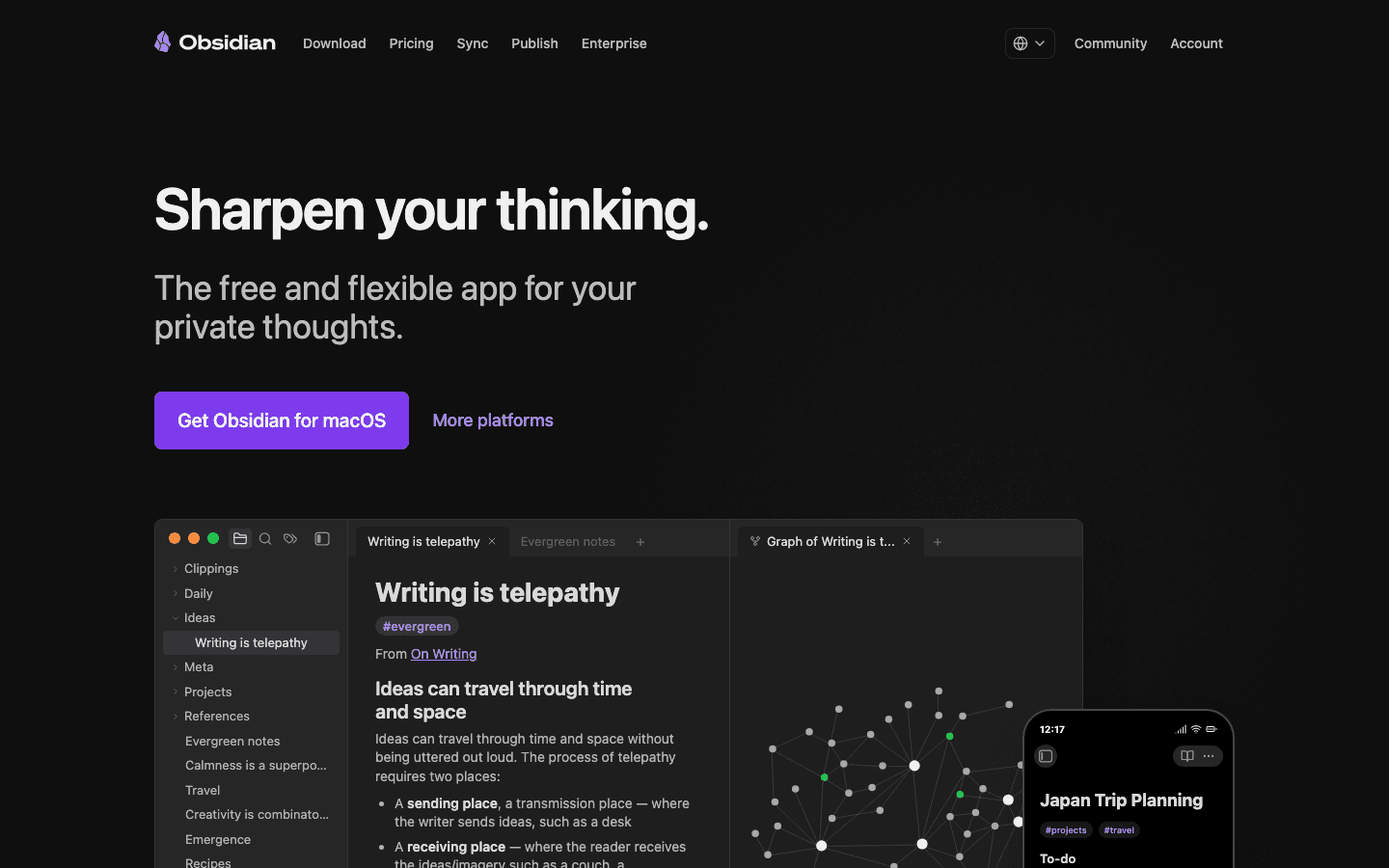
Obsidian is a Markdown note-taking app that stores all your notes as plain text files on your device. There is no cloud requirement, no account needed, and no vendor lock-in: your notes are yours in the most literal sense, stored in a folder you control and readable without Obsidian itself.
What makes Obsidian distinctive is its linking system. You can link any note to any other note with a simple double-bracket syntax, and the result is a graph of connected ideas that you can navigate visually. This is the foundation of what many users call a second brain: a personal knowledge base where ideas connect across time and topics.
The tradeoff is complexity. Obsidian's default state is minimal. Getting it to do more (syncing across devices, publishing notes, advanced organization) requires either paid add-ons or time spent in the plugin ecosystem, which includes over 1,000 community plugins. The most popular approaches, like the PARA method, require real configuration to implement.
Pros:
Free for personal use with no feature limitations
Local-first storage: your data stays on your device
Excellent for linked thinking and building knowledge networks over time
Massive plugin ecosystem for customization
Markdown files are future-proof: readable in any text editor
Cons:
Steep learning curve for getting the most out of it
Sync across devices requires the paid Sync add-on ($4/month) or a third-party solution
No native collaboration for teams
Mobile experience is functional but less polished than desktop
Pricing: Free for personal use. Sync add-on $4/user/month (annual) or $5/month. Publish add-on $8/site/month (annual) or $10/month. Commercial license $50/user/year.
Notion Overview
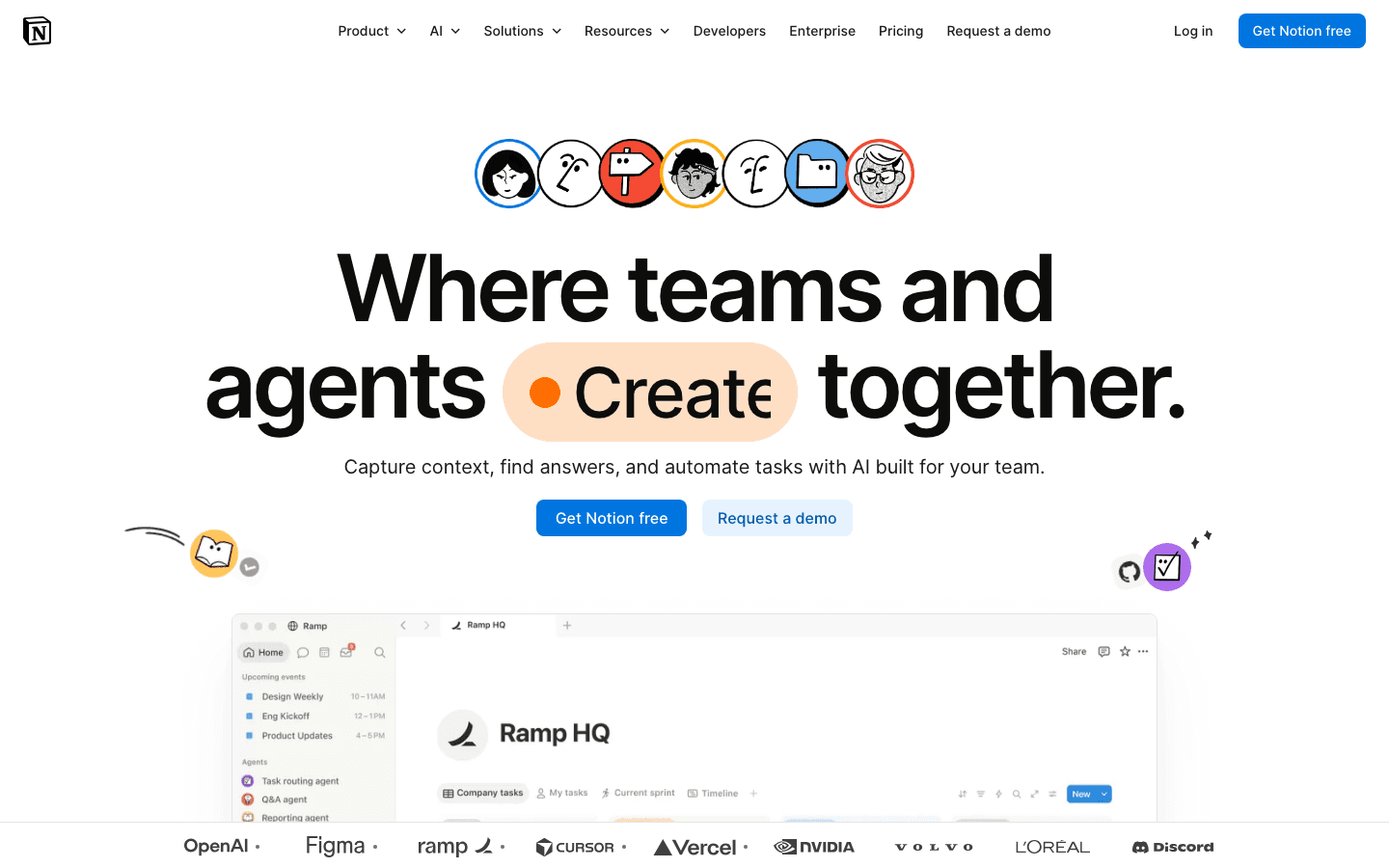
Notion is a cloud-based workspace that combines notes, databases, wikis, task lists, and project management in a single tool. Everything lives in pages, and pages can contain any mix of blocks: text, tables, images, databases, embedded content, and sub-pages.
What makes Notion different from a standard note-taking tool is its database system. You can create a database of any content type (meeting notes, projects, books you have read, contacts) and view it as a table, a board, a gallery, a calendar, or a list. This flexibility is what makes Notion genuinely useful for teams who need a shared workspace rather than just a shared document.
The tradeoff is the same: flexibility requires investment. Notion starts as a blank canvas, and getting value from it means either building your own systems or adapting templates. It is also cloud-dependent: offline access is limited, and your data lives on Notion's servers. See our post on Notion pricing for a full breakdown of what each tier includes.
Pros:
Excellent collaboration with real-time editing, comments, and guest access
Powerful database system for structured information
Strong free tier for individuals
30,000+ community templates to start from
Notion AI available as a paid add-on
Cons:
Cloud-dependent: your data lives on Notion's servers, not your device
Can feel slow on large databases and complex pages
Offline access is limited and not fully reliable
High setup cost: the blank canvas can be overwhelming without direction
Pricing: Free (unlimited pages, limited blocks for guests); Plus $10/user/month; Business $15/user/month; Enterprise custom
Head-to-Head Comparison
Data ownership and privacy
Obsidian wins here for anyone who cares about this. Your notes are plain text files on your own device. No account required. No subscription to keep your existing notes accessible. Notion requires an account and stores everything on its servers. If Notion shuts down or changes its terms, your data is at risk in a way that Obsidian's never is.
Collaboration
Notion wins clearly. It was built for teams: real-time editing, comments, mentions, guest access, shared databases. Obsidian has minimal native collaboration. The Sync add-on allows shared vaults, but it is a limited team feature compared to what Notion offers natively.
Linked thinking and knowledge networks
Obsidian wins for individual knowledge management. Its bidirectional link system, graph view, and backlinks are better than Notion's equivalent features. If you are building a long-term personal knowledge system, Obsidian's linking model is more powerful. Notion's internal links work but are not the core of the product in the same way.
Database and structured information
Notion wins significantly. Its database system is more capable, more flexible, and more natively integrated than Obsidian's equivalent (which requires plugins like Dataview). If you need to track structured information (projects, contacts, reading lists, meeting notes) in a queryable format, Notion is purpose-built for this. Obsidian can approximate it with plugins but requires more effort.
Pricing for individuals
Obsidian wins for pure cost. The base app is free with no feature limitations, and you only pay if you need sync or publish. Notion's free tier is functional for individuals but limits guests and some block types. For teams, the comparison shifts: Obsidian's commercial license is $50/user/year, while Notion's team plans start at $10/user/month ($120/year).
Learning curve
Both have real setup costs, but in different directions. Obsidian requires learning Markdown, understanding the plugin ecosystem, and making deliberate organizational choices (folder structure vs. tags vs. links). Notion requires understanding its block and database system and designing a workspace that does not collapse under its own flexibility. Neither is plug-and-play.
Mobile experience
Notion edges ahead on mobile. Its mobile app is more polished and closer to the desktop experience. Obsidian's mobile app is functional but the complex plugin ecosystem does not always translate well to smaller screens.
Which Should You Choose?
Choose Obsidian if:
You want to own your data and not depend on a cloud service
You are building a long-term personal knowledge system (not a team workspace)
You write in or are comfortable with Markdown
You want something free with no recurring cost for individual use
Privacy and data portability are priorities
Choose Notion if:
You work with a team and need real-time collaboration
You want to manage structured information in databases (projects, tasks, contacts)
You prefer a visual, block-based interface over plain text and Markdown
You want something that works out of the box (relatively) rather than requiring plugin configuration
Some people use both: Obsidian for personal notes and long-form thinking, Notion for team projects and structured information. They complement each other more than they compete when you have specific needs that pull in different directions. For more ideas on building a personal knowledge system, see our piece on how to plan and our roundup of NotebookLM alternatives.
If your core problem is not note-taking but scheduling and getting the right work done at the right time, both Obsidian and Notion fall short. Neither has scheduling intelligence. Lifestack handles that differently: it uses energy-based scheduling to make sure your most demanding work lands in your peak hours rather than wherever an open slot happens to be. It is a different tool solving a different problem, but for people who are organized in Obsidian or Notion and still feel behind, it is often the missing piece.
Frequently Asked Questions
Is Obsidian better than Notion?
For individual knowledge management, privacy, and local-first storage, yes. For team collaboration, databases, and ease of getting started, Notion is better. The right answer depends on what you are actually trying to do.
Can I use Obsidian and Notion together?
Yes, and many people do. A common setup is using Obsidian for personal notes and long-form writing (where privacy and linking matter) and Notion for team projects and structured data (where collaboration and database views matter). They serve different purposes well enough that the overlap rarely causes duplication problems.
Is Obsidian free?
Yes, for personal use with no feature limits. You only pay if you want Obsidian Sync ($4/month annually) or Obsidian Publish ($8/month annually). Commercial use requires a license at $50/user/year. There is no free trial that expires or a version with crippled features.
Does Obsidian work offline?
Yes. Since notes are stored locally on your device, Obsidian works fully offline by default. Sync across devices requires either the paid Sync add-on or a third-party solution (iCloud, Dropbox, etc.).
Does Notion work offline?
Partially. Notion has improved its offline support but it remains limited: recently viewed pages are cached, but creating new pages or accessing content you have not loaded recently requires an internet connection. This is a meaningful limitation if you work in places with unreliable connectivity.
Which is better for students?
Obsidian tends to work better for students who take a lot of notes and want to build connections between concepts over time (philosophy, history, research-heavy subjects). Notion tends to work better for students who need to manage multiple projects, track assignments in databases, and collaborate with classmates. Both are free for students in their basic forms.
Obsidian and Notion solve the same high-level problem (capturing and organizing your knowledge and work) from completely opposite directions. Obsidian is local-first, Markdown-based, extensible through plugins, and built around linked notes. Notion is cloud-based, visually flexible, collaboration-first, and built around databases and blocks.
The result is two tools that look superficially similar but attract different kinds of users. Obsidian users tend to be individuals who want control, privacy, and a personal knowledge system they own outright. Notion users tend to be people or teams who need something flexible that works out of the box without technical configuration.
This comparison covers both tools honestly: what they do well, where they fall short, how they differ on the dimensions that actually matter (data ownership, collaboration, pricing, learning curve), and which makes sense for different situations.
Key Takeaways
Obsidian is free for personal use, local-first by default, and better for individual knowledge management and long-term note systems. Notion is better for team collaboration, structured databases, and visual workspace building.
The core tradeoff is privacy and longevity (Obsidian) versus flexibility and collaboration (Notion). Neither is universally better.
Both have steep setup costs: Obsidian through its plugin ecosystem and Notion through its blank-canvas learning curve.
Quick Verdict
Obsidian: Best for individuals who want a private, local, long-term personal knowledge system
Notion: Best for teams who want a flexible, collaborative workspace with databases and docs
Obsidian Overview
Obsidian is a Markdown note-taking app that stores all your notes as plain text files on your device. There is no cloud requirement, no account needed, and no vendor lock-in: your notes are yours in the most literal sense, stored in a folder you control and readable without Obsidian itself.
What makes Obsidian distinctive is its linking system. You can link any note to any other note with a simple double-bracket syntax, and the result is a graph of connected ideas that you can navigate visually. This is the foundation of what many users call a second brain: a personal knowledge base where ideas connect across time and topics.
The tradeoff is complexity. Obsidian's default state is minimal. Getting it to do more (syncing across devices, publishing notes, advanced organization) requires either paid add-ons or time spent in the plugin ecosystem, which includes over 1,000 community plugins. The most popular approaches, like the PARA method, require real configuration to implement.
Pros:
Free for personal use with no feature limitations
Local-first storage: your data stays on your device
Excellent for linked thinking and building knowledge networks over time
Massive plugin ecosystem for customization
Markdown files are future-proof: readable in any text editor
Cons:
Steep learning curve for getting the most out of it
Sync across devices requires the paid Sync add-on ($4/month) or a third-party solution
No native collaboration for teams
Mobile experience is functional but less polished than desktop
Pricing: Free for personal use. Sync add-on $4/user/month (annual) or $5/month. Publish add-on $8/site/month (annual) or $10/month. Commercial license $50/user/year.
Notion Overview
Notion is a cloud-based workspace that combines notes, databases, wikis, task lists, and project management in a single tool. Everything lives in pages, and pages can contain any mix of blocks: text, tables, images, databases, embedded content, and sub-pages.
What makes Notion different from a standard note-taking tool is its database system. You can create a database of any content type (meeting notes, projects, books you have read, contacts) and view it as a table, a board, a gallery, a calendar, or a list. This flexibility is what makes Notion genuinely useful for teams who need a shared workspace rather than just a shared document.
The tradeoff is the same: flexibility requires investment. Notion starts as a blank canvas, and getting value from it means either building your own systems or adapting templates. It is also cloud-dependent: offline access is limited, and your data lives on Notion's servers. See our post on Notion pricing for a full breakdown of what each tier includes.
Pros:
Excellent collaboration with real-time editing, comments, and guest access
Powerful database system for structured information
Strong free tier for individuals
30,000+ community templates to start from
Notion AI available as a paid add-on
Cons:
Cloud-dependent: your data lives on Notion's servers, not your device
Can feel slow on large databases and complex pages
Offline access is limited and not fully reliable
High setup cost: the blank canvas can be overwhelming without direction
Pricing: Free (unlimited pages, limited blocks for guests); Plus $10/user/month; Business $15/user/month; Enterprise custom
Head-to-Head Comparison
Data ownership and privacy
Obsidian wins here for anyone who cares about this. Your notes are plain text files on your own device. No account required. No subscription to keep your existing notes accessible. Notion requires an account and stores everything on its servers. If Notion shuts down or changes its terms, your data is at risk in a way that Obsidian's never is.
Collaboration
Notion wins clearly. It was built for teams: real-time editing, comments, mentions, guest access, shared databases. Obsidian has minimal native collaboration. The Sync add-on allows shared vaults, but it is a limited team feature compared to what Notion offers natively.
Linked thinking and knowledge networks
Obsidian wins for individual knowledge management. Its bidirectional link system, graph view, and backlinks are better than Notion's equivalent features. If you are building a long-term personal knowledge system, Obsidian's linking model is more powerful. Notion's internal links work but are not the core of the product in the same way.
Database and structured information
Notion wins significantly. Its database system is more capable, more flexible, and more natively integrated than Obsidian's equivalent (which requires plugins like Dataview). If you need to track structured information (projects, contacts, reading lists, meeting notes) in a queryable format, Notion is purpose-built for this. Obsidian can approximate it with plugins but requires more effort.
Pricing for individuals
Obsidian wins for pure cost. The base app is free with no feature limitations, and you only pay if you need sync or publish. Notion's free tier is functional for individuals but limits guests and some block types. For teams, the comparison shifts: Obsidian's commercial license is $50/user/year, while Notion's team plans start at $10/user/month ($120/year).
Learning curve
Both have real setup costs, but in different directions. Obsidian requires learning Markdown, understanding the plugin ecosystem, and making deliberate organizational choices (folder structure vs. tags vs. links). Notion requires understanding its block and database system and designing a workspace that does not collapse under its own flexibility. Neither is plug-and-play.
Mobile experience
Notion edges ahead on mobile. Its mobile app is more polished and closer to the desktop experience. Obsidian's mobile app is functional but the complex plugin ecosystem does not always translate well to smaller screens.
Which Should You Choose?
Choose Obsidian if:
You want to own your data and not depend on a cloud service
You are building a long-term personal knowledge system (not a team workspace)
You write in or are comfortable with Markdown
You want something free with no recurring cost for individual use
Privacy and data portability are priorities
Choose Notion if:
You work with a team and need real-time collaboration
You want to manage structured information in databases (projects, tasks, contacts)
You prefer a visual, block-based interface over plain text and Markdown
You want something that works out of the box (relatively) rather than requiring plugin configuration
Some people use both: Obsidian for personal notes and long-form thinking, Notion for team projects and structured information. They complement each other more than they compete when you have specific needs that pull in different directions. For more ideas on building a personal knowledge system, see our piece on how to plan and our roundup of NotebookLM alternatives.
If your core problem is not note-taking but scheduling and getting the right work done at the right time, both Obsidian and Notion fall short. Neither has scheduling intelligence. Lifestack handles that differently: it uses energy-based scheduling to make sure your most demanding work lands in your peak hours rather than wherever an open slot happens to be. It is a different tool solving a different problem, but for people who are organized in Obsidian or Notion and still feel behind, it is often the missing piece.
Frequently Asked Questions
Is Obsidian better than Notion?
For individual knowledge management, privacy, and local-first storage, yes. For team collaboration, databases, and ease of getting started, Notion is better. The right answer depends on what you are actually trying to do.
Can I use Obsidian and Notion together?
Yes, and many people do. A common setup is using Obsidian for personal notes and long-form writing (where privacy and linking matter) and Notion for team projects and structured data (where collaboration and database views matter). They serve different purposes well enough that the overlap rarely causes duplication problems.
Is Obsidian free?
Yes, for personal use with no feature limits. You only pay if you want Obsidian Sync ($4/month annually) or Obsidian Publish ($8/month annually). Commercial use requires a license at $50/user/year. There is no free trial that expires or a version with crippled features.
Does Obsidian work offline?
Yes. Since notes are stored locally on your device, Obsidian works fully offline by default. Sync across devices requires either the paid Sync add-on or a third-party solution (iCloud, Dropbox, etc.).
Does Notion work offline?
Partially. Notion has improved its offline support but it remains limited: recently viewed pages are cached, but creating new pages or accessing content you have not loaded recently requires an internet connection. This is a meaningful limitation if you work in places with unreliable connectivity.
Which is better for students?
Obsidian tends to work better for students who take a lot of notes and want to build connections between concepts over time (philosophy, history, research-heavy subjects). Notion tends to work better for students who need to manage multiple projects, track assignments in databases, and collaborate with classmates. Both are free for students in their basic forms.



FOLLOW ON
FOLLOW ON
FOLLOW ON


Copyright 2026 © Lifestack. All rights reserved
Copyright 2026 © Lifestack. All rights reserved

