
App
Best NotebookLM Alternatives in 2026
Best NotebookLM Alternatives in 2026

NotebookLM is a genuinely useful tool. Upload some PDFs, ask questions about them, and get grounded, source-cited answers. For researchers, students, and anyone who reads a lot of long documents, it solves a specific problem well.
But it has real constraints. It works only with documents you explicitly upload. It does not connect to your task list, your calendar, your notes from last week's meeting, or the articles you bookmarked six months ago. And once you have learned something from your documents, there is nothing in NotebookLM to help you actually do something with that knowledge.
That gap is where these six alternatives come in. Some are better at connected note-taking. Some are better at synthesizing what you read across the web. Some do meeting transcription that NotebookLM can't touch. And one, Lifestack, solves the problem that none of the others address: turning what you have learned and planned into a scheduled, energy-aware day.
We evaluated each tool on depth of AI integration, how well it connects to other information sources, whether it helps you act on what you learn (not just store it), pricing, and mobile experience.
Key Takeaways
NotebookLM excels at document Q&A but cannot schedule, connect to your calendar, or help you act on what you learn
The best alternative depends on your gap: notes, reading, meeting capture, or turning knowledge into a daily plan
Lifestack is the only tool here that reads your energy and sleep data to schedule the right tasks at the right moments
Quick Guide
Lifestack: Best for turning plans and goals into a scheduled, energy-aware day
Notion AI: Best for teams combining docs, wikis, and AI in one workspace
Obsidian: Best for private, local-first knowledge management with deep linking
Readwise Reader: Best for synthesizing highlights and insights from everything you read
Otter.ai: Best for capturing and searching what was said in meetings
Capacities: Best for object-based personal knowledge management
How We Evaluated
AI depth: beyond keyword search, can it synthesize, answer questions, generate content?
Source connectivity: documents only, or does it pull from notes, calendar, web, meetings?
Action layer: does it help you do something with what you know?
Mobile quality: is the app genuinely usable on phone?
Pricing: value relative to free alternatives
1. Lifestack
The AI planner that turns your goals and energy into a scheduled day

Most productivity tools help you store information. Lifestack helps you act on it. It is an AI-powered daily planner that reads your sleep data, recovery metrics, and calendar, then automatically schedules your tasks around your natural energy curve. You do not plan when you will do deep work. Lifestack figures out when your cognitive capacity is actually high and books your most demanding tasks there.
Where this connects to the NotebookLM use case: after you have researched a topic, made decisions, or outlined a project, the work is not done. It needs to get done. Lifestack is the bridge between knowing what you want to accomplish and having it actually blocked in your day at the right time.
Energy-aware auto-scheduling based on sleep and recovery data
Integrates with Google Calendar and Apple Calendar
Task prioritization with AI suggestions
Available on iOS, Android, and Chrome extension
What Works: The energy-aware scheduling is the real differentiator: no other tool in this list knows whether you slept seven hours or four. The task management approach is particularly good for people who struggle with time-blocking that ignores how they actually feel.
Limitations: Not a note-taking app. If document Q&A is your primary use case, Lifestack does not replace NotebookLM directly (it complements it). No meeting transcription.
Pricing: $7/month, $50/year (7-day free trial), or $120 lifetime.
Best for: People who want to turn research and goals into a concrete, energy-matched daily schedule.
2. Notion AI
Connected workspace with AI built across docs, wikis, and databases
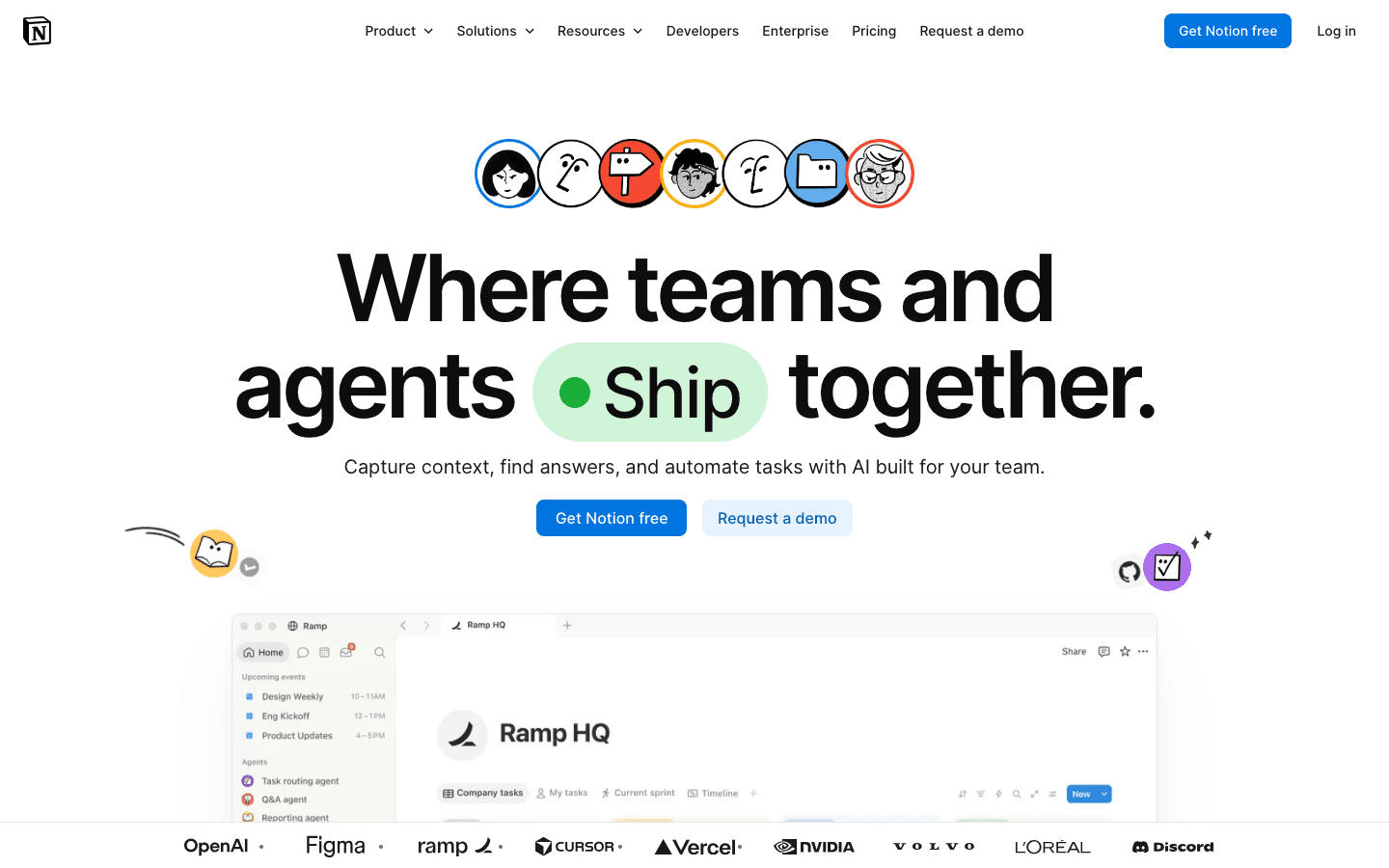
Notion AI takes the opposite approach from NotebookLM: instead of asking questions about uploaded documents, it brings AI into the workspace where you already live. You can use it to summarize pages, generate content, answer questions across your entire Notion workspace, and connect AI actions to databases and automations.
The biggest upgrade over NotebookLM is breadth. Notion AI can reference your meeting notes, project pages, team wikis, and personal journals all at once. It is not limited to documents you explicitly upload in a session. For teams already using Notion, this makes it significantly more practical day to day.
AI that works across your entire Notion workspace
Notion AI agents can run automations, not just answer questions
Built-in databases, kanban boards, and calendars
Strong collaboration features for teams
What Works: The integration with existing Notion content is excellent. If your team already lives in Notion, AI capabilities slot in without a context switch.
Limitations: No energy-aware scheduling. NotebookLM actually beats Notion for pure document grounding; Notion AI can hallucinate more readily. Monthly costs add up for large teams.
Pricing: Free tier available. Plus plan at $10/user/month. Business at $20/user/month. Notion AI is included in paid plans.
Best for: Teams who want AI woven into their existing workspace and collaboration tools.
3. Obsidian
Local-first knowledge management with a powerful plugin ecosystem
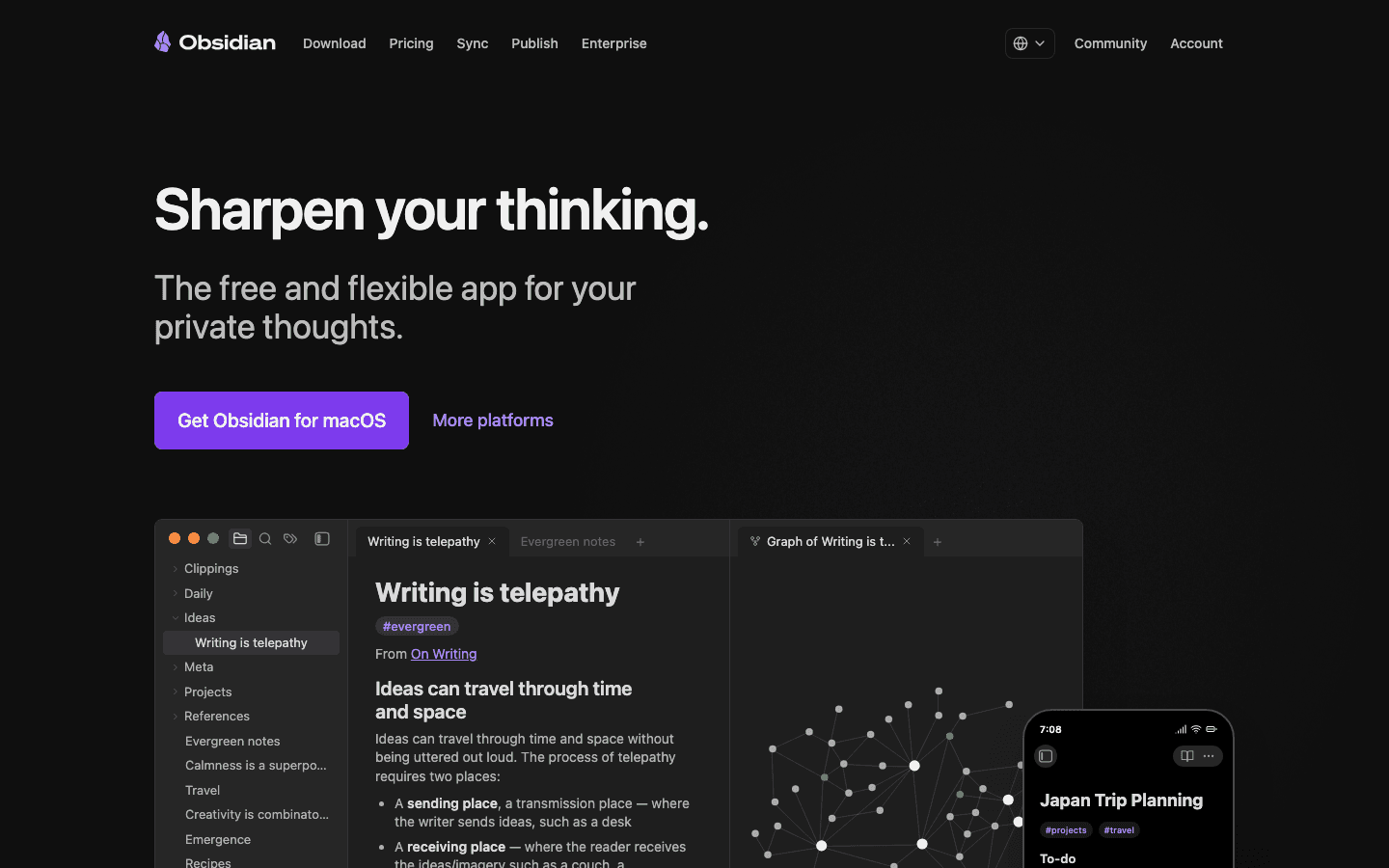
Obsidian stores everything locally on your device, with no cloud sync unless you pay for it, no third-party servers holding your notes. For people with privacy concerns about uploading documents to Google's NotebookLM infrastructure, Obsidian is the privacy-first alternative.
The core strength is linking. Every note can link to every other note, and the graph view visualizes how your ideas connect. Over time, Obsidian becomes a genuine second brain. Write in it long enough and it starts showing you connections you did not consciously make. AI features come via community plugins like Smart Connections, which runs local AI models against your vault.
All notes stored locally as plain Markdown files
Bidirectional linking and graph visualization
500+ community plugins including AI integrations
Available on all platforms including mobile
What Works: The local-first approach means your notes survive any company shutting down. Markdown means your data is portable forever. The plugin ecosystem is deeper than any competitor.
Limitations: Steep learning curve. The AI story is plugin-dependent and inconsistent. No native meeting transcription or web clipper quality as strong as Readwise.
Pricing: Free for personal use. Sync add-on at $4/month (annual). Commercial license at $50/year.
Best for: Privacy-conscious power users who want full control over their knowledge base.
4. Readwise Reader
AI-powered reading and highlighting across everything you consume
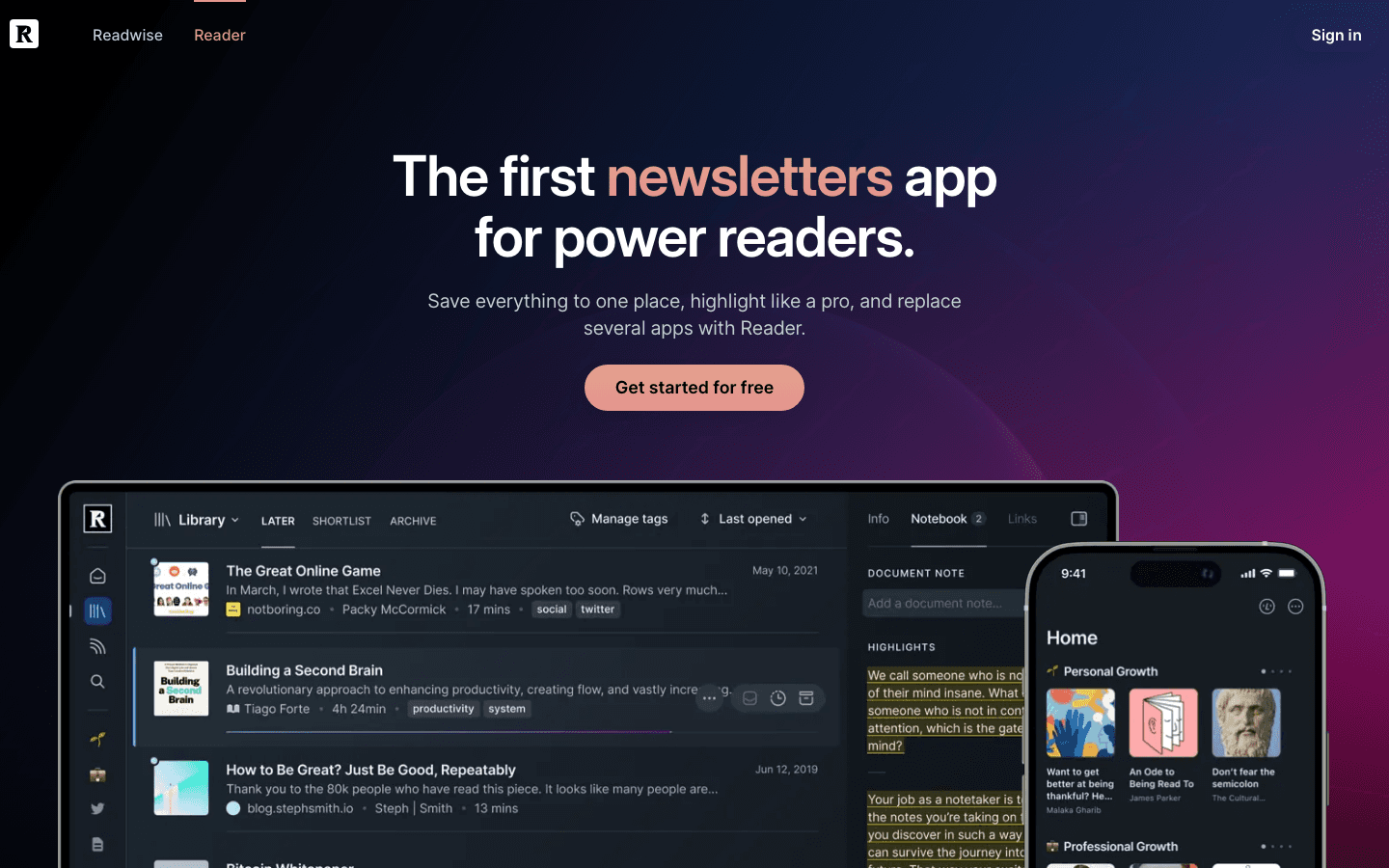
Readwise Reader solves a problem adjacent to NotebookLM: not just documents you upload, but everything you read: newsletters, articles, PDFs, RSS feeds, Twitter threads, YouTube transcripts. All in one place with AI synthesis built in. Where NotebookLM requires you to manually upload source documents, Reader automatically pulls in anything you save from the web.
The highlight and review system then resurfaces what you have read through spaced repetition. You are not just capturing information. You are actually retaining it. The AI features let you ask questions of your entire library, not just single documents.
Saves articles, newsletters, PDFs, and tweets in one app
AI summaries and Q&A across your entire reading library
Spaced repetition for retention of highlights
Exports to Notion, Obsidian, Roam, and Logseq
What Works: The breadth of what Reader can ingest is unmatched. If your knowledge work involves reading a lot of web content rather than PDFs, Reader handles it better than NotebookLM.
Limitations: Not a writing or planning tool. Works best when combined with a note-taking app like Obsidian or a scheduler like Lifestack. No meeting capture.
Pricing: Full plan at $9.99/month. Annual billing lowers this to around $7.99/month. 30-day free trial.
Best for: Heavy readers who want AI synthesis across everything they consume, not just documents they upload.
5. Otter.ai
AI meeting transcription that turns conversations into searchable knowledge
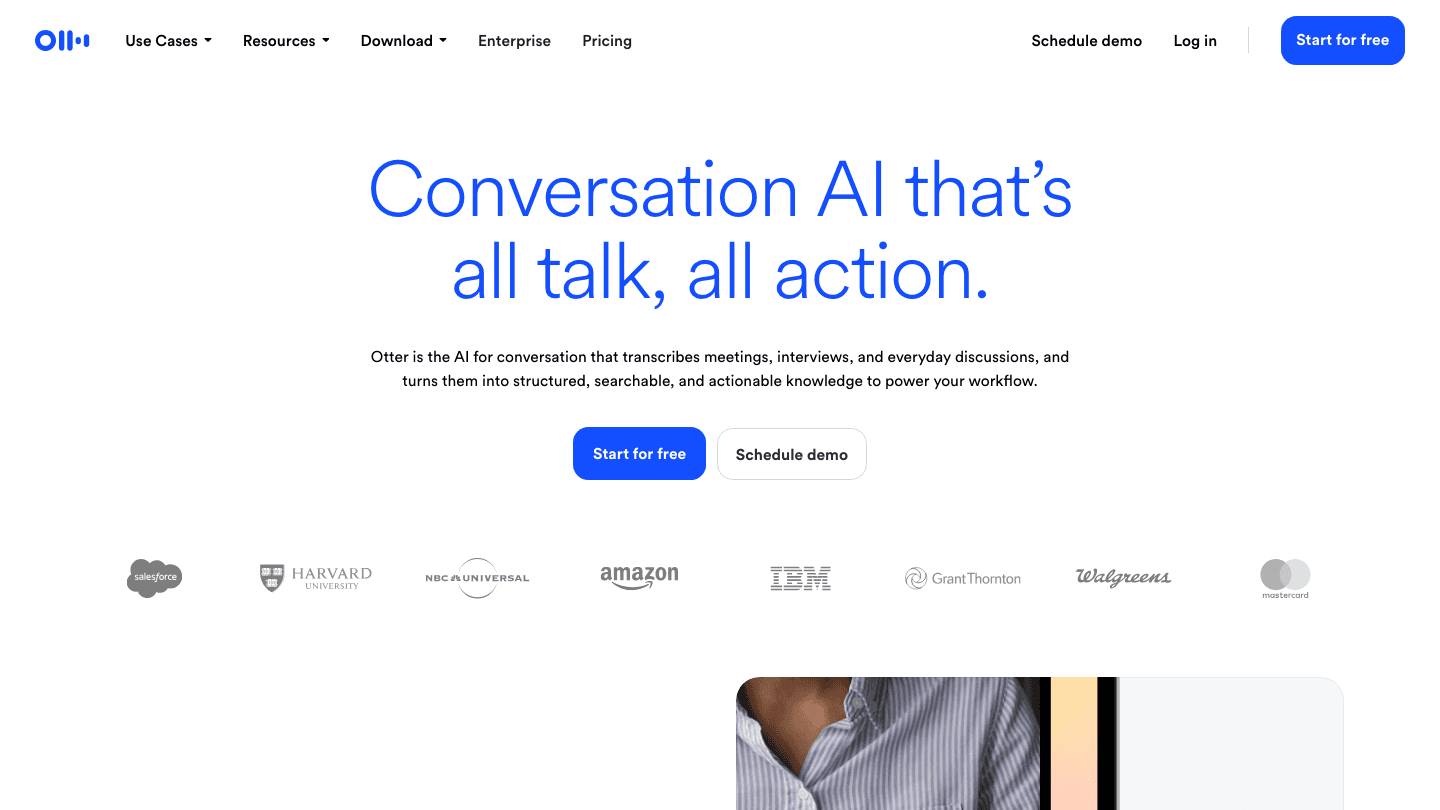
Otter.ai covers the input type that NotebookLM ignores entirely: spoken conversations. Every meeting, interview, lecture, or call gets transcribed in real time, with speaker labels, summaries, and action item extraction. The resulting transcript is searchable, shareable, and can be used as a source for further AI queries.
For people whose knowledge work involves meetings (which is most of it), Otter captures the information that otherwise exists only in notes taken fast and memories that fade. It integrates directly with Zoom, Google Meet, and Microsoft Teams, joining meetings automatically and distributing summaries afterward.
Real-time AI transcription with speaker identification
Automatic action item and summary extraction
Integrates with Zoom, Google Meet, and Teams
Searchable meeting library with AI Q&A
What Works: The automatic meeting join and summary distribution removes friction entirely. Teams using Otter build up a searchable archive of everything discussed without any manual effort.
Limitations: Pure meeting capture. Not a general knowledge tool. No document analysis, no personal note-taking. Relies on audio quality.
Pricing: Free tier available (limited minutes). Pro at $8.33/month billed annually ($16.99 monthly). Business at $19.99/month annual.
Best for: Teams who want every meeting automatically transcribed, summarized, and searchable.
6. Capacities
Object-based knowledge management that connects people, books, and ideas
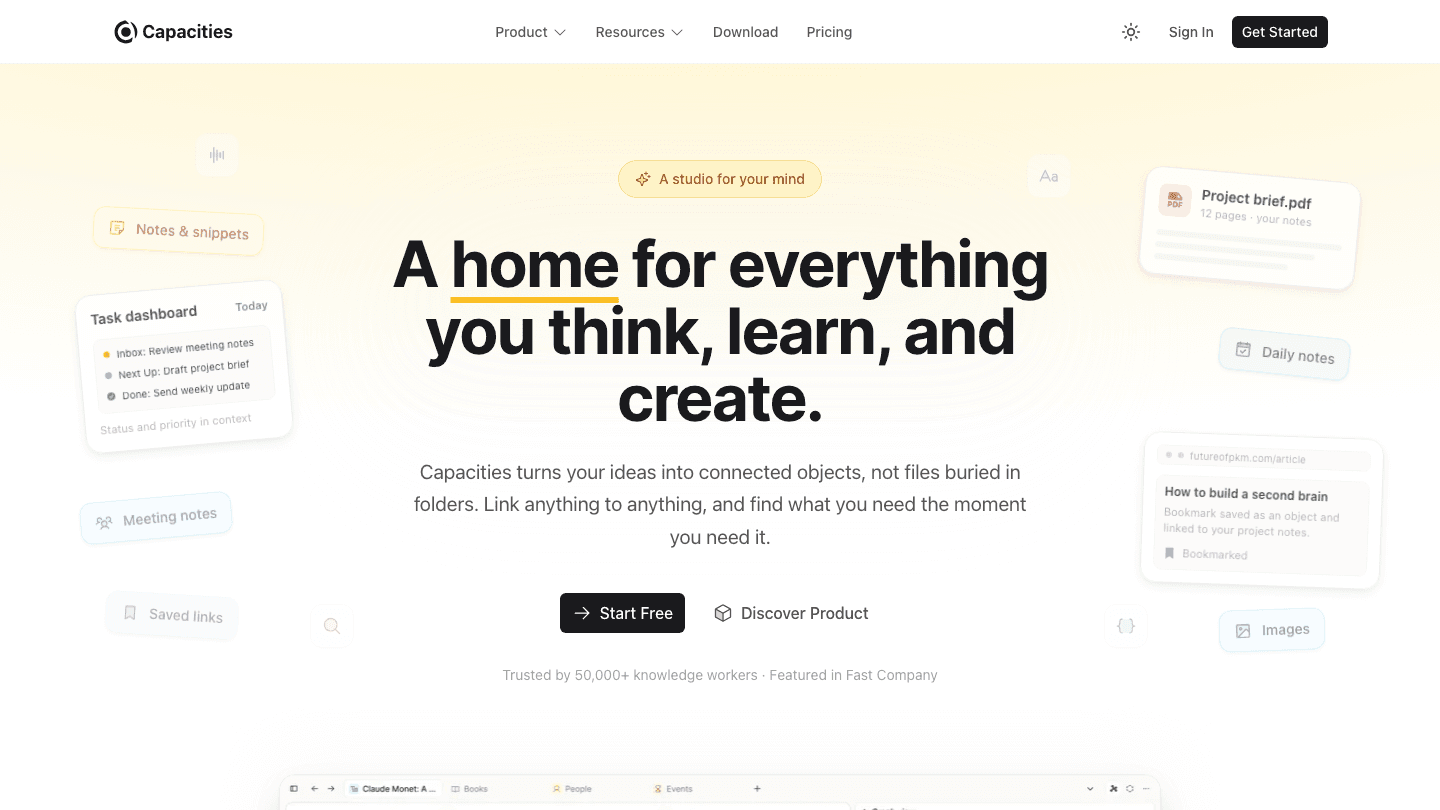
Capacities takes a different structural approach from most note-taking apps. Rather than organizing everything into folders or pages, Capacities treats information as connected objects: a Book object links to a Person object who links to a Quote object who links to a Project. This matches how knowledge actually works rather than forcing it into a hierarchy.
For people who use NotebookLM to understand documents and extract insights, Capacities is where those insights can live in a structure that connects to everything else they know. It is closer to a personal knowledge graph than a notes app, with AI features for generating content and answering questions within your space.
Object-based structure (books, people, projects, quotes as typed objects)
AI content generation and Q&A within your knowledge space
Calendar integration and daily notes
Available on web, desktop, and mobile
What Works: The object model makes Capacities feel genuinely different from Notion or Obsidian. For people who think in connections rather than hierarchies, it clicks faster than alternatives.
Limitations: Smaller community than Notion or Obsidian. No meeting transcription. AI features still maturing compared to more established tools.
Pricing: Core app is free. Pro and Believer plans available (visit capacities.io for current pricing).
Best for: People who want to connect ideas across books, people, and projects in a structured knowledge graph.
Which NotebookLM Alternative Is Right for You?
You want to act on what you learn, not just store it: Lifestack. It auto-schedules tasks around your energy calendar so research translates into results.
You work in teams with shared docs and projects: Notion AI covers AI + collaboration in one workspace.
You want full data ownership and deep linking: Obsidian gives you local Markdown files and no cloud dependency.
You read more than you take meetings: Readwise Reader synthesizes everything you consume from the web.
You spend most of your day in meetings: Otter.ai auto-captures and summarizes everything spoken.
You think in connections between ideas and people: Capacities is the only tool built around an object model that reflects how knowledge actually links together.
Frequently Asked Questions
What is the main limitation of NotebookLM?
NotebookLM works only with documents you explicitly upload in a session. It cannot access your notes, calendar, emails, or anything outside those uploaded files. It also has no action layer. Once you understand your documents, there is nothing to help you schedule or execute on that understanding. Tools like auto-scheduling apps fill that gap.
Is there a free NotebookLM alternative?
Yes. Notion has a free tier. Obsidian is free for personal use. Capacities' core product is free. Otter.ai offers a free plan with limited minutes. Readwise Reader offers a 30-day free trial. Lifestack offers a 7-day free trial on annual plans.
What is the best NotebookLM alternative for ADHD?
Lifestack. The energy-aware scheduling takes the cognitive load out of deciding when to do what, one of the biggest challenges in ADHD task management. Rather than maintaining a manual plan, Lifestack auto-generates your day around how much cognitive capacity you actually have.
Can I use multiple of these tools together?
Yes, and the best setups often do. A common combination: Readwise Reader for capturing what you read, Obsidian for storing connected notes, Otter for meetings, and Lifestack for scheduling the actual work. Each tool covers a different layer of the knowledge workflow.
Does NotebookLM have an API or integrations?
As of 2026, NotebookLM does not offer a public API or integrations with calendar apps or task managers. This is a core limitation for people who want their research to connect to their workflow. Tools like Lifestack and Notion have integrations with Google Calendar and Apple Calendar built in.
Which alternative is best for students?
Readwise Reader for consuming and retaining research material. Obsidian for building a connected notes database across coursework. Lifestack for scheduling study sessions around energy peaks rather than arbitrary time blocks. Used together, they cover reading, retention, and execution.
NotebookLM is a genuinely useful tool. Upload some PDFs, ask questions about them, and get grounded, source-cited answers. For researchers, students, and anyone who reads a lot of long documents, it solves a specific problem well.
But it has real constraints. It works only with documents you explicitly upload. It does not connect to your task list, your calendar, your notes from last week's meeting, or the articles you bookmarked six months ago. And once you have learned something from your documents, there is nothing in NotebookLM to help you actually do something with that knowledge.
That gap is where these six alternatives come in. Some are better at connected note-taking. Some are better at synthesizing what you read across the web. Some do meeting transcription that NotebookLM can't touch. And one, Lifestack, solves the problem that none of the others address: turning what you have learned and planned into a scheduled, energy-aware day.
We evaluated each tool on depth of AI integration, how well it connects to other information sources, whether it helps you act on what you learn (not just store it), pricing, and mobile experience.
Key Takeaways
NotebookLM excels at document Q&A but cannot schedule, connect to your calendar, or help you act on what you learn
The best alternative depends on your gap: notes, reading, meeting capture, or turning knowledge into a daily plan
Lifestack is the only tool here that reads your energy and sleep data to schedule the right tasks at the right moments
Quick Guide
Lifestack: Best for turning plans and goals into a scheduled, energy-aware day
Notion AI: Best for teams combining docs, wikis, and AI in one workspace
Obsidian: Best for private, local-first knowledge management with deep linking
Readwise Reader: Best for synthesizing highlights and insights from everything you read
Otter.ai: Best for capturing and searching what was said in meetings
Capacities: Best for object-based personal knowledge management
How We Evaluated
AI depth: beyond keyword search, can it synthesize, answer questions, generate content?
Source connectivity: documents only, or does it pull from notes, calendar, web, meetings?
Action layer: does it help you do something with what you know?
Mobile quality: is the app genuinely usable on phone?
Pricing: value relative to free alternatives
1. Lifestack
The AI planner that turns your goals and energy into a scheduled day
Most productivity tools help you store information. Lifestack helps you act on it. It is an AI-powered daily planner that reads your sleep data, recovery metrics, and calendar, then automatically schedules your tasks around your natural energy curve. You do not plan when you will do deep work. Lifestack figures out when your cognitive capacity is actually high and books your most demanding tasks there.
Where this connects to the NotebookLM use case: after you have researched a topic, made decisions, or outlined a project, the work is not done. It needs to get done. Lifestack is the bridge between knowing what you want to accomplish and having it actually blocked in your day at the right time.
Energy-aware auto-scheduling based on sleep and recovery data
Integrates with Google Calendar and Apple Calendar
Task prioritization with AI suggestions
Available on iOS, Android, and Chrome extension
What Works: The energy-aware scheduling is the real differentiator: no other tool in this list knows whether you slept seven hours or four. The task management approach is particularly good for people who struggle with time-blocking that ignores how they actually feel.
Limitations: Not a note-taking app. If document Q&A is your primary use case, Lifestack does not replace NotebookLM directly (it complements it). No meeting transcription.
Pricing: $7/month, $50/year (7-day free trial), or $120 lifetime.
Best for: People who want to turn research and goals into a concrete, energy-matched daily schedule.
2. Notion AI
Connected workspace with AI built across docs, wikis, and databases
Notion AI takes the opposite approach from NotebookLM: instead of asking questions about uploaded documents, it brings AI into the workspace where you already live. You can use it to summarize pages, generate content, answer questions across your entire Notion workspace, and connect AI actions to databases and automations.
The biggest upgrade over NotebookLM is breadth. Notion AI can reference your meeting notes, project pages, team wikis, and personal journals all at once. It is not limited to documents you explicitly upload in a session. For teams already using Notion, this makes it significantly more practical day to day.
AI that works across your entire Notion workspace
Notion AI agents can run automations, not just answer questions
Built-in databases, kanban boards, and calendars
Strong collaboration features for teams
What Works: The integration with existing Notion content is excellent. If your team already lives in Notion, AI capabilities slot in without a context switch.
Limitations: No energy-aware scheduling. NotebookLM actually beats Notion for pure document grounding; Notion AI can hallucinate more readily. Monthly costs add up for large teams.
Pricing: Free tier available. Plus plan at $10/user/month. Business at $20/user/month. Notion AI is included in paid plans.
Best for: Teams who want AI woven into their existing workspace and collaboration tools.
3. Obsidian
Local-first knowledge management with a powerful plugin ecosystem
Obsidian stores everything locally on your device, with no cloud sync unless you pay for it, no third-party servers holding your notes. For people with privacy concerns about uploading documents to Google's NotebookLM infrastructure, Obsidian is the privacy-first alternative.
The core strength is linking. Every note can link to every other note, and the graph view visualizes how your ideas connect. Over time, Obsidian becomes a genuine second brain. Write in it long enough and it starts showing you connections you did not consciously make. AI features come via community plugins like Smart Connections, which runs local AI models against your vault.
All notes stored locally as plain Markdown files
Bidirectional linking and graph visualization
500+ community plugins including AI integrations
Available on all platforms including mobile
What Works: The local-first approach means your notes survive any company shutting down. Markdown means your data is portable forever. The plugin ecosystem is deeper than any competitor.
Limitations: Steep learning curve. The AI story is plugin-dependent and inconsistent. No native meeting transcription or web clipper quality as strong as Readwise.
Pricing: Free for personal use. Sync add-on at $4/month (annual). Commercial license at $50/year.
Best for: Privacy-conscious power users who want full control over their knowledge base.
4. Readwise Reader
AI-powered reading and highlighting across everything you consume
Readwise Reader solves a problem adjacent to NotebookLM: not just documents you upload, but everything you read: newsletters, articles, PDFs, RSS feeds, Twitter threads, YouTube transcripts. All in one place with AI synthesis built in. Where NotebookLM requires you to manually upload source documents, Reader automatically pulls in anything you save from the web.
The highlight and review system then resurfaces what you have read through spaced repetition. You are not just capturing information. You are actually retaining it. The AI features let you ask questions of your entire library, not just single documents.
Saves articles, newsletters, PDFs, and tweets in one app
AI summaries and Q&A across your entire reading library
Spaced repetition for retention of highlights
Exports to Notion, Obsidian, Roam, and Logseq
What Works: The breadth of what Reader can ingest is unmatched. If your knowledge work involves reading a lot of web content rather than PDFs, Reader handles it better than NotebookLM.
Limitations: Not a writing or planning tool. Works best when combined with a note-taking app like Obsidian or a scheduler like Lifestack. No meeting capture.
Pricing: Full plan at $9.99/month. Annual billing lowers this to around $7.99/month. 30-day free trial.
Best for: Heavy readers who want AI synthesis across everything they consume, not just documents they upload.
5. Otter.ai
AI meeting transcription that turns conversations into searchable knowledge
Otter.ai covers the input type that NotebookLM ignores entirely: spoken conversations. Every meeting, interview, lecture, or call gets transcribed in real time, with speaker labels, summaries, and action item extraction. The resulting transcript is searchable, shareable, and can be used as a source for further AI queries.
For people whose knowledge work involves meetings (which is most of it), Otter captures the information that otherwise exists only in notes taken fast and memories that fade. It integrates directly with Zoom, Google Meet, and Microsoft Teams, joining meetings automatically and distributing summaries afterward.
Real-time AI transcription with speaker identification
Automatic action item and summary extraction
Integrates with Zoom, Google Meet, and Teams
Searchable meeting library with AI Q&A
What Works: The automatic meeting join and summary distribution removes friction entirely. Teams using Otter build up a searchable archive of everything discussed without any manual effort.
Limitations: Pure meeting capture. Not a general knowledge tool. No document analysis, no personal note-taking. Relies on audio quality.
Pricing: Free tier available (limited minutes). Pro at $8.33/month billed annually ($16.99 monthly). Business at $19.99/month annual.
Best for: Teams who want every meeting automatically transcribed, summarized, and searchable.
6. Capacities
Object-based knowledge management that connects people, books, and ideas
Capacities takes a different structural approach from most note-taking apps. Rather than organizing everything into folders or pages, Capacities treats information as connected objects: a Book object links to a Person object who links to a Quote object who links to a Project. This matches how knowledge actually works rather than forcing it into a hierarchy.
For people who use NotebookLM to understand documents and extract insights, Capacities is where those insights can live in a structure that connects to everything else they know. It is closer to a personal knowledge graph than a notes app, with AI features for generating content and answering questions within your space.
Object-based structure (books, people, projects, quotes as typed objects)
AI content generation and Q&A within your knowledge space
Calendar integration and daily notes
Available on web, desktop, and mobile
What Works: The object model makes Capacities feel genuinely different from Notion or Obsidian. For people who think in connections rather than hierarchies, it clicks faster than alternatives.
Limitations: Smaller community than Notion or Obsidian. No meeting transcription. AI features still maturing compared to more established tools.
Pricing: Core app is free. Pro and Believer plans available (visit capacities.io for current pricing).
Best for: People who want to connect ideas across books, people, and projects in a structured knowledge graph.
Which NotebookLM Alternative Is Right for You?
You want to act on what you learn, not just store it: Lifestack. It auto-schedules tasks around your energy calendar so research translates into results.
You work in teams with shared docs and projects: Notion AI covers AI + collaboration in one workspace.
You want full data ownership and deep linking: Obsidian gives you local Markdown files and no cloud dependency.
You read more than you take meetings: Readwise Reader synthesizes everything you consume from the web.
You spend most of your day in meetings: Otter.ai auto-captures and summarizes everything spoken.
You think in connections between ideas and people: Capacities is the only tool built around an object model that reflects how knowledge actually links together.
Frequently Asked Questions
What is the main limitation of NotebookLM?
NotebookLM works only with documents you explicitly upload in a session. It cannot access your notes, calendar, emails, or anything outside those uploaded files. It also has no action layer. Once you understand your documents, there is nothing to help you schedule or execute on that understanding. Tools like auto-scheduling apps fill that gap.
Is there a free NotebookLM alternative?
Yes. Notion has a free tier. Obsidian is free for personal use. Capacities' core product is free. Otter.ai offers a free plan with limited minutes. Readwise Reader offers a 30-day free trial. Lifestack offers a 7-day free trial on annual plans.
What is the best NotebookLM alternative for ADHD?
Lifestack. The energy-aware scheduling takes the cognitive load out of deciding when to do what, one of the biggest challenges in ADHD task management. Rather than maintaining a manual plan, Lifestack auto-generates your day around how much cognitive capacity you actually have.
Can I use multiple of these tools together?
Yes, and the best setups often do. A common combination: Readwise Reader for capturing what you read, Obsidian for storing connected notes, Otter for meetings, and Lifestack for scheduling the actual work. Each tool covers a different layer of the knowledge workflow.
Does NotebookLM have an API or integrations?
As of 2026, NotebookLM does not offer a public API or integrations with calendar apps or task managers. This is a core limitation for people who want their research to connect to their workflow. Tools like Lifestack and Notion have integrations with Google Calendar and Apple Calendar built in.
Which alternative is best for students?
Readwise Reader for consuming and retaining research material. Obsidian for building a connected notes database across coursework. Lifestack for scheduling study sessions around energy peaks rather than arbitrary time blocks. Used together, they cover reading, retention, and execution.



FOLLOW ON
FOLLOW ON
FOLLOW ON


Copyright 2026 © Lifestack. All rights reserved
Copyright 2026 © Lifestack. All rights reserved

