
App
Notion Pricing 2026: All Plans Explained and Compared
Notion Pricing 2026: All Plans Explained and Compared
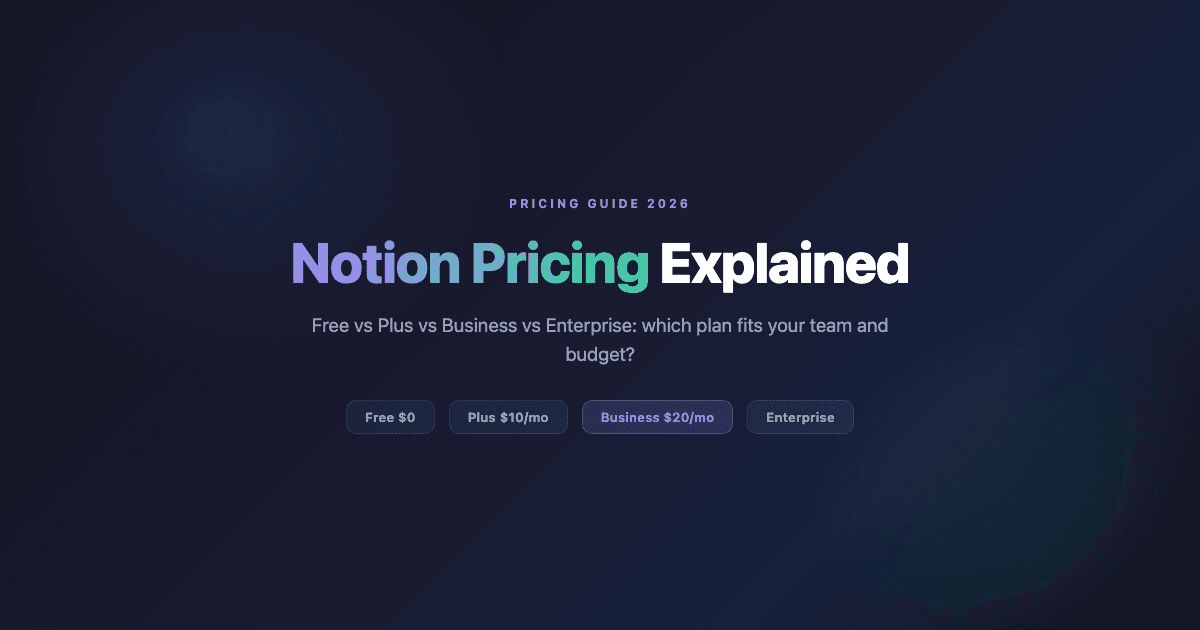
Notion pricing in 2026 runs from $0 to $20 per member per month. The Free plan costs nothing and works for solo users. Plus costs $10 per member per month (billed annually) and covers most small-team needs. Business costs $20 per member per month and is where Notion's full AI suite unlocks. How much does Notion cost for a 10-person team? At Plus, $100 per month. At Business, $200 per month. Enterprise pricing is custom and requires a sales call.
This guide breaks down every Notion pricing tier as of September 2026: what you get, what the per-seat cost works out to, and which plan fits different use cases. We also cover Notion AI subscription pricing separately, since the AI features change the calculus on which plan to pay for.
All prices verified from Notion's pricing page in September 2026.
Key Takeaways
The Notion Free plan is fully functional for solo users and small teams who only need basic pages and databases. The 7-day page history limit is the main constraint.
Most teams should start with Plus ($10/member/month billed annually). Unlimited file uploads, 30-day history, and unlimited guests cover most small-team needs.
The Business plan ($20/member/month) is required if you want Notion's full AI features including Notion Agent and AI Meeting Notes. Custom Agents are available as a paid add-on above that base cost.
Notion Pricing at a Glance
Notion offers four plans. Three are self-serve; the fourth requires a sales conversation.
Free: $0 per member/month. Limited page history, 5MB file uploads, 10 external guests.
Plus: $10 per member/month (billed annually). Unlimited file uploads, 30-day history, unlimited guests.
Business: $20 per member/month (billed annually). Full AI access including Notion Agent, 90-day page history, SAML SSO, private teamspaces.
Enterprise: Custom pricing via sales. Adds zero-data-retention AI, SCIM provisioning, audit logs, and dedicated support.
Monthly billing (non-annual) is available at a higher rate. If you're committing to Notion long-term, the annual billing saves roughly 20%.
Notion Free Plan
The free plan gives you access to Notion's core: unlimited pages, basic databases, the block editor, Notion Calendar, and Notion Mail. For a single user who wants to build a personal knowledge base, it's entirely sufficient.
The limits that matter: page history goes back only 7 days (you can't recover edits older than that without a paid plan), file uploads are capped at 5MB per file, and if you're using Notion with a team of more than a handful of people, the "limited collaborative blocks" restriction becomes a real friction point. External guests are capped at 10.
One thing the free plan does include is a trial of Notion AI. The trial is limited, but it gives you enough to evaluate whether the AI features matter to your workflow before committing to Business.
Best for: Solo users, students, personal note-taking and project tracking. Not suitable for teams with collaborative database workflows or anyone who needs reliable file history.
Notion Plus Plan ($10/Month)
The Plus plan removes the main friction points for small teams. File uploads become unlimited, which covers virtually every real-world document or media file. Page history extends to 30 days. External guests become unlimited. Collaborative blocks no longer have a cap.
You also get custom forms without Notion branding and basic app connections including Slack and Google Drive. For a small team using Notion as their primary workspace, Plus at $10/member/month is the practical starting point.
At $10/seat, a 5-person team pays $50/month annually. At 10 people, that's $100/month. These numbers matter when comparing to tools like apps that pair well with Notion for things Notion doesn't cover natively.
Best for: Small teams with 2 to 15 members using Notion as a shared workspace for docs and databases. Anyone who needs reliable file storage and reasonable page history.
Notion Business Plan ($20/Month)
The Business plan is where Notion's AI becomes fully operational. Plus gives you a trial of Notion AI; Business is where it unlocks completely. Notion Agent (the AI assistant that can execute tasks across your workspace), AI Meeting Notes, and Enterprise Search are all Business-plan features.
Beyond AI, Business adds SAML single sign-on, private teamspaces, granular database permissions, and premium app connections including GitHub and Asana. Page history extends to 90 days. For teams where Notion is mission-critical and data access control matters, these security and governance features are the real upgrade over Plus.
At $20/seat, the math changes quickly. A 10-person team pays $200/month. If you primarily want the AI features, verify whether Notion Agent and AI Meeting Notes solve your actual workflow before committing to the per-seat cost at scale. See our overview of AI productivity tools for context on how Notion's AI stacks up.
Best for: Teams that need Notion AI features (especially Notion Agent), SSO, private teamspaces, or granular permissions. Companies at the point where IT governance requirements kick in.
Notion Enterprise Plan
Enterprise is a custom pricing arrangement through Notion's sales team. The feature additions over Business target large organizations with strict compliance and security requirements: zero data retention with LLM providers (important for sensitive industries), SCIM user provisioning, audit logs, DLP and SIEM integrations, and a dedicated customer success manager.
If you're evaluating Notion at the enterprise level, the pricing conversation will depend on seat count, contract length, and specific feature needs. Request a quote through Notion's website.
Notion AI Pricing and Subscription Cost in 2026
Notion AI is built into the plan structure, not sold as a separate monthly subscription. The free plan includes a trial of AI doc generation and database autofill. Full AI access, including Notion Agent and AI Meeting Notes, requires the Business plan at $20 per member per month.
What the Business plan's Notion AI subscription includes:
Notion Agent: Executes multi-step tasks across your workspace, like creating a project tracker from a meeting summary or building a database from a document.
AI Meeting Notes: Auto-captures and organizes notes from calendar-linked meetings, including transcription.
Enterprise Search (Beta): Surfaces content across your workspace and connected apps.
Custom Agents and Workers (add-ons): Notion also offers Custom Agents for more advanced automation. After a free trial, Custom Agents cost $10 per 1,000 monthly Notion credits. Workers (currently in beta) also require Notion credits. These costs sit on top of the Business plan base price.
For teams where these AI capabilities are the primary reason to evaluate Notion, the relevant question is whether the $20/seat Business plan is justified compared to purpose-built AI task management tools that may offer similar automation at different price points.
Which Notion Plan Should You Choose?
The decision is mostly driven by three questions: team size, whether you need AI features, and whether you need access controls.
Solo user, personal use: Free plan is sufficient. Upgrade to Plus if 7-day history limits or the 5MB file cap becomes a problem.
Small team, docs and databases: Plus at $10/seat. This covers the vast majority of small-team collaboration needs without the AI premium.
Team that wants Notion Agent and AI features: Business at $20/seat. There's no way around this for full AI access.
Enterprise with compliance requirements: Contact sales. The zero-data-retention AI and audit log features are only available here.
One practical note: Notion charges per member, not per workspace. Guest access on Plus and Business is unlimited, so external collaborators who only need read/comment access don't add to your seat count.
What Notion Pricing Doesn't Include
Notion is strong at knowledge management, databases, wikis, and documents. It is not a scheduling tool. There's no native calendar blocking for task deadlines, no energy-aware scheduling, and no integration with wearable data that might tell you when you're actually capable of deep work versus when you should handle easier tasks.
For teams that use Notion heavily and then open a separate calendar to figure out when to actually do the work, Lifestack fills that gap. It connects to your calendar, reads sleep and recovery data from wearables like Oura or Garmin, and builds a daily schedule around your actual energy levels rather than just available time slots. Our guide on the best apps to use with Notion covers the scheduling gap and other areas where Notion benefits from a paired tool.
Lifestack costs $7/month or $50/year (annual plan includes a 7-day free trial). For Notion users at the Plus plan level who want to add a scheduling layer without upgrading to a more expensive all-in-one tool, it's a cost-effective pairing.
FAQ
What is Notion pricing for 2026?
Notion's pricing in 2026 is: Free ($0), Plus ($10/member/month billed annually), Business ($20/member/month billed annually), and Enterprise (custom pricing). Monthly billing is available at a higher per-seat rate.
Is Notion free?
Yes. Notion has a permanent free plan with no time limit. It includes unlimited pages, core databases, Notion Calendar, Notion Mail, and a trial of Notion AI. The main limits are 7-day page history, 5MB file upload cap, and a 10-guest maximum. No credit card is required to sign up.
Is Notion free forever?
Yes, the Free plan has no time limit. It includes unlimited pages and core features. The main limitations are 7-day page history, 5MB file upload caps, 10 external guests, and limited collaborative blocks for multi-member workspaces.
Is Notion Plus worth it?
For most small teams, yes. The jump from Free to Plus at $10/seat removes the constraints that matter most for team collaboration: page history extends to 30 days, file uploads become unlimited, and external guests become unlimited. For solo users with light needs, the Free plan may be sufficient.
Does Notion have a student discount?
Notion offers free access for students and educators through their Education plan. Eligible users get Plus-level features at no cost. Verification is required through Notion's website.
How does Notion pricing compare to other tools?
At $10/seat for Plus and $20/seat for Business, Notion is mid-range for its category. It's more expensive than pure task managers like TickTick or basic AI task tools, but considerably cheaper than enterprise all-in-ones. The per-seat model means costs scale linearly with team size.
Can I use Notion as a project manager and planner?
Notion works well for project databases, wikis, and documentation. It doesn't handle scheduling natively. For teams who want a planning layer on top of Notion, pairing it with a dedicated time-blocking app or scheduling tool covers the gap Notion leaves.
Notion pricing in 2026 runs from $0 to $20 per member per month. The Free plan costs nothing and works for solo users. Plus costs $10 per member per month (billed annually) and covers most small-team needs. Business costs $20 per member per month and is where Notion's full AI suite unlocks. How much does Notion cost for a 10-person team? At Plus, $100 per month. At Business, $200 per month. Enterprise pricing is custom and requires a sales call.
This guide breaks down every Notion pricing tier as of September 2026: what you get, what the per-seat cost works out to, and which plan fits different use cases. We also cover Notion AI subscription pricing separately, since the AI features change the calculus on which plan to pay for.
All prices verified from Notion's pricing page in September 2026.
Key Takeaways
The Notion Free plan is fully functional for solo users and small teams who only need basic pages and databases. The 7-day page history limit is the main constraint.
Most teams should start with Plus ($10/member/month billed annually). Unlimited file uploads, 30-day history, and unlimited guests cover most small-team needs.
The Business plan ($20/member/month) is required if you want Notion's full AI features including Notion Agent and AI Meeting Notes. Custom Agents are available as a paid add-on above that base cost.
Notion Pricing at a Glance
Notion offers four plans. Three are self-serve; the fourth requires a sales conversation.
Free: $0 per member/month. Limited page history, 5MB file uploads, 10 external guests.
Plus: $10 per member/month (billed annually). Unlimited file uploads, 30-day history, unlimited guests.
Business: $20 per member/month (billed annually). Full AI access including Notion Agent, 90-day page history, SAML SSO, private teamspaces.
Enterprise: Custom pricing via sales. Adds zero-data-retention AI, SCIM provisioning, audit logs, and dedicated support.
Monthly billing (non-annual) is available at a higher rate. If you're committing to Notion long-term, the annual billing saves roughly 20%.
Notion Free Plan
The free plan gives you access to Notion's core: unlimited pages, basic databases, the block editor, Notion Calendar, and Notion Mail. For a single user who wants to build a personal knowledge base, it's entirely sufficient.
The limits that matter: page history goes back only 7 days (you can't recover edits older than that without a paid plan), file uploads are capped at 5MB per file, and if you're using Notion with a team of more than a handful of people, the "limited collaborative blocks" restriction becomes a real friction point. External guests are capped at 10.
One thing the free plan does include is a trial of Notion AI. The trial is limited, but it gives you enough to evaluate whether the AI features matter to your workflow before committing to Business.
Best for: Solo users, students, personal note-taking and project tracking. Not suitable for teams with collaborative database workflows or anyone who needs reliable file history.
Notion Plus Plan ($10/Month)
The Plus plan removes the main friction points for small teams. File uploads become unlimited, which covers virtually every real-world document or media file. Page history extends to 30 days. External guests become unlimited. Collaborative blocks no longer have a cap.
You also get custom forms without Notion branding and basic app connections including Slack and Google Drive. For a small team using Notion as their primary workspace, Plus at $10/member/month is the practical starting point.
At $10/seat, a 5-person team pays $50/month annually. At 10 people, that's $100/month. These numbers matter when comparing to tools like apps that pair well with Notion for things Notion doesn't cover natively.
Best for: Small teams with 2 to 15 members using Notion as a shared workspace for docs and databases. Anyone who needs reliable file storage and reasonable page history.
Notion Business Plan ($20/Month)
The Business plan is where Notion's AI becomes fully operational. Plus gives you a trial of Notion AI; Business is where it unlocks completely. Notion Agent (the AI assistant that can execute tasks across your workspace), AI Meeting Notes, and Enterprise Search are all Business-plan features.
Beyond AI, Business adds SAML single sign-on, private teamspaces, granular database permissions, and premium app connections including GitHub and Asana. Page history extends to 90 days. For teams where Notion is mission-critical and data access control matters, these security and governance features are the real upgrade over Plus.
At $20/seat, the math changes quickly. A 10-person team pays $200/month. If you primarily want the AI features, verify whether Notion Agent and AI Meeting Notes solve your actual workflow before committing to the per-seat cost at scale. See our overview of AI productivity tools for context on how Notion's AI stacks up.
Best for: Teams that need Notion AI features (especially Notion Agent), SSO, private teamspaces, or granular permissions. Companies at the point where IT governance requirements kick in.
Notion Enterprise Plan
Enterprise is a custom pricing arrangement through Notion's sales team. The feature additions over Business target large organizations with strict compliance and security requirements: zero data retention with LLM providers (important for sensitive industries), SCIM user provisioning, audit logs, DLP and SIEM integrations, and a dedicated customer success manager.
If you're evaluating Notion at the enterprise level, the pricing conversation will depend on seat count, contract length, and specific feature needs. Request a quote through Notion's website.
Notion AI Pricing and Subscription Cost in 2026
Notion AI is built into the plan structure, not sold as a separate monthly subscription. The free plan includes a trial of AI doc generation and database autofill. Full AI access, including Notion Agent and AI Meeting Notes, requires the Business plan at $20 per member per month.
What the Business plan's Notion AI subscription includes:
Notion Agent: Executes multi-step tasks across your workspace, like creating a project tracker from a meeting summary or building a database from a document.
AI Meeting Notes: Auto-captures and organizes notes from calendar-linked meetings, including transcription.
Enterprise Search (Beta): Surfaces content across your workspace and connected apps.
Custom Agents and Workers (add-ons): Notion also offers Custom Agents for more advanced automation. After a free trial, Custom Agents cost $10 per 1,000 monthly Notion credits. Workers (currently in beta) also require Notion credits. These costs sit on top of the Business plan base price.
For teams where these AI capabilities are the primary reason to evaluate Notion, the relevant question is whether the $20/seat Business plan is justified compared to purpose-built AI task management tools that may offer similar automation at different price points.
Which Notion Plan Should You Choose?
The decision is mostly driven by three questions: team size, whether you need AI features, and whether you need access controls.
Solo user, personal use: Free plan is sufficient. Upgrade to Plus if 7-day history limits or the 5MB file cap becomes a problem.
Small team, docs and databases: Plus at $10/seat. This covers the vast majority of small-team collaboration needs without the AI premium.
Team that wants Notion Agent and AI features: Business at $20/seat. There's no way around this for full AI access.
Enterprise with compliance requirements: Contact sales. The zero-data-retention AI and audit log features are only available here.
One practical note: Notion charges per member, not per workspace. Guest access on Plus and Business is unlimited, so external collaborators who only need read/comment access don't add to your seat count.
What Notion Pricing Doesn't Include
Notion is strong at knowledge management, databases, wikis, and documents. It is not a scheduling tool. There's no native calendar blocking for task deadlines, no energy-aware scheduling, and no integration with wearable data that might tell you when you're actually capable of deep work versus when you should handle easier tasks.
For teams that use Notion heavily and then open a separate calendar to figure out when to actually do the work, Lifestack fills that gap. It connects to your calendar, reads sleep and recovery data from wearables like Oura or Garmin, and builds a daily schedule around your actual energy levels rather than just available time slots. Our guide on the best apps to use with Notion covers the scheduling gap and other areas where Notion benefits from a paired tool.
Lifestack costs $7/month or $50/year (annual plan includes a 7-day free trial). For Notion users at the Plus plan level who want to add a scheduling layer without upgrading to a more expensive all-in-one tool, it's a cost-effective pairing.
FAQ
What is Notion pricing for 2026?
Notion's pricing in 2026 is: Free ($0), Plus ($10/member/month billed annually), Business ($20/member/month billed annually), and Enterprise (custom pricing). Monthly billing is available at a higher per-seat rate.
Is Notion free?
Yes. Notion has a permanent free plan with no time limit. It includes unlimited pages, core databases, Notion Calendar, Notion Mail, and a trial of Notion AI. The main limits are 7-day page history, 5MB file upload cap, and a 10-guest maximum. No credit card is required to sign up.
Is Notion free forever?
Yes, the Free plan has no time limit. It includes unlimited pages and core features. The main limitations are 7-day page history, 5MB file upload caps, 10 external guests, and limited collaborative blocks for multi-member workspaces.
Is Notion Plus worth it?
For most small teams, yes. The jump from Free to Plus at $10/seat removes the constraints that matter most for team collaboration: page history extends to 30 days, file uploads become unlimited, and external guests become unlimited. For solo users with light needs, the Free plan may be sufficient.
Does Notion have a student discount?
Notion offers free access for students and educators through their Education plan. Eligible users get Plus-level features at no cost. Verification is required through Notion's website.
How does Notion pricing compare to other tools?
At $10/seat for Plus and $20/seat for Business, Notion is mid-range for its category. It's more expensive than pure task managers like TickTick or basic AI task tools, but considerably cheaper than enterprise all-in-ones. The per-seat model means costs scale linearly with team size.
Can I use Notion as a project manager and planner?
Notion works well for project databases, wikis, and documentation. It doesn't handle scheduling natively. For teams who want a planning layer on top of Notion, pairing it with a dedicated time-blocking app or scheduling tool covers the gap Notion leaves.



FOLLOW ON
FOLLOW ON
FOLLOW ON


Copyright 2026 © Lifestack. All rights reserved
Copyright 2026 © Lifestack. All rights reserved

