
App
Best Second Brain Apps
Best Second Brain Apps

The Problem With Most Note-Taking Apps
You open a new note at 9 AM with a great idea. By 3 PM, it's buried under fourteen other notes and you'll never find it again. Sound familiar?
The "second brain" concept, popularized by Tiago Forte, is the idea that your brain should be used for thinking, not storing. You offload everything (meeting notes, ideas, tasks, articles) into a trusted external system. Then, when you need something, it's actually findable and actionable.
But here's the catch: most apps that market themselves as second brain tools are really just fancy note-taking apps. They're great for capturing information. They're not great for helping you use that information, like scheduling tasks based on your energy, surfacing relevant notes at the right moment, or turning a captured idea into a calendar block.
We tested six of the top second brain apps to find out which ones actually help you act on what you capture, not just file it away. Here's what we found.
Key Takeaways
Lifestack is the only app that connects your captured tasks directly to your calendar, scheduling them around your energy levels automatically.
Obsidian and Notion are best for storing and connecting knowledge, but neither turns notes into action without manual work.
Mem and Capacities use AI to surface relevant notes at the right time, but scheduling is still left to you.
Quick Guide: Best Second Brain Apps at a Glance
1. Lifestack: Best for turning your second brain into a scheduled, energy-aware plan
2. Notion: Best all-in-one workspace for teams and solo users alike
3. Obsidian: Best for deep, connected knowledge management with full local control
4. Mem: Best AI-powered capture for people who hate organizing manually
5. Capacities: Best for object-based thinking and structured personal knowledge
6. Reflect: Best for fast daily journaling and networked note capture
How We Evaluated These Apps
We looked at each app across five criteria: capture speed, search quality, AI features, cross-device sync, and (most importantly) how well it connects stored knowledge to actual action. An app that lets you capture everything but never helps you act on it scores lower, regardless of how pretty the interface is.
Capture friction (how fast can you get a thought in?)
Retrieval quality (can you find what you stored?)
AI intelligence (does it surface the right thing at the right time?)
Calendar and task integration
Mobile experience
Pricing relative to value
1. Lifestack: Best Second Brain App for Action-Takers
The only second brain that auto-schedules your tasks around your energy.

Most second brain apps stop at the "store it" step. Lifestack picks up right where they leave off. Once you capture a task or idea, Lifestack's AI scheduler figures out when you should actually work on it, based on your energy patterns, existing calendar commitments, and task priority. It reads your wearable data (Oura, Whoop, Fitbit, Garmin) and syncs with Google Calendar and Apple Calendar so it knows when you're at your peak.
This matters for anyone who brain dumps regularly. The problem with most second brain systems is the gap between "I captured this" and "I acted on this." That gap is where tasks go to die. Lifestack closes it by moving captured tasks directly onto your calendar at the time you're most likely to do them.
If you already use the PARA method or another personal knowledge system, Lifestack works alongside it. Capture your notes in Notion or Obsidian, import your tasks into Lifestack, and let it build your actual daily schedule. It's less a replacement for other second brain apps and more the execution layer on top.
Key Features
AI-powered scheduling that places tasks at your peak energy windows
Wearable integrations (Oura, Whoop, Fitbit, Apple Health, Garmin)
Two-way sync with Google Calendar and Apple Calendar
Task capture via mobile app (iOS and Android)
Chrome extension for web capture
Todoist integration for pulling in external task lists
What Works
Turns your task list into an actual schedule automatically
Energy awareness is genuinely different from time-blocking by hand
Works well for people who struggle to decide when to do things
Clean mobile app with fast capture
Limitations
Not a full note-taking app (pairs best with a dedicated knowledge tool)
No web clipper for long-form article capture
Requires calendar data to get the most from the scheduling engine
Pricing: $7/month or $50/year (7-day free trial on annual plan)
Best for: People who capture tasks and ideas but struggle to follow through on them. Also exceptional for ADHD task management where deciding when to start something is half the battle.
2. Notion: Best All-in-One Second Brain Workspace
The most flexible second brain tool, for better and worse.
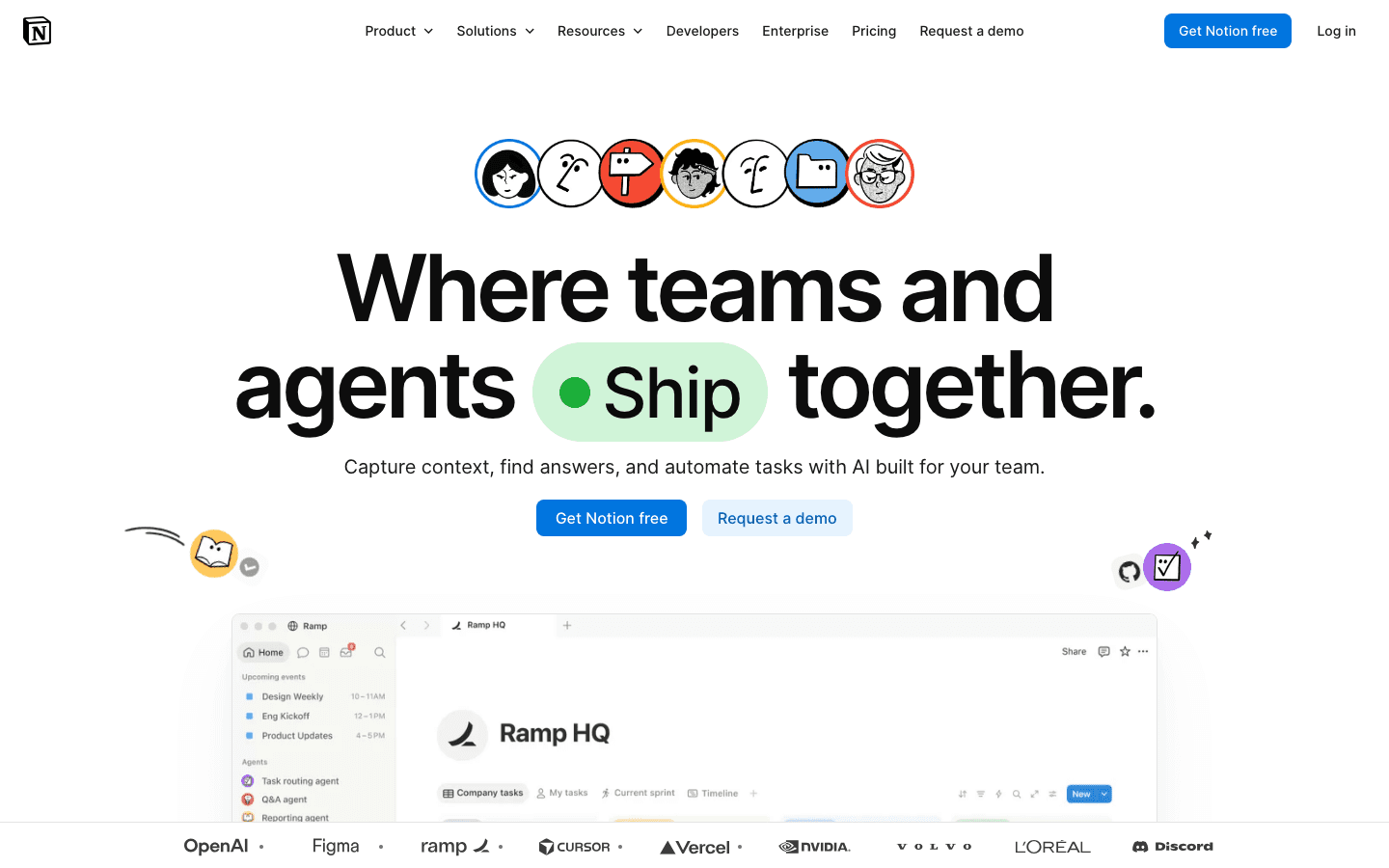
Notion is probably the most-used second brain tool in the world, and for good reason. It's flexible enough to be a wiki, a task manager, a journal, a database, a CRM, and a project tracker all at once. If you can imagine a structure for your information, you can probably build it in Notion. Check out our Notion pricing breakdown if you're weighing the cost.
The downside is that flexibility. Most people spend more time setting up their Notion system than actually using it. The blank-page problem is real. And while Notion has added AI features, they work better for summarizing existing content than for proactively surfacing what you need. There's no energy awareness, no auto-scheduling, and no wearable integration.
Key Features
Infinitely flexible pages, databases, and views
Notion AI for summarizing, generating, and asking questions about your notes
Templates for second brain systems (PARA, GTD, Zettelkasten)
Strong team collaboration features
Web clipper for saving articles and web pages
What Works
Best-in-class flexibility for building exactly the system you want
Huge template library makes starting easier
Works well for teams sharing a knowledge base
AI features genuinely help with content generation and summarization
Limitations
Easy to over-engineer: setup often becomes the project
No energy awareness or proactive scheduling
Can feel slow on mobile compared to dedicated note apps
AI is reactive, not proactive: it doesn't surface notes you should see
Pricing: Free plan available; Plus at $10/month per member, Business at $20/month per member
Best for: People who want a highly customizable workspace and don't mind spending time building their system. Great for teams. Pairs well with Lifestack for execution.
3. Obsidian: Best for Deep, Connected Knowledge
The gold standard for networked thinking, completely on your own terms.
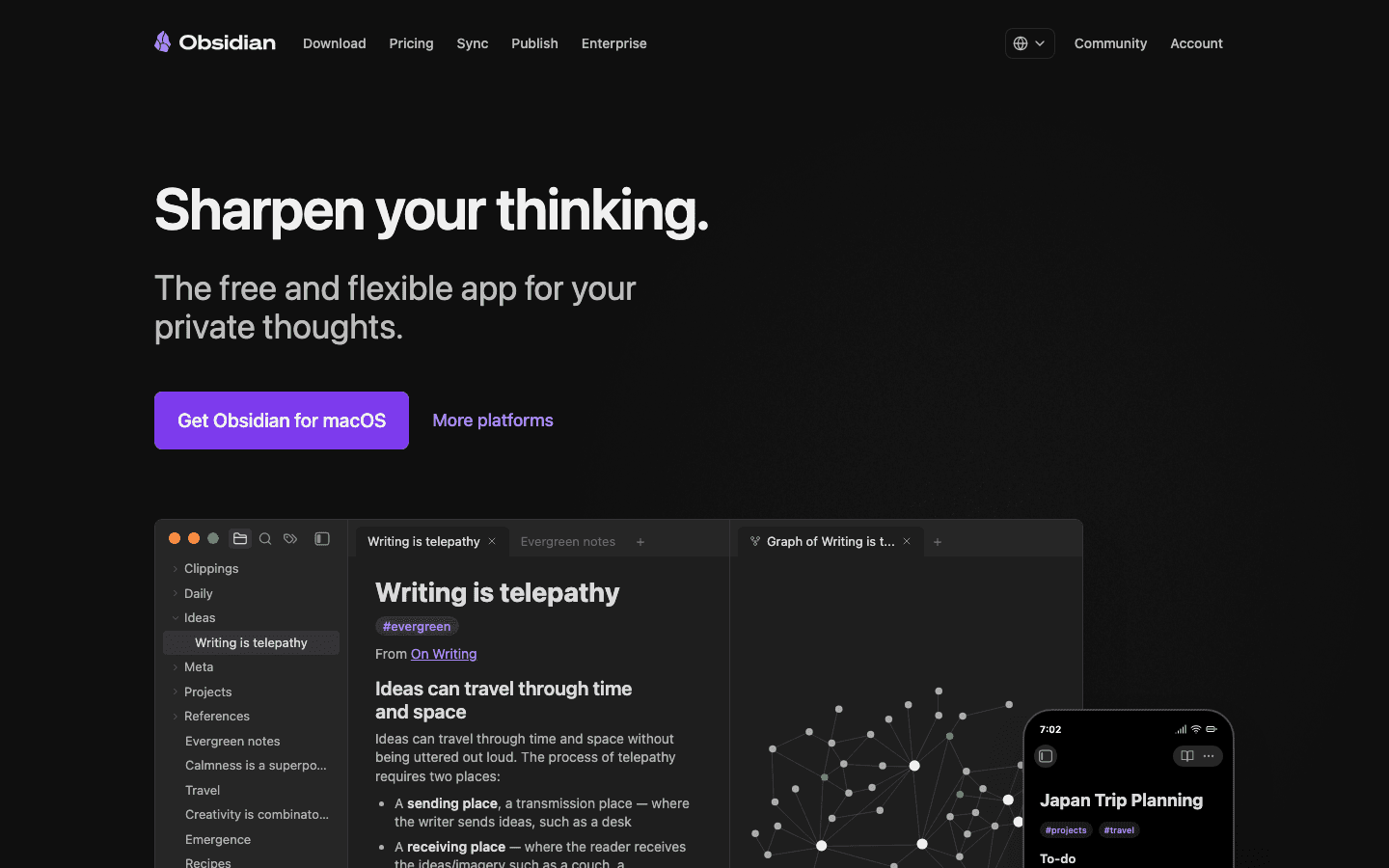
Obsidian stores all your notes as plain Markdown files on your device. No cloud lock-in, no subscription required for the core app, and a plugin ecosystem of over 1,000 community extensions. The killer feature is bidirectional linking: every note can link to and from every other note, creating a personal knowledge graph you can literally visualize.
It's built for people who think in connections. Writers, researchers, and knowledge workers who want to see how their ideas relate to each other find Obsidian almost irreplaceable. The trade-off is setup complexity: the default app is quite bare, and building a useful workflow takes real configuration time.
Key Features
All notes stored locally as plain Markdown (fully portable)
Bidirectional linking and visual graph view
1,000+ community plugins (calendar, daily notes, task management, etc.)
Optional Sync add-on for cross-device access
Canvas feature for visual thinking and mind mapping
What Works
Best knowledge graph of any app in this list
Privacy-first: your data never touches a server unless you opt into Sync
Highly extensible through plugins
Free for personal use with no feature limits on the core app
Limitations
High setup cost: significant configuration required before it's useful
No AI features built in (third-party plugins available)
No energy awareness or scheduling whatsoever
Sync across devices costs extra ($4/month billed annually)
Pricing: Free (Sync add-on: $4/month billed annually)
Best for: Researchers, writers, and anyone building a long-term personal knowledge base who wants full control over their data. Not ideal for people who need scheduling help.
4. Mem: Best for Effortless AI-Powered Capture
The second brain app that organizes itself, so you don't have to.
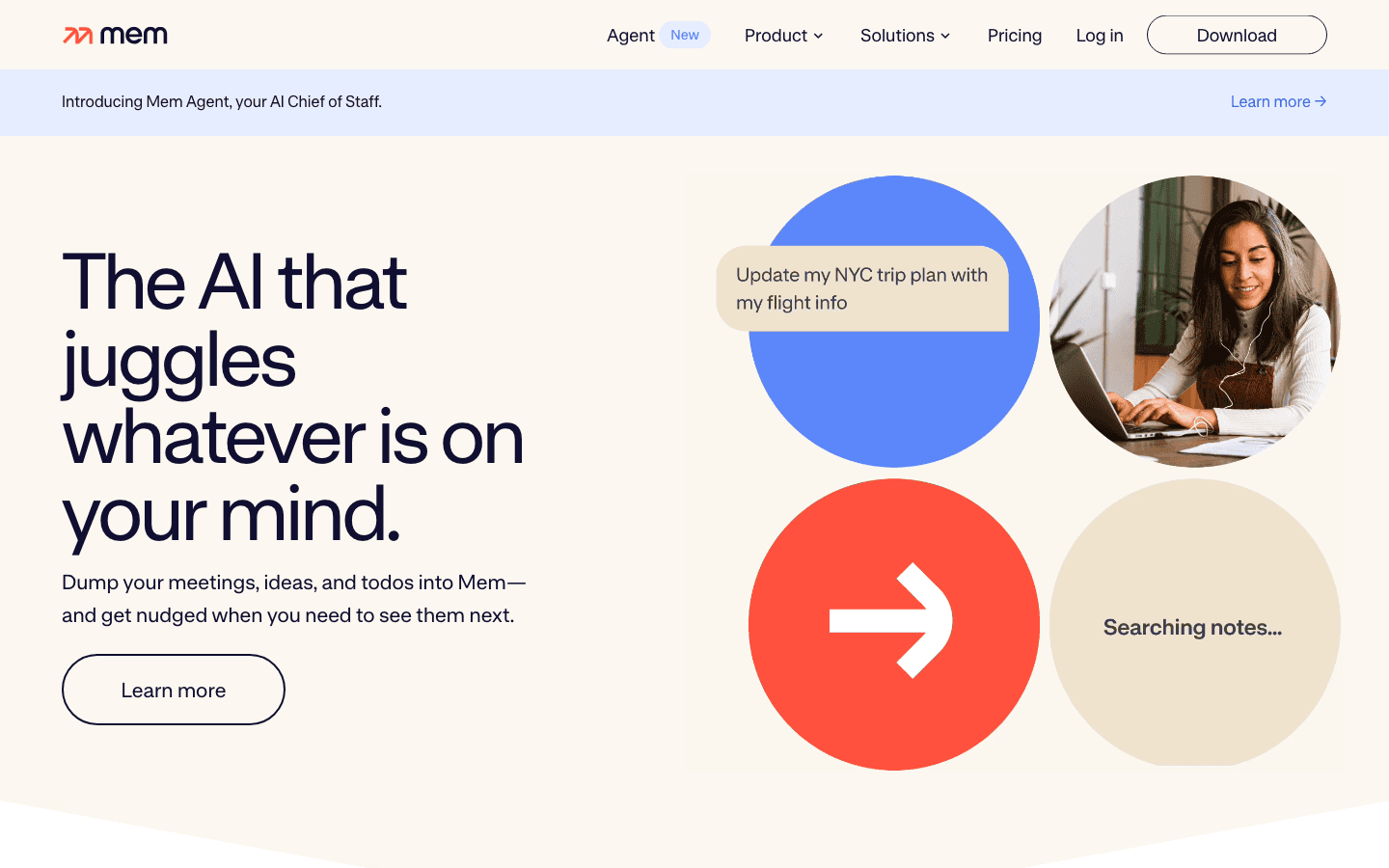
Mem takes a deliberately low-friction approach: just write, and let the AI figure out how to organize it. There are no folders, no mandatory tags, no structure you have to maintain. The AI indexes everything you capture and surfaces relevant notes when it thinks you need them. It can connect ideas across notes automatically, which makes it genuinely useful for people who hate filing.
The Mem Agent (on the $99/month Proactive plan) goes further by integrating with Slack and actively monitoring your notes to send reminders and brief you before meetings. That's a compelling vision of a proactive AI assistant. The base Pro plan at $12/month is more modest but still useful for individuals who want AI-assisted retrieval without building any system.
Key Features
AI-powered organization with no mandatory folder structure
Smart search across all notes using natural language
Mem Agent for meeting briefings and proactive Slack reminders (Proactive plan)
AI model selection (Pro plan and above)
iOS and Mac apps
What Works
Zero-friction capture: write anything, don't worry about where it goes
AI retrieval is genuinely good at surfacing related notes
Meeting briefing feature is a practical time-saver
Good for people who find traditional organization paralyzing
Limitations
No energy awareness or task scheduling
Proactive AI features are expensive at $99/month
Free plan is very limited (25 notes/month)
Less control over structure than Notion or Obsidian
Pricing: Free (limited); Pro at $12/month; Proactive at $99/month
Best for: People who want to capture everything but hate organizing. Best paired with a task scheduler like Lifestack to turn those captured notes into action.
5. Capacities: Best for Object-Based Thinking
A structured second brain that thinks in things, not just text.
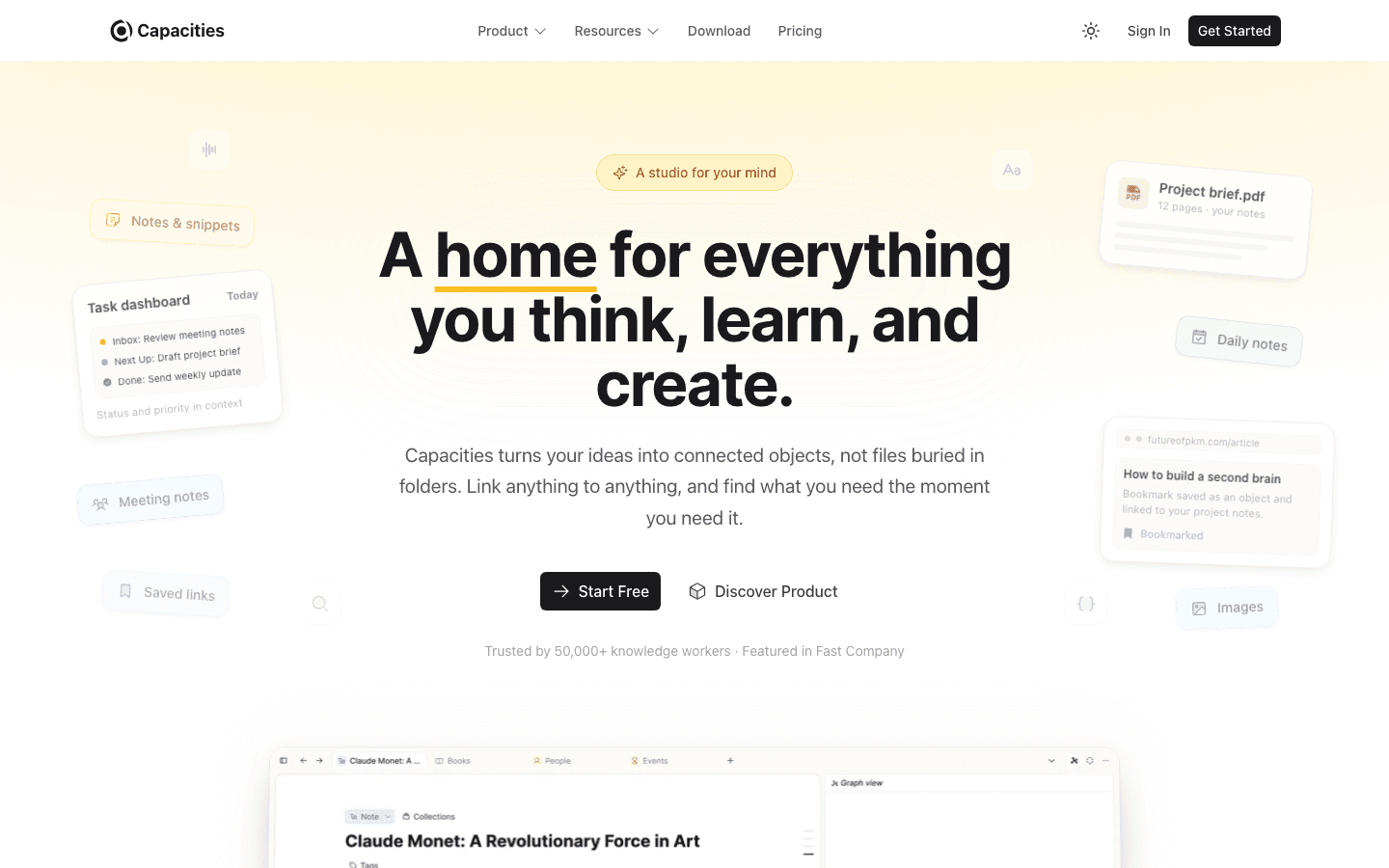
Capacities introduces an interesting model: instead of pages and notes, you work with "objects." A person, a book, a project, a meeting. Each becomes a typed object you can link, query, and build around. It's closer to how we actually think about the world. A note about a conversation is connected to the person you spoke to, the project you discussed, and the date it happened.
The free plan is genuinely full-featured. Capacities has committed to keeping the core product free forever. It's a newer app than Notion or Obsidian, so the ecosystem and template library are smaller, but the design is clean and the concept is distinct enough to be worth trying if other apps feel too flat.
Key Features
Object-based structure (people, books, projects, meetings as distinct types)
Automatic relationship linking between objects
Daily notes with linked references
AI features on Pro plan (queries, smart search)
Available on web, iOS, and Android
What Works
Object model creates more meaningful connections than flat notes
Free plan includes most of what individuals need
Clean, focused interface without feature overload
Good mobile apps with daily note capture
Limitations
Smaller ecosystem and fewer templates than Notion or Obsidian
No energy awareness or scheduling
Object model has a learning curve: not immediately intuitive
intuitive
Pro pricing not publicly listed
Pricing: Free plan available; Capacities Pro at unlisted price
Best for: People who think in relationships: researchers, consultants, and knowledge workers tracking many people, projects, and resources at once.
6. Reflect: Best for Fast Daily Capture
Simple, encrypted, and surprisingly powerful for daily note-takers.
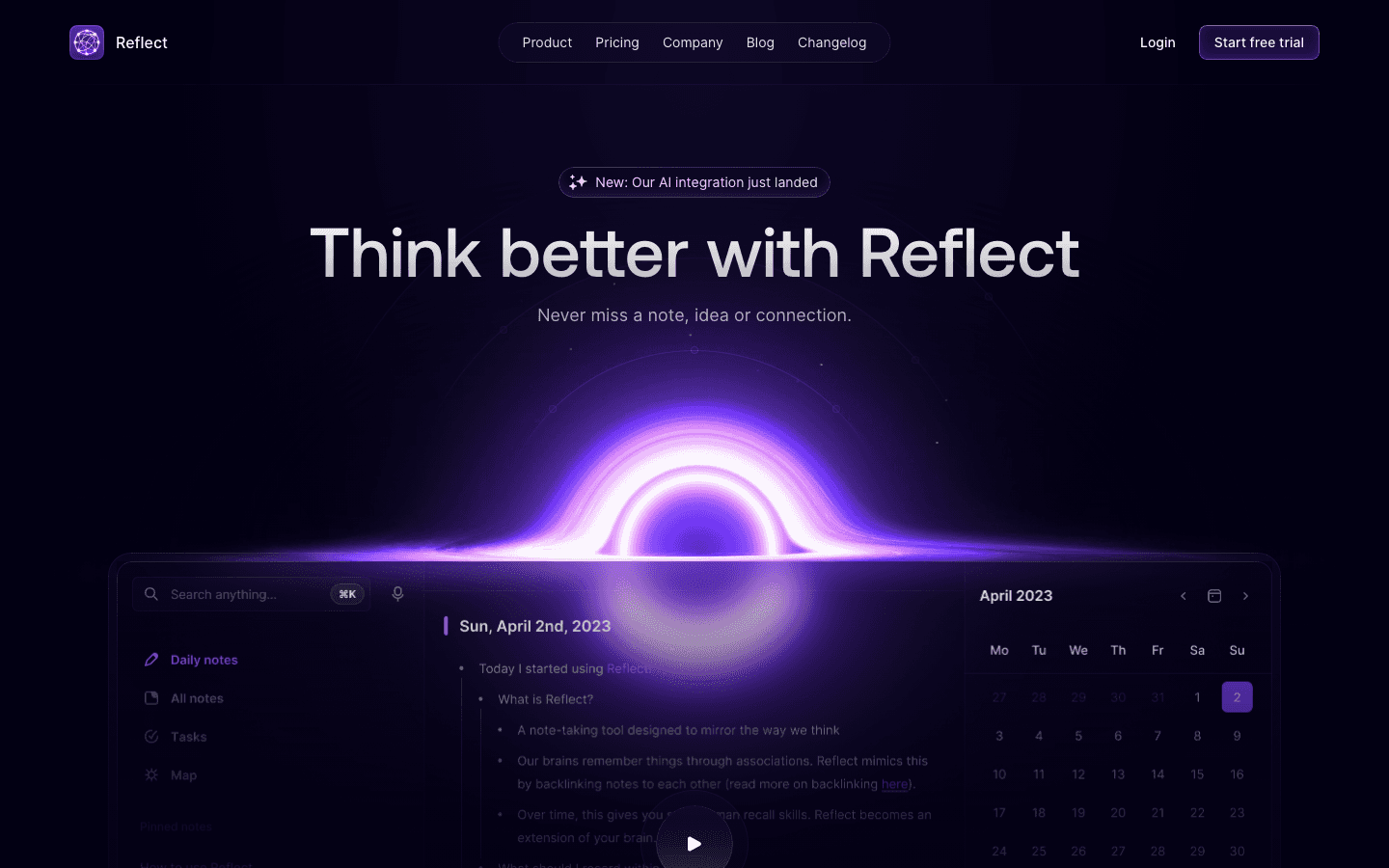
Reflect prioritizes speed and simplicity. Every note is end-to-end encrypted, it syncs across iOS, Mac, and the web, and the backlinks system lets you connect notes the way Obsidian does but with far less setup. The Chrome and Safari web clippers make it fast to pull articles into your system without leaving the browser.
Kindle highlights sync is a standout feature for readers building a second brain from books. If most of your knowledge capture starts with what you read, Reflect makes that automatic. The AI features help with summarizing and generating content from your notes, though they're less proactive than Mem's approach.
Key Features
End-to-end encryption on all notes
Bidirectional backlinks and networked note structure
Chrome and Safari web clippers
Kindle highlights sync
AI writing and summarization
Daily note templates for journaling
What Works
Fast, low-friction daily capture with good defaults
Kindle sync is genuinely useful for readers
Privacy-first encryption is reassuring
Backlinks work well without heavy configuration
Limitations
No free plan (14-day trial only)
No scheduling or task management
Smaller community than Notion or Obsidian
Mobile app is functional but less polished than desktop
Pricing: $10/month (14-day free trial)
Best for: Readers and daily journalers who want a private, fast second brain without a complex setup. Pairs well with Lifestack for turning captured ideas into scheduled actions.
Which Second Brain App Is Right for You?
The answer depends on what you actually struggle with.
If your problem is acting on what you capture: you're great at writing things down but bad at following through. Use Lifestack. It closes the gap between "I noted this" into "I actually did this" by scheduling tasks automatically around your energy. Read more on why energy-based planning works.
If your problem is finding what you stored: your notes are buried and unsearchable. Try Mem or Obsidian. Mem's AI retrieval works better with minimal effort; Obsidian's graph rewards more setup.
If you want one tool for everything: notes, projects, wikis, and databases. Notion is probably the answer, though be aware of its tendency to become a project in itself.
If you think in relationships: you're tracking many people, books, and projects. Capacities' object model is worth learning.
If you read a lot and want notes from books: Reflect's Kindle sync and backlinks make it the best capture tool for readers.
Many of the best productivity systems actually use two tools together: a knowledge app like Notion or Obsidian for storage, and a task scheduler like Lifestack for execution. The externalize your brain approach works best when capture and action happen in systems built for each job. See our introduction to Lifestack for how it fits into your existing workflow.
FAQ
What is a second brain app?
A second brain app is an external system for capturing, organizing, and retrieving information that would otherwise live only in your head. The concept was popularized by Tiago Forte and is based on the idea that your biological brain should focus on thinking, not storage. Second brain apps range from simple note-takers to AI-powered knowledge systems.
Which second brain app works best with ADHD?
Lifestack works best for people with ADHD because it addresses the execution problem, not just the capture problem. Low friction capture helps, but the bigger challenge with ADHD is doing the thing you captured. Lifestack's ADHD-friendly scheduling auto-places tasks at your best energy windows so you don't have to decide when to start. Mem is also worth trying for its zero-organization capture (no folders, no tags, just write), just write.
Is Notion a good second brain?
Notion is a flexible and popular choice for building a second brain, but it requires significant setup and ongoing maintenance. It's best for people who enjoy designing systems and want full control over structure. For those who want to spend less time building the system and more time using it, apps like Mem or Reflect have better out-of-the-box workflows.
What is the difference between Obsidian and Notion for a second brain?
Obsidian stores your notes locally as plain text files, with no internet required, no data on someone else's server, and unlimited flexibility through plugins. Notion stores everything in the cloud, has better collaboration features, and is easier to start with. Obsidian rewards heavy investment in setup; Notion is more approachable but can become unwieldy at scale. Both have strong second brain communities with ready-made templates.
Can a second brain app replace a task manager?
Most second brain apps can capture tasks but cannot schedule them. Tools like Notion and Obsidian give you lists; they don't put those tasks on your calendar or decide when you should do them. For that, you need a dedicated task scheduler. Lifestack fills this role: it takes what you've captured and builds a realistic schedule around your energy and calendar commitments.
What is the best free second brain app?
Obsidian is the best free second brain app for individuals. The core app has no feature limits and requires no account. Notion's free plan is also generous for solo users. Capacities offers a free plan with most core features included. Mem's free tier is more restricted, capped at 25 notes per month.
The Problem With Most Note-Taking Apps
You open a new note at 9 AM with a great idea. By 3 PM, it's buried under fourteen other notes and you'll never find it again. Sound familiar?
The "second brain" concept, popularized by Tiago Forte, is the idea that your brain should be used for thinking, not storing. You offload everything (meeting notes, ideas, tasks, articles) into a trusted external system. Then, when you need something, it's actually findable and actionable.
But here's the catch: most apps that market themselves as second brain tools are really just fancy note-taking apps. They're great for capturing information. They're not great for helping you use that information, like scheduling tasks based on your energy, surfacing relevant notes at the right moment, or turning a captured idea into a calendar block.
We tested six of the top second brain apps to find out which ones actually help you act on what you capture, not just file it away. Here's what we found.
Key Takeaways
Lifestack is the only app that connects your captured tasks directly to your calendar, scheduling them around your energy levels automatically.
Obsidian and Notion are best for storing and connecting knowledge, but neither turns notes into action without manual work.
Mem and Capacities use AI to surface relevant notes at the right time, but scheduling is still left to you.
Quick Guide: Best Second Brain Apps at a Glance
1. Lifestack: Best for turning your second brain into a scheduled, energy-aware plan
2. Notion: Best all-in-one workspace for teams and solo users alike
3. Obsidian: Best for deep, connected knowledge management with full local control
4. Mem: Best AI-powered capture for people who hate organizing manually
5. Capacities: Best for object-based thinking and structured personal knowledge
6. Reflect: Best for fast daily journaling and networked note capture
How We Evaluated These Apps
We looked at each app across five criteria: capture speed, search quality, AI features, cross-device sync, and (most importantly) how well it connects stored knowledge to actual action. An app that lets you capture everything but never helps you act on it scores lower, regardless of how pretty the interface is.
Capture friction (how fast can you get a thought in?)
Retrieval quality (can you find what you stored?)
AI intelligence (does it surface the right thing at the right time?)
Calendar and task integration
Mobile experience
Pricing relative to value
1. Lifestack: Best Second Brain App for Action-Takers
The only second brain that auto-schedules your tasks around your energy.
Most second brain apps stop at the "store it" step. Lifestack picks up right where they leave off. Once you capture a task or idea, Lifestack's AI scheduler figures out when you should actually work on it, based on your energy patterns, existing calendar commitments, and task priority. It reads your wearable data (Oura, Whoop, Fitbit, Garmin) and syncs with Google Calendar and Apple Calendar so it knows when you're at your peak.
This matters for anyone who brain dumps regularly. The problem with most second brain systems is the gap between "I captured this" and "I acted on this." That gap is where tasks go to die. Lifestack closes it by moving captured tasks directly onto your calendar at the time you're most likely to do them.
If you already use the PARA method or another personal knowledge system, Lifestack works alongside it. Capture your notes in Notion or Obsidian, import your tasks into Lifestack, and let it build your actual daily schedule. It's less a replacement for other second brain apps and more the execution layer on top.
Key Features
AI-powered scheduling that places tasks at your peak energy windows
Wearable integrations (Oura, Whoop, Fitbit, Apple Health, Garmin)
Two-way sync with Google Calendar and Apple Calendar
Task capture via mobile app (iOS and Android)
Chrome extension for web capture
Todoist integration for pulling in external task lists
What Works
Turns your task list into an actual schedule automatically
Energy awareness is genuinely different from time-blocking by hand
Works well for people who struggle to decide when to do things
Clean mobile app with fast capture
Limitations
Not a full note-taking app (pairs best with a dedicated knowledge tool)
No web clipper for long-form article capture
Requires calendar data to get the most from the scheduling engine
Pricing: $7/month or $50/year (7-day free trial on annual plan)
Best for: People who capture tasks and ideas but struggle to follow through on them. Also exceptional for ADHD task management where deciding when to start something is half the battle.
2. Notion: Best All-in-One Second Brain Workspace
The most flexible second brain tool, for better and worse.
Notion is probably the most-used second brain tool in the world, and for good reason. It's flexible enough to be a wiki, a task manager, a journal, a database, a CRM, and a project tracker all at once. If you can imagine a structure for your information, you can probably build it in Notion. Check out our Notion pricing breakdown if you're weighing the cost.
The downside is that flexibility. Most people spend more time setting up their Notion system than actually using it. The blank-page problem is real. And while Notion has added AI features, they work better for summarizing existing content than for proactively surfacing what you need. There's no energy awareness, no auto-scheduling, and no wearable integration.
Key Features
Infinitely flexible pages, databases, and views
Notion AI for summarizing, generating, and asking questions about your notes
Templates for second brain systems (PARA, GTD, Zettelkasten)
Strong team collaboration features
Web clipper for saving articles and web pages
What Works
Best-in-class flexibility for building exactly the system you want
Huge template library makes starting easier
Works well for teams sharing a knowledge base
AI features genuinely help with content generation and summarization
Limitations
Easy to over-engineer: setup often becomes the project
No energy awareness or proactive scheduling
Can feel slow on mobile compared to dedicated note apps
AI is reactive, not proactive: it doesn't surface notes you should see
Pricing: Free plan available; Plus at $10/month per member, Business at $20/month per member
Best for: People who want a highly customizable workspace and don't mind spending time building their system. Great for teams. Pairs well with Lifestack for execution.
3. Obsidian: Best for Deep, Connected Knowledge
The gold standard for networked thinking, completely on your own terms.
Obsidian stores all your notes as plain Markdown files on your device. No cloud lock-in, no subscription required for the core app, and a plugin ecosystem of over 1,000 community extensions. The killer feature is bidirectional linking: every note can link to and from every other note, creating a personal knowledge graph you can literally visualize.
It's built for people who think in connections. Writers, researchers, and knowledge workers who want to see how their ideas relate to each other find Obsidian almost irreplaceable. The trade-off is setup complexity: the default app is quite bare, and building a useful workflow takes real configuration time.
Key Features
All notes stored locally as plain Markdown (fully portable)
Bidirectional linking and visual graph view
1,000+ community plugins (calendar, daily notes, task management, etc.)
Optional Sync add-on for cross-device access
Canvas feature for visual thinking and mind mapping
What Works
Best knowledge graph of any app in this list
Privacy-first: your data never touches a server unless you opt into Sync
Highly extensible through plugins
Free for personal use with no feature limits on the core app
Limitations
High setup cost: significant configuration required before it's useful
No AI features built in (third-party plugins available)
No energy awareness or scheduling whatsoever
Sync across devices costs extra ($4/month billed annually)
Pricing: Free (Sync add-on: $4/month billed annually)
Best for: Researchers, writers, and anyone building a long-term personal knowledge base who wants full control over their data. Not ideal for people who need scheduling help.
4. Mem: Best for Effortless AI-Powered Capture
The second brain app that organizes itself, so you don't have to.
Mem takes a deliberately low-friction approach: just write, and let the AI figure out how to organize it. There are no folders, no mandatory tags, no structure you have to maintain. The AI indexes everything you capture and surfaces relevant notes when it thinks you need them. It can connect ideas across notes automatically, which makes it genuinely useful for people who hate filing.
The Mem Agent (on the $99/month Proactive plan) goes further by integrating with Slack and actively monitoring your notes to send reminders and brief you before meetings. That's a compelling vision of a proactive AI assistant. The base Pro plan at $12/month is more modest but still useful for individuals who want AI-assisted retrieval without building any system.
Key Features
AI-powered organization with no mandatory folder structure
Smart search across all notes using natural language
Mem Agent for meeting briefings and proactive Slack reminders (Proactive plan)
AI model selection (Pro plan and above)
iOS and Mac apps
What Works
Zero-friction capture: write anything, don't worry about where it goes
AI retrieval is genuinely good at surfacing related notes
Meeting briefing feature is a practical time-saver
Good for people who find traditional organization paralyzing
Limitations
No energy awareness or task scheduling
Proactive AI features are expensive at $99/month
Free plan is very limited (25 notes/month)
Less control over structure than Notion or Obsidian
Pricing: Free (limited); Pro at $12/month; Proactive at $99/month
Best for: People who want to capture everything but hate organizing. Best paired with a task scheduler like Lifestack to turn those captured notes into action.
5. Capacities: Best for Object-Based Thinking
A structured second brain that thinks in things, not just text.
Capacities introduces an interesting model: instead of pages and notes, you work with "objects." A person, a book, a project, a meeting. Each becomes a typed object you can link, query, and build around. It's closer to how we actually think about the world. A note about a conversation is connected to the person you spoke to, the project you discussed, and the date it happened.
The free plan is genuinely full-featured. Capacities has committed to keeping the core product free forever. It's a newer app than Notion or Obsidian, so the ecosystem and template library are smaller, but the design is clean and the concept is distinct enough to be worth trying if other apps feel too flat.
Key Features
Object-based structure (people, books, projects, meetings as distinct types)
Automatic relationship linking between objects
Daily notes with linked references
AI features on Pro plan (queries, smart search)
Available on web, iOS, and Android
What Works
Object model creates more meaningful connections than flat notes
Free plan includes most of what individuals need
Clean, focused interface without feature overload
Good mobile apps with daily note capture
Limitations
Smaller ecosystem and fewer templates than Notion or Obsidian
No energy awareness or scheduling
Object model has a learning curve: not immediately intuitive
intuitive
Pro pricing not publicly listed
Pricing: Free plan available; Capacities Pro at unlisted price
Best for: People who think in relationships: researchers, consultants, and knowledge workers tracking many people, projects, and resources at once.
6. Reflect: Best for Fast Daily Capture
Simple, encrypted, and surprisingly powerful for daily note-takers.
Reflect prioritizes speed and simplicity. Every note is end-to-end encrypted, it syncs across iOS, Mac, and the web, and the backlinks system lets you connect notes the way Obsidian does but with far less setup. The Chrome and Safari web clippers make it fast to pull articles into your system without leaving the browser.
Kindle highlights sync is a standout feature for readers building a second brain from books. If most of your knowledge capture starts with what you read, Reflect makes that automatic. The AI features help with summarizing and generating content from your notes, though they're less proactive than Mem's approach.
Key Features
End-to-end encryption on all notes
Bidirectional backlinks and networked note structure
Chrome and Safari web clippers
Kindle highlights sync
AI writing and summarization
Daily note templates for journaling
What Works
Fast, low-friction daily capture with good defaults
Kindle sync is genuinely useful for readers
Privacy-first encryption is reassuring
Backlinks work well without heavy configuration
Limitations
No free plan (14-day trial only)
No scheduling or task management
Smaller community than Notion or Obsidian
Mobile app is functional but less polished than desktop
Pricing: $10/month (14-day free trial)
Best for: Readers and daily journalers who want a private, fast second brain without a complex setup. Pairs well with Lifestack for turning captured ideas into scheduled actions.
Which Second Brain App Is Right for You?
The answer depends on what you actually struggle with.
If your problem is acting on what you capture: you're great at writing things down but bad at following through. Use Lifestack. It closes the gap between "I noted this" into "I actually did this" by scheduling tasks automatically around your energy. Read more on why energy-based planning works.
If your problem is finding what you stored: your notes are buried and unsearchable. Try Mem or Obsidian. Mem's AI retrieval works better with minimal effort; Obsidian's graph rewards more setup.
If you want one tool for everything: notes, projects, wikis, and databases. Notion is probably the answer, though be aware of its tendency to become a project in itself.
If you think in relationships: you're tracking many people, books, and projects. Capacities' object model is worth learning.
If you read a lot and want notes from books: Reflect's Kindle sync and backlinks make it the best capture tool for readers.
Many of the best productivity systems actually use two tools together: a knowledge app like Notion or Obsidian for storage, and a task scheduler like Lifestack for execution. The externalize your brain approach works best when capture and action happen in systems built for each job. See our introduction to Lifestack for how it fits into your existing workflow.
FAQ
What is a second brain app?
A second brain app is an external system for capturing, organizing, and retrieving information that would otherwise live only in your head. The concept was popularized by Tiago Forte and is based on the idea that your biological brain should focus on thinking, not storage. Second brain apps range from simple note-takers to AI-powered knowledge systems.
Which second brain app works best with ADHD?
Lifestack works best for people with ADHD because it addresses the execution problem, not just the capture problem. Low friction capture helps, but the bigger challenge with ADHD is doing the thing you captured. Lifestack's ADHD-friendly scheduling auto-places tasks at your best energy windows so you don't have to decide when to start. Mem is also worth trying for its zero-organization capture (no folders, no tags, just write), just write.
Is Notion a good second brain?
Notion is a flexible and popular choice for building a second brain, but it requires significant setup and ongoing maintenance. It's best for people who enjoy designing systems and want full control over structure. For those who want to spend less time building the system and more time using it, apps like Mem or Reflect have better out-of-the-box workflows.
What is the difference between Obsidian and Notion for a second brain?
Obsidian stores your notes locally as plain text files, with no internet required, no data on someone else's server, and unlimited flexibility through plugins. Notion stores everything in the cloud, has better collaboration features, and is easier to start with. Obsidian rewards heavy investment in setup; Notion is more approachable but can become unwieldy at scale. Both have strong second brain communities with ready-made templates.
Can a second brain app replace a task manager?
Most second brain apps can capture tasks but cannot schedule them. Tools like Notion and Obsidian give you lists; they don't put those tasks on your calendar or decide when you should do them. For that, you need a dedicated task scheduler. Lifestack fills this role: it takes what you've captured and builds a realistic schedule around your energy and calendar commitments.
What is the best free second brain app?
Obsidian is the best free second brain app for individuals. The core app has no feature limits and requires no account. Notion's free plan is also generous for solo users. Capacities offers a free plan with most core features included. Mem's free tier is more restricted, capped at 25 notes per month.



FOLLOW ON
FOLLOW ON
FOLLOW ON


Copyright 2026 © Lifestack. All rights reserved
Copyright 2026 © Lifestack. All rights reserved

