
App
Toggl Pricing: Plans, Costs & Best Alternatives
Toggl Pricing: Plans, Costs & Best Alternatives

Toggl Track is one of the most widely used time tracking tools for freelancers, agencies, and teams. The free plan is genuinely functional, and the paid tiers add enough depth that upgrading makes sense for specific use cases. But the pricing can be confusing when you're evaluating across individual, team, and enterprise use.
This guide breaks down every Toggl Track plan with exact costs, what you actually get at each tier, and how it stacks up against the best alternatives. If you're deciding whether to upgrade from free, or comparing Toggl against other time management tools, you'll have a clear answer by the end.
All prices verified June 2026.
Key Takeaways
Toggl Track's free plan is genuinely useful for solo users and small teams who need basic time tracking without billing or reporting features.
Starter ($9/user/month) is the right upgrade for freelancers who need billable rates and project estimates. Premium ($18/user/month) adds profitability analysis and integrations for larger teams.
If you need time tracking plus AI-powered daily scheduling, Lifestack is the natural complement at $50/year.
Toggl Track Pricing Overview
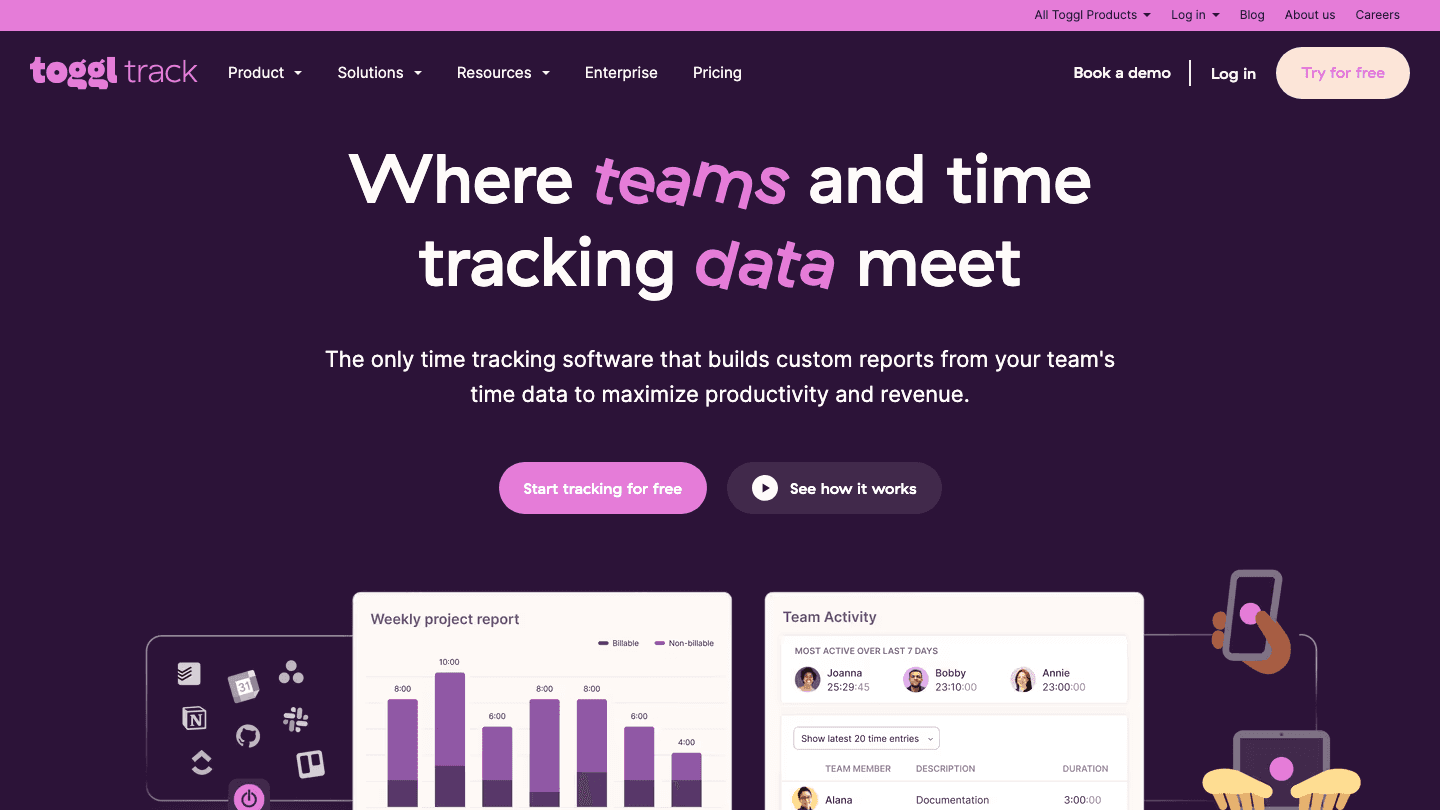
Toggl Track has four pricing tiers: Free, Starter, Premium, and Enterprise. Paid plans are priced per user per month, which means the cost scales with your team size. All paid plans include a 30-day free trial, no credit card required.
Free: $0/user/month. Time tracking on web, desktop, and mobile; 100+ integrations via browser extension; calendar integrations; productivity reports. No limit on tracked time; some limits on users and features.
Starter: $9/user/month (or approximately $8.10/user/month billed annually, saving 10%). Adds billable rates, project estimates and alerts, revenue and productivity analysis, team time tracking, and project tasks.
Premium: $18/user/month (approximately $16.20/user/month billed annually). Adds profitability analysis, fixed-fee projects, scheduled reports, timesheet approvals, data accuracy features, customizable reports, Jira and Salesforce integrations, and single sign-on.
Enterprise: Custom pricing. Adds personalized onboarding, dedicated customer success manager, multiple workspaces, and volume discounts.
Toggl Free: Who It's Actually For
The free plan covers the core use case: starting and stopping a timer, tagging time to projects and clients, and reviewing where your hours went. For a solo freelancer who just wants to know how long things take and invoice clients based on rough estimates, free works.
The limits matter though. You don't get billable rates, project budgets, or revenue reporting on the free plan. If you're tracking time to invoice clients or understand project profitability, you'll hit these limits quickly. Free is best as a starting point to confirm that time tracking adds value to your workflow before committing to a paid plan.
Toggl Starter: The Freelancer Upgrade
At $9/user/month, Starter adds the features that actually make time tracking useful for billing work. You can set different hourly rates for different clients or project types, set project budgets with alerts that warn you when you're approaching the limit, and see a revenue report that shows what your time is worth in dollars.
For freelancers with more than two or three clients, or for small agencies managing multiple projects simultaneously, Starter's project estimates and alerts are the primary reason to upgrade. Running over budget on fixed-price projects without realizing it is an expensive mistake. Toggl Starter prevents it. The 30-day trial gives you enough time to set up several projects and evaluate whether the reporting changes how you scope future work.
Toggl Premium: For Teams and Agencies
Premium at $18/user/month is designed for teams that need reporting beyond individual time tracking. Timesheet approvals let managers review and approve submitted hours before payroll or billing. Profitability analysis connects your tracked time to actual revenue to show whether projects are making money. Scheduled reports deliver data to clients or stakeholders automatically, without manual exports.
The Jira and Salesforce integrations are the specific features that drive most team upgrades at this tier. If your team tracks project work in Jira and wants time data attached to tickets automatically, Premium handles this without manual entry. Same for Salesforce: tracked time against client accounts connects to the CRM context where it actually matters.
Whether Premium is worth it depends entirely on headcount. At $18/user/month for a five-person team, that's $1,080/year. If that team's time data is currently lost or tracked in spreadsheets, the ROI is clear. If you have two people who only need billable rates, Starter at $9 is the better call.
Best Toggl Alternatives in 2026
Toggl Track is a strong time tracker, but it's primarily a passive recording tool: you track time, review reports, and adjust. If you want tools that actively help you plan your time, not just record it after the fact, the options below cover different needs.
Lifestack

Lifestack is an AI daily planner that auto-schedules your tasks based on your energy patterns throughout the day. Where Toggl shows you where your time went, Lifestack helps you plan where your time should go. It reads your energy and recovery data, then places demanding work during your peak focus hours and lighter tasks in natural low-energy windows.
For freelancers and solo workers who already know roughly how long tasks take (which is what Toggl teaches you), Lifestack adds the next layer: actually scheduling those tasks intelligently rather than hoping the day unfolds productively. The combination of Toggl (for learning your time reality) and Lifestack (for scheduling based on that reality) is more powerful than either tool alone. See how energy-based planning differs from traditional time-blocking, and why it produces better results for most people.
Pricing: $7/month, $50/year (7-day trial), or $120 one-time lifetime.
Best for: Anyone who wants to schedule time proactively rather than track it reactively. Especially useful if Toggl has revealed that your actual productive hours are fewer than you thought.
Clockify
Clockify is the main free alternative to Toggl. The free tier is more generous: unlimited users, unlimited projects, unlimited time tracking. Paid plans start at $3.99/user/month (annual), which is significantly cheaper than Toggl Starter at $9.
The tradeoff: Toggl's reporting interface is more polished and the mobile apps are better. For teams that are primarily concerned with cost and need basic time tracking, Clockify's free plan or Basic tier covers more than Toggl Free.
Pricing: Free (unlimited users); Basic $3.99/user/month (annual) or $4.99/month; Standard $5.49/month (annual); Pro $7.99/month (annual).
Best for: Teams that need free or low-cost time tracking with unlimited users and don't need Toggl's premium reporting or integrations.
Harvest
Harvest combines time tracking with invoicing in a single platform. You track time, convert it to an invoice, and send it to the client without switching tools. Toggl requires a separate invoicing tool for this workflow; Harvest includes it natively.
Pricing: Free (1 user, 2 projects); Pro $12/user/month.
Best for: Freelancers and small agencies who want time tracking and invoicing in one place and prefer not to integrate separate billing software.
Motion
Motion is an AI calendar and task manager that automatically schedules your tasks across open time slots in your calendar. It doesn't track time passively like Toggl; instead, it assigns time to tasks proactively. See the full Motion pricing breakdown if you're comparing AI schedulers head to head.
Pricing: $19/month (individual) or $12/user/month for teams.
Best for: People who need AI to organize their calendar, not just track time after the fact.
Which Tool Is Right for You?
Need free time tracking with project and client reports: Toggl Track Free or Clockify Free.
Freelancer who needs billable rates and project budgets: Toggl Starter ($9/user/month).
Agency needing timesheet approvals, profitability analysis, and Jira integration: Toggl Premium ($18/user/month).
Want to schedule time proactively based on energy and focus: Lifestack ($50/year). See also the guide to the best AI task managers for the full comparison.
Need time tracking plus invoicing in one tool: Harvest ($12/user/month).
Need time tracking for a large team at the lowest cost: Clockify (free to $7.99/user/month).
FAQ
Is Toggl Track free?
Yes. Toggl Track's free plan is permanent and includes unlimited time tracking on web, desktop, and mobile, plus 100+ integrations via the browser extension. It has some limits on users and lacks billable rates and project budgets, but for solo time tracking it's fully functional.
How much does Toggl Track cost?
Toggl Starter is $9/user/month, or approximately $8.10/user/month billed annually (10% discount). Toggl Premium is $18/user/month, or approximately $16.20/user/month billed annually. Both plans include a 30-day free trial without a credit card.
What's the difference between Toggl Starter and Premium?
Starter adds billable rates, project estimates and alerts, and basic team reporting. Premium adds timesheet approvals, profitability analysis, fixed-fee project tracking, scheduled reports, Jira and Salesforce integrations, and single sign-on. Starter is the right choice for most freelancers. Premium makes sense for agencies managing teams and client billing at scale.
Does Toggl Track integrate with other tools?
Yes. Toggl integrates with 100+ tools via its browser extension, including Asana, Jira, GitHub, Trello, and more. Premium adds native Jira and Salesforce integrations. There's also a public API for custom integrations. For calendar-based planning, see the guide to apps to use with Google Calendar.
What is the best alternative to Toggl Track?
Clockify is the best free alternative with unlimited users. Harvest is the best option if you need invoicing alongside time tracking. Lifestack is the best option if you want to shift from reactive time tracking to proactive energy-aware scheduling. Motion is the best if you want AI to build your schedule automatically from your task list and calendar.
Toggl Track is one of the most widely used time tracking tools for freelancers, agencies, and teams. The free plan is genuinely functional, and the paid tiers add enough depth that upgrading makes sense for specific use cases. But the pricing can be confusing when you're evaluating across individual, team, and enterprise use.
This guide breaks down every Toggl Track plan with exact costs, what you actually get at each tier, and how it stacks up against the best alternatives. If you're deciding whether to upgrade from free, or comparing Toggl against other time management tools, you'll have a clear answer by the end.
All prices verified June 2026.
Key Takeaways
Toggl Track's free plan is genuinely useful for solo users and small teams who need basic time tracking without billing or reporting features.
Starter ($9/user/month) is the right upgrade for freelancers who need billable rates and project estimates. Premium ($18/user/month) adds profitability analysis and integrations for larger teams.
If you need time tracking plus AI-powered daily scheduling, Lifestack is the natural complement at $50/year.
Toggl Track Pricing Overview
Toggl Track has four pricing tiers: Free, Starter, Premium, and Enterprise. Paid plans are priced per user per month, which means the cost scales with your team size. All paid plans include a 30-day free trial, no credit card required.
Free: $0/user/month. Time tracking on web, desktop, and mobile; 100+ integrations via browser extension; calendar integrations; productivity reports. No limit on tracked time; some limits on users and features.
Starter: $9/user/month (or approximately $8.10/user/month billed annually, saving 10%). Adds billable rates, project estimates and alerts, revenue and productivity analysis, team time tracking, and project tasks.
Premium: $18/user/month (approximately $16.20/user/month billed annually). Adds profitability analysis, fixed-fee projects, scheduled reports, timesheet approvals, data accuracy features, customizable reports, Jira and Salesforce integrations, and single sign-on.
Enterprise: Custom pricing. Adds personalized onboarding, dedicated customer success manager, multiple workspaces, and volume discounts.
Toggl Free: Who It's Actually For
The free plan covers the core use case: starting and stopping a timer, tagging time to projects and clients, and reviewing where your hours went. For a solo freelancer who just wants to know how long things take and invoice clients based on rough estimates, free works.
The limits matter though. You don't get billable rates, project budgets, or revenue reporting on the free plan. If you're tracking time to invoice clients or understand project profitability, you'll hit these limits quickly. Free is best as a starting point to confirm that time tracking adds value to your workflow before committing to a paid plan.
Toggl Starter: The Freelancer Upgrade
At $9/user/month, Starter adds the features that actually make time tracking useful for billing work. You can set different hourly rates for different clients or project types, set project budgets with alerts that warn you when you're approaching the limit, and see a revenue report that shows what your time is worth in dollars.
For freelancers with more than two or three clients, or for small agencies managing multiple projects simultaneously, Starter's project estimates and alerts are the primary reason to upgrade. Running over budget on fixed-price projects without realizing it is an expensive mistake. Toggl Starter prevents it. The 30-day trial gives you enough time to set up several projects and evaluate whether the reporting changes how you scope future work.
Toggl Premium: For Teams and Agencies
Premium at $18/user/month is designed for teams that need reporting beyond individual time tracking. Timesheet approvals let managers review and approve submitted hours before payroll or billing. Profitability analysis connects your tracked time to actual revenue to show whether projects are making money. Scheduled reports deliver data to clients or stakeholders automatically, without manual exports.
The Jira and Salesforce integrations are the specific features that drive most team upgrades at this tier. If your team tracks project work in Jira and wants time data attached to tickets automatically, Premium handles this without manual entry. Same for Salesforce: tracked time against client accounts connects to the CRM context where it actually matters.
Whether Premium is worth it depends entirely on headcount. At $18/user/month for a five-person team, that's $1,080/year. If that team's time data is currently lost or tracked in spreadsheets, the ROI is clear. If you have two people who only need billable rates, Starter at $9 is the better call.
Best Toggl Alternatives in 2026
Toggl Track is a strong time tracker, but it's primarily a passive recording tool: you track time, review reports, and adjust. If you want tools that actively help you plan your time, not just record it after the fact, the options below cover different needs.
Lifestack
Lifestack is an AI daily planner that auto-schedules your tasks based on your energy patterns throughout the day. Where Toggl shows you where your time went, Lifestack helps you plan where your time should go. It reads your energy and recovery data, then places demanding work during your peak focus hours and lighter tasks in natural low-energy windows.
For freelancers and solo workers who already know roughly how long tasks take (which is what Toggl teaches you), Lifestack adds the next layer: actually scheduling those tasks intelligently rather than hoping the day unfolds productively. The combination of Toggl (for learning your time reality) and Lifestack (for scheduling based on that reality) is more powerful than either tool alone. See how energy-based planning differs from traditional time-blocking, and why it produces better results for most people.
Pricing: $7/month, $50/year (7-day trial), or $120 one-time lifetime.
Best for: Anyone who wants to schedule time proactively rather than track it reactively. Especially useful if Toggl has revealed that your actual productive hours are fewer than you thought.
Clockify
Clockify is the main free alternative to Toggl. The free tier is more generous: unlimited users, unlimited projects, unlimited time tracking. Paid plans start at $3.99/user/month (annual), which is significantly cheaper than Toggl Starter at $9.
The tradeoff: Toggl's reporting interface is more polished and the mobile apps are better. For teams that are primarily concerned with cost and need basic time tracking, Clockify's free plan or Basic tier covers more than Toggl Free.
Pricing: Free (unlimited users); Basic $3.99/user/month (annual) or $4.99/month; Standard $5.49/month (annual); Pro $7.99/month (annual).
Best for: Teams that need free or low-cost time tracking with unlimited users and don't need Toggl's premium reporting or integrations.
Harvest
Harvest combines time tracking with invoicing in a single platform. You track time, convert it to an invoice, and send it to the client without switching tools. Toggl requires a separate invoicing tool for this workflow; Harvest includes it natively.
Pricing: Free (1 user, 2 projects); Pro $12/user/month.
Best for: Freelancers and small agencies who want time tracking and invoicing in one place and prefer not to integrate separate billing software.
Motion
Motion is an AI calendar and task manager that automatically schedules your tasks across open time slots in your calendar. It doesn't track time passively like Toggl; instead, it assigns time to tasks proactively. See the full Motion pricing breakdown if you're comparing AI schedulers head to head.
Pricing: $19/month (individual) or $12/user/month for teams.
Best for: People who need AI to organize their calendar, not just track time after the fact.
Which Tool Is Right for You?
Need free time tracking with project and client reports: Toggl Track Free or Clockify Free.
Freelancer who needs billable rates and project budgets: Toggl Starter ($9/user/month).
Agency needing timesheet approvals, profitability analysis, and Jira integration: Toggl Premium ($18/user/month).
Want to schedule time proactively based on energy and focus: Lifestack ($50/year). See also the guide to the best AI task managers for the full comparison.
Need time tracking plus invoicing in one tool: Harvest ($12/user/month).
Need time tracking for a large team at the lowest cost: Clockify (free to $7.99/user/month).
FAQ
Is Toggl Track free?
Yes. Toggl Track's free plan is permanent and includes unlimited time tracking on web, desktop, and mobile, plus 100+ integrations via the browser extension. It has some limits on users and lacks billable rates and project budgets, but for solo time tracking it's fully functional.
How much does Toggl Track cost?
Toggl Starter is $9/user/month, or approximately $8.10/user/month billed annually (10% discount). Toggl Premium is $18/user/month, or approximately $16.20/user/month billed annually. Both plans include a 30-day free trial without a credit card.
What's the difference between Toggl Starter and Premium?
Starter adds billable rates, project estimates and alerts, and basic team reporting. Premium adds timesheet approvals, profitability analysis, fixed-fee project tracking, scheduled reports, Jira and Salesforce integrations, and single sign-on. Starter is the right choice for most freelancers. Premium makes sense for agencies managing teams and client billing at scale.
Does Toggl Track integrate with other tools?
Yes. Toggl integrates with 100+ tools via its browser extension, including Asana, Jira, GitHub, Trello, and more. Premium adds native Jira and Salesforce integrations. There's also a public API for custom integrations. For calendar-based planning, see the guide to apps to use with Google Calendar.
What is the best alternative to Toggl Track?
Clockify is the best free alternative with unlimited users. Harvest is the best option if you need invoicing alongside time tracking. Lifestack is the best option if you want to shift from reactive time tracking to proactive energy-aware scheduling. Motion is the best if you want AI to build your schedule automatically from your task list and calendar.



FOLLOW ON
FOLLOW ON
FOLLOW ON


Copyright 2026 © Lifestack. All rights reserved
Copyright 2026 © Lifestack. All rights reserved

