
App
The 6 Best Time Management Apps in 2026
The 6 Best Time Management Apps in 2026

Time management is not a single problem. Some people need better task management. Others need help with scheduling. Some need to track where their hours actually go. The best time management apps address different parts of this problem, which is why no single tool wins for everyone.
This is the hub post for our time management cluster. It covers the broadest selection of approaches and links to dedicated posts for specific angles: ADHD time management apps, personal time management apps, and calendar-based time management each go deeper on their own. This post focuses on the core tools across all categories.
The six apps below were chosen to represent genuinely different approaches. We verified pricing before publication. All are actively maintained as of 2026.
Key Takeaways
The best time management app depends on whether your core problem is scheduling, task management, or time awareness. A single tool rarely solves all three.
Lifestack adds energy-aware scheduling on top of standard calendar management, which makes it more than a to-do list or calendar app.
For pure task management, Todoist and TickTick are the strongest free-tier options. For AI-powered scheduling, Motion is the most aggressive automation available.
Quick Guide
Lifestack: Best for energy-aware scheduling that integrates tasks and calendar
Todoist: Best task manager for individuals and teams who want a clean, powerful list
Motion: Best AI scheduling for professionals who want full autopilot over their day
TickTick: Best all-in-one app for tasks, habits, and focus sessions
Clockify: Best free time tracker for understanding where your hours go
Notion: Best for building a custom workspace around how you actually work
How We Evaluated
Scope: Does the app address scheduling, task management, time tracking, or all three?
Ease of setup: How quickly can you get value without extensive configuration?
Mobile quality: iOS and Android app quality relative to the desktop experience
Free tier: How useful is the free version for real daily use?
Integrations: Calendar, task, and communication tool compatibility
1. Lifestack
Best for energy-aware scheduling that integrates tasks and calendar

Lifestack approaches time management from a direction most apps ignore: energy. Rather than filling your calendar with tasks based on when you have open slots, Lifestack schedules work based on when you are actually sharp enough to do it well. Deep, demanding tasks land in your peak hours. Routine admin fills the low-energy windows. The result is a schedule that matches how you function, not just when you are technically available.
This matters because most people already know what they need to do. The problem is that they keep scheduling their most important work at the wrong time and wondering why it never gets done. Energy-based scheduling addresses the root cause rather than just adding another list. For a full look at how Lifestack works, see the Lifestack introduction.
Key Features:
AI-powered scheduling that respects your energy levels and peak hours
Google Calendar and Outlook integration
iOS and Android apps with Chrome extension
Task capture and automatic rescheduling
What Works:
Gets the "right task at the right time" problem right where most apps ignore it entirely
Low friction to set up and start using
Pairs well with dedicated task managers like Todoist
Limitations:
No free tier (paid from $7/month)
Best value for people with flexible schedules who can act on scheduling suggestions
Pricing: $7/month or $50/year (7-day free trial on annual plan)
Best for: Knowledge workers who want their most important work to happen at the right time, not just whenever a slot is open
2. Todoist
Best task manager for a clean, powerful to-do list
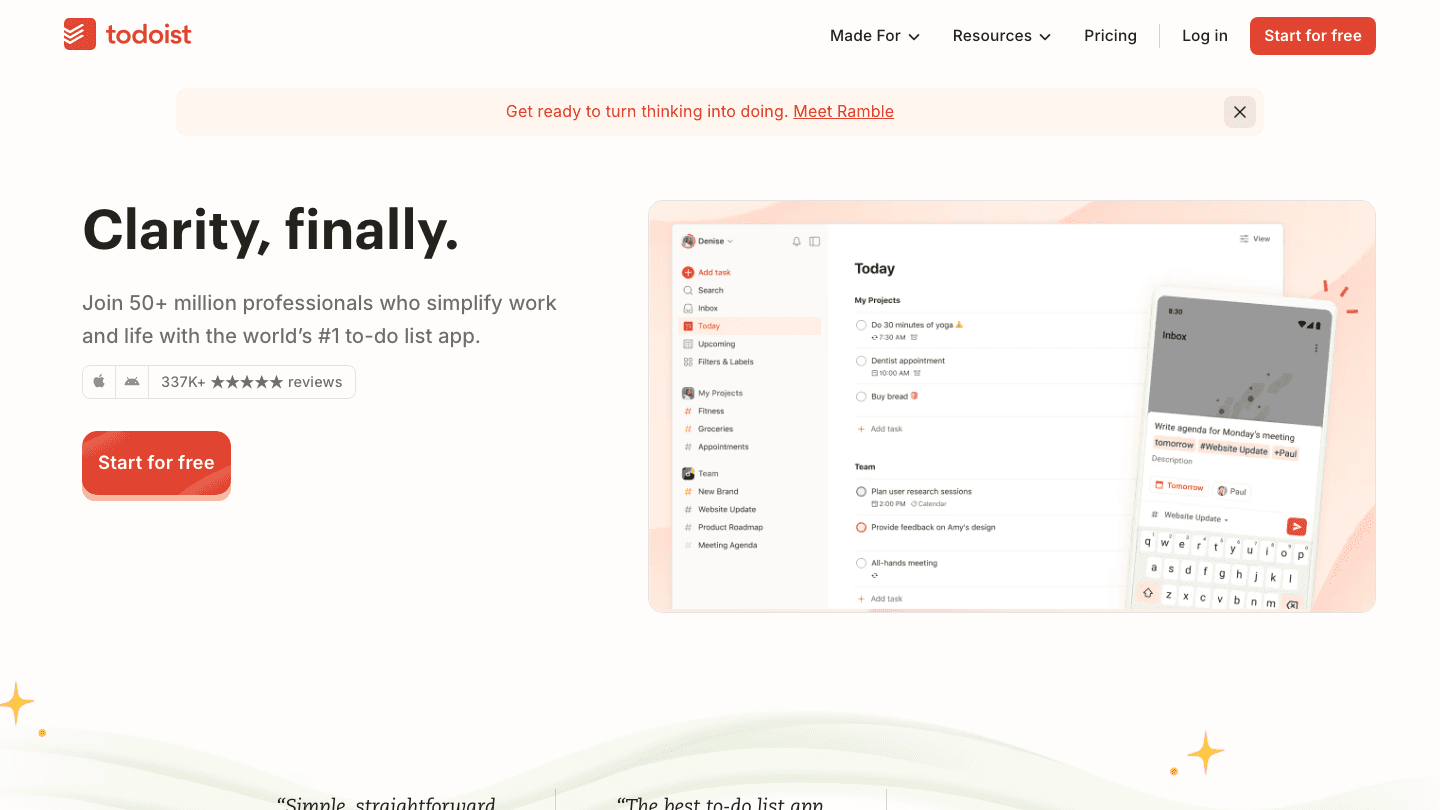
Todoist has earned its status as the reference-standard task manager. It handles individual tasks, recurring tasks, projects, subtasks, labels, filters, and priority levels without becoming complicated. The natural language input lets you type "meeting with Sarah next Tuesday at 2pm p1" and Todoist parses it all correctly.
The free tier is genuinely useful for individuals managing their own tasks. Teams need the paid plan for collaboration and productivity tracking features. If you want a task manager that stays out of your way and just works, Todoist is the starting point most people should try first. For more on alternatives, see our list of Todoist alternatives.
Key Features:
Natural language task entry
Recurring tasks with flexible recurrence rules
Projects, sections, and subtasks
Priority levels and labels
Google Calendar two-way sync
What Works:
One of the cleanest task management interfaces available
Reliable cross-platform sync (iOS, Android, web, Mac, Windows)
Strong free tier for individual use
Limitations:
No time blocking or calendar scheduling built in
Team collaboration requires paid plan ($5/month)
Pricing: Free (5 active projects); Pro $5/month; Business $8/user/month
Best for: Individuals and teams who want a reliable, no-nonsense task manager
3. Motion
Best for AI-powered scheduling on full autopilot
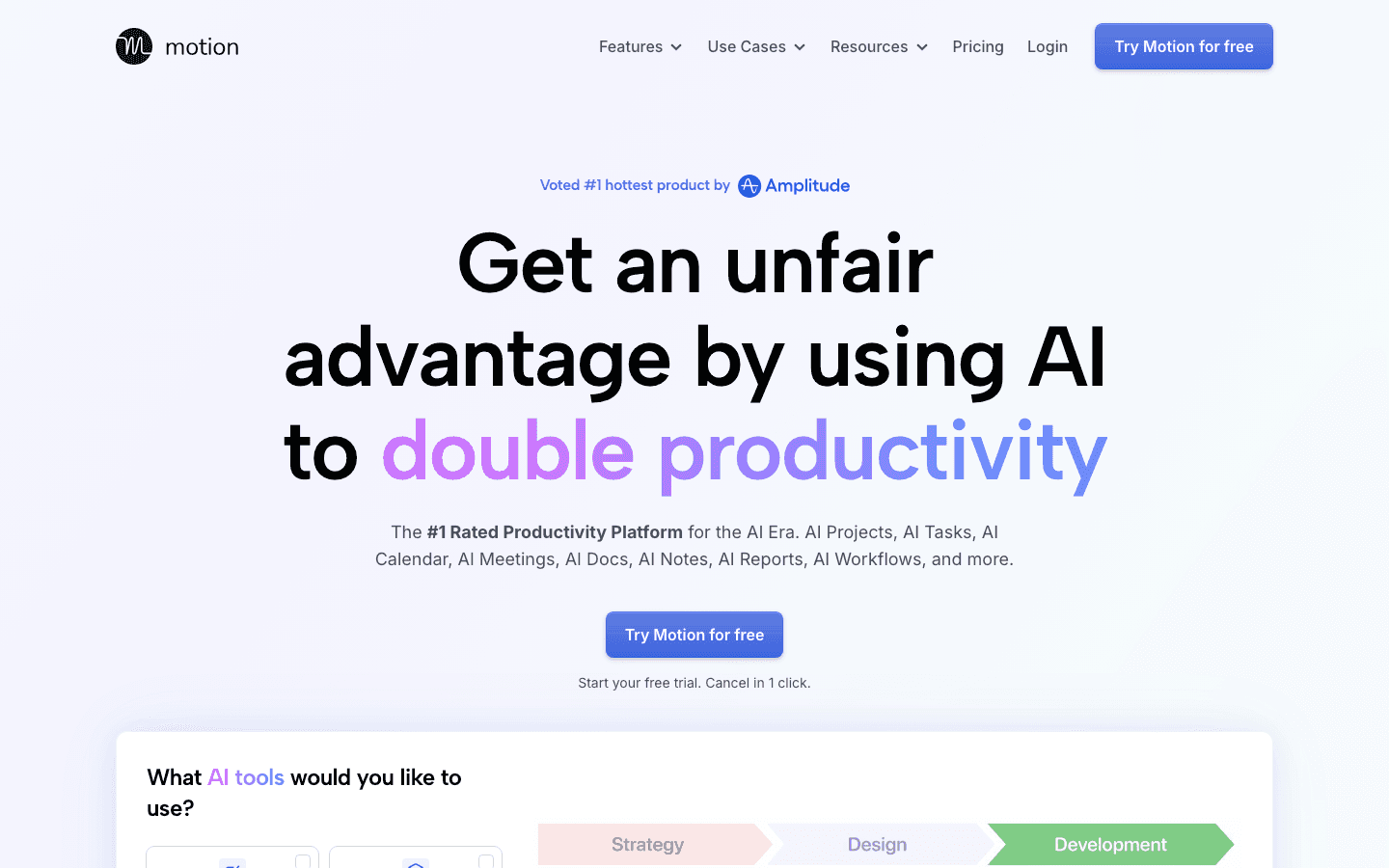
Motion takes the most aggressive AI scheduling approach of any tool in this list. You add your tasks and their priorities, and Motion builds and continuously rebuilds your schedule automatically. Cancel a meeting, add a high-priority task, fall behind: Motion adjusts the whole plan in real time without you touching it.
It works best for people with a high volume of tasks and meetings who genuinely cannot keep their schedule updated manually. The tradeoff is price and setup: Motion costs significantly more than most alternatives and requires meaningful configuration before its AI has enough context to be useful. See how Motion compares in our post on Motion alternatives.
Key Features:
Automatic daily schedule building and rebuilding
Task duration estimates and deadline-aware prioritization
Project management with timeline views
Meeting scheduling with booking pages
Team capacity planning (Business tier)
What Works:
Best automation available if you want true autopilot
Handles deadline conflicts better than any manual scheduling approach
Booking pages included (Calendly replacement)
Limitations:
Most expensive option in this category at $19/month minimum
Takes real setup time before the AI works well
No energy awareness (treats all hours equally)
Pricing: Pro AI $19/seat/month; Business AI $29/seat/month (33% discount on annual)
Best for: Busy professionals with high task volumes who want full AI scheduling automation
4. TickTick
Best all-in-one app for tasks, habits, and focus sessions
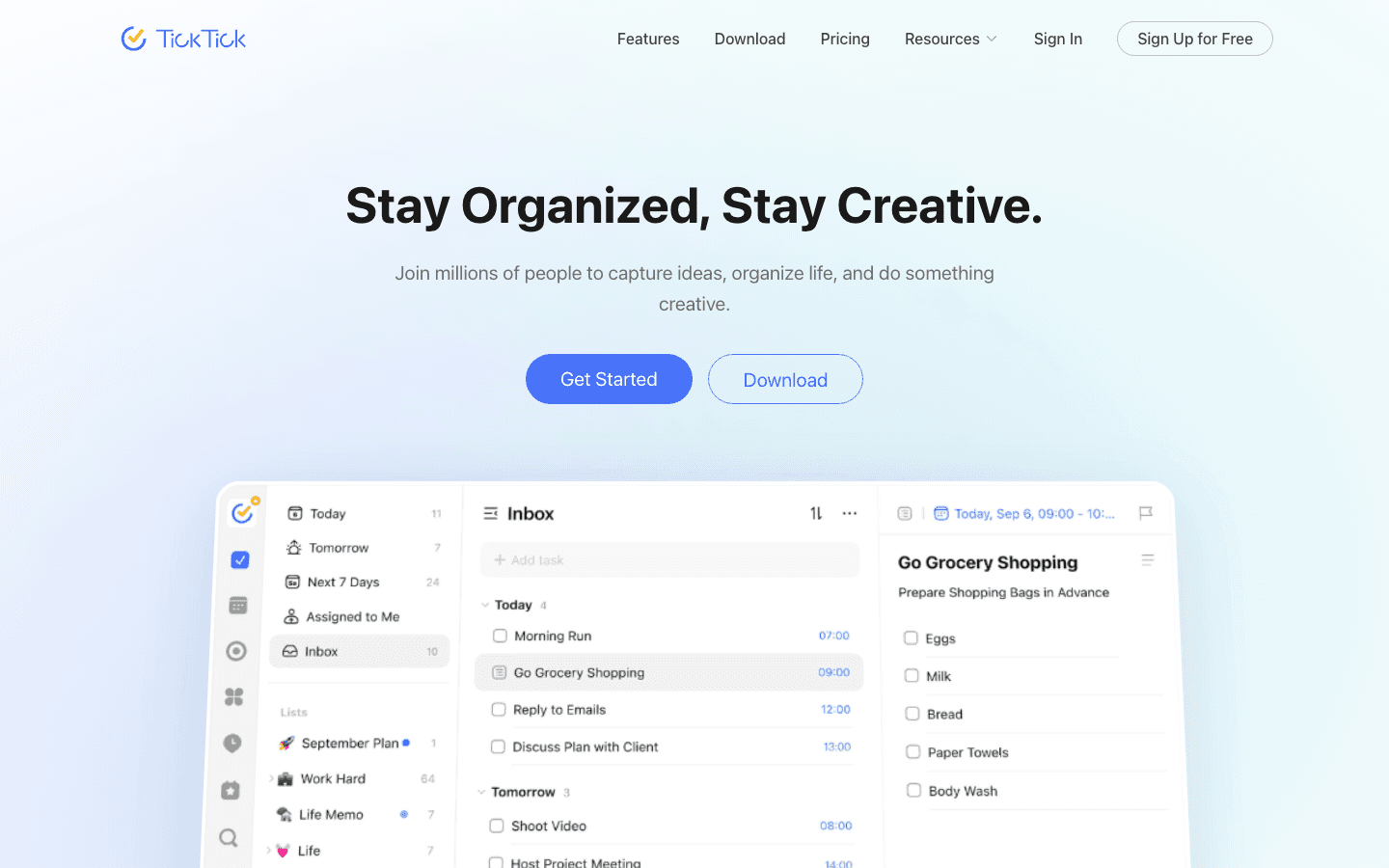
TickTick packs more into a single app than almost anything else in this category. It handles to-do lists, recurring tasks, habit tracking with streaks, a Pomodoro timer for focus sessions, calendar view, and subtasks. For people who want to manage their entire personal productivity system in one place, TickTick is the most complete option at its price point.
The free tier is surprisingly generous and the premium plan is one of the least expensive paid options in this space. Its limitation is that it does not schedule tasks intelligently: it shows you what to do but not when to do it based on your energy or availability.
Key Features:
Task management with subtasks and priority levels
Built-in habit tracker with streak monitoring
Pomodoro focus timer
Calendar view with Google and Outlook sync
Available on every platform including Apple Watch
What Works:
Most feature-dense app per dollar in this list
Excellent mobile apps for iOS and Android
Handles tasks AND habits in one place
Limitations:
Interface can feel cluttered with all features enabled
No AI scheduling or energy-aware features
Pricing: Free; Premium $35.99/year ($3/month)
Best for: People who want tasks, habits, and focus sessions managed in a single app
5. Clockify
Best free time tracker for understanding where your hours go
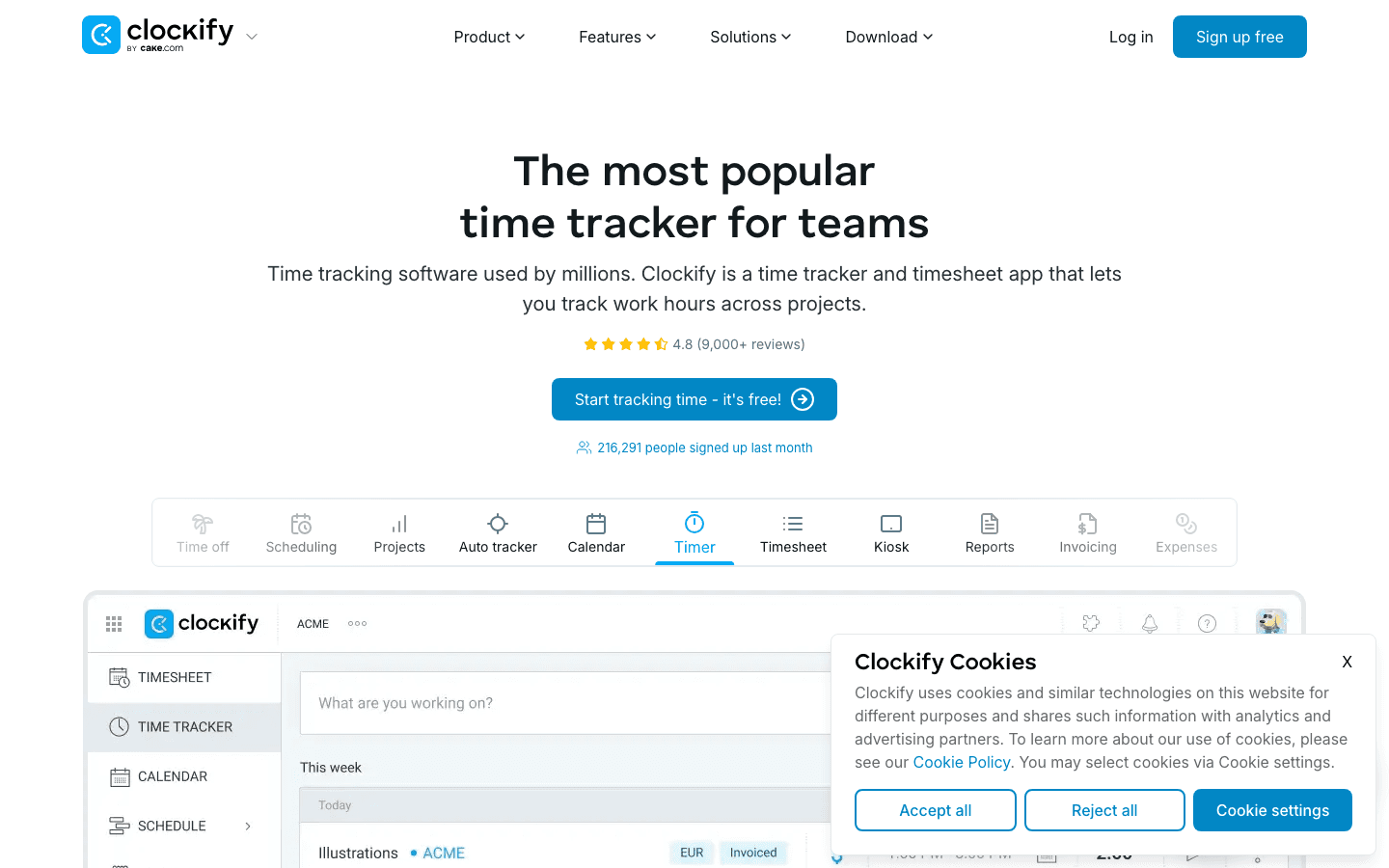
Clockify solves a different problem than the other apps in this list. While scheduling and task management apps tell you what to do, Clockify tells you what you actually did. It is a time tracker: you start a timer when you begin work, stop it when you finish, and Clockify builds reports showing where your hours went across projects, tasks, and clients.
For freelancers who bill by the hour, Clockify is essential. For anyone who feels like time disappears without knowing where it went, a week of tracked time is often revelatory. The free tier is remarkable: unlimited users, unlimited time tracking, unlimited projects, no time limit.
Key Features:
One-click time tracking with timer and manual entry
Project and client time reporting
Billable hours and invoicing
Browser extension for tracking website time
Team reporting (paid plans)
What Works:
Free tier is genuinely the most generous in its category
Reports are clear and actionable
Available on web, desktop, and mobile
Limitations:
Does not manage or schedule tasks, only track time
Advanced reporting and integrations require paid plans
Pricing: Free (unlimited tracking); Starter $4.99/user/month; Standard $6.99/user/month
Best for: Freelancers, consultants, and anyone who wants data on how they actually spend their time
6. Notion
Best for building a fully custom productivity workspace
Notion is not a time management app in the traditional sense. It is a workspace builder that happens to be excellent for time management when configured correctly. You can build a weekly planner, a task database with status tracking, a project management board, and a personal knowledge base all in the same place.
The tradeoff is setup time. Notion requires investment to get value: you either build your own systems from scratch or use one of thousands of community templates. For people who enjoy building and maintaining their systems, Notion is the most flexible option available. For people who want something that works out of the box, the other apps in this list are better starting points.
Key Features:
Flexible databases (list, table, board, gallery, calendar views)
30,000+ community templates
Docs, wikis, and notes alongside task management
AI writing and summarization (Notion AI, paid add-on)
Strong team collaboration
What Works:
Unmatched flexibility if you want to build your own system
Strong free tier for individuals
Wide integration ecosystem
Limitations:
High setup cost: takes hours to build an effective system from scratch
No intelligent scheduling or energy awareness
Mobile apps are slower than native alternatives
Pricing: Free; Plus $10/user/month; Business $15/user/month
Best for: People who prefer building a custom workspace over using a pre-built system
Which Time Management App Is Right for You?
Your most important work keeps getting scheduled at the wrong time: Lifestack
You need a clean, reliable to-do list: Todoist
You want AI to handle your entire schedule without thinking about it: Motion
You want tasks, habits, and focus sessions in one app: TickTick
You want to know where your time actually goes: Clockify
You want to build your own system exactly how you want it: Notion
Frequently Asked Questions
What is the best app for time management?
It depends on your specific problem. For scheduling intelligence, Lifestack is the strongest option. For task management, Todoist or TickTick. For time tracking, Clockify. For full AI autopilot, Motion. Most people who feel consistently behind benefit more from better scheduling (Lifestack) than from a better to-do list.
Is there a free time management app worth using?
Yes. Todoist's free tier handles individual task management well. TickTick's free tier includes tasks and habits. Clockify's free tier is unlimited and genuinely useful for time tracking. Notion's free plan supports personal workspaces. None of these are crippled trial versions.
What is the difference between a task manager and a time management app?
A task manager (Todoist, TickTick) captures and organizes what you need to do. A time management app helps you figure out when to do it and tracks whether you actually did. The best approaches combine both: a task manager for capture and a scheduling tool (like Lifestack) that places those tasks at the right time in your day.
Which time management app is best for ADHD?
See our dedicated post on ADHD time management apps for a detailed breakdown. The short answer is that apps with external structure, visual feedback, and low friction for capture (TickTick, Todoist with simple workflows) tend to work best for ADHD users.
Do I need multiple time management apps?
Many productive people use two: a task manager for capture and a scheduling tool for planning when to execute. Lifestack plus Todoist is a common combination. But starting with one and getting it working is better than managing a complex stack of tools that requires constant maintenance.
Time management is not a single problem. Some people need better task management. Others need help with scheduling. Some need to track where their hours actually go. The best time management apps address different parts of this problem, which is why no single tool wins for everyone.
This is the hub post for our time management cluster. It covers the broadest selection of approaches and links to dedicated posts for specific angles: ADHD time management apps, personal time management apps, and calendar-based time management each go deeper on their own. This post focuses on the core tools across all categories.
The six apps below were chosen to represent genuinely different approaches. We verified pricing before publication. All are actively maintained as of 2026.
Key Takeaways
The best time management app depends on whether your core problem is scheduling, task management, or time awareness. A single tool rarely solves all three.
Lifestack adds energy-aware scheduling on top of standard calendar management, which makes it more than a to-do list or calendar app.
For pure task management, Todoist and TickTick are the strongest free-tier options. For AI-powered scheduling, Motion is the most aggressive automation available.
Quick Guide
Lifestack: Best for energy-aware scheduling that integrates tasks and calendar
Todoist: Best task manager for individuals and teams who want a clean, powerful list
Motion: Best AI scheduling for professionals who want full autopilot over their day
TickTick: Best all-in-one app for tasks, habits, and focus sessions
Clockify: Best free time tracker for understanding where your hours go
Notion: Best for building a custom workspace around how you actually work
How We Evaluated
Scope: Does the app address scheduling, task management, time tracking, or all three?
Ease of setup: How quickly can you get value without extensive configuration?
Mobile quality: iOS and Android app quality relative to the desktop experience
Free tier: How useful is the free version for real daily use?
Integrations: Calendar, task, and communication tool compatibility
1. Lifestack
Best for energy-aware scheduling that integrates tasks and calendar
Lifestack approaches time management from a direction most apps ignore: energy. Rather than filling your calendar with tasks based on when you have open slots, Lifestack schedules work based on when you are actually sharp enough to do it well. Deep, demanding tasks land in your peak hours. Routine admin fills the low-energy windows. The result is a schedule that matches how you function, not just when you are technically available.
This matters because most people already know what they need to do. The problem is that they keep scheduling their most important work at the wrong time and wondering why it never gets done. Energy-based scheduling addresses the root cause rather than just adding another list. For a full look at how Lifestack works, see the Lifestack introduction.
Key Features:
AI-powered scheduling that respects your energy levels and peak hours
Google Calendar and Outlook integration
iOS and Android apps with Chrome extension
Task capture and automatic rescheduling
What Works:
Gets the "right task at the right time" problem right where most apps ignore it entirely
Low friction to set up and start using
Pairs well with dedicated task managers like Todoist
Limitations:
No free tier (paid from $7/month)
Best value for people with flexible schedules who can act on scheduling suggestions
Pricing: $7/month or $50/year (7-day free trial on annual plan)
Best for: Knowledge workers who want their most important work to happen at the right time, not just whenever a slot is open
2. Todoist
Best task manager for a clean, powerful to-do list
Todoist has earned its status as the reference-standard task manager. It handles individual tasks, recurring tasks, projects, subtasks, labels, filters, and priority levels without becoming complicated. The natural language input lets you type "meeting with Sarah next Tuesday at 2pm p1" and Todoist parses it all correctly.
The free tier is genuinely useful for individuals managing their own tasks. Teams need the paid plan for collaboration and productivity tracking features. If you want a task manager that stays out of your way and just works, Todoist is the starting point most people should try first. For more on alternatives, see our list of Todoist alternatives.
Key Features:
Natural language task entry
Recurring tasks with flexible recurrence rules
Projects, sections, and subtasks
Priority levels and labels
Google Calendar two-way sync
What Works:
One of the cleanest task management interfaces available
Reliable cross-platform sync (iOS, Android, web, Mac, Windows)
Strong free tier for individual use
Limitations:
No time blocking or calendar scheduling built in
Team collaboration requires paid plan ($5/month)
Pricing: Free (5 active projects); Pro $5/month; Business $8/user/month
Best for: Individuals and teams who want a reliable, no-nonsense task manager
3. Motion
Best for AI-powered scheduling on full autopilot
Motion takes the most aggressive AI scheduling approach of any tool in this list. You add your tasks and their priorities, and Motion builds and continuously rebuilds your schedule automatically. Cancel a meeting, add a high-priority task, fall behind: Motion adjusts the whole plan in real time without you touching it.
It works best for people with a high volume of tasks and meetings who genuinely cannot keep their schedule updated manually. The tradeoff is price and setup: Motion costs significantly more than most alternatives and requires meaningful configuration before its AI has enough context to be useful. See how Motion compares in our post on Motion alternatives.
Key Features:
Automatic daily schedule building and rebuilding
Task duration estimates and deadline-aware prioritization
Project management with timeline views
Meeting scheduling with booking pages
Team capacity planning (Business tier)
What Works:
Best automation available if you want true autopilot
Handles deadline conflicts better than any manual scheduling approach
Booking pages included (Calendly replacement)
Limitations:
Most expensive option in this category at $19/month minimum
Takes real setup time before the AI works well
No energy awareness (treats all hours equally)
Pricing: Pro AI $19/seat/month; Business AI $29/seat/month (33% discount on annual)
Best for: Busy professionals with high task volumes who want full AI scheduling automation
4. TickTick
Best all-in-one app for tasks, habits, and focus sessions
TickTick packs more into a single app than almost anything else in this category. It handles to-do lists, recurring tasks, habit tracking with streaks, a Pomodoro timer for focus sessions, calendar view, and subtasks. For people who want to manage their entire personal productivity system in one place, TickTick is the most complete option at its price point.
The free tier is surprisingly generous and the premium plan is one of the least expensive paid options in this space. Its limitation is that it does not schedule tasks intelligently: it shows you what to do but not when to do it based on your energy or availability.
Key Features:
Task management with subtasks and priority levels
Built-in habit tracker with streak monitoring
Pomodoro focus timer
Calendar view with Google and Outlook sync
Available on every platform including Apple Watch
What Works:
Most feature-dense app per dollar in this list
Excellent mobile apps for iOS and Android
Handles tasks AND habits in one place
Limitations:
Interface can feel cluttered with all features enabled
No AI scheduling or energy-aware features
Pricing: Free; Premium $35.99/year ($3/month)
Best for: People who want tasks, habits, and focus sessions managed in a single app
5. Clockify
Best free time tracker for understanding where your hours go
Clockify solves a different problem than the other apps in this list. While scheduling and task management apps tell you what to do, Clockify tells you what you actually did. It is a time tracker: you start a timer when you begin work, stop it when you finish, and Clockify builds reports showing where your hours went across projects, tasks, and clients.
For freelancers who bill by the hour, Clockify is essential. For anyone who feels like time disappears without knowing where it went, a week of tracked time is often revelatory. The free tier is remarkable: unlimited users, unlimited time tracking, unlimited projects, no time limit.
Key Features:
One-click time tracking with timer and manual entry
Project and client time reporting
Billable hours and invoicing
Browser extension for tracking website time
Team reporting (paid plans)
What Works:
Free tier is genuinely the most generous in its category
Reports are clear and actionable
Available on web, desktop, and mobile
Limitations:
Does not manage or schedule tasks, only track time
Advanced reporting and integrations require paid plans
Pricing: Free (unlimited tracking); Starter $4.99/user/month; Standard $6.99/user/month
Best for: Freelancers, consultants, and anyone who wants data on how they actually spend their time
6. Notion
Best for building a fully custom productivity workspace
Notion is not a time management app in the traditional sense. It is a workspace builder that happens to be excellent for time management when configured correctly. You can build a weekly planner, a task database with status tracking, a project management board, and a personal knowledge base all in the same place.
The tradeoff is setup time. Notion requires investment to get value: you either build your own systems from scratch or use one of thousands of community templates. For people who enjoy building and maintaining their systems, Notion is the most flexible option available. For people who want something that works out of the box, the other apps in this list are better starting points.
Key Features:
Flexible databases (list, table, board, gallery, calendar views)
30,000+ community templates
Docs, wikis, and notes alongside task management
AI writing and summarization (Notion AI, paid add-on)
Strong team collaboration
What Works:
Unmatched flexibility if you want to build your own system
Strong free tier for individuals
Wide integration ecosystem
Limitations:
High setup cost: takes hours to build an effective system from scratch
No intelligent scheduling or energy awareness
Mobile apps are slower than native alternatives
Pricing: Free; Plus $10/user/month; Business $15/user/month
Best for: People who prefer building a custom workspace over using a pre-built system
Which Time Management App Is Right for You?
Your most important work keeps getting scheduled at the wrong time: Lifestack
You need a clean, reliable to-do list: Todoist
You want AI to handle your entire schedule without thinking about it: Motion
You want tasks, habits, and focus sessions in one app: TickTick
You want to know where your time actually goes: Clockify
You want to build your own system exactly how you want it: Notion
Frequently Asked Questions
What is the best app for time management?
It depends on your specific problem. For scheduling intelligence, Lifestack is the strongest option. For task management, Todoist or TickTick. For time tracking, Clockify. For full AI autopilot, Motion. Most people who feel consistently behind benefit more from better scheduling (Lifestack) than from a better to-do list.
Is there a free time management app worth using?
Yes. Todoist's free tier handles individual task management well. TickTick's free tier includes tasks and habits. Clockify's free tier is unlimited and genuinely useful for time tracking. Notion's free plan supports personal workspaces. None of these are crippled trial versions.
What is the difference between a task manager and a time management app?
A task manager (Todoist, TickTick) captures and organizes what you need to do. A time management app helps you figure out when to do it and tracks whether you actually did. The best approaches combine both: a task manager for capture and a scheduling tool (like Lifestack) that places those tasks at the right time in your day.
Which time management app is best for ADHD?
See our dedicated post on ADHD time management apps for a detailed breakdown. The short answer is that apps with external structure, visual feedback, and low friction for capture (TickTick, Todoist with simple workflows) tend to work best for ADHD users.
Do I need multiple time management apps?
Many productive people use two: a task manager for capture and a scheduling tool for planning when to execute. Lifestack plus Todoist is a common combination. But starting with one and getting it working is better than managing a complex stack of tools that requires constant maintenance.



FOLLOW ON
FOLLOW ON
FOLLOW ON


Copyright 2026 © Lifestack. All rights reserved
Copyright 2026 © Lifestack. All rights reserved

