
App
Best Focus Apps for Mac: 7 Picks That Work
Best Focus Apps for Mac: 7 Picks That Work

Finding a focus application for Mac that actually changes how you work is harder than it sounds. The Mac App Store has hundreds of productivity tools, but most fall into the same three categories: simple to-do lists, calendar apps with minimal intelligence, and basic timers that could have been built in 1998. The apps that genuinely improve focus are a small subset.
What separates a good focus app from a great one? The best ones understand that focus is not just about blocking distractions. It is about knowing when to work on what, matching demanding tasks to your sharpest hours, and giving you a plan that survives contact with a real day. Apps that do one of these things well are useful. Apps that connect several of them together are genuinely valuable.
We tested seven of the best focus apps for Mac across daily planning, task management, Pomodoro timing, time tracking, and note-taking. Each serves a different kind of Mac user. Here is what stood out.
Key Takeaways
Lifestack is the only focus app for Mac that reads your wearable data and schedules tasks based on your actual energy level
Things 3 and Bear are the strongest choices for Mac users who want native design and one-time pricing with no subscription
Forest and Be Focused Pro are the best options for focus timers specifically, with Forest adding a social accountability layer
Quick Guide
1. Lifestack:Best overall: energy-aware daily planning that adapts to your recovery
2. Things 3:Best native Mac task manager with clean design and one-time pricing
3. Forest:Best focus timer with a unique tree-growing mechanic for accountability
4. Fantastical:Best calendar app for Mac with smart scheduling and natural language input
5. Bear:Best focused writing and note-taking app for Mac with minimal distraction
6. Timing:Best automatic time tracker for Mac users who want to see where focus actually goes
7. Be Focused Pro:Best Pomodoro timer for Mac with task integration and cross-device sync
How We Evaluated
Mac-native performance and design quality
Energy or context awareness (does it know when you should work, not just what)
Integration with calendar, tasks, and wearables
Pricing model (subscription vs. one-time)
Focus-specific features: timers, blockers, distraction management
Depth of free tier vs. value of paid upgrade
1. Lifestack
The focus app that knows how tired you actually are

Lifestack is the only app in this list that combines daily planning with wearable health data. It reads your sleep, recovery, and energy scores from Oura Ring, Apple Watch, or WHOOP, then uses that data to schedule your tasks for the day. On a high-recovery morning, demanding work gets front-loaded. On a low-energy day, lighter tasks fill the peak slots and expectations reset automatically.
This matters because focus is not a fixed resource. Two hours of writing during your peak cognitive window produces more than four hours in a depleted state. Energy-based planning is what sets Lifestack apart from every other Mac focus tool. Lifestack is the only Mac-compatible focus tool that actually accounts for this. You access it via the web or Chrome extension on Mac, with mobile apps for iOS and Android rounding out the experience.
Key Features
Wearable integration: reads daily energy scores from Oura, Apple Watch, and WHOOP
Energy-aware task scheduling: matches task demands to your cognitive state
Daily planning view: one clean interface for your full day across calendar and tasks
Chrome extension: Mac-accessible without a standalone desktop app
Sync with Google Calendar, Todoist, and other existing tools
What Works
The energy-aware scheduling is genuinely different from every other tool here
Pulls together calendar + tasks in one view without requiring you to rebuild your system
Adapts daily rather than requiring manual adjustment when you feel off
Limitations
No standalone Mac app yet (web + Chrome extension)
Wearable required to get the full energy-scheduling benefit
Pricing: $7/month or $50/year. 7-day free trial on the annual plan.
Best for: Mac users who wear an Oura, Apple Watch, or WHOOP and want their schedule to actually reflect their energy, not just their calendar.
2. Things 3
The gold standard for native Mac task management
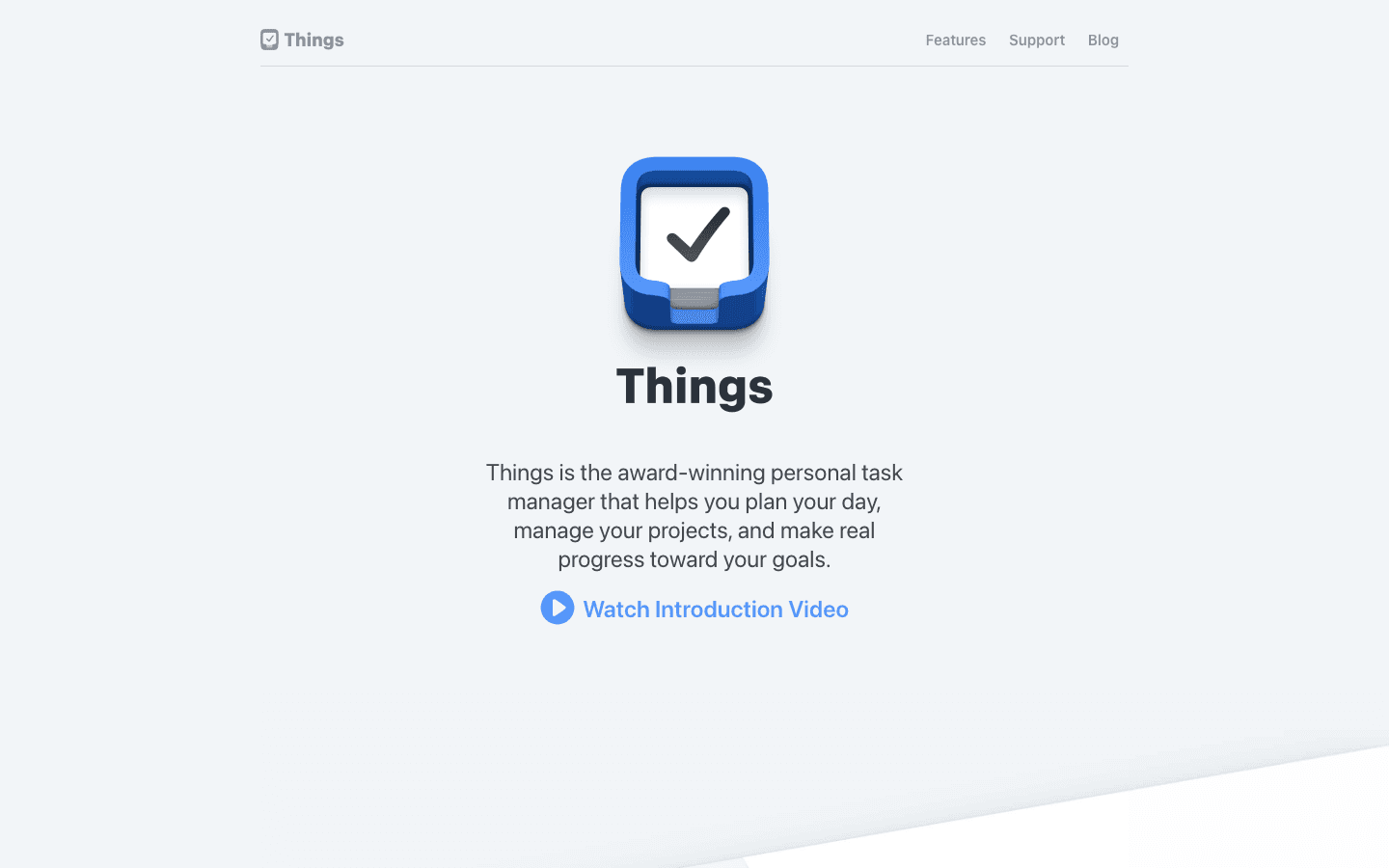
Things 3 by Cultured Code is widely regarded as the best-designed task manager for Mac. It is a one-time purchase, runs natively on Mac, iPhone, and iPad (sold separately per platform), and has a level of polish and responsiveness that subscription apps rarely match. The focus features are structural rather than timer-based: Today view, upcoming timeline, and project hierarchy that keeps your work organized without friction.
Key Features
Today view with a clear separation of scheduled vs. anytime tasks
Areas and Projects hierarchy for multi-level organization
Natural language date input (type "next Monday" and it parses correctly)
Keyboard shortcut-heavy Mac interface built for power users
Things Cloud sync across all Apple devices (free with purchase)
What Works
One-time pricing on a Mac app is increasingly rare and genuinely valuable
The design is exceptional for a focus tool: clean, fast, no UI clutter
Limitations
No energy awareness or health data integration
Apple ecosystem only:no Android or web app
No built-in Pomodoro or focus timer
Pricing: $49.99 one-time (Mac), $9.99 one-time (iPhone). No subscription.
Best for: Apple-only users who want a beautifully designed task manager and prefer paying once.
3. Forest
The focus timer that makes staying off your phone feel rewarding
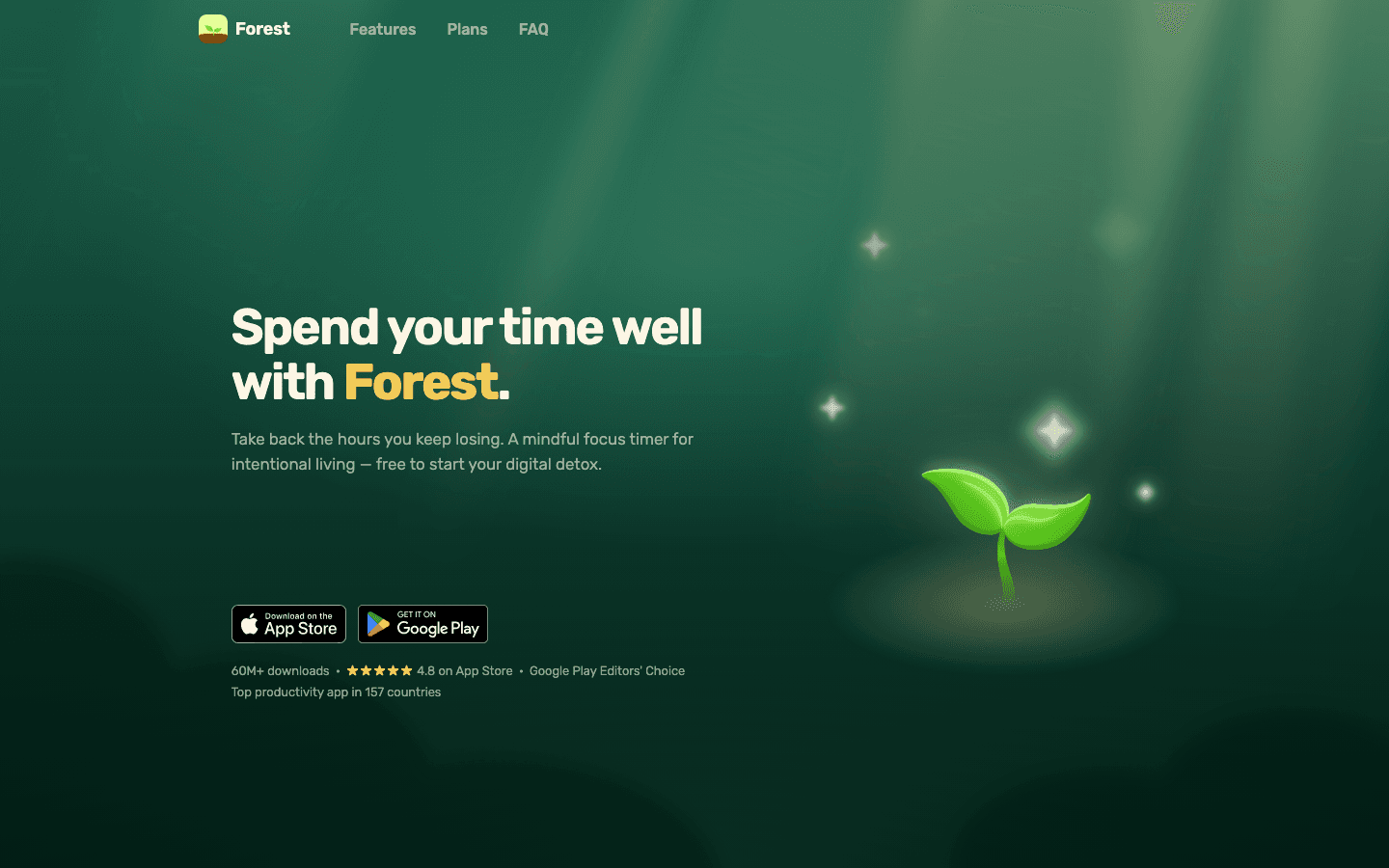
Forest is a Pomodoro-style focus timer with a distinctive twist: when you start a focus session, a virtual tree begins growing. Leave the app before the session ends and the tree dies. Complete it and the tree joins a growing forest. Over time, your forest becomes a visual record of your focused sessions, and you can use earned coins to plant real trees through Forest's charity partners.
It is a simple concept but it works. The social accountability layer (seeing your tree about to die is oddly motivating) addresses the actual problem most timer apps ignore: not setting a timer, but sticking to it once it starts.
Key Features
Focus session timer with tree-growing visual feedback
Whitelist/blocklist for allowed websites during sessions
Real tree planting through charity partnership (earned with coins)
Friends feature for social accountability
Statistics tracking of your focused time over time
What Works
The tree mechanic provides just enough emotional friction to prevent session abandonment
Works well as a companion to a task manager rather than a standalone tool
Limitations
No task management, just timing
No energy awareness or daily planning layer
Mac app requires a separate subscription from the mobile app
Pricing: Free. Forest Plus at $5.99/month or $35.99/year.
Best for: Anyone who starts focus timers but keeps checking their phone. The tree mechanic solves exactly that problem.
4. Fantastical
The smartest calendar for Mac
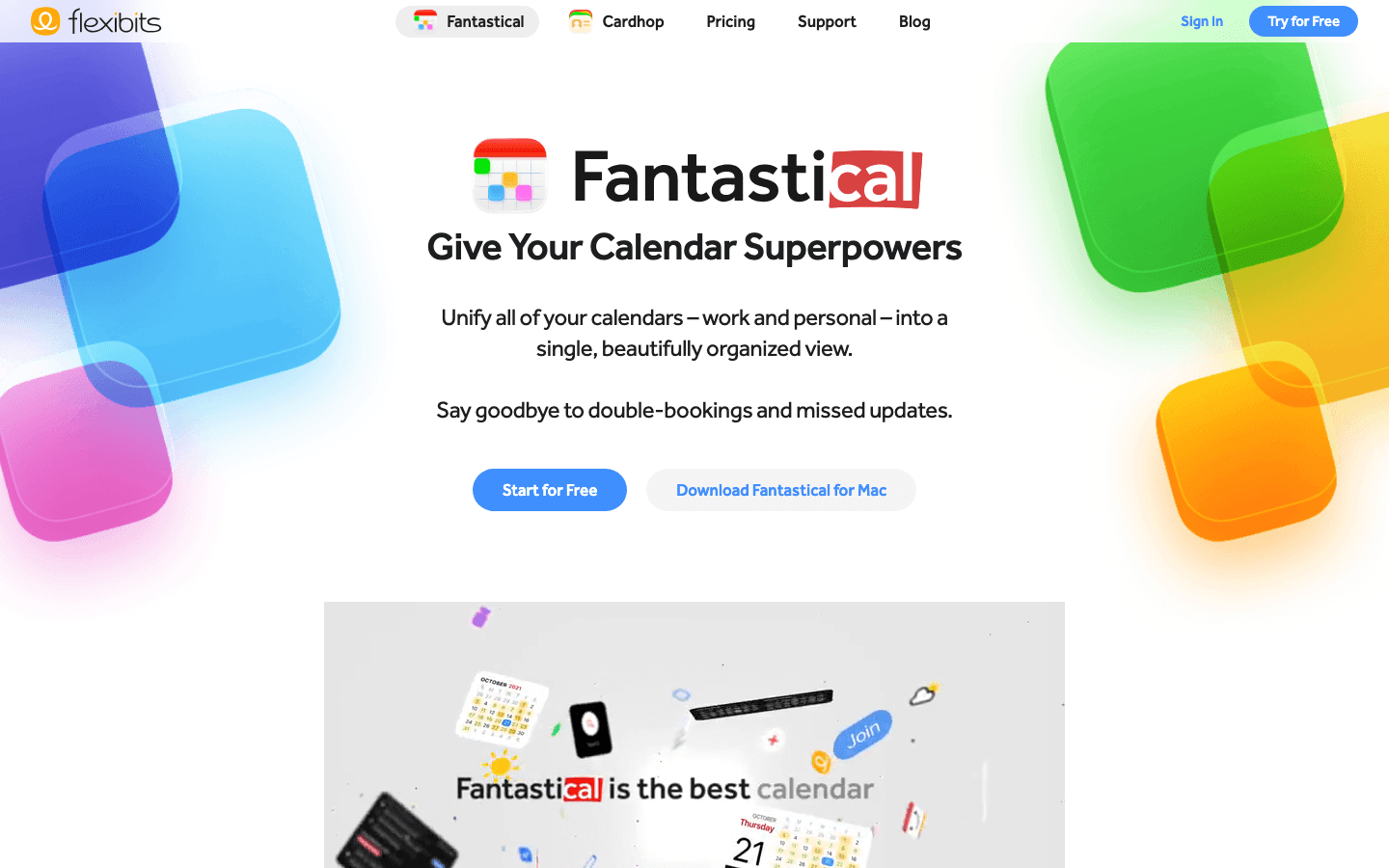
Fantastical turns calendar management on Mac from a chore into something close to pleasant. Natural language input ("Meeting with team Thursday at 2pm" creates the event as typed), a smart agenda view that combines events and tasks, and tight integration with Reminders, Todoist, and other task systems make it one of the more useful focus tools for people whose focus problems are primarily calendar-related.
Key Features
Natural language event and task creation
Combined calendar and task view (Reminders integration)
Meeting templates and scheduling links (Premium)
Weather and travel time integrated into the calendar view
Multi-account support across Google, Exchange, and Apple calendars
What Works
The agenda view is significantly more scannable than Apple Calendar for daily planning
Natural language input is the fastest way to create events on Mac
Limitations
No energy awareness or wearable integration
Subscription pricing feels steep given Apple Calendar exists for free
Task management is secondary to calendar:not a replacement for a dedicated task app
Pricing: Free tier available. Premium at $6.99/month or $56.99/year (14-day trial).
Best for: Mac users who live in their calendar and want natural language input and smarter scheduling views.
5. Bear
Focused writing without the clutter
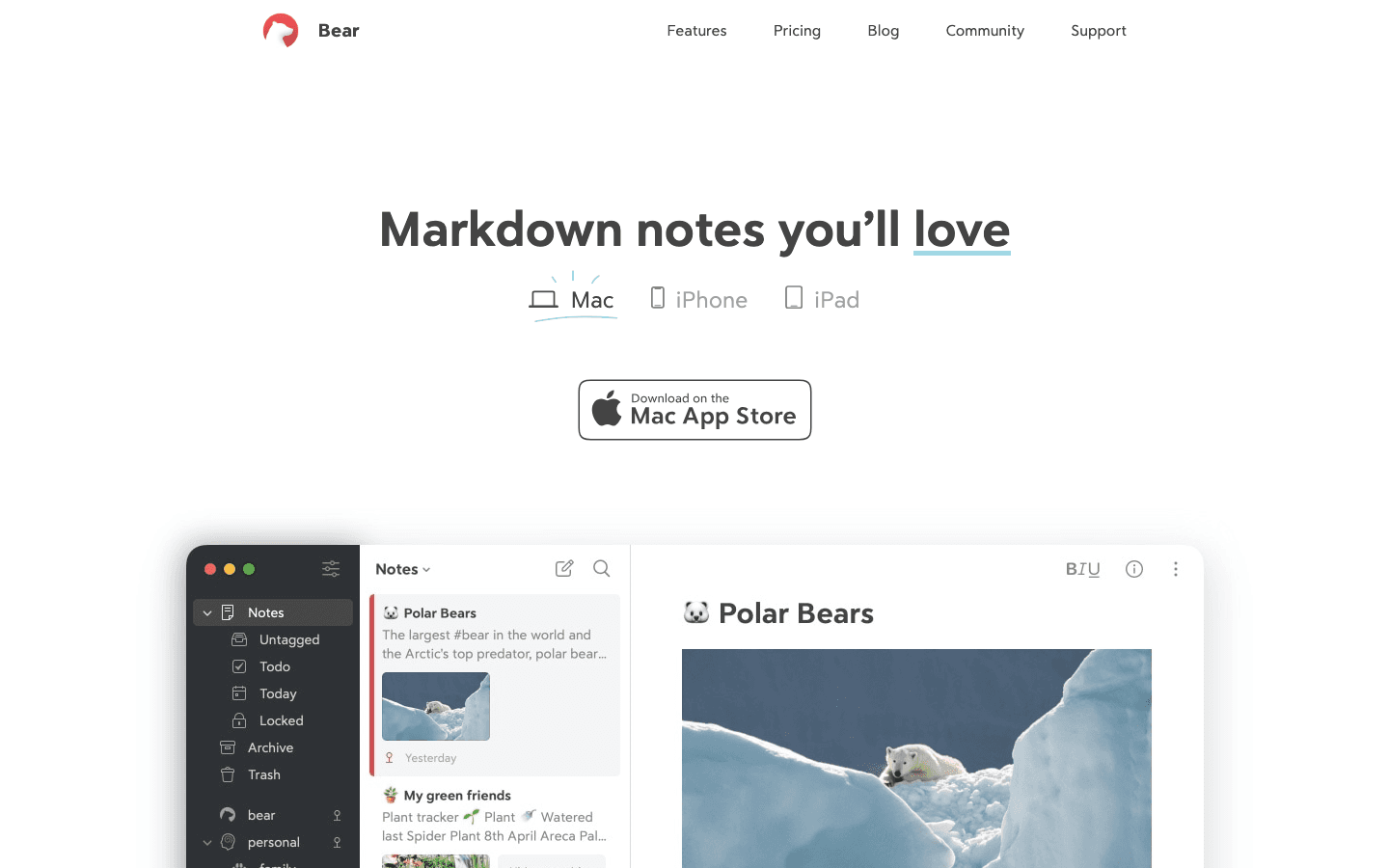
Bear is a markdown writing and note-taking app for Mac and iOS that takes a different approach to focus than the other tools here. Rather than scheduling your day or timing your sessions, Bear gives you a beautiful, distraction-free writing environment where notes are fast to create and easy to organize with hashtags rather than nested folders.
For people whose focus challenges center on writing, research, or capture, Bear is an excellent pairing with a dedicated task manager. The focus mode hides sidebars and navigation, leaving just you and the document. It is not trying to be everything, and that restraint is part of what makes it work.
Key Features
Markdown writing with live preview and rich formatting
Hashtag-based organization (no nested folder structure)
Focus mode that hides UI elements for full-screen writing
Backlinks and wiki-style note linking
Export to PDF, HTML, DOCX, and ePub (Pro)
What Works
Writing experience is among the best on Mac:fast, clean, and responsive
Hashtag organization is more flexible than folder structures for most people
Limitations
Not a task manager:no due dates, reminders, or calendar integration
No energy awareness or scheduling features
Cross-device sync requires a Pro subscription
Pricing: Free. Bear Pro at $2.99/month or $29.99/year (14-day free trial).
Best for: Writers, researchers, and note-takers who want a beautiful Mac writing environment and prefer markdown.
6. Timing
Automatic time tracking that runs without you thinking about it

Timing takes a different approach to focus apps: instead of helping you plan your time, it shows you where your time actually went. It runs in the background on Mac and automatically records which apps and websites you use, when, and for how long. No timers to start. No categories to assign in advance. The data is there when you want it.
For people who think they know how they spend their days but suspect the reality is different, Timing is the clearest mirror available. Most users discover within the first week that their actual focused work time is significantly shorter than their estimated focused work time.
Key Features
Fully automatic background time tracking (no manual timers)
AI-powered categorization of time into projects and categories
Detailed reports showing productive vs. unproductive time
Calendar integration to overlay meetings with tracked time
Privacy-first: all data stays local on your Mac
What Works
Zero friction: it runs invisibly and data accumulates without any user action
The gap between perceived and actual focused time is clarifying in a way that changes behavior
Limitations
Mac-only (no iOS companion)
No energy awareness or task management features
Subscription pricing; see timingapp.com for current plan costs
Pricing: Multiple plans available; see timingapp.com. 30-day free trial.
Best for: Mac users who want to understand where their focus time actually goes before trying to improve it.
7. Be Focused Pro
A clean Pomodoro timer that syncs across Mac, iPhone, and iPad
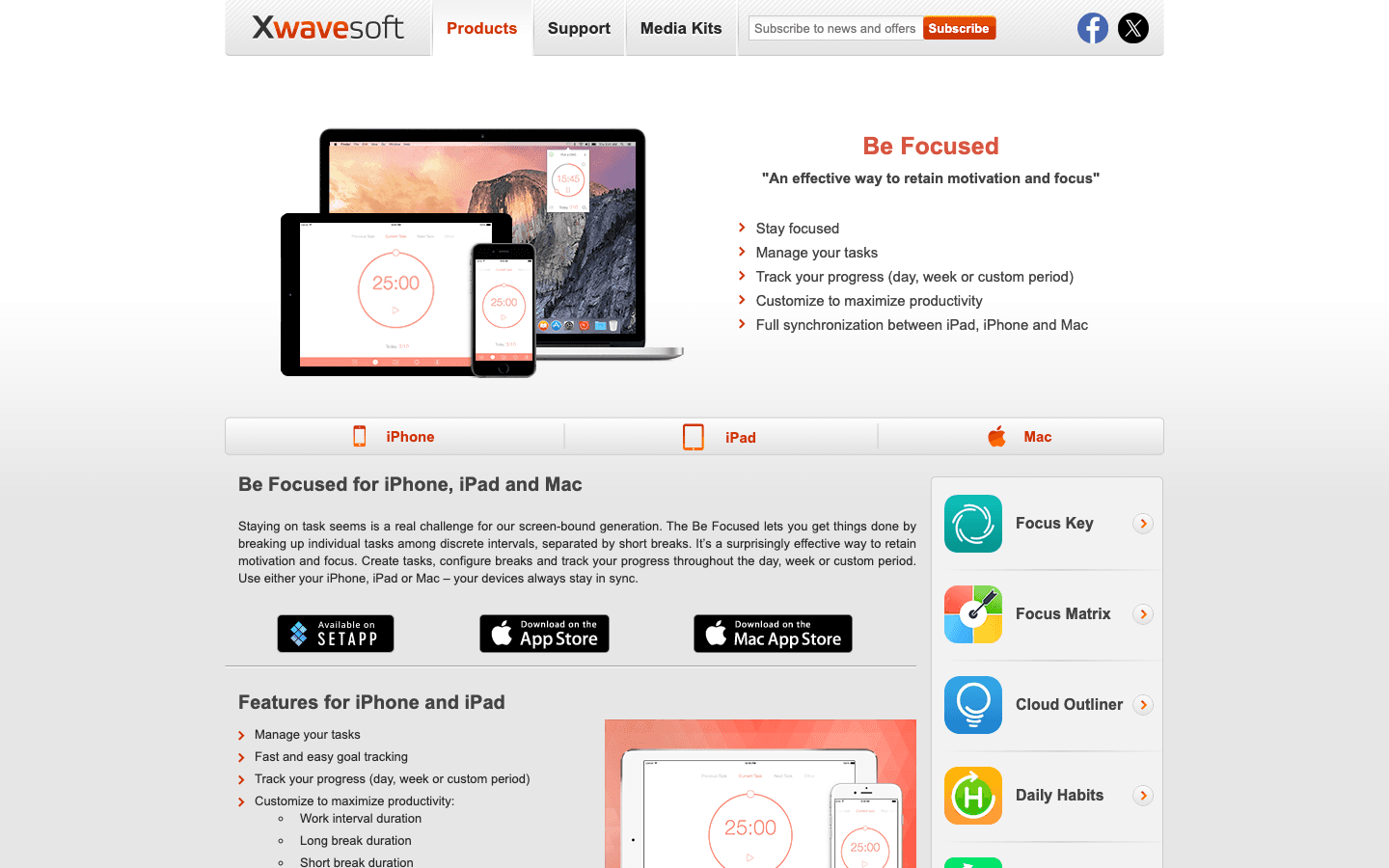
Be Focused Pro is a straightforward Pomodoro timer that works across Mac, iPhone, and iPad with a single Pro purchase. You set up your tasks, assign estimated Pomodoro counts, and run focused work intervals with automatic short and long breaks. The task integration makes it feel like more than a simple timer:you can see which tasks consumed which sessions and track completion over time.
Key Features
Pomodoro timer with configurable focus and break durations
Task list with estimated session counts per task
Productivity reports showing sessions completed per day and week
Sync across Mac, iPhone, and iPad (Pro)
Focus Matrix integration for Eisenhower-style task prioritization
What Works
Cross-device sync for a Pomodoro app is more useful than it sounds
Pricing is reasonable and there is a lifetime option
Limitations
No energy awareness or wearable integration
No calendar sync or daily planning view
The website is dated, which undersells how capable the app itself is
Pricing: Free (basic). Pro at $2.99/month, $19.99/year, or $39.99 lifetime.
Best for: Mac users who want a Pomodoro timer that also syncs to their iPhone and keeps a task list alongside the timer.
Which Focus App for Mac Is Right for You?
You wear a smartwatch and want your schedule to match your energy: Lifestack
You want the best-designed Mac task manager with one-time pricing: Things 3
You need help staying off your phone during focus sessions: Forest
Your focus problem is calendar chaos rather than task management: Fantastical
You want a distraction-free writing environment: Bear
You want to see where your time actually goes before changing how you use it: Timing
You want a cross-device Pomodoro timer with task tracking: Be Focused Pro
If you are not sure where to start, begin with Lifestack if you wear a wearable, or Things 3 if you just need a better task system. Both have strong daily planning foundations that will improve focus immediately without requiring you to overhaul how you work.
FAQ
What is the best focus app for Mac in 2026?
Lifestack is the strongest overall focus application for Mac because it connects your energy and recovery data to your daily schedule, something no other app on this list does. For users without a wearable, Things 3 is the best task-focused option and Fantastical is the strongest calendar-focused pick.
Are there free focus apps for Mac?
Yes. Forest has a generous free tier. Be Focused has a free version that includes the basic Pomodoro timer. Bear's free version includes core note-taking. Fantastical has a limited free tier. Lifestack offers a 7-day trial on the annual plan. Most of the apps on this list have some form of free access, though the most useful features typically require upgrading. See our guide to the best AI planner apps for more options.
Does Mac have a built-in focus mode?
Yes, macOS includes Focus modes (formerly Do Not Disturb) that suppress notifications from selected apps and contacts during specified windows. It is useful for reducing interruptions but does not help with task scheduling, energy management, or time tracking. The apps in this list solve problems that the built-in Focus mode does not address.
What is the difference between a focus app and a task manager?
A task manager helps you capture and organize what you need to do. A focus application helps you actually do it by managing your attention, time, or energy during work sessions. The best focus tools for Mac often combine both: a task list with a timer or scheduling layer on top. Things 3 and Lifestack both do this; Forest and Timing are more specialized focus tools without a full task management layer.
Which focus app for Mac is best for ADHD?
Lifestack is the strongest choice for ADHD users because it accounts for energy fluctuation, which is more pronounced with ADHD. It also surfaces your most important task clearly each day rather than presenting an overwhelming list. Forest is a strong complement for people whose ADHD makes them prone to picking up their phone during focus sessions. See our guide to ADHD task management for a broader view of tools that work well with ADHD.
Finding a focus application for Mac that actually changes how you work is harder than it sounds. The Mac App Store has hundreds of productivity tools, but most fall into the same three categories: simple to-do lists, calendar apps with minimal intelligence, and basic timers that could have been built in 1998. The apps that genuinely improve focus are a small subset.
What separates a good focus app from a great one? The best ones understand that focus is not just about blocking distractions. It is about knowing when to work on what, matching demanding tasks to your sharpest hours, and giving you a plan that survives contact with a real day. Apps that do one of these things well are useful. Apps that connect several of them together are genuinely valuable.
We tested seven of the best focus apps for Mac across daily planning, task management, Pomodoro timing, time tracking, and note-taking. Each serves a different kind of Mac user. Here is what stood out.
Key Takeaways
Lifestack is the only focus app for Mac that reads your wearable data and schedules tasks based on your actual energy level
Things 3 and Bear are the strongest choices for Mac users who want native design and one-time pricing with no subscription
Forest and Be Focused Pro are the best options for focus timers specifically, with Forest adding a social accountability layer
Quick Guide
1. Lifestack:Best overall: energy-aware daily planning that adapts to your recovery
2. Things 3:Best native Mac task manager with clean design and one-time pricing
3. Forest:Best focus timer with a unique tree-growing mechanic for accountability
4. Fantastical:Best calendar app for Mac with smart scheduling and natural language input
5. Bear:Best focused writing and note-taking app for Mac with minimal distraction
6. Timing:Best automatic time tracker for Mac users who want to see where focus actually goes
7. Be Focused Pro:Best Pomodoro timer for Mac with task integration and cross-device sync
How We Evaluated
Mac-native performance and design quality
Energy or context awareness (does it know when you should work, not just what)
Integration with calendar, tasks, and wearables
Pricing model (subscription vs. one-time)
Focus-specific features: timers, blockers, distraction management
Depth of free tier vs. value of paid upgrade
1. Lifestack
The focus app that knows how tired you actually are
Lifestack is the only app in this list that combines daily planning with wearable health data. It reads your sleep, recovery, and energy scores from Oura Ring, Apple Watch, or WHOOP, then uses that data to schedule your tasks for the day. On a high-recovery morning, demanding work gets front-loaded. On a low-energy day, lighter tasks fill the peak slots and expectations reset automatically.
This matters because focus is not a fixed resource. Two hours of writing during your peak cognitive window produces more than four hours in a depleted state. Energy-based planning is what sets Lifestack apart from every other Mac focus tool. Lifestack is the only Mac-compatible focus tool that actually accounts for this. You access it via the web or Chrome extension on Mac, with mobile apps for iOS and Android rounding out the experience.
Key Features
Wearable integration: reads daily energy scores from Oura, Apple Watch, and WHOOP
Energy-aware task scheduling: matches task demands to your cognitive state
Daily planning view: one clean interface for your full day across calendar and tasks
Chrome extension: Mac-accessible without a standalone desktop app
Sync with Google Calendar, Todoist, and other existing tools
What Works
The energy-aware scheduling is genuinely different from every other tool here
Pulls together calendar + tasks in one view without requiring you to rebuild your system
Adapts daily rather than requiring manual adjustment when you feel off
Limitations
No standalone Mac app yet (web + Chrome extension)
Wearable required to get the full energy-scheduling benefit
Pricing: $7/month or $50/year. 7-day free trial on the annual plan.
Best for: Mac users who wear an Oura, Apple Watch, or WHOOP and want their schedule to actually reflect their energy, not just their calendar.
2. Things 3
The gold standard for native Mac task management
Things 3 by Cultured Code is widely regarded as the best-designed task manager for Mac. It is a one-time purchase, runs natively on Mac, iPhone, and iPad (sold separately per platform), and has a level of polish and responsiveness that subscription apps rarely match. The focus features are structural rather than timer-based: Today view, upcoming timeline, and project hierarchy that keeps your work organized without friction.
Key Features
Today view with a clear separation of scheduled vs. anytime tasks
Areas and Projects hierarchy for multi-level organization
Natural language date input (type "next Monday" and it parses correctly)
Keyboard shortcut-heavy Mac interface built for power users
Things Cloud sync across all Apple devices (free with purchase)
What Works
One-time pricing on a Mac app is increasingly rare and genuinely valuable
The design is exceptional for a focus tool: clean, fast, no UI clutter
Limitations
No energy awareness or health data integration
Apple ecosystem only:no Android or web app
No built-in Pomodoro or focus timer
Pricing: $49.99 one-time (Mac), $9.99 one-time (iPhone). No subscription.
Best for: Apple-only users who want a beautifully designed task manager and prefer paying once.
3. Forest
The focus timer that makes staying off your phone feel rewarding
Forest is a Pomodoro-style focus timer with a distinctive twist: when you start a focus session, a virtual tree begins growing. Leave the app before the session ends and the tree dies. Complete it and the tree joins a growing forest. Over time, your forest becomes a visual record of your focused sessions, and you can use earned coins to plant real trees through Forest's charity partners.
It is a simple concept but it works. The social accountability layer (seeing your tree about to die is oddly motivating) addresses the actual problem most timer apps ignore: not setting a timer, but sticking to it once it starts.
Key Features
Focus session timer with tree-growing visual feedback
Whitelist/blocklist for allowed websites during sessions
Real tree planting through charity partnership (earned with coins)
Friends feature for social accountability
Statistics tracking of your focused time over time
What Works
The tree mechanic provides just enough emotional friction to prevent session abandonment
Works well as a companion to a task manager rather than a standalone tool
Limitations
No task management, just timing
No energy awareness or daily planning layer
Mac app requires a separate subscription from the mobile app
Pricing: Free. Forest Plus at $5.99/month or $35.99/year.
Best for: Anyone who starts focus timers but keeps checking their phone. The tree mechanic solves exactly that problem.
4. Fantastical
The smartest calendar for Mac
Fantastical turns calendar management on Mac from a chore into something close to pleasant. Natural language input ("Meeting with team Thursday at 2pm" creates the event as typed), a smart agenda view that combines events and tasks, and tight integration with Reminders, Todoist, and other task systems make it one of the more useful focus tools for people whose focus problems are primarily calendar-related.
Key Features
Natural language event and task creation
Combined calendar and task view (Reminders integration)
Meeting templates and scheduling links (Premium)
Weather and travel time integrated into the calendar view
Multi-account support across Google, Exchange, and Apple calendars
What Works
The agenda view is significantly more scannable than Apple Calendar for daily planning
Natural language input is the fastest way to create events on Mac
Limitations
No energy awareness or wearable integration
Subscription pricing feels steep given Apple Calendar exists for free
Task management is secondary to calendar:not a replacement for a dedicated task app
Pricing: Free tier available. Premium at $6.99/month or $56.99/year (14-day trial).
Best for: Mac users who live in their calendar and want natural language input and smarter scheduling views.
5. Bear
Focused writing without the clutter
Bear is a markdown writing and note-taking app for Mac and iOS that takes a different approach to focus than the other tools here. Rather than scheduling your day or timing your sessions, Bear gives you a beautiful, distraction-free writing environment where notes are fast to create and easy to organize with hashtags rather than nested folders.
For people whose focus challenges center on writing, research, or capture, Bear is an excellent pairing with a dedicated task manager. The focus mode hides sidebars and navigation, leaving just you and the document. It is not trying to be everything, and that restraint is part of what makes it work.
Key Features
Markdown writing with live preview and rich formatting
Hashtag-based organization (no nested folder structure)
Focus mode that hides UI elements for full-screen writing
Backlinks and wiki-style note linking
Export to PDF, HTML, DOCX, and ePub (Pro)
What Works
Writing experience is among the best on Mac:fast, clean, and responsive
Hashtag organization is more flexible than folder structures for most people
Limitations
Not a task manager:no due dates, reminders, or calendar integration
No energy awareness or scheduling features
Cross-device sync requires a Pro subscription
Pricing: Free. Bear Pro at $2.99/month or $29.99/year (14-day free trial).
Best for: Writers, researchers, and note-takers who want a beautiful Mac writing environment and prefer markdown.
6. Timing
Automatic time tracking that runs without you thinking about it
Timing takes a different approach to focus apps: instead of helping you plan your time, it shows you where your time actually went. It runs in the background on Mac and automatically records which apps and websites you use, when, and for how long. No timers to start. No categories to assign in advance. The data is there when you want it.
For people who think they know how they spend their days but suspect the reality is different, Timing is the clearest mirror available. Most users discover within the first week that their actual focused work time is significantly shorter than their estimated focused work time.
Key Features
Fully automatic background time tracking (no manual timers)
AI-powered categorization of time into projects and categories
Detailed reports showing productive vs. unproductive time
Calendar integration to overlay meetings with tracked time
Privacy-first: all data stays local on your Mac
What Works
Zero friction: it runs invisibly and data accumulates without any user action
The gap between perceived and actual focused time is clarifying in a way that changes behavior
Limitations
Mac-only (no iOS companion)
No energy awareness or task management features
Subscription pricing; see timingapp.com for current plan costs
Pricing: Multiple plans available; see timingapp.com. 30-day free trial.
Best for: Mac users who want to understand where their focus time actually goes before trying to improve it.
7. Be Focused Pro
A clean Pomodoro timer that syncs across Mac, iPhone, and iPad
Be Focused Pro is a straightforward Pomodoro timer that works across Mac, iPhone, and iPad with a single Pro purchase. You set up your tasks, assign estimated Pomodoro counts, and run focused work intervals with automatic short and long breaks. The task integration makes it feel like more than a simple timer:you can see which tasks consumed which sessions and track completion over time.
Key Features
Pomodoro timer with configurable focus and break durations
Task list with estimated session counts per task
Productivity reports showing sessions completed per day and week
Sync across Mac, iPhone, and iPad (Pro)
Focus Matrix integration for Eisenhower-style task prioritization
What Works
Cross-device sync for a Pomodoro app is more useful than it sounds
Pricing is reasonable and there is a lifetime option
Limitations
No energy awareness or wearable integration
No calendar sync or daily planning view
The website is dated, which undersells how capable the app itself is
Pricing: Free (basic). Pro at $2.99/month, $19.99/year, or $39.99 lifetime.
Best for: Mac users who want a Pomodoro timer that also syncs to their iPhone and keeps a task list alongside the timer.
Which Focus App for Mac Is Right for You?
You wear a smartwatch and want your schedule to match your energy: Lifestack
You want the best-designed Mac task manager with one-time pricing: Things 3
You need help staying off your phone during focus sessions: Forest
Your focus problem is calendar chaos rather than task management: Fantastical
You want a distraction-free writing environment: Bear
You want to see where your time actually goes before changing how you use it: Timing
You want a cross-device Pomodoro timer with task tracking: Be Focused Pro
If you are not sure where to start, begin with Lifestack if you wear a wearable, or Things 3 if you just need a better task system. Both have strong daily planning foundations that will improve focus immediately without requiring you to overhaul how you work.
FAQ
What is the best focus app for Mac in 2026?
Lifestack is the strongest overall focus application for Mac because it connects your energy and recovery data to your daily schedule, something no other app on this list does. For users without a wearable, Things 3 is the best task-focused option and Fantastical is the strongest calendar-focused pick.
Are there free focus apps for Mac?
Yes. Forest has a generous free tier. Be Focused has a free version that includes the basic Pomodoro timer. Bear's free version includes core note-taking. Fantastical has a limited free tier. Lifestack offers a 7-day trial on the annual plan. Most of the apps on this list have some form of free access, though the most useful features typically require upgrading. See our guide to the best AI planner apps for more options.
Does Mac have a built-in focus mode?
Yes, macOS includes Focus modes (formerly Do Not Disturb) that suppress notifications from selected apps and contacts during specified windows. It is useful for reducing interruptions but does not help with task scheduling, energy management, or time tracking. The apps in this list solve problems that the built-in Focus mode does not address.
What is the difference between a focus app and a task manager?
A task manager helps you capture and organize what you need to do. A focus application helps you actually do it by managing your attention, time, or energy during work sessions. The best focus tools for Mac often combine both: a task list with a timer or scheduling layer on top. Things 3 and Lifestack both do this; Forest and Timing are more specialized focus tools without a full task management layer.
Which focus app for Mac is best for ADHD?
Lifestack is the strongest choice for ADHD users because it accounts for energy fluctuation, which is more pronounced with ADHD. It also surfaces your most important task clearly each day rather than presenting an overwhelming list. Forest is a strong complement for people whose ADHD makes them prone to picking up their phone during focus sessions. See our guide to ADHD task management for a broader view of tools that work well with ADHD.



FOLLOW ON
FOLLOW ON
FOLLOW ON


Copyright 2026 © Lifestack. All rights reserved
Copyright 2026 © Lifestack. All rights reserved

