
App
Best Garmin Connect IQ Apps in 2026
Best Garmin Connect IQ Apps in 2026

Garmin watches ship with a remarkable amount of built-in tracking. But the real power comes from what you add on top. The Garmin Connect IQ store gives you a library of apps, data fields, and widgets that run directly on your watch. And a handful of companion apps turn your Garmin data into something you can actually act on.
This list covers both. The first pick uses your Garmin data to schedule your day. The rest are Connect IQ apps and ecosystem tools that make workouts, navigation, and nutrition tracking sharper. We tested each one on current Garmin hardware running Connect IQ 4.
All six are actively maintained in 2026 and work with the current Garmin Connect app. We cut anything that looked stale or required a discontinued feature.
Key Takeaways
Lifestack is the best tool for turning your Garmin's Body Battery and HRV data into an actual daily schedule
Spotify leads all Connect IQ app downloads with 10M+ installs and works fully offline on watches with onboard storage
Komoot's Connect IQ integration is the most practical navigation option for runners and cyclists who plan routes on a phone
Quick Guide
Lifestack: AI productivity scheduler that reads your Garmin biometrics to plan your work and rest
Spotify: most downloaded music app on Connect IQ; syncs playlists directly to your watch
Komoot: route planning and turn-by-turn navigation for trails, roads, and bike paths
Stryd Power: running power data field that makes pace-based training more precise
YouTube Music: best alternative streaming option for Google/YouTube Premium subscribers
MyFitnessPal: nutrition tracking that syncs calories and macros directly into Garmin Connect
How We Evaluated
Active maintenance and compatibility with Garmin Connect 4 and current watch firmware
Setup time and reliability of the Garmin sync
Usefulness of data surfaced on the watch vs. requiring a phone
Free tier vs. subscription value
User rating quality in the Connect IQ store (not just download count)
1. Lifestack
The scheduling layer your Garmin data has been missing
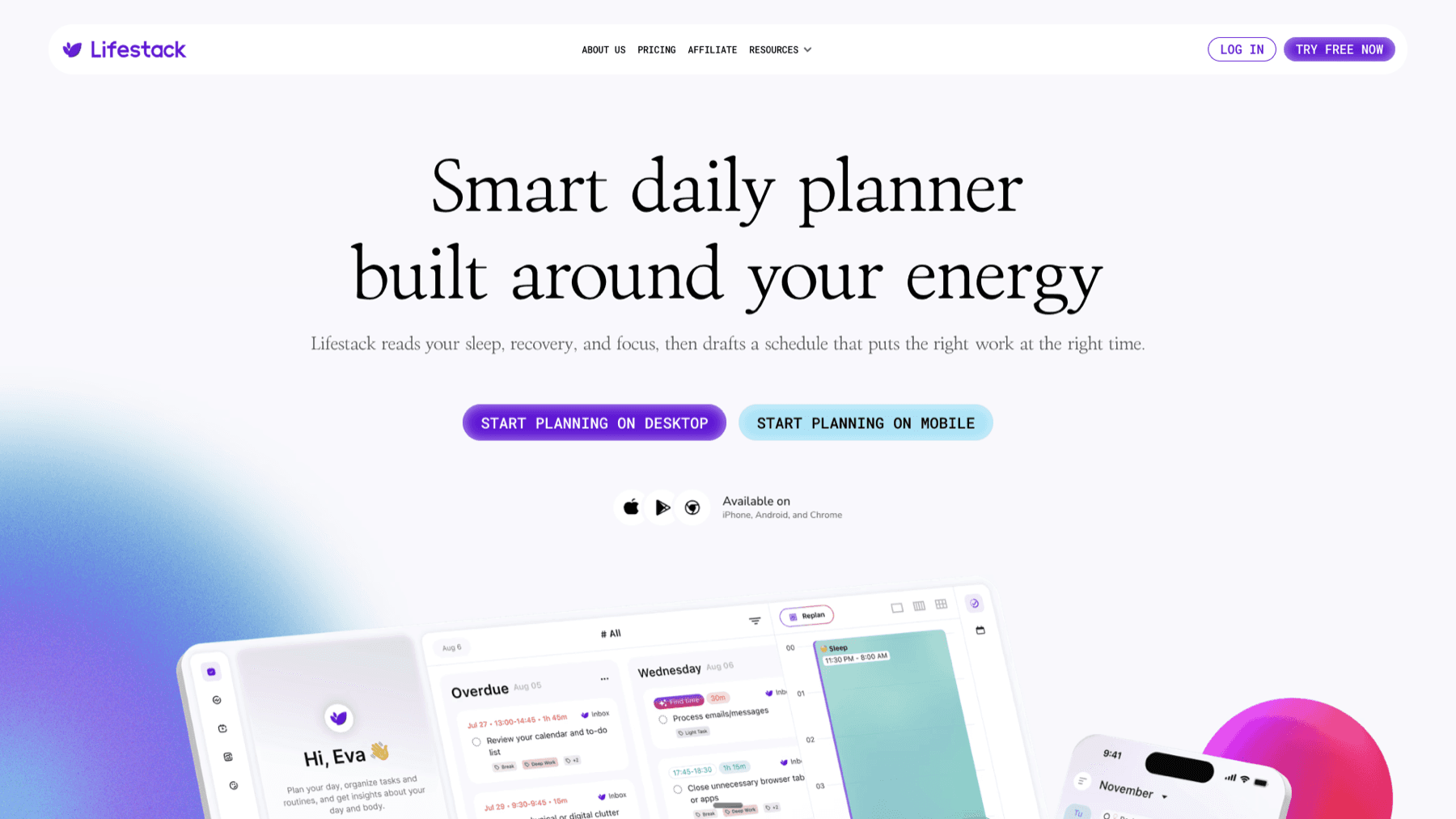
Lifestack is an AI productivity app that connects to your Garmin watch and reads your Body Battery score, HRV, and recovery data. From there, it builds a daily schedule that places your demanding work in high-energy windows and lighter tasks in recovery periods. If you have a hard interval session planned for the afternoon, Lifestack can front-load your focused work in the morning and block time for the workout before your energy drops.
It's not a Connect IQ app that runs on the watch. It's the scheduling layer that makes everything the watch tracks actionable. Most Garmin owners see their Body Battery drop and climb throughout the day without ever acting on that signal. Lifestack is what changes that. See how it fits into the broader Garmin ecosystem in our guide to the best apps to use with Garmin.
Key Features: Body Battery and HRV sync, AI daily schedule generation, calendar integration, task scheduling by energy state
What Works: Genuinely useful energy-aware scheduling that most calendars ignore; works across iOS and Android; no manual logging required after setup
Limitations: Requires Garmin device for best results; no free tier
Pricing: $9.99/month, $49.99/year (7-day free trial), or $120 lifetime
Best for: Garmin owners who want their biometric data to actually change how they plan their day
2. Spotify
The most downloaded app in the Connect IQ store

Spotify has over 10 million downloads on the Connect IQ store, making it the dominant music app for Garmin users by a wide margin. With a compatible watch and Spotify Premium, you can sync playlists directly to watches with onboard storage and play them without a phone. Control plays back through your watch screen: skip, pause, adjust volume, and browse playlists mid-workout.
On watches without onboard storage, the Connect IQ app still gives you remote control over music playing on a connected phone. The offline sync is the real draw for people who run without a phone.
Key Features: Offline playlist sync to watch storage, phone-free playback, watch-screen controls, podcast streaming on connected devices
What Works: Largest music library; best Connect IQ integration of any streaming app; works on most modern Garmin watches
Limitations: Offline sync requires Spotify Premium; not all Garmin models have onboard storage for local sync
Pricing: Free tier with ads; Premium Individual $12.99/month
Best for: Anyone who wants to leave their phone at home during workouts
3. Komoot
Turn-by-turn navigation for every terrain

Komoot is a route planning app that integrates directly with Garmin via Connect IQ. Plan a trail run or cycling route in the Komoot app on your phone or desktop, then push it to your watch with one tap. The watch shows turn-by-turn cues as you move, without needing a phone nearby. Komoot was named Garmin Connect IQ App of the Year in 2023 and continues to rank in the top 10 on the store.
The base version is free and gives you route planning with one free map region. Premium unlocks unlimited offline maps globally, which matters if you travel to train. For more on building your Garmin training calendar around outdoor routes, see our Garmin Connect training plans guide.
Key Features: Route planning for hiking, running, cycling, and MTB; turn-by-turn navigation to Garmin watch; offline maps; community trail ratings
What Works: Outstanding route discovery tools; trail difficulty ratings from real users; reliable turn-by-turn on Garmin devices
Limitations: Free tier limits offline maps to one region; navigation quality varies on unmapped trails
Pricing: Free; $59.99/year for Premium (unlimited offline maps)
Best for: Trail runners and cyclists who plan routes before they go
4. Stryd Power
Run by power, not pace

Stryd is a running power meter. The hardware is a small footpod that clips to your shoe and transmits power output data to your Garmin watch via the Connect IQ app. Running by power works similarly to cycling with a power meter: instead of chasing a pace that changes with hills and wind, you hold a watt target that reflects consistent effort regardless of terrain.
The Stryd data field installs on your watch and displays real-time watts, running efficiency metrics, and form cues. For athletes following structured training plans, power targets are more precise than pace zones because they adjust instantly for grade. If you're using Garmin Connect training plans with tempo or interval workouts, Stryd adds a precision layer that heart rate alone can't match.
Key Features: Real-time running power, form metrics (ground contact time, leg spring stiffness), grade-adjusted effort, training load analysis
What Works: Power targets are more stable than pace on hilly or windy courses; excellent Connect IQ data field; adaptive training plans included
Limitations: Requires the Stryd hardware footpod ($299 for Stryd 5.0); the learning curve to train by power takes a few weeks
Pricing: Stryd 5.0 footpod $299 (one-time); Connect IQ data field free
Best for: Serious runners who want more precision than heart rate and pace provide
5. YouTube Music
The streaming alternative for Google users

YouTube Music offers the same core Connect IQ functionality as Spotify: playlist sync to supported watches, offline playback without a phone, and watch-screen controls during workouts. It has the advantage for anyone already paying for YouTube Premium, since YouTube Music is included at no extra cost.
The watch integration has historically been less polished than Spotify's, but it has improved steadily. If your library lives on YouTube (uploaded albums, rare tracks, music videos) rather than Spotify's catalog, this is the better option for Garmin users.
Key Features: Offline playlist sync to watch, phone-free playback on supported models, YouTube Premium bundling, 100M+ track catalog
What Works: Included with YouTube Premium; large catalog including user-uploaded music; solid watch controls
Limitations: Connect IQ integration is slightly less stable than Spotify's; requires Premium for offline sync
Pricing: Free tier (ads, no offline sync); Premium $11.99/month individual
Best for: YouTube Premium subscribers and anyone with music that isn't on Spotify
6. MyFitnessPal
Close the nutrition loop on your Garmin data
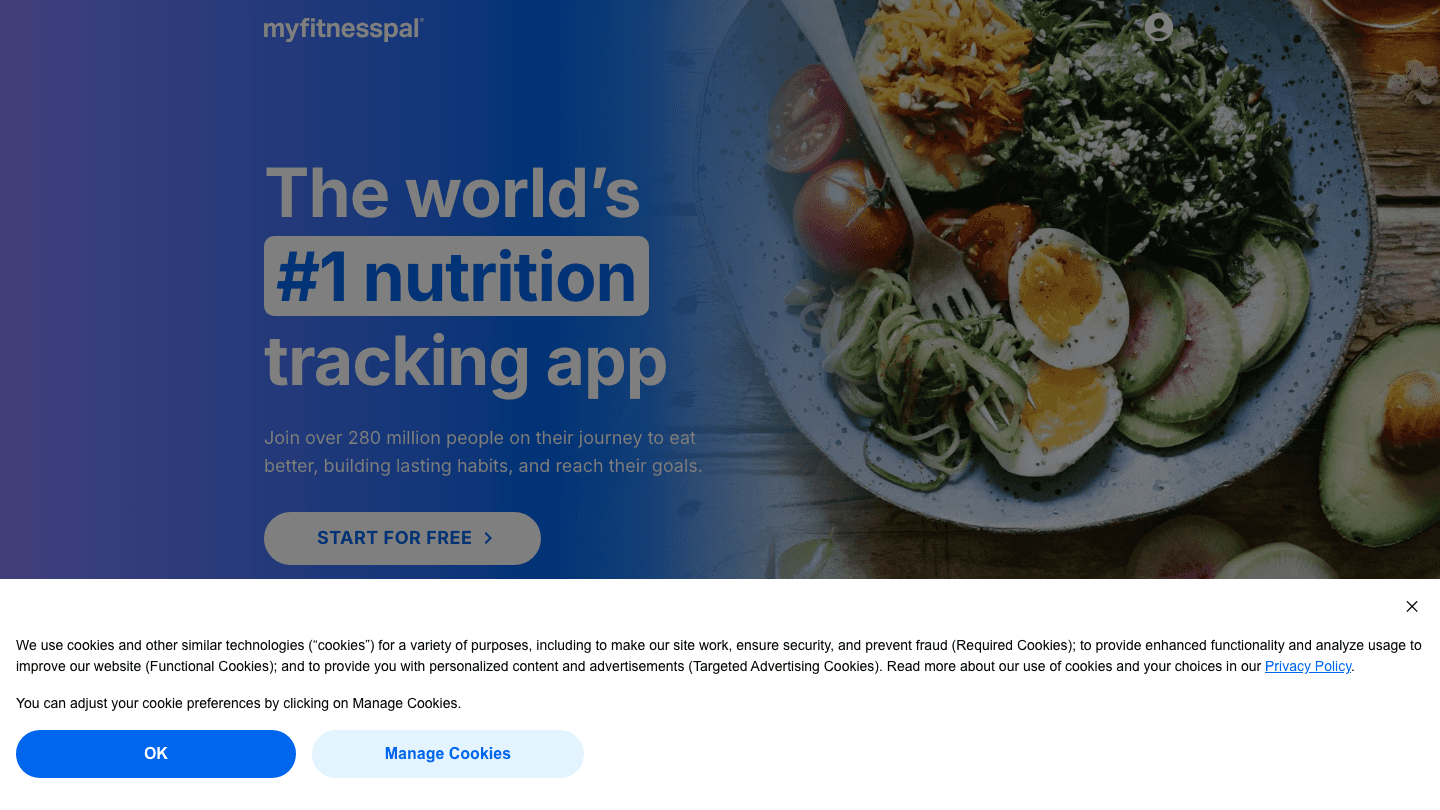
MyFitnessPal integrates with Garmin Connect to sync your calorie burn and step data automatically. When you log a run in Garmin Connect, MyFitnessPal pulls the calorie estimate and adjusts your daily nutrition targets. You still log food manually in MFP, but the activity side is handled without double-entry.
For athletes using Garmin's training features heavily, the nutrition data gap is real. Garmin Connect tells you how many calories you burned on a long run; MyFitnessPal helps you understand whether you ate enough to support recovery. These tools complement the best activity tracking apps for anyone serious about performance nutrition.
Key Features: Calorie and macro tracking, barcode food scanner, Garmin Connect sync for activity calories, restaurant database
What Works: Industry-leading food database; Garmin sync works reliably; free tier covers basic calorie tracking
Limitations: No energy awareness; it tracks calories burned but doesn't connect to Body Battery or recovery metrics
Pricing: Free; Premium $19.99/month or $79.99/year
Best for: Garmin athletes who want to close the loop between training load and nutrition
Which Garmin Connect IQ App Is Right for You?
You want your Garmin data to change how you schedule your day: Lifestack
You run or ride without your phone and need music: Spotify (or YouTube Music if you're on Premium)
You explore trails or new cycling routes: Komoot
You follow structured training plans and want more precision than heart rate: Stryd
You want to understand whether you're eating enough to support your training: MyFitnessPal
Deciding between Garmin and a competing platform? See our Garmin vs Fitbit comparison and Garmin watch series guide
Frequently Asked Questions
What is Garmin Connect IQ?
Connect IQ is Garmin's platform for installing third-party apps, data fields, widgets, and watch faces on compatible Garmin devices. It works like an app store specific to Garmin hardware. Apps are accessed through the Garmin Connect app on your phone or at the Connect IQ store online.
Are Garmin Connect IQ apps free?
Most Connect IQ apps are free to install. Some require a paid subscription to the companion service (like Spotify Premium for offline music sync). A few premium data fields or apps charge a one-time fee directly in the store.
Which Garmin watches support Connect IQ?
Most modern Garmin GPS watches support Connect IQ, including the Forerunner, Fenix, Epix, Instinct, Venu, and Vivoactive lines. The specific apps available vary by model; not all watches have onboard storage for music sync. Check the Garmin watch comparison guide for details by series.
How do I install Connect IQ apps on my Garmin?
Open the Garmin Connect app on your phone, search for the app you want in the Connect IQ store, tap to install, then sync your watch over Bluetooth. The app appears on your watch after the next sync completes.
Does Lifestack work with all Garmin watches?
Lifestack works with any Garmin watch that syncs Body Battery and HRV data to Garmin Connect. That covers most Garmin devices from the past four years. It doesn't require a Connect IQ install; the scheduling runs in the Lifestack app on your phone, using the data Garmin Connect already collects.
Can I use multiple Connect IQ apps at once?
Yes. You can have multiple apps, data fields, and widgets installed simultaneously. Memory limits vary by watch model, but most current Garmin devices support several apps running alongside each other without issues.
Garmin watches ship with a remarkable amount of built-in tracking. But the real power comes from what you add on top. The Garmin Connect IQ store gives you a library of apps, data fields, and widgets that run directly on your watch. And a handful of companion apps turn your Garmin data into something you can actually act on.
This list covers both. The first pick uses your Garmin data to schedule your day. The rest are Connect IQ apps and ecosystem tools that make workouts, navigation, and nutrition tracking sharper. We tested each one on current Garmin hardware running Connect IQ 4.
All six are actively maintained in 2026 and work with the current Garmin Connect app. We cut anything that looked stale or required a discontinued feature.
Key Takeaways
Lifestack is the best tool for turning your Garmin's Body Battery and HRV data into an actual daily schedule
Spotify leads all Connect IQ app downloads with 10M+ installs and works fully offline on watches with onboard storage
Komoot's Connect IQ integration is the most practical navigation option for runners and cyclists who plan routes on a phone
Quick Guide
Lifestack: AI productivity scheduler that reads your Garmin biometrics to plan your work and rest
Spotify: most downloaded music app on Connect IQ; syncs playlists directly to your watch
Komoot: route planning and turn-by-turn navigation for trails, roads, and bike paths
Stryd Power: running power data field that makes pace-based training more precise
YouTube Music: best alternative streaming option for Google/YouTube Premium subscribers
MyFitnessPal: nutrition tracking that syncs calories and macros directly into Garmin Connect
How We Evaluated
Active maintenance and compatibility with Garmin Connect 4 and current watch firmware
Setup time and reliability of the Garmin sync
Usefulness of data surfaced on the watch vs. requiring a phone
Free tier vs. subscription value
User rating quality in the Connect IQ store (not just download count)
1. Lifestack
The scheduling layer your Garmin data has been missing
Lifestack is an AI productivity app that connects to your Garmin watch and reads your Body Battery score, HRV, and recovery data. From there, it builds a daily schedule that places your demanding work in high-energy windows and lighter tasks in recovery periods. If you have a hard interval session planned for the afternoon, Lifestack can front-load your focused work in the morning and block time for the workout before your energy drops.
It's not a Connect IQ app that runs on the watch. It's the scheduling layer that makes everything the watch tracks actionable. Most Garmin owners see their Body Battery drop and climb throughout the day without ever acting on that signal. Lifestack is what changes that. See how it fits into the broader Garmin ecosystem in our guide to the best apps to use with Garmin.
Key Features: Body Battery and HRV sync, AI daily schedule generation, calendar integration, task scheduling by energy state
What Works: Genuinely useful energy-aware scheduling that most calendars ignore; works across iOS and Android; no manual logging required after setup
Limitations: Requires Garmin device for best results; no free tier
Pricing: $9.99/month, $49.99/year (7-day free trial), or $120 lifetime
Best for: Garmin owners who want their biometric data to actually change how they plan their day
2. Spotify
The most downloaded app in the Connect IQ store
Spotify has over 10 million downloads on the Connect IQ store, making it the dominant music app for Garmin users by a wide margin. With a compatible watch and Spotify Premium, you can sync playlists directly to watches with onboard storage and play them without a phone. Control plays back through your watch screen: skip, pause, adjust volume, and browse playlists mid-workout.
On watches without onboard storage, the Connect IQ app still gives you remote control over music playing on a connected phone. The offline sync is the real draw for people who run without a phone.
Key Features: Offline playlist sync to watch storage, phone-free playback, watch-screen controls, podcast streaming on connected devices
What Works: Largest music library; best Connect IQ integration of any streaming app; works on most modern Garmin watches
Limitations: Offline sync requires Spotify Premium; not all Garmin models have onboard storage for local sync
Pricing: Free tier with ads; Premium Individual $12.99/month
Best for: Anyone who wants to leave their phone at home during workouts
3. Komoot
Turn-by-turn navigation for every terrain
Komoot is a route planning app that integrates directly with Garmin via Connect IQ. Plan a trail run or cycling route in the Komoot app on your phone or desktop, then push it to your watch with one tap. The watch shows turn-by-turn cues as you move, without needing a phone nearby. Komoot was named Garmin Connect IQ App of the Year in 2023 and continues to rank in the top 10 on the store.
The base version is free and gives you route planning with one free map region. Premium unlocks unlimited offline maps globally, which matters if you travel to train. For more on building your Garmin training calendar around outdoor routes, see our Garmin Connect training plans guide.
Key Features: Route planning for hiking, running, cycling, and MTB; turn-by-turn navigation to Garmin watch; offline maps; community trail ratings
What Works: Outstanding route discovery tools; trail difficulty ratings from real users; reliable turn-by-turn on Garmin devices
Limitations: Free tier limits offline maps to one region; navigation quality varies on unmapped trails
Pricing: Free; $59.99/year for Premium (unlimited offline maps)
Best for: Trail runners and cyclists who plan routes before they go
4. Stryd Power
Run by power, not pace
Stryd is a running power meter. The hardware is a small footpod that clips to your shoe and transmits power output data to your Garmin watch via the Connect IQ app. Running by power works similarly to cycling with a power meter: instead of chasing a pace that changes with hills and wind, you hold a watt target that reflects consistent effort regardless of terrain.
The Stryd data field installs on your watch and displays real-time watts, running efficiency metrics, and form cues. For athletes following structured training plans, power targets are more precise than pace zones because they adjust instantly for grade. If you're using Garmin Connect training plans with tempo or interval workouts, Stryd adds a precision layer that heart rate alone can't match.
Key Features: Real-time running power, form metrics (ground contact time, leg spring stiffness), grade-adjusted effort, training load analysis
What Works: Power targets are more stable than pace on hilly or windy courses; excellent Connect IQ data field; adaptive training plans included
Limitations: Requires the Stryd hardware footpod ($299 for Stryd 5.0); the learning curve to train by power takes a few weeks
Pricing: Stryd 5.0 footpod $299 (one-time); Connect IQ data field free
Best for: Serious runners who want more precision than heart rate and pace provide
5. YouTube Music
The streaming alternative for Google users
YouTube Music offers the same core Connect IQ functionality as Spotify: playlist sync to supported watches, offline playback without a phone, and watch-screen controls during workouts. It has the advantage for anyone already paying for YouTube Premium, since YouTube Music is included at no extra cost.
The watch integration has historically been less polished than Spotify's, but it has improved steadily. If your library lives on YouTube (uploaded albums, rare tracks, music videos) rather than Spotify's catalog, this is the better option for Garmin users.
Key Features: Offline playlist sync to watch, phone-free playback on supported models, YouTube Premium bundling, 100M+ track catalog
What Works: Included with YouTube Premium; large catalog including user-uploaded music; solid watch controls
Limitations: Connect IQ integration is slightly less stable than Spotify's; requires Premium for offline sync
Pricing: Free tier (ads, no offline sync); Premium $11.99/month individual
Best for: YouTube Premium subscribers and anyone with music that isn't on Spotify
6. MyFitnessPal
Close the nutrition loop on your Garmin data
MyFitnessPal integrates with Garmin Connect to sync your calorie burn and step data automatically. When you log a run in Garmin Connect, MyFitnessPal pulls the calorie estimate and adjusts your daily nutrition targets. You still log food manually in MFP, but the activity side is handled without double-entry.
For athletes using Garmin's training features heavily, the nutrition data gap is real. Garmin Connect tells you how many calories you burned on a long run; MyFitnessPal helps you understand whether you ate enough to support recovery. These tools complement the best activity tracking apps for anyone serious about performance nutrition.
Key Features: Calorie and macro tracking, barcode food scanner, Garmin Connect sync for activity calories, restaurant database
What Works: Industry-leading food database; Garmin sync works reliably; free tier covers basic calorie tracking
Limitations: No energy awareness; it tracks calories burned but doesn't connect to Body Battery or recovery metrics
Pricing: Free; Premium $19.99/month or $79.99/year
Best for: Garmin athletes who want to close the loop between training load and nutrition
Which Garmin Connect IQ App Is Right for You?
You want your Garmin data to change how you schedule your day: Lifestack
You run or ride without your phone and need music: Spotify (or YouTube Music if you're on Premium)
You explore trails or new cycling routes: Komoot
You follow structured training plans and want more precision than heart rate: Stryd
You want to understand whether you're eating enough to support your training: MyFitnessPal
Deciding between Garmin and a competing platform? See our Garmin vs Fitbit comparison and Garmin watch series guide
Frequently Asked Questions
What is Garmin Connect IQ?
Connect IQ is Garmin's platform for installing third-party apps, data fields, widgets, and watch faces on compatible Garmin devices. It works like an app store specific to Garmin hardware. Apps are accessed through the Garmin Connect app on your phone or at the Connect IQ store online.
Are Garmin Connect IQ apps free?
Most Connect IQ apps are free to install. Some require a paid subscription to the companion service (like Spotify Premium for offline music sync). A few premium data fields or apps charge a one-time fee directly in the store.
Which Garmin watches support Connect IQ?
Most modern Garmin GPS watches support Connect IQ, including the Forerunner, Fenix, Epix, Instinct, Venu, and Vivoactive lines. The specific apps available vary by model; not all watches have onboard storage for music sync. Check the Garmin watch comparison guide for details by series.
How do I install Connect IQ apps on my Garmin?
Open the Garmin Connect app on your phone, search for the app you want in the Connect IQ store, tap to install, then sync your watch over Bluetooth. The app appears on your watch after the next sync completes.
Does Lifestack work with all Garmin watches?
Lifestack works with any Garmin watch that syncs Body Battery and HRV data to Garmin Connect. That covers most Garmin devices from the past four years. It doesn't require a Connect IQ install; the scheduling runs in the Lifestack app on your phone, using the data Garmin Connect already collects.
Can I use multiple Connect IQ apps at once?
Yes. You can have multiple apps, data fields, and widgets installed simultaneously. Memory limits vary by watch model, but most current Garmin devices support several apps running alongside each other without issues.

FOLLOW ON
FOLLOW ON
FOLLOW ON



Copyright 2026 © Lifestack. All rights reserved
Copyright 2026 © Lifestack. All rights reserved

