
App
Best Deep Work Tracker Apps in 2026
Best Deep Work Tracker Apps in 2026

Most productivity tools tell you what you did. A deep work tracker tells you whether any of it actually counted. There is a real difference between sitting at your desk for eight hours and spending three of those hours in genuine, undistracted concentration. The first is presence. The second is the work that moves your career forward, and it is the thing most people never measure.
A deep work tracker is any app that records how much focused, single-task time you log, then shows you the pattern. Some do it automatically by watching which apps and sites you use. Others ask you to start a focus session and protect it. A few build the tracking into a daily planner so your focus blocks live next to your calendar. The right one depends on how much friction you will tolerate and whether you want raw data or a system that also tells you when to do the work.
We tested six apps that approach deep work tracking from different angles, from fully automatic time tracking to gamified focus timers to energy-aware planners. We looked at how each one measures focus, how accurate the tracking felt over a full work week, what it costs, and who it actually fits. If you have read Cal Newport's case for deep work and want a way to hold yourself to it, this list is the practical follow-up.
Key Takeaways
Lifestack is the best pick if you want a tracker that also plans your deep work around your energy, not just logs it after the fact.
Automatic trackers like RescueTime need zero effort but report on the past. Session and Forest make you commit to a focus block in the moment, which changes behavior more.
Free tiers exist on Forest, Focusmate, and RescueTime, but the apps that connect tracking to planning sit in the $7 to $22 per month range.
Quick Guide: The 6 Best Deep Work Trackers
Lifestack - plans and tracks deep work around your daily energy curve.
RescueTime - automatic background tracking of focused time across apps and sites.
Session - a focus timer that logs every deep work block you complete.
Sunsama - a daily planner that times your tasks and tallies focused hours.
Forest - a gamified focus timer that grows a tree while you concentrate.
Focusmate - body-doubling sessions with a partner to lock in deep work.
How We Evaluated Each Deep Work Tracker
We did not want a list of generic time trackers. A deep work tracker has to do more than count minutes, so we judged each app on the things that actually matter when you are trying to protect concentration.
Tracking method: automatic background tracking versus intentional, session-based logging.
Focus accuracy: how well it separated real deep work from shallow busywork.
Planning integration: whether it only reports the past or helps you schedule focus ahead of time.
Distraction control: app and site blocking, or accountability that keeps you in the chair.
Pricing and platforms: verified current pricing and whether it covers desktop, mobile, or both.
1. Lifestack
The deep work tracker that schedules your focus around your energy.

Lifestack starts from a different premise than every other app here. Instead of waiting to record what you did, it reads your sleep, recovery, and energy data, then builds a schedule that puts your deep work blocks where your focus is naturally highest. You are not just tracking concentration after it happens. You are placing it on purpose, at the hours your body can actually sustain it.
That matters because deep work is not evenly available across the day. If your peak focus window is 9 to 11am and you keep scheduling shallow email then, no tracker will fix the mismatch. Lifestack treats your energy curve as the input and your focus blocks as the output, which is why it pairs naturally with energy-based planning over rigid time blocking.
Key Features
Energy-aware scheduling that auto-places deep work in your peak windows.
Syncs with wearables and Apple Health to read sleep and recovery.
Tracks completed focus blocks against your planned schedule.
Two-way calendar sync so focus time blocks your real calendar.
What Works
It tells you when to do deep work, not just whether you did it.
The energy signal stops you from booking focus blocks you cannot sustain.
Planning and tracking live in one place instead of two apps.
Limitations
It works best when paired with a sleep or recovery wearable.
No permanent free tier, though there is a free trial on the annual plan.
Pricing: $7 per month, or $50 per year with a 7-day free trial, or $120 one-time for lifetime access.
Best for: people who want their deep work planned and tracked in one tool that respects when their brain is actually sharp. See how Lifestack approaches energy-first planning.
2. RescueTime
Set-and-forget automatic tracking of where your focus actually goes.
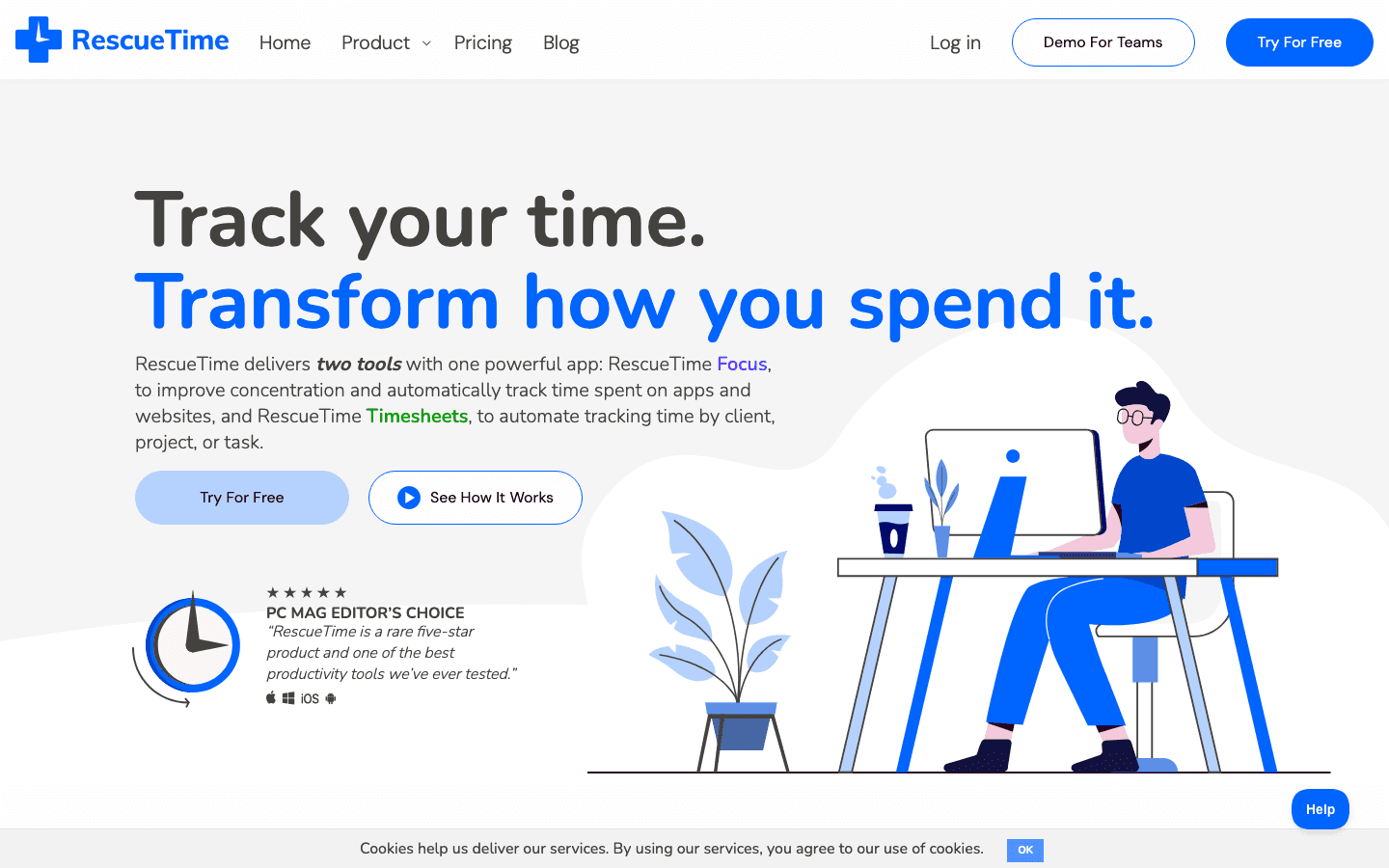
RescueTime runs quietly in the background and categorizes everything you do into productive or distracting time. You never start a timer. At the end of the day it shows you how many hours of focused work you logged and where the leaks were. For people who want honest data without changing their habits first, this is the easiest entry point.
Its Focus Sessions feature can block distracting sites for a set period, which nudges automatic tracking toward intentional deep work. The tradeoff is that automatic categorization is a guess. It sees that you were in a document for two hours but not whether you were writing or staring out the window.
Key Features
Automatic background tracking across desktop, browser, and mobile.
Focus Sessions that block distracting sites on demand.
Weekly reports and a daily focus score.
Limitations
Categorization is automated, so it can mislabel real focus.
No energy awareness, so it reports the past without helping you plan.
Pricing: Focus plan is $7 per month billed annually, or $9 month to month, with a 14-day free trial. A limited Lite plan exists after cancellation.
Best for: people who want a no-effort baseline of how much deep work they really do.
3. Session
A focus timer that logs every deep work block you finish.
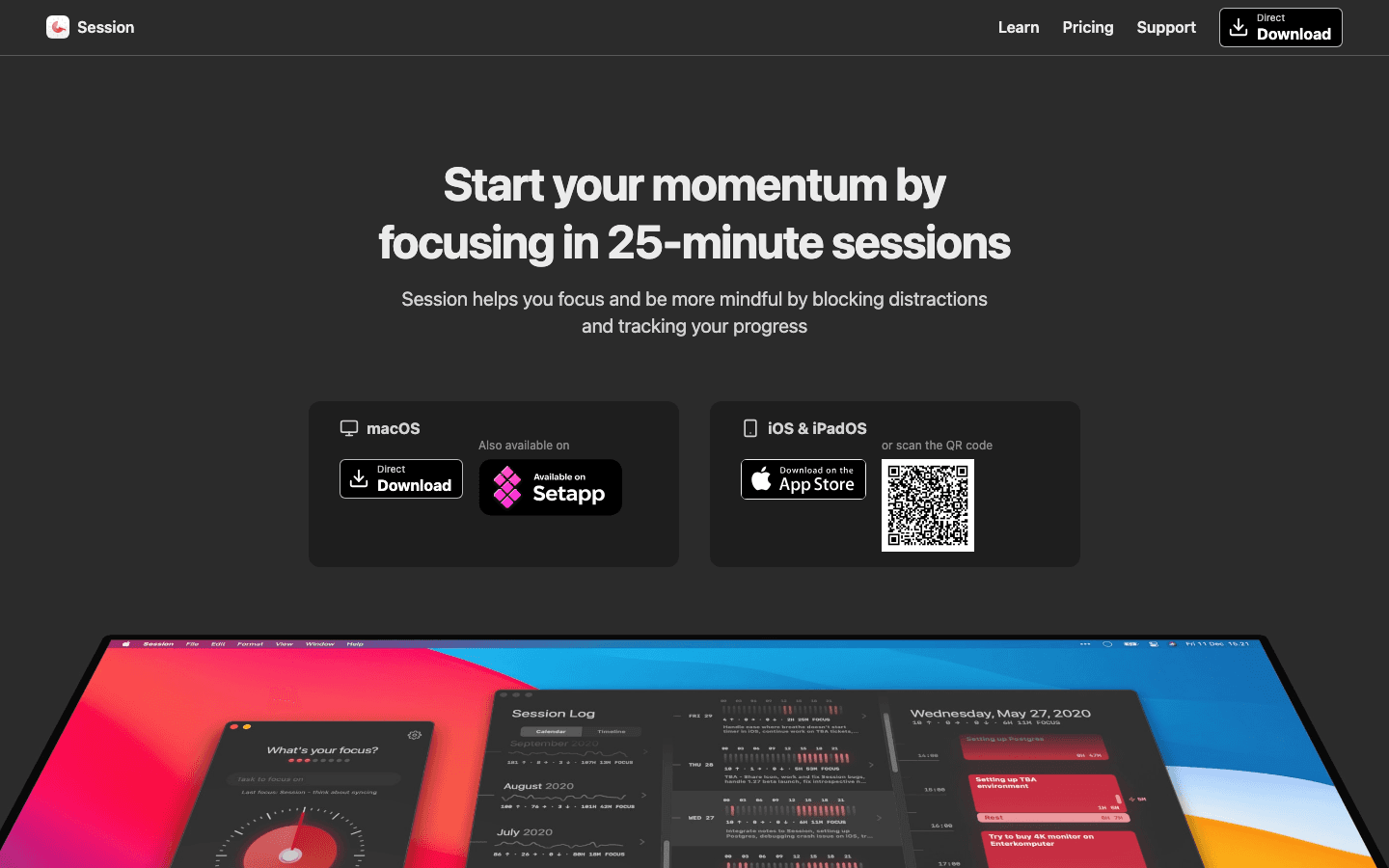
Session flips the model. Instead of passively recording your day, it asks you to start a focus session, blocks distracting apps and sites while it runs, and logs the block when you finish. Over a week you build a clean record of intentional deep work rather than a fuzzy picture of total screen time.
The session-based approach tends to change behavior more than automatic tracking because the act of starting a timer is a commitment. Session also adds short reflection prompts before and after each block, which helps you notice what pulled you off task. It pairs well with the focus techniques covered in our guide to apps for focus.
Key Features
Customizable Pomodoro-style focus and break intervals.
App and website blocking during active sessions.
Per-project tracking with reflection notes.
Limitations
You have to remember to start a session for it to count.
Strongest on Mac and iOS, with no full Windows app.
Pricing: free version covers the core timer. Session Pro is $4.99 per month or $39.99 per year.
Best for: people who focus better when they consciously commit to a block of deep work.
4. Sunsama
A calm daily planner that times your tasks and tallies focused hours.
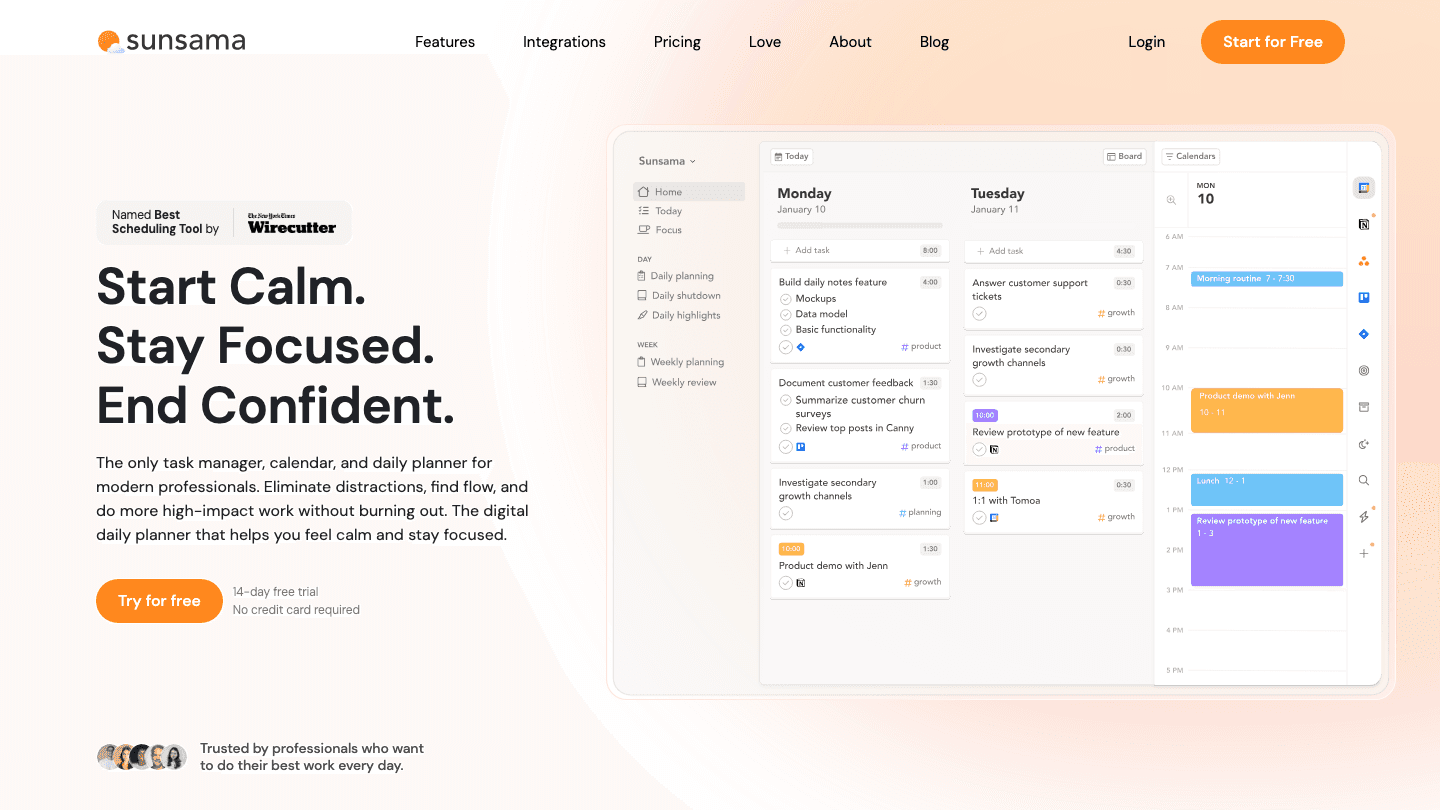
Sunsama is a daily planner first and a tracker second. You plan each day by pulling tasks from your tools, estimate how long each will take, then run a timer as you work. At the end of the day it shows how your planned focus compared to your actual focus, which is a gentle form of deep work tracking built into a planning ritual.
Because it leans on a structured daily and weekly review, Sunsama is less about raw data and more about intention. If you already practice time blocking and want the planning and the tracking in one calm interface, it fits well.
Key Features
Guided daily planning that pulls tasks from Asana, Trello, and more.
Built-in task timer that tracks actual focused time.
Daily and weekly reviews to compare planned versus actual focus.
Limitations
No energy awareness, so timing relies on your own judgment.
Pricier than most single-purpose trackers.
Pricing: $22 per month, or $17 per month billed annually, with a 14-day free trial and no free tier.
Best for: people who want a calm planning ritual with focus tracking baked in.
5. Forest
A gamified focus timer that grows a tree while you concentrate.
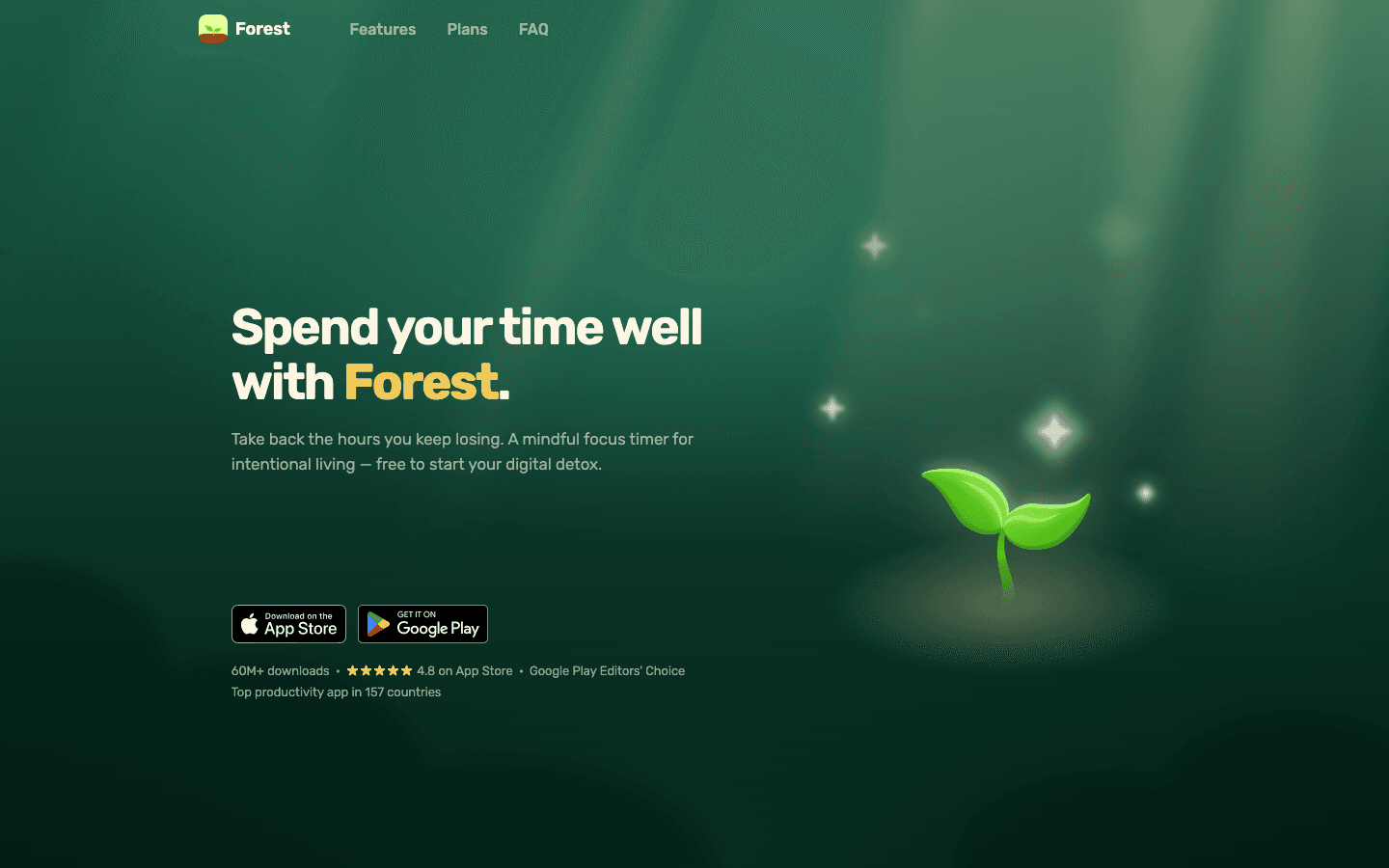
Forest turns deep work into a small game. You plant a virtual tree, and it grows while you stay focused. Leave the app to check your phone and the tree dies. Over time you build a forest that visualizes how many focus sessions you completed, which is a surprisingly motivating way to track deep work for people who respond to streaks and rewards.
It is the most casual tracker on this list, and that is the point. The phone-down mechanic targets the single biggest deep work killer, which is the reflexive phone check. It will not give you detailed reports, but it makes the habit visible and a little bit fun.
What Works
The tree-death mechanic genuinely keeps your phone down.
A clear visual history of focused sessions over time.
Low cost and almost no learning curve.
Limitations
Tracking is light, with no deep reports or planning.
No energy awareness or calendar integration.
Pricing: free on Android with ads. The iOS app and Plus features run through in-app purchases, with Forest Plus around $5.99 per month or $35.99 per year.
Best for: people who want a simple, motivating nudge to put the phone down and focus.
6. Focusmate
Body-doubling sessions that hold you to your deep work.
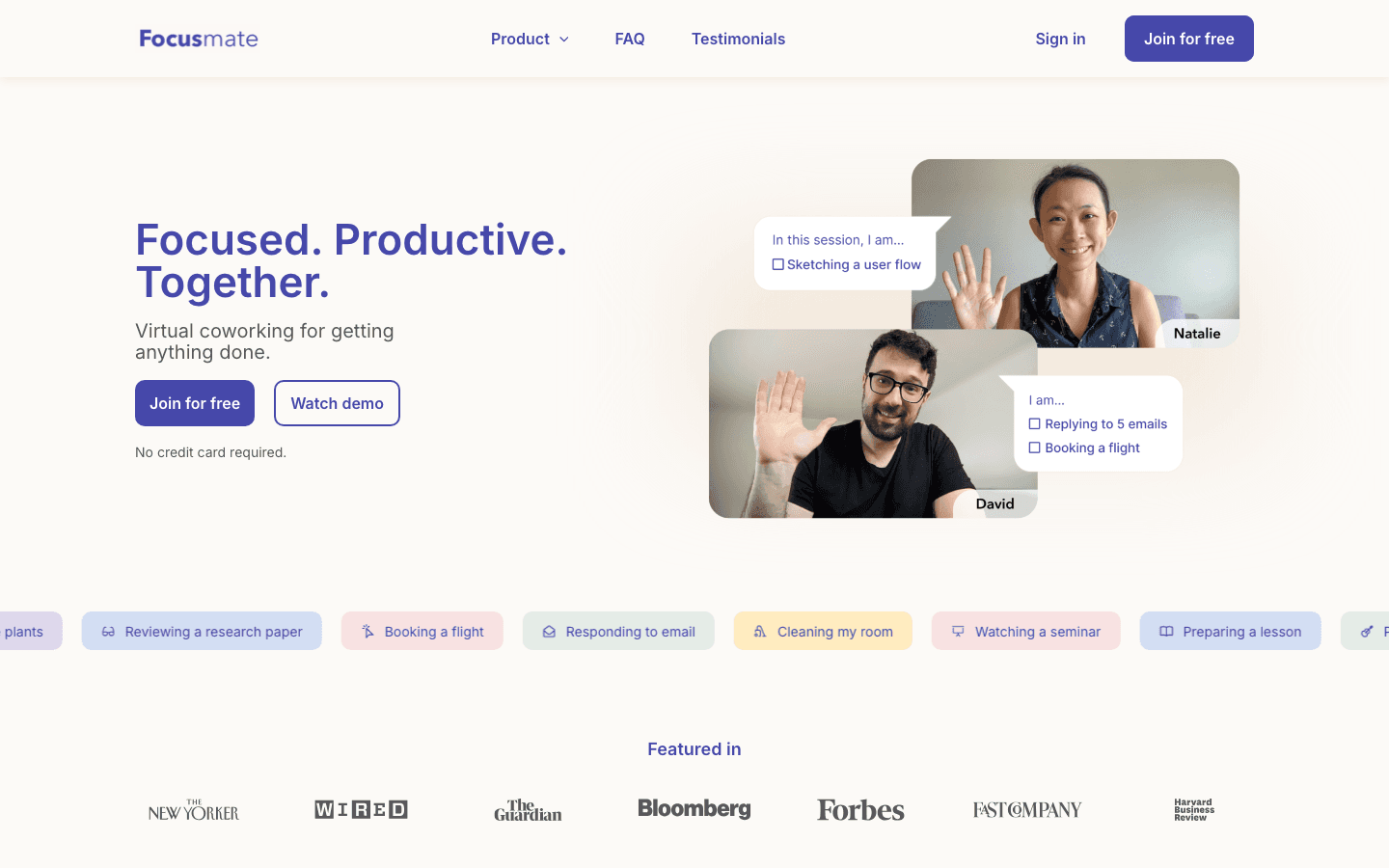
Focusmate tracks deep work through accountability rather than software. You book a 25, 50, or 75-minute session, get paired with a real person over video, state your goal, and work silently alongside them. The session itself becomes the record of your focused time, and the social pressure of someone watching is a powerful way to stay on task.
This is the right tool if your problem is not knowing what to do but actually starting and staying with it. The body-doubling approach is well documented for people who struggle with task initiation, which is why it overlaps with strategies in our piece on task management for ADHD.
Key Features
Live virtual coworking sessions with a real partner.
Goal-setting at the start of each session.
A history of completed sessions as your focus record.
Limitations
Relies on scheduling sessions, so it is less spontaneous.
No automatic tracking, energy data, or planning features.
Pricing: free for 3 sessions per week. Plus is $8 per month billed annually or $12 month to month for unlimited sessions.
Best for: people who focus best when someone else is in the room, even virtually.
Which Deep Work Tracker Is Right for You?
The best deep work tracker depends on what is breaking down for you. Here is a quick way to choose.
You want focus planned around your energy: Lifestack, because it places deep work where your focus is highest and tracks how it goes.
You want zero-effort data on your habits: RescueTime, which tracks everything automatically in the background.
You focus better by committing to a block: Session, which logs every intentional deep work session.
You want planning and tracking in one calm ritual: Sunsama.
You keep checking your phone: Forest, which makes putting it down a game.
You need accountability to start: Focusmate and its live coworking sessions.
If you are still building the underlying habit, our guide to slow productivity and the case for an energy calendar are both worth reading alongside whichever tracker you pick.
Frequently Asked Questions
What is a deep work tracker?
A deep work tracker is an app that measures how much focused, single-task time you log, then shows you the pattern over days and weeks. Some track automatically in the background, while others ask you to start a focus session you commit to and protect.
How is a deep work tracker different from a regular time tracker?
A regular time tracker counts all your hours, billable or not. A deep work tracker specifically isolates focused concentration from shallow busywork, so the number it reports reflects the work that actually moves projects forward rather than total time at your desk.
What is the best free deep work tracker?
Forest, Focusmate, and RescueTime all have free tiers. Forest is free on Android, Focusmate gives you 3 free sessions a week, and RescueTime offers a free trial plus a limited Lite plan. For free intentional tracking, Session's free timer is also a strong option.
Can a deep work tracker actually improve my focus?
Tracking alone raises awareness, but the apps that change behavior most are the ones that make you commit to a block in the moment, like Session or Focusmate, or that plan focus around your energy, like Lifestack. Passive data helps, but intention plus a good schedule is what compounds.
Should I track deep work automatically or manually?
Automatic tracking is honest and effortless but reports the past. Manual, session-based tracking takes a little discipline but tends to improve focus because the act of starting a timer is itself a commitment. Many people start automatic to get a baseline, then switch to session-based to build the habit.
Does Lifestack work as a deep work tracker?
Yes. Lifestack tracks your completed focus blocks against the plan it builds, but its real edge is placement. It uses your sleep and energy data to schedule deep work in your peak windows, so you are not just tracking focus, you are setting yourself up to have it in the first place.
Most productivity tools tell you what you did. A deep work tracker tells you whether any of it actually counted. There is a real difference between sitting at your desk for eight hours and spending three of those hours in genuine, undistracted concentration. The first is presence. The second is the work that moves your career forward, and it is the thing most people never measure.
A deep work tracker is any app that records how much focused, single-task time you log, then shows you the pattern. Some do it automatically by watching which apps and sites you use. Others ask you to start a focus session and protect it. A few build the tracking into a daily planner so your focus blocks live next to your calendar. The right one depends on how much friction you will tolerate and whether you want raw data or a system that also tells you when to do the work.
We tested six apps that approach deep work tracking from different angles, from fully automatic time tracking to gamified focus timers to energy-aware planners. We looked at how each one measures focus, how accurate the tracking felt over a full work week, what it costs, and who it actually fits. If you have read Cal Newport's case for deep work and want a way to hold yourself to it, this list is the practical follow-up.
Key Takeaways
Lifestack is the best pick if you want a tracker that also plans your deep work around your energy, not just logs it after the fact.
Automatic trackers like RescueTime need zero effort but report on the past. Session and Forest make you commit to a focus block in the moment, which changes behavior more.
Free tiers exist on Forest, Focusmate, and RescueTime, but the apps that connect tracking to planning sit in the $7 to $22 per month range.
Quick Guide: The 6 Best Deep Work Trackers
Lifestack - plans and tracks deep work around your daily energy curve.
RescueTime - automatic background tracking of focused time across apps and sites.
Session - a focus timer that logs every deep work block you complete.
Sunsama - a daily planner that times your tasks and tallies focused hours.
Forest - a gamified focus timer that grows a tree while you concentrate.
Focusmate - body-doubling sessions with a partner to lock in deep work.
How We Evaluated Each Deep Work Tracker
We did not want a list of generic time trackers. A deep work tracker has to do more than count minutes, so we judged each app on the things that actually matter when you are trying to protect concentration.
Tracking method: automatic background tracking versus intentional, session-based logging.
Focus accuracy: how well it separated real deep work from shallow busywork.
Planning integration: whether it only reports the past or helps you schedule focus ahead of time.
Distraction control: app and site blocking, or accountability that keeps you in the chair.
Pricing and platforms: verified current pricing and whether it covers desktop, mobile, or both.
1. Lifestack
The deep work tracker that schedules your focus around your energy.
Lifestack starts from a different premise than every other app here. Instead of waiting to record what you did, it reads your sleep, recovery, and energy data, then builds a schedule that puts your deep work blocks where your focus is naturally highest. You are not just tracking concentration after it happens. You are placing it on purpose, at the hours your body can actually sustain it.
That matters because deep work is not evenly available across the day. If your peak focus window is 9 to 11am and you keep scheduling shallow email then, no tracker will fix the mismatch. Lifestack treats your energy curve as the input and your focus blocks as the output, which is why it pairs naturally with energy-based planning over rigid time blocking.
Key Features
Energy-aware scheduling that auto-places deep work in your peak windows.
Syncs with wearables and Apple Health to read sleep and recovery.
Tracks completed focus blocks against your planned schedule.
Two-way calendar sync so focus time blocks your real calendar.
What Works
It tells you when to do deep work, not just whether you did it.
The energy signal stops you from booking focus blocks you cannot sustain.
Planning and tracking live in one place instead of two apps.
Limitations
It works best when paired with a sleep or recovery wearable.
No permanent free tier, though there is a free trial on the annual plan.
Pricing: $7 per month, or $50 per year with a 7-day free trial, or $120 one-time for lifetime access.
Best for: people who want their deep work planned and tracked in one tool that respects when their brain is actually sharp. See how Lifestack approaches energy-first planning.
2. RescueTime
Set-and-forget automatic tracking of where your focus actually goes.
RescueTime runs quietly in the background and categorizes everything you do into productive or distracting time. You never start a timer. At the end of the day it shows you how many hours of focused work you logged and where the leaks were. For people who want honest data without changing their habits first, this is the easiest entry point.
Its Focus Sessions feature can block distracting sites for a set period, which nudges automatic tracking toward intentional deep work. The tradeoff is that automatic categorization is a guess. It sees that you were in a document for two hours but not whether you were writing or staring out the window.
Key Features
Automatic background tracking across desktop, browser, and mobile.
Focus Sessions that block distracting sites on demand.
Weekly reports and a daily focus score.
Limitations
Categorization is automated, so it can mislabel real focus.
No energy awareness, so it reports the past without helping you plan.
Pricing: Focus plan is $7 per month billed annually, or $9 month to month, with a 14-day free trial. A limited Lite plan exists after cancellation.
Best for: people who want a no-effort baseline of how much deep work they really do.
3. Session
A focus timer that logs every deep work block you finish.
Session flips the model. Instead of passively recording your day, it asks you to start a focus session, blocks distracting apps and sites while it runs, and logs the block when you finish. Over a week you build a clean record of intentional deep work rather than a fuzzy picture of total screen time.
The session-based approach tends to change behavior more than automatic tracking because the act of starting a timer is a commitment. Session also adds short reflection prompts before and after each block, which helps you notice what pulled you off task. It pairs well with the focus techniques covered in our guide to apps for focus.
Key Features
Customizable Pomodoro-style focus and break intervals.
App and website blocking during active sessions.
Per-project tracking with reflection notes.
Limitations
You have to remember to start a session for it to count.
Strongest on Mac and iOS, with no full Windows app.
Pricing: free version covers the core timer. Session Pro is $4.99 per month or $39.99 per year.
Best for: people who focus better when they consciously commit to a block of deep work.
4. Sunsama
A calm daily planner that times your tasks and tallies focused hours.
Sunsama is a daily planner first and a tracker second. You plan each day by pulling tasks from your tools, estimate how long each will take, then run a timer as you work. At the end of the day it shows how your planned focus compared to your actual focus, which is a gentle form of deep work tracking built into a planning ritual.
Because it leans on a structured daily and weekly review, Sunsama is less about raw data and more about intention. If you already practice time blocking and want the planning and the tracking in one calm interface, it fits well.
Key Features
Guided daily planning that pulls tasks from Asana, Trello, and more.
Built-in task timer that tracks actual focused time.
Daily and weekly reviews to compare planned versus actual focus.
Limitations
No energy awareness, so timing relies on your own judgment.
Pricier than most single-purpose trackers.
Pricing: $22 per month, or $17 per month billed annually, with a 14-day free trial and no free tier.
Best for: people who want a calm planning ritual with focus tracking baked in.
5. Forest
A gamified focus timer that grows a tree while you concentrate.
Forest turns deep work into a small game. You plant a virtual tree, and it grows while you stay focused. Leave the app to check your phone and the tree dies. Over time you build a forest that visualizes how many focus sessions you completed, which is a surprisingly motivating way to track deep work for people who respond to streaks and rewards.
It is the most casual tracker on this list, and that is the point. The phone-down mechanic targets the single biggest deep work killer, which is the reflexive phone check. It will not give you detailed reports, but it makes the habit visible and a little bit fun.
What Works
The tree-death mechanic genuinely keeps your phone down.
A clear visual history of focused sessions over time.
Low cost and almost no learning curve.
Limitations
Tracking is light, with no deep reports or planning.
No energy awareness or calendar integration.
Pricing: free on Android with ads. The iOS app and Plus features run through in-app purchases, with Forest Plus around $5.99 per month or $35.99 per year.
Best for: people who want a simple, motivating nudge to put the phone down and focus.
6. Focusmate
Body-doubling sessions that hold you to your deep work.
Focusmate tracks deep work through accountability rather than software. You book a 25, 50, or 75-minute session, get paired with a real person over video, state your goal, and work silently alongside them. The session itself becomes the record of your focused time, and the social pressure of someone watching is a powerful way to stay on task.
This is the right tool if your problem is not knowing what to do but actually starting and staying with it. The body-doubling approach is well documented for people who struggle with task initiation, which is why it overlaps with strategies in our piece on task management for ADHD.
Key Features
Live virtual coworking sessions with a real partner.
Goal-setting at the start of each session.
A history of completed sessions as your focus record.
Limitations
Relies on scheduling sessions, so it is less spontaneous.
No automatic tracking, energy data, or planning features.
Pricing: free for 3 sessions per week. Plus is $8 per month billed annually or $12 month to month for unlimited sessions.
Best for: people who focus best when someone else is in the room, even virtually.
Which Deep Work Tracker Is Right for You?
The best deep work tracker depends on what is breaking down for you. Here is a quick way to choose.
You want focus planned around your energy: Lifestack, because it places deep work where your focus is highest and tracks how it goes.
You want zero-effort data on your habits: RescueTime, which tracks everything automatically in the background.
You focus better by committing to a block: Session, which logs every intentional deep work session.
You want planning and tracking in one calm ritual: Sunsama.
You keep checking your phone: Forest, which makes putting it down a game.
You need accountability to start: Focusmate and its live coworking sessions.
If you are still building the underlying habit, our guide to slow productivity and the case for an energy calendar are both worth reading alongside whichever tracker you pick.
Frequently Asked Questions
What is a deep work tracker?
A deep work tracker is an app that measures how much focused, single-task time you log, then shows you the pattern over days and weeks. Some track automatically in the background, while others ask you to start a focus session you commit to and protect.
How is a deep work tracker different from a regular time tracker?
A regular time tracker counts all your hours, billable or not. A deep work tracker specifically isolates focused concentration from shallow busywork, so the number it reports reflects the work that actually moves projects forward rather than total time at your desk.
What is the best free deep work tracker?
Forest, Focusmate, and RescueTime all have free tiers. Forest is free on Android, Focusmate gives you 3 free sessions a week, and RescueTime offers a free trial plus a limited Lite plan. For free intentional tracking, Session's free timer is also a strong option.
Can a deep work tracker actually improve my focus?
Tracking alone raises awareness, but the apps that change behavior most are the ones that make you commit to a block in the moment, like Session or Focusmate, or that plan focus around your energy, like Lifestack. Passive data helps, but intention plus a good schedule is what compounds.
Should I track deep work automatically or manually?
Automatic tracking is honest and effortless but reports the past. Manual, session-based tracking takes a little discipline but tends to improve focus because the act of starting a timer is itself a commitment. Many people start automatic to get a baseline, then switch to session-based to build the habit.
Does Lifestack work as a deep work tracker?
Yes. Lifestack tracks your completed focus blocks against the plan it builds, but its real edge is placement. It uses your sleep and energy data to schedule deep work in your peak windows, so you are not just tracking focus, you are setting yourself up to have it in the first place.



FOLLOW ON
FOLLOW ON
FOLLOW ON


Copyright 2026 © Lifestack. All rights reserved
Copyright 2026 © Lifestack. All rights reserved

