
App
Best Ellie Planner Alternatives in 2026: 6 Tested
Best Ellie Planner Alternatives in 2026: 6 Tested
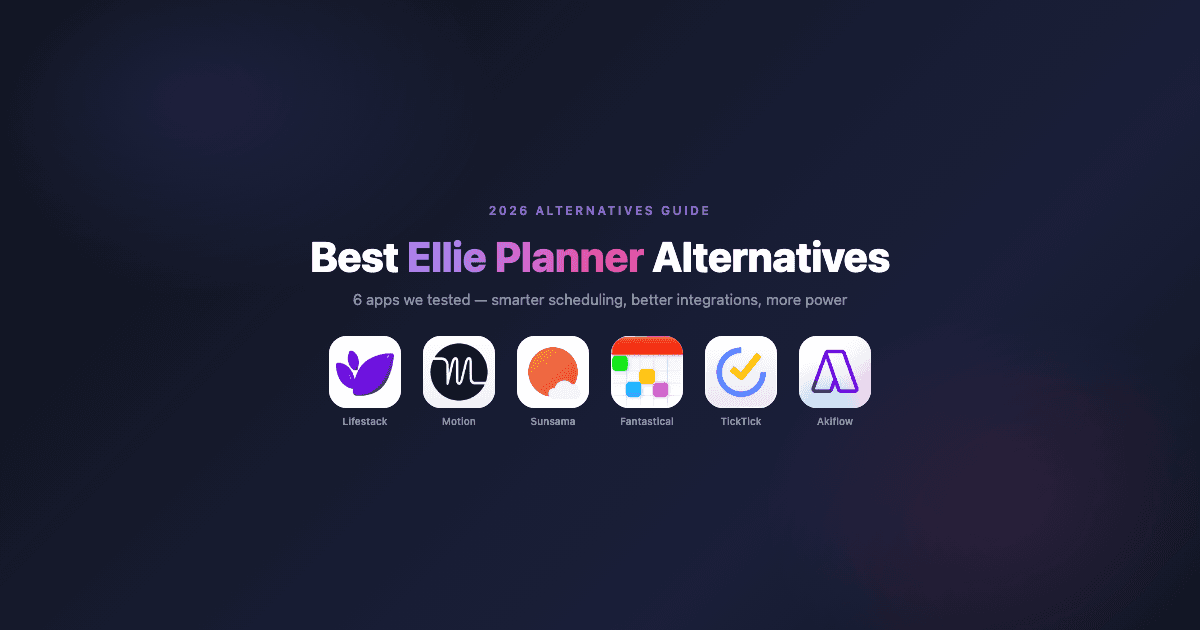
Ellie is a clean, beautiful day planner. Time blocking, a braindump, recurring tasks, calendar sync. It does all of that well. Where people start looking for an Ellie Planner alternative is usually one of three places: they want the app to schedule tasks for them rather than manually placing them, they need Android support, or they want integrations that go deeper than Ellie currently offers.
We tested six alternatives across different use cases: AI auto-scheduling for deadline-driven work, calm intentional planning, energy-aware scheduling, and polished calendar management. Each fixes at least one thing Ellie doesn't cover.
Pricing is verified as of June 2026. All apps were tested on their current versions.
Key Takeaways
Ellie is great for simple, manual time blocking. The alternatives here are mostly for people who want more automation, better integrations, or a different planning philosophy.
Lifestack is our top pick because it adds the one thing Ellie completely skips: scheduling around your energy, not just your calendar availability.
TickTick is the best value if you want Ellie-style task and calendar management with a generous free tier and cross-platform support.
Quick Guide: The 6 Best Ellie Planner Alternatives
Lifestack - Energy-aware scheduling that reads your sleep data and builds your day around your actual focus levels.
Motion - AI auto-scheduler that places every task and meeting automatically based on deadlines and priority.
Sunsama - Intentional daily planning ritual with deeper integrations and a time-tracking layer.
Fantastical - Polished calendar-first app for Apple users with natural language input and task support.
TickTick - Full-featured task manager with a built-in calendar, solid free tier, and full Android support.
Akiflow - Task consolidation hub that pulls from Slack, Gmail, Notion, and more into one time-blocking view.
How We Evaluated Each Ellie Alternative
Ellie's audience values simplicity and design. We didn't just look for "more features." We looked for apps that do something meaningfully better::
Scheduling intelligence - does the app place tasks for you, or is it still manual?
Energy awareness - can it match demanding work to your peak cognitive hours?
Platform coverage - iOS-only vs. web, Android, desktop
Integration depth - calendar sync only, or pulls tasks from Slack, email, project tools?
Pricing and free tier - what do you actually get without paying?
1. Lifestack
The energy-aware planner that schedules your day for you.

Lifestack solves the biggest gap in Ellie: the app doesn't know anything about your energy. You could manually block every hour in Ellie and still schedule your hardest work into your worst hours. Lifestack connects to your wearable device (Oura, Garmin, Apple Watch, Fitbit) and reads your sleep and recovery data to build your day around your actual cognitive state. Demanding work gets scheduled during your predicted focus peaks. Lighter tasks fill the dips.
It also manages tasks natively and has full iOS and Android apps. Where Ellie is built around beautiful manual planning, Lifestack is built around removing the need to manually plan at all. If you want to understand how this kind of energy-based scheduling works in practice, it's a genuinely different paradigm.
Key features:
Energy-aware auto-scheduling from wearable sleep and recovery data
Native task management with two-way calendar sync
Full iOS and Android mobile apps
Integrations with Oura, Garmin, Fitbit, Apple Health, Google Calendar, Outlook
What works: The energy-aware scheduling is genuinely useful, especially on low-sleep days when it adapts your layout rather than holding you to an optimistic plan you made the night before.
Limitations: The energy-first approach requires a connected wearable to do its best work. Without one, it still functions as a smart daily planner, just without the adaptive layer.
Pricing: $7/month, $50/year (7-day free trial on the annual plan), or $120 lifetime. No permanent free tier.
Best for: Anyone whose energy varies through the day and wants their schedule to reflect that automatically.
2. Motion
Aggressive AI that fills your calendar automatically.
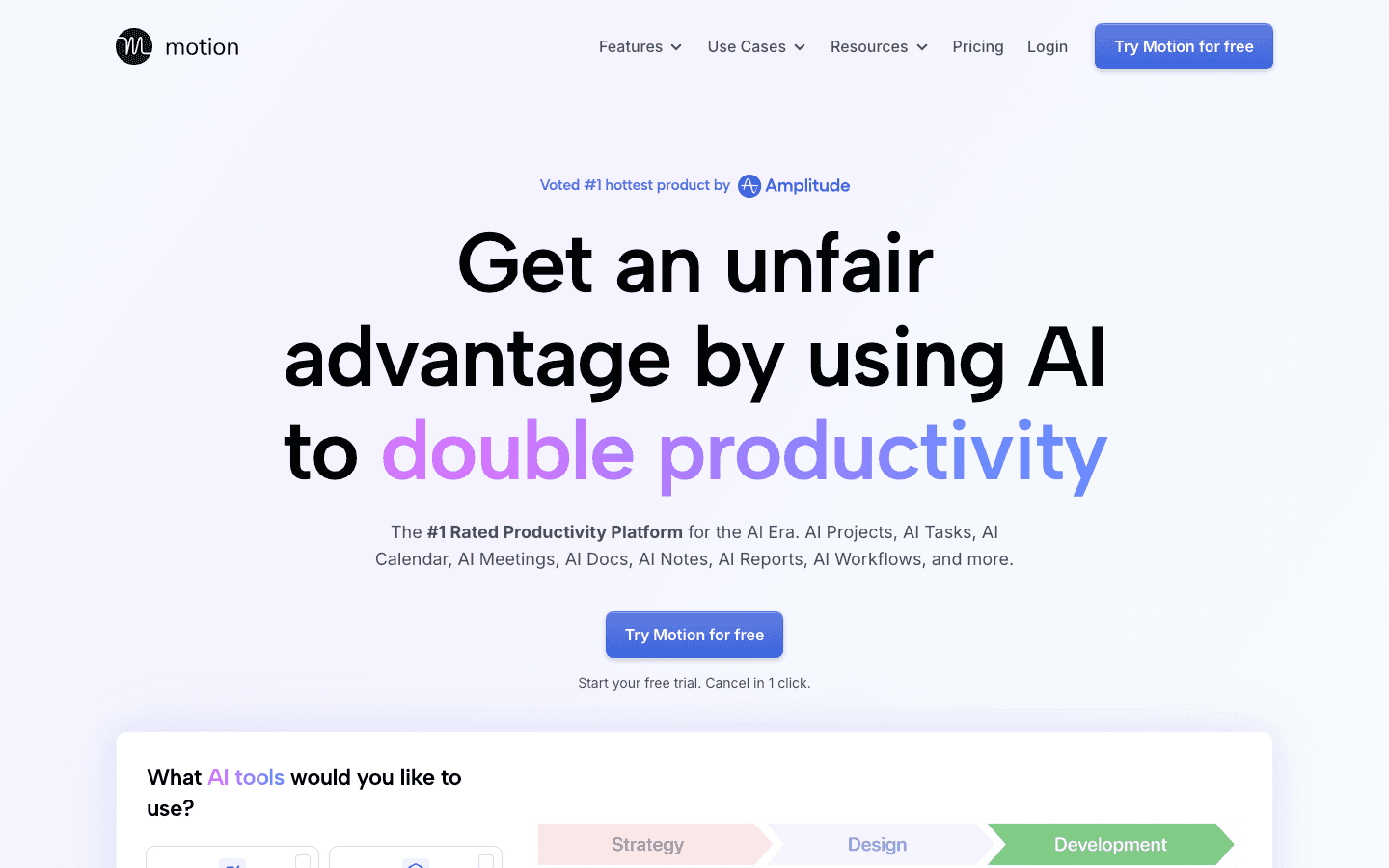
Motion goes the opposite direction from Ellie's calm manual approach. It takes your tasks, deadlines, and meetings and automatically constructs a schedule that fits everything in. When something slips, it reshuffles everything else. You're not time-blocking manually. You're telling it what needs to happen and watching it figure out when.
The appeal is real if you're drowning in commitments and spending too much mental energy on scheduling itself. The tradeoff is that Motion makes a lot of decisions for you, costs significantly more than Ellie, and has no concept of energy awareness (it will cheerfully schedule complex work during your cognitive trough). See our AI planner comparison if you're weighing multiple AI schedulers.
What works: Genuine automatic scheduling that adapts in real time. Strong project and task features built in.
Limitations: Expensive. Can feel rigid. No energy awareness means it schedules by availability, not capacity.
Pricing: $19/month (Pro AI), approximately $13/month billed annually. Free trial, no permanent free tier.
Best for: Deadline-driven people with heavy task loads who want full automation and don't mind paying for it.
3. Sunsama
A deliberate daily planning ritual with deeper integrations.
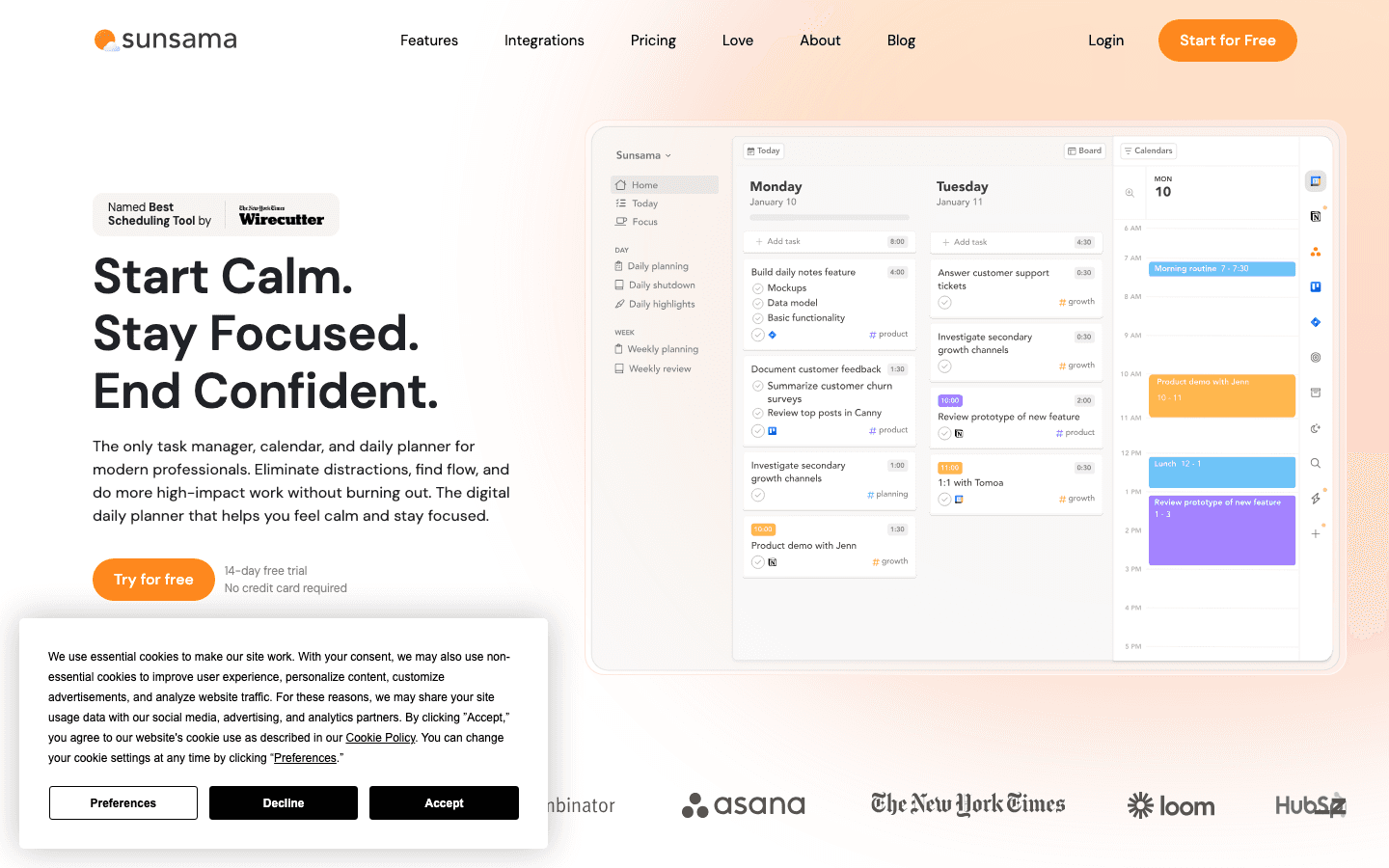
Sunsama feels similar to Ellie in spirit: intentional, daily-focused, and built around protecting time rather than filling it. The differences are in the integrations and the structure of the planning ritual. Sunsama pulls tasks from GitHub, Asana, Trello, Notion, Linear, and several other project tools, lets you decide what actually fits today, and builds in a review of how you actually spent your time.
The time-tracking layer is genuinely useful for anyone who bills by the hour or wants to understand where their day goes. The cost is higher than Ellie, and everything is still manual. If you want the app to schedule things for you, Sunsama isn't the answer.
What works: The daily planning ritual and end-of-day review. Excellent for people who use multiple project management tools and want one place to plan from.
Limitations: Fully manual. No auto-scheduling, no energy awareness. Cost is high relative to simpler tools.
Pricing: $22/month, $17/month billed annually. 14-day free trial, no permanent free tier.
Best for: People who want Ellie's intentional approach but with deeper integrations and time tracking.
4. Fantastical
The best calendar app for the Apple ecosystem.
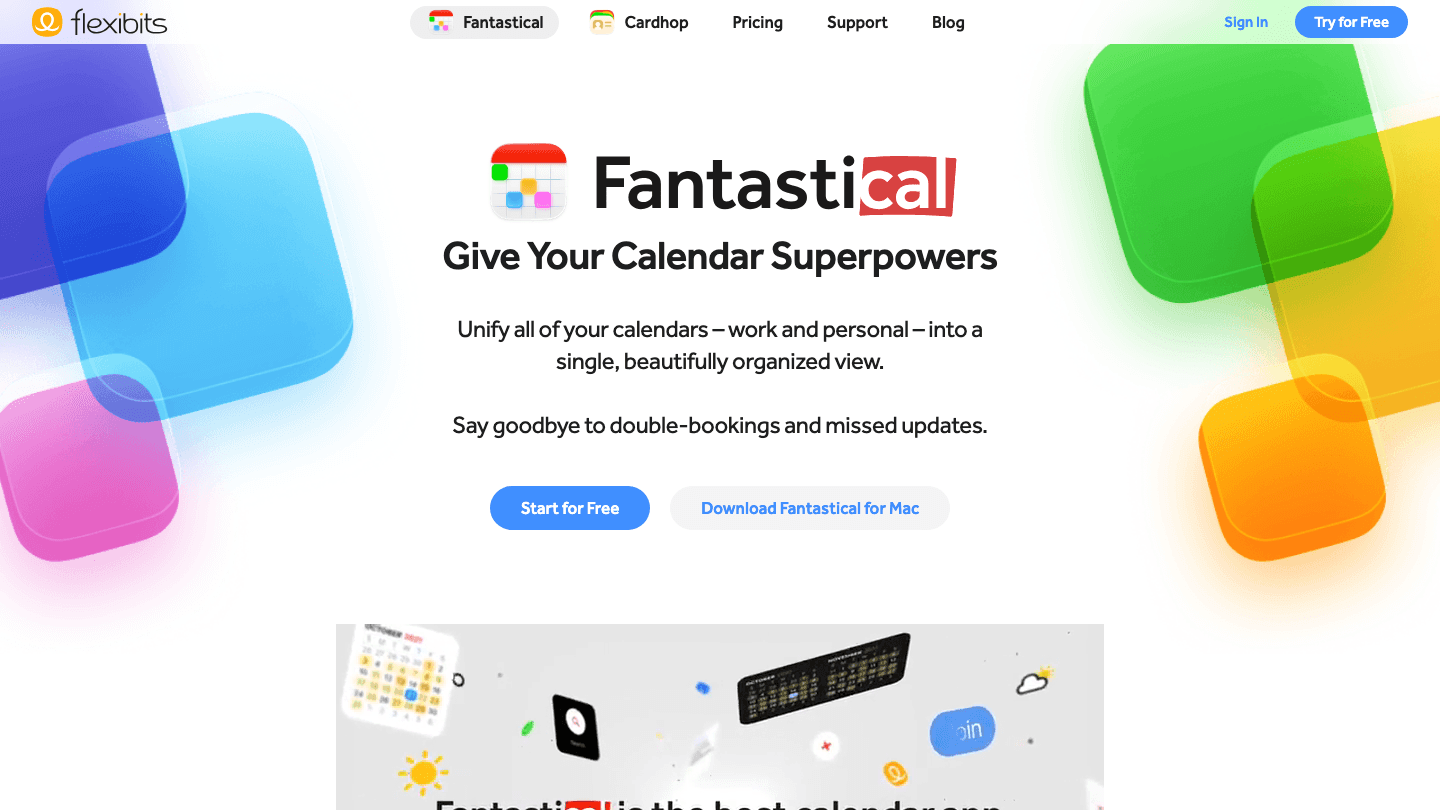
Fantastical is the gold standard for Apple-ecosystem calendar management. Natural language input, unified calendar and task view, scheduling links, weather integration, and excellent Apple Watch support. If you're heavily invested in Apple devices and want a calendar app that feels genuinely polished on all of them, Fantastical is the answer Ellie isn't quite built to be.
It's not a time-blocking-first tool the way Ellie is. Tasks exist alongside calendar events rather than as the centerpiece. But for someone who lives in their calendar and wants to manage tasks from the same place, it handles both well. The free tier is usable, with premium features available at $6.99/month.
What works: Best-in-class natural language parsing. Native on every Apple platform. Calendar-first design is excellent for meeting-heavy people.
Limitations: Apple-only. Tasks are secondary to calendar events. No auto-scheduling and no energy awareness.
Pricing: Free tier available. Flexibits Premium: $6.99/month or $56.99/year.
Best for: Apple-platform users who want a polished calendar with task support, not a task manager with a calendar attached.
5. TickTick
A full task manager with calendar built in and a genuinely useful free tier.
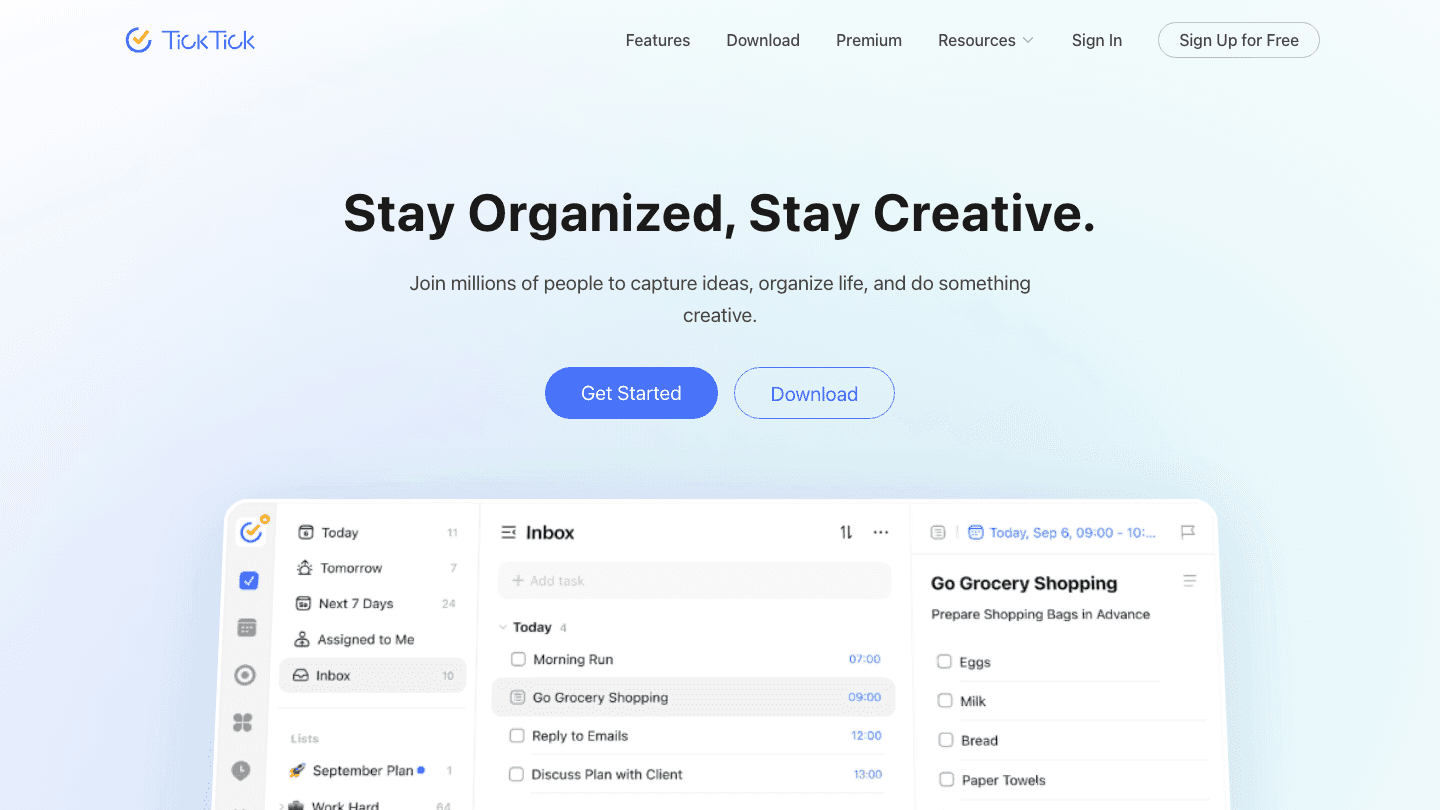
TickTick is the most versatile Ellie alternative here for people who want to avoid paying. The free tier includes everything you need for basic task and calendar management: cross-device sync, recurring tasks, subtasks, and a calendar view. Premium adds the Eisenhower Matrix, calendar integration depth, and a Pomodoro timer, but the free version is genuinely functional.
It also covers Android fully, unlike Ellie. If you've been working around Ellie's platform gaps, TickTick closes them. The design isn't as minimal or beautiful as Ellie, but the feature set is considerably broader. See our guide on time-blocking apps for how TickTick compares in the broader scheduling context.
What works: Generous free tier. Full cross-platform support including Android. Broad feature set at a low price.
Limitations: Design is busier than Ellie. No auto-scheduling, no energy awareness.
Pricing: Free tier available. Premium: $3.99/month or $35.99/year.
Best for: People who want Ellie's core functionality with Android support and a real free tier.
6. Akiflow
One inbox for tasks scattered across a dozen tools.
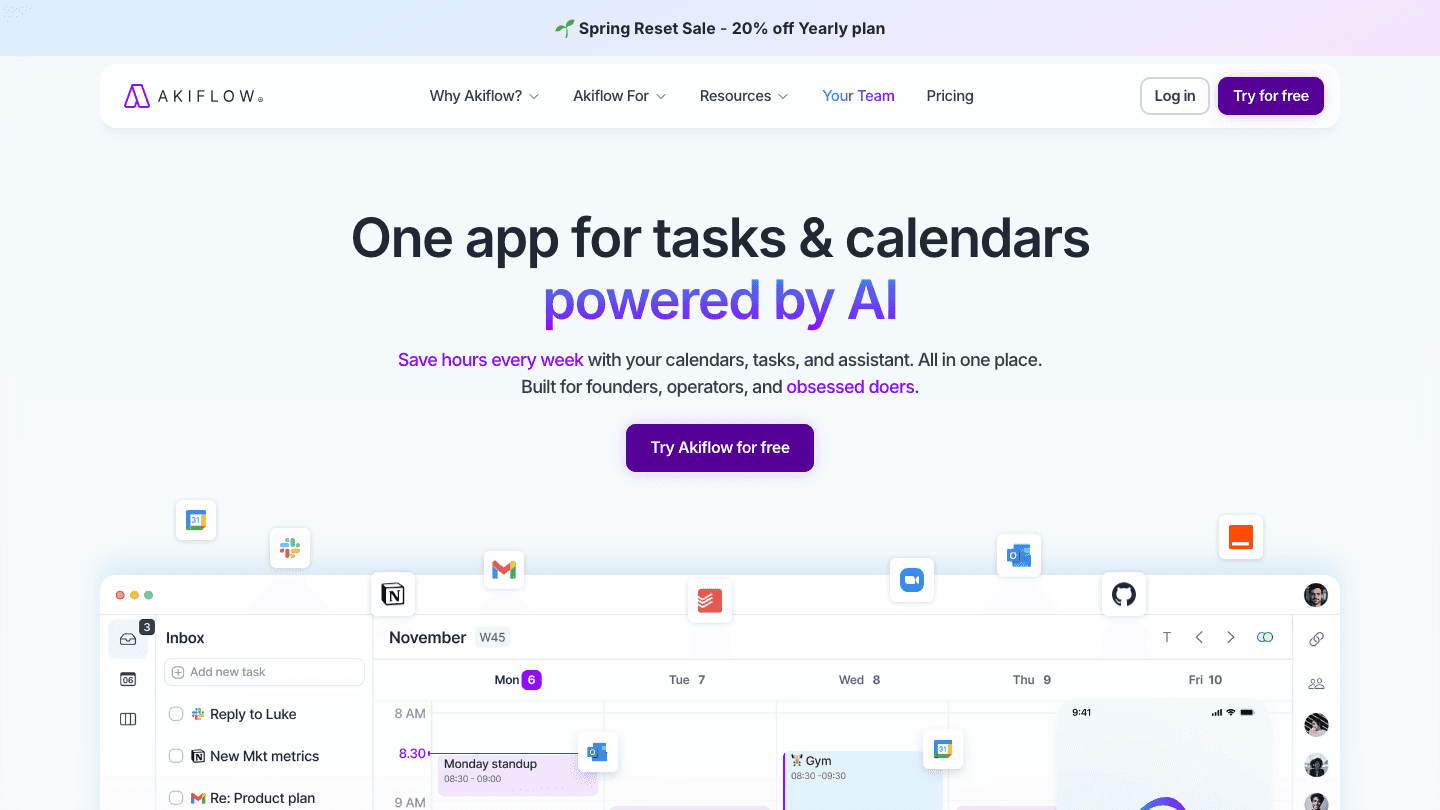
Akiflow targets a specific pain: you have tasks in Slack, Gmail, Notion, Todoist, and three other places, and you want one spot to pull them all together for time blocking. That's what it does. It's fast, keyboard-driven, and integrates with more sources than most planners. See our Akiflow alternatives comparison if you want to evaluate it head-to-head with similar tools.
For people coming from Ellie, Akiflow is a logical step up if you've outgrown Ellie's braindump approach and need something that consolidates tasks from project management tools. The cost is higher, the learning curve is real, and time blocking is still manual, but the integrations are genuinely superior.
What works: Best-in-class task consolidation from multiple sources. Fast, keyboard-friendly interface.
Limitations: Expensive. Time blocking is still manual. No energy awareness.
Pricing: Plans from $19/month billed annually. Free trial available.
Best for: People whose tasks live in many tools and want one place to plan from.
Which Ellie Planner Alternative Is Right for You?
You want auto-scheduling: Lifestack (energy-aware) or Motion (aggressive AI).
You want better integrations with project tools: Sunsama or Akiflow.
You're on Android: TickTick is the clearest upgrade from Ellie.
You're all-in on Apple: Fantastical.
You want a free option: TickTick (best free tier) or Fantastical (functional free plan).
You want energy-aware scheduling: Lifestack is the only option here that does this. Read more about energy calendars for the full concept.
FAQ
Is there a free alternative to Ellie Planner?
TickTick has the most functional free tier of any option here. It covers cross-device sync, recurring tasks, subtasks, and a calendar view without requiring a paid plan. Fantastical also has a free tier, though premium features require a subscription.
Does Ellie Planner have an Android app?
No. Ellie is iOS, Mac, and web. If Android support is what's missing, TickTick and Motion both have full Android apps. Lifestack also supports Android.
What is the best Ellie Planner alternative for ADHD?
Lifestack is our recommendation. The ADHD daily planning challenge is that manual time blocking breaks down when focus and energy are inconsistent. Lifestack reads your wearable data and adapts your schedule to your actual capacity each day, which is more useful than a static plan.
Which Ellie alternative has the best calendar integration?
Fantastical for Apple users. Akiflow and Sunsama for people who need integration with project management tools. All six options here support Google Calendar and Outlook.
Is Ellie Planner worth paying for?
At $9.99/month, Ellie is reasonably priced for what it does. The question is whether you need what it doesn't do: auto-scheduling, energy awareness, or Android support. If those limitations are the reason you're looking, no amount of refinement to Ellie will fix them. One of the six alternatives above will.
What app is most similar to Ellie but more powerful?
Sunsama is the closest in philosophy (intentional, daily-focused, beautiful design) but with deeper project tool integrations and time tracking. Lifestack is similar in the mobile-first, calendar-integrated approach but adds AI scheduling on top.
Ellie is a clean, beautiful day planner. Time blocking, a braindump, recurring tasks, calendar sync. It does all of that well. Where people start looking for an Ellie Planner alternative is usually one of three places: they want the app to schedule tasks for them rather than manually placing them, they need Android support, or they want integrations that go deeper than Ellie currently offers.
We tested six alternatives across different use cases: AI auto-scheduling for deadline-driven work, calm intentional planning, energy-aware scheduling, and polished calendar management. Each fixes at least one thing Ellie doesn't cover.
Pricing is verified as of June 2026. All apps were tested on their current versions.
Key Takeaways
Ellie is great for simple, manual time blocking. The alternatives here are mostly for people who want more automation, better integrations, or a different planning philosophy.
Lifestack is our top pick because it adds the one thing Ellie completely skips: scheduling around your energy, not just your calendar availability.
TickTick is the best value if you want Ellie-style task and calendar management with a generous free tier and cross-platform support.
Quick Guide: The 6 Best Ellie Planner Alternatives
Lifestack - Energy-aware scheduling that reads your sleep data and builds your day around your actual focus levels.
Motion - AI auto-scheduler that places every task and meeting automatically based on deadlines and priority.
Sunsama - Intentional daily planning ritual with deeper integrations and a time-tracking layer.
Fantastical - Polished calendar-first app for Apple users with natural language input and task support.
TickTick - Full-featured task manager with a built-in calendar, solid free tier, and full Android support.
Akiflow - Task consolidation hub that pulls from Slack, Gmail, Notion, and more into one time-blocking view.
How We Evaluated Each Ellie Alternative
Ellie's audience values simplicity and design. We didn't just look for "more features." We looked for apps that do something meaningfully better::
Scheduling intelligence - does the app place tasks for you, or is it still manual?
Energy awareness - can it match demanding work to your peak cognitive hours?
Platform coverage - iOS-only vs. web, Android, desktop
Integration depth - calendar sync only, or pulls tasks from Slack, email, project tools?
Pricing and free tier - what do you actually get without paying?
1. Lifestack
The energy-aware planner that schedules your day for you.
Lifestack solves the biggest gap in Ellie: the app doesn't know anything about your energy. You could manually block every hour in Ellie and still schedule your hardest work into your worst hours. Lifestack connects to your wearable device (Oura, Garmin, Apple Watch, Fitbit) and reads your sleep and recovery data to build your day around your actual cognitive state. Demanding work gets scheduled during your predicted focus peaks. Lighter tasks fill the dips.
It also manages tasks natively and has full iOS and Android apps. Where Ellie is built around beautiful manual planning, Lifestack is built around removing the need to manually plan at all. If you want to understand how this kind of energy-based scheduling works in practice, it's a genuinely different paradigm.
Key features:
Energy-aware auto-scheduling from wearable sleep and recovery data
Native task management with two-way calendar sync
Full iOS and Android mobile apps
Integrations with Oura, Garmin, Fitbit, Apple Health, Google Calendar, Outlook
What works: The energy-aware scheduling is genuinely useful, especially on low-sleep days when it adapts your layout rather than holding you to an optimistic plan you made the night before.
Limitations: The energy-first approach requires a connected wearable to do its best work. Without one, it still functions as a smart daily planner, just without the adaptive layer.
Pricing: $7/month, $50/year (7-day free trial on the annual plan), or $120 lifetime. No permanent free tier.
Best for: Anyone whose energy varies through the day and wants their schedule to reflect that automatically.
2. Motion
Aggressive AI that fills your calendar automatically.
Motion goes the opposite direction from Ellie's calm manual approach. It takes your tasks, deadlines, and meetings and automatically constructs a schedule that fits everything in. When something slips, it reshuffles everything else. You're not time-blocking manually. You're telling it what needs to happen and watching it figure out when.
The appeal is real if you're drowning in commitments and spending too much mental energy on scheduling itself. The tradeoff is that Motion makes a lot of decisions for you, costs significantly more than Ellie, and has no concept of energy awareness (it will cheerfully schedule complex work during your cognitive trough). See our AI planner comparison if you're weighing multiple AI schedulers.
What works: Genuine automatic scheduling that adapts in real time. Strong project and task features built in.
Limitations: Expensive. Can feel rigid. No energy awareness means it schedules by availability, not capacity.
Pricing: $19/month (Pro AI), approximately $13/month billed annually. Free trial, no permanent free tier.
Best for: Deadline-driven people with heavy task loads who want full automation and don't mind paying for it.
3. Sunsama
A deliberate daily planning ritual with deeper integrations.
Sunsama feels similar to Ellie in spirit: intentional, daily-focused, and built around protecting time rather than filling it. The differences are in the integrations and the structure of the planning ritual. Sunsama pulls tasks from GitHub, Asana, Trello, Notion, Linear, and several other project tools, lets you decide what actually fits today, and builds in a review of how you actually spent your time.
The time-tracking layer is genuinely useful for anyone who bills by the hour or wants to understand where their day goes. The cost is higher than Ellie, and everything is still manual. If you want the app to schedule things for you, Sunsama isn't the answer.
What works: The daily planning ritual and end-of-day review. Excellent for people who use multiple project management tools and want one place to plan from.
Limitations: Fully manual. No auto-scheduling, no energy awareness. Cost is high relative to simpler tools.
Pricing: $22/month, $17/month billed annually. 14-day free trial, no permanent free tier.
Best for: People who want Ellie's intentional approach but with deeper integrations and time tracking.
4. Fantastical
The best calendar app for the Apple ecosystem.
Fantastical is the gold standard for Apple-ecosystem calendar management. Natural language input, unified calendar and task view, scheduling links, weather integration, and excellent Apple Watch support. If you're heavily invested in Apple devices and want a calendar app that feels genuinely polished on all of them, Fantastical is the answer Ellie isn't quite built to be.
It's not a time-blocking-first tool the way Ellie is. Tasks exist alongside calendar events rather than as the centerpiece. But for someone who lives in their calendar and wants to manage tasks from the same place, it handles both well. The free tier is usable, with premium features available at $6.99/month.
What works: Best-in-class natural language parsing. Native on every Apple platform. Calendar-first design is excellent for meeting-heavy people.
Limitations: Apple-only. Tasks are secondary to calendar events. No auto-scheduling and no energy awareness.
Pricing: Free tier available. Flexibits Premium: $6.99/month or $56.99/year.
Best for: Apple-platform users who want a polished calendar with task support, not a task manager with a calendar attached.
5. TickTick
A full task manager with calendar built in and a genuinely useful free tier.
TickTick is the most versatile Ellie alternative here for people who want to avoid paying. The free tier includes everything you need for basic task and calendar management: cross-device sync, recurring tasks, subtasks, and a calendar view. Premium adds the Eisenhower Matrix, calendar integration depth, and a Pomodoro timer, but the free version is genuinely functional.
It also covers Android fully, unlike Ellie. If you've been working around Ellie's platform gaps, TickTick closes them. The design isn't as minimal or beautiful as Ellie, but the feature set is considerably broader. See our guide on time-blocking apps for how TickTick compares in the broader scheduling context.
What works: Generous free tier. Full cross-platform support including Android. Broad feature set at a low price.
Limitations: Design is busier than Ellie. No auto-scheduling, no energy awareness.
Pricing: Free tier available. Premium: $3.99/month or $35.99/year.
Best for: People who want Ellie's core functionality with Android support and a real free tier.
6. Akiflow
One inbox for tasks scattered across a dozen tools.
Akiflow targets a specific pain: you have tasks in Slack, Gmail, Notion, Todoist, and three other places, and you want one spot to pull them all together for time blocking. That's what it does. It's fast, keyboard-driven, and integrates with more sources than most planners. See our Akiflow alternatives comparison if you want to evaluate it head-to-head with similar tools.
For people coming from Ellie, Akiflow is a logical step up if you've outgrown Ellie's braindump approach and need something that consolidates tasks from project management tools. The cost is higher, the learning curve is real, and time blocking is still manual, but the integrations are genuinely superior.
What works: Best-in-class task consolidation from multiple sources. Fast, keyboard-friendly interface.
Limitations: Expensive. Time blocking is still manual. No energy awareness.
Pricing: Plans from $19/month billed annually. Free trial available.
Best for: People whose tasks live in many tools and want one place to plan from.
Which Ellie Planner Alternative Is Right for You?
You want auto-scheduling: Lifestack (energy-aware) or Motion (aggressive AI).
You want better integrations with project tools: Sunsama or Akiflow.
You're on Android: TickTick is the clearest upgrade from Ellie.
You're all-in on Apple: Fantastical.
You want a free option: TickTick (best free tier) or Fantastical (functional free plan).
You want energy-aware scheduling: Lifestack is the only option here that does this. Read more about energy calendars for the full concept.
FAQ
Is there a free alternative to Ellie Planner?
TickTick has the most functional free tier of any option here. It covers cross-device sync, recurring tasks, subtasks, and a calendar view without requiring a paid plan. Fantastical also has a free tier, though premium features require a subscription.
Does Ellie Planner have an Android app?
No. Ellie is iOS, Mac, and web. If Android support is what's missing, TickTick and Motion both have full Android apps. Lifestack also supports Android.
What is the best Ellie Planner alternative for ADHD?
Lifestack is our recommendation. The ADHD daily planning challenge is that manual time blocking breaks down when focus and energy are inconsistent. Lifestack reads your wearable data and adapts your schedule to your actual capacity each day, which is more useful than a static plan.
Which Ellie alternative has the best calendar integration?
Fantastical for Apple users. Akiflow and Sunsama for people who need integration with project management tools. All six options here support Google Calendar and Outlook.
Is Ellie Planner worth paying for?
At $9.99/month, Ellie is reasonably priced for what it does. The question is whether you need what it doesn't do: auto-scheduling, energy awareness, or Android support. If those limitations are the reason you're looking, no amount of refinement to Ellie will fix them. One of the six alternatives above will.
What app is most similar to Ellie but more powerful?
Sunsama is the closest in philosophy (intentional, daily-focused, beautiful design) but with deeper project tool integrations and time tracking. Lifestack is similar in the mobile-first, calendar-integrated approach but adds AI scheduling on top.



FOLLOW ON
FOLLOW ON
FOLLOW ON


Copyright 2026 © Lifestack. All rights reserved
Copyright 2026 © Lifestack. All rights reserved

