
App
Best Freelance Productivity Tools in 2026
Best Freelance Productivity Tools in 2026

Freelancing sounds like freedom until you realize you are the scheduling department, the billing team, the project manager, and the IT support all at once. The right set of tools can take a significant chunk of that overhead off your plate.
This list covers the six freelance productivity tools we think are worth your money (and attention) in 2026. They span scheduling, time tracking, invoicing, workspace organization, and project boards. Each solves a different layer of the freelance workflow, and several work well together.
We tested each tool for its actual freelance fit, not just its feature count. A tool can have 200 integrations and still be useless if it adds friction to your day. The picks below earn their place because they save time in practice, not just on paper. You can also check out our roundup of best AI apps for work for a broader view of what's available.
Key Takeaways
Lifestack is the best starting point for freelancers who struggle with when to work on what; it schedules tasks around your energy and calendar automatically.
Toggl Track and Clockify are both excellent for time tracking; Clockify is free, Toggl Track has better reporting for invoicing.
Notion and Trello handle project organization differently: Notion is a full workspace, Trello is a focused visual board.
Quick Guide: Freelance Productivity Tools
1. Lifestack: Best for AI-powered scheduling and daily planning
2. Toggl Track: Best for billable time tracking and reporting
3. Notion: Best all-in-one workspace for clients, notes, and tasks
4. FreshBooks: Best for invoicing and freelance accounting
5. Clockify: Best free time tracker
6. Trello: Best visual project board for client work
How We Evaluated These Tools
Does it actually reduce the time you spend managing your work (not just track it)?
How easy is the setup for a solo freelancer (not a team of 10)?
Does the free tier provide real value, or is it a stripped demo?
Does it integrate with the other tools most freelancers already use?
Is the pricing reasonable for a solo business?
1. Lifestack: Best for AI Scheduling and Daily Planning
The tool that decides when to work on what, so you do not have to.

Most freelancers have no shortage of tasks. The hard part is deciding which one to work on today, in which order, and when. That decision takes real mental energy every morning, and getting it wrong means important work keeps getting pushed.
Lifestack is an AI daily planner that solves exactly this. It reads your tasks, your calendar, and your energy patterns, then builds a day schedule automatically. High-focus work goes into your peak hours. Admin and email fill the low-energy slots. The app adjusts when meetings move or deadlines shift. The result is a calendar built around your energy, not just your commitments.
For freelancers specifically, Lifestack is good at protecting deep work blocks. Client calls and admin tend to eat into the hours where creative or technical work should happen. Lifestack flags when your day is overloaded before you commit to it and reshuffles automatically when it is. That alone makes it worth the subscription for anyone who ends the day having done everything except the work that actually moves the needle.
Key Features
AI task scheduling based on your energy levels and peak hours
Sync with Google Calendar, Apple Calendar, and Outlook
Task prioritization by deadline and effort level
Daily plan view that surfaces overloaded days before they happen
iOS, Android, and Chrome extension
What Works
Takes the daily "what do I work on first?" decision off your plate entirely
The importance of planning your day is well-documented; Lifestack makes that planning take 30 seconds instead of 30 minutes
Works with your existing calendar without replacing it
Limitations
Not a time tracker or invoicing tool; you will still need something like Toggl or Clockify for billing
No native macOS or Windows desktop app yet
Pricing: $7/month, $50/year (7-day free trial), or $120 lifetime.
Best for: Freelancers who spend too much time deciding what to work on, or who constantly push important work to "tomorrow."
2. Toggl Track: Best for Billable Time Tracking
The time tracker freelancers actually stick with.
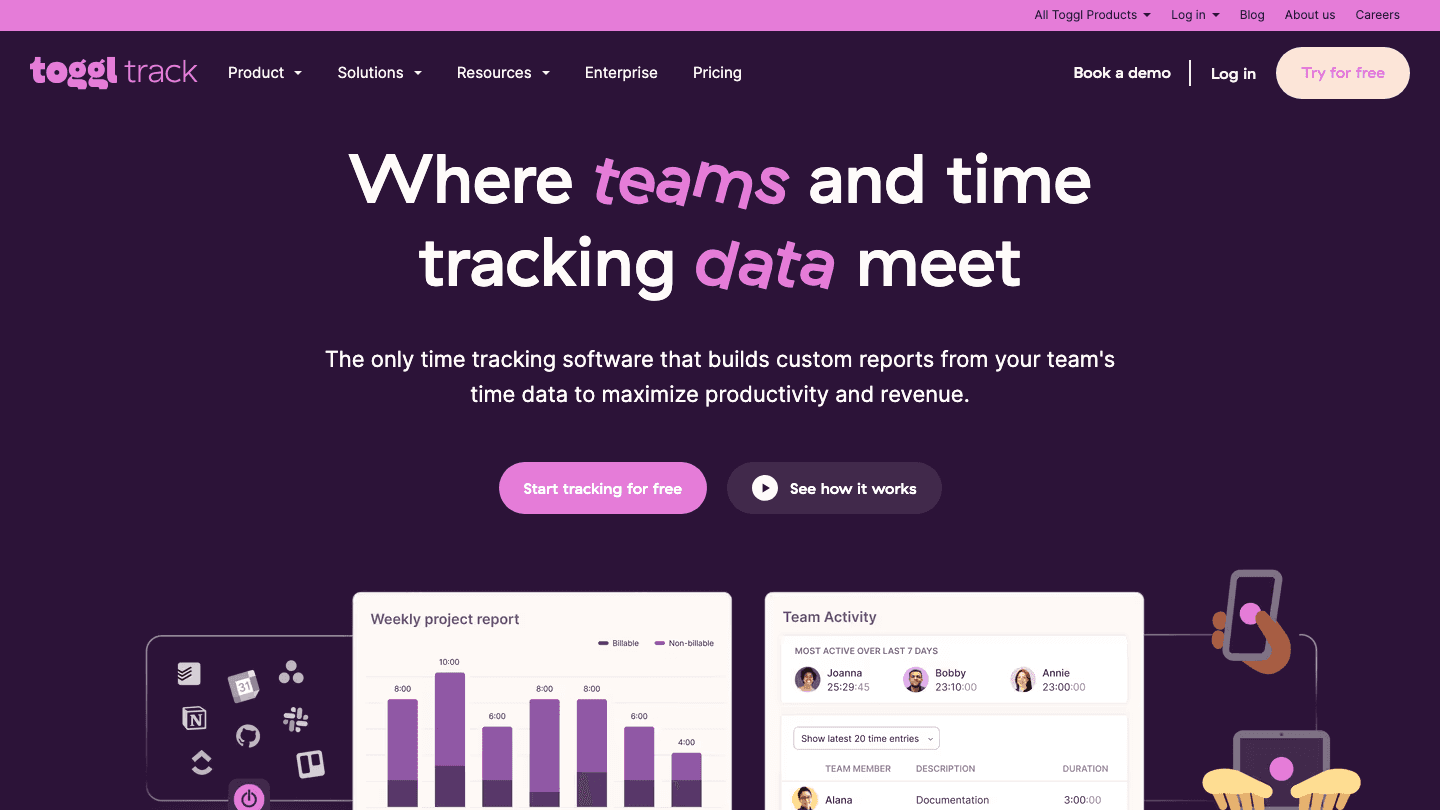
Toggl Track has been the go-to time tracking tool for freelancers for years, and the 2026 version holds up. The core is simple: start a timer, assign it to a client and project, stop it when you are done. Over time, those sessions build into detailed reports that show exactly where your hours went and which clients are your most profitable.
The reporting is where Toggl earns its place over free alternatives. You can filter by client, project, or date range, export to PDF or CSV, and share summary reports with clients directly. That last feature alone saves awkward back-and-forth when a client questions your hours. The Starter tier at $9/month unlocks billing rates, rounding rules, and revenue estimates.
Key Features
One-click timers with client and project tagging
Detailed reports exportable to PDF, CSV, or shareable link
Browser extension and desktop app for background tracking
Calendar integrations (Google Calendar, Outlook) to log time from events
Billing rate and revenue tracking on paid plans
What Works
The timer widget lives in your browser toolbar, making it hard to forget to track
Client-level revenue reports are genuinely useful for understanding which work pays best
Limitations
No invoicing built in; you need a separate tool like FreshBooks to turn tracked hours into invoices
No energy-based scheduling; pairs well with Lifestack for planning
Pricing: Free for basic tracking. Starter at $9/user/month, Premium at $18/user/month. Annual plans include 3 months free.
Best for: Freelancers who need to track billable hours across multiple clients and want solid reporting without buying a full accounting suite. See our deeper look at time optimization tools for more options.
3. Notion: Best All-in-One Workspace
Notes, client wikis, project tracking, and databases in one tab.
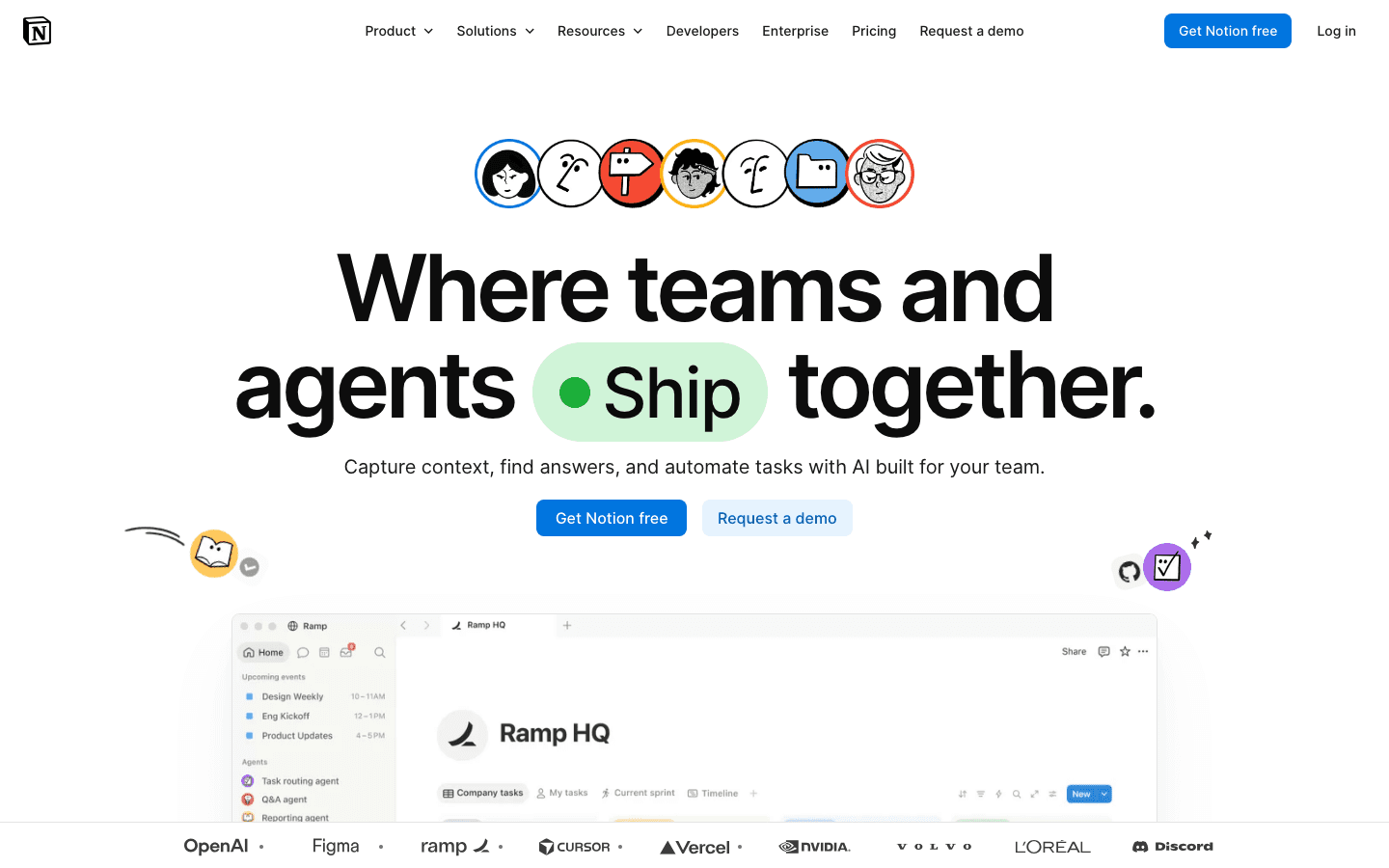
Notion is the tool most freelancers either already use or have tried and abandoned because they over-built it. The key is starting simple: one page per client, one table for active projects, one inbox for notes. You can always add structure later.
Where Notion earns its spot in a freelance stack is the combination of docs and databases. A client page can hold their contact info, a brief history, active project status, a link to the contract, and a notes log from every call, all in one place. No switching between a note app, a CRM, and a project tracker. Notion's free tier is genuinely capable for a solo freelancer. The Plus plan at $10/month makes sense once you are sharing pages with clients or need version history.
The AI features added in 2025 let you draft proposals, summarize notes, and generate action items inside the tool. They are not a replacement for a proper AI assistant, but they reduce context-switching for common writing tasks. Check out the Notion pricing breakdown for a full tier comparison.
Key Features
Flexible pages combining docs, tables, kanban boards, and embedded files
AI writing and summarization built in (Plus and above)
Client-shareable pages with view-only permissions
Templates for project briefs, CRMs, and meeting notes
Web, desktop, and mobile apps
What Works
Replacing multiple tools (notes, CRM, project tracker) with one workspace reduces how often you have to switch contexts
The free tier is actually useful, not artificially limited
Limitations
It is easy to over-engineer your Notion setup and spend more time maintaining it than doing client work
Not a scheduling tool; pairs well with Lifestack for daily planning
Pricing: Free. Plus at $10/member/month, Business at $20/member/month.
Best for: Freelancers who want one place for client notes, project tracking, and documentation instead of five separate apps.
4. FreshBooks: Best for Invoicing and Accounting
Invoicing, expense tracking, and financial reports built for self-employed people.
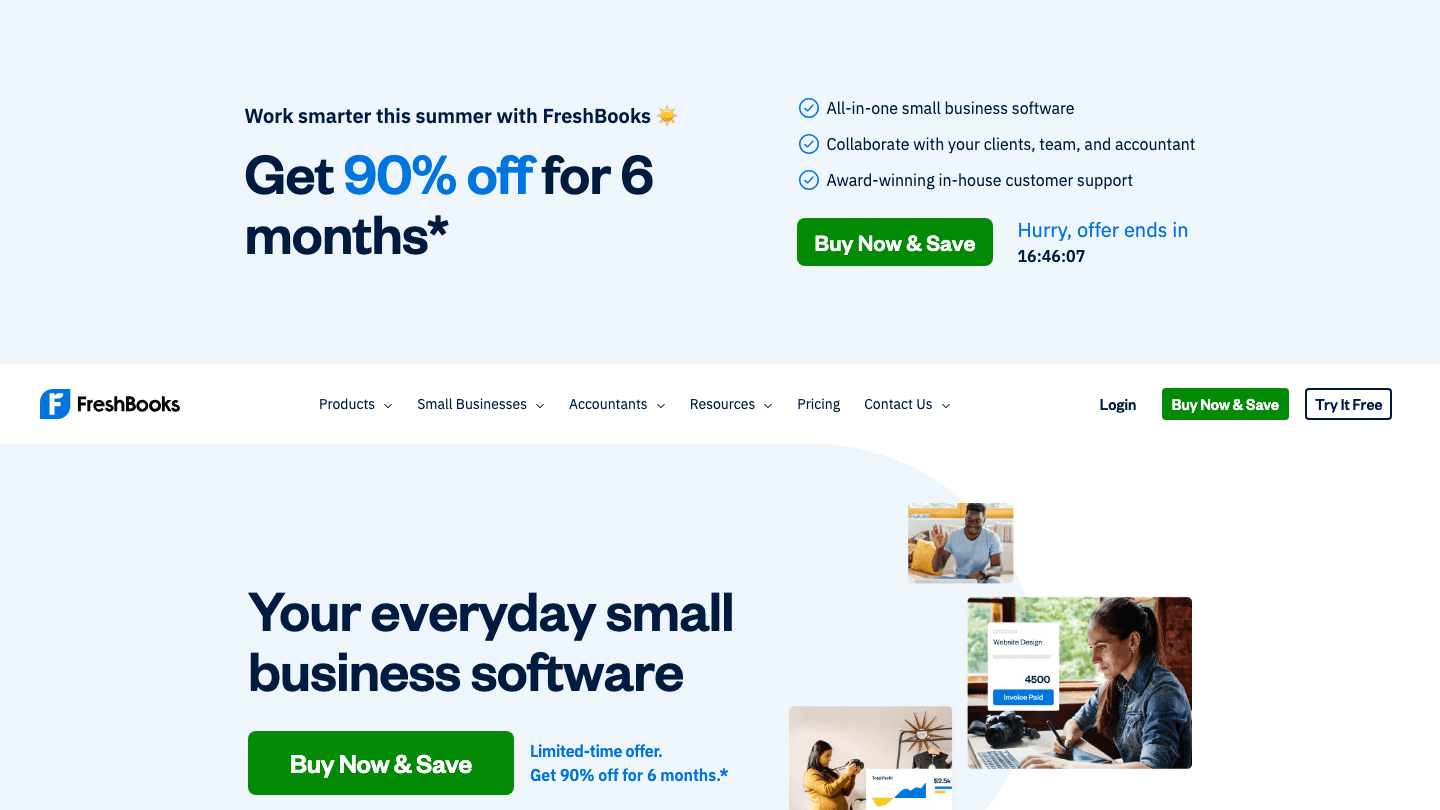
Invoicing is the part of freelancing that most people dread the most and set up the most poorly. A spreadsheet works until you have six clients, two currencies, and a client who needs a duplicate invoice because they "can't find the original." FreshBooks fixes this.
FreshBooks is built around the self-employed and small agency use case. You create invoices in under two minutes, set up recurring billing for retainer clients, accept online payments, and track expenses against projects for tax time. The dashboard shows outstanding invoices, collected revenue, and overdue payments at a glance. It is not the cheapest option, but it is the one that requires the least mental overhead once set up.
Key Features
Professional invoice creation with automatic payment reminders
Recurring invoices for retainer clients
Expense tracking with receipt capture via mobile
Profit and loss reports for tax preparation
Online payment acceptance (credit card, ACH, PayPal)
What Works
Automatic payment reminders alone reduce the awkwardness of chasing overdue invoices
The mobile receipt capture is genuinely faster than keeping paper receipts
Limitations
Lite plan caps you at 5 billable clients, which is restrictive for active freelancers
Pricier than alternatives like Wave (which is free for invoicing)
Pricing: Lite at $23/month (up to 5 clients), Plus at $43/month (up to 50 clients), Premium at $70/month (unlimited). Frequent promotional pricing available.
Best for: Freelancers who invoice regularly and want professional-looking billing without setting up a full accounting system.
5. Clockify: Best Free Time Tracker
Full-featured time tracking with a genuinely unlimited free tier.
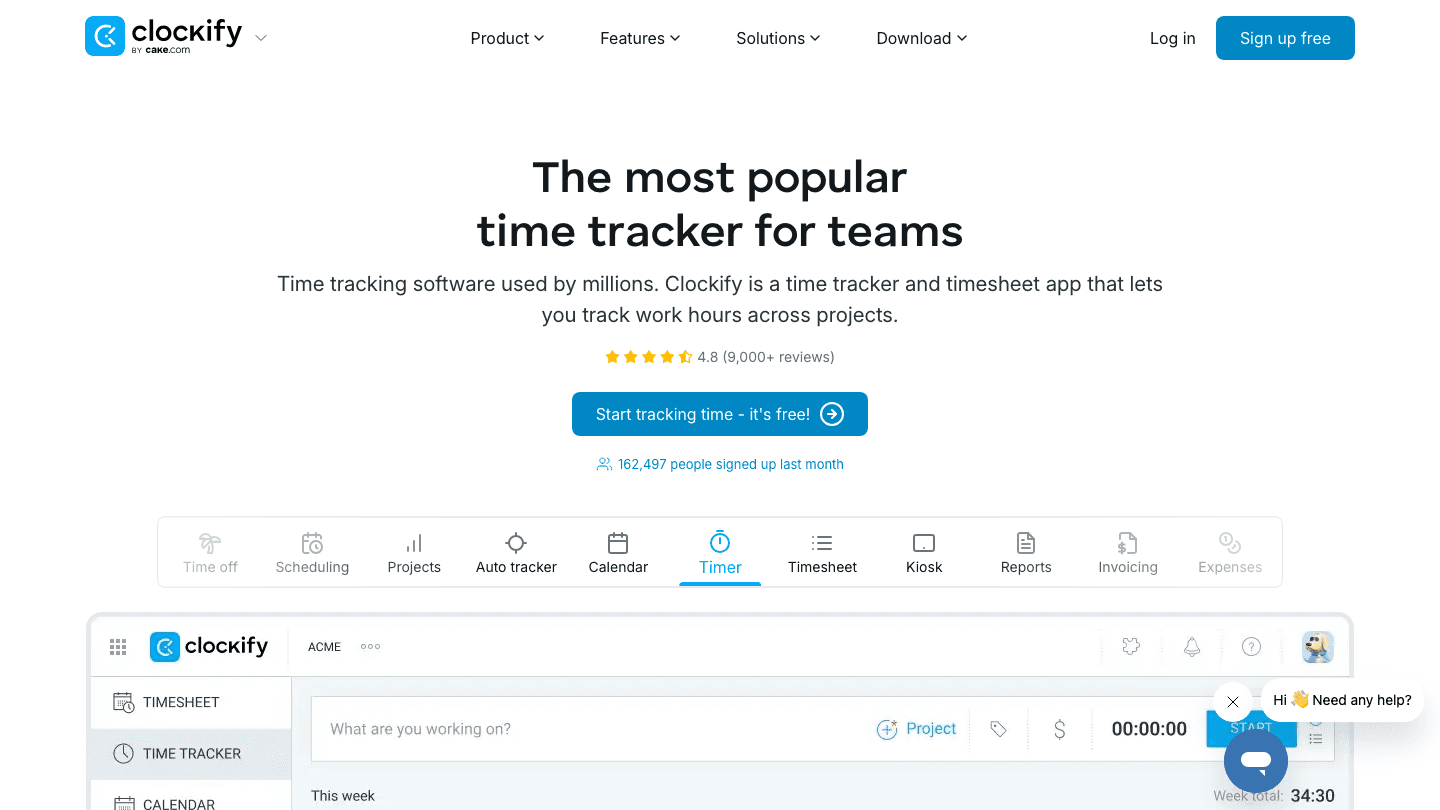
Clockify is the answer to "I want Toggl Track but I do not want to pay for it." The free plan is not stripped down. It gives you unlimited time tracking, unlimited projects, basic reports, and mobile and desktop apps. For a solo freelancer just getting started with tracking billable hours, it covers everything needed.
The paid tiers add invoicing (Standard plan), scheduling, expenses, and budget tracking. If you grow to the point of needing those features, Clockify's Standard plan at $5.49/seat/month (annual) is still cheaper than most alternatives. The interface is not quite as polished as Toggl Track, but it gets out of your way and does the job.
Key Features
Unlimited time tracking on the free plan, no user cap
Timer, manual entry, and auto-tracker modes
Project and client tagging for billing breakdown
Basic reports on the free plan; detailed reports on paid tiers
Invoicing built in on Standard plan and above
What Works
The free tier is the most capable free time tracking option available
No credit card required to start; works immediately for real billable tracking
Limitations
Reporting is less detailed than Toggl Track on the free plan
No energy-based scheduling; works alongside Lifestack for planning which hours to track
Pricing: Free (unlimited tracking). Basic at $3.99/seat/month (annual), Standard at $5.49/seat/month (annual).
Best for: Freelancers who want solid time tracking at no cost, or who are just starting to track billable hours.
6. Trello: Best Visual Project Board
Kanban boards that keep client projects visible and organized.
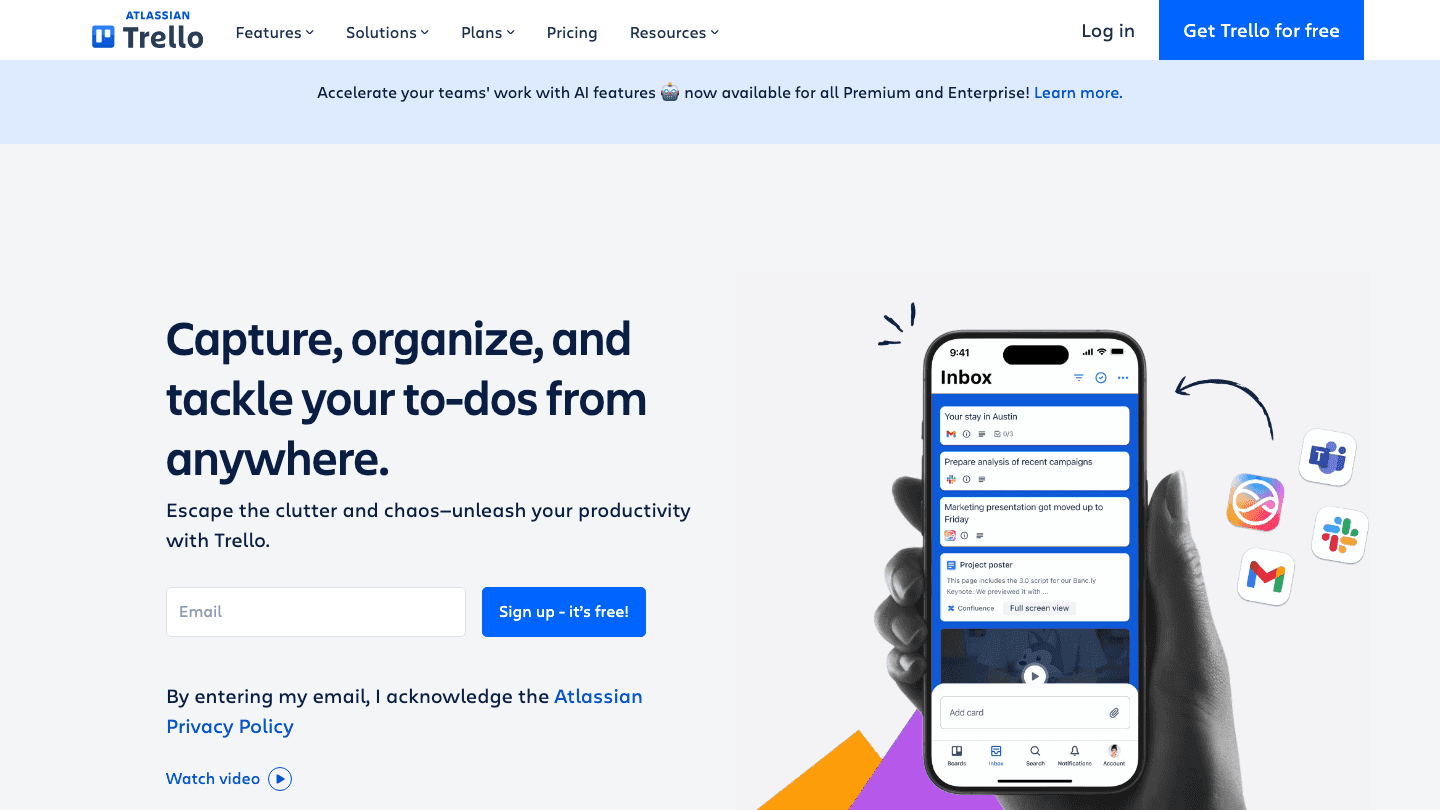
Trello is the original kanban tool, and for most freelancers it is still the right one. The model is straightforward: columns represent stages (To Do, In Progress, In Review, Done), and cards represent tasks. Drag a card when the status changes. Simple.
What makes Trello work for freelancers specifically is its client-sharing model. You can add a client as a guest to a specific board so they can see project status without accessing anything else. That replaces a lot of "where are we on this?" emails. The free plan covers most solo freelance use cases. See our full Trello pricing breakdown for details on what each tier adds.
For more complex project management needs, the Premium plan adds Calendar and Timeline views, which are useful for visualizing overlapping client deadlines. But most freelancers will not need to leave the free plan.
Key Features
Drag-and-drop kanban boards for visual task management
Client sharing with view-only guest access
Checklists, attachments, due dates, and comments on each card
Calendar and Timeline views on Premium
Mobile apps for iOS and Android
What Works
The visual board format makes it immediately obvious which projects need attention and which are stalled
Client sharing reduces status-update emails significantly
Limitations
Not a daily planning tool; pairs with Lifestack for scheduling individual tasks from boards
Less flexible than Notion for docs and notes; better suited for task tracking only
Pricing: Free (up to 10 boards). Standard at $5/user/month (annual), Premium at $10/user/month (annual).
Best for: Freelancers who want a clear visual overview of client work across multiple projects.
Which Freelance Productivity Tool Should You Start With?
The honest answer is that most freelancers need more than one tool from this list, because they solve different problems. Here is a practical starting stack:
If you are just starting out and want to get organized: Trello (free) + Clockify (free)
If you are losing hours to disorganized days: add Lifestack to your stack first
If you invoice clients regularly: FreshBooks or Toggl Track with billing rates
If you need a single home for everything: Notion as your workspace hub
If you already use all of the above but your days still feel chaotic: start with Lifestack, because the scheduling problem is usually what makes the others feel hard to maintain
Frequently Asked Questions
What are the best free freelance productivity tools?
Clockify (time tracking), Trello (project boards), and Notion (workspace) all offer genuinely capable free tiers. Lifestack offers a 7-day trial so you can test AI scheduling before committing. For invoicing, Wave is a free FreshBooks alternative worth considering.
What is the best scheduling tool for freelancers?
Lifestack is the strongest option for daily task scheduling because it accounts for your energy levels, not just your calendar. Most calendar tools show you when you are free; Lifestack figures out when you should work on what. That distinction matters when you have multiple deadlines competing for the same hours.
Do freelancers need time tracking software?
Yes, if you bill by the hour. Even on fixed-rate projects, tracking time tells you whether you are actually making money at your stated rate or working twice as many hours as you budgeted. Both Toggl Track and Clockify make this easy enough that there is little reason not to.
Is Notion good for freelancers?
Notion works very well for freelancers who want a single workspace for client notes, project tracking, and documentation. The risk is over-engineering your setup. Start with one simple template and add complexity only when you actually need it. The free plan is enough for most solo freelancers to get real value.
How do I manage multiple freelance clients without getting overwhelmed?
The most reliable system combines a project board (Trello or Notion) with a daily planning tool (Lifestack). The board gives you the client-level view of what is in progress. Lifestack translates that into a daily schedule based on your actual available hours and energy. Without the planning layer, the board just becomes a list of things that never quite get done.
What freelance productivity tools work well together?
Lifestack + Toggl Track is a strong pairing: Lifestack plans when you work, Toggl records how long it takes and generates billing data. Adding Notion as a client workspace and FreshBooks for invoicing covers most of what a solo freelancer needs to run a professional operation.
Freelancing sounds like freedom until you realize you are the scheduling department, the billing team, the project manager, and the IT support all at once. The right set of tools can take a significant chunk of that overhead off your plate.
This list covers the six freelance productivity tools we think are worth your money (and attention) in 2026. They span scheduling, time tracking, invoicing, workspace organization, and project boards. Each solves a different layer of the freelance workflow, and several work well together.
We tested each tool for its actual freelance fit, not just its feature count. A tool can have 200 integrations and still be useless if it adds friction to your day. The picks below earn their place because they save time in practice, not just on paper. You can also check out our roundup of best AI apps for work for a broader view of what's available.
Key Takeaways
Lifestack is the best starting point for freelancers who struggle with when to work on what; it schedules tasks around your energy and calendar automatically.
Toggl Track and Clockify are both excellent for time tracking; Clockify is free, Toggl Track has better reporting for invoicing.
Notion and Trello handle project organization differently: Notion is a full workspace, Trello is a focused visual board.
Quick Guide: Freelance Productivity Tools
1. Lifestack: Best for AI-powered scheduling and daily planning
2. Toggl Track: Best for billable time tracking and reporting
3. Notion: Best all-in-one workspace for clients, notes, and tasks
4. FreshBooks: Best for invoicing and freelance accounting
5. Clockify: Best free time tracker
6. Trello: Best visual project board for client work
How We Evaluated These Tools
Does it actually reduce the time you spend managing your work (not just track it)?
How easy is the setup for a solo freelancer (not a team of 10)?
Does the free tier provide real value, or is it a stripped demo?
Does it integrate with the other tools most freelancers already use?
Is the pricing reasonable for a solo business?
1. Lifestack: Best for AI Scheduling and Daily Planning
The tool that decides when to work on what, so you do not have to.
Most freelancers have no shortage of tasks. The hard part is deciding which one to work on today, in which order, and when. That decision takes real mental energy every morning, and getting it wrong means important work keeps getting pushed.
Lifestack is an AI daily planner that solves exactly this. It reads your tasks, your calendar, and your energy patterns, then builds a day schedule automatically. High-focus work goes into your peak hours. Admin and email fill the low-energy slots. The app adjusts when meetings move or deadlines shift. The result is a calendar built around your energy, not just your commitments.
For freelancers specifically, Lifestack is good at protecting deep work blocks. Client calls and admin tend to eat into the hours where creative or technical work should happen. Lifestack flags when your day is overloaded before you commit to it and reshuffles automatically when it is. That alone makes it worth the subscription for anyone who ends the day having done everything except the work that actually moves the needle.
Key Features
AI task scheduling based on your energy levels and peak hours
Sync with Google Calendar, Apple Calendar, and Outlook
Task prioritization by deadline and effort level
Daily plan view that surfaces overloaded days before they happen
iOS, Android, and Chrome extension
What Works
Takes the daily "what do I work on first?" decision off your plate entirely
The importance of planning your day is well-documented; Lifestack makes that planning take 30 seconds instead of 30 minutes
Works with your existing calendar without replacing it
Limitations
Not a time tracker or invoicing tool; you will still need something like Toggl or Clockify for billing
No native macOS or Windows desktop app yet
Pricing: $7/month, $50/year (7-day free trial), or $120 lifetime.
Best for: Freelancers who spend too much time deciding what to work on, or who constantly push important work to "tomorrow."
2. Toggl Track: Best for Billable Time Tracking
The time tracker freelancers actually stick with.
Toggl Track has been the go-to time tracking tool for freelancers for years, and the 2026 version holds up. The core is simple: start a timer, assign it to a client and project, stop it when you are done. Over time, those sessions build into detailed reports that show exactly where your hours went and which clients are your most profitable.
The reporting is where Toggl earns its place over free alternatives. You can filter by client, project, or date range, export to PDF or CSV, and share summary reports with clients directly. That last feature alone saves awkward back-and-forth when a client questions your hours. The Starter tier at $9/month unlocks billing rates, rounding rules, and revenue estimates.
Key Features
One-click timers with client and project tagging
Detailed reports exportable to PDF, CSV, or shareable link
Browser extension and desktop app for background tracking
Calendar integrations (Google Calendar, Outlook) to log time from events
Billing rate and revenue tracking on paid plans
What Works
The timer widget lives in your browser toolbar, making it hard to forget to track
Client-level revenue reports are genuinely useful for understanding which work pays best
Limitations
No invoicing built in; you need a separate tool like FreshBooks to turn tracked hours into invoices
No energy-based scheduling; pairs well with Lifestack for planning
Pricing: Free for basic tracking. Starter at $9/user/month, Premium at $18/user/month. Annual plans include 3 months free.
Best for: Freelancers who need to track billable hours across multiple clients and want solid reporting without buying a full accounting suite. See our deeper look at time optimization tools for more options.
3. Notion: Best All-in-One Workspace
Notes, client wikis, project tracking, and databases in one tab.
Notion is the tool most freelancers either already use or have tried and abandoned because they over-built it. The key is starting simple: one page per client, one table for active projects, one inbox for notes. You can always add structure later.
Where Notion earns its spot in a freelance stack is the combination of docs and databases. A client page can hold their contact info, a brief history, active project status, a link to the contract, and a notes log from every call, all in one place. No switching between a note app, a CRM, and a project tracker. Notion's free tier is genuinely capable for a solo freelancer. The Plus plan at $10/month makes sense once you are sharing pages with clients or need version history.
The AI features added in 2025 let you draft proposals, summarize notes, and generate action items inside the tool. They are not a replacement for a proper AI assistant, but they reduce context-switching for common writing tasks. Check out the Notion pricing breakdown for a full tier comparison.
Key Features
Flexible pages combining docs, tables, kanban boards, and embedded files
AI writing and summarization built in (Plus and above)
Client-shareable pages with view-only permissions
Templates for project briefs, CRMs, and meeting notes
Web, desktop, and mobile apps
What Works
Replacing multiple tools (notes, CRM, project tracker) with one workspace reduces how often you have to switch contexts
The free tier is actually useful, not artificially limited
Limitations
It is easy to over-engineer your Notion setup and spend more time maintaining it than doing client work
Not a scheduling tool; pairs well with Lifestack for daily planning
Pricing: Free. Plus at $10/member/month, Business at $20/member/month.
Best for: Freelancers who want one place for client notes, project tracking, and documentation instead of five separate apps.
4. FreshBooks: Best for Invoicing and Accounting
Invoicing, expense tracking, and financial reports built for self-employed people.
Invoicing is the part of freelancing that most people dread the most and set up the most poorly. A spreadsheet works until you have six clients, two currencies, and a client who needs a duplicate invoice because they "can't find the original." FreshBooks fixes this.
FreshBooks is built around the self-employed and small agency use case. You create invoices in under two minutes, set up recurring billing for retainer clients, accept online payments, and track expenses against projects for tax time. The dashboard shows outstanding invoices, collected revenue, and overdue payments at a glance. It is not the cheapest option, but it is the one that requires the least mental overhead once set up.
Key Features
Professional invoice creation with automatic payment reminders
Recurring invoices for retainer clients
Expense tracking with receipt capture via mobile
Profit and loss reports for tax preparation
Online payment acceptance (credit card, ACH, PayPal)
What Works
Automatic payment reminders alone reduce the awkwardness of chasing overdue invoices
The mobile receipt capture is genuinely faster than keeping paper receipts
Limitations
Lite plan caps you at 5 billable clients, which is restrictive for active freelancers
Pricier than alternatives like Wave (which is free for invoicing)
Pricing: Lite at $23/month (up to 5 clients), Plus at $43/month (up to 50 clients), Premium at $70/month (unlimited). Frequent promotional pricing available.
Best for: Freelancers who invoice regularly and want professional-looking billing without setting up a full accounting system.
5. Clockify: Best Free Time Tracker
Full-featured time tracking with a genuinely unlimited free tier.
Clockify is the answer to "I want Toggl Track but I do not want to pay for it." The free plan is not stripped down. It gives you unlimited time tracking, unlimited projects, basic reports, and mobile and desktop apps. For a solo freelancer just getting started with tracking billable hours, it covers everything needed.
The paid tiers add invoicing (Standard plan), scheduling, expenses, and budget tracking. If you grow to the point of needing those features, Clockify's Standard plan at $5.49/seat/month (annual) is still cheaper than most alternatives. The interface is not quite as polished as Toggl Track, but it gets out of your way and does the job.
Key Features
Unlimited time tracking on the free plan, no user cap
Timer, manual entry, and auto-tracker modes
Project and client tagging for billing breakdown
Basic reports on the free plan; detailed reports on paid tiers
Invoicing built in on Standard plan and above
What Works
The free tier is the most capable free time tracking option available
No credit card required to start; works immediately for real billable tracking
Limitations
Reporting is less detailed than Toggl Track on the free plan
No energy-based scheduling; works alongside Lifestack for planning which hours to track
Pricing: Free (unlimited tracking). Basic at $3.99/seat/month (annual), Standard at $5.49/seat/month (annual).
Best for: Freelancers who want solid time tracking at no cost, or who are just starting to track billable hours.
6. Trello: Best Visual Project Board
Kanban boards that keep client projects visible and organized.
Trello is the original kanban tool, and for most freelancers it is still the right one. The model is straightforward: columns represent stages (To Do, In Progress, In Review, Done), and cards represent tasks. Drag a card when the status changes. Simple.
What makes Trello work for freelancers specifically is its client-sharing model. You can add a client as a guest to a specific board so they can see project status without accessing anything else. That replaces a lot of "where are we on this?" emails. The free plan covers most solo freelance use cases. See our full Trello pricing breakdown for details on what each tier adds.
For more complex project management needs, the Premium plan adds Calendar and Timeline views, which are useful for visualizing overlapping client deadlines. But most freelancers will not need to leave the free plan.
Key Features
Drag-and-drop kanban boards for visual task management
Client sharing with view-only guest access
Checklists, attachments, due dates, and comments on each card
Calendar and Timeline views on Premium
Mobile apps for iOS and Android
What Works
The visual board format makes it immediately obvious which projects need attention and which are stalled
Client sharing reduces status-update emails significantly
Limitations
Not a daily planning tool; pairs with Lifestack for scheduling individual tasks from boards
Less flexible than Notion for docs and notes; better suited for task tracking only
Pricing: Free (up to 10 boards). Standard at $5/user/month (annual), Premium at $10/user/month (annual).
Best for: Freelancers who want a clear visual overview of client work across multiple projects.
Which Freelance Productivity Tool Should You Start With?
The honest answer is that most freelancers need more than one tool from this list, because they solve different problems. Here is a practical starting stack:
If you are just starting out and want to get organized: Trello (free) + Clockify (free)
If you are losing hours to disorganized days: add Lifestack to your stack first
If you invoice clients regularly: FreshBooks or Toggl Track with billing rates
If you need a single home for everything: Notion as your workspace hub
If you already use all of the above but your days still feel chaotic: start with Lifestack, because the scheduling problem is usually what makes the others feel hard to maintain
Frequently Asked Questions
What are the best free freelance productivity tools?
Clockify (time tracking), Trello (project boards), and Notion (workspace) all offer genuinely capable free tiers. Lifestack offers a 7-day trial so you can test AI scheduling before committing. For invoicing, Wave is a free FreshBooks alternative worth considering.
What is the best scheduling tool for freelancers?
Lifestack is the strongest option for daily task scheduling because it accounts for your energy levels, not just your calendar. Most calendar tools show you when you are free; Lifestack figures out when you should work on what. That distinction matters when you have multiple deadlines competing for the same hours.
Do freelancers need time tracking software?
Yes, if you bill by the hour. Even on fixed-rate projects, tracking time tells you whether you are actually making money at your stated rate or working twice as many hours as you budgeted. Both Toggl Track and Clockify make this easy enough that there is little reason not to.
Is Notion good for freelancers?
Notion works very well for freelancers who want a single workspace for client notes, project tracking, and documentation. The risk is over-engineering your setup. Start with one simple template and add complexity only when you actually need it. The free plan is enough for most solo freelancers to get real value.
How do I manage multiple freelance clients without getting overwhelmed?
The most reliable system combines a project board (Trello or Notion) with a daily planning tool (Lifestack). The board gives you the client-level view of what is in progress. Lifestack translates that into a daily schedule based on your actual available hours and energy. Without the planning layer, the board just becomes a list of things that never quite get done.
What freelance productivity tools work well together?
Lifestack + Toggl Track is a strong pairing: Lifestack plans when you work, Toggl records how long it takes and generates billing data. Adding Notion as a client workspace and FreshBooks for invoicing covers most of what a solo freelancer needs to run a professional operation.



FOLLOW ON
FOLLOW ON
FOLLOW ON


Copyright 2026 © Lifestack. All rights reserved
Copyright 2026 © Lifestack. All rights reserved

