
App
Best AI Apps for Work in 2026
Best AI Apps for Work in 2026
AI apps for work have gone from novelty to necessity in the space of a few years. The question in 2026 isn't whether to use them. It's which ones are actually worth paying for and which ones fit your specific workflow.
The best AI work apps don't just add a chat interface to an existing product. They change how a core task gets done. Lifestack rethinks how you schedule your day. Otter rethinks how you capture meetings. Motion rethinks how you manage a task list. The tools below earned their spots because they do something meaningfully different, not just something incrementally better.
Key Takeaways
Lifestack is the best AI work app for scheduling. It builds your daily plan around energy patterns, not just availability, and adapts automatically as your day changes.
Otter.ai and Grammarly have the best free tiers for meeting capture and writing assistance respectively.
Motion is the right choice if you have a large task list and want full AI scheduling automation without manual time-blocking.
Quick Guide: Best AI Apps for Work
1. Lifestack: Best AI app for scheduling and energy-aware daily planning
2. Motion: Best AI app for automatic task scheduling and calendar management
3. Otter.ai: Best AI app for meeting transcription and knowledge capture
4. Notion AI: Best AI app for notes, documents, and knowledge management
5. Grammarly: Best AI app for writing quality across every tool you use
How We Evaluated
AI quality: Does the AI do something genuinely useful, or is it a surface-level feature?
Workflow integration: Does it fit into how you actually work?
Free tier value: How much can you get without paying?
Cross-platform support: Web, iOS, Android, desktop availability
1. Lifestack: Best AI App for Work Scheduling
Builds your daily work plan around energy, not open calendar slots.

Lifestack is an AI planner that does something most work apps still can't: it figures out when you should do your best work, not just when you're technically available. It connects to your calendar, your task list, and wearables like Oura or Apple Watch, then uses your health and sleep data to build a daily plan that puts demanding work in your peak hours and low-effort tasks in your low-energy windows.
For anyone who has ever wondered why they feel sharp at 9am and foggy at 3pm, then tried to schedule important work at 3pm anyway, Lifestack removes that mistake. The AI decides the schedule, adjusts it when things change, and gives you a daily view of what to work on next without requiring you to think about it.
It connects to Google Calendar, Outlook, and Apple Calendar. The mobile apps (iOS and Android) match the web experience. For a broader look at how AI scheduling tools compare, see the best AI planner app guide and the AI productivity tools roundup.
Key Features
Energy-aware daily plan generation using wearable data
Automatic task scheduling with priority and deadline awareness
Real-time rescheduling as your day changes
Google Calendar, Outlook, Apple Calendar sync
iOS and Android apps
What Works
The energy-awareness layer is a real differentiator in the AI scheduling category
Setup takes minutes, not hours
Daily plan adapts automatically without manual reshuffling
Limitations
Scheduling-focused: not an AI writing or meeting notes tool
Most value when paired with a wearable
Pricing: $7/month or $50/year (7-day free trial on annual)
Best for: Professionals who want AI to plan their workday around when they're actually at their best
2. Motion: Best AI App for Task Scheduling
Add tasks and deadlines; let AI schedule everything automatically.
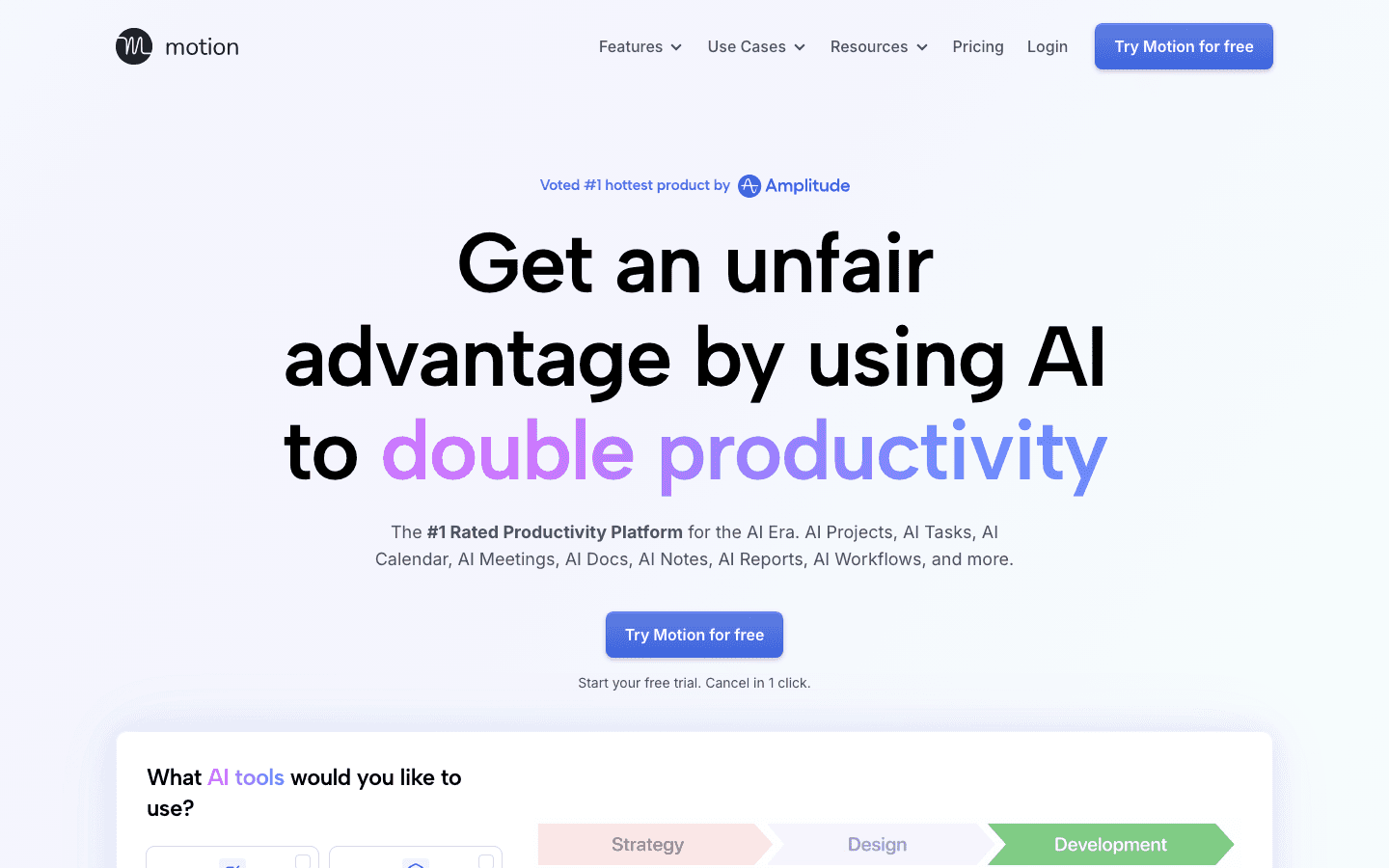
Motion's AI takes your full task list, scans your calendar, and builds a scheduled day. No drag-and-drop, no manual time-blocking. You set priorities and deadlines; Motion handles when things happen. When a meeting appears or a task runs long, it rebuilds the rest of the day to absorb the change.
For people managing a large number of tasks across multiple projects, the cognitive savings are real. Deciding when to do everything, then constantly revising that decision, is a hidden productivity cost that Motion removes. At $19/month it's priced above most task managers, but it genuinely replaces several hours of calendar management per week. See the best AI task manager guide for a full comparison.
Key Features
AI auto-scheduling for tasks and meetings
Automatic daily rebuilding when plans change
Project management and team scheduling
Google Calendar and Outlook integration
What Works
Best scheduling automation for high task-volume workflows
Handles real-world calendar disruption well
Limitations
No energy awareness: schedules by availability, not peak performance windows
Higher price than most alternatives
Pricing: $19/month or ~$13/month annually
Best for: Professionals with many tasks and shifting deadlines who want scheduling on autopilot
3. Otter.ai: Best AI App for Meetings
Automatically transcribes every meeting and turns it into searchable notes.
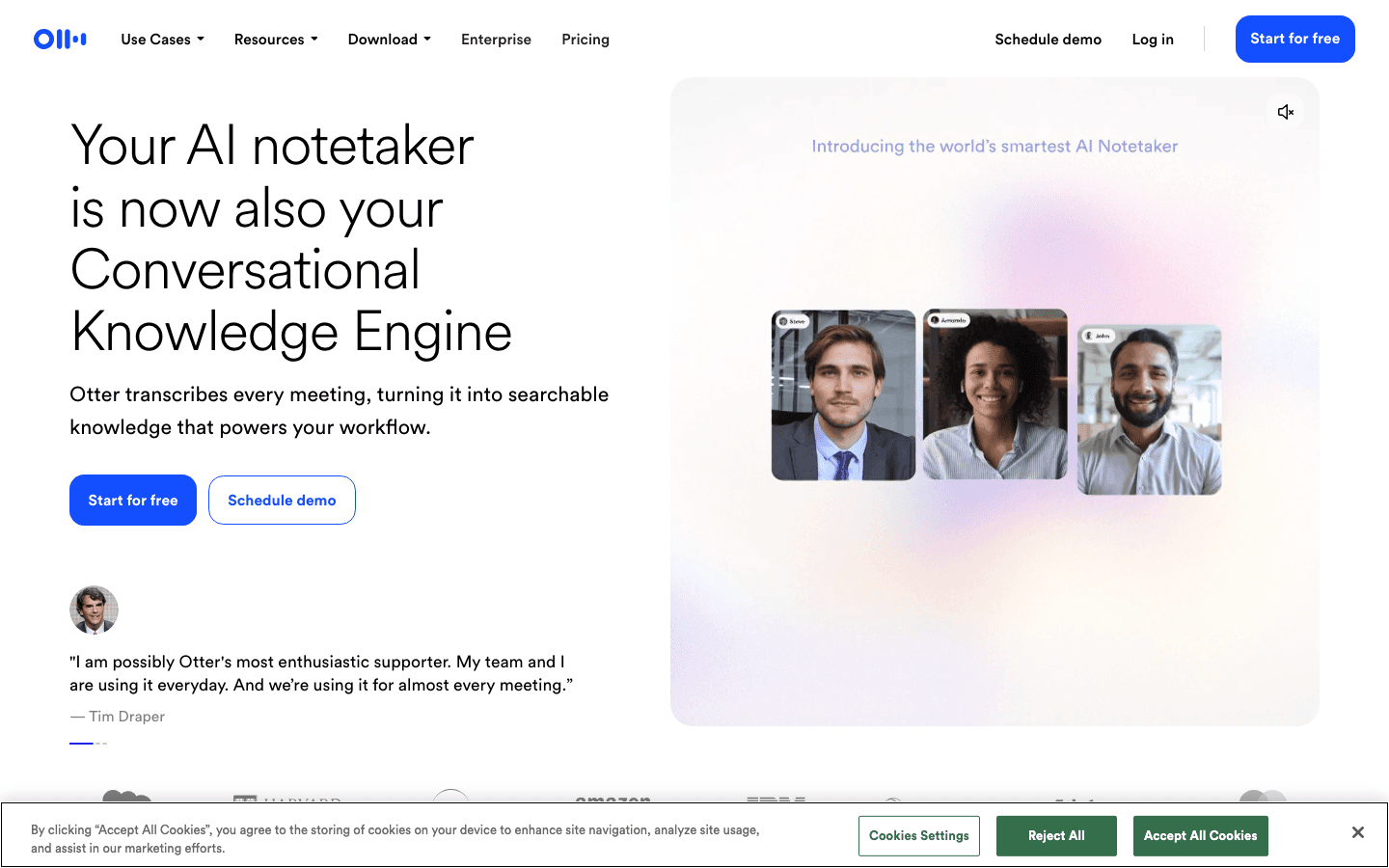
Otter joins your meetings and captures everything. Transcription runs in real time with speaker labels. After the call, you get a summary, action items, and a searchable record of everything said. The AI agent can answer questions about past meetings by pulling from your full meeting history.
For knowledge workers who spend a significant part of the day in meetings, this eliminates the post-meeting admin work: no more scrambling to write notes while also trying to listen, no more "who was supposed to do that?" after a long call. The free plan is usable without a credit card and covers a meaningful amount of transcription per month.
Key Features
Real-time transcription with speaker identification
Automatic meeting summary and action item extraction
AI agent that answers questions from meeting history
Zoom, Google Meet, and Microsoft Teams integration
What Works
Best transcription accuracy and meeting knowledge base in the category
Free plan is genuinely useful without a credit card
Limitations
Meeting-focused: no scheduling, task management, or writing assistance
Pricing: Free (limited minutes); $8.33/month billed annually (Pro)
Best for: Anyone in back-to-back meetings who wants automatic notes, summaries, and action items
4. Notion AI: Best AI App for Knowledge Work
AI built into your notes, docs, and databases, no switching required.
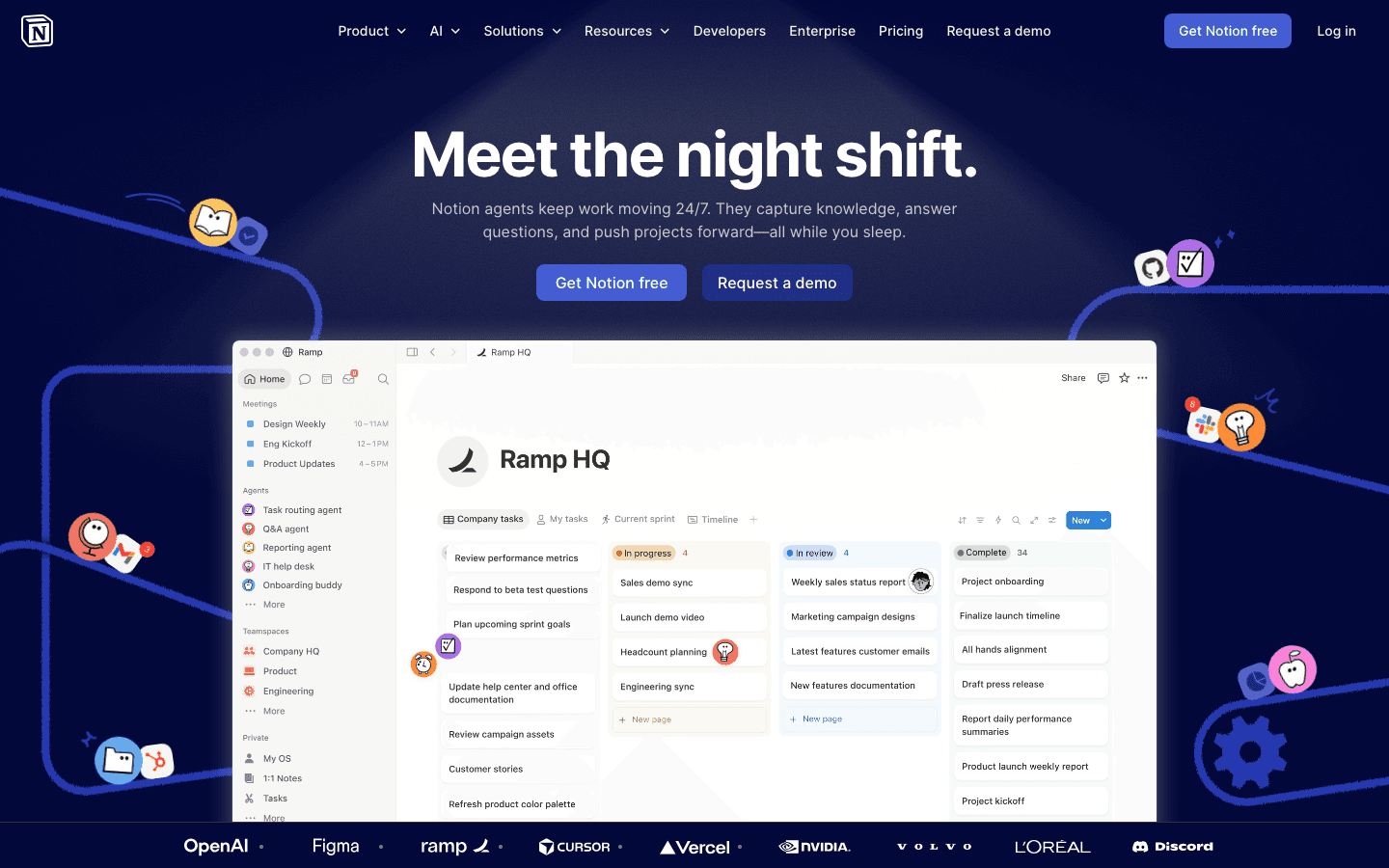
Notion AI lives inside Notion, which means it can work with your actual documents and databases rather than generic prompts. You can ask it to summarize a project brief, generate action items from meeting notes, draft a proposal from bullet points, or autofill a database based on context. The AI knows what's in your workspace because it can read it.
The integration with Notion's structure is the main advantage over standalone AI chat tools. For teams that already run their knowledge base in Notion, the AI layer makes existing content more actionable without requiring a separate app or workflow change. The Business plan ($20/month) provides the full AI feature set including Notion Agent and meeting notes.
Key Features
AI writing, summarization, and drafting inside documents
Database autofill using AI
Notion Agent for multi-step tasks across your workspace
Meeting notes integration (Business plan)
Available across web, iOS, Android, and desktop
What Works
AI works with your actual content, not generic prompts
No additional tool to learn if you're already a Notion user
Limitations
Full AI features require Business plan ($20/month)
Less useful if your knowledge isn't already in Notion
Pricing: Free (limited AI trial); $10/month (Plus); $20/month (Business, full AI)
Best for: Teams that use Notion as their knowledge base and want AI integrated into existing workflows
5. Grammarly: Best AI App for Writing
AI writing assistance that follows you across every app and browser tab.
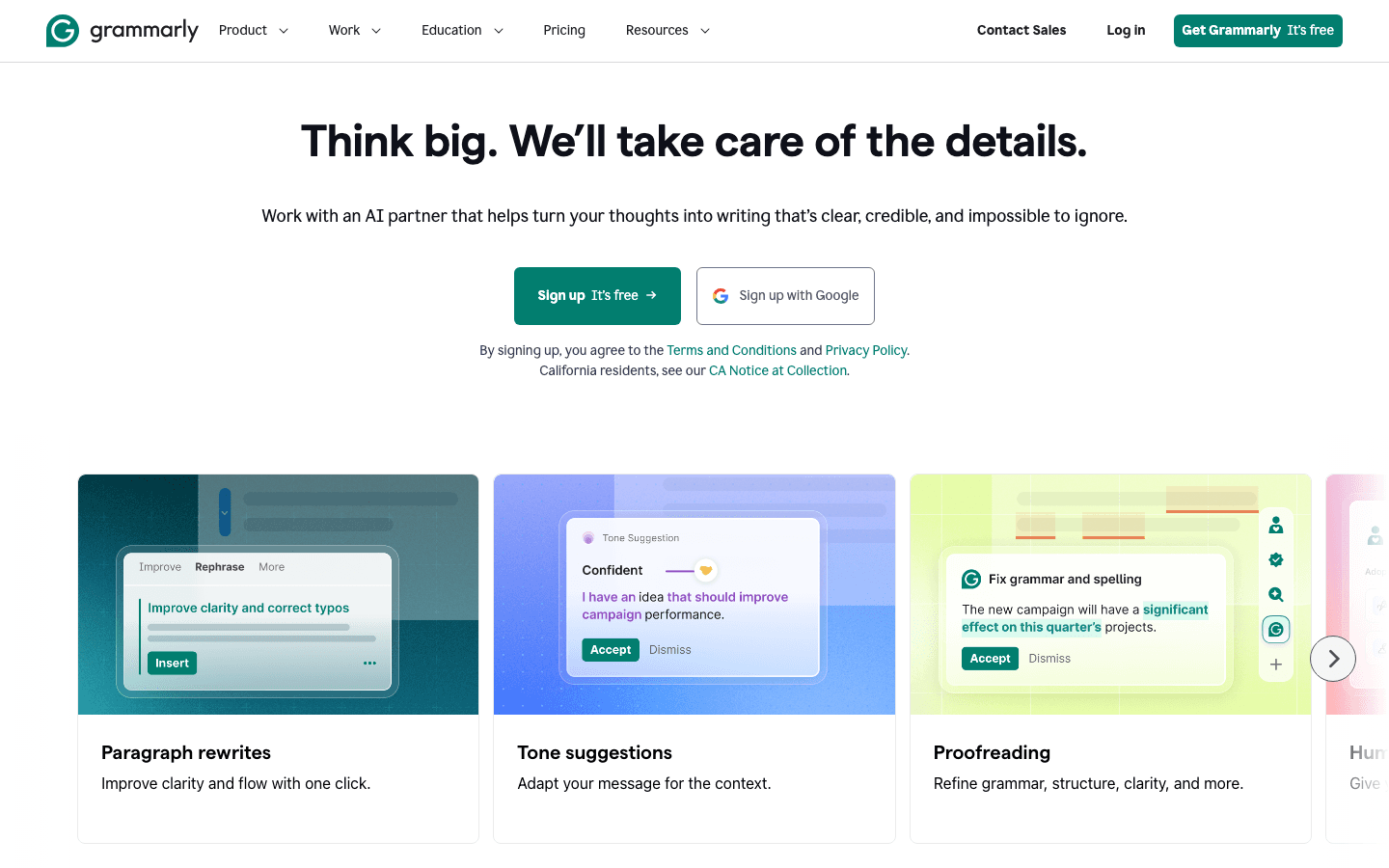
Grammarly sits in the background across your browser, email client, Google Docs, and Microsoft Word, and flags issues as you type. The free tier handles grammar and clarity checks. The Pro tier adds tone adjustment, full sentence rewrites, and AI-generated text detection. Useful for anyone editing or reviewing content produced with AI tools.
The value for work is in the consistency. Every email, every report, every Slack message gets the same level of attention that you'd apply to an important document if you had time. For non-native English speakers or anyone who produces a high volume of written communication, the quality improvement is measurable. It's one of the few AI work apps where the free plan is genuinely useful day-to-day.
Key Features
Grammar, clarity, and tone checks across all writing surfaces
Sentence rewrites and tone adjustment (Pro)
AI-generated text detection (Pro)
Browser extension, iOS keyboard, and desktop apps
2,000 AI prompts/month on Pro
What Works
Works everywhere without switching context
Free plan covers the most common use case: grammar and clarity
Consistent quality improvement across all written output
Limitations
Writing-focused: no scheduling, task management, or meeting features
Best value for people who write a lot; less impactful for data or code work
Pricing: Free; $12/month (Pro, 7-day trial)
Best for: Anyone who writes frequently for work and wants consistent quality across every channel
Which AI Work App Is Right for You?
You want AI to manage your schedule based on when you work best: Lifestack. See the Lifestack introduction for how it works.
You have a heavy task list and want autopilot scheduling: Motion.
You're in back-to-back meetings and need automatic notes: Otter.ai.
Your team runs on Notion and you want AI in your knowledge base: Notion AI.
You write a lot of emails, reports, or documents: Grammarly.
You want more options: The proactive AI assistant guide and the AI assistants for business roundup cover the broader category.
FAQ
What is the best AI app for work in 2026?
The best AI work app depends on your biggest productivity bottleneck. If scheduling and planning your day is the problem, Lifestack. If managing a large task list is the problem, Motion. If keeping up with meetings is the problem, Otter.ai. The right answer is almost always a combination of two or three specialized tools rather than one general-purpose AI.
Are AI work apps worth paying for?
The ones on this list are, for specific use cases. Lifestack at $7/month replaces hours of manual daily planning per week. Grammarly's free plan covers most use cases at no cost. Otter.ai's free plan is similarly useful. The paid apps (Motion at $19/month, Notion AI at $20/month) are worth it when your workflow genuinely hits the problem they solve.
Can I use multiple AI apps for work at the same time?
Yes, and most professionals do. These tools cover different domains and don't conflict. A common setup is Lifestack for scheduling, Otter.ai for meetings, and Grammarly for writing. Each handles a distinct part of the workday without overlapping.
What AI work apps have a free plan?
Grammarly and Otter.ai both have free plans with meaningful feature access. Notion has a free tier with limited AI capabilities. Lifestack offers a 7-day trial on its annual plan. Motion doesn't have a permanent free tier but offers a trial.
AI apps for work have gone from novelty to necessity in the space of a few years. The question in 2026 isn't whether to use them. It's which ones are actually worth paying for and which ones fit your specific workflow.
The best AI work apps don't just add a chat interface to an existing product. They change how a core task gets done. Lifestack rethinks how you schedule your day. Otter rethinks how you capture meetings. Motion rethinks how you manage a task list. The tools below earned their spots because they do something meaningfully different, not just something incrementally better.
Key Takeaways
Lifestack is the best AI work app for scheduling. It builds your daily plan around energy patterns, not just availability, and adapts automatically as your day changes.
Otter.ai and Grammarly have the best free tiers for meeting capture and writing assistance respectively.
Motion is the right choice if you have a large task list and want full AI scheduling automation without manual time-blocking.
Quick Guide: Best AI Apps for Work
1. Lifestack: Best AI app for scheduling and energy-aware daily planning
2. Motion: Best AI app for automatic task scheduling and calendar management
3. Otter.ai: Best AI app for meeting transcription and knowledge capture
4. Notion AI: Best AI app for notes, documents, and knowledge management
5. Grammarly: Best AI app for writing quality across every tool you use
How We Evaluated
AI quality: Does the AI do something genuinely useful, or is it a surface-level feature?
Workflow integration: Does it fit into how you actually work?
Free tier value: How much can you get without paying?
Cross-platform support: Web, iOS, Android, desktop availability
1. Lifestack: Best AI App for Work Scheduling
Builds your daily work plan around energy, not open calendar slots.
Lifestack is an AI planner that does something most work apps still can't: it figures out when you should do your best work, not just when you're technically available. It connects to your calendar, your task list, and wearables like Oura or Apple Watch, then uses your health and sleep data to build a daily plan that puts demanding work in your peak hours and low-effort tasks in your low-energy windows.
For anyone who has ever wondered why they feel sharp at 9am and foggy at 3pm, then tried to schedule important work at 3pm anyway, Lifestack removes that mistake. The AI decides the schedule, adjusts it when things change, and gives you a daily view of what to work on next without requiring you to think about it.
It connects to Google Calendar, Outlook, and Apple Calendar. The mobile apps (iOS and Android) match the web experience. For a broader look at how AI scheduling tools compare, see the best AI planner app guide and the AI productivity tools roundup.
Key Features
Energy-aware daily plan generation using wearable data
Automatic task scheduling with priority and deadline awareness
Real-time rescheduling as your day changes
Google Calendar, Outlook, Apple Calendar sync
iOS and Android apps
What Works
The energy-awareness layer is a real differentiator in the AI scheduling category
Setup takes minutes, not hours
Daily plan adapts automatically without manual reshuffling
Limitations
Scheduling-focused: not an AI writing or meeting notes tool
Most value when paired with a wearable
Pricing: $7/month or $50/year (7-day free trial on annual)
Best for: Professionals who want AI to plan their workday around when they're actually at their best
2. Motion: Best AI App for Task Scheduling
Add tasks and deadlines; let AI schedule everything automatically.
Motion's AI takes your full task list, scans your calendar, and builds a scheduled day. No drag-and-drop, no manual time-blocking. You set priorities and deadlines; Motion handles when things happen. When a meeting appears or a task runs long, it rebuilds the rest of the day to absorb the change.
For people managing a large number of tasks across multiple projects, the cognitive savings are real. Deciding when to do everything, then constantly revising that decision, is a hidden productivity cost that Motion removes. At $19/month it's priced above most task managers, but it genuinely replaces several hours of calendar management per week. See the best AI task manager guide for a full comparison.
Key Features
AI auto-scheduling for tasks and meetings
Automatic daily rebuilding when plans change
Project management and team scheduling
Google Calendar and Outlook integration
What Works
Best scheduling automation for high task-volume workflows
Handles real-world calendar disruption well
Limitations
No energy awareness: schedules by availability, not peak performance windows
Higher price than most alternatives
Pricing: $19/month or ~$13/month annually
Best for: Professionals with many tasks and shifting deadlines who want scheduling on autopilot
3. Otter.ai: Best AI App for Meetings
Automatically transcribes every meeting and turns it into searchable notes.
Otter joins your meetings and captures everything. Transcription runs in real time with speaker labels. After the call, you get a summary, action items, and a searchable record of everything said. The AI agent can answer questions about past meetings by pulling from your full meeting history.
For knowledge workers who spend a significant part of the day in meetings, this eliminates the post-meeting admin work: no more scrambling to write notes while also trying to listen, no more "who was supposed to do that?" after a long call. The free plan is usable without a credit card and covers a meaningful amount of transcription per month.
Key Features
Real-time transcription with speaker identification
Automatic meeting summary and action item extraction
AI agent that answers questions from meeting history
Zoom, Google Meet, and Microsoft Teams integration
What Works
Best transcription accuracy and meeting knowledge base in the category
Free plan is genuinely useful without a credit card
Limitations
Meeting-focused: no scheduling, task management, or writing assistance
Pricing: Free (limited minutes); $8.33/month billed annually (Pro)
Best for: Anyone in back-to-back meetings who wants automatic notes, summaries, and action items
4. Notion AI: Best AI App for Knowledge Work
AI built into your notes, docs, and databases, no switching required.
Notion AI lives inside Notion, which means it can work with your actual documents and databases rather than generic prompts. You can ask it to summarize a project brief, generate action items from meeting notes, draft a proposal from bullet points, or autofill a database based on context. The AI knows what's in your workspace because it can read it.
The integration with Notion's structure is the main advantage over standalone AI chat tools. For teams that already run their knowledge base in Notion, the AI layer makes existing content more actionable without requiring a separate app or workflow change. The Business plan ($20/month) provides the full AI feature set including Notion Agent and meeting notes.
Key Features
AI writing, summarization, and drafting inside documents
Database autofill using AI
Notion Agent for multi-step tasks across your workspace
Meeting notes integration (Business plan)
Available across web, iOS, Android, and desktop
What Works
AI works with your actual content, not generic prompts
No additional tool to learn if you're already a Notion user
Limitations
Full AI features require Business plan ($20/month)
Less useful if your knowledge isn't already in Notion
Pricing: Free (limited AI trial); $10/month (Plus); $20/month (Business, full AI)
Best for: Teams that use Notion as their knowledge base and want AI integrated into existing workflows
5. Grammarly: Best AI App for Writing
AI writing assistance that follows you across every app and browser tab.
Grammarly sits in the background across your browser, email client, Google Docs, and Microsoft Word, and flags issues as you type. The free tier handles grammar and clarity checks. The Pro tier adds tone adjustment, full sentence rewrites, and AI-generated text detection. Useful for anyone editing or reviewing content produced with AI tools.
The value for work is in the consistency. Every email, every report, every Slack message gets the same level of attention that you'd apply to an important document if you had time. For non-native English speakers or anyone who produces a high volume of written communication, the quality improvement is measurable. It's one of the few AI work apps where the free plan is genuinely useful day-to-day.
Key Features
Grammar, clarity, and tone checks across all writing surfaces
Sentence rewrites and tone adjustment (Pro)
AI-generated text detection (Pro)
Browser extension, iOS keyboard, and desktop apps
2,000 AI prompts/month on Pro
What Works
Works everywhere without switching context
Free plan covers the most common use case: grammar and clarity
Consistent quality improvement across all written output
Limitations
Writing-focused: no scheduling, task management, or meeting features
Best value for people who write a lot; less impactful for data or code work
Pricing: Free; $12/month (Pro, 7-day trial)
Best for: Anyone who writes frequently for work and wants consistent quality across every channel
Which AI Work App Is Right for You?
You want AI to manage your schedule based on when you work best: Lifestack. See the Lifestack introduction for how it works.
You have a heavy task list and want autopilot scheduling: Motion.
You're in back-to-back meetings and need automatic notes: Otter.ai.
Your team runs on Notion and you want AI in your knowledge base: Notion AI.
You write a lot of emails, reports, or documents: Grammarly.
You want more options: The proactive AI assistant guide and the AI assistants for business roundup cover the broader category.
FAQ
What is the best AI app for work in 2026?
The best AI work app depends on your biggest productivity bottleneck. If scheduling and planning your day is the problem, Lifestack. If managing a large task list is the problem, Motion. If keeping up with meetings is the problem, Otter.ai. The right answer is almost always a combination of two or three specialized tools rather than one general-purpose AI.
Are AI work apps worth paying for?
The ones on this list are, for specific use cases. Lifestack at $7/month replaces hours of manual daily planning per week. Grammarly's free plan covers most use cases at no cost. Otter.ai's free plan is similarly useful. The paid apps (Motion at $19/month, Notion AI at $20/month) are worth it when your workflow genuinely hits the problem they solve.
Can I use multiple AI apps for work at the same time?
Yes, and most professionals do. These tools cover different domains and don't conflict. A common setup is Lifestack for scheduling, Otter.ai for meetings, and Grammarly for writing. Each handles a distinct part of the workday without overlapping.
What AI work apps have a free plan?
Grammarly and Otter.ai both have free plans with meaningful feature access. Notion has a free tier with limited AI capabilities. Lifestack offers a 7-day trial on its annual plan. Motion doesn't have a permanent free tier but offers a trial.



FOLLOW ON
FOLLOW ON
FOLLOW ON


Copyright 2026 © Lifestack. All rights reserved
Copyright 2026 © Lifestack. All rights reserved

