
App
Best Proactive AI Assistants in 2026
Best Proactive AI Assistants in 2026
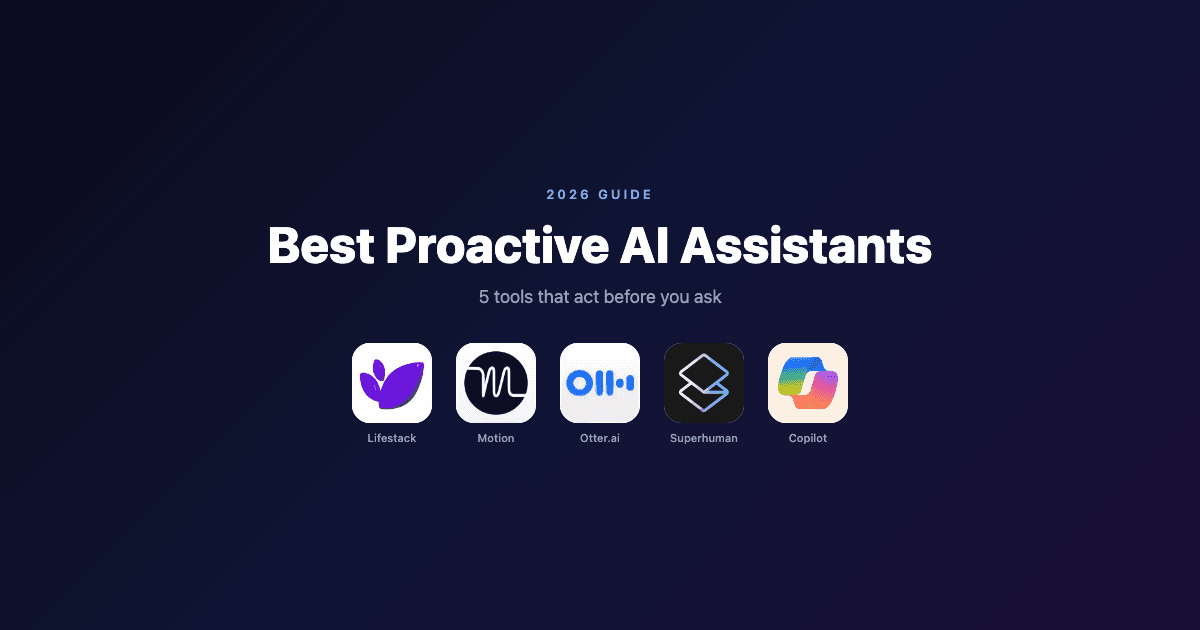
Most AI tools wait to be asked. You open them, type a question, get an answer, and move on. That's useful, but it's not the same as having an AI that takes action on your behalf before you even realize something needs to happen.
Proactive AI assistants are different. They monitor your schedule, inbox, meetings, and tasks in the background, then act: scheduling your work, summarizing what you missed, flagging what needs attention, protecting your focus time. You don't have to ask because they already know.
The category has matured fast. In 2026, the best proactive AI assistants don't just respond well. They anticipate well. Here are the five tools making the biggest difference for professionals who want their AI to do more than sit and wait.
Key Takeaways
Lifestack is the most proactive scheduling AI available. It reads your energy and health data, then builds and adjusts your day automatically, without you touching a thing.
Otter.ai and Superhuman are the best proactive AI assistants for meetings and email respectively: they work in the background and surface what matters before you have to look for it.
Microsoft Copilot is the most broadly integrated option if your work lives in Microsoft 365.
Quick Guide: Best Proactive AI Assistants
1. Lifestack: Best proactive AI for daily scheduling and energy-aware planning
2. Motion: Best AI for proactively auto-scheduling tasks and managing a full calendar
3. Otter.ai: Best proactive AI for meeting transcription and knowledge capture
4. Superhuman: Best proactive AI for email triage and inbox management
5. Microsoft Copilot: Best proactive AI for Microsoft 365 users across documents, email, and meetings
How We Evaluated
Proactivity depth: Does the AI act without prompting, or does it only respond to requests?
Domain coverage: Scheduling, email, meetings, documents, tasks
Background operation: Does it run continuously in the background or require manual activation?
Integration breadth: Calendar, email, wearable, and app connections
Pricing and accessibility: Free tiers, trial availability, value relative to cost
1. Lifestack: Best Proactive AI for Scheduling
Builds your daily plan around your energy, automatically.

Lifestack is the most genuinely proactive scheduling tool in this category. Every morning, it builds a plan for your day. It reads your calendar, your task list, your sleep data, and your energy patterns from connected wearables, then slots work into the windows where you'll actually be able to focus. It doesn't ask you to set this up each time. It just does it.
The energy layer is what separates Lifestack from every other AI scheduler. Tools like Motion or Reclaim protect your time. Lifestack optimizes it. There's a difference between a calendar that blocks two hours for deep work and one that blocks those two hours at 9am because it knows that's when your cortisol peaks and your focus is sharpest. That's what Lifestack does.
When your day changes, Lifestack adjusts. A meeting that runs long, a task that takes twice as expected, a sudden block of free time: the AI rebuilds around it without you having to manually move anything. For people with ADHD or variable energy patterns, that automatic adaptation removes a layer of decision fatigue that adds up over a week.
For more on how this approach works, see the guide to energy-based planning versus time-blocking. And for a broader look at what Lifestack is built for, the Lifestack introduction covers the core philosophy.
Key Features
Automatic daily plan generation based on energy and health data
Wearable integration (Oura, Whoop, Apple Watch, Garmin, Fitbit)
Real-time rescheduling when priorities shift
Task management with deadline and priority awareness
Google Calendar, Outlook, and Apple Calendar sync
What Works
Genuinely proactive: builds and adjusts your schedule with no manual input required
Energy-aware scheduling is a real differentiator, not a marketing claim
Works especially well for people with variable focus or ADHD
Limitations
Focused on scheduling and planning, not email or document assistance
Works best when connected to a wearable for energy data
Pricing: $7/month or $50/year (7-day free trial on annual plan)
Best for: Anyone who wants a proactive AI that plans their day based on energy, not just availability
2. Motion: Best AI for Proactive Task Scheduling
Auto-schedules your full task list and rebuilds your day when it falls apart.
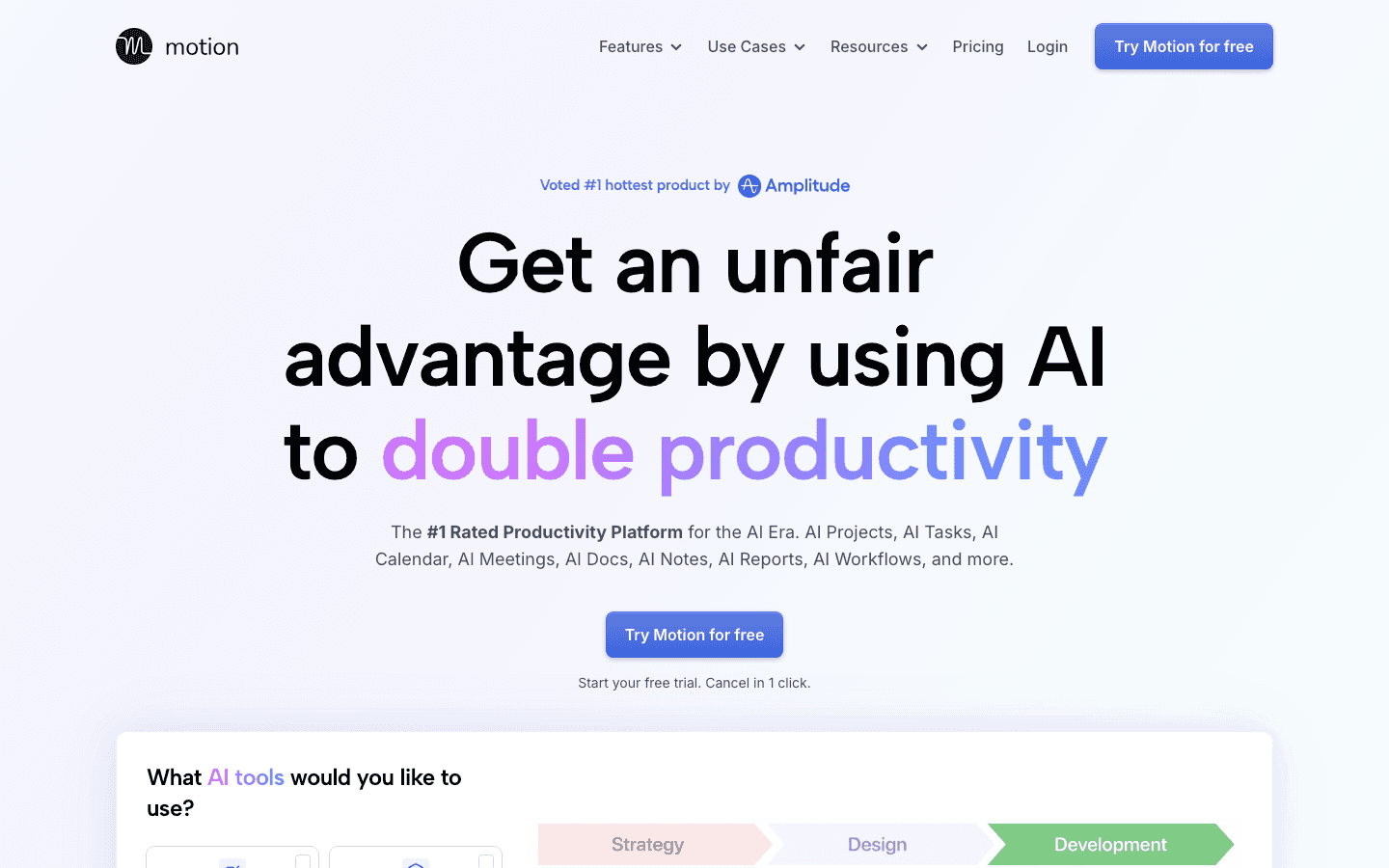
Motion's core promise is simple: add your tasks, set deadlines, and let the AI figure out when everything gets done. It scans your calendar, finds open slots, and blocks time automatically. When a meeting gets added or a task takes longer than expected, it doesn't wait for you to notice. It reschedules the whole day to absorb the change.
For managers with large task lists and packed calendars, the time savings are real. The mental overhead of manually deciding when to do every task, then constantly revising that plan as the day evolves, is a genuine productivity drain. Motion eliminates it.
Unlike Lifestack, Motion doesn't account for your energy patterns. It schedules by availability, not by cognitive state. That means your highest-priority deep work might still land in your lowest-energy window. But for pure scheduling volume, it handles more complexity than almost any other tool. See the best AI task manager comparison for how it stacks up against other options.
Key Features
Full-day AI task scheduling from your task and meeting list
Automatic rescheduling when plans change
Project management and team scheduling on Business plan
Google Calendar and Outlook integration
What Works
True scheduling automation, not just suggestions
Handles complex, shifting task lists better than manual planning
Saves significant time for people with high task volume
Limitations
No energy awareness: schedules by availability, not peak performance windows
More expensive than most calendar tools
Pricing: $19/month or ~$13/month billed annually (Pro AI)
Best for: Professionals with high task volume who want autopilot scheduling without manual reshuffling
3. Otter.ai: Best Proactive AI for Meetings
Transcribes every meeting and turns it into searchable knowledge before you have to ask.
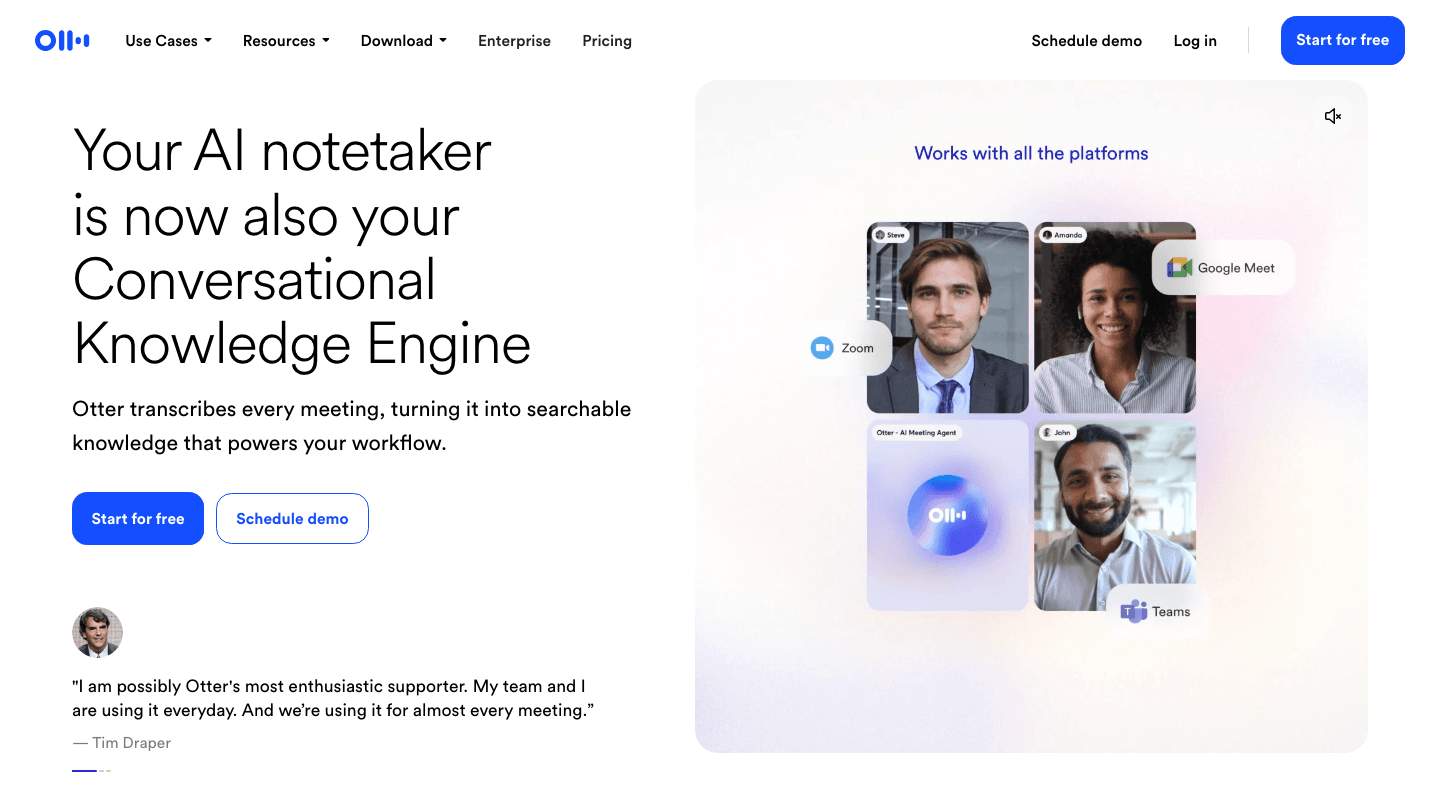
Otter.ai runs in the background of every meeting and does what most people don't have time to do: it captures everything. Real-time transcription, speaker identification, action item extraction, and summaries are all generated automatically. You finish a call and the notes are already there, organized and searchable.
The proactive element goes beyond transcription. Otter now acts as a meeting agent: it can join calls autonomously, answer questions using your meeting history, and flag action items to whoever was assigned them. If a question comes up that was answered in a previous meeting, Otter can surface that context without you searching for it.
For teams that run on meetings, this is hours of captured knowledge every week that would otherwise live only in someone's head or in incomplete notes. The free plan is generous. The Pro plan adds more transcription time, better exports, and the AI agent features that make it genuinely proactive rather than just a passive recorder.
Key Features
Real-time transcription with speaker labels
Automatic action item and summary generation
Autonomous meeting agent that joins calls and answers questions
Searchable meeting history across all past recordings
Integrations with Zoom, Google Meet, Teams, and Slack
What Works
Best transcription quality and meeting knowledge base in the category
Proactive action item capture removes post-meeting admin work
Free plan is usable without a credit card
Limitations
Focused on meetings: no scheduling, email, or task management
Agent features are on paid plans only
Pricing: Free (limited transcription); $8.33/month billed annually (Pro)
Best for: Teams and individuals who attend many meetings and want automatic capture, summaries, and action items
4. Superhuman: Best Proactive AI for Email
Triages your inbox and surfaces what matters before you open it.
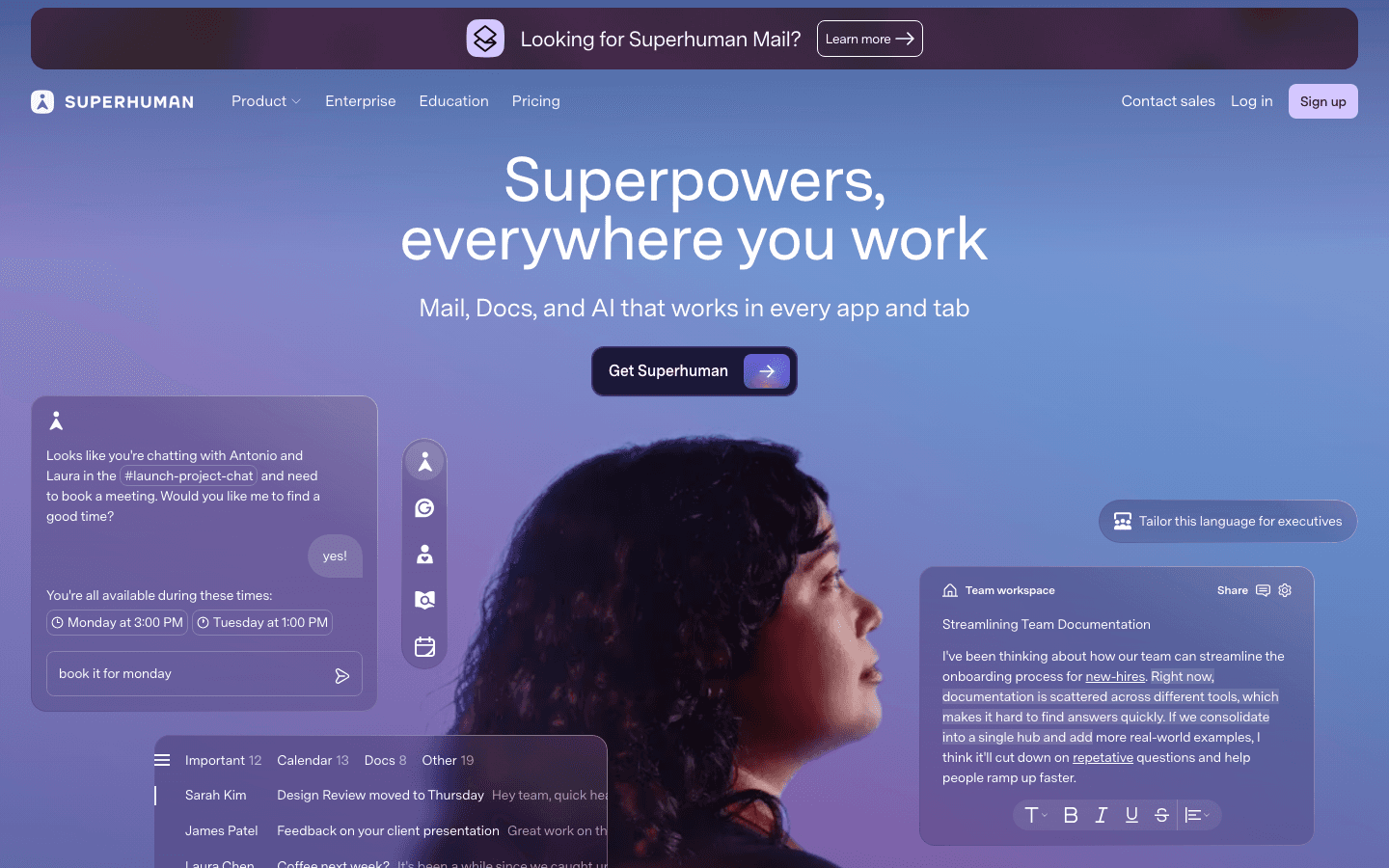
Superhuman's AI works on your inbox while you're doing other things. It reads incoming email, identifies what needs a response, what can wait, and what can be ignored, then organizes your inbox accordingly. When you open it, the most important messages are already surfaced and the noise is filtered out.
The AI can draft replies, summarize long threads, and remind you to follow up on conversations that went cold. It integrates with both Gmail and Outlook and works across the web, iOS, and Android. The keyboard-first interface is designed for speed: once you learn the shortcuts, you can process email significantly faster than in a standard client.
The price is the main friction point. At $30/month on the monthly plan, it's the most expensive option here. But for people who spend a significant part of their day on email, the time savings can justify it. The Pro annual plan at $12/month brings it closer to a reasonable range for individuals.
Key Features
AI triage and priority sorting of incoming email
One-click AI reply drafting and thread summarization
Follow-up reminders and snooze-to-resurface
Gmail and Outlook support
iOS and Android apps with full feature parity
What Works
Inbox triage that actually reduces the time you spend on email
AI draft quality is consistently better than generic autocomplete
Speed: keyboard shortcuts plus AI makes email processing fast
Limitations
High price relative to alternatives
Email only: no scheduling, meeting notes, or task management
Requires a learning curve to use the keyboard-first interface well
Pricing: $30/month or $12/month billed annually (Pro)
Best for: High-volume email users who want AI triage and fast keyboard-driven email processing
5. Microsoft Copilot: Best Proactive AI for Microsoft 365
Built into the apps you already use, proactively assisting across email, docs, and meetings.
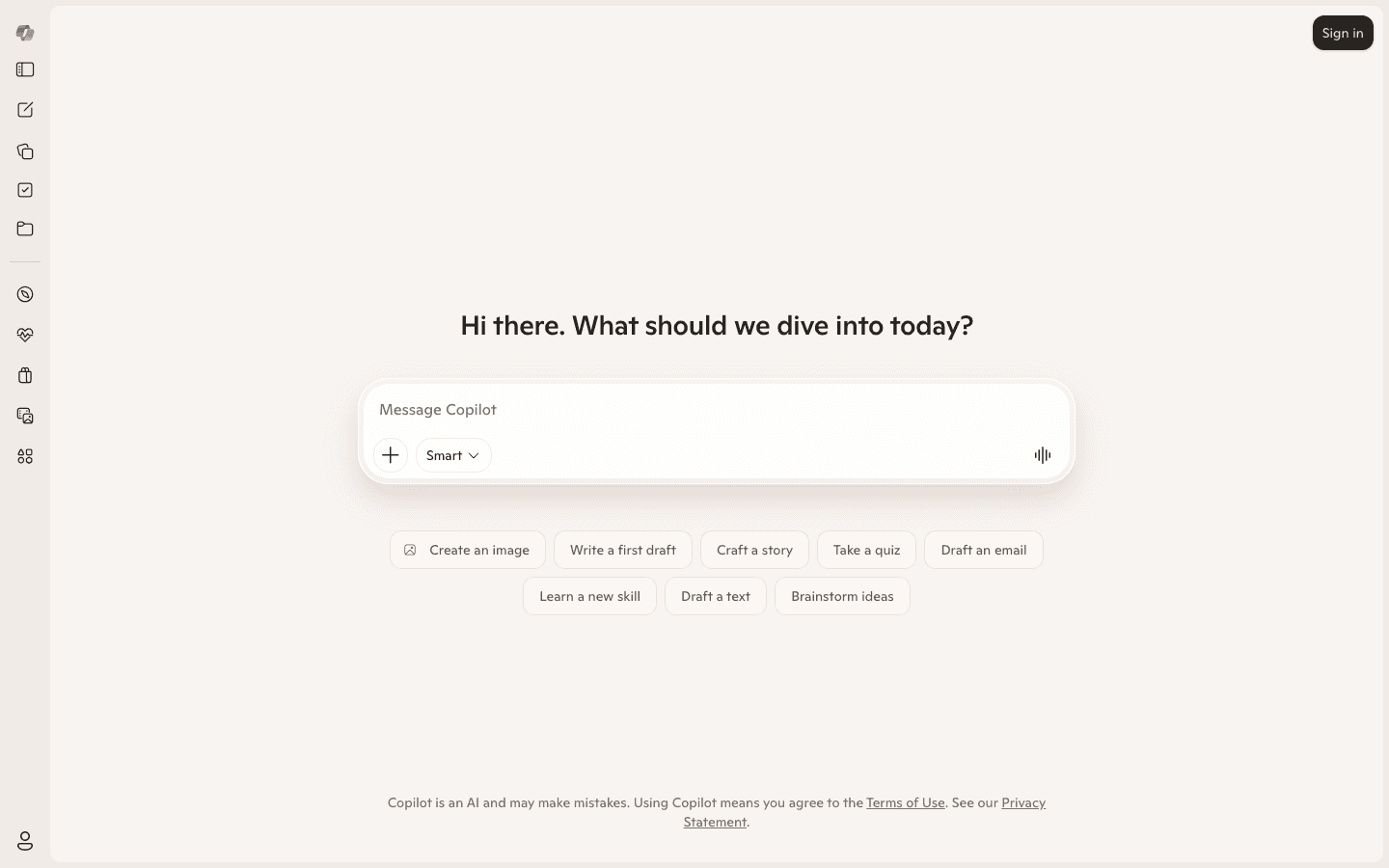
Microsoft Copilot is embedded directly into Outlook, Teams, Word, PowerPoint, and Excel. It doesn't require switching to a separate tool. When you're writing a document, it suggests next sections. In Outlook, it summarizes long email threads and drafts replies. In Teams meetings, it transcribes and generates meeting notes automatically, similar to what Otter.ai does as a standalone.
The proactive aspects are most visible in Outlook and Teams: meeting recaps appear before you have to ask, email summaries are generated for threads you haven't read yet, and suggested follow-ups are surfaced in your inbox. For organizations already running on Microsoft 365, the integration depth is the main advantage. There's no setup friction because the AI is already inside the tools.
The free tier (Copilot Chat, available to Microsoft Entra account holders) provides basic AI chat. The paid Business plan at $18/user/month unlocks the proactive in-app features across Outlook, Teams, and the Office apps. For large organizations on enterprise Microsoft 365 licenses, that cost is often absorbed into existing IT budgets.
For more on how AI is changing the executive assistant role, the AI for executive assistants guide and the AI-powered executive assistant breakdown are worth reading alongside this.
Key Features
Proactive email summaries and reply drafts in Outlook
Automatic meeting transcription and recaps in Teams
In-document AI assistance in Word, PowerPoint, and Excel
Available free to Microsoft Entra account users (chat tier)
Deep integration with existing Microsoft 365 workflows
What Works
No switching cost for Microsoft 365 users: the AI is already in your apps
Broad coverage across email, meetings, and documents in one subscription
Free tier is genuinely useful for basic AI chat
Limitations
Proactive features require the paid Business plan
Less useful if your workflow isn't built around Microsoft 365
No energy-aware scheduling or deep calendar optimization
Pricing: Free (Copilot Chat with Microsoft 365 account); $18/user/month annual (Copilot for Microsoft 365 Business)
Best for: Organizations already using Microsoft 365 who want proactive AI across email, Teams, and Office without adding a separate tool
Which Proactive AI Assistant Is Right for You?
You want AI that manages your whole day automatically: Lifestack. It's the only tool that builds and adjusts your schedule around energy and priority without manual input. Pair it with the best AI planner app guide for more context.
You have a heavy task list and complex calendar: Motion. It handles scheduling volume that most people can't manage manually.
You attend many meetings and lose track of what was decided: Otter.ai. It captures and organizes meeting knowledge automatically.
You spend hours on email every day: Superhuman. The AI triage and draft quality justify the price at high email volume.
Your work lives in Microsoft 365: Copilot. The depth of integration across Outlook, Teams, and Office apps is unmatched in that ecosystem.
You want more options in this space: The AI assistants for business roundup and the best AI-powered personal assistants guide cover a wider range.
FAQ
What is a proactive AI assistant?
A proactive AI assistant is a tool that takes action on your behalf without waiting to be asked. Unlike conversational AI like ChatGPT, which responds to prompts, proactive AI tools run in the background and do things automatically: scheduling your day, summarizing your meetings, triaging your inbox, protecting your focus time. The defining characteristic is that they act first.
How is a proactive AI assistant different from a regular AI chatbot?
Chatbots are reactive. You ask, they answer. Proactive AI assistants are always on: they monitor your calendar, email, or health data continuously and make decisions or surface information without you initiating the interaction. Lifestack doesn't wait for you to ask what you should work on next. It already knows and has already scheduled it.
Which proactive AI assistant works best for ADHD?
Lifestack. Its energy-aware scheduling removes the daily decision fatigue of figuring out what to work on and when. Because it adapts to your actual focus capacity (using wearable data), it works with variable attention patterns rather than against them. The best AI assistants for ADHD guide covers this in more depth.
Can I use multiple proactive AI assistants together?
Yes, and many people do. A common setup is Lifestack for scheduling and daily planning, Otter.ai for meeting capture, and Superhuman or Copilot for email. Each covers a different domain and they don't overlap in ways that cause conflicts. The key is picking one tool per domain rather than two that do the same thing.
Is there a free proactive AI assistant?
Otter.ai has a free plan with limited transcription time. Microsoft Copilot Chat is free for Microsoft account holders. Lifestack offers a 7-day free trial on its annual plan. Motion and Superhuman do not have permanent free tiers, though both offer trials.
Most AI tools wait to be asked. You open them, type a question, get an answer, and move on. That's useful, but it's not the same as having an AI that takes action on your behalf before you even realize something needs to happen.
Proactive AI assistants are different. They monitor your schedule, inbox, meetings, and tasks in the background, then act: scheduling your work, summarizing what you missed, flagging what needs attention, protecting your focus time. You don't have to ask because they already know.
The category has matured fast. In 2026, the best proactive AI assistants don't just respond well. They anticipate well. Here are the five tools making the biggest difference for professionals who want their AI to do more than sit and wait.
Key Takeaways
Lifestack is the most proactive scheduling AI available. It reads your energy and health data, then builds and adjusts your day automatically, without you touching a thing.
Otter.ai and Superhuman are the best proactive AI assistants for meetings and email respectively: they work in the background and surface what matters before you have to look for it.
Microsoft Copilot is the most broadly integrated option if your work lives in Microsoft 365.
Quick Guide: Best Proactive AI Assistants
1. Lifestack: Best proactive AI for daily scheduling and energy-aware planning
2. Motion: Best AI for proactively auto-scheduling tasks and managing a full calendar
3. Otter.ai: Best proactive AI for meeting transcription and knowledge capture
4. Superhuman: Best proactive AI for email triage and inbox management
5. Microsoft Copilot: Best proactive AI for Microsoft 365 users across documents, email, and meetings
How We Evaluated
Proactivity depth: Does the AI act without prompting, or does it only respond to requests?
Domain coverage: Scheduling, email, meetings, documents, tasks
Background operation: Does it run continuously in the background or require manual activation?
Integration breadth: Calendar, email, wearable, and app connections
Pricing and accessibility: Free tiers, trial availability, value relative to cost
1. Lifestack: Best Proactive AI for Scheduling
Builds your daily plan around your energy, automatically.
Lifestack is the most genuinely proactive scheduling tool in this category. Every morning, it builds a plan for your day. It reads your calendar, your task list, your sleep data, and your energy patterns from connected wearables, then slots work into the windows where you'll actually be able to focus. It doesn't ask you to set this up each time. It just does it.
The energy layer is what separates Lifestack from every other AI scheduler. Tools like Motion or Reclaim protect your time. Lifestack optimizes it. There's a difference between a calendar that blocks two hours for deep work and one that blocks those two hours at 9am because it knows that's when your cortisol peaks and your focus is sharpest. That's what Lifestack does.
When your day changes, Lifestack adjusts. A meeting that runs long, a task that takes twice as expected, a sudden block of free time: the AI rebuilds around it without you having to manually move anything. For people with ADHD or variable energy patterns, that automatic adaptation removes a layer of decision fatigue that adds up over a week.
For more on how this approach works, see the guide to energy-based planning versus time-blocking. And for a broader look at what Lifestack is built for, the Lifestack introduction covers the core philosophy.
Key Features
Automatic daily plan generation based on energy and health data
Wearable integration (Oura, Whoop, Apple Watch, Garmin, Fitbit)
Real-time rescheduling when priorities shift
Task management with deadline and priority awareness
Google Calendar, Outlook, and Apple Calendar sync
What Works
Genuinely proactive: builds and adjusts your schedule with no manual input required
Energy-aware scheduling is a real differentiator, not a marketing claim
Works especially well for people with variable focus or ADHD
Limitations
Focused on scheduling and planning, not email or document assistance
Works best when connected to a wearable for energy data
Pricing: $7/month or $50/year (7-day free trial on annual plan)
Best for: Anyone who wants a proactive AI that plans their day based on energy, not just availability
2. Motion: Best AI for Proactive Task Scheduling
Auto-schedules your full task list and rebuilds your day when it falls apart.
Motion's core promise is simple: add your tasks, set deadlines, and let the AI figure out when everything gets done. It scans your calendar, finds open slots, and blocks time automatically. When a meeting gets added or a task takes longer than expected, it doesn't wait for you to notice. It reschedules the whole day to absorb the change.
For managers with large task lists and packed calendars, the time savings are real. The mental overhead of manually deciding when to do every task, then constantly revising that plan as the day evolves, is a genuine productivity drain. Motion eliminates it.
Unlike Lifestack, Motion doesn't account for your energy patterns. It schedules by availability, not by cognitive state. That means your highest-priority deep work might still land in your lowest-energy window. But for pure scheduling volume, it handles more complexity than almost any other tool. See the best AI task manager comparison for how it stacks up against other options.
Key Features
Full-day AI task scheduling from your task and meeting list
Automatic rescheduling when plans change
Project management and team scheduling on Business plan
Google Calendar and Outlook integration
What Works
True scheduling automation, not just suggestions
Handles complex, shifting task lists better than manual planning
Saves significant time for people with high task volume
Limitations
No energy awareness: schedules by availability, not peak performance windows
More expensive than most calendar tools
Pricing: $19/month or ~$13/month billed annually (Pro AI)
Best for: Professionals with high task volume who want autopilot scheduling without manual reshuffling
3. Otter.ai: Best Proactive AI for Meetings
Transcribes every meeting and turns it into searchable knowledge before you have to ask.
Otter.ai runs in the background of every meeting and does what most people don't have time to do: it captures everything. Real-time transcription, speaker identification, action item extraction, and summaries are all generated automatically. You finish a call and the notes are already there, organized and searchable.
The proactive element goes beyond transcription. Otter now acts as a meeting agent: it can join calls autonomously, answer questions using your meeting history, and flag action items to whoever was assigned them. If a question comes up that was answered in a previous meeting, Otter can surface that context without you searching for it.
For teams that run on meetings, this is hours of captured knowledge every week that would otherwise live only in someone's head or in incomplete notes. The free plan is generous. The Pro plan adds more transcription time, better exports, and the AI agent features that make it genuinely proactive rather than just a passive recorder.
Key Features
Real-time transcription with speaker labels
Automatic action item and summary generation
Autonomous meeting agent that joins calls and answers questions
Searchable meeting history across all past recordings
Integrations with Zoom, Google Meet, Teams, and Slack
What Works
Best transcription quality and meeting knowledge base in the category
Proactive action item capture removes post-meeting admin work
Free plan is usable without a credit card
Limitations
Focused on meetings: no scheduling, email, or task management
Agent features are on paid plans only
Pricing: Free (limited transcription); $8.33/month billed annually (Pro)
Best for: Teams and individuals who attend many meetings and want automatic capture, summaries, and action items
4. Superhuman: Best Proactive AI for Email
Triages your inbox and surfaces what matters before you open it.
Superhuman's AI works on your inbox while you're doing other things. It reads incoming email, identifies what needs a response, what can wait, and what can be ignored, then organizes your inbox accordingly. When you open it, the most important messages are already surfaced and the noise is filtered out.
The AI can draft replies, summarize long threads, and remind you to follow up on conversations that went cold. It integrates with both Gmail and Outlook and works across the web, iOS, and Android. The keyboard-first interface is designed for speed: once you learn the shortcuts, you can process email significantly faster than in a standard client.
The price is the main friction point. At $30/month on the monthly plan, it's the most expensive option here. But for people who spend a significant part of their day on email, the time savings can justify it. The Pro annual plan at $12/month brings it closer to a reasonable range for individuals.
Key Features
AI triage and priority sorting of incoming email
One-click AI reply drafting and thread summarization
Follow-up reminders and snooze-to-resurface
Gmail and Outlook support
iOS and Android apps with full feature parity
What Works
Inbox triage that actually reduces the time you spend on email
AI draft quality is consistently better than generic autocomplete
Speed: keyboard shortcuts plus AI makes email processing fast
Limitations
High price relative to alternatives
Email only: no scheduling, meeting notes, or task management
Requires a learning curve to use the keyboard-first interface well
Pricing: $30/month or $12/month billed annually (Pro)
Best for: High-volume email users who want AI triage and fast keyboard-driven email processing
5. Microsoft Copilot: Best Proactive AI for Microsoft 365
Built into the apps you already use, proactively assisting across email, docs, and meetings.
Microsoft Copilot is embedded directly into Outlook, Teams, Word, PowerPoint, and Excel. It doesn't require switching to a separate tool. When you're writing a document, it suggests next sections. In Outlook, it summarizes long email threads and drafts replies. In Teams meetings, it transcribes and generates meeting notes automatically, similar to what Otter.ai does as a standalone.
The proactive aspects are most visible in Outlook and Teams: meeting recaps appear before you have to ask, email summaries are generated for threads you haven't read yet, and suggested follow-ups are surfaced in your inbox. For organizations already running on Microsoft 365, the integration depth is the main advantage. There's no setup friction because the AI is already inside the tools.
The free tier (Copilot Chat, available to Microsoft Entra account holders) provides basic AI chat. The paid Business plan at $18/user/month unlocks the proactive in-app features across Outlook, Teams, and the Office apps. For large organizations on enterprise Microsoft 365 licenses, that cost is often absorbed into existing IT budgets.
For more on how AI is changing the executive assistant role, the AI for executive assistants guide and the AI-powered executive assistant breakdown are worth reading alongside this.
Key Features
Proactive email summaries and reply drafts in Outlook
Automatic meeting transcription and recaps in Teams
In-document AI assistance in Word, PowerPoint, and Excel
Available free to Microsoft Entra account users (chat tier)
Deep integration with existing Microsoft 365 workflows
What Works
No switching cost for Microsoft 365 users: the AI is already in your apps
Broad coverage across email, meetings, and documents in one subscription
Free tier is genuinely useful for basic AI chat
Limitations
Proactive features require the paid Business plan
Less useful if your workflow isn't built around Microsoft 365
No energy-aware scheduling or deep calendar optimization
Pricing: Free (Copilot Chat with Microsoft 365 account); $18/user/month annual (Copilot for Microsoft 365 Business)
Best for: Organizations already using Microsoft 365 who want proactive AI across email, Teams, and Office without adding a separate tool
Which Proactive AI Assistant Is Right for You?
You want AI that manages your whole day automatically: Lifestack. It's the only tool that builds and adjusts your schedule around energy and priority without manual input. Pair it with the best AI planner app guide for more context.
You have a heavy task list and complex calendar: Motion. It handles scheduling volume that most people can't manage manually.
You attend many meetings and lose track of what was decided: Otter.ai. It captures and organizes meeting knowledge automatically.
You spend hours on email every day: Superhuman. The AI triage and draft quality justify the price at high email volume.
Your work lives in Microsoft 365: Copilot. The depth of integration across Outlook, Teams, and Office apps is unmatched in that ecosystem.
You want more options in this space: The AI assistants for business roundup and the best AI-powered personal assistants guide cover a wider range.
FAQ
What is a proactive AI assistant?
A proactive AI assistant is a tool that takes action on your behalf without waiting to be asked. Unlike conversational AI like ChatGPT, which responds to prompts, proactive AI tools run in the background and do things automatically: scheduling your day, summarizing your meetings, triaging your inbox, protecting your focus time. The defining characteristic is that they act first.
How is a proactive AI assistant different from a regular AI chatbot?
Chatbots are reactive. You ask, they answer. Proactive AI assistants are always on: they monitor your calendar, email, or health data continuously and make decisions or surface information without you initiating the interaction. Lifestack doesn't wait for you to ask what you should work on next. It already knows and has already scheduled it.
Which proactive AI assistant works best for ADHD?
Lifestack. Its energy-aware scheduling removes the daily decision fatigue of figuring out what to work on and when. Because it adapts to your actual focus capacity (using wearable data), it works with variable attention patterns rather than against them. The best AI assistants for ADHD guide covers this in more depth.
Can I use multiple proactive AI assistants together?
Yes, and many people do. A common setup is Lifestack for scheduling and daily planning, Otter.ai for meeting capture, and Superhuman or Copilot for email. Each covers a different domain and they don't overlap in ways that cause conflicts. The key is picking one tool per domain rather than two that do the same thing.
Is there a free proactive AI assistant?
Otter.ai has a free plan with limited transcription time. Microsoft Copilot Chat is free for Microsoft account holders. Lifestack offers a 7-day free trial on its annual plan. Motion and Superhuman do not have permanent free tiers, though both offer trials.



FOLLOW ON
FOLLOW ON
FOLLOW ON


Copyright 2026 © Lifestack. All rights reserved
Copyright 2026 © Lifestack. All rights reserved

