
App
Best AI for Executive Assistants in 2026
Best AI for Executive Assistants in 2026
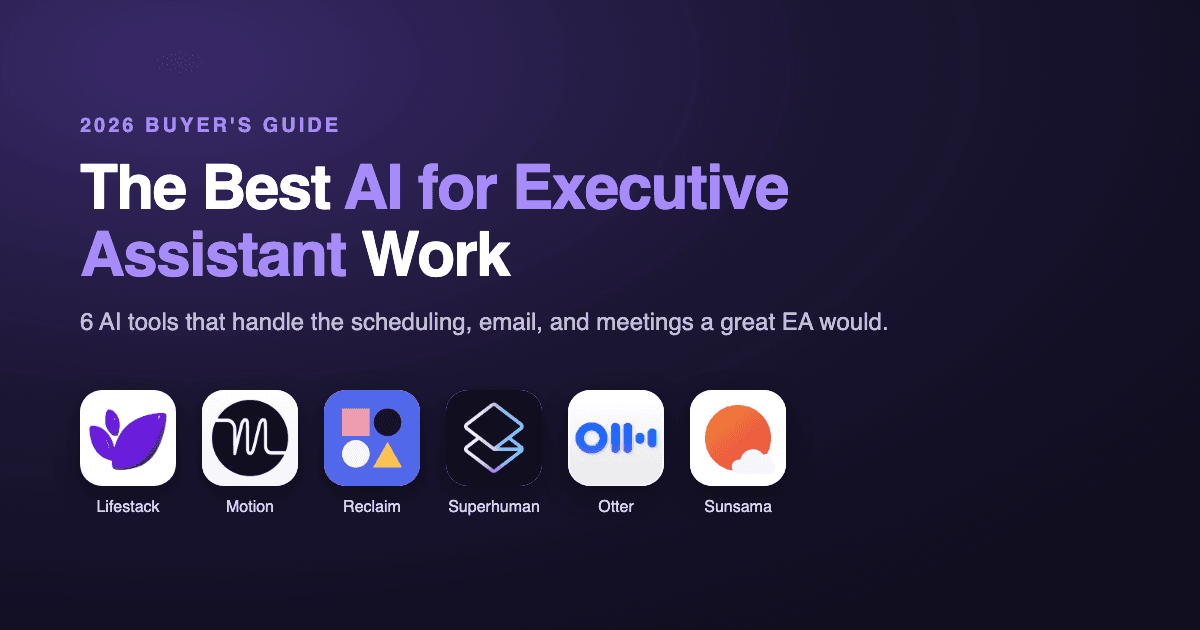
A great executive assistant doesn't just do tasks. They protect your time, clear your inbox, keep your calendar honest, and make sure the right work happens at the right moment. Most people will never have one. The interesting question for 2026 is how much of that job the latest AI can actually pick up.
The short answer: more than you'd expect, but no single tool does all of it yet. The AI executive assistant space has split into specialists. Some defend your calendar, some write your emails, some sit in your meetings and take notes, and a few try to plan your whole day around how you actually work.
We put six of the strongest AI tools for executive assistant work through real use, judging each one on whether it saved time or just added another app to babysit. Here's how they compare, starting with the one that comes closest to a true chief of staff.
Key Takeaways
Lifestack is the closest thing to an AI chief of staff, because it plans your day around your energy and recovery instead of just filling open calendar slots.
No single tool covers the whole EA job. The best setup pairs a planning brain (Lifestack) with a specialist for email (Superhuman) or meetings (Otter).
There's a usable free option here in Reclaim and Otter, while the premium picks like Superhuman justify their price only if email or scheduling is genuinely eating your week.
Quick Guide: 6 AI Tools for Executive Assistant Work
Lifestack, the energy-aware planner that builds your day around when you actually focus, like a chief of staff who knows your rhythm
Motion, aggressive AI scheduling that auto-builds and rebuilds your calendar around tasks and deadlines
Reclaim, calendar defense that protects focus time and finds slots for tasks, with a free tier
Superhuman, an AI-powered email client that triages, drafts, and clears your inbox fast
Otter, an AI meeting assistant that joins calls, transcribes them, and pulls out action items
Sunsama, a guided daily planning assistant for people who keep overcommitting
How We Evaluated These AI Executive Assistant Tools
An executive assistant's value isn't in any one task. It's in the judgment that decides what matters and when. So we judged each tool less on feature count and more on whether it actually removed work from our plate.
Time saved: Did it genuinely give hours back, or just shift the effort somewhere else?
Judgment: Does it make smart decisions about priority and timing, or wait to be told everything?
Energy and focus awareness: Does it understand that not all hours of your day are equal?
Integration: Does it slot into the calendar, inbox, and tools you already use?
Price versus payoff: Is the cost worth the work it takes off your hands?
1. Lifestack: Best AI for Executive Assistant Work Overall
The closest thing to a chief of staff who actually knows how you work.

The best human executive assistants don't just schedule meetings. They know you do your sharpest thinking before noon, that back-to-back calls wreck your afternoon, and that Friday is no time for a strategy session. Lifestack is the only tool here that operates on that level. It connects to your wearable, reads your sleep and recovery data, and learns when your focus actually peaks, then builds your day so the demanding work lands in your best hours and the low-stakes admin fills the rest.
That makes it less of a calendar app and more of an AI-powered personal assistant with real judgment about timing. You tell it what needs to happen and how you're feeling, and it proposes a realistic plan you can adjust in plain language. Slept badly? Ask for a lighter morning and the whole day reshuffles without breaking. For anyone who has tried to act as their own assistant and burned out doing it, this is the difference between a schedule that survives contact with reality and one that doesn't. It's the same reason energy-based planning tends to beat rigid time-blocking.
Key Features: Energy-aware daily scheduling, wearable integrations (Oura, WHOOP, Apple Watch), natural language rescheduling, calendar and task sync, Chrome extension, iOS and Android apps
What Works: Makes genuinely smart timing decisions; rescheduling in plain language feels natural; the wearable data layer is deeper than anything else here
Limitations: It plans your day rather than writing your emails or sitting in your meetings, so heavy email or meeting users will want to pair it with a specialist
Pricing: $7/month, $50/year with a 7-day free trial on the annual plan, or $120 one-time for lifetime access. No permanent free tier, though the annual plan works out to about $4 a month.
Best for: Anyone who wants AI to make the executive decisions about their day, not just hold the calendar. If you want more options, our roundup of the best AI planner apps and our guide to AI assistants for ADHD both go deeper.
2. Motion: Best for Hands-Off AI Scheduling
The assistant that builds your entire calendar so you don't have to.
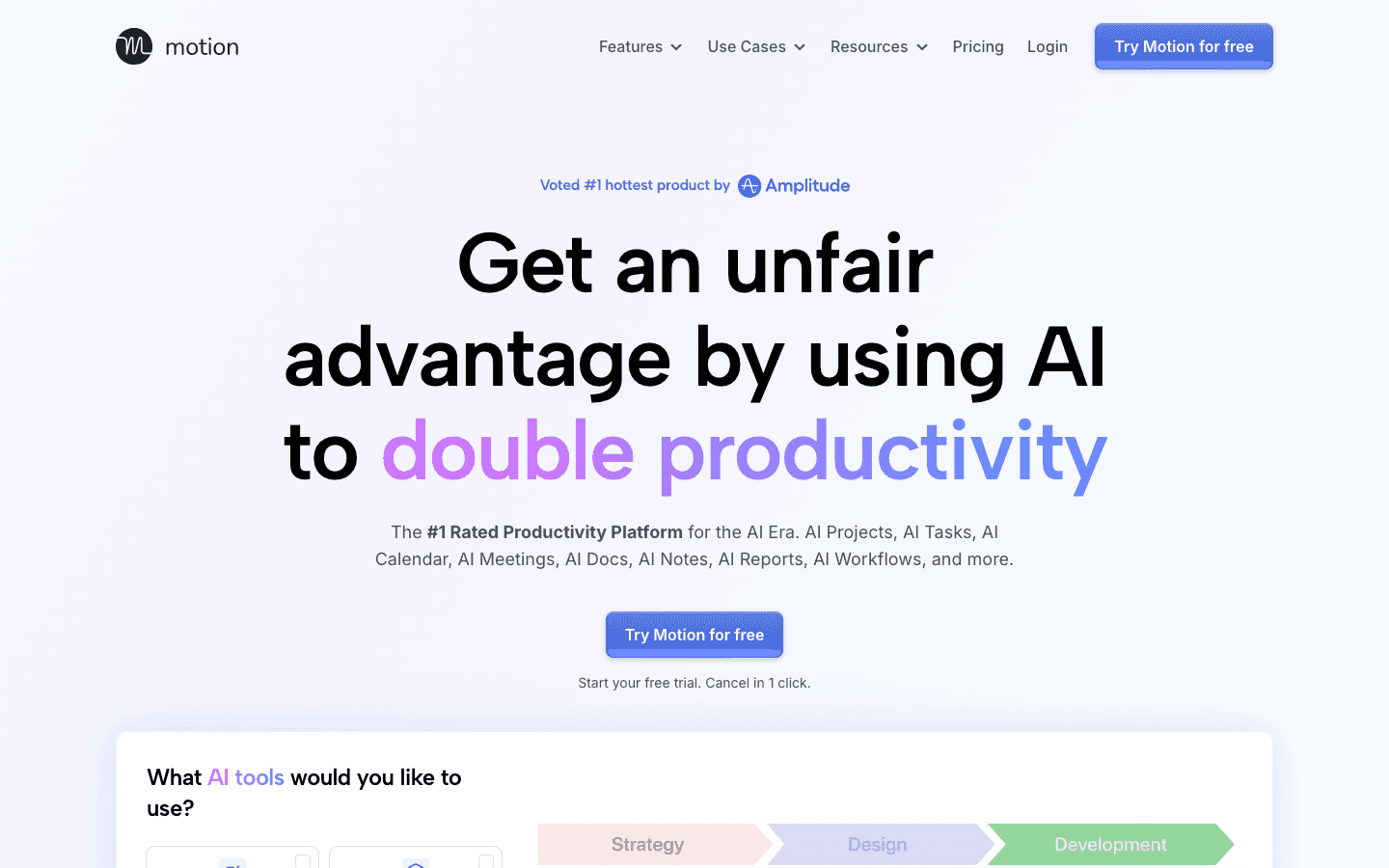
Motion takes the most automated approach on this list. You hand it your tasks, deadlines, and meetings, and its AI assembles a minute-by-minute calendar for you. Add an urgent task or miss a block and it rebuilds the day automatically. For an overloaded manager who wants the scheduling decision made for them, that hands-off automation feels like having an assistant who never asks permission.
The catch is that Motion optimizes for deadlines, not for you. It will cheerfully drop your most demanding work into a slot when your brain is fried, because it doesn't know the difference. The constant reshuffling can also feel restless. It's powerful and genuinely useful, but it's automation without the energy awareness that separates a good assistant from a calendar robot.
Key Features: Automatic AI calendar building, task and project management, meeting scheduler, deadline-aware rescheduling, team workload views
What Works: The most automatic scheduler here; great for people who hate planning; strong project and team tools
Limitations: No energy awareness; the constant reshuffling unsettles some users; the priciest individual plan; real learning curve
Pricing: Pro AI is $19/seat/month billed monthly (about $12.73/seat/month billed annually). Business AI is $29/seat/month. Free trial available, no permanent free tier.
Best for: Busy professionals who would rather hand the whole calendar to an AI than make scheduling calls themselves.
3. Reclaim: Best for Defending Your Calendar
The assistant whose only job is to guard your time, with a free tier to start.
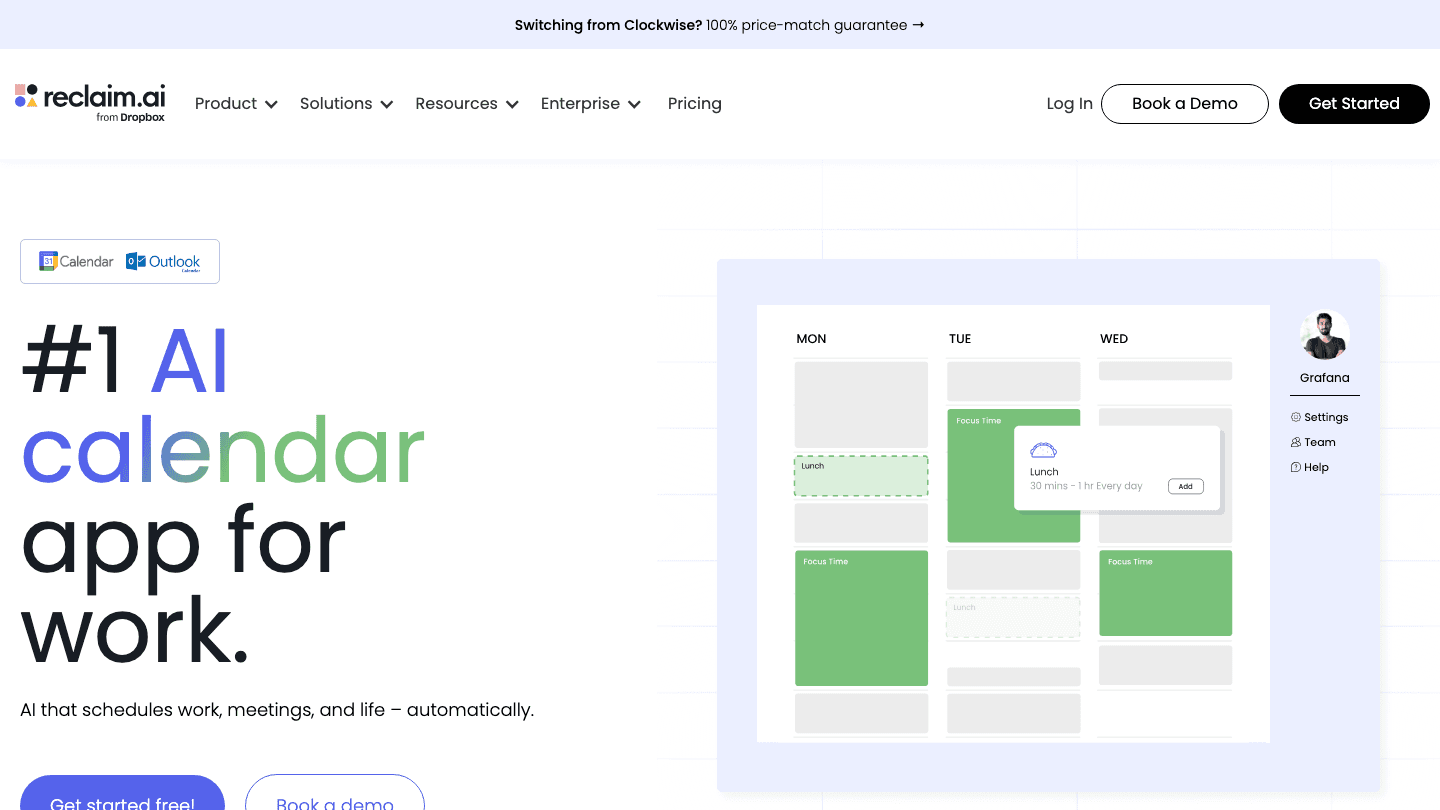
Reclaim (now part of Dropbox) does one part of the EA job extremely well: it protects your time. Living inside Google Calendar or Outlook, it automatically finds room for your tasks, habits, and routines, and defends your focus blocks when meetings start piling up. Tell it you need three hours of deep work a week and it guards them, moving things around as your schedule shifts so the focus time doesn't quietly vanish.
It's less of a standalone assistant and more of a smart layer on the calendar you already use, and its team availability features make it strong for groups. The task management is lighter than a dedicated tool, and there's no sense of your energy. But the free tier is real, which makes Reclaim the easiest pick here to try before you commit a cent.
Key Features: Auto-scheduling for tasks and habits, focus-time defense, smart meeting scheduling, team availability, deep Google Calendar and Outlook integration
What Works: Excellent at protecting focus time; strong team coordination; a genuinely usable free tier
Limitations: No energy-based scheduling; lighter task features; most value is tied to Google Calendar or Outlook
Pricing: Free Lite plan for one user. Paid plans start at $10/user/month (Starter), with Business at $15/user/month.
Best for: Calendar-heavy professionals and teams who want their focus time protected automatically.
4. Superhuman: Best AI Assistant for Email
The part of the EA job that eats the most hours, handed to AI.
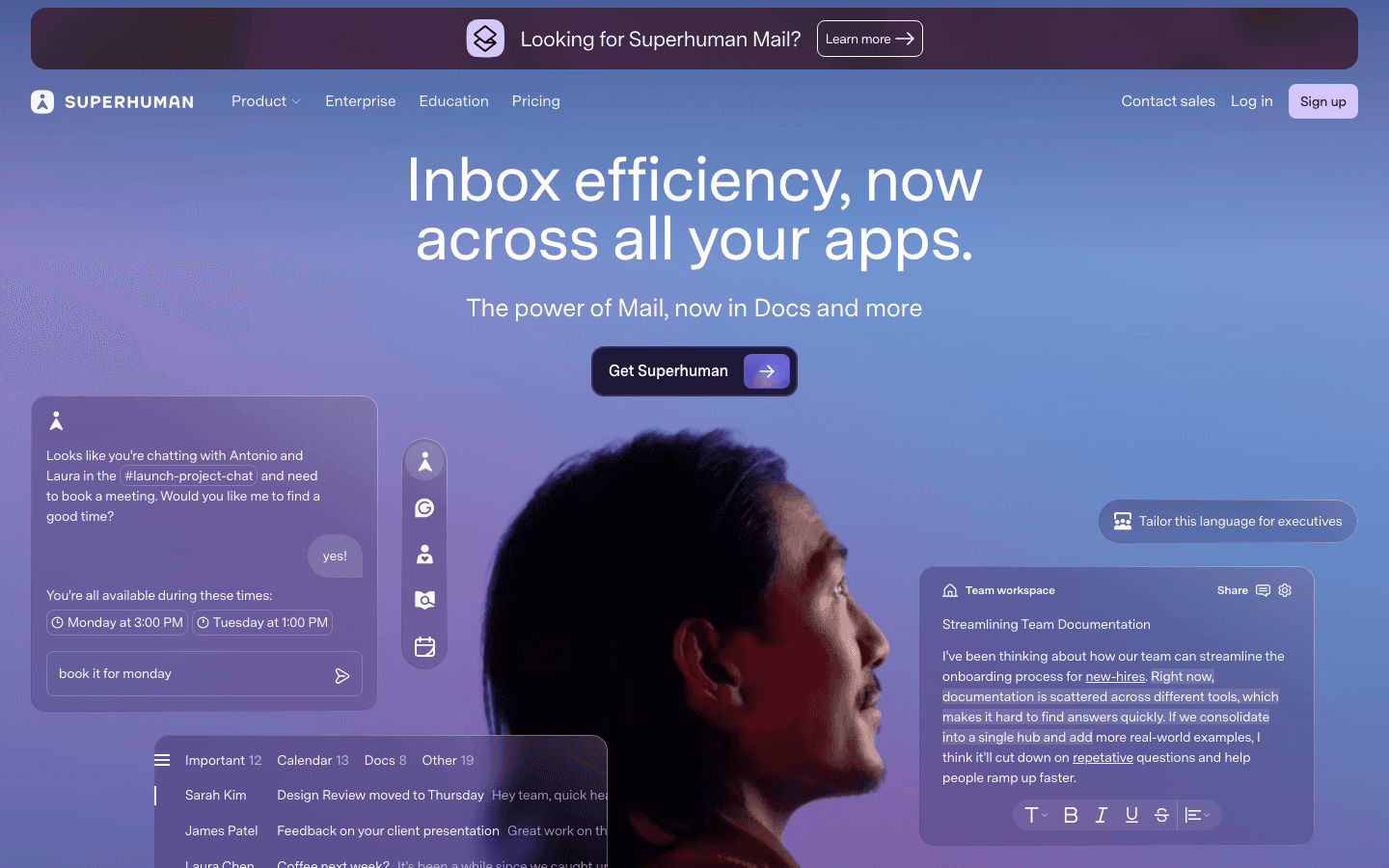
For a lot of executives, the inbox is the real workload, and that's exactly where Superhuman shines. It's a fast, keyboard-driven email client with AI woven through it: it triages your inbox, drafts replies in your voice, summarizes long threads, and gets you to inbox zero in a fraction of the usual time. If a chunk of your week disappears into email, this is the assistant that buys it back.
It's email-only, though, so it won't plan your day or sit in your meetings. It's also the most expensive tool here per seat, which makes it a clear yes for inbox-heavy roles and an easy skip for everyone else. Think of it as the specialist you bring in for the one task that's actually drowning you.
Key Features: AI inbox triage, AI reply drafting in your tone, thread summaries, fast keyboard-first interface, calendar and scheduling tools, team collaboration
What Works: The fastest email experience we tested; AI drafting genuinely sounds like you; real time saved for high-volume inboxes
Limitations: Email only, with no day-planning or meeting features; no energy awareness; the most expensive option per user
Pricing: Starter is $25/user/month billed annually ($300/year). Business is $33/user/month billed annually. Free trial available, no permanent free tier.
Best for: Executives and founders whose inbox is the single biggest drain on their week.
5. Otter: Best AI Assistant for Meetings
The note-taker who never misses an action item.
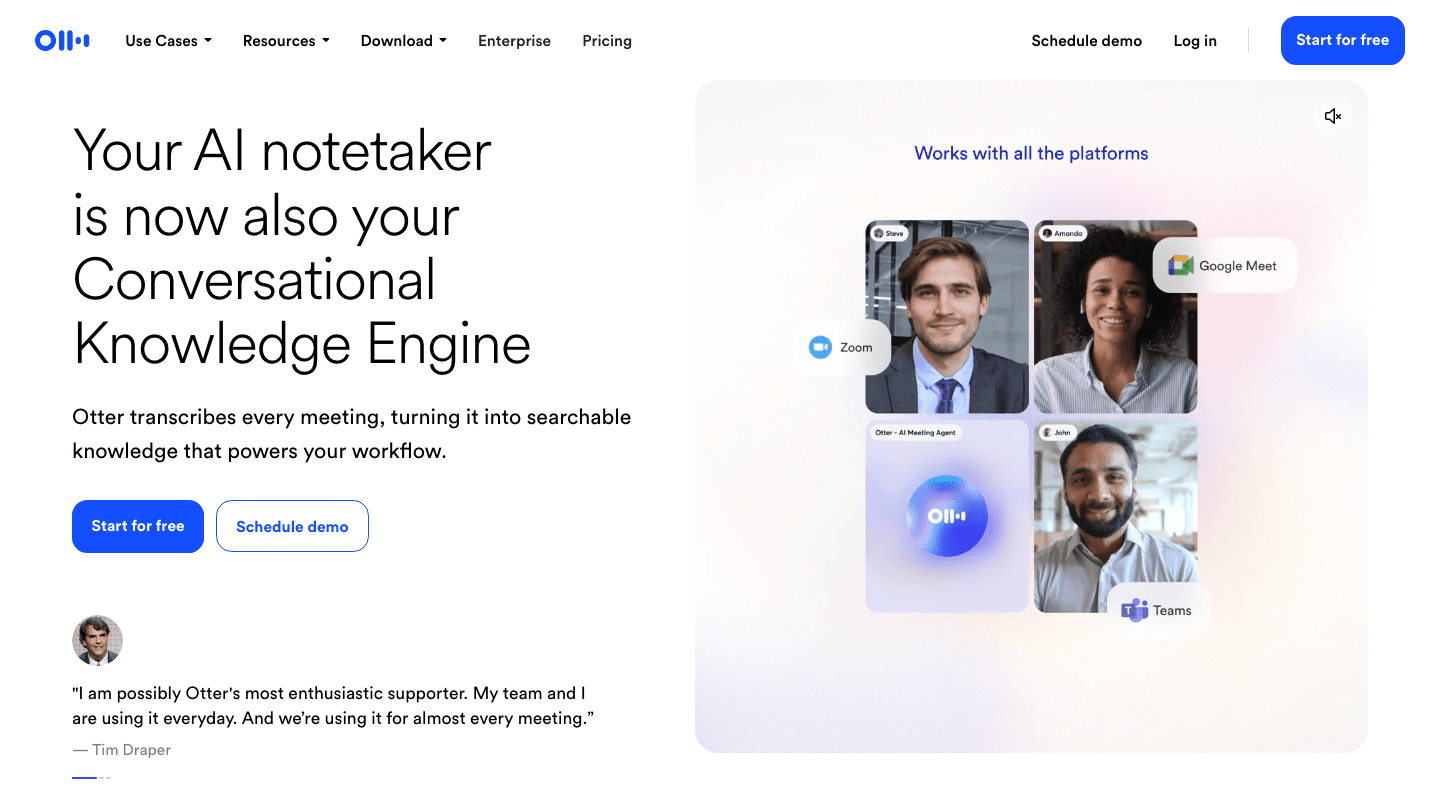
Taking notes and tracking follow-ups is classic EA territory, and Otter automates it cleanly. It joins your Zoom, Google Meet, or Teams calls, transcribes everything in real time, and afterward hands you a summary plus a list of action items and decisions. Instead of scrambling to remember what you committed to in a 9am call, you get a searchable record and a clear to-do list.
Its scope ends at the meeting, so it won't schedule anything or manage your wider day. The transcription occasionally trips on heavy jargon or crosstalk. But for anyone whose calendar is wall-to-wall calls, Otter quietly removes one of the most tedious parts of the job, and its free tier makes it painless to try.
Key Features: Real-time meeting transcription, auto-join for Zoom, Meet, and Teams, AI summaries, action-item extraction, searchable transcripts
What Works: Reliable, hands-off note-taking; action items save real follow-up time; searchable history is genuinely useful
Limitations: Meetings only; struggles with heavy jargon or overlapping speakers; no scheduling or planning features
Pricing: Free Basic plan with 300 transcription minutes a month. Pro is $16.99/month ($8.33/month billed annually), and Business is $30/user/month.
Best for: People with back-to-back meetings who want notes and follow-ups handled automatically.
6. Sunsama: Best Assistant for Intentional Daily Planning
The calm assistant that keeps you from overcommitting.
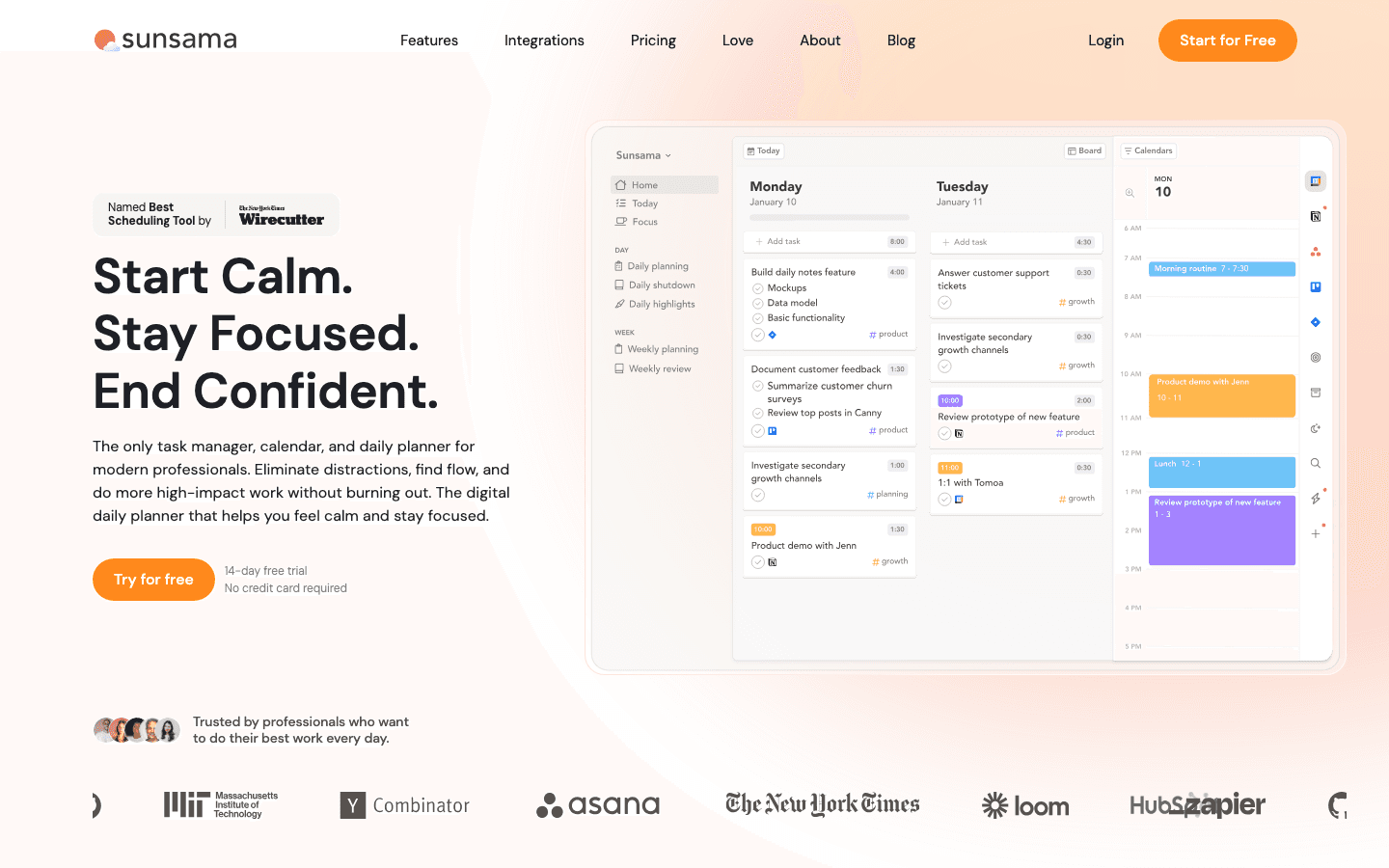
Sunsama plays a different role: the steady assistant who walks you through planning each morning and gently stops you from biting off more than the day can hold. It pulls tasks in from Todoist, Asana, Gmail, and more, has you estimate how long each will take, and pushes back when you try to schedule twelve hours of work into eight. The result is a realistic, intentional plan rather than an aspirational wish list.
It won't auto-schedule for you or read your energy the way Lifestack does, and the daily ritual takes a few minutes of discipline. But for people who keep overloading themselves, that human-paced structure is exactly the kind of executive judgment they're missing. Pair it with a smarter scheduler and you get both intention and intelligence, an approach we walk through in our guide to pairing a task tool with Lifestack.
Key Features: Guided daily and weekly planning, task imports from major tools, time estimates and tracking, calendar integration, daily shutdown ritual
What Works: Curbs overcommitment; builds a real planning habit; calm and focused to use
Limitations: No auto-scheduling and no energy awareness; the ritual takes daily discipline; one of the pricier options
Pricing: $22/month billed monthly, or $17/month billed annually. 14-day free trial with no credit card required. No permanent free tier.
Best for: People who keep overloading their days and want an assistant that slows them down.
Which AI Executive Assistant Tool Is Right for You?
You want one tool to make smart decisions about your whole day: Lifestack. It's the only one that plans around your energy like a real chief of staff.
You want the calendar fully automated: Motion. Hand it everything and let it build the day.
You mostly need your focus time protected: Reclaim. Strong calendar defense with a free tier.
Email is your biggest time sink: Superhuman. The fastest way to clear an inbox.
Your days are wall-to-wall meetings: Otter. Automatic notes and action items.
You overcommit and need a reality check: Sunsama. A guided, intentional daily plan.
If you're building out a wider toolkit, our guides to AI assistants for business and the best task manager apps for iPhone cover more ground.
FAQ
What is the best AI for executive assistant work in 2026?
For all-around use, Lifestack is the best AI for executive assistant work because it makes real timing decisions, planning your day around your energy and recovery rather than just filling open slots. If your needs are narrower, Superhuman is the best for email, Otter for meetings, and Reclaim for protecting focus time. Most people get the best results by combining a planning tool with one specialist.
Can AI really replace an executive assistant?
Not entirely, but it can take over large parts of the job. AI tools now handle scheduling, inbox triage, meeting notes, and daily planning well enough to save serious time. What they still lack is the broad human judgment to coordinate across all of those at once, which is why the strongest setup today combines a few specialized tools rather than relying on a single one.
Is there a free AI executive assistant tool?
Yes. Reclaim offers a free Lite plan for individuals, and Otter has a free Basic tier with 300 transcription minutes a month. Both let you automate part of the EA workload without paying. Lifestack doesn't have a free tier but offers a 7-day trial on its $50/year plan, one of the lowest annual prices in this category.
What tasks can an AI executive assistant handle?
Today's AI tools can schedule and reschedule your calendar (Motion, Lifestack), protect focus time (Reclaim), triage and draft emails (Superhuman), take meeting notes and track action items (Otter), and guide intentional daily planning (Sunsama). The one thing only a few do well is decide which work belongs when, based on your actual capacity, which is where energy-aware tools like Lifestack stand out.
How much does an AI executive assistant tool cost?
Prices range widely. Lifestack is among the cheapest at $50/year, Otter and Reclaim have free tiers with paid plans from around $8 to $17 a month, Motion runs about $19/seat/month, and Superhuman sits at the top at $25/user/month billed annually. The right spend depends on which part of the job is costing you the most time.
Is an AI executive assistant good for people with ADHD?
It can be, especially the energy-aware ones. Rigid schedulers often become another system to fall behind on, while Lifestack adapts to fluctuating focus and lets you reshuffle the day in plain language without the plan collapsing. Our guide to the best AI assistants for ADHD covers why that flexibility matters.
A great executive assistant doesn't just do tasks. They protect your time, clear your inbox, keep your calendar honest, and make sure the right work happens at the right moment. Most people will never have one. The interesting question for 2026 is how much of that job the latest AI can actually pick up.
The short answer: more than you'd expect, but no single tool does all of it yet. The AI executive assistant space has split into specialists. Some defend your calendar, some write your emails, some sit in your meetings and take notes, and a few try to plan your whole day around how you actually work.
We put six of the strongest AI tools for executive assistant work through real use, judging each one on whether it saved time or just added another app to babysit. Here's how they compare, starting with the one that comes closest to a true chief of staff.
Key Takeaways
Lifestack is the closest thing to an AI chief of staff, because it plans your day around your energy and recovery instead of just filling open calendar slots.
No single tool covers the whole EA job. The best setup pairs a planning brain (Lifestack) with a specialist for email (Superhuman) or meetings (Otter).
There's a usable free option here in Reclaim and Otter, while the premium picks like Superhuman justify their price only if email or scheduling is genuinely eating your week.
Quick Guide: 6 AI Tools for Executive Assistant Work
Lifestack, the energy-aware planner that builds your day around when you actually focus, like a chief of staff who knows your rhythm
Motion, aggressive AI scheduling that auto-builds and rebuilds your calendar around tasks and deadlines
Reclaim, calendar defense that protects focus time and finds slots for tasks, with a free tier
Superhuman, an AI-powered email client that triages, drafts, and clears your inbox fast
Otter, an AI meeting assistant that joins calls, transcribes them, and pulls out action items
Sunsama, a guided daily planning assistant for people who keep overcommitting
How We Evaluated These AI Executive Assistant Tools
An executive assistant's value isn't in any one task. It's in the judgment that decides what matters and when. So we judged each tool less on feature count and more on whether it actually removed work from our plate.
Time saved: Did it genuinely give hours back, or just shift the effort somewhere else?
Judgment: Does it make smart decisions about priority and timing, or wait to be told everything?
Energy and focus awareness: Does it understand that not all hours of your day are equal?
Integration: Does it slot into the calendar, inbox, and tools you already use?
Price versus payoff: Is the cost worth the work it takes off your hands?
1. Lifestack: Best AI for Executive Assistant Work Overall
The closest thing to a chief of staff who actually knows how you work.
The best human executive assistants don't just schedule meetings. They know you do your sharpest thinking before noon, that back-to-back calls wreck your afternoon, and that Friday is no time for a strategy session. Lifestack is the only tool here that operates on that level. It connects to your wearable, reads your sleep and recovery data, and learns when your focus actually peaks, then builds your day so the demanding work lands in your best hours and the low-stakes admin fills the rest.
That makes it less of a calendar app and more of an AI-powered personal assistant with real judgment about timing. You tell it what needs to happen and how you're feeling, and it proposes a realistic plan you can adjust in plain language. Slept badly? Ask for a lighter morning and the whole day reshuffles without breaking. For anyone who has tried to act as their own assistant and burned out doing it, this is the difference between a schedule that survives contact with reality and one that doesn't. It's the same reason energy-based planning tends to beat rigid time-blocking.
Key Features: Energy-aware daily scheduling, wearable integrations (Oura, WHOOP, Apple Watch), natural language rescheduling, calendar and task sync, Chrome extension, iOS and Android apps
What Works: Makes genuinely smart timing decisions; rescheduling in plain language feels natural; the wearable data layer is deeper than anything else here
Limitations: It plans your day rather than writing your emails or sitting in your meetings, so heavy email or meeting users will want to pair it with a specialist
Pricing: $7/month, $50/year with a 7-day free trial on the annual plan, or $120 one-time for lifetime access. No permanent free tier, though the annual plan works out to about $4 a month.
Best for: Anyone who wants AI to make the executive decisions about their day, not just hold the calendar. If you want more options, our roundup of the best AI planner apps and our guide to AI assistants for ADHD both go deeper.
2. Motion: Best for Hands-Off AI Scheduling
The assistant that builds your entire calendar so you don't have to.
Motion takes the most automated approach on this list. You hand it your tasks, deadlines, and meetings, and its AI assembles a minute-by-minute calendar for you. Add an urgent task or miss a block and it rebuilds the day automatically. For an overloaded manager who wants the scheduling decision made for them, that hands-off automation feels like having an assistant who never asks permission.
The catch is that Motion optimizes for deadlines, not for you. It will cheerfully drop your most demanding work into a slot when your brain is fried, because it doesn't know the difference. The constant reshuffling can also feel restless. It's powerful and genuinely useful, but it's automation without the energy awareness that separates a good assistant from a calendar robot.
Key Features: Automatic AI calendar building, task and project management, meeting scheduler, deadline-aware rescheduling, team workload views
What Works: The most automatic scheduler here; great for people who hate planning; strong project and team tools
Limitations: No energy awareness; the constant reshuffling unsettles some users; the priciest individual plan; real learning curve
Pricing: Pro AI is $19/seat/month billed monthly (about $12.73/seat/month billed annually). Business AI is $29/seat/month. Free trial available, no permanent free tier.
Best for: Busy professionals who would rather hand the whole calendar to an AI than make scheduling calls themselves.
3. Reclaim: Best for Defending Your Calendar
The assistant whose only job is to guard your time, with a free tier to start.
Reclaim (now part of Dropbox) does one part of the EA job extremely well: it protects your time. Living inside Google Calendar or Outlook, it automatically finds room for your tasks, habits, and routines, and defends your focus blocks when meetings start piling up. Tell it you need three hours of deep work a week and it guards them, moving things around as your schedule shifts so the focus time doesn't quietly vanish.
It's less of a standalone assistant and more of a smart layer on the calendar you already use, and its team availability features make it strong for groups. The task management is lighter than a dedicated tool, and there's no sense of your energy. But the free tier is real, which makes Reclaim the easiest pick here to try before you commit a cent.
Key Features: Auto-scheduling for tasks and habits, focus-time defense, smart meeting scheduling, team availability, deep Google Calendar and Outlook integration
What Works: Excellent at protecting focus time; strong team coordination; a genuinely usable free tier
Limitations: No energy-based scheduling; lighter task features; most value is tied to Google Calendar or Outlook
Pricing: Free Lite plan for one user. Paid plans start at $10/user/month (Starter), with Business at $15/user/month.
Best for: Calendar-heavy professionals and teams who want their focus time protected automatically.
4. Superhuman: Best AI Assistant for Email
The part of the EA job that eats the most hours, handed to AI.
For a lot of executives, the inbox is the real workload, and that's exactly where Superhuman shines. It's a fast, keyboard-driven email client with AI woven through it: it triages your inbox, drafts replies in your voice, summarizes long threads, and gets you to inbox zero in a fraction of the usual time. If a chunk of your week disappears into email, this is the assistant that buys it back.
It's email-only, though, so it won't plan your day or sit in your meetings. It's also the most expensive tool here per seat, which makes it a clear yes for inbox-heavy roles and an easy skip for everyone else. Think of it as the specialist you bring in for the one task that's actually drowning you.
Key Features: AI inbox triage, AI reply drafting in your tone, thread summaries, fast keyboard-first interface, calendar and scheduling tools, team collaboration
What Works: The fastest email experience we tested; AI drafting genuinely sounds like you; real time saved for high-volume inboxes
Limitations: Email only, with no day-planning or meeting features; no energy awareness; the most expensive option per user
Pricing: Starter is $25/user/month billed annually ($300/year). Business is $33/user/month billed annually. Free trial available, no permanent free tier.
Best for: Executives and founders whose inbox is the single biggest drain on their week.
5. Otter: Best AI Assistant for Meetings
The note-taker who never misses an action item.
Taking notes and tracking follow-ups is classic EA territory, and Otter automates it cleanly. It joins your Zoom, Google Meet, or Teams calls, transcribes everything in real time, and afterward hands you a summary plus a list of action items and decisions. Instead of scrambling to remember what you committed to in a 9am call, you get a searchable record and a clear to-do list.
Its scope ends at the meeting, so it won't schedule anything or manage your wider day. The transcription occasionally trips on heavy jargon or crosstalk. But for anyone whose calendar is wall-to-wall calls, Otter quietly removes one of the most tedious parts of the job, and its free tier makes it painless to try.
Key Features: Real-time meeting transcription, auto-join for Zoom, Meet, and Teams, AI summaries, action-item extraction, searchable transcripts
What Works: Reliable, hands-off note-taking; action items save real follow-up time; searchable history is genuinely useful
Limitations: Meetings only; struggles with heavy jargon or overlapping speakers; no scheduling or planning features
Pricing: Free Basic plan with 300 transcription minutes a month. Pro is $16.99/month ($8.33/month billed annually), and Business is $30/user/month.
Best for: People with back-to-back meetings who want notes and follow-ups handled automatically.
6. Sunsama: Best Assistant for Intentional Daily Planning
The calm assistant that keeps you from overcommitting.
Sunsama plays a different role: the steady assistant who walks you through planning each morning and gently stops you from biting off more than the day can hold. It pulls tasks in from Todoist, Asana, Gmail, and more, has you estimate how long each will take, and pushes back when you try to schedule twelve hours of work into eight. The result is a realistic, intentional plan rather than an aspirational wish list.
It won't auto-schedule for you or read your energy the way Lifestack does, and the daily ritual takes a few minutes of discipline. But for people who keep overloading themselves, that human-paced structure is exactly the kind of executive judgment they're missing. Pair it with a smarter scheduler and you get both intention and intelligence, an approach we walk through in our guide to pairing a task tool with Lifestack.
Key Features: Guided daily and weekly planning, task imports from major tools, time estimates and tracking, calendar integration, daily shutdown ritual
What Works: Curbs overcommitment; builds a real planning habit; calm and focused to use
Limitations: No auto-scheduling and no energy awareness; the ritual takes daily discipline; one of the pricier options
Pricing: $22/month billed monthly, or $17/month billed annually. 14-day free trial with no credit card required. No permanent free tier.
Best for: People who keep overloading their days and want an assistant that slows them down.
Which AI Executive Assistant Tool Is Right for You?
You want one tool to make smart decisions about your whole day: Lifestack. It's the only one that plans around your energy like a real chief of staff.
You want the calendar fully automated: Motion. Hand it everything and let it build the day.
You mostly need your focus time protected: Reclaim. Strong calendar defense with a free tier.
Email is your biggest time sink: Superhuman. The fastest way to clear an inbox.
Your days are wall-to-wall meetings: Otter. Automatic notes and action items.
You overcommit and need a reality check: Sunsama. A guided, intentional daily plan.
If you're building out a wider toolkit, our guides to AI assistants for business and the best task manager apps for iPhone cover more ground.
FAQ
What is the best AI for executive assistant work in 2026?
For all-around use, Lifestack is the best AI for executive assistant work because it makes real timing decisions, planning your day around your energy and recovery rather than just filling open slots. If your needs are narrower, Superhuman is the best for email, Otter for meetings, and Reclaim for protecting focus time. Most people get the best results by combining a planning tool with one specialist.
Can AI really replace an executive assistant?
Not entirely, but it can take over large parts of the job. AI tools now handle scheduling, inbox triage, meeting notes, and daily planning well enough to save serious time. What they still lack is the broad human judgment to coordinate across all of those at once, which is why the strongest setup today combines a few specialized tools rather than relying on a single one.
Is there a free AI executive assistant tool?
Yes. Reclaim offers a free Lite plan for individuals, and Otter has a free Basic tier with 300 transcription minutes a month. Both let you automate part of the EA workload without paying. Lifestack doesn't have a free tier but offers a 7-day trial on its $50/year plan, one of the lowest annual prices in this category.
What tasks can an AI executive assistant handle?
Today's AI tools can schedule and reschedule your calendar (Motion, Lifestack), protect focus time (Reclaim), triage and draft emails (Superhuman), take meeting notes and track action items (Otter), and guide intentional daily planning (Sunsama). The one thing only a few do well is decide which work belongs when, based on your actual capacity, which is where energy-aware tools like Lifestack stand out.
How much does an AI executive assistant tool cost?
Prices range widely. Lifestack is among the cheapest at $50/year, Otter and Reclaim have free tiers with paid plans from around $8 to $17 a month, Motion runs about $19/seat/month, and Superhuman sits at the top at $25/user/month billed annually. The right spend depends on which part of the job is costing you the most time.
Is an AI executive assistant good for people with ADHD?
It can be, especially the energy-aware ones. Rigid schedulers often become another system to fall behind on, while Lifestack adapts to fluctuating focus and lets you reshuffle the day in plain language without the plan collapsing. Our guide to the best AI assistants for ADHD covers why that flexibility matters.



FOLLOW ON
FOLLOW ON
FOLLOW ON


Copyright 2026 © Lifestack. All rights reserved
Copyright 2026 © Lifestack. All rights reserved

