
App
Best Meeting Minutes Apps in 2026: Top 6 Picks
Best Meeting Minutes Apps in 2026: Top 6 Picks

Most meetings end with a list of action items that never quite make it into anyone's calendar. Someone takes notes, someone else follows up a week later, and the work that was supposed to happen in between gets delayed or forgotten entirely.
The right meeting minutes app closes that gap. The best ones do more than transcribe. They capture decisions, extract action items, and connect what happened in the room to the actual work scheduled for the week ahead.
We tested six of the top options in 2026. Here is what each one does well, what it misses, and which kind of user it actually fits.
Key Takeaways
Lifestack is the best pick if your main problem is turning meeting action items into scheduled work; Otter and Fireflies are better if your primary need is accurate transcription
Fathom offers unlimited free transcription for Zoom and Google Meet, making it the easiest no-cost starting point
Fellow is the strongest option for teams that want to manage the full meeting lifecycle, from agenda to follow-up
Quick Guide
Lifestack -- Best for turning meeting action items into a scheduled daily plan
Otter.ai -- Best for live transcription with team collaboration
Fireflies.ai -- Best for searchable transcripts and AI summaries across platforms
Fellow -- Best for structured agenda-to-notes-to-task workflows for teams
Notta -- Best for multilingual meetings and international teams
Fathom -- Best free option for Zoom users who want unlimited transcription
How We Evaluated
Transcription accuracy across different accents and video platforms
Action item detection and how well items map to follow-up work
Integration with calendars, task managers, and CRMs
Pricing and what the free tier actually covers
Mobile and cross-platform availability
1. Lifestack
Best for turning meeting follow-ups into a scheduled plan

Lifestack approaches meeting minutes from a different angle than every other app on this list. It is not a transcription tool. It is an AI planner that connects your meeting action items to your available time, scheduling follow-up tasks when you actually have the energy and focus to do them.
The gap it fills is a real one. Most transcription apps output a list of action items that then sit in a notes app, disconnected from your calendar. Lifestack bridges notes to execution. Paste in your meeting recap or connect your task sources, and it builds a daily schedule that accounts for your energy levels across the day, not just open calendar slots. The result is meeting follow-ups that actually get done rather than deferred indefinitely.
Key Features: AI-powered daily scheduling, energy-aware task placement, calendar integrations (Google, Apple, Outlook), mobile app for iOS and Android
What Works: Automatically finds time for follow-up tasks; AI task management that adapts to how you feel each day; great for ADHD users or anyone who struggles to convert notes into action
Limitations: Does not record or transcribe meetings natively; best used alongside a transcription tool rather than as a standalone meeting notes solution
Pricing: $7/month, $50/year (7-day free trial on annual plan), or $120 one-time lifetime access
Best for: People whose main struggle is acting on meeting output, not just capturing it
2. Otter.ai
Best for live transcription with team collaboration

Otter.ai is one of the most widely used meeting transcription tools for good reason: it is fast, supports live captioning during calls, and its AI assistant can answer questions about past meetings using your transcript history.
The Otter AI Chat feature is genuinely useful. Ask it "what did we decide about the product launch?" and it searches your transcripts and returns the relevant excerpt. Teams that run many recurring meetings accumulate a useful archive.
Key Features: Live transcription for Zoom, Teams, and Google Meet; AI Chat assistant; speaker identification; action item extraction; shared workspaces
What Works: Real-time captions during meetings; strong accuracy for English; good free tier for individuals
Limitations: Accuracy drops with heavy accents or technical jargon; cookie banners and audio quality affect live sessions; no real scheduling layer for follow-ups
Pricing: Free (300 minutes/month); Pro at $8.33/user/month; Business at $20/user/month
Best for: Individuals and teams that want live captions plus a searchable meeting archive
3. Fireflies.ai
Best for AI summaries and team search across platforms
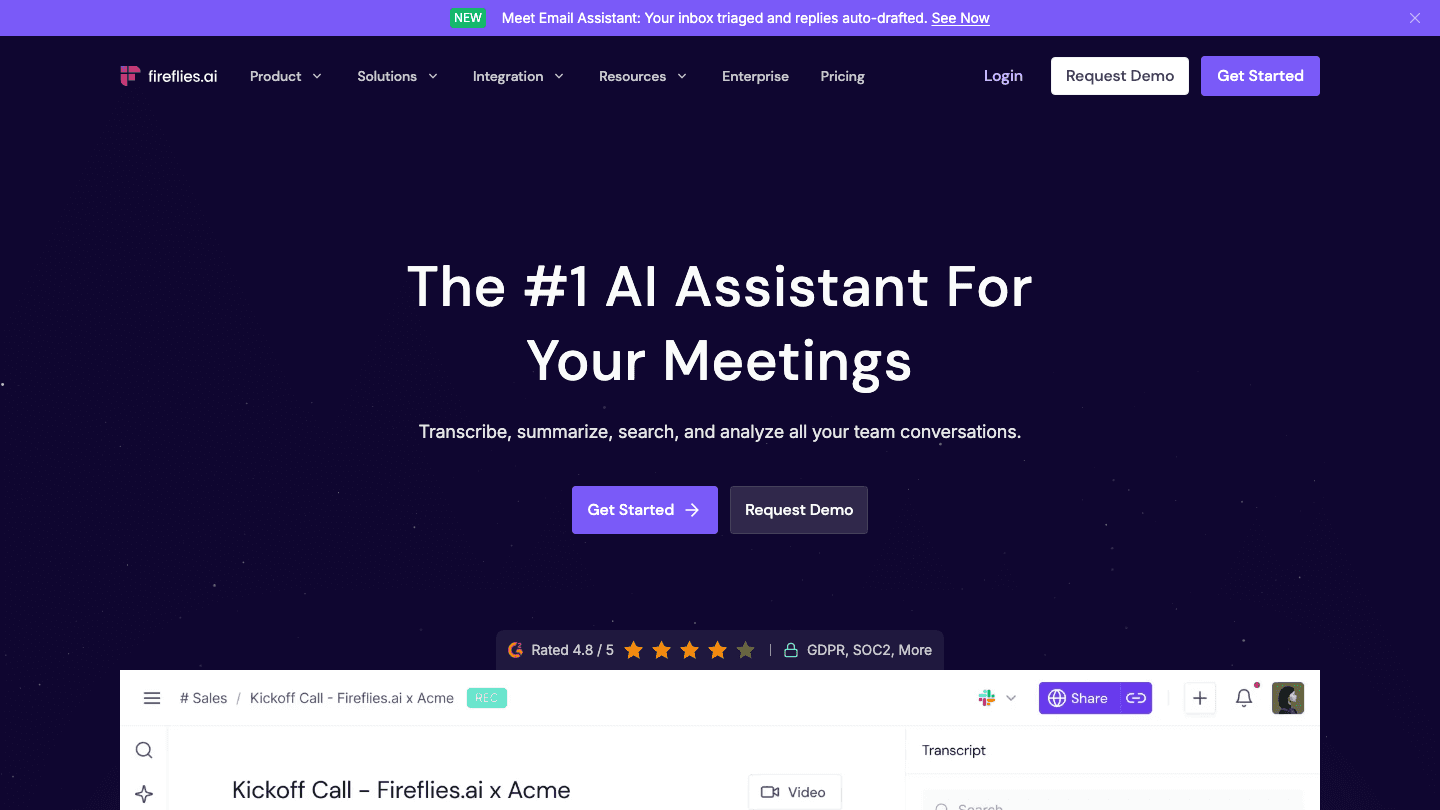
Fireflies.ai positions itself as a meeting intelligence platform rather than just a transcription tool. After joining your calls as a bot, it produces summaries, action items, and a searchable archive with filters by speaker, keyword, and date.
The AskFred AI assistant lets you ask questions across your entire library of meetings, which is genuinely useful for sales teams tracking deal conversations over time. The free tier is one of the most generous available: 800 minutes of transcript storage with unlimited recordings on the basic plan.
Key Features: Bot joins calls automatically; AskFred AI search across meetings; meeting soundbites for sharing clips; CRM integrations; 800 minutes free storage
What Works: Wide platform support (Zoom, Teams, Meet, Webex); strong for teams managing many meetings; the soundbite feature is useful for async updates
Limitations: Some users flag the join bot as disruptive; summaries can miss nuance in fast-paced discussions; storage limits on free tier
Pricing: Free (800 min storage); Pro at $10/user/month; Business at $19/user/month
Best for: Teams who want meeting intelligence, not just transcription, and rely on AI-assisted search across their meeting history
4. Fellow
Best for full meeting lifecycle management
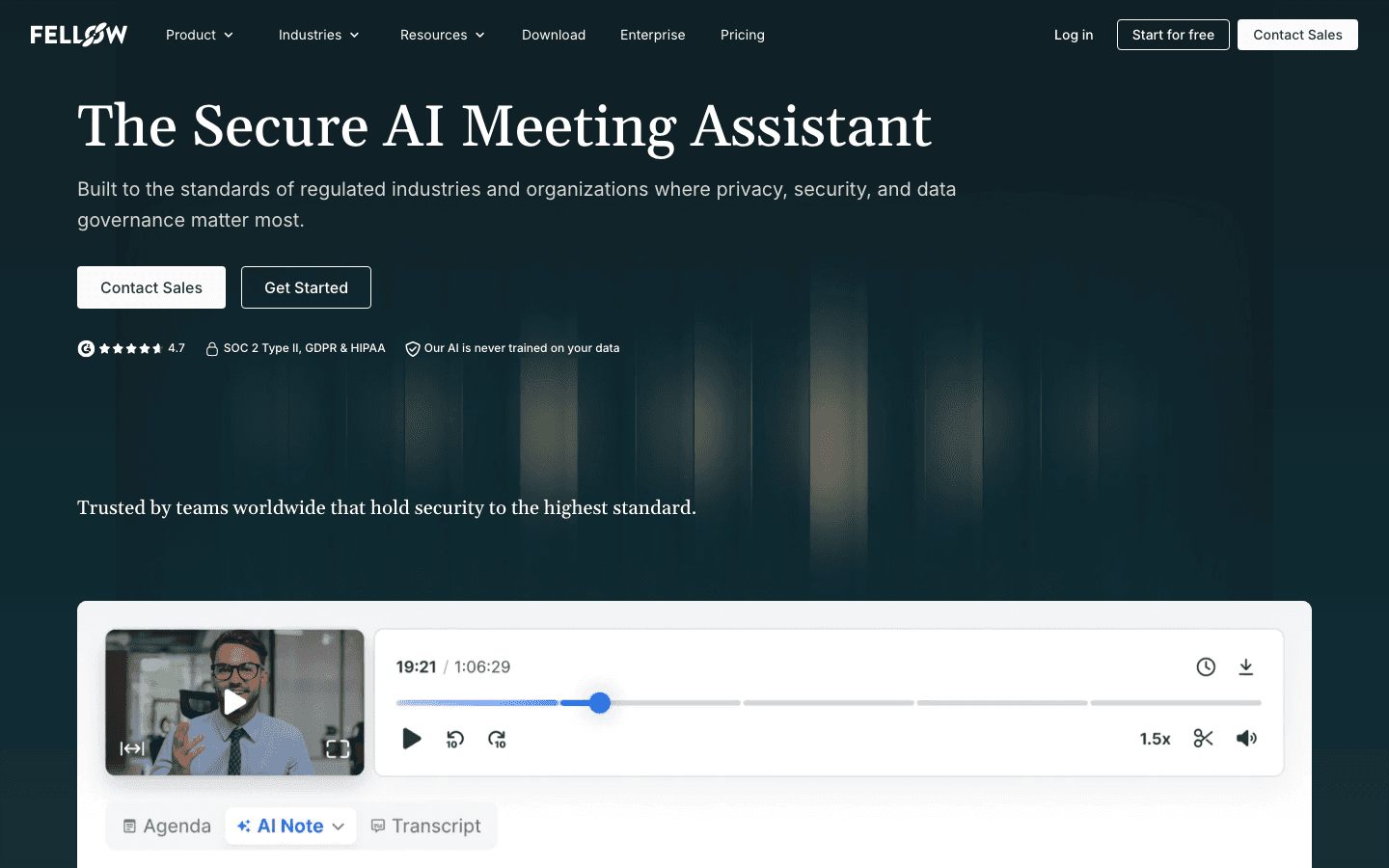
Fellow manages the full lifecycle of a meeting: building agendas before, capturing notes and action items during, and tracking follow-up tasks after. It works particularly well for recurring meetings where teams want a consistent structure that carries context forward week over week.
The integrations with project management tools like Jira and Asana allow action items to flow directly into existing workflows, which reduces the gap between what was decided and what gets assigned.
Key Features: Agenda builder with collaborative editing; AI meeting notes and summaries; action item tracking; Jira and Asana integrations; meeting analytics
What Works: The full-cycle approach is genuinely useful for structured teams; good mobile app; privacy-focused with SOC2 compliance
Limitations: More setup than pure transcription tools; value is higher for teams than individuals; some features require higher-tier plans
Pricing: Free (limited); Pro at $7/user/month; Business at $10/user/month
Best for: Teams that want meeting management from agenda to follow-up, not just a recording
5. Notta
Best for multilingual meetings and international teams
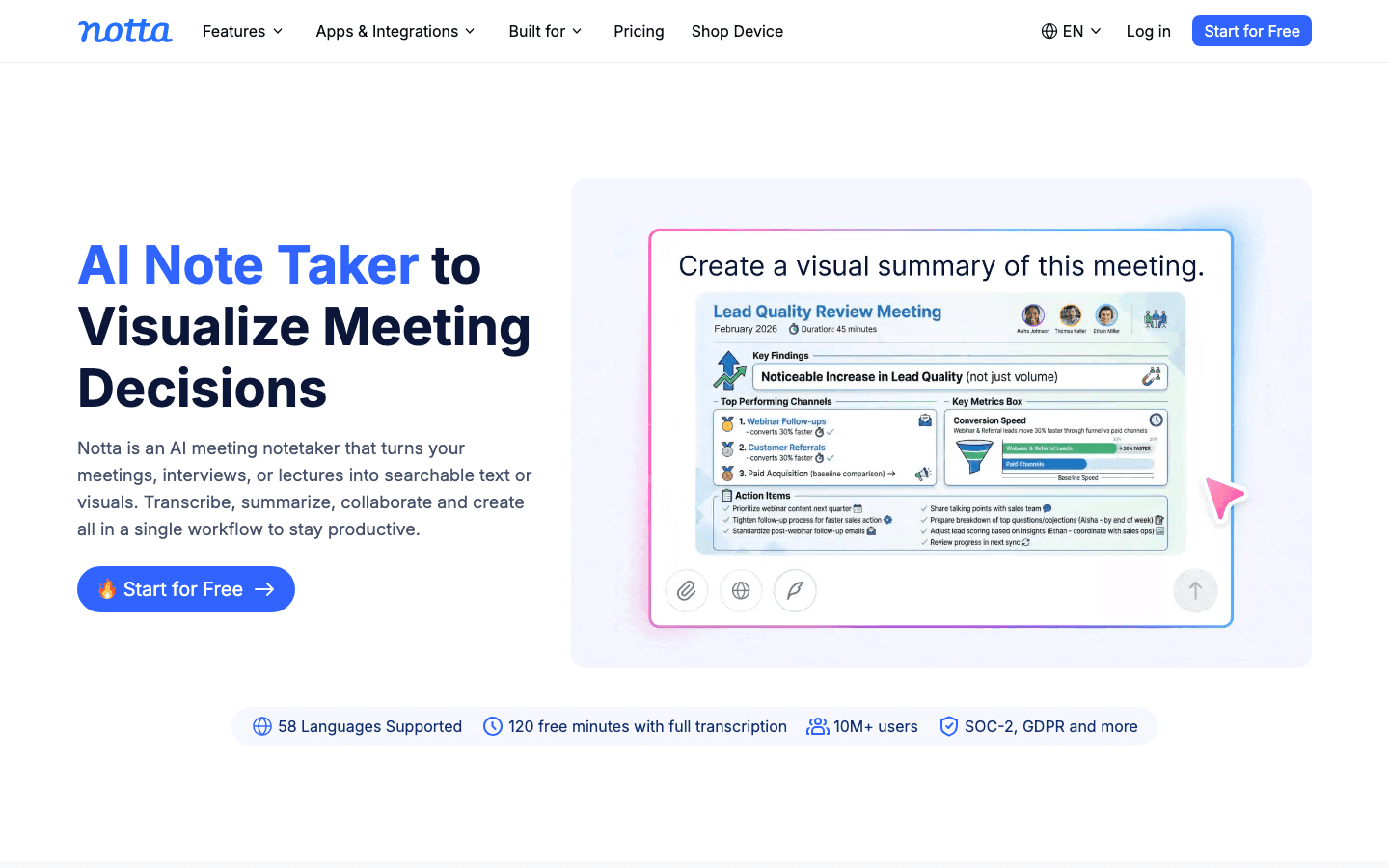
Notta differentiates on language support. It transcribes and translates across 58 languages in real time, making it the strongest option for international teams or anyone who meets regularly with participants in different languages.
The visual summary feature, which turns meeting content into diagrams and decision maps, is genuinely distinctive. It is useful for meetings heavy on analysis, process design, or brainstorming where a linear transcript misses the structure of what was discussed.
Key Features: 58-language support with real-time translation; visual meeting summaries; custom vocabulary for technical terminology; integrates with Google Meet, Zoom, Teams
What Works: Best multilingual support of any tool in this list; visual summaries add real value for complex discussions; clean interface
Limitations: Free tier limited to 120 minutes/month; pricing is higher than competitors; less well-known, so fewer community resources
Pricing: Free (120 min/month); Pro at $14.99/month; Business at $27.99/user/month
Best for: International teams and anyone whose meetings regularly include multiple languages
6. Fathom
Best free option for Zoom and Google Meet users
Fathom offers unlimited free transcription for Zoom and Google Meet, with no minutes cap. That alone sets it apart from most tools in this category, where the free tier is typically limited to 300 to 800 minutes per month.
Fathom keeps it simple: record, transcribe, summarize. There is no AI knowledge search across meetings and no advanced workflow automation. The free tier shows branding banners; the Pro plan removes them and adds additional summary formats.
Key Features: Unlimited transcription on the free tier; Zoom and Google Meet support; AI summaries and action items; clip sharing for async updates
What Works: Genuinely unlimited free plan for individuals; fast and low-friction setup; no bot joins the call separately
Limitations: Limited platform support (Zoom and Google Meet only); branding on free tier; no advanced integrations on the free plan
Pricing: Free (unlimited with Fathom branding); Pro at $19/month
Best for: Anyone who uses Zoom or Google Meet and wants free, unlimited transcription with no commitment
Which Meeting Minutes App Is Right for You?
If you struggle to act on meeting output: Lifestack, paired with any transcription tool, turns action items into a scheduled plan with energy-aware timing
If you want the most accurate live transcription: Otter.ai for English-primary teams; Notta if you have multilingual participants
If you want AI search across your entire meeting history: Fireflies.ai, especially for sales teams or high-volume meeting environments
If your team wants structured meetings with agenda and follow-up: Fellow, particularly if you use Jira, Asana, or similar project management tools
If you want unlimited free transcription right now: Fathom, assuming you're on Zoom or Google Meet
Frequently Asked Questions
What is the best free meeting minutes app?
Fathom offers the most generous free tier: unlimited transcription for Zoom and Google Meet with no minutes cap. Otter.ai and Fireflies.ai both have free plans but cap minutes at 300 and 800 per month respectively. Lifestack offers a 7-day free trial on its annual plan.
Can meeting minutes apps integrate with Google Calendar?
Yes. Otter, Fireflies, and Fellow all integrate with Google Calendar to automatically detect scheduled meetings and join or prepare notes. Lifestack also syncs with Google Calendar to pull in scheduled events and schedule follow-up tasks around your existing commitments.
What is the difference between a meeting notes app and a transcription app?
Transcription apps (Otter, Fireflies, Notta) record and convert speech to text automatically. Meeting notes apps (Fellow) focus on structured agenda-to-notes workflows. Some tools combine both. Lifestack operates differently again: it connects meeting outcomes to your daily scheduled work.
Do meeting minutes apps work with Microsoft Teams?
Otter.ai, Fireflies.ai, and Notta all support Microsoft Teams in addition to Zoom and Google Meet. Fellow also integrates with Teams for agenda and notes management. Fathom is limited to Zoom and Google Meet only.
How do I turn meeting action items into tasks?
Most transcription tools extract action items automatically. The follow-through problem is that extracted items still need to move from a notes app into actual scheduled work. Using a time blocking app like Lifestack alongside your transcription tool closes that loop by scheduling the captured tasks when you have the capacity to do them.
Most meetings end with a list of action items that never quite make it into anyone's calendar. Someone takes notes, someone else follows up a week later, and the work that was supposed to happen in between gets delayed or forgotten entirely.
The right meeting minutes app closes that gap. The best ones do more than transcribe. They capture decisions, extract action items, and connect what happened in the room to the actual work scheduled for the week ahead.
We tested six of the top options in 2026. Here is what each one does well, what it misses, and which kind of user it actually fits.
Key Takeaways
Lifestack is the best pick if your main problem is turning meeting action items into scheduled work; Otter and Fireflies are better if your primary need is accurate transcription
Fathom offers unlimited free transcription for Zoom and Google Meet, making it the easiest no-cost starting point
Fellow is the strongest option for teams that want to manage the full meeting lifecycle, from agenda to follow-up
Quick Guide
Lifestack -- Best for turning meeting action items into a scheduled daily plan
Otter.ai -- Best for live transcription with team collaboration
Fireflies.ai -- Best for searchable transcripts and AI summaries across platforms
Fellow -- Best for structured agenda-to-notes-to-task workflows for teams
Notta -- Best for multilingual meetings and international teams
Fathom -- Best free option for Zoom users who want unlimited transcription
How We Evaluated
Transcription accuracy across different accents and video platforms
Action item detection and how well items map to follow-up work
Integration with calendars, task managers, and CRMs
Pricing and what the free tier actually covers
Mobile and cross-platform availability
1. Lifestack
Best for turning meeting follow-ups into a scheduled plan
Lifestack approaches meeting minutes from a different angle than every other app on this list. It is not a transcription tool. It is an AI planner that connects your meeting action items to your available time, scheduling follow-up tasks when you actually have the energy and focus to do them.
The gap it fills is a real one. Most transcription apps output a list of action items that then sit in a notes app, disconnected from your calendar. Lifestack bridges notes to execution. Paste in your meeting recap or connect your task sources, and it builds a daily schedule that accounts for your energy levels across the day, not just open calendar slots. The result is meeting follow-ups that actually get done rather than deferred indefinitely.
Key Features: AI-powered daily scheduling, energy-aware task placement, calendar integrations (Google, Apple, Outlook), mobile app for iOS and Android
What Works: Automatically finds time for follow-up tasks; AI task management that adapts to how you feel each day; great for ADHD users or anyone who struggles to convert notes into action
Limitations: Does not record or transcribe meetings natively; best used alongside a transcription tool rather than as a standalone meeting notes solution
Pricing: $7/month, $50/year (7-day free trial on annual plan), or $120 one-time lifetime access
Best for: People whose main struggle is acting on meeting output, not just capturing it
2. Otter.ai
Best for live transcription with team collaboration
Otter.ai is one of the most widely used meeting transcription tools for good reason: it is fast, supports live captioning during calls, and its AI assistant can answer questions about past meetings using your transcript history.
The Otter AI Chat feature is genuinely useful. Ask it "what did we decide about the product launch?" and it searches your transcripts and returns the relevant excerpt. Teams that run many recurring meetings accumulate a useful archive.
Key Features: Live transcription for Zoom, Teams, and Google Meet; AI Chat assistant; speaker identification; action item extraction; shared workspaces
What Works: Real-time captions during meetings; strong accuracy for English; good free tier for individuals
Limitations: Accuracy drops with heavy accents or technical jargon; cookie banners and audio quality affect live sessions; no real scheduling layer for follow-ups
Pricing: Free (300 minutes/month); Pro at $8.33/user/month; Business at $20/user/month
Best for: Individuals and teams that want live captions plus a searchable meeting archive
3. Fireflies.ai
Best for AI summaries and team search across platforms
Fireflies.ai positions itself as a meeting intelligence platform rather than just a transcription tool. After joining your calls as a bot, it produces summaries, action items, and a searchable archive with filters by speaker, keyword, and date.
The AskFred AI assistant lets you ask questions across your entire library of meetings, which is genuinely useful for sales teams tracking deal conversations over time. The free tier is one of the most generous available: 800 minutes of transcript storage with unlimited recordings on the basic plan.
Key Features: Bot joins calls automatically; AskFred AI search across meetings; meeting soundbites for sharing clips; CRM integrations; 800 minutes free storage
What Works: Wide platform support (Zoom, Teams, Meet, Webex); strong for teams managing many meetings; the soundbite feature is useful for async updates
Limitations: Some users flag the join bot as disruptive; summaries can miss nuance in fast-paced discussions; storage limits on free tier
Pricing: Free (800 min storage); Pro at $10/user/month; Business at $19/user/month
Best for: Teams who want meeting intelligence, not just transcription, and rely on AI-assisted search across their meeting history
4. Fellow
Best for full meeting lifecycle management
Fellow manages the full lifecycle of a meeting: building agendas before, capturing notes and action items during, and tracking follow-up tasks after. It works particularly well for recurring meetings where teams want a consistent structure that carries context forward week over week.
The integrations with project management tools like Jira and Asana allow action items to flow directly into existing workflows, which reduces the gap between what was decided and what gets assigned.
Key Features: Agenda builder with collaborative editing; AI meeting notes and summaries; action item tracking; Jira and Asana integrations; meeting analytics
What Works: The full-cycle approach is genuinely useful for structured teams; good mobile app; privacy-focused with SOC2 compliance
Limitations: More setup than pure transcription tools; value is higher for teams than individuals; some features require higher-tier plans
Pricing: Free (limited); Pro at $7/user/month; Business at $10/user/month
Best for: Teams that want meeting management from agenda to follow-up, not just a recording
5. Notta
Best for multilingual meetings and international teams
Notta differentiates on language support. It transcribes and translates across 58 languages in real time, making it the strongest option for international teams or anyone who meets regularly with participants in different languages.
The visual summary feature, which turns meeting content into diagrams and decision maps, is genuinely distinctive. It is useful for meetings heavy on analysis, process design, or brainstorming where a linear transcript misses the structure of what was discussed.
Key Features: 58-language support with real-time translation; visual meeting summaries; custom vocabulary for technical terminology; integrates with Google Meet, Zoom, Teams
What Works: Best multilingual support of any tool in this list; visual summaries add real value for complex discussions; clean interface
Limitations: Free tier limited to 120 minutes/month; pricing is higher than competitors; less well-known, so fewer community resources
Pricing: Free (120 min/month); Pro at $14.99/month; Business at $27.99/user/month
Best for: International teams and anyone whose meetings regularly include multiple languages
6. Fathom
Best free option for Zoom and Google Meet users
Fathom offers unlimited free transcription for Zoom and Google Meet, with no minutes cap. That alone sets it apart from most tools in this category, where the free tier is typically limited to 300 to 800 minutes per month.
Fathom keeps it simple: record, transcribe, summarize. There is no AI knowledge search across meetings and no advanced workflow automation. The free tier shows branding banners; the Pro plan removes them and adds additional summary formats.
Key Features: Unlimited transcription on the free tier; Zoom and Google Meet support; AI summaries and action items; clip sharing for async updates
What Works: Genuinely unlimited free plan for individuals; fast and low-friction setup; no bot joins the call separately
Limitations: Limited platform support (Zoom and Google Meet only); branding on free tier; no advanced integrations on the free plan
Pricing: Free (unlimited with Fathom branding); Pro at $19/month
Best for: Anyone who uses Zoom or Google Meet and wants free, unlimited transcription with no commitment
Which Meeting Minutes App Is Right for You?
If you struggle to act on meeting output: Lifestack, paired with any transcription tool, turns action items into a scheduled plan with energy-aware timing
If you want the most accurate live transcription: Otter.ai for English-primary teams; Notta if you have multilingual participants
If you want AI search across your entire meeting history: Fireflies.ai, especially for sales teams or high-volume meeting environments
If your team wants structured meetings with agenda and follow-up: Fellow, particularly if you use Jira, Asana, or similar project management tools
If you want unlimited free transcription right now: Fathom, assuming you're on Zoom or Google Meet
Frequently Asked Questions
What is the best free meeting minutes app?
Fathom offers the most generous free tier: unlimited transcription for Zoom and Google Meet with no minutes cap. Otter.ai and Fireflies.ai both have free plans but cap minutes at 300 and 800 per month respectively. Lifestack offers a 7-day free trial on its annual plan.
Can meeting minutes apps integrate with Google Calendar?
Yes. Otter, Fireflies, and Fellow all integrate with Google Calendar to automatically detect scheduled meetings and join or prepare notes. Lifestack also syncs with Google Calendar to pull in scheduled events and schedule follow-up tasks around your existing commitments.
What is the difference between a meeting notes app and a transcription app?
Transcription apps (Otter, Fireflies, Notta) record and convert speech to text automatically. Meeting notes apps (Fellow) focus on structured agenda-to-notes workflows. Some tools combine both. Lifestack operates differently again: it connects meeting outcomes to your daily scheduled work.
Do meeting minutes apps work with Microsoft Teams?
Otter.ai, Fireflies.ai, and Notta all support Microsoft Teams in addition to Zoom and Google Meet. Fellow also integrates with Teams for agenda and notes management. Fathom is limited to Zoom and Google Meet only.
How do I turn meeting action items into tasks?
Most transcription tools extract action items automatically. The follow-through problem is that extracted items still need to move from a notes app into actual scheduled work. Using a time blocking app like Lifestack alongside your transcription tool closes that loop by scheduling the captured tasks when you have the capacity to do them.



FOLLOW ON
FOLLOW ON
FOLLOW ON



Copyright 2026 © Lifestack. All rights reserved
Copyright 2026 © Lifestack. All rights reserved

