
App
Reclaim AI Review: Is It Worth It in 2026?
Reclaim AI Review: Is It Worth It in 2026?

Reclaim AI is an AI scheduling tool that connects to Google Calendar (and Outlook) and automatically protects time for the things that matter: focus work, habits, and buffer time between meetings. The premise is that your calendar fills up with other people's requests, and Reclaim defends time for your own priorities automatically so you do not have to do it manually.
It has been around since 2019, acquired by Dropbox in August 2024, and has grown into one of the more capable calendar AI tools available. Whether it is worth paying for depends heavily on your workflow and what problems you are actually trying to solve.
This review covers what Reclaim does well, where it falls short, how pricing works, and who it is genuinely a good fit for. The verdict is not binary: Reclaim is excellent at a specific set of problems and mediocre at others.
Key Takeaways
Reclaim AI is best for people who use Google Calendar for work and want automatic protection of focus time and habits without manual scheduling
Its AI Agents feature is genuinely useful for scheduling flexibility, moving meetings and tasks intelligently when things change
It does not read your energy levels or sleep data, so it schedules your deep work in available slots without knowing if those slots are actually your peak cognitive hours
What Reclaim AI Does
Reclaim AI sits on top of your existing Google Calendar. You do not replace your calendar with it: you connect Reclaim to your calendar and it adds intelligence on top, automatically scheduling items you configure and defending them from being overwritten by meetings.
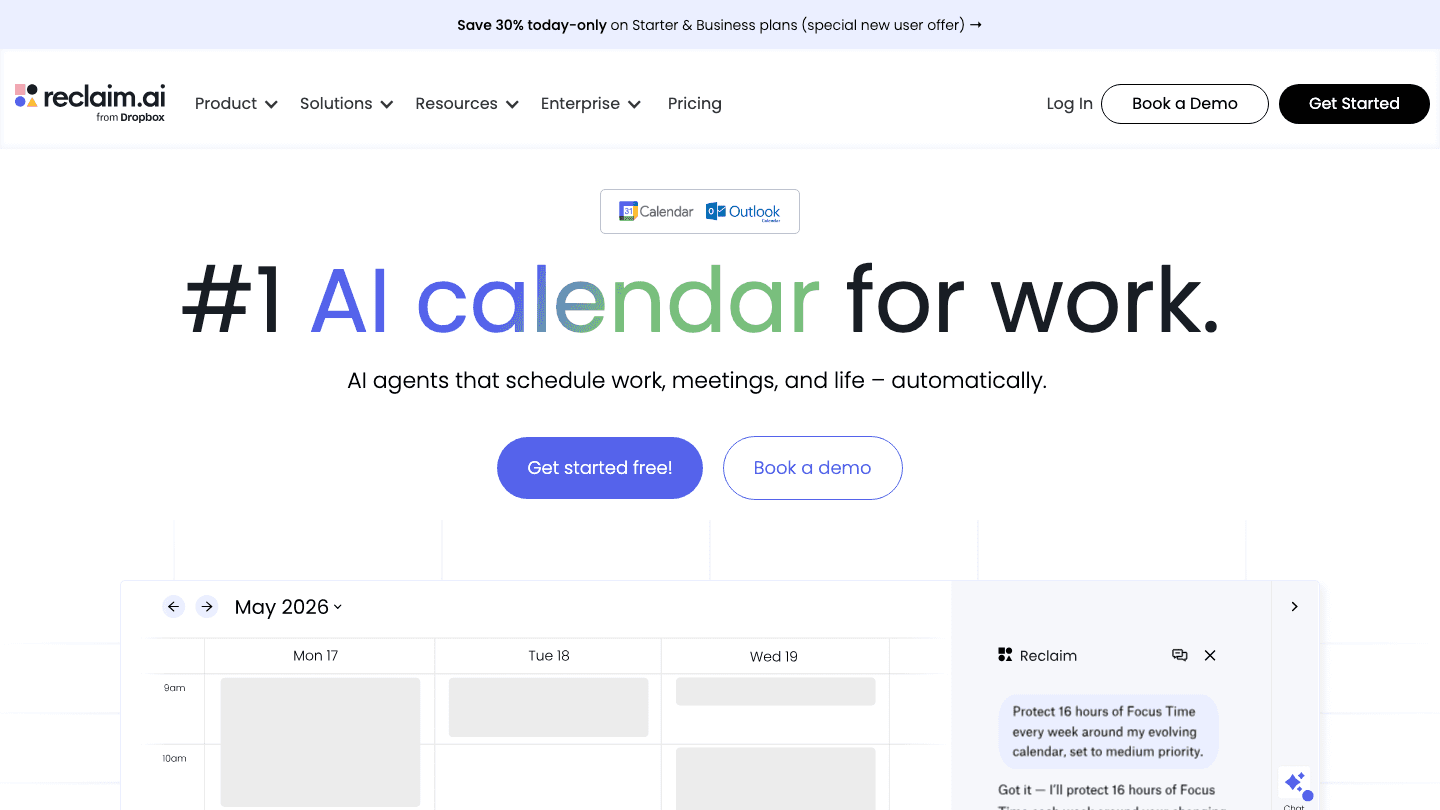
The core concept is AI Agents: software agents that each manage a category of time on your calendar. You set up an agent for Focus Time, tell it you want 3 hours of protected focus per day, and Reclaim finds available slots and blocks them. New meetings get booked around those blocks, not on top of them. When your schedule changes, Reclaim reschedules automatically.
The main things Reclaim manages:
Focus Time: Blocks of uninterrupted work time, scheduled in available gaps and protected from meeting conflicts
Habits: Recurring tasks like exercise, reading, or lunch, scheduled flexibly within windows you define (e.g., "lunch between 12pm and 2pm")
Smart Meetings: Meeting links that show your real availability including Reclaim-protected time
Buffer Time: Automatic padding before and after meetings so you are not context-switching immediately
Working Hours: Defines your workday boundaries; Reclaim only schedules focus time, habits, and tasks within the hours you set, keeping evenings and weekends free from automated blocks
No Meeting Day: Blocks a chosen day from external meeting requests; Reclaim defends the full day automatically and shows you as unavailable
Tasks: Deadline-based task scheduling that gives Reclaim basic task manager capability; tasks get auto-scheduled into available calendar time before their due date, with integrations to Asana, Jira, Linear, Todoist, ClickUp, and Google Tasks
What Works Well
The AI Agent rescheduling is genuinely good. When a meeting moves, Reclaim does not just remove the old block and leave the gap open. It intelligently reschedules affected focus time and habits around the new reality. For people with highly variable calendars, this removes a meaningful amount of daily calendar maintenance.
Focus Time protection is reliable. Unlike manually blocking calendar time (which colleagues and managers often override for meeting requests), Reclaim's blocks show up as busy. The tool actively defends them. Users report a measurable increase in actual deep work hours per week once this is set up correctly.
Habit scheduling is more flexible than other tools. Most habit apps want you to do the thing at a fixed time every day. Reclaim schedules habits within a window you define: "I want to exercise for 45 minutes somewhere between 7am and 9am." If the 7am slot fills up with a call, it finds 8am instead. This adaptability makes habits more sustainable.
The Slack integration is practical. Reclaim can automatically update your Slack status to "In Focus Mode" when you are in a protected block. Small, but it reduces the pressure to respond immediately.
Where It Falls Short
It does not know how you feel. Reclaim schedules your focus time in available calendar slots, but it has no signal about whether that 3pm slot is actually a peak cognitive hour or your biological low point. For many people, an auto-scheduling approach that ignores energy state produces a schedule that is better than no schedule but still suboptimal.
Google Calendar dependency. Reclaim is built for Google Calendar. Outlook support exists but is limited. If your organization uses neither, Reclaim is not an option. Apple Calendar is not supported.
Task scheduling is limited in the free tier. The free Lite plan offers 5 AI Agents total and a 1-week scheduling range. For anyone managing more than a handful of recurring priorities, the free plan hits its ceiling quickly.
No mobile app of substance. Reclaim is primarily a web and browser-extension product. The mobile experience is thin. If your workflow involves frequent mobile task management, this is a real limitation.
Team features require Business plan. Delegated access and team visibility features that make Reclaim useful at an organizational level require the Business tier. For individuals, this is not a concern. For teams evaluating it, the cost scales quickly.
Reclaim AI Pricing
Lite (Free): 5 AI Agents, 1-week scheduling range, 1 calendar sync, 1 scheduling link, limited integrations
Starter ($12/seat/month, or $10/seat/month billed annually): 10 AI Agents per seat, up to 10 seats, 8-week range, 3 calendar syncs, unlimited integrations
Business ($18/seat/month, or $15/seat/month billed annually): 100 AI Agents, up to 100 seats, 12-week range, unlimited calendar syncs, team OOO calendar, delegated access
Enterprise ($22/seat/month, annual billing only): Unlimited agents, 100+ seats, SSO, SCIM provisioning
The free tier is functional enough to evaluate whether Reclaim fits your workflow. Most individuals who find it useful end up on the Starter plan once they exceed 5 configured agents, at $12/month billed monthly or $120/year on the annual plan. The Business plan is primarily for teams that need coordination features.
Who Reclaim AI Is Best For
People on Google Calendar who want their focus time and habits protected automatically without calendar maintenance
Knowledge workers with heavily meeting-driven calendars who struggle to carve out uninterrupted time
Teams that want visibility into each other's availability and focus commitments
People whose main scheduling problem is "meetings keep taking over my day" rather than "I do not know when my peak hours are"
Who Should Look Elsewhere
Apple Calendar users: Reclaim does not support it
Mobile-first workers: the app experience is limited
People who want energy-aware scheduling that reads sleep and recovery data
Anyone who needs a genuine task manager, not just calendar blocking
For Reclaim AI alternatives that address those gaps, there are several worth evaluating depending on which specific limitation matters most to you.
If You Want Energy-Aware Scheduling
Reclaim AI answers the question "when am I free?" Lifestack answers the question "when am I actually at my best?" By reading your sleep data, recovery metrics, and energy patterns, Lifestack schedules tasks at the times when your cognitive capacity is genuinely high, not just when your calendar is open. If you have slept poorly, your demanding tasks get moved automatically. Reclaim has no equivalent signal.

The case for energy-based planning is that calendar availability and productive capacity are not the same thing. A 9am slot that is open does not mean 9am is your best hour for complex work. Lifestack closes that gap. It works on iOS, Android, and Chrome, and plans start at $7/month or $50/year with a 7-day free trial on annual plans. If Reclaim's calendar-centric approach has ever left you wondering why the schedule looks right but still feels wrong, this is the piece that is missing.
See the energy calendar guide for how this approach works in practice.
Frequently Asked Questions
Is Reclaim AI free?
Yes, Reclaim has a free Lite tier. It includes 5 AI Agents, a 1-week scheduling range, and 1 calendar sync. For most people evaluating the tool, this is enough to assess whether Focus Time and Habit scheduling actually work for them before paying. Paid plans start at $12/month (or $10/month billed annually).
Does Reclaim AI work with Apple Calendar?
No. Reclaim is built for Google Calendar primarily, with limited Outlook support. Apple Calendar is not supported. If your primary calendar is Apple Calendar, Reclaim is not an option.
How is Reclaim AI different from Motion?
Both are AI scheduling tools, but Motion combines a task manager with calendar scheduling more deeply than Reclaim does. Reclaim focuses more on protecting recurring commitments (habits, focus time) and adapts them around meeting changes. Motion is more aggressive about scheduling everything from a task list. Neither reads energy or sleep data. For a broader comparison, see the Reclaim AI alternatives roundup.
Is Reclaim AI worth it?
For Google Calendar users whose biggest problem is meetings crowding out focus time, yes. The free tier is a low-risk way to find out. For people who want scheduling that adapts to how they feel rather than just when they are free, Reclaim is a partial solution. It will protect your calendar blocks. It will not tell you whether those blocks are actually at the right time for your cognitive state.
Does Reclaim AI integrate with task managers?
Reclaim integrates with Asana, Linear, Jira, Todoist, ClickUp, and Google Tasks in higher tiers. Tasks pulled from these tools can be auto-scheduled into available calendar time before their due dates. The integration quality varies by tool, and task scheduling is a secondary feature rather than Reclaim's core strength.
Can Reclaim AI schedule based on my energy levels?
No. Reclaim schedules based on calendar availability, your configured preferences (time windows, priorities), and deadlines. It has no connection to sleep trackers, health apps, or wearables. If energy-aware scheduling is what you need, that is a use case for energy-based task planning tools rather than Reclaim.
Is Reclaim AI a task manager?
Reclaim has task manager features but is not a full-featured task manager. It can schedule tasks with deadlines directly on your calendar and pull tasks from Asana, Jira, Linear, Todoist, ClickUp, and Google Tasks. Where it differs from dedicated task managers: it has no project organization or hierarchy of its own. It schedules tasks; it does not manage them.
How does Reclaim AI manage working hours?
You set start and end times for each day of the week in Reclaim's settings, and it only schedules focus time, habits, and auto-tasks within those hours. A 9am to 5pm working hours setting means your evenings and weekends stay free from automated blocks. You can set different hours for different days.
Does Reclaim AI have a no meeting day feature?
Yes. Reclaim's No Meeting Day is an AI Agent that blocks a chosen day from having meetings scheduled by contacts. Reclaim defends the full day automatically and shows you as unavailable. You configure which day in your agent settings.
How does Reclaim AI compare to Google Calendar?
Google Calendar shows your schedule and lets you place events manually. Reclaim AI sits on top of Google Calendar and automates what Google Calendar cannot do on its own: protecting focus blocks from being overwritten, scheduling habits flexibly within windows, rescheduling automatically when conflicts arise, and enforcing working hours boundaries. Reclaim does not replace Google Calendar; it adds a scheduling layer on top of it.
Reclaim AI is an AI scheduling tool that connects to Google Calendar (and Outlook) and automatically protects time for the things that matter: focus work, habits, and buffer time between meetings. The premise is that your calendar fills up with other people's requests, and Reclaim defends time for your own priorities automatically so you do not have to do it manually.
It has been around since 2019, acquired by Dropbox in August 2024, and has grown into one of the more capable calendar AI tools available. Whether it is worth paying for depends heavily on your workflow and what problems you are actually trying to solve.
This review covers what Reclaim does well, where it falls short, how pricing works, and who it is genuinely a good fit for. The verdict is not binary: Reclaim is excellent at a specific set of problems and mediocre at others.
Key Takeaways
Reclaim AI is best for people who use Google Calendar for work and want automatic protection of focus time and habits without manual scheduling
Its AI Agents feature is genuinely useful for scheduling flexibility, moving meetings and tasks intelligently when things change
It does not read your energy levels or sleep data, so it schedules your deep work in available slots without knowing if those slots are actually your peak cognitive hours
What Reclaim AI Does
Reclaim AI sits on top of your existing Google Calendar. You do not replace your calendar with it: you connect Reclaim to your calendar and it adds intelligence on top, automatically scheduling items you configure and defending them from being overwritten by meetings.
The core concept is AI Agents: software agents that each manage a category of time on your calendar. You set up an agent for Focus Time, tell it you want 3 hours of protected focus per day, and Reclaim finds available slots and blocks them. New meetings get booked around those blocks, not on top of them. When your schedule changes, Reclaim reschedules automatically.
The main things Reclaim manages:
Focus Time: Blocks of uninterrupted work time, scheduled in available gaps and protected from meeting conflicts
Habits: Recurring tasks like exercise, reading, or lunch, scheduled flexibly within windows you define (e.g., "lunch between 12pm and 2pm")
Smart Meetings: Meeting links that show your real availability including Reclaim-protected time
Buffer Time: Automatic padding before and after meetings so you are not context-switching immediately
Working Hours: Defines your workday boundaries; Reclaim only schedules focus time, habits, and tasks within the hours you set, keeping evenings and weekends free from automated blocks
No Meeting Day: Blocks a chosen day from external meeting requests; Reclaim defends the full day automatically and shows you as unavailable
Tasks: Deadline-based task scheduling that gives Reclaim basic task manager capability; tasks get auto-scheduled into available calendar time before their due date, with integrations to Asana, Jira, Linear, Todoist, ClickUp, and Google Tasks
What Works Well
The AI Agent rescheduling is genuinely good. When a meeting moves, Reclaim does not just remove the old block and leave the gap open. It intelligently reschedules affected focus time and habits around the new reality. For people with highly variable calendars, this removes a meaningful amount of daily calendar maintenance.
Focus Time protection is reliable. Unlike manually blocking calendar time (which colleagues and managers often override for meeting requests), Reclaim's blocks show up as busy. The tool actively defends them. Users report a measurable increase in actual deep work hours per week once this is set up correctly.
Habit scheduling is more flexible than other tools. Most habit apps want you to do the thing at a fixed time every day. Reclaim schedules habits within a window you define: "I want to exercise for 45 minutes somewhere between 7am and 9am." If the 7am slot fills up with a call, it finds 8am instead. This adaptability makes habits more sustainable.
The Slack integration is practical. Reclaim can automatically update your Slack status to "In Focus Mode" when you are in a protected block. Small, but it reduces the pressure to respond immediately.
Where It Falls Short
It does not know how you feel. Reclaim schedules your focus time in available calendar slots, but it has no signal about whether that 3pm slot is actually a peak cognitive hour or your biological low point. For many people, an auto-scheduling approach that ignores energy state produces a schedule that is better than no schedule but still suboptimal.
Google Calendar dependency. Reclaim is built for Google Calendar. Outlook support exists but is limited. If your organization uses neither, Reclaim is not an option. Apple Calendar is not supported.
Task scheduling is limited in the free tier. The free Lite plan offers 5 AI Agents total and a 1-week scheduling range. For anyone managing more than a handful of recurring priorities, the free plan hits its ceiling quickly.
No mobile app of substance. Reclaim is primarily a web and browser-extension product. The mobile experience is thin. If your workflow involves frequent mobile task management, this is a real limitation.
Team features require Business plan. Delegated access and team visibility features that make Reclaim useful at an organizational level require the Business tier. For individuals, this is not a concern. For teams evaluating it, the cost scales quickly.
Reclaim AI Pricing
Lite (Free): 5 AI Agents, 1-week scheduling range, 1 calendar sync, 1 scheduling link, limited integrations
Starter ($12/seat/month, or $10/seat/month billed annually): 10 AI Agents per seat, up to 10 seats, 8-week range, 3 calendar syncs, unlimited integrations
Business ($18/seat/month, or $15/seat/month billed annually): 100 AI Agents, up to 100 seats, 12-week range, unlimited calendar syncs, team OOO calendar, delegated access
Enterprise ($22/seat/month, annual billing only): Unlimited agents, 100+ seats, SSO, SCIM provisioning
The free tier is functional enough to evaluate whether Reclaim fits your workflow. Most individuals who find it useful end up on the Starter plan once they exceed 5 configured agents, at $12/month billed monthly or $120/year on the annual plan. The Business plan is primarily for teams that need coordination features.
Who Reclaim AI Is Best For
People on Google Calendar who want their focus time and habits protected automatically without calendar maintenance
Knowledge workers with heavily meeting-driven calendars who struggle to carve out uninterrupted time
Teams that want visibility into each other's availability and focus commitments
People whose main scheduling problem is "meetings keep taking over my day" rather than "I do not know when my peak hours are"
Who Should Look Elsewhere
Apple Calendar users: Reclaim does not support it
Mobile-first workers: the app experience is limited
People who want energy-aware scheduling that reads sleep and recovery data
Anyone who needs a genuine task manager, not just calendar blocking
For Reclaim AI alternatives that address those gaps, there are several worth evaluating depending on which specific limitation matters most to you.
If You Want Energy-Aware Scheduling
Reclaim AI answers the question "when am I free?" Lifestack answers the question "when am I actually at my best?" By reading your sleep data, recovery metrics, and energy patterns, Lifestack schedules tasks at the times when your cognitive capacity is genuinely high, not just when your calendar is open. If you have slept poorly, your demanding tasks get moved automatically. Reclaim has no equivalent signal.
The case for energy-based planning is that calendar availability and productive capacity are not the same thing. A 9am slot that is open does not mean 9am is your best hour for complex work. Lifestack closes that gap. It works on iOS, Android, and Chrome, and plans start at $7/month or $50/year with a 7-day free trial on annual plans. If Reclaim's calendar-centric approach has ever left you wondering why the schedule looks right but still feels wrong, this is the piece that is missing.
See the energy calendar guide for how this approach works in practice.
Frequently Asked Questions
Is Reclaim AI free?
Yes, Reclaim has a free Lite tier. It includes 5 AI Agents, a 1-week scheduling range, and 1 calendar sync. For most people evaluating the tool, this is enough to assess whether Focus Time and Habit scheduling actually work for them before paying. Paid plans start at $12/month (or $10/month billed annually).
Does Reclaim AI work with Apple Calendar?
No. Reclaim is built for Google Calendar primarily, with limited Outlook support. Apple Calendar is not supported. If your primary calendar is Apple Calendar, Reclaim is not an option.
How is Reclaim AI different from Motion?
Both are AI scheduling tools, but Motion combines a task manager with calendar scheduling more deeply than Reclaim does. Reclaim focuses more on protecting recurring commitments (habits, focus time) and adapts them around meeting changes. Motion is more aggressive about scheduling everything from a task list. Neither reads energy or sleep data. For a broader comparison, see the Reclaim AI alternatives roundup.
Is Reclaim AI worth it?
For Google Calendar users whose biggest problem is meetings crowding out focus time, yes. The free tier is a low-risk way to find out. For people who want scheduling that adapts to how they feel rather than just when they are free, Reclaim is a partial solution. It will protect your calendar blocks. It will not tell you whether those blocks are actually at the right time for your cognitive state.
Does Reclaim AI integrate with task managers?
Reclaim integrates with Asana, Linear, Jira, Todoist, ClickUp, and Google Tasks in higher tiers. Tasks pulled from these tools can be auto-scheduled into available calendar time before their due dates. The integration quality varies by tool, and task scheduling is a secondary feature rather than Reclaim's core strength.
Can Reclaim AI schedule based on my energy levels?
No. Reclaim schedules based on calendar availability, your configured preferences (time windows, priorities), and deadlines. It has no connection to sleep trackers, health apps, or wearables. If energy-aware scheduling is what you need, that is a use case for energy-based task planning tools rather than Reclaim.
Is Reclaim AI a task manager?
Reclaim has task manager features but is not a full-featured task manager. It can schedule tasks with deadlines directly on your calendar and pull tasks from Asana, Jira, Linear, Todoist, ClickUp, and Google Tasks. Where it differs from dedicated task managers: it has no project organization or hierarchy of its own. It schedules tasks; it does not manage them.
How does Reclaim AI manage working hours?
You set start and end times for each day of the week in Reclaim's settings, and it only schedules focus time, habits, and auto-tasks within those hours. A 9am to 5pm working hours setting means your evenings and weekends stay free from automated blocks. You can set different hours for different days.
Does Reclaim AI have a no meeting day feature?
Yes. Reclaim's No Meeting Day is an AI Agent that blocks a chosen day from having meetings scheduled by contacts. Reclaim defends the full day automatically and shows you as unavailable. You configure which day in your agent settings.
How does Reclaim AI compare to Google Calendar?
Google Calendar shows your schedule and lets you place events manually. Reclaim AI sits on top of Google Calendar and automates what Google Calendar cannot do on its own: protecting focus blocks from being overwritten, scheduling habits flexibly within windows, rescheduling automatically when conflicts arise, and enforcing working hours boundaries. Reclaim does not replace Google Calendar; it adds a scheduling layer on top of it.



FOLLOW ON
FOLLOW ON
FOLLOW ON


Copyright 2026 © Lifestack. All rights reserved
Copyright 2026 © Lifestack. All rights reserved

