
App
6 Best Reclaim AI Alternatives for 2026
6 Best Reclaim AI Alternatives for 2026
Reclaim AI is a solid calendar scheduling tool. It auto-blocks time for habits, meetings, and tasks, and it integrates well with Google Calendar, Slack, and GitHub. But it has real gaps: no mobile-first experience, no energy awareness in scheduling, and a team-first design that doesn't always fit individual users who want personal planning at the center.
If you're looking for a Reclaim AI alternative, you're probably after one of a few things: better energy-based scheduling, a stronger mobile app, a daily planning ritual rather than pure automation, or a simpler tool that doesn't require extensive setup to get value. The six apps below each offer a different angle on what Reclaim does, often better.
We tested all six in real work weeks and ranked them based on scheduling quality, ease of use, and genuine daily value.
Pricing verified June 2026. Reclaim AI pricing: Lite free; Starter $8/user/month; Business $12/user/month; Enterprise $18/user/month.
Key Takeaways
Lifestack is the strongest Reclaim alternative for individuals who want energy-aware AI scheduling rather than pure calendar automation
Motion and Akiflow are the closest feature-for-feature alternatives for auto-scheduling workflows
Sunsama and Structured serve users who want a deliberate daily planning ritual rather than fully automated scheduling
Quick Guide: Reclaim AI Alternatives
Lifestack: energy-aware AI scheduling for individuals, with auto-rescheduling
Motion: AI that builds your daily schedule from tasks, meetings, and deadlines
Sunsama: intentional daily planning ritual with calendar and task integration
Akiflow: task + calendar in one app with AI-powered time blocking
Structured: visual timeline planner without AI automation
Morgen: AI daily planner that unifies tasks and calendars
Why Look for a Reclaim AI Alternative?
No energy awareness: Reclaim schedules around calendar gaps, not around when you're actually capable of hard work
Team-focused design: best features are for teams; individual users get less value
Weak mobile app: primarily a web and calendar tool
Limited daily planning layer: Reclaim automates but doesn't help you review and intentionally plan your day
Pricing: the best features require Business tier at $12/user/month
1. Lifestack: Best Reclaim AI Alternative for Individuals
Energy-aware AI scheduling that adapts to your capacity throughout the day

Lifestack is the Reclaim AI alternative that adds something Reclaim doesn't have: energy awareness. Instead of filling open calendar slots with tasks, Lifestack tracks your energy levels throughout the day and places cognitively demanding work during your peak hours. High-focus work goes in the morning when your brain is sharp. Lighter tasks land in the afternoon slump.
This matters because calendar availability and cognitive availability are not the same thing. A 3pm open slot is not the same as a 9am open slot for writing a strategy doc. Lifestack knows this and schedules accordingly, making it one of the best AI planner apps for people who want scheduling that accounts for how they actually work across the day.
The app auto-reschedules when things run over or new meetings appear, which is the core Reclaim behavior most users want. The difference is Lifestack does it with energy context rather than purely calendar logic.
Energy-aware AI scheduling throughout the day
Auto-reschedules when tasks slip or new events appear
Google Calendar and Apple Calendar sync
Strong mobile app on iOS and Android
Individual-focused design rather than team-first
What Works
The energy-tagging system produces a meaningfully better quality of schedule than pure time-slot filling
Mobile experience is better than Reclaim's
Lower cost than Reclaim's paid tiers for individuals
Limitations
No GitHub or Slack native integration (Reclaim has these)
Less suited for team scheduling coordination
Pricing: $7/month or $50/year; $120 lifetime. 7-day free trial on annual plans.
Best for: individuals who want energy-aware AI scheduling without Reclaim's team overhead.
2. Motion: Best for Automatic Daily Schedule Building
AI that assembles your complete schedule from tasks and deadlines, no manual placement needed
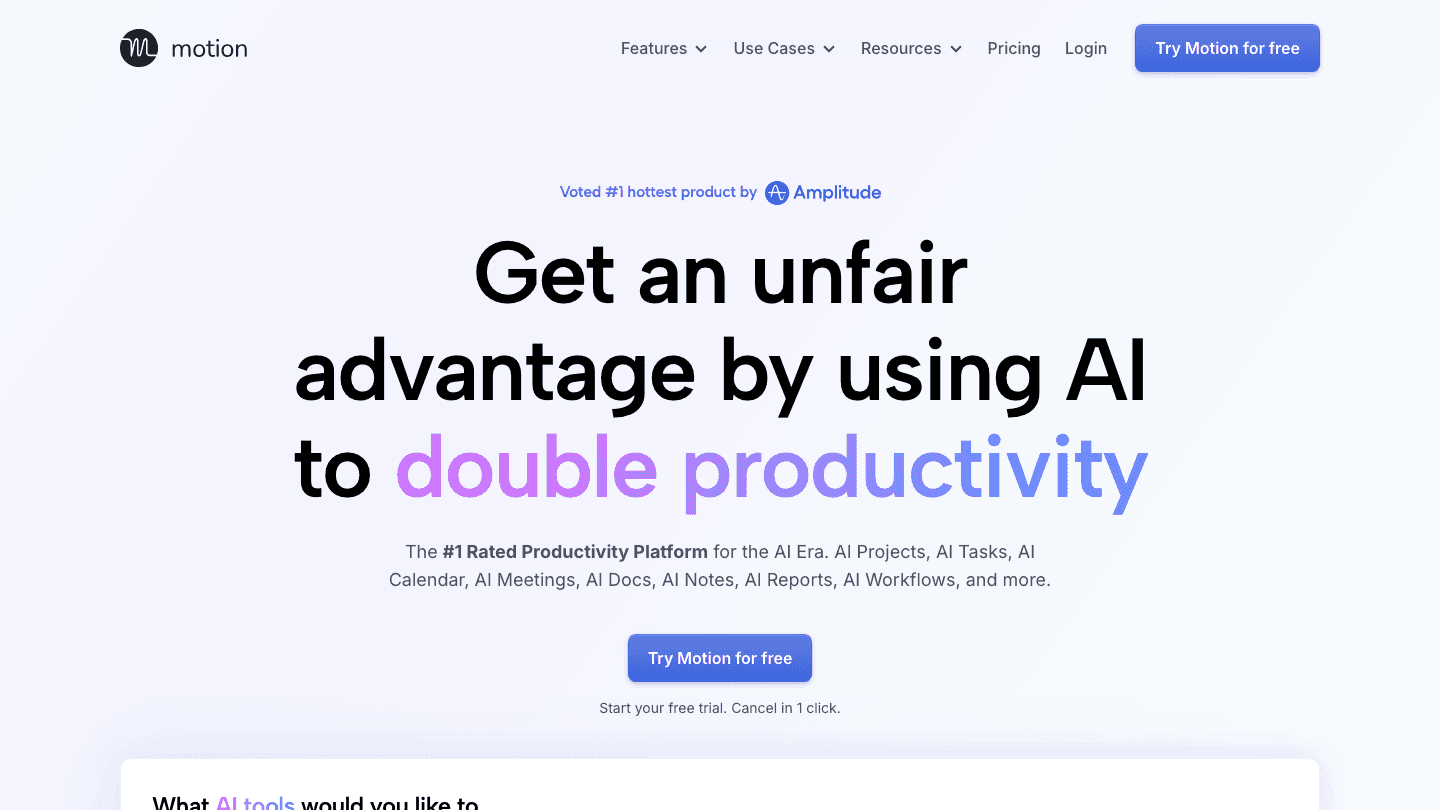
Motion is the closest feature equivalent to Reclaim AI's core auto-scheduling behavior, but designed primarily for individuals rather than teams. You add tasks, set deadlines, and Motion assembles a complete daily schedule from everything on your list plus your calendar events. No drag-and-drop required.
Where Reclaim focuses heavily on team scheduling (shared no-meeting blocks, meeting templates, habit scheduling across teams), Motion focuses on getting individual workloads under control. It handles deadline conflicts and reprioritizes automatically when new urgent work appears. It's a strong scheduling app for professionals with heavy, shifting workloads.
AI-generated daily schedule from your full task list and deadlines
Automatic reprioritization when deadlines shift
Meeting scheduler included
Handles schedule overflow better than manual planning
What Works
Deadline-aware auto-scheduling is comparable to Reclaim for individual workloads
More intuitive for solo users than Reclaim's team-first UI
Limitations
No energy awareness
Pricier than Lifestack at $19/month ($12.73/month annually)
No GitHub or Slack integration
Pricing: $19/month; ~$12.73/month billed annually. Free trial available.
Best for: people who want Reclaim-style auto-scheduling focused on individual workloads rather than team coordination.
3. Sunsama: Best for Intentional Daily Planning
A deliberate daily planning ritual with calendar and task integration
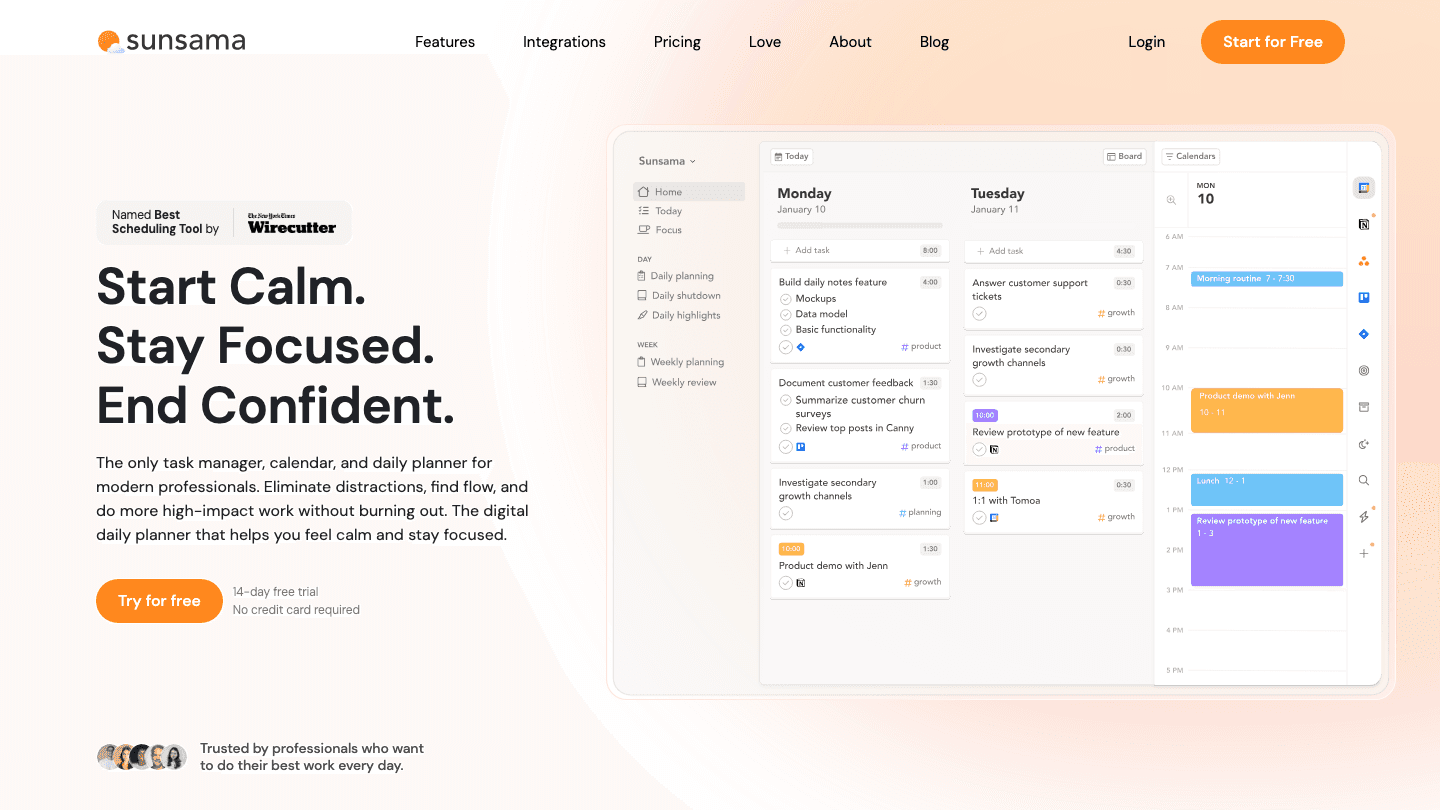
Sunsama takes a fundamentally different approach than Reclaim. Instead of automating your schedule, it builds a daily planning ritual: each morning, you review what's on your calendar, import tasks from your connected tools (Notion, Asana, Trello, GitHub, Jira), decide what to work on today, and estimate how long each thing will take.
There's no AI auto-scheduling. The value is in the ritual itself, the daily 15-minute practice of intentionally deciding what matters today and fitting it into your actual calendar time. Users who get the most from Sunsama are those who felt overwhelmed by Reclaim's "AI will figure it out" approach and wanted more deliberate control over how their day is structured.
Daily planning workflow that forces intentional prioritization
Imports tasks from Notion, Asana, Jira, Trello, GitHub, Linear
Time estimates built into task cards
Calendar view that shows tasks alongside meetings
EOD reflection and shutdown ritual built in
What Works
The planning ritual builds a daily habit that produces better prioritization than fully automated scheduling
Integrations with tools developers and project managers already use are among the best of any planner
Limitations
No AI auto-scheduling; you build the plan manually each morning
At $25/month (or $17/month annually), it's priced at the premium end for what it does
No mobile app; web-only
Pricing: $25/month or $17/month billed annually. 14-day free trial.
Best for: people who prefer intentional daily planning over AI automation.
4. Akiflow: Best for Task and Calendar Power Users
All your tasks and calendar in one place, with AI-powered time blocking
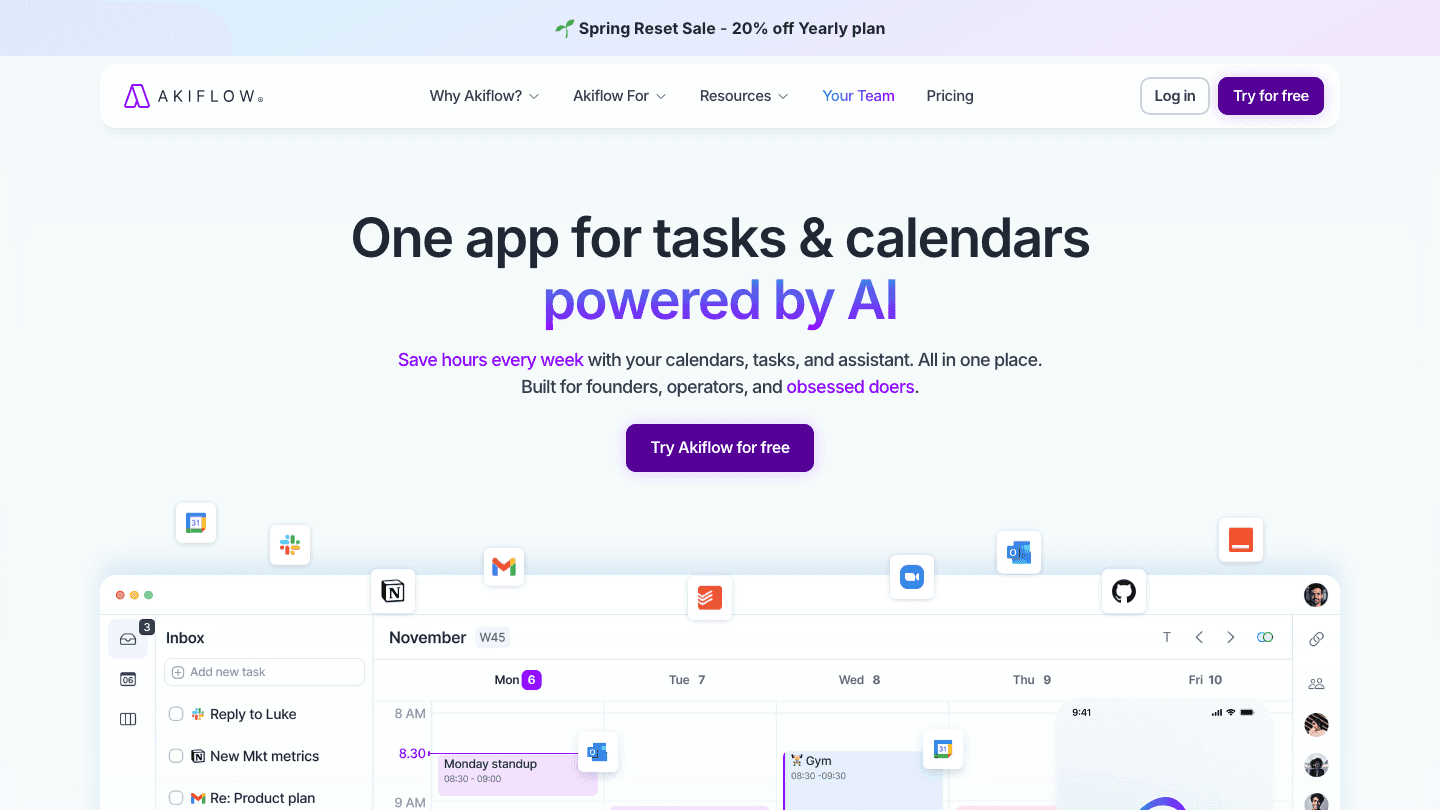
Akiflow combines a task inbox, calendar, and AI time-blocking assistant into a single workspace. You capture tasks from all your tools, plan them into your calendar using keyboard shortcuts, and the AI assistant suggests when to schedule things based on your history and priorities. It's built for power users who want full control over their schedule with AI assist rather than full AI automation.
The keyboard-first design makes planning fast. If you've explored Akiflow alternatives before, you know it sits between Sunsama's intentional planning and Motion's full automation. You direct the planning; AI makes suggestions and finds slots.
Unified task inbox that pulls from connected tools
Calendar view with drag-and-drop time blocking
AI suggestions for when to schedule tasks
Keyboard shortcuts throughout for fast planning
Integrations with Notion, Gmail, Todoist, Asana, and more
What Works
The combination of fast keyboard planning and AI suggestions is genuinely different from both Sunsama and Motion
Power users who learn the keyboard shortcuts plan their day faster than any drag-and-drop interface
Limitations
Learning curve is steeper than simpler alternatives
Expensive at $34/month ($19/month annually), one of the pricier options on this list
Pricing: $34/month or $19/month billed annually. 7-day free trial.
Best for: power users who want the speed of keyboard-first planning with AI suggestions on when to schedule tasks.
5. Structured: Best Visual Planning Alternative
A visual timeline planner for people who want to see their day, not automate it
Structured is the simplest alternative on this list and the right one if your main complaint about Reclaim is complexity. There's no AI scheduling, no auto-rescheduling, no integrations with GitHub or Slack. There's a visual timeline showing your day as color-coded blocks.
You build the plan yourself by placing tasks on the timeline. The value is in the visual clarity: you can see at a glance where you have time, where you're overloaded, and what's coming up next. For ADHD time management or for users who find Reclaim's automation confusing rather than helpful, Structured is the most straightforward alternative available.
Visual timeline showing every task as a time block
Drag-and-drop schedule building
Google and Apple Calendar sync
Recurring tasks and habit tracking
Free tier available with real functionality
What Works
The timeline view makes the day immediately visible, which is the most useful part of any scheduling tool
Free tier is genuinely useful, not crippled
Limitations
No AI scheduling or auto-rescheduling
You have to build and maintain the schedule yourself
Pricing: Free; Pro $6.99/month or $29.99/year; Lifetime $99.99.
Best for: people who want simple visual planning without automation complexity.
6. Morgen: Best Calendar-First AI Planner
AI-powered daily planning that unifies your tasks and calendars in one view
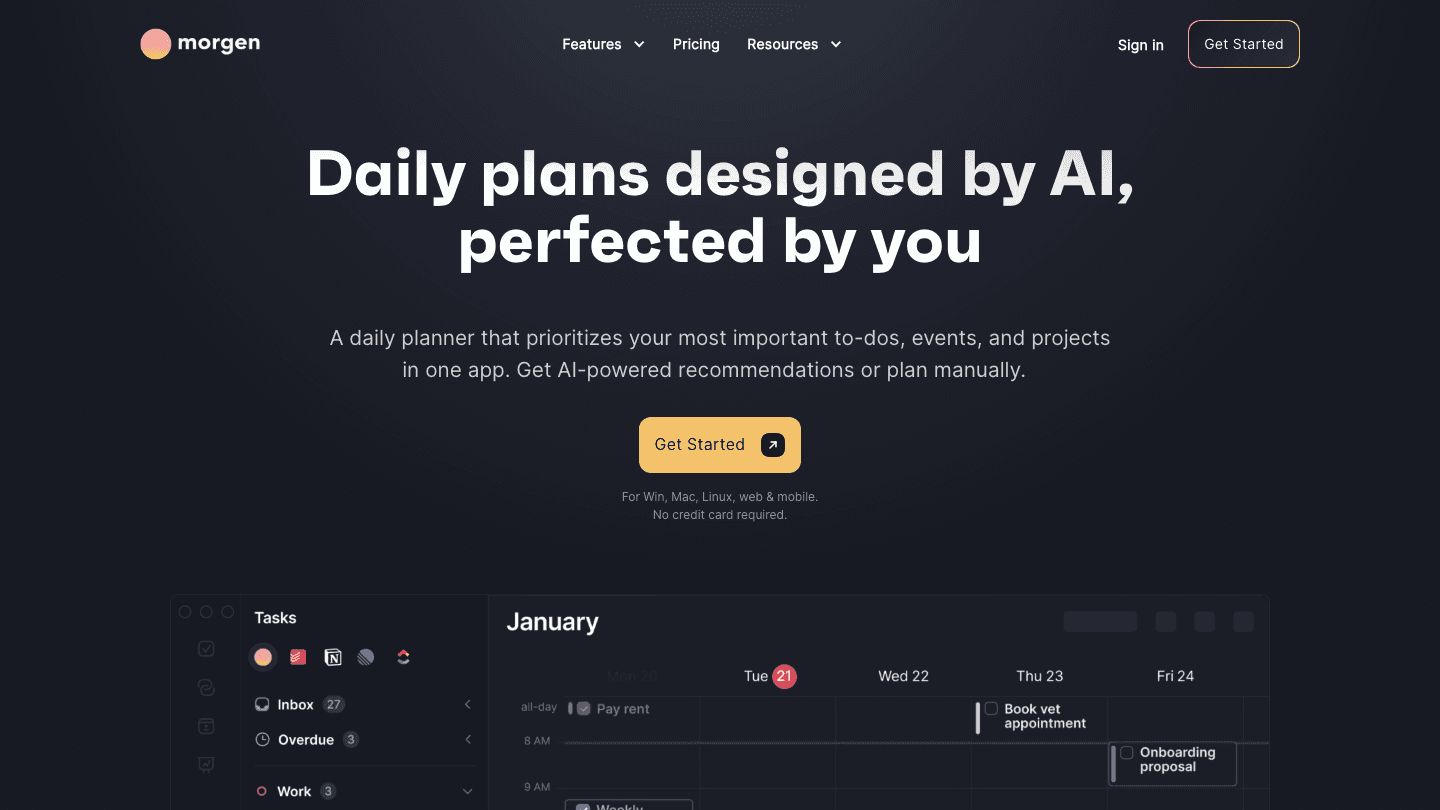
Morgen is a calendar app with an AI planning layer built on top of it. You connect your calendars and task managers, and Morgen's AI planner recommends when to block time for tasks based on your calendar availability and priorities. The interface shows tasks and calendar events in a unified view without switching between tools.
It's a strong calendar management option for people who want an AI planning assistant without the fully automated "AI decides everything" approach of Motion or Reclaim. Morgen suggests blocks; you accept or modify them. The result is a schedule you've consciously agreed to rather than one that was assembled without your input.
AI planning suggestions based on your calendar and task priorities
Unified view of all calendars and tasks in one interface
Time blocking with AI recommendations
Available on Mac, Windows, Linux, iOS, and Android
14-day free trial, 30-day money-back guarantee
What Works
The cross-platform app quality (Mac, Windows, Linux, mobile) is better than most alternatives on this list
AI suggestions without full automation gives users more agency over their schedule
Limitations
Pro tier at $30/month ($15/month annually) is steep for what's offered versus competitors
Less mature AI scheduling than Motion or Lifestack
Pricing: 14-day free trial; Pro $30/month or $15/month billed annually. 30-day money-back guarantee.
Best for: users who want AI scheduling suggestions in a unified calendar view across all platforms.
Which Reclaim AI Alternative Is Right for You?
Want energy-aware scheduling: Lifestack
Want Reclaim-style auto-scheduling for individuals: Motion
Want a deliberate morning planning ritual: Sunsama
Want keyboard-speed task + calendar planning: Akiflow
Want simple visual planning without automation: Structured
Want AI suggestions in a unified calendar: Morgen
Price-sensitive and want the most for least: Lifestack ($50/year) or Structured (free tier)
Frequently Asked Questions
What is the best Reclaim AI alternative?
Lifestack is the top alternative for individuals who want AI scheduling that goes beyond calendar slot-filling. The energy-awareness that Reclaim lacks makes Lifestack's schedule quality genuinely better for knowledge workers with variable energy throughout the day. Motion is the closest feature match to Reclaim's auto-scheduling for individual workloads.
Is Motion better than Reclaim AI?
For individual users, Motion is often a better fit. Reclaim's best features are team-focused (shared no-meeting blocks, team habits, meeting templates for the whole team). Motion's auto-scheduling works better for solo users managing their own workload. Both lack energy awareness, which Lifestack adds.
Is there a free Reclaim AI alternative?
Yes. Structured has a free tier with real daily planning functionality. Reclaim itself has a free tier (Lite), but the scheduling automation that makes it useful requires a paid plan. Among the alternatives here, Structured's free tier is the most functional without payment, and Lifestack and Morgen offer free trials to test before committing.
How does Lifestack compare to Reclaim AI?
Reclaim focuses on calendar automation and team scheduling. Lifestack focuses on individual scheduling with energy awareness. Reclaim has better integrations (GitHub, Slack, Zoom) for team coordination. Lifestack produces better individual schedules because it accounts for when you're actually capable of doing hard work, not just when your calendar is empty.
What replaced Reclaim AI for ADHD scheduling?
Lifestack is the strongest option for ADHD users who want a Reclaim alternative. The energy-aware scheduling is particularly useful for ADHD brains that have significant energy variation throughout the day. See our guide to ADHD time management apps for more on this.
Reclaim AI is a solid calendar scheduling tool. It auto-blocks time for habits, meetings, and tasks, and it integrates well with Google Calendar, Slack, and GitHub. But it has real gaps: no mobile-first experience, no energy awareness in scheduling, and a team-first design that doesn't always fit individual users who want personal planning at the center.
If you're looking for a Reclaim AI alternative, you're probably after one of a few things: better energy-based scheduling, a stronger mobile app, a daily planning ritual rather than pure automation, or a simpler tool that doesn't require extensive setup to get value. The six apps below each offer a different angle on what Reclaim does, often better.
We tested all six in real work weeks and ranked them based on scheduling quality, ease of use, and genuine daily value.
Pricing verified June 2026. Reclaim AI pricing: Lite free; Starter $8/user/month; Business $12/user/month; Enterprise $18/user/month.
Key Takeaways
Lifestack is the strongest Reclaim alternative for individuals who want energy-aware AI scheduling rather than pure calendar automation
Motion and Akiflow are the closest feature-for-feature alternatives for auto-scheduling workflows
Sunsama and Structured serve users who want a deliberate daily planning ritual rather than fully automated scheduling
Quick Guide: Reclaim AI Alternatives
Lifestack: energy-aware AI scheduling for individuals, with auto-rescheduling
Motion: AI that builds your daily schedule from tasks, meetings, and deadlines
Sunsama: intentional daily planning ritual with calendar and task integration
Akiflow: task + calendar in one app with AI-powered time blocking
Structured: visual timeline planner without AI automation
Morgen: AI daily planner that unifies tasks and calendars
Why Look for a Reclaim AI Alternative?
No energy awareness: Reclaim schedules around calendar gaps, not around when you're actually capable of hard work
Team-focused design: best features are for teams; individual users get less value
Weak mobile app: primarily a web and calendar tool
Limited daily planning layer: Reclaim automates but doesn't help you review and intentionally plan your day
Pricing: the best features require Business tier at $12/user/month
1. Lifestack: Best Reclaim AI Alternative for Individuals
Energy-aware AI scheduling that adapts to your capacity throughout the day
Lifestack is the Reclaim AI alternative that adds something Reclaim doesn't have: energy awareness. Instead of filling open calendar slots with tasks, Lifestack tracks your energy levels throughout the day and places cognitively demanding work during your peak hours. High-focus work goes in the morning when your brain is sharp. Lighter tasks land in the afternoon slump.
This matters because calendar availability and cognitive availability are not the same thing. A 3pm open slot is not the same as a 9am open slot for writing a strategy doc. Lifestack knows this and schedules accordingly, making it one of the best AI planner apps for people who want scheduling that accounts for how they actually work across the day.
The app auto-reschedules when things run over or new meetings appear, which is the core Reclaim behavior most users want. The difference is Lifestack does it with energy context rather than purely calendar logic.
Energy-aware AI scheduling throughout the day
Auto-reschedules when tasks slip or new events appear
Google Calendar and Apple Calendar sync
Strong mobile app on iOS and Android
Individual-focused design rather than team-first
What Works
The energy-tagging system produces a meaningfully better quality of schedule than pure time-slot filling
Mobile experience is better than Reclaim's
Lower cost than Reclaim's paid tiers for individuals
Limitations
No GitHub or Slack native integration (Reclaim has these)
Less suited for team scheduling coordination
Pricing: $7/month or $50/year; $120 lifetime. 7-day free trial on annual plans.
Best for: individuals who want energy-aware AI scheduling without Reclaim's team overhead.
2. Motion: Best for Automatic Daily Schedule Building
AI that assembles your complete schedule from tasks and deadlines, no manual placement needed
Motion is the closest feature equivalent to Reclaim AI's core auto-scheduling behavior, but designed primarily for individuals rather than teams. You add tasks, set deadlines, and Motion assembles a complete daily schedule from everything on your list plus your calendar events. No drag-and-drop required.
Where Reclaim focuses heavily on team scheduling (shared no-meeting blocks, meeting templates, habit scheduling across teams), Motion focuses on getting individual workloads under control. It handles deadline conflicts and reprioritizes automatically when new urgent work appears. It's a strong scheduling app for professionals with heavy, shifting workloads.
AI-generated daily schedule from your full task list and deadlines
Automatic reprioritization when deadlines shift
Meeting scheduler included
Handles schedule overflow better than manual planning
What Works
Deadline-aware auto-scheduling is comparable to Reclaim for individual workloads
More intuitive for solo users than Reclaim's team-first UI
Limitations
No energy awareness
Pricier than Lifestack at $19/month ($12.73/month annually)
No GitHub or Slack integration
Pricing: $19/month; ~$12.73/month billed annually. Free trial available.
Best for: people who want Reclaim-style auto-scheduling focused on individual workloads rather than team coordination.
3. Sunsama: Best for Intentional Daily Planning
A deliberate daily planning ritual with calendar and task integration
Sunsama takes a fundamentally different approach than Reclaim. Instead of automating your schedule, it builds a daily planning ritual: each morning, you review what's on your calendar, import tasks from your connected tools (Notion, Asana, Trello, GitHub, Jira), decide what to work on today, and estimate how long each thing will take.
There's no AI auto-scheduling. The value is in the ritual itself, the daily 15-minute practice of intentionally deciding what matters today and fitting it into your actual calendar time. Users who get the most from Sunsama are those who felt overwhelmed by Reclaim's "AI will figure it out" approach and wanted more deliberate control over how their day is structured.
Daily planning workflow that forces intentional prioritization
Imports tasks from Notion, Asana, Jira, Trello, GitHub, Linear
Time estimates built into task cards
Calendar view that shows tasks alongside meetings
EOD reflection and shutdown ritual built in
What Works
The planning ritual builds a daily habit that produces better prioritization than fully automated scheduling
Integrations with tools developers and project managers already use are among the best of any planner
Limitations
No AI auto-scheduling; you build the plan manually each morning
At $25/month (or $17/month annually), it's priced at the premium end for what it does
No mobile app; web-only
Pricing: $25/month or $17/month billed annually. 14-day free trial.
Best for: people who prefer intentional daily planning over AI automation.
4. Akiflow: Best for Task and Calendar Power Users
All your tasks and calendar in one place, with AI-powered time blocking
Akiflow combines a task inbox, calendar, and AI time-blocking assistant into a single workspace. You capture tasks from all your tools, plan them into your calendar using keyboard shortcuts, and the AI assistant suggests when to schedule things based on your history and priorities. It's built for power users who want full control over their schedule with AI assist rather than full AI automation.
The keyboard-first design makes planning fast. If you've explored Akiflow alternatives before, you know it sits between Sunsama's intentional planning and Motion's full automation. You direct the planning; AI makes suggestions and finds slots.
Unified task inbox that pulls from connected tools
Calendar view with drag-and-drop time blocking
AI suggestions for when to schedule tasks
Keyboard shortcuts throughout for fast planning
Integrations with Notion, Gmail, Todoist, Asana, and more
What Works
The combination of fast keyboard planning and AI suggestions is genuinely different from both Sunsama and Motion
Power users who learn the keyboard shortcuts plan their day faster than any drag-and-drop interface
Limitations
Learning curve is steeper than simpler alternatives
Expensive at $34/month ($19/month annually), one of the pricier options on this list
Pricing: $34/month or $19/month billed annually. 7-day free trial.
Best for: power users who want the speed of keyboard-first planning with AI suggestions on when to schedule tasks.
5. Structured: Best Visual Planning Alternative
A visual timeline planner for people who want to see their day, not automate it
Structured is the simplest alternative on this list and the right one if your main complaint about Reclaim is complexity. There's no AI scheduling, no auto-rescheduling, no integrations with GitHub or Slack. There's a visual timeline showing your day as color-coded blocks.
You build the plan yourself by placing tasks on the timeline. The value is in the visual clarity: you can see at a glance where you have time, where you're overloaded, and what's coming up next. For ADHD time management or for users who find Reclaim's automation confusing rather than helpful, Structured is the most straightforward alternative available.
Visual timeline showing every task as a time block
Drag-and-drop schedule building
Google and Apple Calendar sync
Recurring tasks and habit tracking
Free tier available with real functionality
What Works
The timeline view makes the day immediately visible, which is the most useful part of any scheduling tool
Free tier is genuinely useful, not crippled
Limitations
No AI scheduling or auto-rescheduling
You have to build and maintain the schedule yourself
Pricing: Free; Pro $6.99/month or $29.99/year; Lifetime $99.99.
Best for: people who want simple visual planning without automation complexity.
6. Morgen: Best Calendar-First AI Planner
AI-powered daily planning that unifies your tasks and calendars in one view
Morgen is a calendar app with an AI planning layer built on top of it. You connect your calendars and task managers, and Morgen's AI planner recommends when to block time for tasks based on your calendar availability and priorities. The interface shows tasks and calendar events in a unified view without switching between tools.
It's a strong calendar management option for people who want an AI planning assistant without the fully automated "AI decides everything" approach of Motion or Reclaim. Morgen suggests blocks; you accept or modify them. The result is a schedule you've consciously agreed to rather than one that was assembled without your input.
AI planning suggestions based on your calendar and task priorities
Unified view of all calendars and tasks in one interface
Time blocking with AI recommendations
Available on Mac, Windows, Linux, iOS, and Android
14-day free trial, 30-day money-back guarantee
What Works
The cross-platform app quality (Mac, Windows, Linux, mobile) is better than most alternatives on this list
AI suggestions without full automation gives users more agency over their schedule
Limitations
Pro tier at $30/month ($15/month annually) is steep for what's offered versus competitors
Less mature AI scheduling than Motion or Lifestack
Pricing: 14-day free trial; Pro $30/month or $15/month billed annually. 30-day money-back guarantee.
Best for: users who want AI scheduling suggestions in a unified calendar view across all platforms.
Which Reclaim AI Alternative Is Right for You?
Want energy-aware scheduling: Lifestack
Want Reclaim-style auto-scheduling for individuals: Motion
Want a deliberate morning planning ritual: Sunsama
Want keyboard-speed task + calendar planning: Akiflow
Want simple visual planning without automation: Structured
Want AI suggestions in a unified calendar: Morgen
Price-sensitive and want the most for least: Lifestack ($50/year) or Structured (free tier)
Frequently Asked Questions
What is the best Reclaim AI alternative?
Lifestack is the top alternative for individuals who want AI scheduling that goes beyond calendar slot-filling. The energy-awareness that Reclaim lacks makes Lifestack's schedule quality genuinely better for knowledge workers with variable energy throughout the day. Motion is the closest feature match to Reclaim's auto-scheduling for individual workloads.
Is Motion better than Reclaim AI?
For individual users, Motion is often a better fit. Reclaim's best features are team-focused (shared no-meeting blocks, team habits, meeting templates for the whole team). Motion's auto-scheduling works better for solo users managing their own workload. Both lack energy awareness, which Lifestack adds.
Is there a free Reclaim AI alternative?
Yes. Structured has a free tier with real daily planning functionality. Reclaim itself has a free tier (Lite), but the scheduling automation that makes it useful requires a paid plan. Among the alternatives here, Structured's free tier is the most functional without payment, and Lifestack and Morgen offer free trials to test before committing.
How does Lifestack compare to Reclaim AI?
Reclaim focuses on calendar automation and team scheduling. Lifestack focuses on individual scheduling with energy awareness. Reclaim has better integrations (GitHub, Slack, Zoom) for team coordination. Lifestack produces better individual schedules because it accounts for when you're actually capable of doing hard work, not just when your calendar is empty.
What replaced Reclaim AI for ADHD scheduling?
Lifestack is the strongest option for ADHD users who want a Reclaim alternative. The energy-aware scheduling is particularly useful for ADHD brains that have significant energy variation throughout the day. See our guide to ADHD time management apps for more on this.



FOLLOW ON
FOLLOW ON
FOLLOW ON


Copyright 2026 © Lifestack. All rights reserved
Copyright 2026 © Lifestack. All rights reserved

