
App
Best Task Timer Apps in 2026: 5 That Work
Best Task Timer Apps in 2026: 5 That Work

A task timer app is supposed to solve a simple problem: you have a task, you need to focus on it, and you need help staying on it for a defined amount of time. The Pomodoro Technique (25-minute focused blocks, 5-minute breaks) has been the dominant framework for decades, and most task timer apps still center on it. What's changed is how much variation there is around that core idea.
Some apps add gamification to make the 25 minutes feel like a game rather than a sentence. Others add task management, team tracking, or app blocking. The most recent category adds AI scheduling that helps you figure out not just how long to spend on a task, but when in the day to do it.
We tested the most actively developed task timer apps of 2026 across productivity, ADHD, and focus use cases. Here are the five that are actually worth installing.
Key Takeaways
For most people who want to start a timer and focus, Forest or Be Focused are the right picks. Both are well-maintained, have a proven track record, and are inexpensive.
For people with ADHD who need external urgency plus scheduling support, Lifestack adds energy-aware scheduling that most Pomodoro apps don't offer.
Clockify is the best free option for anyone who also needs time tracking and project-level reports, especially freelancers.
Quick Guide: Best Task Timer Apps
1. Lifestack: AI-powered scheduler that places focus sessions when your energy is highest
2. Forest: Gamified Pomodoro timer that plants virtual trees during focus sessions
3. Session: Clean, feature-rich Pomodoro for Mac and iOS with app blocking
4. Clockify: Free time tracker with built-in Pomodoro, great for freelancers
5. Be Focused: Simple, polished one-time purchase Pomodoro for Apple devices
How We Evaluated These Apps
Timer flexibility (customizable work/break lengths, session counts)
Task management integration (can you attach tasks to timers?)
Distraction blocking (does it block apps or websites during focus sessions?)
Platform availability (iOS, Android, Mac, Windows)
Price (including whether the useful features are behind a paywall)
ADHD-friendliness (visual cues, low decision overhead, external urgency)
1. Lifestack
Best task timer for people who also need help deciding when to focus

Most task timer apps assume you already know what to work on and when. Lifestack solves the problem before the timer starts: it reads your calendar, task list, and wearable recovery data, then schedules focused work blocks during your highest-energy windows. When the scheduled time arrives, you start the session. It's an AI scheduler that understands task timers, rather than a timer that pretends to be a scheduler.
This matters especially for people with ADHD, who often know they should be working on something but can't bridge the gap between knowing and starting. Having the schedule already set, with a specific task in a specific window, reduces the decision overhead that derails focus before it begins. See our roundup of best ADHD apps for focus for how Lifestack compares to other tools in this category.
What Works: Energy-aware scheduling, wearable integration (Apple Health, Oura, WHOOP), task-to-calendar placement, ADHD-optimized task breakdown
Limitations: Requires a subscription; the energy scheduling is only as good as your wearable data; not a standalone Pomodoro timer if that's all you need
Pricing: $7/month or $50/year (7-day free trial on annual plan)
Best for: ADHD users and knowledge workers who need both scheduling and focus support, not just a countdown timer
2. Forest
Best gamified Pomodoro timer for building consistent focus habits
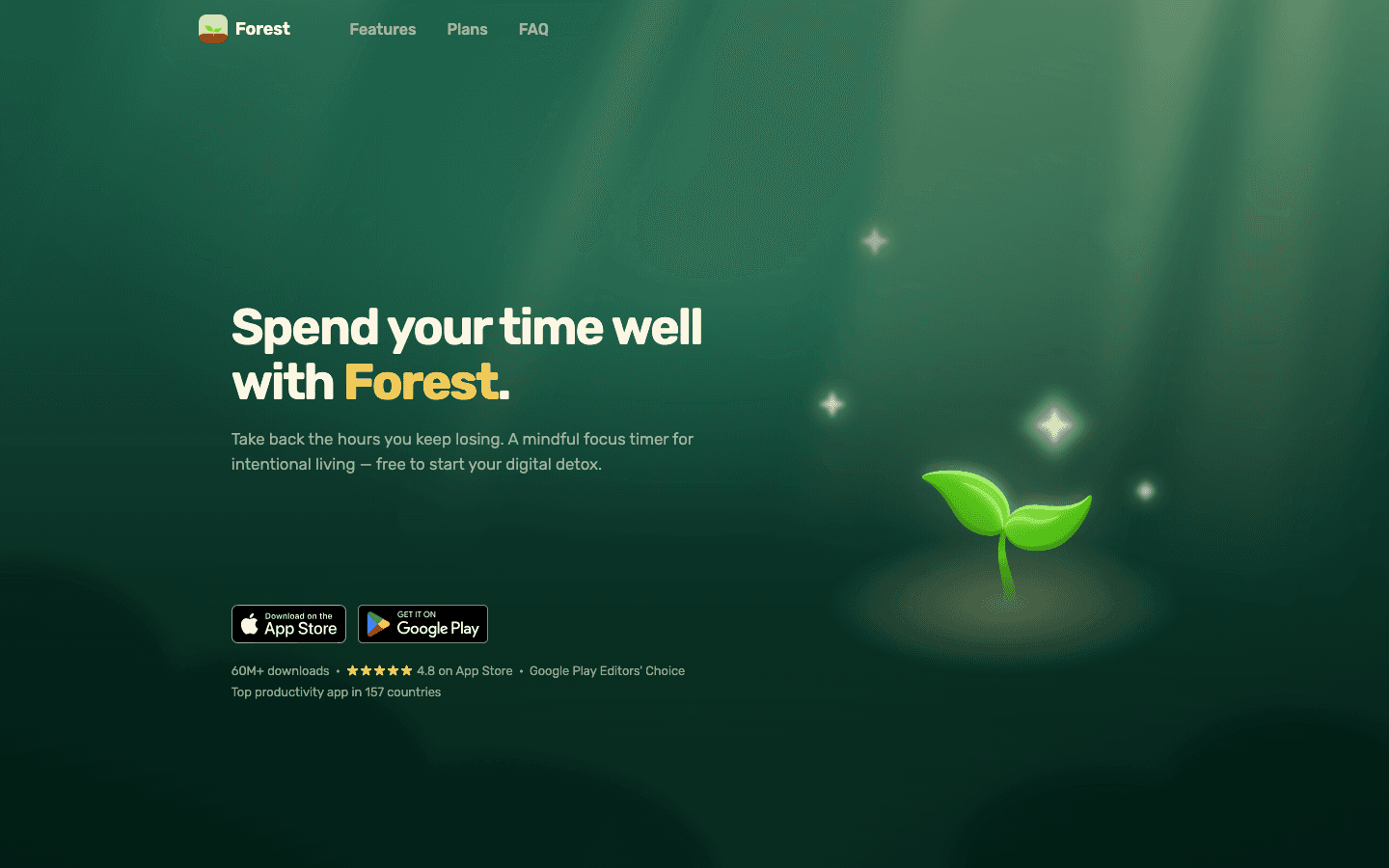
Forest is one of the longest-running focus apps in the App Store, and it has earned its position by doing one thing really well: making focus feel like it produces something. You plant a virtual seed when you start a focus session. If you leave the app to check social media or messages, the tree dies. If you complete the session, the tree grows. Over time, you build a virtual forest that represents your accumulated focus time.
It sounds gimmicky, but the behavioral mechanic works for a lot of people, particularly those who need mild external accountability rather than hard app blocking. Forest also lets you use earned virtual coins to plant real trees through a partnership with a tree-planting organization, which is a genuine addition rather than a feature marketed as impact but providing none.
What Works: Simple and satisfying gamification, real-tree-planting partnership, available on iOS, Android, and as a browser extension, whitelist feature to allow specific apps during focus sessions
Limitations: No built-in task management (you can add tags, not tasks); the gamification can feel thin for users who don't connect with it; no app blocking on desktop
Pricing: Free with core features; Plus at $5.99/month or ~$32-36/year
Best for: Students and anyone who wants to build a focus habit through visual reward rather than rigid rule enforcement
3. Session
Best Pomodoro timer for Mac and iOS power users
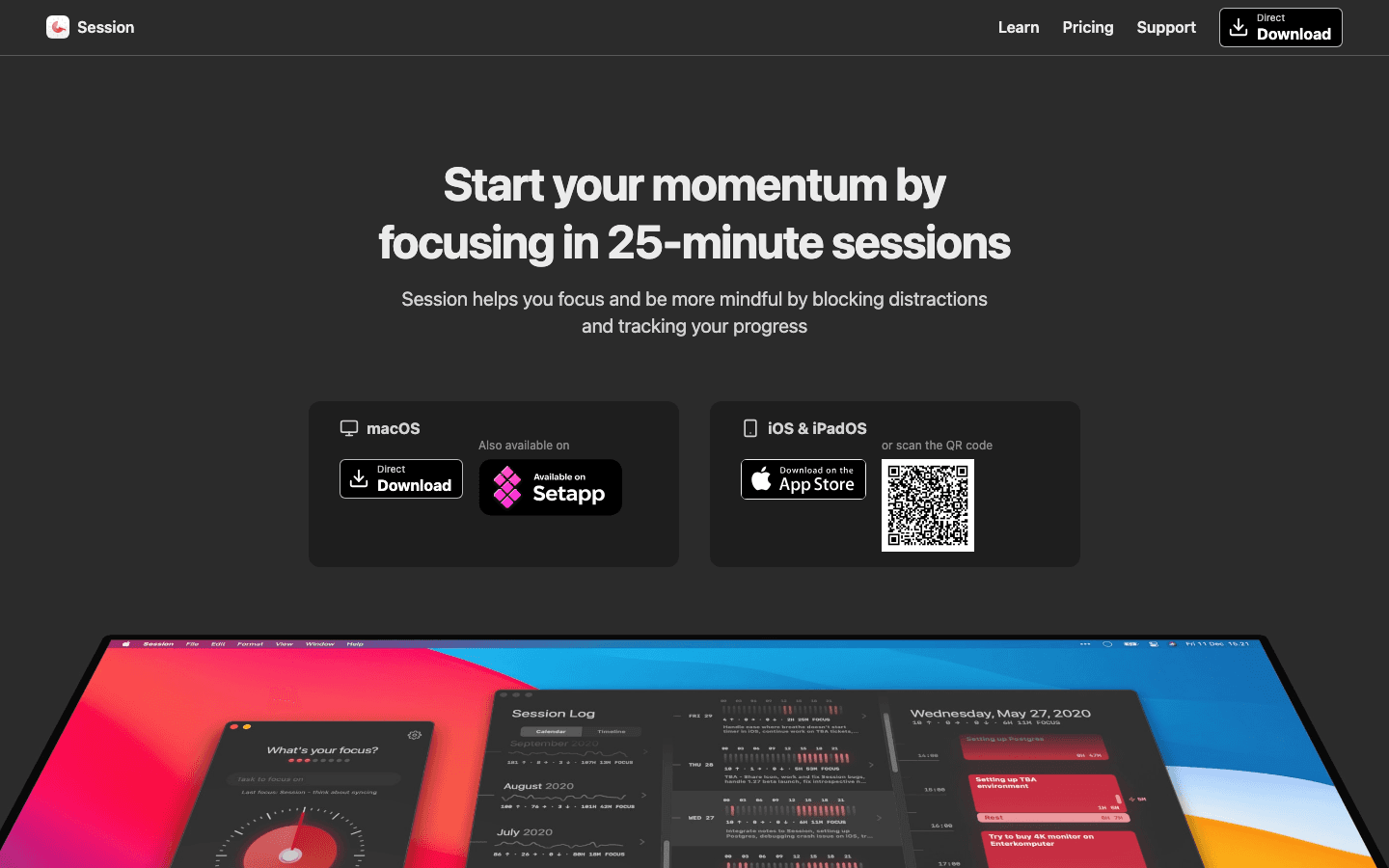
Session is a focused Pomodoro app built for Mac (with iPhone companion) that takes the timer seriously rather than using it as a gateway to a broader productivity suite. The interface centers on a visual countdown with clean controls, a session log, task attachment, and website and app blocking. It integrates with task managers like Things, Todoist, and OmniFocus so you can start a focused session directly from your task list.
The app blocking feature is genuine: you define which websites and apps to block during focus sessions, and Session enforces the block at the system level rather than just reminding you not to open them. For people who use focus blocking as part of their workflow alongside Pomodoro timing, Session handles both in one tool without requiring a separate app like Focus or Cold Turkey.
What Works: Native Mac and iOS, system-level app and website blocking, task manager integrations, clean session log and analytics, Apple Watch support
Limitations: Mac and iOS only (no Android or Windows); subscription required for full feature access; the free tier is limited
Pricing: Free tier available; $4.99/month or $39.99/year for full access
Best for: Mac-centric workers who want Pomodoro timing integrated with task management and real app blocking in one place
4. Clockify
Best free task timer for freelancers and anyone who needs time tracking
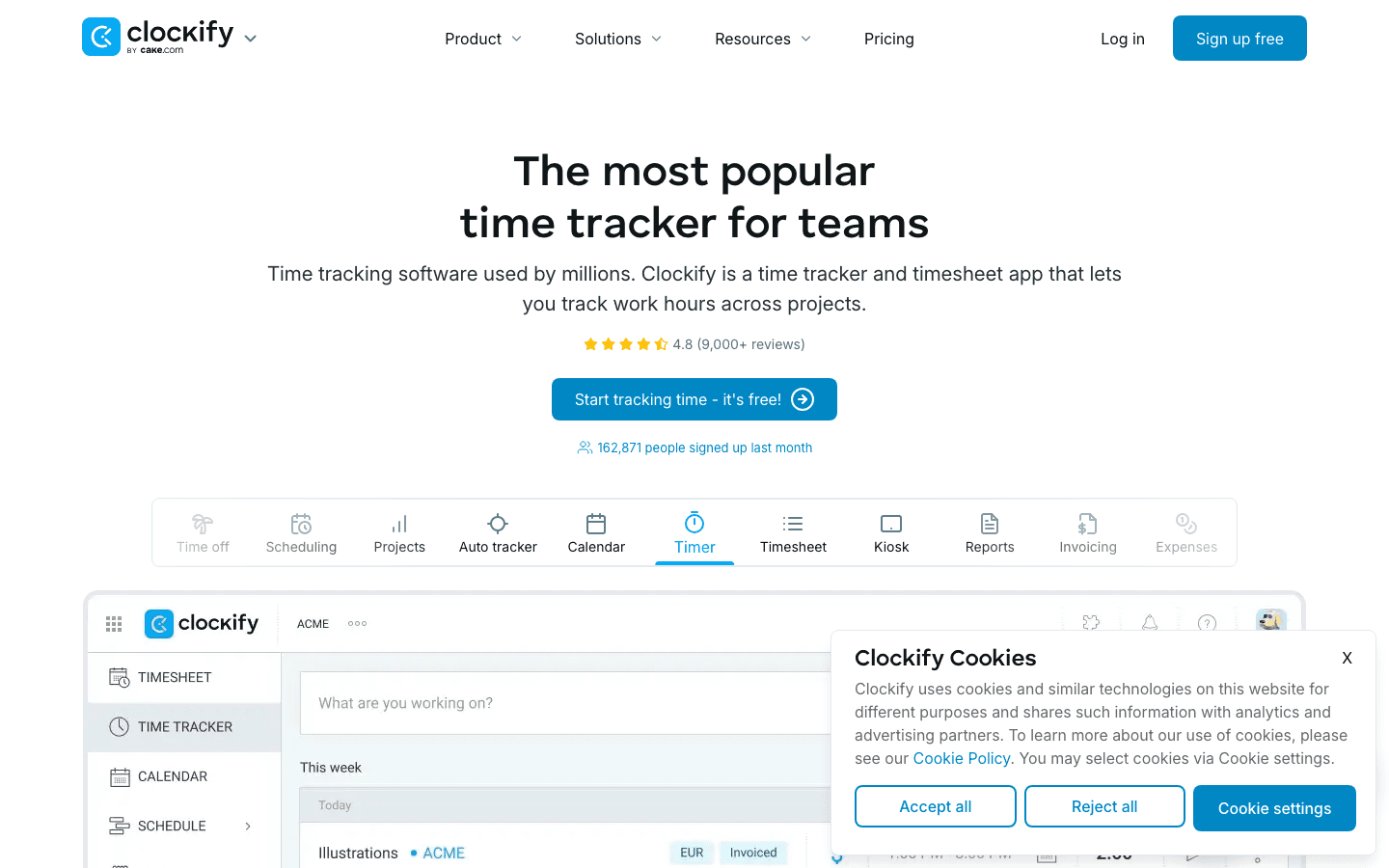
Clockify is primarily a time tracker rather than a Pomodoro app, but it includes a built-in Pomodoro timer and a level of free functionality that stands apart in this category. The core product, including time tracking, project categorization, reports, and the Pomodoro timer, is free with no time limit and no user cap. The paid tiers add team features, invoicing, and expense tracking.
For freelancers or consultants who need to track time by client and project alongside their focus sessions, Clockify does both in one tool without charging for the base functionality. The Pomodoro timer integrates directly with the time tracking so that focus sessions are automatically logged against whatever project you're working on.
What Works: Fully functional free tier for individual users, Pomodoro + time tracking in one tool, project and client categorization, available on web, iOS, Android, Mac, Windows, and browser extension
Limitations: More complex than pure Pomodoro apps; the interface is optimized for time tracking, not focus sessions; no gamification or focus-specific features
Pricing: Free for core features; paid plans start at $4.99/user/month for team features
Best for: Freelancers and solopreneurs who need Pomodoro timing alongside project-level time tracking and client reporting, without paying a subscription
5. Be Focused
Best one-time purchase Pomodoro timer for Apple devices
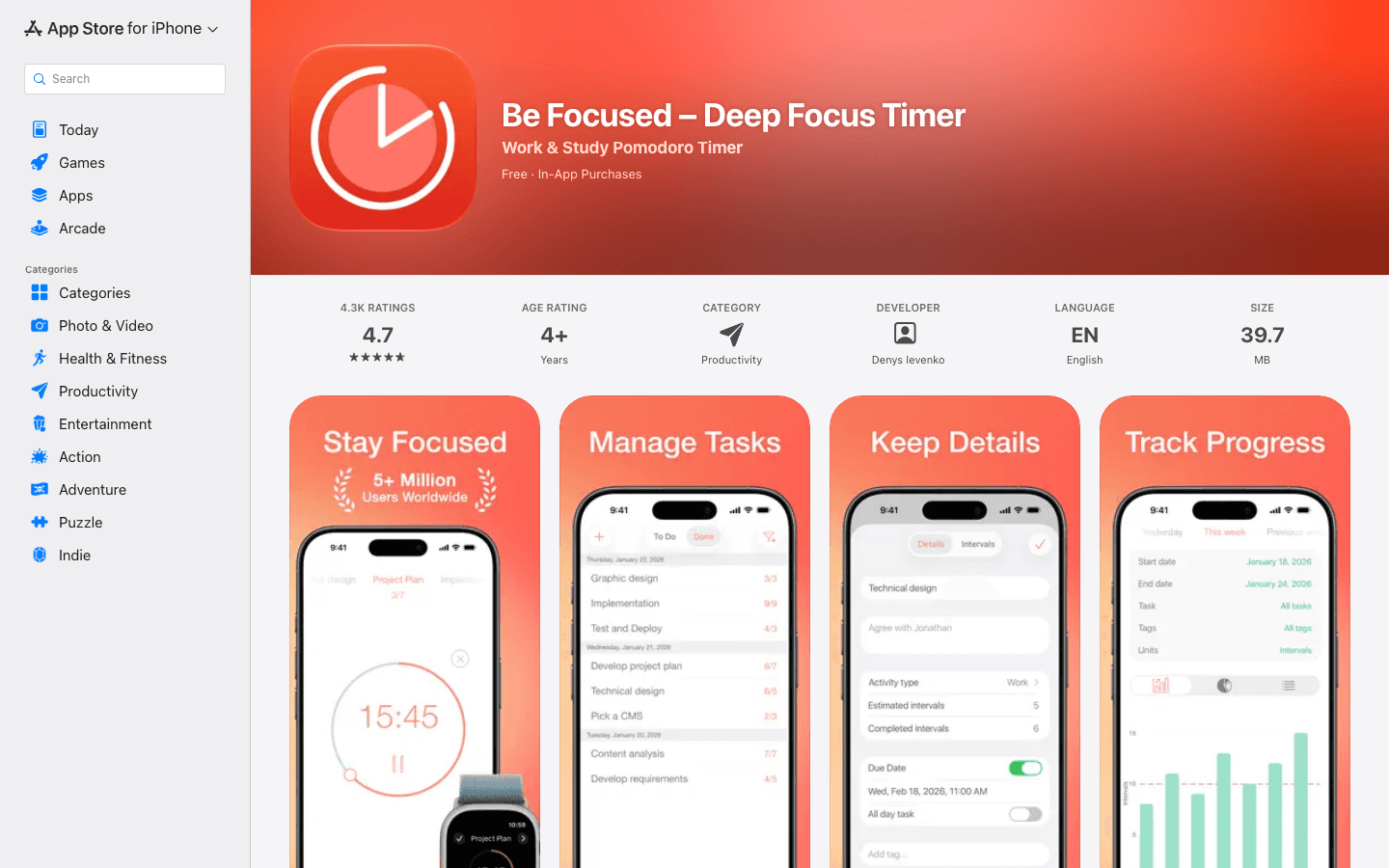
Be Focused is a straightforward Pomodoro timer that has been consistently maintained across iOS and macOS for years without pivoting to a subscription model. The free version includes the core Pomodoro functionality. Be Focused Pro, at $4.99 as a one-time purchase for each platform (iOS and Mac separately), adds task management, detailed reports, iCloud sync, and Apple Watch support.
It's not the most feature-rich app in this category, but it's clean, reliable, and one of the few remaining options where you pay once rather than subscribe. For users who don't need app blocking, task manager integrations, or gamification, Be Focused delivers everything a focused worker needs without ongoing cost.
What Works: One-time purchase (no subscription), clean interface, task list in Pro version, iCloud sync across Apple devices, Apple Watch complications, long track record
Limitations: iOS and Mac only (no Android or Windows); no app or website blocking; no integrations with external task managers
Pricing: Free with core timer; Pro at $4.99 one-time (iOS) and $4.99 one-time (Mac, separate purchase)
Best for: Apple device users who want a proven, subscription-free Pomodoro timer with a clean interface and no ongoing cost
Which Task Timer App Is Right for You?
Use Lifestack if: You have ADHD or struggle with task initiation, and want an app that tells you not just when to start the timer but which task to focus on and when your energy is highest for it
Use Forest if: You want light gamification to make focus sessions feel rewarding without enforcing hard rules about what you can't do during them
Use Session if: You're on Mac and want Pomodoro timing with real app blocking and direct integration with your task manager
Use Clockify if: You need to track time by project or client alongside your focus sessions, and want the best free option in this category
Use Be Focused if: You want a subscription-free Pomodoro timer that works across Apple devices and doesn't try to be anything more than it is
For more on building focus habits, see our guide to best work focusing tools and best time blocking apps. If you want to understand how task timing connects to your broader daily structure, our energy calendar guide explains how to align your focus sessions with your natural energy rhythms.
Frequently Asked Questions
What is the best free task timer app?
Clockify offers the most functionality at no cost: Pomodoro timer, project-based time tracking, reports, and multi-platform availability. Forest's free tier covers the basic gamified Pomodoro, and Be Focused's free version handles core timer functionality on Apple devices. All three are actively maintained in 2026.
Are task timer apps good for ADHD?
Yes, with caveats. Pomodoro-style timers provide external urgency that ADHD brains respond to: the countdown creates a time pressure that helps override the initiation difficulty many people with ADHD experience. The limitation is that most timers don't help you decide what to work on, which is often where ADHD difficulty lives. Apps like Lifestack that combine scheduling with focus sessions address both problems. See our list of best ADHD apps for focus for a fuller comparison.
How does the Pomodoro Technique work?
The Pomodoro Technique, developed by Francesco Cirillo in the 1980s, involves working in 25-minute focused intervals (Pomodoros) followed by a 5-minute break. After four Pomodoros, you take a longer break of 15-30 minutes. The goal is maintaining deep focus during the work interval while preventing the mental fatigue that comes from working without breaks. Most task timer apps let you customize the work and break lengths based on your attention span and task type.
Can a task timer app improve productivity?
Research on the Pomodoro Technique and time-boxing in general shows consistent improvements in task completion and focus duration compared to unstructured work. The mechanism is that defined intervals reduce the cognitive overhead of deciding when to take breaks, protect against task-switching by creating a container of committed time, and make long tasks feel less daunting by breaking them into manageable chunks. The effectiveness depends on actually following the timer rather than just having it running in the background.
What's the difference between a task timer and a time tracker?
A task timer (like Forest or Be Focused) focuses on helping you stay in a focused work session for a defined duration. A time tracker (like Clockify) focuses on recording how much time you've spent on which activities, often across projects or clients. Clockify combines both. The distinction matters for how you use the data: focus timers optimize the quality of your work sessions, while time trackers optimize how you allocate your working hours across commitments.
A task timer app is supposed to solve a simple problem: you have a task, you need to focus on it, and you need help staying on it for a defined amount of time. The Pomodoro Technique (25-minute focused blocks, 5-minute breaks) has been the dominant framework for decades, and most task timer apps still center on it. What's changed is how much variation there is around that core idea.
Some apps add gamification to make the 25 minutes feel like a game rather than a sentence. Others add task management, team tracking, or app blocking. The most recent category adds AI scheduling that helps you figure out not just how long to spend on a task, but when in the day to do it.
We tested the most actively developed task timer apps of 2026 across productivity, ADHD, and focus use cases. Here are the five that are actually worth installing.
Key Takeaways
For most people who want to start a timer and focus, Forest or Be Focused are the right picks. Both are well-maintained, have a proven track record, and are inexpensive.
For people with ADHD who need external urgency plus scheduling support, Lifestack adds energy-aware scheduling that most Pomodoro apps don't offer.
Clockify is the best free option for anyone who also needs time tracking and project-level reports, especially freelancers.
Quick Guide: Best Task Timer Apps
1. Lifestack: AI-powered scheduler that places focus sessions when your energy is highest
2. Forest: Gamified Pomodoro timer that plants virtual trees during focus sessions
3. Session: Clean, feature-rich Pomodoro for Mac and iOS with app blocking
4. Clockify: Free time tracker with built-in Pomodoro, great for freelancers
5. Be Focused: Simple, polished one-time purchase Pomodoro for Apple devices
How We Evaluated These Apps
Timer flexibility (customizable work/break lengths, session counts)
Task management integration (can you attach tasks to timers?)
Distraction blocking (does it block apps or websites during focus sessions?)
Platform availability (iOS, Android, Mac, Windows)
Price (including whether the useful features are behind a paywall)
ADHD-friendliness (visual cues, low decision overhead, external urgency)
1. Lifestack
Best task timer for people who also need help deciding when to focus
Most task timer apps assume you already know what to work on and when. Lifestack solves the problem before the timer starts: it reads your calendar, task list, and wearable recovery data, then schedules focused work blocks during your highest-energy windows. When the scheduled time arrives, you start the session. It's an AI scheduler that understands task timers, rather than a timer that pretends to be a scheduler.
This matters especially for people with ADHD, who often know they should be working on something but can't bridge the gap between knowing and starting. Having the schedule already set, with a specific task in a specific window, reduces the decision overhead that derails focus before it begins. See our roundup of best ADHD apps for focus for how Lifestack compares to other tools in this category.
What Works: Energy-aware scheduling, wearable integration (Apple Health, Oura, WHOOP), task-to-calendar placement, ADHD-optimized task breakdown
Limitations: Requires a subscription; the energy scheduling is only as good as your wearable data; not a standalone Pomodoro timer if that's all you need
Pricing: $7/month or $50/year (7-day free trial on annual plan)
Best for: ADHD users and knowledge workers who need both scheduling and focus support, not just a countdown timer
2. Forest
Best gamified Pomodoro timer for building consistent focus habits
Forest is one of the longest-running focus apps in the App Store, and it has earned its position by doing one thing really well: making focus feel like it produces something. You plant a virtual seed when you start a focus session. If you leave the app to check social media or messages, the tree dies. If you complete the session, the tree grows. Over time, you build a virtual forest that represents your accumulated focus time.
It sounds gimmicky, but the behavioral mechanic works for a lot of people, particularly those who need mild external accountability rather than hard app blocking. Forest also lets you use earned virtual coins to plant real trees through a partnership with a tree-planting organization, which is a genuine addition rather than a feature marketed as impact but providing none.
What Works: Simple and satisfying gamification, real-tree-planting partnership, available on iOS, Android, and as a browser extension, whitelist feature to allow specific apps during focus sessions
Limitations: No built-in task management (you can add tags, not tasks); the gamification can feel thin for users who don't connect with it; no app blocking on desktop
Pricing: Free with core features; Plus at $5.99/month or ~$32-36/year
Best for: Students and anyone who wants to build a focus habit through visual reward rather than rigid rule enforcement
3. Session
Best Pomodoro timer for Mac and iOS power users
Session is a focused Pomodoro app built for Mac (with iPhone companion) that takes the timer seriously rather than using it as a gateway to a broader productivity suite. The interface centers on a visual countdown with clean controls, a session log, task attachment, and website and app blocking. It integrates with task managers like Things, Todoist, and OmniFocus so you can start a focused session directly from your task list.
The app blocking feature is genuine: you define which websites and apps to block during focus sessions, and Session enforces the block at the system level rather than just reminding you not to open them. For people who use focus blocking as part of their workflow alongside Pomodoro timing, Session handles both in one tool without requiring a separate app like Focus or Cold Turkey.
What Works: Native Mac and iOS, system-level app and website blocking, task manager integrations, clean session log and analytics, Apple Watch support
Limitations: Mac and iOS only (no Android or Windows); subscription required for full feature access; the free tier is limited
Pricing: Free tier available; $4.99/month or $39.99/year for full access
Best for: Mac-centric workers who want Pomodoro timing integrated with task management and real app blocking in one place
4. Clockify
Best free task timer for freelancers and anyone who needs time tracking
Clockify is primarily a time tracker rather than a Pomodoro app, but it includes a built-in Pomodoro timer and a level of free functionality that stands apart in this category. The core product, including time tracking, project categorization, reports, and the Pomodoro timer, is free with no time limit and no user cap. The paid tiers add team features, invoicing, and expense tracking.
For freelancers or consultants who need to track time by client and project alongside their focus sessions, Clockify does both in one tool without charging for the base functionality. The Pomodoro timer integrates directly with the time tracking so that focus sessions are automatically logged against whatever project you're working on.
What Works: Fully functional free tier for individual users, Pomodoro + time tracking in one tool, project and client categorization, available on web, iOS, Android, Mac, Windows, and browser extension
Limitations: More complex than pure Pomodoro apps; the interface is optimized for time tracking, not focus sessions; no gamification or focus-specific features
Pricing: Free for core features; paid plans start at $4.99/user/month for team features
Best for: Freelancers and solopreneurs who need Pomodoro timing alongside project-level time tracking and client reporting, without paying a subscription
5. Be Focused
Best one-time purchase Pomodoro timer for Apple devices
Be Focused is a straightforward Pomodoro timer that has been consistently maintained across iOS and macOS for years without pivoting to a subscription model. The free version includes the core Pomodoro functionality. Be Focused Pro, at $4.99 as a one-time purchase for each platform (iOS and Mac separately), adds task management, detailed reports, iCloud sync, and Apple Watch support.
It's not the most feature-rich app in this category, but it's clean, reliable, and one of the few remaining options where you pay once rather than subscribe. For users who don't need app blocking, task manager integrations, or gamification, Be Focused delivers everything a focused worker needs without ongoing cost.
What Works: One-time purchase (no subscription), clean interface, task list in Pro version, iCloud sync across Apple devices, Apple Watch complications, long track record
Limitations: iOS and Mac only (no Android or Windows); no app or website blocking; no integrations with external task managers
Pricing: Free with core timer; Pro at $4.99 one-time (iOS) and $4.99 one-time (Mac, separate purchase)
Best for: Apple device users who want a proven, subscription-free Pomodoro timer with a clean interface and no ongoing cost
Which Task Timer App Is Right for You?
Use Lifestack if: You have ADHD or struggle with task initiation, and want an app that tells you not just when to start the timer but which task to focus on and when your energy is highest for it
Use Forest if: You want light gamification to make focus sessions feel rewarding without enforcing hard rules about what you can't do during them
Use Session if: You're on Mac and want Pomodoro timing with real app blocking and direct integration with your task manager
Use Clockify if: You need to track time by project or client alongside your focus sessions, and want the best free option in this category
Use Be Focused if: You want a subscription-free Pomodoro timer that works across Apple devices and doesn't try to be anything more than it is
For more on building focus habits, see our guide to best work focusing tools and best time blocking apps. If you want to understand how task timing connects to your broader daily structure, our energy calendar guide explains how to align your focus sessions with your natural energy rhythms.
Frequently Asked Questions
What is the best free task timer app?
Clockify offers the most functionality at no cost: Pomodoro timer, project-based time tracking, reports, and multi-platform availability. Forest's free tier covers the basic gamified Pomodoro, and Be Focused's free version handles core timer functionality on Apple devices. All three are actively maintained in 2026.
Are task timer apps good for ADHD?
Yes, with caveats. Pomodoro-style timers provide external urgency that ADHD brains respond to: the countdown creates a time pressure that helps override the initiation difficulty many people with ADHD experience. The limitation is that most timers don't help you decide what to work on, which is often where ADHD difficulty lives. Apps like Lifestack that combine scheduling with focus sessions address both problems. See our list of best ADHD apps for focus for a fuller comparison.
How does the Pomodoro Technique work?
The Pomodoro Technique, developed by Francesco Cirillo in the 1980s, involves working in 25-minute focused intervals (Pomodoros) followed by a 5-minute break. After four Pomodoros, you take a longer break of 15-30 minutes. The goal is maintaining deep focus during the work interval while preventing the mental fatigue that comes from working without breaks. Most task timer apps let you customize the work and break lengths based on your attention span and task type.
Can a task timer app improve productivity?
Research on the Pomodoro Technique and time-boxing in general shows consistent improvements in task completion and focus duration compared to unstructured work. The mechanism is that defined intervals reduce the cognitive overhead of deciding when to take breaks, protect against task-switching by creating a container of committed time, and make long tasks feel less daunting by breaking them into manageable chunks. The effectiveness depends on actually following the timer rather than just having it running in the background.
What's the difference between a task timer and a time tracker?
A task timer (like Forest or Be Focused) focuses on helping you stay in a focused work session for a defined duration. A time tracker (like Clockify) focuses on recording how much time you've spent on which activities, often across projects or clients. Clockify combines both. The distinction matters for how you use the data: focus timers optimize the quality of your work sessions, while time trackers optimize how you allocate your working hours across commitments.



FOLLOW ON
FOLLOW ON
FOLLOW ON


Copyright 2026 © Lifestack. All rights reserved
Copyright 2026 © Lifestack. All rights reserved

