
App
Best Time Tracking Software for Engineering
Best Time Tracking Software for Engineering

The Best Time Tracking Software for Engineering in 2026
Engineering teams lose more time to poor visibility than most other disciplines. When you can't see where hours actually go, sprint estimates drift, client billing gets disputed, and the engineers who work hardest often have the least to show for it in a performance review. Time tracking software fixes all three problems, but only if you pick the right tool for how your team actually works.
The six tools below cover every approach: AI scheduling that automatically structures your engineering day, manual one-click timers, automatic code activity tracking, invoicing-integrated time sheets, and passive productivity monitoring. Each one fits a different type of engineering work context. Pairing a good time tracker with a solid productivity stack for software engineers is where the real compounding happens.
Key Takeaways
Lifestack is the only time tracking software for engineering that also schedules your work around when you actually focus best, rather than just recording where time went after the fact.
WakaTime is the unique choice for individual developers who want automatic tracking of exactly which projects, files, and languages consume their coding time with no manual input.
Clockify and Toggl Track both have solid free tiers that cover most engineering team needs without a per-seat cost.
Quick Guide: Time Tracking Software for Engineering
1. Lifestack - AI scheduling + energy-aware task management for engineering productivity
2. Toggl Track - Clean, flexible time tracker with strong project and team reporting
3. Clockify - Most generous free tier with timesheet, calendar, and invoicing
4. WakaTime - Automatic IDE-based coding time tracking requiring no manual input
5. Harvest - Time tracking with native invoicing, built for client-billing workflows
6. RescueTime - Passive automatic tracking of all app and website activity
How We Evaluated These Tools
Engineering fit: Does it integrate with GitHub, Jira, Linear, or VS Code?
Manual vs. automatic: How much friction does daily tracking add to an engineer's flow?
Reporting depth: Can you see time by project, by feature, by sprint, or by client?
Team vs. individual: Does it scale to a full eng team or is it better for solo use?
Price per seat: What does it actually cost when the whole team is on it?
1. Lifestack: Best for Engineering Scheduling and Focus
The only time tracker that tells you when to do your best work, not just where time went.

Most time tracking software shows you the past. Lifestack shapes the future. Its AI learns your natural energy pattern over days and weeks, then automatically schedules your deep engineering work (architecture decisions, complex debugging, feature writing) into your peak focus windows and routes meetings, code reviews, and admin work to your lower-energy hours.
For individual engineers and engineering leads, the result is a day that is structured around when your brain actually works. When you pair that with the tracking log Lifestack maintains of what you worked on, you get both prediction and record in one tool. It syncs with GitHub and your calendar, reads from Apple Health for sleep context, and gives you a daily task queue that reflects both your priorities and your current cognitive state. See our guide on building an energy calendar for the underlying framework, and our broader desktop productivity guide for how Lifestack fits into a full engineering setup.
AI scheduling that places cognitively demanding work during peak focus hours
Calendar sync with Google Calendar, Apple Calendar, and Outlook
Daily task queue with automatic rescheduling when meetings shift
Apple Health integration for sleep and activity context
What Works
The only tool here that actively improves output, not just measures it
Energy-aware scheduling measurably reduces context switching for engineers
Limitations
Does not replace dedicated time logging for client billing or sprint velocity reporting
No IDE plugin for automatic code-activity tracking (use WakaTime alongside it for that)
Pricing: $7/month or $50/year, with a 7-day free trial on the annual plan. Best for: Engineers and engineering leads who want to protect deep work time and get more done in fewer hours.
2. Toggl Track: Best for Engineering Teams
The most flexible time tracker with the cleanest reporting for project-based work.
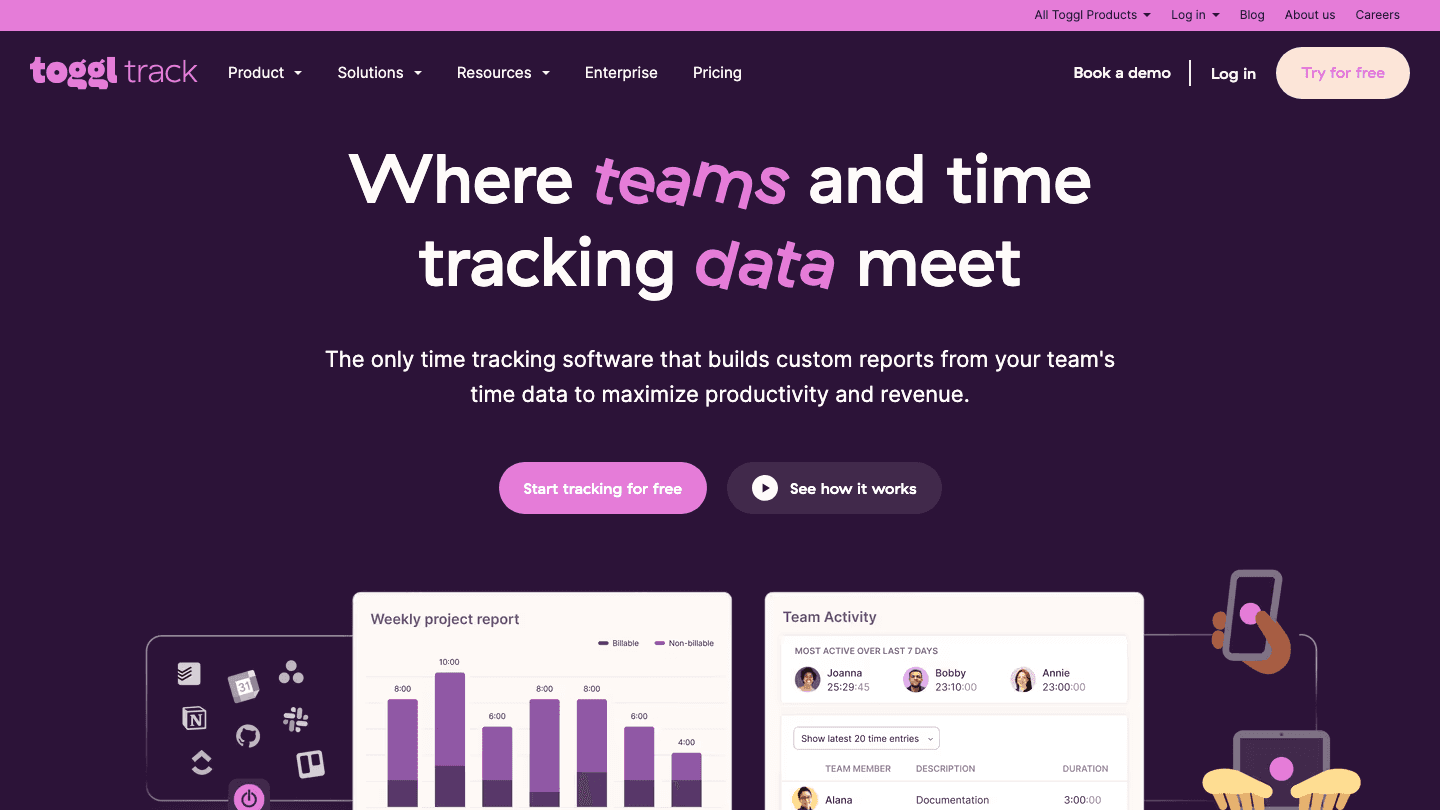
Toggl Track is the default recommendation for engineering teams that need simple time tracking with strong project reporting. The one-click timer works across web, desktop, and mobile, and the idle detection feature automatically flags when you've been away from the keyboard, so engineers don't need to remember to stop timers.
The reporting layer is where Toggl earns its place in engineering contexts. You can break time down by project, client, team member, or tag, and the summary reports export cleanly for sprint velocity reviews or client billing. The Starter plan's integrations with GitHub, Jira, Linear, and Asana make it possible to start a Toggl timer directly from an issue without leaving your workflow. For teams using GitHub-centric workflows, see our roundup of best apps to use with GitHub Issues for what pairs well alongside Toggl.
One-click timer with idle detection and browser extension
Project, client, and team reporting with CSV/PDF export
Integrations with GitHub, Jira, Linear, Asana, and 100+ tools
Calendar view for time block visualization
What Works
Best-in-class reporting for project-based engineering work
Free tier is genuinely usable for small teams (up to 5 users)
Limitations
No built-in invoicing on the free tier
No energy awareness or proactive scheduling
Pricing: Free for basic tracking. Starter $9/user/month (30-day free trial). Best for: Engineering teams that need solid project time tracking with clean reporting for sprints or client work.
3. Clockify: Best Free Time Tracking Software for Engineering
The most complete free time tracker on the market.
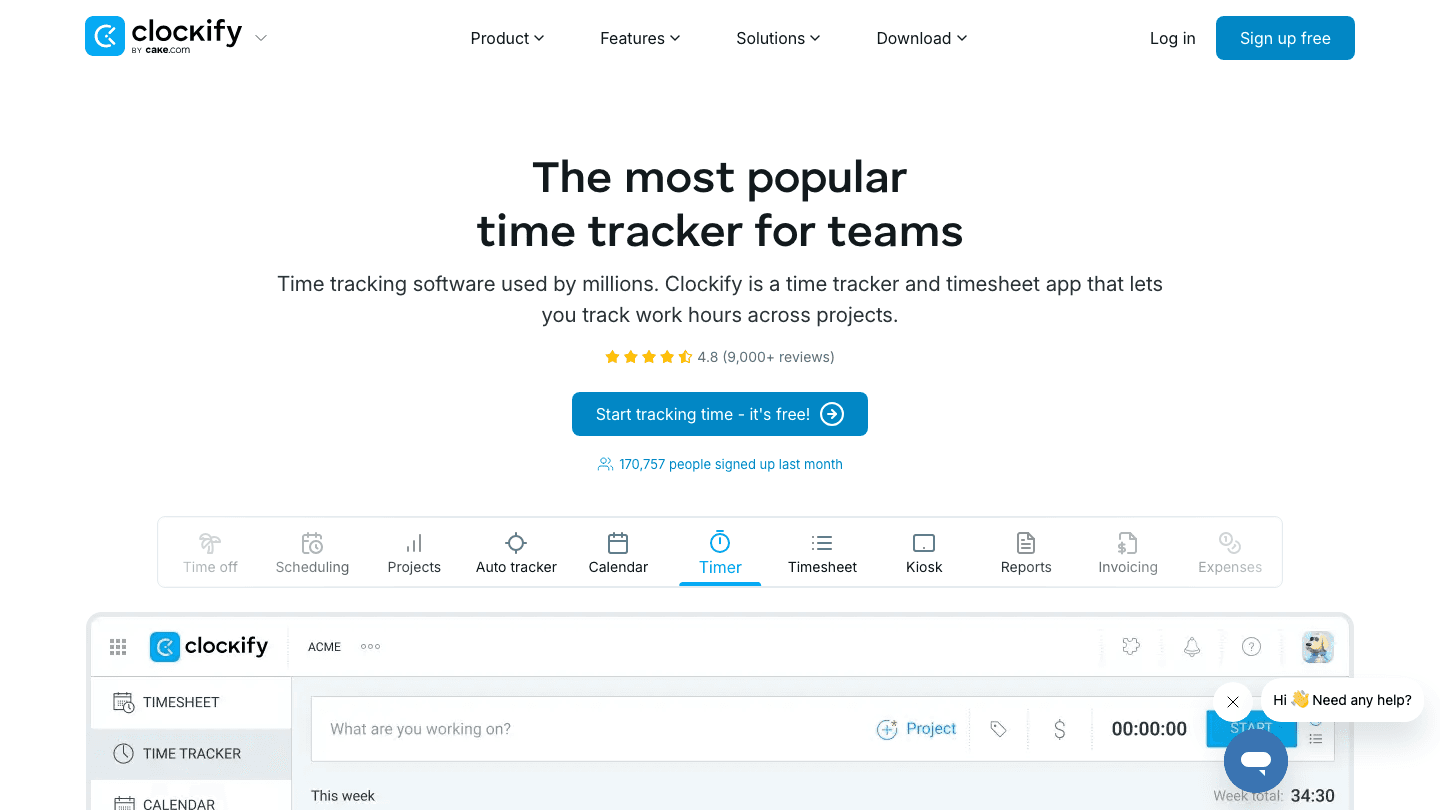
Clockify competes directly with Toggl but wins on the free tier. The free plan supports unlimited users (not capped at 5), unlimited projects, unlimited time entries, and includes the auto tracker, timesheet view, and calendar. For a small engineering team on a tight budget, it is hard to beat.
The paid tiers add time approval workflows, lock functionality (prevents backdating entries), scheduling, and a kiosk mode for shared team computers. The Pro plan adds budgeting and forecasting that engineering managers can use for sprint planning. The interface is clean and the mobile app is solid for engineers who need to log time away from their primary machine.
Unlimited users, projects, and time entries on the free plan
Timer, manual entry, and auto tracker modes
Calendar view and timesheet approval workflows (paid)
Budget tracking and project forecasting on Pro
What Works
The most complete feature set available on a free plan
Scales cleanly from solo developer to full engineering department
Limitations
Native invoicing requires a paid plan
No IDE plugin for automatic code time tracking
Pricing: Free tier available. Basic $4.99/seat/month; Standard $6.99/seat/month; Pro $9.99/seat/month. Best for: Engineering teams that need full-featured time tracking without paying per seat.
4. WakaTime: Best for Automatic Code Time Tracking
The only time tracker built directly into your IDE.
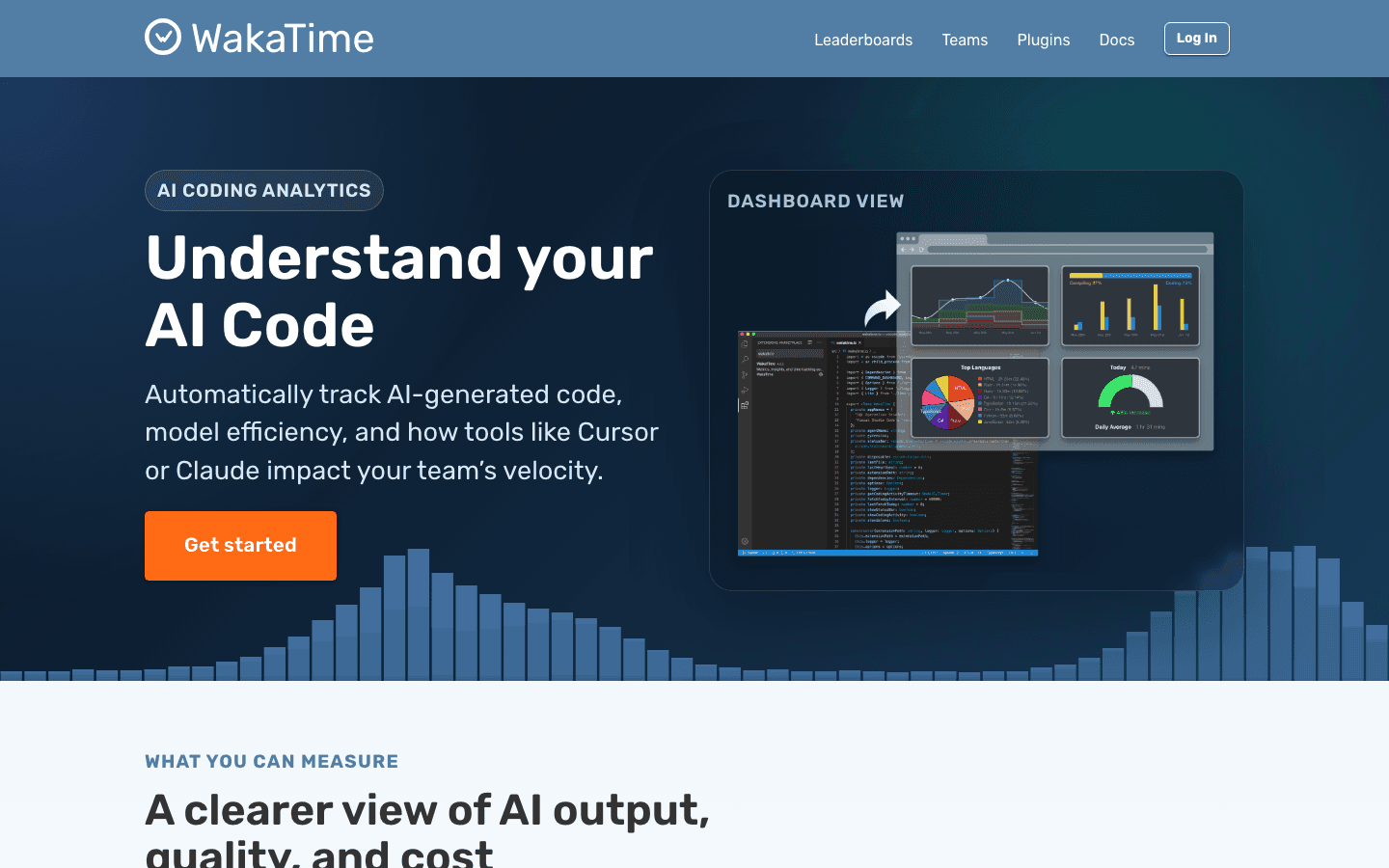
WakaTime is a category of one for individual developers. It installs as a plugin into VS Code, JetBrains IDEs, Vim, Sublime Text, and most other editors, then automatically logs exactly how much time you spend in each project, file, language, and branch without any manual input. You never start or stop a timer. You just code, and WakaTime records it.
The dashboard shows your coding activity in aggregate: which projects are consuming the most time, which languages you're using, your daily averages, and your peak coding hours. For engineers who find manual time tracking too disruptive to maintain, WakaTime is the answer. The AI coding analytics layer that WakaTime has built out also tracks AI-generated code from tools like Cursor and Claude, which matters increasingly for modern engineering teams measuring developer velocity.
Automatic IDE plugin tracking with no manual timers
Supports VS Code, JetBrains, Vim, Emacs, and 50+ editors
Project, language, file, and branch breakdown
AI-generated code tracking for teams using Cursor or Copilot
What Works
Zero friction for tracking; it runs silently in the background
The most granular coding activity data of any tool on this list
Limitations
Tracks only IDE activity; does not capture meetings, design work, or non-coding tasks
Free tier limits dashboard history to one week
Pricing: Free (1 week history). Basic $9/month or $99/year. Premium $14/month. Team plans start at $21/developer/month. Best for: Individual developers or teams who want passive, automatic tracking of actual coding time without maintaining a manual timer.
5. Harvest: Best for Engineering Consultants and Agencies
Time tracking built around the invoicing workflow that client-facing engineering teams need.
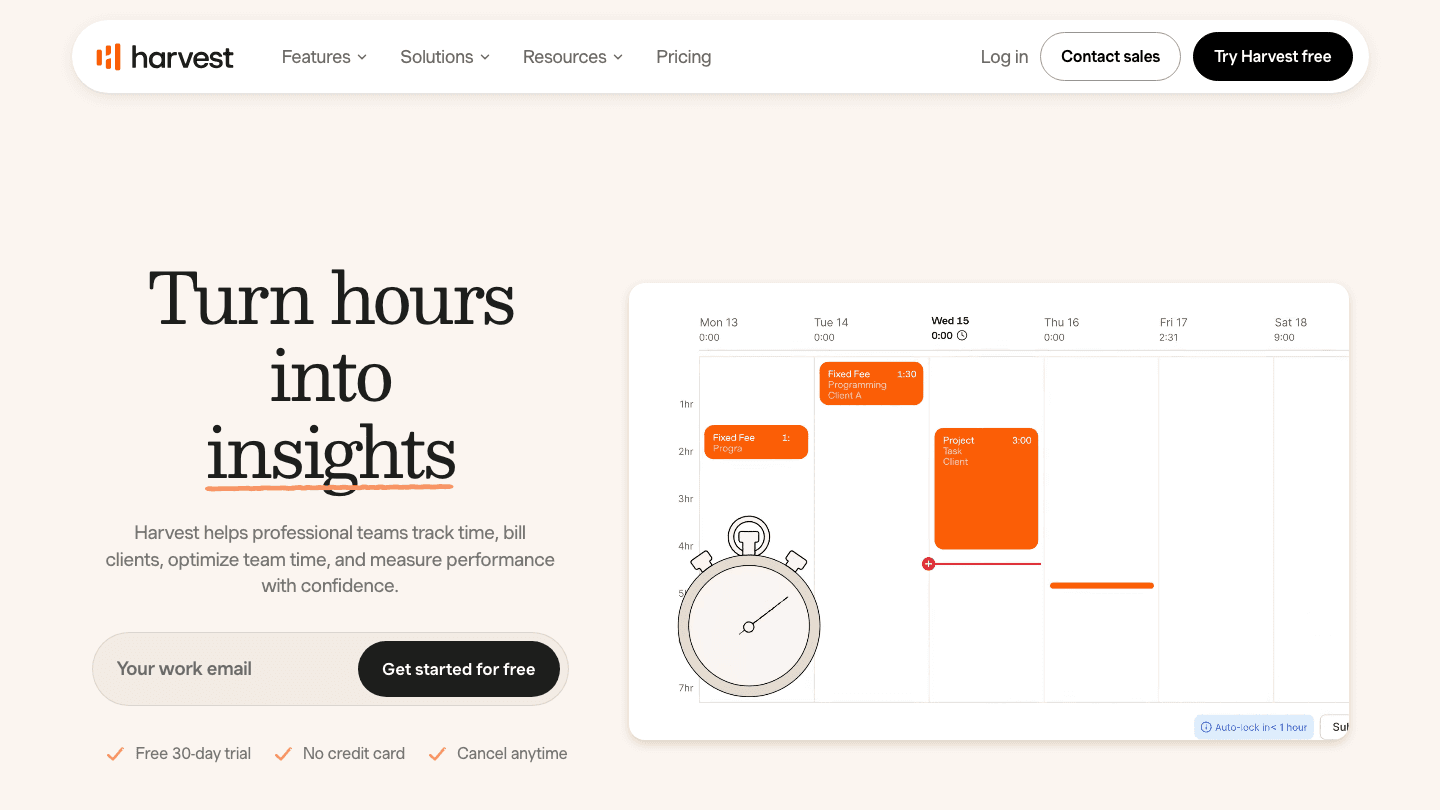
Harvest targets engineering teams that bill clients directly. The time tracking is clean and the timer integrates with Asana, Jira, Trello, Basecamp, and Slack, but the real differentiator is the invoicing layer. Tracked hours flow directly into invoices with one click. You can set hourly rates per person and per project, then invoice clients with a breakdown of hours by team member and task.
For a small consulting engineering firm or a dev agency, this workflow eliminates the manual spreadsheet transfer between "what we tracked" and "what we invoice." The free plan covers one seat with unlimited clients and projects, which is useful for solo freelance engineers. The Teams plan scales to any number of seats at a reasonable per-user cost.
Timer with integrations for Asana, Jira, Trello, and Slack
One-click invoicing from tracked time
Per-person, per-project billing rate configuration
Expense tracking and budget monitoring
What Works
The invoicing-to-tracking integration is the most polished on this list
Free plan covers one freelancer with unlimited client projects
Limitations
No IDE plugin or automatic tracking; requires manual timer management
Less suited for internal engineering teams not doing client billing
Pricing: Free (1 seat). Teams $9/seat/month billed annually. Enterprise $14/seat/month. 30-day free trial. Best for: Engineering consultants and dev agencies that need time tracking integrated directly with client invoicing.
6. RescueTime: Best for Passive Productivity Monitoring
Automatic tracking of everything you do on your computer, without any manual input.
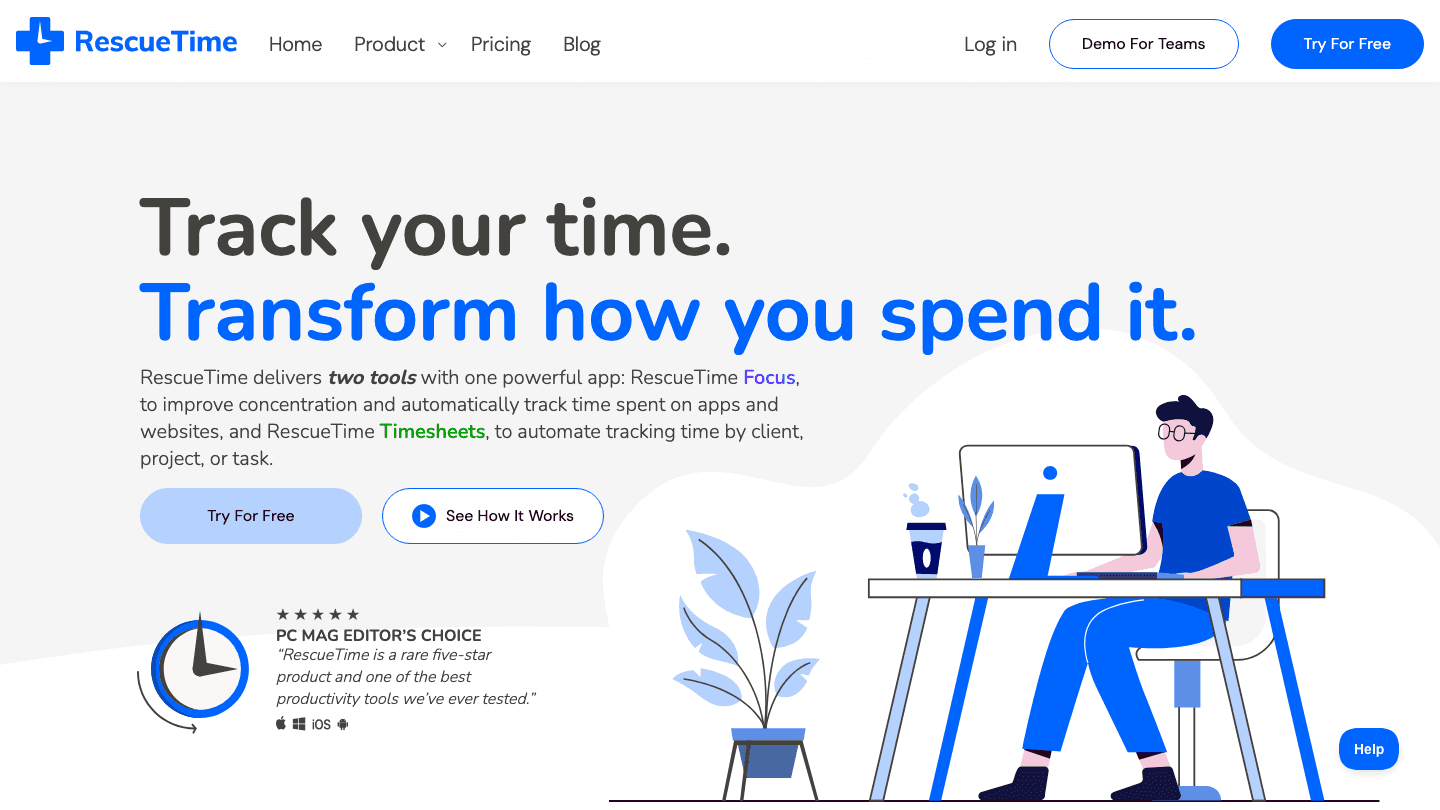
RescueTime runs silently in the background and logs every application and website you use, how long you spend in each, and what time of day. For engineers who want to understand their actual computer usage patterns without installing an IDE plugin, RescueTime is the broadest passive tracker available.
The Focus features add the ability to block distracting websites during deep work sessions, set daily goals for focused coding time, and get weekly reports that show your productive vs. distracted time ratio. The Timesheets layer (Solo+ plan) adds the ability to tag tracked time to clients and projects, bringing RescueTime closer to a full time tracking solution. It is not quite a replacement for Toggl or Harvest for client billing, but it is a strong foundation for personal productivity visibility.
Automatic tracking of all apps and websites with no manual input
Productivity scoring and distraction analysis
Website and app blocking during focus sessions
Timesheet layer for project and client tagging (Solo+ plan)
What Works
The most complete picture of where your computer time actually goes
No timer management required; just install and observe
Limitations
Passive tracking means lower accuracy for billing compared to manual timers
No team features on individual plans; team pricing is higher per seat
Pricing: Solo Focus $7/month ($84/year). Solo+ $12/month ($144/year). Team Focus $10/user/month. 14-day free trial. Best for: Engineers and managers who want a complete picture of actual computer time without any manual timer habits to build.
Which Time Tracking Software for Engineering Is Right for You?
Want to schedule deep work, not just log it: Lifestack is the only tool here that optimizes your schedule rather than just recording it. Start with the 7-day free trial.
Need clean project reporting for sprint reviews or client billing: Toggl Track for most teams; Harvest if you also invoice directly from tracked time.
Need free time tracking for a full engineering team: Clockify's free tier covers unlimited users with no per-seat cost.
Want automatic tracking with zero timer management: WakaTime if you primarily want IDE-level coding data; RescueTime if you want full computer activity visibility.
Freelance engineer billing multiple clients: Harvest or Toggl Track, both with strong invoicing-adjacent workflows.
Frequently Asked Questions
What is the best time tracking software for engineering teams?
Toggl Track and Clockify are the two most widely used time tracking tools in engineering contexts. Toggl has better reporting for project-based work; Clockify has a more generous free tier. For teams that want to go beyond tracking into optimizing how engineering time is spent, Lifestack adds AI scheduling that puts the insights into action. See our guide on time optimization tools for a broader look at this category.
How do software engineers track their time?
Most software engineers use one of three approaches: manual one-click timers (Toggl, Clockify), automatic IDE plugins (WakaTime), or passive computer monitoring (RescueTime). Many engineers combine two approaches, using WakaTime for coding activity and Toggl for meeting and review time. The key is minimizing friction at the point of starting or stopping a timer, which is why automatic tools tend to produce more accurate data over time.
Does time tracking software integrate with Jira?
Yes. Toggl Track, Clockify, Harvest, and RescueTime all offer Jira integrations. Toggl and Clockify allow you to start a timer directly from a Jira issue, which is the most friction-free workflow for teams using Jira as their primary issue tracker. WakaTime tracks at the file and branch level rather than the ticket level, so it does not integrate directly with Jira.
What is the best free time tracking software for engineering?
Clockify has the most complete free tier: unlimited users, unlimited projects, unlimited time entries, auto tracker, and calendar view. WakaTime's free tier covers IDE-based code tracking with one week of history. Toggl Track's free tier caps at 5 users but has stronger reporting than Clockify on the free plan. All three are worth testing before committing to a paid tool.
How does time tracking software help engineering managers?
For engineering managers, time tracking data reveals where team capacity actually goes versus where it was planned to go. It exposes chronic under-estimation patterns, flags team members who are consistently over-allocated, and provides data for more accurate sprint planning. The key is making the tracking low-friction enough that engineers actually maintain it. WakaTime is particularly useful here because it requires no active behavior change. See our guide on the importance of planning for how to use time tracking data in the planning cycle.
The Best Time Tracking Software for Engineering in 2026
Engineering teams lose more time to poor visibility than most other disciplines. When you can't see where hours actually go, sprint estimates drift, client billing gets disputed, and the engineers who work hardest often have the least to show for it in a performance review. Time tracking software fixes all three problems, but only if you pick the right tool for how your team actually works.
The six tools below cover every approach: AI scheduling that automatically structures your engineering day, manual one-click timers, automatic code activity tracking, invoicing-integrated time sheets, and passive productivity monitoring. Each one fits a different type of engineering work context. Pairing a good time tracker with a solid productivity stack for software engineers is where the real compounding happens.
Key Takeaways
Lifestack is the only time tracking software for engineering that also schedules your work around when you actually focus best, rather than just recording where time went after the fact.
WakaTime is the unique choice for individual developers who want automatic tracking of exactly which projects, files, and languages consume their coding time with no manual input.
Clockify and Toggl Track both have solid free tiers that cover most engineering team needs without a per-seat cost.
Quick Guide: Time Tracking Software for Engineering
1. Lifestack - AI scheduling + energy-aware task management for engineering productivity
2. Toggl Track - Clean, flexible time tracker with strong project and team reporting
3. Clockify - Most generous free tier with timesheet, calendar, and invoicing
4. WakaTime - Automatic IDE-based coding time tracking requiring no manual input
5. Harvest - Time tracking with native invoicing, built for client-billing workflows
6. RescueTime - Passive automatic tracking of all app and website activity
How We Evaluated These Tools
Engineering fit: Does it integrate with GitHub, Jira, Linear, or VS Code?
Manual vs. automatic: How much friction does daily tracking add to an engineer's flow?
Reporting depth: Can you see time by project, by feature, by sprint, or by client?
Team vs. individual: Does it scale to a full eng team or is it better for solo use?
Price per seat: What does it actually cost when the whole team is on it?
1. Lifestack: Best for Engineering Scheduling and Focus
The only time tracker that tells you when to do your best work, not just where time went.
Most time tracking software shows you the past. Lifestack shapes the future. Its AI learns your natural energy pattern over days and weeks, then automatically schedules your deep engineering work (architecture decisions, complex debugging, feature writing) into your peak focus windows and routes meetings, code reviews, and admin work to your lower-energy hours.
For individual engineers and engineering leads, the result is a day that is structured around when your brain actually works. When you pair that with the tracking log Lifestack maintains of what you worked on, you get both prediction and record in one tool. It syncs with GitHub and your calendar, reads from Apple Health for sleep context, and gives you a daily task queue that reflects both your priorities and your current cognitive state. See our guide on building an energy calendar for the underlying framework, and our broader desktop productivity guide for how Lifestack fits into a full engineering setup.
AI scheduling that places cognitively demanding work during peak focus hours
Calendar sync with Google Calendar, Apple Calendar, and Outlook
Daily task queue with automatic rescheduling when meetings shift
Apple Health integration for sleep and activity context
What Works
The only tool here that actively improves output, not just measures it
Energy-aware scheduling measurably reduces context switching for engineers
Limitations
Does not replace dedicated time logging for client billing or sprint velocity reporting
No IDE plugin for automatic code-activity tracking (use WakaTime alongside it for that)
Pricing: $7/month or $50/year, with a 7-day free trial on the annual plan. Best for: Engineers and engineering leads who want to protect deep work time and get more done in fewer hours.
2. Toggl Track: Best for Engineering Teams
The most flexible time tracker with the cleanest reporting for project-based work.
Toggl Track is the default recommendation for engineering teams that need simple time tracking with strong project reporting. The one-click timer works across web, desktop, and mobile, and the idle detection feature automatically flags when you've been away from the keyboard, so engineers don't need to remember to stop timers.
The reporting layer is where Toggl earns its place in engineering contexts. You can break time down by project, client, team member, or tag, and the summary reports export cleanly for sprint velocity reviews or client billing. The Starter plan's integrations with GitHub, Jira, Linear, and Asana make it possible to start a Toggl timer directly from an issue without leaving your workflow. For teams using GitHub-centric workflows, see our roundup of best apps to use with GitHub Issues for what pairs well alongside Toggl.
One-click timer with idle detection and browser extension
Project, client, and team reporting with CSV/PDF export
Integrations with GitHub, Jira, Linear, Asana, and 100+ tools
Calendar view for time block visualization
What Works
Best-in-class reporting for project-based engineering work
Free tier is genuinely usable for small teams (up to 5 users)
Limitations
No built-in invoicing on the free tier
No energy awareness or proactive scheduling
Pricing: Free for basic tracking. Starter $9/user/month (30-day free trial). Best for: Engineering teams that need solid project time tracking with clean reporting for sprints or client work.
3. Clockify: Best Free Time Tracking Software for Engineering
The most complete free time tracker on the market.
Clockify competes directly with Toggl but wins on the free tier. The free plan supports unlimited users (not capped at 5), unlimited projects, unlimited time entries, and includes the auto tracker, timesheet view, and calendar. For a small engineering team on a tight budget, it is hard to beat.
The paid tiers add time approval workflows, lock functionality (prevents backdating entries), scheduling, and a kiosk mode for shared team computers. The Pro plan adds budgeting and forecasting that engineering managers can use for sprint planning. The interface is clean and the mobile app is solid for engineers who need to log time away from their primary machine.
Unlimited users, projects, and time entries on the free plan
Timer, manual entry, and auto tracker modes
Calendar view and timesheet approval workflows (paid)
Budget tracking and project forecasting on Pro
What Works
The most complete feature set available on a free plan
Scales cleanly from solo developer to full engineering department
Limitations
Native invoicing requires a paid plan
No IDE plugin for automatic code time tracking
Pricing: Free tier available. Basic $4.99/seat/month; Standard $6.99/seat/month; Pro $9.99/seat/month. Best for: Engineering teams that need full-featured time tracking without paying per seat.
4. WakaTime: Best for Automatic Code Time Tracking
The only time tracker built directly into your IDE.
WakaTime is a category of one for individual developers. It installs as a plugin into VS Code, JetBrains IDEs, Vim, Sublime Text, and most other editors, then automatically logs exactly how much time you spend in each project, file, language, and branch without any manual input. You never start or stop a timer. You just code, and WakaTime records it.
The dashboard shows your coding activity in aggregate: which projects are consuming the most time, which languages you're using, your daily averages, and your peak coding hours. For engineers who find manual time tracking too disruptive to maintain, WakaTime is the answer. The AI coding analytics layer that WakaTime has built out also tracks AI-generated code from tools like Cursor and Claude, which matters increasingly for modern engineering teams measuring developer velocity.
Automatic IDE plugin tracking with no manual timers
Supports VS Code, JetBrains, Vim, Emacs, and 50+ editors
Project, language, file, and branch breakdown
AI-generated code tracking for teams using Cursor or Copilot
What Works
Zero friction for tracking; it runs silently in the background
The most granular coding activity data of any tool on this list
Limitations
Tracks only IDE activity; does not capture meetings, design work, or non-coding tasks
Free tier limits dashboard history to one week
Pricing: Free (1 week history). Basic $9/month or $99/year. Premium $14/month. Team plans start at $21/developer/month. Best for: Individual developers or teams who want passive, automatic tracking of actual coding time without maintaining a manual timer.
5. Harvest: Best for Engineering Consultants and Agencies
Time tracking built around the invoicing workflow that client-facing engineering teams need.
Harvest targets engineering teams that bill clients directly. The time tracking is clean and the timer integrates with Asana, Jira, Trello, Basecamp, and Slack, but the real differentiator is the invoicing layer. Tracked hours flow directly into invoices with one click. You can set hourly rates per person and per project, then invoice clients with a breakdown of hours by team member and task.
For a small consulting engineering firm or a dev agency, this workflow eliminates the manual spreadsheet transfer between "what we tracked" and "what we invoice." The free plan covers one seat with unlimited clients and projects, which is useful for solo freelance engineers. The Teams plan scales to any number of seats at a reasonable per-user cost.
Timer with integrations for Asana, Jira, Trello, and Slack
One-click invoicing from tracked time
Per-person, per-project billing rate configuration
Expense tracking and budget monitoring
What Works
The invoicing-to-tracking integration is the most polished on this list
Free plan covers one freelancer with unlimited client projects
Limitations
No IDE plugin or automatic tracking; requires manual timer management
Less suited for internal engineering teams not doing client billing
Pricing: Free (1 seat). Teams $9/seat/month billed annually. Enterprise $14/seat/month. 30-day free trial. Best for: Engineering consultants and dev agencies that need time tracking integrated directly with client invoicing.
6. RescueTime: Best for Passive Productivity Monitoring
Automatic tracking of everything you do on your computer, without any manual input.
RescueTime runs silently in the background and logs every application and website you use, how long you spend in each, and what time of day. For engineers who want to understand their actual computer usage patterns without installing an IDE plugin, RescueTime is the broadest passive tracker available.
The Focus features add the ability to block distracting websites during deep work sessions, set daily goals for focused coding time, and get weekly reports that show your productive vs. distracted time ratio. The Timesheets layer (Solo+ plan) adds the ability to tag tracked time to clients and projects, bringing RescueTime closer to a full time tracking solution. It is not quite a replacement for Toggl or Harvest for client billing, but it is a strong foundation for personal productivity visibility.
Automatic tracking of all apps and websites with no manual input
Productivity scoring and distraction analysis
Website and app blocking during focus sessions
Timesheet layer for project and client tagging (Solo+ plan)
What Works
The most complete picture of where your computer time actually goes
No timer management required; just install and observe
Limitations
Passive tracking means lower accuracy for billing compared to manual timers
No team features on individual plans; team pricing is higher per seat
Pricing: Solo Focus $7/month ($84/year). Solo+ $12/month ($144/year). Team Focus $10/user/month. 14-day free trial. Best for: Engineers and managers who want a complete picture of actual computer time without any manual timer habits to build.
Which Time Tracking Software for Engineering Is Right for You?
Want to schedule deep work, not just log it: Lifestack is the only tool here that optimizes your schedule rather than just recording it. Start with the 7-day free trial.
Need clean project reporting for sprint reviews or client billing: Toggl Track for most teams; Harvest if you also invoice directly from tracked time.
Need free time tracking for a full engineering team: Clockify's free tier covers unlimited users with no per-seat cost.
Want automatic tracking with zero timer management: WakaTime if you primarily want IDE-level coding data; RescueTime if you want full computer activity visibility.
Freelance engineer billing multiple clients: Harvest or Toggl Track, both with strong invoicing-adjacent workflows.
Frequently Asked Questions
What is the best time tracking software for engineering teams?
Toggl Track and Clockify are the two most widely used time tracking tools in engineering contexts. Toggl has better reporting for project-based work; Clockify has a more generous free tier. For teams that want to go beyond tracking into optimizing how engineering time is spent, Lifestack adds AI scheduling that puts the insights into action. See our guide on time optimization tools for a broader look at this category.
How do software engineers track their time?
Most software engineers use one of three approaches: manual one-click timers (Toggl, Clockify), automatic IDE plugins (WakaTime), or passive computer monitoring (RescueTime). Many engineers combine two approaches, using WakaTime for coding activity and Toggl for meeting and review time. The key is minimizing friction at the point of starting or stopping a timer, which is why automatic tools tend to produce more accurate data over time.
Does time tracking software integrate with Jira?
Yes. Toggl Track, Clockify, Harvest, and RescueTime all offer Jira integrations. Toggl and Clockify allow you to start a timer directly from a Jira issue, which is the most friction-free workflow for teams using Jira as their primary issue tracker. WakaTime tracks at the file and branch level rather than the ticket level, so it does not integrate directly with Jira.
What is the best free time tracking software for engineering?
Clockify has the most complete free tier: unlimited users, unlimited projects, unlimited time entries, auto tracker, and calendar view. WakaTime's free tier covers IDE-based code tracking with one week of history. Toggl Track's free tier caps at 5 users but has stronger reporting than Clockify on the free plan. All three are worth testing before committing to a paid tool.
How does time tracking software help engineering managers?
For engineering managers, time tracking data reveals where team capacity actually goes versus where it was planned to go. It exposes chronic under-estimation patterns, flags team members who are consistently over-allocated, and provides data for more accurate sprint planning. The key is making the tracking low-friction enough that engineers actually maintain it. WakaTime is particularly useful here because it requires no active behavior change. See our guide on the importance of planning for how to use time tracking data in the planning cycle.



FOLLOW ON
FOLLOW ON
FOLLOW ON


Copyright 2026 © Lifestack. All rights reserved
Copyright 2026 © Lifestack. All rights reserved

