
App
Best Productivity Apps for Software Engineers
Best Productivity Apps for Software Engineers
Software engineers are already living inside productivity tools. The IDE, the terminal, the issue tracker, the PR queue. The challenge isn't finding more tools. It's finding the ones that reduce friction in the spaces between the code: planning your day, tracking where your time actually goes, capturing ideas without losing them, and protecting the deep focus time that serious engineering work requires.
The apps on this list aren't overlapping with the development tools you already use. They sit alongside them. One handles scheduling deep work around your existing meetings. One tracks issues. One organizes notes into a searchable knowledge base. Together they cover the personal productivity layer that most engineers handle inconsistently, or not at all.
We picked six tools that engineers actually use and that have held up well in real engineering workflows in 2026.
Pricing verified June 2026. Apps tested on macOS, iOS, and Android.
Key Takeaways
Lifestack is the best tool for protecting deep work blocks and scheduling engineering tasks based on energy, not just available time
Linear is the issue tracker of choice for modern engineering teams that want speed and clarity over feature bloat
Obsidian and Notion serve different note-taking needs: Obsidian for personal knowledge, Notion for team wikis and documentation
Quick Guide: Productivity Apps for Engineers
Lifestack: AI scheduler that builds your day around deep work windows
Linear: fast, clean issue tracker built for engineering teams
Notion: flexible workspace for documentation, wikis, and team planning
Obsidian: local-first personal knowledge base for notes and second brain
Toggl Track: time tracking for understanding where your hours actually go
Things 3: personal task manager for Apple users who want clean simplicity
How We Evaluated
Engineering workflow fit: does it complement how engineers actually work rather than adding friction?
Speed: slow apps get closed and abandoned; fast apps get used
Depth without complexity: powerful enough to grow with you, simple enough to start today
Cross-platform: Mac, Windows, iOS, Android
Privacy and data control: especially relevant for engineers who care about where their data lives
1. Lifestack: Best for Protecting Deep Work Time
AI scheduling that treats engineering focus time as non-negotiable

Deep work is the productivity bottleneck for most engineers. Writing good code requires uninterrupted focus time, and meetings, Slack, and context-switching drain that time faster than most other professions. This is the core insight behind Cal Newport's Deep Work philosophy, and it applies directly to software development. Lifestack schedules your day around when you actually have energy for focused technical work, not just when your calendar has an open slot.
The energy-aware scheduling is the key differentiator. Lifestack asks you to tag tasks by cognitive load, then places high-focus work during your peak hours and lighter tasks (code reviews, ticket updates, async replies) during lower-energy windows. The result is a structured day where deep work blocks are protected rather than crowded out by defaults. It's a better approach to daily scheduling for knowledge workers who need uninterrupted stretches.
Energy-aware AI scheduling that protects focus time
Calendar sync with Google Calendar and Apple Calendar
Auto-reschedules when standups or incidents push tasks back
iOS and Android apps
Works well as a personal layer on top of team tools like Linear
What Works
Protects deep work blocks proactively rather than requiring manual time-blocking
The rescheduling when days get disrupted is genuinely useful for engineers who have incidents or unplanned meetings
Limitations
Personal scheduling tool, not a team coordination layer
No GitHub or Linear integration yet
Pricing: $7/month or $50/year; $120 lifetime. 7-day free trial on annual plans.
Best for: individual engineers who want AI to protect their deep work time.
2. Linear: Best Issue Tracker for Engineering Teams
The issue tracker built for speed, used by serious engineering teams
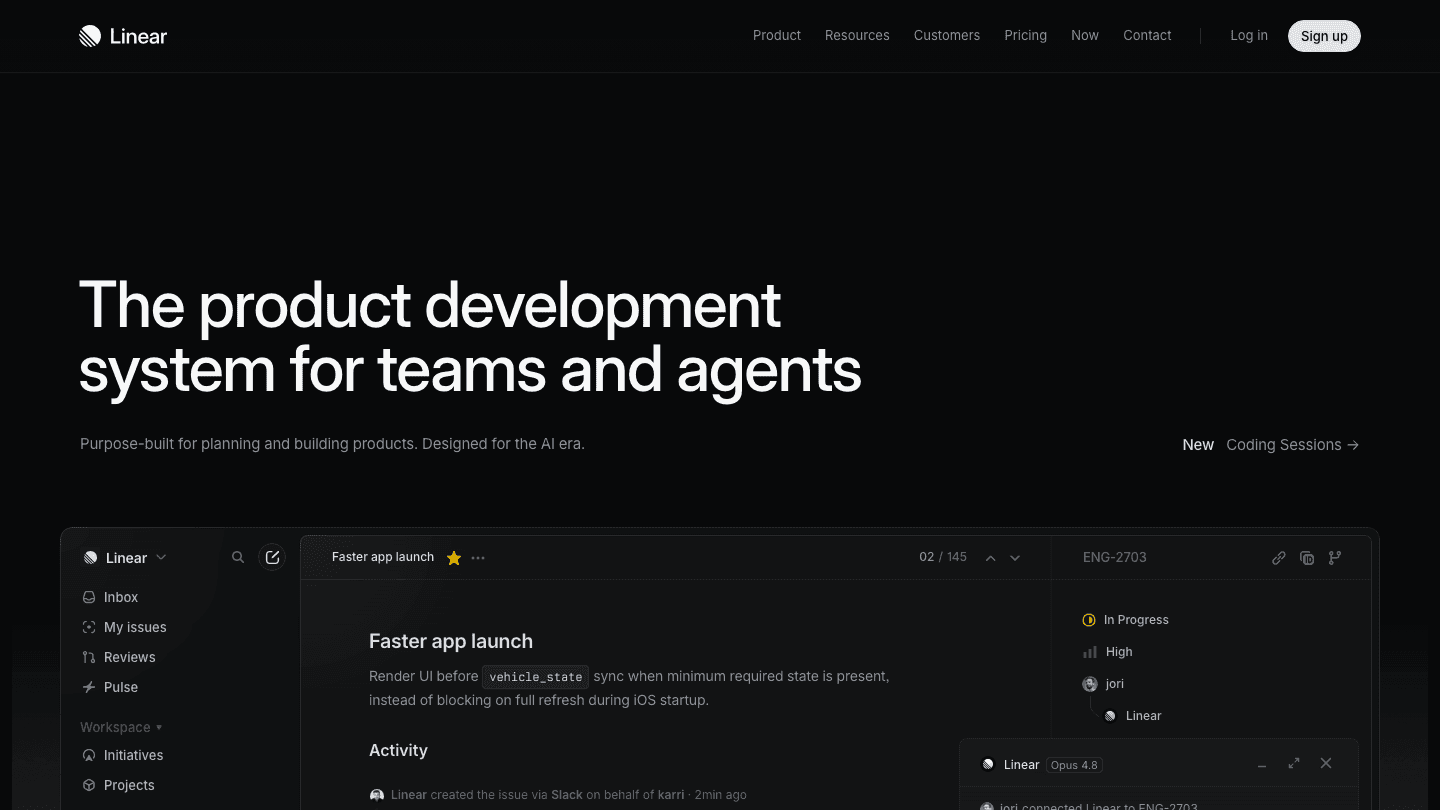
Linear is what you switch to from Jira when you want issue tracking that doesn't feel like administrative overhead. The app is fast. The keyboard shortcuts are thoughtful. Creating an issue, updating its status, and linking it to a cycle or project takes seconds rather than minutes.
For individual engineers, Linear is useful as a personal issue tracker that stays in sync with whatever the team is doing. The mobile app is solid enough for quick status updates during commutes or between meetings. Linear's Cycles feature (sprint-equivalent) and Projects layer work well for both large teams and solo developers who want sprint-style structure.
Sub-second load times; keyboard-first interface
Git and PR integrations with GitHub, GitLab
Cycles (sprints), Projects, and Initiatives for different planning horizons
Triage workflow for managing incoming bug reports
Linear Agent for AI-assisted issue creation
What Works
Speed is the differentiator: creating and triaging issues in Linear takes a fraction of the time it takes in most alternatives
The GitHub integration that auto-updates issue status when a PR is merged is genuinely useful
Limitations
Free tier capped at 250 issues (real engineering teams hit this quickly)
Less configurable than Jira for complex enterprise workflows
Pricing: Free (250 issues); Basic $10/user/month; Business $16/user/month (billed annually).
Best for: engineering teams that want fast, clean issue tracking without the overhead of enterprise tools.
3. Notion: Best for Team Documentation and Wikis
The flexible workspace that replaced the internal wiki for most teams
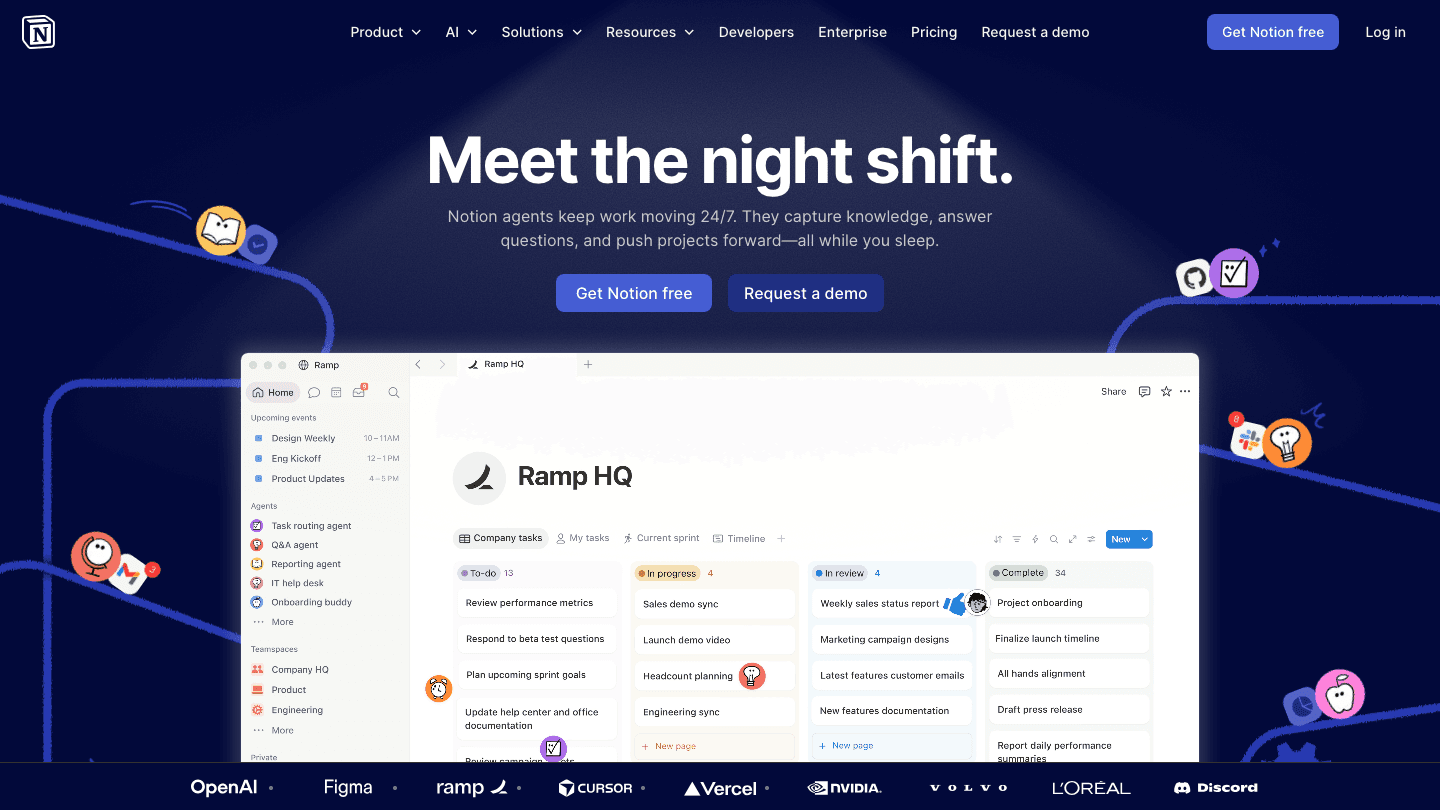
Notion has become the default documentation layer for engineering teams that don't want to manage a separate Confluence instance. Engineering runbooks, onboarding docs, architecture decisions, post-mortems, and meeting notes all live in one searchable, linkable workspace that everyone on the team can access and edit.
The AI features added in recent versions are useful for engineers: summarizing long documents, generating first drafts of technical specs, and extracting action items from meeting notes. The database views (tables, Kanban boards, calendars) make it flexible enough to replace light project management tools for smaller teams. Pair it with Linear for issue tracking and you have a capable planning and documentation stack.
Flexible pages and databases for any documentation format
AI writing and summarization built in
Good search across all team content
APIs for integration with development workflows
Mobile app for reading on the go
What Works
The flexibility to organize content exactly how your team thinks is genuinely valuable
AI document summarization saves real time on long spec reviews
Limitations
Can become slow and disorganized without consistent maintenance
Editor is not as fast as Linear for quick inputs
Pricing: Free; Plus $10/user/month; Business $20/user/month.
Best for: engineering teams that need a flexible documentation and wiki layer that replaces Confluence.
4. Obsidian: Best Personal Knowledge Base for Engineers
Local-first notes that build into a searchable second brain
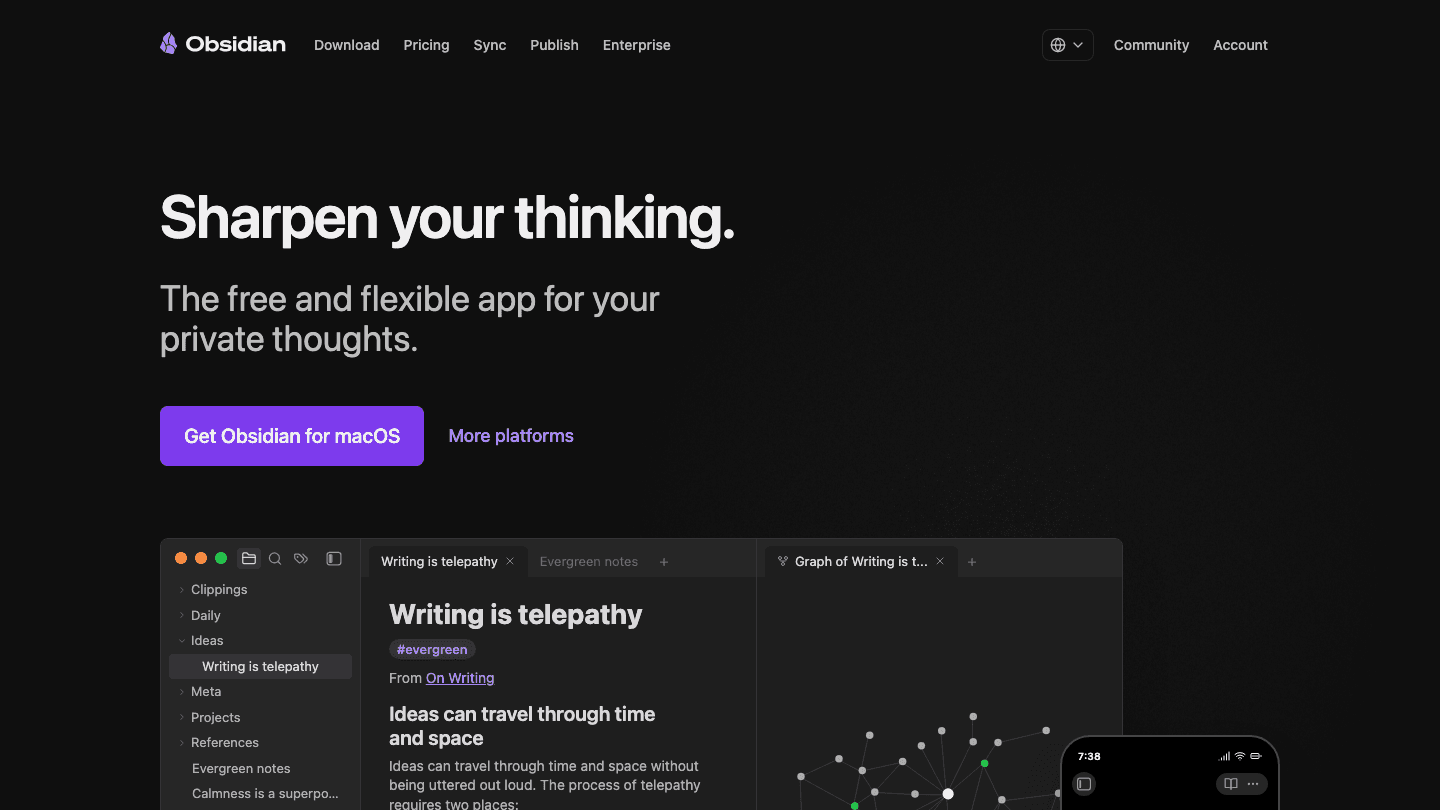
Obsidian is what engineers use for personal notes they want to keep private, portable, and permanent. Think of it as a digital version of brain dumping with structure: you capture ideas fast, then build links between them over time. Everything is stored as plain Markdown files on your local disk. No server, no account required for the core app, no vendor lock-in. You own your notes completely.
For engineers, this matters. Technical notes accumulated over years, including learnings from debugging sessions, architecture decisions, system design references, and personal documentation, are valuable knowledge that shouldn't be trapped in a tool that might change pricing or shut down. Obsidian's graph view and backlinks let you build connections between notes that make it easy to find context when returning to a topic months later.
Notes stored as local Markdown files (plain text, no vendor lock-in)
Graph view showing connections between notes
Backlinks and wiki-style linking between notes
Large plugin ecosystem for engineering workflows
Free; optional Sync addon for cross-device access
What Works
The local storage model means notes survive app shutdowns, pricing changes, and company pivots
Markdown format means notes can be read and edited in any text editor
Limitations
No real-time collaboration (Notion is better for team notes)
Sync requires a paid addon or manual setup with iCloud/Dropbox
Steeper learning curve than simpler note apps
Pricing: Free (local); Sync $4/month billed annually ($5/month monthly); Publish $8/month billed annually.
Best for: engineers who want a personal knowledge base that they fully own, stored as plain text files.
5. Toggl Track: Best Time Tracker for Engineers
Simple time tracking that shows where engineering hours actually go
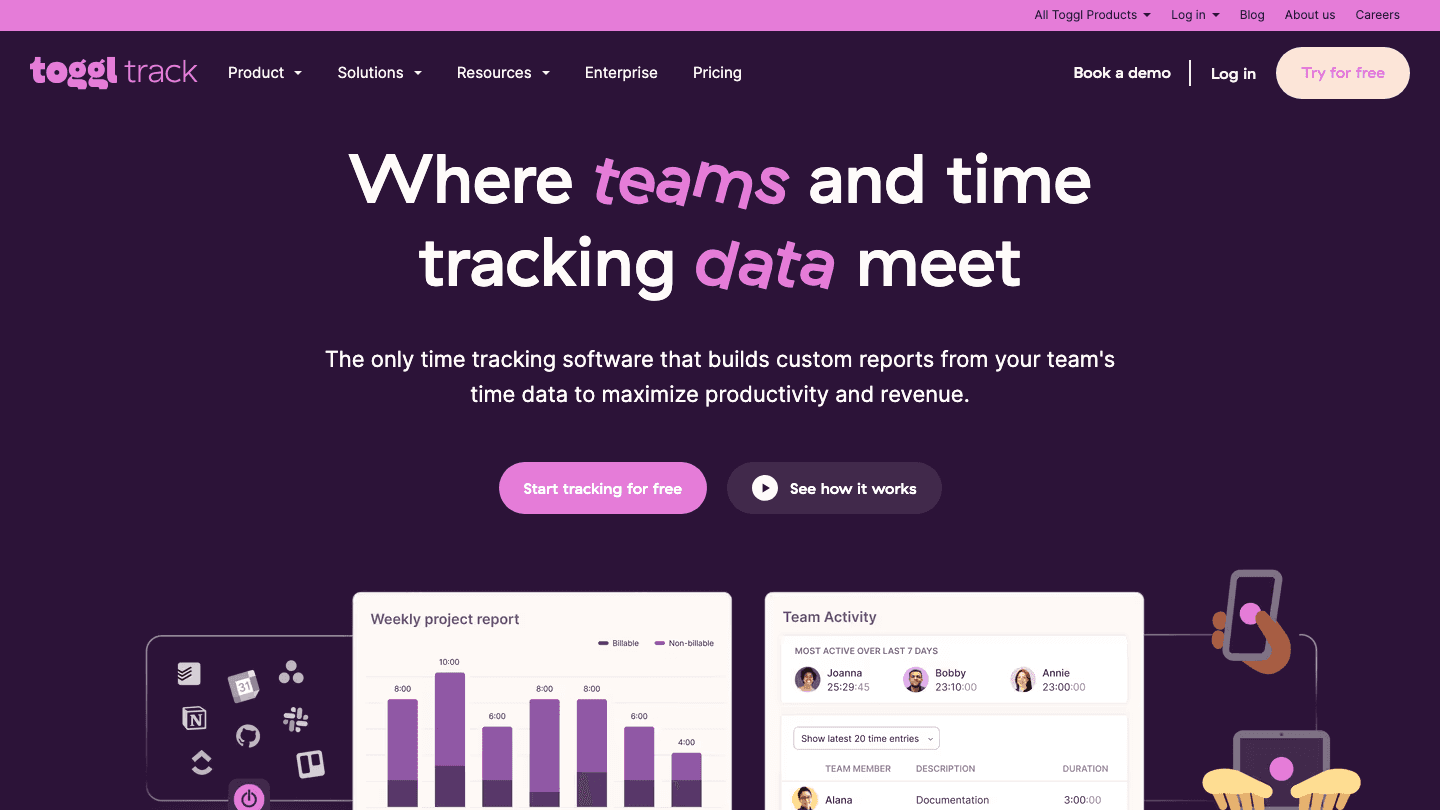
Most engineers underestimate how much time goes to things that aren't writing code. A good reminder system tells you what's due; a good time tracker tells you where your hours actually went. code reviews, meetings, Slack threads, ticket updates, context switching. Toggl Track shows you the actual breakdown. Start a timer when you start a task, stop it when you context-switch, and after a week you have an honest picture of where your hours went.
The data is useful in multiple ways. For freelancers and consultants, it's accurate billing. For salaried engineers, it reveals which meetings cost the most time, where deep work actually happens versus where it's supposed to happen, and whether your schedule matches reality. The browser extension starts timers from Linear, Jira, GitHub issues, and other tools directly.
One-click timer from any browser or mobile device
Browser extension that starts timers from Linear, Jira, GitHub, and other tools
Reports showing time by project, client, and activity
Free for personal use (unlimited time entries)
Integrates with 100+ tools
What Works
The browser extension that triggers timers from existing tools removes most of the friction from actually tracking time
Reports surface time allocation patterns that are genuinely surprising
Limitations
Passive tracking; requires manual timer starts and stops
Reports are less detailed on the free plan
Pricing: Free (unlimited users and entries); Starter $9/user/month; Premium $18/user/month. Annual discount: 10%.
Best for: engineers who want to understand where their time goes, especially consultants who bill by the hour.
6. Things 3: Best Personal Task Manager for Apple Engineers
The cleanest Apple-native task manager for personal to-do management
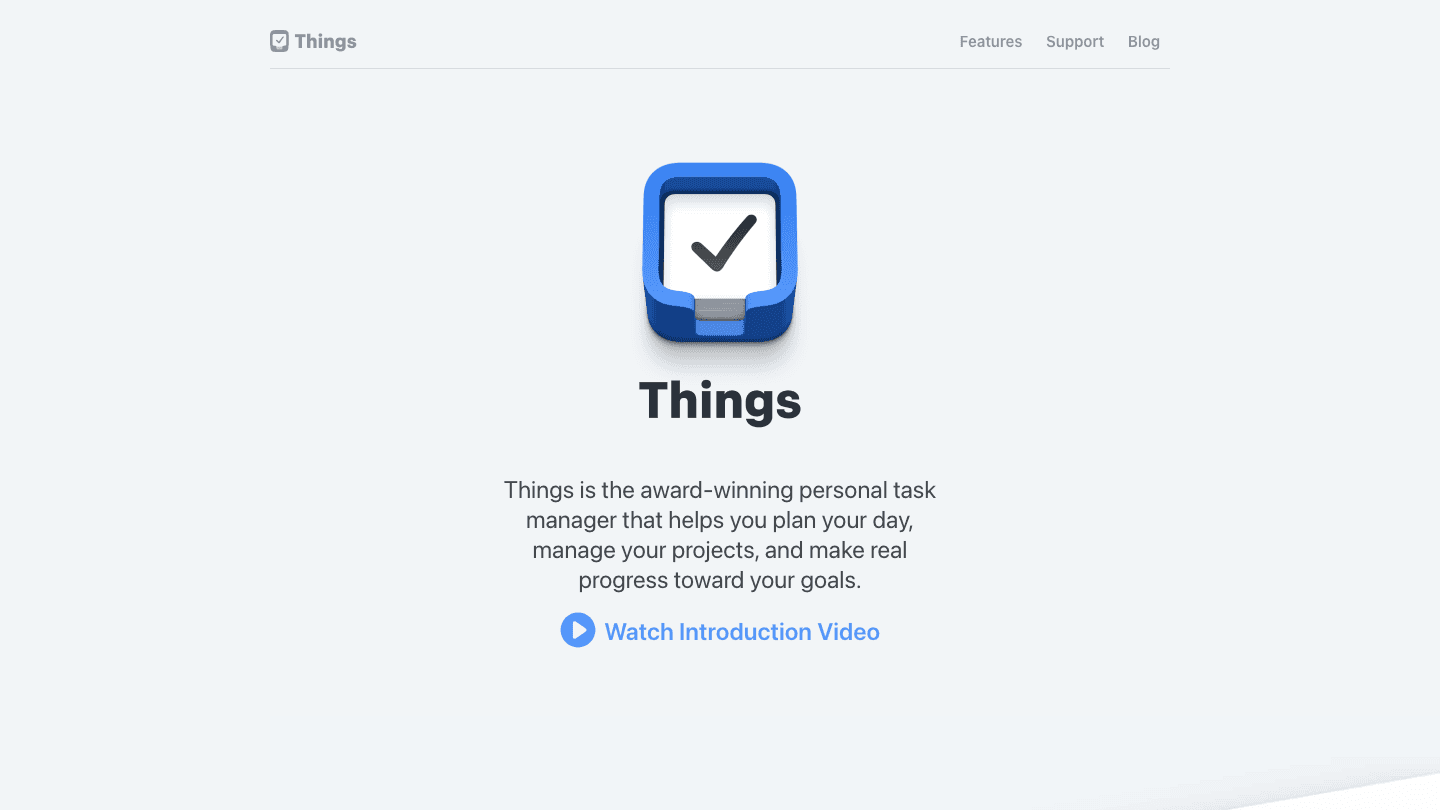
Things 3 is the task manager Apple engineers reach for when they want something fast, polished, and deeply integrated with the Apple ecosystem. The design is quiet and deliberate. There are no notification badges on every feature. It shows you what you need to do today, with project structure underneath for longer-horizon planning.
The task management approach is intentionally personal: Things 3 is not a team tool. It's a personal inbox, a way to capture things fast, organize them into areas and projects, and surface them when they're relevant. For engineers who use Linear for team issues and need a separate tool for personal tasks, side projects, and non-work commitments, Things 3 is one of the cleanest options available.
Today view that shows what's scheduled and what's overdue
Areas and projects for organizing work and personal tasks
Natural language date input
Apple Watch, widget, and Siri integration
One-time purchase, no subscription
What Works
The one-time purchase model means no recurring cost for a personal tool
Speed and polish are among the best of any task manager on Apple devices
Limitations
Apple-only (iPhone, iPad, Mac); no Android or web version
No collaboration features
Separate purchase required for iPhone, iPad, and Mac
Pricing: $9.99 (iPhone), $19.99 (iPad), $49.99 (Mac). One-time purchase, no subscription.
Best for: Apple-ecosystem engineers who want a fast, clean personal task manager separate from their team tools.
Which Productivity App Should Engineers Use?
Protect deep work time: Lifestack
Team issue tracking: Linear
Team documentation and wikis: Notion
Personal knowledge base: Obsidian
Time tracking and billing: Toggl Track
Personal task management (Apple only): Things 3
Full productivity stack: Lifestack + Linear + Obsidian cover most of what individual engineers need
Frequently Asked Questions
What productivity apps do software engineers use?
The most commonly used tools among engineers in 2026 are Linear for issue tracking, Notion or Obsidian for notes and documentation, and Todoist or Things 3 for personal task management. Lifestack is growing in adoption among engineers who want AI-powered scheduling that protects deep work blocks. Toggl Track is standard for freelancers and consultants.
Is Linear better than Jira for engineering teams?
For most modern engineering teams under 200 people, yes. Linear is significantly faster, has better keyboard navigation, and imposes less administrative overhead. Jira is still the default for large enterprise environments with complex workflow requirements. If you're starting fresh, Linear is the more productive choice.
Should engineers use Notion or Obsidian?
Depends on the use case. Notion is better for team documentation, wikis, and shared workspaces. Obsidian is better for personal notes where privacy, portability, and long-term ownership matter. Many engineers use both: Obsidian for personal notes and Notion for team documentation.
How can software engineers protect deep work time?
The most effective approach is time-blocking: scheduling specific windows for focused work before they get filled with meetings. Lifestack does this automatically using AI scheduling that accounts for your energy levels and existing calendar. Manual approaches include blocking calendar time first thing in the morning, setting Slack to DND during focus windows, and using the Pomodoro technique for structured sessions.
Is Toggl Track free for individual engineers?
Yes. Toggl Track's free plan includes unlimited time entries for unlimited users, making it genuinely useful at no cost for individual engineers. The paid tiers add team reporting, billable rates, and integrations, but the free plan covers personal time tracking needs completely.
Software engineers are already living inside productivity tools. The IDE, the terminal, the issue tracker, the PR queue. The challenge isn't finding more tools. It's finding the ones that reduce friction in the spaces between the code: planning your day, tracking where your time actually goes, capturing ideas without losing them, and protecting the deep focus time that serious engineering work requires.
The apps on this list aren't overlapping with the development tools you already use. They sit alongside them. One handles scheduling deep work around your existing meetings. One tracks issues. One organizes notes into a searchable knowledge base. Together they cover the personal productivity layer that most engineers handle inconsistently, or not at all.
We picked six tools that engineers actually use and that have held up well in real engineering workflows in 2026.
Pricing verified June 2026. Apps tested on macOS, iOS, and Android.
Key Takeaways
Lifestack is the best tool for protecting deep work blocks and scheduling engineering tasks based on energy, not just available time
Linear is the issue tracker of choice for modern engineering teams that want speed and clarity over feature bloat
Obsidian and Notion serve different note-taking needs: Obsidian for personal knowledge, Notion for team wikis and documentation
Quick Guide: Productivity Apps for Engineers
Lifestack: AI scheduler that builds your day around deep work windows
Linear: fast, clean issue tracker built for engineering teams
Notion: flexible workspace for documentation, wikis, and team planning
Obsidian: local-first personal knowledge base for notes and second brain
Toggl Track: time tracking for understanding where your hours actually go
Things 3: personal task manager for Apple users who want clean simplicity
How We Evaluated
Engineering workflow fit: does it complement how engineers actually work rather than adding friction?
Speed: slow apps get closed and abandoned; fast apps get used
Depth without complexity: powerful enough to grow with you, simple enough to start today
Cross-platform: Mac, Windows, iOS, Android
Privacy and data control: especially relevant for engineers who care about where their data lives
1. Lifestack: Best for Protecting Deep Work Time
AI scheduling that treats engineering focus time as non-negotiable
Deep work is the productivity bottleneck for most engineers. Writing good code requires uninterrupted focus time, and meetings, Slack, and context-switching drain that time faster than most other professions. This is the core insight behind Cal Newport's Deep Work philosophy, and it applies directly to software development. Lifestack schedules your day around when you actually have energy for focused technical work, not just when your calendar has an open slot.
The energy-aware scheduling is the key differentiator. Lifestack asks you to tag tasks by cognitive load, then places high-focus work during your peak hours and lighter tasks (code reviews, ticket updates, async replies) during lower-energy windows. The result is a structured day where deep work blocks are protected rather than crowded out by defaults. It's a better approach to daily scheduling for knowledge workers who need uninterrupted stretches.
Energy-aware AI scheduling that protects focus time
Calendar sync with Google Calendar and Apple Calendar
Auto-reschedules when standups or incidents push tasks back
iOS and Android apps
Works well as a personal layer on top of team tools like Linear
What Works
Protects deep work blocks proactively rather than requiring manual time-blocking
The rescheduling when days get disrupted is genuinely useful for engineers who have incidents or unplanned meetings
Limitations
Personal scheduling tool, not a team coordination layer
No GitHub or Linear integration yet
Pricing: $7/month or $50/year; $120 lifetime. 7-day free trial on annual plans.
Best for: individual engineers who want AI to protect their deep work time.
2. Linear: Best Issue Tracker for Engineering Teams
The issue tracker built for speed, used by serious engineering teams
Linear is what you switch to from Jira when you want issue tracking that doesn't feel like administrative overhead. The app is fast. The keyboard shortcuts are thoughtful. Creating an issue, updating its status, and linking it to a cycle or project takes seconds rather than minutes.
For individual engineers, Linear is useful as a personal issue tracker that stays in sync with whatever the team is doing. The mobile app is solid enough for quick status updates during commutes or between meetings. Linear's Cycles feature (sprint-equivalent) and Projects layer work well for both large teams and solo developers who want sprint-style structure.
Sub-second load times; keyboard-first interface
Git and PR integrations with GitHub, GitLab
Cycles (sprints), Projects, and Initiatives for different planning horizons
Triage workflow for managing incoming bug reports
Linear Agent for AI-assisted issue creation
What Works
Speed is the differentiator: creating and triaging issues in Linear takes a fraction of the time it takes in most alternatives
The GitHub integration that auto-updates issue status when a PR is merged is genuinely useful
Limitations
Free tier capped at 250 issues (real engineering teams hit this quickly)
Less configurable than Jira for complex enterprise workflows
Pricing: Free (250 issues); Basic $10/user/month; Business $16/user/month (billed annually).
Best for: engineering teams that want fast, clean issue tracking without the overhead of enterprise tools.
3. Notion: Best for Team Documentation and Wikis
The flexible workspace that replaced the internal wiki for most teams
Notion has become the default documentation layer for engineering teams that don't want to manage a separate Confluence instance. Engineering runbooks, onboarding docs, architecture decisions, post-mortems, and meeting notes all live in one searchable, linkable workspace that everyone on the team can access and edit.
The AI features added in recent versions are useful for engineers: summarizing long documents, generating first drafts of technical specs, and extracting action items from meeting notes. The database views (tables, Kanban boards, calendars) make it flexible enough to replace light project management tools for smaller teams. Pair it with Linear for issue tracking and you have a capable planning and documentation stack.
Flexible pages and databases for any documentation format
AI writing and summarization built in
Good search across all team content
APIs for integration with development workflows
Mobile app for reading on the go
What Works
The flexibility to organize content exactly how your team thinks is genuinely valuable
AI document summarization saves real time on long spec reviews
Limitations
Can become slow and disorganized without consistent maintenance
Editor is not as fast as Linear for quick inputs
Pricing: Free; Plus $10/user/month; Business $20/user/month.
Best for: engineering teams that need a flexible documentation and wiki layer that replaces Confluence.
4. Obsidian: Best Personal Knowledge Base for Engineers
Local-first notes that build into a searchable second brain
Obsidian is what engineers use for personal notes they want to keep private, portable, and permanent. Think of it as a digital version of brain dumping with structure: you capture ideas fast, then build links between them over time. Everything is stored as plain Markdown files on your local disk. No server, no account required for the core app, no vendor lock-in. You own your notes completely.
For engineers, this matters. Technical notes accumulated over years, including learnings from debugging sessions, architecture decisions, system design references, and personal documentation, are valuable knowledge that shouldn't be trapped in a tool that might change pricing or shut down. Obsidian's graph view and backlinks let you build connections between notes that make it easy to find context when returning to a topic months later.
Notes stored as local Markdown files (plain text, no vendor lock-in)
Graph view showing connections between notes
Backlinks and wiki-style linking between notes
Large plugin ecosystem for engineering workflows
Free; optional Sync addon for cross-device access
What Works
The local storage model means notes survive app shutdowns, pricing changes, and company pivots
Markdown format means notes can be read and edited in any text editor
Limitations
No real-time collaboration (Notion is better for team notes)
Sync requires a paid addon or manual setup with iCloud/Dropbox
Steeper learning curve than simpler note apps
Pricing: Free (local); Sync $4/month billed annually ($5/month monthly); Publish $8/month billed annually.
Best for: engineers who want a personal knowledge base that they fully own, stored as plain text files.
5. Toggl Track: Best Time Tracker for Engineers
Simple time tracking that shows where engineering hours actually go
Most engineers underestimate how much time goes to things that aren't writing code. A good reminder system tells you what's due; a good time tracker tells you where your hours actually went. code reviews, meetings, Slack threads, ticket updates, context switching. Toggl Track shows you the actual breakdown. Start a timer when you start a task, stop it when you context-switch, and after a week you have an honest picture of where your hours went.
The data is useful in multiple ways. For freelancers and consultants, it's accurate billing. For salaried engineers, it reveals which meetings cost the most time, where deep work actually happens versus where it's supposed to happen, and whether your schedule matches reality. The browser extension starts timers from Linear, Jira, GitHub issues, and other tools directly.
One-click timer from any browser or mobile device
Browser extension that starts timers from Linear, Jira, GitHub, and other tools
Reports showing time by project, client, and activity
Free for personal use (unlimited time entries)
Integrates with 100+ tools
What Works
The browser extension that triggers timers from existing tools removes most of the friction from actually tracking time
Reports surface time allocation patterns that are genuinely surprising
Limitations
Passive tracking; requires manual timer starts and stops
Reports are less detailed on the free plan
Pricing: Free (unlimited users and entries); Starter $9/user/month; Premium $18/user/month. Annual discount: 10%.
Best for: engineers who want to understand where their time goes, especially consultants who bill by the hour.
6. Things 3: Best Personal Task Manager for Apple Engineers
The cleanest Apple-native task manager for personal to-do management
Things 3 is the task manager Apple engineers reach for when they want something fast, polished, and deeply integrated with the Apple ecosystem. The design is quiet and deliberate. There are no notification badges on every feature. It shows you what you need to do today, with project structure underneath for longer-horizon planning.
The task management approach is intentionally personal: Things 3 is not a team tool. It's a personal inbox, a way to capture things fast, organize them into areas and projects, and surface them when they're relevant. For engineers who use Linear for team issues and need a separate tool for personal tasks, side projects, and non-work commitments, Things 3 is one of the cleanest options available.
Today view that shows what's scheduled and what's overdue
Areas and projects for organizing work and personal tasks
Natural language date input
Apple Watch, widget, and Siri integration
One-time purchase, no subscription
What Works
The one-time purchase model means no recurring cost for a personal tool
Speed and polish are among the best of any task manager on Apple devices
Limitations
Apple-only (iPhone, iPad, Mac); no Android or web version
No collaboration features
Separate purchase required for iPhone, iPad, and Mac
Pricing: $9.99 (iPhone), $19.99 (iPad), $49.99 (Mac). One-time purchase, no subscription.
Best for: Apple-ecosystem engineers who want a fast, clean personal task manager separate from their team tools.
Which Productivity App Should Engineers Use?
Protect deep work time: Lifestack
Team issue tracking: Linear
Team documentation and wikis: Notion
Personal knowledge base: Obsidian
Time tracking and billing: Toggl Track
Personal task management (Apple only): Things 3
Full productivity stack: Lifestack + Linear + Obsidian cover most of what individual engineers need
Frequently Asked Questions
What productivity apps do software engineers use?
The most commonly used tools among engineers in 2026 are Linear for issue tracking, Notion or Obsidian for notes and documentation, and Todoist or Things 3 for personal task management. Lifestack is growing in adoption among engineers who want AI-powered scheduling that protects deep work blocks. Toggl Track is standard for freelancers and consultants.
Is Linear better than Jira for engineering teams?
For most modern engineering teams under 200 people, yes. Linear is significantly faster, has better keyboard navigation, and imposes less administrative overhead. Jira is still the default for large enterprise environments with complex workflow requirements. If you're starting fresh, Linear is the more productive choice.
Should engineers use Notion or Obsidian?
Depends on the use case. Notion is better for team documentation, wikis, and shared workspaces. Obsidian is better for personal notes where privacy, portability, and long-term ownership matter. Many engineers use both: Obsidian for personal notes and Notion for team documentation.
How can software engineers protect deep work time?
The most effective approach is time-blocking: scheduling specific windows for focused work before they get filled with meetings. Lifestack does this automatically using AI scheduling that accounts for your energy levels and existing calendar. Manual approaches include blocking calendar time first thing in the morning, setting Slack to DND during focus windows, and using the Pomodoro technique for structured sessions.
Is Toggl Track free for individual engineers?
Yes. Toggl Track's free plan includes unlimited time entries for unlimited users, making it genuinely useful at no cost for individual engineers. The paid tiers add team reporting, billable rates, and integrations, but the free plan covers personal time tracking needs completely.



FOLLOW ON
FOLLOW ON
FOLLOW ON


Copyright 2026 © Lifestack. All rights reserved
Copyright 2026 © Lifestack. All rights reserved

