
App
Best Aesthetic Calendar Apps in 2026
Best Aesthetic Calendar Apps in 2026

The best aesthetic calendar app in 2026 is Lifestack, which combines a clean, color-coded daily view with AI scheduling that adapts to your energy levels. Most calendar apps put you in charge of every scheduling decision. Lifestack builds a draft schedule each morning and lets you adjust what it got wrong. For Apple-native polish, Fantastical remains the gold standard. For a free aesthetic calendar app or a browser-based aesthetic calendar website, Notion Calendar is hard to beat. If you want minimal daily planning with a beautiful interface, Sunsama and Ellie are the strongest picks.
We tested six of the best aesthetic calendar apps and aesthetic schedule apps available in 2026, looking at design quality, visual customization, how well they handle both tasks and calendar events, and whether they hold up in daily use or just look good in screenshots. Whether you're an Apple-ecosystem devotee, a minimalist daily planner person, or someone who needs AI to help wrangle a chaotic schedule, there's an option here for you.
For people with ADHD or anyone who struggles with standard calendar layouts, a beautiful, visually intuitive calendar can make a meaningful difference in whether planning actually sticks. Design isn't decoration. It's function.
Key Takeaways
Lifestack leads the pack for AI-powered scheduling that adapts to your energy, not just your time slots
Fantastical is the gold standard for Apple users who want a premium, polished native calendar
Sunsama and Ellie are strong picks for minimalists who want guided daily planning with clean interfaces
Quick Guide: Best Aesthetic Calendar Apps
Lifestack: Best for energy-aware AI scheduling
Fantastical: Best Apple-native calendar design
Sunsama: Best for minimalist daily planning
Structured: Best timeline-based visual planner
Notion Calendar: Best free aesthetic calendar
Ellie: Best simple daily planning experience
How We Evaluated
Visual design quality and customization options
Calendar and task management in a single view
Mobile and desktop experience parity
AI or automation features that reduce manual scheduling
Pricing relative to what you actually get
1. Lifestack: Best Aesthetic Calendar App Overall
The AI planner that schedules around your energy, not just your time

Lifestack stands out because its design serves a purpose beyond looking good. The app reads your sleep, recovery, and focus patterns, then builds a daily schedule that puts cognitively demanding work during your peak hours and lighter tasks when your energy naturally dips. The interface is clean, calm, and color-coded in a way that makes your day readable at a glance rather than overwhelming.
Most calendar apps make you do all the scheduling work yourself. Lifestack's auto-scheduling drafts your day for you each morning, pulling in your tasks, calendar commitments, and energy data. You can adjust anything, but the default output is usually solid. It's the difference between a planner that looks nice and one that actively helps you plan better.
Key Features
Energy-aware daily scheduling that adapts to your focus patterns
Unified view of tasks and calendar events in a single clean interface
Integrates with Google Calendar, Apple Calendar, and health data sources
Chrome extension for capturing tasks from anywhere
iOS and Android apps with consistent design
What Works
The best implementation of energy-based scheduling in any calendar app
Genuinely helps you plan better, not just look at a prettier calendar
Clean visual design that doesn't feel cluttered even with a full schedule
Limitations
Mobile-first design; desktop experience is via Chrome extension
No team or shared calendar features
Pricing: $9.99/month or $49.99/year. 7-day free trial on the annual plan.
Best for: Anyone who wants a calendar that actively helps them schedule better, not just display events
2. Fantastical: Best Apple-Native Calendar Design
The gold standard for iOS and macOS calendar aesthetics
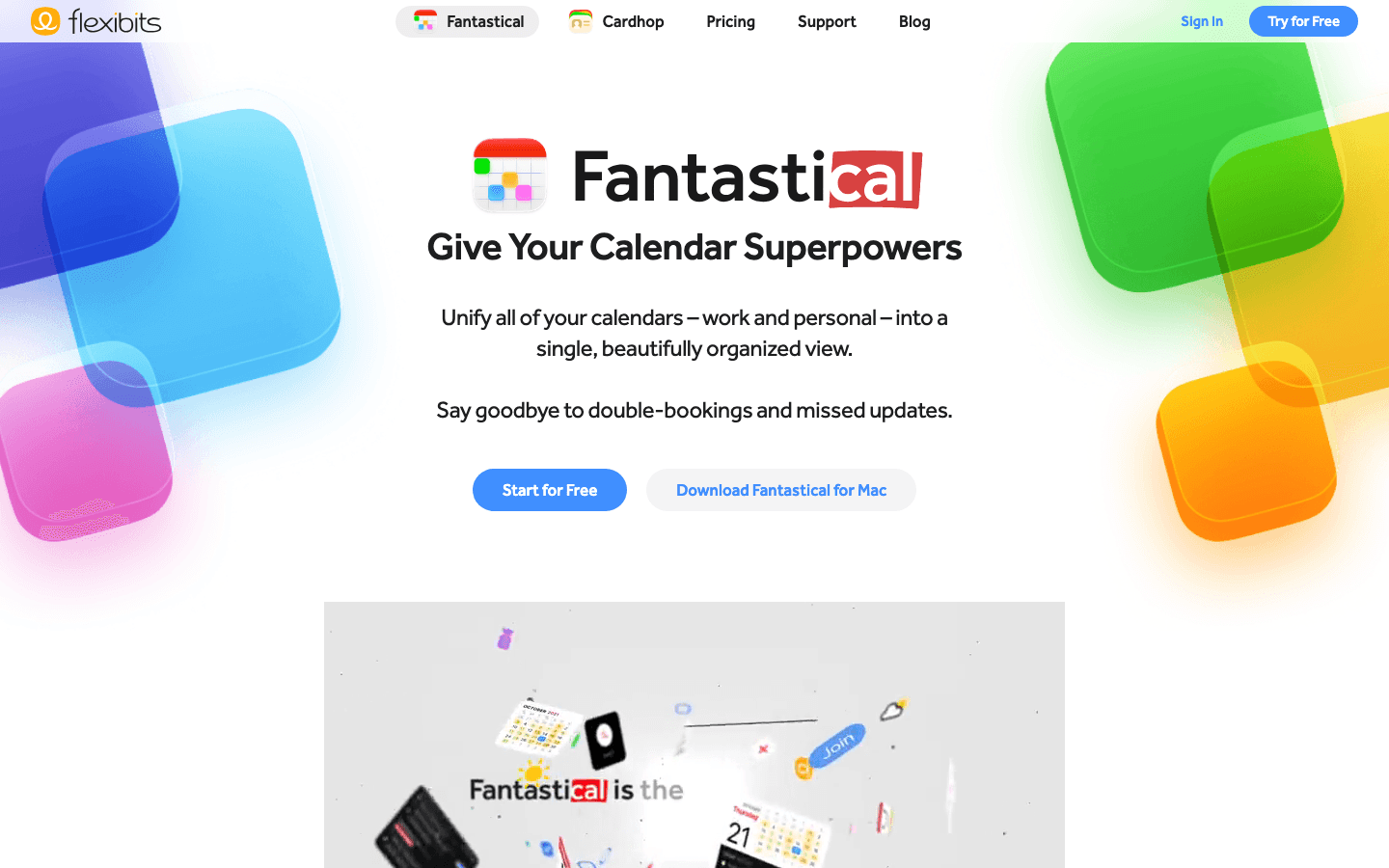
Fantastical has been setting the bar for Apple calendar design for years. The interface is polished to a degree that feels genuinely premium: color-coded events, smooth transitions, multiple intelligent view modes (daily, weekly, monthly, yearly), and one of the best natural language event entry systems available. Type "Lunch with Sarah next Tuesday at 1pm at The Ivy" and it parses the whole thing correctly.
Fantastical works beautifully as a standalone calendar replacement or as a complement to another task manager. It connects to all major calendar services (Google, iCloud, Exchange, Outlook) and brings them into a single clean view. The dark mode is genuinely excellent, which is rare.
Key Features
Natural language event creation with smart parsing
Multiple view modes: daily, weekly, monthly, year at a glance, list
Calendar sets for switching between work and personal views
Weather forecasts, Zoom/Google Meet/Teams links integrated in event details
Apple Watch app and widget support
What Works
Unmatched visual design on Apple devices
Natural language input that actually works reliably
Multiple calendar sets make it easy to switch contexts
Limitations
No energy awareness or AI scheduling
Calendar-only; task management is basic
Premium price for what is fundamentally a calendar display app
Pricing: Free tier available. Premium: $6.99/month or $56.99/year.
Best for: Apple users who want the most beautiful native calendar experience available
3. Sunsama: Best Minimalist Daily Planning
A guided daily planner built around doing less, better
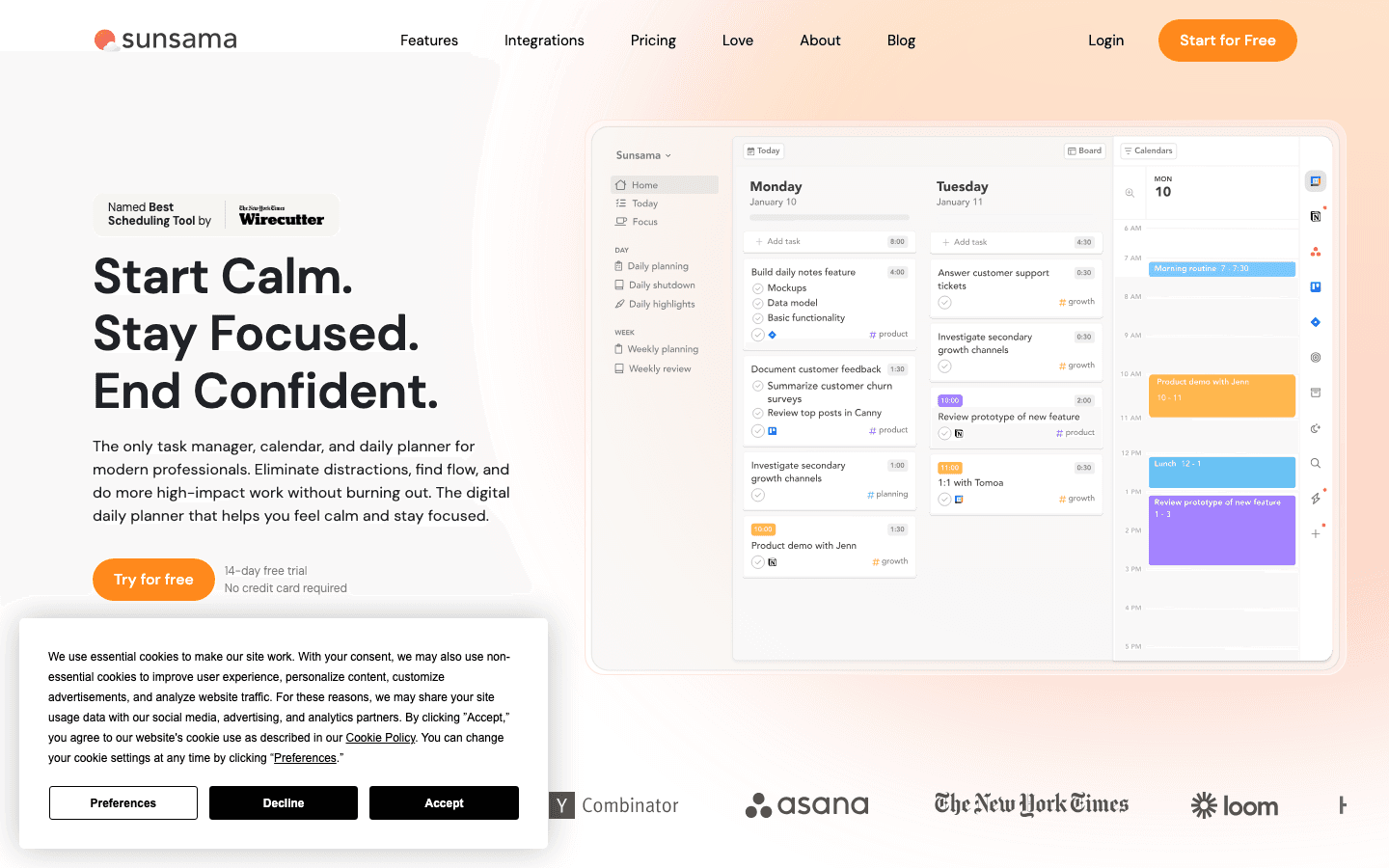
Sunsama takes a disciplined approach to planning: at the start of each day, you go through a guided planning ritual that pulls in tasks from connected tools (Asana, Trello, GitHub, Linear, and more), lets you time-estimate each one, and then shows your calendar alongside your task list for the day. The result is a single-day view that shows exactly what you've committed to doing and how long it should take.
The visual design is clean and deliberately minimal. There are no dashboards, no analytics, no clutter. The time-blocking approach Sunsama uses is one of the best implementations in any calendar app. If you're trying to do focused, intentional work and your current setup is contributing to overwhelm, Sunsama is worth its premium price.
Key Features
Guided daily planning ritual at the start of each day
Pulls tasks from 15+ project management tools into one view
Time-blocking with real calendar integration
Daily shutdown ritual to reflect and carry over tasks
Weekly planning and review mode
What Works
The daily planning ritual genuinely changes how you approach your schedule
Best integration breadth of any aesthetic planner
Minimalist design doesn't distract from the actual work
Limitations
No energy awareness; treats all hours as equal
Expensive at $22/month; no free tier beyond 14-day trial
Mobile experience is secondary to desktop
Pricing: $22/month or $17/month billed annually. 14-day free trial.
Best for: Knowledge workers who want a guided daily planning experience with excellent tool integrations
4. Structured: Best Visual Timeline Planner
A beautiful hour-by-hour daily planner with drag-and-drop simplicity
Structured takes a different visual approach from most calendar apps: instead of a grid, it shows your day as a vertical timeline where each task occupies a physical block of time. The design is warm and tactile, and the drag-and-drop interface for rearranging your day is genuinely satisfying to use. It's particularly popular with people who think visually about time rather than in abstract list form.
The iOS app in particular has received consistent praise for its visual polish. It's lightweight, loads instantly, and focuses entirely on the day ahead rather than trying to be a full project management suite. For anyone who has struggled with time blindness or difficulty visualizing how their day will actually unfold, the timeline format can be a genuine help.
Key Features
Vertical timeline view that shows your day as physical time blocks
Drag-and-drop rescheduling with smooth animations
Recurring tasks, routines, and reminders
Calendar sync (Google, Apple) on Pro tier
Intervals focus timer built in
What Works
Best visual representation of time of any daily planner
Extremely polished iOS experience
Lightweight and fast; no bloat
Limitations
Calendar integration only on Pro tier
No task import from project management tools
No energy awareness or AI scheduling
Pricing: Free tier available. Pro: $6.99/month, $29.99/year, or $99.99 lifetime.
Best for: Visual thinkers who want to see their day laid out as a physical timeline
5. Notion Calendar: Best Free Aesthetic Calendar
A clean, free calendar that connects beautifully with Notion workspaces
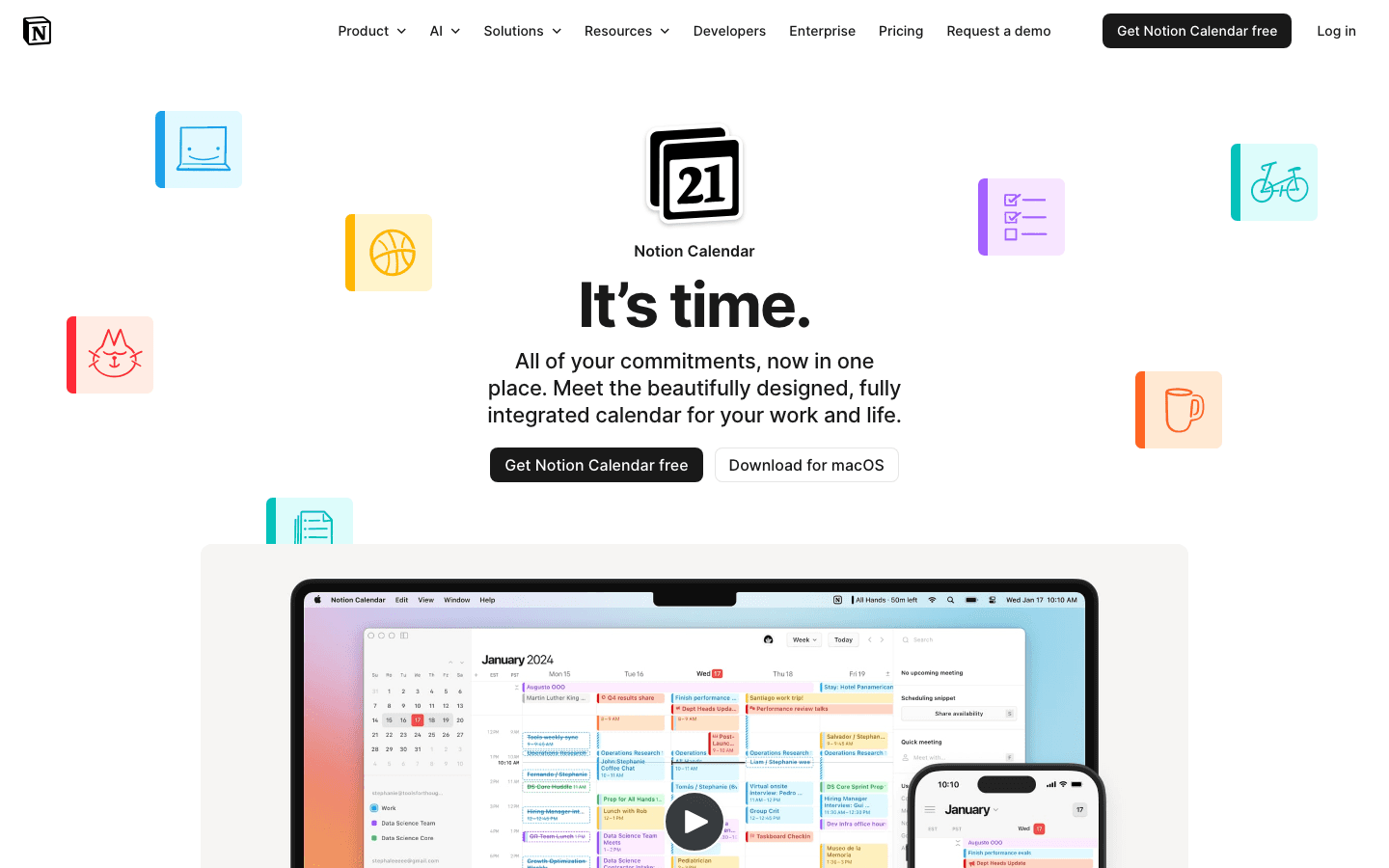
Notion Calendar (formerly Cron) is the aesthetic calendar you get for free. The design is clean and modern, with a well-thought-out color system, smooth navigation between day/week/month views, and solid Google Calendar integration. It works fully as a web app in any browser, making it the best free aesthetic calendar website if you want access without installing anything. If you live in Notion for your notes and projects, having your calendar inside the same ecosystem is genuinely useful.
Notion Calendar works well as a Google Calendar companion for people who want a better-looking interface without switching calendar backends. The meeting scheduling features are also strong, with shareable booking pages and automatic time zone handling. It's completely free, which makes it easy to recommend as a starting point.
Key Features
Clean multi-calendar view with color coding
Native Notion database integration
Shareable scheduling links for meeting booking
Automatic time zone display across calendar events
Mac, Windows, iOS, and web apps
What Works
Genuinely beautiful for a free calendar app
Excellent for people already using Notion
Scheduling links work smoothly without extra tools
Limitations
Task management limited to Notion databases only
No native iOS reminders or Apple Calendar deep integration
No AI scheduling or energy awareness
Pricing: Free.
Best for: Notion users who want a beautiful calendar view without paying extra
6. Ellie: Best Simple Daily Planner
A no-frills beautiful daily planner focused on one day at a time
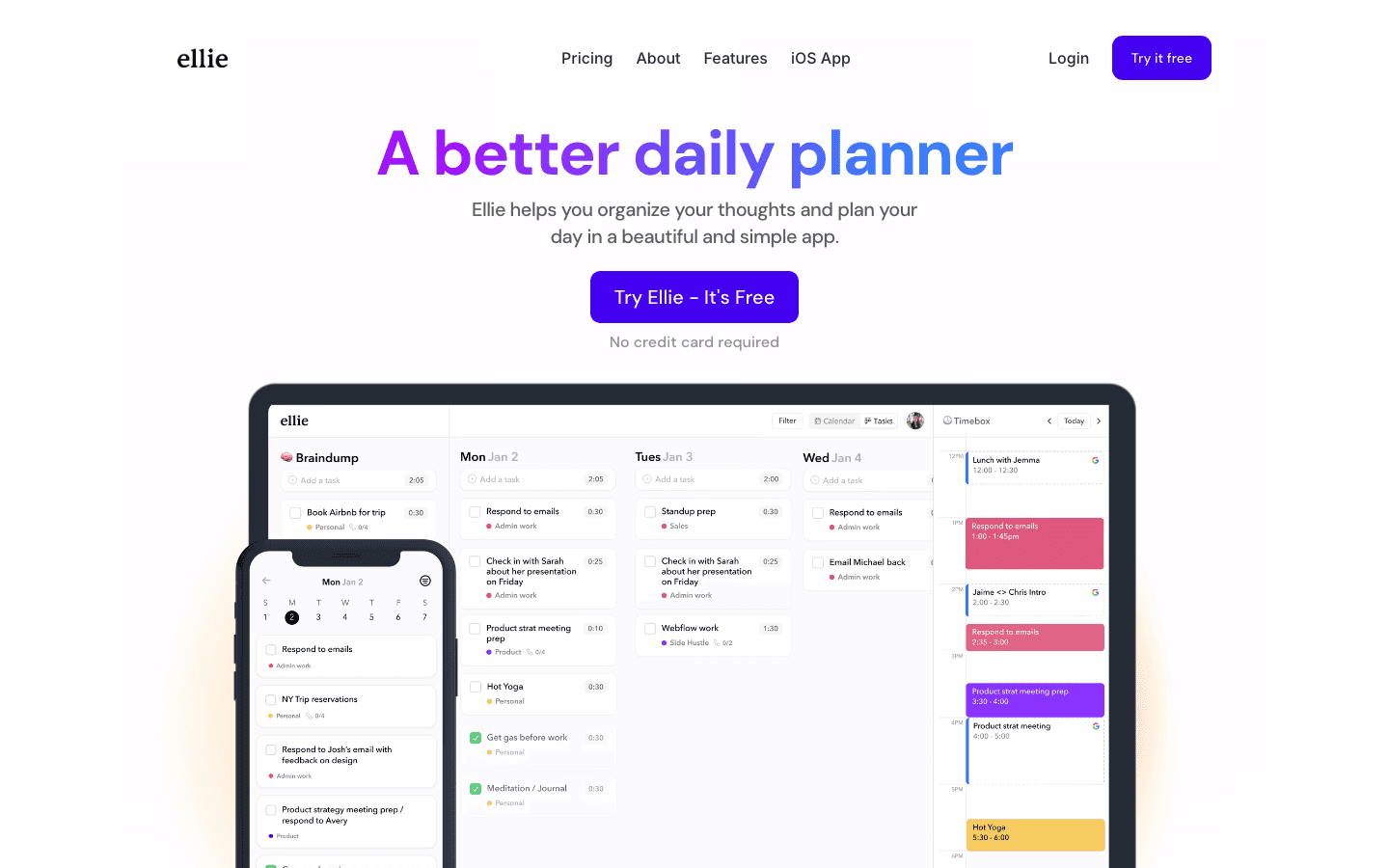
Ellie keeps things extremely focused: it's a daily planner that shows you today's tasks alongside your calendar events, with a clean braindump inbox for capturing new items. The design is minimal and calm, with a purple-on-dark-background aesthetic that's distinctive without being flashy. There's no project management, no dashboards, no analytics. Just today..
For anyone who has struggled with Ellie alternatives or found other planners too complex, Ellie's simplicity is the point. The timebox mode lets you drag tasks into specific time slots, which creates a lightweight time-blocking workflow without the full overhead of Sunsama. It's a good fit for people who want a calm, beautiful starting point for their day without a steep learning curve.
Key Features
Single-day view with tasks and calendar events unified
Braindump inbox for quick task capture
Timebox mode for dragging tasks into time slots
Calendar integrations (Google, iCloud) on Pro
Recurring tasks, labels, subtasks on Pro
What Works
Extremely clean, calming design
Fast to set up and use
Free tier is genuinely useful, not a stripped demo
Limitations
Very limited scope; not for project or team management
No AI features or energy awareness
One-time price ($299.99) is steep for the feature set
Pricing: Free tier available. Pro: $9.99/month, $99.99/year, or $299.99 lifetime.
Best for: People who want a beautiful, simple daily planning experience without complexity
Which Aesthetic Calendar App Is Right for You?
You want AI to help schedule your day: Lifestack
You're deep in the Apple ecosystem: Fantastical
You use Asana, Trello, or Linear for work tasks: Sunsama
You think about time visually: Structured
You're a Notion user who wants a beautiful free calendar: Notion Calendar
You want something simple and calm to start your day: Ellie
If you're managing ADHD or have found that standard calendar apps don't match how your brain works, the broader calendar app landscape has more options worth exploring. The design of your tools matters more than people usually admit.
Frequently Asked Questions
What makes a calendar app aesthetic?
A calendar app earns the "aesthetic" label when its design is intentional: consistent color systems, clean typography, well-spaced layouts, thoughtful transitions, and a dark mode that actually looks good. The best aesthetic calendar apps also have good information density. They show you what you need without visual clutter. An app can have lots of features and still be aesthetic if those features are organized cleanly.
Is there a free aesthetic calendar app?
Yes. Notion Calendar is the best free aesthetic calendar available in 2026. Ellie and Structured also have meaningful free tiers. Lifestack offers a 7-day free trial on its annual plan, and Fantastical has a free base tier. Sunsama is the only app on this list with no free tier at all (14-day trial only).
What is the best calendar app for iPhone aesthetics?
Fantastical is the most polished Apple-native calendar experience on iPhone. Structured is excellent for visual timeline planning. For a combined task and calendar aesthetic, Lifestack works well on iPhone and adapts its scheduling to your daily energy patterns. All three have strong mobile experiences.
Can an aesthetic calendar app help with ADHD?
Yes, and there's a real reason for this. A visually clear, well-designed calendar reduces the cognitive overhead of using it. When your planner is cluttered or confusing to look at, planning becomes a task in itself. Apps with clear color coding, simple daily views, and good visual hierarchy (like Structured's timeline or Lifestack's energy-based layout) make it easier to understand your day at a glance. See our guide on ADHD-friendly calendar apps for more.
What's the difference between a calendar app and a daily planner app?
A calendar app primarily displays time-based events from connected calendar services (Google Calendar, iCloud, Exchange). A daily planner app focuses on helping you plan and execute your day, often combining tasks with calendar events in a single view. Apps like Sunsama, Ellie, Structured, and Lifestack are primarily daily planners that happen to sync with calendars. Fantastical and Notion Calendar are primarily calendar apps that add some planning features.
Is Lifestack available on Android?
Yes. Lifestack has iOS and Android apps, plus a Chrome extension for desktop use. The energy-based calendar approach works across devices. Your schedule adapts to your energy regardless of which device you're on.
What is the best aesthetic calendar website?
Notion Calendar is the best free aesthetic calendar website in 2026. It runs fully in any browser at no cost, with a clean color-coded layout and solid Google Calendar integration. No download or install required. For a paid web option built around guided daily planning, Sunsama has an excellent browser-based interface. Both work well as desktop web apps alongside their native app versions.
What is the cutest calendar app?
Structured is widely considered the cutest calendar app for its warm, tactile timeline design and smooth drag-and-drop animations. Ellie's purple-on-dark aesthetic is another strong pick for users who want a distinctive, eye-catching daily planner. Both have solid free tiers and strong mobile apps.
The best aesthetic calendar app in 2026 is Lifestack, which combines a clean, color-coded daily view with AI scheduling that adapts to your energy levels. Most calendar apps put you in charge of every scheduling decision. Lifestack builds a draft schedule each morning and lets you adjust what it got wrong. For Apple-native polish, Fantastical remains the gold standard. For a free aesthetic calendar app or a browser-based aesthetic calendar website, Notion Calendar is hard to beat. If you want minimal daily planning with a beautiful interface, Sunsama and Ellie are the strongest picks.
We tested six of the best aesthetic calendar apps and aesthetic schedule apps available in 2026, looking at design quality, visual customization, how well they handle both tasks and calendar events, and whether they hold up in daily use or just look good in screenshots. Whether you're an Apple-ecosystem devotee, a minimalist daily planner person, or someone who needs AI to help wrangle a chaotic schedule, there's an option here for you.
For people with ADHD or anyone who struggles with standard calendar layouts, a beautiful, visually intuitive calendar can make a meaningful difference in whether planning actually sticks. Design isn't decoration. It's function.
Key Takeaways
Lifestack leads the pack for AI-powered scheduling that adapts to your energy, not just your time slots
Fantastical is the gold standard for Apple users who want a premium, polished native calendar
Sunsama and Ellie are strong picks for minimalists who want guided daily planning with clean interfaces
Quick Guide: Best Aesthetic Calendar Apps
Lifestack: Best for energy-aware AI scheduling
Fantastical: Best Apple-native calendar design
Sunsama: Best for minimalist daily planning
Structured: Best timeline-based visual planner
Notion Calendar: Best free aesthetic calendar
Ellie: Best simple daily planning experience
How We Evaluated
Visual design quality and customization options
Calendar and task management in a single view
Mobile and desktop experience parity
AI or automation features that reduce manual scheduling
Pricing relative to what you actually get
1. Lifestack: Best Aesthetic Calendar App Overall
The AI planner that schedules around your energy, not just your time
Lifestack stands out because its design serves a purpose beyond looking good. The app reads your sleep, recovery, and focus patterns, then builds a daily schedule that puts cognitively demanding work during your peak hours and lighter tasks when your energy naturally dips. The interface is clean, calm, and color-coded in a way that makes your day readable at a glance rather than overwhelming.
Most calendar apps make you do all the scheduling work yourself. Lifestack's auto-scheduling drafts your day for you each morning, pulling in your tasks, calendar commitments, and energy data. You can adjust anything, but the default output is usually solid. It's the difference between a planner that looks nice and one that actively helps you plan better.
Key Features
Energy-aware daily scheduling that adapts to your focus patterns
Unified view of tasks and calendar events in a single clean interface
Integrates with Google Calendar, Apple Calendar, and health data sources
Chrome extension for capturing tasks from anywhere
iOS and Android apps with consistent design
What Works
The best implementation of energy-based scheduling in any calendar app
Genuinely helps you plan better, not just look at a prettier calendar
Clean visual design that doesn't feel cluttered even with a full schedule
Limitations
Mobile-first design; desktop experience is via Chrome extension
No team or shared calendar features
Pricing: $9.99/month or $49.99/year. 7-day free trial on the annual plan.
Best for: Anyone who wants a calendar that actively helps them schedule better, not just display events
2. Fantastical: Best Apple-Native Calendar Design
The gold standard for iOS and macOS calendar aesthetics
Fantastical has been setting the bar for Apple calendar design for years. The interface is polished to a degree that feels genuinely premium: color-coded events, smooth transitions, multiple intelligent view modes (daily, weekly, monthly, yearly), and one of the best natural language event entry systems available. Type "Lunch with Sarah next Tuesday at 1pm at The Ivy" and it parses the whole thing correctly.
Fantastical works beautifully as a standalone calendar replacement or as a complement to another task manager. It connects to all major calendar services (Google, iCloud, Exchange, Outlook) and brings them into a single clean view. The dark mode is genuinely excellent, which is rare.
Key Features
Natural language event creation with smart parsing
Multiple view modes: daily, weekly, monthly, year at a glance, list
Calendar sets for switching between work and personal views
Weather forecasts, Zoom/Google Meet/Teams links integrated in event details
Apple Watch app and widget support
What Works
Unmatched visual design on Apple devices
Natural language input that actually works reliably
Multiple calendar sets make it easy to switch contexts
Limitations
No energy awareness or AI scheduling
Calendar-only; task management is basic
Premium price for what is fundamentally a calendar display app
Pricing: Free tier available. Premium: $6.99/month or $56.99/year.
Best for: Apple users who want the most beautiful native calendar experience available
3. Sunsama: Best Minimalist Daily Planning
A guided daily planner built around doing less, better
Sunsama takes a disciplined approach to planning: at the start of each day, you go through a guided planning ritual that pulls in tasks from connected tools (Asana, Trello, GitHub, Linear, and more), lets you time-estimate each one, and then shows your calendar alongside your task list for the day. The result is a single-day view that shows exactly what you've committed to doing and how long it should take.
The visual design is clean and deliberately minimal. There are no dashboards, no analytics, no clutter. The time-blocking approach Sunsama uses is one of the best implementations in any calendar app. If you're trying to do focused, intentional work and your current setup is contributing to overwhelm, Sunsama is worth its premium price.
Key Features
Guided daily planning ritual at the start of each day
Pulls tasks from 15+ project management tools into one view
Time-blocking with real calendar integration
Daily shutdown ritual to reflect and carry over tasks
Weekly planning and review mode
What Works
The daily planning ritual genuinely changes how you approach your schedule
Best integration breadth of any aesthetic planner
Minimalist design doesn't distract from the actual work
Limitations
No energy awareness; treats all hours as equal
Expensive at $22/month; no free tier beyond 14-day trial
Mobile experience is secondary to desktop
Pricing: $22/month or $17/month billed annually. 14-day free trial.
Best for: Knowledge workers who want a guided daily planning experience with excellent tool integrations
4. Structured: Best Visual Timeline Planner
A beautiful hour-by-hour daily planner with drag-and-drop simplicity
Structured takes a different visual approach from most calendar apps: instead of a grid, it shows your day as a vertical timeline where each task occupies a physical block of time. The design is warm and tactile, and the drag-and-drop interface for rearranging your day is genuinely satisfying to use. It's particularly popular with people who think visually about time rather than in abstract list form.
The iOS app in particular has received consistent praise for its visual polish. It's lightweight, loads instantly, and focuses entirely on the day ahead rather than trying to be a full project management suite. For anyone who has struggled with time blindness or difficulty visualizing how their day will actually unfold, the timeline format can be a genuine help.
Key Features
Vertical timeline view that shows your day as physical time blocks
Drag-and-drop rescheduling with smooth animations
Recurring tasks, routines, and reminders
Calendar sync (Google, Apple) on Pro tier
Intervals focus timer built in
What Works
Best visual representation of time of any daily planner
Extremely polished iOS experience
Lightweight and fast; no bloat
Limitations
Calendar integration only on Pro tier
No task import from project management tools
No energy awareness or AI scheduling
Pricing: Free tier available. Pro: $6.99/month, $29.99/year, or $99.99 lifetime.
Best for: Visual thinkers who want to see their day laid out as a physical timeline
5. Notion Calendar: Best Free Aesthetic Calendar
A clean, free calendar that connects beautifully with Notion workspaces
Notion Calendar (formerly Cron) is the aesthetic calendar you get for free. The design is clean and modern, with a well-thought-out color system, smooth navigation between day/week/month views, and solid Google Calendar integration. It works fully as a web app in any browser, making it the best free aesthetic calendar website if you want access without installing anything. If you live in Notion for your notes and projects, having your calendar inside the same ecosystem is genuinely useful.
Notion Calendar works well as a Google Calendar companion for people who want a better-looking interface without switching calendar backends. The meeting scheduling features are also strong, with shareable booking pages and automatic time zone handling. It's completely free, which makes it easy to recommend as a starting point.
Key Features
Clean multi-calendar view with color coding
Native Notion database integration
Shareable scheduling links for meeting booking
Automatic time zone display across calendar events
Mac, Windows, iOS, and web apps
What Works
Genuinely beautiful for a free calendar app
Excellent for people already using Notion
Scheduling links work smoothly without extra tools
Limitations
Task management limited to Notion databases only
No native iOS reminders or Apple Calendar deep integration
No AI scheduling or energy awareness
Pricing: Free.
Best for: Notion users who want a beautiful calendar view without paying extra
6. Ellie: Best Simple Daily Planner
A no-frills beautiful daily planner focused on one day at a time
Ellie keeps things extremely focused: it's a daily planner that shows you today's tasks alongside your calendar events, with a clean braindump inbox for capturing new items. The design is minimal and calm, with a purple-on-dark-background aesthetic that's distinctive without being flashy. There's no project management, no dashboards, no analytics. Just today..
For anyone who has struggled with Ellie alternatives or found other planners too complex, Ellie's simplicity is the point. The timebox mode lets you drag tasks into specific time slots, which creates a lightweight time-blocking workflow without the full overhead of Sunsama. It's a good fit for people who want a calm, beautiful starting point for their day without a steep learning curve.
Key Features
Single-day view with tasks and calendar events unified
Braindump inbox for quick task capture
Timebox mode for dragging tasks into time slots
Calendar integrations (Google, iCloud) on Pro
Recurring tasks, labels, subtasks on Pro
What Works
Extremely clean, calming design
Fast to set up and use
Free tier is genuinely useful, not a stripped demo
Limitations
Very limited scope; not for project or team management
No AI features or energy awareness
One-time price ($299.99) is steep for the feature set
Pricing: Free tier available. Pro: $9.99/month, $99.99/year, or $299.99 lifetime.
Best for: People who want a beautiful, simple daily planning experience without complexity
Which Aesthetic Calendar App Is Right for You?
You want AI to help schedule your day: Lifestack
You're deep in the Apple ecosystem: Fantastical
You use Asana, Trello, or Linear for work tasks: Sunsama
You think about time visually: Structured
You're a Notion user who wants a beautiful free calendar: Notion Calendar
You want something simple and calm to start your day: Ellie
If you're managing ADHD or have found that standard calendar apps don't match how your brain works, the broader calendar app landscape has more options worth exploring. The design of your tools matters more than people usually admit.
Frequently Asked Questions
What makes a calendar app aesthetic?
A calendar app earns the "aesthetic" label when its design is intentional: consistent color systems, clean typography, well-spaced layouts, thoughtful transitions, and a dark mode that actually looks good. The best aesthetic calendar apps also have good information density. They show you what you need without visual clutter. An app can have lots of features and still be aesthetic if those features are organized cleanly.
Is there a free aesthetic calendar app?
Yes. Notion Calendar is the best free aesthetic calendar available in 2026. Ellie and Structured also have meaningful free tiers. Lifestack offers a 7-day free trial on its annual plan, and Fantastical has a free base tier. Sunsama is the only app on this list with no free tier at all (14-day trial only).
What is the best calendar app for iPhone aesthetics?
Fantastical is the most polished Apple-native calendar experience on iPhone. Structured is excellent for visual timeline planning. For a combined task and calendar aesthetic, Lifestack works well on iPhone and adapts its scheduling to your daily energy patterns. All three have strong mobile experiences.
Can an aesthetic calendar app help with ADHD?
Yes, and there's a real reason for this. A visually clear, well-designed calendar reduces the cognitive overhead of using it. When your planner is cluttered or confusing to look at, planning becomes a task in itself. Apps with clear color coding, simple daily views, and good visual hierarchy (like Structured's timeline or Lifestack's energy-based layout) make it easier to understand your day at a glance. See our guide on ADHD-friendly calendar apps for more.
What's the difference between a calendar app and a daily planner app?
A calendar app primarily displays time-based events from connected calendar services (Google Calendar, iCloud, Exchange). A daily planner app focuses on helping you plan and execute your day, often combining tasks with calendar events in a single view. Apps like Sunsama, Ellie, Structured, and Lifestack are primarily daily planners that happen to sync with calendars. Fantastical and Notion Calendar are primarily calendar apps that add some planning features.
Is Lifestack available on Android?
Yes. Lifestack has iOS and Android apps, plus a Chrome extension for desktop use. The energy-based calendar approach works across devices. Your schedule adapts to your energy regardless of which device you're on.
What is the best aesthetic calendar website?
Notion Calendar is the best free aesthetic calendar website in 2026. It runs fully in any browser at no cost, with a clean color-coded layout and solid Google Calendar integration. No download or install required. For a paid web option built around guided daily planning, Sunsama has an excellent browser-based interface. Both work well as desktop web apps alongside their native app versions.
What is the cutest calendar app?
Structured is widely considered the cutest calendar app for its warm, tactile timeline design and smooth drag-and-drop animations. Ellie's purple-on-dark aesthetic is another strong pick for users who want a distinctive, eye-catching daily planner. Both have solid free tiers and strong mobile apps.



FOLLOW ON
FOLLOW ON
FOLLOW ON



Copyright 2026 © Lifestack. All rights reserved
Copyright 2026 © Lifestack. All rights reserved

