
Device
5 Best Apps to Use With Your COROS Watch (2026)
5 Best Apps to Use With Your COROS Watch (2026)

What COROS Tracks
COROS makes GPS sports watches built for endurance athletes. The PACE 3, APEX 2, and VERTIX 2 all track GPS workouts with precision, alongside continuous heart rate, sleep quality, training load, and recovery status. The COROS app consolidates this data into a fitness dashboard and tracks long-term trends in your aerobic and anaerobic training capacity.
Out of the box, COROS handles workout logging and training analysis better than most watches at its price point. The EvoLab system calculates your recovery time after sessions, estimates VO2max, and flags when you're building too much fatigue. The COROS app also syncs to Apple Health and Google Health Connect, opening a path to third-party apps that can use your watch's data.
These five apps are the strongest companions for COROS users in 2026, starting with the one that turns your daily recovery status into a smarter work and training schedule.
Key Takeaways
COROS syncs with Apple Health, Google Health Connect, Strava, TrainingPeaks, and Komoot, giving you access to a broad ecosystem of companion tools.
The highest-value use of COROS recovery data is scheduling your most demanding work and training for your highest-energy windows, which Lifestack handles automatically.
TrainingPeaks is the strongest structured training companion for COROS; it pushes planned workouts directly to your watch face so you can execute without looking at your phone.
1. Lifestack
The energy-aware daily planner that turns COROS recovery data into a smarter schedule.

Your COROS watch generates a daily Recovery Score and training load estimate. Most people glance at these numbers and move on. Lifestack is the app that actually does something with them.
Lifestack is an AI daily planner that auto-schedules your tasks based on your energy patterns throughout the day. When your COROS data (synced via Apple Health or Google Health Connect) shows that last night's sleep was poor and recovery is low, your work schedule should reflect that. Lifestack handles this automatically, placing demanding cognitive work in high-energy windows and lighter tasks in the natural slumps.
Key Features: AI auto-scheduling based on energy and sleep data, calendar integration (Google, Outlook, Apple), task management with priorities, Chrome extension, iOS and Android apps
What Works: Closes the gap between knowing your COROS recovery status and planning your day around it; adjusts dynamically when plans change
Limitations: No direct COROS API integration yet; connect via Apple Health or Google Health Connect as the data bridge
Pricing: $7/month or $50/year with a 7-day free trial; $120 one-time lifetime option.
Best for: COROS users who want their work and recovery schedule to match their actual physiological state, not just what the clock says. See the guide to energy-based calendaring for the full approach, and why energy planning beats time-blocking for most people.
2. Strava
The leading fitness social network, with direct COROS sync for all your workouts.
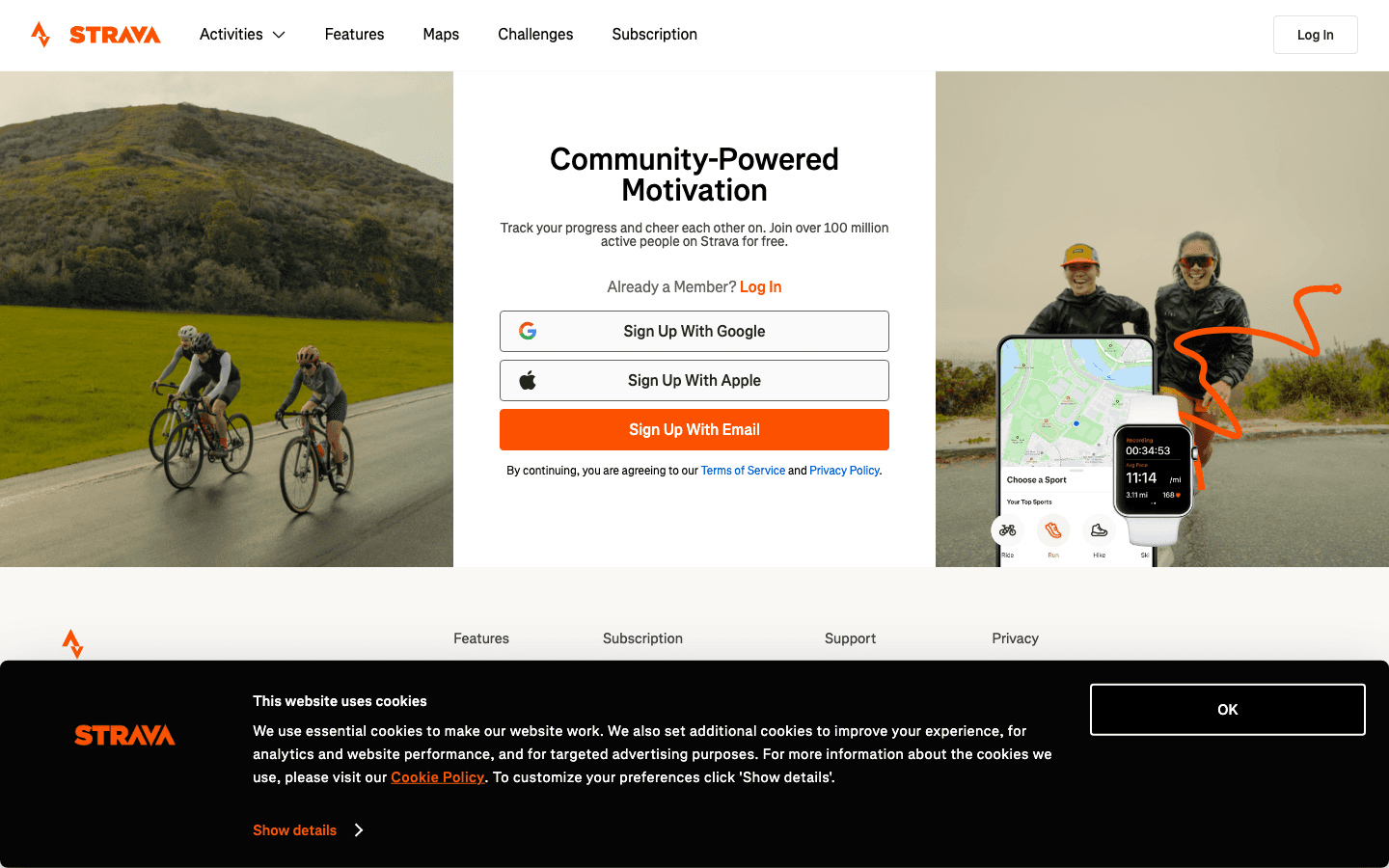
Strava is the natural first companion for any COROS user. Connect the two apps and your COROS activities upload to Strava automatically after each session, no manual export required. On Strava, those runs and rides become part of your personal history with GPS maps, pace breakdowns, elevation profiles, and heart rate overlays.
The segment feature is what keeps athletes coming back. Strava detects when you've run or ridden a popular segment and slots you into the leaderboard, comparing your time against friends and every other athlete who's done the same stretch of road or trail. For COROS users who rely on GPS accuracy for pace-sensitive training, this is a natural complement to the watch's data. See the full guide to apps that work well alongside Strava for a broader fitness tech stack.
Key Features: Automatic COROS activity sync, GPS route maps, segment leaderboards, social feed, weekly training log, clubs and group challenges, structured workout builder (Summit)
What Works: Best community features in fitness tracking; segment competition is genuinely motivating; COROS sync is reliable and fast
Limitations: Most analytics are behind the Summit paywall; Strava's own training load model differs from COROS EvoLab and the two don't communicate
Pricing: Free (basic); Summit $11.99/month or $79.99/year.
Best for: COROS users who want to share workouts socially, compare times on local routes, and build a complete athletic history with GPS maps and analytics.
3. TrainingPeaks
The most powerful training analysis platform, with structured workout delivery to your COROS watch face.
TrainingPeaks is the tool of choice for coaches and serious athletes. The key feature for COROS users: when a coach builds a structured workout in TrainingPeaks, it syncs directly to your COROS watch face. You show up to the track and your watch tells you exactly what to do: warm up at zone 2, 6x800m at zone 4, 90-second recovery. No phone needed mid-session.
TrainingPeaks also tracks CTL (Chronic Training Load), ATL (Acute Training Load), and TSB (Training Stress Balance), the widely-used performance management chart that tells you when you're fit, when you're fatigued, and when you'll peak. COROS's own EvoLab provides similar information, but TrainingPeaks gives you more granular control and works across multiple sports and devices.
Key Features: Structured workout sync to COROS watch face, performance management chart (CTL/ATL/TSB), training plan library, coach collaboration tools, advanced analytics by sport
What Works: Structured workout delivery to COROS is the best reason to use it; performance management chart is the gold standard for endurance training
Limitations: Premium price is high for casual athletes; the interface is complex and takes time to learn; free tier is quite limited
Pricing: Free (basic); Premium $19.95/month or $134.99/year. Includes a 14-day free trial.
Best for: COROS athletes following a structured training plan, especially runners and triathletes working with a coach or following periodized plans from the TrainingPeaks marketplace.
4. Komoot
Route planning for outdoor adventures, with direct COROS navigation sync.
Komoot is the best tool for planning and navigating outdoor routes on a COROS watch. Build or discover a route in Komoot, sync it to your COROS device, and your watch handles turn-by-turn navigation on the trail. The integration is direct: COROS is an official Komoot partner, so routes transfer cleanly without file exports or workarounds.
The route planning experience is excellent for trail running, hiking, and cycling. Komoot uses topographic maps with trail-specific data (surface types, difficulty ratings, expected conditions) so you can plan routes that match both your fitness level and your gear. The community aspect is strong too: millions of user-recorded activities create a practical picture of what trail conditions are actually like.
Key Features: Route planning with topo maps and surface data, direct COROS navigation sync, trail community highlights and tips, offline maps, multi-day tour planning (Premium), live tracking
What Works: The cleanest COROS navigation integration available; route planning tools are genuinely excellent for off-road adventures; community data is practical and current
Limitations: Premium required for offline maps and advanced features; pricing changed significantly in 2025 after acquisition
Pricing: Free (basic route browsing); Premium $6.99/month or $59.99/year.
Best for: COROS users who trail run, hike, or ride off-road and want turn-by-turn navigation with accurate surface and elevation data. Also the best tool for planning multi-day adventures across multiple days and distances.
5. Nike Run Club
A free running companion with guided audio runs and structured training plans.
Nike Run Club syncs with COROS via Apple Health or Google Health Connect, letting your watch track the run while the app provides the coaching layer. The guided audio runs are the standout feature: expert coaches talk you through sessions in real time, including descriptions of effort levels, form cues, and motivational prompts calibrated to where you are in the workout.
For newer runners or anyone adding variety to their training, NRC's free guided runs and training plans (beginner 5K, half marathon, marathon) are genuinely well-produced. They work well as a complement to COROS: use your watch for GPS and heart rate data, use NRC for the coaching audio layer.
Key Features: Guided audio runs by professional coaches, structured training plans (5K through marathon), Apple Health sync for COROS data, challenges and achievements, running streaks
What Works: Entirely free; guided audio runs are high-quality; strong free training plan library for runners who don't need a coach
Limitations: No TrainingPeaks-style analytics; the coaching layer doesn't adapt to your COROS recovery data; primarily useful for running, not multi-sport athletes
Pricing: Free.
Best for: COROS runners who want free audio coaching and structured running plans without paying for a dedicated training platform.
Which App Should You Start With?
Want to schedule your work and recovery around your COROS data: Lifestack ($50/year). See also the best apps to use with Apple Health for a broader recovery-to-schedule stack.
Want to share workouts socially and compete on segments: Strava (free to start). See apps to pair with Strava for what adds value on top of it.
Following a coach or structured training plan: TrainingPeaks ($134.99/year). The structured workout sync to your COROS face alone justifies the cost if you're training seriously.
Trail running, hiking, or off-road cycling: Komoot ($59.99/year). Direct COROS navigation sync and the best topo route data available.
Want free audio coaching and basic running plans: Nike Run Club (free).
Not sure which COROS model is right for you in the first place? The Garmin comparison guide covers what separates COROS from the competition at each price point.
FAQ
What apps does COROS connect to?
COROS officially integrates with Strava, TrainingPeaks, Komoot, Ride with GPS, Wikiloc, and Decathlon Coach. It also syncs data to Apple Health and Google Health Connect, which opens it to any app that reads from those platforms, including Lifestack, Nike Run Club, and many others.
Does COROS sync with Apple Health?
Yes. In the COROS app, go to Profile > Settings > 3rd Party Apps > Data Sync > Apple Health. You can choose which data types to sync: steps, heart rate, workouts, sleep, and more. Once connected, any app that reads from Apple Health, including Lifestack, can use your COROS data.
Does COROS sync with Strava?
Yes, directly. After linking the two apps in the COROS app settings, your workouts upload to Strava automatically after each session. GPS maps, pace, elevation, and heart rate all transfer cleanly.
Can I send routes to my COROS watch?
Yes. Both Komoot and TrainingPeaks support route and workout sync directly to COROS watches. Komoot routes sync for navigation; TrainingPeaks structured workouts sync as guided sessions your watch leads you through on the interval level. You can also export GPX files from other apps and import them into COROS manually.
Is COROS better than Garmin?
Depends on your priorities. COROS generally offers better battery life, cleaner GPS tracking for performance athletes, and a simpler interface, at a lower price point. Garmin has a broader app ecosystem and more smartwatch features. For serious runners and triathletes who want training data without a cluttered interface, COROS is often the better choice. Both work well with the apps above.
What COROS Tracks
COROS makes GPS sports watches built for endurance athletes. The PACE 3, APEX 2, and VERTIX 2 all track GPS workouts with precision, alongside continuous heart rate, sleep quality, training load, and recovery status. The COROS app consolidates this data into a fitness dashboard and tracks long-term trends in your aerobic and anaerobic training capacity.
Out of the box, COROS handles workout logging and training analysis better than most watches at its price point. The EvoLab system calculates your recovery time after sessions, estimates VO2max, and flags when you're building too much fatigue. The COROS app also syncs to Apple Health and Google Health Connect, opening a path to third-party apps that can use your watch's data.
These five apps are the strongest companions for COROS users in 2026, starting with the one that turns your daily recovery status into a smarter work and training schedule.
Key Takeaways
COROS syncs with Apple Health, Google Health Connect, Strava, TrainingPeaks, and Komoot, giving you access to a broad ecosystem of companion tools.
The highest-value use of COROS recovery data is scheduling your most demanding work and training for your highest-energy windows, which Lifestack handles automatically.
TrainingPeaks is the strongest structured training companion for COROS; it pushes planned workouts directly to your watch face so you can execute without looking at your phone.
1. Lifestack
The energy-aware daily planner that turns COROS recovery data into a smarter schedule.
Your COROS watch generates a daily Recovery Score and training load estimate. Most people glance at these numbers and move on. Lifestack is the app that actually does something with them.
Lifestack is an AI daily planner that auto-schedules your tasks based on your energy patterns throughout the day. When your COROS data (synced via Apple Health or Google Health Connect) shows that last night's sleep was poor and recovery is low, your work schedule should reflect that. Lifestack handles this automatically, placing demanding cognitive work in high-energy windows and lighter tasks in the natural slumps.
Key Features: AI auto-scheduling based on energy and sleep data, calendar integration (Google, Outlook, Apple), task management with priorities, Chrome extension, iOS and Android apps
What Works: Closes the gap between knowing your COROS recovery status and planning your day around it; adjusts dynamically when plans change
Limitations: No direct COROS API integration yet; connect via Apple Health or Google Health Connect as the data bridge
Pricing: $7/month or $50/year with a 7-day free trial; $120 one-time lifetime option.
Best for: COROS users who want their work and recovery schedule to match their actual physiological state, not just what the clock says. See the guide to energy-based calendaring for the full approach, and why energy planning beats time-blocking for most people.
2. Strava
The leading fitness social network, with direct COROS sync for all your workouts.
Strava is the natural first companion for any COROS user. Connect the two apps and your COROS activities upload to Strava automatically after each session, no manual export required. On Strava, those runs and rides become part of your personal history with GPS maps, pace breakdowns, elevation profiles, and heart rate overlays.
The segment feature is what keeps athletes coming back. Strava detects when you've run or ridden a popular segment and slots you into the leaderboard, comparing your time against friends and every other athlete who's done the same stretch of road or trail. For COROS users who rely on GPS accuracy for pace-sensitive training, this is a natural complement to the watch's data. See the full guide to apps that work well alongside Strava for a broader fitness tech stack.
Key Features: Automatic COROS activity sync, GPS route maps, segment leaderboards, social feed, weekly training log, clubs and group challenges, structured workout builder (Summit)
What Works: Best community features in fitness tracking; segment competition is genuinely motivating; COROS sync is reliable and fast
Limitations: Most analytics are behind the Summit paywall; Strava's own training load model differs from COROS EvoLab and the two don't communicate
Pricing: Free (basic); Summit $11.99/month or $79.99/year.
Best for: COROS users who want to share workouts socially, compare times on local routes, and build a complete athletic history with GPS maps and analytics.
3. TrainingPeaks
The most powerful training analysis platform, with structured workout delivery to your COROS watch face.
TrainingPeaks is the tool of choice for coaches and serious athletes. The key feature for COROS users: when a coach builds a structured workout in TrainingPeaks, it syncs directly to your COROS watch face. You show up to the track and your watch tells you exactly what to do: warm up at zone 2, 6x800m at zone 4, 90-second recovery. No phone needed mid-session.
TrainingPeaks also tracks CTL (Chronic Training Load), ATL (Acute Training Load), and TSB (Training Stress Balance), the widely-used performance management chart that tells you when you're fit, when you're fatigued, and when you'll peak. COROS's own EvoLab provides similar information, but TrainingPeaks gives you more granular control and works across multiple sports and devices.
Key Features: Structured workout sync to COROS watch face, performance management chart (CTL/ATL/TSB), training plan library, coach collaboration tools, advanced analytics by sport
What Works: Structured workout delivery to COROS is the best reason to use it; performance management chart is the gold standard for endurance training
Limitations: Premium price is high for casual athletes; the interface is complex and takes time to learn; free tier is quite limited
Pricing: Free (basic); Premium $19.95/month or $134.99/year. Includes a 14-day free trial.
Best for: COROS athletes following a structured training plan, especially runners and triathletes working with a coach or following periodized plans from the TrainingPeaks marketplace.
4. Komoot
Route planning for outdoor adventures, with direct COROS navigation sync.
Komoot is the best tool for planning and navigating outdoor routes on a COROS watch. Build or discover a route in Komoot, sync it to your COROS device, and your watch handles turn-by-turn navigation on the trail. The integration is direct: COROS is an official Komoot partner, so routes transfer cleanly without file exports or workarounds.
The route planning experience is excellent for trail running, hiking, and cycling. Komoot uses topographic maps with trail-specific data (surface types, difficulty ratings, expected conditions) so you can plan routes that match both your fitness level and your gear. The community aspect is strong too: millions of user-recorded activities create a practical picture of what trail conditions are actually like.
Key Features: Route planning with topo maps and surface data, direct COROS navigation sync, trail community highlights and tips, offline maps, multi-day tour planning (Premium), live tracking
What Works: The cleanest COROS navigation integration available; route planning tools are genuinely excellent for off-road adventures; community data is practical and current
Limitations: Premium required for offline maps and advanced features; pricing changed significantly in 2025 after acquisition
Pricing: Free (basic route browsing); Premium $6.99/month or $59.99/year.
Best for: COROS users who trail run, hike, or ride off-road and want turn-by-turn navigation with accurate surface and elevation data. Also the best tool for planning multi-day adventures across multiple days and distances.
5. Nike Run Club
A free running companion with guided audio runs and structured training plans.
Nike Run Club syncs with COROS via Apple Health or Google Health Connect, letting your watch track the run while the app provides the coaching layer. The guided audio runs are the standout feature: expert coaches talk you through sessions in real time, including descriptions of effort levels, form cues, and motivational prompts calibrated to where you are in the workout.
For newer runners or anyone adding variety to their training, NRC's free guided runs and training plans (beginner 5K, half marathon, marathon) are genuinely well-produced. They work well as a complement to COROS: use your watch for GPS and heart rate data, use NRC for the coaching audio layer.
Key Features: Guided audio runs by professional coaches, structured training plans (5K through marathon), Apple Health sync for COROS data, challenges and achievements, running streaks
What Works: Entirely free; guided audio runs are high-quality; strong free training plan library for runners who don't need a coach
Limitations: No TrainingPeaks-style analytics; the coaching layer doesn't adapt to your COROS recovery data; primarily useful for running, not multi-sport athletes
Pricing: Free.
Best for: COROS runners who want free audio coaching and structured running plans without paying for a dedicated training platform.
Which App Should You Start With?
Want to schedule your work and recovery around your COROS data: Lifestack ($50/year). See also the best apps to use with Apple Health for a broader recovery-to-schedule stack.
Want to share workouts socially and compete on segments: Strava (free to start). See apps to pair with Strava for what adds value on top of it.
Following a coach or structured training plan: TrainingPeaks ($134.99/year). The structured workout sync to your COROS face alone justifies the cost if you're training seriously.
Trail running, hiking, or off-road cycling: Komoot ($59.99/year). Direct COROS navigation sync and the best topo route data available.
Want free audio coaching and basic running plans: Nike Run Club (free).
Not sure which COROS model is right for you in the first place? The Garmin comparison guide covers what separates COROS from the competition at each price point.
FAQ
What apps does COROS connect to?
COROS officially integrates with Strava, TrainingPeaks, Komoot, Ride with GPS, Wikiloc, and Decathlon Coach. It also syncs data to Apple Health and Google Health Connect, which opens it to any app that reads from those platforms, including Lifestack, Nike Run Club, and many others.
Does COROS sync with Apple Health?
Yes. In the COROS app, go to Profile > Settings > 3rd Party Apps > Data Sync > Apple Health. You can choose which data types to sync: steps, heart rate, workouts, sleep, and more. Once connected, any app that reads from Apple Health, including Lifestack, can use your COROS data.
Does COROS sync with Strava?
Yes, directly. After linking the two apps in the COROS app settings, your workouts upload to Strava automatically after each session. GPS maps, pace, elevation, and heart rate all transfer cleanly.
Can I send routes to my COROS watch?
Yes. Both Komoot and TrainingPeaks support route and workout sync directly to COROS watches. Komoot routes sync for navigation; TrainingPeaks structured workouts sync as guided sessions your watch leads you through on the interval level. You can also export GPX files from other apps and import them into COROS manually.
Is COROS better than Garmin?
Depends on your priorities. COROS generally offers better battery life, cleaner GPS tracking for performance athletes, and a simpler interface, at a lower price point. Garmin has a broader app ecosystem and more smartwatch features. For serious runners and triathletes who want training data without a cluttered interface, COROS is often the better choice. Both work well with the apps above.



FOLLOW ON
FOLLOW ON
FOLLOW ON


Copyright 2026 © Lifestack. All rights reserved
Copyright 2026 © Lifestack. All rights reserved

