
App
Best Consumer AI Apps in 2026
Best Consumer AI Apps in 2026

AI apps went from novelty to daily habit fast. What started as chatbots that could answer questions has grown into tools that schedule your day, transcribe your meetings, polish your writing, and search the web with citations in real time. The quality gap between the best and the rest has widened considerably in 2026.
We tested dozens of consumer AI apps across different use cases to find the ones that actually change how you work day-to-day. Not tools that impress in a demo and gather dust after the first week, but apps people keep opening because they genuinely save time or do something that's hard to do otherwise.
The list below covers six of the best, sorted by the category where they're most impactful. Lifestack leads because it solves the scheduling problem that every other productivity tool on this list leaves open: not just organizing tasks, but automatically fitting them into your calendar based on when you actually have time.
Key Takeaways
The best consumer AI apps in 2026 span scheduling, writing, research, notes, and meetings, each solving a distinct problem.
Free tiers are genuinely useful across most of these tools, but the paid upgrades unlock the features that make the time savings real.
Lifestack is the only one on this list that automatically schedules your tasks into your calendar based on available time.
Quick Guide
1. Lifestack: AI scheduler that fits tasks into your calendar automatically
2. ChatGPT: AI assistant for writing, coding, research, and conversation
3. Perplexity AI: AI search engine with real-time citations
4. Grammarly: AI writing assistant for clarity, tone, and grammar
5. Notion AI: AI-powered notes and knowledge base
6. Otter.ai: AI meeting transcription and conversation summaries
How We Evaluated
Daily usefulness: does it actually change how you work, or is it a one-off tool?
Free tier quality: is the free version genuinely useful, or effectively a trial?
Mobile app quality: these are consumer apps, so the mobile experience matters
Speed and reliability: AI tools that are slow or inconsistent don't stick
Value at paid tiers: is the upgrade worth it?
1. Lifestack
The AI scheduler that automatically fits your tasks into your calendar.

Lifestack solves a problem that every other app on this list ignores: you can organize your tasks perfectly and still not know when you're going to do them. Lifestack connects your task list and calendar, then automatically schedules tasks into open windows in your day. Add a task with a deadline and Lifestack finds the time for it, adjusting the schedule as meetings and priorities shift.
The energy-aware scheduling is what sets it apart from other AI planner apps. Lifestack tracks when your energy is typically high and schedules demanding tasks accordingly, leaving lighter work for lower-energy windows. For anyone managing their own output rather than coordinating a team, that's the most useful thing a planning tool can do. You can read more in our full Lifestack overview and see how it compares to alternatives in our best AI task manager roundup.
Key Features
Automatic task scheduling into your calendar based on available time
Energy-aware planning that matches task demands to energy levels
Calendar and task list integration (Google Calendar, Apple Calendar)
Mobile app on iOS and Android
Chrome extension for quick task capture
What Works
The scheduling is genuinely automatic, not just suggestions
Schedule adjusts dynamically when tasks take longer or priorities shift
Clean, minimal interface that doesn't require configuration to start using
Limitations
Focused on individual scheduling, not team project management
No free tier; starts at $7/month
Pricing: $7/month, $50/year (most popular), or $120 as a one-time lifetime purchase. 7-day free trial on annual plan.
Best for: Individuals and solopreneurs who want their tasks automatically scheduled into their calendar without manual time-blocking.
2. ChatGPT
The AI assistant that started the category and still holds its own.

ChatGPT needs little introduction at this point, but it has evolved considerably. The free tier now runs on a capable model, the Plus tier at $20/month unlocks faster responses, image generation, and advanced data analysis, and the Go tier at $8/month offers a lighter paid option for occasional users. The Pro tier ($100 or $200/month) is aimed at power users who need the highest-capability models and extended limits.
What ChatGPT does well is breadth. It can draft emails, debug code, explain complex topics, generate images, create charts from data, and act as a real-time research partner, all in a single conversation. The voice mode on mobile is particularly good for hands-free use. It's the Swiss Army knife of the category.
What Works
Broad capabilities across writing, coding, research, and image generation
Consistent quality across long conversations
Strong mobile app with voice mode
Free tier is genuinely useful, not just a teaser
Limitations
Knowledge cutoff means it can miss recent information without web search
Can be confidently wrong on specific facts
No inherent calendar or productivity integration
Pricing: Free, Go $8/month, Plus $20/month, Pro $100 or $200/month.
Best for: Anyone who needs a versatile AI assistant for daily writing, research, or coding tasks.
3. Perplexity AI
AI search that gives you answers with sources, not just links.
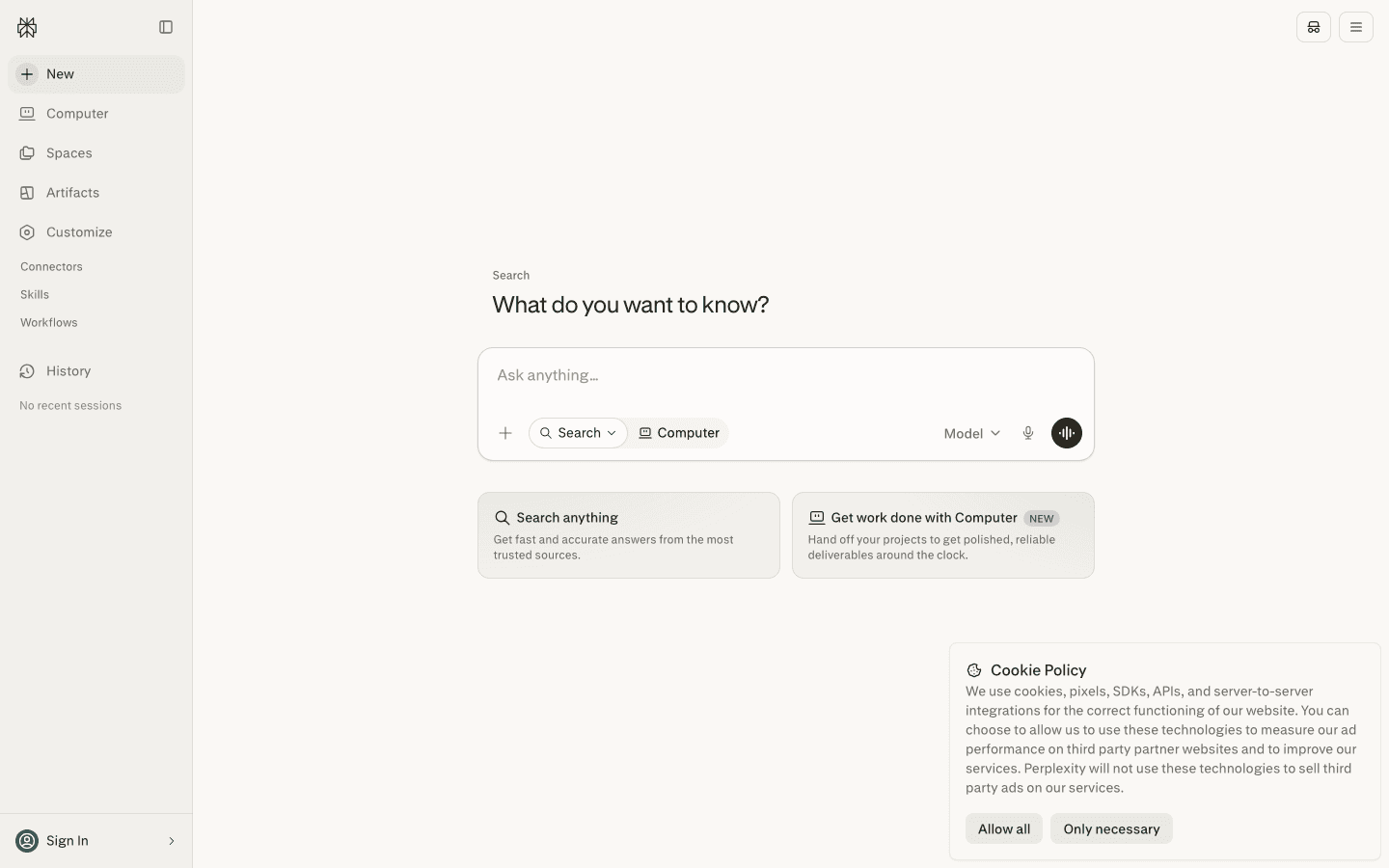
Perplexity AI sits between a search engine and a chatbot. You ask a question, it searches the web in real time, and it returns a synthesized answer with citations. For research tasks where you need current information and want to see where the claims come from, it beats both ChatGPT (which can hallucinate) and traditional search (which makes you do all the synthesis yourself).
The Pro plan at $20/month unlocks deeper research capabilities, access to different AI models, and higher daily query limits. The free tier is workable for casual use. Perplexity has also added "Spaces" for organizing research projects and a Computer feature for agentic web tasks.
What Works
Real-time web search with citations included in every answer
Much lower hallucination risk than pure language models
Fast and reliable for current events and factual lookups
Limitations
Less capable than ChatGPT for creative or multi-step reasoning tasks
Pro tier needed for extended research and higher query limits
Pricing: Free, Pro $20/month (or $200/year).
Best for: Researchers, journalists, and anyone who needs fast, cited answers to factual questions.
4. Grammarly
AI writing assistance that goes beyond spell check.
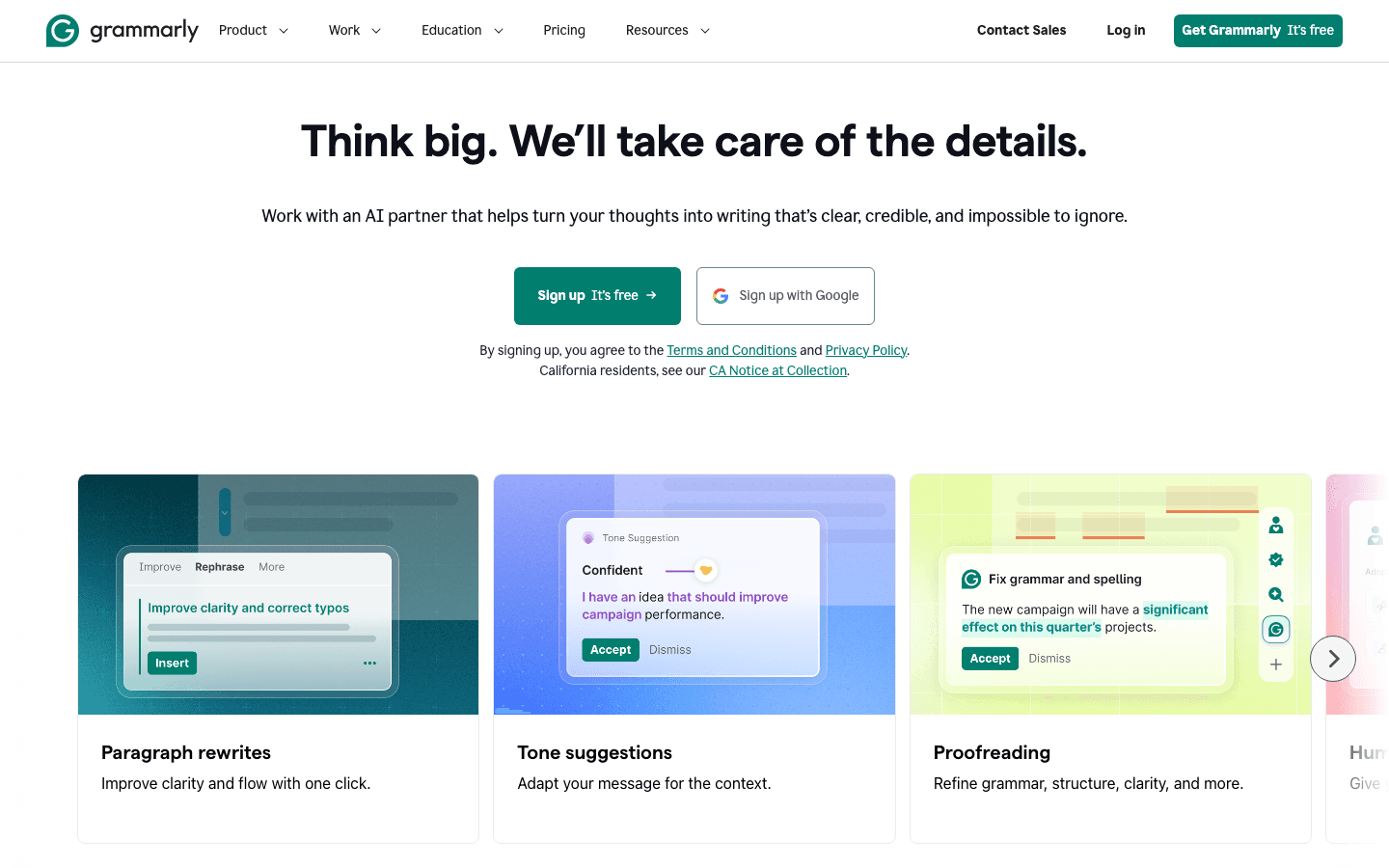
Grammarly has been around long enough that people forget how capable it has become. The modern version isn't just a grammar checker. It rewrites sentences, adjusts tone for different audiences, detects when your writing is passive or unclear, and can generate drafts from scratch. The browser extension works across nearly every website you write on, which makes it genuinely useful for email, Slack, LinkedIn, and anything else you type into a browser.
The free tier catches basic grammar and spelling errors. The Pro tier at $12/month is where the serious writing help kicks in: tone adjustment, full sentence rewrites, plagiarism detection, and 2,000 monthly AI prompts. For anyone who writes a lot for work, the upgrade is easy to justify.
What Works
Works everywhere you type via the browser extension
Tone detection and adjustment across formal, casual, and persuasive styles
Sentence rewriting that preserves your meaning while improving clarity
Limitations
Sometimes over-corrects, suggesting changes that flatten your voice
Free tier is limited; most useful features require Pro
Pricing: Free (basic grammar and spelling), Pro $12/month.
Best for: Professionals who write emails, reports, or content regularly and want real-time AI feedback.
5. Notion AI
An AI layer built into one of the best note-taking and knowledge tools available.

Notion is already a capable tool for personal notes, project wikis, and team knowledge bases. Notion AI adds a layer on top that can summarize pages, extract action items, draft content, translate text, and answer questions based on what's already in your Notion workspace. The Q&A feature is particularly good: ask "what did we decide about the product roadmap?" and it searches your notes to answer.
The free plan includes basic Notion functionality with limited AI use. The Plus plan at $10/month gives full workspace features. AI capabilities are available across paid plans with a credit-based model for advanced agents.
What Works
AI that actually knows your existing notes and documents
Strong Q&A over your personal knowledge base
Meeting notes, summaries, and action item extraction
Limitations
AI features are most valuable only once you have substantial content in Notion
Credit-based model for advanced AI agents adds cost uncertainty
Pricing: Free (limited), Plus $10/month, Business $20/month.
Best for: People who already use Notion and want AI to help them work with their existing notes and knowledge.
6. Otter.ai
AI meeting transcription that turns spoken conversations into searchable text and summaries.
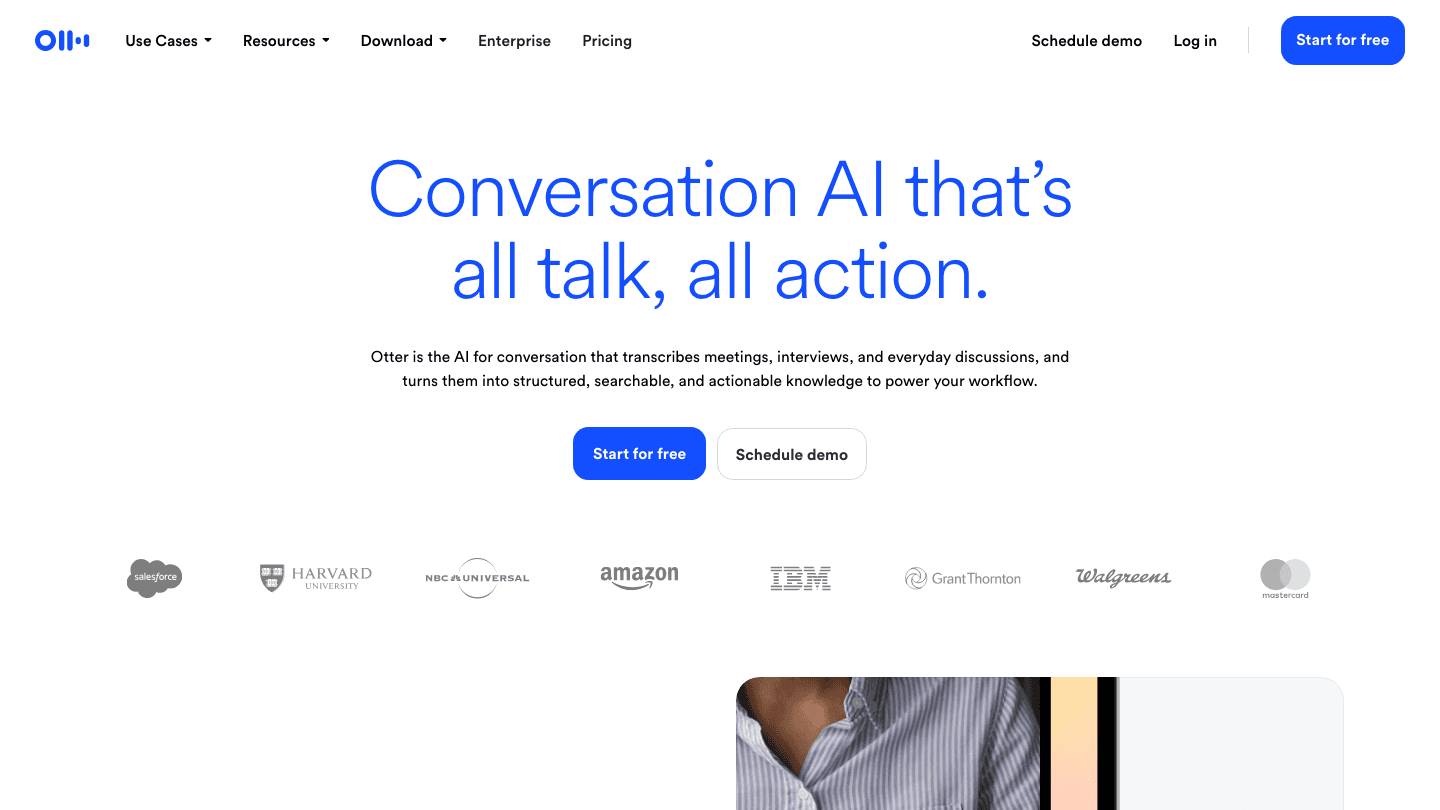
Otter.ai automatically transcribes meetings across Zoom, Google Meet, and Microsoft Teams, then generates a summary with key action items. The free plan includes 300 transcription minutes per month, which covers several hours of meetings. Pro ($8.33/month annual) extends that to 1,200 minutes and allows importing audio and video files.
What makes Otter useful beyond the transcript is the searchability. Every meeting becomes a searchable record that you can query after the fact: "when did we decide to push the launch date?" The AI summary feature saves the review step for most routine meetings.
What Works
Accurate transcription with good speaker identification
Automatic summaries and action item extraction after every meeting
Searchable history across all past transcripts
Limitations
Free plan's 300 monthly minutes can run out quickly for heavy meeting schedules
Accuracy drops on heavy accents or technical terminology
Pricing: Free (300 minutes/month), Pro $8.33/month (annual), Business $19.99/month (annual).
Best for: Remote workers, managers, and anyone in frequent meetings who wants searchable records without manual note-taking.
Which Consumer AI App Is Right for You?
If you want to stop losing hours to disorganized scheduling: Start with Lifestack. It's the only tool here that actually puts tasks on your calendar for you.
If you need a versatile AI assistant for daily work: ChatGPT covers the widest range of use cases in a single tool.
If you research frequently and need reliable citations: Perplexity replaces most casual Google searches.
If writing quality matters to your work: Grammarly running in the browser background is low friction and high value.
If you're already in Notion: The AI layer is worth using, especially for Q&A over existing notes.
If you spend 4+ hours in meetings per week: Otter.ai pays for itself in time saved on meeting notes alone.
Most of these work best in combination. Lifestack schedules your day, ChatGPT helps you do the work, Grammarly polishes what you write, and Otter captures what was said. For a broader look at AI tools in this space, see our guides to the best AI apps for iOS and the best AI apps for work.
Frequently Asked Questions
What are the best free AI apps for consumers in 2026?
ChatGPT's free tier is the most capable across general tasks. Perplexity's free plan is excellent for research. Grammarly's free version handles basic grammar. Otter.ai's free plan covers up to 300 minutes of transcription monthly. Notion has a functional free workspace with limited AI access.
Is there an AI app that automatically schedules your tasks?
Yes. Lifestack connects your task list and calendar and automatically schedules tasks into open time slots. It goes a step further by scheduling tasks based on your energy levels, placing demanding work during high-energy windows. See our auto-scheduling guide for how this works in practice.
What AI app is best for productivity?
It depends on which productivity problem you're solving. For scheduling, Lifestack. For writing, Grammarly. For research, Perplexity. For meeting notes, Otter. For general task assistance, ChatGPT. Most people benefit from using two or three of these together rather than picking one.
Are consumer AI apps safe to use?
All major AI apps on this list have privacy policies covering how they handle user data. Most allow opting out of using your data for model training. For sensitive work content (client data, proprietary information), check each app's enterprise or business tier terms before using, as they typically offer stronger data protections.
What's the difference between Perplexity and ChatGPT?
ChatGPT is a generative AI assistant good at open-ended tasks, writing, coding, and reasoning. Perplexity is an AI search engine optimized for factual questions with real-time web access and citations. They're complementary: Perplexity for "what is the current price of X?" and ChatGPT for "help me write an email about X."
AI apps went from novelty to daily habit fast. What started as chatbots that could answer questions has grown into tools that schedule your day, transcribe your meetings, polish your writing, and search the web with citations in real time. The quality gap between the best and the rest has widened considerably in 2026.
We tested dozens of consumer AI apps across different use cases to find the ones that actually change how you work day-to-day. Not tools that impress in a demo and gather dust after the first week, but apps people keep opening because they genuinely save time or do something that's hard to do otherwise.
The list below covers six of the best, sorted by the category where they're most impactful. Lifestack leads because it solves the scheduling problem that every other productivity tool on this list leaves open: not just organizing tasks, but automatically fitting them into your calendar based on when you actually have time.
Key Takeaways
The best consumer AI apps in 2026 span scheduling, writing, research, notes, and meetings, each solving a distinct problem.
Free tiers are genuinely useful across most of these tools, but the paid upgrades unlock the features that make the time savings real.
Lifestack is the only one on this list that automatically schedules your tasks into your calendar based on available time.
Quick Guide
1. Lifestack: AI scheduler that fits tasks into your calendar automatically
2. ChatGPT: AI assistant for writing, coding, research, and conversation
3. Perplexity AI: AI search engine with real-time citations
4. Grammarly: AI writing assistant for clarity, tone, and grammar
5. Notion AI: AI-powered notes and knowledge base
6. Otter.ai: AI meeting transcription and conversation summaries
How We Evaluated
Daily usefulness: does it actually change how you work, or is it a one-off tool?
Free tier quality: is the free version genuinely useful, or effectively a trial?
Mobile app quality: these are consumer apps, so the mobile experience matters
Speed and reliability: AI tools that are slow or inconsistent don't stick
Value at paid tiers: is the upgrade worth it?
1. Lifestack
The AI scheduler that automatically fits your tasks into your calendar.
Lifestack solves a problem that every other app on this list ignores: you can organize your tasks perfectly and still not know when you're going to do them. Lifestack connects your task list and calendar, then automatically schedules tasks into open windows in your day. Add a task with a deadline and Lifestack finds the time for it, adjusting the schedule as meetings and priorities shift.
The energy-aware scheduling is what sets it apart from other AI planner apps. Lifestack tracks when your energy is typically high and schedules demanding tasks accordingly, leaving lighter work for lower-energy windows. For anyone managing their own output rather than coordinating a team, that's the most useful thing a planning tool can do. You can read more in our full Lifestack overview and see how it compares to alternatives in our best AI task manager roundup.
Key Features
Automatic task scheduling into your calendar based on available time
Energy-aware planning that matches task demands to energy levels
Calendar and task list integration (Google Calendar, Apple Calendar)
Mobile app on iOS and Android
Chrome extension for quick task capture
What Works
The scheduling is genuinely automatic, not just suggestions
Schedule adjusts dynamically when tasks take longer or priorities shift
Clean, minimal interface that doesn't require configuration to start using
Limitations
Focused on individual scheduling, not team project management
No free tier; starts at $7/month
Pricing: $7/month, $50/year (most popular), or $120 as a one-time lifetime purchase. 7-day free trial on annual plan.
Best for: Individuals and solopreneurs who want their tasks automatically scheduled into their calendar without manual time-blocking.
2. ChatGPT
The AI assistant that started the category and still holds its own.
ChatGPT needs little introduction at this point, but it has evolved considerably. The free tier now runs on a capable model, the Plus tier at $20/month unlocks faster responses, image generation, and advanced data analysis, and the Go tier at $8/month offers a lighter paid option for occasional users. The Pro tier ($100 or $200/month) is aimed at power users who need the highest-capability models and extended limits.
What ChatGPT does well is breadth. It can draft emails, debug code, explain complex topics, generate images, create charts from data, and act as a real-time research partner, all in a single conversation. The voice mode on mobile is particularly good for hands-free use. It's the Swiss Army knife of the category.
What Works
Broad capabilities across writing, coding, research, and image generation
Consistent quality across long conversations
Strong mobile app with voice mode
Free tier is genuinely useful, not just a teaser
Limitations
Knowledge cutoff means it can miss recent information without web search
Can be confidently wrong on specific facts
No inherent calendar or productivity integration
Pricing: Free, Go $8/month, Plus $20/month, Pro $100 or $200/month.
Best for: Anyone who needs a versatile AI assistant for daily writing, research, or coding tasks.
3. Perplexity AI
AI search that gives you answers with sources, not just links.
Perplexity AI sits between a search engine and a chatbot. You ask a question, it searches the web in real time, and it returns a synthesized answer with citations. For research tasks where you need current information and want to see where the claims come from, it beats both ChatGPT (which can hallucinate) and traditional search (which makes you do all the synthesis yourself).
The Pro plan at $20/month unlocks deeper research capabilities, access to different AI models, and higher daily query limits. The free tier is workable for casual use. Perplexity has also added "Spaces" for organizing research projects and a Computer feature for agentic web tasks.
What Works
Real-time web search with citations included in every answer
Much lower hallucination risk than pure language models
Fast and reliable for current events and factual lookups
Limitations
Less capable than ChatGPT for creative or multi-step reasoning tasks
Pro tier needed for extended research and higher query limits
Pricing: Free, Pro $20/month (or $200/year).
Best for: Researchers, journalists, and anyone who needs fast, cited answers to factual questions.
4. Grammarly
AI writing assistance that goes beyond spell check.
Grammarly has been around long enough that people forget how capable it has become. The modern version isn't just a grammar checker. It rewrites sentences, adjusts tone for different audiences, detects when your writing is passive or unclear, and can generate drafts from scratch. The browser extension works across nearly every website you write on, which makes it genuinely useful for email, Slack, LinkedIn, and anything else you type into a browser.
The free tier catches basic grammar and spelling errors. The Pro tier at $12/month is where the serious writing help kicks in: tone adjustment, full sentence rewrites, plagiarism detection, and 2,000 monthly AI prompts. For anyone who writes a lot for work, the upgrade is easy to justify.
What Works
Works everywhere you type via the browser extension
Tone detection and adjustment across formal, casual, and persuasive styles
Sentence rewriting that preserves your meaning while improving clarity
Limitations
Sometimes over-corrects, suggesting changes that flatten your voice
Free tier is limited; most useful features require Pro
Pricing: Free (basic grammar and spelling), Pro $12/month.
Best for: Professionals who write emails, reports, or content regularly and want real-time AI feedback.
5. Notion AI
An AI layer built into one of the best note-taking and knowledge tools available.
Notion is already a capable tool for personal notes, project wikis, and team knowledge bases. Notion AI adds a layer on top that can summarize pages, extract action items, draft content, translate text, and answer questions based on what's already in your Notion workspace. The Q&A feature is particularly good: ask "what did we decide about the product roadmap?" and it searches your notes to answer.
The free plan includes basic Notion functionality with limited AI use. The Plus plan at $10/month gives full workspace features. AI capabilities are available across paid plans with a credit-based model for advanced agents.
What Works
AI that actually knows your existing notes and documents
Strong Q&A over your personal knowledge base
Meeting notes, summaries, and action item extraction
Limitations
AI features are most valuable only once you have substantial content in Notion
Credit-based model for advanced AI agents adds cost uncertainty
Pricing: Free (limited), Plus $10/month, Business $20/month.
Best for: People who already use Notion and want AI to help them work with their existing notes and knowledge.
6. Otter.ai
AI meeting transcription that turns spoken conversations into searchable text and summaries.
Otter.ai automatically transcribes meetings across Zoom, Google Meet, and Microsoft Teams, then generates a summary with key action items. The free plan includes 300 transcription minutes per month, which covers several hours of meetings. Pro ($8.33/month annual) extends that to 1,200 minutes and allows importing audio and video files.
What makes Otter useful beyond the transcript is the searchability. Every meeting becomes a searchable record that you can query after the fact: "when did we decide to push the launch date?" The AI summary feature saves the review step for most routine meetings.
What Works
Accurate transcription with good speaker identification
Automatic summaries and action item extraction after every meeting
Searchable history across all past transcripts
Limitations
Free plan's 300 monthly minutes can run out quickly for heavy meeting schedules
Accuracy drops on heavy accents or technical terminology
Pricing: Free (300 minutes/month), Pro $8.33/month (annual), Business $19.99/month (annual).
Best for: Remote workers, managers, and anyone in frequent meetings who wants searchable records without manual note-taking.
Which Consumer AI App Is Right for You?
If you want to stop losing hours to disorganized scheduling: Start with Lifestack. It's the only tool here that actually puts tasks on your calendar for you.
If you need a versatile AI assistant for daily work: ChatGPT covers the widest range of use cases in a single tool.
If you research frequently and need reliable citations: Perplexity replaces most casual Google searches.
If writing quality matters to your work: Grammarly running in the browser background is low friction and high value.
If you're already in Notion: The AI layer is worth using, especially for Q&A over existing notes.
If you spend 4+ hours in meetings per week: Otter.ai pays for itself in time saved on meeting notes alone.
Most of these work best in combination. Lifestack schedules your day, ChatGPT helps you do the work, Grammarly polishes what you write, and Otter captures what was said. For a broader look at AI tools in this space, see our guides to the best AI apps for iOS and the best AI apps for work.
Frequently Asked Questions
What are the best free AI apps for consumers in 2026?
ChatGPT's free tier is the most capable across general tasks. Perplexity's free plan is excellent for research. Grammarly's free version handles basic grammar. Otter.ai's free plan covers up to 300 minutes of transcription monthly. Notion has a functional free workspace with limited AI access.
Is there an AI app that automatically schedules your tasks?
Yes. Lifestack connects your task list and calendar and automatically schedules tasks into open time slots. It goes a step further by scheduling tasks based on your energy levels, placing demanding work during high-energy windows. See our auto-scheduling guide for how this works in practice.
What AI app is best for productivity?
It depends on which productivity problem you're solving. For scheduling, Lifestack. For writing, Grammarly. For research, Perplexity. For meeting notes, Otter. For general task assistance, ChatGPT. Most people benefit from using two or three of these together rather than picking one.
Are consumer AI apps safe to use?
All major AI apps on this list have privacy policies covering how they handle user data. Most allow opting out of using your data for model training. For sensitive work content (client data, proprietary information), check each app's enterprise or business tier terms before using, as they typically offer stronger data protections.
What's the difference between Perplexity and ChatGPT?
ChatGPT is a generative AI assistant good at open-ended tasks, writing, coding, and reasoning. Perplexity is an AI search engine optimized for factual questions with real-time web access and citations. They're complementary: Perplexity for "what is the current price of X?" and ChatGPT for "help me write an email about X."



FOLLOW ON
FOLLOW ON
FOLLOW ON


Copyright 2026 © Lifestack. All rights reserved
Copyright 2026 © Lifestack. All rights reserved

