
App
Best Construction Scheduling Software in 2026
Best Construction Scheduling Software in 2026

Construction projects run on schedules. Subcontractors need to know when to show up. Materials need to arrive before the crew. Inspections have to land between rough-in and drywall. When the schedule slips, every dependency downstream slips with it. The software you use to manage that coordination directly affects how much of each day is spent firefighting versus executing.
The options range from purpose-built construction management platforms with Gantt charts, RFIs, and subcontractor management to general project tools that construction teams adapt for their workflows. The right choice depends on whether you're managing a single site or a portfolio of projects, whether you're a solo contractor or a team of fifty, and how much of your scheduling is about field coordination versus office-side project management.
We reviewed six tools across those dimensions. Here's what each one does best and where it falls short.
Key Takeaways
Individual project managers and contractors benefit most from a personal scheduling layer that sits alongside their construction software, not inside it. Lifestack fills that gap with energy-aware task scheduling from wearable data.
Procore and Fieldwire are the strongest dedicated construction platforms: Procore for enterprise general contractors, Fieldwire for field-first team coordination.
Free and mid-market options like Plaky and monday.com work well for smaller teams that don't need construction-specific features like RFIs or submittals.
Quick Comparison
1. Lifestack: AI personal scheduling for project managers and contractors
2. Procore: enterprise construction management platform
3. Fieldwire: field team task management and jobsite coordination
4. Buildertrend: residential construction and remodeling management
5. monday.com: flexible work management adaptable to construction
6. Plaky: free project management with Gantt charts and unlimited users
How We Evaluated
Scheduling capabilities: Gantt charts, dependencies, baseline tracking
Field usability: mobile app quality, offline access, photo and document management
Team coordination: subcontractor access, notifications, RFIs and submittals where relevant
Integration with calendars and external tools
Price relative to the feature set and team size
1. Lifestack
Best for individual project managers who need personal AI scheduling

Construction projects are cognitively demanding. Coordinating multiple subcontractors, tracking dozens of open items, managing client expectations, and staying on top of compliance all happen simultaneously. For the project manager in the middle of it, the personal scheduling layer matters as much as the project management platform. Lifestack is the tool that addresses that personal layer.
It reads your energy data from wearables like Oura Ring, Whoop, Apple Watch, Garmin, and Fitbit, then auto-schedules your tasks into your real high-focus windows. On a site visit day, it knows you've been on your feet since 6am and moves the proposal writing to the next morning when you're fresh. It syncs with Google Calendar and Outlook, so it sits alongside whatever construction platform your team uses. For individual contractors and project managers, this addresses the scheduling gap that purpose-built construction tools don't touch: your personal performance and workload management. See how an energy calendar approach applies to demanding project work.
Energy-aware auto-scheduling from wearable health data
Calendar sync with Google Calendar and Outlook
AI task prioritization based on your real daily energy levels
iOS, Android, Chrome extension
The only tool that connects health data to daily work scheduling
Works as a personal layer alongside any team construction platform
Strong fit for solo contractors and independent project managers
Not a project management platform: no Gantt charts, subcontractor management, or document control
Requires a compatible wearable for the energy-scheduling features
Pricing: $7/month, $50/year (7-day trial), or $120 lifetime
Best for: Project managers and contractors who want personal AI scheduling that adapts to the physical demands of construction work
2. Procore
Best enterprise construction management platform
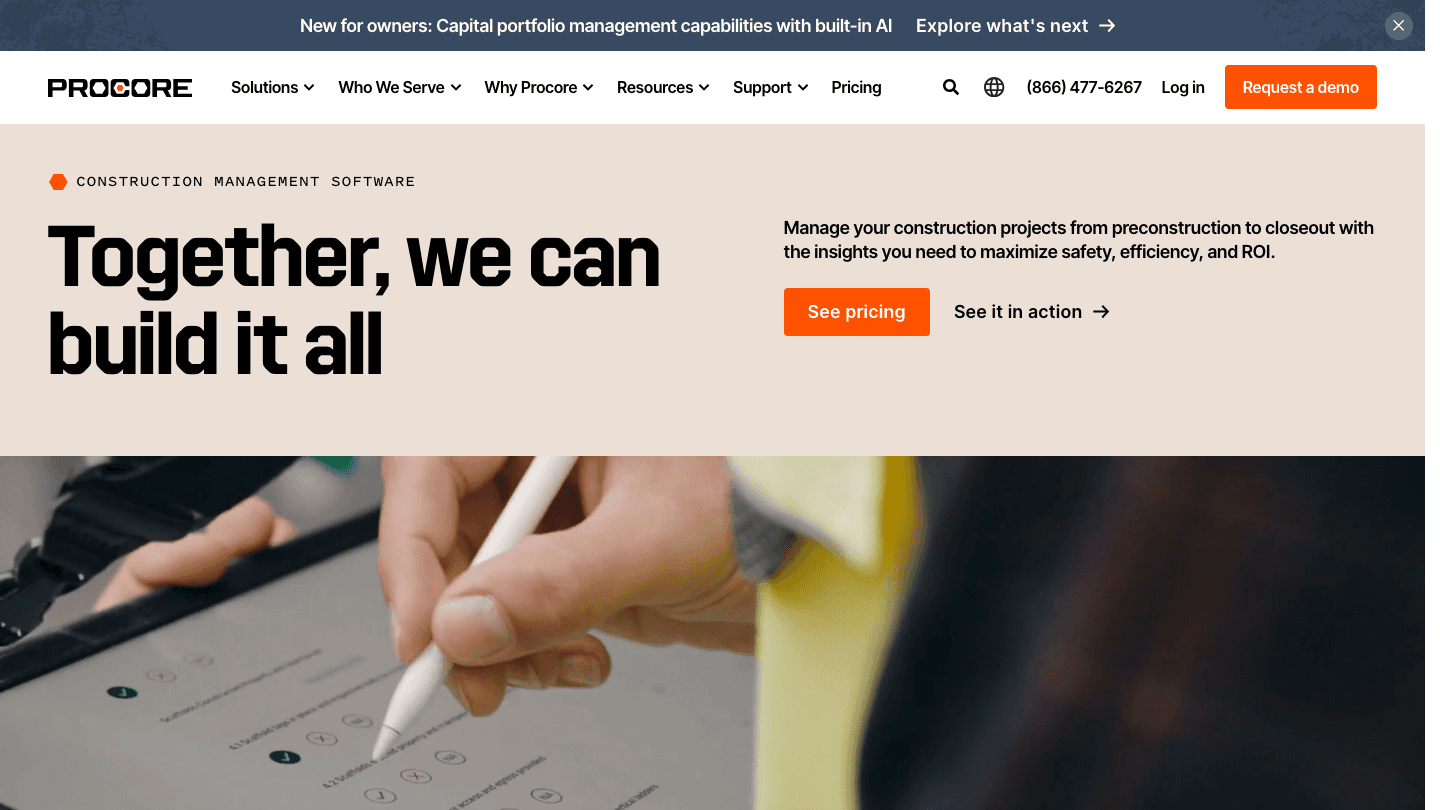
Procore is the most widely adopted enterprise construction management platform available. It covers the full project lifecycle: preconstruction (bidding, estimates, contracts), project execution (scheduling, RFIs, submittals, drawings, daily logs), and financial management (budgets, commitments, change orders, invoicing). For general contractors managing complex commercial projects with multiple subcontractors and significant compliance requirements, it's the most capable platform in the category.
Pricing is based on annual construction volume rather than seat count, which makes it unusual in the software market but more reflective of how construction businesses think about their costs. The "unlimited users" model means field workers, subcontractors, and clients can all access the platform without the seat-count overhead that plagues per-user pricing at scale. For a broader look at AI project management tools in construction and beyond, Procore's recent AI features make it competitive there too.
Full project lifecycle: preconstruction through financial closeout
RFIs, submittals, change orders, and punch lists
Unlimited users included in base pricing
Strong mobile app for field teams
Most capable construction-specific platform available
Volume-based pricing makes it cost-effective for high-ACV businesses
Strong ecosystem of integrations and add-ons
Significant implementation and training investment required
Custom pricing with no self-serve option: requires a sales conversation
Pricing: Contact sales; custom pricing based on annual construction volume
Best for: General contractors and owners managing complex commercial projects with significant subcontractor and compliance overhead
3. Fieldwire
Best for field team task management and jobsite coordination
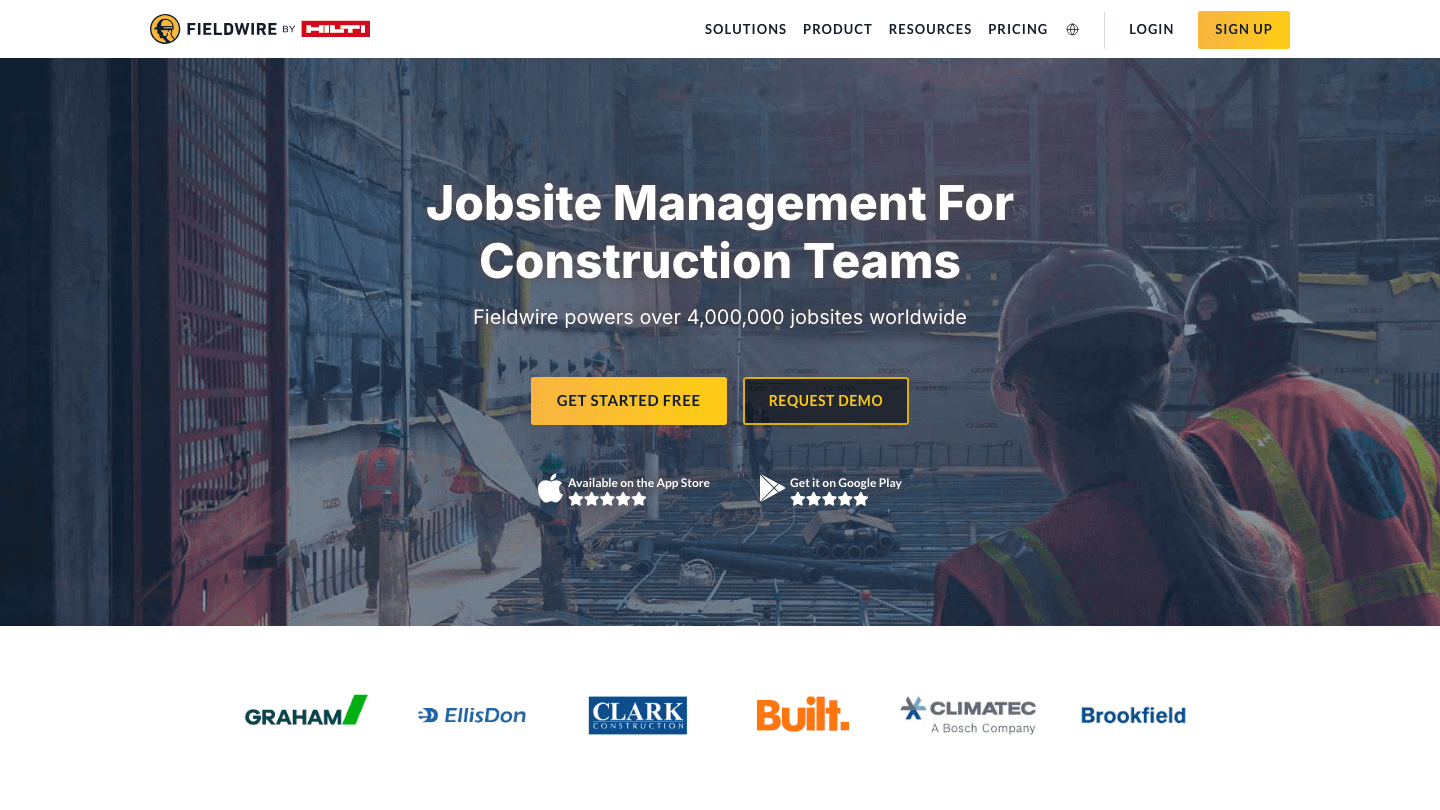
Fieldwire is built around the field team rather than the project office. Its core value is jobsite coordination: plan viewing and markup, task assignment to crew members, photo documentation, inspection checklists, and real-time communication between the field and office. It powers over 4 million jobsites worldwide, which reflects genuine adoption rather than just enterprise contracts.
Where Procore excels at the financial and contract management layer, Fieldwire excels at the day-to-day field execution layer. The mobile app is strong, with offline access so field teams can work without reliable signal. The free plan supports up to 5 users and 3 projects, which is functional for small subcontractors. Paid plans add reporting, custom forms, BIM viewing, and RFI/submittal management. For teams where the main scheduling challenge is coordinating field crews rather than managing contracts and financials, Fieldwire often provides more value per dollar than full-suite platforms.
Plan viewing, markup, and version management
Task management for field crews with photo and checklist attachments
Offline mobile access
BIM viewer and Field Intelligence AI (Business tier)
Strong field-first mobile experience
Free plan covers small subcontractors and simple projects
Clear, published pricing across four tiers
Less capable on the financial and contract management side vs. Procore
Per-user pricing gets expensive for large field teams
Pricing: Free (5 users/3 projects); Pro $39/user/month; Business $64/user/month; Business Plus $89/user/month (all annual)
Best for: Subcontractors and specialty contractors focused on field team coordination, plan management, and daily task execution
4. Buildertrend
Best for residential construction and remodeling businesses
Buildertrend is purpose-built for residential contractors: home builders, remodelers, and specialty contractors working with homeowner clients. Its scheduling module handles Gantt-style construction schedules with dependencies, crew assignment, and automated notifications when schedules shift. But the differentiation is in what surrounds the schedule: client communication portals, selection management (where homeowners make finish choices), budget tracking against estimates, and lead management for sales pipelines.
For a residential construction business, that combination of scheduling and client-facing features is more valuable than a generic project management tool, because the client relationship is as much of the operational complexity as the schedule itself. Buildertrend's customer base of 20,000+ builders reflects a genuine product-market fit in the residential segment. Pricing is custom based on business size and volume, with an annual commitment discount available.
Gantt scheduling with dependencies and automated notifications
Client communication portal with selection management
Budget tracking and financial management
Lead and sales pipeline management
Best product in the residential construction segment
Client portal reduces communication overhead significantly
AI-powered workflow features embedded throughout
Custom pricing requires a sales conversation
Less suited to commercial construction or specialty subcontractors
Pricing: Contact sales; custom pricing based on business type and volume
Best for: Home builders and remodelers who need integrated scheduling, client communication, and financial management
5. monday.com
Best flexible work management platform adaptable to construction
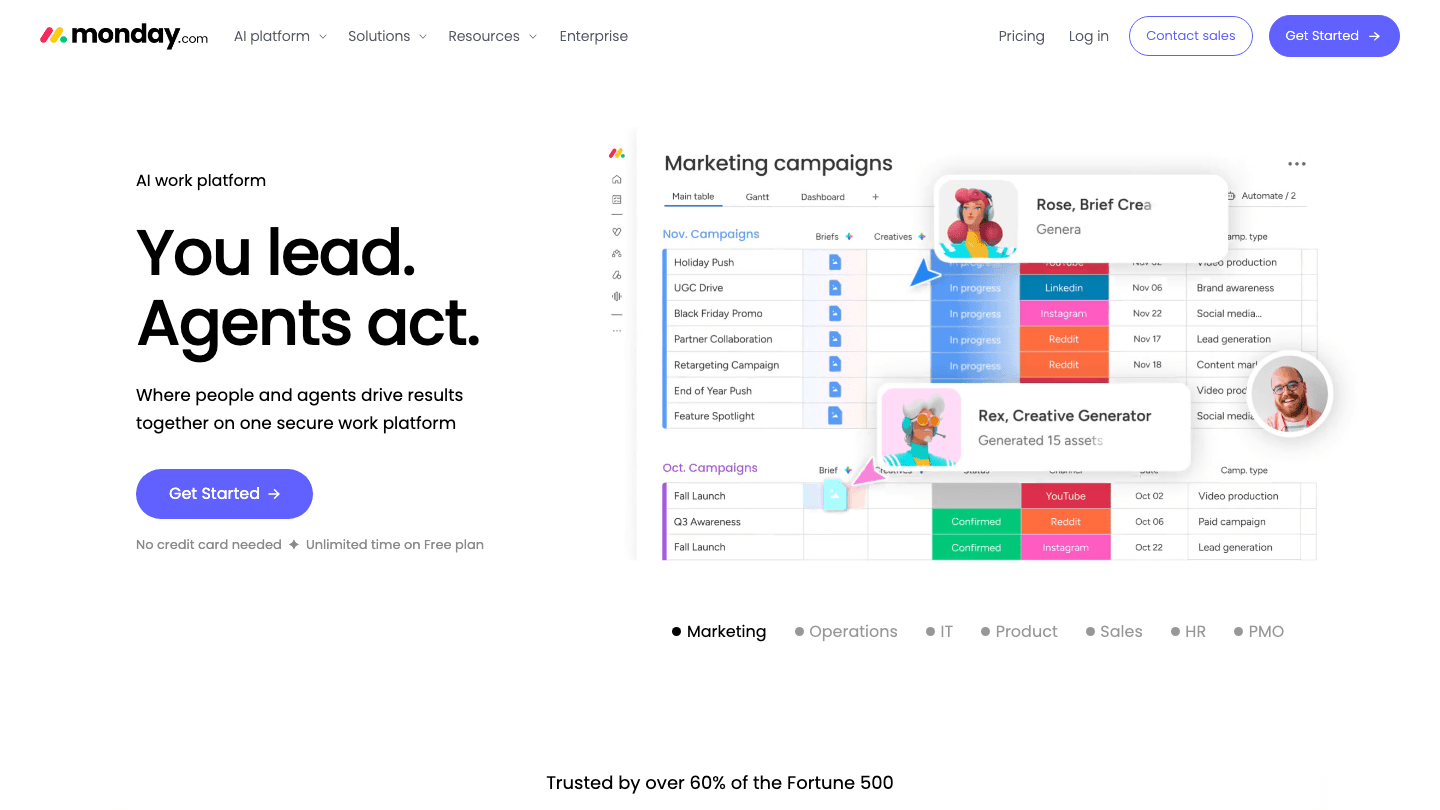
monday.com isn't purpose-built for construction, but its flexibility makes it a strong option for construction teams that don't need RFIs, submittals, or plan markup but do need organized project tracking with Gantt views, resource management, and team collaboration. Many smaller general contractors and design-build firms use it as their primary coordination layer.
The AI-powered automation and agent features add genuine value for construction use cases: automatic status updates, notification triggers when milestones shift, and AI-drafted project summaries. Its published pricing is significantly lower than dedicated construction platforms, which makes it attractive for teams that don't need industry-specific features. The free plan supports two seats; the Standard plan at $12/seat/month covers most construction team coordination needs. For teams already using monday.com for other business operations, extending it to construction scheduling avoids the overhead of a separate tool. Compare it against other workflow management software to see where it fits.
Gantt, board, table, and timeline views
AI-powered automations and agent features
Resource management and workload tracking
500+ integrations including Google Calendar and Outlook
Significantly lower cost than construction-specific platforms
Flexible enough to handle non-construction work in the same tool
Strong free plan for small teams
No construction-specific features (RFIs, submittals, plan markup)
Requires configuration to work well for construction use cases
Pricing: Free (2 seats); Standard $12/seat/month; Pro $19/seat/month; Enterprise (contact sales)
Best for: Small to mid-size construction teams that need flexible project management without construction-specific workflows
6. Plaky
Best free option for construction teams on a budget
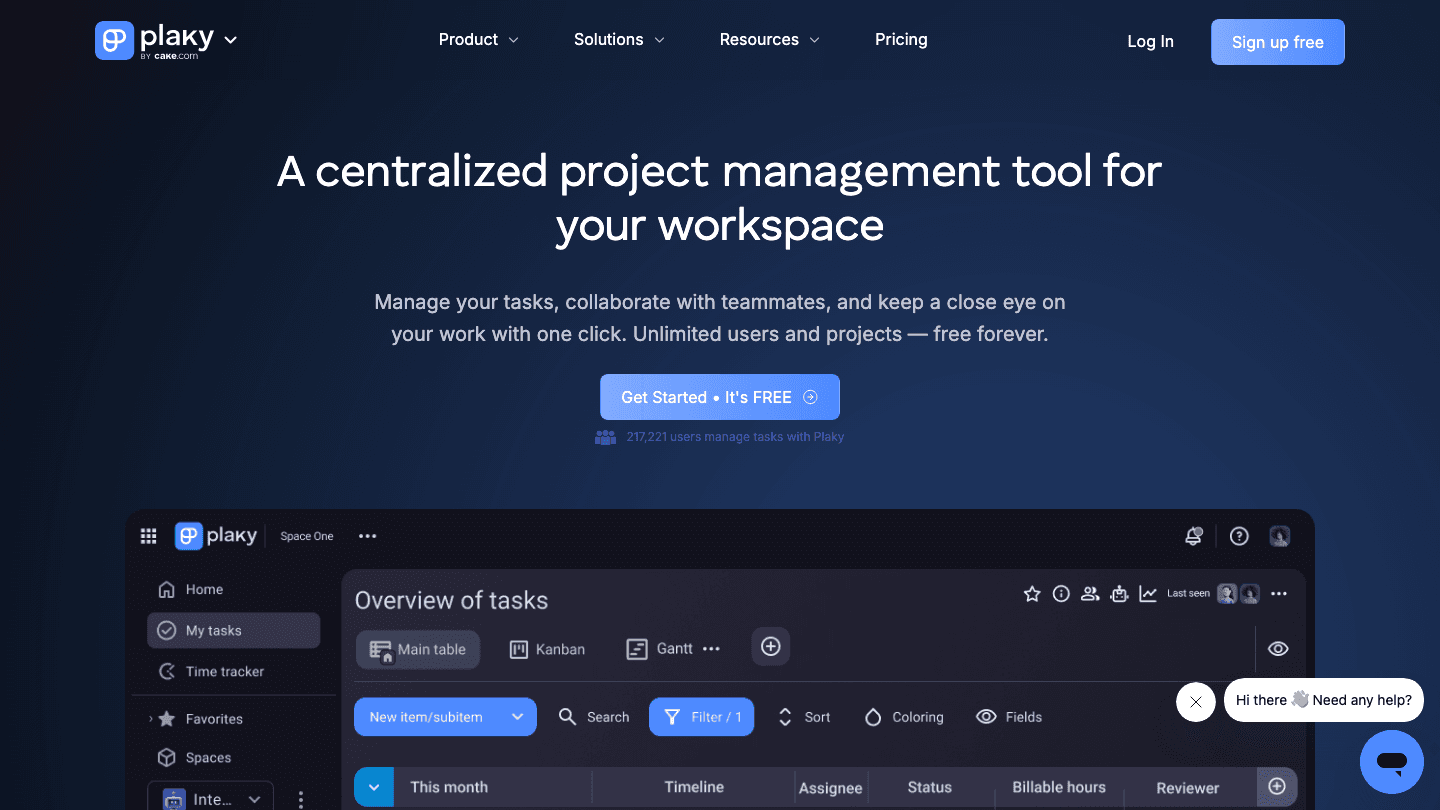
Plaky stands out in the construction scheduling space for its free plan: unlimited users, unlimited projects, Gantt charts, board and table views, and custom fields, all at no cost. For small contractors or subcontractors who need basic task and schedule tracking but can't justify a monthly subscription, Plaky provides more at the free tier than almost any alternative.
The paid plans add time tracking, reporting, and advanced automations, but many small construction teams find the free tier covers their core needs. It's less capable than dedicated construction software on the field coordination side, but for office-side project scheduling, subcontractor task assignment, and deadline tracking, it works well. If your team is evaluating free workload management tools before committing to a paid platform, Plaky is the strongest starting point.
Unlimited users and projects on the free plan
Gantt charts, board, table, and calendar views
Custom fields and status categories
Time tracking and reporting (paid)
Most capable free construction project management tool
No user limits means subcontractors can be added at no cost
Clean, easy to learn interface
No field-specific features (plan viewing, RFIs, site photos)
Newer product with a smaller integration ecosystem
Pricing: Free; paid plans available for advanced features
Best for: Small construction teams and subcontractors that need free, unlimited project tracking without enterprise overhead
Which Construction Scheduling Software Is Right for You?
You're a project manager who needs personal scheduling around site demands: Lifestack
You're a general contractor managing complex commercial projects: Procore
Your main challenge is coordinating field crews on the job site: Fieldwire
You're a residential builder or remodeler: Buildertrend
You need flexible project tracking at a lower price: monday.com
You need free project management with no user limits: Plaky
Frequently Asked Questions
What is the best construction scheduling software?
The best construction scheduling software depends on your role and team size. For large general contractors, Procore is the most capable platform. For field-focused teams, Fieldwire is stronger. Residential builders get the most value from Buildertrend. For individual project managers who need personal scheduling alongside their team's platform, Lifestack fills a gap that dedicated construction software doesn't address.
Is there free construction scheduling software?
Yes. Plaky offers free project management with unlimited users, unlimited projects, and Gantt charts. Fieldwire has a free plan for up to 5 users and 3 projects. monday.com's free plan supports up to 2 seats. These free tiers work for small teams and basic scheduling, though they lack construction-specific features like plan markup, RFIs, and submittals.
What does construction scheduling software do?
Construction scheduling software manages project timelines, task dependencies, subcontractor schedules, and resource allocation. More advanced platforms also handle plan and drawing management, RFIs and submittals, daily logs, inspection checklists, change orders, and financial tracking. The scope varies significantly: dedicated platforms like Procore cover the full project lifecycle, while general tools like monday.com handle scheduling and task management only.
How much does construction scheduling software cost?
Costs vary widely. Plaky and Fieldwire have free tiers. Fieldwire's paid plans run $39-89/user/month. monday.com runs $12-19/seat/month. Procore and Buildertrend use custom pricing based on annual volume and business type, typically representing a significant annual investment for mid-size and larger contractors. For individual project managers, Lifestack's personal scheduling tool starts at $7/month, which is well below any team construction platform.
Can I use Lifestack with construction management software?
Yes. Lifestack syncs with Google Calendar and Outlook, so it sits alongside whatever construction platform your team uses. It handles the personal scheduling layer, matching your individual tasks and meetings to your real energy windows based on wearable data, while Procore, Fieldwire, or monday.com handles the team coordination layer. The two work in parallel rather than competing. See how the calendar management tools landscape fits into this setup.
Construction projects run on schedules. Subcontractors need to know when to show up. Materials need to arrive before the crew. Inspections have to land between rough-in and drywall. When the schedule slips, every dependency downstream slips with it. The software you use to manage that coordination directly affects how much of each day is spent firefighting versus executing.
The options range from purpose-built construction management platforms with Gantt charts, RFIs, and subcontractor management to general project tools that construction teams adapt for their workflows. The right choice depends on whether you're managing a single site or a portfolio of projects, whether you're a solo contractor or a team of fifty, and how much of your scheduling is about field coordination versus office-side project management.
We reviewed six tools across those dimensions. Here's what each one does best and where it falls short.
Key Takeaways
Individual project managers and contractors benefit most from a personal scheduling layer that sits alongside their construction software, not inside it. Lifestack fills that gap with energy-aware task scheduling from wearable data.
Procore and Fieldwire are the strongest dedicated construction platforms: Procore for enterprise general contractors, Fieldwire for field-first team coordination.
Free and mid-market options like Plaky and monday.com work well for smaller teams that don't need construction-specific features like RFIs or submittals.
Quick Comparison
1. Lifestack: AI personal scheduling for project managers and contractors
2. Procore: enterprise construction management platform
3. Fieldwire: field team task management and jobsite coordination
4. Buildertrend: residential construction and remodeling management
5. monday.com: flexible work management adaptable to construction
6. Plaky: free project management with Gantt charts and unlimited users
How We Evaluated
Scheduling capabilities: Gantt charts, dependencies, baseline tracking
Field usability: mobile app quality, offline access, photo and document management
Team coordination: subcontractor access, notifications, RFIs and submittals where relevant
Integration with calendars and external tools
Price relative to the feature set and team size
1. Lifestack
Best for individual project managers who need personal AI scheduling
Construction projects are cognitively demanding. Coordinating multiple subcontractors, tracking dozens of open items, managing client expectations, and staying on top of compliance all happen simultaneously. For the project manager in the middle of it, the personal scheduling layer matters as much as the project management platform. Lifestack is the tool that addresses that personal layer.
It reads your energy data from wearables like Oura Ring, Whoop, Apple Watch, Garmin, and Fitbit, then auto-schedules your tasks into your real high-focus windows. On a site visit day, it knows you've been on your feet since 6am and moves the proposal writing to the next morning when you're fresh. It syncs with Google Calendar and Outlook, so it sits alongside whatever construction platform your team uses. For individual contractors and project managers, this addresses the scheduling gap that purpose-built construction tools don't touch: your personal performance and workload management. See how an energy calendar approach applies to demanding project work.
Energy-aware auto-scheduling from wearable health data
Calendar sync with Google Calendar and Outlook
AI task prioritization based on your real daily energy levels
iOS, Android, Chrome extension
The only tool that connects health data to daily work scheduling
Works as a personal layer alongside any team construction platform
Strong fit for solo contractors and independent project managers
Not a project management platform: no Gantt charts, subcontractor management, or document control
Requires a compatible wearable for the energy-scheduling features
Pricing: $7/month, $50/year (7-day trial), or $120 lifetime
Best for: Project managers and contractors who want personal AI scheduling that adapts to the physical demands of construction work
2. Procore
Best enterprise construction management platform
Procore is the most widely adopted enterprise construction management platform available. It covers the full project lifecycle: preconstruction (bidding, estimates, contracts), project execution (scheduling, RFIs, submittals, drawings, daily logs), and financial management (budgets, commitments, change orders, invoicing). For general contractors managing complex commercial projects with multiple subcontractors and significant compliance requirements, it's the most capable platform in the category.
Pricing is based on annual construction volume rather than seat count, which makes it unusual in the software market but more reflective of how construction businesses think about their costs. The "unlimited users" model means field workers, subcontractors, and clients can all access the platform without the seat-count overhead that plagues per-user pricing at scale. For a broader look at AI project management tools in construction and beyond, Procore's recent AI features make it competitive there too.
Full project lifecycle: preconstruction through financial closeout
RFIs, submittals, change orders, and punch lists
Unlimited users included in base pricing
Strong mobile app for field teams
Most capable construction-specific platform available
Volume-based pricing makes it cost-effective for high-ACV businesses
Strong ecosystem of integrations and add-ons
Significant implementation and training investment required
Custom pricing with no self-serve option: requires a sales conversation
Pricing: Contact sales; custom pricing based on annual construction volume
Best for: General contractors and owners managing complex commercial projects with significant subcontractor and compliance overhead
3. Fieldwire
Best for field team task management and jobsite coordination
Fieldwire is built around the field team rather than the project office. Its core value is jobsite coordination: plan viewing and markup, task assignment to crew members, photo documentation, inspection checklists, and real-time communication between the field and office. It powers over 4 million jobsites worldwide, which reflects genuine adoption rather than just enterprise contracts.
Where Procore excels at the financial and contract management layer, Fieldwire excels at the day-to-day field execution layer. The mobile app is strong, with offline access so field teams can work without reliable signal. The free plan supports up to 5 users and 3 projects, which is functional for small subcontractors. Paid plans add reporting, custom forms, BIM viewing, and RFI/submittal management. For teams where the main scheduling challenge is coordinating field crews rather than managing contracts and financials, Fieldwire often provides more value per dollar than full-suite platforms.
Plan viewing, markup, and version management
Task management for field crews with photo and checklist attachments
Offline mobile access
BIM viewer and Field Intelligence AI (Business tier)
Strong field-first mobile experience
Free plan covers small subcontractors and simple projects
Clear, published pricing across four tiers
Less capable on the financial and contract management side vs. Procore
Per-user pricing gets expensive for large field teams
Pricing: Free (5 users/3 projects); Pro $39/user/month; Business $64/user/month; Business Plus $89/user/month (all annual)
Best for: Subcontractors and specialty contractors focused on field team coordination, plan management, and daily task execution
4. Buildertrend
Best for residential construction and remodeling businesses
Buildertrend is purpose-built for residential contractors: home builders, remodelers, and specialty contractors working with homeowner clients. Its scheduling module handles Gantt-style construction schedules with dependencies, crew assignment, and automated notifications when schedules shift. But the differentiation is in what surrounds the schedule: client communication portals, selection management (where homeowners make finish choices), budget tracking against estimates, and lead management for sales pipelines.
For a residential construction business, that combination of scheduling and client-facing features is more valuable than a generic project management tool, because the client relationship is as much of the operational complexity as the schedule itself. Buildertrend's customer base of 20,000+ builders reflects a genuine product-market fit in the residential segment. Pricing is custom based on business size and volume, with an annual commitment discount available.
Gantt scheduling with dependencies and automated notifications
Client communication portal with selection management
Budget tracking and financial management
Lead and sales pipeline management
Best product in the residential construction segment
Client portal reduces communication overhead significantly
AI-powered workflow features embedded throughout
Custom pricing requires a sales conversation
Less suited to commercial construction or specialty subcontractors
Pricing: Contact sales; custom pricing based on business type and volume
Best for: Home builders and remodelers who need integrated scheduling, client communication, and financial management
5. monday.com
Best flexible work management platform adaptable to construction
monday.com isn't purpose-built for construction, but its flexibility makes it a strong option for construction teams that don't need RFIs, submittals, or plan markup but do need organized project tracking with Gantt views, resource management, and team collaboration. Many smaller general contractors and design-build firms use it as their primary coordination layer.
The AI-powered automation and agent features add genuine value for construction use cases: automatic status updates, notification triggers when milestones shift, and AI-drafted project summaries. Its published pricing is significantly lower than dedicated construction platforms, which makes it attractive for teams that don't need industry-specific features. The free plan supports two seats; the Standard plan at $12/seat/month covers most construction team coordination needs. For teams already using monday.com for other business operations, extending it to construction scheduling avoids the overhead of a separate tool. Compare it against other workflow management software to see where it fits.
Gantt, board, table, and timeline views
AI-powered automations and agent features
Resource management and workload tracking
500+ integrations including Google Calendar and Outlook
Significantly lower cost than construction-specific platforms
Flexible enough to handle non-construction work in the same tool
Strong free plan for small teams
No construction-specific features (RFIs, submittals, plan markup)
Requires configuration to work well for construction use cases
Pricing: Free (2 seats); Standard $12/seat/month; Pro $19/seat/month; Enterprise (contact sales)
Best for: Small to mid-size construction teams that need flexible project management without construction-specific workflows
6. Plaky
Best free option for construction teams on a budget
Plaky stands out in the construction scheduling space for its free plan: unlimited users, unlimited projects, Gantt charts, board and table views, and custom fields, all at no cost. For small contractors or subcontractors who need basic task and schedule tracking but can't justify a monthly subscription, Plaky provides more at the free tier than almost any alternative.
The paid plans add time tracking, reporting, and advanced automations, but many small construction teams find the free tier covers their core needs. It's less capable than dedicated construction software on the field coordination side, but for office-side project scheduling, subcontractor task assignment, and deadline tracking, it works well. If your team is evaluating free workload management tools before committing to a paid platform, Plaky is the strongest starting point.
Unlimited users and projects on the free plan
Gantt charts, board, table, and calendar views
Custom fields and status categories
Time tracking and reporting (paid)
Most capable free construction project management tool
No user limits means subcontractors can be added at no cost
Clean, easy to learn interface
No field-specific features (plan viewing, RFIs, site photos)
Newer product with a smaller integration ecosystem
Pricing: Free; paid plans available for advanced features
Best for: Small construction teams and subcontractors that need free, unlimited project tracking without enterprise overhead
Which Construction Scheduling Software Is Right for You?
You're a project manager who needs personal scheduling around site demands: Lifestack
You're a general contractor managing complex commercial projects: Procore
Your main challenge is coordinating field crews on the job site: Fieldwire
You're a residential builder or remodeler: Buildertrend
You need flexible project tracking at a lower price: monday.com
You need free project management with no user limits: Plaky
Frequently Asked Questions
What is the best construction scheduling software?
The best construction scheduling software depends on your role and team size. For large general contractors, Procore is the most capable platform. For field-focused teams, Fieldwire is stronger. Residential builders get the most value from Buildertrend. For individual project managers who need personal scheduling alongside their team's platform, Lifestack fills a gap that dedicated construction software doesn't address.
Is there free construction scheduling software?
Yes. Plaky offers free project management with unlimited users, unlimited projects, and Gantt charts. Fieldwire has a free plan for up to 5 users and 3 projects. monday.com's free plan supports up to 2 seats. These free tiers work for small teams and basic scheduling, though they lack construction-specific features like plan markup, RFIs, and submittals.
What does construction scheduling software do?
Construction scheduling software manages project timelines, task dependencies, subcontractor schedules, and resource allocation. More advanced platforms also handle plan and drawing management, RFIs and submittals, daily logs, inspection checklists, change orders, and financial tracking. The scope varies significantly: dedicated platforms like Procore cover the full project lifecycle, while general tools like monday.com handle scheduling and task management only.
How much does construction scheduling software cost?
Costs vary widely. Plaky and Fieldwire have free tiers. Fieldwire's paid plans run $39-89/user/month. monday.com runs $12-19/seat/month. Procore and Buildertrend use custom pricing based on annual volume and business type, typically representing a significant annual investment for mid-size and larger contractors. For individual project managers, Lifestack's personal scheduling tool starts at $7/month, which is well below any team construction platform.
Can I use Lifestack with construction management software?
Yes. Lifestack syncs with Google Calendar and Outlook, so it sits alongside whatever construction platform your team uses. It handles the personal scheduling layer, matching your individual tasks and meetings to your real energy windows based on wearable data, while Procore, Fieldwire, or monday.com handles the team coordination layer. The two work in parallel rather than competing. See how the calendar management tools landscape fits into this setup.



FOLLOW ON
FOLLOW ON
FOLLOW ON


Copyright 2026 © Lifestack. All rights reserved
Copyright 2026 © Lifestack. All rights reserved

