
App
Best Workload Management Tools in 2026: 7 Tested
Best Workload Management Tools in 2026: 7 Tested

Most teams do not fall behind because people are lazy. They fall behind because the work is invisible. Five projects land in the same week, three of them are urgent, and nobody can see who is already at capacity until something slips. Workload management tools exist to make that invisible load visible, so you can balance tasks across a team or across your own day before burnout does it for you.
There are two flavors of this category. Team-side tools like Monday and Float show you who is overbooked and let you drag work to someone with room. Personal tools like Lifestack and Sunsama plan your individual day so you stop overcommitting in the first place. Both matter, because a perfectly balanced team chart means nothing if every person on it is still drowning in their own calendar.
We spent time inside seven of the most talked-about workload management tools, checked their current pricing against each official pricing page, and looked at what each one actually does well. Some are built for agencies billing client hours. Others are built for one person trying to protect their focus. We ranked them with that range in mind.
Lifestack takes the top spot because it solves the part most tools ignore: matching work to the energy you actually have, not just the hours on a grid.
Key Takeaways
The best workload management tool depends on whether you are balancing a team or protecting your own day. Pick for the problem you actually have.
Energy-aware scheduling is the feature almost no tool offers. Lifestack plans your tasks around your real capacity, which is why it ranks first here.
Prices range from free (Todoist, Monday, Asana have free tiers) up to roughly $22 a month, so budget rarely needs to be the blocker.
The Workload Management Tools at a Glance
Lifestack: energy-aware daily planner that schedules work around your capacity.
Motion: AI auto-scheduler that rebuilds your calendar when priorities shift.
Monday: visual work platform with team workload views and heatmaps.
Asana: project management with a dedicated Workload feature for capacity.
Todoist: lightweight task manager for personal and small-team load.
Sunsama: calm daily planner that caps what you take on each day.
Float: resource scheduling built for agencies and billable teams.
How We Evaluated These Tools
We did not rank these on feature count alone. A tool can have every chart in the world and still leave you overbooked. We looked at how each one handles the real job of balancing work.
Capacity visibility: Can you see who (or when) is overloaded before it becomes a problem?
Energy awareness: Does the tool account for when you actually do your best work, not just open calendar slots?
Scheduling and rebalancing: How easily can work move when priorities change mid-week?
Integrations: Does it connect to the calendar and tools you already use?
Pricing and mobile: Is it affordable, and can you manage your load on the go?
For more on building a plan you can actually keep, our guide on how to plan effectively pairs well with any tool below.
1. Lifestack: Best for Energy-Aware Workload Planning
The only tool here that schedules your workload around your energy, not just your open hours.

Lifestack treats your day as a capacity problem, which is exactly what workload management is. It pulls in your sleep and recovery data, then drafts a schedule that puts demanding work when your energy is high and lighter tasks when it dips. Most tools assume every hour is equal. Lifestack knows your 2 p.m. slump is real and plans around it.
For anyone managing their own load rather than a team chart, this is the difference between a plan that looks balanced and one that actually feels balanced. You stop stacking three hard tasks into an afternoon when your body is running on empty.
Key Features
Energy-based scheduling that matches tasks to your real capacity
Syncs with Apple Health, sleep trackers, and your existing calendars
Auto-drafts a daily plan you can adjust by dragging
iOS, Android, and a Chrome extension
What Works
Prevents overcommitting by showing capacity, not just time
Genuinely useful for ADHD and anyone with uneven energy days
Quick to set up compared with full project platforms
Limitations
Built for personal load, not multi-person team resourcing
No client billing or hours-tracking for agencies
Pricing: $7 per month, $50 per year (7-day free trial), or $120 one-time lifetime. See our take on building an energy calendar for how this approach works in practice.
Best for: Individuals and solo workers who want their day planned around real energy, not a flat grid.
2. Motion: Best for AI Auto-Scheduling
Hands your calendar to an AI that rebuilds it every time something changes.
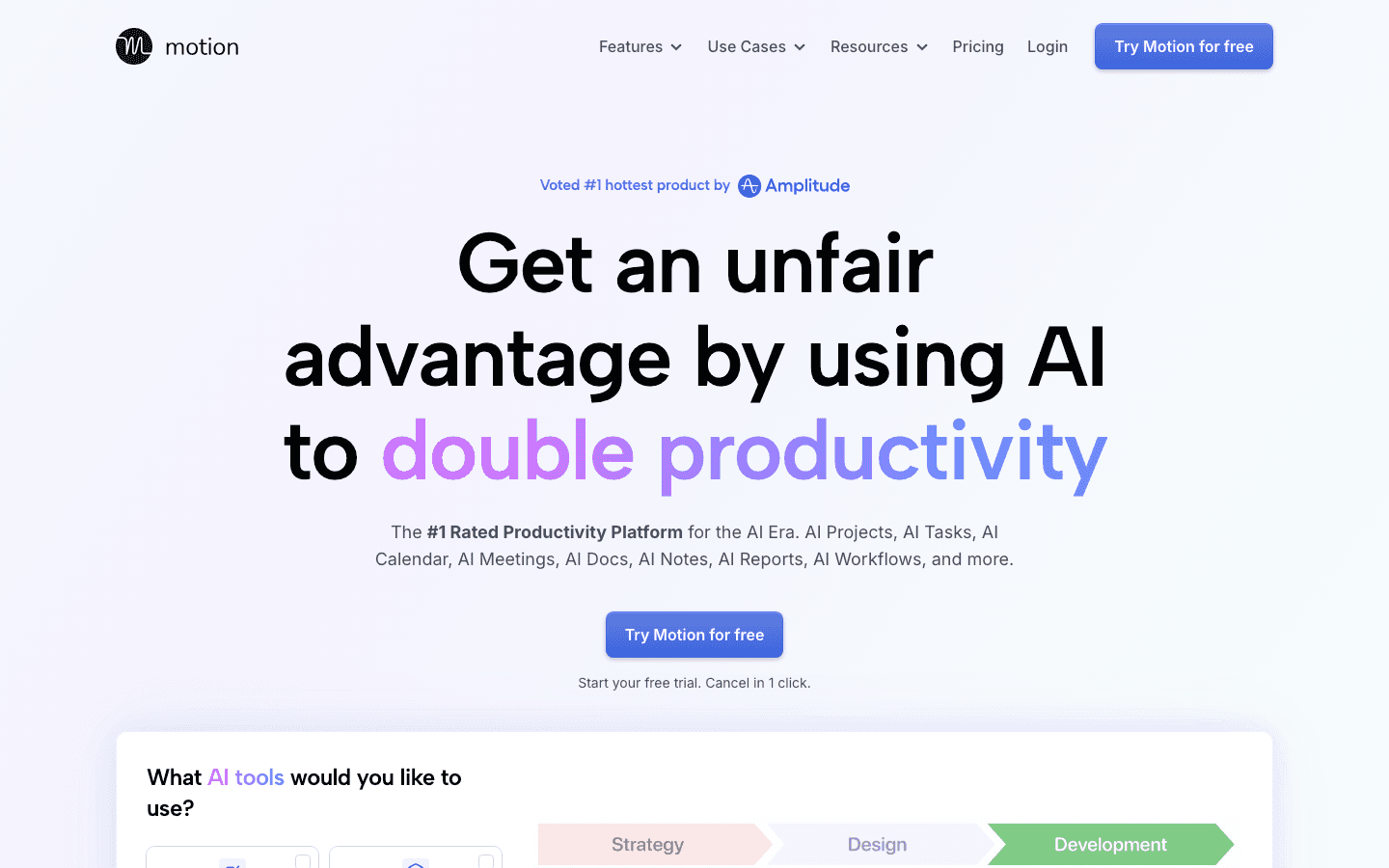
Motion combines tasks, projects, and calendar into one engine that auto-schedules everything against deadlines and priorities. Add a task with a due date and Motion finds a slot. Miss a block and it reshuffles the rest automatically. For people who hate manually re-planning, this removes a lot of friction.
The trade-off is that you hand over control. The algorithm decides when things happen, and it does not know whether you are mentally fried at the time it picked. It optimizes for the clock, not for you.
Key Features
Automatic task scheduling against deadlines and priority
Combined project, task, and calendar view
Meeting booking and recurring task handling
What Works
Removes the daily chore of manual planning
Reschedules automatically when a day goes sideways
Limitations
No energy awareness, so it can book hard work into low-capacity hours
Pricier than most personal planners
The automation can feel rigid until you trust it
Pricing: Pro AI is $19 per month, or about $12.73 per month billed annually. We break the plans down in our Motion pricing guide.
Best for: People who want an AI to own their calendar and never want to plan by hand.
3. Monday: Best for Team Workload Visibility
A flexible work platform with a real workload view for spotting who is overbooked.
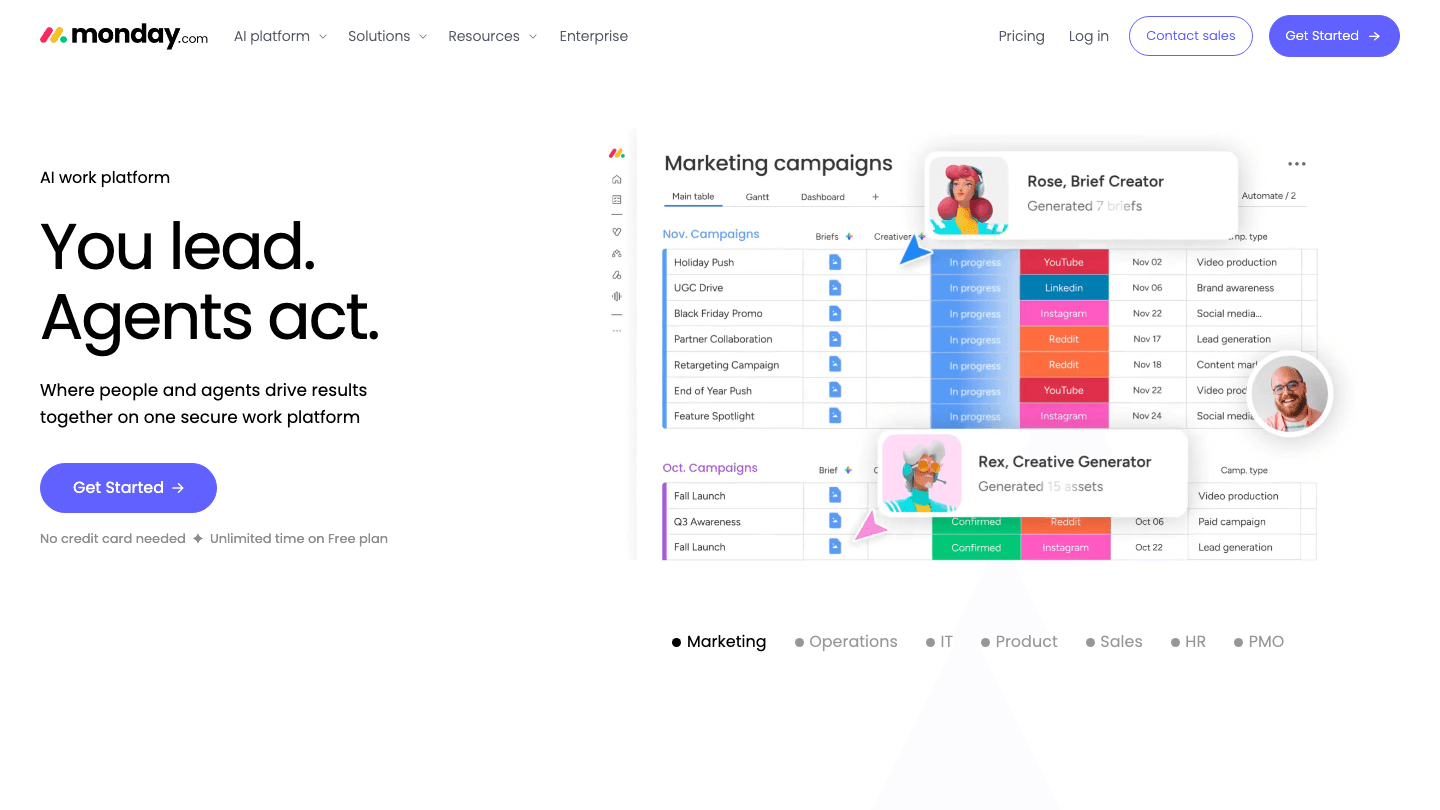
Monday is where this list shifts from personal planning to team resourcing. Its Workload view maps every assigned task across your people and flags who is carrying too much. You can drag work to a teammate with room, set capacity per person, and color-code the whole thing into something a manager can read at a glance.
It is a broad platform, so it does far more than workload. That power comes with setup time. A small team can feel buried in columns and automations before they get value out of it.
Key Features
Workload view with per-person capacity and overload flags
Drag-and-drop reassignment across the team
Heavily customizable boards, dashboards, and automations
What Works
Clear visual picture of who is overloaded
Scales from a small team to a full department
Limitations
No energy awareness for the individual doing the work
Setup can overwhelm small teams
Pricing: Free for up to 2 seats, then Basic at $9, Standard at $12, and Pro at $19 per seat per month billed annually.
Best for: Managers who need to balance work across a team and see capacity at a glance.
4. Asana: Best for Project-Based Capacity Planning
Project management with a dedicated Workload feature for teams already living in Asana.

Asana brings workload management into a mature project tool. Its Workload feature lets you assign effort values to tasks so a busy week of small jobs does not look the same as one heavy project. Managers get a clear read on who is stretched and can rebalance before deadlines collide.
The catch is that the Workload feature sits on a higher tier, so you are paying for the full platform to reach it. If your team already runs projects in Asana, that is fine. If you only want capacity planning, it is more than you need.
Key Features
Workload view with effort-based capacity per person
Timelines, portfolios, and goal tracking
Deep integrations and automation rules
What Works
Strong fit for teams already managing projects in Asana
Effort values make capacity more honest than task counts
Limitations
Workload sits behind the Advanced tier
No energy awareness for individuals
Pricing: Free for up to 2 users. Starter is $10.99 per user per month and Advanced (which includes Workload) is $24.99 per user per month, both billed annually.
Best for: Project-driven teams that want capacity planning inside a tool they already use.
5. Todoist: Best Lightweight Option
A fast, clean task manager for personal load and small shared projects.
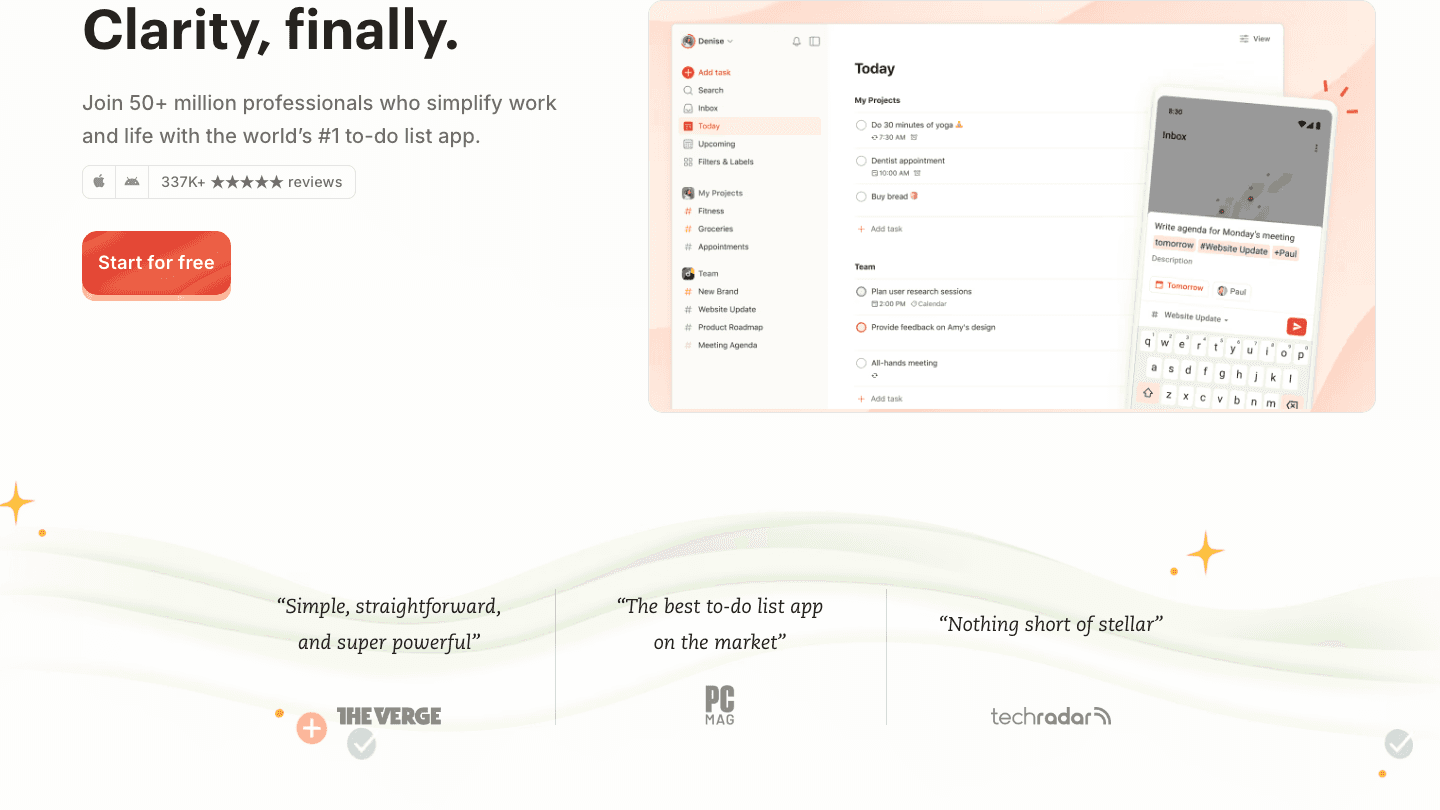
Todoist is not a heavy resourcing platform, and that is the point. It is one of the quickest ways to capture everything on your plate, sort it by priority, and see your day clearly. For an individual or a small team, that simple clarity often does more for workload than a sprawling dashboard nobody updates.
You will not get team capacity charts or heatmaps here. What you get is a tool you will actually open every day, which is half the battle with any planning system.
Key Features
Quick capture with natural-language due dates
Priorities, labels, and filters to surface what matters
Shared projects for small-team coordination
What Works
Almost no learning curve
Reliable across every platform
Limitations
No team capacity or resource views
No energy awareness or auto-scheduling
Pricing: Free Beginner plan, Pro at $5 per month billed annually ($7 monthly), plus a Business tier for teams. Our Todoist pricing breakdown covers which plan fits.
Best for: Individuals and small teams who want a simple, dependable task list, not a platform.
6. Sunsama: Best for Intentional Daily Load
A calm daily planner that makes you decide what is realistic before the day starts.
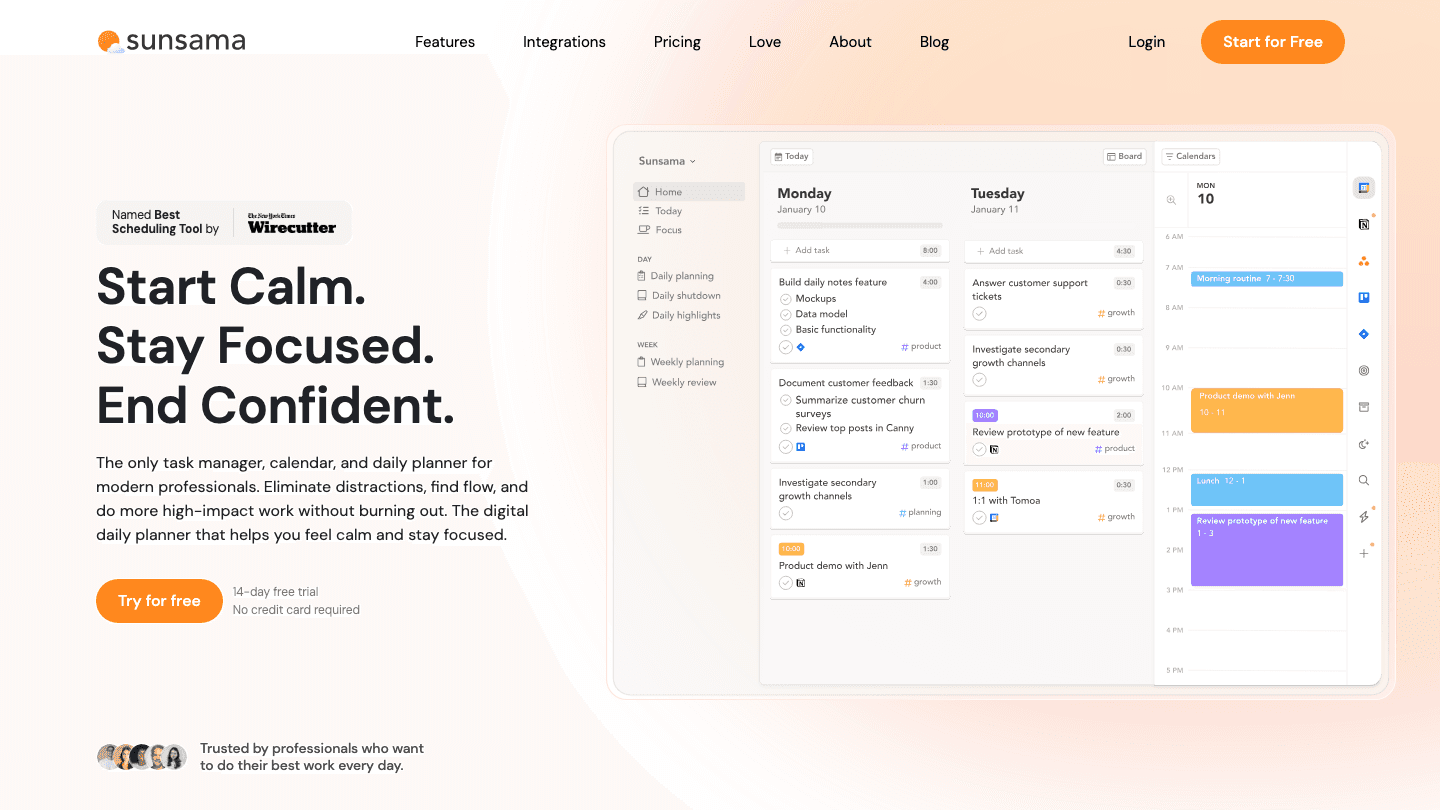
Sunsama approaches workload from the angle of restraint. Each morning it walks you through planning your day, pulling tasks from tools like Asana, Todoist, and your calendar, and it gently pushes back when you plan more than the hours allow. The result is a day you can actually finish instead of a list that rolls over endlessly.
It is one of the pricier personal options, and the guided ritual is not for everyone. But if your problem is overcommitting, that daily check is the whole value.
Key Features
Guided daily planning with time estimates
Pulls tasks from project tools and calendars into one view
Daily and weekly shutdown reviews
What Works
Actively discourages overloading your day
Brings scattered tasks into a single plan
Limitations
Among the more expensive personal planners
Plans by time estimates, not by your actual energy
Pricing: $22 per month, or $17 per month billed annually, with a 14-day free trial. See our Sunsama pricing guide for the full picture.
Best for: People who chronically overcommit and want a daily ritual to rein it in.
7. Float: Best for Agencies and Billable Teams
Resource scheduling built for tracking who is booked on what, and for how long.
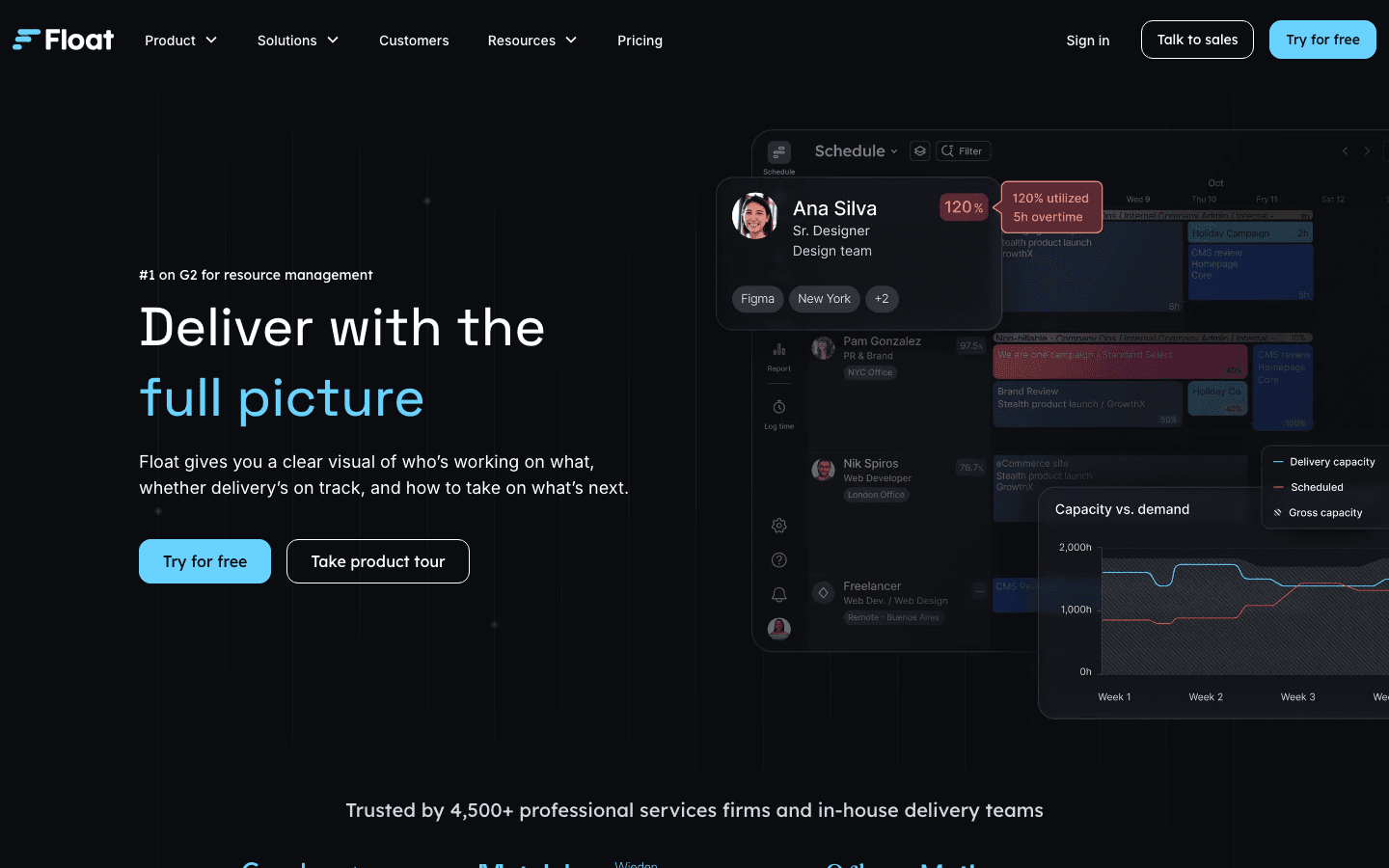
Float is purpose-built for resource management, which makes it a natural fit for agencies and professional service firms. You schedule people across projects, see utilization at a glance, and track time against what was planned. When your business model is billable hours, that level of capacity detail earns its keep.
For a solo worker or a non-billable team, Float is overkill. It answers questions about utilization and allocation that a personal planner never needs to ask.
Key Features
Resource scheduling with utilization tracking
Built-in time tracking against planned hours
Capacity and forecasting reports for billable work
What Works
Clear allocation view across projects and people
Strong fit for client and billable work
Limitations
Too much for individuals or small non-billable teams
No energy awareness for the person doing the work
Pricing: Starter is $7 and Pro is $12 per scheduled person per month, with custom Enterprise pricing.
Best for: Agencies and service firms scheduling billable work across a team.
Which Workload Management Tool Is Right for You?
There is no single best tool here, only the best one for your situation. Match the tool to the problem you are actually trying to solve.
You want your own day planned around real energy: Lifestack. Nothing else schedules around your capacity.
You want AI to handle your calendar: Motion auto-schedules everything for you.
You manage a team and need capacity visibility: Monday or Asana, depending on whether you want a flexible platform or a project tool.
You want simple and free: Todoist keeps personal load clear without the overhead.
You chronically overcommit: Sunsama makes you plan realistically each morning.
You bill clients by the hour: Float is built for exactly that.
If protecting your own focus is the real goal, our guides on time blocking apps and the best AI task managers go deeper on the personal side.
Frequently Asked Questions
What are workload management tools?
Workload management tools help you see and balance how much work is assigned across a team or across your own day. They surface who is overbooked, show available capacity, and make it easier to redistribute tasks before anyone burns out.
What is the best workload management tool?
It depends on the problem. For balancing your personal day around real energy, Lifestack is our top pick. For team capacity visibility, Monday and Asana lead, and for billable agency work, Float is purpose-built.
Are there free workload management tools?
Yes. Todoist, Monday, and Asana all offer free tiers that work for individuals or very small teams. Lifestack includes a 7-day free trial, and most paid tools let you test before committing.
What makes a good workload management tool?
A good tool makes capacity visible, lets you rebalance work quickly when priorities change, and connects to the calendar and apps you already use. The best ones also account for energy, not just open hours, which is why we ranked Lifestack first.
Do I need a team tool or a personal planner?
If you are distributing work across several people, use a team tool like Monday, Asana, or Float. If you are managing your own load, a personal planner like Lifestack or Sunsama will serve you better. Many people benefit from one of each.
How do I keep from overloading my schedule?
Start by making your full workload visible in one place, then schedule against real capacity instead of wishful thinking. Tools that plan around your energy or push back when you overcommit help most. Our guide on the importance of planning covers the habits behind it.
Most teams do not fall behind because people are lazy. They fall behind because the work is invisible. Five projects land in the same week, three of them are urgent, and nobody can see who is already at capacity until something slips. Workload management tools exist to make that invisible load visible, so you can balance tasks across a team or across your own day before burnout does it for you.
There are two flavors of this category. Team-side tools like Monday and Float show you who is overbooked and let you drag work to someone with room. Personal tools like Lifestack and Sunsama plan your individual day so you stop overcommitting in the first place. Both matter, because a perfectly balanced team chart means nothing if every person on it is still drowning in their own calendar.
We spent time inside seven of the most talked-about workload management tools, checked their current pricing against each official pricing page, and looked at what each one actually does well. Some are built for agencies billing client hours. Others are built for one person trying to protect their focus. We ranked them with that range in mind.
Lifestack takes the top spot because it solves the part most tools ignore: matching work to the energy you actually have, not just the hours on a grid.
Key Takeaways
The best workload management tool depends on whether you are balancing a team or protecting your own day. Pick for the problem you actually have.
Energy-aware scheduling is the feature almost no tool offers. Lifestack plans your tasks around your real capacity, which is why it ranks first here.
Prices range from free (Todoist, Monday, Asana have free tiers) up to roughly $22 a month, so budget rarely needs to be the blocker.
The Workload Management Tools at a Glance
Lifestack: energy-aware daily planner that schedules work around your capacity.
Motion: AI auto-scheduler that rebuilds your calendar when priorities shift.
Monday: visual work platform with team workload views and heatmaps.
Asana: project management with a dedicated Workload feature for capacity.
Todoist: lightweight task manager for personal and small-team load.
Sunsama: calm daily planner that caps what you take on each day.
Float: resource scheduling built for agencies and billable teams.
How We Evaluated These Tools
We did not rank these on feature count alone. A tool can have every chart in the world and still leave you overbooked. We looked at how each one handles the real job of balancing work.
Capacity visibility: Can you see who (or when) is overloaded before it becomes a problem?
Energy awareness: Does the tool account for when you actually do your best work, not just open calendar slots?
Scheduling and rebalancing: How easily can work move when priorities change mid-week?
Integrations: Does it connect to the calendar and tools you already use?
Pricing and mobile: Is it affordable, and can you manage your load on the go?
For more on building a plan you can actually keep, our guide on how to plan effectively pairs well with any tool below.
1. Lifestack: Best for Energy-Aware Workload Planning
The only tool here that schedules your workload around your energy, not just your open hours.
Lifestack treats your day as a capacity problem, which is exactly what workload management is. It pulls in your sleep and recovery data, then drafts a schedule that puts demanding work when your energy is high and lighter tasks when it dips. Most tools assume every hour is equal. Lifestack knows your 2 p.m. slump is real and plans around it.
For anyone managing their own load rather than a team chart, this is the difference between a plan that looks balanced and one that actually feels balanced. You stop stacking three hard tasks into an afternoon when your body is running on empty.
Key Features
Energy-based scheduling that matches tasks to your real capacity
Syncs with Apple Health, sleep trackers, and your existing calendars
Auto-drafts a daily plan you can adjust by dragging
iOS, Android, and a Chrome extension
What Works
Prevents overcommitting by showing capacity, not just time
Genuinely useful for ADHD and anyone with uneven energy days
Quick to set up compared with full project platforms
Limitations
Built for personal load, not multi-person team resourcing
No client billing or hours-tracking for agencies
Pricing: $7 per month, $50 per year (7-day free trial), or $120 one-time lifetime. See our take on building an energy calendar for how this approach works in practice.
Best for: Individuals and solo workers who want their day planned around real energy, not a flat grid.
2. Motion: Best for AI Auto-Scheduling
Hands your calendar to an AI that rebuilds it every time something changes.
Motion combines tasks, projects, and calendar into one engine that auto-schedules everything against deadlines and priorities. Add a task with a due date and Motion finds a slot. Miss a block and it reshuffles the rest automatically. For people who hate manually re-planning, this removes a lot of friction.
The trade-off is that you hand over control. The algorithm decides when things happen, and it does not know whether you are mentally fried at the time it picked. It optimizes for the clock, not for you.
Key Features
Automatic task scheduling against deadlines and priority
Combined project, task, and calendar view
Meeting booking and recurring task handling
What Works
Removes the daily chore of manual planning
Reschedules automatically when a day goes sideways
Limitations
No energy awareness, so it can book hard work into low-capacity hours
Pricier than most personal planners
The automation can feel rigid until you trust it
Pricing: Pro AI is $19 per month, or about $12.73 per month billed annually. We break the plans down in our Motion pricing guide.
Best for: People who want an AI to own their calendar and never want to plan by hand.
3. Monday: Best for Team Workload Visibility
A flexible work platform with a real workload view for spotting who is overbooked.
Monday is where this list shifts from personal planning to team resourcing. Its Workload view maps every assigned task across your people and flags who is carrying too much. You can drag work to a teammate with room, set capacity per person, and color-code the whole thing into something a manager can read at a glance.
It is a broad platform, so it does far more than workload. That power comes with setup time. A small team can feel buried in columns and automations before they get value out of it.
Key Features
Workload view with per-person capacity and overload flags
Drag-and-drop reassignment across the team
Heavily customizable boards, dashboards, and automations
What Works
Clear visual picture of who is overloaded
Scales from a small team to a full department
Limitations
No energy awareness for the individual doing the work
Setup can overwhelm small teams
Pricing: Free for up to 2 seats, then Basic at $9, Standard at $12, and Pro at $19 per seat per month billed annually.
Best for: Managers who need to balance work across a team and see capacity at a glance.
4. Asana: Best for Project-Based Capacity Planning
Project management with a dedicated Workload feature for teams already living in Asana.
Asana brings workload management into a mature project tool. Its Workload feature lets you assign effort values to tasks so a busy week of small jobs does not look the same as one heavy project. Managers get a clear read on who is stretched and can rebalance before deadlines collide.
The catch is that the Workload feature sits on a higher tier, so you are paying for the full platform to reach it. If your team already runs projects in Asana, that is fine. If you only want capacity planning, it is more than you need.
Key Features
Workload view with effort-based capacity per person
Timelines, portfolios, and goal tracking
Deep integrations and automation rules
What Works
Strong fit for teams already managing projects in Asana
Effort values make capacity more honest than task counts
Limitations
Workload sits behind the Advanced tier
No energy awareness for individuals
Pricing: Free for up to 2 users. Starter is $10.99 per user per month and Advanced (which includes Workload) is $24.99 per user per month, both billed annually.
Best for: Project-driven teams that want capacity planning inside a tool they already use.
5. Todoist: Best Lightweight Option
A fast, clean task manager for personal load and small shared projects.
Todoist is not a heavy resourcing platform, and that is the point. It is one of the quickest ways to capture everything on your plate, sort it by priority, and see your day clearly. For an individual or a small team, that simple clarity often does more for workload than a sprawling dashboard nobody updates.
You will not get team capacity charts or heatmaps here. What you get is a tool you will actually open every day, which is half the battle with any planning system.
Key Features
Quick capture with natural-language due dates
Priorities, labels, and filters to surface what matters
Shared projects for small-team coordination
What Works
Almost no learning curve
Reliable across every platform
Limitations
No team capacity or resource views
No energy awareness or auto-scheduling
Pricing: Free Beginner plan, Pro at $5 per month billed annually ($7 monthly), plus a Business tier for teams. Our Todoist pricing breakdown covers which plan fits.
Best for: Individuals and small teams who want a simple, dependable task list, not a platform.
6. Sunsama: Best for Intentional Daily Load
A calm daily planner that makes you decide what is realistic before the day starts.
Sunsama approaches workload from the angle of restraint. Each morning it walks you through planning your day, pulling tasks from tools like Asana, Todoist, and your calendar, and it gently pushes back when you plan more than the hours allow. The result is a day you can actually finish instead of a list that rolls over endlessly.
It is one of the pricier personal options, and the guided ritual is not for everyone. But if your problem is overcommitting, that daily check is the whole value.
Key Features
Guided daily planning with time estimates
Pulls tasks from project tools and calendars into one view
Daily and weekly shutdown reviews
What Works
Actively discourages overloading your day
Brings scattered tasks into a single plan
Limitations
Among the more expensive personal planners
Plans by time estimates, not by your actual energy
Pricing: $22 per month, or $17 per month billed annually, with a 14-day free trial. See our Sunsama pricing guide for the full picture.
Best for: People who chronically overcommit and want a daily ritual to rein it in.
7. Float: Best for Agencies and Billable Teams
Resource scheduling built for tracking who is booked on what, and for how long.
Float is purpose-built for resource management, which makes it a natural fit for agencies and professional service firms. You schedule people across projects, see utilization at a glance, and track time against what was planned. When your business model is billable hours, that level of capacity detail earns its keep.
For a solo worker or a non-billable team, Float is overkill. It answers questions about utilization and allocation that a personal planner never needs to ask.
Key Features
Resource scheduling with utilization tracking
Built-in time tracking against planned hours
Capacity and forecasting reports for billable work
What Works
Clear allocation view across projects and people
Strong fit for client and billable work
Limitations
Too much for individuals or small non-billable teams
No energy awareness for the person doing the work
Pricing: Starter is $7 and Pro is $12 per scheduled person per month, with custom Enterprise pricing.
Best for: Agencies and service firms scheduling billable work across a team.
Which Workload Management Tool Is Right for You?
There is no single best tool here, only the best one for your situation. Match the tool to the problem you are actually trying to solve.
You want your own day planned around real energy: Lifestack. Nothing else schedules around your capacity.
You want AI to handle your calendar: Motion auto-schedules everything for you.
You manage a team and need capacity visibility: Monday or Asana, depending on whether you want a flexible platform or a project tool.
You want simple and free: Todoist keeps personal load clear without the overhead.
You chronically overcommit: Sunsama makes you plan realistically each morning.
You bill clients by the hour: Float is built for exactly that.
If protecting your own focus is the real goal, our guides on time blocking apps and the best AI task managers go deeper on the personal side.
Frequently Asked Questions
What are workload management tools?
Workload management tools help you see and balance how much work is assigned across a team or across your own day. They surface who is overbooked, show available capacity, and make it easier to redistribute tasks before anyone burns out.
What is the best workload management tool?
It depends on the problem. For balancing your personal day around real energy, Lifestack is our top pick. For team capacity visibility, Monday and Asana lead, and for billable agency work, Float is purpose-built.
Are there free workload management tools?
Yes. Todoist, Monday, and Asana all offer free tiers that work for individuals or very small teams. Lifestack includes a 7-day free trial, and most paid tools let you test before committing.
What makes a good workload management tool?
A good tool makes capacity visible, lets you rebalance work quickly when priorities change, and connects to the calendar and apps you already use. The best ones also account for energy, not just open hours, which is why we ranked Lifestack first.
Do I need a team tool or a personal planner?
If you are distributing work across several people, use a team tool like Monday, Asana, or Float. If you are managing your own load, a personal planner like Lifestack or Sunsama will serve you better. Many people benefit from one of each.
How do I keep from overloading my schedule?
Start by making your full workload visible in one place, then schedule against real capacity instead of wishful thinking. Tools that plan around your energy or push back when you overcommit help most. Our guide on the importance of planning covers the habits behind it.



FOLLOW ON
FOLLOW ON
FOLLOW ON


Copyright 2026 © Lifestack. All rights reserved
Copyright 2026 © Lifestack. All rights reserved

