
App
Best Affordable Digital Family Calendar Apps 2026
Best Affordable Digital Family Calendar Apps 2026

Keeping a family organized is harder than it sounds. Between school events, sports schedules, work commitments, and household tasks, the average family is managing more calendar entries than any single person can hold in their head. A digital family calendar solves the visibility problem: everyone can see what's happening, who needs to be where, and what still needs to get done. The most affordable options, Google Calendar and TimeTree, are free to use worldwide.
The challenge is picking the right tool. Some families want a simple shared calendar that syncs with Google or Apple. Others need chore tracking, shopping lists, and meal planning built in. And for busy parents who are also managing their own work schedule, having a personal planning layer that fits around family commitments matters just as much as the shared calendar itself.
We looked at five of the best options, from dedicated family organizers to smart display systems, to help you find the right fit for your household.
Key Takeaways
Lifestack is the best pick for parents who need to manage their own work schedule alongside a family calendar, with AI auto-scheduling built in.
Cozi is the most feature-rich dedicated family organizer, with shopping lists, meal planning, and color-coding across the family.
Google Calendar remains the most widely used free option, especially for families already in the Google ecosystem.
Quick Guide
1. Lifestack: AI scheduling for parents managing personal tasks around family commitments
2. Cozi: Dedicated family organizer with shared calendar, lists, and meal planning
3. TimeTree: Simple shared calendar app designed for groups and families
4. Google Calendar: Free family calendar with shared event visibility and reminders
5. Skylight Calendar: Physical digital display for kitchen walls with family calendar sync
How We Evaluated
Family-specific features: color-coding, shared visibility, chore and list management
Ease of use for all family members, including kids and less tech-savvy partners
Calendar sync: works with Google, Apple, and Outlook
Mobile experience across iOS and Android
Pricing and whether the free tier is genuinely usable
1. Lifestack
AI-powered personal scheduling for parents managing work and family life simultaneously.

Lifestack approaches the family calendar problem from a different angle than the other apps on this list. While tools like Cozi and TimeTree focus on shared visibility across the family, Lifestack focuses on the individual parent's challenge: managing your own work tasks, personal commitments, and deadlines around all the family events that live on a shared calendar.
Connect Lifestack to your Google or Apple Calendar and it reads your existing events, including those from a shared family calendar. It then automatically schedules your personal tasks into the gaps: before the school pickup, after the kids' activities, during your actual free windows. The energy-aware scheduling layer means demanding work tasks get placed during high-focus windows rather than whenever there's technically a gap. If you've struggled to keep up with your own work while managing family logistics, this is the tool that addresses that specific problem. See our Lifestack overview and our guide to auto-scheduling for more detail.
What Works
Automatically schedules personal tasks around family calendar events
Energy-aware scheduling places demanding work during your peak hours
Works with existing Google or Apple Calendar setup
Clean mobile app with no setup overhead
Limitations
Designed for individual scheduling, not shared family event management
No chore tracking or family list features
No free tier; starts at $10/month
Pricing: $10/month, $50/year (most popular), or $120 lifetime. 7-day free trial on annual plan.
Best for: Working parents who need to manage their own schedule around family commitments, and want tasks automatically scheduled without manual planning.
2. Cozi Family Organizer
The most feature-complete dedicated family calendar and organizer app.
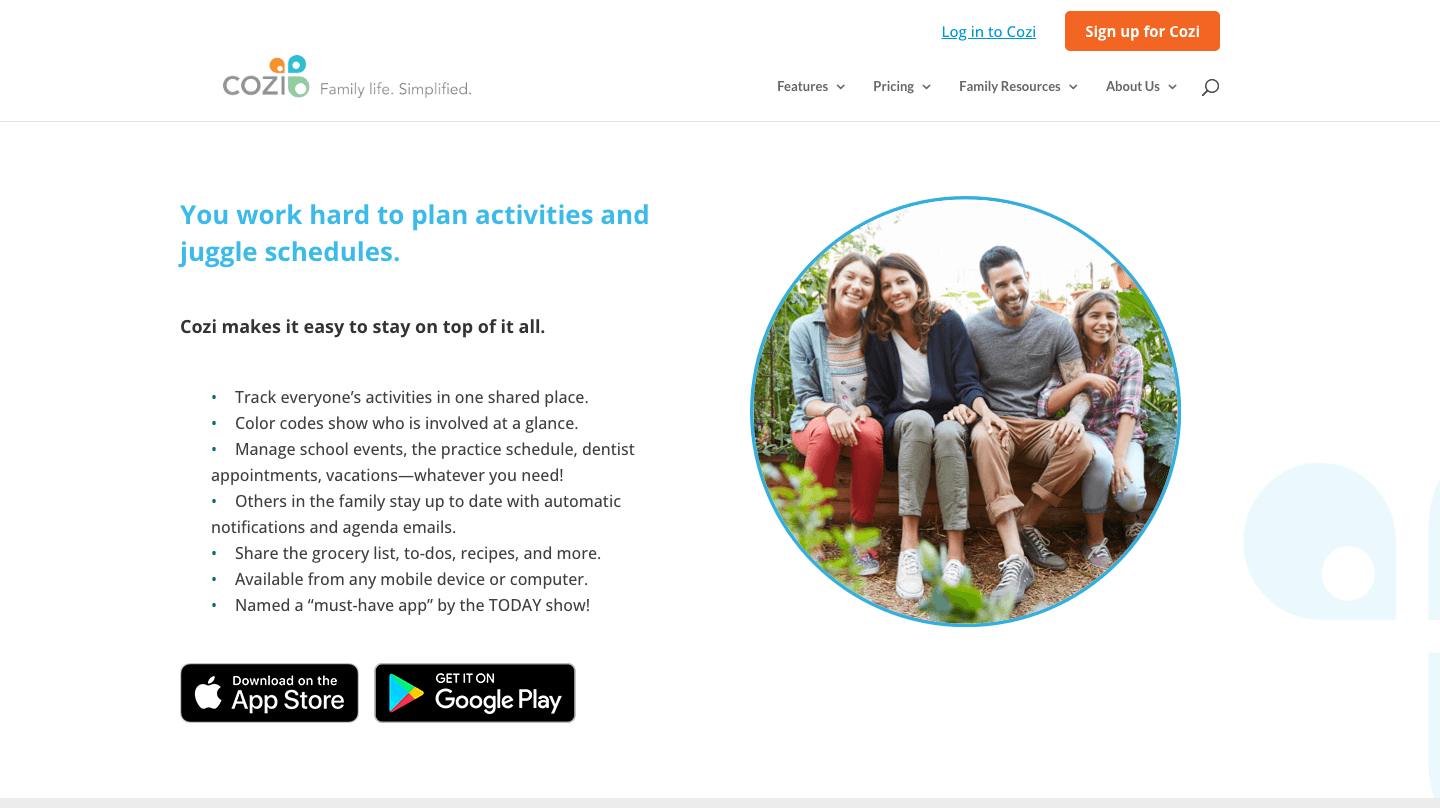
Cozi has been the go-to family organizer app for years and continues to be the most complete option in the category. It combines a shared family calendar with shopping lists, to-do lists, meal planning, journal entries, and a family recipe box in a single app. Every family member gets a color code, so the calendar immediately shows whose event is whose.
The free tier covers the shared calendar and lists, but full month view on mobile is a Gold-only feature. The Gold plan at $39/year adds month view, no ads, birthday tracking, and change notifications. The Max tier at $79/year adds AI-powered features: it can import events automatically from emails, plan meals with AI suggestions, and create recipes. For most families, Gold is the right tier. It's one of the more affordable paid family calendar options available.
What Works
Complete family organizer: calendar, lists, meal planning in one place
Color-coded by family member for instant visibility
Agenda emails keep everyone up to date automatically
Available on iOS and Android with a simple, approachable interface
Limitations
Free tier lacks full month view on mobile, which pushes most active users to the paid tier
Less polished design than newer apps in the category
No AI scheduling or task auto-planning
Pricing: Free (basic calendar and lists), Gold $39/year, Max $79/year.
Best for: Families who want an all-in-one organizer with calendar, shopping lists, and meal planning in a single app.
3. TimeTree
A clean shared calendar designed specifically for groups and families.
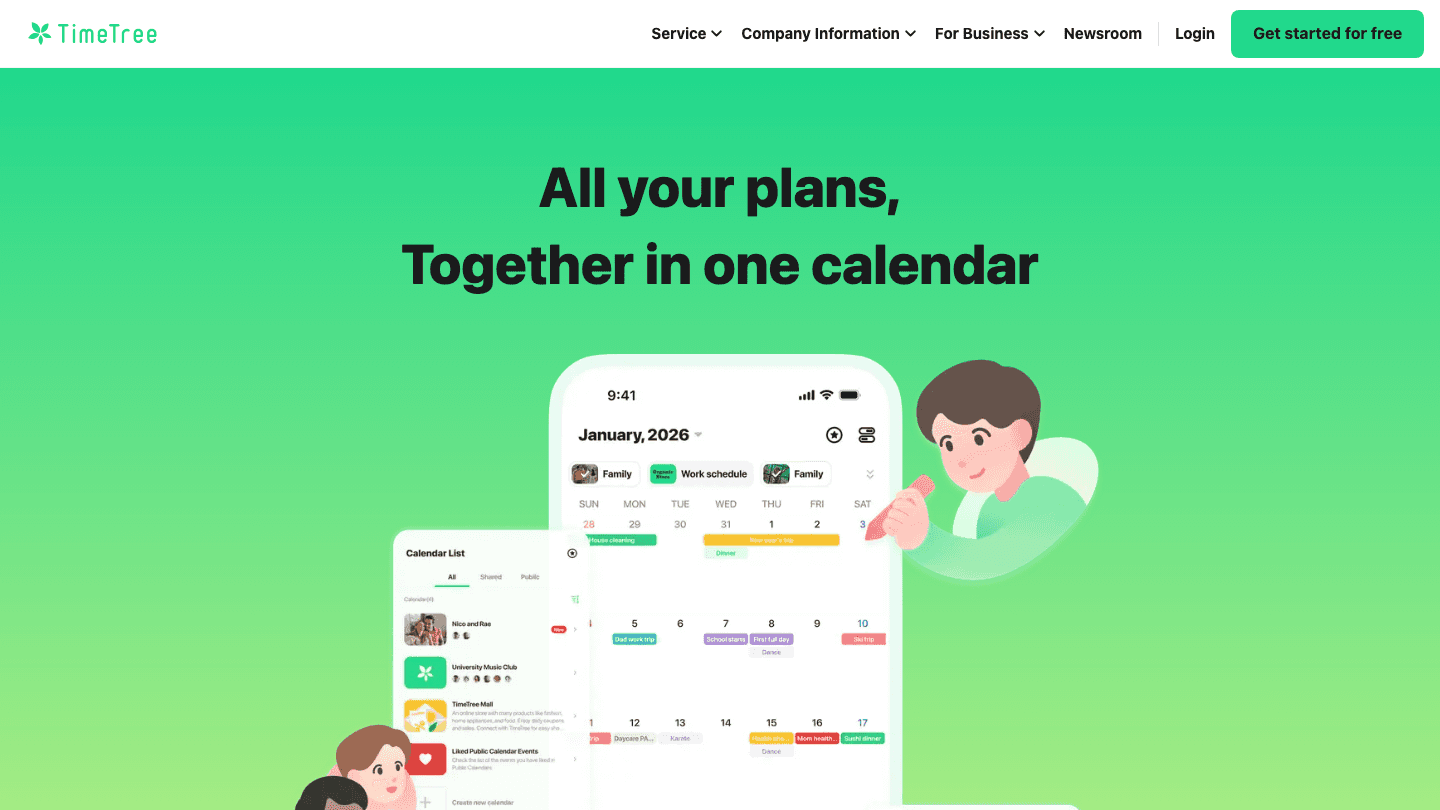
TimeTree strips the family calendar back to what matters most: shared visibility. Create a calendar, invite family members, and everyone sees the same events in one clean view. You can have multiple calendars for different purposes (family, work, activities), comment on events, and receive reminders. It's simpler than Cozi and doesn't include list or meal planning features.
The app is free for core functionality, which makes it easy to adopt without a commitment. The premium tier at $4.49/month (or $44.99/year) adds file attachments, vertical calendar view, pinned events, and an ad-free experience. Pricing may vary by region. Most families find the free tier sufficient for day-to-day event sharing.
What Works
Clean, simple shared calendar interface
Generous free tier for core calendar sharing
Event comments make it easy to coordinate details without text messages
Works on iOS, Android, and web
Limitations
No shopping lists, chore tracking, or meal planning
Fewer integrations than Google Calendar or Cozi
Pricing: Free (core features), Premium $4.49/month or $44.99/year.
Best for: Families who want simple shared calendar visibility without extra features, especially if cost matters.
4. Google Calendar
The free, universal calendar that most families are already using.
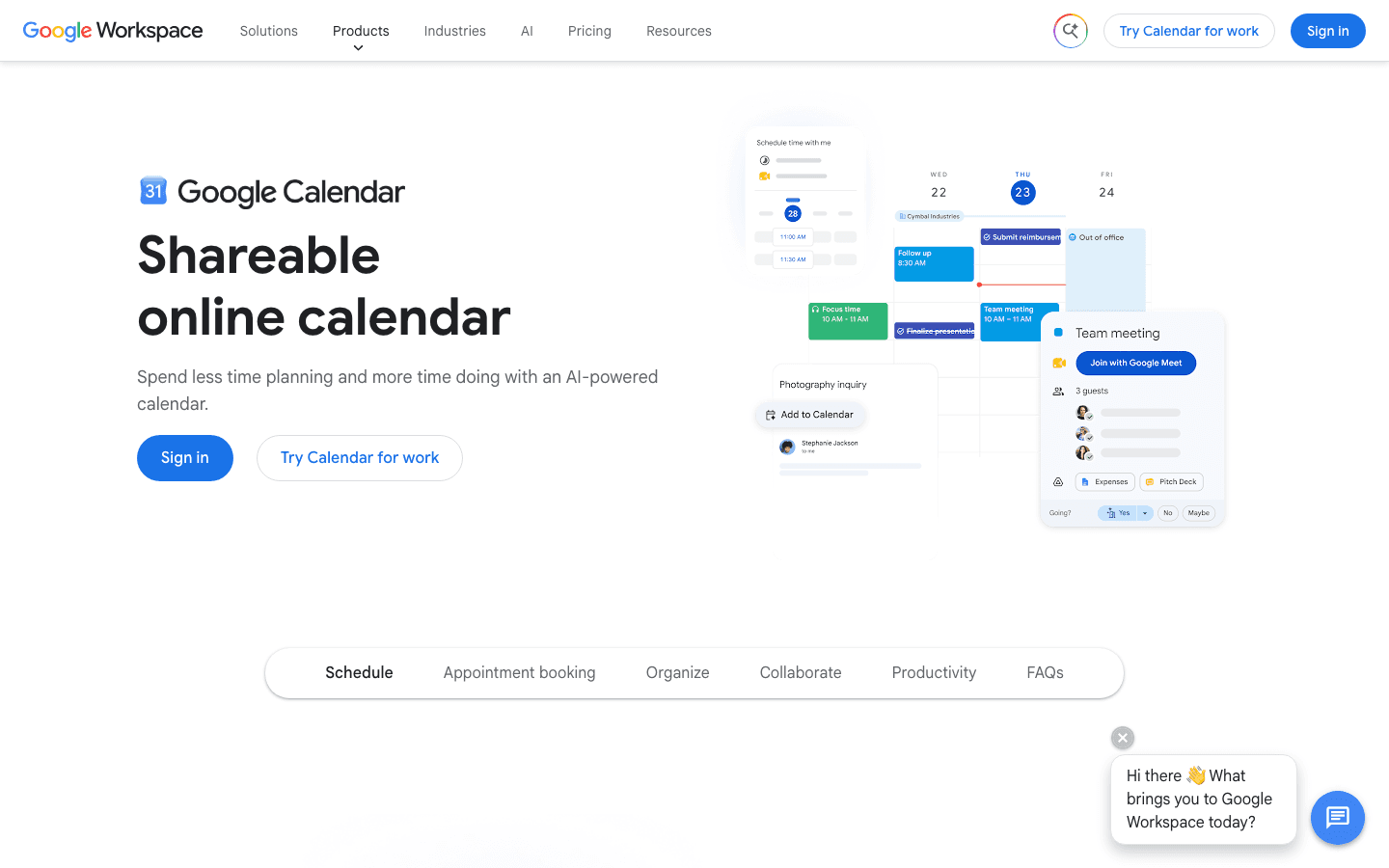
Google Calendar may not be a dedicated family app, but it's the calendar most families end up using because everyone already has a Google account. The Family Sharing feature lets you create a shared "Family" calendar that all members can view and edit. Color-coding by calendar (not by person, which is a limitation) keeps personal and family events visually distinct.
The main advantage is price: it's free, and it's already synced with Gmail, Google Meet, and other services most families use. The main limitation is that it doesn't include any of the organizational features that make Cozi or TimeTree more family-specific: no shopping lists, chore management, or meal planning. It's a calendar, not an organizer. For apps that extend what Google Calendar can do for families, see our apps to use with Google Calendar guide.
What Works
Free and already installed on most phones and devices
Strong integrations with Gmail, Meet, and Google services
Family calendar sharing works well with existing Google accounts
Works on every platform
Limitations
Color-coding is by calendar, not by family member
No shopping lists, chores, or meal planning
Family sharing requires everyone to have a Google account
Pricing: Free.
Best for: Families already in the Google ecosystem who want a shared calendar without paying for a separate app.
5. Skylight Calendar
A connected digital display for the kitchen that shows the whole family's calendar at a glance.
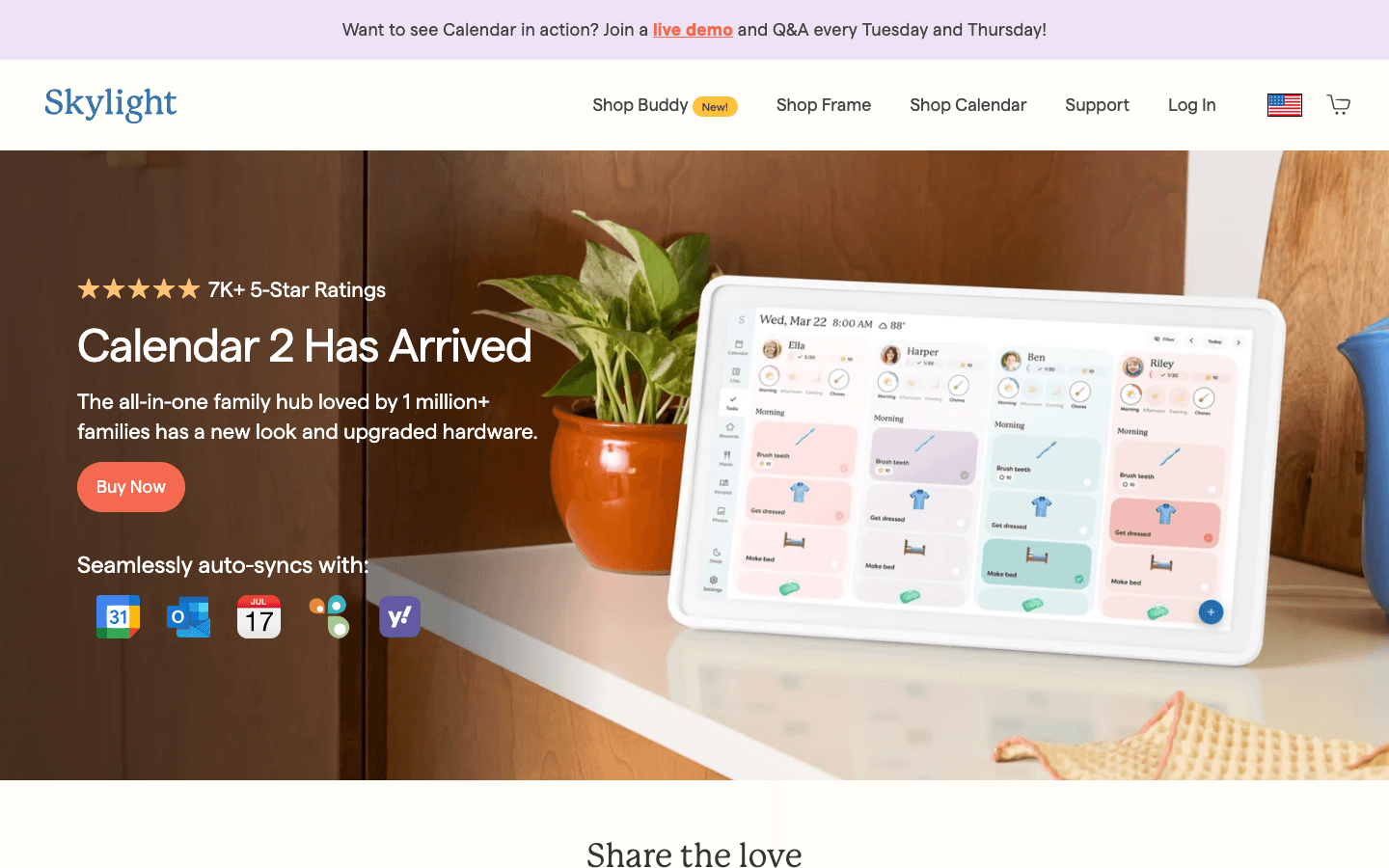
Skylight Calendar takes a different approach: instead of an app on everyone's phone, it's a dedicated display you mount in a common area like the kitchen or hallway. It syncs with Google Calendar, Outlook, and Apple Calendar to show the whole family's schedule in a shared physical space. Color-coding by family member makes it easy to see at a glance who has what going on today or this week.
The physical display solves a different problem than the other apps on this list: it makes the family calendar visible without anyone having to open an app. Current models also support chore tracking and meal planning through the optional Plus subscription. The Skylight Calendar 2 starts at $299.99, with a Calendar Plus subscription at $79/year for premium features. It's a bigger investment but solves the "nobody checks the calendar app" problem in a different way.
What Works
Physical shared display in a common area creates passive visibility
Syncs with Google Calendar, Outlook, and Apple Calendar
Color-coding by family member for at-a-glance scheduling
Chore tracking and meal planning available via Plus subscription
Limitations
Requires hardware purchase (Skylight Calendar 2 starts at $299.99)
Optional $79/year Calendar Plus subscription for full features
Less portable than a phone app
Pricing: Hardware from $299.99. Optional Calendar Plus subscription $79/year.
Best for: Families who want shared visibility in a physical space and whose kids respond better to a wall display than a phone app.
Which Digital Family Calendar Is Right for You?
Need to manage personal work tasks around family events? Lifestack adds an AI scheduling layer that no dedicated family calendar provides.
Want all-in-one family organization (calendar + lists + meals)? Cozi is the most complete option in a single app.
Want simple shared event visibility for free? TimeTree or Google Calendar both work well without a subscription.
Family never checks the phone app? Skylight's physical display solves that problem directly.
Looking for the most affordable option for a shared family calendar? Google Calendar is free worldwide. TimeTree is free for core sharing and available globally, with regional pricing on its premium tier.
For couples specifically, our best shared calendar for couples guide compares options designed for two people. For broader family calendar comparisons, see our family calendar app roundup and our best shared calendar app guide.
Frequently Asked Questions
What is the best free digital family calendar?
Google Calendar and TimeTree both offer genuinely useful free tiers. Google Calendar works best for families already in the Google ecosystem. TimeTree is better for shared event visibility across a group without requiring Google accounts. Cozi's free tier lacks full month view on mobile, making it less compelling as a purely free option.
Can I color-code a digital family calendar by person?
Yes. Cozi, TimeTree, and Skylight all support color-coding by family member. Google Calendar color-codes by calendar rather than by person, so each family member would need their own calendar color for the same effect. It works, but requires more setup.
What family calendar works with both Google and Apple accounts?
Cozi, TimeTree, and Skylight all support syncing across Google and Apple Calendar, which means mixed-household families (some with iPhones, some with Android) can still share a family calendar. Google Calendar only works natively across Google accounts, and iCloud Calendar is limited to Apple devices.
Is Cozi still worth it in 2026?
Yes, particularly for the Gold plan at $39/year. Gold adds full month view on mobile, an ad-free experience, birthday tracking, and change notifications. If you also want AI-powered meal planning and automatic event import from emails, the Max tier at $79/year covers those. For families who just need calendar sharing plus lists, the free tier works, but most active families will want Gold.
What's the difference between a family calendar and a personal planner?
A family calendar focuses on shared visibility: everyone in the household can see and add events. A personal planner focuses on individual time management: turning tasks and goals into a scheduled day. Most families need both. Tools like Lifestack handle the personal planning layer, while apps like Cozi or TimeTree handle the shared family visibility.
What are the most affordable family calendar app options for shared family calendars?
Google Calendar is free in every country and works on any device, making it the most affordable option globally. TimeTree is also free for core shared calendar features and is available worldwide, with regional pricing on its premium tier. For families in Japan, Germany, India, China, France, and other markets, both apps work without any country-specific restrictions. If your family needs shopping lists and meal planning alongside the calendar, Cozi Gold at $39/year is the most affordable paid option with those features.
Which family calendar apps include grocery lists, meal planning, and carpool scheduling?
Cozi is the most complete option for families who want all three: it combines a shared calendar with shopping lists, to-do lists, meal planning, and a recipe box. The Max tier also adds AI meal planning. Google Calendar and TimeTree are calendar-only apps and don't include grocery or meal features. Skylight's Plus subscription includes meal planning on the wall display. For carpool scheduling specifically, any shared calendar app works by adding carpool events visible to all family members; none of the apps listed here includes a dedicated carpool scheduler.
What is a family dashboard app?
A family dashboard app brings your household's calendar, task lists, messages, and sometimes chore tracking or meal plans into one shared view. Cozi and Skylight are the closest matches on this list: Cozi gives everyone a single app with all the family's information, while Skylight shows it on a physical display mounted in a shared space. Google Calendar and TimeTree are calendar-focused and don't include the broader household management features a full dashboard provides.
Keeping a family organized is harder than it sounds. Between school events, sports schedules, work commitments, and household tasks, the average family is managing more calendar entries than any single person can hold in their head. A digital family calendar solves the visibility problem: everyone can see what's happening, who needs to be where, and what still needs to get done. The most affordable options, Google Calendar and TimeTree, are free to use worldwide.
The challenge is picking the right tool. Some families want a simple shared calendar that syncs with Google or Apple. Others need chore tracking, shopping lists, and meal planning built in. And for busy parents who are also managing their own work schedule, having a personal planning layer that fits around family commitments matters just as much as the shared calendar itself.
We looked at five of the best options, from dedicated family organizers to smart display systems, to help you find the right fit for your household.
Key Takeaways
Lifestack is the best pick for parents who need to manage their own work schedule alongside a family calendar, with AI auto-scheduling built in.
Cozi is the most feature-rich dedicated family organizer, with shopping lists, meal planning, and color-coding across the family.
Google Calendar remains the most widely used free option, especially for families already in the Google ecosystem.
Quick Guide
1. Lifestack: AI scheduling for parents managing personal tasks around family commitments
2. Cozi: Dedicated family organizer with shared calendar, lists, and meal planning
3. TimeTree: Simple shared calendar app designed for groups and families
4. Google Calendar: Free family calendar with shared event visibility and reminders
5. Skylight Calendar: Physical digital display for kitchen walls with family calendar sync
How We Evaluated
Family-specific features: color-coding, shared visibility, chore and list management
Ease of use for all family members, including kids and less tech-savvy partners
Calendar sync: works with Google, Apple, and Outlook
Mobile experience across iOS and Android
Pricing and whether the free tier is genuinely usable
1. Lifestack
AI-powered personal scheduling for parents managing work and family life simultaneously.
Lifestack approaches the family calendar problem from a different angle than the other apps on this list. While tools like Cozi and TimeTree focus on shared visibility across the family, Lifestack focuses on the individual parent's challenge: managing your own work tasks, personal commitments, and deadlines around all the family events that live on a shared calendar.
Connect Lifestack to your Google or Apple Calendar and it reads your existing events, including those from a shared family calendar. It then automatically schedules your personal tasks into the gaps: before the school pickup, after the kids' activities, during your actual free windows. The energy-aware scheduling layer means demanding work tasks get placed during high-focus windows rather than whenever there's technically a gap. If you've struggled to keep up with your own work while managing family logistics, this is the tool that addresses that specific problem. See our Lifestack overview and our guide to auto-scheduling for more detail.
What Works
Automatically schedules personal tasks around family calendar events
Energy-aware scheduling places demanding work during your peak hours
Works with existing Google or Apple Calendar setup
Clean mobile app with no setup overhead
Limitations
Designed for individual scheduling, not shared family event management
No chore tracking or family list features
No free tier; starts at $10/month
Pricing: $10/month, $50/year (most popular), or $120 lifetime. 7-day free trial on annual plan.
Best for: Working parents who need to manage their own schedule around family commitments, and want tasks automatically scheduled without manual planning.
2. Cozi Family Organizer
The most feature-complete dedicated family calendar and organizer app.
Cozi has been the go-to family organizer app for years and continues to be the most complete option in the category. It combines a shared family calendar with shopping lists, to-do lists, meal planning, journal entries, and a family recipe box in a single app. Every family member gets a color code, so the calendar immediately shows whose event is whose.
The free tier covers the shared calendar and lists, but full month view on mobile is a Gold-only feature. The Gold plan at $39/year adds month view, no ads, birthday tracking, and change notifications. The Max tier at $79/year adds AI-powered features: it can import events automatically from emails, plan meals with AI suggestions, and create recipes. For most families, Gold is the right tier. It's one of the more affordable paid family calendar options available.
What Works
Complete family organizer: calendar, lists, meal planning in one place
Color-coded by family member for instant visibility
Agenda emails keep everyone up to date automatically
Available on iOS and Android with a simple, approachable interface
Limitations
Free tier lacks full month view on mobile, which pushes most active users to the paid tier
Less polished design than newer apps in the category
No AI scheduling or task auto-planning
Pricing: Free (basic calendar and lists), Gold $39/year, Max $79/year.
Best for: Families who want an all-in-one organizer with calendar, shopping lists, and meal planning in a single app.
3. TimeTree
A clean shared calendar designed specifically for groups and families.
TimeTree strips the family calendar back to what matters most: shared visibility. Create a calendar, invite family members, and everyone sees the same events in one clean view. You can have multiple calendars for different purposes (family, work, activities), comment on events, and receive reminders. It's simpler than Cozi and doesn't include list or meal planning features.
The app is free for core functionality, which makes it easy to adopt without a commitment. The premium tier at $4.49/month (or $44.99/year) adds file attachments, vertical calendar view, pinned events, and an ad-free experience. Pricing may vary by region. Most families find the free tier sufficient for day-to-day event sharing.
What Works
Clean, simple shared calendar interface
Generous free tier for core calendar sharing
Event comments make it easy to coordinate details without text messages
Works on iOS, Android, and web
Limitations
No shopping lists, chore tracking, or meal planning
Fewer integrations than Google Calendar or Cozi
Pricing: Free (core features), Premium $4.49/month or $44.99/year.
Best for: Families who want simple shared calendar visibility without extra features, especially if cost matters.
4. Google Calendar
The free, universal calendar that most families are already using.
Google Calendar may not be a dedicated family app, but it's the calendar most families end up using because everyone already has a Google account. The Family Sharing feature lets you create a shared "Family" calendar that all members can view and edit. Color-coding by calendar (not by person, which is a limitation) keeps personal and family events visually distinct.
The main advantage is price: it's free, and it's already synced with Gmail, Google Meet, and other services most families use. The main limitation is that it doesn't include any of the organizational features that make Cozi or TimeTree more family-specific: no shopping lists, chore management, or meal planning. It's a calendar, not an organizer. For apps that extend what Google Calendar can do for families, see our apps to use with Google Calendar guide.
What Works
Free and already installed on most phones and devices
Strong integrations with Gmail, Meet, and Google services
Family calendar sharing works well with existing Google accounts
Works on every platform
Limitations
Color-coding is by calendar, not by family member
No shopping lists, chores, or meal planning
Family sharing requires everyone to have a Google account
Pricing: Free.
Best for: Families already in the Google ecosystem who want a shared calendar without paying for a separate app.
5. Skylight Calendar
A connected digital display for the kitchen that shows the whole family's calendar at a glance.
Skylight Calendar takes a different approach: instead of an app on everyone's phone, it's a dedicated display you mount in a common area like the kitchen or hallway. It syncs with Google Calendar, Outlook, and Apple Calendar to show the whole family's schedule in a shared physical space. Color-coding by family member makes it easy to see at a glance who has what going on today or this week.
The physical display solves a different problem than the other apps on this list: it makes the family calendar visible without anyone having to open an app. Current models also support chore tracking and meal planning through the optional Plus subscription. The Skylight Calendar 2 starts at $299.99, with a Calendar Plus subscription at $79/year for premium features. It's a bigger investment but solves the "nobody checks the calendar app" problem in a different way.
What Works
Physical shared display in a common area creates passive visibility
Syncs with Google Calendar, Outlook, and Apple Calendar
Color-coding by family member for at-a-glance scheduling
Chore tracking and meal planning available via Plus subscription
Limitations
Requires hardware purchase (Skylight Calendar 2 starts at $299.99)
Optional $79/year Calendar Plus subscription for full features
Less portable than a phone app
Pricing: Hardware from $299.99. Optional Calendar Plus subscription $79/year.
Best for: Families who want shared visibility in a physical space and whose kids respond better to a wall display than a phone app.
Which Digital Family Calendar Is Right for You?
Need to manage personal work tasks around family events? Lifestack adds an AI scheduling layer that no dedicated family calendar provides.
Want all-in-one family organization (calendar + lists + meals)? Cozi is the most complete option in a single app.
Want simple shared event visibility for free? TimeTree or Google Calendar both work well without a subscription.
Family never checks the phone app? Skylight's physical display solves that problem directly.
Looking for the most affordable option for a shared family calendar? Google Calendar is free worldwide. TimeTree is free for core sharing and available globally, with regional pricing on its premium tier.
For couples specifically, our best shared calendar for couples guide compares options designed for two people. For broader family calendar comparisons, see our family calendar app roundup and our best shared calendar app guide.
Frequently Asked Questions
What is the best free digital family calendar?
Google Calendar and TimeTree both offer genuinely useful free tiers. Google Calendar works best for families already in the Google ecosystem. TimeTree is better for shared event visibility across a group without requiring Google accounts. Cozi's free tier lacks full month view on mobile, making it less compelling as a purely free option.
Can I color-code a digital family calendar by person?
Yes. Cozi, TimeTree, and Skylight all support color-coding by family member. Google Calendar color-codes by calendar rather than by person, so each family member would need their own calendar color for the same effect. It works, but requires more setup.
What family calendar works with both Google and Apple accounts?
Cozi, TimeTree, and Skylight all support syncing across Google and Apple Calendar, which means mixed-household families (some with iPhones, some with Android) can still share a family calendar. Google Calendar only works natively across Google accounts, and iCloud Calendar is limited to Apple devices.
Is Cozi still worth it in 2026?
Yes, particularly for the Gold plan at $39/year. Gold adds full month view on mobile, an ad-free experience, birthday tracking, and change notifications. If you also want AI-powered meal planning and automatic event import from emails, the Max tier at $79/year covers those. For families who just need calendar sharing plus lists, the free tier works, but most active families will want Gold.
What's the difference between a family calendar and a personal planner?
A family calendar focuses on shared visibility: everyone in the household can see and add events. A personal planner focuses on individual time management: turning tasks and goals into a scheduled day. Most families need both. Tools like Lifestack handle the personal planning layer, while apps like Cozi or TimeTree handle the shared family visibility.
What are the most affordable family calendar app options for shared family calendars?
Google Calendar is free in every country and works on any device, making it the most affordable option globally. TimeTree is also free for core shared calendar features and is available worldwide, with regional pricing on its premium tier. For families in Japan, Germany, India, China, France, and other markets, both apps work without any country-specific restrictions. If your family needs shopping lists and meal planning alongside the calendar, Cozi Gold at $39/year is the most affordable paid option with those features.
Which family calendar apps include grocery lists, meal planning, and carpool scheduling?
Cozi is the most complete option for families who want all three: it combines a shared calendar with shopping lists, to-do lists, meal planning, and a recipe box. The Max tier also adds AI meal planning. Google Calendar and TimeTree are calendar-only apps and don't include grocery or meal features. Skylight's Plus subscription includes meal planning on the wall display. For carpool scheduling specifically, any shared calendar app works by adding carpool events visible to all family members; none of the apps listed here includes a dedicated carpool scheduler.
What is a family dashboard app?
A family dashboard app brings your household's calendar, task lists, messages, and sometimes chore tracking or meal plans into one shared view. Cozi and Skylight are the closest matches on this list: Cozi gives everyone a single app with all the family's information, while Skylight shows it on a physical display mounted in a shared space. Google Calendar and TimeTree are calendar-focused and don't include the broader household management features a full dashboard provides.



FOLLOW ON
FOLLOW ON
FOLLOW ON


Copyright 2026 © Lifestack. All rights reserved
Copyright 2026 © Lifestack. All rights reserved

