
App
Best Digital Organization Tools in 2026
Best Digital Organization Tools in 2026

Digital organization is not a single problem with a single solution. Some people need a better place to capture tasks. Others need a system for managing notes and knowledge. Others need a daily plan that actually matches their energy, not just their calendar. The best digital organization tools solve different parts of this picture, and using the wrong one for your problem is a reliable way to abandon it within a month.
The six tools in this list cover the full range: a scheduling-first AI planner, a flexible workspace, two task managers with different philosophies, a visual project board, and a knowledge base for long-form thinking. Each earns its place because it solves a specific organizational challenge better than its alternatives.
We evaluated on setup friction, daily usability, mobile quality, integration breadth, and whether the tool actually changes how organized you feel after 30 days of regular use.
Key Takeaways
Lifestack solves the scheduling layer that most digital organization tools skip: it reads your energy data and plans your day around when you're actually capable of your best work
Notion and Obsidian are the two strongest choices for knowledge management, but they serve different mental models: collaborative workspaces vs. private linked thinking
Todoist and Trello are reliable task management tools that differ mainly in whether you prefer lists or visual boards
Quick Guide
Lifestack: AI daily planner that schedules tasks around your energy and sleep data
Notion: Flexible workspace for notes, databases, tasks, and team collaboration
Todoist: Clean, reliable task manager with excellent natural language input
Trello: Visual Kanban board for projects and workflow management
TickTick: Feature-rich task and habit manager with a built-in Pomodoro timer
Obsidian: Local-first knowledge base with linked notes and graph visualization
How We Evaluated
Setup friction: how quickly does the tool deliver value after first launch?
Daily usability: does it make organization easier or just move the work?
Mobile quality: can you use it on iOS without constant friction?
Integration breadth: does it connect to your existing calendar and task tools?
Price relative to value delivered
1. Lifestack
The daily planner that matches your schedule to your biology

Lifestack approaches digital organization from the scheduling layer that other tools ignore. Rather than giving you a place to store tasks or notes, it focuses on when you should work on each thing. It connects to your wearable device, reads your sleep score and HRV, and uses that data to auto-schedule your tasks into the time windows where your cognitive performance is genuinely high. The result is a daily plan built around your biology rather than just your calendar availability.
This matters because organization is not just about capturing information. It's about actually executing on it. Most organizational tools leave the "when" entirely up to you, which means high-priority tasks get deprioritized when energy is low and never quite make it onto the calendar. Lifestack closes that gap automatically through energy-based scheduling.
Key Features
Wearable-connected AI scheduling based on sleep and HRV data
Google Calendar and Apple Calendar sync
Task capture and daily planning in a single view
iOS, Android, and Chrome extension
What Works
The only tool in this list that uses biometric data to decide when you work on each task
Significant pricing advantage over comparable AI planning tools
Fast to set up. Useful on day one without complex configuration
Limitations
Requires a compatible wearable for the full energy-aware scheduling feature
Not a notes or knowledge management tool. Pairs best with Notion or Obsidian for that layer
Pricing: $7/month or $50/year. Annual plan includes a 7-day free trial.
Best for: Knowledge workers who want their daily schedule to reflect their actual cognitive capacity
2. Notion
The flexible workspace for notes, databases, and team collaboration
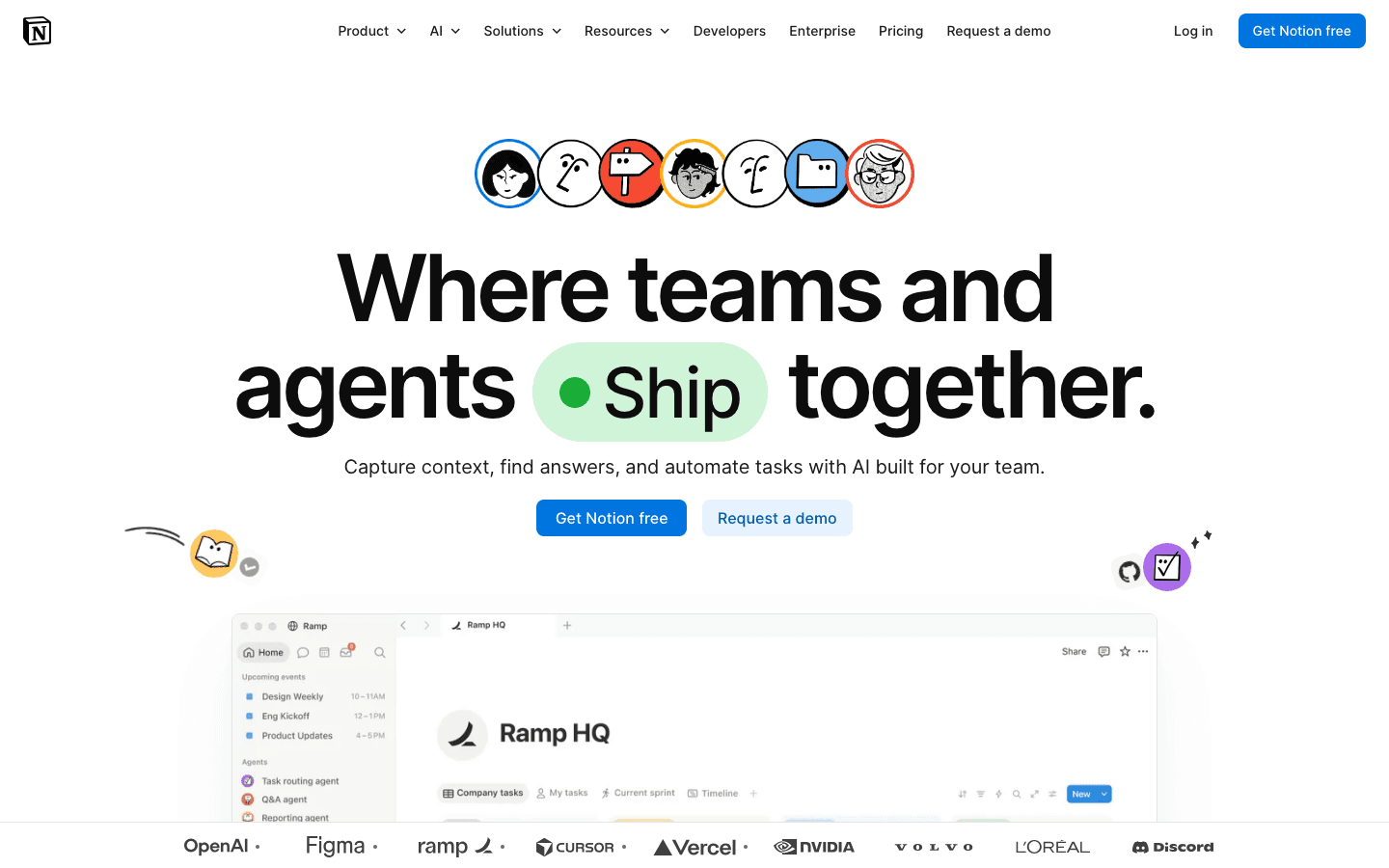
Notion is the most flexible tool in this list. At its core it is a block-based document editor, but you can build databases, Kanban boards, calendars, wikis, and project trackers on top of that foundation. Teams use it as a company wiki. Individuals use it as a second brain. It handles both use cases reasonably well, though neither as elegantly as a dedicated tool for each. Its AI features (summarization, content generation, database queries) have matured and add real value for regular users.
The main tradeoff is setup time. Notion can become almost anything, which means it takes longer to configure than a tool with a fixed structure. First-time users who expect to open it and immediately have an organized system tend to be disappointed. It rewards people who are willing to build their own system and maintain it.
Key Features
Flexible block editor for documents, databases, and boards
Team wikis and collaborative workspaces
AI writing, summarization, and database queries
Integrations with Slack, GitHub, Google Drive, and more
Web clipper for saving content from the browser
What Works
Unmatched flexibility for building exactly the organizational system you need
Strong team collaboration features with granular permissions
The free tier is genuinely useful for personal organization
Limitations
No energy awareness. You still have to decide when to work on each task
High setup friction compared to purpose-built task managers
Can become disorganized quickly without consistent maintenance habits
Pricing: Free tier available. Plus plan $10/month. Business plan $20/month. Annual billing saves up to 20%.
Best for: Teams and individuals who want a highly customizable workspace for notes, projects, and knowledge management
3. Todoist
The reliable task manager with excellent natural language input
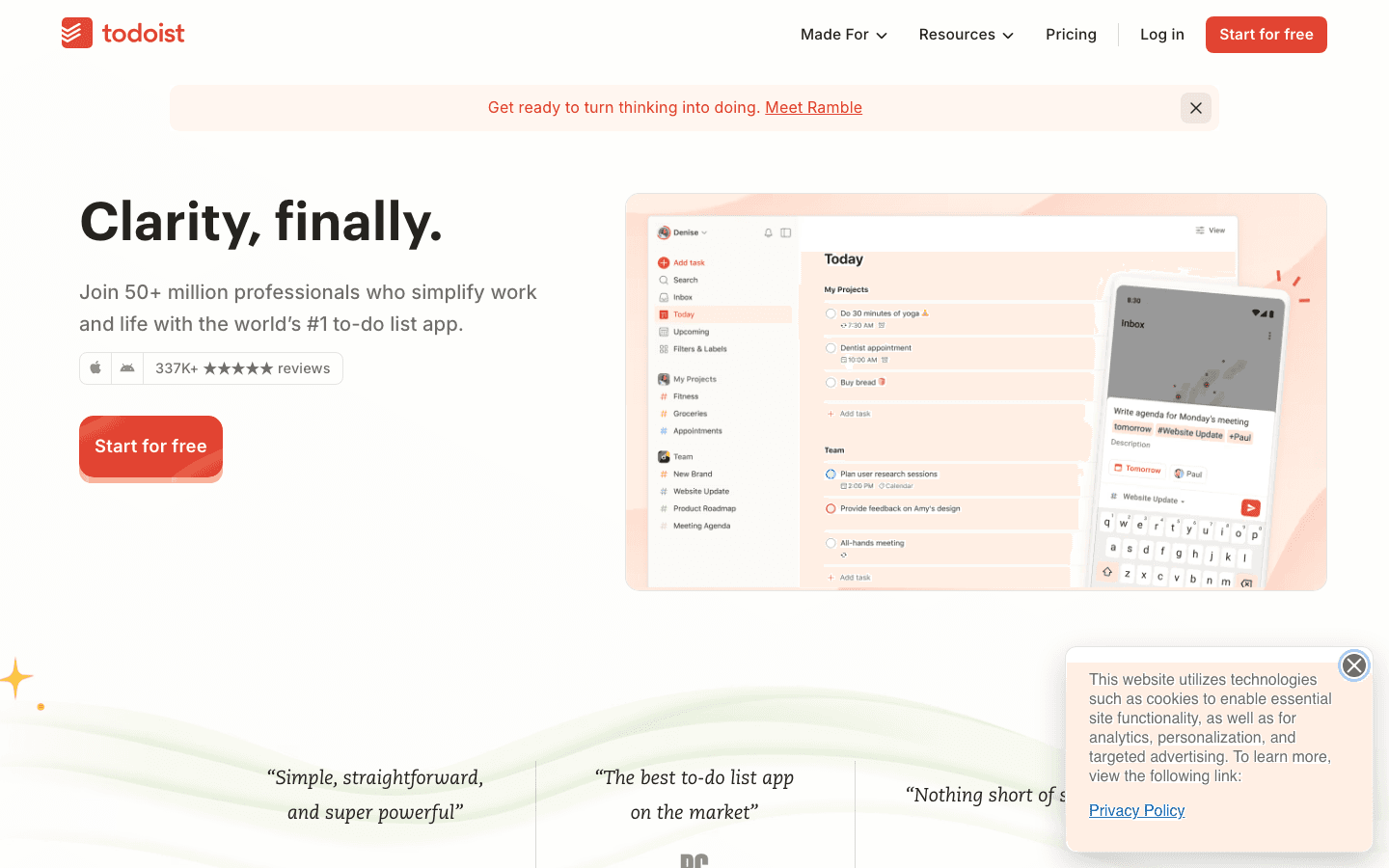
Todoist has been refining the same core product since 2007: a clean, fast task manager that stays out of your way. You type tasks using natural language ("Submit report by Friday at 3pm"), and Todoist parses the date, priority, and project automatically. Recurring tasks, nested subtasks, and project sections give you enough structure for complex workloads without requiring any configuration to get started.
Its cross-platform consistency is one of its strongest qualities. The iOS app, the desktop app, and the web app feel like the same product and sync instantly. If you've tried task managers that feel significantly worse on mobile than desktop, Todoist is a notable contrast. The Karma system that gamifies task completion is optional but provides a gentle accountability mechanism for people who find streaks motivating.
Key Features
Natural language task input with date and priority parsing
Projects, sections, and nested subtasks
Recurring tasks and reminders
Integrations with Google Calendar, Outlook, Slack, and more
Karma productivity tracking and streaks
What Works
The fastest task capture experience in the category
Excellent cross-platform consistency
Strong free tier for individual users with simple task management needs
Limitations
No energy or biometric awareness. Task scheduling remains entirely manual
Not a notes tool. For knowledge management you need a separate app like Notion or Obsidian
Project management features are more limited than Notion or Trello for complex workflows
Pricing: Free tier available. Pro plan $6.99/month or $59.99/year.
Best for: Individuals and small teams who want the fastest possible task capture without complex setup
4. Trello
Visual Kanban boards for projects and workflow management
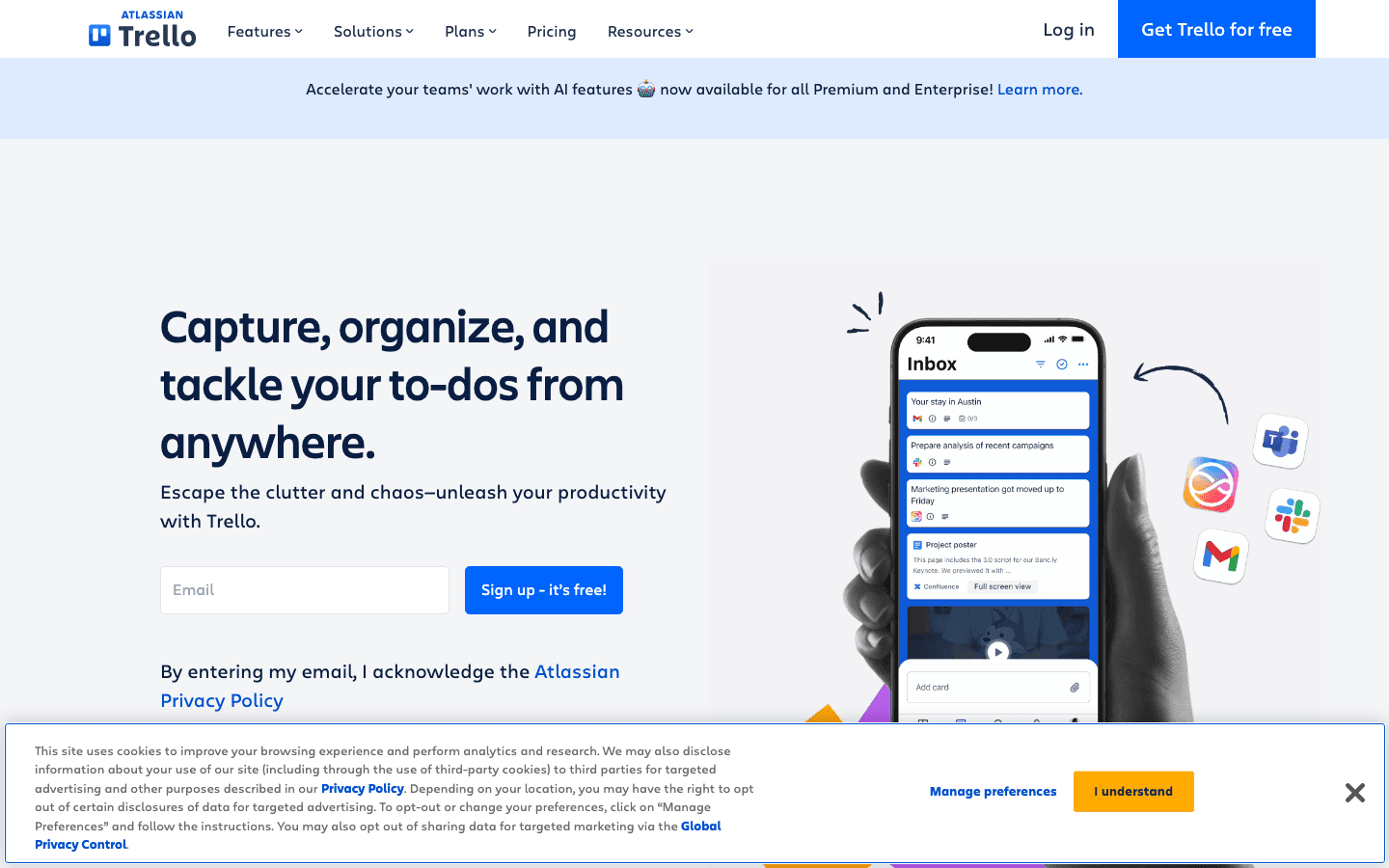
Trello makes workflow organization visual. Cards represent tasks or items, columns represent stages (To Do, In Progress, Done, or whatever you define), and you drag cards across columns as work progresses. The model is intuitive enough that most teams understand it on the first use, without documentation or onboarding. For projects with a natural workflow progression, this visual clarity is a genuine advantage over lists.
Trello has expanded well beyond basic Kanban. Power-Ups add calendar views, timeline views, time tracking, and integrations with Slack, Jira, and GitHub. Automations handle repetitive moves, like auto-assigning a card when it enters a specific column. For teams with visual thinkers or projects that benefit from seeing work in motion, Trello remains one of the strongest choices in its category.
Key Features
Drag-and-drop Kanban boards with customizable columns
Cards with checklists, attachments, due dates, and members
Power-Ups for timeline, calendar, and reporting views
Automation rules for repetitive board actions
Strong team collaboration with real-time updates
What Works
The most intuitive onboarding of any tool in this list
Immediately useful for visual thinkers who find lists demotivating
Generous free tier for small teams and personal boards
Limitations
No energy awareness. When to work on each card is entirely manual
Not built for note-taking or knowledge management
Can become cluttered quickly on busy boards with many cards and columns
Pricing: Free tier available. Standard plan $5/month (billed annually). Premium plan $10/month (billed annually).
Best for: Teams with visual workflows where seeing tasks move through stages clarifies progress and accountability
5. TickTick
Feature-rich task and habit manager with built-in Pomodoro timer
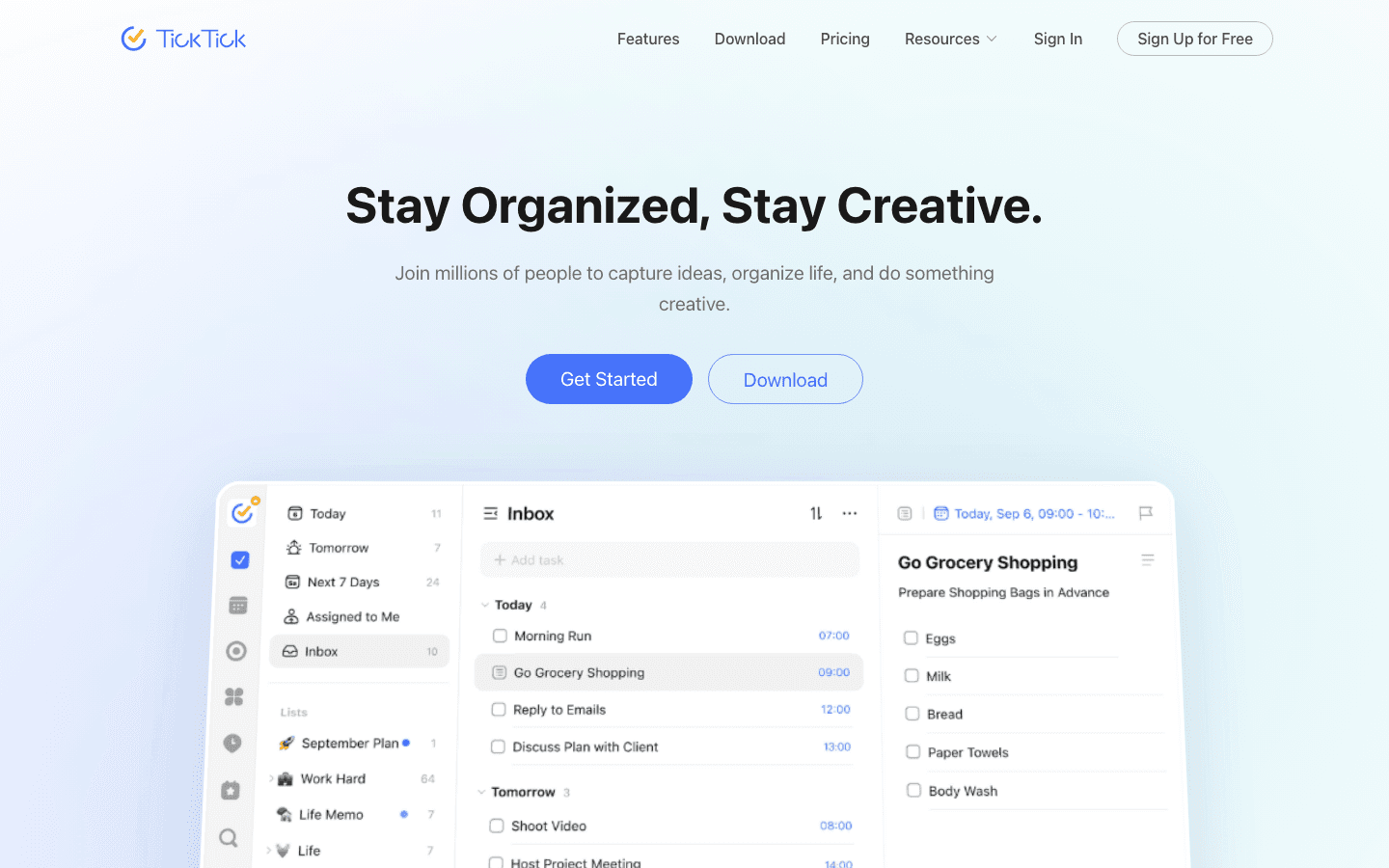
TickTick packs more features into a single app than any other task manager in this list. Beyond standard task management, it includes a built-in Pomodoro timer, a habit tracker, calendar views, Kanban views, and a dedicated eisenhower matrix view for prioritization. For users who want task management, habit tracking, and focus timing in one place without paying for separate apps, TickTick delivers strong value at a low price.
The app is available across all major platforms and syncs reliably. The free tier is functional but limited to one calendar view and basic task management. The Premium tier at $49.99/year unlocks the full feature set including all views, unlimited list filters, and advanced calendar integrations.
Key Features
Task management with natural language input and recurring tasks
Built-in Pomodoro focus timer
Habit tracker with streak visualization
Multiple views: List, Kanban, Calendar, Eisenhower matrix
Google Calendar and Outlook sync on Premium
What Works
Most features per dollar of any task manager in this list
The habit tracker and Pomodoro timer eliminate the need for separate apps
Multiple views accommodate different organizational styles
Limitations
No energy or biometric awareness. All scheduling is manual
The breadth of features can feel overwhelming compared to simpler alternatives
Not a notes or knowledge management tool
Pricing: Free tier available. Premium plan $49.99/year (~$4.17/month).
Best for: Users who want task management, habit tracking, and Pomodoro timing in a single app at a low price
6. Obsidian
Local-first knowledge base with linked notes and graph visualization
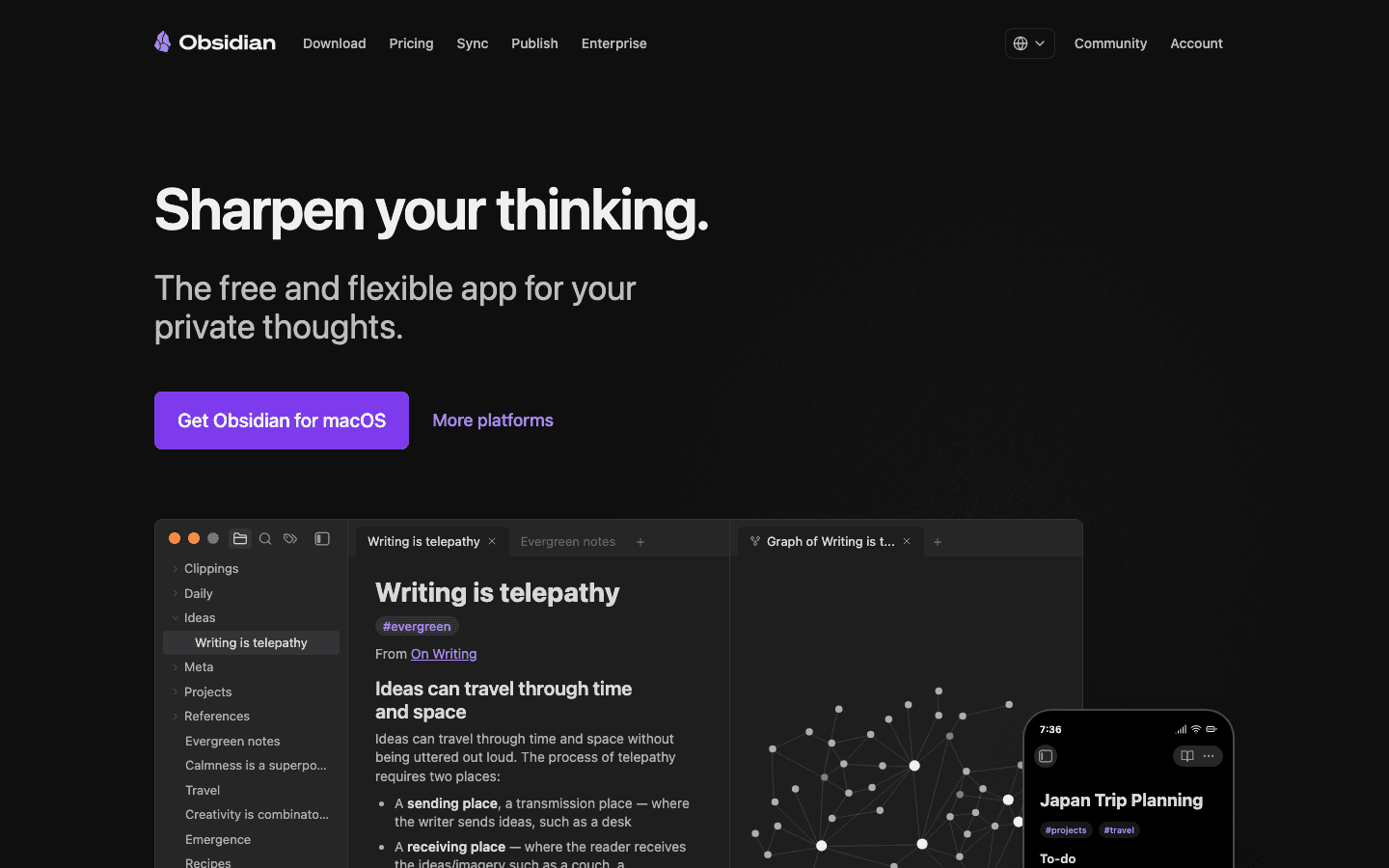
Obsidian is built around a different idea than every other tool in this list. Notes are stored as plain Markdown files on your own device. There is no company database holding your writing. Links between notes create a knowledge graph that grows over time, revealing connections between ideas you wrote months apart. For people who do serious writing, research, or long-term knowledge building, this approach creates an organizational structure that mirrors how ideas actually connect rather than how folders are arranged.
The learning curve is steeper than any other tool here. Obsidian is essentially a platform that you configure with plugins and workflows. The default state is a blank slate. But for the right user (someone building a second brain, a personal research database, or a writing system), the result is uniquely powerful. The local-first model also means your notes are not locked into any company's future pricing decisions.
Key Features
Plain Markdown notes stored locally on your device
Bidirectional linking and knowledge graph visualization
Extensive plugin ecosystem for custom workflows
Optional Sync ($10/month) for cross-device access
Canvas view for visual thinking and note mapping
What Works
Best knowledge management tool for serious writers and researchers
Free for personal use with no account required
Data portability: your notes are plain text files that work in any editor
Limitations
No energy awareness. No scheduling or task management built in
High setup friction. Requires deliberate configuration to become useful
Cross-device sync requires a paid add-on; the free tier is single-device only
Pricing: Free for personal use. Optional Sync add-on $10/month. Publish add-on $16/month.
Best for: Writers, researchers, and knowledge workers building a long-term personal knowledge base
Which Digital Organization Tool Is Right for You?
If your biggest problem is getting your schedule to match your actual energy: Lifestack. It is the only tool that accounts for your cognitive state when planning your day
If you need one workspace for notes, tasks, and team wikis: Notion. The flexibility covers most use cases, especially for teams
If you want the fastest, cleanest task manager with no setup overhead: Todoist. It works on every device and stays out of your way
If visual workflows motivate you more than lists: Trello. The Kanban model makes project status immediately visible
If you want tasks, habits, and focus timing in one app for under $5/month: TickTick. Strong value at its price point
If you do serious writing or research and want to own your notes permanently: Obsidian. Nothing else comes close for long-term knowledge management
Frequently Asked Questions
What are digital organization tools?
Digital organization tools are apps that help you capture, manage, and act on your tasks, notes, projects, and schedule. They range from simple task managers to flexible workspaces and AI-powered planners. The right tool depends on your main organizational problem: whether you need better task capture, better knowledge management, better project visibility, or better daily scheduling.
What is the best free digital organization tool?
Notion's free tier is the most generous for general organization, offering unlimited personal pages and basic database features. Todoist's free tier is the strongest for pure task management. Obsidian is fully free for personal local use with no account required. All three are worth trying before committing to a paid plan. See our list of top organization applications for more options.
Should I use one app or multiple apps for digital organization?
Most people find that a two-app stack works well: one tool for tasks and scheduling, and one for notes and knowledge management. Trying to find a single tool that does everything perfectly usually means finding one that does everything adequately. A common pairing is Lifestack for daily scheduling plus Notion or Obsidian for notes, or Todoist for tasks plus Obsidian for deeper thinking.
How is Lifestack different from other digital organization tools?
Most digital organization tools help you organize information. Lifestack helps you organize your time based on when you have the cognitive capacity to act on that information. It connects to wearable devices and uses sleep and HRV data to schedule your tasks during your actual peak energy windows. No other mainstream organization tool does this. See how Lifestack works for a detailed overview.
What organization tools work well together?
Lifestack pairs well with any of the note-taking tools in this list since it handles scheduling while Notion or Obsidian handle knowledge management. Notion connects natively to Todoist, Slack, and GitHub for teams that use those tools. Todoist integrates with Google Calendar for users who want tasks and calendar events in one view. See our guide to apps that work with Notion for integration ideas.
Digital organization is not a single problem with a single solution. Some people need a better place to capture tasks. Others need a system for managing notes and knowledge. Others need a daily plan that actually matches their energy, not just their calendar. The best digital organization tools solve different parts of this picture, and using the wrong one for your problem is a reliable way to abandon it within a month.
The six tools in this list cover the full range: a scheduling-first AI planner, a flexible workspace, two task managers with different philosophies, a visual project board, and a knowledge base for long-form thinking. Each earns its place because it solves a specific organizational challenge better than its alternatives.
We evaluated on setup friction, daily usability, mobile quality, integration breadth, and whether the tool actually changes how organized you feel after 30 days of regular use.
Key Takeaways
Lifestack solves the scheduling layer that most digital organization tools skip: it reads your energy data and plans your day around when you're actually capable of your best work
Notion and Obsidian are the two strongest choices for knowledge management, but they serve different mental models: collaborative workspaces vs. private linked thinking
Todoist and Trello are reliable task management tools that differ mainly in whether you prefer lists or visual boards
Quick Guide
Lifestack: AI daily planner that schedules tasks around your energy and sleep data
Notion: Flexible workspace for notes, databases, tasks, and team collaboration
Todoist: Clean, reliable task manager with excellent natural language input
Trello: Visual Kanban board for projects and workflow management
TickTick: Feature-rich task and habit manager with a built-in Pomodoro timer
Obsidian: Local-first knowledge base with linked notes and graph visualization
How We Evaluated
Setup friction: how quickly does the tool deliver value after first launch?
Daily usability: does it make organization easier or just move the work?
Mobile quality: can you use it on iOS without constant friction?
Integration breadth: does it connect to your existing calendar and task tools?
Price relative to value delivered
1. Lifestack
The daily planner that matches your schedule to your biology
Lifestack approaches digital organization from the scheduling layer that other tools ignore. Rather than giving you a place to store tasks or notes, it focuses on when you should work on each thing. It connects to your wearable device, reads your sleep score and HRV, and uses that data to auto-schedule your tasks into the time windows where your cognitive performance is genuinely high. The result is a daily plan built around your biology rather than just your calendar availability.
This matters because organization is not just about capturing information. It's about actually executing on it. Most organizational tools leave the "when" entirely up to you, which means high-priority tasks get deprioritized when energy is low and never quite make it onto the calendar. Lifestack closes that gap automatically through energy-based scheduling.
Key Features
Wearable-connected AI scheduling based on sleep and HRV data
Google Calendar and Apple Calendar sync
Task capture and daily planning in a single view
iOS, Android, and Chrome extension
What Works
The only tool in this list that uses biometric data to decide when you work on each task
Significant pricing advantage over comparable AI planning tools
Fast to set up. Useful on day one without complex configuration
Limitations
Requires a compatible wearable for the full energy-aware scheduling feature
Not a notes or knowledge management tool. Pairs best with Notion or Obsidian for that layer
Pricing: $7/month or $50/year. Annual plan includes a 7-day free trial.
Best for: Knowledge workers who want their daily schedule to reflect their actual cognitive capacity
2. Notion
The flexible workspace for notes, databases, and team collaboration
Notion is the most flexible tool in this list. At its core it is a block-based document editor, but you can build databases, Kanban boards, calendars, wikis, and project trackers on top of that foundation. Teams use it as a company wiki. Individuals use it as a second brain. It handles both use cases reasonably well, though neither as elegantly as a dedicated tool for each. Its AI features (summarization, content generation, database queries) have matured and add real value for regular users.
The main tradeoff is setup time. Notion can become almost anything, which means it takes longer to configure than a tool with a fixed structure. First-time users who expect to open it and immediately have an organized system tend to be disappointed. It rewards people who are willing to build their own system and maintain it.
Key Features
Flexible block editor for documents, databases, and boards
Team wikis and collaborative workspaces
AI writing, summarization, and database queries
Integrations with Slack, GitHub, Google Drive, and more
Web clipper for saving content from the browser
What Works
Unmatched flexibility for building exactly the organizational system you need
Strong team collaboration features with granular permissions
The free tier is genuinely useful for personal organization
Limitations
No energy awareness. You still have to decide when to work on each task
High setup friction compared to purpose-built task managers
Can become disorganized quickly without consistent maintenance habits
Pricing: Free tier available. Plus plan $10/month. Business plan $20/month. Annual billing saves up to 20%.
Best for: Teams and individuals who want a highly customizable workspace for notes, projects, and knowledge management
3. Todoist
The reliable task manager with excellent natural language input
Todoist has been refining the same core product since 2007: a clean, fast task manager that stays out of your way. You type tasks using natural language ("Submit report by Friday at 3pm"), and Todoist parses the date, priority, and project automatically. Recurring tasks, nested subtasks, and project sections give you enough structure for complex workloads without requiring any configuration to get started.
Its cross-platform consistency is one of its strongest qualities. The iOS app, the desktop app, and the web app feel like the same product and sync instantly. If you've tried task managers that feel significantly worse on mobile than desktop, Todoist is a notable contrast. The Karma system that gamifies task completion is optional but provides a gentle accountability mechanism for people who find streaks motivating.
Key Features
Natural language task input with date and priority parsing
Projects, sections, and nested subtasks
Recurring tasks and reminders
Integrations with Google Calendar, Outlook, Slack, and more
Karma productivity tracking and streaks
What Works
The fastest task capture experience in the category
Excellent cross-platform consistency
Strong free tier for individual users with simple task management needs
Limitations
No energy or biometric awareness. Task scheduling remains entirely manual
Not a notes tool. For knowledge management you need a separate app like Notion or Obsidian
Project management features are more limited than Notion or Trello for complex workflows
Pricing: Free tier available. Pro plan $6.99/month or $59.99/year.
Best for: Individuals and small teams who want the fastest possible task capture without complex setup
4. Trello
Visual Kanban boards for projects and workflow management
Trello makes workflow organization visual. Cards represent tasks or items, columns represent stages (To Do, In Progress, Done, or whatever you define), and you drag cards across columns as work progresses. The model is intuitive enough that most teams understand it on the first use, without documentation or onboarding. For projects with a natural workflow progression, this visual clarity is a genuine advantage over lists.
Trello has expanded well beyond basic Kanban. Power-Ups add calendar views, timeline views, time tracking, and integrations with Slack, Jira, and GitHub. Automations handle repetitive moves, like auto-assigning a card when it enters a specific column. For teams with visual thinkers or projects that benefit from seeing work in motion, Trello remains one of the strongest choices in its category.
Key Features
Drag-and-drop Kanban boards with customizable columns
Cards with checklists, attachments, due dates, and members
Power-Ups for timeline, calendar, and reporting views
Automation rules for repetitive board actions
Strong team collaboration with real-time updates
What Works
The most intuitive onboarding of any tool in this list
Immediately useful for visual thinkers who find lists demotivating
Generous free tier for small teams and personal boards
Limitations
No energy awareness. When to work on each card is entirely manual
Not built for note-taking or knowledge management
Can become cluttered quickly on busy boards with many cards and columns
Pricing: Free tier available. Standard plan $5/month (billed annually). Premium plan $10/month (billed annually).
Best for: Teams with visual workflows where seeing tasks move through stages clarifies progress and accountability
5. TickTick
Feature-rich task and habit manager with built-in Pomodoro timer
TickTick packs more features into a single app than any other task manager in this list. Beyond standard task management, it includes a built-in Pomodoro timer, a habit tracker, calendar views, Kanban views, and a dedicated eisenhower matrix view for prioritization. For users who want task management, habit tracking, and focus timing in one place without paying for separate apps, TickTick delivers strong value at a low price.
The app is available across all major platforms and syncs reliably. The free tier is functional but limited to one calendar view and basic task management. The Premium tier at $49.99/year unlocks the full feature set including all views, unlimited list filters, and advanced calendar integrations.
Key Features
Task management with natural language input and recurring tasks
Built-in Pomodoro focus timer
Habit tracker with streak visualization
Multiple views: List, Kanban, Calendar, Eisenhower matrix
Google Calendar and Outlook sync on Premium
What Works
Most features per dollar of any task manager in this list
The habit tracker and Pomodoro timer eliminate the need for separate apps
Multiple views accommodate different organizational styles
Limitations
No energy or biometric awareness. All scheduling is manual
The breadth of features can feel overwhelming compared to simpler alternatives
Not a notes or knowledge management tool
Pricing: Free tier available. Premium plan $49.99/year (~$4.17/month).
Best for: Users who want task management, habit tracking, and Pomodoro timing in a single app at a low price
6. Obsidian
Local-first knowledge base with linked notes and graph visualization
Obsidian is built around a different idea than every other tool in this list. Notes are stored as plain Markdown files on your own device. There is no company database holding your writing. Links between notes create a knowledge graph that grows over time, revealing connections between ideas you wrote months apart. For people who do serious writing, research, or long-term knowledge building, this approach creates an organizational structure that mirrors how ideas actually connect rather than how folders are arranged.
The learning curve is steeper than any other tool here. Obsidian is essentially a platform that you configure with plugins and workflows. The default state is a blank slate. But for the right user (someone building a second brain, a personal research database, or a writing system), the result is uniquely powerful. The local-first model also means your notes are not locked into any company's future pricing decisions.
Key Features
Plain Markdown notes stored locally on your device
Bidirectional linking and knowledge graph visualization
Extensive plugin ecosystem for custom workflows
Optional Sync ($10/month) for cross-device access
Canvas view for visual thinking and note mapping
What Works
Best knowledge management tool for serious writers and researchers
Free for personal use with no account required
Data portability: your notes are plain text files that work in any editor
Limitations
No energy awareness. No scheduling or task management built in
High setup friction. Requires deliberate configuration to become useful
Cross-device sync requires a paid add-on; the free tier is single-device only
Pricing: Free for personal use. Optional Sync add-on $10/month. Publish add-on $16/month.
Best for: Writers, researchers, and knowledge workers building a long-term personal knowledge base
Which Digital Organization Tool Is Right for You?
If your biggest problem is getting your schedule to match your actual energy: Lifestack. It is the only tool that accounts for your cognitive state when planning your day
If you need one workspace for notes, tasks, and team wikis: Notion. The flexibility covers most use cases, especially for teams
If you want the fastest, cleanest task manager with no setup overhead: Todoist. It works on every device and stays out of your way
If visual workflows motivate you more than lists: Trello. The Kanban model makes project status immediately visible
If you want tasks, habits, and focus timing in one app for under $5/month: TickTick. Strong value at its price point
If you do serious writing or research and want to own your notes permanently: Obsidian. Nothing else comes close for long-term knowledge management
Frequently Asked Questions
What are digital organization tools?
Digital organization tools are apps that help you capture, manage, and act on your tasks, notes, projects, and schedule. They range from simple task managers to flexible workspaces and AI-powered planners. The right tool depends on your main organizational problem: whether you need better task capture, better knowledge management, better project visibility, or better daily scheduling.
What is the best free digital organization tool?
Notion's free tier is the most generous for general organization, offering unlimited personal pages and basic database features. Todoist's free tier is the strongest for pure task management. Obsidian is fully free for personal local use with no account required. All three are worth trying before committing to a paid plan. See our list of top organization applications for more options.
Should I use one app or multiple apps for digital organization?
Most people find that a two-app stack works well: one tool for tasks and scheduling, and one for notes and knowledge management. Trying to find a single tool that does everything perfectly usually means finding one that does everything adequately. A common pairing is Lifestack for daily scheduling plus Notion or Obsidian for notes, or Todoist for tasks plus Obsidian for deeper thinking.
How is Lifestack different from other digital organization tools?
Most digital organization tools help you organize information. Lifestack helps you organize your time based on when you have the cognitive capacity to act on that information. It connects to wearable devices and uses sleep and HRV data to schedule your tasks during your actual peak energy windows. No other mainstream organization tool does this. See how Lifestack works for a detailed overview.
What organization tools work well together?
Lifestack pairs well with any of the note-taking tools in this list since it handles scheduling while Notion or Obsidian handle knowledge management. Notion connects natively to Todoist, Slack, and GitHub for teams that use those tools. Todoist integrates with Google Calendar for users who want tasks and calendar events in one view. See our guide to apps that work with Notion for integration ideas.



FOLLOW ON
FOLLOW ON
FOLLOW ON


Copyright 2026 © Lifestack. All rights reserved
Copyright 2026 © Lifestack. All rights reserved

