
App
Doodle vs Calendly: Which Should You Use?
Doodle vs Calendly: Which Should You Use?
Doodle vs Calendly: Two Different Answers to the Same Problem
Both Calendly and Doodle solve the problem of scheduling meetings without back-and-forth emails. But they solve it in fundamentally different ways, for different situations. Knowing which one fits your actual use case matters more than which app has a better feature list.
Calendly automates individual booking: you set your availability, share a link, and the other person picks a time that works from your open slots. The meeting is confirmed automatically. Doodle does group polling: you propose several time options, everyone votes on availability, and you identify the slot that works for the most people. Both are good at what they're designed for. The mistake is using one for a job that belongs to the other.
This comparison covers how each tool works, where each excels, and which use cases favor each. We also look at pricing, integrations, and the specific situations where neither tool is the right fit.
Key Takeaways
Calendly is the better choice for individual booking: sales calls, demos, support appointments, and any situation where one person needs to book time with you
Doodle is the better choice for group scheduling: finding a time that works for three or more people with different schedules
Pricing: Calendly is free for basic use and $10/seat/month for paid plans; Doodle is free for limited use and roughly $12/month for Pro (billed annually)
Quick Verdict
Calendly: Best for individual booking flows where you share a link and someone picks a time from your calendar
Doodle: Best for group consensus scheduling where you need to find a time that works across multiple attendees
Calendly Overview
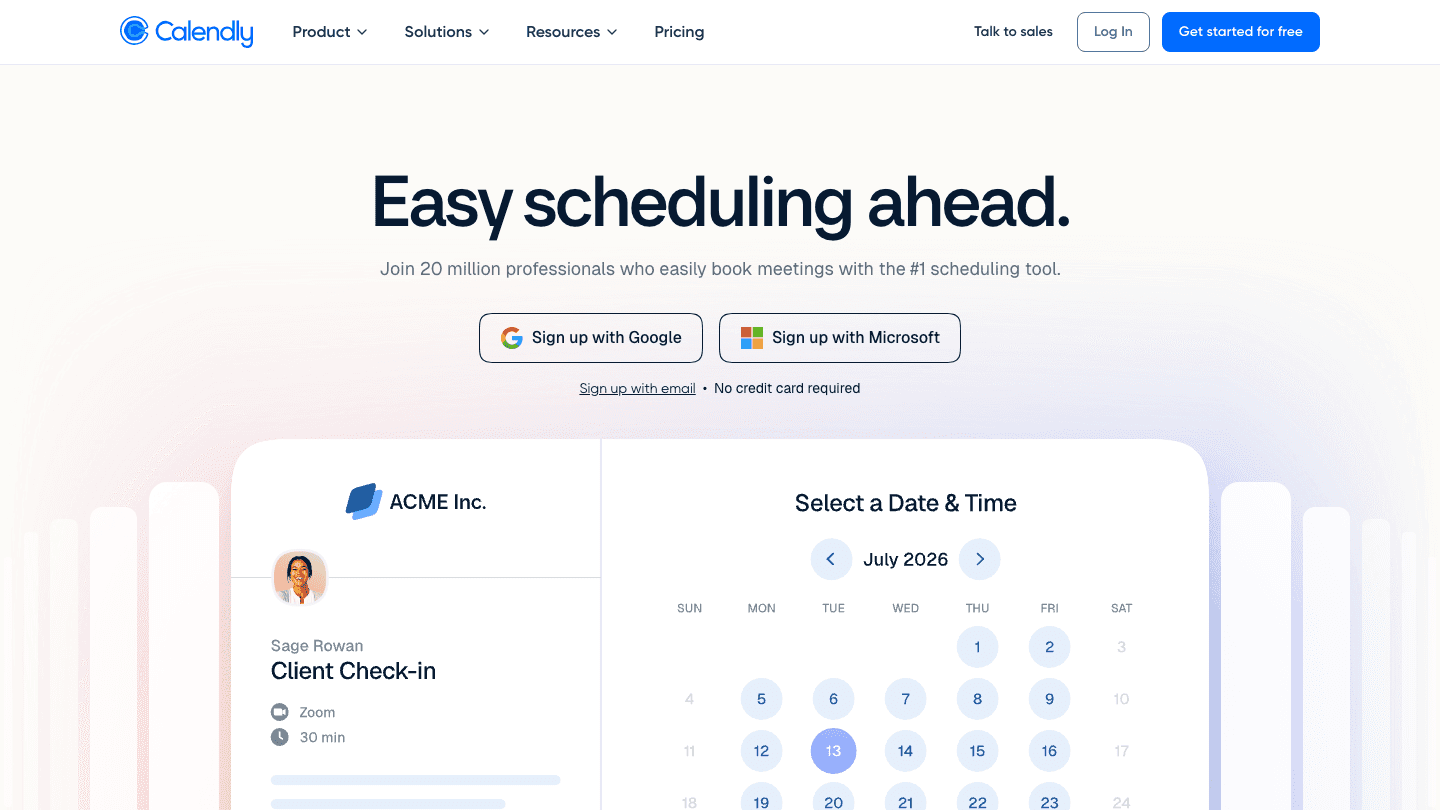
Calendly is a booking link tool. You connect your calendar, define your available hours, and create event types (30-minute intro call, 60-minute consultation, etc.). Anyone who needs to schedule with you gets a link, picks an open slot, and the meeting is automatically added to both calendars with a confirmation email and optional reminders.
The model is designed for repetitive booking workflows. Sales teams use it for demo scheduling. Recruiters use it for interview booking. Consultants use it for client calls. Customer support teams use it for appointment scheduling. Any situation where one person needs to book recurring time with another person, without manual coordination, is a natural Calendly use case.
What Works
Dead simple for the person booking: just click a link, pick a time, done
Solid calendar integrations (Google Calendar, Outlook, iCloud, Office 365)
Automated confirmation emails, reminders, and follow-ups
Round-robin routing for teams where any available member can take the booking
Zoom, Teams, and Google Meet links generated automatically
Limitations
Not designed for group scheduling: everyone books with you individually, not together
Less useful for ad-hoc meetings where you don't have a fixed event type in mind
Free plan is quite limited (1 event type, 1 calendar connection)
Can feel transactional in casual contexts where a booking link seems overly formal
Pricing: Free forever (1 event type, 1 calendar); Standard $10/seat/month billed annually; Teams $16/seat/month billed annually; Enterprise from $15,000/year.
Doodle Overview

Doodle is a group availability polling tool. You create a poll with several proposed time options, send the link to everyone who needs to attend, and they mark which times work for them. Once everyone has responded, you see which slot has the most available participants and confirm the meeting. No one books directly into your calendar; the confirmation step is manual.
This model works well for committee meetings, team standups being scheduled for the first time, client meetings with multiple stakeholders, or any situation where the goal is consensus rather than direct booking. The polling interface is straightforward enough that it works even with participants who aren't tech-savvy.
What Works
Group scheduling across organizations: participants don't need an account to respond to polls
Clean interface that's easy to use even for infrequent participants
Deadline functionality: set a date when voting closes to force a decision
Hide participant responses so people vote independently without anchoring to others' choices
1:1 booking pages also available for individual scheduling
Limitations
The confirmation step is manual: after voting closes, you still have to create the calendar event yourself
No automatic reminders for participants who haven't voted
Calendar integration is lighter than Calendly's; syncing and blocking is less precise
Ads on the free plan are intrusive enough to push many users toward the paid tier
Pricing: Free (limited to 1 active poll, 1 booking page, 1 1:1 at a time); Pro approximately $12/month billed annually (CHF 132/year); Team approximately $20/seat/month billed annually (CHF 215/seat/year).
Head-to-Head: Doodle vs Calendly
Use Case Fit
This is the core distinction. Calendly wins on individual booking: one person shares a link, another person picks a time. The whole flow is automated and takes under a minute. Doodle wins on group scheduling: finding a time that works across three, five, or ten people requires a polling mechanism, and Doodle's interface is clean enough that participation rates are high.
Integrations and Calendar Sync
Calendly's calendar integrations are deeper. It reads availability from Google Calendar, Outlook, and Office 365 in real time, blocks confirmed meetings immediately, and generates video conferencing links automatically. Its Salesforce, HubSpot, and Zapier integrations are useful for teams that want scheduling data to flow into their CRM. See our look at best apps for Outlook calendar for how it fits in that ecosystem.
Doodle's calendar sync is more limited. It can show your existing calendar when you're proposing times, but the automatic blocking of confirmed meetings requires more manual steps. For most users, this means Doodle polls can be created without the same real-time accuracy that Calendly's links provide.
Automation vs Consensus
Calendly is fully automated once set up. A booking confirms immediately, no human decision required. Doodle requires a decision step after polling closes. Someone has to look at the responses and send the calendar invite. This is fine for one-off team meetings but becomes friction in high-volume booking workflows. For high-volume scheduling, see our auto scheduling apps guide.
Pricing Comparison
Both have free tiers, but Calendly's free plan is more restrictive (1 event type). For individuals who need just one scheduling use case, Doodle's free plan is more permissive (1 active poll, 1 booking page, 1 1:1). At the paid tier, Calendly Standard ($10/month) and Doodle Pro (~$12/month) are roughly comparable. For teams, Calendly Teams ($16/user/month) is more full-featured than Doodle Team.
Which Should You Choose?
Choose Calendly if you need to let others book directly into your calendar, run recurring booking flows (sales, support, recruiting), want deep CRM or workflow integrations, or need a professional booking experience with automated confirmations and reminders
Choose Doodle if you're scheduling a group meeting where you need to find consensus across multiple attendees, coordinating with external stakeholders who shouldn't have access to your calendar, or polling across an organization for the best meeting time
Use both if your needs span both use cases: individual booking links (Calendly) for external calls, and group polls (Doodle) for internal team meeting scheduling
For the broader landscape of scheduling tools, see our best scheduling apps guide and our look at calendar management tools. For teams focused on meeting efficiency, our meeting management tools guide covers the workflow side.
If neither Calendly nor Doodle fits quite right, there's a third category worth knowing about: AI scheduling tools that coordinate meetings automatically inside your calendar, without requiring either party to visit a booking page or respond to a poll. Lifestack works differently, as an AI daily planner that integrates with your calendar and builds your schedule around your energy and priorities, protecting time for deep work while letting meetings fit around it rather than defining it. It's not a direct replacement for either tool, but for people who find scheduling links too transactional and group polls too manual, it represents a different model for how your calendar can work.
FAQ
Is Doodle or Calendly better?
It depends on the use case. For individual booking (sharing a link so others can book time with you), Calendly is better. For group scheduling (polling multiple attendees to find consensus), Doodle is better. Many teams use both for different purposes.
Is Doodle free?
Yes, Doodle has a free tier that includes one active group poll, one booking page, and one 1:1 at a time. The free plan includes ads. The Pro plan (approximately $12/month billed annually) removes ads and adds unlimited polls, booking pages, and advanced features.
Is Calendly free?
Yes, Calendly's free plan is permanently free and includes one event type connected to one calendar. For multiple event types, multiple calendar connections, and integrations with tools like HubSpot and Stripe, you need the Standard plan at $10/seat/month billed annually.
Can Doodle integrate with Google Calendar?
Yes, Doodle can connect to Google Calendar to show your availability when creating polls, and confirms events to your calendar. The integration is less automatic than Calendly's but handles the core use case. See our guide to apps that work with Google Calendar for the full picture.
What's the difference between Doodle and Calendly?
The core difference is the scheduling model. Calendly is a booking link tool where one person shares a link and another picks a time from available slots. Doodle is a polling tool where you propose several times and multiple attendees vote on availability. Calendly is better for 1:1 external booking; Doodle is better for group consensus scheduling.
Doodle vs Calendly: Two Different Answers to the Same Problem
Both Calendly and Doodle solve the problem of scheduling meetings without back-and-forth emails. But they solve it in fundamentally different ways, for different situations. Knowing which one fits your actual use case matters more than which app has a better feature list.
Calendly automates individual booking: you set your availability, share a link, and the other person picks a time that works from your open slots. The meeting is confirmed automatically. Doodle does group polling: you propose several time options, everyone votes on availability, and you identify the slot that works for the most people. Both are good at what they're designed for. The mistake is using one for a job that belongs to the other.
This comparison covers how each tool works, where each excels, and which use cases favor each. We also look at pricing, integrations, and the specific situations where neither tool is the right fit.
Key Takeaways
Calendly is the better choice for individual booking: sales calls, demos, support appointments, and any situation where one person needs to book time with you
Doodle is the better choice for group scheduling: finding a time that works for three or more people with different schedules
Pricing: Calendly is free for basic use and $10/seat/month for paid plans; Doodle is free for limited use and roughly $12/month for Pro (billed annually)
Quick Verdict
Calendly: Best for individual booking flows where you share a link and someone picks a time from your calendar
Doodle: Best for group consensus scheduling where you need to find a time that works across multiple attendees
Calendly Overview
Calendly is a booking link tool. You connect your calendar, define your available hours, and create event types (30-minute intro call, 60-minute consultation, etc.). Anyone who needs to schedule with you gets a link, picks an open slot, and the meeting is automatically added to both calendars with a confirmation email and optional reminders.
The model is designed for repetitive booking workflows. Sales teams use it for demo scheduling. Recruiters use it for interview booking. Consultants use it for client calls. Customer support teams use it for appointment scheduling. Any situation where one person needs to book recurring time with another person, without manual coordination, is a natural Calendly use case.
What Works
Dead simple for the person booking: just click a link, pick a time, done
Solid calendar integrations (Google Calendar, Outlook, iCloud, Office 365)
Automated confirmation emails, reminders, and follow-ups
Round-robin routing for teams where any available member can take the booking
Zoom, Teams, and Google Meet links generated automatically
Limitations
Not designed for group scheduling: everyone books with you individually, not together
Less useful for ad-hoc meetings where you don't have a fixed event type in mind
Free plan is quite limited (1 event type, 1 calendar connection)
Can feel transactional in casual contexts where a booking link seems overly formal
Pricing: Free forever (1 event type, 1 calendar); Standard $10/seat/month billed annually; Teams $16/seat/month billed annually; Enterprise from $15,000/year.
Doodle Overview
Doodle is a group availability polling tool. You create a poll with several proposed time options, send the link to everyone who needs to attend, and they mark which times work for them. Once everyone has responded, you see which slot has the most available participants and confirm the meeting. No one books directly into your calendar; the confirmation step is manual.
This model works well for committee meetings, team standups being scheduled for the first time, client meetings with multiple stakeholders, or any situation where the goal is consensus rather than direct booking. The polling interface is straightforward enough that it works even with participants who aren't tech-savvy.
What Works
Group scheduling across organizations: participants don't need an account to respond to polls
Clean interface that's easy to use even for infrequent participants
Deadline functionality: set a date when voting closes to force a decision
Hide participant responses so people vote independently without anchoring to others' choices
1:1 booking pages also available for individual scheduling
Limitations
The confirmation step is manual: after voting closes, you still have to create the calendar event yourself
No automatic reminders for participants who haven't voted
Calendar integration is lighter than Calendly's; syncing and blocking is less precise
Ads on the free plan are intrusive enough to push many users toward the paid tier
Pricing: Free (limited to 1 active poll, 1 booking page, 1 1:1 at a time); Pro approximately $12/month billed annually (CHF 132/year); Team approximately $20/seat/month billed annually (CHF 215/seat/year).
Head-to-Head: Doodle vs Calendly
Use Case Fit
This is the core distinction. Calendly wins on individual booking: one person shares a link, another person picks a time. The whole flow is automated and takes under a minute. Doodle wins on group scheduling: finding a time that works across three, five, or ten people requires a polling mechanism, and Doodle's interface is clean enough that participation rates are high.
Integrations and Calendar Sync
Calendly's calendar integrations are deeper. It reads availability from Google Calendar, Outlook, and Office 365 in real time, blocks confirmed meetings immediately, and generates video conferencing links automatically. Its Salesforce, HubSpot, and Zapier integrations are useful for teams that want scheduling data to flow into their CRM. See our look at best apps for Outlook calendar for how it fits in that ecosystem.
Doodle's calendar sync is more limited. It can show your existing calendar when you're proposing times, but the automatic blocking of confirmed meetings requires more manual steps. For most users, this means Doodle polls can be created without the same real-time accuracy that Calendly's links provide.
Automation vs Consensus
Calendly is fully automated once set up. A booking confirms immediately, no human decision required. Doodle requires a decision step after polling closes. Someone has to look at the responses and send the calendar invite. This is fine for one-off team meetings but becomes friction in high-volume booking workflows. For high-volume scheduling, see our auto scheduling apps guide.
Pricing Comparison
Both have free tiers, but Calendly's free plan is more restrictive (1 event type). For individuals who need just one scheduling use case, Doodle's free plan is more permissive (1 active poll, 1 booking page, 1 1:1). At the paid tier, Calendly Standard ($10/month) and Doodle Pro (~$12/month) are roughly comparable. For teams, Calendly Teams ($16/user/month) is more full-featured than Doodle Team.
Which Should You Choose?
Choose Calendly if you need to let others book directly into your calendar, run recurring booking flows (sales, support, recruiting), want deep CRM or workflow integrations, or need a professional booking experience with automated confirmations and reminders
Choose Doodle if you're scheduling a group meeting where you need to find consensus across multiple attendees, coordinating with external stakeholders who shouldn't have access to your calendar, or polling across an organization for the best meeting time
Use both if your needs span both use cases: individual booking links (Calendly) for external calls, and group polls (Doodle) for internal team meeting scheduling
For the broader landscape of scheduling tools, see our best scheduling apps guide and our look at calendar management tools. For teams focused on meeting efficiency, our meeting management tools guide covers the workflow side.
If neither Calendly nor Doodle fits quite right, there's a third category worth knowing about: AI scheduling tools that coordinate meetings automatically inside your calendar, without requiring either party to visit a booking page or respond to a poll. Lifestack works differently, as an AI daily planner that integrates with your calendar and builds your schedule around your energy and priorities, protecting time for deep work while letting meetings fit around it rather than defining it. It's not a direct replacement for either tool, but for people who find scheduling links too transactional and group polls too manual, it represents a different model for how your calendar can work.
FAQ
Is Doodle or Calendly better?
It depends on the use case. For individual booking (sharing a link so others can book time with you), Calendly is better. For group scheduling (polling multiple attendees to find consensus), Doodle is better. Many teams use both for different purposes.
Is Doodle free?
Yes, Doodle has a free tier that includes one active group poll, one booking page, and one 1:1 at a time. The free plan includes ads. The Pro plan (approximately $12/month billed annually) removes ads and adds unlimited polls, booking pages, and advanced features.
Is Calendly free?
Yes, Calendly's free plan is permanently free and includes one event type connected to one calendar. For multiple event types, multiple calendar connections, and integrations with tools like HubSpot and Stripe, you need the Standard plan at $10/seat/month billed annually.
Can Doodle integrate with Google Calendar?
Yes, Doodle can connect to Google Calendar to show your availability when creating polls, and confirms events to your calendar. The integration is less automatic than Calendly's but handles the core use case. See our guide to apps that work with Google Calendar for the full picture.
What's the difference between Doodle and Calendly?
The core difference is the scheduling model. Calendly is a booking link tool where one person shares a link and another picks a time from available slots. Doodle is a polling tool where you propose several times and multiple attendees vote on availability. Calendly is better for 1:1 external booking; Doodle is better for group consensus scheduling.



FOLLOW ON
FOLLOW ON
FOLLOW ON


Copyright 2026 © Lifestack. All rights reserved
Copyright 2026 © Lifestack. All rights reserved

