
App
Best Fantastical Alternatives in 2026
Best Fantastical Alternatives in 2026

Fantastical is one of the most polished calendar apps on Apple platforms. Natural language event creation, beautiful design, multi-calendar overlay views, and a consistent experience across iPhone, iPad, Mac, and Apple Watch. For a certain type of user, it is the gold standard.
But it is not cheap. Fantastical requires a Flexibits Premium subscription to unlock most of its useful features, running around $4.75/month billed annually. And it is Apple-only, which rules it out for anyone on Windows or Android. There are also people who simply want more from their calendar: AI scheduling, energy awareness, task management built in, or better team features.
These six alternatives cover the full range: from a free Google Calendar that beats Fantastical on collaboration to a paid AI planner that schedules your day around your sleep and recovery data. The right choice depends on what you actually need your calendar to do.
Key Takeaways
Fantastical is excellent at natural language input and Apple ecosystem polish, but its subscription cost and Apple-only limitation rule it out for many
Lifestack goes further than Fantastical by reading your sleep and energy data and auto-scheduling tasks, not just events
Google Calendar and Calendars 5 by Readdle are the strongest free alternatives for cross-platform and iOS users respectively
Quick Guide
Lifestack: Best for AI-powered energy-aware planning beyond what any calendar does
BusyCal: Best macOS power user calendar with one-time pricing
Calendars 5 by Readdle: Best free iOS and Mac calendar with clean UI
Morgen: Best cross-platform calendar with AI daily planning
Google Calendar: Best free option for teams and cross-platform users
Vimcal: Best for people in back-to-back meetings who need fast scheduling
How We Evaluated
AI features: does it go beyond reminders to actual intelligent scheduling?
Platform coverage: Apple-only, cross-platform, or web-based?
Natural language input: how close to Fantastical's speed?
Pricing model: subscription vs one-time vs free
Task integration: can it manage to-dos alongside events?
1. Lifestack
The AI planner that schedules your tasks around your actual energy

Lifestack is in a different category from Fantastical. Where Fantastical manages events you create, Lifestack auto-schedules tasks around your sleep data, recovery metrics, and calendar so they land when your cognitive capacity is actually high. The question it answers is not "what is on my calendar?" but "when should I do the hard things today?"
People switch from Fantastical to Lifestack when they realize their calendar is full but their output is not matching it. Beautiful event display is not the bottleneck. Knowing whether 9am or 3pm is the right time to do complex analysis is. Lifestack connects to your wearable, reads your sleep quality from the previous night, and adjusts your schedule automatically. No other calendar app does this.
Energy-aware task scheduling based on sleep and recovery data
Integrates with Google Calendar and Apple Calendar
Available on iOS, Android, and Chrome extension
AI auto-scheduling that adjusts day-to-day based on how you actually feel
What Works: The energy layer is genuinely different from everything else on this list. For people whose task management keeps falling apart because they schedule demanding work at low-energy times, Lifestack fixes the root cause. See the energy calendar guide for how this works in practice.
Limitations: Not a replacement for Fantastical's event management polish if you live in meetings. Best as a planning layer on top of your existing calendar rather than a standalone calendar app.
Pricing: $7/month, $50/year (7-day free trial), or $120 lifetime.
Best for: Anyone who wants to move beyond event management and into AI-powered daily scheduling.
2. BusyCal
macOS and iOS calendar for power users who want one-time pricing
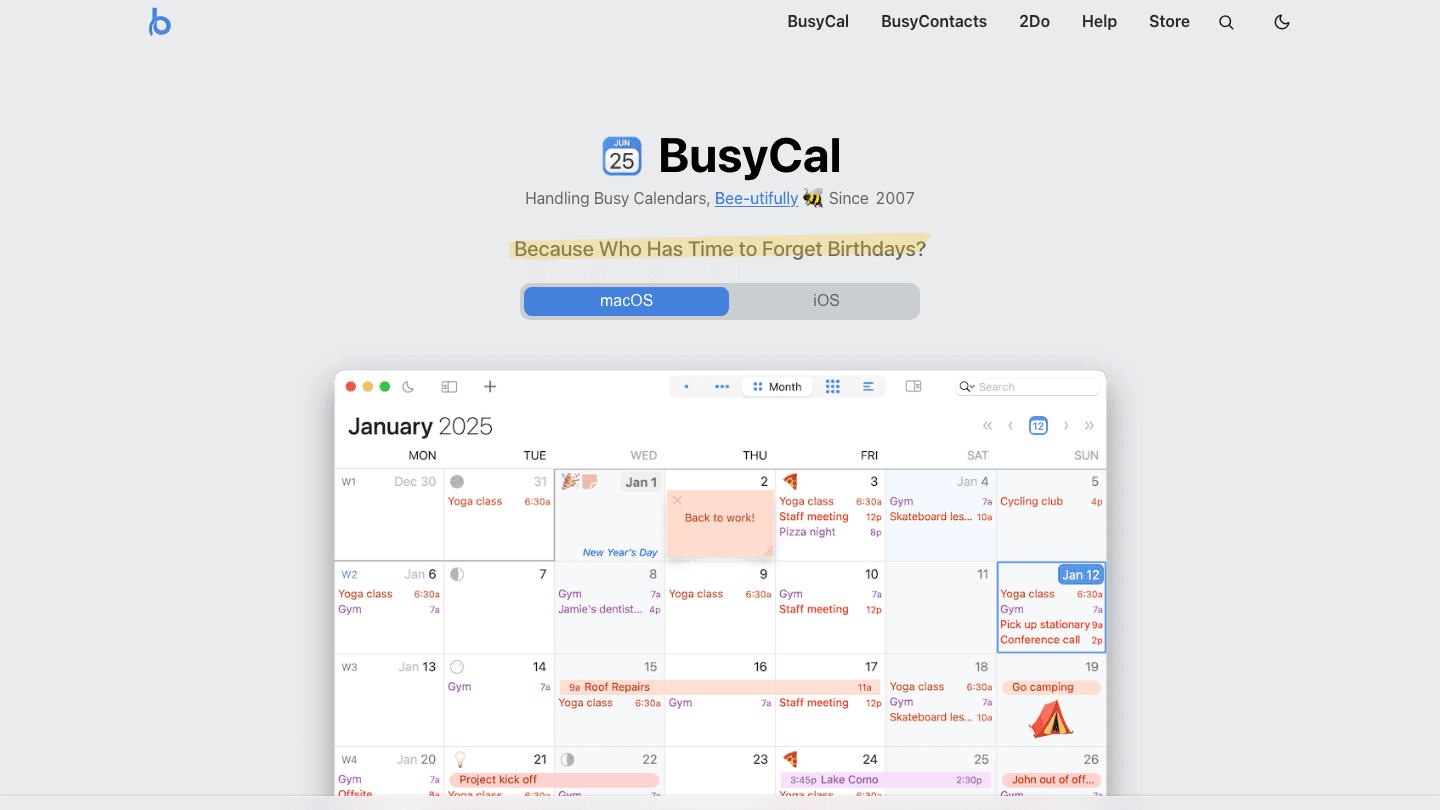
BusyCal is the closest direct Fantastical alternative for Apple users who want power-user features without a subscription. It has been around since 2007 and covers everything Fantastical does in terms of calendar management: multiple calendar sync, natural language input, weather integration, menu bar access, and a polished multi-view layout. The key difference is that you pay once.
BusyCal also includes task management built directly into the calendar, with tasks visible inline alongside events. For people who find switching between a calendar app and a task manager disruptive, having both in one pane is a genuine workflow improvement over Fantastical.
Natural language event and task creation
Inline task management alongside calendar events
Weather integration, travel time, and map view
Available for macOS and iOS
What Works: The one-time purchase model is a real advantage over Fantastical's subscription for people who do not change apps frequently. Task integration in the calendar view is cleaner than most competitors.
Limitations: Apple platforms only. No AI scheduling or energy awareness. Older visual design compared to Fantastical.
Pricing: $49.99 one-time purchase. 14-day free trial. Also available via Setapp.
Best for: Mac-first users who want Fantastical's feature depth without an ongoing subscription.
3. Calendars 5 by Readdle
Clean, fast iOS and Mac calendar that is free to start
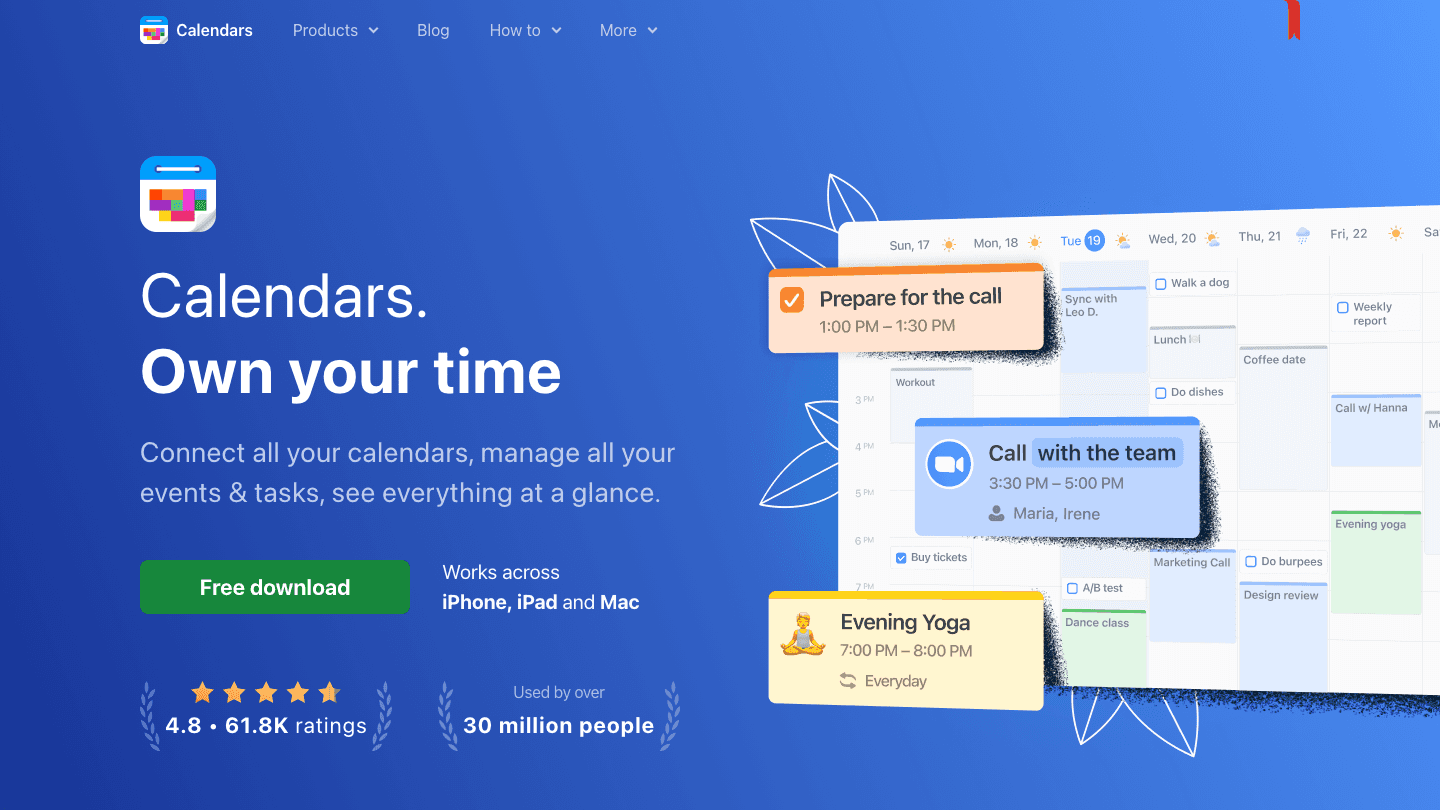
Calendars by Readdle covers the Fantastical use case for iOS and Mac users who do not want to pay. It syncs with Google Calendar, iCloud, Microsoft Exchange, and Yahoo Calendar, displays multiple accounts in a unified week and month view, and supports natural language input for event creation. The design is clean and fast.
For people who switched to Fantastical primarily for the better iOS calendar interface, Calendars 5 is a very close match at no cost. The lack of advanced features like Fantastical's Calendars Sets or event templates is a trade-off, but for the core calendar management use case, most users will not notice the difference.
Natural language event creation
Google Calendar, iCloud, Exchange sync
Clean week and month views on iOS and Mac
Trusted by over 30 million users
What Works: The free starting point lowers the barrier to switching. The interface is polished enough that it does not feel like a compromise for most everyday calendar needs.
Limitations: No task management built in. Fewer advanced features than Fantastical or BusyCal. Apple platforms only.
Pricing: Free to download with optional premium features available in-app.
Best for: iOS and Mac users who want a polished Fantastical alternative without the cost.
4. Morgen
Cross-platform AI calendar that works on Windows, Mac, Linux, and mobile
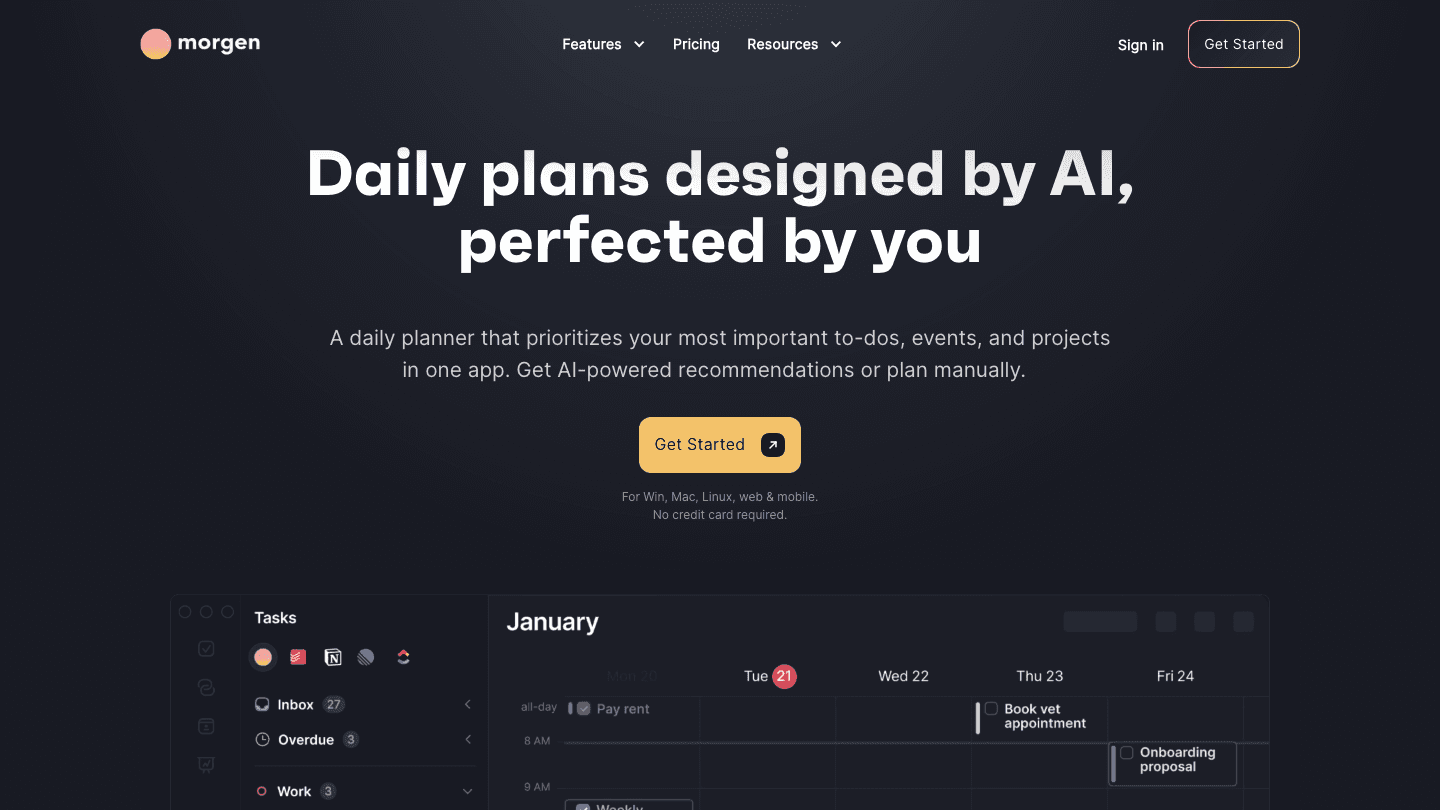
Morgen is the strongest option for people who use Fantastical on Mac but need something that also works on Windows or Android. It runs natively on all major platforms, syncs with Google Calendar, iCloud, Outlook, and others, and includes an AI planner that makes daily scheduling suggestions based on your task list and calendar.
The AI layer is lighter than Lifestack's energy-aware approach but more powerful than Google Calendar's Gemini integration. Morgen can suggest when to work on tasks, move items to avoid conflicts, and show you a prioritized daily plan alongside your event calendar. For cross-platform users who want more than a basic calendar, it is the best positioned option.
Works on Windows, Mac, Linux, iOS, Android, and web
AI daily planner with scheduling recommendations
Multi-account calendar sync from all major providers
Booking page for external meeting scheduling
What Works: The cross-platform coverage is unmatched. The AI planner adds real value beyond what typical Google Calendar alternatives provide.
Limitations: No energy or sleep data integration. AI suggestions are manual rather than auto-scheduled. Subscription required for most features.
Pricing: $30/month billed monthly. $15/month billed annually. 14-day free trial.
Best for: Cross-platform users who want an AI-assisted calendar that works equally well on Mac, Windows, and mobile.
5. Google Calendar
Free, fast, and best for teams and cross-platform users
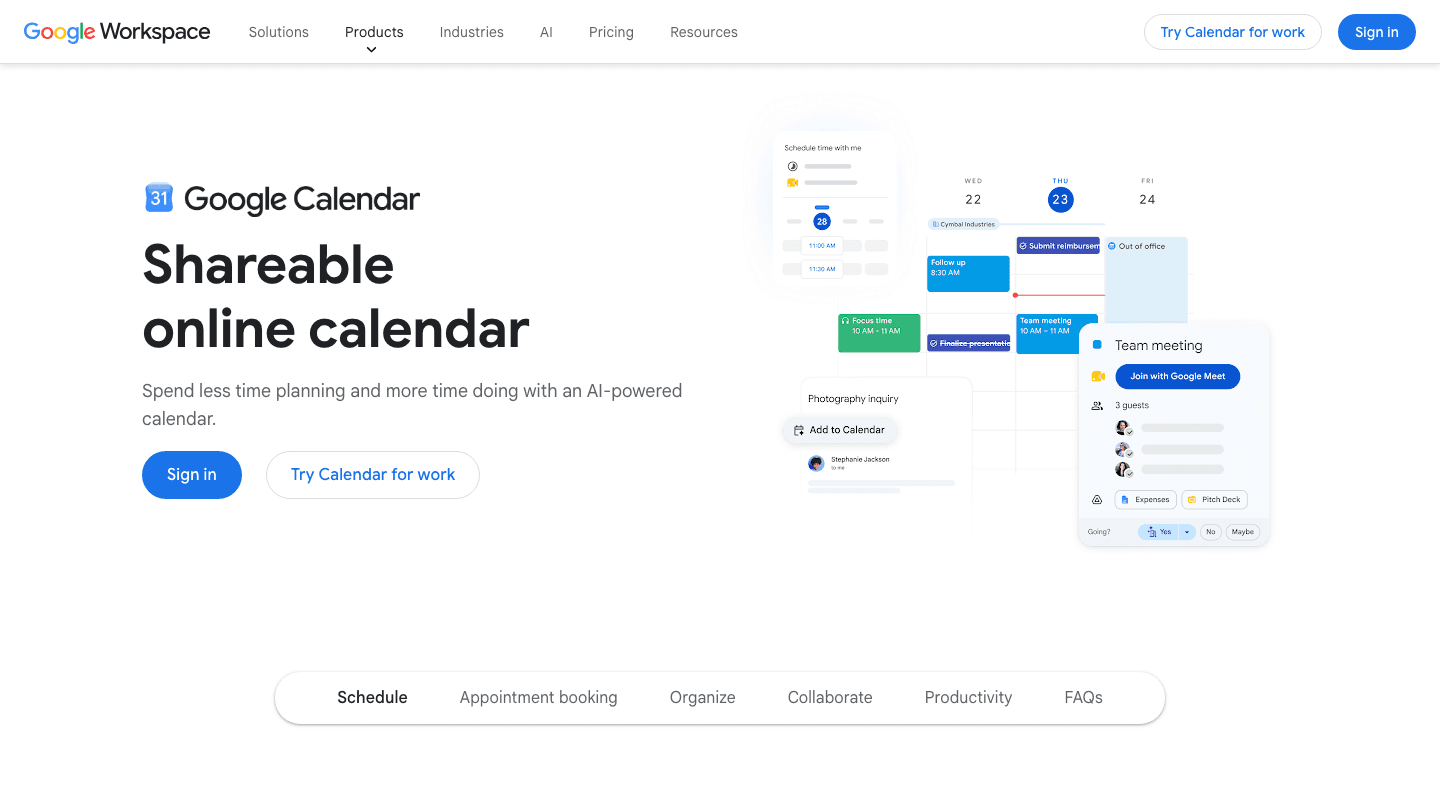
Google Calendar is the most used calendar application in the world and the obvious free alternative to Fantastical. It is available on every platform via web and has dedicated iOS and Android apps. Where Fantastical wins on design and polish, Google Calendar wins on collaboration, integration breadth, and total cost (free for personal use).
The Gemini AI integration in Google Calendar adds meeting summaries, smart scheduling, and natural language event creation directly in the interface. It is not as smooth as Fantastical's natural language input, but for most users it is good enough. For teams already using Google Workspace, Google Calendar is not just the practical choice but the clearly correct one.
Free for individuals, included in Google Workspace for teams
Best-in-class sharing, collaboration, and meeting scheduling
Integrates with virtually every productivity app available
Gemini AI for scheduling suggestions and summaries
What Works: The collaboration features and integration ecosystem are significantly better than Fantastical. Anyone who regularly shares calendars or schedules meetings with external people will find Google Calendar more capable. See our roundup of apps that pair well with Google Calendar to extend it further.
Limitations: Less polished native app experience on iOS compared to Fantastical. No task management built in without pairing with Google Tasks.
Pricing: Free for personal use. Google Workspace plans start at $6/user/month for business features.
Best for: Anyone on a team, anyone cross-platform, or anyone who primarily cares about cost.
6. Vimcal
The fastest calendar for people with too many meetings
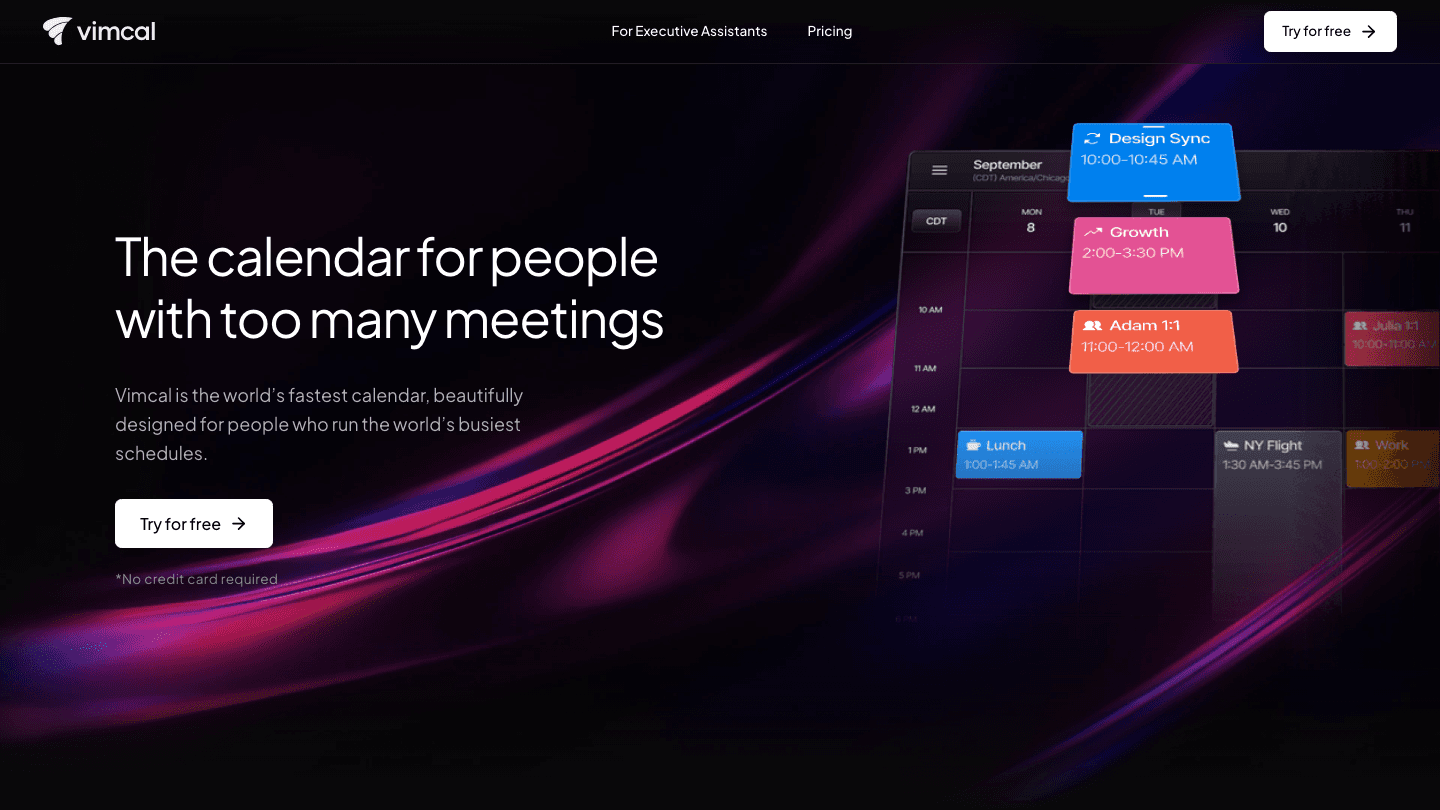
Vimcal is built for people who spend most of their day in meetings and need to schedule new ones as fast as possible. It is keyboard-driven (the name is a nod to Vim), with hotkeys for everything, a built-in time zone assistant, and the fastest meeting link generation of any calendar app. For executives and EAs who schedule dozens of meetings per week, the speed advantage is real.
It also has a strong meeting availability sharing feature: you can select slots from your calendar and share them in a single link, with auto-detection of the recipient's time zone. Fantastical has a similar feature, but Vimcal's version is faster and requires fewer clicks. The design is modern and clean on both Mac and iOS.
Keyboard-driven design for speed-focused users
Built-in time zone assistant and world clock
Fast meeting availability sharing with timezone detection
Dedicated Executive Assistant tier with delegation features
What Works: If your primary pain with Fantastical is that scheduling meetings still takes too many steps, Vimcal fixes it faster than any competitor. The keyboard shortcuts genuinely change the workflow once learned.
Limitations: No energy awareness or AI planning. Task management is minimal. Higher price point than Fantastical for standard users.
Pricing: Free iOS app. Desktop + iOS plan at $20/month ($16.67/month billed annually). EA plan at $75/month.
Best for: Executives and EAs who schedule meetings constantly and want keyboard-driven speed.
Which Fantastical Alternative Is Right for You?
You want a calendar that reads your energy, not just your availability: Lifestack. It is the only option here that connects sleep and recovery data to your daily schedule.
You want Fantastical's features without a subscription: BusyCal. One-time $49.99 with the same power-user depth.
You want a free iOS/Mac calendar with a good design: Calendars 5 by Readdle covers most of what Fantastical does at no cost.
You need Windows or Android support: Morgen. It is the only option that runs natively on all major platforms with AI planning included.
You work in a team or care about integrations: Google Calendar. Free, universal, and better for collaboration than anything else on this list.
You schedule meetings for a living: Vimcal. Keyboard-driven speed for people in meetings all day.
Frequently Asked Questions
Is there a free Fantastical alternative?
Yes, several. Google Calendar is free for individuals. Calendars 5 by Readdle is free to download for iOS and Mac. Google Calendar's AI features (Gemini) are increasingly capable. For most everyday calendar tasks, these free options cover what Fantastical does. See our list of affordable calendar apps for more options.
What is the best Fantastical alternative for Mac?
BusyCal is the most direct substitute: Apple platforms only, similar feature depth, one-time pricing instead of a subscription. For users who also want task management integrated into the calendar, BusyCal's built-in task view is stronger than Fantastical's. For energy-aware scheduling beyond what any calendar app does, Lifestack works alongside your existing Mac calendar.
Does Fantastical have a free version?
Fantastical has a limited free tier that shows only two upcoming events in the widget and restricts several features. The full experience requires Flexibits Premium, which runs around $4.75/month billed annually. That is roughly equivalent to Lifestack's $4.17/month (annual billing), but Lifestack adds AI energy scheduling on top of calendar features.
What Fantastical alternative works on Windows?
Fantastical is Apple-only. For cross-platform coverage including Windows, Morgen is the strongest choice: it runs natively on Windows, Mac, Linux, iOS, and Android. Google Calendar works on Windows via web browser, with the same features as the mobile apps.
How does Lifestack compare to Fantastical?
They solve different problems. Fantastical is a best-in-class event and calendar management app. Lifestack is an AI planner that auto-schedules tasks around your energy and sleep data. They are compatible rather than competing: many users run Lifestack for daily task scheduling while their existing calendar (Google or Apple) continues to manage events. Lifestack integrates with Apple Calendar and Google Calendar.
Fantastical is one of the most polished calendar apps on Apple platforms. Natural language event creation, beautiful design, multi-calendar overlay views, and a consistent experience across iPhone, iPad, Mac, and Apple Watch. For a certain type of user, it is the gold standard.
But it is not cheap. Fantastical requires a Flexibits Premium subscription to unlock most of its useful features, running around $4.75/month billed annually. And it is Apple-only, which rules it out for anyone on Windows or Android. There are also people who simply want more from their calendar: AI scheduling, energy awareness, task management built in, or better team features.
These six alternatives cover the full range: from a free Google Calendar that beats Fantastical on collaboration to a paid AI planner that schedules your day around your sleep and recovery data. The right choice depends on what you actually need your calendar to do.
Key Takeaways
Fantastical is excellent at natural language input and Apple ecosystem polish, but its subscription cost and Apple-only limitation rule it out for many
Lifestack goes further than Fantastical by reading your sleep and energy data and auto-scheduling tasks, not just events
Google Calendar and Calendars 5 by Readdle are the strongest free alternatives for cross-platform and iOS users respectively
Quick Guide
Lifestack: Best for AI-powered energy-aware planning beyond what any calendar does
BusyCal: Best macOS power user calendar with one-time pricing
Calendars 5 by Readdle: Best free iOS and Mac calendar with clean UI
Morgen: Best cross-platform calendar with AI daily planning
Google Calendar: Best free option for teams and cross-platform users
Vimcal: Best for people in back-to-back meetings who need fast scheduling
How We Evaluated
AI features: does it go beyond reminders to actual intelligent scheduling?
Platform coverage: Apple-only, cross-platform, or web-based?
Natural language input: how close to Fantastical's speed?
Pricing model: subscription vs one-time vs free
Task integration: can it manage to-dos alongside events?
1. Lifestack
The AI planner that schedules your tasks around your actual energy
Lifestack is in a different category from Fantastical. Where Fantastical manages events you create, Lifestack auto-schedules tasks around your sleep data, recovery metrics, and calendar so they land when your cognitive capacity is actually high. The question it answers is not "what is on my calendar?" but "when should I do the hard things today?"
People switch from Fantastical to Lifestack when they realize their calendar is full but their output is not matching it. Beautiful event display is not the bottleneck. Knowing whether 9am or 3pm is the right time to do complex analysis is. Lifestack connects to your wearable, reads your sleep quality from the previous night, and adjusts your schedule automatically. No other calendar app does this.
Energy-aware task scheduling based on sleep and recovery data
Integrates with Google Calendar and Apple Calendar
Available on iOS, Android, and Chrome extension
AI auto-scheduling that adjusts day-to-day based on how you actually feel
What Works: The energy layer is genuinely different from everything else on this list. For people whose task management keeps falling apart because they schedule demanding work at low-energy times, Lifestack fixes the root cause. See the energy calendar guide for how this works in practice.
Limitations: Not a replacement for Fantastical's event management polish if you live in meetings. Best as a planning layer on top of your existing calendar rather than a standalone calendar app.
Pricing: $7/month, $50/year (7-day free trial), or $120 lifetime.
Best for: Anyone who wants to move beyond event management and into AI-powered daily scheduling.
2. BusyCal
macOS and iOS calendar for power users who want one-time pricing
BusyCal is the closest direct Fantastical alternative for Apple users who want power-user features without a subscription. It has been around since 2007 and covers everything Fantastical does in terms of calendar management: multiple calendar sync, natural language input, weather integration, menu bar access, and a polished multi-view layout. The key difference is that you pay once.
BusyCal also includes task management built directly into the calendar, with tasks visible inline alongside events. For people who find switching between a calendar app and a task manager disruptive, having both in one pane is a genuine workflow improvement over Fantastical.
Natural language event and task creation
Inline task management alongside calendar events
Weather integration, travel time, and map view
Available for macOS and iOS
What Works: The one-time purchase model is a real advantage over Fantastical's subscription for people who do not change apps frequently. Task integration in the calendar view is cleaner than most competitors.
Limitations: Apple platforms only. No AI scheduling or energy awareness. Older visual design compared to Fantastical.
Pricing: $49.99 one-time purchase. 14-day free trial. Also available via Setapp.
Best for: Mac-first users who want Fantastical's feature depth without an ongoing subscription.
3. Calendars 5 by Readdle
Clean, fast iOS and Mac calendar that is free to start
Calendars by Readdle covers the Fantastical use case for iOS and Mac users who do not want to pay. It syncs with Google Calendar, iCloud, Microsoft Exchange, and Yahoo Calendar, displays multiple accounts in a unified week and month view, and supports natural language input for event creation. The design is clean and fast.
For people who switched to Fantastical primarily for the better iOS calendar interface, Calendars 5 is a very close match at no cost. The lack of advanced features like Fantastical's Calendars Sets or event templates is a trade-off, but for the core calendar management use case, most users will not notice the difference.
Natural language event creation
Google Calendar, iCloud, Exchange sync
Clean week and month views on iOS and Mac
Trusted by over 30 million users
What Works: The free starting point lowers the barrier to switching. The interface is polished enough that it does not feel like a compromise for most everyday calendar needs.
Limitations: No task management built in. Fewer advanced features than Fantastical or BusyCal. Apple platforms only.
Pricing: Free to download with optional premium features available in-app.
Best for: iOS and Mac users who want a polished Fantastical alternative without the cost.
4. Morgen
Cross-platform AI calendar that works on Windows, Mac, Linux, and mobile
Morgen is the strongest option for people who use Fantastical on Mac but need something that also works on Windows or Android. It runs natively on all major platforms, syncs with Google Calendar, iCloud, Outlook, and others, and includes an AI planner that makes daily scheduling suggestions based on your task list and calendar.
The AI layer is lighter than Lifestack's energy-aware approach but more powerful than Google Calendar's Gemini integration. Morgen can suggest when to work on tasks, move items to avoid conflicts, and show you a prioritized daily plan alongside your event calendar. For cross-platform users who want more than a basic calendar, it is the best positioned option.
Works on Windows, Mac, Linux, iOS, Android, and web
AI daily planner with scheduling recommendations
Multi-account calendar sync from all major providers
Booking page for external meeting scheduling
What Works: The cross-platform coverage is unmatched. The AI planner adds real value beyond what typical Google Calendar alternatives provide.
Limitations: No energy or sleep data integration. AI suggestions are manual rather than auto-scheduled. Subscription required for most features.
Pricing: $30/month billed monthly. $15/month billed annually. 14-day free trial.
Best for: Cross-platform users who want an AI-assisted calendar that works equally well on Mac, Windows, and mobile.
5. Google Calendar
Free, fast, and best for teams and cross-platform users
Google Calendar is the most used calendar application in the world and the obvious free alternative to Fantastical. It is available on every platform via web and has dedicated iOS and Android apps. Where Fantastical wins on design and polish, Google Calendar wins on collaboration, integration breadth, and total cost (free for personal use).
The Gemini AI integration in Google Calendar adds meeting summaries, smart scheduling, and natural language event creation directly in the interface. It is not as smooth as Fantastical's natural language input, but for most users it is good enough. For teams already using Google Workspace, Google Calendar is not just the practical choice but the clearly correct one.
Free for individuals, included in Google Workspace for teams
Best-in-class sharing, collaboration, and meeting scheduling
Integrates with virtually every productivity app available
Gemini AI for scheduling suggestions and summaries
What Works: The collaboration features and integration ecosystem are significantly better than Fantastical. Anyone who regularly shares calendars or schedules meetings with external people will find Google Calendar more capable. See our roundup of apps that pair well with Google Calendar to extend it further.
Limitations: Less polished native app experience on iOS compared to Fantastical. No task management built in without pairing with Google Tasks.
Pricing: Free for personal use. Google Workspace plans start at $6/user/month for business features.
Best for: Anyone on a team, anyone cross-platform, or anyone who primarily cares about cost.
6. Vimcal
The fastest calendar for people with too many meetings
Vimcal is built for people who spend most of their day in meetings and need to schedule new ones as fast as possible. It is keyboard-driven (the name is a nod to Vim), with hotkeys for everything, a built-in time zone assistant, and the fastest meeting link generation of any calendar app. For executives and EAs who schedule dozens of meetings per week, the speed advantage is real.
It also has a strong meeting availability sharing feature: you can select slots from your calendar and share them in a single link, with auto-detection of the recipient's time zone. Fantastical has a similar feature, but Vimcal's version is faster and requires fewer clicks. The design is modern and clean on both Mac and iOS.
Keyboard-driven design for speed-focused users
Built-in time zone assistant and world clock
Fast meeting availability sharing with timezone detection
Dedicated Executive Assistant tier with delegation features
What Works: If your primary pain with Fantastical is that scheduling meetings still takes too many steps, Vimcal fixes it faster than any competitor. The keyboard shortcuts genuinely change the workflow once learned.
Limitations: No energy awareness or AI planning. Task management is minimal. Higher price point than Fantastical for standard users.
Pricing: Free iOS app. Desktop + iOS plan at $20/month ($16.67/month billed annually). EA plan at $75/month.
Best for: Executives and EAs who schedule meetings constantly and want keyboard-driven speed.
Which Fantastical Alternative Is Right for You?
You want a calendar that reads your energy, not just your availability: Lifestack. It is the only option here that connects sleep and recovery data to your daily schedule.
You want Fantastical's features without a subscription: BusyCal. One-time $49.99 with the same power-user depth.
You want a free iOS/Mac calendar with a good design: Calendars 5 by Readdle covers most of what Fantastical does at no cost.
You need Windows or Android support: Morgen. It is the only option that runs natively on all major platforms with AI planning included.
You work in a team or care about integrations: Google Calendar. Free, universal, and better for collaboration than anything else on this list.
You schedule meetings for a living: Vimcal. Keyboard-driven speed for people in meetings all day.
Frequently Asked Questions
Is there a free Fantastical alternative?
Yes, several. Google Calendar is free for individuals. Calendars 5 by Readdle is free to download for iOS and Mac. Google Calendar's AI features (Gemini) are increasingly capable. For most everyday calendar tasks, these free options cover what Fantastical does. See our list of affordable calendar apps for more options.
What is the best Fantastical alternative for Mac?
BusyCal is the most direct substitute: Apple platforms only, similar feature depth, one-time pricing instead of a subscription. For users who also want task management integrated into the calendar, BusyCal's built-in task view is stronger than Fantastical's. For energy-aware scheduling beyond what any calendar app does, Lifestack works alongside your existing Mac calendar.
Does Fantastical have a free version?
Fantastical has a limited free tier that shows only two upcoming events in the widget and restricts several features. The full experience requires Flexibits Premium, which runs around $4.75/month billed annually. That is roughly equivalent to Lifestack's $4.17/month (annual billing), but Lifestack adds AI energy scheduling on top of calendar features.
What Fantastical alternative works on Windows?
Fantastical is Apple-only. For cross-platform coverage including Windows, Morgen is the strongest choice: it runs natively on Windows, Mac, Linux, iOS, and Android. Google Calendar works on Windows via web browser, with the same features as the mobile apps.
How does Lifestack compare to Fantastical?
They solve different problems. Fantastical is a best-in-class event and calendar management app. Lifestack is an AI planner that auto-schedules tasks around your energy and sleep data. They are compatible rather than competing: many users run Lifestack for daily task scheduling while their existing calendar (Google or Apple) continues to manage events. Lifestack integrates with Apple Calendar and Google Calendar.



FOLLOW ON
FOLLOW ON
FOLLOW ON


Copyright 2026 © Lifestack. All rights reserved
Copyright 2026 © Lifestack. All rights reserved

