
App
7 Best Free Task Management Apps in 2026
7 Best Free Task Management Apps in 2026

Most task management apps promise to fix your productivity. Very few actually do. And when you add "free" to the search, the options multiply fast enough that picking one becomes its own productivity problem.
We spent time testing the most popular free task management apps across different workflows: solo professionals, students, teams, and people who tend to let lists pile up untouched. What we found is that the best app for you depends less on features and more on how you naturally work.
Some people need a dead-simple checklist. Others need boards, due dates, recurring tasks, and calendar sync before they'll trust an app. A few need the app to tell them what to work on next. Understanding why planning matters is the first step; the second is finding a tool that fits how your brain works.
Here are the 7 best free task management apps in 2026, tested and ranked.
Key Takeaways
Lifestack is the most capable option if you want AI-powered energy-aware scheduling; it offers a 7-day free trial on the annual plan
Todoist and TickTick have the strongest free tiers for individuals who want clean, reliable task lists without paying
Microsoft To Do is the best truly-free pick for anyone already in the Microsoft ecosystem
Quick Guide: 7 Best Free Task Management Apps
Lifestack: AI scheduling that matches tasks to your energy levels (7-day free trial)
Todoist: The world's most popular to-do app, with a generous free tier
TickTick: Clean design, built-in Pomodoro timer, solid calendar integration
Any.do: Great for mobile-first users who want a daily planner baked in
Trello: Visual Kanban boards, perfect for project-style task management
Microsoft To Do: Completely free, syncs with Outlook and Microsoft 365
Notion: Flexible workspace that doubles as a task manager
How We Evaluated These Apps
We tested each app across four areas: ease of setup (could we be up and running in under five minutes?), free tier depth (how much do you actually get without paying?), mobile and desktop parity, and whether the app does anything to help you decide what to work on next.
Free tier task and project limits
Calendar and reminder integration
Energy or priority-awareness features
Mobile app quality and sync reliability
Whether the app works for ADHD-style workflows
1. Lifestack
The AI task manager that schedules around your energy, not just your calendar
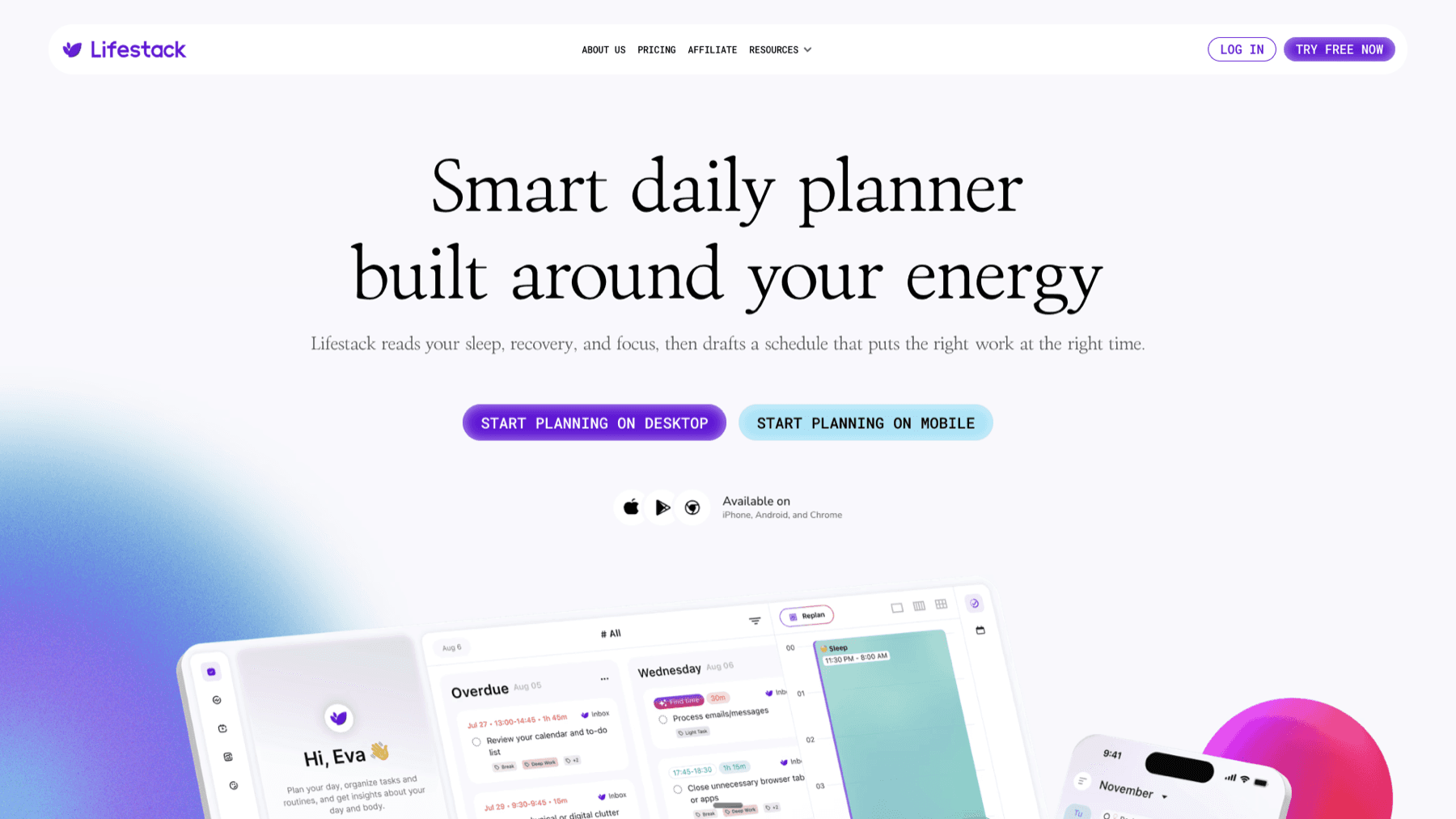
Lifestack takes a different approach to task management. Instead of giving you a blank list and walking away, it actively helps you decide when to do what. The app integrates with your calendar and tracks your personal energy patterns, then schedules tasks during the windows where you're most likely to actually complete them.
That distinction matters more than it sounds. Most free task management apps are great at capturing tasks. They're less good at getting those tasks done. Lifestack treats scheduling as a core problem, not an afterthought. If you've ever ended a day with a full to-do list and zero items checked off, that's the problem it's designed to solve. It's especially effective for ADHD project management, where task initiation is the real bottleneck.
The app connects to Google Calendar, Apple Calendar, and a growing list of productivity tools. Once synced, it analyzes your existing schedule and helps you block time for tasks based on your energy levels throughout the day. You can read more about this approach in our guide to energy-based calendar planning.
Key Features
AI-powered task scheduling based on personal energy patterns
Google Calendar and Apple Calendar integration
Chrome extension for capturing tasks from anywhere
Unlimited calendars and tasks on all plans
iOS and Android apps
What Works
The energy-aware scheduling is genuinely useful, not a gimmick
Setup is fast; the calendar sync works reliably
Excellent for people who struggle with task prioritization
Limitations
No permanent free tier; the 7-day trial requires an annual plan commitment after
Best value for people with busy calendars; lighter users may not see the full benefit
Pricing: Monthly plan at $9.99/month; Annual plan at $49.99/year (7-day free trial available); Lifetime plan at $120 one-time payment.
Best for: People who want AI-assisted scheduling and are willing to invest in a paid tool after a free trial
2. Todoist
The world's most popular to-do app, with a free tier that covers most personal use cases

Todoist has 50 million users, and the free plan is a big reason why. You get five personal projects, Natural Language Processing for quick task entry ("dentist appointment next Tuesday at 2pm" just works), and cross-platform sync across every device. It's not the most visual app in this list, but it's one of the most reliable.
The interface is clean and fast. Tasks can be organized into projects, tagged with labels, and given due dates. The free tier caps you at five projects and three filter views, which is genuinely limiting for complex workflows but more than enough for a personal system. If you want a simple, well-built to-do list you can trust for years, Todoist is probably it. Check our dedicated Todoist pricing breakdown for a full comparison of tiers.
Key Features
Natural language task entry
5 personal projects on the free plan
List and board layout options
Recurring tasks and reminders
Email and calendar integrations
iOS, Android, web, and desktop apps
What Works
The quick-add input is one of the best in class. You type a task the same way you'd describe it to a person and Todoist fills in the due date, project, and priority automatically. The mobile app is excellent.
Limitations
No energy awareness or AI scheduling
Free plan capped at 5 projects, which fills up quickly
Activity history limited to 1 week on the free tier
Pricing: Free tier available. Pro plan at $5/month (billed annually at $60/year) or $7/month.
Best for: Individuals who want a polished, reliable task list and don't need project management features
3. TickTick
A do-everything task manager with a built-in Pomodoro timer and solid calendar view

TickTick packs more features into its free plan than almost any competitor. You get 9 lists, 99 tasks per list, Kanban view, natural language input, and a built-in Pomodoro timer. The calendar integration is particularly strong for a free tier, showing your tasks alongside events so you can see how your day actually looks.
The app is used by people doing serious executive functioning work who need both a task list and a focus timer in one place. It's slightly busier to look at than Todoist, but once you learn the layout, everything is fast to access. For anyone who uses Pomodoro sprints or time-blocking to get through their work, TickTick is worth trying before paying for anything else.
Key Features
9 lists and 99 tasks per list on free plan
Built-in Pomodoro timer
Calendar view showing tasks and events together
Kanban board layout
Natural language processing for task input
Cross-platform sync
What Works
The combination of task list and Pomodoro timer in a single app removes the need for a separate focus tool. The calendar view helps with realistic daily planning in a way most task managers skip entirely.
Limitations
No AI scheduling or energy awareness
The interface can feel dense for new users
Email reminders and some calendar features require the premium plan
Pricing: Free tier available. Premium plan at $49.99/year (approximately $4.17/month).
Best for: People who want a capable, feature-rich task manager without paying anything, especially those who use Pomodoro techniques
4. Any.do
A mobile-first planner with a built-in daily planning ritual

Any.do differentiates itself with its Daily Planner feature, which prompts you each morning to review and organize your tasks for the day. It's a small nudge, but it creates a habit that a lot of task managers don't bother building. The free tier covers tasks, lists, reminders, calendar view, and sync across devices.
The mobile experience is the best-looking in this list. The app feels intuitive on a phone, which matters when most task capture happens on the go. The trade-off is that recurring tasks and some reminder types are locked behind the premium plan, which limits the free version for more complex workflows.
Key Features
Built-in Daily Planner to organize tasks each morning
Tasks, lists, and calendar all in one app
Sync across devices on the free plan
WhatsApp reminders (premium)
AI-powered task suggestions (premium)
What Works
The daily planning prompt is genuinely useful for building a review habit. The interface is clean and easy to pick up in under five minutes.
Limitations
Recurring tasks require the paid plan
No energy awareness or intelligent scheduling
Less powerful than Todoist or TickTick for complex task organization
Pricing: Free tier available. Premium at $4.99/month (billed annually) or $7.99/month.
Best for: Mobile-first users who want a clean, simple planner and benefit from a built-in daily review ritual
5. Trello
Visual Kanban boards for people who think in columns, not lists

Trello is not a traditional task list. It's a Kanban board system where tasks live on cards that you drag between columns (To Do, In Progress, Done). That visual structure is how some people naturally think about work. If you've ever sketched out a project on sticky notes, Trello will feel immediately right.
The free plan is genuinely generous: unlimited cards, unlimited Power-Ups (third-party integrations), and up to 10 boards per workspace. The cap at 10 boards is the main free-plan constraint; heavy users will hit it. For individuals or small projects, it's plenty. Our full Trello pricing guide covers when it's worth upgrading. It works well alongside broader planning systems when you need to track project status visually.
Key Features
Unlimited cards on the free plan
Up to 10 boards per workspace
Unlimited Power-Ups for integrations
Inbox and Planner views (Standard plan and above)
Mobile apps for iOS and Android
What Works
Drag-and-drop Kanban is fast and satisfying. The free tier is among the most generous in this list. The Power-Ups system lets you connect Trello to Slack, Google Drive, and dozens of other tools without paying.
Limitations
10-board limit on the free plan caps growth
No calendar view on the free plan
No AI scheduling or energy awareness
Board-style layout doesn't suit people who prefer linear lists
Pricing: Free tier available. Standard at $5/user/month (annual) or $6/month. Premium at $10/user/month (annual).
Best for: Visual thinkers and small project teams who want a Kanban board at no cost
6. Microsoft To Do
The completely free task manager built into the Microsoft ecosystem
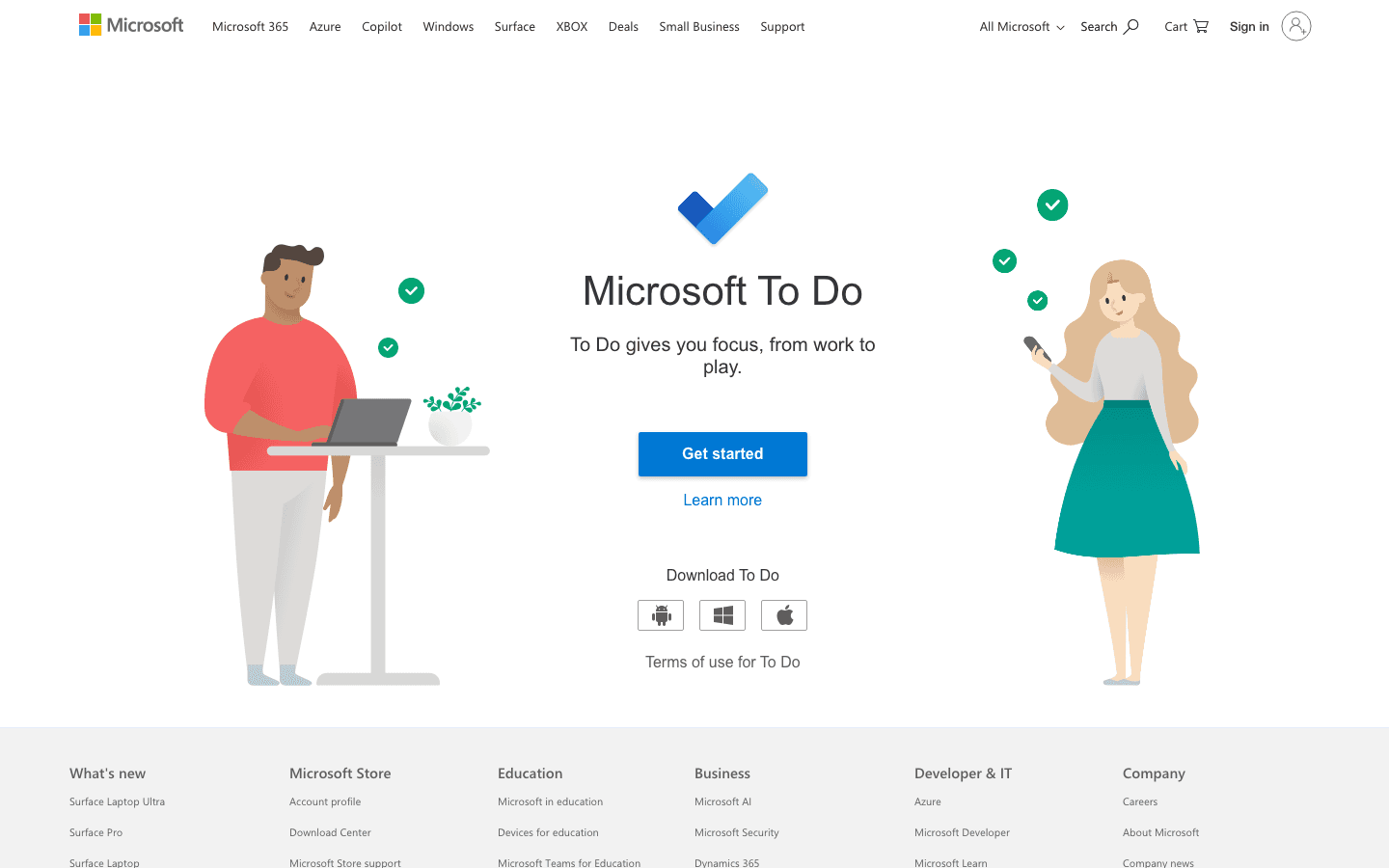
Microsoft To Do is entirely free with no paid tier. It replaced Wunderlist after Microsoft acquired that app, and it inherited a clean, list-based design that has only improved since. If you use Outlook for email or rely on Microsoft 365 for work, To Do is the obvious choice because tasks sync directly with Outlook Tasks and Microsoft Planner.
The "My Day" feature is a daily-focus view where you manually move the tasks you want to tackle today. It's simpler than the AI scheduling in Lifestack, but it creates a similar intentional planning moment. For a free tool, it's more polished than most paid competitors from five years ago.
Key Features
Completely free, no paid tier required
My Day focus view for daily planning
Outlook and Microsoft 365 sync
Recurring tasks and due dates
Shared lists and list collaboration
iOS, Android, Windows, and web apps
What Works
The Outlook integration is the best of any app in this list for Microsoft users. Lists sync instantly and tasks assigned in Teams or Planner appear in To Do automatically. For a free app, the polish level is high.
Limitations
No AI scheduling or energy awareness
Limited for people outside the Microsoft ecosystem
Fewer organizational features than Todoist or TickTick
Pricing: Completely free. No paid tier.
Best for: Anyone already using Microsoft 365 or Outlook who wants a task manager that integrates without setup
7. Notion
An all-in-one workspace that can function as a task manager with the right setup

Notion is not a task manager by default. It's a note-taking and database tool that you configure into whatever you need. The trade-off is that setup takes time; the payoff is a system that fits your exact workflow. The free tier is usable for task management with the right template.
For task management specifically, you'll typically build or import a database with properties for due date, status, and priority. Notion's free plan includes offline access, subtasks, and up to 10 external guests, which covers most personal setups. Our dedicated Notion pricing comparison explains when the paid plans add real value. If you want a single workspace for notes, tasks, wikis, and planning, Notion is worth the learning curve.
Key Features
Flexible database system for tasks, notes, and wikis
Subtasks and task dependencies on the free plan
Notion Calendar integration
7-day page history on free plan
Up to 10 external guests
What Works
No other tool in this list is as flexible. If you need a single place for your tasks, meeting notes, project docs, and personal knowledge base, Notion handles it all. The learning curve pays off once you've built your system.
Limitations
Setup requires meaningful time investment; not ready out of the box as a task manager
No AI scheduling or energy awareness
Can become cluttered without consistent maintenance
Pricing: Free tier available. Plus plan at $10/month per member. Business at $20/month per member.
Best for: People who want an all-in-one workspace and don't mind building their task system from scratch
Which Free Task Management App Is Right for You?
Want AI-powered scheduling with a free trial: Lifestack (7-day trial on annual plan)
Want the best free to-do list, no setup required: Todoist or Microsoft To Do
Need a focus timer built in: TickTick
Think best in columns and cards: Trello
Already in the Microsoft 365 world: Microsoft To Do
Want one workspace for everything: Notion
Use your phone more than your laptop: Any.do
A good task manager should fit how you already work, not require you to change your habits to fit it. Start with the free tier of whichever sounds closest to your style. Most of these apps let you import or migrate data later if you outgrow them. For deeper planning strategies, read our guide to planning effectively and our breakdown of why time management matters.
Frequently Asked Questions
What is the best free task management app in 2026?
Todoist and Microsoft To Do have the strongest free tiers for most people. Todoist offers five projects and natural language input; Microsoft To Do is completely free with no limits and integrates directly with Outlook. If you want to try an AI-powered scheduler, Lifestack offers a 7-day free trial.
Are free task management apps good enough for real work?
Yes, for most individuals. Todoist's free tier handles personal to-do lists well. TickTick's free plan includes Kanban views and a Pomodoro timer. Microsoft To Do is fully featured and costs nothing. Where free plans fall short is in team collaboration, advanced automation, and AI-assisted scheduling.
What free task management apps work well for ADHD?
Lifestack is purpose-built for ADHD workflows, with energy-aware scheduling that reduces decision paralysis. For strictly free options, TickTick's built-in Pomodoro timer and Microsoft To Do's My Day focus view both help with task initiation. See our full guide on ADHD mobile apps for more options.
Is Todoist really free?
Yes. Todoist has a free plan that includes five projects, natural language task entry, recurring tasks, and cross-device sync. The paid Pro plan adds more projects, calendar view, and AI features at $5/month (billed annually).
Can I use Trello for task management without paying?
Yes. Trello's free plan includes unlimited cards, up to 10 boards, and unlimited Power-Ups. The main limitation is 10 boards per workspace, which can fill up if you run multiple projects simultaneously. The free plan is more than enough for individuals or small teams.
What is the difference between a to-do list app and a task management app?
A to-do list app like Microsoft To Do focuses on simple task capture and checking things off. A task management app like Todoist or Notion adds structure: projects, priorities, tags, collaboration, and reporting. For personal use, a good to-do list is often all you need. Teams and complex projects usually need the structure of task management tools.
Most task management apps promise to fix your productivity. Very few actually do. And when you add "free" to the search, the options multiply fast enough that picking one becomes its own productivity problem.
We spent time testing the most popular free task management apps across different workflows: solo professionals, students, teams, and people who tend to let lists pile up untouched. What we found is that the best app for you depends less on features and more on how you naturally work.
Some people need a dead-simple checklist. Others need boards, due dates, recurring tasks, and calendar sync before they'll trust an app. A few need the app to tell them what to work on next. Understanding why planning matters is the first step; the second is finding a tool that fits how your brain works.
Here are the 7 best free task management apps in 2026, tested and ranked.
Key Takeaways
Lifestack is the most capable option if you want AI-powered energy-aware scheduling; it offers a 7-day free trial on the annual plan
Todoist and TickTick have the strongest free tiers for individuals who want clean, reliable task lists without paying
Microsoft To Do is the best truly-free pick for anyone already in the Microsoft ecosystem
Quick Guide: 7 Best Free Task Management Apps
Lifestack: AI scheduling that matches tasks to your energy levels (7-day free trial)
Todoist: The world's most popular to-do app, with a generous free tier
TickTick: Clean design, built-in Pomodoro timer, solid calendar integration
Any.do: Great for mobile-first users who want a daily planner baked in
Trello: Visual Kanban boards, perfect for project-style task management
Microsoft To Do: Completely free, syncs with Outlook and Microsoft 365
Notion: Flexible workspace that doubles as a task manager
How We Evaluated These Apps
We tested each app across four areas: ease of setup (could we be up and running in under five minutes?), free tier depth (how much do you actually get without paying?), mobile and desktop parity, and whether the app does anything to help you decide what to work on next.
Free tier task and project limits
Calendar and reminder integration
Energy or priority-awareness features
Mobile app quality and sync reliability
Whether the app works for ADHD-style workflows
1. Lifestack
The AI task manager that schedules around your energy, not just your calendar
Lifestack takes a different approach to task management. Instead of giving you a blank list and walking away, it actively helps you decide when to do what. The app integrates with your calendar and tracks your personal energy patterns, then schedules tasks during the windows where you're most likely to actually complete them.
That distinction matters more than it sounds. Most free task management apps are great at capturing tasks. They're less good at getting those tasks done. Lifestack treats scheduling as a core problem, not an afterthought. If you've ever ended a day with a full to-do list and zero items checked off, that's the problem it's designed to solve. It's especially effective for ADHD project management, where task initiation is the real bottleneck.
The app connects to Google Calendar, Apple Calendar, and a growing list of productivity tools. Once synced, it analyzes your existing schedule and helps you block time for tasks based on your energy levels throughout the day. You can read more about this approach in our guide to energy-based calendar planning.
Key Features
AI-powered task scheduling based on personal energy patterns
Google Calendar and Apple Calendar integration
Chrome extension for capturing tasks from anywhere
Unlimited calendars and tasks on all plans
iOS and Android apps
What Works
The energy-aware scheduling is genuinely useful, not a gimmick
Setup is fast; the calendar sync works reliably
Excellent for people who struggle with task prioritization
Limitations
No permanent free tier; the 7-day trial requires an annual plan commitment after
Best value for people with busy calendars; lighter users may not see the full benefit
Pricing: Monthly plan at $9.99/month; Annual plan at $49.99/year (7-day free trial available); Lifetime plan at $120 one-time payment.
Best for: People who want AI-assisted scheduling and are willing to invest in a paid tool after a free trial
2. Todoist
The world's most popular to-do app, with a free tier that covers most personal use cases
Todoist has 50 million users, and the free plan is a big reason why. You get five personal projects, Natural Language Processing for quick task entry ("dentist appointment next Tuesday at 2pm" just works), and cross-platform sync across every device. It's not the most visual app in this list, but it's one of the most reliable.
The interface is clean and fast. Tasks can be organized into projects, tagged with labels, and given due dates. The free tier caps you at five projects and three filter views, which is genuinely limiting for complex workflows but more than enough for a personal system. If you want a simple, well-built to-do list you can trust for years, Todoist is probably it. Check our dedicated Todoist pricing breakdown for a full comparison of tiers.
Key Features
Natural language task entry
5 personal projects on the free plan
List and board layout options
Recurring tasks and reminders
Email and calendar integrations
iOS, Android, web, and desktop apps
What Works
The quick-add input is one of the best in class. You type a task the same way you'd describe it to a person and Todoist fills in the due date, project, and priority automatically. The mobile app is excellent.
Limitations
No energy awareness or AI scheduling
Free plan capped at 5 projects, which fills up quickly
Activity history limited to 1 week on the free tier
Pricing: Free tier available. Pro plan at $5/month (billed annually at $60/year) or $7/month.
Best for: Individuals who want a polished, reliable task list and don't need project management features
3. TickTick
A do-everything task manager with a built-in Pomodoro timer and solid calendar view
TickTick packs more features into its free plan than almost any competitor. You get 9 lists, 99 tasks per list, Kanban view, natural language input, and a built-in Pomodoro timer. The calendar integration is particularly strong for a free tier, showing your tasks alongside events so you can see how your day actually looks.
The app is used by people doing serious executive functioning work who need both a task list and a focus timer in one place. It's slightly busier to look at than Todoist, but once you learn the layout, everything is fast to access. For anyone who uses Pomodoro sprints or time-blocking to get through their work, TickTick is worth trying before paying for anything else.
Key Features
9 lists and 99 tasks per list on free plan
Built-in Pomodoro timer
Calendar view showing tasks and events together
Kanban board layout
Natural language processing for task input
Cross-platform sync
What Works
The combination of task list and Pomodoro timer in a single app removes the need for a separate focus tool. The calendar view helps with realistic daily planning in a way most task managers skip entirely.
Limitations
No AI scheduling or energy awareness
The interface can feel dense for new users
Email reminders and some calendar features require the premium plan
Pricing: Free tier available. Premium plan at $49.99/year (approximately $4.17/month).
Best for: People who want a capable, feature-rich task manager without paying anything, especially those who use Pomodoro techniques
4. Any.do
A mobile-first planner with a built-in daily planning ritual
Any.do differentiates itself with its Daily Planner feature, which prompts you each morning to review and organize your tasks for the day. It's a small nudge, but it creates a habit that a lot of task managers don't bother building. The free tier covers tasks, lists, reminders, calendar view, and sync across devices.
The mobile experience is the best-looking in this list. The app feels intuitive on a phone, which matters when most task capture happens on the go. The trade-off is that recurring tasks and some reminder types are locked behind the premium plan, which limits the free version for more complex workflows.
Key Features
Built-in Daily Planner to organize tasks each morning
Tasks, lists, and calendar all in one app
Sync across devices on the free plan
WhatsApp reminders (premium)
AI-powered task suggestions (premium)
What Works
The daily planning prompt is genuinely useful for building a review habit. The interface is clean and easy to pick up in under five minutes.
Limitations
Recurring tasks require the paid plan
No energy awareness or intelligent scheduling
Less powerful than Todoist or TickTick for complex task organization
Pricing: Free tier available. Premium at $4.99/month (billed annually) or $7.99/month.
Best for: Mobile-first users who want a clean, simple planner and benefit from a built-in daily review ritual
5. Trello
Visual Kanban boards for people who think in columns, not lists
Trello is not a traditional task list. It's a Kanban board system where tasks live on cards that you drag between columns (To Do, In Progress, Done). That visual structure is how some people naturally think about work. If you've ever sketched out a project on sticky notes, Trello will feel immediately right.
The free plan is genuinely generous: unlimited cards, unlimited Power-Ups (third-party integrations), and up to 10 boards per workspace. The cap at 10 boards is the main free-plan constraint; heavy users will hit it. For individuals or small projects, it's plenty. Our full Trello pricing guide covers when it's worth upgrading. It works well alongside broader planning systems when you need to track project status visually.
Key Features
Unlimited cards on the free plan
Up to 10 boards per workspace
Unlimited Power-Ups for integrations
Inbox and Planner views (Standard plan and above)
Mobile apps for iOS and Android
What Works
Drag-and-drop Kanban is fast and satisfying. The free tier is among the most generous in this list. The Power-Ups system lets you connect Trello to Slack, Google Drive, and dozens of other tools without paying.
Limitations
10-board limit on the free plan caps growth
No calendar view on the free plan
No AI scheduling or energy awareness
Board-style layout doesn't suit people who prefer linear lists
Pricing: Free tier available. Standard at $5/user/month (annual) or $6/month. Premium at $10/user/month (annual).
Best for: Visual thinkers and small project teams who want a Kanban board at no cost
6. Microsoft To Do
The completely free task manager built into the Microsoft ecosystem
Microsoft To Do is entirely free with no paid tier. It replaced Wunderlist after Microsoft acquired that app, and it inherited a clean, list-based design that has only improved since. If you use Outlook for email or rely on Microsoft 365 for work, To Do is the obvious choice because tasks sync directly with Outlook Tasks and Microsoft Planner.
The "My Day" feature is a daily-focus view where you manually move the tasks you want to tackle today. It's simpler than the AI scheduling in Lifestack, but it creates a similar intentional planning moment. For a free tool, it's more polished than most paid competitors from five years ago.
Key Features
Completely free, no paid tier required
My Day focus view for daily planning
Outlook and Microsoft 365 sync
Recurring tasks and due dates
Shared lists and list collaboration
iOS, Android, Windows, and web apps
What Works
The Outlook integration is the best of any app in this list for Microsoft users. Lists sync instantly and tasks assigned in Teams or Planner appear in To Do automatically. For a free app, the polish level is high.
Limitations
No AI scheduling or energy awareness
Limited for people outside the Microsoft ecosystem
Fewer organizational features than Todoist or TickTick
Pricing: Completely free. No paid tier.
Best for: Anyone already using Microsoft 365 or Outlook who wants a task manager that integrates without setup
7. Notion
An all-in-one workspace that can function as a task manager with the right setup
Notion is not a task manager by default. It's a note-taking and database tool that you configure into whatever you need. The trade-off is that setup takes time; the payoff is a system that fits your exact workflow. The free tier is usable for task management with the right template.
For task management specifically, you'll typically build or import a database with properties for due date, status, and priority. Notion's free plan includes offline access, subtasks, and up to 10 external guests, which covers most personal setups. Our dedicated Notion pricing comparison explains when the paid plans add real value. If you want a single workspace for notes, tasks, wikis, and planning, Notion is worth the learning curve.
Key Features
Flexible database system for tasks, notes, and wikis
Subtasks and task dependencies on the free plan
Notion Calendar integration
7-day page history on free plan
Up to 10 external guests
What Works
No other tool in this list is as flexible. If you need a single place for your tasks, meeting notes, project docs, and personal knowledge base, Notion handles it all. The learning curve pays off once you've built your system.
Limitations
Setup requires meaningful time investment; not ready out of the box as a task manager
No AI scheduling or energy awareness
Can become cluttered without consistent maintenance
Pricing: Free tier available. Plus plan at $10/month per member. Business at $20/month per member.
Best for: People who want an all-in-one workspace and don't mind building their task system from scratch
Which Free Task Management App Is Right for You?
Want AI-powered scheduling with a free trial: Lifestack (7-day trial on annual plan)
Want the best free to-do list, no setup required: Todoist or Microsoft To Do
Need a focus timer built in: TickTick
Think best in columns and cards: Trello
Already in the Microsoft 365 world: Microsoft To Do
Want one workspace for everything: Notion
Use your phone more than your laptop: Any.do
A good task manager should fit how you already work, not require you to change your habits to fit it. Start with the free tier of whichever sounds closest to your style. Most of these apps let you import or migrate data later if you outgrow them. For deeper planning strategies, read our guide to planning effectively and our breakdown of why time management matters.
Frequently Asked Questions
What is the best free task management app in 2026?
Todoist and Microsoft To Do have the strongest free tiers for most people. Todoist offers five projects and natural language input; Microsoft To Do is completely free with no limits and integrates directly with Outlook. If you want to try an AI-powered scheduler, Lifestack offers a 7-day free trial.
Are free task management apps good enough for real work?
Yes, for most individuals. Todoist's free tier handles personal to-do lists well. TickTick's free plan includes Kanban views and a Pomodoro timer. Microsoft To Do is fully featured and costs nothing. Where free plans fall short is in team collaboration, advanced automation, and AI-assisted scheduling.
What free task management apps work well for ADHD?
Lifestack is purpose-built for ADHD workflows, with energy-aware scheduling that reduces decision paralysis. For strictly free options, TickTick's built-in Pomodoro timer and Microsoft To Do's My Day focus view both help with task initiation. See our full guide on ADHD mobile apps for more options.
Is Todoist really free?
Yes. Todoist has a free plan that includes five projects, natural language task entry, recurring tasks, and cross-device sync. The paid Pro plan adds more projects, calendar view, and AI features at $5/month (billed annually).
Can I use Trello for task management without paying?
Yes. Trello's free plan includes unlimited cards, up to 10 boards, and unlimited Power-Ups. The main limitation is 10 boards per workspace, which can fill up if you run multiple projects simultaneously. The free plan is more than enough for individuals or small teams.
What is the difference between a to-do list app and a task management app?
A to-do list app like Microsoft To Do focuses on simple task capture and checking things off. A task management app like Todoist or Notion adds structure: projects, priorities, tags, collaboration, and reporting. For personal use, a good to-do list is often all you need. Teams and complex projects usually need the structure of task management tools.

FOLLOW ON
FOLLOW ON
FOLLOW ON



Copyright 2026 © Lifestack. All rights reserved
Copyright 2026 © Lifestack. All rights reserved

